Customer Ratings & Reviews
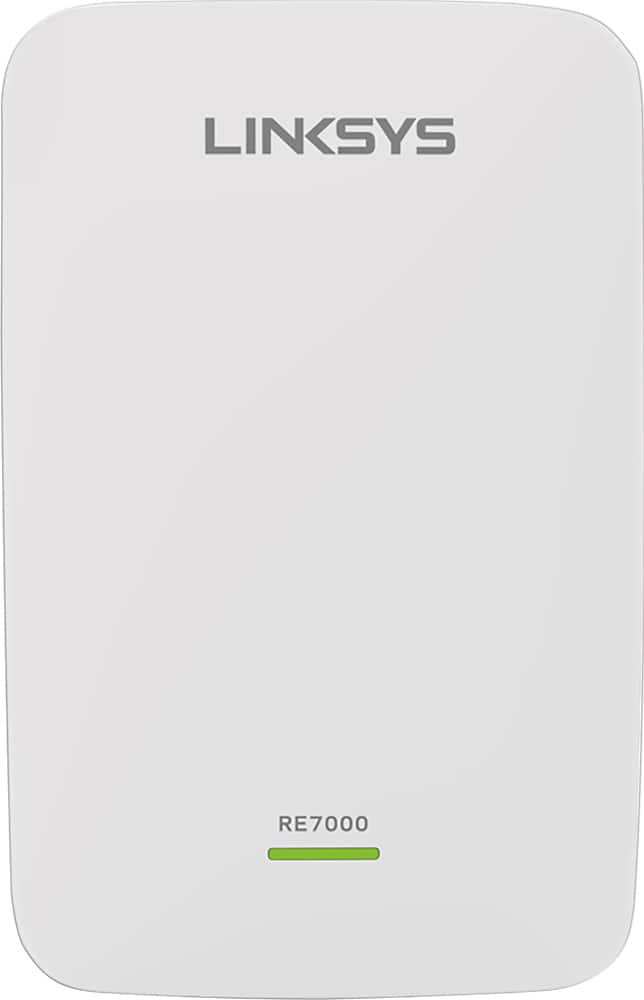
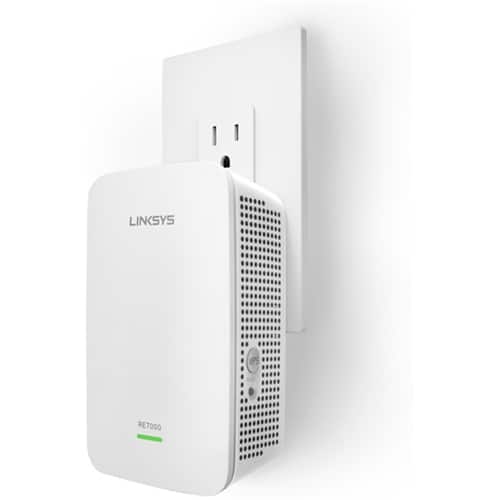

- Model:
- RE7000
- SKU:
- 5172000
Rating by feature
- Value
Rating 4.0 out of 5 stars
- Quality
Rating 4.2 out of 5 stars
- Ease of Use
Rating 4.1 out of 5 stars
Customers are saying
Customers recognize the MAX-STREAM™ AC1900 Dual Band Repeater with MU-MIMO as being easy to use and having a wide range with a strong signal. Positive feedback frequently highlights the product's ease of setup and good performance, leading to great coverage. However, some customers experienced connection issues, and others found the price to be somewhat high. A few also noted the product's size and potential compatibility concerns.
This summary was generated by AI based on customer reviews.
Useless
||Posted . Owned for 1 month when reviewed.This reviewer received promo considerations or sweepstakes entry for writing a review.Had so much trouble connecting to the router, and would have to be close in order to get signal from the router. That what happens when you go cheap
No, I would not recommend this to a friendGarbage
||Posted . Owned for 1 month when reviewed.This reviewer received promo considerations or sweepstakes entry for writing a review.Worked for 3 weeks and that was it. It overheated. Poor thermal engineering. I should know that's what I do for a living. I am a mechanical engineer at a wireless company.
No, I would not recommend this to a friendBrand response from Linksys Staff
Posted .Hello MechE111,
That's not a normal behavior of the Linksys extender. Email us at LinksysCares@linksys.com and we'll have our Escalation Engineers take care of it. Include your phone number and the link to this review for our reference. Let's take it from there.
Regards,
Princes
Linksys Support
Extender and not mesh network
||Posted .This reviewer received promo considerations or sweepstakes entry for writing a review.Ok if you don’t mind changing your WiFi when you connect. This creates an _ext network that is different than your regular network. Too problematic switching back and forth.
No, I would not recommend this to a friendBrand response from Linksys Staff
Posted .Hello Techie,
The Linksys RE7000 has a seamless feature wherein it'll allow you to roam between a supported router and range extender products without having to reconnect to the network. For more details regarding this matter, you can reach us at LinksysCares@linksys.com along with your phone number and the link to this review for our reference.
Regards,
Princes
Linksys Support
Linksys Extender
||Posted . Owned for 3 weeks when reviewed.This reviewer received promo considerations or sweepstakes entry for writing a review.Not working. I followed the instructions and the Google devices are far easier to operate. I have 1 gig speed and need to extend it in the home
No, I would not recommend this to a friendBrand response from Linksys Staff
Posted .Hi, usajohnp,
When setting up the Linksys RE7000, you may check the LED if it is in setup mode, Blinking Orange/Amber. You may connect your computer or phone then to the extender's default WiFi name, and access the "http://extender.linksys.com" or "192.168.1.1" through web browser and follow the on-screen instructions. You may reach out to us over email in case you ran some challenges on it so we can have our Escalation Engineers help you at LinksysCares@linksys.com. Send along with your contact info and the link of this review, for our reference.
Regards,
Elyza
Linksys Support
Does not work with NetGear WiFi
||Posted . Owned for 1 month when reviewed.This reviewer received promo considerations or sweepstakes entry for writing a review.Was not able to get this product set up with my NetGear WiFi. Returned to store and purchased a NetGear WiFi mesh extender instead.
No, I would not recommend this to a friendExtender
||Posted . Owned for 3 weeks when reviewed.This reviewer received promo considerations or sweepstakes entry for writing a review.Item did not work with my Cox router. Cox said there equipment was only compatible with Cox extenders.
No, I would not recommend this to a friendMAX STREAM REPEATER
||Posted . Owned for 1 year when reviewed.This reviewer received promo considerations or sweepstakes entry for writing a review.I installed and even called the Company 1 800 # to help thru install of the linking up .Still had dead spots in home . discontinued use.
No, I would not recommend this to a friendBrand response from Linksys Staff
Posted .Hello, ROCK555,
We appreciate your writing us a review. This is not the experience we want you to feel. By making sure that the firmware of the device is up to date normally optimizes its performance. If you still have the device with you, we can have our Escalation Engineers to further check on your case. Just email us at LinksysCares@linksys.com with your contact details and the link to this post for our reference.
Regards,
Gregory
Linksys Support
Meh, It's Terrible
||Posted . Owned for 11 months when reviewed.This reviewer received promo considerations or sweepstakes entry for writing a review.Like the main routers, this extender just extends frustrations. Pain in the butt and pain in the wallet for being useless junk.
No, I would not recommend this to a friendBrand response from Linksys Staff
Posted .Hi DudsKnotLye,
We'd like to learn more details about the setback that you have with the unit, and make things right. Our Escalation Engineers are eager enough to assist forward and aid in experiencing the best out of this device. With the link to this review and your contact details, please send an email at LinksysCares@linksys.com.
Let's continue from there for better assistance forward.
Regards,
Carl
Linksys Support
- Pros mentioned:Ease of use

Dead spot remover
|Posted .This reviewer received promo considerations or sweepstakes entry for writing a review.A great extender. I used it with 3 different routers, all with good results, made by different companies. I settled on the LINKSYS EA9500 MAX-STREAM™ AC5400 TRI-BAND WI-FI ROUTER. Easy to install. Unpacking and setup required less than 10 minutes. I read and followed the easy instructions. I then configured my network using the Linksys Smart Wi-Fi software. Using the software I was able to prioritize my attached devices, allocating bandwidth where needed and locate the Linksys MaxStream RE7000-AC1900 Wall Plug In Range Extender with MU-MIMO in an optimal location to eliminate a dead spot. I now have faster and more consistent connections than ever before. I live in a very electronic “noisy” area with over 25 networks visible at any given point in time. My network is now only limited by my carrier for web access speed. As I stated in my review of the LINKSYS EA9500 MAX-STREAM™ AC5400 TRI-BAND WI-FI ROUTER – Simple install, great build quality, great technical specs, great performance and great management software. This is what computing should be – “it just works!”
I would recommend this to a friend Did not work for me
||Posted .This reviewer received promo considerations or sweepstakes entry for writing a review.It did not work for me I plugged in different places in the house. I still got the poor and low wifi in all the rooms that I tried it.
No, I would not recommend this to a friend- Pros mentioned:Setup
Great add-on to my router
|Posted .This reviewer received promo considerations or sweepstakes entry for writing a review.I have a NETGEAR - N600 Dual-Band Wireless-N Router with Built-in Cable Modem which is in one corner of my house, so Wi-Fi signals are quite sporadic in other rooms. So I placed this RE7000 just outside my main bedroom and BOOM. No more Wi-Fi dead spots. Now I get full bars pretty much everywhere in my house. WHAT YOU GET: * The RE7000 Range Extender itself * CD that has the setup utility and the manual WHAT ELSE YOU NEED: * A wireless B/G/N router, preferably an "N" * PC or Mac with Wi-Fi and a CD drive to run the setup * Some Web browser to run the more sophisticated setup and administration activities Setup was quite easy. The installation takes 5 minutes with the CD wizard. You need decent wireless signals that reach the area where you will eventually position the extender, a CD drive and the password for your existing wireless security. That's it. CD installation software is 3 steps and idiot proof. The only thing you need to enter is your wireless network password, the software configures off your wireless router and establishes security and connection on it's own. Keep in mind that this is not a signal booster but a range extender to place between your wireless router and a dead zone. The story here is that if your repeater is located in an area where your main Wi-Fi signal strength is below -87 dBm, you will have almost no bandwidth. Forget streaming anything, but you may be able to check your email if you're patient. If the signal gets below -71 dBm, you'll have something generally usable, but likely less than your internet upstream link. If you can get your signal above that -71 dBm level, you're back into happy speed territory, and you can consider doing some heavy data transfer/streaming between your local network hosts. So grab your Wi-Fi meter, and find the electrical outlet that gets you as close to your destination as possible while meeting that -71 dBm goal. Use physical proximity as a rough guide only. WORDS OF CAUTION: 1) If you don't have a computer with a working CD drive, that's connected to Wi-Fi (eg. someone whose only use of Wi-Fi is for the gaming consoles), this extender will not be good for you. 2) If your wireless router is not "N", you may want to upgrade the router to "N". It will definitely work with other routers as well but you will notice the difference in performance. 3) Place the extender at a place where there is decent Wi-Fi signal. The repeater repeats what it receives, if you feed it garbage, it'll just repeat garbage. Feed it a good signal, it'll repeat a good signal. Simple. Linksys has a history of setup issues but this one was just a piece of cake. I am really impressed with the product.
I would recommend this to a friend Didn't work for my application
||Posted .This reviewer received promo considerations or sweepstakes entry for writing a review.Trying to extend buildings wifi to covered my entire unit, couldn't handle a 2.4 and 5ghz network with the same name. Sales rep said it probably wouldn't work, should have listened...
No, I would not recommend this to a friendBrand response from Linksys Staff
Posted .Hi, Jason,
By default, the range extender follows the wireless settings of your router. However, you have the option that enables you to configure the wireless settings for your extended network through the RE7000’s web-based setup page. It appears that you wish to have a system that operates in a singular network. This is possible with this model as this supports Seamless Roaming, but your main router needs to have this feature as well.
Please get in touch with us at LinksysCares@linksys.com so we can get you over to our Escalation Engineers. They'll check your router and help you get the Linksys unit to work effectively on your network. Indicate your contact information and the link to this review for our reference.
Regards,
Kristine
Linksys Support
Linksys repeater
||Posted . Owned for 8 months when reviewed.This reviewer received promo considerations or sweepstakes entry for writing a review.Wanted to increase my wifi coverage outside the house but this product didn't do the job. Setup is not user friendly.
No, I would not recommend this to a friendBrand response from Linksys Staff
Posted .Hi, Darrell,
We might need to relocate the extender to maximize its full functionality. Ideally, you can place it between the router and the area that you want to cover, just as long as it still gets at least 3 WiFi bars from the router. Keeping the device firmware up to date also helps to improve its performance.
Feel free to tap us at LinksysCares@linksys.com if our recommendations won’t help so we can assist you better. Just include the relevant details, your contact information, and a link to this review as a reference when you reach out.
Regards,
Rosalyn
Linksys Support
- Pros mentioned:Range, Setup
It's okay but not what I had hoped for.
|Posted .This reviewer received promo considerations or sweepstakes entry for writing a review.Overall I can’t say I’m impressed. I imagined this extending the range in my home more obviously that it appears too. Using the browser interface and Spot Finder, if it’s more than about 35 from the router, it tells me it’s not in an optimal spot. I was hoping to use this to extend my range in the yard. As things stand right now though, I have the same signal coverage with this as I did without. I’m not sure if external antennas should improve this range. I would think it should, but this doesn’t have any. Also it says for ultimate wireless extension, this should be used as a wired extender. Meaning running a cable from your router to the remote location this is at. Not very practical if you ask me. Maybe I’ll fool with that potential down the road but it’ll involve me getting another MoCA adapter. I’m by no means a power user so maybe someone more savvy nows how to tap this for the most potential but for me, it’s not quite what I expected. It was easy to setup though and the browser interface is fairly easy to use.
I would recommend this to a friend poor quality!
||Posted .This reviewer received promo considerations or sweepstakes entry for writing a review.If there is only an option for "no star" i would. This product is such a waste of money. after a month, it does not work anymore! NO, I DO NOT RECOMMEND THIS PRODUCT.
No, I would not recommend this to a friendBrand response from Linksys Staff
Posted .Hi dawner,
It's possible that the firmware of your RE7000 Extender is corrupted causing it to stop working in a short span of time. Your experience is very uncommon and we'd like to take this chance to make things right. Please let us know what's the current LED status of your device so we can tap one of our Escalation Engineers to further isolate the cause of your issue.
Hope to hear from you soon at LinksysCares@linksys.com with your contact details and the link to this review.
Regards,
Jay
Linksys Support
Seemed to Work Great at First
||Posted . Owned for less than 1 week when reviewed.This reviewer received promo considerations or sweepstakes entry for writing a review.This extender setup was fast and easy and it worked great for about 30 mins, then would drop the signal. This happened multiple times so returned it.
No, I would not recommend this to a friendBrand response from Linksys Staff
Posted .Hi, Angela,
Factors such as the firmware and proper placement of the extender might need to be checked to improve the overall performance of the device. Moreover, we understand that you no longer have the extender but feel free to tap us anytime us LinksysCares@linksys.com should you decide to try a Linksys device again next time. We’d be happy to give you a hand.
Regards,
Rosalyn
Linksys Support
don't buy
||Posted . Owned for 10 months when reviewed.This reviewer received promo considerations or sweepstakes entry for writing a review.this device worked for like a week and now i can't get it to connect. when it did work, the signal was weak.
No, I would not recommend this to a friendBrand response from Linksys Staff
Posted .Hi jp01,
Thanks for sharing your review on the Linksys RE7000. Please note that the range extender is reliant on the signal that it’s getting from the router. Ensuring that there’s a stable and strong connection from your router will help the performance of the range extender.
Nonetheless, we would like to have our Escalation team help you in optimizing your Linksys RE7000. Shoot us an email at LinksysCares@linksys.com with the relevant details and the link to this review for our reference.
Regards,
Kyla
Linksys Support
defective
||Posted . Owned for 3 weeks when reviewed.This reviewer received promo considerations or sweepstakes entry for writing a review.I was on the phone with Netgear support for 2 hours trying to get it set up before they finally said it was defective and I returned it.
No, I would not recommend this to a friendDon’t buy
||Posted . Owned for 2 months when reviewed.This reviewer received promo considerations or sweepstakes entry for writing a review.This item sucks don’t buy I believe it was interfering with the internet in my house waste of money. And it wasn’t a very easy setup
No, I would not recommend this to a friendlinksys repeater
||Posted . Owned for more than 2 years when reviewed.This reviewer received promo considerations or sweepstakes entry for writing a review.i did not get better quality or faster wifi with this repeater. i would suggest something more powerful to improve wifi coverage
No, I would not recommend this to a friend