Customer Ratings & Reviews
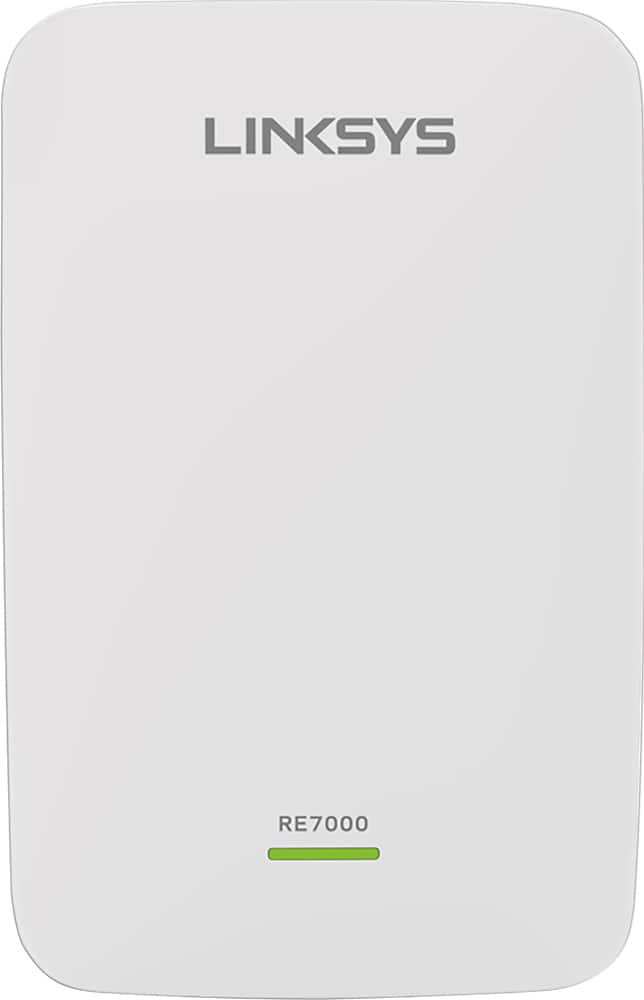
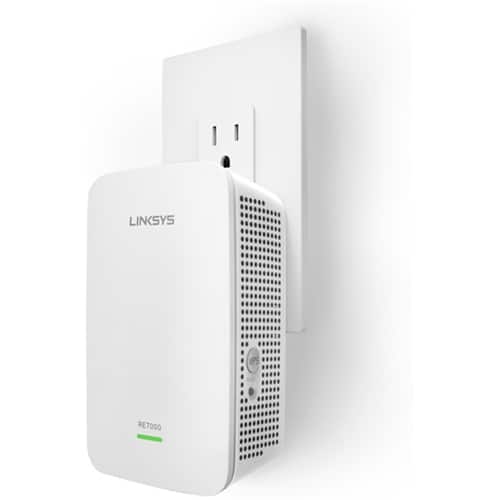

- Model:
- RE7000
- SKU:
- 5172000
Rating by feature
- Value
Rating 4.0 out of 5 stars
- Quality
Rating 4.2 out of 5 stars
- Ease of Use
Rating 4.1 out of 5 stars
Customers are saying
Customers recognize the MAX-STREAM™ AC1900 Dual Band Repeater with MU-MIMO as being easy to use and having a wide range with a strong signal. Positive feedback frequently highlights the product's ease of setup and good performance, leading to great coverage. However, some customers experienced connection issues, and others found the price to be somewhat high. A few also noted the product's size and potential compatibility concerns.
This summary was generated by AI based on customer reviews.
Actually made my network worse
||Posted .This reviewer received promo considerations or sweepstakes entry for writing a review.Tried to pair it with my linksys router and it paired fine but ended up being a dead spot. Returned and decided to go with the router from Comcast and their plugs.
No, I would not recommend this to a friendBrand response from Linksys Staff
Posted .Hi, David,
The location where you plugged in the RE7000 Extender would greatly impact the range that it can provide. To fully maximize its potential, we strongly recommend taking advantage of the Spot finder feature to guide you where to properly position the device for an optimal coverage. We understand that you've already returned the device and we respect your decision. Feel free to reach out to us at LinksysCares@linksys.com should you need assistance with any of your Linksys devices in the future.
We hope to hear from you again.
Regards,
Joseph
Linksys Support
Poor Links!
||Posted . Owned for 3 weeks when reviewed.This reviewer received promo considerations or sweepstakes entry for writing a review.Did not work effectively! Had a difficult time consistently staying on the Network.
No, I would not recommend this to a friendBrand response from Linksys Staff
Posted .Hi, Jay1384,
Relocating the extender might do wonders. Make sure that it still gets an optimum connection from the router and is away from physical obstructions and potential cause of wireless interference. Utilizing the latest firmware version also helps to stabilize the overall performance of the device.
If our recommendations won’t help, feel free to tap us at LinksysCares@linksys.com, so we can discuss more about this and assist you accordingly. Just include the relevant details and a link to this review as our reference when you reach out.
Regards,
Rosalyn
Linksys Support
Not as advertised
||Posted . Owned for 1 month when reviewed.This reviewer received promo considerations or sweepstakes entry for writing a review.Speeds not nearly as fast as advertised. Speeds a fraction of what was displayed on the box
No, I would not recommend this to a friendBrand response from Linksys Staff
Posted .Hi,
We appreciate your honest review. A range extender is dependent on where it is connected to. It should work as expected as long as there's a stable WiFi connection, a latest firmware, and if configured properly. Furthermore, our 2nd Level Team can surely assist you further. Just email us your contact details and other relevant details to LinksysCares@linksys.com.
Looking forward to hearing from you soon.
Mara
Linksys Support
Product just didn't work for me
||Posted . Owned for 3 weeks when reviewed.This reviewer received promo considerations or sweepstakes entry for writing a review.Unfortunately this product did not work very well for me and I had to return it.
No, I would not recommend this to a friendBrand response from Linksys Staff
Posted .Hi, Khet.
We value your feedback. The Linksys RE7000 should have a stable connection once set up properly and we could have our 2nd Level Support Team assist you further with the configuration. If you still have the extender or any Linksys device, email your contact details and the link to this post at LinksysCares@linksys.com. Our Escalation Engineers will assist you from there.
Regards,
Rhea
Linksys Support
Does not work
||Posted .This reviewer received promo considerations or sweepstakes entry for writing a review.Tried doing as per instructions ...didn't work...called for help...didn't work...Linksys says it's the modem...Spectrum says it's Linksys...like I said...DOES NOT WORK!
No, I would not recommend this to a friendBrand response from Linksys Staff
Posted .Hi, TheSilversmith,
Setting up the Linksys RE7000 Range Extender should be easy if your existing Wi-Fi router is broadcasting an active 2.4 GHz or 5 GHz wireless network connection. We'd be more than happy if you will provide us your case number or contact details at LinksysCares@linksys.com so we can review the troubleshooting steps taken for further isolation. We'll have one of our Escalation Engineers take care of your issue.
Regards,
Jay
Linksys Support
dud
||Posted . Owned for 3 weeks when reviewed.This reviewer received promo considerations or sweepstakes entry for writing a review.I could not get the product to work. The solution was to move it closer to my router, which did not help expand coverage.
No, I would not recommend this to a friendBrand response from Linksys Staff
Posted .Hi, t2music,
It is suggested to place the Linksys RE7000 in between your router and the area without wireless network. We must also consider physical obstruction and it should get atleast 50% of your routers connection. The Linksys RE7000 also has a spot finder feature that lets you know if it is too close or too far from your router. We can also have our Escalation Engineers help you further by sharing this over email at LinksysCares@linksys.com with your contact info and the link of this review, for our reference.
Regards,
Elyza
Linksys Support
No value found using this
||Posted .This reviewer received promo considerations or sweepstakes entry for writing a review.I found no value using this plug it in and it just seem like a wireless router no extension of network other options seem to be a lot better than this
No, I would not recommend this to a friendBrand response from Linksys Staff
Posted .Hi,
The RE7000 is one of our latest extenders that has the 802.11ac technology and features Seamless Roaming. It can easily extend your Wi-Fi network and offers the option to use it as a wired range extender or a wireless range extender. Feel free to email us at LinksysCares@linksys.com for further discussion.
Regards,
Klaudette
Linksys Support
stream
||Posted . Owned for 1 month when reviewed.This reviewer received promo considerations or sweepstakes entry for writing a review.Not working as expected ! My service improved 20% I was on the impresion that it was going to be better than that
No, I would not recommend this to a friendPoor quality
||Posted . Owned for 1 month when reviewed.This reviewer received promo considerations or sweepstakes entry for writing a review.Did not work in our home. We have multiple kids virtually learning and it did not solve our WiFi connectivity issues
No, I would not recommend this to a friendNot very effective
||Posted .This reviewer received promo considerations or sweepstakes entry for writing a review.Tried it out for upstairs to downstairs signal improvement. Didn't do anything more than the same setup I had before. Got something different for better results.
No, I would not recommend this to a friendBrand response from Linksys Staff
Posted .Hi FlightDoc,
The placement of the extender affects the performance of your wireless network. Use the Spot Finder feature on the RE7000 to ensure that it’s in the right spot. If we can be of any assistance in the future, please don’t hesitate to email us at LinksysCares@linksys.com anytime.
Regards,
Rechel
Linksys Support
- Pros mentioned:Range, Setup

Underwhelming performance
|Posted .This reviewer received promo considerations or sweepstakes entry for writing a review.Overview The Linksys RE7000 Max-Stream AC1900+ Wi-Fi Range Extender promises to “eliminate dead zone and boost coverage with MU-MIMO Technology”. In a nutshell this is a range extender, which means it acts like another access point in your home extending your Wi-Fi beyond its current range (supposedly up to 10k Sq Ft). Pretty simple, right? When paired with another Linksys Max-Stream branded device it will actually offer “Seamless Roaming”. That one feature alone is worth the price of admission, in theory. Pros • Dead simple setup o This thing is so simple a caveman can do it. Plug it in and connect to it via a web browser for final setup. I’ve used previous Wi-Fi extenders from other companies and they weren’t even this simple to install. • Seamless Roaming o This is the one feature that makes this thing so totally worth the price of admission. In my previous experience with range extenders, they typically will extend a band on your existing router, either the 2.4GHz or 5GHz band, but not both. And when they extend they drop a new SSID in your airspace creating an unfortunate manual experience of switching SSIDs as necessary. With Seamless Roaming it extends both bands and give you completely automatic connectivity as you move out of range of the primary Wi-Fi device. There are no extra SSIDs that need created as it actually extends the existing ones. This is a nice feature! • Spot Finder o This was a little confusing at first. During install I thought I was supposed to download an app for my phone, but it turns out it was a prompt in the web browser based setup. It works, but it’s a little kludgy. I would have preferred to see some sort of app to install on my phone so I could walk it around. Nevertheless, it’s still a nice value add as many other vendors tended to leave you with nothing in the way of this sort of functionality. Cons • Completely kills your throughput o Here’s really the worst possible con of all in this particular case. And it’s the one thing that completely ruins any potential this device had. Yes, it extends your range. However, I find that any device attached to it immediately experiences a 2-3x increase in latency and has its overall bandwidth reduced by 2-3x as well. This was a huge problem in my opinion. I tried this at basically all ranges to the extender, up close, far away, etc. The results were consistent across the board. Any device attached to the extender was essentially neutered in Wi-Fi performance. For instance, my Motorola Nexus 6 connected directly to the primary Wi-Fi router would see an avg of 108Mbit down, 38Mbit up and a latency of 30ms. However, once I connected that same device to the extender my performance immediately dropped to an avg of 55Mbit down, 12Mbit up, and a latency of 140ms. These numbers would float a little bit up or down based on range to the extender, but overall the drop was quite consistent regardless of range. Perhaps they can fix this in a firmware revision, but for now it’s unacceptable performance. • Range boost…What range boost? o Yes, it extends and with Seamless Roaming it does a nice job of it. I was unable to test the claims of up to 10k Sq Ft. I only have a 3k Sq Ft 2-story home, and I installed the primary router on the second floor in an equipment closet and the extender went on the first floor directly below the equipment closet. The range between the two was good. However, I didn’t see an increase in overall signal strength from one end of the house to the other. Bear in mind I was only concerned with testing the 5GHz band in this scenario. 2.4GHz has no trouble traversing walls and getting good range. While it may be possible for it to extend up to 10k Sq Ft…I didn’t see it. Even my next door neighbor couldn’t pick up on the signal. /shrug Summary I’d summarize by saying that this device might be quite good for a business who owns a large open floor plan and needs to extend their Wi-Fi out great distances. I’d imagine that it would do quite well in that application. Who knows? I may even work great in some person’s mansion. However, in my medium sized home It offered no noticeable value. For those that are concerned about latency at all this is a non-starter unless a firmware update can address that performance hitch. For those that simply want to extend browsing and email capability, this will work just fine.
No, I would not recommend this to a friendBrand response from Linksys Staff
Posted .Hi GrizzlyD,
Your detailed feedback on our product is appreciated. The extender only gets half of the bandwidth from your main router or access point. You can manually update or reflash its firmware to improve the device’s performance. For further assistance, feel free to email us at LinksysCares@linksys.com with your contact details, location, and the link to this review for reference.
Regards,
Linksys Support
Don't buy
||Posted . Owned for 1 week when reviewed.This reviewer received promo considerations or sweepstakes entry for writing a review.Could not get it to work!!!!!!!!!!!!!@!!!!!!!!!!!!!!!!@!!!!!!!!!!!!!!!!!!!!!!!!!!!!!!!!!
No, I would not recommend this to a friendBrand response from Linksys Staff
Posted .Hi,
We hear you, and we're here to help. Please email us at LinksysCares@linksys.com with the link to this review and your contact details. Our Escalation Engineers would love to hear more about the setback.
Regards,
JC
Linksys Support
- Pros mentioned:Setup
Easy setup, and lots of functionality
|Posted .This reviewer received promo considerations or sweepstakes entry for writing a review.I have been using this product for a few weeks now and my overall impression is good for this unit. The setup was easy and pretty painless. I was able to connect it to my home wifi router with ease and the linksys web app has a tool that will help you locate the dead spots in your home and find the optimal location for this range extender. The bad, I have experienced a few random outages with this unit and slow downs. I have not been able to tell for sure if it was my main router, my cable modem, or the unit itself though. Rebooting everything usually fixes most problems. However, when I am getting a slowdown, I have just unplugged the range extender and plugged it back in after a few seconds. Once it finishes its rebooting cycle, things are back to normal. You really can't go wrong with this range extender, I really like the Ethernet plug that it has built in as well.
I would recommend this to a friendBrand response from Linksys Staff
Posted .Hi, Jago,
It's good to hear some feedback from a happy camper. We're glad to know that you've found a workaround to resolve the random outages but allow us to check what could've caused it. This could be due to some interference and we suggest to check the main networks connection as this happens randomly. Do not hesitate to email us at LinksysCares@linksys.com and indicate your contact number, location, and the subject/link to this post so that our Escalations Engineers can help you figure this out.
Regards,
Irish
Linksys Support
Bad product
||Posted . Owned for 3 months when reviewed.This reviewer received promo considerations or sweepstakes entry for writing a review.Instead of solving my problem it made it worse! Would not recommend
No, I would not recommend this to a friendBrand response from Linksys Staff
Posted .Hi, oBlvd,
The Linksys RE7000 WiFi Extender should expand the WiFi coverage up to 2,500 sq. ft, eliminating dead zones. We would like to investigate your Linksys extender. You can share more details at LinksysCares@linksys.com with the link to this review for our reference.
Regards,
Jan
Linksys Support
Bad tool
||Posted .This reviewer received promo considerations or sweepstakes entry for writing a review.Not a good use terrible if it says it’s easy tried to use it did not pick up the signal not recommend it
No, I would not recommend this to a friendBrand response from Linksys Staff
Posted .Hi,
The Linksys RE7000 should be able to pick up the router's WiFi but, you can use the spot finder feature to find the optimal location for the extender. For further assistance, you can share more details at LinksysCares@linksys.com with the link to this review for our reference, and we'll assist you further.
Regards,
Jan
Linksys Support
Not good
||Posted . Owned for 5 months when reviewed.This reviewer received promo considerations or sweepstakes entry for writing a review.Don’t waste your money on this, I tried it. Much better off with a mesh router like the Eero system.
No, I would not recommend this to a friendBrand response from Linksys Staff
Posted .Hi, Charlie60,
The Linksys RE7000 allows you to extend your wireless network, and recommended to place in between the router and the area you wish to extend the Wi-Fi. Thus, we would like to know the issue you're having with it by sharing this over email at LinksysCares@linksys.com with your contact info and the link of this review, for our reference.
Regards,
Elyza
Linksys Support
- Pros mentioned:Ease of use
Nice way to extend your wifi range
|Posted .This reviewer received promo considerations or sweepstakes entry for writing a review.I received this about a week ago and have been using it for about 5 days now. It is about as simple as it gets, plug it in and follow the instructions in the included quick start guide and you are up and running. Set up is simple, and takes about 2-5 minutes. You plug it in, use a phone or computer and go to the site indicated in the book set up your password and you are done. I use it for a Roku box in the master bedroom and and my kids both connect to it for their streaming boxes. It is fast and has kept up with the demand it has had on it. I would recommend this to anyone who needs extended wifi range in their home.
I would recommend this to a friend Did not work
||Posted . Owned for 3 weeks when reviewed.This reviewer received promo considerations or sweepstakes entry for writing a review.Doesn’t work. I’m not sure if it’s with my system but I notice no difference.
No, I would not recommend this to a friendBrand response from Linksys Staff
Posted .Hi, EMichelle,
A proper placement might help. Just place the extender in between the area that you need to extend the coverage and the router. Just make sure that it still gets at least 3 WiFi bars. Keeping the firmware up to date will also help for stabilization and overall functionality. Feel free to ring us anytime should you need any help with the extender. You can check our hotline numbers on the lower part of our website under ‘Contact Us’.
Regards,
Rosalyn
Linksys Support
Wifi extender
||Posted . Owned for 3 months when reviewed.This reviewer received promo considerations or sweepstakes entry for writing a review.Didn’t do much to help improve my wifi. Ended up returning it but maybe it would help u out better.
No, I would not recommend this to a friendBrand response from Linksys Staff
Posted .Hi, Epicgamer,
A proper placement and optimized settings will surely help to improve the overall performance of the extender. We respect your decision in returning the unit, however, please remember that we’re just here at LinksysCares@linksys.com should you decide to try another Linksys product. The team will gladly lend you a hand.
Regards,
Rosalyn
Linksys Support
Awesome Extender
|Posted .This reviewer received promo considerations or sweepstakes entry for writing a review.My current network and computer setup is entirely Apple. I have a newer AirPort Extreme and an AirPort Express running my home network. I was a bit skeptical of adding a non-Apple product not because I'm a snob, but because it would something different in the mix. I'm glad I made the addition! One downside of the Extreme is that Apple doesn't support WPS setup for anything other than printers. Once I started the setup, I placed the extended near the front of my house where my desktop is. The Linksys website setup confirmed that the distance was perfect - not too far away for degradation and not too close to limit the range of extension. I replaced a powerline Ethernet kit with this extended and I've had a rock solid connection. I even used the Ethernet port on the extended so my Mac mini is connected to a 5Ghz AC network over wifi as well as Ethernet port. Streaming to my Apple TV has been a breeze! I really wish that I had the new Linksys tri-band router to try out since it would support seamless wifi use, like my Extreme and Express... But with much faster speeds.
I would recommend this to a friend