Customer Ratings & Reviews
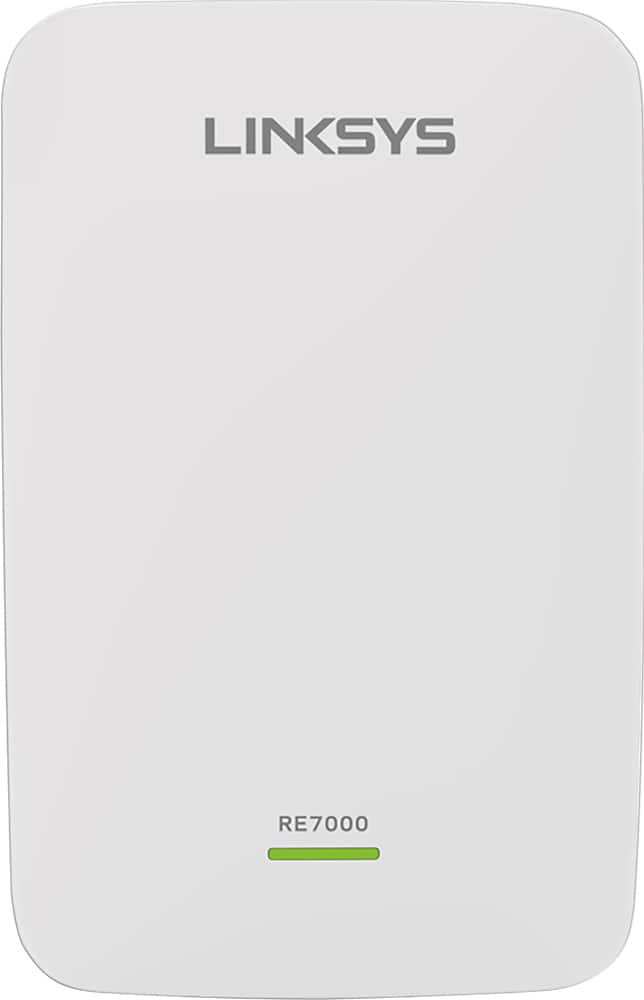
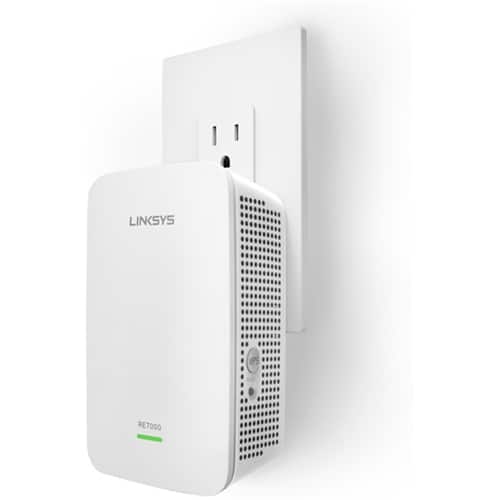

- Model:
- RE7000
- SKU:
- 5172000
Rating by feature
- Value
Rating 4.0 out of 5 stars
- Quality
Rating 4.2 out of 5 stars
- Ease of Use
Rating 4.1 out of 5 stars
Customers are saying
Customers recognize the MAX-STREAM™ AC1900 Dual Band Repeater with MU-MIMO as being easy to use and having a wide range with a strong signal. Positive feedback frequently highlights the product's ease of setup and good performance, leading to great coverage. However, some customers experienced connection issues, and others found the price to be somewhat high. A few also noted the product's size and potential compatibility concerns.
This summary was generated by AI based on customer reviews.
WiFi enhancer????
||Posted . Owned for 3 weeks when reviewed.This reviewer received promo considerations or sweepstakes entry for writing a review.It actually made it worse. I was too late to return it.
No, I would not recommend this to a friendBrand response from Linksys Staff
Posted .Hi there,
We'd like to learn more details about your challenges that you have with the range extender. Our Escalation Engineers are eager to assist forward and help figure out what's causes these challenges to happen. Just send an email at LinksysCares@linksys.com along with your contact details and the link to this review for our reference.
We'll wait for your updates.
Regards,
Carl
Linksys Support

Linksys RE7000 solved a vexing WiFi problem
|Posted .This reviewer received promo considerations or sweepstakes entry for writing a review.The Linksys RE7000 MAX-STREAM dual-band AC1900 MU-MIMO WiFi Range Extender works as advertised, but it's also an interesting mix of odd performance compromises. I gave up monkeying around with WiFi extenders back when 802.11g was the best a consumer could get. I found none of those to be worth the bother, not even Linksys'. The RE7000 is something that I would recommend people try when trying to solve otherwise insolvable problems with an existing WiFi network. It's very unclear to me that the RE7000 in anyway leverages household AC wiring in order to get the job done. As far as I can tell, the AC wall outlet mounted device accomplishes all of its feats strictly OTA, via concurrent, 2.4GHz and 5GHz, dual band radios. The RE7000 can extend an existing 802.11 A/B/G/N/AC network, whether or not the primary WiFi source is Linksys or 3rd-party, or it can be used as a stand-alone WiFi access point. If the primary WiFi is only 2.4GHz, the RE7000 cannot synthesize/graft 5GHz WiFi. If the primary WiFi being extended happens to also be Linksys MAX-STREAM, the RE7000 can be setup in what Linksys calls "Seamless Roaming" extender mode, which leverages 802.11k and (a Linksys "proprietary implementation of) 802.11r. The use of these two protocols is very poorly documented by Linksys at the time of this writing, but the details are tactically encapsulated in the forced choice that selecting Seamless Roaming mode requires the RE7000 to essentially auto-clone all of the WiFi settings of the primary MAX-STREAM WiFi to be extended. Even though the RE7000 is only dual-band, it is very well matched with the Linksys EA9500 MAX-STREAM tri-band AC5400 MU-MIMO WiFi Gigabit router. When setup in Seamless Roaming mode, I had to allow 10-15 minutes for these two devices to tune the connection before expecting real world results. I'm using my RE7000 in Seamless Roaming mode to extend the primary WiFi of a Linksys EA9500. I'm using Seamless Roaming to combat severe WiFi interference from surrounding WiFi APs not under my control. The main signal of the unextended EA9500 is, by itself, strong enough to provide adequate coverage/throughput for a particular WiFi security camera; but intermittent interference storms from surrounding WiFi APs sometimes knocks the WiFi cam off of the unextended EA9500, long enough for the camera to finally give up retrying to connect to the EA9500, even though the WiFi interference surge has passed. The timing of these interfering surges is completely unpredictable and can't be dodged via artful WiFi channel selection. The cam is only 2.4GHz capable. (I know that the WiFi cam is not defective because I've rotated three identical cams from other locations. All the cams fail similarly only in this one particular location.) Only certain 2.4GHz channels permit sufficient WiFi penetration, within my structure, between the cam and the EA9500. There are 12 or more competing WiFi APs using the same 2.4GHz channels. Since setting the RE7000 in Seamless Roaming mode, the WiFi cam has completely lost connectivity only once over a similar time interval where it would lose connectivity an average of five times without the RE7000. During storms of competing WiFi AP interference, the RE7000 now permits my WiFi cam to reacquire a correct WiFi connection before the cam gives up on retries. While this is not the expected use of Seamless Roaming, this is nevertheless a very big deal for me with this location (kitchen) and the WiFi cam. Not even running the microwave oven interferes with the extended WiFi. There are a few annoyances with the RE7000. It is the slowest WiFi device on my network to boot, the slowest device to write production configuration settings to a backup file and the internal configuration server's UI is also sluggish, no matter what browser I use to access it. I'm talking minutes to boot, minutes to save a given settings page, minutes to write to back-up,. This consumes a lot of time when trying to find the "Sweet Spot" for RE7000 positioning as well experimenting with configurable settings. (I NEVER use default settings on any network device and I wish that Linksys would provide a fast command line interface on all of its latest MAX-STREAM devices.) The internal configuration server does support HTTPS, but that's also an empty gesture as there is no pre-installed security certificate on the device, so, no way to definitively authenticate. To speed up RE7000 location selection, I used a WiFi scanner to determine where I could achieve -70dB signal strength or better from the EA9500's 2.4GHz radio and then plugged in the RE7000 for testing. -70dB is on the lower end of midway as far as the RE7000's internal "Sweet spot" indicator goes, but it is higher than the surrounding interfering 2.4GHz WiFi APs and more than strong enough for the RE7000 to perform as a Seamless Roaming provider. Temperature wise, the RE7000 is physically the hottest device on my network, measuring 107F. In contrast, the EA9500 runs at 92F and a third-party, dual-band AC1900 device runs at 88F. (For comparison, I plugged in an old Linksys 802.11A/B/G WiFi extender and allowed it to warm up to a final temperature of 119F while that device was doing absolutely nothing.) I do not recommend obstructing any of the many ventilation perforations in the body of the RE7000 and don't recommend its placement anywhere that it could be exposed to high humidity, splashes and/or spills. Some might complain that the RE7000 consumes an AC outlet without providing any pass-through utility AC outlet, but I think Linksys did the right thing. I don't want anyone to be able to plug in a motorized or heating or RF-interfering device into the RE7000, because there is no room whatsoever for the RE7000 to internally house the necessary AC power isolation circuitry to prevent damage to and/or interference with itself. My RE7000 is also plugged into a properly grounded, computer-grade, AC surge suppressor with AC line noise filtering. Of course, while I'm overall pleased with the RE7000, YMMV.
I would recommend this to a friendHard to setup
||Posted . Owned for 1 month when reviewed.This reviewer received promo considerations or sweepstakes entry for writing a review.This system would not connect. Very hard to set up. Not impressed.
No, I would not recommend this to a friendPoor quality on extender
||Posted . Owned for 10 months when reviewed.This reviewer received promo considerations or sweepstakes entry for writing a review.Never worked properly. I would not recommend this product.
No, I would not recommend this to a friendBrand response from Linksys Staff
Posted .Hello, Rnv1761,
We appreciate your writing us a review. This is not the experience we want you to feel. Please make sure that the firmware of the Linksys Range Extender is up to date to optimize its performance. We will have our Second Level Support team to further assist you. Please email us at LinksysCares@linksys.com with your contact details and the link to this post.
Regards,
Gregory
Linksys Support
returned it.
||Posted . Owned for 3 months when reviewed.This reviewer received promo considerations or sweepstakes entry for writing a review.it worked for a couple of minutes than dropped signal. Returned it.
No, I would not recommend this to a friendLinksys
||Posted . Owned for 3 weeks when reviewed.This reviewer received promo considerations or sweepstakes entry for writing a review.I could not set it to work so I returned to Best Buy.
No, I would not recommend this to a friendBrand response from Linksys Staff
Posted .Hi,
Setting up the Linksys RE7000 Wireless Extender should be easy, using a computer or a mobile device. We could have tried to use a different computer or mobile device to see it can detect the extenders SSID. Should you need assistance with other Linksys devices, you can reach out to us at LinksysCares@linksys.com with the link to this review for our reference.
Regards,
Jan
Linksys Support
Doesn't work
||Posted .This reviewer received promo considerations or sweepstakes entry for writing a review.Difficult to setup. Item is still not operating as advertised.
No, I would not recommend this to a friendChoose another
||Posted . Owned for 1 month when reviewed.This reviewer received promo considerations or sweepstakes entry for writing a review.Purchased to extended WIFI but only connects without internet
No, I would not recommend this to a friendNot good
||Posted .This reviewer received promo considerations or sweepstakes entry for writing a review.Not only did this NOT work, it made our internet worse.
No, I would not recommend this to a friendBrand response from Linksys Staff
Posted .Hi, Sweet,
If you're having issues setting up the Linksys RE7000, then you may try resetting it before configuring it again. Make sure to place the Linksys RE7000 in between your modem and the area you wished to extend. We can have our Escalation Engineers assist you further by sharing this over email at LinksysCares@linksys.com with your contact info and the link of this review, for reference.
Regards,
Elyza
Linksys Support
Not worth it
||Posted . Owned for 1 month when reviewed.This reviewer received promo considerations or sweepstakes entry for writing a review.Waste of money. Made no difference so i returned it.
No, I would not recommend this to a friendBrand response from Linksys Staff
Posted .Hi,
The Linksys RE7000 is recommended to place in between the router and the area you wished to extend the connection, and it must be a line of sight of the router. We understand that you already return the unit. We could have our Escalation Engineers help you. However, if in case you have future concern with any of our products, please feel free to send us an email at LinksysCares@linksys.com with your contact info and the link of this review, for our reference.
Regards,
Elyza
Linksys Support
Poor
||Posted . Owned for 1 month when reviewed.This reviewer received promo considerations or sweepstakes entry for writing a review.Sucks at everything...... End up buying eero best product
No, I would not recommend this to a friendBrand response from Linksys Staff
Posted .Hi Rico,
If you still have the Linksys range extender, we would like to assist you in resolving its issues. You can email us at LinksysCares@linksys.com. Please include the link to this review, and other relevant details, for our reference.
Regards,
Kyla
Linksys Support
Fail
||Posted . Owned for 4 months when reviewed.This reviewer received promo considerations or sweepstakes entry for writing a review.Don’t buy, doesn’t really work good. Waste of money.
No, I would not recommend this to a friendBrand response from Linksys Staff
Posted .Hi, Pach,
The Linksys RE7000 WiFi Extender should expand the WiFi coverage up to 2,500 sq. ft. However, allow us to investigate your Linksys extender. You can share more details at LinksysCares@linksys.com with the link to this review for our reference.
Regards,
Jan
Linksys Support
Did not help us at all
||Posted . Owned for 1 month when reviewed.This reviewer received promo considerations or sweepstakes entry for writing a review.We returned it did not work as well as we thought it would
No, I would not recommend this to a friendno way
||Posted .This reviewer received promo considerations or sweepstakes entry for writing a review.Dropped the signal like crazy in our home brought it back the next day. For a full refund.
No, I would not recommend this to a friendBrand response from Linksys Staff
Posted .Hi, Paulie,
As what you have described, it seems that the RE7000 Range Extender was not properly relocated to the right spot. We regret to hear that you already brought the unit back. We could have endorsed your case to our Escalation Engineers to help you properly relocate the unit for stable connection and optimal range. If you have other Linksys device that needs assistance, feel free to contact us anytime at LinksysCares@linksys.com.
Regards,
Jay
Linksys Support
- Pros mentioned:Ease of use, Signal strength
Great wireless extender
Posted .This reviewer received promo considerations or sweepstakes entry for writing a review.I received this as a free sample from Linksys in exchange for my honest feedback. Thanks for the opportunity! Very easy to setup. Need to update the firmware first time and then set to Auto Update. Works well with Cisco EA6500 and Asus RT68u (AC1900). Signal strength is quite good on different floors (upstairs or downstairs). Much better signal after extender is installed. Spot finder is very useful to place it in right spot. I tried keeping in the limited speed range, I could see lower signal and lower bandwidth in speedtest. Didn't see any lag or quality degradation when multiple devices streaming through extender at the same time. It has Gigabit ethernet port which is good as it eliminate the need for powerline adapter if you want to have device connected which only works on ethernet connection. The only cons I found is that its recommended to have different SSID (name). If we set the same name it will be difficult to find which router you are connected. Also web interface having more monitoring information would be useful.
I would recommend this to a friendBrand response from Linksys Staff
Posted .Hi, Treadmillreview,
We appreciate your feedback. If your RE7000 is paired with a Max-Stream router such as the EA9500, you can take advantage of its Seamless Streaming feature. This feature allows your enabled wireless devices to automatically switch to the strongest Wi-Fi signal, so you won't have to manually connect to the router or range extender when you move from one room to another or even to your backyard. In addition to that, setting a different name SSID for your RE7000 extender is just an option.
If you have questions about your product, feel free to email us at LinksysCares@linksys.com, anytime.
Regards,
Jay
Linksys Support
Even at $100, its cheap.
||Posted .This reviewer received promo considerations or sweepstakes entry for writing a review.It's pretty bad. Works on and off. Signal won't pick up.
No, I would not recommend this to a friend- Pros mentioned:Signal strength
No more dead spots, great for gaming too
|Posted .This reviewer received promo considerations or sweepstakes entry for writing a review.This is a nifty, if not necessary, device for your home/office network. If you live is a 2-3 level house or if you have a large office space, there will inherently be some dead spots on your Wi-Fi network. At my house, it's the basement. Initially, I wasn't sure something like this would work as described however, much to my surprise, it does work and works great. The WiFi is sort of weak in the basement. It works but could be much faster. Hard wiring a connection isn't really an option so something like this unit fits the bill. In the upper levels of the house, there's a consistent 3-4 bar signal (out of 5 bar) however in the basement, it hovers around 1; 2 on a good day. After plugging this in and connecting it with my router, I was thoroughly surprised that there was a 3 bar connection in the basement. While the speeds of my WiFi are somewhat sporadic, per Speedtest, I'm getting around 9-12 Mbps in the basement which is superb. The biggest thing for me is that my PS4 is in the basement. Playing multiplayer on a shoddy connection isn't ideal however it's something I've been dealing with for quite some time unfortunately. Since I'm able to hard wire a connection from this unit into my PS4, connection speed has increased and stabilized to the point where I don't rage as much when playing online ;) Must say, pretty impressed with this unit. In addition to boosting my WiFi signal, it also negates the need for hard wiring a connection directly from my router to my PS4 which, ultimately, is the only thing I care about. Purchasing a 100ft ethernet cable was the only way for me to accomplish this as well as some in floor drilling .Product like this not only makes things easier for me, also makes for less headaches when it comes to game time.
I would recommend this to a friend returned
||Posted .This reviewer received promo considerations or sweepstakes entry for writing a review.returned .. Did not make the difference .. returned..
No, I would not recommend this to a friendBrand response from Linksys Staff
Posted .Hi,
We respect your decision. However, know that we’re just an email away at LinksysCares@linksys.com if you decide to use another Linksys device. Our Escalation Engineers would be glad to lend you a hand should the need arise.
Regards,
Rosalyn
Linksys Support
Not good
||Posted . Owned for more than 2 years when reviewed.This reviewer received promo considerations or sweepstakes entry for writing a review.It’s not work as advertised, just think it’s terrible
No, I would not recommend this to a friendNOT HELPFUL
||Posted . Owned for 6 months when reviewed.This reviewer received promo considerations or sweepstakes entry for writing a review.This was recommended to help strengthen our signal... CRAP
No, I would not recommend this to a friendBrand response from Linksys Staff
Posted .Hi MOM69,
With proper configuration and keeping the firmware up to date, the Linksys RE7000 range extender should boost the wireless range up to 10,000 square feet. With the link to this review and your contact details, please email us at LinksysCares@linksys.com so our Escalation Engineers can check the unit further and aid in experiencing the best out of this product.
Regards,
Carl
Linksys Support