Customer Ratings & Reviews
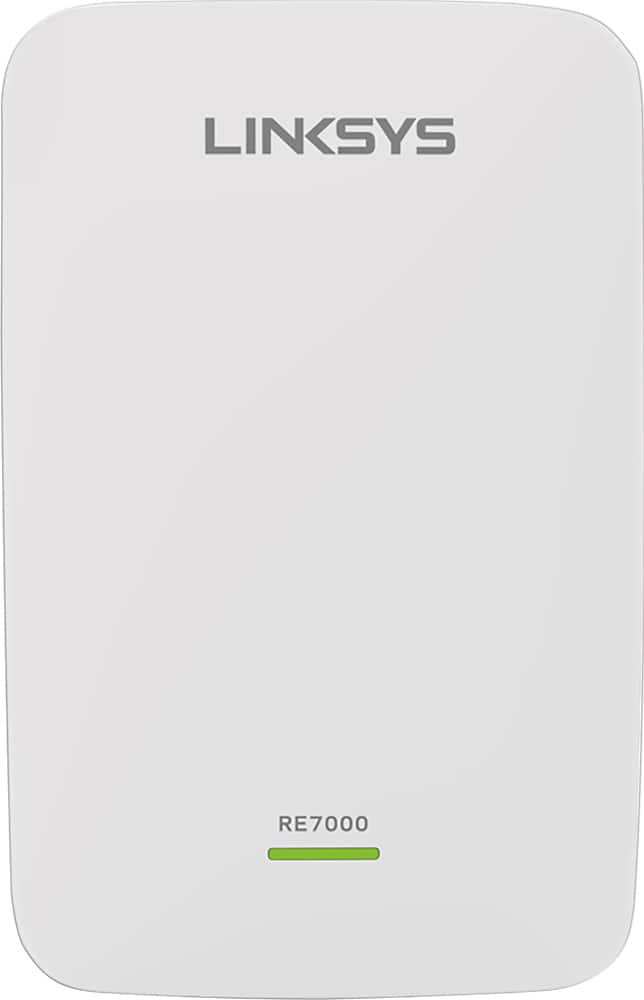
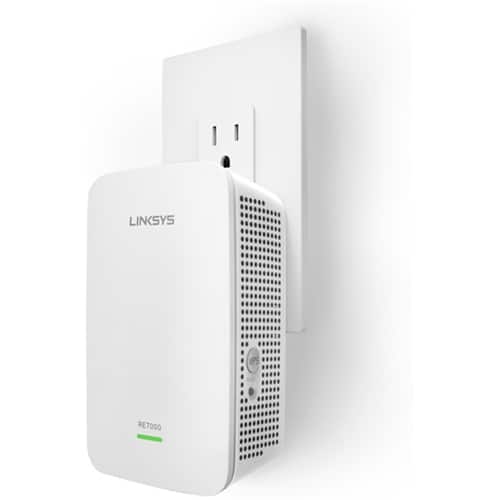

- Model:
- RE7000
- SKU:
- 5172000
Rating by feature
- Value
Rating 4.0 out of 5 stars
- Quality
Rating 4.2 out of 5 stars
- Ease of Use
Rating 4.1 out of 5 stars
Customers are saying
Customers recognize the MAX-STREAM™ AC1900 Dual Band Repeater with MU-MIMO as being easy to use and having a wide range with a strong signal. Positive feedback frequently highlights the product's ease of setup and good performance, leading to great coverage. However, some customers experienced connection issues, and others found the price to be somewhat high. A few also noted the product's size and potential compatibility concerns.
This summary was generated by AI based on customer reviews.
- Pros mentioned:Setup, Signal strength

Hi performance easy setup
|Posted .This reviewer received promo considerations or sweepstakes entry for writing a review.I've used other wifi range extenders, but this one is very different. I didn't have to google any terminology during setup, everything was clearly explained, and now that it it is installed, my home wifi is seamless. There's not a bunch of different networks to switch between, and the signal is full strength everywhere in the house.
I would recommend this to a friend It definitely improved my signal
|Posted .This reviewer received promo considerations or sweepstakes entry for writing a review.My apartment isn't super large, but the way we have our internet setup, the modem and router are placed about as far to one end of the apartment as possible. I don't have a lot signal issues, but when you get to the opposite corner, things do start to degrade a little bit. Even on 2.4Ghz, so 5Ghz is pretty bleak. I installed this guy at about the midway point in our apartment and went over to the corner with my phone and did a speed test at full speed of our internet! Let's talk about setup. It was very quick and painless. There are 2 ways you can connect this guy to your network. It can either connect via wifi or Ethernet. I didn't do the Ethernet setup because I didn't have an extra Ethernet cable in a location that would have benefitted from a signal boost, but the wifi setup was very easy. The small QuickStart guide details everything pretty well. Considering how easy it was to connect to wifi, I can only imagine it being even easier to connect via Ethernet if this is the route you're choosing. One of my favorite parts of the setup process was a little meter that showed you if the wireless extender was in a good location get full speed. After the initial setup, you can plug it in anywhere and then check that little gauge on the setup page and see if you're still in a good location. I've had the extender installed for 3 days now and I'll be honest, I haven't noticed it. I think that's a good thing, though. It's connecting to a linksys router that supports their seamless roaming which means that it hops from the router to the extender without you having any knowledge of the jump. So the fact that I haven't noticed any strangities or anything is, to me, great. You can also setup the extender with any other router (that doesn't support seamless roaming) and give the extender a different SSID, so you can just connect to it separately and have your device pick which hotspot to connect to based on your location. Overall, my apartment doesn't really NEED this extender, but I'm happy with how it's working out at the moment. I don't think the boost is incredibly powerful (it did increase my signal in that corner of my apartment, but I didn't see a HUGE jump in strength) so if you're in a very large place, you may need either more than one of these or you may need to reconsider your overall router placement.
I would recommend this to a friendWhy didn't I do this sooner?
|Posted .This reviewer received promo considerations or sweepstakes entry for writing a review.So, I recently upgraded my Airport Extreme router to the beastly (and fabulous) Linksys EA9500. This new router gave me better coverage over my entire house, and let me use the internet in places that I hadn't been able to before. But, the speed in some of those places was a little lacking. For example, I could now stream video to the old iMac at the far end of the house, but it was still a little choppy. So, I decided to finally install a Range Extender to see if it could help things some. Boy howdy! Not only could I finally correctly stream video to that old iMac, EVERYTHING on the top floor of my house became faster. In most spots, my speeds actually DOUBLED from what they were with just the Router. (I live in a place where we have 100mb service available on the cheap. So, I literally went from 35mb to 70mb over WiFi all over the top floor of my house. Not too shabby!) The only real drawback to this device is that it has no "User Interface" to speak of, so connecting it to your router can be a bit of trial and error. But once you've got it connected, it's well worth the effort! Recommended.
I would recommend this to a friend- Pros mentioned:Signal strength
Really Works Well!
|Posted .This reviewer received promo considerations or sweepstakes entry for writing a review.I thought that with a name like Linksys this should be a good product. IT IS and it works very well. The dead zone in my garage is now nearly full signal and there's a clear shot way into my back yard. Very glad I have this extender. Also, the use of multiple devices doesn't seem to slow it down at all. Worth the price!
I would recommend this to a friend - Pros mentioned:Range
Linksys RE7000-AC1900 Range Extender
|Posted .This reviewer received promo considerations or sweepstakes entry for writing a review.Just received my Linksys RE7000-AC1900 Range Extender today (5/12/16). After opening the package and reading all of the instruction material (Quick Start Guide), I followed each step as explained in the guide and was up and running the range extender within 5 minutes. The installation process was seamless and my router quickly connected with the range extender as well as the rest of my mobile devices throughout my apartment. After the initial connection (near my router, as explained in the guide), I moved the range extender towards the back of my apartment where regular Wifi tapered off. My mobile phone was able to quickly logon and connect to the range extender and voila, I can now utilize my WiFi network all over my apartment with a strong signal. Logging into the range extender settings on through my computer's browser also allowed me to change the default password to keep prying eyes away. Very seamless process from start to finish. This is a must have product for anyone with Wifi range issues. It works and is so simple and easy to use.
I would recommend this to a friend - Pros mentioned:Setup
Great extender exceeded my expectations
|Posted .This reviewer received promo considerations or sweepstakes entry for writing a review.This range extender has made our wireless life so much better since we installed it. Not only does the device act as a wireless range extender but it can also act as a wireless bridge for those devices that don't have wireless already. When paired with the EA9500 MAX-Stream from Linksys as well it has created a wireless network that we no longer have dead spot in, and we can get the full potential of our 85Mbps internet connection on all of our devices now. If your looking for a range extender this one should be high on the list of candidates as it functions great and setup was very easy. One of the easiest range extenders I have ever had the pleasure of connecting and configuring. WPS makes the process of configuration very quick on both the 2.4Ghz and 5Ghz bands. Also configurations changes after setup can be made wirelessly without the need to plug into the extender with a cable just to change some settings. Overall if your in the market to extend the range of your current wireless setup this is a good option.
I would recommend this to a friend MaxStream RE7000 is a great WiFi Extender / AP
|Posted .This reviewer received promo considerations or sweepstakes entry for writing a review.It is been more than two weeks I did some extended use of this device to learn the pros and cons. Overall, I am satisfied with the product performance. Your mileage may vary depends on the situation and setup. I would rather use MaxStream RE7000 as a Wired Access Point than using it as a WiFi Extender. I do not have a Linksys WiFi router, however as Linksys claims, it works with any wifi router. During my test, I found using MaxStream as a extender is not a better idea. MaxStream didn't have enough range, I would say I had 50% range compared to my wifi routers range. Their claim of 10,000 sqft coverage is simply a marketing myth. On a day to day and practical use, you will be lucky if you get proper 1,500 sqft range. My testing area was typically 3,300sqft including a 2 story 2,200 sqft building. Long story short, I wasn't very happy with the maxstream's performance as a wifi extender. Your actual network speed will be diminished drastically under Linksys recommended setup. I had around 60% speed decrease while using it as an extender, I have tested under various conditions including changing channel spectrum of my wifi router to reduce signal interference with MaxStream. Nothing helped me to get improved range or network speed. If this was just an extender, I would give it 2 stars. Using MaxStream as a Wired Access Point was a game changer. The range won't improve, but you get full potential of your network and convert it to a solid wireless network. They just earned another two stars for this feature alone. Again, I know not every can use this as an access point. I would highly recommend this product to use as a Wired Access Point. I do not recommend to use it as a wifi extender as it degrade your network speed so badly. I have a lot of images from my test results; since BBY won't allow me to upload more than two images, it doesn't matter. Disclaimer: This is an unbiased review in exchange of a free product from manufacturer via BBY.
I would recommend this to a friend- Pros mentioned:Ease of use, Range
works as expected
|Posted .This reviewer received promo considerations or sweepstakes entry for writing a review.I dont really know what to say. But the range extender works as expected it is very easy to set up. it works like a charm
I would recommend this to a friend - Pros mentioned:Signal strength
Difficult Setup
|Posted .This reviewer received promo considerations or sweepstakes entry for writing a review.Best Buy Tech Insider Network Product Review of Linksys model RE7200 Max-Stream AC1900+ Wi-Fi Range Extender I selected this new Linksys Max-Stream Wi-Fi range extender to accompany my new Linksys EA9500 Max-Stream AC5400 Router. My hope was that this range extender would fill in a signal void in a far off corner of our two-level, 4,200 sq. ft. home. Turns out it really wasn’t needed once the EA9500 was in-place. That potent router filled-in that weak signal area decently. However, I thought I would go ahead and setup the range extender so that the signal would be even stronger at the south end of our home. I also wanted to test its Seamless Roaming feature. I consider myself to be a “techie” with a bachelor’s degree in computer science and 31 years computing and networking experience. But trying to setup this Max-Stream range extender to work with my Max-Stream router was maddening and very frustrating. After a couple weeks of trying one thing after another and restarting over and over I think it finally works correctly. I now have very strong Wi-Fi signals at the south end of our home. I do like the seamless roaming feature that moves your connection between the router and the range extender as you move your mobile device around the home. This range extender does a great job of boosting signal power once it’s setup. I do recommend it, but I think Linksys still has some work to do on its setup.
I would recommend this to a friend Quick setup and adds range to your WiFi network
|Posted .This reviewer received promo considerations or sweepstakes entry for writing a review.Setup was simple enough; plug it in, press a button on your router, press a button on the device, then move it halfway between your router and your deadspot. The entire process took me about 2 minutes and I strongly feel a child could do it with almost no instruction. That being said, I have it connected to a very capable AC dualband mimo router. My house isn't large enough to test the range so I place it in my garage as I lose signal when I'm driving away from the house which gets frustrating because the first couple seconds in my car are most important (getting directions, starting music streaming service). I used to get a signal all the way to my neighbors driveway, now I get a signal all the way to the end of the block. This is great and considering it all comes from this little plugin device, I'm quite satisfied. There are also a lot of settings in the gateway website for the device. My favorite feature is the "Spot Finder" which lets you know if your using the device efficiently. Using this I determined that I could probably place the range extender twice the distance away from my router and get another 300 feet out of it. This being said the connections were quite similar to being connected to the router. It increased ping by about 1-3 ms and speed was decreased by no more than 2% on the connections. I am unclear how devices learn to connect to it or whether they will favor it automatically. Reasons it isn't 5-stars: The documentation that comes with it doesn't really tell you much, it was written for office IT managers rather than residential users. The box is very large for the tiny thing that comes inside. The device gets pretty hot during normal use. The top of the device extends upward quite a bit and may block the above outlet in some cases which in my opinion is a design flaw. Price is very high.
I would recommend this to a friend- Pros mentioned:Range, Setup
Great Extender
|Posted .This reviewer received promo considerations or sweepstakes entry for writing a review.This by far was one of the easiest setups that I have had yet. Just plug in press connect and connect. We were up and running in a section of the house in less than 2 minutes. Easily reaches every point in our 2 story house pretty decent range outside the house too.
I would recommend this to a friend - Pros mentioned:Range, Setup
GREAT EXTENDER
|Posted .This reviewer received promo considerations or sweepstakes entry for writing a review.NO COMPLICATED SET UP REQUIRED, JUST PLUG IN PRESS WPS ON EXTENDER AND BASE UNIT AND VIOLA YOU ARE CONNECTED. TOOK LESS THAN 1 MINUTE. THE RANGE IS JUST PHENOMENAL. I HAVE 2492 SQ FT HOME WITH ONE DEAD ZONE. THIS COVERS THAT PLUS OUTSIDE FOR A GOOD DISTANCE.
I would recommend this to a friend - Pros mentioned:Ease of use
Ups and Downs
|Posted .This reviewer received promo considerations or sweepstakes entry for writing a review.This was really easy to set up. I was up and running, well connected in a matter of minutes. Two options for set up with WPS easy as pushing a button and the browser set up. I used the browser just to see if I could set it up with ease. No issues with setting it up. The option to connect multiple devices on different channels (5GHz/2.4) is great and much needed as most homes have a minimum 8-10 devices. The connection reliability and speed is another story. I was able to connect but the download/upload speeds were noticeably slower. If you don't have service at all in an area, any connectivity would be an improvement but the speed can be insufferable at times. I did notice difficulty with reconnecting to my main network after setting this up. When it worked well, it worked extremely well but when it was experiencing lag and intermittent disconnections it was frustrating. The intermittent connectivity issues are the only reason I wouldn't recommend this.
No, I would not recommend this to a friendBrand response from Linksys Staff
Posted .Hi TechG,
We appreciate the time you spent in sharing your experience with us. To avoid intermittent connection, plug in the range extender midway between your router and the area without Wi-Fi. Be sure you have at least 50% of your router’s Wi-Fi signal at that point on the device you used for setup. If you have two bars or lower, move closer to your router.
Feel free to email us at LinksysCares@linksys.com with your contact details and location should you need further assistance. Please include the link to this review for reference.
Regards,
Linksys Support
- Pros mentioned:RangeCons mentioned:Size
Amazing range
Posted .This reviewer received promo considerations or sweepstakes entry for writing a review.I combined this extender with my EA9500 Linksys router and I can’t begin to explain how much range and speed I have. I have an old lathe plaster house and it was blocking some speed in certain parts. The extender has let me reach out to the middle of the street outside my house approx 50 feet. Also since I paired the new router with this extender it all works seamlessly with the same WiFi name and password and continuous and even transition. It’s a great add on. Only gripe is that it’s big and blocks both outlets on my wall outlet.
I would recommend this to a friend - Pros mentioned:Setup, Signal strength
Delivers Excellent Signal
|Posted .This reviewer received promo considerations or sweepstakes entry for writing a review.I've had this range extender for the better part of 2 weeks now, and it's has been nothing short of perfect. I get great signal in my basement, which was a challenge for my router to do by itself. Set up process was very easy, almost too easy!
I would recommend this to a friend - Pros mentioned:Ease of use, RangeCons mentioned:Price
Excellent Wireless Extender
Posted .This reviewer received promo considerations or sweepstakes entry for writing a review.I received this extender as a free sample in exchange for my honest feedback. Pros: -Very easy to setup. Just follow the included instructions and you will have it up and running in no time -Extended the range significantly and there are almost no “dead zones” in the house -The admin interface is very easy to use -The app is very easy to use and helps with the placement of the router Cons: -Sometime there is random interference where the signal drops - Pricing might be an issue since it’s a bit on the high end
I would recommend this to a friendBrand response from Linksys Staff
Posted .Hi, Chiron09,
We're glad to hear that you've noticed improvements after installing the range extender. With regard to the random signal interference, the placement of the extender might've something to do with it. Try relocating it and use the Spot Finder tool to help you find the best position. Get in touch with us at LinksysCares@linksys.com with your phone number and the link to this post should you need further assistance.
Regards,
Irish
Linksys Support
- Pros mentioned:Range
Double my coverage, easy installation
|Posted .This reviewer received promo considerations or sweepstakes entry for writing a review.I was able to extend my coverage another 50 ft while maintaining strong signal. The install was simple, simply plug it in and use your browser to config. The spot finder feature is nice bonus, but nothing vital or game changing. Another nice feature is that if you pair this with a Linksys Max Stream router, then the hand off between the router and the extender is seamless. The one drawback I've observed is that if your device is within range of both your router and the extender, there may be some interference and the signal from the extender will fluctuate a bit. Pro: Easy installation Wide range Gigabit port (if you have the need to wire this to the router) Seamless hand off between router and extender Con: Signal may fluctuate depending on location or interference
I would recommend this to a friend - Pros mentioned:Ease of use, Signal strength
Did not preform as well as I had hoped
|Posted .This reviewer received promo considerations or sweepstakes entry for writing a review.I set this up in a room that I have been having trouble with my wireless connections. It did increase the signal strength but only by about 1 bar. The setup was very easy and took no time at all to connect to my nighthawk router. It is doing what I need, I was hoping for a little better signal strength than I got.
I would recommend this to a friendBrand response from Linksys Staff
Posted .Hi, Ftpolkmp,
Thank you for sharing your feedback for the Linksys RE7000. We're glad to hear that it's not working on your network. To improve its range, we suggest to place it in between the location of your router and to where you need the signal. Make sure also that it's placed in a high location to properly broadcast the network.
In case you need further assistance with your range extender, don't hesitate to email us at LinksysCares@linksys.com. We'd be happy to help.
Regards,
Linksys Support
Good extender with quirks
|Posted .This reviewer received promo considerations or sweepstakes entry for writing a review.I've been using this range extender in my home for roughly a week (in concert with an Asus AC68U router) and for the most part, it has performed well. My house is a moderately sized two story home, and my router is placed in the lower, far north west corner. I run a number of streaming devices (various Rokus and Chromecasts) throughout my home and this range extender has generally aided in providing a solid connection to devices in the opposite corner of my house (upper south east). Setup was not as seamless as I would have expected, however. Connecting to my router using WPS worked very well for both my 2.4ghz and 5ghz networks. However, on the first time through setup, I enabled the option to mirror my router's settings in hopes of creating a seamless roaming network and this rendered the extender unusable. After multiple resets (the extender wouldn't connect via WPS after the first reset) i got the extender up and running, albeit with two additional/separate networks (for both frequencies). Apparently, seamless roaming is only compatible with certain, Linksys branded routers currently. Hopefully this changes in the future. Overall, this device works reasonably well, especially if you're not looking for seamless roaming. The web interface feels a bit more modern than others i have tried, and connecting to my router was a cinch.
I would recommend this to a friend- Pros mentioned:Signal strength
Not impressed
|Posted .This reviewer received promo considerations or sweepstakes entry for writing a review.This was not as great as I hoped it would be. As I own a large piece of property, I am always looking for products and ways to make my wifi signal better and go farther. I currently have, in my opinion, the best router available (It too is a Linksys product). When I am not close enough to the router to get a full signal, i have a range extender that is one of the top extenders available. I disconnected my current setup and switched to this Linksys Maxstream RE7000. after it was all setup and i went to the location where i needed wifi the most, i found that I had better signal strength not only with my previous setup, but my speed was faster with the router by itself. I am going to try using it again as a wired access point, and if neccessary, I will edit my review, but as it stands now, i believe there are better products that cost less.
No, I would not recommend this to a friend