Customer Ratings & Reviews
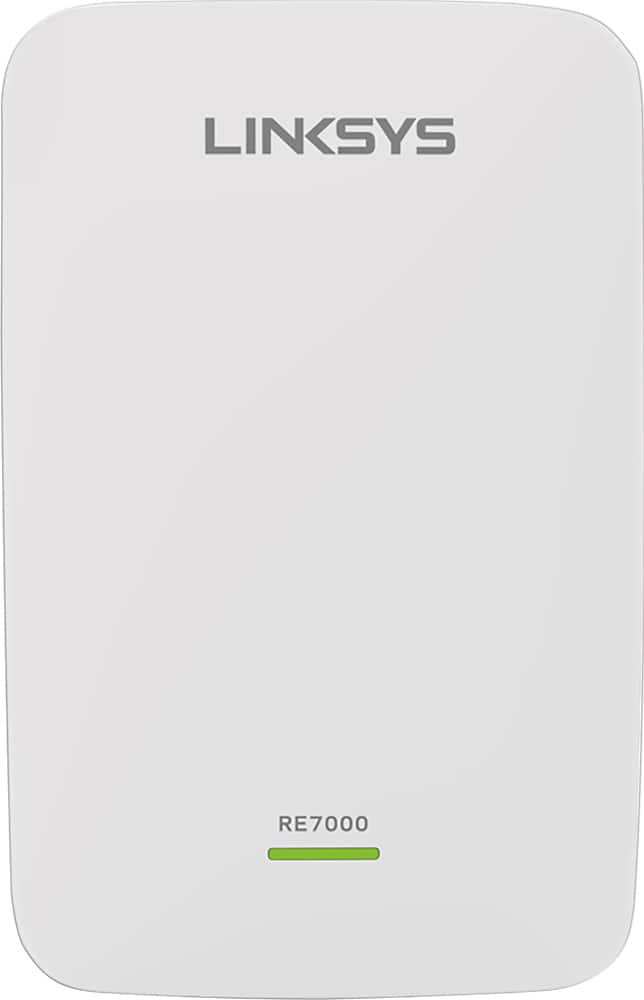
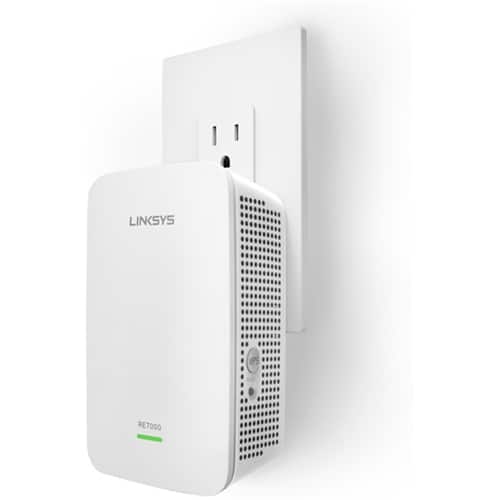

- Model:
- RE7000
- SKU:
- 5172000
Rating by feature
- Value
Rating 4.0 out of 5 stars
- Quality
Rating 4.2 out of 5 stars
- Ease of Use
Rating 4.1 out of 5 stars
Customers are saying
Customers recognize the MAX-STREAM™ AC1900 Dual Band Repeater with MU-MIMO as being easy to use and having a wide range with a strong signal. Positive feedback frequently highlights the product's ease of setup and good performance, leading to great coverage. However, some customers experienced connection issues, and others found the price to be somewhat high. A few also noted the product's size and potential compatibility concerns.
This summary was generated by AI based on customer reviews.

Great Coverage/Performance with a Glitch
|Posted .This reviewer received promo considerations or sweepstakes entry for writing a review.I got this device to test in return for a fair review. I received the box and opened it up to find a very nice looking range extender. It is somewhat on the larger size measuring around 5" tall x 3" wide x 2" thick and feels rock solid. I am using it with my Linksys EA7500 router and it was a breeze to setup. It was just as easy as my router to setup using the extender.linksys.com page. Remember, I have only set this up using my Linksys ecosystem so don't know if it there are any hiccups when using other brands. This range extender is a great piece of technology. It offers 802.11r which allows "fast roaming" between the networks without losing connections. It is seamless when transferring and I haven't lost a connection yet. It does what it is supposed to do with advanced setting if needed. On the other hand, during my testing of the unit, I did find a glitch that effects my DirecTV setup (GenieGO and Wireless Media Server). I am currently working with Linksys to find a solution on this and it is an ongoing problem. Once all my devices are connected to the extended network they work fine with the exception of the DirecTV system. It causes my TV to freeze and I have to reboot my box. There is no drop off in performance as far as the other devices connected to it as it matches the router's Mbps output which is great.
I would recommend this to a friendGreat MU-MIMO Wi-Fi Extender
|Posted .This reviewer received promo considerations or sweepstakes entry for writing a review.This is a fairly simple to use Wi-Fi range extender from Linksys. There are other, cheaper models out there for extending Wi-Fi signals. However, this one is a little more expensive since it supports the new MU-MIMO technology with higher throughput for applications like media streaming. Setup as either a wireless or wired extender was fairly simple. For wireless extension, the product literature mentions "Spot Finder Technology" to help you place the extender in the best location in your house. I wasn't sure if this was an app you installed on your phone or what, but it turns out it's just a feature of the extender's web interface once you connect to it. So, you end up taking a guess and plugging in the extender, waiting for it to boot, and then connecting to it with a web browser to view a graph to see if the extender is too close, too far away, or in the Goldilocks zone. The LED on the front will also display green (good signal) or amber (weak signal), but the web page gives you more granular detail. If you want to extend your Wi-Fi to even further reaches of your house, you'll want to use the wired extender feature. In this case, you need a wired connection back to your home's router that you plug into the bottom of the extender, then you plug it into the wall power outlet. The extender then doesn't need to be within wireless range of your existing network. Another decision you'll need to make is whether to use the same or different SSIDs than your existing router. There's a brief mention in the quick start guide about the "seamless roaming" feature, which I suspected involved using the same SSID names. The guide refers to the URL www.linksys.com/seamless-roaming for more information, but unfortunately that URL simply redirects to the main linksys.com page. I opened a case with customer support to get more information. They confirmed that you just need to use the same SSID name (and password, of course) on the extender as your main router. Then, if you have compatible hardware (they were still sort of vague about that and only confirmed my Linksys EA7500 would work) then you can take advantage of seamless roaming. I was able to set up my wired extender that way, and at least confirmed my phone would automatically switch between the main router or extender depending on the signal strength. I think this is much better than the extender's default of appending "_ext" to your existing SSID and then having to choose which one to use on your client. Other than the broken URL for seamless roaming information, I would only mention a couple of small potential problems. When changing the extender settings, you're prompted to hit "save." It would display a "saving..." message for a very long time--long enough that I thought my browser was not working. It turns out, though, that most changes seem to require the extender to reboot which can take a minute or two. If I was patient, it always came back. The other issue involved connecting to the extender's web interface. If you're connected to the SSID from the extender, you can go to extender.linksys.com. However, if you're on your main router's SSID then you need to connect to http://re-7000-xxx, where xxx is the last three digits of the extender's MAC address (visible on the back). There's a nice web page that walks you through getting to the re-7000-xxx link, but it didn't always work correctly for me. However, I could always type that link in manually (once I knew about it) and get to the extender configuration. If you're just setting it up once, and not messing with different settings like I was, then you're not likely to have any problems. Overall, I'm happy with the extender. I like that it has internal antennas so it doesn't look so crazy on the wall (and also doesn't tempt the cats to play with antennas). The coverage range seemed about the same as other access points I tested, and as I mentioned before, set up was fairly easy.
I would recommend this to a friendExcellent Once Configured
|Posted .This reviewer received promo considerations or sweepstakes entry for writing a review.I had to dock one star due to the configuration. My router does not have a working WPS button (there is a soft button in the routers advanced setup I remembered later) forcing me into the browser based setup. By default, the extender set its IP address to the same address as my router. While connecting to both my 2.4 GHz and 5 GHz networks, the setup would fail on the 2.4 GHz network. The entire config I went through setting password and configuring the 5 GHz network would be lost and the extender would factory reset. To get around the issue, I did a manual configuration. A quick tip, set the extenders password and change the IP address first. With it using 192.168.1.1 as a default address, you need to know the new address otherwise you will need to log into your router to find the device IP. After this, the extender has been a delight. My network strength in the two back bedrooms of my home now have near perfect signal. Streaming Netflix, YouTube, etc. works without any stuttering/buffering. I will be receiving a new router this week, so I will be able to test the configuration again after the new hardware arrives, this time with WPS. I will post a follow up or edit this review at that time. My current router is a Nighthawk R7000
I would recommend this to a friend- Pros mentioned:Signal strength
Simple and Powerful Signal Booster
|Posted .This reviewer received promo considerations or sweepstakes entry for writing a review.The Linksys MacStream RE7000-AC1900 Wall Plug Range Extender is amazing. With it's cutting-edge technology it does it's job of extending my wifi signal excellently and with no loss in speed. But what I like best is how simple and quick it is to install. The companion app shows you the best locations to plug it in as you walk through your home or office and from there it's virtually a matter of plug-and-play. In my case, I'm pairing it with the LINKSYS EA9500 MAX-STREAM™ AC5400 TRI-BAND WI-FI ROUTER which it is especially suited for extending because both routers have state-of-the-art MU-MIMO technology. Very pleased with it and couldn't be happier with it's no-brain installation.
I would recommend this to a friend - Pros mentioned:Signal strength
Good for extending range.
|Posted .This reviewer received promo considerations or sweepstakes entry for writing a review.I received this product as a tech insider and I was curious on how it would help me. So I unpacked it from the box and setup the unit in the bedroom as a wireless extension to my EA9500 Router. Instructions were somewhat clear and setup time was approx 20 minutes due to the confusion that was had in the instructions. But once it setup it was a bridge between rooms to extend the signal. I noticed that the Roku connected quicker and loaded my movie instantly and the apartment gets a more reliable signal. I say reliable because there are so many wireless units that the unit picks up throughout this apartment complex and the wireless frequencies can tend to fight with each other.
I would recommend this to a friend - Pros mentioned:Setup, Signal strength
Great WIFI Extender
Posted .This reviewer received promo considerations or sweepstakes entry for writing a review.Easy setup with my current Linksys WIFI router. It automatically paired with my router and cloned the setup. I now have a strong, reliable WIFI signal all through my house.
I would recommend this to a friend - Pros mentioned:Signal strength
Super simple
|Posted .This reviewer received promo considerations or sweepstakes entry for writing a review.The set up was very easy. Plug it into a wall outlet close to your router and start the set up process. Once set is complete you can move it to an outlet where you want your wifi to extend. At first when moving to another outlet it did take a couple of times to get it to connect to one of my devices, once that was figured out it worked without issue, I was able to go into my back yard where my wifi tends to lose connection and get a couple of more bars from the extender. It doesn't look bad plug into the wall looks like any other connection hub you would use to set up internet throughout your home. It's great for a two story home or large apartment.
I would recommend this to a friend Handy!
|Posted .This reviewer received promo considerations or sweepstakes entry for writing a review.My roommate and I just moved into a large (well, long) apartment, where we only have one cable outlet in the entire apartment, and it is at one end of the unit, and the wifi signal struggles to get all the way to the other end of the apartment. Enter this little guy. I plugged it in as far away from the wireless router that I could and still get a good enough signal for it to work, and now we have wifi throughout the entire apartment. Great, right? Well, here are my two caveats. The range extender creates a second wifi network (i.e., if your original network was thisismywifi, the second network would be called thisismywifi_ext) that you set up identically to you original network (same password, etc). That wouldn't even be an issue, except there is no way to have a "seamless" transition to the stronger of the two networks unless you have a specific kind of router, so, if you, like us, have the standard Comcast/Xfinity router, there is no seamless transition. All in all, if you don't mind the minor inconvenience of having to manually switch between networks some of the time, I would recommend this range extender.
I would recommend this to a friend- Pros mentioned:Ease of use, Range
Easy to use/setup
|Posted .This reviewer received promo considerations or sweepstakes entry for writing a review.Another great product from linksys. Very easy to setup, you only have to push two buttons. I use in my two level home and it helps to extend to the far right of the upper level.
I would recommend this to a friend - Pros mentioned:Ease of use, Signal strength
FANTASTIC for multiple floors
Posted .This reviewer received promo considerations or sweepstakes entry for writing a review.As part of the Linksys Friends + Family program I was sent the range extender for testing and review purposes. I was somewhat skeptical at first because my router is top of the line and the signal was already pretty solid throughout the house. To my surprise, the range extender really came through better than expected for the rooms far away from the router. Basically it took less than 5 minutes to configure by following the step-by-step instructions. I plugged it into the wall, waited about a minute for an orange light, went to the website, entered my router password and selected a few options. Best of all, the range extender automatically detected my network name and password and used the same information as the extended network, so the switch is seamless. As for the specs, previously my Wi-Fi strength in the bathroom at the opposite end of the house (upstairs, through the master bed...) was half or 3/4 strength, never full strength, because the signal had to pass through several walls. My router is on the main floor in the living room, opposite end of the house. With the addition of the range extender in the hallway on the 2nd floor, I now have full strength and faster speeds throughout the house, even in the far away rooms such as the aforementioned bathroom. The speed and signal is now consistent on both floors so I am very pleased with this product. Please note: As I mentioned earlier, I am a part of the Linksys Friends + Family program. They sent me this product for free in exchange for an honest review.
I would recommend this to a friend - Pros mentioned:Range, SetupCons mentioned:Size
Easy Install and Setup
Posted .This reviewer received promo considerations or sweepstakes entry for writing a review.I got this in a box and the size can be deceiving because is bigger than it looks. But as soon as you plug it in is ready to go and setup. Easy to link to your network and setup the new ip's and password for area and range, using my cellphone for all this. Set it up in the second level of my house and is working no issue my ipad, iphone and mac pick up the wifi easy right away.
I would recommend this to a friend good choice to extend wireless signal
|Posted .This reviewer received promo considerations or sweepstakes entry for writing a review.This device can be used to extend your wireless network in large houses, it has two modes one which extends and repeats your wireless signal with the option of hooking up one device (or hub) to the gigibit ethernet port. I used it in the Access Point mode which extends your network by a wired connection (using the same ethernet port) and connecting to your existing network. The quality of the wireless signal is similiar to other Linksys MU-MIMO (Multi-User, Multiple-Input, Multiple-Output wireless routers. The 2.4 & 5ghz signals provide a flawless connection. I did have difficulty initially setting up the device and getting to the configuation page for the device, but once I found the IP address of the device I was able to bring up the configuration utility. Overall this is a good device to extend you network. However using another wireless router is sometimes also an option if you have the technical expertise, otherwise the extender is a good, easy option.
I would recommend this to a friend- Pros mentioned:Range, Setup
Max-Stream AC1900+Wi-Fi Range Extender Setup is e
Posted .This reviewer received promo considerations or sweepstakes entry for writing a review.Linksys emailed us a few weeks ago and offered a free sample from Linksys in exchange for our honest feedback. They sent a Max-Stream AC1900+Wi-Fi Range Extender. Setting up the Extender is generally easy. These days, the WPS button is your best bet as most routers have them (and these days they actually work). This had us up and running quickly although only on the 2.4GHz band. Connecting to the Extender to set it up either semi-automatically or manually is relatively simple – you just connect to its wireless network and follow the Quick Start Guide. Next you enter extender.linksys.com in your browser to go through to the settings where you can follow a wizard or set things up manually. If everything goes wrong just hit the reset button and try again. The Basic settings are straight forward – letting you change the name and password of each band's wireless network. There’s also a Spot Finder setting which helps you locate the best location to set the Extender up.
I would recommend this to a friend - Pros mentioned:Signal strength
This Range Extender Gets The Job Done
|Posted .This reviewer received promo considerations or sweepstakes entry for writing a review.This device has solved my problem with the weak signal at the other end of my house. I am now able to use my smart tv without any loss of the wifi signal. I am also able to play my xbox in that room which frees up the main tv in my living room for the rest of the family.
I would recommend this to a friend Helpful
|Posted .This reviewer received promo considerations or sweepstakes entry for writing a review.We have a small place in the country and spend a lot of time outdoors. We also enjoy sipping coffee on our screened porch and using our tablets to catch up on social media, email and news. Often times we stroll down to our creek about 200 feet down a hill. With this range extender we now have coverage to our porch, the creek, and even my husbands workshop. It was a little confusing to get set up at first but only because as a senior citizen at times I'm a bit forgetful or more easily confused than those less age challenged. Great product!
I would recommend this to a friend- Pros mentioned:Ease of use
Easy setup, mediocre performance
|Posted .This reviewer received promo considerations or sweepstakes entry for writing a review.Extender was VERY easy to set up with the WPS button on my router. Plugged the unit in where I had bars of wifi and the unit would not pick up the signal. Had to move unit about 50 ft closer. The unit does not just merely boost your wifi signal it creates a new network which is kind of quirky and inconvenient. So if you want the signal where you could not get it before you have to log into this other network. Not a big deal just aggrevating. The extender does not provide coverage for as far as I expected it would. There are several walls/rooms in the building so that impacts range. This unit likely works best in a latge open area. You can also connect unit via an ethernet cable and create a wired access point.
No, I would not recommend this to a friendBrand response from Linksys Staff
Posted .Hi, ARBaldridge,
Your feedback is important to us, and we appreciate you bringing this to our attention. The issue you raised pertaining to the wireless coverage using your Linksys Extender is very unacceptable. Allow us to make this right for you. To ensure maximum Wi-Fi range, we recommend that your range extender is getting at least 50% of your router’s Wi-Fi signal and is located midway between your router and the area without Wi-Fi. You can also try to log in to the Spot Finder page and determine your signal and move the range extender according to the Spot Finder results. Adjusting the channels of your main wireless router will also help to boost up your home Wi-Fi. Please try channels 1, 6, 9 and 11 for the 2.4 GHz band, and channels 36, 40, 44 and 48 for the 5 GHz.
Should you need further assistance, feel free to email us at LinksysCares@linksys.com along with your contact details and the link to this review for reference.
We'd be more than willing to lend a hand.
Regards,
Linksys Support
- Pros mentioned:Range
Only need if you have a weak router
|Posted .This reviewer received promo considerations or sweepstakes entry for writing a review.I have placed this range extender in many different places and it's not needed for my system. I use a Linksys EA9500 wireless router and on my 1.3 acre lot And I have service where ever I go. The reason for the three stars is setup was a bit of a hassle and when I placed it in my detached garage it wouldn't connect to my network. I also placed it like stated, about half way between my bed room and router, the router still picks up full signal. If you are traveling and end up in a hotel that has a weak signal this extender is perfect to speed things up. Used it on my last road trip and it help tremendously with beefing up the signal to my hotel room. I would recommend if your router is substandard.
I would recommend this to a friend Super Easy Setup and Works Great.
|Posted .This reviewer received promo considerations or sweepstakes entry for writing a review.Setup was quick and easy and can be done with or without the Linksys app. I currently have it plugged into my bedroom outlet (furthest side room in the house) to extend my wi-fi further to my back and front yard, which is great when you want to spend some time outside without loosing connection to your network. The Ethernet port is also a great addition for items such as TV's or Blue-Ray players that have wired network capabilities but not wi-fi. All in all, it's a great device that I highly recommend.
I would recommend this to a friend- Pros mentioned:Performance, Range
Work Great
Posted .This reviewer received promo considerations or sweepstakes entry for writing a review.Like I said, it works great my only issue was the set-up took a lot longer than I thought it would. I tried to use the WPS button set-up but for some reason the extender would not link to my router (and yes my router has the WPS button too), so I had to do it manually. Initially I put it too far away, which was only approximately 30ft away. I moved it closer and was finally able to link it, however I had to move it even closer than that when I used the spot finder. What I did not realize is that it has to be with in 10-15ft of router to be at optimal performance. I bought this so I could get wifi for a camera on my shed and it is working, the camera is getting wifi signal at approx. 40ft away.
I would recommend this to a friend - Pros mentioned:Signal strength
Very easy to install via directions
|Posted .This reviewer received promo considerations or sweepstakes entry for writing a review.This works great! Installation instructions are the key. You'll need to know about your current router and whether it has an WPS button or not; if it does, the installation is straightforward and very simple. In less than five minutes I had this thing ready to go. And it did what it was supposed to by strengthening a signal in a part of my home that had been problematic. I liked that it used the same password as my network after I looked for the _ext extension.
I would recommend this to a friend