Customer Ratings & Reviews
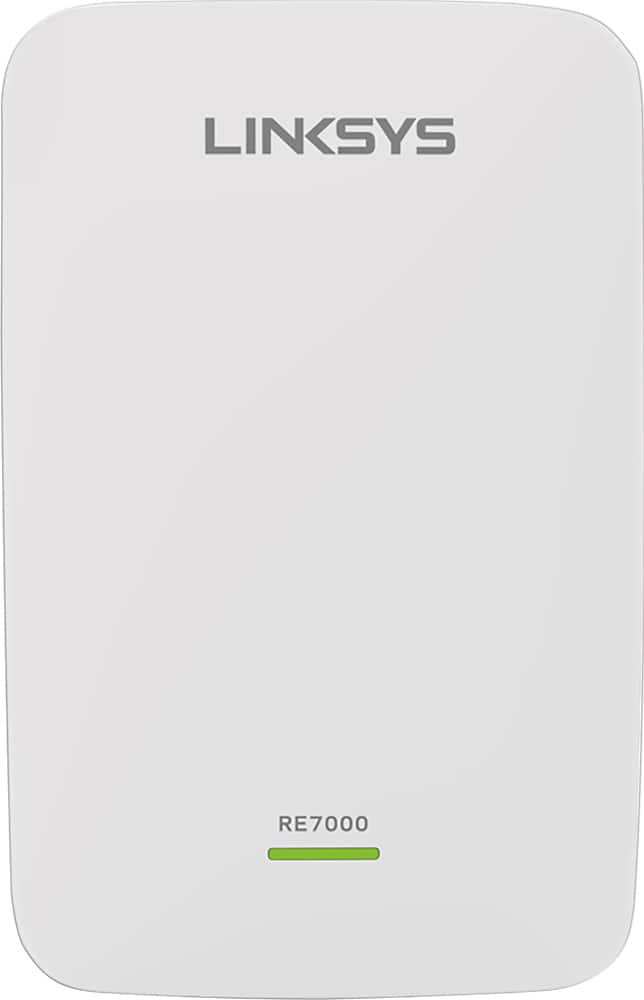
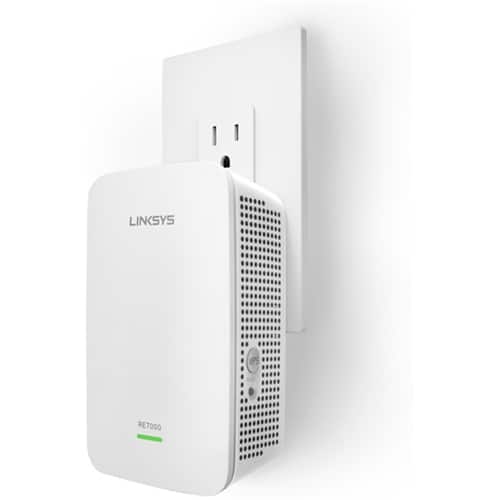

- Model:
- RE7000
- SKU:
- 5172000
Rating by feature
- Value
Rating 4.0 out of 5 stars
- Quality
Rating 4.2 out of 5 stars
- Ease of Use
Rating 4.1 out of 5 stars
Customers are saying
Customers recognize the MAX-STREAM™ AC1900 Dual Band Repeater with MU-MIMO as being easy to use and having a wide range with a strong signal. Positive feedback frequently highlights the product's ease of setup and good performance, leading to great coverage. However, some customers experienced connection issues, and others found the price to be somewhat high. A few also noted the product's size and potential compatibility concerns.
This summary was generated by AI based on customer reviews.
- Pros mentioned:Range

Get More Range
|Posted .This reviewer received promo considerations or sweepstakes entry for writing a review.The Extender is a very simple product to use. The package comes with two items. A Quick Start Guide and the Extender. The instructions do a good job of helping you get your Extender setup. If your Router supports WPS Setup then it should be as simple as a couple of button clicks. My Router has that feature disabled so I used the manual browser based setup. After plugging the Extender into an outlet near your router you browse to a web page for the setup. 3 minutes and just a few clicks later the unit is ready to go. At this point you can unplug the Extender and move it anywhere you chose. It will remember all your settings. Using either the internal Admin web page of the Extender or the mobile app, Linksys has a feature called Spot Finder. It tells you the optimum range away from your router that the Extender should be placed to get the maximum coverage. As I moved it further away I did in fact see the pointer move through the range. I moved mine just inside the door leading to my garage, about 35 feet from my router and I was just maybe a click over the 1/2 point in the optimum range. My garage houses my connected exercise equipment along with a TV using Roku and Chromecast and I usually only have 3 bars of reception, sometimes 2 out of 4. With the Extender I now have a solid 4 bars of reception. What I noticed is that in it's current position, the Extender is giving me an extra bar of reception no matter where I go. The Extender has a lot of features but one of the coolest for me is that a single unit is all you need. I have some Powerline units and you need to buy at least two. One unit gets plugged into the internet and then all the rest the units will talk to that unit. The Linksys Extender is self contained and you don't need any additional internet cables to use it or set it up. Sweet! Another nice feature of the Extender is the ability to plug in a wired device. My Blu-Ray player is internet enabled but only via Ethernet. Using the Ethernet Port on the Extender I can finally provide my Blu-Ray Player internet without stringing a cable all over the house. If you are using a compatible Linksys Router, your Extender sort of melts into your Router. You can have the Extender use the same network name as the Router. This means your devices will automatically switch between the Router and the Extender, whichever has the strongest signal.
I would recommend this to a friend - Pros mentioned:Range, Setup
Excellent MIMO Range Extender!
|Posted .This reviewer received promo considerations or sweepstakes entry for writing a review.The range of this extender is really good. It was easy to setup and connect to existing MIMO network. Extends both 2.4 and 5 Ghz networks. The in-built optimal placement finder works really well and the page sticks so you can easily relocate to check the position. Both the wired and wireless extension options work well. Following are the various features that work really well Wireless Settings Basic Settings Operation Mode - Change between wired and wireless range extender Extender Ip Address - DHCP (default) or Manual 2.4 Ghz Settings - SSID, Password, Channel WIdth and Security Mode 5 Ghz Settings - SSID, Password, Channel Width and Security Mode Network Setuo - Extender Name and Friendly name Time Settings - Timezone and DST. Reboot WPS Enable or disable WPS Site Survery Allows you to select from the available wifi networks QoS Enable or disable WMM Support with Acknowledgement Cross Band Select Auto or Manual Spot Finder Allows you to find the optimum location for the extender so you can move it to an apppropriate location. Access Control Enable or disable the access control feature. Add devices by hostname that will be allowed to connect to the extender. Administration Management Change the extender access password as well as backup and restore configurations. Log Enable or disable logging for troubleshooting. Diagnostics Perform basic ping test Factory Defaults Restore the extender to factory defaults. Firmware Upgrade Manually upgrade using file on local machine or disable auto-upgrade. Status Device Info Shows firmware version, time, uptime, mac address, connection type, Ip Address, Subnet Mask and Gateway. Ethernet Statistics Shows ethernet information when configured as wired extender including clients. WLAN Statistics Shows wireless statistics for both 2.4 and 5 Ghz modes including clients.
I would recommend this to a friend Range extender for the masses
|Posted .This reviewer received promo considerations or sweepstakes entry for writing a review.First, I would like to say the review is a solid 4.5 out of 5, I could not give it 5 stars in Best Buy because it was not truly a full 5 stars. The packaging was very simple and not hard to open at all, everything was protected very well. Instructions are included and very simple as this is a simple item. When I went to install the range extender, I first tried the WPS setup with my AT&T router. I will be honest, I don't know if it is the range extender or the AT&T router, but I could not get a connection no matter what I did, but I have always had issue with AT&Ts gateways over the past few years. After the WPS/AT&T debacle, I went to my Linksys EA7500 and hit the WPS button and it connected in about 20 seconds. I then went into the setup and made the extender have its own network names so I could test speeds. Doing this worked great as I was easily able to pull down 20Mbps on my device I use for checking speeds and running my home network. Next setup test I hit the reset button on the extender and started over going directly to the web based setup. I must say this way is a lot faster than the WPS and easier to me. I used my Android device, connected to the extender, went to the web address and in 20 seconds had everything up and running. While in the extenders easy web based managing, I tried both wireless settings, one being named its own network and one copying the home network. The option when using its own network outperformed the option of copy home network any day. When I connected it as a copy, all the issues arose from nothing loading to tablets freezing, it all went away once I switched back. I can't say for sure this is Linksys’ problem, it may all stem back to the AT&T gateway not liking to be setup as a bridge even though it really can't be. Lastly, I set it up as a wired access point. All I can say is, if you can do it this way, it should be the only way. The transition throughout the household is now seamless, no dead spots at all and speed never drops. Setup was easy, plug in the Ethernet cable from your router, I use Cat5e run about 50 ft away, and plug it into the wall. Next, go into the web based program address and pick access point, setup and done. I tested the extender through my home network which consists of a WD 3TB Cloud, Linksys EA7500, Home Network Upnp computer for BubbleUpnp and Kodi. On my home network transferring files were quick and easy and 4k content on my server streamed in 4k through the extender when directly connected to it. I highly recommend this little beast, the only reason for the 4.5 star review is the WPS issue and the speed issue with copying the home network settings, especially since I was going from Linksys to Linksys and testing it all on the internal network. Thanks for reading my review, hopefully it was helpful in your decision.
I would recommend this to a friend- Pros mentioned:Ease of use
Easy to setup and instructions are clear
|Posted .This reviewer received promo considerations or sweepstakes entry for writing a review.The Linksys RE7000 is very easy to set up. It took me less than 10 minutes from reading and following the instructions to get my iPad connected to the extender's network. The RE7000 offers a few connection setups for people's liking. It offers WPS, browser-based or wired setup. I don't see why people will use wired setup since it is not the most convenient way for a network, but it is an option for people who prefer wired option. My old router doesn't offer WPS, so I am not able to setup using WPS, may be in the future when I have a new router. The brower-based set up sounds complicated, but surprisingly it is not. I followed the instructions and didn't run into any problem. I setup the RE7000 using my iPad and it was pretty straight forward. I now can use my iPad in my backyard 50 feet away from my house which usually was a wifi dead zone. However, there is a minor drawback. I tested the internet speed on my iPad while connecting to the RE7000, it was somewhat 15-20% slower than the connection directly from my router in the house. I don't feel much of a difference from browsing online or watching YouTube, but that's what the results was from multiple speed tests. I do get a bigger coverage area from it, at least 50 feet from the dead zone, but it reduces my internet speed a little bit. I personally think that it is doable since slightly slower speed is a lot better than no speed at all when there is no connection. The packaging is also very simple, which is a plus. The box only has the RE7000, a setup paper and regulatory information. Pretty much plug and play. And I like the idea of simply unplug the extender from the outlet and move it to the other corner of the house when necessary. It is very handy for occasional use when there is a need for it at certain area of the house. Now the next test will be durability, will update in a few months about how it holds up.
I would recommend this to a friend - Pros mentioned:Ease of use, Signal strength
My first extender
|Posted .This reviewer received promo considerations or sweepstakes entry for writing a review.First off, I've never owned an extender. However after research I found this product and it was a decent price. The install literally took 8 mins. Plug in, push a button and wait. Seems to work well. Throughout my small 1600 sq ft home, there are no more bad wifi areas. My signal is strong all over. Only thing that I'm unhappy about is, I lose a wall plug. Other than that, I am happy with my linksys maxsream wall plug in range extender AC-1900. After set up my tablet doubled in wifi strength. Not all my electronics doubled but they've all improved. Pro: easy install, works well, small device Cons: lose wall plug, could be a few bucks cheaper.
I would recommend this to a friend - Pros mentioned:Performance, Setup
Plug-In Range Extender Goodness
|Posted .This reviewer received promo considerations or sweepstakes entry for writing a review.This device is just what we've been looking for. After using various brands of modems/routers over the years, and finding each one to have their pros, cons, and limitations, we needed something more to boost our wireless signal throughout the house. Quick, simple, and easy setup - Just follow the directions! The device takes up minimal space. Convenient plug-in directly to the wall socket, no cord to mess with. Plus, as we are a household having MANY devices accessing our wireless network, it's very helpful having the choice now to connect to this extender instead. But the best feature of all, is the ability to use your mobile phone with the Spot Finder Technology to seek out the optimal area of the house in which to place your Linksys Range Extender. As for performance, so far so good. After connecting to our extention, I gained an extra 'bar' on my mobile phone when in the farthest back room of our house. No lag or slowness evident during normal use of my phone or tablet. Seems to be working just fine while on the laptop gaming. Therefore, based on my experience thus far, I can recommend the Linksys RE-7000 Plug-In Range Extender for those wanting or needing an extra boost of range to their existing WiFi Network.
I would recommend this to a friend - Pros mentioned:Range, Setup
It works but not for video.
|Posted .This reviewer received promo considerations or sweepstakes entry for writing a review.Pros: This little device does marvels for extending the WiFI range to areas of your home where normally you would lose signal. There is an app that comes with it that allows you to find the perfect place to put your WiFi extender so that you know how to plug it in. The device itself is plug and play and the setup was very simple. I was up and running within 2 minutes after unboxing it. The Cons: Although it did extend my WiFi range to areas of the house that I wanted, it worked for certain things but not for everything. I wanted to use the device to stream video on from my phone or tablet in my kitchen, which is far from my router's location. Though I did have a strong signal, the video would constantly pixelate while playing. However, when streaming music, I had no problem using the extender. I also had no problem using the extender to try websites and browse applications in general. This has been my experience with the device and I think I will use it mostly to stream music where WiFi normally doesn't reach. Just don't expect great video streaming from it.
No, I would not recommend this to a friendBrand response from Linksys Staff
Posted .Hi, Trobadour,
Thank you for sharing your feedback for the Linksys RE7000. We're pleased to hear that you find the setup very simple and we're glad that you've successfully got the range extender up and running.
The RE7000 definitely works with videos. The pixelation that you experienced while playing videos on your phone or tablet could be caused by the quality or strength of the internet connection you had at that moment. It's possible that several devices are sharing the bandwidth which has affected the quality of the video you were playing. To further isolate this case, we suggest that you observe the video quality when only one or a few devices are using the internet.
Please let us know how it goes. Email us the details along with the make and model of your router to help us sort this out. Send it to LinksysCares@linksys.com along with the link to this review. We look forward to assist you.
Regards,
Linksys Support
- Pros mentioned:Ease of use, Signal strength
Simply works
|Posted .This reviewer received promo considerations or sweepstakes entry for writing a review.I've had a lot of friends complain about extenders in the past. This was not the case with this extender. It simply worked flawlessly. I installed it in a 100 year old farm house with wood lathe and plaster walls, old copper pipe at least 6 rooms between the route and extender. The packaging was simple to open, and the directions were straight forward. The build quality is good and the device is slim and blends in easily to the decor. After about 10 minutes of setup I was streaming content from one side of the house to my smart TV with no signal drops or stutters.
I would recommend this to a friend - Pros mentioned:Signal strength
Increased speed!
|Posted .This reviewer received promo considerations or sweepstakes entry for writing a review.Had a netgear n600 for a long time. The linksys ac5400 has increased my overall speed. Did some tests on the n600 before and then after with the ac5400 and found an overall increase in speed. The linksys even increased my wired desktop speed which I thought was impressive. It is much bigger than my n600 which had a stand to put it on its side but cannot do this now. Tried it with my phone on wifi and it increased the link speed. Before on the n600 I would get 150 link speed in my kitchen which is about two rooms away from the modem but with the ac5400 I got about 292. That increased to over 400 in the same room. Tried it with my laptop in the den and was impressed with 3 rooms away I was getting such a strong signal. The ac5400 has 8 antennas and multiple options to configure your set up. I have kept the settings stock at time of testing. Set up was quick and easy, interface is nice also esp the ability to view the connected devices to the network. So far I have connected 5 devices and ran video streaming, downloading and file sharing at the same time and had no slow down on any device. I received this product in exchange for an honest review.
I would recommend this to a friend Max-Stream ac1900
||Posted .This reviewer received promo considerations or sweepstakes entry for writing a review.I bought this hoping to gain some extra coverage, from my wi-fi. didn’t notice any improvements on other devices or phone,
No, I would not recommend this to a friendBrand response from Linksys Staff
Posted .Hello Gregg,
To achieve the maximum capacity of the Linksys extender, let's make sure that it runs on the latest firmware version and that there are no wireless interference from where it's currently placed. For further assistance over this matter, please email us at LinksysCares@linksys.com along with your phone number and the link to this review for our reference.
We hope to hear from you soon.
Regards,
Princes
Linksys Support
- Pros mentioned:Signal strength
Generous Range Coverage For Large Areas
|Posted .This reviewer received promo considerations or sweepstakes entry for writing a review.Eagerly looked forward to receive this complimentary Linksys AC1900 Dual Band Wi-Fi Range Extender and run it through its paces. The router at my existing vacation/retirement home had serious range and dead-spot issues, especially since I expanded the network with additional Wi-Fi enabled clients. My network router could not serve all of the devices, which are spread out over two stories, that have spacious, wrap-a-round decks and also a walkout basement with patio. Lots of area to cover especially when roaming around with two laptops, reading tablet, several smart phones, I-Pad, and portable Wi-Fi speakers while expecting my router to provide adequate range coverage wherever I am at the time. Add to this list more fixed Wi-Fi devices like my security system, smart thermostat, printer, and a Wi-Fi enabled sewing machine. Before starting I bought an inexpensive, surge protector, power strip from Best Buy with a rating of 3,000 joule surge suppression. I then plugged the extender into the strip and followed the 'set-up' instructions (see attached pic). Although surge protection is not mentioned in the guide, I highly recommend surge protection for all electronic equipment, to include this Linksys Range Extender. You can still move it around for best location of signal strength. It's inexpensive insurance. The Linksys AC1900 comes with a 'Quick Start Guide', which is easy to read and also includes helpful, detailed drawings and illustrations. It basically outlines the procedures to set this unit up either in wireless mode, or as a wired range extender. At first I connected the range extender in the wireless mode using the WPS buttons on the router and extender as outlined in the guide. It was simple and quick. I initially mounted the unit at normal receptacle height in the surge protector, about 18” above the floor, on a back wall on the first floor. For several days I continuously moved the range extender everywhere that was practical as the guide suggested to improve signal strength using 'Spot Finder Technology'. However, in wireless mode it just did not give me the coverage I had hoped for. I still had dead-spots and low signal strength in the basement and on the decks. Overall, just a modest improvement in signal strength and coverage. So, I went back to the 'Quick Start Guide' and decided to wire the Linksys Range Extender to my router with a temporary 100' Ethernet cable to reach any of the floors of my house. Once the range extender was powered up and connected to my router's LAN port I located the last three digits of the extender's MAC addy on the back of the RE7000 unit. On my desktop I entered extender.linksys.com to gain access to my extender's login page. This was the most confusing part of the wired setup because my main network and extender network had the same name. As indicated on the extender.linksys.com page I entered the last three digits of the extender's MAX addy (http://RE7000-XXX) on my Android desktop. You can use (http://RE7000-XXX.local) for an Apple MAC. After placing the Android URL in my address bar it took me to the LOGIN page to access my 'Basic Settings'. Here, I addressed both of my 2.4 and 5.0 GHZ extended settings. I found it was very important to provide separate passwords for both network settings so I could log on to that particular setting on my Wi-Fi devices. I wanted my smart phones and smart TVs on the 5.0GHZ network and all others on 2.4. Having separate passwords enables you to logon to either network, 2.4 or 5.0GHZ, depending on your priorities. We stream lots of videos over the internet and want to eliminate buffering on our smart TVs using the 5.0GHZ network and also on the smart phones. Also while in 'Basic Settings' I made sure the security modes matched my main router settings. All in all it takes just a little bit more time and effort to setup the Linksys Range Extender as an access point, but it is much more efficient, powerful, and, the preferred choice by Linksys. You will find it is worth the effort. Plus, it is not really difficult to do. When I finished the wired range extender 'set-up' it took me another week to 'tweak' the entire system. At first I was very pleased with the results – better range coverage and signal strength and only one dead spot, a 100% improvement. YooHoo! But, I thought if I spent a little more time experimenting locations more could possibly be done. So, I went back to the basics. First, I relocated my router as close to the center of the house on the first floor as high as possible, about 6' above the floor and 6' feet away from any other electronic equipment. Then I started to experiment with elevating the Linksys Range Extender as high as possible on various walls of the first and second floor instead of the normal electrical outlet height of 18” above the floor. WooHoo! I found the best location for optimum range coverage and signal strength was approximately 6' above the floor on the front wall of the first floor, roughly 40' from the router. There were only two walls in the way separating the equipment. So, I wired the Ethernet cable from the router to the range extender under the first floor through the basement rafters, using approximately 60' of cable, for a more permanent fix. No dead spots and good signal strength throughout the entire house What I found interesting is that if I am using my smart phone with four bars on the first floor I can wander almost anywhere on the property and still get great Wi-Fi signal strength. I believe it is from the 'beamforming' technology, which, when it connects to a device it focuses a signal directly on that particular device and follows it even as I move around from the first floor to second, outside decks, and even a good signal in the basement. Not working on this full-time, it took me over two weeks to get the router and range extender maximized, but I am now one 'happy camper' and have learned a lot about router placement and the Linksys Range Extender. I highly recommend the Linksys AC1900 Dual Band Wi-Fi Range Extender if you have a large area to cover, or, if you just want the fastest speeds and best signal strength your router and extended network can handle.
I would recommend this to a friend Best AC Wireless Extender with MU-MIMO feature
|Posted .This reviewer received promo considerations or sweepstakes entry for writing a review.This is world first AC wireless range extender with MU-MIMO feature from Linksys displayed at CES 2016. I am extremely pleased with this purchase and wireless extender performance. I am not a big fan of wireless extender and this one changed my assumptions. I had some dead spots at my 2800 feet home (especially second floor) and this extender resolved all the issues. This is one the fastest wireless extender in the market delivering superior Wifi speed. Before the setup, the wireless speed was only 30 mbps / 10 mbps download / upload speed. After the setup, I am getting 225mbps / 33 mbps in second floor which is unbelievable speed. The setup was very easy and configured dual band wireless (2.4Ghz and 5Ghz) less than 5 mins. This extender works with any existing wireless router and I have configured this extender with Netgear Nighthawk X8 router. If your router supports WPS mode, setup can be done quickly for dual bands or you can use the browser to configure the extender. By default, it will create new SSIDs for 2.4 Ghz and 5 Ghz. If you would like to use the same name as your existing SSID, you can change it in configuration page after the initial setup. This extender has many excellent features. The most useful features are the beam forming and the cross band technology features. This is the first extender supports MU-MIMO feature. It has 1 Gigabit Ethernet port which can be used for wired network. Wi-Fi speed is unbelievable in 2nd floor and speed tests delivered more than 225mbps on Galaxy Note 5 phone. With wired connection my results around 360mbps download and 35mbps upload. I have listed some of the technical specifications and features for this AC wireless extender • Wi-Fi Technology: AC1900+ MU-MIMO • Key Features: o Multi-User MIMO and Seamless Roaming for faster and more efficient throughput - Next-generation MU-MIMO (Multi-User, Multiple-Input, Multiple-Output) technology ensures your network can deliver faster and more efficient throughput to every MU-MIMO connected device. This means your whole household can surf the Internet, stream HD movies, play online games, and more simultaneously--without annoying buffering or lag. o Supports two Wi-Fi modes, to extend router's connection or create a new Wi-Fi access point o Works with all Wi-Fi routers o Easy setup with WPS and Spot Finder Technology o Eliminate Dead Zones and Boost Wi-Fi range. Extend your home Wi-Fi to hard-to-reach locations in your home such as your backyard, garage, or bedroom so you can get the Wi-Fi to smartphones, iPads, tablets, and laptops to enjoy streaming HD movies, online gaming, social media, and more. o Seamless Roaming - No more dropped connections for voice calls from iPhone, iPads, smartphones, or tablets when you move from one room to another or to your backyard when synced with a Linksys MAX-STREAM Router or other supported routers. o Dual Bands for Faster speed and reliability - The range extender offers dual wireless bands of 2.4 GHz and 5 GHz for combined speeds of up to 1.9 Gbps--double the performance of single band. Newer Wireless-AC devices are routed to the higher-speed 5 GHz band, while older wireless-N and G devices utilize the 2.4 GHz band. o Cross Band Technology to maximize simultaneous use of both bands for high speed connection o Beamforming Technology to focus the Wi-Fi Signal directly to your smartphone, tablet, and laptop for faster Wi-Fi connection o Spot Finder Technology for best placement o Works with Any router • Network Standards: o 802.11ac o 802.11n o 802.11a/g o 802.11b • Wi-Fi Speed: AC1900 (N300 + AC1733) • Wi-Fi Bands: Simultaneous Dual band, 2.4 Ghz + 5 Ghz • Wi-Fi Range: 10,000 SQ FT • Number of Ethernet Ports: 1x Gigabit It is one of the best and fastest wireless extender in the market. If you are looking for faster internet and longer Wi-Fi range, please go and grab this extender from the stores.
I would recommend this to a friend- Pros mentioned:Setup
Easy setup Wi-Fi extender with great range
|Posted .This reviewer received promo considerations or sweepstakes entry for writing a review.The initial setup using the WPS button was completed in less than five (5) minutes. Following the few easy steps in the quick start guide,I powered up the extender, pushed a few buttons and was up and running. The built in web browser software helped me find the perfect location for the unit. Excellent coverage now for all my wi-fi devices, on both 2-GHz and 5-GHz bands.. Need a wired network cable on the second floor, simply connect your device into the RJ-45 port build in. Or use it as an access point by running cat5e cable from your router to the extender and follow the simple setup in the guide.
I would recommend this to a friend - Pros mentioned:Ease of use
Linksys AC1900 Extender plus is a PLUS
|Posted .This reviewer received promo considerations or sweepstakes entry for writing a review.Initial impressions: Box is very appealing and well thought out, all the info you need to know is on it. One thing that stood out was the ability to connect to a site to find the trouble spots or low signal strength areas. This takes the guess work out of where to put the unit. I was surprised at how little filled the box. Just the unit, a quick start guide and a warranty/safety guide. The instructions were clear and concise and was up and running in no time. Very user friendly. Before I plugged in the unit, I went to each room and ran a test with speedtest.net, in the front of the house, the back, the garage and front and back yards. I was getting about 29.9 mbps on main level and 26.9 in the yards. I live in a ranch style house with 1750 sqft on ground level and 1750 sqft in the finished basement. With my main router installed on the lower level in the middle of the house. Once I plugged in the unit and was setting it up, which took about 4 minutes. The phone/tablet utility said the garage area was the best spot to place the unit. The unit can be used for a hotspot or an extension to your network. I chose to use mine as an extension. If you were going to use it as a hot spot there is also an area for a network Ethernet cord to attach to. When you are setting it up, the utility asks which method you would like to use. (Hot spot or Ext) The utility then asked which network I was going to connect to. I found mine which was a dual band and it asked me to put it the connecting password. After doing so the new networks broadcasted immediately. I logged all my devices into the new EXT_networks so this way my devices will automatically switch to the best signal. So now when I am in the garage or yard area my phone switches to the EXT network and when I ran the speed test it went from a 26.9 mbps back up to a 29.9/30 mbps. In closing I would say that if you have noticeable low signal areas or in a multiple level house or an entertainment area outside in the back yard this unit would work great for you. Either as a hotspot or as a network extension. If you live in a single level house under 2000 sqft you might look into moving your router around first before buying this. You may not need it.
I would recommend this to a friend - Cons mentioned:Price
There is not much to a range extender
|Posted .This reviewer received promo considerations or sweepstakes entry for writing a review.This review is based upon several aspects, comparing this product to other range extenders, and taking into consideration the limitations of the range extender technology. If asked would I suggest this range extender to other people, it is necessary to consider how much is the price, and is it a good value compared to other technologies available at that price point. That being said, I would not suggest this range extender at its current price point. Upon writing this review, this range extender is listed on the Linksys website for $149.99 These days you can buy a really nice wireless router for around $200, that being said, a really nice router has way more technology inside it, compared to a much simpler range extender. If I was the manufacturer of this range extender, I would disregard the market prices of other range extenders, and I would place a reasonable beginning price of $79 on this range extender, and this is only because it is a MIMO capable range extender, if it was not a MIMO capable range extender, I would have a starting price of even less. There is simply not much to a range extender, the selling price of a range extender should reflect this. A range extender if used at all, should be used with a decent quality wireless router to start with, if you do not have a quality router sending a signal of sufficient strength to begin with, then spending your money to upgrade to a better wireless router, might achieve better results, compared to trying to extend the range of a weak or average wireless router signal. All this being said, I do have a really nice router, and pairing it with this range extender, did increase my download speeds at a tested extended distance, but it was not enough to the point of me being really impressed with the overall results, of which if I had tested a lesser quality range extender, I would have been even less impressed. There is simply a limitation of the range extending concept, this limitation is that when a router sends a signal to a range extender, the range extender then has to transfer that signal, and the transferring of the wireless signal results in a loss of data transfer speeds.
No, I would not recommend this to a friend - Pros mentioned:Signal strength
Works when necessary
|Posted .This reviewer received promo considerations or sweepstakes entry for writing a review.It took a little work to get this extender working correctly. The fast setup instructions did not work for me. There are manual setup instructions that worked well. When I'm sitting on my back porch, this extender really helps me out with a strong connection (vs. the weak connection I had without it). While the speed isn't as fast as directly to the router, I don't have to worry about losing a connection when I'm streaming out there. My biggest problem I have with this device is that when I'm in the house, I will have a faster signal when connected straight to my router, but often I'm closer to the extender, so my phone will automatically connect to it instead of the router. I've learned to work around the limitations, so overall it has helped me out greatly.
I would recommend this to a friend - Pros mentioned:Signal strength
Does the job
|Posted .This reviewer received promo considerations or sweepstakes entry for writing a review.The Linksys Max-Stream AC1900+ Wi-Fi Range Extender claims on the box to eliminate dead zones and boost coverage. I was skeptical because since we moved into our home six years ago, we have been struggling with poor internet conditions in my office, which has a wall separating the router and my computer. I am not able to run an Ethernet cable between them. I wasn't sure if a Wi-Fi extender would even help, since most of the problems stem from slow and poor line conditions from our provider, due to our rural location. The W-Fi extender came well packaged with two manuals; a Quick Start Guide and a Regulatory Information booklet. The Quick Start Guide was easy to follow with clear instructions. The device itself is simple yet seems durable. I followed the step by step directions and the extender was able to connect with my router using WPS. I then connected my PC to the new .Ext network without too much trouble. My mobile devices also found the new network and I connected them. I am using the extender to hopefully increase Wi-Fi coverage and to boost signal strength. After using it for a few days, I have noticed slight improvement in Wi-Fi coverage on my phone and tablet, increasing it to full strength. My desktop computer already had full strength bars using both my regular and the extended network. Of course it won't increase our internet speed, but it seems it will make our Wi-Fi connections a little more reliable and consistent, and extend the range throughout the house.
I would recommend this to a friend - Pros mentioned:Ease of use, Range
Will Enhance Your WiFi Range
|Posted .This reviewer received promo considerations or sweepstakes entry for writing a review.I connected this extender to my Linksys EA9500 Max-Stream AC5400. The router itself was plenty powerful to cover all 2300 square feet in my house, but with this extender I have added range throughout my back yard. Set-up was extremely simple, using the WPS button on my router.If you have spotty WiFi in your home or are just looking to extend your range for any reason, this is a solid option.
I would recommend this to a friend - Pros mentioned:Range
Tough set up for my house but worth it
|Posted .This reviewer received promo considerations or sweepstakes entry for writing a review.This little gem was connect with my Linksys EA9500 which we got for our Gigabit internet in our neighborhood. This MaxStream product is awesome. Songs downloaded in 24 seconds whereas before it took about 2 minutes for songs to download on my old router. The downfall here is optimizing the 5Ghz download speed because it's hard to link the ISP's router to the MaxStream product. Get past that part though and on the 2Ghz network which is awesome you still get super fast processing. I'm amazed. I just keep loading different pages to try and trip but how fast this extender allows my to get internet on the second floor of our home. Cool features include optimizing the best location for your extender so that you get the best use out of the pair (router and extender). The staff at Linksys were patient enough to walk me through the steps and double, triple check that I was set up correctly. I am a tech savvy guy and I hate being dependent on tech support but it was a good experience and that's why I gave it a five star when I would have normally done a three or four. So overall, make sure to set it up right for best use and if you can't get it solved call the company because they will walk you through it! Oh and you just plug-and-play with this little guy. No wires, just plug it into the wall, start the set up and you're golden.
I would recommend this to a friend - Pros mentioned:Signal strength
Greatly Improved
|Posted .This reviewer received promo considerations or sweepstakes entry for writing a review.I've never been a fan of Range Extenders in that the throughput is so greatly reduced and connectivity seems too variable. This LInksys Max-stream Ac1900 Wireless-ac Dual Band Repeater With Mu-mimo breaks all the rules. Not only is the connection to the router stable, but connectivity is consistently strong. I placed it about 25' from the router, not line of sight, and through a couple of doorways. Bottom line is that signal strength and throughput increased significantly and even brought connectivity to areas where I had none. Here's my finding on an LG4 using the WiFi Network Analyzer app (sorry, the site keeps reformatting my grid, see attached pic): 25' from router 35' from router 40' from router 50' from router Router 2.4 ghz -49 @ 26m -77 @ 19m -61 @ 6m -78 @ 26m Router 5 ghz -68 @ 175m -80 @ 58m -78 @ 40m -84 @ 13m (RE 25' from router) 20' from extender 10' from extender 15' from extender 25' from extender Extender 2.4 ghz -48 @ 72m -62 @ 52m -65 @ 72m -62 @ 44m Extender 5 ghz -59 @ 263m -56 @ 234m -59 @ 292m -66 @ 117m Because I've only been running this for a month, I can't speak to the longevity of the product. I would buy this product again.
I would recommend this to a friend