Customer Ratings & Reviews
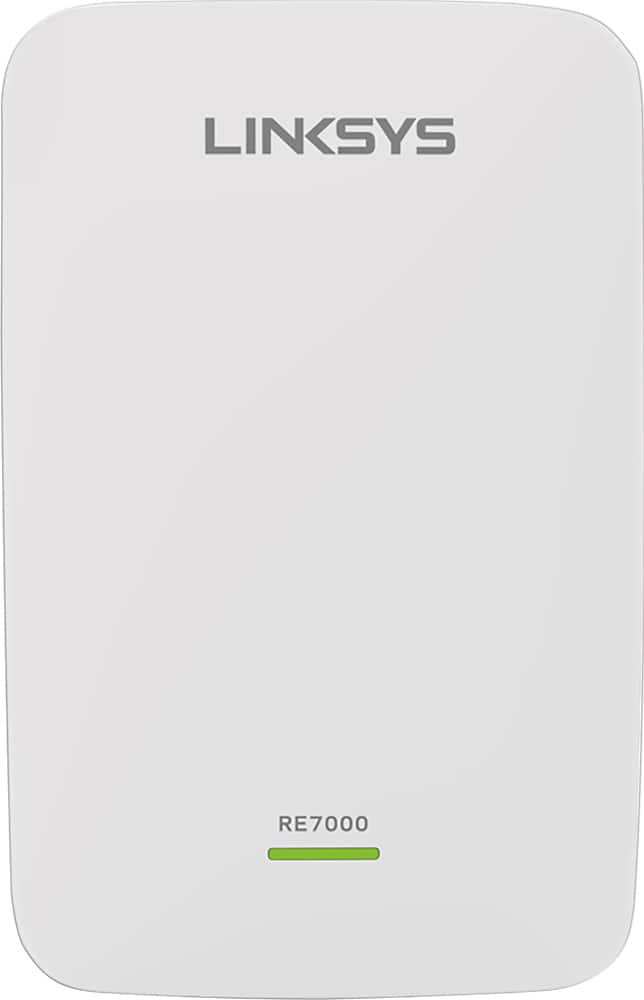

- Model:
- RE7000
- SKU:
- 5172000
Rating by feature
- Value
Rating 4.0 out of 5 stars
- Quality
Rating 4.2 out of 5 stars
- Ease of Use
Rating 4.1 out of 5 stars
Customers are saying
Customers recognize the MAX-STREAM™ AC1900 Dual Band Repeater with MU-MIMO as being easy to use and having a wide range with a strong signal. Positive feedback frequently highlights the product's ease of setup and good performance, leading to great coverage. However, some customers experienced connection issues, and others found the price to be somewhat high. A few also noted the product's size and potential compatibility concerns.
This summary was generated by AI based on customer reviews.
- Pros mentioned:Ease of use
Great Product for the Price
||Posted . Owned for 3 weeks when reviewed.This reviewer received promo considerations or sweepstakes entry for writing a review.Very easy to set-up and get connected. Give it a 4-star rating.
I would recommend this to a friend - Pros mentioned:Signal strength
Awesome device
||Posted . Owned for 1 month when reviewed.This reviewer received promo considerations or sweepstakes entry for writing a review.Absolutely amazing . If you have endless WiFi like I did look no farther and Buy this sweet little gym. My home is 2,500 square.’ I I don’t look se my wifi untill I get a block away
I would recommend this to a friend - Pros mentioned:Setup
Linksys MAX STREAM Repeater
||Posted .This reviewer received promo considerations or sweepstakes entry for writing a review.Bought this repeater for a family member to help broadened their WiFi in their home. This device was simple to setup via the linksys app and took about 15 min after the firmware update.
I would recommend this to a friend - Pros mentioned:Signal strength
Great
||Posted . Owned for 1 month when reviewed.This reviewer received promo considerations or sweepstakes entry for writing a review.Love the signal strength especially considering that the extender is a good 40 feet away before the signal is repeated and still gives me the signal strength I have. Very happy with this purchase!
I would recommend this to a friend - Pros mentioned:Range
Great Range Extender
||Posted .This reviewer received promo considerations or sweepstakes entry for writing a review.So far this has been a great range extender. I have a Linksys router on the 1st floor with the extender on the 2nd and this extender has performed as advertised. No issues with creating or keeping a signal and connection.
I would recommend this to a friend - Pros mentioned:Setup
Wifi extender
||Posted . Owned for 3 weeks when reviewed.This reviewer received promo considerations or sweepstakes entry for writing a review.Works good, as advertised, plug n play easy set up.
I would recommend this to a friend Good router
||Posted .This reviewer received promo considerations or sweepstakes entry for writing a review.Excellent, solve my connection problem. My room now is connected! :)
I would recommend this to a friend- Pros mentioned:Ease of use
Great for upstairs home office
||Posted . Owned for 1 month when reviewed.This reviewer received promo considerations or sweepstakes entry for writing a review.This repeater was a lifesaver. I’m working at home and the internet signal on our second floor is weak. This greatly improved WiFi speed and allowed me to work more efficiently. Easy set-up.
I would recommend this to a friend Linksys - MAX-STREAM AC1900 repeater - great
||Posted .This reviewer received promo considerations or sweepstakes entry for writing a review.I paired this with a Linksys Max-stream AC5400 that was having some issues getting through 4 inside walls and 1 brick wall to the Ring door bell. It was very easy to set up. The built in WIFI sweet spot finder worked pretty well. It kept kicking me out when I would want to try it in a different spot. But after waiting a minute or so, I would log back in and it would show me what I wanted to see. Very impressive!!!
I would recommend this to a friendSo far I love it
||Posted .This reviewer received promo considerations or sweepstakes entry for writing a review.I use this to extend WiFI to my family room and to plug my AV receiver directly into so I have connectivity. This has extended the coverage well, I can stream music to my stereo without hesitation, and it works well with my Linksys router.
I would recommend this to a friend- Pros mentioned:Ease of use
WiFi extender
||Posted . Owned for 7 months when reviewed.This reviewer received promo considerations or sweepstakes entry for writing a review.Easy to setup and works well upstairs next to media room
I would recommend this to a friend - Pros mentioned:Range
Good price and Good buy!
||Posted . Owned for 1 month when reviewed.This reviewer received promo considerations or sweepstakes entry for writing a review.Excellent range for my apartment! I am really happy that I can walk around all over the apartment and not lose signal. I can even close all the doors and still get a good signal.
I would recommend this to a friend - Pros mentioned:Signal strength
Took awhile to get up and running
||Posted .This reviewer received promo considerations or sweepstakes entry for writing a review.Not sure I really needed but it does seem to help win extending my WiFi signal
I would recommend this to a friend - Pros mentioned:Range
Very happy
||Posted . Owned for 3 weeks when reviewed.This reviewer received promo considerations or sweepstakes entry for writing a review.I got this to extend Wifi to my back yard while we're in the pool, so I can watch sports on an iPad. Works very well, with no freezing or breakup of the picture. Definitely worth getting
I would recommend this to a friend - Pros mentioned:Signal strength
Wifi booster works well
||Posted .This reviewer received promo considerations or sweepstakes entry for writing a review.Easy to connect, adds a stronger signal between bedroom and living room.
I would recommend this to a friend - Pros mentioned:Range
Useful for network expansion
||Posted . Owned for 3 weeks when reviewed.This reviewer received promo considerations or sweepstakes entry for writing a review.I use these things all the time to get wired network to locations where pulling wire is just not possible. Also useful for getting WiFi to that one room in the house where the main router just doesn’t cut it.
I would recommend this to a friend - Pros mentioned:Ease of use
Good Wi-fi extender
||Posted . Owned for 3 weeks when reviewed.This reviewer received promo considerations or sweepstakes entry for writing a review.Good Wi-Fi extender ,I will recommend it. Easy set up..
I would recommend this to a friend - Pros mentioned:Range
Extender for big house
||Posted .This reviewer received promo considerations or sweepstakes entry for writing a review.My router did not reach the back of my house. I bought this extender and it worked perfectly
I would recommend this to a friend - Pros mentioned:Ease of use
easy to install, fixed the dead spot in our home
||Posted . Owned for 3 weeks when reviewed.This reviewer received promo considerations or sweepstakes entry for writing a review.Easy to install even for me. It improved a total dead spot in the house where wi-fi was blocked by a large refrigerator. Now we can have wifi where we want it with a strong signal
I would recommend this to a friend - Pros mentioned:Performance, Setup, Signal strength

More than sufficed!
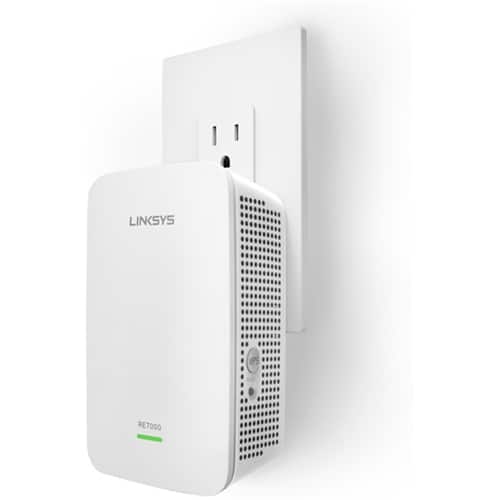
|Posted .This reviewer received promo considerations or sweepstakes entry for writing a review.The way my house is arranged my Internet comes into the living room at one end of the main floor, and the bedrooms are at the far other end of the main floor -- separated from the core wifi access point in the living room by a couple of bathrooms, closets, and walls. It works for the most part, but the wifi signal on the far end of the house is notably weak and can outright fail if there’s any nearby electrical interference like a hairdryer in use. So I decided to try a range extender and the RE7000 exceeded my expectations. In a nutshell: I couldn’t have been more pleased. Features like Cross Band, Spot Finder, Beamforming, and MU-MIMO helped this extender exceed my expectations. (More on these features at the end.) Basic initial setup can literally be push-button simple. The web interface is uncluttered but functional and provides some insightful tools and stats to diagnose signal which, combined with the signal indicator LED, take the guesswork out of optimal placement. Not in a nutshell: The RE7000 supports two modes of operation -- as a wireless range extender, or as a wired range extender using its single gigabit Ethernet port. The primary difference is in how the RE7000 gets its connection to the core network that you want to extend. You’ll get optimal performance potential if you have the luxury or skill to have an Ethernet cable for that, but the wireless range extender option is tidy and convenient when a wired backhaul is not desired or feasible. I went the wireless extender route because, in this case, I needed tidy and portable over raw performance. If you go the wireless route, the gigabit Ethernet port can be used to connect wired devices on the extended side of the network. I did and it works very well to support a laptop and even a bandwidth hungry IPTV. Basic setup is simple -- Just plug it into a wall outlet somewhere part-way between your core wifi, where you still get at least a decent wifi signal, and the area into which you want to extend your wifi network. The signal indicator LED on the unit helps with that -- Green = good, Orange = so-so, Red = no-no. The RE7000 supports two methods of connecting to your existing network -- use of WPS buttons or via a wizard through a browser at its initial default IP, http://192.168.1.1. The included instructions are clear and simple so I won’t repeat them here, just walk through them carefully for whichever method you’re comfortable with. I did the browser setup wizard method because I’m the kind of guy that likes to see all my options and tweak the defaults. Even so, the browser method took just a few minutes. The WPS method would probably have been even quicker if just a bit less configurable. When you’re done you’ll end up with one more new wifi networks, by default named after your original wifi network(s) with _Ext appended, though you can edit this name through the web interface if you’d rather. You can make it the same wifi name and key as your existing wifi if you want but it makes it a little less clear to tell later whether your devices are using the extender or not. It’s a personal choice, go with what makes sense to you. I prefer to use different names for the extended networks so that I can tell at a glance when my devices are switched over to using the stronger extended signal or if they are clinging to the weaker signal from the living room. The end result: I was expecting improved signal and reliability at the extended end of the house at the expense of overall performance because I knew that devices on the extended network would now be going through the RE7000 as a middleman. The last thing I expected was to actually get IMPROVED performance, but that’s exactly what happened -- repeated speed tests showed my laptop wifi performance improved about 25% when going through the RE7000 from the bedroom vs when I’m in the living room just 20 feet of open air away from and wifi-connected directly to the core. I repeated the comparison several times because I didn’t believe it at first, but after doing some research I think it happens because the RE7000 supports advanced Beamforming and Cross Band. in some cases like mine, it boils down to that the RE7000 actually mediates communication between my laptop and the core wifi better than they talk directly to each other. If I move the RE7000 much further away to where the LED signal indicator is just “orange” I lose that 25% improvement and then some pretty quickly. Beamforming means the device doesn’t just send equal signal in all directions, but tries to focus the signal in the direction of each device it’s communicating with. Cross Band is a feature where, If the RE7000 has a dual band connection to your core wifi, it tries to dynamically determine which wireless band provides the most efficient backhaul. If you’d rather specify the backhaul band yourself you can do that through the web interface. Spot Finder is a feature of both the web interface and the signal indicator on the face of the unit which visually shows you how optimally the RE7000 is placed in relation to your core wifi.. It lets you know if you have a good connection the core wifi you’re trying to extend. You can get pretty specific signal info through the web interface, or you can get close enough by just checking the signal indicator on the RE7000 face -- if it’s green you know you have a strong-enough wireless backhaul; if it’s orange it’s connection to the core is less than optimal; and if it’s red then it can’t see the core wifi at all. After initial setup this helped me quickly pick an optimal outlet as my first outlet choice produced a usable but slower orange connection. I changed outlets to a different wall of the same room and it came up solid green. Finally, the RE7000 supports MU-MIMO (Multi User) which means it is optimized for true simultaneous communication to multiple devices. Compare that to SU-MIMO (Single User), which is what most older generation wifi devices support, which gives the impression of serving multiple devices at the same time but is really just very quickly servicing them each individually. To fully benefit from MU-MIMO your connected devices need to be MU-MIMO compliant as well. I don’t personally have any other MU-MIMO devices but it’s nice to see the RE7000 is future-proofed to support them if/when I do!
I would recommend this to a friend