Customer Ratings & Reviews
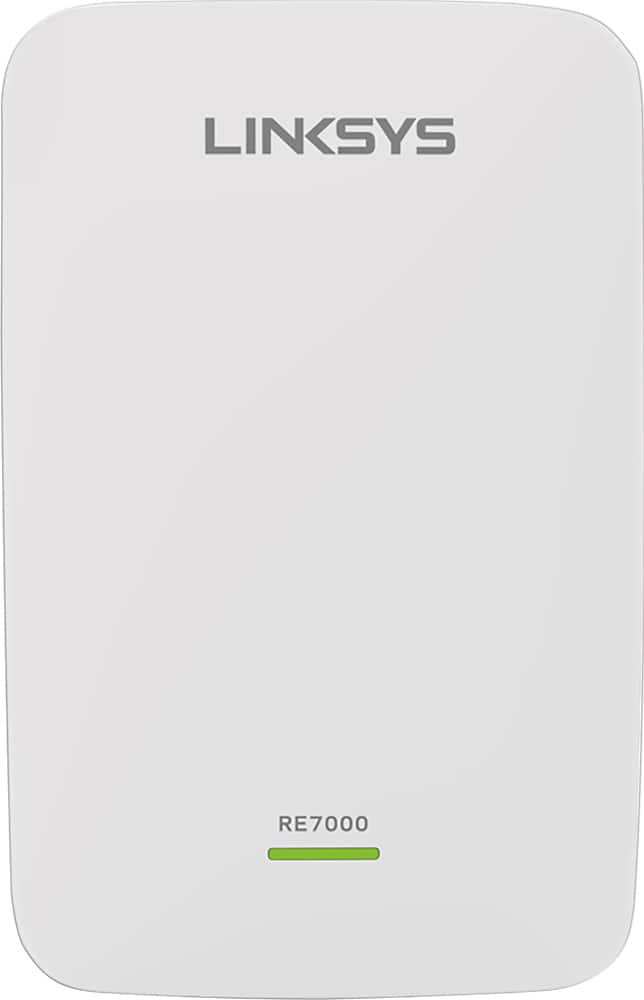
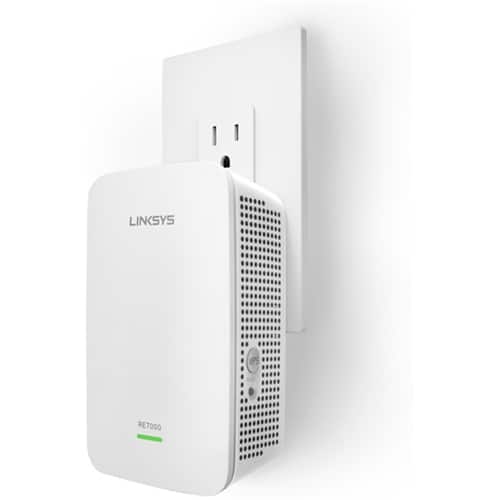

- Model:
- RE7000
- SKU:
- 5172000
Rating by feature
- Value
Rating 4.0 out of 5 stars
- Quality
Rating 4.2 out of 5 stars
- Ease of Use
Rating 4.1 out of 5 stars
Customers are saying
Customers recognize the MAX-STREAM™ AC1900 Dual Band Repeater with MU-MIMO as being easy to use and having a wide range with a strong signal. Positive feedback frequently highlights the product's ease of setup and good performance, leading to great coverage. However, some customers experienced connection issues, and others found the price to be somewhat high. A few also noted the product's size and potential compatibility concerns.
This summary was generated by AI based on customer reviews.
- Cons mentioned:Connection
OK if I could figure it out
||Posted . Owned for 1 year when reviewed.This reviewer received promo considerations or sweepstakes entry for writing a review.Wish I could give it a better review but once I swapped my Wi-Fi to a different company I haven’t been able to get it to connect. It would be great if I could use it as an extender again but now it’s just expensive paperweight.
No, I would not recommend this to a friendBrand response from Linksys Staff
Posted .Hi TeeKay,
The extender’s performance largely depends on its location in your home and its wireless settings. Use the Spot Finder feature of the RE7000. It automatically calculates the best place for the extender based on the signal behavior and capability of your router. Send us an email at LinksysCares@linksys.com so we can have one of our Escalation Engineers walk you through the necessary steps. Please include your contact details and the link to this review.
Marie
Linksys Support
- Pros mentioned:Performance
appears to be a good signal repeater
||Posted .This reviewer received promo considerations or sweepstakes entry for writing a review.Working good so far, 5/29/20 working good. worth the money
I would recommend this to a friend Powerful extender
||Posted .This reviewer received promo considerations or sweepstakes entry for writing a review.I cabled, via cat6 ethernet, a connection 250 ft to the house next door. The device then became the WiFi Outlet for the devices in the house. The WiFi connection in the house is 150Mbps, the same speed as the main router. Excellent!
I would recommend this to a friendGood for expanding on one floor
||Posted .This reviewer received promo considerations or sweepstakes entry for writing a review.My friend did the actual wifi connection for me because he is a bit more of a tekkie. The range is definitely extended to a bigger part of my house but doesn't cover it all easily. My house is long, has an upstairs and a lower level as well. It may be too much. I moved the device around to different areas but ended up where I had an extender before. A decent product just may not be the best for my house.
I would recommend this to a friend- Pros mentioned:Performance
Simple set up
||Posted . Owned for 2 weeks when reviewed.This reviewer received promo considerations or sweepstakes entry for writing a review.Very happy with this repeater. Though it didn't automatically sync with my router the instructions made it very simple to complete the set up. Performance is great.
I would recommend this to a friend - Pros mentioned:Ease of use
Easy Setup
||Posted . Owned for 3 weeks when reviewed.This reviewer received promo considerations or sweepstakes entry for writing a review.If you are looking for an inexpensive wifi extender, this one might be for you. Easy to set up and just plug it into an outlet where you want to extend wifi range and you are good to go. Thanks Best Buy!
I would recommend this to a friend - Pros mentioned:Ease of use
Linksys Repeater
||Posted .This reviewer received promo considerations or sweepstakes entry for writing a review.Easy to active. Just plug into an electrical outlet, push the WPS button on the modem and this repeater, link your device(s) to the repeater and it extends your modem's range.
I would recommend this to a friend - Pros mentioned:Signal strength
Works Great
||Posted .This reviewer received promo considerations or sweepstakes entry for writing a review.I did have a problem with the first one I brought home, It would turn off after being on for two minutes. I went back to BestBuy and they exchanged it. Have not had a problem with this one. Great signal all through the house and outside.
I would recommend this to a friend - Pros mentioned:Ease of use
Good
||Posted . Owned for 1 month when reviewed.This reviewer received promo considerations or sweepstakes entry for writing a review.Work well, easy to set up. No further issue to report.
I would recommend this to a friend Range Extender
||Posted .This reviewer received promo considerations or sweepstakes entry for writing a review.Fairly easy to connect. I’m not satisfied though because it didn’t extend my signal any better than before I got it.
No, I would not recommend this to a friendBrand response from Linksys Staff
Posted .Hi, Ymdlr,
The location where you plugged in the RE7000 Wireless Extender will impact the Wi-Fi coverage that it can provide. We recommend taking advantage of its Spot Finder Technology feature to guide you where to properly relocate the unit for an optimal range. Should you need a hand, email us your contact details and the link to this review at LinksysCares@linksys.com. One of our Escalation Engineers will walk you through the process.
Best regards,
Jay
Linksys Support
- Pros mentioned:Range
best wifi expansion.
||Posted . Owned for 4 months when reviewed.This reviewer received promo considerations or sweepstakes entry for writing a review.Does its job and extends the wifi range in my house. Highly recommend if you need to expand your wifi range to an area in the house this will do the job.
I would recommend this to a friend - Pros mentioned:Signal strength
Some help
||Posted .This reviewer received promo considerations or sweepstakes entry for writing a review.Boosts signal from router to cover more of house. Not perfect but good for money!
I would recommend this to a friend Works Good. Setup is Frustrating.
||Posted . Owned for 1 month when reviewed.This reviewer received promo considerations or sweepstakes entry for writing a review.Set up is very clever in that you simply connect a device to it thorough it's in-built WiFi and perform the configuration. Not so clever is that it was difficult to get the WiFi connection to begin with. It took several tries at plugging in and unplugging the device to get it to connect. I then discovered that I configured it wrong and could not figure out how to reconfigure it correctly. I ended up resetting to factory settings and doing it again. I had the same problems getting connected to the device, but once I did so, the setup was easy. This device extended my coverage into a remote part of my property where I needed WiFi to work and has performed well for the 1.5 months I have owned it.
I would recommend this to a friend- Pros mentioned:Signal strength
Increases signal to my 2 Ring cameras
||Posted .This reviewer received promo considerations or sweepstakes entry for writing a review.Actually have 2 of these. One I gave to my son to use with his Roku stick. It increased the signal from marginal to very good. The other I use with 2 Ring cameras that increased the signal by several dB.
I would recommend this to a friend - Pros mentioned:Signal strength
Works Great
||Posted . Owned for 2 months when reviewed.This reviewer received promo considerations or sweepstakes entry for writing a review.Works great and was easy to set up. It could pick up the signal from my router through the garage. The other extender i purchased couldn’t do that. I definitely recommend.
I would recommend this to a friend - Pros mentioned:Ease of use
Works as expected
||Posted . Owned for 3 weeks when reviewed.This reviewer received promo considerations or sweepstakes entry for writing a review.I purchased this extender for an office application with multiple rooms. The WiFi router we have is the same mfg so it seemed like a smart purchase. Very easy to install and works very well!
I would recommend this to a friend - Pros mentioned:Signal strength
Not too bad
||Posted . Owned for 3 weeks when reviewed.This reviewer received promo considerations or sweepstakes entry for writing a review.It does what I need to get WiFi throughout my house
I would recommend this to a friend - Pros mentioned:Range
Helps a lot!
||Posted .This reviewer received promo considerations or sweepstakes entry for writing a review.Works great in shed which is several feet from the house!
I would recommend this to a friend - Pros mentioned:Range
Easy setup
||Posted . Owned for 1 month when reviewed.This reviewer received promo considerations or sweepstakes entry for writing a review.Easy setup to extend your WiFi range in your home.
I would recommend this to a friend - Pros mentioned:Performance
Happy
||Posted . Owned for 1 month when reviewed.This reviewer received promo considerations or sweepstakes entry for writing a review.Works well hard to set up. Overall performance very good.
I would recommend this to a friend