Customer Ratings & Reviews

- Model:
- WUSB6100M
- SKU:
- 5174100
Rating by feature
- Value
Rating 4.5 out of 5 stars
- Quality
Rating 4.5 out of 5 stars
- Ease of Use
Rating 4.6 out of 5 stars
Customers are saying
Customers frequently mention the Next-Gen AC Dual-Band AC600 USB Network Adapter's ease of use, performance improvements, and convenient USB connectivity as significant advantages. Many also appreciate its compact size and straightforward installation process. While some users experienced occasional connection issues, the adapter generally received positive feedback regarding its price and signal strength. A small number of users reported compatibility problems with certain devices.
This summary was generated by AI based on customer reviews.
Love it
Posted .This reviewer received promo considerations or sweepstakes entry for writing a review.This is what I was looking for and glad I purchased this
I would recommend this to a friend- Pros mentioned:Speed
Great USB Network Adapter
Posted .This reviewer received promo considerations or sweepstakes entry for writing a review.I am having problem with my integrated 2.4GHz Wireless adapter running slow internet connection. With this new Linksys - Next-Gen AC Dual-Band AC600 USB Network Adapter, I am now using the 5GHz bands connection and my internet speed is blazing fast!
I would recommend this to a friend Great Buy if on Sale!
Posted .This reviewer received promo considerations or sweepstakes entry for writing a review.This adapter supports both 2.4 and 5 GHz bands as well as AC wave 2 which is the latest standard. I tested this on 2 older laptops an old Dell Laptop and a Newer Mac Book Pro, this adapter worked well on both platforms. The mac book pro did not see any additional boost in range but the built in wifi from the older Dell was no match for this little adapter. I would recommend this to boost old laptops and definitely to add wifi to a desktop if needed. I always recommend to still go wired if possible. If this is on sale, it would be a great buy, but I would not pay full price. There are other adapters out there that are very comparable for less. I received this product as a sample product for an honest review, I did not receive money or any other gifts for this review.
I would recommend this to a friendBought this to add 5ghz
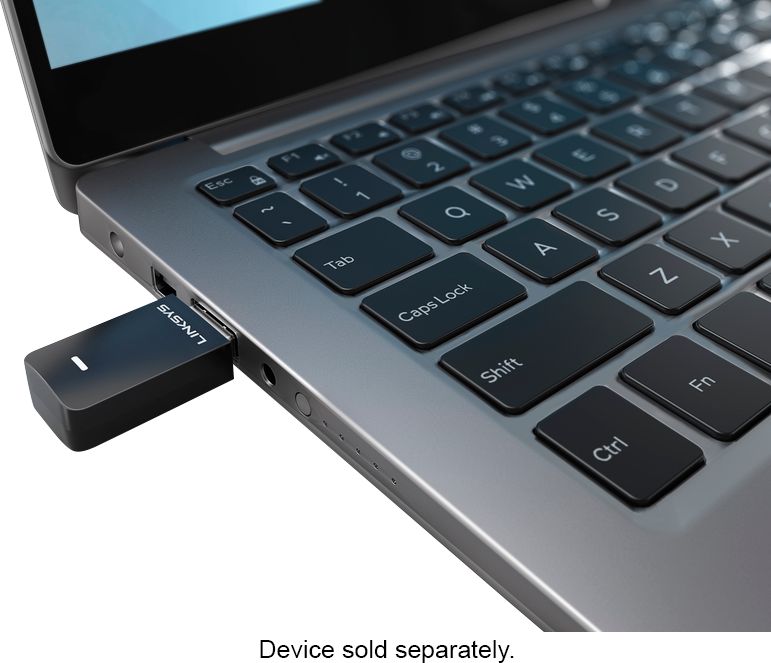
Posted .This reviewer received promo considerations or sweepstakes entry for writing a review.I bought this to add 5ghz wifi to my laptop. This works great, and has a good reception range. The only complaint i have is it is a bit large sticking out the side of the laptop, but I knew that when I bought the product so will not mark down the review for it.
I would recommend this to a friend- Pros mentioned:Speed
Had to install drivers
Posted .This reviewer received promo considerations or sweepstakes entry for writing a review.Was not plug in play. Had to install drivers on my laptop, add the files to a hard drive stick, and then updated drivers for this to work. Great internet speeds.
I would recommend this to a friend Good Performance / Tough Install on Win10
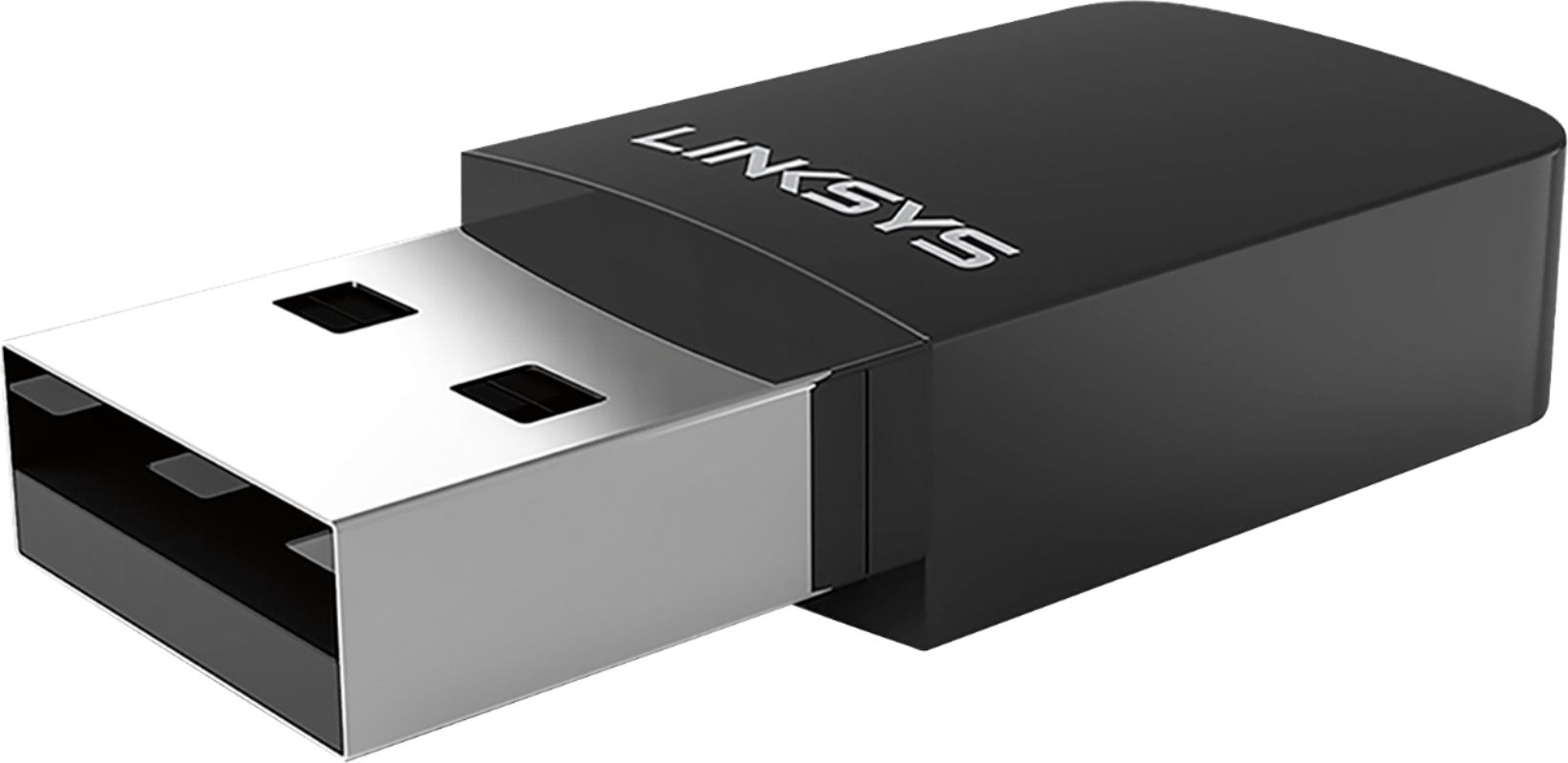
Posted .This reviewer received promo considerations or sweepstakes entry for writing a review.This is a review of a sample product provided by Best Buy/Linksys in exchange for an honest and unbiased review. The Linksys-Max-Stream-Dual-Band-MU-MIMO-WUSB6100M is a 4x4 Mu-MiMo capable AC600 WI-FI MICRO-USB Adapter that is supposed to be an easy device to install and set up. The instructions instruct you to simply plug the adapter into an available USB port on your MAC or PC and the appropriate drivers are supposed to be automatically be copied to your computer automatically. From there all you are supposed to have to do is choose your network and enter the password for your wireless network. Inside the box, you will find the WUSB6100M itself, a Quick Start Guide and a CD with drivers and documentation. and the mandatory regulatory information reference. Physically the WUSB6100M USB adapter is visually pleasing with a smooth finish and one LED. The device is well designed, and relatively small. I attempted to set up the WUSB6100M on an ASUS Laptop with the latest Windows 10 updates installed. I plugged it in and nothing happened, no LED light, nothing - so I waited - and waited, and waited. Apparently my PC did not have the appropriate drivers installed, and contrary to the setup guide they did not copy automatically. Checking the Linksys support site, I found that the drivers on the CD provided were outdated. After downloading the latest drivers and installing them, and restarting the PC, I plugged the WUSB6100M USB adapter in. Finally the installation proceed and the LED lit so I thought I was home free. Keeping in mind that the laptop had a 2.4 wireless card built in, I disabled that card and proceeded to set up the Linksys WUSB6100M. Once complete the WUSB6100M connected immediately and I had no further issues. With the MU-MIMO enabled hardware and firmware, the RE7000 will be able to communicate more efficiently with other devices utilizing MU-MIMO technology. The Linksys WUSB6100M is a state-of-the-art USB adapter which can be used to upgrade the wireless capabilities of most PC’s and MAC’s and is suitable for both basic and advanced users in a neat and unobtrusive package.
I would recommend this to a friendBrand response from Linksys Staff
Posted .Hi, PhoenixV,
Thanks for sharing your detailed product review. Setting up the WUSB6100M USB Adapter to your Windows 10 PC should be quick and easy since it will install the drivers automatically via windows update. As for the product's compatibility, this unit is designed to work with Windows 7, Windows 8.1 and Windows 10 Operating Systems. Allow us to share your experience with our Development Team so they can look into the setback you've encountered during the installation process.
If you have questions about the product, feel free to tap us via email at [email protected], anytime.
Regards,
Jay
Linksys Support
Great purchase!
Posted .This reviewer received promo considerations or sweepstakes entry for writing a review.Nice little usb wifi. Works great and installed easily. Was able to cut the cord on a desktop and move to another room.
I would recommend this to a friend- Cons mentioned:Connection
Disconnects and Does not Wake
Posted .This reviewer received promo considerations or sweepstakes entry for writing a review.This Linksys disconnects often for no reason. Like it was unplugged, have to unplug it and plug it back in. Also slow to wake or start on boot - have to wait or get Windows 10 connection assistant sometimes. I am running the latest drivers. I should have stuck with the Netgear WNA3100 I was using on another computer that works flawlessly.
No, I would not recommend this to a friendBrand response from Linksys Staff
Posted .Hi, WhenItRains,
Updating your Adapter’s driver should fix bugs and can improve its functionality. It's unusual that even if you're running with the latest driver, the WUSB6100M Adapter still disconnects often for no reason. We'll take this chance to have one our Escalation Engineers look closely into this matter. Please get in touch with us at [email protected] with your contact details and the link to this review.
Best regards,
Jay
Linksys Support
- Pros mentioned:Ease of use
Great device
Posted .This reviewer received promo considerations or sweepstakes entry for writing a review.Plugged in, entered credentials and worked perfectly
I would recommend this to a friend - Pros mentioned:Usb
Great for a laptop
Posted .This reviewer received promo considerations or sweepstakes entry for writing a review.The built-in Wi-Fi on my laptop failed. I found this USB dual band WiFi network adapter that fixed my problem.
I would recommend this to a friend Great little guy!
Posted .This reviewer received promo considerations or sweepstakes entry for writing a review.This took my download from around 5 Mbps to around 80 Mbps. Setup wasn't quite as simple as just plugging it in. Had to go into my Windows 10 wifi settings and turn it on and enter wifi password. Had it figured out in less than two minutes. Overall a breath of fresh air. I will say that the hoops I had to jump through to post this review on Best Buy were stupid to the max.
I would recommend this to a friendGood Product! It's Linksys!
Posted .This reviewer received promo considerations or sweepstakes entry for writing a review.I was using the AE6000 that I bought. I saw improvement! 3 out of 5 stars. I received the AC600 free from Linksys for my opinion and here it is I would buy this because MiMu Linksys router but if I didn't I would just stick to the AC6000!
I would recommend this to a friendDecent Wifi Adapter
Posted .This reviewer received promo considerations or sweepstakes entry for writing a review.My laptop internal wi fi adapter has been problematic for some time and now it finally gave up it seems. I chose this because it was on sale and reviews seemed favorable. It's been a few weeks and I haven't had any problems. I would recommend.
I would recommend this to a friendPlug N Play
Posted .This reviewer received promo considerations or sweepstakes entry for writing a review.Simply installed the the drivers and plugged in, it works. My relatives have slow internet so I don't know what speeds it can do but it seems to be working fine with no issues.
I would recommend this to a friendWifi for Win10
Posted .This reviewer received promo considerations or sweepstakes entry for writing a review.I needed a wifi card that is compatible with Windows 10 out of the box. This worked perfectly but because of its size it does get the greatest single strength. A great little product.
I would recommend this to a friendOnly lasted 11 months!
Posted .This reviewer received promo considerations or sweepstakes entry for writing a review.This item has a 12-month warranty, but after 11 months, stopped working. Called Linksys Support, they deemed it defective and are replacing. Purchased a Linksys router same day as this item, it is also now defective after 11 months with a 12 month warranty and being replaced by Linksys. Linksys used to be a good brand until Cisco sold them off to Belkin. Buyer beware.
No, I would not recommend this to a friendBrand response from Linksys Staff
Posted .Hi, Toddwrtr,
It is very unusual for 2 Linksys devices to stop working at the same time. Rest assured that our Second Level Support team will assist you with any challenges that you encounter with our device.
Just send get in touch with us at [email protected] along with your contact details and the link to this post.
We hope to hear from you soon.
Regards,
Thaddeus
Linksys Support
It works okay.
Posted .This reviewer received promo considerations or sweepstakes entry for writing a review.I bought this and out the box I thought it would work but no.. I don't have a CD/DVD Rom installed to my desktop because most people in this era does not. It's becoming extinct..I had to get a usb drive and luckily I have a laptop to install the drivers needed. The signal is mediocre. Signal is weak but at least it works.
I would recommend this to a friendBrand response from Linksys Staff
Posted .Hi whatsgoodman,
The drivers of our Linksys adapters are readily available in our website in case you are unable to use the CD installer that came in the box. As for its signal, please note that it is dependent on your routers Wi-Fi. If it is too far or there are physical interference, you may experience intermittent signal.
We suggest that you get it closer to the router and check if the signal improves. If you need further assistance, feel free to email us at [email protected] so that we can escalate your case for more help.
We hope to hear from you again.
Regards,
Thaddeus
Linksys Support
It's mediocre
Posted .This reviewer received promo considerations or sweepstakes entry for writing a review.First of all, why do you need internet to install drivers for a wifi adapter! I even had to pull out the cd reader, but even the cd didn't work. I had to make a temporary setup near my router to install the drivers. ;( On the second day of using the adapter I got a blue screen of death. I thought it was just another reason to hate Windows 10, but that wasn't the case. Later that day, my computer crashed again and again. Whenever it crashed I noticed that my wifi would go out first then the " Blue Screen of Death". I started to realize there was something wrong because I usually never get the " Blue Screen of Death". I again had to move my pc next to the router and used ethernet for a week, no crashes. Moved my pc back to my setup and used the adapter. Within an hour of using the adapter, Boom, a "Blue Screen of Death". I later did some more troubleshooting by just changing my wifi band from 5g to my 2.4g band. My pc was stable and didn't have any crashes, but the connection was slow. So my next thought is to try the 5g band again and what do you know it crashed. The internet connection was faster though. do I have to sacrifice stability for speed? What am I supposed to do? I don't know if this is a defect or not but there is definitely something wrong with this wifi adapter.
No, I would not recommend this to a friendBrand response from Linksys Staff
Posted .This is clearly not the behavior that your WUSB6100M Adapter should exhibit if the driver is updated. There might be other factors why it behaves this way and we truly appreciate your bringing this to our attention so we can make things right. Please send us the link to this post and your contact details at [email protected]. We'll have one of our Escalation Engineers take care of this.
Regards,
Jay
Linksys Support
Set-Up CD Would Not Recognize Me As Admistrator
Posted .This reviewer received promo considerations or sweepstakes entry for writing a review.I don't normally give one star reviews. But I have no choice with this. Every time I tried to open the set-up on the CD, I got a huge red error message that I didn't have the administrator rights to use this CD and I had to consult with the administrator. I am the only user of this Windows 10 PC and I am set up to have full administrative rights. I went through every possible setting in the Control Panel that I could find and every possible setting in the Windows 10 settings. I was set up as the computer administrator. I called tech support and he said he could access my computer remotely to see what's going on. But that won't work if I can't connect to the Internet. He told me to call Microsoft and ask how to change the security settings. I gave up and took the adapter back to Best Buy to exchange it for a different brand which installed perfectly with no problems.
No, I would not recommend this to a friendBrand response from Linksys Staff
Posted .Hi, MrSoul,
Setting up the Linksys WUSB6100M Adapter should be quick and easy since you can install the drivers automatically via Windows Update. We regret to hear that the product is no longer with you. Your setup experience is very uncommon and we could have tapped one of our Escalation Engineers to investigate this matter.
Should you have other Linksys device that needs assistance, don't hesitate to email us at [email protected].
Regards,
Jay
Linksys Support
Worked great.. Until it didn't
Posted .This reviewer received promo considerations or sweepstakes entry for writing a review.The adapter worked decently well besides randomly cutting out and back in (basically heard the sound when something is unplugged then plugged back in after my internet cut out) for about six months or so, up until it randomly will cause my computer to bluescreen and crash now whenever it fails, which has now started to happen at least once or twice every single day for the past week. I've tried uninstalling, deleting, and reinstalling the drivers to no avail, and there's only one available driver for Windows 10, so I can't update to a newer or roll back to an older driver. athuac8x.sys is the cause for the bluescreens, which a google search will verify that this same model of wifi adapter is causing the same bluescreen problem with other people as well, and I just apparently am one of the other unlucky few whose computer it breaks. Wish I could just use ethernet on my tower, but alas, router can only be upstairs and there's only room downstairs for my computer in the apartment.
No, I would not recommend this to a friendBrand response from Linksys Staff
Posted .Hi, Eric,
Plugging the adapter into a different USB port or installing it on a different computer can help us isolate this problem. If the same thing happens, reach out to us at [email protected] with your contact details and the link to this post so we can have our Escalation Engineers look into this further.
We'll get this figured out.
Regards,
Joseph
Linksys Support