Customer Ratings & Reviews

- Model:
- RE9000
- SKU:
- 6178208
Rating by feature
- Value
Rating 4.1 out of 5 stars
- Quality
Rating 4.3 out of 5 stars
- Ease of Use
Rating 4.3 out of 5 stars
Customers are saying
Customers are delighted by the RE9000 AC3000 MU-MIMO Wi-Fi Range Extender's impressive range, ease of setup, and strong signal strength, frequently citing its improved coverage and performance. Many appreciate the convenient Ethernet ports, although some experienced connection issues. A few users noted the price point as a potential drawback.
This summary was generated by AI based on customer reviews.
Acceptable
||Posted . Owned for 9 months when reviewed.This reviewer received promo considerations or sweepstakes entry for writing a review.It is ok for that price, but it is not stabile and slower than Orbi a lot.
No, I would not recommend this to a friendBrand response from Linksys Staff
Posted .Hi, ThangNguyen.
Obstacles such as walls and other wireless devices may affect the quality of the Wi-Fi network. Check if the range extender has a good reception from the router and has the latest firmware version installed.
For further discussions, shoot us an email at LinksysCares@linksys.com.
Include your contact details and a link to your post when reaching out.
Regards,
Linksys Support
better instructions
||Posted . Owned for 3 weeks when reviewed.This reviewer received promo considerations or sweepstakes entry for writing a review.have issues getting it to put out internet. connecred fine to router stays green but no internet
No, I would not recommend this to a friendBrand response from Linksys Staff
Posted .Hi, John,
The Linksys RE9000 range extender should provide an internet connection if it's connected to a router with an active internet connection. You may try to update the firmware of the extender or try to hardwire a computer directly to the router to see if you can access the internet. For further assistance, you can share more details at LinksysCares@linksys.com with the link to this review for our reference.
Regards,
Jan
Linksys Support
Works ok
||Posted . Owned for 3 weeks when reviewed.This reviewer received promo considerations or sweepstakes entry for writing a review.Not 100% stable, connection was a bit flaky. Returned for google WiFi mesh. Google is not as blazing fast but is rock solid
No, I would not recommend this to a friendBrand response from Linksys Staff
Posted .Hello Dave,
We respect your decision. Our Escalation Engineers would've loved to assist you with the challenge that you've experienced with your Linksys extender. Moreover, should you need our assistance in the future, please feel free to email us at [email protected] along with your phone number and the link to this review for our reference.
Regards,
Princes
Linksys Support
easy to hook up, mixed results
||Posted . Owned for 1 month when reviewed.This reviewer received promo considerations or sweepstakes entry for writing a review.It was easy to install, but doesn't seem to really make much difference in my wifi range, which is why I bought it.
No, I would not recommend this to a friendBrand response from Linksys Staff
Posted .Hi Johnnieg,
The Linksys RE9000 range extender may not be getting enough Wi-Fi signal from the router. You may try using the spot finder of the range extender to help find the optimal placement, for the device to effectively extend your existing Wi-Fi network.
Feel free to reach out to us at [email protected] if you need further assistance and, we'll have our Escalation Engineers look into it. Please don't forget to include your contact details and the link to this review for our reference.
Regards,
Jan
Linksys Support
- Pros mentioned:Range, Speed

Great Range Extender for Bigger Sq Ft Home
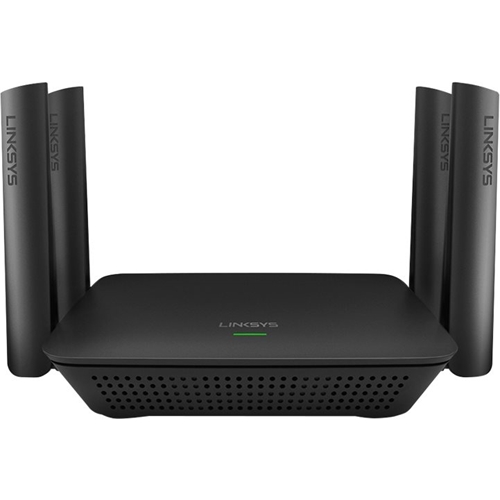
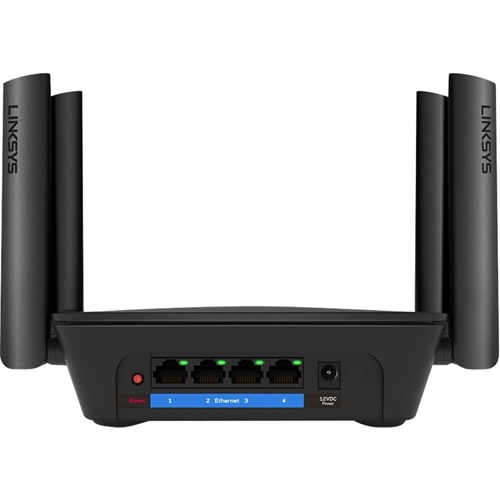
|Posted .This reviewer received promo considerations or sweepstakes entry for writing a review.The Linksys RE9000 AC3000 MU-MIMO Range Extender is a great range extender for people looking to fill dead wifi areas in their home. Linksys has done a really good job designing this extender. There are 4 ethernet ports in the back that allow you to hook devices directly to it. So i plugged my Xbox one and my ps4 in as well as my Phillips Hue System. After installing it and using the spot finder technology I was able to fine tune my system and get much faster speeds! My home is about 3500 sq ft so the extender helped alot to boost the signal to my router on the other side of the house! I've used other extenders before and this one is by far the best I've come across! I would highly recommend it to anyone
I would recommend this to a friend Unreliable - constantly goes off line
||Posted . Owned for 1 week when reviewed.This reviewer received promo considerations or sweepstakes entry for writing a review.I have two of these wifi extenders. They are placed in areas that have clear signal to my router (a Linksys tri-band EA9500). When they are connected, they work well. Unfortunately, they go off line all the time and I have to constantly power the unit down (pull out the power plug) and then turn it back on to restore the wifi connection. This makes what could be a good product into an irritating and frustrating piece of junk. I've been loyal to Linksys for decades but I think their product quality has deteriorated to the point where I am going to bite the bullet and go with another more reliable brand.
No, I would not recommend this to a friendBrand response from Linksys Staff
Posted .Hello, Joe,
It is recommended to place the Linksys RE9000 in between the router and the area without wireless network and we must make sure that it gets enough connection from the Linksys EA9500. You may try moving it a bit closer to the router, and observe the connection. Our Escalation Engineers would like to help you with it by sharing it through email at [email protected] with your contact details and the link of this review too, for our quick reference.
Regards,
Elyza
Linksys Support
Returning it
||Posted . Owned for 3 weeks when reviewed.This reviewer received promo considerations or sweepstakes entry for writing a review.My unit is being used as an access point, and is hard wired to my router by an Ethernet cable in the wall. It loses internet once a day for 5 to 10 minutes. It has to be rebooted twice a week. And the beam forming doesn’t work, as my devices keep wanting to connect to the weaker, further away router.
No, I would not recommend this to a frienddisappointed
||Posted .This reviewer received promo considerations or sweepstakes entry for writing a review.the extender did not provide anymore coverage than the router did before hooking it up. returned it.
No, I would not recommend this to a friendBrand response from Linksys Staff
Posted .Hi,
With proper installation and correct placement, the RE9000 should be able to provide reliable coverage. If you still have the extender, then our Escalation Engineers would love to contact you and make sure it functions accordingly on your network. Just email the link to this post and your contact information at [email protected].
Regards,
Klaudette
Linksys Support
- Pros mentioned:Range, Setup, Signal strength
Excellent extender!
|Posted .This reviewer received promo considerations or sweepstakes entry for writing a review.Let me start off by saying I did set this up using another brand router. Setup was easy and quick. While I was using an older router this thing has boosted my signal (more than doubled actually). I have several PCs, media boxes, cameras, etc. so I need good coverage and service. It's been up and going for about a week and no glitches so far. Honestly, as good as this thing works I may put off buying that new router I was planning on getting. I work in IT and from my experience, for the money, Linksys is hard to beat for both performance and durability. If you need a high quality extender, then look no further and pick this up.
I would recommend this to a friend Complicated
||Posted .This reviewer received promo considerations or sweepstakes entry for writing a review.It was very difficult to pair with my existing router. Had to called and pay $29 for the help.
No, I would not recommend this to a friendBrand response from Linksys Staff
Posted .Hello Nlouis25,
We hear you and we understand that you've encountered challenges upon setting up the Linksys extender. Should you need further assistance, please don't hesitate to tap us at [email protected] along with your phone number and the link to this post for our reference.
Regards,
Princes
Linksys Support
Wi-Fi exstender
||Posted .This reviewer received promo considerations or sweepstakes entry for writing a review.We bought it to reach to my moms room in the back of the house but it does not still.
No, I would not recommend this to a friendBrand response from Linksys Staff
Posted .Hi Valb,
The range extender works best when placed between the main router and the location where you want to extend the signal. We can have our Second Level Technicians assist you in optimizing its range.
Just send us your contact details at [email protected] along with the link to this post so that we can escalate your case.
We hope to hear from you soon.
Regards,
Thaddeus
Linksys Support
- Pros mentioned:Range, Signal strength
An Excellent Idea…With a Serious Security Problem
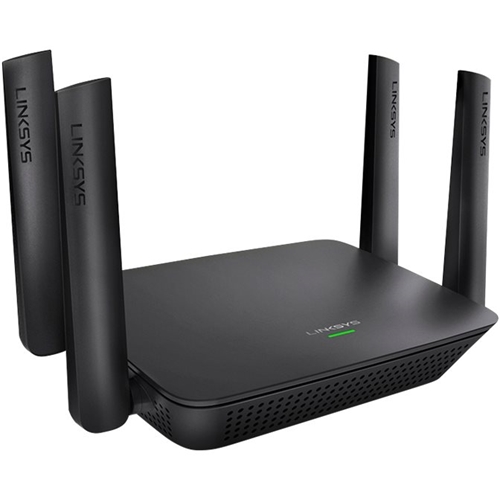
|Posted .This reviewer received promo considerations or sweepstakes entry for writing a review.Before the problem, first the good stuff: The Linksys RE9000 Max-Stream Wi-Fi Range Extender is more than a range extender…it’s closer to a “mesh Wi-Fi system”, except that this unit (according to Linksys’ claim) works with ANY brand router. As those familiar with range extenders know, they are typically dual-band (2.4GHz & 5GHz), offering three operation modes: device-to-extender on 5GHz band & extender-to-router on 2.4GHz band, device-to-extender on 2.4GHz band & extender-to-router on 5GHz band, or device-to-extender AND extender-to-router on BOTH bands. The first two are good, in that they offer full-speeds between devices & router, but they sacrifice band usage. The third option allows devices AND router connection with the extender on BOTH bands, but, unfortunately, cuts its data transmission rates in half. Because of the ‘half-speed data’ problem, home “mesh Wi-Fi system” emerged. One unit would act as the router, & additional units would act as “nodes”. While some of these systems are tri-band configuration, others dual-band (no better than a router & range extender, as they operate identically). In some ways, dual-band “mesh” Wi-Fi systems can be WORSE than a router & range extender, as most “nodes” only contain a single Ethernet port. If you have more than one device needing to be ‘plugged in’ (ie. placing the node behind you’re A/V system, so as to connect (via Ethernet) your TV, home theater receiver, Blu-ray player, etc), then you’d need to plug in a switch, complicating things. Tri-band mesh Wi-Fi systems have two 5GHz radios – one connecting to devices, & the second communicating EXCLUSIVELY with the router. Linksys has now, essentially, “married” the ideas behind a range extender & tri-band mesh Wi-Fi system into a single unit. What makes this so special, when compared to other range extenders, is that, unlike typical dual-band range extenders, the RE9000 has two 5GHz radios. Next, unlike most mesh Wi-Fi systems (dual & tri-band), with only a single Ethernet port on the nodes, the RE9000 has a built-in 4-port Ethernet switch (the same as on almost all routers). Finally…and most importantly…according to Linksys, the RE9000 (according to the box) “works with ALL Wi-Fi routers”. Most range extenders, as well as mesh Wi-Fi nodes, tend to be on the large size, often as large as the router, itself. Yes, there are a few exceptions (Google Wi-Fi, Samsung Smart Home, Amped Wireless ALLY), but many (Netgear Orbi, and even Linksys’ own Velop) are quite large. The Linksys RE9000, on the other hand, is approximately the same size as your typical 4-port Ethernet switch (I have a Linksys SE1500, and they’re almost identical, in shape AND size). The only real difference is the four antennae (2 on each side, one near the front, one near the back). So, how well does the RE9000 work? My initial answer would have been “great”. I have the router in the north-west corner (on top of the home theater stereo cabinet) of our 1,100sq ft 2BR condo, is an Asus RT-AC3100 Dual-Band router, and, while it’s signal strength in the living room is excellent, due to the numerous walls, as well as the placement of said walls, in our condo, the signal strength in the bedrooms can be “lacking” at times. To give you an idea, in the living room, both 2.4GHz & 5GHz average -20 to -30dBm. The bedrooms, on the other hand (master BR is south-west corner, guest BR is south-east corner) vary between -60 & -80dBm. With the RE9000 placed in the guest bedroom (where the computers will eventually be placed, once our remodeling is finished), signal strength (both 2.4GHz & 5GHz) increased considerably, to-20 to -30dBm in the guest bedroom, & -25—40dBm in the master bedroom. At this point, anyone reading this would probably say, “Great, I’m getting one”……….but you would want to hold off until you read the remainder. Now comes the “bad” news…and, for those concerned with security, it’s EXTREMELY bad. Like many people, I prefer to use MAC filtering, which provides an additional layer of security. If you don’t use, or have no intention of using, MAC filtering, you can skip this, and go buy yourself the RE9000. On the other hand, if you do use MAC filtering, or are considering the possibility of using MAC filtering, know now that, with the RE9000, you CANNOT. Prior to setting up the RE9000, I disabled the MAC filtering on my router, as the RE9000’s MAC address hadn’t been saved in the router’s configuration. After getting the RE9000 set up & configured, I returned to the router’s configuration utility, entered the RE90900’s MAC address, saved the new configuration, and re-enabled the router’s MAC filtering…and the RE9000 was immediately disconnected. After speaking with Tier 1, Tier 2, & Tier 3 technicians at Linksys, it was finally uncovered that, in regards to the RE9000’s “upstream, there are actually three different MAC addresses. My next step was to enter what’s listed as the RE9000’s “AP MAC address”. Unfortunately, this ended with the same disconnection. Finally, I entered the third MAC address, listed as the “Seen by MAC Address”, and, again, instant disconnection upon re-enabling the router’s MAC filtering. In all honesty, I have no clue what they problem is…even worse, Linksys, themselves, has no clue. Today, I spoke with a Linksys engineer (one of the people responsible for designing the various Linksys range extenders. She indicated that this had become a known/documented problem with their dual-band extenders, and that the problem had (supposedly) been fixed. In regards to the RE9000, she did not indicate whether, or not, this was a known problem. At the same time, she did mention that a new firmware was recently released (possibly for “fixing this type of problem”), but I explained to her that I had already installed the update, and that there was no change. The point of all this is, if you use MAC filtering, or are considering using MAC filtering, you should AVOID this product. Currently, there is only one other tri-band range extender on the market (manufactured by the maker of the line of “Nighthawk” products), and I am unaware as to whether, or not, it has the same problem, so I will not comment further on their product. THE GOOD: • Tri-band configuration (the fastest speeds) • Auto-switching (seamless roaming) • Easy to set up, configure, and maintain • MU-MIMO THE BAD: • Only 1-year warranty (most others (including Linksys, with their Velop system) have moved up to 2-3 year warranties) • No USB ports THE UGLY: • MAC filtering can NOT be used on your router if using an RE9000 Conclusion On the surface, the Linksys RE9000 appears to be an excellent product. It takes everything people like about mesh Wi-Fi systems, but allows them to have a similar home network no matter what brand of router they use. Put another way, it’s almost like having a wireless switch, which, to me, is better than your typical (dual-band) range extender. additionally, just like your typical switch, you should (theoretically) be able to have more than one RE9000 in your home network…not that I would understand why anyone would need more than one, as the additional range provided by a single RE9000 should be more than enough for anyone living in anything smaller than a 10-bedroom mansion. Unfortunately, once you get past the surface, the “cracks” start appearing. While very minimal, the short 1-year warranty is a disappointment, and the lack of any USB ports only increases that disappointment. The “breaking point”, and the reason I can NOT recommend the RE9000 is its security problem. While the RE9000 provides its own internal MAC filtering (which, I’ll admit, I never got around to testing, or even setting up), its inability to connect to a router which has MAC filtering enabled is a HUGE “avoid at all costs” for anyone wanting to maintain the greatest home networking security possible. Not that “home networking security” is perfect (as is said, those with a ‘will’ will find a ‘way), but when you have a networking component, such as the RE9000, which prevents you from using one of your router’s greatest security advantages, that product becomes a HUGE security liability. Disclaimer: This product was provided free, or at reduced cost, for the purpose of reviewing the product. Nevertheless, the above review, be it positive, negative, or somewhere in-between, is a 100% honest review, and the price paid played absolutely no part in my review.
No, I would not recommend this to a friendBrand response from Linksys Staff
Posted .Hello, Panther68,
Your feedback towards our Linksys RE9000 is truly appreciated, and rest assured that we have taken note of it. Please email the case number or your contact details, along with the link to this post, at [email protected] so our Escalation Engineers can review your case.
Regards,
Klaudette
Linksys Support
Not what I expected
||Posted .This reviewer received promo considerations or sweepstakes entry for writing a review.Router extends the signal great but has to constantly be restarted.
No, I would not recommend this to a friendBrand response from Linksys Staff
Posted .Hi, Avia,
If the extender is already running on the latest firmware and that there's a stable connection directly from the router, please get in touch with us at [email protected] so we can check what caused the setback. Indicate your contact information and a link to this review as a reference.
Regards,
Rosalyn
Linksys Support
Range not as expected
||Posted .This reviewer received promo considerations or sweepstakes entry for writing a review.For a range extender this works - but the receiver on it is not great. It cant be far from the main router to achieve full speed - which even then is no where near advertised speeds. Its much better than the Netgear range extenders - but I wouldnt buy this again. Its worth about $70 not $150.
No, I would not recommend this to a friendBrand response from Linksys Staff
Posted .Hi, nexusbroadcast,
Like any range extenders, it is recommended that you place it in an area where it can get at least 50% of your router's Wi-Fi signal for it to work properly. The Linksys RE9000 has the Spot Finder technology that automatically calculates the best place to set it up based on the signal behavior and capability of your router. Please don’t hesitate to reach out to us at [email protected] should you need further assistance. Indicate your contact details and the link to this post for our reference.
Regards,
Joseph
Linksys Support
- Pros mentioned:Range, Speed
Great range, flexible placement and usage options
|Posted .This reviewer received promo considerations or sweepstakes entry for writing a review.Disclaimer - I received this device in exchange for my fair and unbiased review. TL;DR - The Linksys RangeMax RE9000 AC3000 range extender is a no-compromises device with several usage scenarios. Beyond its intended functionality as a range extender, it also works as a wireless-to-ethernet bridge, an access point, and a gigabit network switch. Range is terrific, speed is terrific, and the fact that it doesn't plug directly into the wall addresses the shortcomings of many other range extenders, including other models from Linksys. If you've ever set up a Linksys device before, this should come naturally to you. It works with both the Linksys Smart WiFi app on Android and Apple devices, and using a web browser on your desktop or laptop computer. The Linksys Smart WiFi app makes the process somewhat easier and more automated, but it's still easy either way you go. If you have a Linksys RangeMax router already, you can configure this range extender to seamlessly extend your network. It will use one of the two 5GHz connections to pair with your router and connect as quickly as possible. If you have an older router you want to keep using as your primary router (Apple AirPort Time Capsule, for example) or a wired-only router solution that you want to add wireless connectivity to (an unit that doubles as a VPN endpoint, for example), this is a great solution as it adds three wifi connections with fast wifi speeds (2.4GHz 400mbps N, 5GHz 867mbps AC, and 5GHz 1733mbps AC). It's also great for large homes and wanting to add a secondary access point over a wired network connection. Probably the only drawback to this device is the design, but large external antennas are better for signals than more stylish solutions that lack external antennas. All in all, this is a step in the proper direction for range extenders.
I would recommend this to a friend Often loses connection to the router.
||Posted .This reviewer received promo considerations or sweepstakes entry for writing a review.I have to reboot this thing weekly to re-establish connection to my Linksys max-stream router it is made for. I am tech savvy. I am also extremely busy and really don't have time to sit on the phone with tech support. It should just work.
No, I would not recommend this to a friendBrand response from Linksys Staff
Posted .Hi Russ357sq,
There could be multiple factors affecting the performance of the range extender, signal interference could be one of them. Allow us to have our Second Level Technicians to get in touch with you for further troubleshooting.
Just send us your contact details at [email protected] so that we can escalate your case. Don't forget to include the link to this post as a reference.
We hope to hear from you soon.
Regards,
Thaddeus
Linksys Support
Easy Solution for Extending WiFi Network!
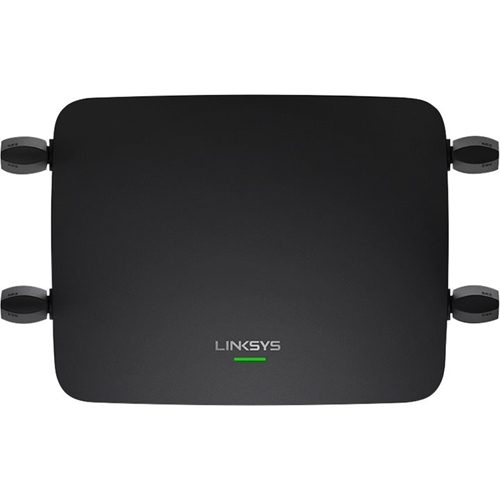
|Posted .This reviewer received promo considerations or sweepstakes entry for writing a review.The Linksys Max-Stream Tri-Band AC3000 Wi-Fi Range Extender (RE9000) is a compact unit with four adjustable dual band antennas which is designed to wirelessly connect to a router and substantially extend the range of the home wireless network. This is a nice implementation of an AC WiFi range extender, easy to set up and pretty stable in operation. However, to really get the most benefit from it you need to understand how range extenders work. From the issues noted in some other reviews I suspect that some did not properly set up the unit and consequently suffered connection interruptions. Because WiFi is carried by radio waves the strength of the signal decreases with the square of the distance from the access point. All routers compensate for the weaker signal by reducing the throughput speed. Your 50 Mbps internet connection speed at the router may drop to 5 Mbps or less at the other end of your home. One solution is to add a range extender to boost the signal and to enable a faster connection speed at your devices. The “Tri-Band” referred to is a dedicated 5 GHz connection back to the router and two additional bands (5 GHz and 2.4 GHz) for device connections. The “AC3000” in the name indicates the total bandwidth of the three connection bands (400 Mbps at 2.4 GHz, 867 Mbps at 5 GHz and 1733 Mbps at 5 GHz.) The last of those three bands is the dedicated connection back to the router while the other two are the bands which devices can connect to. That dedicated back connection is the key to the effectiveness of the Linksys Max-Stream AC3000 Range Extender. To most effectively use this range extender it is necessary to set your base router’s 5 GHz radio to channel 36, 40, 44 or 48. Often the 5 GHz radio on an AC router is set by default to channel 149, 153, 157, 161 or 165 so you need to go into the advanced settings on the router to change it. Also, it is a good idea to assign a static IP address to the Linksys AC3000 Rand Extender. This will enable easy access in the future. Once you make those setting changes it is very easy to connect this range extender. Just use the WPS button on your router and the WPS button on the range extender. A blinking green light on the range extender will turn solid green to indicate that a connection has been established. At that point the range extender can be unplugged and located where it will give the best improvement to your network. Linksys provides a nice software aid called Spot Finder to help you find the best place to locate the range extender to give the maximum benefit. Just plug it in in that area and wait for the blinking green light to become solid green and you are done. It the signal is too weak the light will become amber, indicating that you need to move it closer to the router. The four Gigabit Ethernet ports on the range extender give you the option of a wired connection to your devices. Many A/V devices have only an Ethernet connection and older desktop computers usually do not support wireless connectivity. This feature alone may make this range extender worthwhile for you. Here are the key features and specifications: • AC3000 Tri-Band with MU-MIMO • Supports 802.11 a, b, g, n, ac • WiFi coverage range up to 10,000 square feet • Up to 3 times faster speeds than dual band range extenders • Beamforming technology for reliable connections • Four Gigabit Ethernet ports • Setup wizard to facilitate optimal placement of the extender • Upstream network statistics provided • Band steering option to balance data traffic by assigning devices to most appropriate band • MAC address control to allow or deny devices • WPS automatic connection • 802.11r (fast transition) support • Automatic firmware updates • It is compact, 6.7” wide, 5.4” deep and 1.8” tall (excluding antennas), weighs 12.7 ounces • 12 month warranty Is this device worthwhile for you? Well, start by considering your basic network setup and the nature of your connected devices. First, your internet speed should be at least 40 Mbps to gain real benefits. You are going to lose some of that connection speed in the wireless network so you need to start with a pretty high level to maintain a reasonable speed at the more distant devices. Next, your router should support at least AC1600, preferably AC1900. The higher number indicates a greater throughput speed on the 5 GHz band which is used to connect to the range extender. If you want to take advantage of seamless network access you are best served by having a compatible router and extender. Finally, think about what your devices are and where they are located. A good use for the range extender might be to support two or more big screen TV sets at opposite ends of your home with fast, reliable streaming capability. However, if your high-demand devices are located reasonably close to your router and the devices at the extreme distances are low-demand devices like cell phones or tablets, you may not really need a range extender of this quality. Bottom line - the Linksys Max-Stream Tri-Band AC3000 WiFi RE9000 Range Extender is a very sophisticated and capable device which will solve the problem of improving the WiFi network strength and speed in large homes. It is very easy to setup (after making a few simple changes to the primary router) and should deliver exactly what it promises. It is attractively priced compared to other tri-band range extenders and it comes from a company with a fine reputation for quality and technology.
I would recommend this to a friend- Pros mentioned:Setup
Questionable
||Posted .This reviewer received promo considerations or sweepstakes entry for writing a review.I've had this thing for a while now. It set up and works well but requires constant reboots. It's paired with a Linksys EA9200.
No, I would not recommend this to a friendBrand response from Linksys Staff
Posted .Hi, CestMoi,
If the extender is already running on the latest firmware, please get in touch with us at [email protected] so our Escalation Engineers can look into this challenge. Indicate your contact information and a link to this post for reference.
Regards,
Rosalyn
Linksys Support
Linksys dropped support.
||Posted . Owned for 1.5 years when reviewed.This reviewer received promo considerations or sweepstakes entry for writing a review.Last bios update was 2017. Did not implement half of what linksys promised through updates. Certs expired on router with 3rd party sites so it lost even more functionality in the last 2 months. Not guessing they’re going to release a new firmware to update this certs. Look elsewhere.
No, I would not recommend this to a friend- Pros mentioned:Range, Signal strength
Excellent service, Linksys quality
|Posted .This reviewer received promo considerations or sweepstakes entry for writing a review.Location description - two level home, 2000 sq ft, router located in extreme corner of lower level. Always had an issue connecting to opposite corner of upper level, have tried numerous products from various manufacturers. Currently have an Orbi mesh network (2 units, one up, one down) that has provided good service, but has a habit of occasionally disconnecting & requiring reboot. I was looking for a set & forget solution. Upon unboxing & reading setup instructions, I decided to try the LInksys spot finder to confirm I was receiving good signal with the Orbi setup. While the Orbi was good, I was still only receiving 3 or 4 bars signal in the extreme upstairs corner. I disconnected the current setup, and installed the Linksys, again using the Spot Finder feature. I've had this installed about a week, and haven't had to look at it twice. All devices had no problem recognizing the new signal, and we've had multiple streams going simultaneously with no issues. And that pc in the corner upstairs - nice strong signal. I've always had good service from any Linksys devices, I've never taken one out of service for failure, only to upgrade. In my opinion, they're my "go to" brand when looking for a tech upgrade. Sometimes a few bucks more than the competition, but well worth it for solid performance.
I would recommend this to a friend