Rating 4.4 out of 5 stars with 379 reviews
4.4- Range (82)
- Ease of use (62)
- Setup (48)
- Signal Strength (45)
- Speed (35)
- Connection (12)
- Lag (4)
- Price (3)
Customer Images
The vast majority of our reviews come from verified purchases. Reviews from customers may include My Best Buy members, employees, and Tech Insider Network members (as tagged). Select reviewers may receive discounted products, promotional considerations or entries into drawings for honest, helpful reviews.
- Rated 5 out of 5 stars
Great Speed, Excellent range
I have a couple of these in my 3600 Sq. Ft. home. It is probably overkill, but I can get excellent connection and speed throughout my entire house, backyard and about ½ block from the house. Very easy to setup. And if you want to tweak settings they are all there.
Posted by D0GG
- Rated 5 out of 5 stars
Extended Pleasure
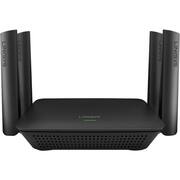
---SETUP--- The setup of the RE9000 Linksys extender was extremely easy. What is recommended is for you to connect it at a plug near your existing WiFi router so that you aren’t walking back and forth when setting it up. My existing router is a Linksys AC4000 with Max Stream. It works with any router, but the process is much smoother with a Linksys Max Stream router. After plugging in the RE9000 extender, you wait one minute for the blinking light to turn solid orange. Then, you press the WPS button on your router and the WPS button on the extender and they connect in about 1 minute. After that, you can unplug the extender and plug it in an area that has weak WiFi signal at your home. The light on the extender will tell you if it’s a good spot or not. Solid green means strong signal. Solid orange means a weak signal. A blinking orange light means that the extender is too far away from the existing router. Guide yourself based on that lighting and you are good. ---FEATURES--- The key feature of this extender is that, if you have a Linksys Router with Maxstream, you don’t need to change to another WiFi hotspot in your own home. Your wireless devices just recognize the extension and you have continuous internet wherever you go in your house. ---PERFORMANCE--- The performance of this extender is flawless. I have a two story home and my router is upstairs because that’s where my gaming consoles and PC are at. My family rarely spends time downstairs, except when we go to the kitchen. That’s where it’s a wild west scenario to pick up good WiFi. We usually just take our phones off WiFi to use our cell phone data while watching shows. With the extender, I now have a solid full WiFi signal and can stream without any interruptions. ---EXPECTATIONS--- The product meets my expectations. Before the extender, I couldn’t connect a Google Chromecast at the kitchen TV because it was too far from the router for a stable signal. Now, we are enjoying a strong signal and a good choice of entertainment from the Google Chromecast. This weekend, my extended family came over all with multiple WiFi devices. Approximately 25 devices were connected and it didn’t slow down my network in the area where the signal was weak before. ---VALUE--- The price for the extender is worth is if you are having weak signals in your home. Additionally, it doesn’t slow down other WiFi devices that are connected to your original router because it dedicates a 5 GHz Wi-Fi band to your router. ---APPROVAL--- I highly recommend this product for people who have large homes where their WiFi router is out of range at frequented areas of the house.
Posted by Trobadour
- Rated 5 out of 5 stars
This REALLY WORKS!
Like many, I've struggled for years with modems provided by Service Providers or purchased myself that simply did not give full house Wi-Fi coverage let alone reception to my separate Garage/Workshop. So, even though it bristled with multiple antennae like many other "powerful" units that I've tried before, I was ready for more disappointment when I installed the Linksys - RE9000 AC3000 MU-MIMO Wi-Fi Range Extender . The difference in Wi-Fi coverage was enormous. Whereas before the Linksys RE9000 was installed my only reliable Wi-Fi signal was downstairs rooms except the farthest bedroom, After installing and setting it up, full four bar coverage extended to EVERY inch of my 1.1 acre lot from corner to corner. For the first time I can stream Wi-Fi without buffering in my separate garage in the work room which is in the part of the garage that is farthest from the house. The range I'm experiencing only comes if you run a LAN cable from your router to the area that you want better coverage. Otherwise, you can only located the RE9000 Extender as far away from the main router as its Wi-Fi signal will reach. For me this meant mounting it in the garage attic. The added advantage of the attic location is that the extra 2nd story height pushes the signal farther out to the edges of the property. I feel like my W-Fi has a whole new life. Pros: - Excellent Signal Strength/Range - Device recieving the Wi-Fi signal will be switched automatically and seamlessly between the main or the Linksys router (whichever has the stronger signal in that location), as you move around. - It will beam multiple signals at different frequencies if one frequency has too high a load. - The set up for wireless comunication between the main router and the Linksys RE-9000 is particularly easy. One button-push if you have a modern main Router. - Appears on Wi-Fi list with the same password and same name as your primary router (with "_EXT" after the name. Cons: - The more effective Wired LAN installation and setup is more complicated,but in my personal experience that was offset by the excellent, patient, phone in Technical Support.
Posted by Daddio
- Rated 5 out of 5 stars
Safely extend your WIFI throughout your home and
Safely extend your WIFI throughout your home and the yard. Linksys E9000 range extender does just that, no WiFi dead spots! I located my main Linksys router near my cable modem. My new range extender 100-feet away at the other end of my home. Now, I get 100% coverage throughout the house, be it 2nd floor bedrooms, basement or garage. Since its near the backyard, it even beams the signal there. Automatically switching so my portable device (phone or tablet) is connected. Sine both router and extender are AC (still a,b, n compatible), I have the fastest possible signal when I need it. My home has over 25 WiFi smart home devices, so a reliable signal is mandatory. I tested this on the AirTV streaming device in the far end of the house, using the RE9000 gigabyte port and RJ-45 cable, and perfect streaming playback. Great addition if you have echoe or google smart home speakers. Easy set up with WPS button or using the browser setup, the unit can become an extender or if used with a cable directly to your router, as an access point. (If you have the option, use the access point for even faster throughput). My old plug-in wall extender is now destined for the electronic recycling bin.
Posted by JerryZ
- Rated 5 out of 5 stars
It is what you think it is.
The Linksys - Next-Gen AC Max-Stream Wi-Fi Range Extender is exactly what you are looking for in a Wi_Fi range extender. I decided I would set up my Linksys in the middle of my home and go to the farthest part of my house away from my router to web browse. And you know what? It did what it was supposed to do. I now have Wi-Fi in the farthest part of my house. This makes gaming online and those long treadmill sessions a much more enjoyable experience. What else can I say about this product outside the fact that it comes with everything you need to plug and play. It is super easy to set up( takes about 5 to 10 minutes). And you don't need tech support. It looks nice anywhere. And it's not too expensive. So if you need that extra umph in your home, so you game in the bedroom with less fear of lag or disconnection, here's your lifeline. I highly recommend this range extender to anyone in need. This one is really an easy purchase. Go get this now.
Posted by hitsuyoo