Customer Ratings & Reviews
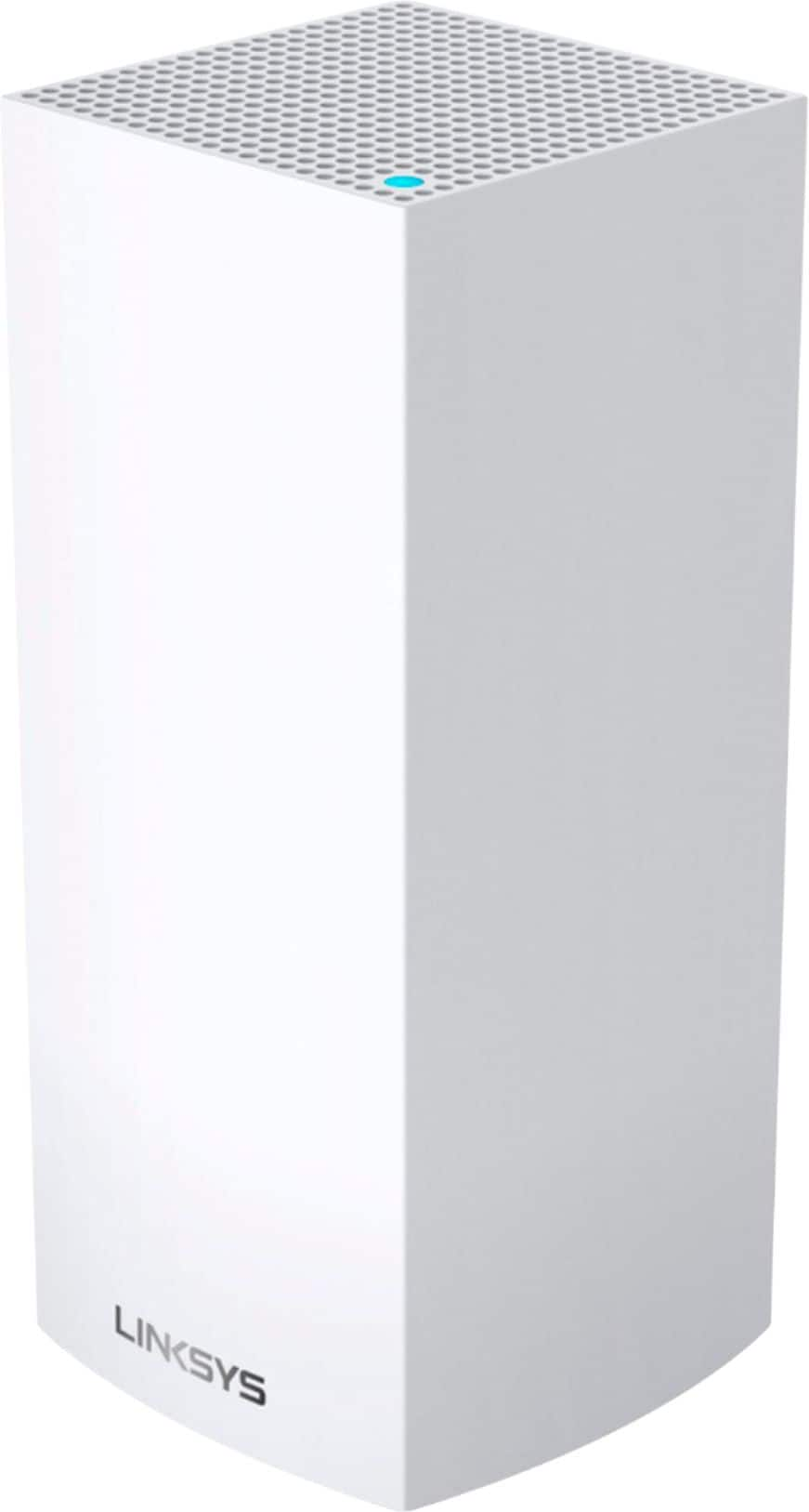

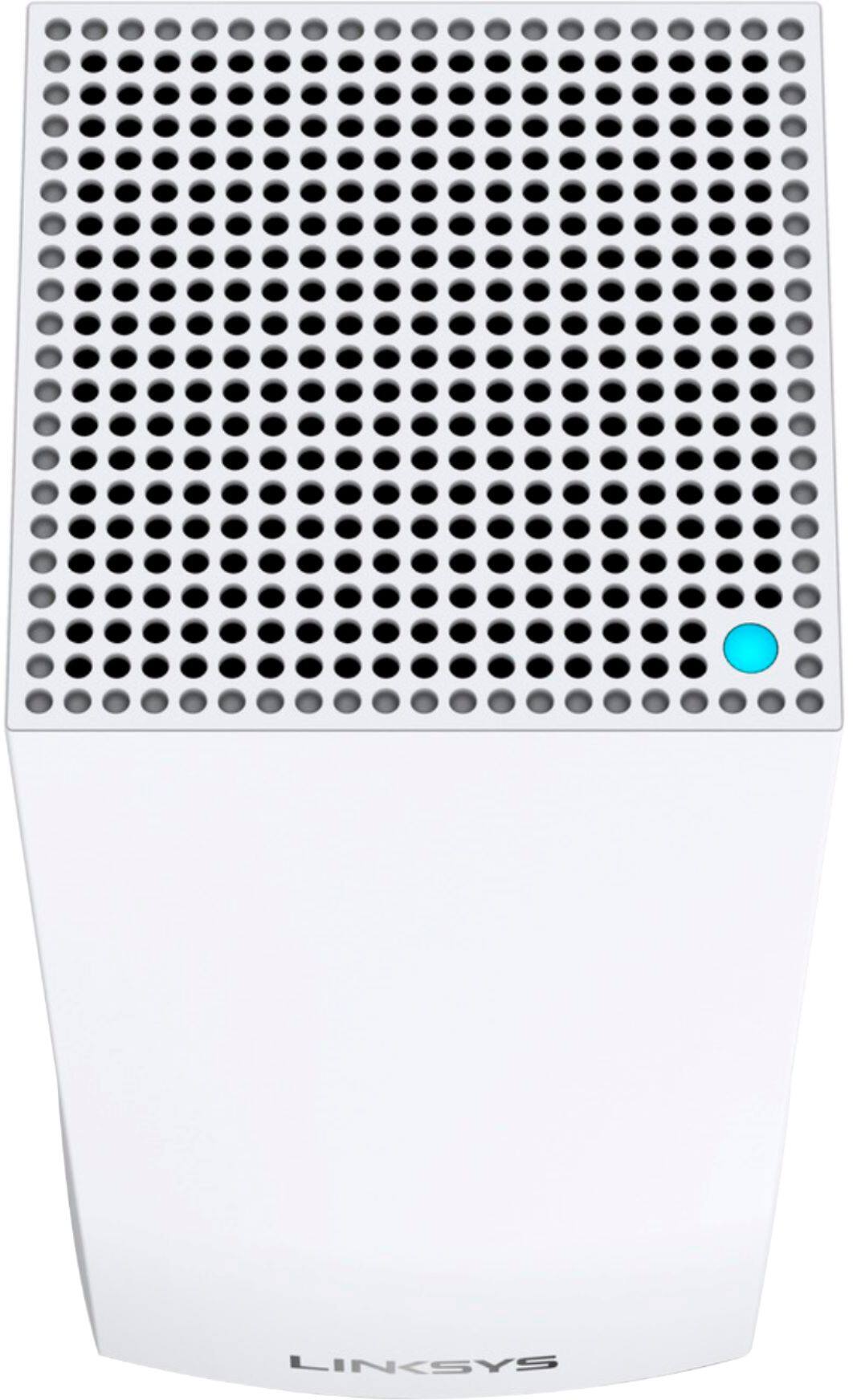



- Model:
- MX4200
- SKU:
- 6434212
Rating by feature
- Setup
Rating 4.1 out of 5 stars
- Range
Rating 3.9 out of 5 stars
- Signal Strength
Rating 3.8 out of 5 stars
Customers are saying
Customers regard the Velop AX4200 Wifi 6 System as easy to use and install, praising its broad coverage and strong signal. Positive feedback also highlights the system's performance and the user-friendly app. However, some customers expressed concerns about connectivity issues and the relatively high price.
This summary was generated by AI based on customer reviews.
- Cons mentioned:Connectivity
Stay Away from Linksys...Connectivity Issues
Posted .This reviewer received promo considerations or sweepstakes entry for writing a review.Stay away from Linksys. I owned one of their Velop Mesh products and purchased two additional nodes to their 4500sq ft 3 mesh bundle package to cover upstairs and downstairs. Eventually ended up getting everything hard wired downstairs because I could never get a good mesh connection in my den/man cave. Decided to use the two additional nodes purchased for my man cave upstairs to cover my 1950sq ft living area. Unfortunately, my nodes still had connection issues. I reset the nodes a few times until it finally dawned on me that all the reviews I had read about the Linksys claiming that it had connectivity issues were being experienced. Thankfully, I purchased the best buy geek squad protection for 4 years and I was able to exchange it for the Google WiFi. Upstairs and downstairs have both Ethernet and WIFI connection. Some ways to tell how well your connection is try connecting to other devices such as Ring Doorbell on a mobile device. When I had Linksys my apps would never open even when sharing the same Home WIFI Network. However, when on Google Home WIFI my Ring Doorbell and other security cameras connect in 3-5 seconds max both on my Cellular Network and sharing the same Home WIFI Network. Another connectivity issue with Linksys is maintaining the WIFI Mesh connection from one node to the other. Unfortunately, some of the Best Buy associates do not know any better and will begin to ask legit questions about your building design such as masonry or subflooring. Perhaps they do, because they want to sell a technician hard wiring your home to give you 4 or more ethernet connections, but in reality, the right WIFI mesh will solve your problems especially if each node has two Ethernet ports. One port for receiving connection from the main node, and the other to connecting it to an ethernet switch. My upstairs has mostly WIFI Mesh except for my office which has both WIFI and Ethernet which is also the same setup for downstairs. I now have consistent WIFI throughout my home and places I need a dedicated connection I have both Ethernet and WIFI.
No, I would not recommend this to a friend Not the best
Posted .This reviewer received promo considerations or sweepstakes entry for writing a review.Range iant that good and the lack of more channels its hard to not get slow speeds.
No, I would not recommend this to a friendLinksys won’t provide timely support for Velop
Posted .This reviewer received promo considerations or sweepstakes entry for writing a review.Don’t buy a Linksys Velop if you want product support from Linksys! I bought two Linksys Velop 5300 mesh WiFi whole home routers and had them installed in November 2020 to improve WiFi speed and coverage in my home. While speed was initially great throughout the home, it soon deteriorated. We have 1 gigabyte cable service from Comcast, but after a few days the connection speed thru the Velop would deteriorate to as low as 2 Mbps (on an iPhone capable of download speeds of >500 Mbps)! Linksys’ app that monitors and manages the Velops suggests that if you have slow speeds, you should reset the Velops, and they conveniently include a reset feature in the app (that should tell you something about how often you can expect to have to reset them! ☹️). Resetting the Velops did bring the speed back up to what you would expect—for a few days, but little did I know that I would have to reset them at least once a week to cure the speed deterioration! After returning from the holidays, and with the speed deterioration problem continuing, I finally got tired of resetting the Velops and contacted Linksys technical support. I sat through two separate, and lengthy (c. 1+ hours each) sessions with Linksys “level 1” and “level 2” technical support agents who confirmed, but could not fix, the problem with my Velops. Then, rather than offering to replace the defective Velops, Linksys’ level 2 support agent said he was escalating my case to Linksys’ “level 3” technical support personnel. That was in early April. The level 2 support agent said I’d be contacted by the level 3 support team within 24 to 48 hours. I gave them my cell phone number to contact me as expeditiously as possible, as the level 2 agent had instructed me to disconnect one of the two Velop nodes, so it was completely nonfunctional. I wasn’t happy, but figured I could wait another day or two. Well, it has now been FIVE WEEKS since I first contacted Linksys about the defective Velops, and A MONTH since Linksys referred my case to the black hole that they call their “level 3 support.” I have yet to receive a call from Linksys’ level 3 “support” personnel. I finally got fed up waiting for support, and contacted Linksys’ customer “service” to ask for a return materials authorization and a refund for the defective Velops which Linksys failed to fix or replace in FIVE WEEKS (and counting). Linksys has refused to authorize a refund. DON’T BUY LINKSYS ROUTERS — if they ship you defective ones like they did with me, THEY WON’T GIVE YOU TIMELY SUPPORT OR TIMELY REPLACEMENT UNITS, and they won’t refund your money. I will never buy a Linksys product again.
No, I would not recommend this to a friendBrand response from Linksys Staff
Posted .Hi, Joseph,
We appreciate your review of the product but, allow us to investigate your case and improve your support experience. You can share your case number or phone number at LinksysCares@linksys.com with the link to this review for our reference.
Regards,
Jan
Linksys Support
Not good at all
Posted .This reviewer received promo considerations or sweepstakes entry for writing a review.We bought this system to replace the generation before it. March or April 2020. It worked until they added homekit support in their firmware (with in 6 months of buying the thing). The router loses connection frequently as in 80-90% of the time. I am constantly rebooting the thing, our smart switches lose connection, for the price we paid I am very disappointed. I have always owned linksys but I think this is it for me. Out of the 2 years we have owned it, we had good performance for the first 3 months. I spent 6 months thinking they would fix it with a firmware update. And the rest of the time living with it until i could afford to replace it. Today is the day I replace the thing.
No, I would not recommend this to a friendBrand response from Linksys Staff
Posted .Hi there,
This certainly is not the experience we wanted you to have with the product. If it's okay with you, we'd love to endorse your case to our 2nd Level Support team for further investigation. Just send us an email at LinksysCares@linksys.com with the link to this review and your contact details. Hope to hear from you soon!
Regards,
Marie
Linksys Support
- Cons mentioned:Connectivity
Pick something else
Posted .This reviewer received promo considerations or sweepstakes entry for writing a review.These are constantly losing connection, but when they are connected, the wifi is significantly slower than it should be. The employee said these would be more than sufficient and that they are one of the best options, but they are not, and it’s too late to return. The app can’t even make contact with the router now and keeps sending me back to the login, so who’s to say what the issue is at this point, but the issues are neverending.
No, I would not recommend this to a friendBrand response from Linksys Staff
Posted .Hi, TZ12,
This is certainly unexpected! If the nodes are already utilizing the latest firmware version and are running on the best channels, we might need to have our Escalation Engineers diagnose the nodes to identify the root cause of the challenge and address it properly. Just email us at LinksysCares@linksys.com along with your contact information and a link to this review as a reference. Other relevant details would be appreciated too.
Regards,
Rosalyn
Linksys Support
Good range. Poor performance and troubleshooting
Posted .This reviewer received promo considerations or sweepstakes entry for writing a review.Setup was simple and easy and the connection was great in my 3 story home. The parent node was in the basement the 1st child node was in the living room and the last node was upstairs. However after using it for several months I have had several disconnect, offline modes and factory resets. I have had to call linksys technical support twice to help me "unbrick" my child nodes after random disconnects that causes lock ups. this is apparently been an on going issue for the velops and has not been fixed with no apparent updates to fix them in the future. I strongly recommend another mesh network if you are looking for something that will maintain a constant connection. Unless you enjoy resetting your network once a month.
No, I would not recommend this to a friendBrand response from Linksys Staff
Posted .Hi, Zentech10,
The Linksys Velop MX4200 Mesh WiFi 6 System should have a stable connection. We could try to update the firmware and use the channel finder to optimize the node but, we would like to have our Escalation Engineers investigate your Velop system further. You can reach out to us at [email protected], and share your case number or phone number, including the link to this review for our reference.
Regards,
Jan
Belkin Support
By far the worst WIFI product I've ever owned
Posted .This reviewer received promo considerations or sweepstakes entry for writing a review.Have had two of my three nodes go out completely and have spent hours on the phone with Linksys customer support. They have been zero help.
No, I would not recommend this to a friend- Cons mentioned:Connectivity
constant disconnects
Posted .This reviewer received promo considerations or sweepstakes entry for writing a review.There are many customers who experience constant disconnects between the router and the child-nodes. I too have experienced this. I have moved the nodes around, used the channel finder, rebooted the router, have the latest firmware, yet about every 2-3 days the child nodes disconnect from the parent! Its great when it works... "at such time it does work" !!!
No, I would not recommend this to a friendBrand response from Linksys Staff
Posted .Hi,
This certainly is not the experience we wanted you to have with the product, and our Escalation Engineers would love to hear more about the setback. Please email us at LinksysCares@linksys.com with your contact details and the link to this review. We'll wait to hear from you.
Regards,
JC
Linksys Support
Disappointed
Posted .This reviewer received promo considerations or sweepstakes entry for writing a review.Very disappointed in this system. Buying expensive system one would think that this will work well right? Needed to keep restarting the system as signal gets slow and buffering. Not easy to set up. 6 months into owning this system two of the nodes just quit working. Customer service told me this is very unusual and currently waiting for them to get back to me on how they will fix my problem. Don't buy this too many options out there.
No, I would not recommend this to a friendBrand response from Linksys Staff
Posted .Hi berbtim,
We have taken note of your feedback. We’ll help you in sending a follow-up to our team so they can assist you right away. Please email us your case number so that we can pull up your record, and include the link to this review for reference. You can send it at LinksysCares@linksys.com.
Regards,
Kyla
Linksys Support
Unrelible, Do not buy!!!!
Posted .This reviewer received promo considerations or sweepstakes entry for writing a review.I bought one of these in August and have had nothing but issues. It constantly drops connections which is a problem when you have multiple smart home devices including cameras connected to its network. I didn’t return immediately as I thought it might have been my isp or the modem. Buy I’ve done testing with them and even replaced the coax and Ethernet cables, reset the modem,Same issues. Contacted their support and they tried to walk me through the same things, reset the router and manually installed a firmware update with no resolution. Now I’m waiting for customer service to “approve” my replacement/refund. My advice would be to try eero or google, save yourself a headache
No, I would not recommend this to a friendBrand response from Linksys Staff
Posted .Hi, Shaun,
This quite an unfortunate experience as the Velop AX4200 Tri-Band Mesh WiFi 6 System is designed to improve your WiFi connection with gigabit speeds to cover every corner of your home.
Should you receive a replacement, please don’t hesitate to tap us at LinksysCares@linksys.com if you encounter the same challenge so our Escalation Engineers can assist you on the spot.
Regards,
Rosalyn
Linksys Support
- Cons mentioned:Connectivity
Absolute Trash. Worst router I’ve ever bought
Posted .This reviewer received promo considerations or sweepstakes entry for writing a review.Worst router I’ve ever had. Not worth it, always disconnects from the internet. Range sucks. Thought I’d try it and it’s terrible. I’m sticking to net gear from now on, I never have problems with them. Get a net gear router not this piece of crap
No, I would not recommend this to a friendBrand response from Linksys Staff
Posted .Hi Bohan,
Frequent disconnection can be resolved by making sure that the Velop node is properly connected to your modem. Changing the wireless channel and updating the Velop’s firmware can also help improve its performance.
We can have our 2nd level Support team look into this and assist you further. Please email us at LinksysCares@linksys.com with the relevant details and the link to this post for our reference.
Regards,
Kyla
Linksys Support
Absurd! You can't save the configuration!!!!
Posted .This reviewer received promo considerations or sweepstakes entry for writing a review.Linksys incident number 14920006. There is no way to save or back up the configuration once it's configured and working. That means if I make a change and it brings down the network, I have to reconfigure the router(s) from factory reset!! That's nonsense!!! LinkSys support says, "There is no provision for that." Linksys tech support wrote this, "the Linksys MX8400 doesn't have a backup configuration as of this moment. This has been brought up to our team already and should serve as a reference for future expansion."
No, I would not recommend this to a friendBrand response from Linksys Staff
Posted .Hi, Drandel,
We hear you and we understand your sentiments. We would like to discuss with your concern privately. Please send us an email at LinksysCares@linksys.com with your contact details and the link to this post for reference.
Regards,
MJ
Linksys Support
Not all parts work
Posted .This reviewer received promo considerations or sweepstakes entry for writing a review.The nodes are fantastic but the power cords go bad frequently. I've had mine for 2 years and have had to replace all three cords. The problem is getting the cords from Linksys. I have spent over an hour with customer service each time to get them to replace them. Since their customer service is in India there is a significant lack of communication. This is a known problem if you do your research.
No, I would not recommend this to a friendBrand response from Linksys Staff
Posted .Hi, Michael,
Allow us to check on your case further by sharing this over email at LinksysCares@linksys.com with your contact info, case number and the link of this review, for our reference.
Regards,
Elyza
Linksys Support
Complete garbage
Posted .This reviewer received promo considerations or sweepstakes entry for writing a review.Complete garbage. After setting it up, updating the firmware and reestablishing the network, it works for a couple of days before its become unresponsive. Frustratin beyond belief. Do not purchase this product. When it works, great, but that is very short lived. Purchase something else.
No, I would not recommend this to a friendBrand response from Linksys Staff
Posted .Hi, JasonP,
Your experience caught our attention! We can isolate the setback by making sure that the nodes are equipped with the latest firmware, check if the nodes are getting enough signal from each other if connected via wireless backhaul, or even swap the nodes. Our Escalation Engineers would love to assist and aid in experiencing the best out of the unit. Please drop us an email with your contact details and the link to this review for reference at LinksysCares@linksys.com.
Regards,
Carl
Linksys Support
Don't do it!
Posted .This reviewer received promo considerations or sweepstakes entry for writing a review.Caveat Emptor! Self setup leaves out many steps and details. Finger pointing between Linksys and ISP. 4+ hours with Linksys tech support and no resolution. At wits end.
No, I would not recommend this to a friendBrand response from Linksys Staff
Posted .Hi,
We hear you. Our 2nd Level Team wants to look into the setback. You may email us at LinksysCares@linksys.com along with the necessary details and the link to this post for reference.
Regards,
Mara
Linskys Support
Disappointed
Posted .This reviewer received promo considerations or sweepstakes entry for writing a review.Wi-Fi Speed varies by the hour as does coverage even when isp speed remains reasonably constant. Very unreliable
No, I would not recommend this to a friendBrand response from Linksys Staff
Posted .Hello, BradA,
We appreciate the time in writing us a review. We'd like to have our Escalation Engineers further check on the setback. Please email us at LinksysCares@linksys.com with your contact details and the link to this post for our reference.
Regards,
Marie
Linksys Support