Customer Ratings & Reviews


- Model:
- WHW0203P
- SKU:
- 6292290
Rating by feature
- Value
Rating 4.2 out of 5 stars
- Quality
Rating 4.5 out of 5 stars
- Ease of Use
Rating 4.5 out of 5 stars
Customers are saying
Customers have good things to say about the Velop Tri-Band Mesh WiFi System's coverage, ease of setup, and ease of use. Many appreciate the improved signal strength and performance, resulting in a reliable connection throughout their homes. While some find the price to be a drawback, the system's range and design are also frequently praised. A few users noted the lack of Ethernet ports on some nodes as a limitation.
This summary was generated by AI based on customer reviews.
POwerful
||Posted .This reviewer received promo considerations or sweepstakes entry for writing a review.I get even at top of my 5th floor town home unfrigin believable
I would recommend this to a friend- Pros mentioned:Coverage, Ease of use

Linksys Velop AC Tri-Band Mesh WiFi System
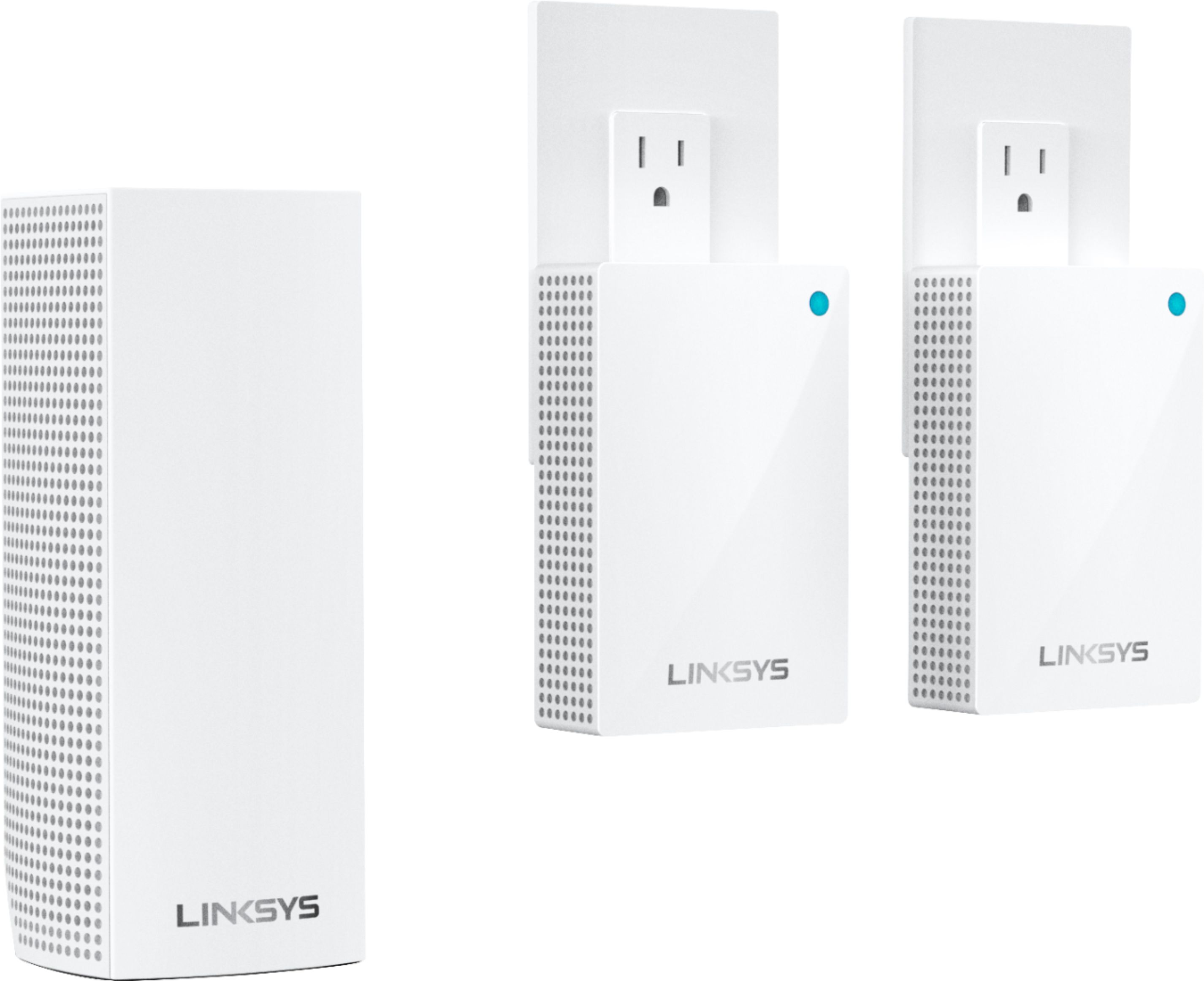
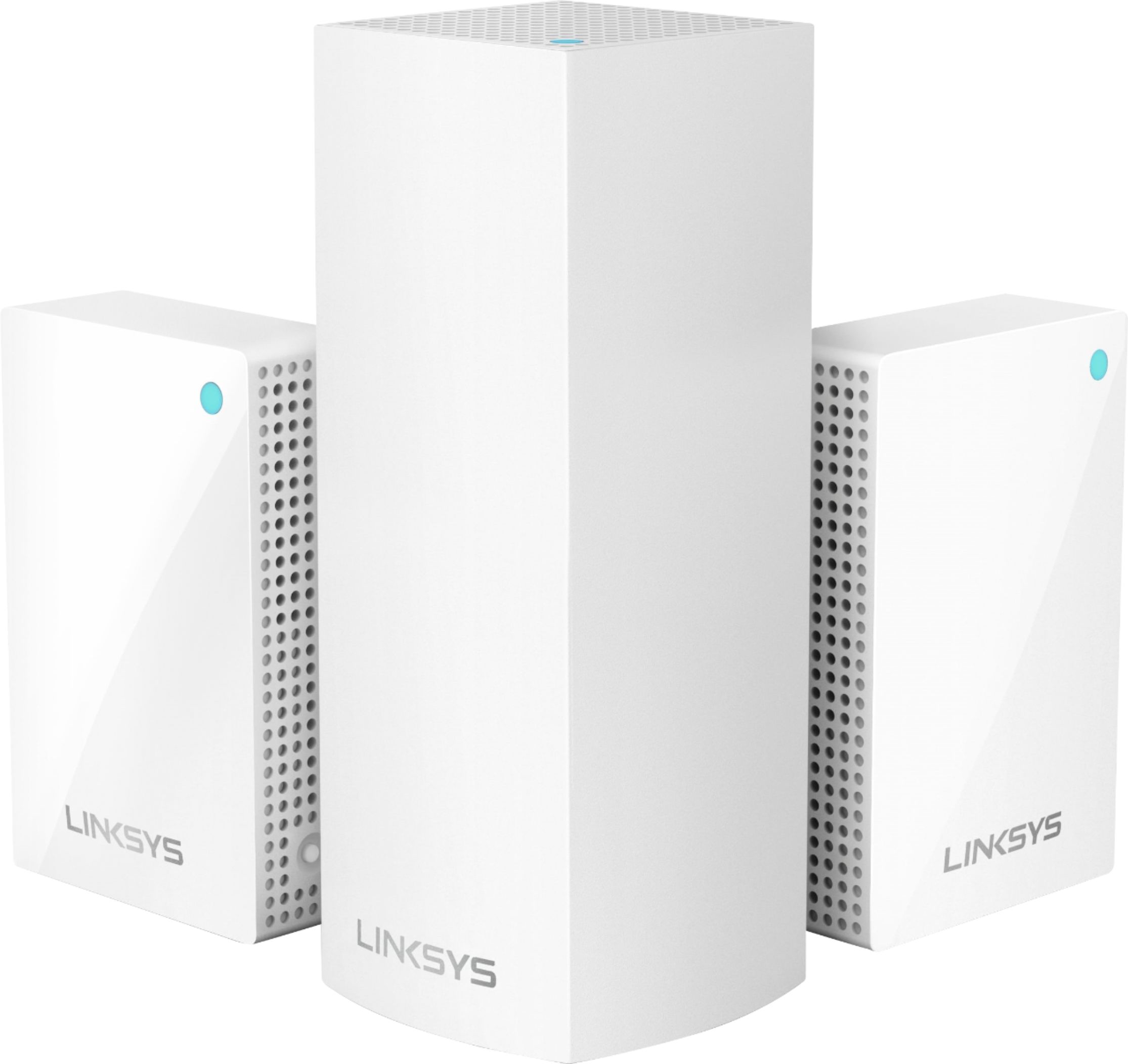
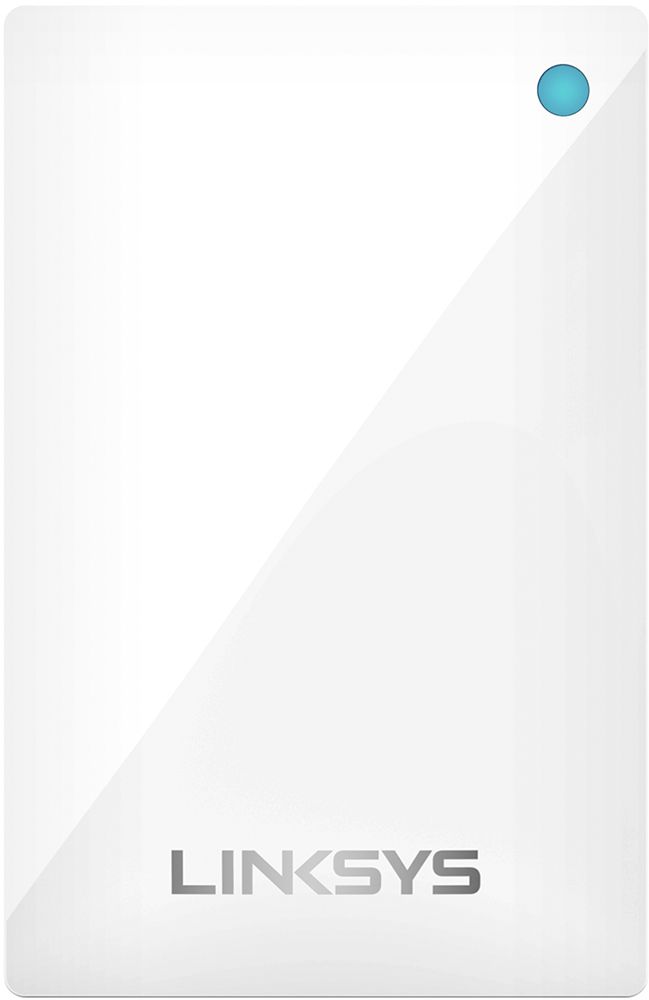
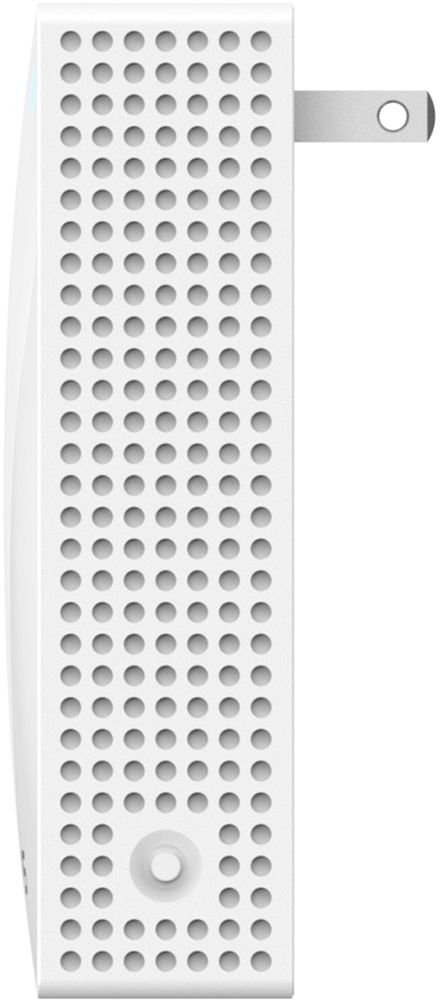
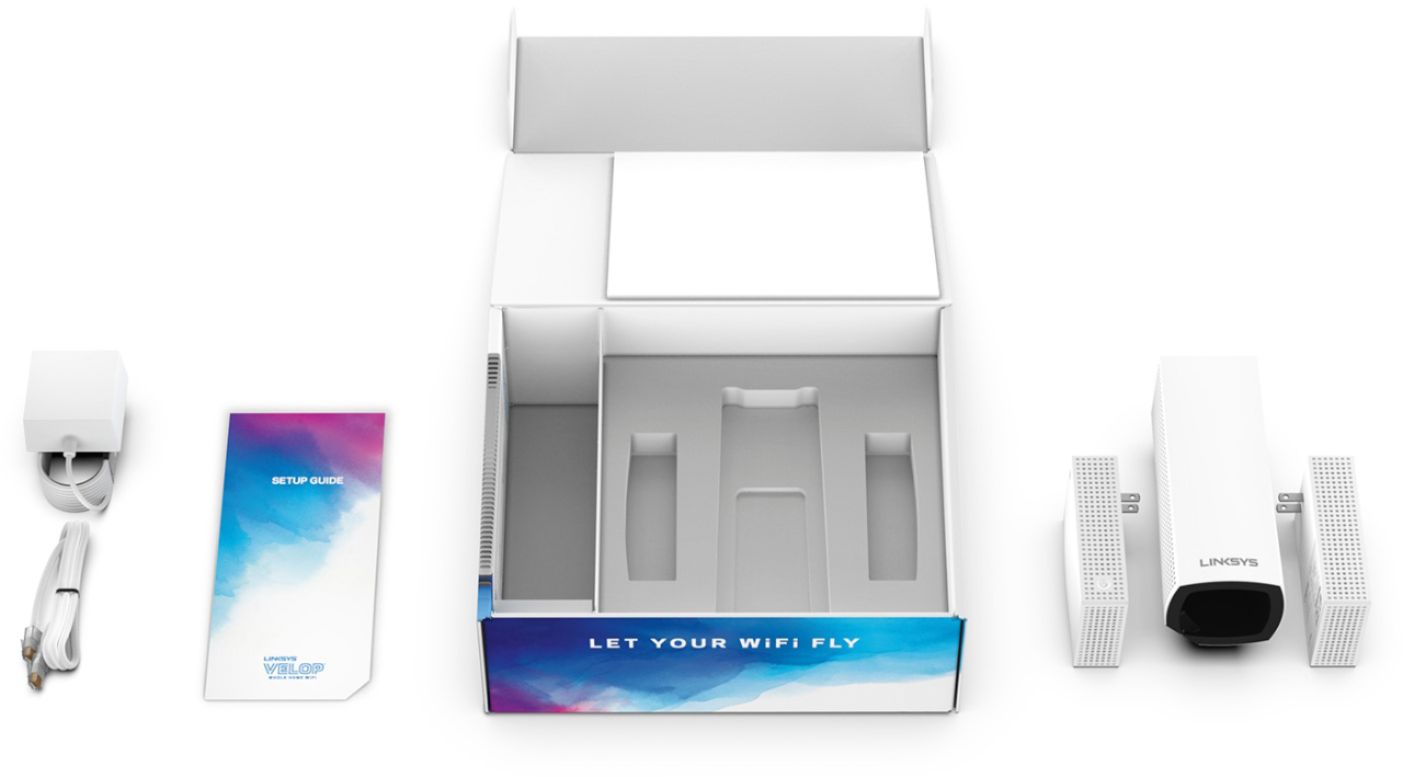
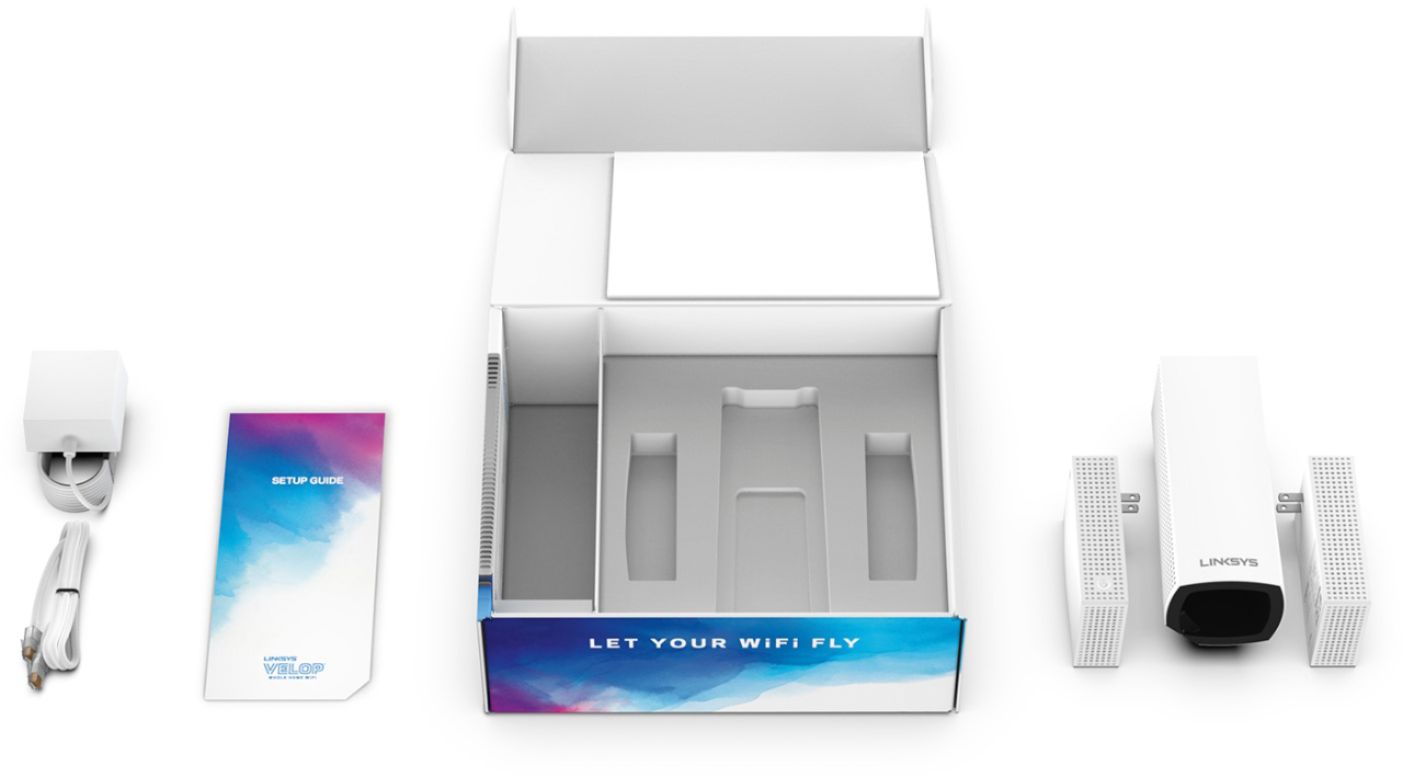
|Posted .This reviewer received promo considerations or sweepstakes entry for writing a review.Linksys has done it again. I've been testing out this Linksys Velop AC Tri-Band Mesh WiFi System over the last few days and I'm thoroughly impressed. Included in the package is the main node, 2 wall plugin nodes as well as the power cord, Ethernet cord, setup guide, and the usual user documentation. Setup was quick and easy. As I already had the companion Linksys app downloaded on my phone since I mainly use Linksys products at home and work. I got the main node setup in our hallway following the steps via the Linksys app and placed one plugin node in the living room, and the other in the master bedroom. Setup took about 15 minutes due to having to properly setup each node and allowing the node to scan and search for the internet and the main node. I must say again that I'm really impressed with this mesh WiFi system. Coverage is amazing, and each time you setup another node, the app will let you know if the location of the node is perfect in relation to how far it may be from the main node. We are getting coverage in areas of our house that were low to nonexistent before. I recommend this awesome mesh Wi-Fi router system to anyone looking for a nice router for their home. You can't go wrong with anything by Linksys.
I would recommend this to a friend - Pros mentioned:Ease of use, Signal strengthCons mentioned:Ethernet ports
SUPER Simple Setup & Consistent connections
|Posted .This reviewer received promo considerations or sweepstakes entry for writing a review.I was a bit intimidated with these mesh WiFi systems as I was worried about setup and if these would be consistent over time, but this system from Linksys was the perfect system for me. In regards to the setup, there isn't a whole lot to say here because it is so darn simple. You just download the app, the app guides you through the process and in about 5-10 minutes you are all set up. The longest bit of waiting will be the 1-3 minutes when each node boots up but that's really about it. It will ask you which room you are putting the node in, it can test for the signal strength and ask you to place it in a more ideal location in case it is too far away - it's just a really smooth and painless process. In terms of consistency over time, in the 3 weeks that I have had it, I have had a nice, strong, consistent signal throughout my 1800 square foot house that is very compartmentalized (lots of walls). I wish that it had 3 rather than 2 ethernet ports on the bottom but with it's small design I'm not sure where a third could be placed - a very minor complaint. This is a great mesh wifi system that replaced an aging single router setup and I highly recommend it!
I would recommend this to a friend GREAT PROBLEM SOLVER
||Posted . Owned for 3 weeks when reviewed.This reviewer received promo considerations or sweepstakes entry for writing a review.I NEED TO EXPAND WIFI. BEST BUT HAD WHAT I NEEDED.
I would recommend this to a friendGreat value
||Posted . Owned for 3 weeks when reviewed.This reviewer received promo considerations or sweepstakes entry for writing a review.This plug-in works effortlessly with our new modem
I would recommend this to a friendDid the job i need it to do.
||Posted .This reviewer received promo considerations or sweepstakes entry for writing a review.i was no getting good signal from wifi upstairs this product fixed that and im very pleased.
I would recommend this to a friend- Pros mentioned:Speed
Tri band mesh is the way to go!
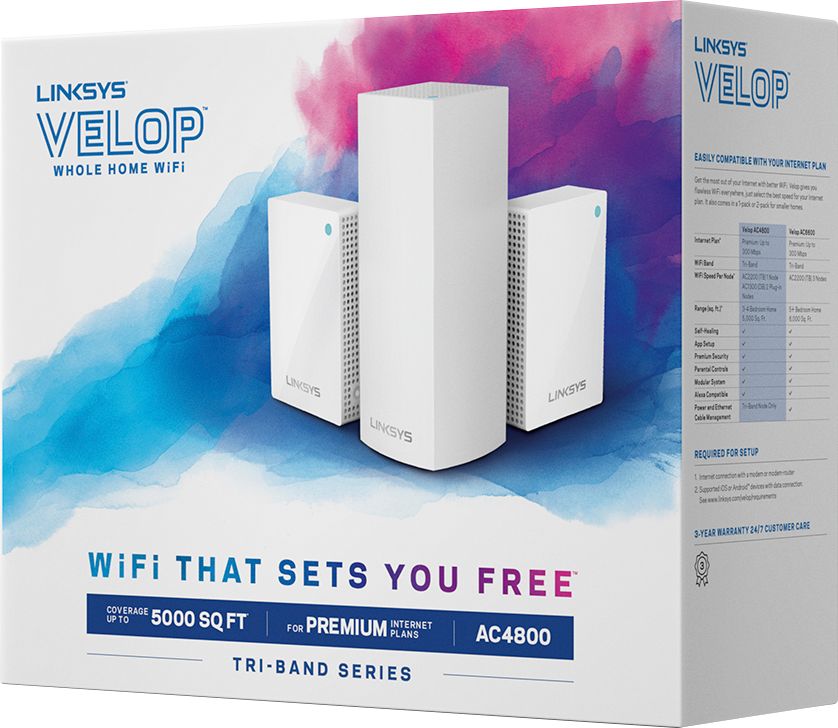
|Posted .This reviewer received promo considerations or sweepstakes entry for writing a review.I have tried so many wireless router setups over the years. And I’m pretty knowledgeable with tech. And the linksys tri band mesh system rated at 5k square feet is the best in their line up as far as price and speeds go. Linksys does have a higher model. But I believe this is best middle ground. The speed I get with this set up matches my isp speeds very well. I love that I can have 1 in living room and the other 2 in each bedroom.the 2 add on nodes are now smaller which is good if you want a smaller hide able footprint. Me and my wife game a bit and my 2 children love watching kids shows on the TVs. So we hard wire the game systems and TVs for 4K content. Works perfectly for us. Set up is much easier than you would think. Also the app is great. Easy controls and you can even add 3 devices to prioritize the best speeds. So we put our game systems 1st. No issues whatsoever. Very pleased with this setup. Range,speed, and connection speed/range! That’s what we all need and expect. A bit pricey, but you get what you pay for.
I would recommend this to a friend Was easy to set up
||Posted . Owned for 1 month when reviewed.This reviewer received promo considerations or sweepstakes entry for writing a review.Great wifi in all areas of house able to use in street and garage
I would recommend this to a friend- Pros mentioned:SetupCons mentioned:Ethernet ports
The home wifi system perfected...
|Posted .This reviewer received promo considerations or sweepstakes entry for writing a review.The Linksys Velop system takes the mesh concept to the next level. The initial setup was very easy, probably the easiest. The app needs to be installed on your mobile device, which this may be the only confusing part. It was very clear on which app to install. I had a previous Velop system and it was very easy to make this the primary and then merge the old Velop system into this one. If you have issues with connectivity then you can move the nodes closer and once you get them working then start moving things around to see if you can maintain a connection. I am impressed with the online apps. It shows me the status of each node. The mobile app allowed the auto download of the updates to each node within a few minutes. I have a really fast internet connection so it may take a little longer for some. I have it set to email me if any of the nodes go offline. Not to mention the Velop nodes just look great. Linksys has stepped up the mesh game.
I would recommend this to a friend Difficult to set up
||Posted .This reviewer received promo considerations or sweepstakes entry for writing a review.Setting up was a challenge, but has enlarged out wireless range.
I would recommend this to a friend- Pros mentioned:Setup, Speed
Wish I had this system sooner
|Posted .This reviewer received promo considerations or sweepstakes entry for writing a review.We cut the cord 6 months ago and had one AC3150 router. Some of the tv's farther away from the router had obvious issues because of signal. In steps the Velop Mesh system. Setup couldn't have gone easier. The app for my iphone ran the setup and each node setup went very smooth. Now the performance. We have 100mb internet and I am now getting 100mb speed in every room of the house! I have 36 devices from lights, to echo, to Ring hitting the system and its been flawless. I like how each device is automatically picking up the 2.4Ghz or 5Ghz signal. It also has one feature that I really like for our streaming TV's, Device Prioritization. You can prioritize up to 3 devices for your systems bandwidth. I couldn't be happier with this system and if you are in the market for better wifi, spend the money and go with this mesh system. You won't regret it!
I would recommend this to a friend Pay the extra money for a better system
||Posted . Owned for 1 month when reviewed.This reviewer received promo considerations or sweepstakes entry for writing a review.This system barely covers my home and it says it’s up to 5000 Square Feet. When I called customer service they said it’s 5000 sq ft unless it needs to go through walls Which I replied doesn’t every house have walls?? I wouldn’t recommend this product.
No, I would not recommend this to a friendBrand response from Linksys Staff
Posted .Hi, MIB2,
You may try relocating your Linksys WHW0203P by using the Spot Finder feature of the Velop extender. Our Escalation Engineers wants to know more about what happened by sending us an email at LinksysCares@linksys.com with your case number or phone number and the link of this review for our reference.
Regards,
Elyza
Linksys Support
Easy to setup
||Posted . Owned for 1 month when reviewed.This reviewer received promo considerations or sweepstakes entry for writing a review.Very easy to setup. I bought this because I have weak spots and needed better coverage. I just could not get my devices to see the network ssid not sure if my device doesn’t see mesh network. It might be an issue with the device not this wireless router.
I would recommend this to a friendBrand response from Linksys Staff
Posted .Hi Asmdva,
If the issue is only happening to a specific device, then our Escalation Engineers would like to investigate further on what happened to your Linksys WHW0203P by sending us an email at LinksysCares@linksys.com with your contact details and the link of this review for our reference.
We will look forward to your email.
Regards,
Elyza
Linksys Support
- Pros mentioned:Ease of use, Signal strength
Works well after minor setup issue
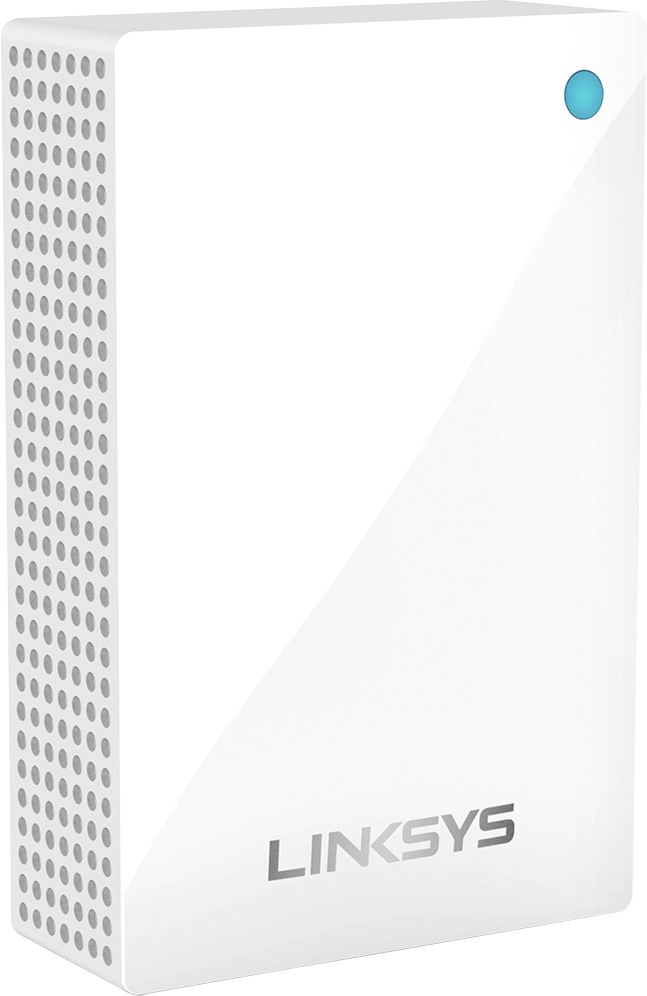
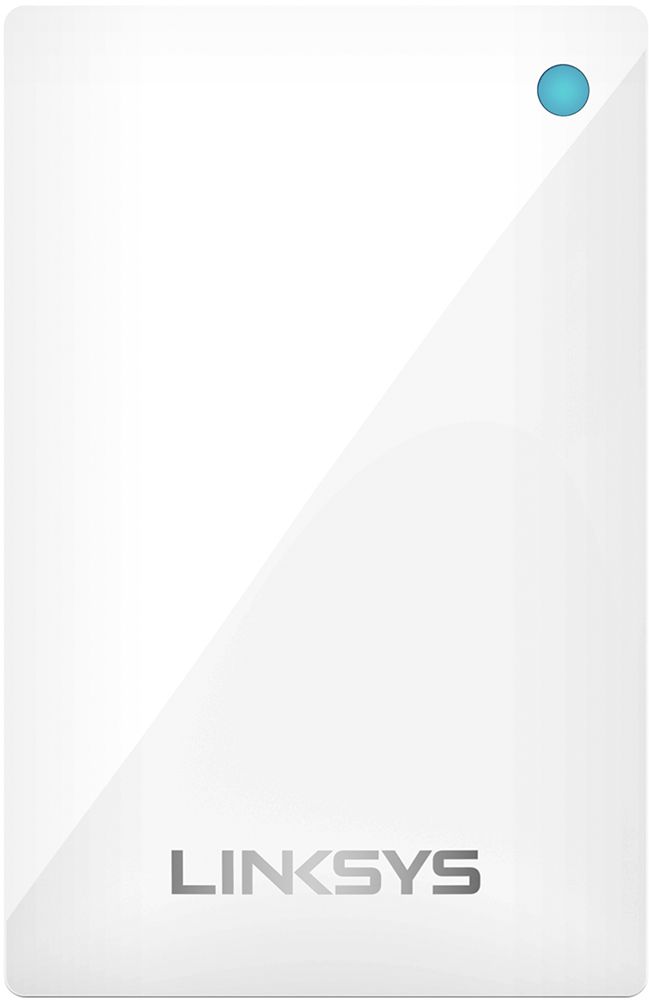
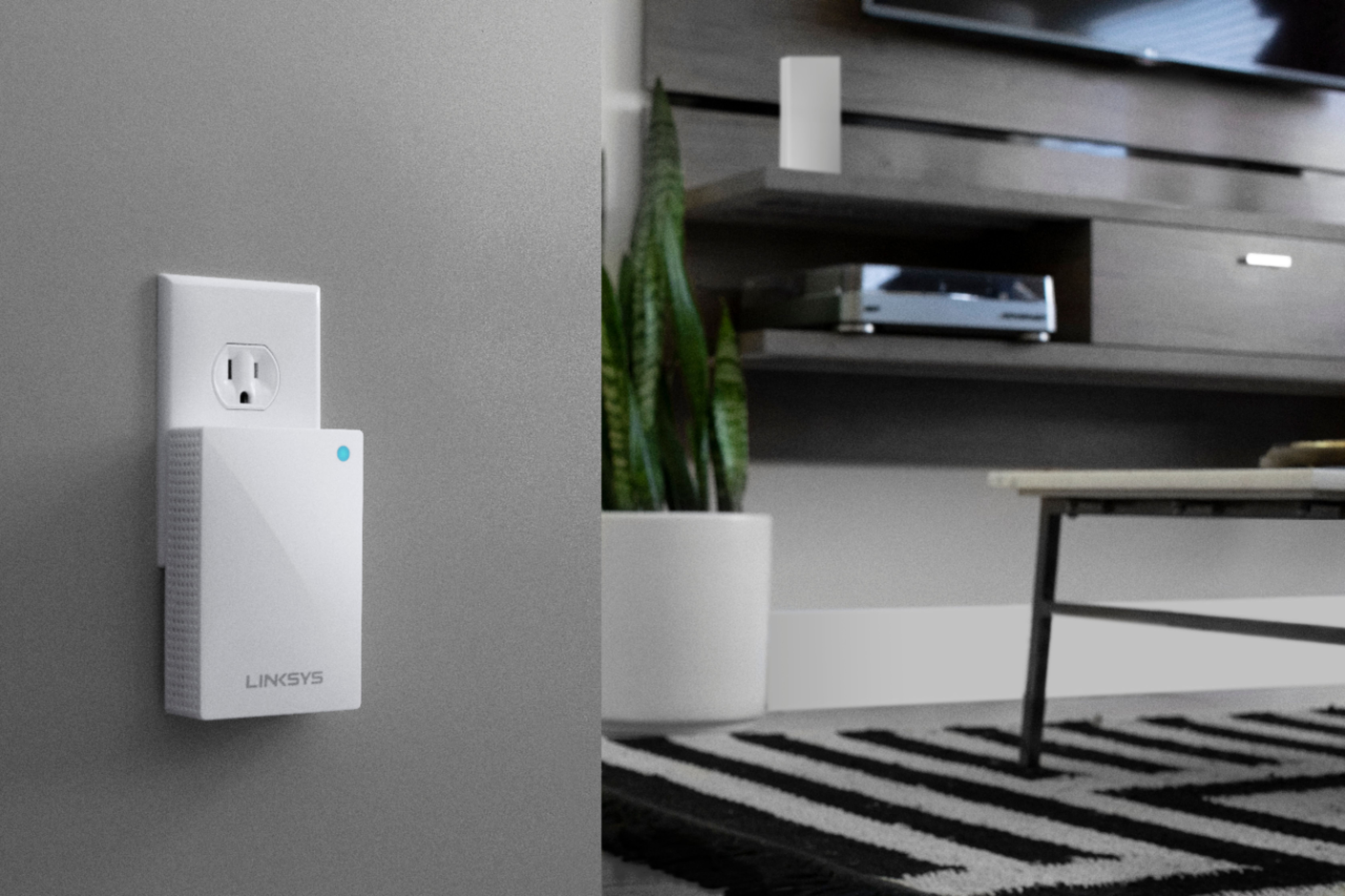
|Posted .This reviewer received promo considerations or sweepstakes entry for writing a review.In my current situation, the internet modem and wireless router are located in a room in the front corner of the house. It’s a high-quality router, so we get excellent signal strength in the front of the house, decent strength in the middle areas, including where we have our smart TV, which connects to the home network, and weaker signal toward the back of the house, which is farthest from the router and where the master bedroom is located. So I had been looking for something like the Linksys Velop to extend network’s the range to the rear areas of the house. This unit is fairly easy to install. We have the 3-pack system, which includes a base unit that connects by ethernet cable to the router plus two remote units that can be placed anywhere in the house. They simply plug into a wall outlet and stay there, so you do give up one wall outlet socket, and you will see these units all the time depending on where the wall outlets you use are specifically located. The wall units are a little larger than a pack of playing cards, so they are not obtrusive. Setup requires that you download to your phone the Linksys app and turn on the phone’s Bluetooth capability. You then start with the base unit, connecting it first by wire to the router and then creating a network name. All setup is through the app, and installing and configuring the base unit goes quickly and smoothly. You then set up each remote unit one at a time, again through the app, and the process basically consists of allowing the app to find the remote unit and then connect it to the network you created. I did run into a minor issue here in that the app would not find the newly plugged-in remote units after several attempts. The program does suggest that, if this problem persists, you trying turning Bluetooth off and then back on again. This suggestion did work for me, and the two remote units connected to the base unit with no further issues. I placed one remote unit in the room where my computer is located, which is about 15 feet and two interior walls away from the base unit, and I placed the other in the kitchen, which locates it centrally between the living room and the master bedroom and about 40 feet from the base unit. You can add as many additional remote units as you want which would be useful if you have a large house and/or one with multiple floors (our house is single story). The system can be operated two ways. The primary, default way is as a second network (assuming you leave your original wireless network, if you have one, active) with its own DHCP. This network is available throughout the house through the base unit and the (in my case) two remote units. The second way is in what Linksys calls Bridge Mode. In this configuration, there is only one DHCP active, the one that is assigned by your original router, and the Linksys units simply extend the range of the network. There are various reasons why you might choose one configuration or the other having to do with things such as gaming software requirements, whether or not peripheral devices will be available to other computers connected to the network, and the availability of other features offered by the system, including parental controls, device prioritization, and more. For my requirements, Bridge Mode is preferred, and that is how I’ve configured the system. As far as performance, I checked the wireless signal strength with an app on my phone, and the strength is better that it was in the more distant areas of the house. Even in areas where the strength was already acceptable, such as where our TV is located, the strength and thus download speeds, are better than they were before. This helps in watching streaming videos. Overall, I’m happy with the system. I wanted a good wi-fi range extender so we could have good wireless networking throughout our house, and this system does the job well. Aside from the minor setup issue noted earlier, system installation is straightforward, and control through the app is easy. Recommended.
I would recommend this to a friend - Pros mentioned:Ease of use, SpeedCons mentioned:Ethernet ports
Simple and Powerful
|Posted .This reviewer received promo considerations or sweepstakes entry for writing a review.The nodes are sleek and take up very little room. Setup is very easy. Just download the app (setup must be down on a mobile device) and it walks you through step by step on the connection process. The main node only has two wired ethernet ports and one will connect to your modem. This only leaves you one available and you will need to add a switch to connect more wired devices. The plugin nodes take up very little room, but do not have any ethernet ports. The mobile app does not have a lot of advanced configuration options and most things such as updates are automatic. You can add up to three devices as prioritized. The speed seems really good on any node a device is connected. Overall I believe this is the best router option for most households due to its simply, yet powerful design.
I would recommend this to a friend - Pros mentioned:Coverage
STOPPED WORKING AFTER 4 MONTHS
||Posted . Owned for 6 months when reviewed.This reviewer received promo considerations or sweepstakes entry for writing a review.I really like this router until it stopped working. The coverage around my 2700 sqft house was great. At the 4 month mark, it quit recognizing my modem and internet connection. Even after a hard reset, nothing. I plugged in my old router, and bingo I'm back up. LINKSYS support is useless. It sucks that I'm out over $300 after only 5 months.
No, I would not recommend this to a friendBrand response from Linksys Staff
Posted .Hi, ClassicRockListener,
Four months is such a short time for the Velop system to stop working. We might just need to properly reset the nodes to make it work again. Please get in touch with us at LinksysCares@linksys.com so our Escalation Engineers can lend you a hand. Include your contact information and a link to this review as our reference when you reach out.
Regards,
Rosalyn
Linksys Support
- Pros mentioned:Coverage, Ease of use, Speed
Fast, reliable internet thanks to Velop
|Posted .This reviewer received promo considerations or sweepstakes entry for writing a review.I have a home where the internet just doesn't work well with one router. I had put in another Linksys Velop system, but had a few dead spots (mainly because of the way my house is built and not the technology that goes into the Velop system). So I added these nodes onto my existing network setup, and poof, dead spots gone. The Velop works better than any other mesh network I've tried - and it is a true mesh network - you can daisy chain the nodes for maximum coverage. It's a well designed system that's easy to setup via the app. Using one of the larger nodes as a wireless bridge works like a charm as well - it's almost as fast as if the connection was wired. I highly recommend the Velop system for your network setup.
I would recommend this to a friend - Pros mentioned:Setup, Speed
Excellent Premium WiFi Mesh System
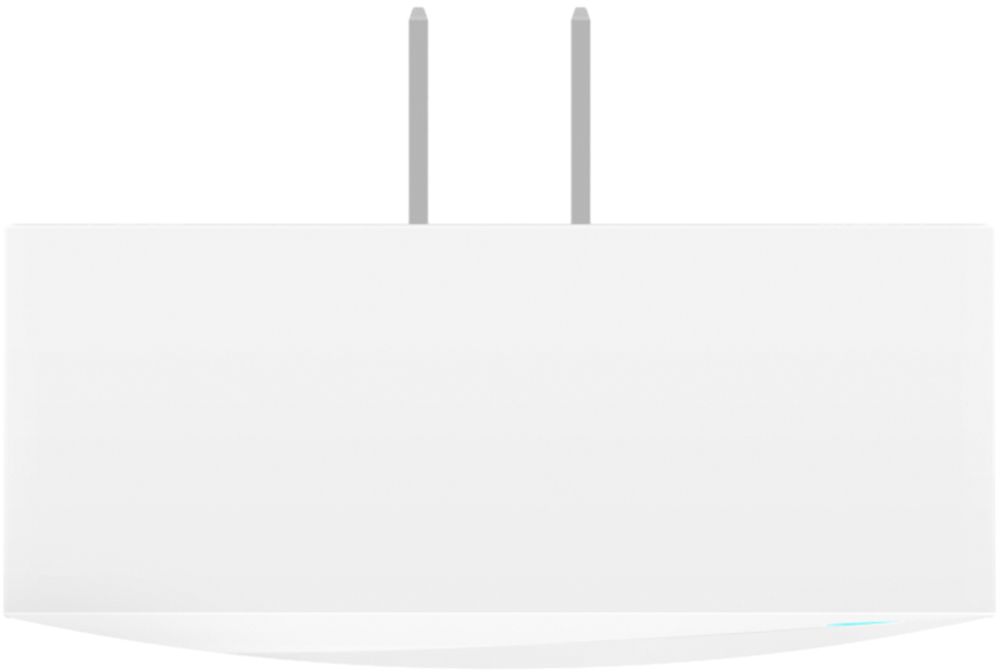
|Posted .This reviewer received promo considerations or sweepstakes entry for writing a review.The Linksys Tri-Band Mesh WiFi System is an excellent option for pretty much any homes. It is rated to cover a home up to 5000 sq ft. Now most of us don't have a 5,000 sq ft home, but I'm sure most of us have space outside that we spend time and would appreciate wifi coverage. The Linksys Tri-Band can definitely help you there. Whether it's a pool area, a patio, a garage, or the driveway, you're sure to have plenty of coverage available with this system. Let's get to the nuts and bolts. The packaging of the Linksys Velop system was very well done. I've come to expect this with Linksys products and it serves as a sign of the quality of the product that is inside. Once unboxed, you notice that the Linksys feels incredibly sturdy and well-built. The primary node looks nice and can blend into pretty much any home decor or be easily hidden behind a TV, vase, or picture. A difference from some previous versions are found with the satellite nodes. These are designed to be plugged directly into an electrical outlet on the wall. Previous versions had satellite nodes that were more 'table top' design. I actually thought they were nice looking and blended in with pretty much anything. I notice these nodes when placed in a hallway outlet or along a bare bedroom wall. Now, you can always hide them behind a piece of furniture, but for this testing purpose, I didn't want to move much. Do what works for you. One thing I didn't like and that was a complaint in other models is that there is a blue LED light on the top of each node. This may be fine for a living room, but is annoying if placing somewhere where you want complete dark at times like a bedroom. I wish there was a way to disable that light via the app. Setup was very easy. Simply plug in (hard wire) the primary nodes to your network via an RJ-45 cable. Once that is done, place the other two nodes as close to the edge of the coverage area of the first node to ensure maximum range. You can choose to overlap as much or as little as you choose. The app guides you through the installation process and I was able to be up and running in around 10-15 minutes from start to finish. I would say most could easily do it within 20 minutes or less. I have 75 Mbit service through my Internet Service Provider. I was able to stream UHD on 1 TV, HD on 2 other TVs and a laptop, and surf the web on a cell phone and second laptop with no issues. Like I said, this unit is more than enough coverage AND speed for your average+ to heavy user households. It indicates this pretty clearly on the box by using the words "For Premium Internet Plans." So you can get expanded coverage AND enhanced speed. The app also allows you to customize usage for certain people (parental controls) as well as prioritize devices. So if you want your gaming systems to always be priority #1, you can do that. If you'd rather set the priority for TVs that may be streaming UH movies, you can do that too. In conclusion, the Linksys Velop Tri-Band Mesh WiFi system was very easy to setup and provided enough options to via the free app to maintain your WiFi system. I would definitely recommend this to anyone looking to replace or expand their current system. One thing I would caution is that this is a premium wifi setup and if you're running a basic 25mbps internet plan, you're not going to use the full speed that you are paying for. If you just need it for the 5,000 sq ft., that's fine. Or if you have a smaller coverage area, but want the speed, fine. I think there are likely some other options that might fit your needs. Pros: *Setup *Coverage area *Speed *Cost (if this systems capabilities are what you need) *Design/Build Quality *Packaging Cons: *Blue LED status light
I would recommend this to a friend - Pros mentioned:Setup
Outstanding Tri Band Mesh Wi-Fi Router!
|Posted .This reviewer received promo considerations or sweepstakes entry for writing a review.It came in a excellent box with 3 nodes one base node and two plug in nodes. The packing is excellent. Velop is designed for high-performance Wi-Fi. Each Velop features a beautiful, sleek design that can be placed in open spaces, and away from obstructions to provide the best in-home Wi-Fi experience. Compact in size, Velop node is easy to place throughout the home and features an 88% smaller footprint than that of a traditional router. Its tower design supports vertical antenna placement, which enhances Wi-Fi dispersion throughout your home. Additionally, Velop features a cable management system designed to hide connected cables and keep your home clutter-free. The setup was very easy. Please note that setup can be done only by Android or iOS app. I have connected the first node and able to connect to the internet in less than 2 mins. I have placed other two plug in nodes in two different locations (first and second floor) in my house and followed the steps to configure the nodes. All nodes connected successfully to internet less than 10 mins. The cool feature is during setup it will check and tell you whether nodes are in ideal spots to get max Wi-Fi speeds. I switched over from the Netgear Orbi. I was facing slow speeds, Wi-Fi disconnects at my home and this router resolved all the issues. Linksys Velop is a high-performing modular Wi-Fi mesh system of nodes built to provide exceptional Wi-Fi coverage throughout your home. It sets up in minutes and delivers a flawless, ultra-fast, full-strength signal. Featuring with Dynamic Tri-band technology, this router outperforms the competition by providing faster speeds through its combination of three Wi-Fi radios, each tuned for optimal Wi-Fi load balancing to ensure peak Wi-Fi performance throughout the home. Whether you're streaming 4K content, gaming, or video chatting, Velop delivers exceptionally fast Wi-Fi to ensure optimal performance even when multiple Wi-Fi devices are connected. Each Velop node is a powerful Tri-Band connection point offering up to 5,000 square feet of coverage and with velop's modular design it will perform well in any home type. This router mesh system operates as a singular network that works to ensure a 100% seamless connection as you move throughout your home. With the Linksys App, you can closely monitor and manage your home Wi-Fi remotely using a smartphone or tablet. Parental Controls: Ensure a safe Internet experience for your kids--even when you're away from home. Reduce online distractions during homework, family or dinnertime. Restrict access to inappropriate or distracting content, control usage, and block specific devices from accessing the Internet. Guest Access: Generate a separate, password-protected Wi-Fi network for up to 50 guests and easily share the password via text. Device Prioritization: Prioritize devices that need the most speed. Auto-Fix: Automatically select the best channel for your device and eliminate congestion with the push of a button. Speed Test: Easily test and monitor your Internet connection's speed to make sure you're getting full speed from your provider. Notification : Enable notification to alert if any of the node is not working. I was able to setup the port forwarding in Linksys iOS app for my Plex Server and Plex Server connected for remote access without any issues. I am extremely pleased with this purchase and router performance. It is one of the most innovative and fastest router in the market with many great features. If you are looking for faster internet and longer Wi-Fi range, Please buy this router without any hesitation. You will not be disappointed with your purchase.
I would recommend this to a friend - Pros mentioned:Coverage
Get the Google mesh
||Posted . Owned for 1 month when reviewed.This reviewer received promo considerations or sweepstakes entry for writing a review.I have been installing these new mesh WiFi access points for a while now. Google is easier to setup and has better coverage for less money.
No, I would not recommend this to a friendBrand response from Linksys Staff
Posted .Hi Kevin,
Our Escalation Engineers would like to help you with the installation process of your Linksys WHW0203P by sending us an email us at LinksysCares@linksys.com along with your contact information and the link of this review for our reference.
Regards,
Elyza
Linksys Support