Customers regard the Combo Touch Keyboard and Trackpad Case for Apple iPad favorably, particularly praising its keyboard quality, ease of use, and protective qualities. Many appreciate the case's fit and lightweight design, while some found the price reasonable. However, a few users experienced compatibility issues, and some expressed minor concerns about the case material and stand functionality. Overall, positive feedback significantly outweighs negative comments.
This summary was generated by AI based on customer reviews.
The vast majority of our reviews come from verified purchases. Reviews from customers may include My Best Buy members, employees, and Tech Insider Network members (as tagged). Select reviewers may receive discounted products, promotional considerations or entries into drawings for honest, helpful reviews.
Page 4 Showing 61-80 of 1,011 reviews
Rated 5 out of 5 stars
Great product
|
|
Posted . Owned for 2 weeks when reviewed.
This reviewer received promo considerations or sweepstakes entry for writing a review.
Great product! Honestly worth it 100%. Quick and easy
I would recommend this to a friend
Brand response from Logitech
Posted .
Thank you for your kind words about the Logitech Combo Touch Keyboard and Trackpad Case for iPad! We're thrilled to hear that you're finding it a valuable addition to your iPad experience. We strive to create products that enhance your productivity and make using your iPad more enjoyable.
Rated 5 out of 5 stars
Next Level
|
|
Posted . Owned for 3 weeks when reviewed.
This reviewer received promo considerations or sweepstakes entry for writing a review.
This is a great product very flexible easy to detach the keyboard and reattach. It’s perfect for my business on the go.
We love to hear you find the Combo Touch so flexible and perfect for your business on the go! The easy-detach keyboard and trackpad give you the versatility you need to stay productive wherever you are.
Rated 5 out of 5 stars
Logitech
|
|
Posted . Owned for 3 months when reviewed.
This reviewer received promo considerations or sweepstakes entry for writing a review.
This protect my Ipad and feel more better when I use this because i can use without fear that broken the screen
I would recommend this to a friend
Rated 3 out of 5 stars
Came damaged
|
|
Posted . Owned for less than 1 week when reviewed.
This reviewer received promo considerations or sweepstakes entry for writing a review.
This is exactly what i was lookig for and would be great but it came with one of the keyboard keys missing. Disappointing becasue this was to be a holiday gift and it will be difficult to now get replaced intime.
I would recommend this to a friend
Brand response from Logitech
Posted .
Thank you for your feedback on the Logitech Combo Touch Keyboard and Trackpad Case. We appreciate you sharing your disappointment with the missing key, especially since it was intended as a holiday gift. We understand the inconvenience this causes and apologize for the issue.
Rated 5 out of 5 stars
iPad
|
|
Posted . Owned for 1 month when reviewed.
This reviewer received promo considerations or sweepstakes entry for writing a review.
Excellent piece of technology! I use this everyday to easily text, use streaming services, and work.
I would recommend this to a friend
Rated 5 out of 5 stars
Smooth and efficient pad
|
|
Posted . Owned for 3 weeks when reviewed.
This reviewer received promo considerations or sweepstakes entry for writing a review.
Works greats. Feels like i have a miniature laptop
I would recommend this to a friend
Rated 2 out of 5 stars
Broke after a few days
|
|
Posted . Owned for 1 month when reviewed.
This reviewer received promo considerations or sweepstakes entry for writing a review.
This keyboard worked well for the first couple of days but when i went to open it up one day, the magnet that holds the flap closed broke through the keyboard and would not go back. Returned.
No, I would not recommend this to a friend
Brand response from Logitech
Posted .
We're very sorry to hear that the magnet on your Logitech Combo Touch Keyboard and Trackpad Case broke after only a few days of use. To address this issue, we recommend reaching out to our social care team via email at [email protected] with your - Name: - Email Address: - Country: - Product Name: - Brief description of issue:
Pros mentioned:
Fit, Keyboard quality, Protection
Rated 5 out of 5 stars
TOP
|
|
Posted . Owned for 1 month when reviewed.
This reviewer received promo considerations or sweepstakes entry for writing a review.
This iPad protector is amazing! It is lightweight, durable and fits perfectly to my device. The case is soft to the touch and protects my iPad from bumps and scratches. In addition, it has an elegant and minimalist design that adapts to my style. I recommend it for any iPad owner looking for protection and style
That's absolutely wonderful to hear your Logitech Combo Touch Keyboard and Trackpad Case is such a hit! We're thrilled it's delivering that perfect blend of lightweight durability, a snug fit, and elegant style while keeping your iPad protected. Thanks for wholeheartedly recommending it!
Rated 5 out of 5 stars
Apple iPad 10th generation
|
|
Posted .
This reviewer received promo considerations or sweepstakes entry for writing a review.
Apple products are very easy for me to learn. Apple has their own built in security software. They have great support through Apple Care.
I would recommend this to a friend
Pros mentioned:
Keyboard quality, Protection
Rated 5 out of 5 stars
Versatile Smart connect Keyboard&Trackpad Case
|
Posted .
This reviewer received promo considerations or sweepstakes entry for writing a review.
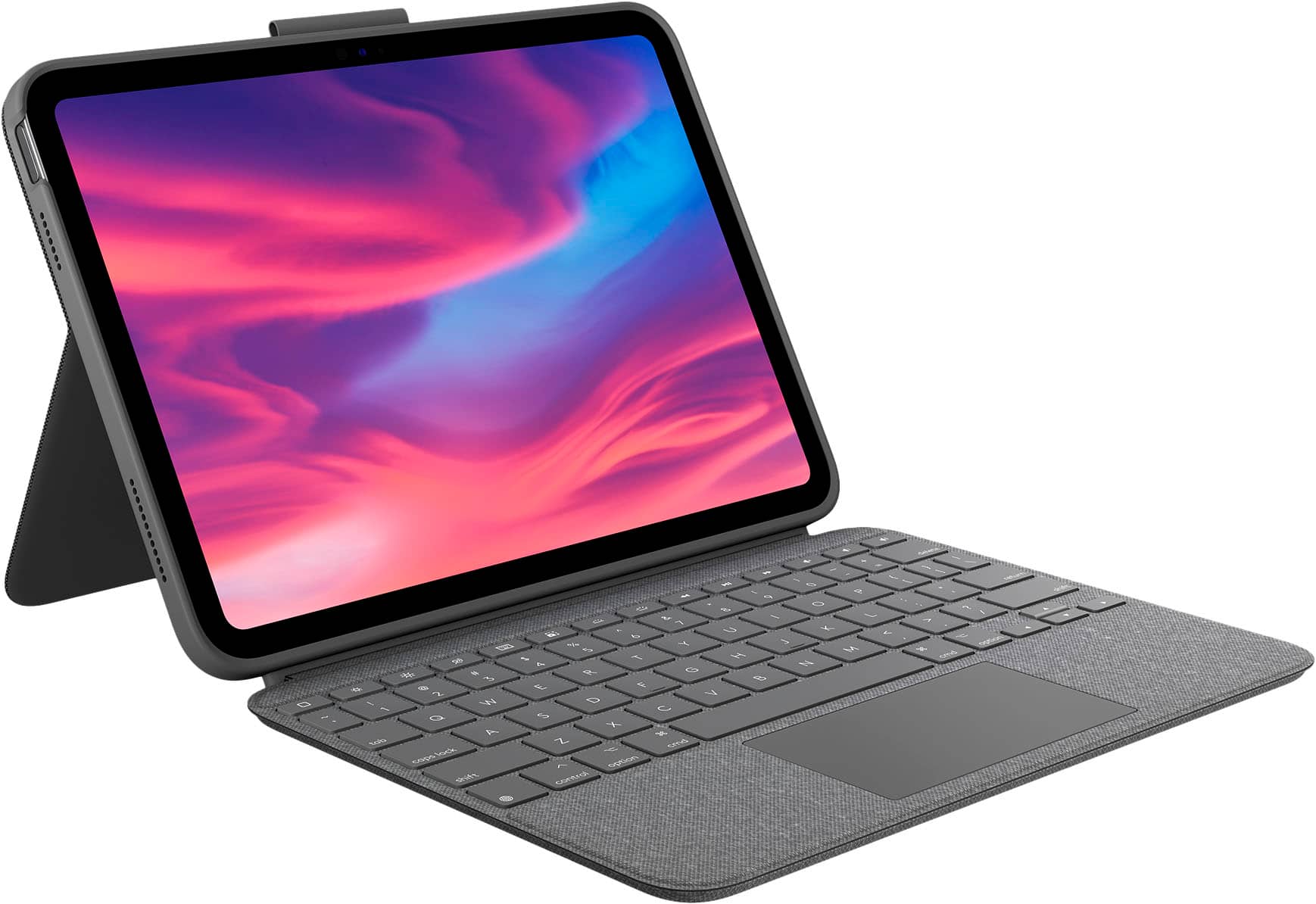
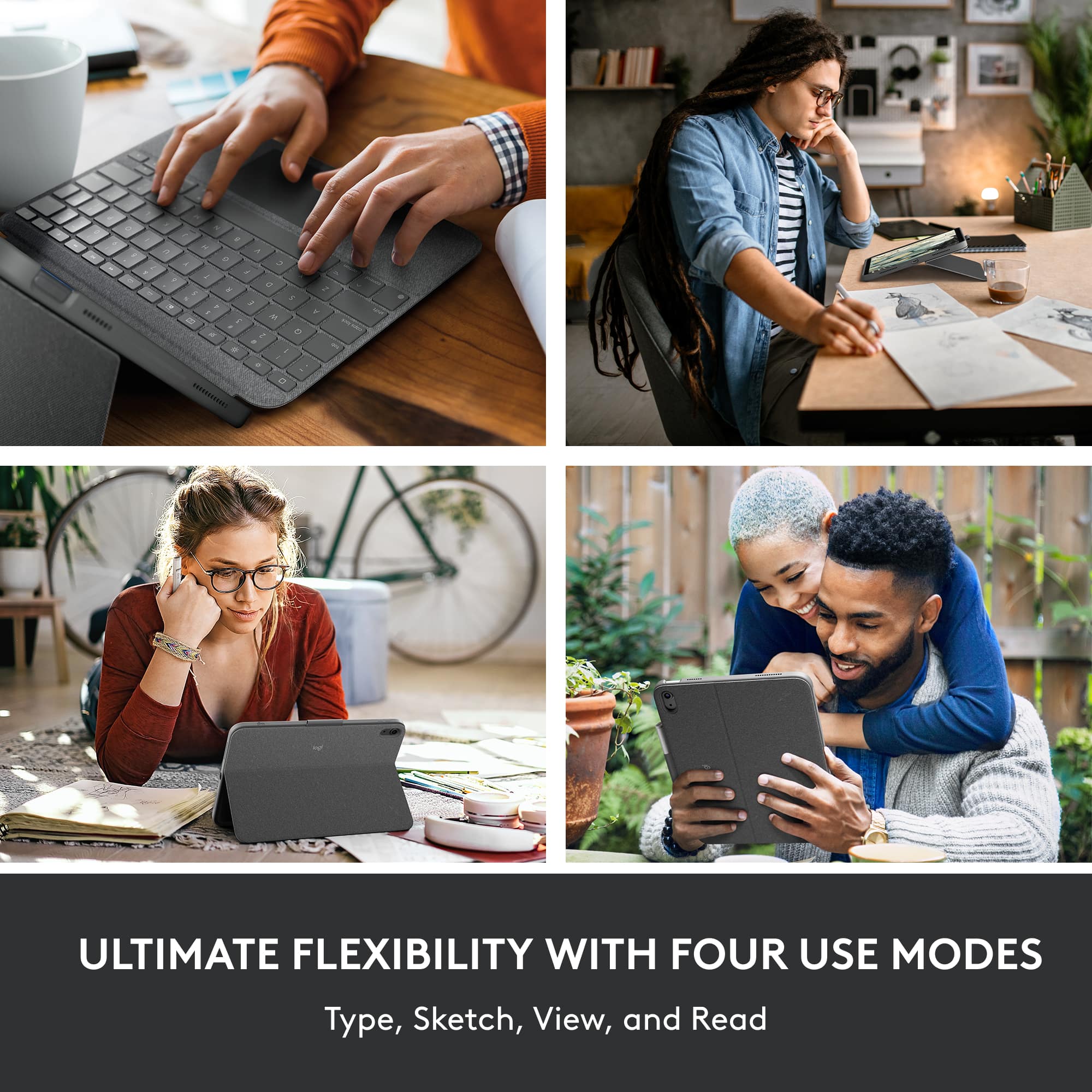
Logitech Combo Touch for iPad (10th gen) is one of the few cases on the market that has a full-size keyboard with trackpad and can used in four distinct use modes. Apple has the magic keyboard folio case which is more expensive and does similar functions.
Inside the box, it just comes with the case and keyboard with user manual.
Logitech keyboards are top notch on quality build and design and this one is no different. It does pair with the click and powers using the smart connector instantly and there is no batteries or charging required.
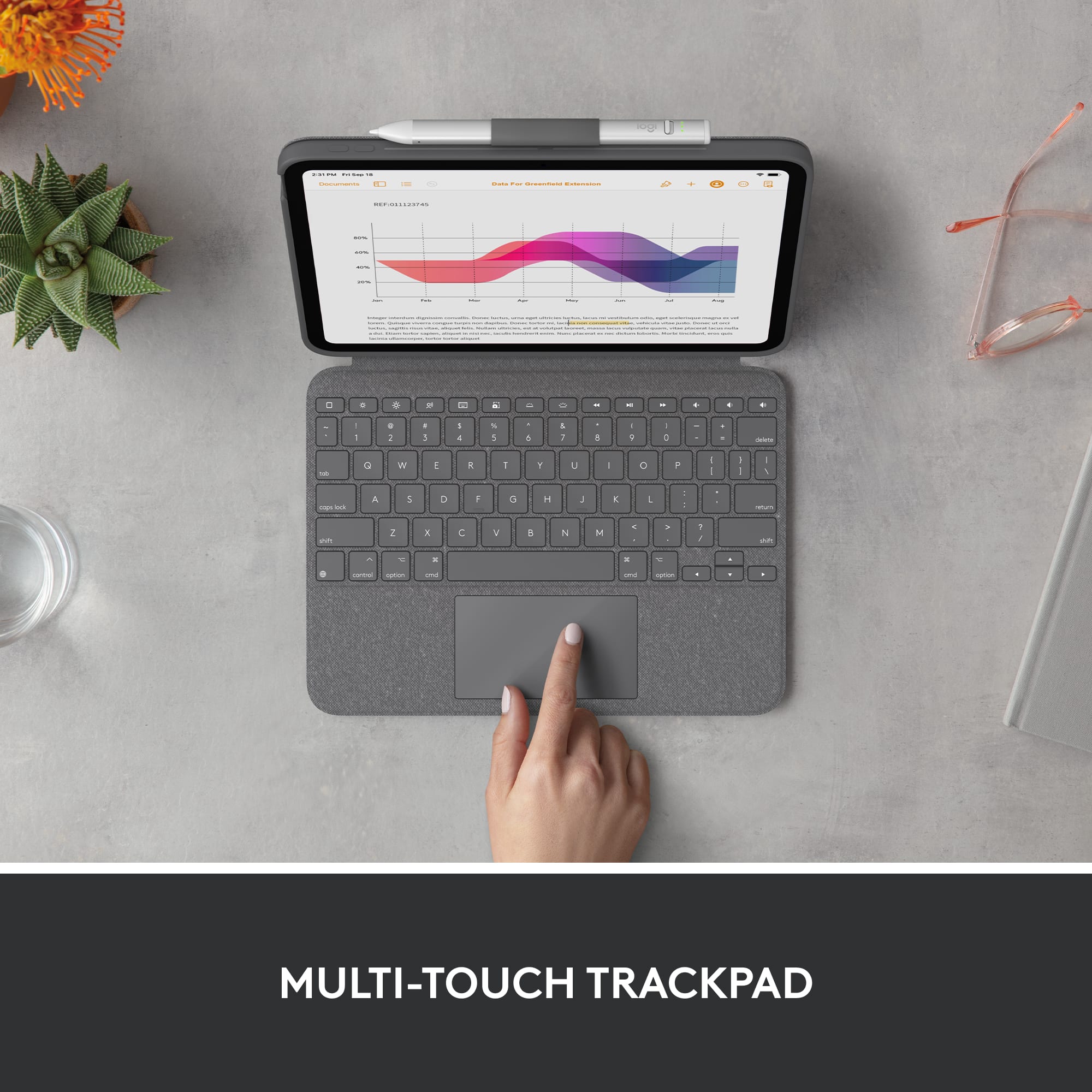
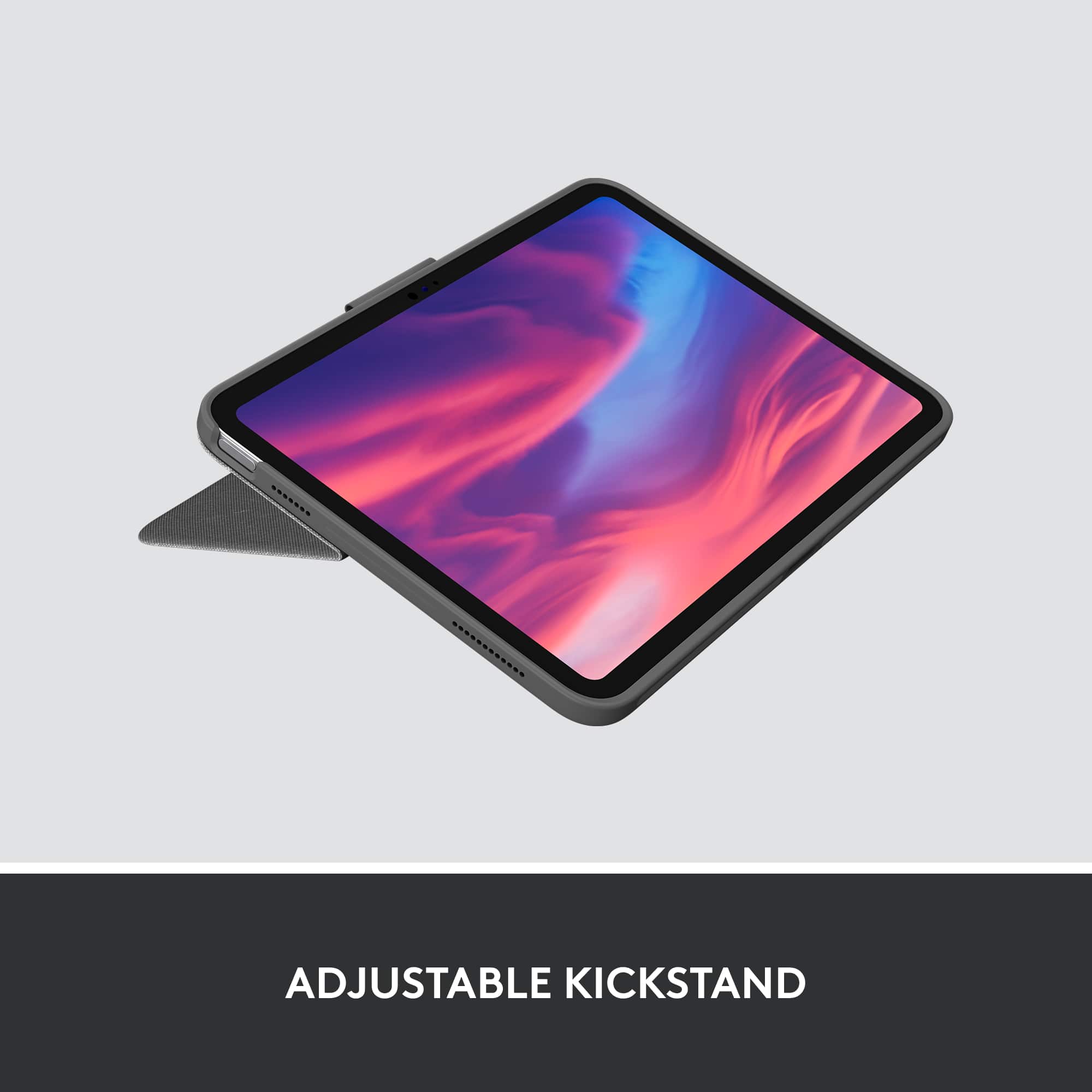
It has spacious glass trackpad and is equipped with the multi-finger gestures to easily edit documents any work on editing. The kickstand is another great feature that lets to tilt at any angle for easy viewing, typing, reading, or sketching modes.
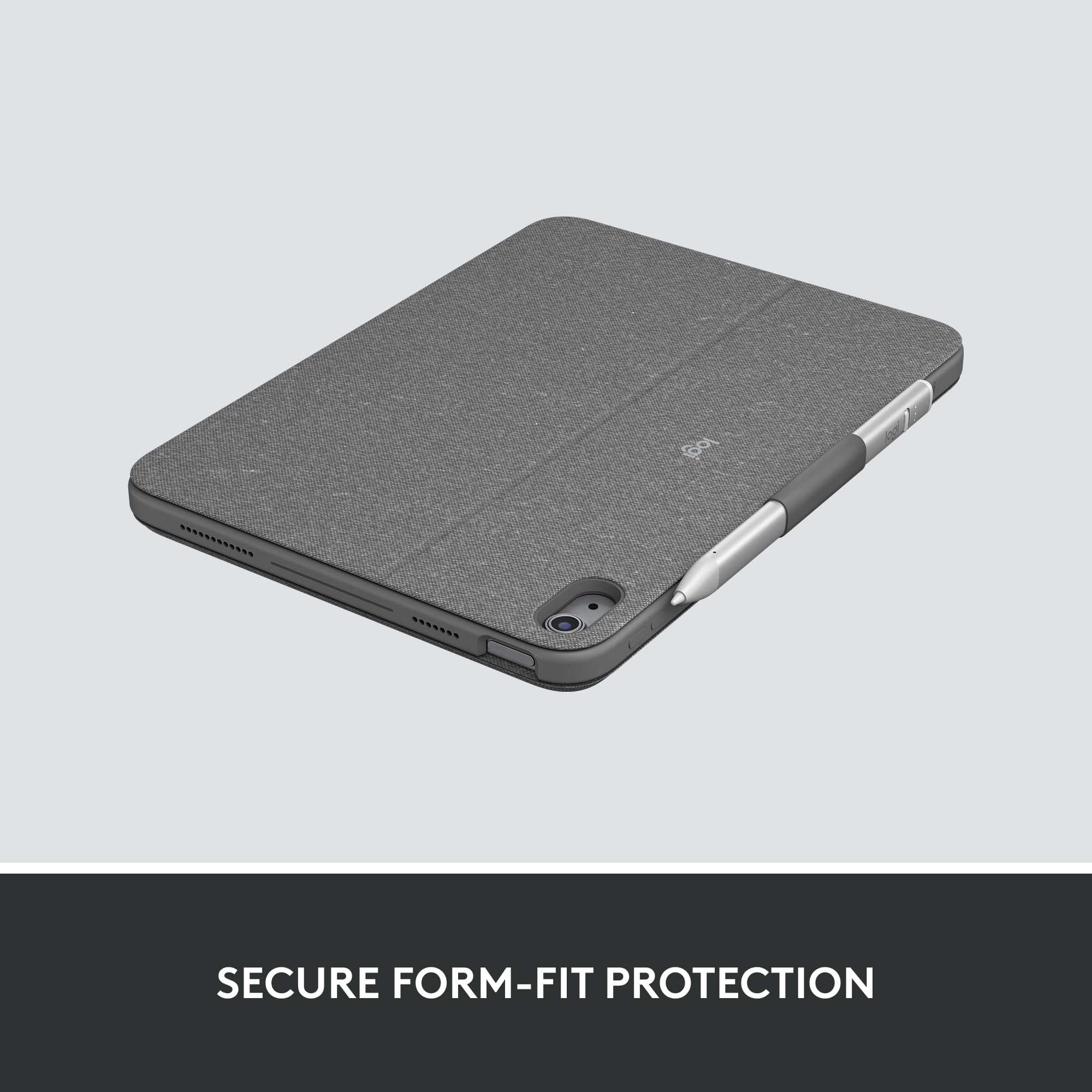
Case is made of plastic and hard silicon case covered with a nice fabric exterior, a detachable backlit keyboard, glass trackpad, loop for holding apple pencil on the case, adjustable kickstand. It is very sturdy and add little weight to the iPad but protects greatly from drop protection. Look and feel is great and does not feel cheap. For the price range, this is a good buy compared to the magic keyboard that apple has to offer.
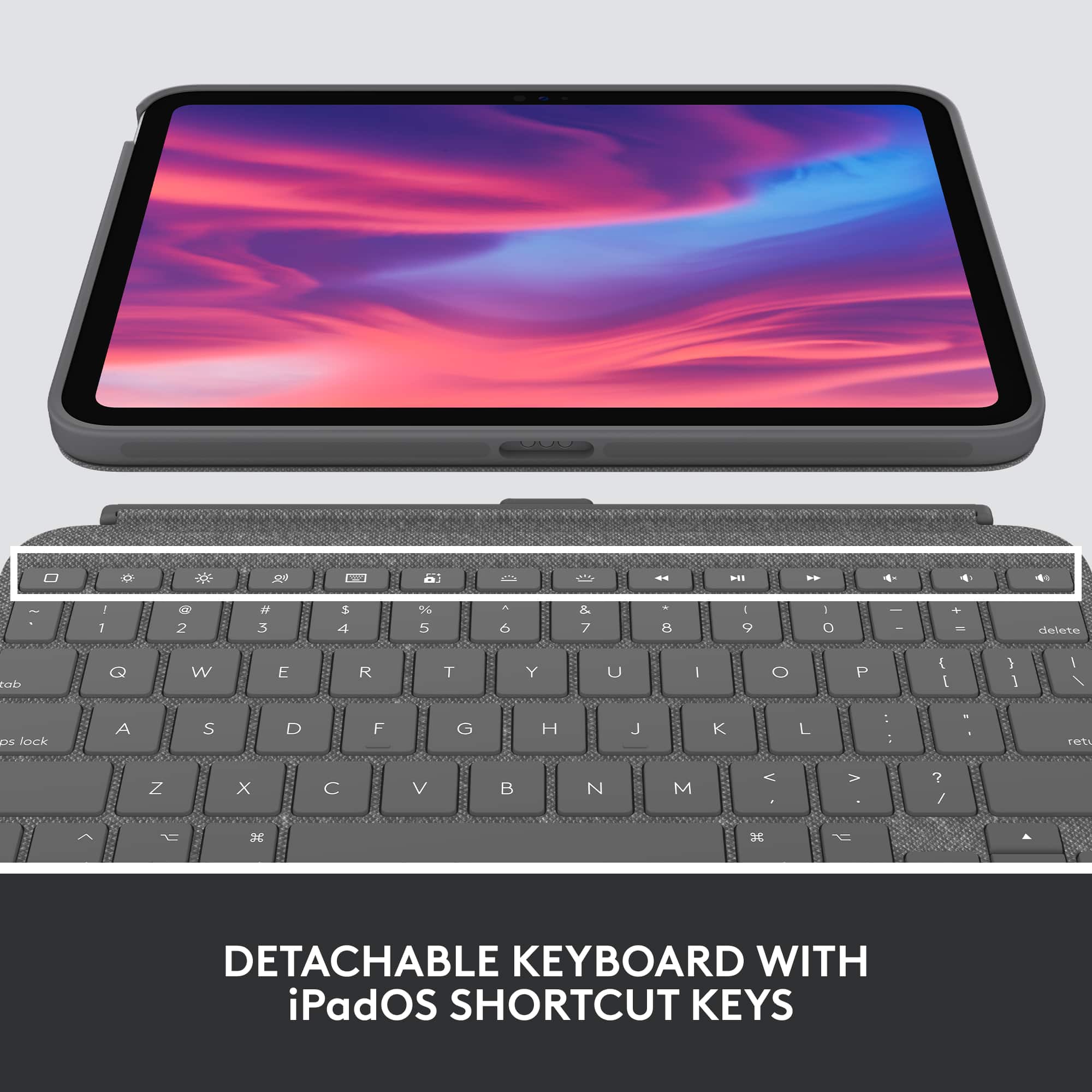
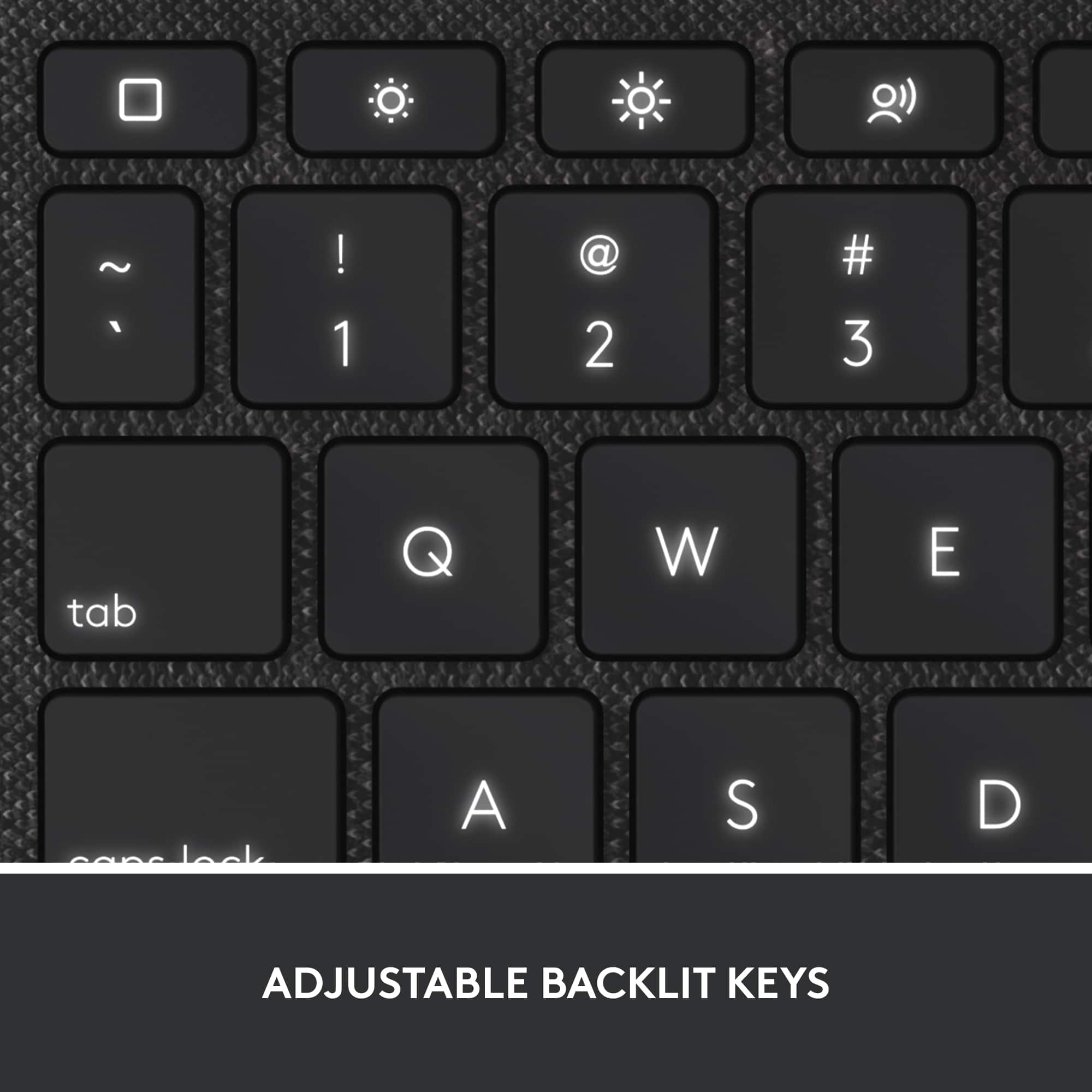
Keyboard also offers full row of iPadOS shortcut keys, cmd, control, option keys like MacBook keyboard. Keys are spaced well and has tactile feedback with no lack. Top row has a dedicated volume up, down, mute, keyboard, brightness increase/decrease, media controls, home button which comes very handy for easy navigation.
Upon installing for the first time, it prompted to install logitechcontrol app from Appstore and no further pairing was required.
Pros: Spacious high precision trackpad, detachable backlit keyboard, loop for holding apple pencil, full row of iPadOS shortcut keys, any angle kickstand, durable full protection from fall.
Cons: Unlike previous generation this model does not allow the keyboard to attach to the backside of case when not using the keyboard, adds weight to iPad.
Overall, a well-made, versatile, secure fit protection with excellent full keyboard and trackpad option that converts iPad to mini laptop.
I would recommend this to a friend
Rated 5 out of 5 stars
Apple IPad
|
|
Posted . Owned for 1 week when reviewed.
This reviewer received promo considerations or sweepstakes entry for writing a review.
Great Price! Excellent Product. My granddaughter loves it
I would recommend this to a friend
Pros mentioned:
Keyboard quality, Protection
Rated 4 out of 5 stars
A Great Case Made Awesome with A Keyboard
|
Posted .
This reviewer received promo considerations or sweepstakes entry for writing a review.
The new 10th gen Pad has finally made adding a keyboard easy and worthwhile. One of the log sides of the iPad now has a “Smart Connector” which is three contacts for connecting accessories, like a keypad.
Slip the iPad into the case which is a snug and secure fit. Read the directions in the box on which end of the iPad to insert into the case first and you should have no problem slipping it in. The case protects the iPad from falls up to 4’ and can be used on its own without the keyboard connected. The case extends out past the camera rear lens providing some protection for it as well. The case has a non-slip cloth like weave pattern in the vinyl. The case feels durable, yet soft and is comfortable to carry. The volume keys register perfectly through the case, which is cut back a bit from the power button which is also used as the fingerprint reader. Push the rear kickstand out to the desired angle to hold the iPad up for drawing, viewing, typing or pull off to hold it like a book. I propped it on my lap while in a recliner and it worked just fine. Much lighter than any laptop.
The case has a nylon fabric loop to hold an Apple Pencil or Logitech Crayon. I have the Logitech Crayon I used with my last iPad. The Crayon is thicker and has two wide flat sides like a carpenter’s pencil. It’s a tight fit into the loop, the crayon will not fall out if you bump it. It’s really handy, give one a try. If you have no stylus, you can insert a regular analog pen, pencil, or similar object in the loop if you wish.
It’s a nice-looking case that feels right, has a kickstand, and offers protection all on its own even without the keyboard connected. I’m surprised they don’t offer the case on its own.
The keyboard connects to the left long edge of the iPad where the “Smart Connector” is located using magnets. Get it close and aligns itself and sticks to the iPad. Once connected, you are prompted to download the Logitech Control app that allows you to update the firmware. Apply the keyboard firmware update if there is one and your good to go. Plug & Play, there is nothing else to do or setup.
The mouse pad works well, large and very much like a MacBook in feel. The mouse pad supports multi-finger gestures like pinching. MacBook users will feel right at home.
They keyboard is responsive and has a good feel despite being so thin. The key characters on the keycaps are backlit which is useful at night for finding a certain key, but lighting is not needed to see the characters in good light. There are iOS function keys along the top row like a MacBook to control screen brightness, access dictation, take a screenshot, set volume, media controls, choose up to 16 levels of keyboard backlighting, as well as some other features.
When you are done, power off and lift the keypad up to the screen and magnets will hold it closed protecting your iPad screen.
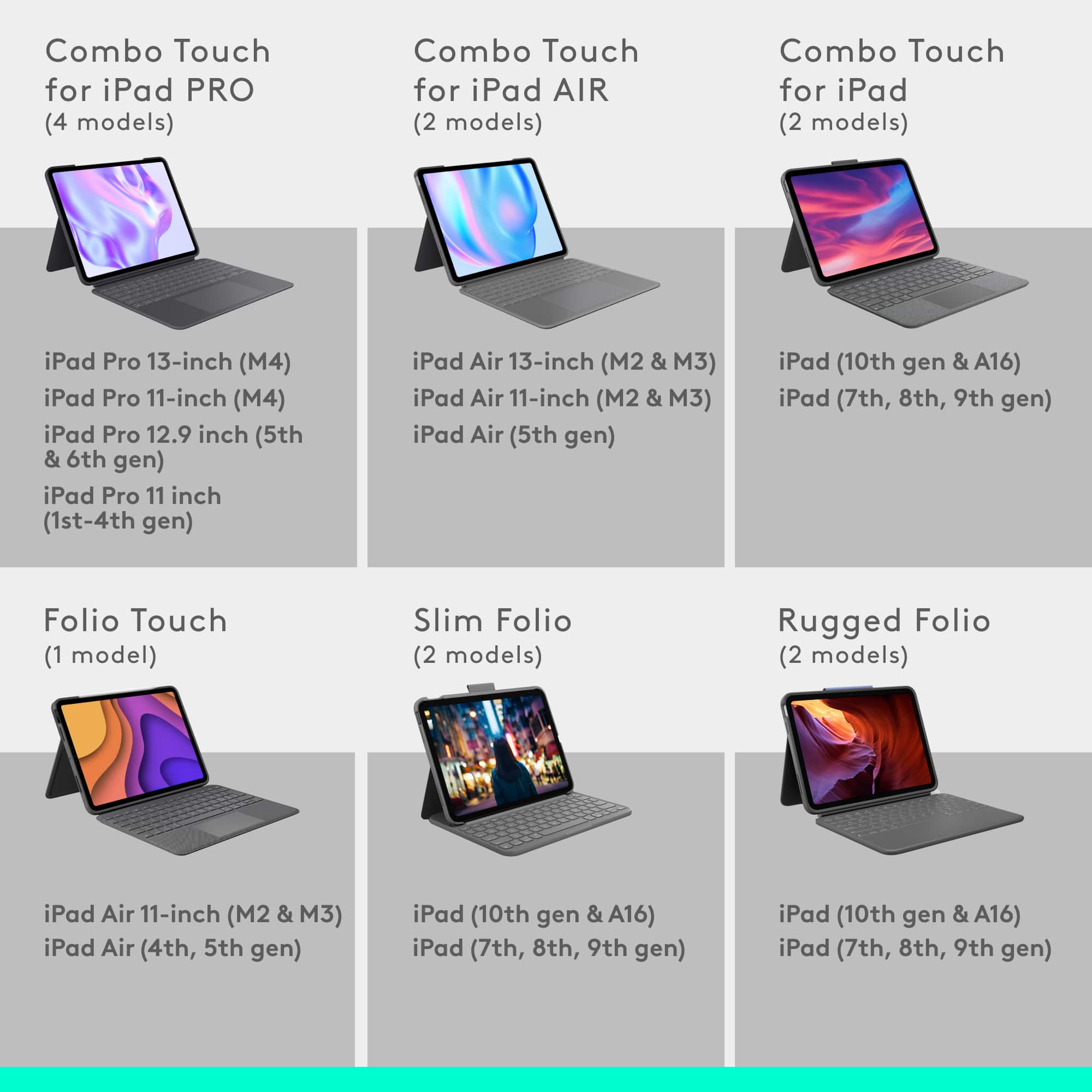
This case ONLY works with the new 10.9” iPad 10th generation due not only to the iPad size, but the new “Smart Connector” on the side of the 10th Gen iPad used to power and communicate with the keyboard. Bluetooth is not used. No older iPads have the Smart Connector.
Don’t pre-judge this case with older iPad keyboards in mind. This keypad addresses many of the older product’s shortcomings with the use of the Apple Smart Connector. Older ones were a bit of a hassle to detach, at least the ones that would let you. Connecting them with Bluetooth was easy enough, but that hurt battery life on the older iPads and the keyboard which had to have its own battery. And many keypads used a different power plug than the iPad requiring two cables and chargers. Here you only need to charge the iPad.
I’ve always wished Apple would provide a touchscreen on the MacBook and support its use as a tablet as well as a laptop. This case provides the new iPad much of that functionality I’ve always wanted, though without OSX and its apps. Which is enough for me 80% of the time.
There are a few minor downsides I found to the keyboard:
1.) There is no way to tilt the back of the keyboard up, it only lays flat on the table. There is no extra give in the hinge to permit any tilt.
2.) You will need to press the power button to power the iPad on or off even when using the keyboard cover as the keyboard cover does support Auto Wake/Sleep. An odd omission.
3.) The Logitech website is wrong in stating ”READ MORE Detach the keyboard—or reattach it with the keys turned inward—to read books, articles, and more.”
When you just want a tablet , the keyboard will not fold behind the iPad, or “reattach with the keys turned inward”. No way. The “Smart Connector” magnets repulse the keyboard connection when you try to attach it backwards, not click on. You’ll need to pull the keyboard off and put down someplace it won’t get lost to go without, just as Logitech shows on their web page as of 11/29/2022.
With solid build quality, great feel, aesthetics, and functionality, this case/keyboard combo easily falls in the 4 to 5 start area, better than a 4, but not a home run. This keyboard case gets a solid buy recommendation and is perfect for use in the home, office or school.
I would recommend this to a friend
Pros mentioned:
Ease of use, Keyboard quality, Protection
Rated 4 out of 5 stars
Adds extended functionality
|
|
Posted .
This reviewer received promo considerations or sweepstakes entry for writing a review.
So far so good. It adds a little weight to the already not light iPad, but I love the amount of protection it provides, how easy it is to use it both with and without the keyboard, how easy the back of the case detaches from and attaches to the keyboard with a simple magnet connector.
They keyboard is easy to use, as is the trackpad. I don't have issues with the size of the keys or keyboard, but I have small hands, so the smaller keyboard is fine.
It required installation of a Logitech app but it hasn't been needed since initial setup.
I would recommend this to a friend
Brand response from Logitech
Posted .
Thanks for the thoughtful review. We're glad the Combo Touch is delivering the protection, flexibility, and ease of use you were looking for. It's great to hear the keyboard and trackpad are working well for your setup.
Pros mentioned:
Ease of use, Keyboard quality
Rated 5 out of 5 stars
excellent
|
|
Posted . Owned for 1 month when reviewed.
This reviewer received promo considerations or sweepstakes entry for writing a review.
I’m absolutely loving this Logitech Combo Touch for my 10th Gen iPad (A16 chip). It literally turns the iPad into a small laptop. Super comfortable to type on, the trackpad is smooth and responsive, and the case feels sturdy and high-quality.
What I like the most:
The backlit keyboard is perfect for working at night.
Trackpad is fast, accurate, and supports gestures.
No need to charge or pair—just plug it in and it works.
The keyboard is detachable, so I can use just the case if I want.
The Sand color looks clean and stylish.
I use it every day for school, work, and even watching shows. It’s not the cheapest accessory out there, but totally worth it. If you use your iPad a lot, I highly recommend it!
Your review of the Logitech Combo Touch for your 10th Gen iPad truly captures its essence as a device that transforms your iPad into a small laptop. You particularly commend the comfortable, backlit keyboard and the fast, accurate trackpad with gesture support, finding them incredibly conducive to productivity. The detachable keyboard and Smart Connector power/pairing offer impressive versatility and convenience, while the Sand color adds a stylish touch. Despite not being the cheapest, your daily use for school, work, and entertainment unequivocally demonstrates its value, leading to a strong recommendation.
Pros mentioned:
Keyboard quality
Rated 5 out of 5 stars
Totally recommended
Posted .
This reviewer received promo considerations or sweepstakes entry for writing a review.
The case was absolutely amazing. Also, I love the fact that I was able to have a keyboard that is Magnetic and has all the functions that Make You Feel that you still can use your iPad, your laptop you need a laptop, no more.
I would recommend this to a friend
Brand response from Logitech
Posted .
That's incredible feedback! We're so thrilled to hear the Logitech Combo Touch Keyboard and Trackpad Case has been absolutely amazing for you. It's fantastic that the magnetic keyboard and full functionality make your iPad feel like a laptop replacement. Thanks for highly recommending it!
Pros mentioned:
Protection
Rated 5 out of 5 stars
Nice & Sturdy!
|
Posted .
This reviewer received promo considerations or sweepstakes entry for writing a review.
Get rid of all shortcomings of an iPad with this Combo Touch detachable backlit keyboard case. This gives plenty of options for how the iPad can be best used. The kickstand & keyboard together can be used to flip between type & sketch modes. If you do not need the keyboard then just detach it then the iPad can be used in the view or read modes. I have been on the lookout for such an option but nothing was as great as this. The iPad provides protection from edge to edge & back to front so it is safe from scrapes, dents & bumps. It fits in perfectly and the iPad doesn’t slip out either. The keyboard has multiple settings for the backlight to enable typing in any surrounding light. The top-row shortcuts on the keyboard provide access to frequently used features on the iPad like the home screen, screen brightness, dictation, screenshots, media controls, etc. The best thing is this keyboard doesn’t need any batteries as it takes the power directly from the iPad so the battery is never dead. And it also has a built-in holder for the pencil or crayon. Now, I am able to utilize my iPad much more efficiently than before.
I would recommend this to a friend
Pros mentioned:
Fit, Keyboard quality
Rated 5 out of 5 stars
Love it so far
Posted .
This reviewer received promo considerations or sweepstakes entry for writing a review.
So far I love it and just got it several minutes ago.... Oh by the way, it fits snug and it looks good on my Ipad 10th gen....... It will take a little time to get use to it but all in all I love love love it especially the lighted keyboard. Oh and I love the trackpad as well.
We're so excited you love the Combo Touch's lighted keyboard, trackpad, and snug fit on your iPad 10th gen! It might take a moment to adjust, but it unlocks a whole new way to use your iPad. Enjoy exploring the possibilities!
Pros mentioned:
Ease of use, Keyboard quality
Rated 5 out of 5 stars
Logitech Combo Touch: The Ultimate Laptop Experien
|
|
Posted . Owned for 4 months when reviewed.
This reviewer received promo considerations or sweepstakes entry for writing a review.
The Combo Touch offers exceptional build quality, thoughtful design, and laptop-like functionality for your iPad—without the high cost of Apple's Magic Keyboard. If you're looking for protection, productivity, and portability, this accessory is a compelling match. One noted that the set adds noticeable weight and bulk, and the keyboard must be completely removed when using the iPad in pure tablet mode. But I love it for its price and durability.
I would recommend this to a friend
Brand response from Logitech
Posted .
Thank you for the wonderful feedback on the Logitech Combo Touch! We’re delighted to hear it delivers the performance and value you were looking for, and we truly appreciate your balanced review highlighting both its strengths and considerations. Insights like yours help others make confident choices.
Pros mentioned:
Protection
Rated 5 out of 5 stars
super nice to use
|
Posted .
This reviewer received promo considerations or sweepstakes entry for writing a review.
I had to get a new iPad for work and wanted an external keyboard, this works great.
The case fits around the iPad, so no parts of the tablet are exposed. This does make it heavier. I think the case will protect it some from a drop, but I did not test this. The kickback stand keeps the tablet at an angle I liked. I for sure liked the lighted keyboard. The keyboard does not have a battery, so the iPad will have a faster batter draw. I did not see it as significant. You can use the iPad with or without the keyboard.
There is a place for the the apple pencil if you have one (I do not so I cant tell you how it fits).
The keyboard itself has all the normal letters, my fingers were slightly cramped but it is a smaller keyboard for the iPad itself. You also have keys you would find on a larger keyboard. I wont go into them all.
There is software you need to download. The keyboard did work with out the app install.
I did like when you close the case, the iPad locks itself.
You can feel the keyboard lock in place, so you know it is connected.
A couple small issues I had.
This is heavier and bulkier than the iPad itself. I am not sure if this is extra protection or not. I wish the extra weight added even some battery.
You can only use this case with the 10th gen iPad. Once again apple is forcing changes so we buy new accessories.
Pressing the power/finger scanner button is more difficult with the case.
I would recommend this to a friend
Pros mentioned:
Ease of use, Protection
Rated 5 out of 5 stars
Will recommend to any iPad owner
|
|
Posted .
This reviewer received promo considerations or sweepstakes entry for writing a review.
I love this keyboard case. It is slim, protective and comfortable to use. I love that the keyboard attaches when needed but easy to remove when I want to just use the stand to watch something. Already ordering one on my fiancé’s account for his new iPad Air. It is pricy but so worth it.
I would recommend this to a friend
Brand response from Logitech
Posted .
Thank you for the wonderful feedback on the Combo Touch keyboard case. We're thrilled to hear that you love its slim, protective design and the versatility of the detachable keyboard. We truly appreciate your strong recommendation to other iPad owners and are happy you're enjoying your purchase so much!