Customer Ratings & Reviews
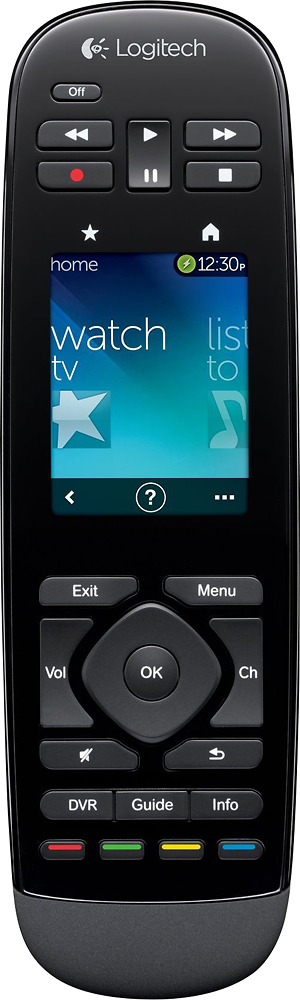

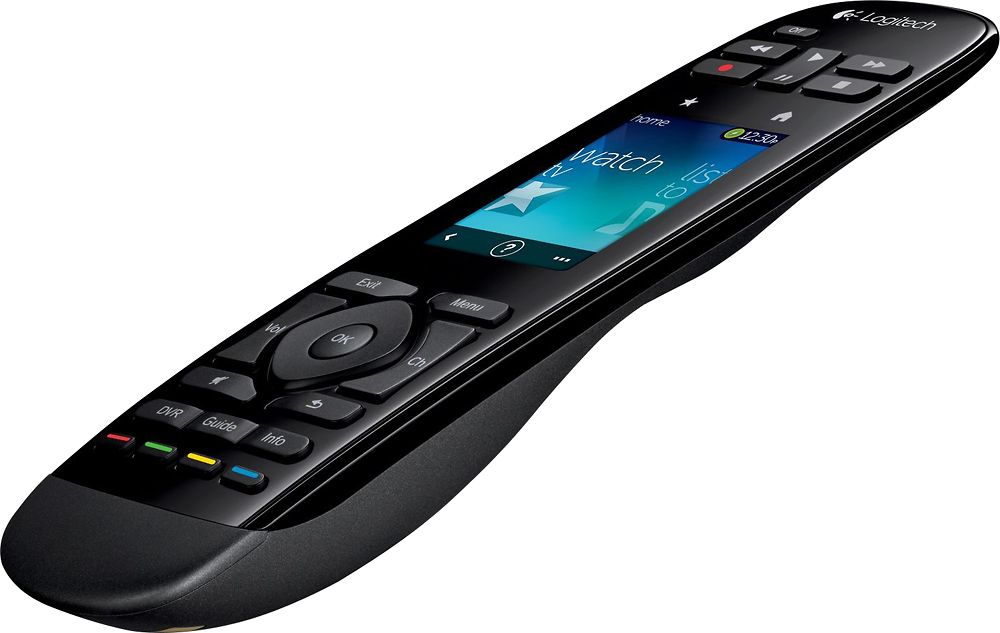
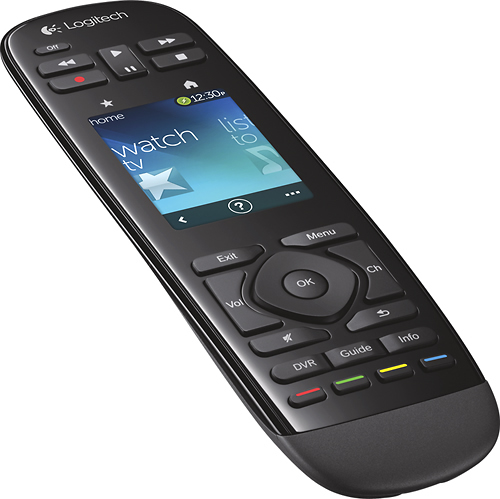
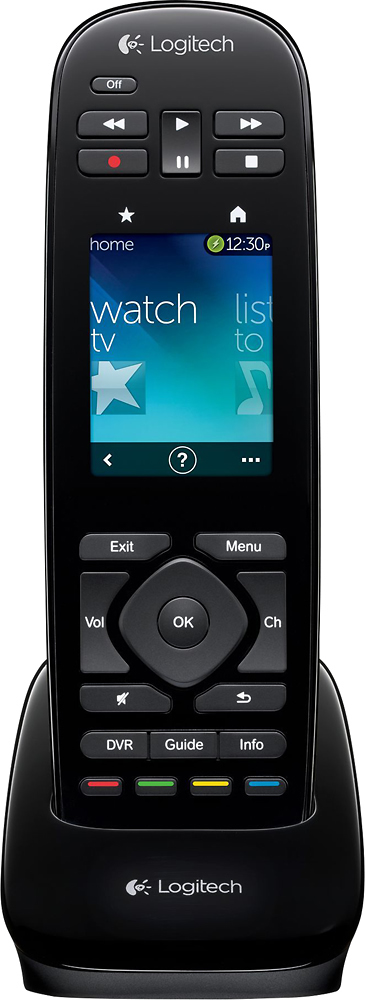
- Model:
- 915-000198
- |
- SKU:
- 6500555
Customer reviews
Rating 4.2 out of 5 stars with 1138 reviews
(1,138 customer reviews)Rating by feature
- Value3.8
Rating 3.8 out of 5 stars
- Quality4.1
Rating 4.1 out of 5 stars
- Ease of Use4.1
Rating 4.1 out of 5 stars
Customers are saying
Customers regard the Harmony Touch 15-Device Universal Remote favorably for its ease of use, intuitive setup, and compatibility with various devices. Many appreciate its compact size and improved interface, along with the extended range. However, some users express concerns about the touchscreen sensitivity, battery life, and the price point.
This summary was generated by AI based on customer reviews.
Rated 1 out of 5 stars
Does not work with Vizio TV
||Posted .This reviewer received promo considerations or sweepstakes entry for writing a review.Could not connect to my TV. Support was not helpful
No, I would not recommend this to a friendRated 1 out of 5 stars
Too complicated for oldsters
||Posted .This reviewer received promo considerations or sweepstakes entry for writing a review.Highly overrated Gimme my buttons back GIMME my money back
No, I would not recommend this to a friend- Pros mentioned:Ease of useCons mentioned:Battery life, Price
Rated 2 out of 5 stars
Returning - prefer Harmony One
Posted .This reviewer received promo considerations or sweepstakes entry for writing a review.After having the Harmony One remote, I am not as satisfied with the touch and therefore i'm still going to keep and use my harmony one and return the touch. For the price, it's not worth it. Pros: - Easy to set up/transfer settings from harmony one to the touch - adding favorite channel right on the remote, instead of having to sync using computer - light weight - touch gesture is "cool", but pressing buttons is just as efficient Cons: - touch is not as responsive. Changing channels using touch pad not as accurate. I would have to look down at the numbers to see if i am accurately touching the right numbers. - lack of physical buttons, i.e help, devices, number pad, etc, makes having to click to get those options more time consuming than needed - ergonomically, it doesn't fit well in small hands. Pause/play buttons are located on top. While channel and volume button on bottom. Feel like i have to use 2 hands at times. - bad battery life. Battery will only last maybe 4-5 days, unlike harmony one which can last for weeks. When battery got so low i couldn't even use it. When the harmony one gets really low, at least i can still use it. - no auto back-lit. When in the dark and i pick up the harmony one, the remote will automatically turn on the backlight. With the touch, you have to press something first, then the backlight will turn on. - expensive - not worth the price of the touch feature. Overall, it is a great all in one remote if this is your first logitech all in one remote. However, after having the Harmony One remote for years, it's not up to par with it. This review is based on comparing it to the harmony one and there are no benefits i see to switching to the touch. Hopefully my One will keep lasting for a couple more years until they make a new touch.
No, I would not recommend this to a friend - Cons mentioned:Battery life, Ergonomics
Rated 1 out of 5 stars
Worst Harmony I have ever used
Posted .This reviewer received promo considerations or sweepstakes entry for writing a review.I bought this remote to replace a Harmony 880 that was getting old and the power button was broken. The design on this remote is so bad. There is no tilt sensor, so when you pick it up the back light doesn't turn on. So when you are using it in a dark room, you have to push a button first which in turn sends commands to your devices. The DVD controls are on top above the touch screen. So when you use them you hit the touch screen which sends commands to your devices. The IR emitter is so weak you have to point it directly at your device receivers almost comically or it won't register. Which then puts you in a half started command limbo where you have to use the troubleshooter. Also, the weak IR makes you have to hit the buttons twice most of the time. When I set up the remote to control my theater with a Panasonic VT50 TV it wouldn't change the HDMI inputs with the one touch command. Customer service was worthless; making me go through all these menus on the TV, like it wasn't the remote's fault. I finally just lied to the remote and told it I had a VT30 to make it work. I only use the remote for movies and Xbox which means I use the remote to turn it on, push play and then turn it off when I'm done. Every time I shut everything down I check the battery life on the remote to see if I have to plug it in. When it gets to about half life, the next day it will be 100% dead. I can't imagine how bad the battery life is if you use it to watch television where you are constantly changing the channel or using the fast forward button on your DVR. I honestly don't understand how this remote gets such good reviews, because it's so bad. I guess if you have never used a universal remote before, this one seems like magic. However, I own three other Harmony remotes and I have set up 2 additional for family members. I can honestly say this is the worst one I have ever used.
No, I would not recommend this to a friend - Pros mentioned:Ease of use
Rated 5 out of 5 stars
Awesome All In One Remote!!
Posted .This reviewer received promo considerations or sweepstakes entry for writing a review.Just took the remote out of the box and plugged it into my computer, then programmed my TV, DVD/BLUERAY, Cable Box, Surround Sound etc... in about 15 minutes. This is my first day with the remote, but it seems like this is going to be a great remote. I have tried other programmable remotes, but none of them allow you to have all the same options that this remote allows. What I mean is that you get all the same functionality that you had on your old remotes. It was even better that I got this on one of the Best Buy sales for under $100. I would probably never even of considered this remote at $299, but it would be worth the $299 even though I'd have a hard time spending that much for a remote. This is a must have!! I will likely buy another one when it goes on sale again.
I would recommend this to a friend - Cons mentioned:Battery life, Software, Touch screen
Rated 1 out of 5 stars
What? they replaced a good model for this.
Posted .This reviewer received promo considerations or sweepstakes entry for writing a review.I have been using Harmony remotes for the past 10 years. They were great, then Logitech took over. It seems the software gets dumber and dumber, losing critical advanced programming features, necessary for many installations. This version is their worst. Now they release this 'touch' A touch screen remote is never a good idea, touch screen are great for a device you are interacting with, but a remote you are interacting with the TV, not the remote, so you want your eyes on the TV not the remote. Not intuitive. They also moved the critical and often used DVR buttons to the top, which is not reachable without changing your hand position. Then there is the touch screen, and it's "gestures" There are only five you can program, you can't do this through software but must do it on the remote, again non-intuitive. But it does not default to this state, so you not only have to activate your current activity, you then must hit the gestures button after to activate the touch screen. This touch screen is no iPhone either, it does not work well, it misses a lot of commands, and there is this little help '?' at the bottom that is constantly getting hit taking you to a seemingly endless loop, again not helpful. To be honest this feels like it was designed by people that have never used a remote control, TV or another other audio device, nor an iPhone/touch screen device. It seems like they were trying to complete a checklist of features: touch screen; check, black; check, fewer buttons; check... none of which they do well. And for $250 it is very expensive considering it is still an IR only universal remote, no RF, no bluetooth, no replaceable battery, the software is their worse yet (web based only, with a very poor and buggy interface) This could have worked if they would have: Left all the buttons on the bottom where your fingers are. Made the touch screen gestures default to on, let the user add more gestures (5 is not enough) replaceable battery add RF and bluetooth more than one activity per screen right now you only get one, the screen is larger that the Harmony One but yet they allow much less information. and I am sure a hose of other items... or just listen to your users and not the marketing people that have people to operate the remotes for them. They should have never discontinued the Harmony One. I for one will be looking for another company to supple my universal remotes from this point forward.
No, I would not recommend this to a friend - Pros mentioned:Setup
Rated 3 out of 5 stars
Great idea, but needs some work
Posted .This reviewer received promo considerations or sweepstakes entry for writing a review.I received this remote for free as part of the testing group during product rollout. Thank you Logitech! I'm a longtime user, first owning a Harmony 880, then a Harmony One (our current remote). After a week or so with the Harmony Touch I have to say it's a mixed bag... First off, I love the new interface, the swipe and scroll on the screen is very nice and responsive. It takes some getting used to, and I find it takes a moment or two to find the screen I'm looking for, I guess I'm not an icon guy, I prefer words. I also like the fact that I can make changes on the remote (order of buttons, etc.) and it gets absorbed back into the online file. That's a great function. Next, the conversion from my existing logitech software to the new web-based setup was easy, but it left me with some problems on the new remote: The favorite channel screen seems to want to turns on my TV, not the receiver and DirecTV. So favorites is not a one-touch, I have to turn the system on first, then use the favorites to set the channel. I still like the concept, just sad that it doesn't work the way it was designed. Next, I am having problems with my 3 zone receiver (Yamaha HTR-5990). I have my Hamony One set to turn most events using only Zone 1 on the desired input. Only two of my selections (Roku Soundbridge) turn on all three zones, as Zone 2 and 3 are used for background music. The new Touch wants to power up every single zone every single time, which is not what should happen. When I try to edit the sequence of power up events, I can't change it, it seems to be locked, as if it was set up with an "ALL ZONES ON" command. I have to admit, I'm stuck on this one. (I think I may be able to add additonal steps, like a KILL ZONE 2 and KILL ZONE 3 command to most of my sequences). The device needs more flexibility in the command sequences. I would love to have the old programming software work with the new remote. With the older software, I could do almost anything. With this said, for a typical user (directv or cable, dvd, blu-ray, tv and standard receiver), this remote would be wonderful. My extreme demands (multi-zone receiver, networked media players, etc.) are the only limiting factors I have that prevent this from getting top marks. It just seems limited. I really do love the touch screen and the ability to make changes on the remote that feed back to the online profile. That's cool. I just can't get it exactly the way I like it, while the Harmony One does a great job. Another reviewer mentioned a combination of this scroll screen with the programmability of the Harmony One would be awesome. I agree. I hope the problems can be fixed in time, until then I will keep trying to program it while using the old remote and hoping I can get this one to work the way I want. If I was recommending a Remote, for now I would still recommend the Harmony One (SKU 8631411) without reservation.
No, I would not recommend this to a friend - Pros mentioned:Ease of use
Rated 2 out of 5 stars
Disappointed
Posted .This reviewer received promo considerations or sweepstakes entry for writing a review.I had high expectations based upon the numerous reviews that I read and overall high rating. However, after two weeks I ended up returning it, while I found that the product was incredibly simple to set up, just follow the instruction to the T and enter your components online and follow the onscreen wizard and works great. The ease of set up for the device, is 5 star. Unfortunately the device wasn't all that great, I used it a handful of times, and the rest of the time it sat in the cradle, as I was still using the other remotes, multiple remotes was more convenient than the Harmony.. The concept is great, my problem is that the IR receivers on each of the devices don't always receive the signal, the TV is mounted on the wall and components are in a piece of furniture below the TV. You would have to stand at least 13 feet back which in our room that is 14 feet deep meant you had to stand at the back of the room to get everything to turn on. When we were far enough back, everything would turn and off according to what was selected from the touch screen, unfortunately this device does not have an RF receiver and IR blasters so it doesn't work well if there is any type of space between components, also for those who want to put things in cabinets and closets, it won't work. For a retail price of $300 I would have expected better. Additionally the straw that broke the camel's back for me, and ultimately ended up in a 2 star rating (the only reason I didn't give it 1 star is the remote is incredibly simple and easy to set up, (1 star for ease of use) just on set up alone, it gets 5 stars) was that this didn't work well for our Tivo, I use the 30 second skip button to skip through commercials on a regular basis, and this device doesn't have the 30 second skip button, so the whole point of remote consolidation failed miserably as I still found that I would only use the Tivo remote because of the 30 second skip feature, also the smart functions for the television worked mediocre, so it was easier to just use the television remote, and at that point, we were using different remotes anyways, so I was incredibly disappointed and I got this on a deal of the day for $100 and felt that it wasn't worth the money at $100, so I absolutely don't recommend this at $300, for some people $100 might be okay, but realistically I wouldn't pay more than $50 for this remote, the programming is better than other universal remotes, it was easy to set up, however, the full function, was not there, the biggest glaring missing function was the 30 second skip for DVR users, it has the instant replay button but is missing the more commonly used skip button, I don't why they couldn't have put an extra button for 30 second skip on the remote, that would have definitely raised my rating, (probably 3.5 stars because it is still pricey and doesn't have RF)and I would be willing to recommend this to others. However, given that there is 4 feet between the extreme IR devices it didn't work all that reliably at 10 feet away, so I'm not a fan. In my opinion I think the engineers who designed this product missed the boat, the lacking RF functionality and poor angle for RF combined with the missing 30 second skip make for a poor product, before this went into production, it wouldn't have been that big of deal to include a 30 second skip button and couldn't have raised the cost much than $0.01 per unit for 1 more button, and support for RF would have been great, even it was an add on with blasters, but the fact that you can't even add it on just boils down to poor execution of the product design.
No, I would not recommend this to a friend - Cons mentioned:Touch screen
Rated 4 out of 5 stars
A minimalist approach
Posted .This reviewer received promo considerations or sweepstakes entry for writing a review.I'll start by saying I've used several models of Harmony remotes for several years now. I was surprised to get this remote for free from Logitech as a tester. So thank you for that! I'll show my appreciation by leaving a detailed review. I rate the Touch just behind the One overall. The One is what I used before the Touch and have gone back to since trying the Touch for a couple of weeks. A few reasons: 1. The buttons I use most often are DVR controls...play and fast forward. On the Touch, these buttons are at the top above the screen, on the One they are below the screen. I find it clumsy on the Touch to use my thumb for some buttons (below the screen) and my pointer finger for others (above the screen). I prefer the button layout on the One. 2. There aren't any spare buttons on the Touch that can be programmed to perform alternate functions. On the One, there are a few "empty" buttons I have programmed to be "replay" and "30 second skip". I don't have the option to do this on the Touch. 3. I hate the glossy/shiny black finish on both remotes. It doesn't stay clean for long and it's a pain to clean. Looks great for press release photos and when it's new out of the box, but that's about it. I would love to see a remote that uses the same grey material on the back of the Touch, throughout the entire remote, but in a darker black color. This would be less slippery and stay cleaner looking longer with no smudges. That said, there are a few advantages of the Touch over the One: 1. The touch screen is nicer. I wouldn't have expected anything less with how advanced cell phone screen technologies are. If the touch screen on a brand new Harmony remote were lacking, I'd be surprised. 2. There is less clutter, less buttons, and the remote is smaller overall because of this. I list this as a plus, because it might be to some people, but I realize I listed this as a negative above. I personally don't mind the larger size of the One and the extra buttons. But some people may prefer the simpler design of the Touch. 3. The "gestures" function is nice. You can stop, play, pause, rewind and ffwd using a swipe of your finger. But since the Touch layout eliminates hard buttons for the keypad, it's a bit clumsy having to switch back and forth between the soft keypad and the gestures screen. Sometimes you forget you're on the keypad screen and go to use the gestures unsuccessfully. Not sure if you can add custom gestures, but that'd be nice for things like replay and 30 second skip. Again, overall I prefer the One. The button layout feels more natural, yet there is still a functional touch screen on it. If they would release a remote with the button layout of the One but a more up to date touch screen, I'd be all over it.
I would recommend this to a friend - Pros mentioned:Ease of use, SetupCons mentioned:Price
Rated 5 out of 5 stars
Logitech hits a home run
Posted .This reviewer received promo considerations or sweepstakes entry for writing a review.This is my first review thought I am a tech geek and buy everything gadgets. I've bought 3 other Harmony remotes and this one is by far the best. It's very easy to setup your devices. The software prompts are in plain easy to understand English. I like that their is no software to install It worked properly the first time I set it up. I think the only drawback is the price point. I suppose you got to pay for the technology.
I would recommend this to a friend - Cons mentioned:Ergonomics, Touch screen
Rated 5 out of 5 stars
Great replacement for One
Posted .This reviewer received promo considerations or sweepstakes entry for writing a review.The remote is a big improvement over the One in many ways such as: -the huge touch screen -change settings on remote -reconfigure the remote directly on the remote using big screen -inclusion of favorite icons -dedicated buttons for Red, Green, Yellow and Blue functions used by almost all DVR's -Gestures - great for page up/down and Skip Back/Fwd -After two weeks very comfortable in hand now although took a while to find the sweet spot Cons: -Not having two sets of back/fwd buttons -No dedicated skip fwd/skip bkwd button - -s on screen now and just not as convenient -Screen takes getting used to -Where to hold takes getting use to -Placement of trick play buttons seems really odd at first - did adjust though -Tech support did not know how to reorder the Activities - took multiple tickets and turns out it is really simple on the remote directly -Sure tech support will improve as they also get more use to the remote
I would recommend this to a friend Rated 4 out of 5 stars
Harmony....evolved.
Posted .This reviewer received promo considerations or sweepstakes entry for writing a review.I wish to thank Logitech for sending me a free Logitech Harmony Touch to use and review, and then keep !!! That's a class act. In no way does receiving this remote free of charge affect my review - I have spent hundreds on Logitech products and I never have major issues....so call me biased if you wish, but if Logitech make a product that fails or what have you - I'll call them out on it. I'll start with any slight negatives I have regarding the remote. I was unimpressed with the length of the usb cable that accompanies the remote - its only 2 feet long...requiring me to leave the remote lying on the floor while programming when I am using my main desktop computer - the cord does not reach up to the desk. Those using a laptop would not have this issue so it's minor - but the standard size cord I received with my Logitech Harmony One would have been nice. Also...and maybe it's due to size demands, but why the micro USB...? Very Apple-esque to change the connection type from mini USB like my previous Harmony remote. Now I need yet another cable. But it works fine and not really a gripe - just an observation. Another slight negative is the use of Myharmony.com being required to set up and program the remote. I was used to using the PC software program as I did with my Harmony One and like it. Although, I can now program all remotes I have using the website - so that's a plus. The web version appears to work as it should but has some bumps in the road...I am a techie and I was slightly at odds with how the software was setup...sometimes selecting an activity to edit or a device to edit brought me to the same menu...which was confusing....but it works and that's what matters. Gestures....this is very nice. Those of us who have smartphones will easily get used to the swiping gestures you can use to go thru menus and channel guides. Also, gesturing can be used to rewind/fast forward, play/pause while using DVR, and BluRay/DVD functions. On that note, one minor setback I experienced that appears cannot be fixed. The remote gestures screen uses a combination PLAY/PAUSE function by tapping once on the screen. This works...but when fast-forwarding or rewinding while watching DVR or disks, tapping play to resume watching actually pauses your show, requiring you to tap the screen again to play. I have gotten used to double tapping the screen and this solves it - or you can use the transport buttons (FF, RW, Play/Pause# at the top of the remote. The manual and my own tinkering shows that you can edit the gesturing commands for these functions but regarding Play/Pause....there is one function only - the combo. These are two separate commands and I should be able to assign one tap for play if I wanted. However, it is nice to just tap the screen once to pause your show, and then tap again to resume watching. I have no complaints per se but it would be nice to have the option to edit the play/Pause function as I wish. In default - it works just fine....just my opinion. Another great feature that improves upon the harmony One remote is when needing to access buttons or commands for devices. On my One remote - it was easy to get to what I needed, but I had to arrow thru many screens to find my button or command. Of course, I could edit them and bring them to the front screen but as long as they are there I am fine. On the new Harmony Touch, simple swipes up or down like using an iphone bring my commands and buttons I need within reach. Smooth and fluid, my buttons slide up the screen and I can easily change sound modes on my receiver, or change the format of my TV. Very nice - and all customizable and moveable. The remote design is very nice as well. Although I use gesturing for transport #FF/RW# functions nowadays, I thought I would dislike having the transport buttons at the top of the remote. Thankfully, the Harmony Touch is 1/3 the size of my Harmony One, and they are easy to reach. As I said, I use gesturing now....a simple swipe to the right fast forwards my show. Easy. The backlighting #white# on the remote buttons is nice, although seems to be less bright than my Harmony One...possibly due to battery considerations. It's bright enough but wish it could be brighter...#my brightness slider is all the way up#. The underside of the remote has a great feeling grippy textured coating that keeps the remote steadily in your hand. Nice touch. A feature I did miss that I have on my harmony One....is the motion sensor. When picking up the Harmony One, the remote lit up and was ready for me to use it. Not so on the Touch. A simple tap on the screen or a button press wakes it up, but I miss that. I am sure it's better for battery life - as I know a simple movement on the couch and my One remote would come to life needlessly. I keep mentioning battery....Hmmmmm. The manual says the Harmony Touch has a "non-user replaceable battery"....sounds like an Apple product. My harmony One remote has a battery I can replace and this came in handy when mine died prematurely and Logitech sent me a new one, solving my problem. Hopefully that won't happen with the Touch. Although, in the manual it also states that at "end of product life" you should remove the back of the remote, unplug the battery pack and dispose accordingly. Hmmmm...that sounds user replaceable to me. I can unscrew a back off, and plug a new battery in....as long as Logitech or a third party has a replacement available. Hopefully it will last a while. Manual says battery should last three days on a full charge...my One remote lasted about a week before dying....so this is about right. A new larger touch screen hogs juice. A new stand up charger included with the remote is nice looking, and convenient - just plop it in before bed every night, or two, and you should be fine. Favorite channels -- I used this feature on my One remote but it's at a new level on the Touch. The Touch has a new higher resolution screen which allows me to now see the icons I program clearly. The favorites are set up using your zip code and then populates your web software with your Cable companies channel listing...something I did not have access to on my One remote...another benefit of the new web software - although I can see this being possible with the PC harmony software. You can select up to 50 channels and you can move them however you wish on the remote. Accessing them is easy - press the "STAR touch button" above the screen and your favorites show up as iphone-like app icons you just swipe up or down and then press to select. Again, those of you familiar with smartphones or iphones will be much at ease with how this works. There is a website called Iconharmony.com that you can download specific or updated channel logos to use as your favorites icons...if the ones you want or need are not in the list that Logitech provides. You can also use Google search for channel logos and download those pics to a folder to use as well....there are size limitations to use smaller files. This remote is definitely an upgrade from my Logitech One remote and cannot thank Logitech enough for being gracious and giving me a new Touch remote for free. When I need a tech product and Logitech makes that item, I buy from them. Be it a mouse, keyboard, speakers, cables, etc. - I use their products - they always work and they stand behind them. I have spent from $39 to $199 on Logitech Harmony remotes and have earned the right to criticize, complain, and compliment them. They make a solid product that works. This remote is no different. One thing I will say is that this remote is a little more advanced than even the Harmony One, which before this remote, I thought was very advanced. Logitech keeps evolving - my point is that the Touch, in my opinion, is for serious upgraders from lower tier universal remotes, or harmony remotes and for those familiar with harmony's functions. A person new to the world of internet programmed touch remotes with activity based functioning may be dazzled and turned off by the wizardry that is the Touch. The Harmony One, with more labeled buttons and recognizable functions would better suit a beginner....the Touch is for tech savvy folk already familiar with smartphones, tablets, and Harmony remotes. That is not to say a beginner could not get this remote and become a master at using it. Just being honest and helpful. My six year old daughter ignored my harmony One remote #for two years# even though I thought it was the bee's knees. She saw me open the very Apple-esque packaging for the Harmony Touch #which was oddly similar to an iphone 5 package - only larger# and once charged and ready, could not wait to use it. As I was explaining to her it was similar to my One remote, she said "I know how to use it" and pressed the screen for watch TV - held the remote at my system and once everything was on, asked how to get to her channel. I told her to press the star button #favorites# and then she scrolled to her channel #Disney HD# and was immediately watching A.N.T. Farm within seconds. So as you can see, my six year old with minimal instruction began using it. I don't know what that says....she is in a tech house so maybe she's ahead of the curve. As with all harmony remotes, the HELP function works as it should. Something not turned on...? Babysitter doesn't know what she did now nothing works? Simply press the Help button #?#...keep the remote pointed at your system and answer the on screen questions. It knows your system and will correct any issues such as turning this or that off or tuning to correct input for the TV. Friends and family are still amazed when they are told of this function. Way to go Logitech on another solid product.
I would recommend this to a friend- Cons mentioned:Price, Touch screen
Rated 3 out of 5 stars
Good - But not as impressed as I'd hoped to be
Posted .This reviewer received promo considerations or sweepstakes entry for writing a review.I bought this remote so I could send the Harmony 650 that I was using in my bedroom to the living room. I have a Harmony One in my theater room upstairs. I've slowly turned my bedroom into my second "theater room" with lots of equipment. Decided I would use the Touch in the bedroom since that's where we watch TV 90% of the time now. I used it for about 1 month then sent it upstairs and brought the Harmony One down. Here's why I like the One better - Button placement. The Touch feels great in the hand, it really does. Problem is that the buttons most commonly used are at the top of the Touch which makes it kind of hard for no-look, one-hand operation. The One on the other hand is easy to use without looking. I hoped it would just take a little getting used to but that didn't happen for me. The other thing I like better on the One is the fact that motion wakes up the remote, whereas on the Touch it wants you to actually touch the screen to wake it up. Too easy to touch once to wake, then accidentally touch again possibly sending a command you didn't want. Happened to me a few times. I've owned many Harmony's over the years and for the price, this one I'm least impressed with. I would take the One over this any day. If I had paid full price for the Touch (basically bought it for same price as One - long story), I would have returned it in a heartbeat. For the theater room I go in once a week - I'll keep it.
No, I would not recommend this to a friend - Pros mentioned:Setup
Rated 5 out of 5 stars
Easy to use
Posted .This reviewer received promo considerations or sweepstakes entry for writing a review.I've had an older Harmony that needed replaced after years and was hesitant on going with the touch screen. After setting it up and using it, it was worth the upgrade. The touch screen feature is actually very nice and have had no issues with it at all. Also easy to set up from the old remote.
I would recommend this to a friend Rated 4 out of 5 stars
Beautiful, Advanced Remote
Posted .This reviewer received promo considerations or sweepstakes entry for writing a review.This is my second Harmony Touch, the first being in the den and this one in my bedroom. The remote is easy to use once you get used to it, but it's touch screen means you will most likely have to look at it to perform any advanced functions. Thankfully most functions are done through the physical buttons. These remotes are easy as pie to program and keep up to date with the latest software, simple to charge with the stand-up drop-in charger and work with just about any device on the market. They aren't perfect, but pretty darn close.
I would recommend this to a friend- Cons mentioned:Software
Rated 5 out of 5 stars
Excellent Easy Software
Posted .This reviewer received promo considerations or sweepstakes entry for writing a review.This is a very good, truly universal remote. It can truly replace your existing remotes (minus few RF-only devices like a Wii or some uncommon DVRs). It has a wide blaster that can usually hit all of your devices in the general direction (with line of sight open or glass). This uses the newer MyHarmony software which is excellent, very polished, and easier to use, which would be great even for someone who isn't as tech savvy. I really like the polished look of the software, intuitive use, speed, and drag-drop to buttons on the remote picture. You can configure everything for any device in the activity. You can add, remove, or reorder soft buttons for any available action from any device in an activity. You can configure any of the physical buttons to any device too. Plus it can learn buttons from your existing remote if you need to teach it one that it doesn't know. The MyHarmony version doesn't seem to know as many buttons as the older software, such as my TV ratio buttons to directly toggle to 16:9 or standard or zoom. The harmony database often knows more buttons than your actual device remote had available, but the old software had even more, at least for my devices. You can also make modifications directly on the remote, which will save back later if you synchronize to the website again so they are not overwritten. The touch screen also offers gestures that you can map to anything, although fairly limited to 5 - tap, swipe up/down/right/left, such as to swipe right to fast forward.
I would recommend this to a friend - Pros mentioned:Ease of use
Rated 5 out of 5 stars
Love it!
Posted .This reviewer received promo considerations or sweepstakes entry for writing a review.I waited for a sale and purchased it. Easy to program. It is SO wonderful. You will wonder why you never purchased this type of remote before. Went from 5 remotes to one.
I would recommend this to a friend Rated 5 out of 5 stars
Can't get much better
Posted .This reviewer received promo considerations or sweepstakes entry for writing a review.I now have 2 of these. Bought both of them when they were deals of the day. I have 5 Harmony remotes in all and love all of them. Once you set up your "my harmony" account and get everything synced it is easy to reprogram any of them. I constantly buy new components and it is so simple to add or delete devices. My living room one controls my tv, satelite box, roku, blu ray player, soundbar and chromecast with no issues. My man cave controls tv, blu ray, 2 cd changers, receiver, satelite box and chromecast. It is easy to add activities and if something doesn't work you just hit help and the remote will try and fix it for you. Just found that you can put your own photo on the screen as the background. Pretty cool. Highly recommended.
I would recommend this to a friend- Pros mentioned:Ease of use, Size
Rated 5 out of 5 stars
I love this remote
Posted .This reviewer received promo considerations or sweepstakes entry for writing a review.I have used many Logitech Harmony remotes over the years and this is by far my favorite. It fits perfectly in my hand and unlike others, I have no problems reaching the top buttons. I love that you can make changes to the remote on the remote without having to always plug it into your computer. It is great that it comes with a charging cradle, and has battery icon as well as the time on the touch screen. You can lock the touchscreen so you have to swipe to unlock which comes in handy. This remote is better than I hoped.
I would recommend this to a friend Rated 4 out of 5 stars
A very good remote, with a few quirks
Posted .This reviewer received promo considerations or sweepstakes entry for writing a review.First off, this remote is pretty good, not great so I only gave it a 4 star rating. The power button is easily confused for the rewind button and I have found myself hitting it instead of the rewind. That being said, the buttons on top are a little awkward as well. I wish they would have been placed below the touch screen. Other than that, the remote works pretty well.
I would recommend this to a friend