Customer Ratings & Reviews
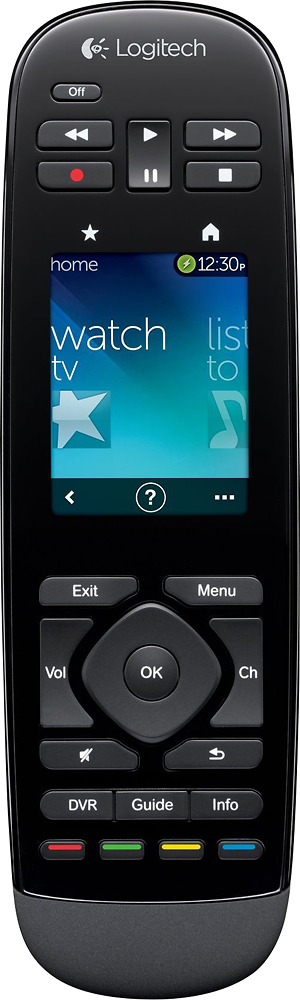

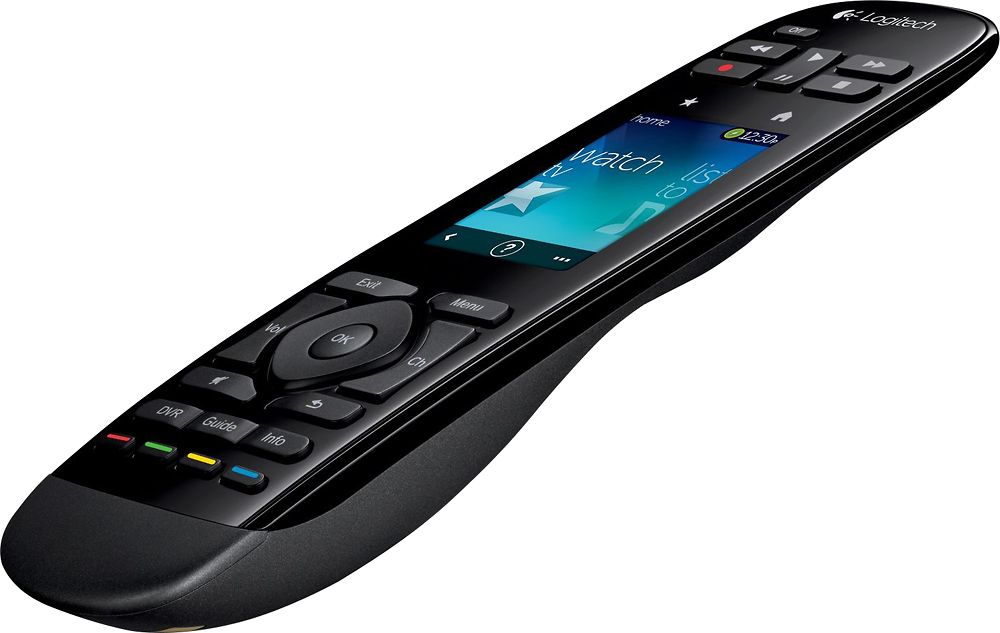
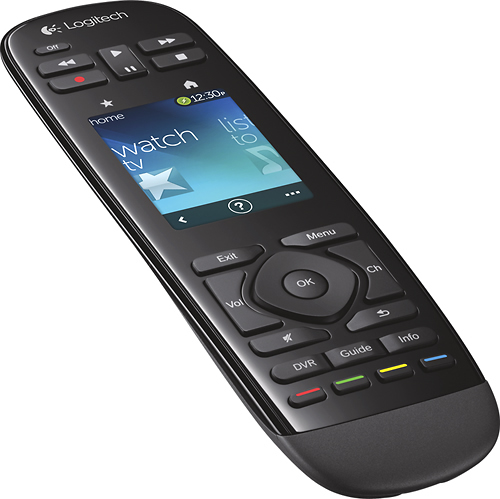
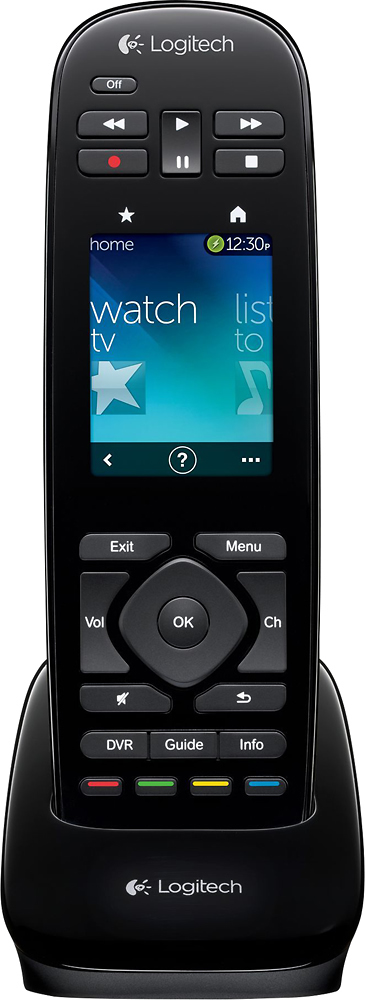
- Model:
- 915-000198
- |
- SKU:
- 6500555
Customer reviews
Rating 4.2 out of 5 stars with 1138 reviews
(1,138 customer reviews)Rating by feature
- Value3.8
Rating 3.8 out of 5 stars
- Quality4.1
Rating 4.1 out of 5 stars
- Ease of Use4.1
Rating 4.1 out of 5 stars
Customers are saying
Customers regard the Harmony Touch 15-Device Universal Remote favorably for its ease of use, intuitive setup, and compatibility with various devices. Many appreciate its compact size and improved interface, along with the extended range. However, some users express concerns about the touchscreen sensitivity, battery life, and the price point.
This summary was generated by AI based on customer reviews.
- Pros mentioned:Ease of use
Rated 5 out of 5 stars
Best smart remote for $250 on this planet!!!!!
Posted .This reviewer received promo considerations or sweepstakes entry for writing a review.This is simply the BEST remote you can possibly own. If the Logitech people took this long to come up with this next generation remote then it was well worth the wait. The only issue was transferring data from the old remote but the customer service help desk at logitech will do everything for you. They will actually program your remote!!! The feel and ease of use are a major upgrade from anything I have ever seen. The 50 favorite channels on the touch screen are simply amazing to have at your finger tips. This was always a feature that the $2000 Crestron remotes always had. Awesome. Just buy the remote and then call the 1800 Harmony tech support to set it up for you!!!!
I would recommend this to a friend - Cons mentioned:Touch screen
Rated 4 out of 5 stars
The bad reviews are on minor issues.
Posted .This reviewer received promo considerations or sweepstakes entry for writing a review.I had a few reservations about this remote after reading some bad reviews regarding the touch screen, navigation and button placement. At Best Buy they told me I could return it within 30 days if I didn't like it, so I took a chance and I'm very happy with the remote and will keep it. Regarding bad reviews on the touch screen, sure it isn't exactly an iPhone, but I had no problem using it and it works fine. The button placement at the top of the remote and navigating layers of menus on the touch screen are seriously minor annoyances. I was especially impressed when I was setting it up and one of my devices was not supported. I got that particular device's remote and trained the Harmony Touch how to accept it through their set up process. I'm happy with it!
I would recommend this to a friend - Pros mentioned:Ease of use
Rated 5 out of 5 stars
Don't listen to the nay sayers
Posted .This reviewer received promo considerations or sweepstakes entry for writing a review.Despite reading numerous negative reviews, I decided to give this remote a chance anyway. I just completed my second TV room in house and needed a universal remote so that my kids and wife would be able to operate all of our new equipment. The last remote I purchases was an RTI T2C and the total cost of that remote including professional programming was somewhere in the neighborhood of $1,500. The RTI is a great remote but what I learned from my last experience is when you buy a higer end remote that needs professional programming, its a pain in the nect every time you want to make any kind of a change to your set up. This time around, my requirements were simple, buy the best possible remote that I can program myself and that would do everything I needed it to do. My new set up includes a Panasonic VT50 Plasma TV, Pioneer Elite SC-65 Home Theater Receiver, a Oppo bd 103 Blu Ray Player and an XBox360. To be clear, I have never purchases a Logitech Harmony product before, nor have I ever programmed a universal remote so basically, I am a rookie. The programming was simple and quick. Very intuitive. Took me mayber 10 minutes and didn't run into any issues. The remote works as advertised and I am extrememly pleased with my purchase. I have a feeling some of these negative reviews were written by people with completely unreasonable expectations. My only disappointment is that I didnt purchases one the last time around.
I would recommend this to a friend - Pros mentioned:Ease of use
Rated 5 out of 5 stars
Great remote
Posted .This reviewer received promo considerations or sweepstakes entry for writing a review.Saw this remote while browsing my local Best Buy in Canton, Ohio. I tried searching the net for info and found nothing.I went ahead and purchased, 1 week later Logitech officially announced it. So far it working great, easily setup with my TWC lineup for favorites. Love it. Whats even better is I made it on Engadget and provide them a few pictures as no one new anything about this remote. http://www.engadget.com/2012/09/29/logitech-harmony-touch-best-buy-leak/
I would recommend this to a friend - Pros mentioned:Ease of use
Rated 5 out of 5 stars
Even my wife can use it.
Posted .This reviewer received promo considerations or sweepstakes entry for writing a review.This remote is great. I got it on sale for $99 and it is the best buy I could have made. Setup was seamless running my 70" sharp, Marantz Reciver, Apple TV, and DVR cable box.
I would recommend this to a friend Rated 4 out of 5 stars
Good features
Posted .This reviewer received promo considerations or sweepstakes entry for writing a review.This is my second harmony touch. The first one I have works great after several software updates from Logitech, it has become a great remote. This remote is being used for devices that are behind a glass door, so I don't feel like the IR works very on this remote. I had a harmony 880 before on the same devices that this harmony touch struggles.
I would recommend this to a friend- Pros mentioned:Ease of use
Rated 5 out of 5 stars
One Sweet Remote !!!!
Posted .This reviewer received promo considerations or sweepstakes entry for writing a review.So far I really am impressed with the new interface on this Remote. As I have several of the older and recent previous versions. Very well laid out and very easy to upgrade from older models. Its also nice that you can re- arrange Icons on the remote with out have to login to the interface. Well done Logitech. They took a very good thing and made it better.
I would recommend this to a friend - Pros mentioned:Ease of use
Rated 5 out of 5 stars
Fantastic
Posted .This reviewer received promo considerations or sweepstakes entry for writing a review.Could not be happier with my remote. Replaced older Harmony 880 & there is no comparison. Very easy to set up. Works great. Not sure how i lived without it.
I would recommend this to a friend Rated 5 out of 5 stars
Very nice remote
Posted .This reviewer received promo considerations or sweepstakes entry for writing a review.This is the first universal remote that I have owned (aside from the Directv remote). My home theater system has a new Cambridge Audio amplifier, which was not detected by the Directv remote. Therefore, I was in the market for a Universal that would control everything. Well, I found it and it's the Harmony Touch. I was a bit apprehensive (I mean, come on, it's 250 dollars for a remote) but the design, size and touch screen was so appealing I thought I would give it a shot. I looked at the reviews prior (which were not many, given it's new release) and knew there were a few issues. Overall, I'm very glad I purchased it. The set up was very easy and it recognized all of my components. A few caveats for those interested though. If you have a PS3 (which I do) you have to buy a bluetooth adapter which is about 50 dollars. I knew that, and went ahead with the purchase. There were reviews about it disconnecting your game controller...etc, but I have not had any issues with it thus far and it works just fine. Additionally, when you are setting up your remote, occasionally when you make a change or add/delete a favorite channel, the sync process gets stuck. I was all ready to write a bad review, and just tried to save and log-out of my harmony account. If you do this, it will sync just fine. A bit annoying, granted, but not that big of a deal. The commands and series allow you to do fun things such as program it to start Pandora on Directv if you know the order and sequence you would normally use (menu, down, down, down, right...etc.) although it's a bit like getting 30 lives in Contra, it pretty slick nonetheless. You can label the command, press it once and off it goes. I like it, at least. The touch screen design is great, and the colors are nice, but you have to be a bit careful when scrolling through your favorite channels. Occasionally, you will press one and it will change the channel. I can avoid this by making sure my thumb is on the outside, or inside of the actual icons. I wish there was a side bar to ensure this and completely avoid accidental channel changes, but again, it's not that big of a deal. In reference to some of the other reviews regarding not being able to program the keypad buttons; I've been able to program it to do anything I want. Whatever "activity" I'm currently using, will change the buttons automatically. For example, when I'm watching a bluray on PS3, the buttons are for the PS3. I don't change the channel, so maybe it is the case that the bottom buttons can't be changed (I don't remember from the account login), but that could easily be addressed with the touch screen. You can place any command for any device on the touch screen during an activity if you wish. Additionally, the channel button for my "watching tv" activity, is set to Directv. I would think that if you have a separate activity to "Listen to Satellite" the channel button would correspond. Anyway, overall I think it's a great remote so far and would recommend it.
I would recommend this to a friend- Pros mentioned:Ease of use
Rated 4 out of 5 stars
Good replacement for Harmony One
Posted .This reviewer received promo considerations or sweepstakes entry for writing a review.This was a replacement for a Harmony One remote. Harmony One's screen was damaged after being dropped too many time. Transfer of settings from Harmony One to Touch was very easy. However, I had to tweek a few settings manually for my surround setup. That process is great improvement from the Harmony One software. The owners' manual that comes with the remote is very limited. It does not guide you through how to navigate the various screens very well. You are left to discover the process by trial and error. Once that learning curve is self-mastered, the remote does a great job of performing the functions it is designed for.
I would recommend this to a friend - Pros mentioned:Ease of use
Rated 5 out of 5 stars
Wasn't sure at first
Posted .This reviewer received promo considerations or sweepstakes entry for writing a review.I have had my eye on a remote for quite some time now but never got around to actually buying one. My wife picked this up for me yesterday and I couldnt wait to set it up. Set up was a breeze just follow the directions. Once i had it set up i put all 6 remotes i had in a box and i havent looked back. Here is my list of components if your are wondering about what worked for me. Onkyo TX-NR609 Directv HR34-700 Apple TV LG tv LG bluray Xbox 360 Everything works great!
I would recommend this to a friend - Cons mentioned:Battery life
Rated 3 out of 5 stars
Step Down From The Harmony One
Posted .This reviewer received promo considerations or sweepstakes entry for writing a review.I was given the Harmony Touch as a replacement by Logitech when the screen broke on my Harmony One. This remote was definitely a step down for me and how I use my remote. However, since Logitech decided to discontinue the Harmony One, there really aren't any better options in the same price range. Positives: I do like the touch screen where you can save your favorite channels. Works well as a remote for the Xbox One. Negative: Fails many times to switch over from one console to the cable box etc. The touchscreen is such a pain when using the digital keypad, one of the biggest changes from the Harmony One with its press button keypad. Also they removed the page up and down button, you can still page up and down by holding the channel up and down button but its very slow and inconvenient. And the last big negative I'll touch on is the BATTERY LIFE on this remote because of the touch screen always needing to be used the battery life is terrible!! I have to recharge the remote about every other day! The remote is probably the best of what you'll find for the money but Logitech definitely has room for improvement on this remote!
No, I would not recommend this to a friend - Pros mentioned:Ease of use
Rated 4 out of 5 stars
Before you complain about the price
Posted .This reviewer received promo considerations or sweepstakes entry for writing a review.Before you complain about the price do an inventory of how many "programmable" remotes have in your junk drawer that you have given up trying to program. This one is too cool. You can even cut and paste logos in to the screen for you favorites channels if it doesn't find it. First time using turned everything on but would not turn of receiver It asks you if everything worked ok and when I pressed the no button it fixed it. Had other remotes that were battery hogs but don't worry about this one since it comes with a charging cradle.
I would recommend this to a friend - Pros mentioned:Setup
Rated 5 out of 5 stars
Great remote, simple to use and very responsive
Posted .This reviewer received promo considerations or sweepstakes entry for writing a review.I have used multiple universal remotes from different manufacturers and have to say that I have found Logitech to be the best and have had good experiences with them in the past. The Harmony Touch is by far the best I've had so far. The response time is phenomenal, hardly any lag at all. I was a little leery of having so few actual buttons but have found the touch screen to be very easy to use and still have enough buttons for the things that I want to do and not have to look at the remote. Setup is quite easy if you already have a harmony remote as it just imports all the settings from the old one saving some time. I also added a couple of new pieces and found that even more simplified than it had been in the past. Overall I have to say this is the best remote I have used… The only way I’ll be replacing this remote is if it breaks or they come out with one that matches the RF to control my fan and fireplace!!
I would recommend this to a friend Rated 4 out of 5 stars
Great Remote !
Posted .This reviewer received promo considerations or sweepstakes entry for writing a review.Originally, I had bought a Harmony 1100. It looked great but felt outdated compared to this one. I also didn't like that I had to use 2 hands to operate it and missed having a single handed remote. I read the reviews on this and saw that the touchscreen was way better than the 1100 (which was on sale from $400 to $250). I was amazed how much faster this thing was. I could scroll through many different items with the use of my thumb. I have to operate: JVC Projector. Onkyo receiver Emotiva amp. PS3 Samsung Blu ray Lutron light dimmer and this thing surprised me by having the ability to control - Darbeevision darblet ( Video processor). I'm still working on trying to operate all of the above efficiently as I have to swtich from amp/receiver control to lights ( which are dimmed down to near zero) and have to work in the dark a lot of times. The touchscreen is gentle on the eyes and not too bright when viewed in the dark. The keys light up well and help in controlling the receiver which I have to tweak with each movie so that the volume and subwoofer levels are just right. This remote has allowed me to put away 5 remotes and reduce the clutter on my sofa. The only real downside is that this still needs the adaptor for the ps3. Great remote. I am sure there will be more updates for the other remotes in the logitech series and this shows that they are on the right path with their new line of remotes.
I would recommend this to a friend- Pros mentioned:Ease of use
Rated 5 out of 5 stars
AMAZING!
Posted .This reviewer received promo considerations or sweepstakes entry for writing a review.I dont usually write reviews but with this product i had to.I purchased the logitech harmony touch this afternoon and after reading the easy to follow instructions i had it setup and programmed in about 20 minutes.the touch screen is responsive and easy to navigate.I have 5 devices set up with room for 10 more.I also like the fact that you can change the background with many of thier default options or choose a personal picture from your picture library.The sleek design feels good in the hand.I also like the fact that it comes with a charging station so no need to worry about batteries! my five remotes are now tucked away in the junk drawer.KUDOS TO LOGITECH for putting out a great product!
I would recommend this to a friend Rated 5 out of 5 stars
A Very Good Remote
Posted .This reviewer received promo considerations or sweepstakes entry for writing a review.I purchased this in-store at Best Buy, on sale about a week ago. I have used several Harmony remotes over the years, and programmed many more for family and friends. I purchased this remote to replace a Harmony One in my main home theater. I intend to keep the Harmony One and use it in another room. I was initially skeptical of this remote, based on mixed reviews here and on other sites. However, after using it for a week, I am no longer skeptical and find it to be a solid upgrade from the Harmony One. My system is very simple: TV, DirecTV receiver, Blu-Ray player, Apple TV, all connected via A/V receiver. This remote actually solves a couple of shortcomings of the Harmony One for my system. For example, the red/green/yellow/blue buttons are physical buttons on the Touch, versus having to be programmed on-screen on the One. Same with the "DVR" button, which brings up the playlist. The lack of a dedicated number pad is proving to be a very small inconvenience, since you can program up to 50 favorite channels. I think I favor the reduced size of the remote versus having the number pad. Since the remote has a physical "mute" button, I have re-programmed the long-press gesture to bring up the number pad and this works fine when necessary. It is true that having the transport buttons at the top of the remote is a small inconvenience; however, in my particular case, the way that I hold the remote in my hand to access the transport buttons has not caused any inadvertent button-presses on the touch screen. I have very small hands actually, and I have no problem reaching up to use the transport buttons with my index finger. I have never hit the "off" button by mistake, as others have reported. Of course, this will vary greatly, depending upon the size of one's hands and the manner in which one typically holds the remote, but it has not been a problem for me. I give the gesture pad mixed reviews. It works "mostly" fine, but if you are using it for fast forward/rewind on a DVR, you have to set the screen timeout long enough so that the screen doesn't go to sleep. If not, you will make mistakes, as the screen will be timing out inevitably when you want to stop moving forward or backward and you'll have to skip around. Gestures work fine for play/pause, since it's a simple tap or double-tap. Using a gesture to initiate fast forward or rewind is tricky if holding the remote in one hand, so I find the transport buttons are better for that purpose. Although, I may be able to solve that by reprogramming the gestures. One thing I know for sure it that I no interest in holding the remote in two hands, just to make use of the gestures. I see no issues regarding response times for button presses, as others have mentioned, including on-screen buttons. I've observed no noticeable difference between the Touch and the One in that regard. Programming the Touch is done over a new, web interface, unlike the program for the One, but the set-up process is very similar and very easy. If you are replacing another Harmony with the Touch, the web interface will retrieve it for you and set it up automatically. I really like the smaller form factor of the Touch, and find it easy to hold in my hand. I also found it very easy to transition my wife and kids onto the Touch, which was a big plus. Therefore, after one short week of use, I have declared "it's a keeper." If you are on the fence, I'd say get it (on sale) and maximize the use of your return period to give it a good trial. I suspect you'll be won over as I was. Good luck.
I would recommend this to a friendRated 5 out of 5 stars
Don't read early reviews... Great remote
Posted .This reviewer received promo considerations or sweepstakes entry for writing a review.I held off getting this remote because of early, poor reviews. I bought a new Epson projector at Christmas and my 5 year old "All In One" brand learning remote didn't support it. I have more than 5 devices so $75 remote wouldn't work. Between points and other funds didn't pay $199 for it (on sale locally because they haven't moved any units). EXCELLENT remote. Granted it doesn't have as many "hard" buttons as other remotes but it has limitless customization, you won't miss them. I have specific routines I needed it to do and the computer interface makes it really easy to change things. For some, it will be a little overwhelming at first but once you know the flows and the lingo,you can customize all the way to putting Wii icons, U2 album covers and Blu-ray logos on it for different functions. Even knew my Lutron remote fader in database. Hefty price but worth it
I would recommend this to a friend- Pros mentioned:Ease of use
Rated 5 out of 5 stars
Nice Remote
Posted .This reviewer received promo considerations or sweepstakes entry for writing a review.I have owned 2 logitech remotes before. The Harmony Touch is a great upgrade from the Harmony One. The touchscreen is nice and very responsive without being overly sensitive. The build quality of this remote also is nice. The program setup of components and activities is simple; just need the manufacturer and model # for all of your devices. The activities are cool. The button customization is a nice feature as is the gesture control, which may be customized as well, but that comes with a slight learning curve as well. One thing that the Harmony One had that this doesn't have is nicer icons for activities, and I wished that the background could to a picture. There might be a way to do it, but I haven't played with it enough yet to see. I like that more activities can be added to the ones already available.
I would recommend this to a friend - Pros mentioned:Ease of use
Rated 5 out of 5 stars
Great remote
Posted .This reviewer received promo considerations or sweepstakes entry for writing a review.So simple to use. Best harmony remote I've ever had
I would recommend this to a friend