Customer Ratings & Reviews
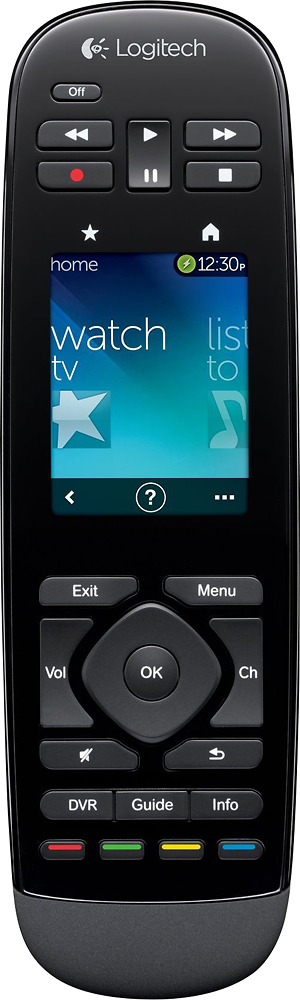

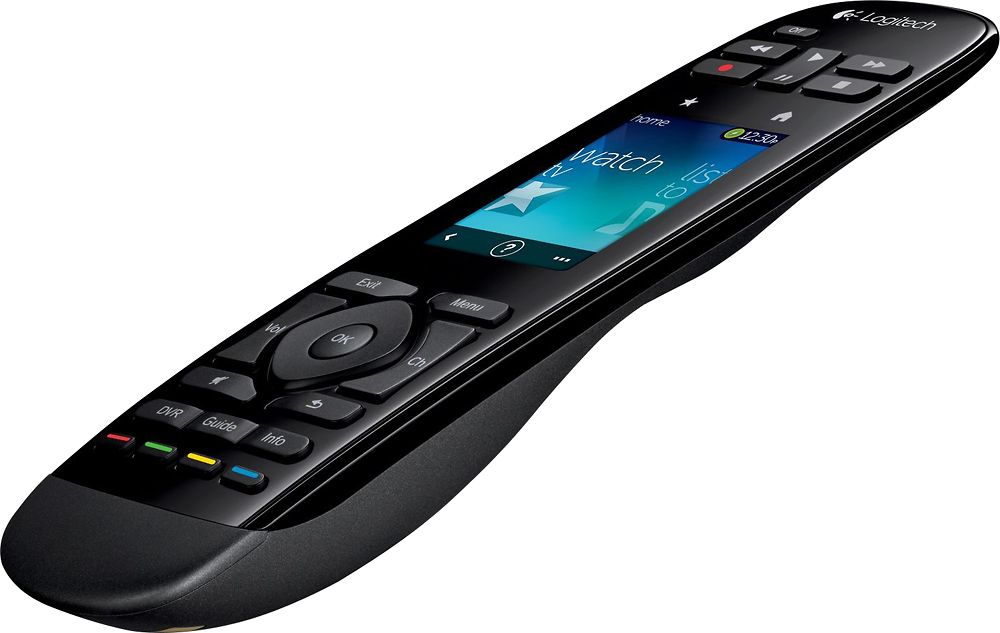
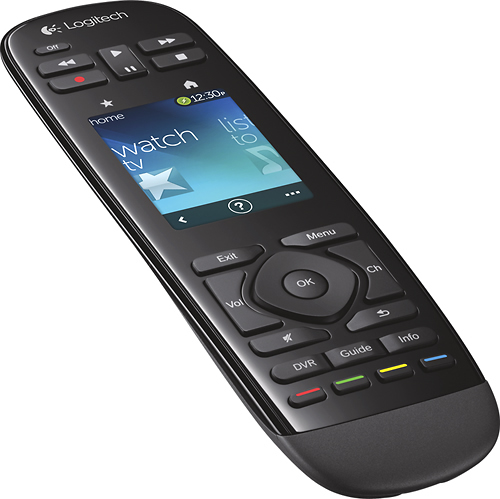
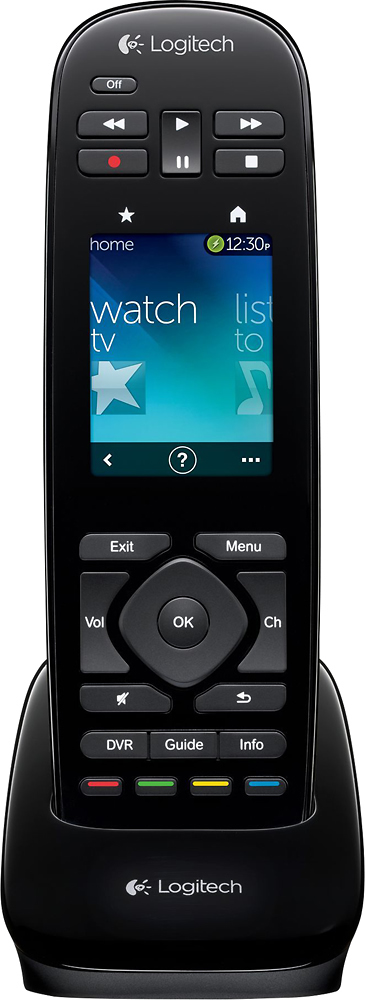
- Model:
- 915-000198
- |
- SKU:
- 6500555
Customer reviews
Rating 4.2 out of 5 stars with 1138 reviews
(1,138 customer reviews)Rating by feature
- Value3.8
Rating 3.8 out of 5 stars
- Quality4.1
Rating 4.1 out of 5 stars
- Ease of Use4.1
Rating 4.1 out of 5 stars
Customers are saying
Customers regard the Harmony Touch 15-Device Universal Remote favorably for its ease of use, intuitive setup, and compatibility with various devices. Many appreciate its compact size and improved interface, along with the extended range. However, some users express concerns about the touchscreen sensitivity, battery life, and the price point.
This summary was generated by AI based on customer reviews.
Rated 3 out of 5 stars
Nice, but ultimately returned
Posted .This reviewer received promo considerations or sweepstakes entry for writing a review.In the end, I returned this remote and kept the Harmony 900. For universal remotes in general, the more equipment you have, the more fantastic they are. Once set up, it's amazing to have all the inputs and on/offs performed automatically. Set couldn't be easier - but you have to enjoy it a bit and have some knowledge. I am experienced with home theater setup. For example, you need to understand if your blu-ray player is connected to your TV or to your AVR. Do you use HDMI #1 or #2, etc. I've also considerably "tweeked" hard and soft keys to provide functions to enhace my system interface. If you are not experienced and/or knowledgeable with your system - and if you don't enjoy fine tuning in the spirit of fun - the Geek Squad might be a great start for you. Now to the harmony touch. I wanted to like it and I wanted to keep it. I was comparing directly to the Harmony 900. #1 as all have written, it is not RF, meaning you have to point it at your components. Consider if it's easy to look at a touch screen while pointing. I found that a bit of a problem. The 900 is RF, so "pointing" is not required. #2 The 900 seems to have the best mix of hard pysical buttons and soft - screen based - virtual buttons. The near 100% touch function of the "Touch" means you have to find the station logo or bring up the virtual key pad to key in the number. The 900 has a physical key pad. I know my station numbers and prefer to key them in vs. a virtual key pad. I also key a back-15 sec command and a/ forward-30 seconds via physical keys on the 900 without having to look at the remote device. You would have to "look" at the "Touch", select the virtual key pad display and then touch in your channel number. The net here is I am not warming up to near 100% touch screens for universal remotes. The 900 in my opinion has about the correct mix of physical and virtual keys. In conclusion, the lack of RF coupled with a screen you have to look at for everything - while pointed at the equipment - was not great for me. The 900 - several years old as it is - won out. Before buying the Touch, sit and use your comcast / satellite remote and consider how much by memory you use physical keys to move around - - - then consider would you want to have to find that function on a screen like your iPhone. . . Enjoy!
No, I would not recommend this to a friendRated 2 out of 5 stars
Poor Control
Posted .This reviewer received promo considerations or sweepstakes entry for writing a review.I bought this remote to replace an old Harmony that I very much liked and used until the numbers wore off. I bought this one for Christmas and am quite disappointed in its ability to turn devices on and off. I don't mind the controls for fast forward etc., being at the top, I can live with that. I do have an issue when it either fails to start or turn off a device when I’m standing right in front of it. It will fail to turn the television on sometimes and off most times. To resolve, I go to help and it fixes the problem 100% of the time. To have a fix feature means to me it's an expected behavior.
No, I would not recommend this to a friend- Cons mentioned:Touch screen
Rated 2 out of 5 stars
Can not Program numeric Keypad except for Watch TV
Posted .This reviewer received promo considerations or sweepstakes entry for writing a review.My One is a bit long in the tooth, and some of the keys are no longer working and so I took the plunge with the Touch. Let me tell you, Logitech is on the clock. Yes, the button placements will take some getting use to. I can manage that. I should be able to change the FF and REW buttons to act as skip and review. However, why remove SKIP and REVIEW? However, BEWARE.... You can not program the number pad for ANY activity EXCEPT for Watch TV. In my setup, I have XM Radio using the native Yamaha Passport (?) radio, so there isn't an additional unit. I set the activity to power on the Yamaha and set it to XM. Nice and easy, and it works. However, when I try to use the number pad to change the XM Channel (I mean who would want to change channels on XM???), the number pad DOES NOT work. I then go Myharmony.com, thinking I could change the behavior on the buttons on the keypad. I go to activites and change how I want the screen to work. I can not get to the Keypad. I then back out and go to Button thinking I could change the commands for the keypad there. NOPE. I spent one hour on the phone with Logitech (the guy was trying). Finally, he was able to speak with a product engineer who told him that you can not program the KEYPAD for any activity EXCEPT Watch TV. This is a known issue that they are aware of. No ETA for a resolution. I have not yet tried a 2nd Watch TV activity yet, but I may or I may have to use the URC R-50 and learn how to program that or find a ONE and return this Touch. I have 45 days to return the Touch.
No, I would not recommend this to a friend - Pros mentioned:Ease of use
Rated 4 out of 5 stars
Very good universal remote
Posted .This reviewer received promo considerations or sweepstakes entry for writing a review.It's a very good universal remote, i like how easy it is to use, also like the touch feature. It has good DB support for adding the devices as well.
I would recommend this to a friend Rated 5 out of 5 stars
Good Remote
Posted .This reviewer received promo considerations or sweepstakes entry for writing a review.I have been using Logitech harmony remotes for a while now. The addition of the touchscreen us quite good.
I would recommend this to a friendRated 5 out of 5 stars
best remote ive seen yet !
Posted .This reviewer received promo considerations or sweepstakes entry for writing a review.well here i go, ive dealt alot with universal remotes, from rca brands to phillips to whatever, and it all comes down to this, finding one that has the exact same features as the original, i knew that logitech remotes were pricey going in, this remote to me is way and above anything ive ever used before, right out of the box it takes you maybe 45 minutes to set up, the instruction booklet is very clear about how to set it up, the feature i like most is the activity feature, when you switch from one activity to another, the remote turns off everything from the previous activity, and turns everything on for the one you just chose, if your fumbling around with 5 or 6 remotes this is a must have, at 249.00 its not cheap, but a geek squad rep comes out and sets it up for no extra, normally that service costs 100.00, thats included in the price, the fact its rechargeable is great as well, nice lcd touchpad as well, you can go out and waste 50.00 on a cheezy universal remote, your choice, but it wont do what this one does, no way, no how.
I would recommend this to a friendRated 3 out of 5 stars
I'm not sure that I'll replace my One just yet...
Posted .This reviewer received promo considerations or sweepstakes entry for writing a review.I wasn't able to use favorites. I tried, but unfortunately the character limit for channel numbers is 1 shy of supporting my QAM tuner. Channels like 117.1002 don't work and therefor the feature dies. I haven't setup and gestures yet... I'm afraid it's not quite clear what I'm supposed to do there... The initiation of an action isn't perfect. Almost every time it misses a device setting... Watch TV fails to select the correct input on my AVR or TV until I press the "?" button once. I've never had this issue with my One or H/K Harmony. The touch screen is nice. It's not iPad grade, but it's very responsive and has a nice look. I do miss the motion sensor... picking up the remote and having it activate was a loved feature that I miss now. Otherwise I like the new form and think it's comfortable. The placement of the play/pause, etc at the top is a little odd, but I can't think of a better arrangement given the design. All and all, I do like the remote, but considering the difference in price compared to the One, I'd definitely recommend the One of the Touch for now. If I decide I love the gestures (when I figure that out...) and if they fix the character limit in Favorites via a software update, I could change my mind... but not yet.
No, I would not recommend this to a friend- Pros mentioned:Compatibility
Rated 4 out of 5 stars
Very easy to use
Posted .This reviewer received promo considerations or sweepstakes entry for writing a review.I run 2 TVs blue ray, receiver and dish all off this remote and it works great
I would recommend this to a friend - Cons mentioned:Touch screen
Rated 2 out of 5 stars
Bad design
Posted .This reviewer received promo considerations or sweepstakes entry for writing a review.I bought one of these to replace one of my Harmony One remotes (the best remote ever made) and I'm sorely disappointed. The Harmony Touch doesn't light up when you pick it up like the Harmony One did, so if you're watching a movie in the dark, you have to push a button to get it to light up. The problem with that is that the function of whatever button you push may not be a function you want to activate at that time. Pretty much all of the primary functions have been moved to the touch screen, which you have to look at (there is no finding a button by touch on a touch screen). Also, why did Logitech think it was a wise idea to put several frequently used buttons above the touch screen? That makes it too easy to accidentally touch a button on the touch screen.
No, I would not recommend this to a friend Rated 5 out of 5 stars
Great product
Posted .This reviewer received promo considerations or sweepstakes entry for writing a review.Even my non-tech hubby loves this device! Almost all my components are behind glass and at a distance, but the remote reaches them perfectly. One manufacturer model number wasn't listed on MyHarmony, but the remote IR learning feature found it. Very helpful feature!
I would recommend this to a friend- Pros mentioned:Ease of use
Rated 5 out of 5 stars
Excellent remote!
Posted .This reviewer received promo considerations or sweepstakes entry for writing a review.I bought this on sale, and it's well worth it! I have a samsung tv, lg sound bar, pioneer blu ray, and Apple TV - a total of 4 remotes - now I only have 1! I've been very happy with it since purchase!
I would recommend this to a friend - Cons mentioned:Ergonomics
Rated 2 out of 5 stars
Not happy
Posted .This reviewer received promo considerations or sweepstakes entry for writing a review.Bought this thinking it was the "successor" to the Logitech Harmony One... so I got it home and thought I could just hook it up to my Mac where I had the Logitech Harmony software already installed. WRONG. It not only told me that I had to go to the web site to manage this, but that I had to install Silverlight, of all things, along with the Logitech Harmony software in order to do the setup management. I was completely displeased with this and have a complaint in to Logitech about it, including a demand for an exchange for something that does not require Silverlight. Why even require me to have the Logitech Harmony software if I cannot use it without Silverlight? This is lazy programming on the part of Logitech. That said, it does perform similar to the Harmony One. I'm just not sure about the ergonomics of this one compared to the Harmony One.
No, I would not recommend this to a friend - Pros mentioned:Ease of use
Rated 5 out of 5 stars
Super Easy
Posted .This reviewer received promo considerations or sweepstakes entry for writing a review.I've only had this remote for 2 days, it took 30 minutes to do a basic set up. This remote is super smart , easy to use,......and attractive...for a remote. Absolutely worth every penny...so far
I would recommend this to a friend Rated 5 out of 5 stars
Awsome
Posted .This reviewer received promo considerations or sweepstakes entry for writing a review.Ive only had this remote for 3 days but so far i love it. It transfered all my info of my harmony one with no problem. Touchscreen is great works very good no lag on screen. The only problem is that for my home theater on my harmony remote website it says boston acoustic which is what i have but on the remote it says samsung amplifier besides that tho this is a must have remote
I would recommend this to a friend- Cons mentioned:Price
Rated 5 out of 5 stars
true meaning of remote
Posted .This reviewer received promo considerations or sweepstakes entry for writing a review.Some what pricey but well worth the investment. All of the devices are connected so you never have to move except to get the popcorn. Glad I spent the extra bucks on this one.
I would recommend this to a friend - Cons mentioned:Touch screen
Rated 1 out of 5 stars
Not what I expected based on the reviews
Posted .This reviewer received promo considerations or sweepstakes entry for writing a review.Fios cabling box, Samsung TV & Bose Solo15. It did perform the basic functions, but not very elegantly. Touch Screen locked up a couple times. Seemed to complicated for a universal remote. Returned to Best Buy after 25 days. No one in the family liked it...
No, I would not recommend this to a friend - Pros mentioned:Ease of use
Rated 5 out of 5 stars
We love it.
Posted .This reviewer received promo considerations or sweepstakes entry for writing a review.We had the tech people set it up so can't comment on that but they showed us how to use it and we have been very happy. If you have an IPad or IPhone, it functions similarly.
I would recommend this to a friend Rated 5 out of 5 stars
No more table full of remotes
Posted .This reviewer received promo considerations or sweepstakes entry for writing a review.Purchased this remote for my main living area TV. We have a 70" Vizio, Xbox One, Apple TV, DirecTv receiver, and a Yamaha stereo hooked up to it. Setup was easy and everything works great. Nice to be able to put all of those other remotes away. It did take a few days to get used to the button placement and I agree with the other reviewers that the DVR controls should be located towards the bottom of the remote. Other than that, its been a great purchase
I would recommend this to a friend- Cons mentioned:Battery life
Rated 5 out of 5 stars
An all in one remote that really works.
Posted .This reviewer received promo considerations or sweepstakes entry for writing a review.This is a really great product once you get the hang of it. I had to have it professionally programmed to get it to work. The battery recharge rate is every 3 days.
I would recommend this to a friend Rated 5 out of 5 stars
Best Harmony remote so far
Posted .This reviewer received promo considerations or sweepstakes entry for writing a review.This is the third Harmony remote I have owned. All my settings from my old remote transferred using the website even though it was and older 600 series. I like the favorites feature with the icons for the Dishnetwork channels. I also like how I was able to customize the activities screens to put the dish network, blu ray, Wii, Xbox icons in place of the standard icons. Some people complained about the new website instead of the stand alone software but the website works great to set up the remote. I like the smaller size and the touchscreen. I have not had any problems in the month I have owned it.
I would recommend this to a friend