Customer Ratings & Reviews





- Model:
- 920-012274
- SKU:
- 10735605
Rating by feature
- Value
Rating 4.5 out of 5 stars
- Quality
Rating 4.8 out of 5 stars
- Ease of Use
Rating 4.8 out of 5 stars
- Pros mentioned:Battery life, Scroll wheel

Great combo! You Get A Lot Out of It!
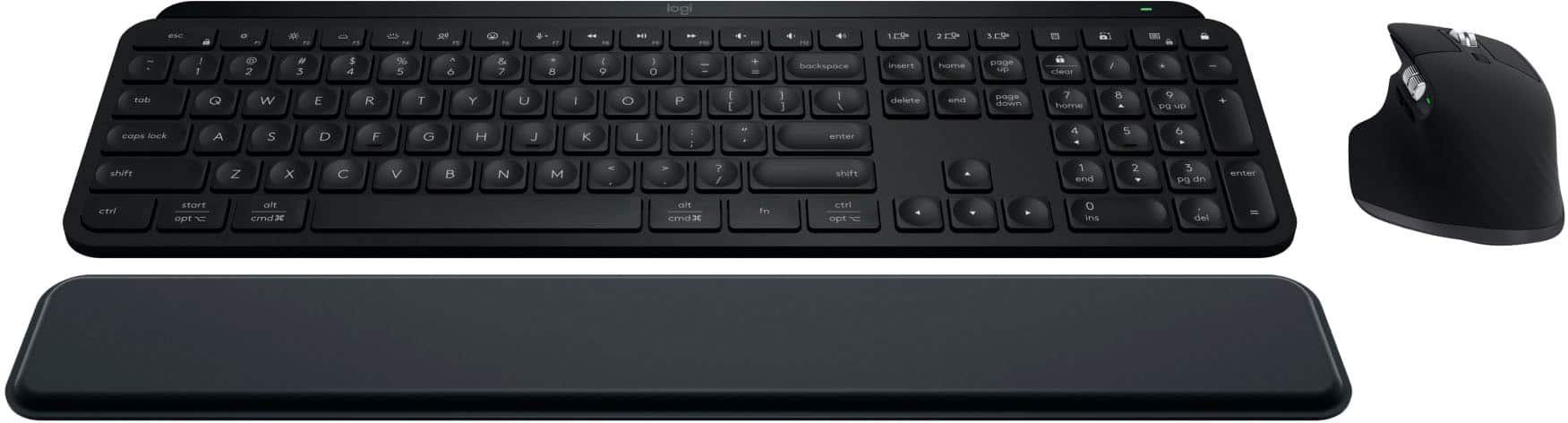
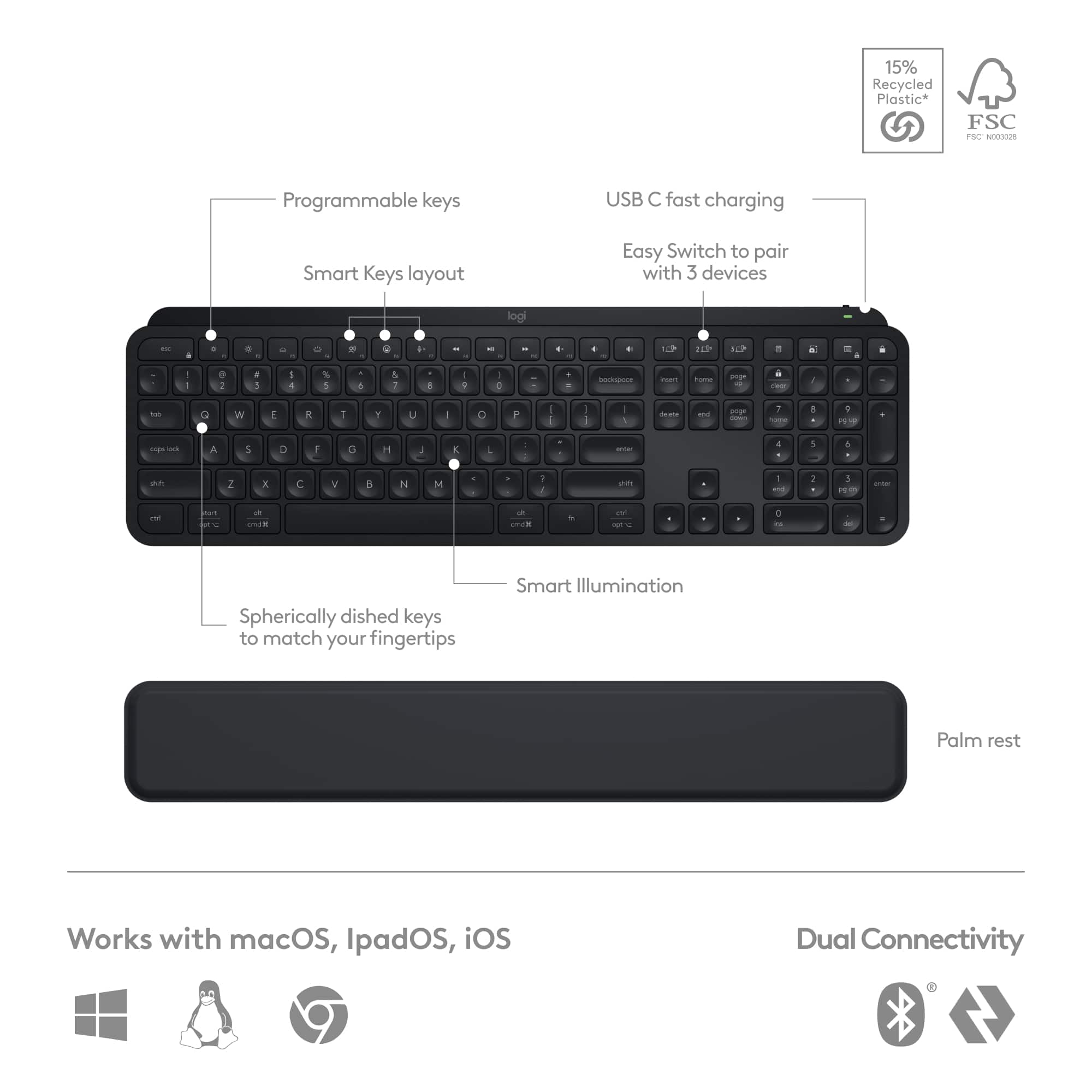
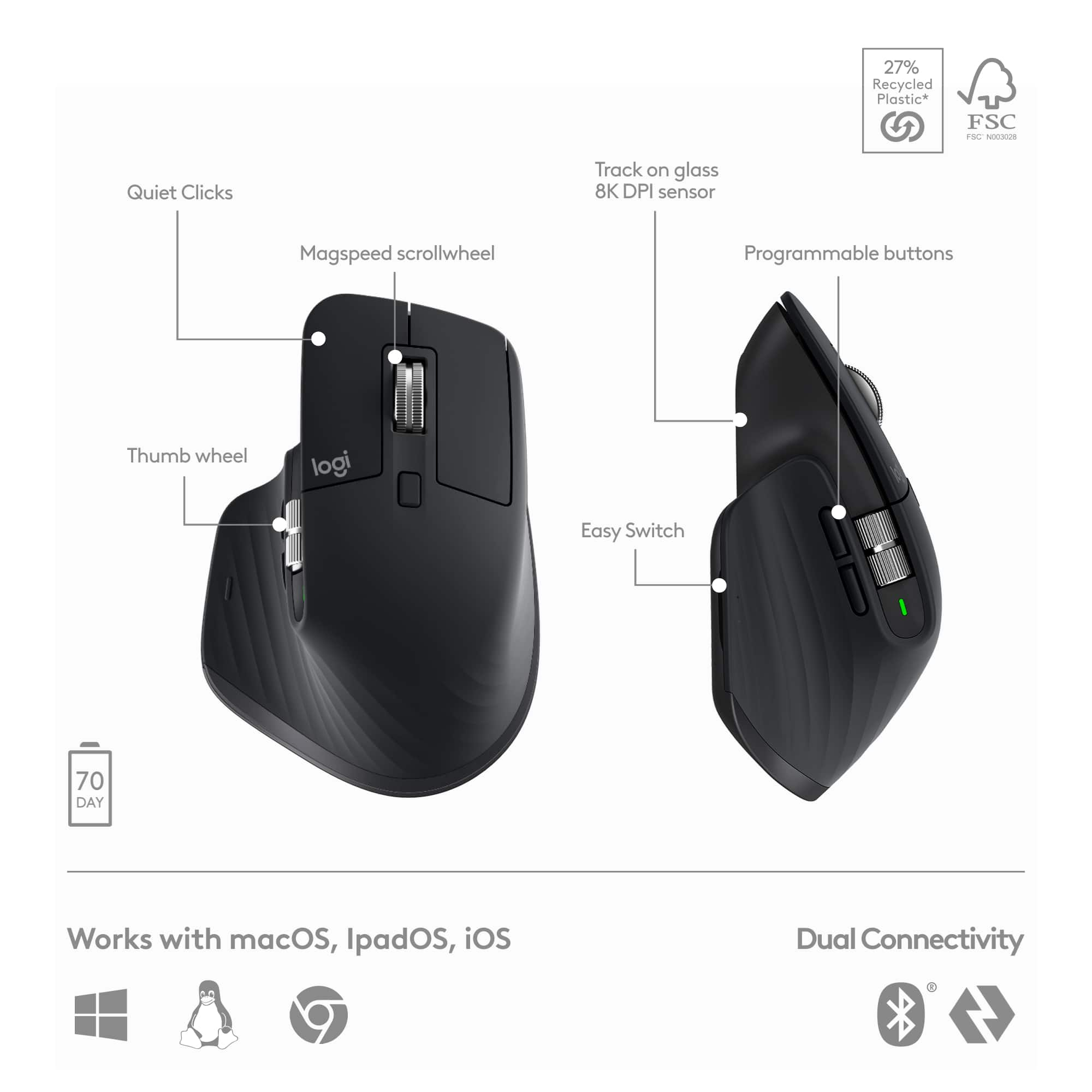
|Posted .This reviewer received promo considerations or sweepstakes entry for writing a review.This is not just a tippity tap keyboard and a roll and scroll mouse. There is a lot here and so much to do with it, whether for productivity or for fun or both. The keyboard is not large but still has everything and keys in normal places and such; and includes a number pad. The keyboard allows you the option to connect via Bluetooth or USB dongle. There is also a cable, USB-C, for charging. There are no batteries for you to change. You just charge it up when you need to. On the top right of the keyboard, there is a slow flashing red illuminating light to let you know it needs a charge. When charging is complete, it's green. When you unplug, there is nothing (no illumination). The keyboard feels lowkey, in a great way. The keys are soft to the touch, probably because of the rounded indentation (concave) on each key, so the keypresses feel calm. The keys depress easily and quietly. The keyboard itself also illuminates (within the keys, of course) when you depress any key. It has all functions of a keyboard. The keyboard, on the top edge, also has an on off switch and the USB-C port. Now, of course you can move this keyboard from device to device, and use Bluetooth to connect every time or move the dongle with you every time. BUT, you can actually program to connect the keyboard to three different devices and all you need to do is push the key for 1, 2 or 3 (not on the number keypad, but just to the left of the number keypad, you will find the three keys for device 1, 2, or 3. That's it. Hit the key and it automatically goes to that other device. Sweet. There is also a wrist pad that comes with it for the keyboard. It is the full length of the keyboard and it is very thin. But there IS a cushion in there. And it works for me. The only thing is it slightly moves after sometime. I work at a desk all day so when it starts moving even slightly, I just bring it back. It doesn't bother me, but just so you know. The mouse is fancy. It is large so your whole palm can grasp it, with the whole palm laying on it. It has the typical things on the top -- left click, right click -- and a big ol' wheel for scrolling. Now, you can scroll slow and regular (which is fine) by going one click at a time. Or you can spin that thing like the price is right and that thing will fly (that's how I like it). For work, I regular scroll up and down lists (such as in excel, databases, etc). You can control the scroll though... it just depends on how hard your finger rolls it. There is also horizontal scroll (to the left), which is another great thing. The mouse is very responsive. I'll admit, sometimes my hand gets tired of being on it, but I still love it. I should also mention that because the mouse is large, I am constantly bumping it into the keyboard or other things close to it while I am using it. But that's a me-problem. Just like the keyboard, the mouse allows you the option to connect via Bluetooth or the same USB dongle. There is the same cable, USB-C, for charging. There are no batteries for you to change. You just charge it up when you need to (just like the keyboard. The USB-C port is also on the top edge of the mouse. On the bottom of the mouse, there is no place to store the dongle so don't lose it. There is an on/off switch. And there is also a button just under a 1, 2, 3 so that you can program it to three devices, just like the keyboard (they just use different means of one-ing, two-ing and three-ing. Still great. Lastly, Logi Options +. Install it on your device and then go play with it or be serious with it. But you can do a lot. You've got "Options." You can customize your keyboard and mouse. Your mouse has the ability to work with gestures. Well, you can program that. Your mouse and your keyboard have buttons/keys that will allow you to turn them into shortcuts. You can program that. You can even program shortcuts per application. Yup. Go do it. Good for productivity. And also good for fun. This combo is pretty amazing and to be honest, I would only suggest it if you plan on using it for many of things mentioned above, because the price tag is what it is. The price tag fits what you are getting. So again, if you simply want to tippity tap, roll and scroll, then this is not the move. But you want to move into being able to utilize and do more, make this move. It's a good product and I recommend it. Peace.
I would recommend this to a friend - Pros mentioned:Keyboard quality, Scroll wheel
An extremely well engineered combo
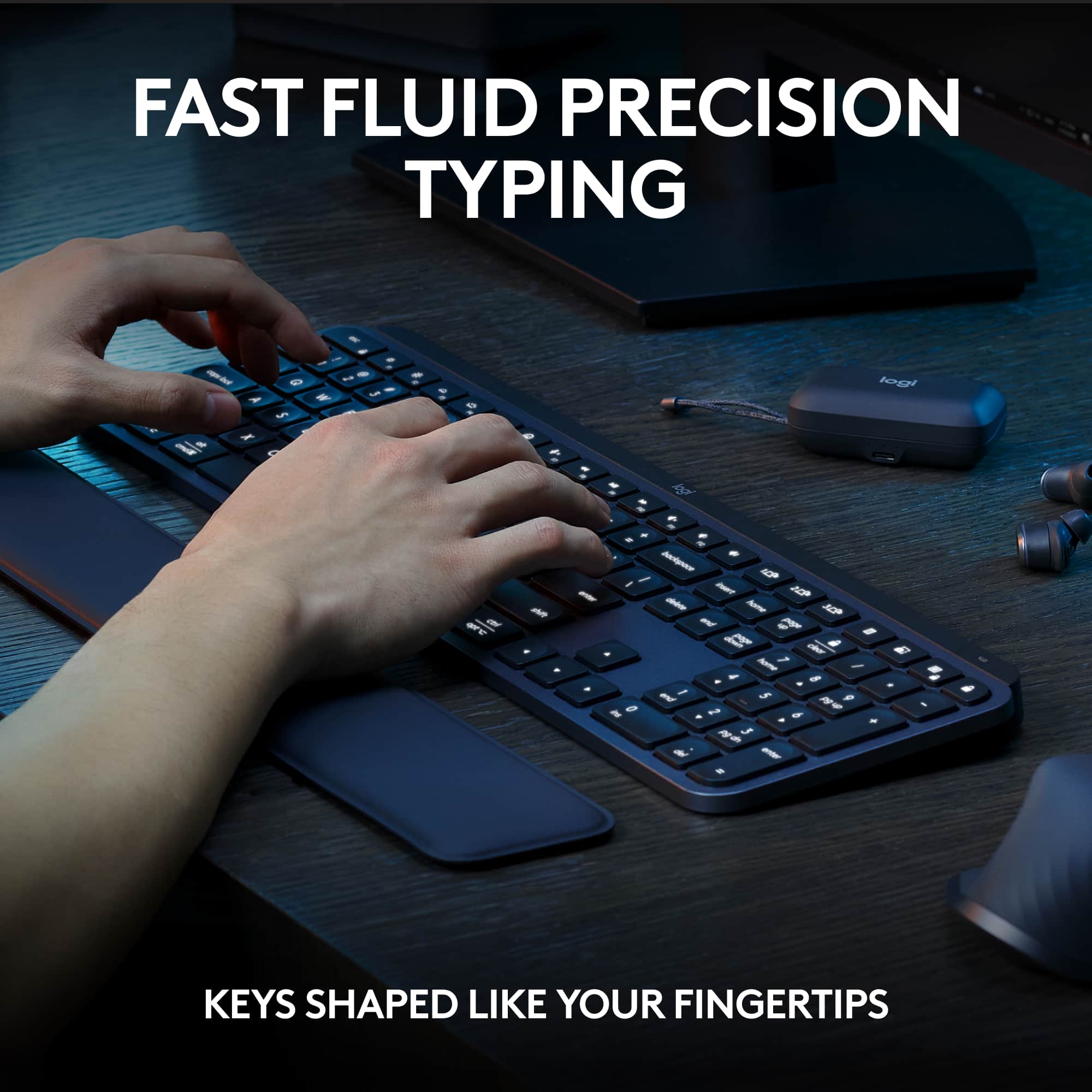
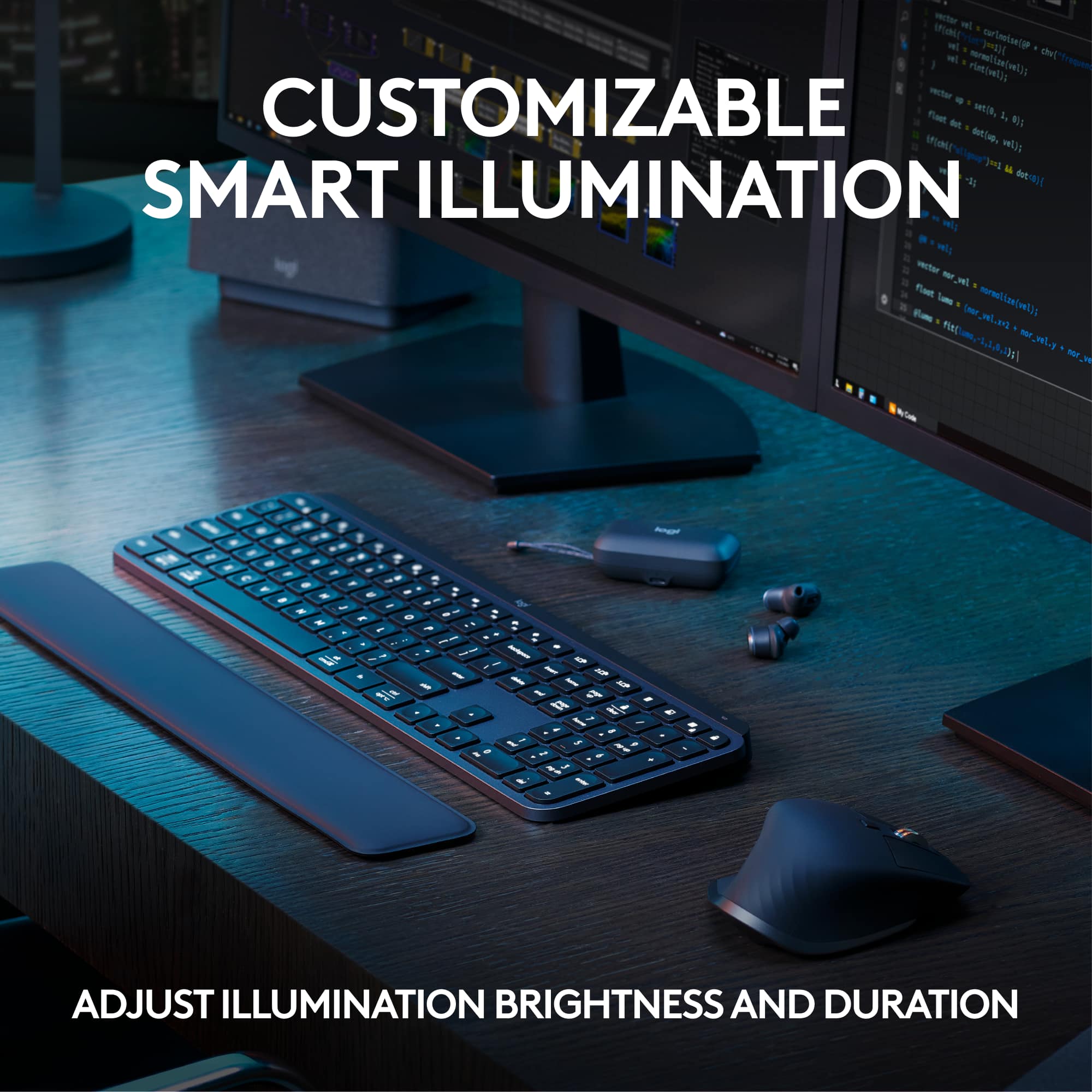
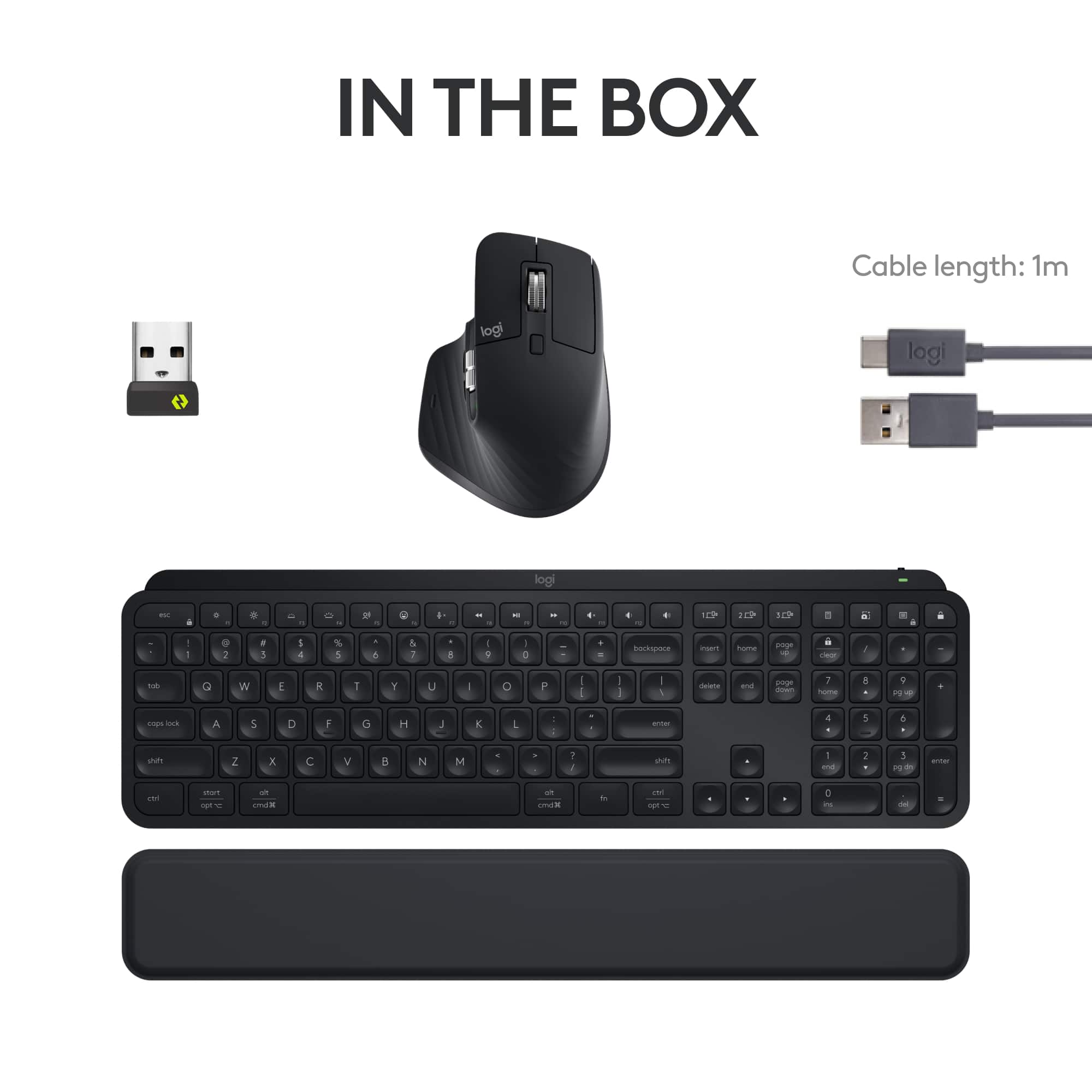
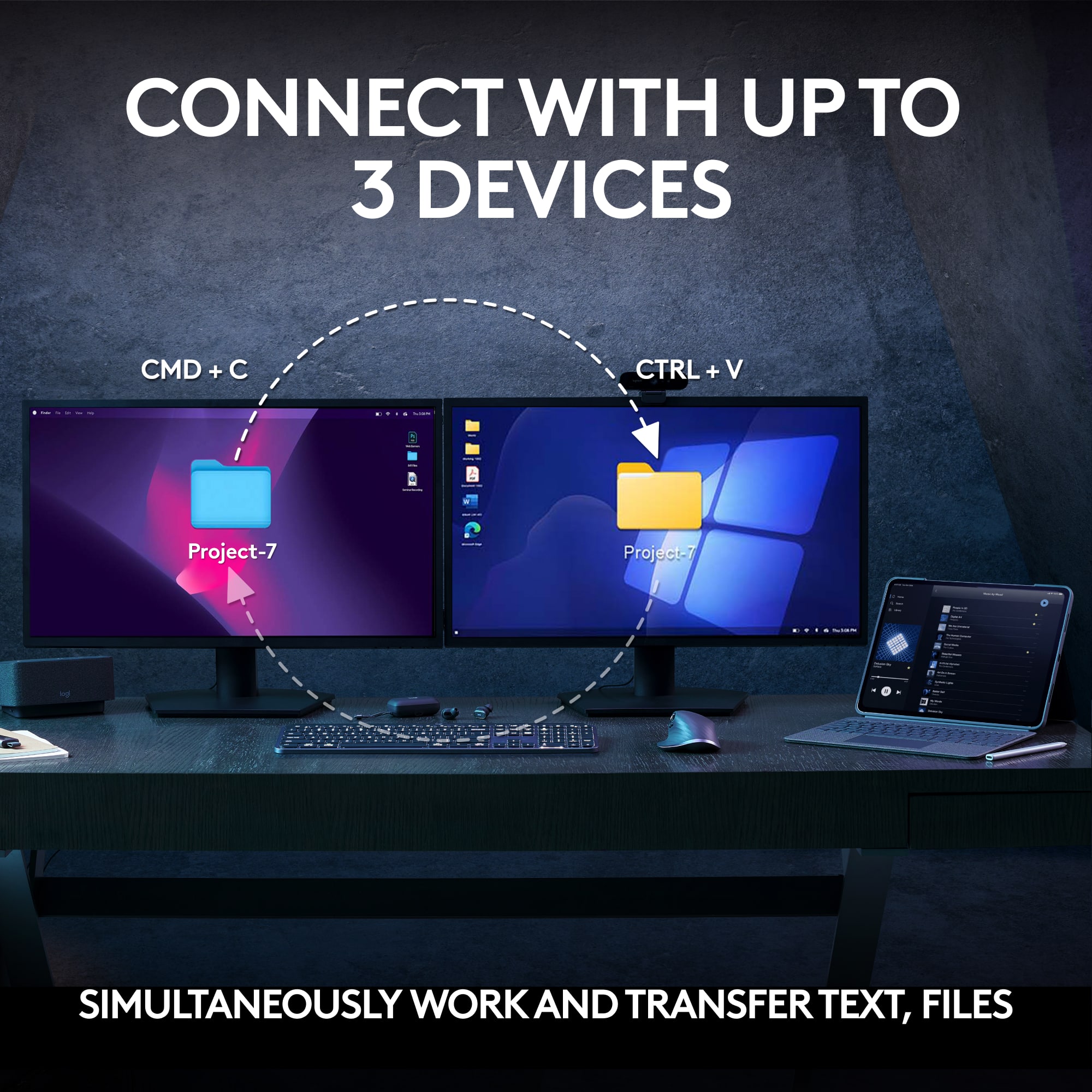
|Posted .This reviewer received promo considerations or sweepstakes entry for writing a review.The Logitech MX Keys S Combo consists of the MX Keys keyboard, MX Master 3S mouse and a wrist rest. Both the keyboard and the mouse connected via Bluetooth to a Windows 11 laptop. No driver installation was required. Or use the included Dongle to connect both devices using one dongle to your USB. The Logitech software loads automatically on installation and allows a multitude of customization for both the keyboard and the mouse. The keyboard and mouse can be paired/connected to 3 different devices including the dongle. There are 3 keys on the keyboard to switch to another device and the mouse has a button on the bottom to cycle through the 3 devices. This is extremely helpful if you want to use the devices on your laptop, your desktop, and your work computer as each will be remembered. The keyboard features low profile, laptop style scissor keys. Most of the keys have a concave shape to them to help center your finger onto the key. Key action is similar to laptop keyboard keys and they are positive and very quiet. The keyboard is very low profile, but with a heavy build to stay put on your desk. There are 6 rubber feet on the bottom to hold it firmly in place. The main body is only 6mm thick with a thicker strip along the back which holds the battery and serves to angle the keyboard up slightly for easier typing. There are no adjustable feet on the bottom for adjustments. However the included wrist pad helps to hold your wrists off the desk and give you a good angle in which to type. There are 7 levels of backlighting on the keyboard! The back lighting will actually turn off when the keyboard is not in use and will “wake up” when your hand is just hovering over the keyboard before your fingers reach the keys. Logitech chose to put the screen lock key right above the minus ( - ) key of the number pad. When you are doing lots of data entry with the number pad you will inadvertently hit the lock key. However the software allows you to disabled the key if you choose. There is no print screen button, but there is a dedicated “snipping tool” button and the ability to map a button for “screen capture” within the software. The mouse is amazing. It’s large, but it fits so nicely in your hand and offers so many button choices and customization options. The two main buttons require only the slightest bit of pressure to click and you become accustomed to their responsiveness. After using this mouse, going back to another mouse feels like you are smashing the buttons to click on something. The electromagnetic scroll wheel is very useful. It can be changed from a “click” style wheel to a free spinning wheel with just the click of a button. In the click mode it will change to free spinning with a finger flick. This allows you to scroll precisely through a document or spreadsheet with the click mode, and then when you need to move through several pages quickly you can spin the wheel and it will change to free spinning and move through several pages at one. Stopping the wheel causes it to switch back to click mode. The horizontal scroll wheel is extremely useful for moving back and forth across large spreadsheets. It has enough resistance that you can precisely control the horizontal scrolling. The thumb rest of the mouse has a button which triggers gesture controls. Holding the button and moving the mouse in a direction is a “gesture” that can be configured to perform various actions. I can’t say enough “great things” about this mouse. It truly becomes an extension of your hand and you will adapt to it very quickly. I find both the mouse and the keyboard are excellent pieces of engineering that work smoothly, positively, and flawlessly. You won’t be disappointed. I would definitely recommend this combo package to any of my friends with no reservations. A definite 5.
I would recommend this to a friend - Pros mentioned:Battery life, Keyboard quality
Fully Customizable Functions; High Quality
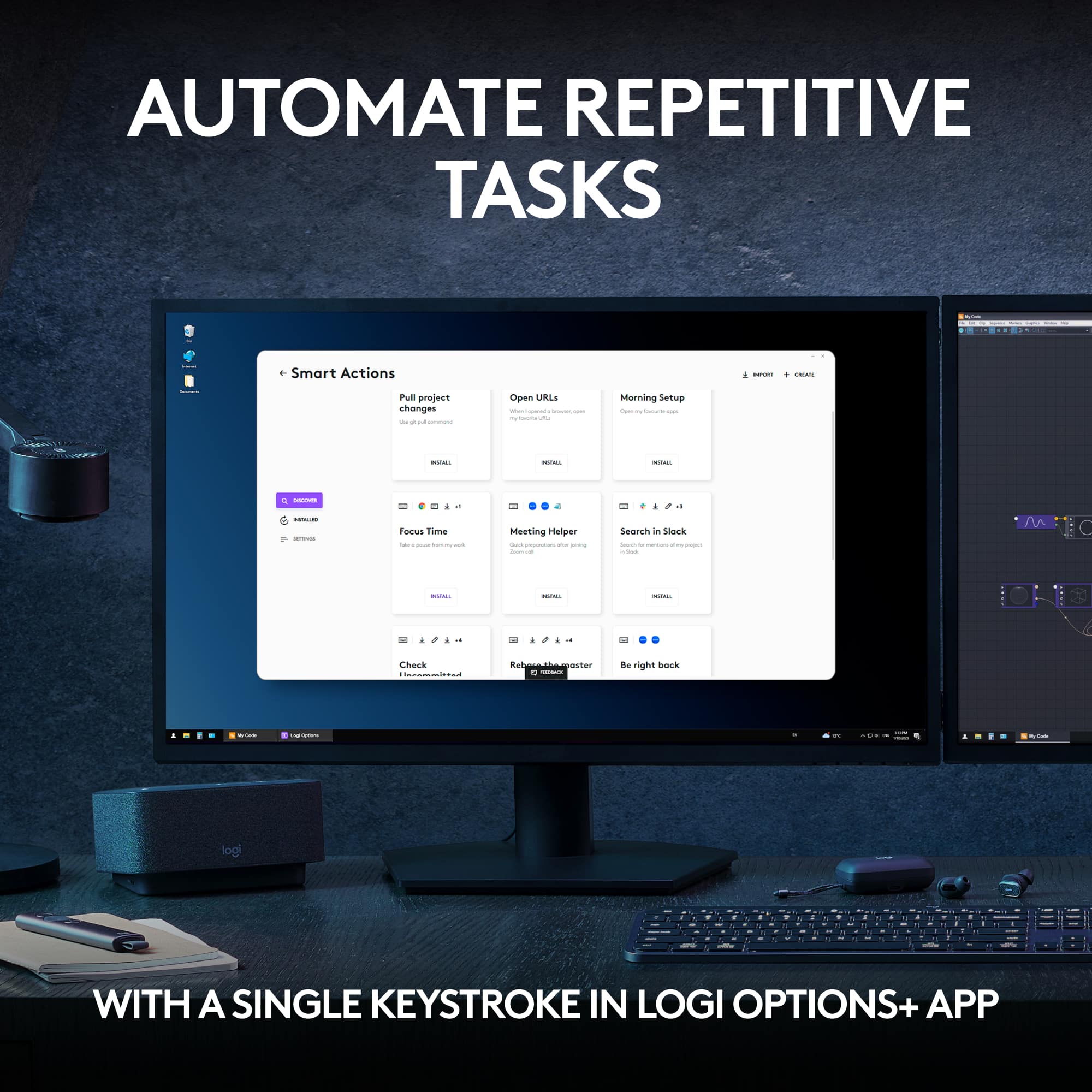
|Posted .This reviewer received promo considerations or sweepstakes entry for writing a review.This is a high-quality, well-designed keyboard and mouse package. What I really like is that it's not only wireless, but you can either use Bluetooth or the included USB receiver to connect. With the Bluetooth, it's possible to save up to three different computer connections and switch between them with the push of a single button. Currently I have mine connected to two, using Bluetooth on one and the USB receiver on the other. Both the keyboard and the mouse automatically connect to either one when I'm in range and turn them on. Both the keyboard and mouse are obviously made from professional grade materials that look and feel tough and durable. They have a totally professional appearance. The mouse is ergonomically designed including what I would call a thumb pad. It has a thumb-controlled scroll wheel and a gestures button on the thumb pad in addition to the other normal mouse buttons & scroll wheel, all of which can be customized with the Logi Options+ app. Also, they can be customized for individual apps. They can be preprogrammed to perform one function say on Excel, and a different function on Microsoft Edge browser, for example. The pointer speed can be extended up to 8K DPI, which is helpful with high resolution monitors. The keyboard has backlit keys and includes a number pad. The top row of function keys is customizable with the Logi Options+ app, including creating keyboard shortcuts. The backlighting can be adjusted for time and can be set to auto-brightness to respond to the ambient light level or can be completely turned off. Another useful feature is the ability to optionally disable Num Lock, Cap Lock, Scroll Lock, Insert, and the Windows Key. A separate detached wrist rest is included with this combo package. A short USB Type A/C cable is included for charging the mouse and keyboard. The Logi Options+ app shows their charge level. Mine came about half-charged and I've been using them pretty heavily for the past 3 days and they've only used about 5% of their charge. According to the box a fully charge keyboard should last 10 days with the backlight on and the mouse should last 70 days. I think my keyboard would last 10 days but I'm a little skeptical at this point that my mouse would last 70 days without needing to be charged again. I haven't measured the full charging time but they both took about 20 to 30 minutes to charge from 50% to 75%. Although this combo package is very expensive for a keyboard and mouse, its high-quality build, customizable functions, and wireless connectivity options make it worth the price.
I would recommend this to a friend - Pros mentioned:Battery life, Keyboard quality
Best combo I've ever used!
|Posted .This reviewer received promo considerations or sweepstakes entry for writing a review.Logitech really knocked it out of the park with with MX Keys S combo set. I have been thoroughly impressed from the moment I opened the box. First off, they keyboard and mouse are heavy and feel like a nice quality item. They are not heavy in a bad way, they are just solid materials and a solid weight that would make the keyboard stay in place at your desk. And the mouse does not feel like a cheap piece of plastic in your hand at all, if you squeeze it you feel no plastic flexing and creaking in it, it is just built like a tank. My only minor con is the size of the mouse, it is a smidge big for my smaller hands, but I have always had smaller than average hands and I cannot fault Logitech for it at all. It is still comfortable to use all day, it would just be more comfortable if it was a little smaller. I use this keyboard and mouse set at work and when my boss temporarily used my computer, he commented on how nice my mouse is within seconds of using it. Over the years I have been able to use a lot or different keyboard and mice for my personal super computer, as well as my work computers, and this is easily my favorite keyboard and mouse, especially the keyboard. It is the perfect size, the buttons are sized well, the bezel is not obnoxious oversized, even the letters on the keys seem slightly bigger than all other keyboards, which has been helpful when I lean back further away from my computer. The key clicking sound and feel is amazing, in my opinion just perfect. Not a single key squeaks or feels like there is an imperfection. And the backlit keys is a game changer that I cannot ever go back from. The battery life on both pieces is impressive as well, I use this set for 40+ hours a week and have barely had to charge it since receiving it. Overall, I cannot recommend this Logitech keyboard set enough.
I would recommend this to a friend - Pros mentioned:Keyboard quality
Should have gotten it earlier
Posted .This reviewer received promo considerations or sweepstakes entry for writing a review.I should have bought these earlier. The keyboard feels far better than my prior Logitech keyboard - it's hard to describe the difference in feel, but it just feels more premium. It could be due to the weight of the keyboard and the choice of materials. The mouse is especially good - it's far superior to my old Logitech M585 mouse. The mouse glides smoothly, has a nice weight, and feels premium. Its better for people with medium to large hands.
I would recommend this to a friendBrand response from Logitech
Posted .Thank you for sharing your experience with the Logitech MX Keys S Combo! We’re delighted to hear that both the keyboard and mouse feel premium and provide such a smooth, comfortable upgrade—it’s wonderful to know they’ve made such a positive difference for you.

Clicker only lasts a year
||Posted . Owned for 1 year when reviewed.This reviewer received promo considerations or sweepstakes entry for writing a review.A year later the mouse doesn’t click or drag anymore
No, I would not recommend this to a friendBrand response from Logitech
Posted .We apologize for the issues you've experienced with the MX Keys S Combo. It's disappointing to hear about the premature failure of the mouse clickers. To address this issue, we recommend reaching out to our social care team via email at socialcare@logitech.com with your
- Name:
- Email Address:
- Country:
- Product Name:
- Brief description of issue:
Doesn't come with charging cables - which is not d
||Posted . Owned for 1 week when reviewed.This reviewer received promo considerations or sweepstakes entry for writing a review.Doesn't come with charging cables - which is not disclosed in product ad. Service rep hung up on me.
No, I would not recommend this to a friendBrand response from Logitech
Posted .That is surely unfortunate and not want we want you to experience. In this case, we'd recommend you to get in touch with the BestBuy support team and report the same to them about the missing items and they'll help you further resolve the issue. Thanks so much and sorry for the inconvenience.
Issues with Logi flow
||Posted . Owned for 1 month when reviewed.This reviewer received promo considerations or sweepstakes entry for writing a review.Logi flow not working with keyboard and mouse, no point for me to use this.
No, I would not recommend this to a friendBrand response from Logitech
Posted .In order to help you effectively, please provide your information to our support team by emailing socialcare@logitech.com. Name – Email address – Country – Product name – Brief description of the issue –
- Pros mentioned:Keyboard quality
The best I have EVER used!
Posted .This reviewer received promo considerations or sweepstakes entry for writing a review.VERY impressive! Has some weight to it so it's not like the very lightweight "plasticky" keyboard and mouse combos that dominate the market. This is SOLIDLY and well built! The keys are highly responsive, and I like that the backlighting comes on only when you are using the keyboard (and you can program the backlighting in a lot of different ways using the Logi Options+ software. The mouse is a beast! It doesn't have the solid feel that the keyboard does, but it again, appears to weigh more than most PC mice on the market! Ergonomics are excellent (if you are right-handed that is), and the programmability of the switches, the left side thumb wheel and it's 2 thumb switches makes this so customizable that it's ridiculous! The keyboard has a small on-off switch on the vertical back side of the top bezel, next to the USB C-type charging port and the mouse has a corresponding on-off switch on the underside with a small 3-way switch for different wireless and Bluetooth device connections. Again, a small USB C type charging port is right at the very front, vertical side of the mouse. Only 2 issues that I found: 1) only 1 USB charging cable for the two units - would have thought for the price paid that both the keyboard and the mouse would have their own charging cables, but, no. 2) the software suite that allows customization has a weird "quirk"; there is an option to check the bios version and if your bios is current, it just sits there, doing nothing other than saying no connected input device could be found! Apparently, that means the bios is up to date! I am led to believe that if there is a bios update then you don't get that message and can then download the update manually although I have it set to auto download. I guess I'll have to wait and see. Been using PC keyboards and mice for over 30 years now, and I can safely say that I have NEVER found using a keyboard so effortless and comfortable, and the mouse is the most ergonomic I have EVER used. The "thumb rest" on the left side of the mouse, below the programable scroll wheel and the two programmable thumb-operated switches makes using the mouse stress free and comfortable. Finally, I like that the Wrist rest is actually a separate item that fits snugly up against the bottom of the keyboard, and you can just move it away (no clips or whatever to use) if you don't want to use it. Unlike most wrist rests, this isn't "spongy" to the touch; it's firm yet comfortable and like the keyboard, as some weight to it. It's obviously not cheap, but I would suggest that if you do a lot of keyboard and mouse scrolling, the financial investment is well-worth it!
I would recommend this to a friend - Pros mentioned:Scroll wheel
A perfect home office or office combo!
|Posted .This reviewer received promo considerations or sweepstakes entry for writing a review.I have had my share of budget and mid range keyboard and mouse combos and I have been lucky to have used a combo which was the MX Keys and MX Master and have been using that at work since 2019. It's been fine and no issues long term that I can think of. Now we have the MX S Series. Now what's different? Well there's little things they updated and upgraded. The color is now grey and dark grey. The unified usb dongle is now the newer Bolt receiver. Yes you can use bluetooth too, but I opt to use the receivers whenever possible in case there is wireless crowding in an office enviorment. In the box you which is perfectly boxed up is the keyboard and mouse with the Bolt dongle, but now you get a wrist rest! The older model was an add-on where as this one is included. For the best experience, I do recommend downloaded the software so you can utilize the settings on both the keyboard and mouse. Both devices uses USB-C the battery so far is similar to the older model. The keyboard still has the optional light up function and great feedback. For me the ultimate difference is how incredibly quiet the MX Master 3S mouse is! It is night and day. Even though I don't mind the clicky noise from the older model, but the click noise is literally a muted soft click. It is awesome. The other option is that there is a 8k resolution option where you would use it for larger monitor set ups. For me I use three displays so I need the speed. It works perfectly. The thumb wheels work fantastically as you expect. There is nothing bad I can find so far. However, if I would or could mention something is that of the keyboard print. The light grey to darker grey is cool looking but the layout is hard to see if you turn off the backlighting. In the black, you can see it contrast a bit better. But that's personal preference I guess. I then used the bluetooth connection to my cell phone and works perfectly. There is a slight lag every so often, but you will need to expect lag to use it that way. I have not utilized the flow function as yet, but it is a great tool to have if you need to use it or have the option to use it. Would I recommend it? Yes! Rechargable and looks great! The bad? Yes it's a bit pricy for a Keyboard and Mouse combo, but you will use this for years like I have with the older model. Once you begin using these MX devices, you will have a hard time using anything else that's not your laptop keyboard.
I would recommend this to a friend - Pros mentioned:Keyboard quality
Logitech MX Keys S Combo Is top notch!
|Posted .This reviewer received promo considerations or sweepstakes entry for writing a review.The Logitech MX Keys S Combo is an absolutely amazing keyboard and mouse. Packaging is outstanding, setup on my Mac mini went so smoothly, even I was shocked. You download the Options + software and configure the Logitech MX Keys S Combo. The mouse ….. Is on the light side, meaning weight wise. BUT make no mistake, the mouse performs perfectly, movement is smooth and the scroll wheel (with the click of the button near the wheel) can give the wheel a smooth or bumpy feeling upon your preference. The wheel on the side scrolls (if you are in something that can scroll) side to side (left and right), and is fully adjustable in the Options + software. Then there are two buttons for page forward and page backwards. Just below that there is a button on the bottom Left side, you press and move the mouse up down left or right to do special Mac stuff. The keyboard…. OMG it’s built so well…. It has weight to it and I absolutely love that as the keyboard stays in place, then the backlight on the keyboard is just perfect. The backlight goes on after you strike a key and goes off after you stop typing for 30 seconds. The function keys can be left on to f1,f2 ect.. or a bunch of programmable to your choice buttons. Your choice on what is pressed and what is pressed while holding down the function button then pressing the function buttons. Above the keypad you have more programmable buttons, like a button for the calculator, very nice in deed. Then a lock button to lock the screen and sleep the computer The mouse and keyboard can be used with windows and Mac with labels for both on certain keys. I was absolutely stunned at the quality this keyboard and mouse look and perform.
I would recommend this to a friend - Pros mentioned:Keyboard quality
Best mouse / keyboard combo
|Posted .This reviewer received promo considerations or sweepstakes entry for writing a review.I am a huge fan of the combo, there is a lot to like. This is my second MX Keys, and my first MX Master mouse, previously using the MX Anywhere. The keyboard is very similar in terms of look/feel as the MX Keys I was previously using. The key press feels much the same, but smoother on the new keyboard. This keyboard has low profile keys, with small indents on each key that your finger sits nicely. They also serve as a good fidget when your hands are resting on the keyboard. The illumination on the keys is nicely done, it’s crisp white and automatically adjusts based on the lighting in the room. I really like the ability to quickly press a button and switch between my work laptop, my home desktop then my iPad, incredibly versatile and convenient. I really enjoy the MX Master mouse. It fits in the hand so well and is very comfortable/ ergonomic. There are a helpful amount of buttons to assist. There are back and forward navigational buttons, a side scroll wheel and a gestures button. I was surprised by the gestures button by the thumb, I felt a nub by my thumb and thought it was misprinted rubber. When going through Logitech Options + I learned that this was a gestures button, allowing to use Mission Control, hide desktop and swipe between desktops on MacOS. The side scroll wheel also allows for specific functions in different apps, in a web browser it can be used to scroll through tabs, which is super cool to me. The buttons don’t click loudly, more muted, but still a confident press. The sensor tracks in every surface I tried, typically a slower mouse pad, but it works well on wood, metal and glass. I have always enjoyed the mouse wheels that can toggle between single clicks and smooth scrolling, this is no different, so smooth and fast. This combo unit comes with a wrist rest, which is low profile and nicely padded. The material feels like a leatherette/ pleather and get get sweaty when working in a warm environment. It is better than resting your wrist on the edge of a desk / table. I am still using it a week later, so there is some usefulness and enjoyment that comes with it. I like that there is a bit of cushion and that it’s low profile. All in all, this is one of the nicest mouse / keyboard combos available.
I would recommend this to a friend Warren
Posted .This reviewer received promo considerations or sweepstakes entry for writing a review.Great combo. The keyboard feels solid, the mouse is precise, and both stay connected without any hiccups. Super easy to set up and perfect for everyday use. Logitech never disappoints.
I would recommend this to a friendElegant, comfortable and professional set up!!
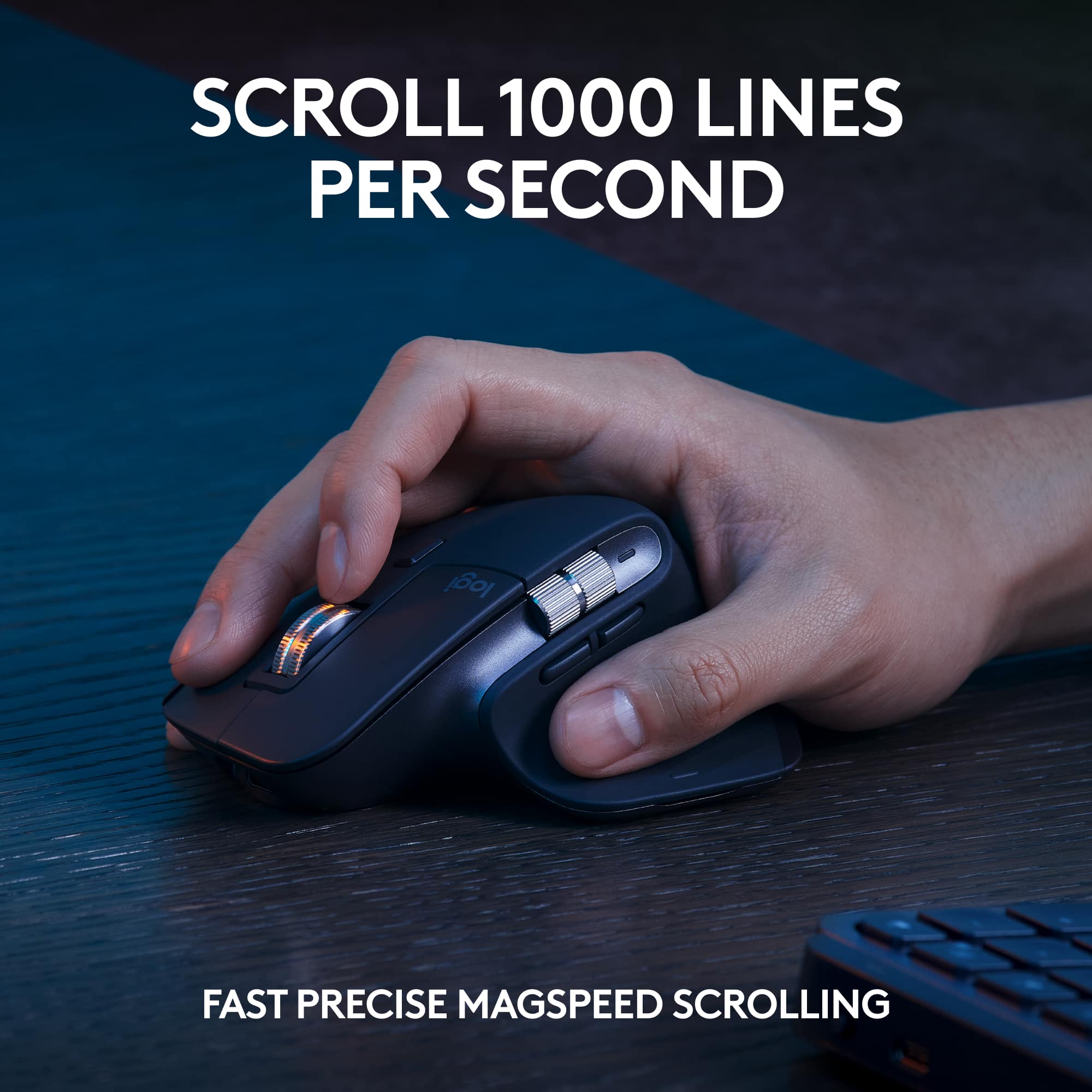
|Posted .This reviewer received promo considerations or sweepstakes entry for writing a review.This keyboard and mouse are well designed and very functional for anyone that spends significant time at their device. The mouse is very comfortable though it is shaped for right handed folks. Tech support informed me that this combo doesn't come with a left handed option. Assuming you are right handed and the only one using the mouse you will be delighted with the precision and customizable features of the device. The MagSpeed Scrolling feature allows you to scroll up to 1000 lines per second with the very fluid feeling scroll wheel. All the buttons are programmable making it easy to increase your productivity. The palm rest is thin but supportive and allows for a smooth comfortable feel while typing. Typically I am not a fan of these things but this one is clearly engineered to fit perfectly along the keyboard and thus is the right height to preform its function. The Keyboard its self is a work of art. It is very slim but has a heft that lends to the feeling of quality. The keys are shaped to help keep your fingers in place and I find that accurate typing is really easy. I typically like a keyboard with more tactile response yet somehow, this is very satisfying to use and feels very satisfying and is very quite while typing. Another great feature not always accompanying a wireless keyboard is illumination. The device senses ambient light and adjusts accordingly. The illumination is just perfect, so much so that I didn't realize how balanced it was until I turned it off just to see how much of a difference that made and in bright and dark surroundings the keyboard is easy to see for those times you need to look down to see the "%" or "&." The ability to pair and use this with up to 3 devices is also super convenient. Just select 1,2 or 3 with the buttons on the keyboard or scroll through with the selector on the mouse. Super easy when switching from desktop to laptop to smart TV etc. Also, the ability to pair using Bluetooth or the included Logi Bolt USB Receiver is very nice. I am using Bluetooth directly and it took all of 30 seconds to get up and running. The only negative thing is that because of the slim design there is no onboard space to store the receiver. I don't think I will need it but fingers crossed that if I do I can remember where I put the darn thing. All in all this a first rate piece of equipment and should last very well even with constant use.
I would recommend this to a friendWork purchased for me once, purchased for myself
Posted .This reviewer received promo considerations or sweepstakes entry for writing a review.One of the best combos for a work from home environment, especially with multiple work machines, using Logitech Flow.
I would recommend this to a friendBrand response from Logitech
Posted .Thanks for sharing your experience—it’s always a pleasure to hear from happy customers. We’re delighted that our product is serving you well and making a difference in your day-to-day routine. We appreciate your trust in Logitech.
- Pros mentioned:Ease of use
Computer Keyboard Set
Posted .This reviewer received promo considerations or sweepstakes entry for writing a review.Logitech works well with my computer set. Like the ease of using both the mouse and keyboard.
I would recommend this to a friendBrand response from Logitech
Posted .That's great to hear! We're thrilled your Logitech MX Keys S Combo works well with your computer setup and that you like the ease of using both the mouse and keyboard. Enjoy your seamless experience!
- Pros mentioned:Ease of use
Great combo
Posted .This reviewer received promo considerations or sweepstakes entry for writing a review.Love this keyboard and mouse option. Easily switches between 3 different computers I have them paired with. My only complaint is I wish the mouse had its switching button somewhere in the top for easier switching. It’s on the bottom of the mouse, which is my only knock on it.
I would recommend this to a friendBrand response from Logitech
Posted .Thank you for your feedback on the MX Keys S Combo! We're glad to hear that you're enjoying the smooth switching between your three computers.
- Pros mentioned:Keyboard quality
Best Buy
Posted .This reviewer received promo considerations or sweepstakes entry for writing a review.Thank you very much for the options and quality of stuff!
I would recommend this to a friendBrand response from Logitech
Posted .We're absolutely delighted to hear you're so pleased with the options and quality of your Logitech MX Keys S Combo! Thank you for your kind words and for choosing us. We truly appreciate your feedback!
- Pros mentioned:Keyboard quality
Perfect Addition for Home Office
Posted .This reviewer received promo considerations or sweepstakes entry for writing a review.Solid, easy-to-type keyboard with adequate backlighting. Mouse functions extremely well and fits in hand perfectly. Love this entire setup!
I would recommend this to a friendBrand response from Logitech
Posted .We're delighted to hear that the MX Keys S Combo has exceeded your expectations. Thank you for your positive feedback regarding the keyboard's solid construction, comfortable typing experience, and adequate backlighting, as well as the mouse's functionality and ergonomic design. We appreciate your continued support.
- Pros mentioned:Keyboard quality
Great Product!
Posted .This reviewer received promo considerations or sweepstakes entry for writing a review.Love this! Can’t recommend highly enough!! Both the keyboard and mouse are comfortable and work so well. Makes me wonder how i used my computer without them.
I would recommend this to a friend