Customer Ratings & Reviews






- Model:
- 899-00081-02
- SKU:
- 6373513
Rating by feature
- Value
Rating 4.4 out of 5 stars
- Quality
Rating 4.6 out of 5 stars
- Ease of Use
Rating 4.4 out of 5 stars
Customers are saying
Customers commend the Portal TV for its excellent video calling, ease of use, and impressive screen size, frequently praising the picture quality and straightforward setup. However, some users experienced challenges with the remote control pairing and compatibility with certain devices and sound systems. A few also noted that the device did not include an HDMI cable and that the software could be improved for a smoother user experience.
This summary was generated by AI based on customer reviews.
- Pros mentioned:Screen size, Video calling

An interesting idea, continues to improve...
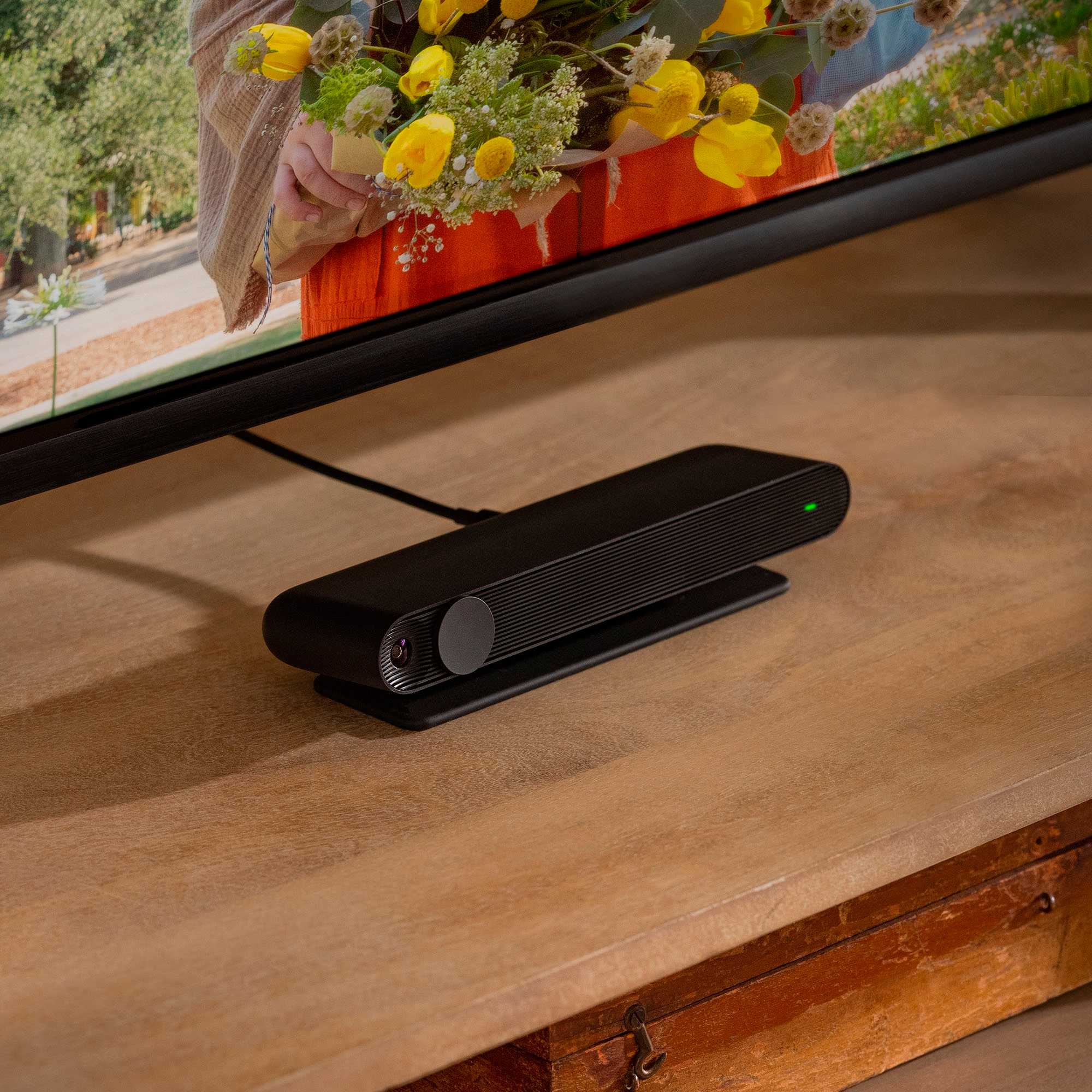
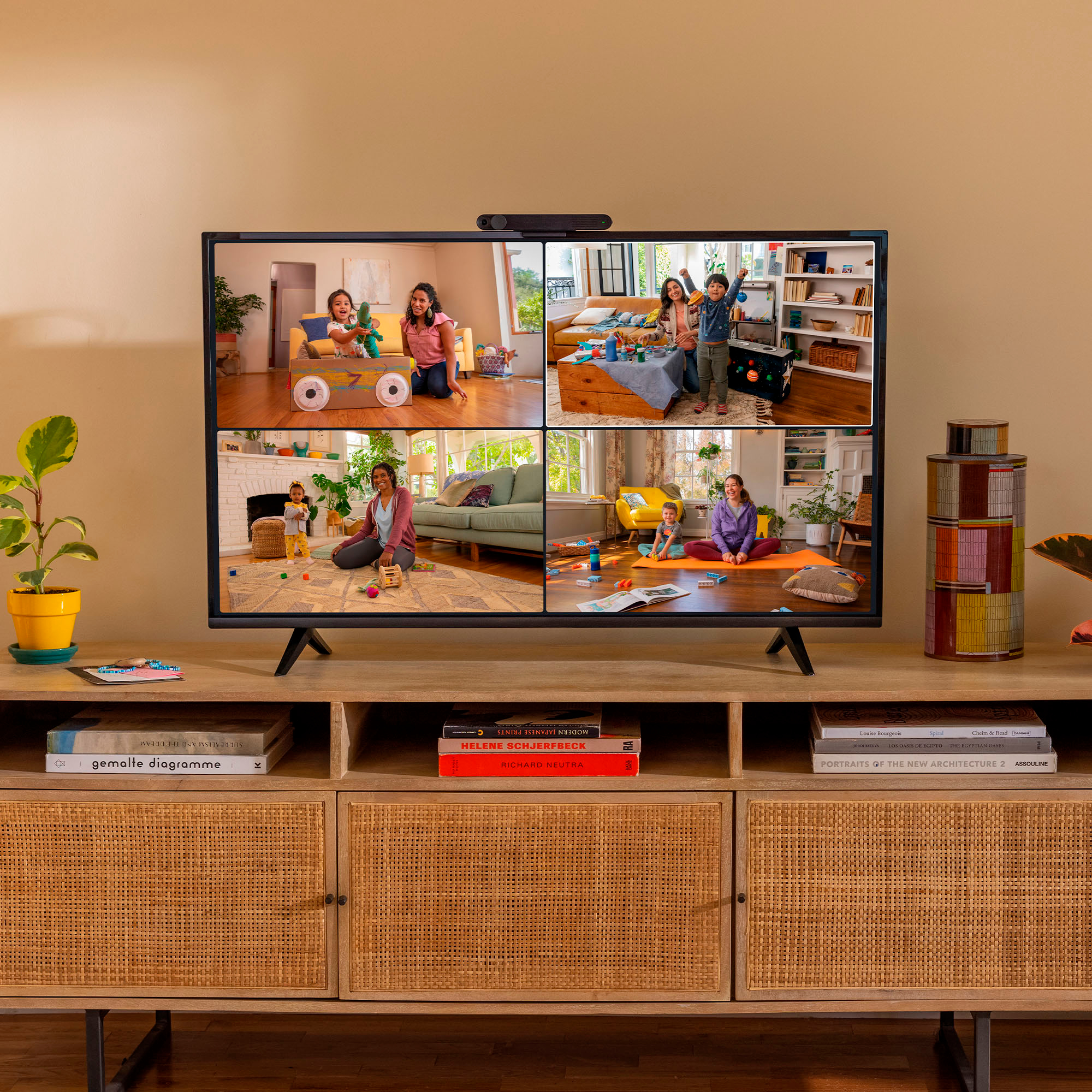
|Posted .This reviewer received promo considerations or sweepstakes entry for writing a review.Initially, we were very disappointed with the Portal TV, as it had constant dropped calls, video quality was pretty poor - then very good - then back to poor and the sound was terrible. Over the course of a week or so, the drops tapered off and the video quality improved a lot. Both ends of the call were from 100Mb + cable connections at about the same time of day each time (talking to the grandkids) so I don't think there was a problem with bandwidth. The sound (mainly loud echoes and dropped sound) also seems to be improving a lot as well, so it appears that there are updates being rolled out to address initial usage problems. Aesthetically, the box it very inconspicuous on top of our TV. It is almost invisible aside from the white light bar that shows up when you ask Alexa to do something (or the local TV News runs their ad for Alexa's "flash briefings" to which she responds EVERY time!) or when you have the entire thing turned off using the button on the side and the little red light shows. Setup was easy, just plug it in and follow the prompts on the screen. Don't forget to pick up a spare HDMI cable if you don't already have one laying around as it does not come with one - kind of odd since it is required to use it and you are not likely to install it very far from the TV itself! Once setup was complete, we were surprised at the camera function... it uses the full field of view to include any faces it detects, then zooms in and out and focusses to include them all in the frame. As our grandsons crawled around the room, it followed them so we could see them even as they moved out of view to the sides. As was mentioned earlier, the sound and video quality is improving and the drops are becoming infrequent now. It is so nice to be able to use the entire TV screen to see people instead of just the small screen on a phone or tablet. The experience is so unique. I have tried casting my screen to our TV, but then the camera is in another direction and makes it difficult to focus on one or the other. Having the camera right on the top of the TV screen allows us to see and be seen easily. I expect this will be the first of many of these kind of devices, so if the price is a bit high now, just wait a while and I'm sure competition will drive it back down to decent webcam territory. Some of the functions are a bit gimmicky, but others are quite useful. The Storytime app is a little creepy at times and the stories are far too twisted from the originals we grew up on, but they are good for one or two times. The slideshow feature is nice and it turns your TV into a giant picture frame for your Facebook photos. We are still diving into the other items but still go back to our regular built-in Smart TV functions for most of the time - I think because of familiarity more than anything. Despite it's somewhat high price tag, I think the experience makes it worthwhile to purchase. Seeing the grandkids on the bigger screen is an amazing thing for us!
I would recommend this to a friend Fun but better mic would be great
||Posted . Owned for 3 weeks when reviewed.This reviewer received promo considerations or sweepstakes entry for writing a review.The mic is not good, people have difficulty hearing during a call
I would recommend this to a friendFacebook portal
||Posted .This reviewer received promo considerations or sweepstakes entry for writing a review.Its a pain to get started in a group,once your ok its ok! Hard to hear if more then one person is talking!!!
I would recommend this to a friendVideo quality is not upto mark
||Posted . Owned for 1 week when reviewed.This reviewer received promo considerations or sweepstakes entry for writing a review.Easy to configure and set it up. Video quality is not upto mark
I would recommend this to a friend- Pros mentioned:Video callingCons mentioned:Hdmi
Excellent for Big Screens
|Posted .This reviewer received promo considerations or sweepstakes entry for writing a review.For some reason, I had some difficulties setting it up at first. It would connect to my WiFi and start to download an update. However, it would never finish. The download bar would get to about 10 percent (could not tell exactly because it is not numbered) and were stuck there. It would eventually say that it lost access to my WiFi. I have other devices in the same area and never experienced any similar issue. My son got a Portal too and it worked for him in no time. What is interesting is that I have 1 Gbps and he has less than 20 Mbps bandwidth to the internet. I could not figure out what the issue was but moving it closer to my router in my office, it completed the update. Then I was able to move it back to where I wanted it to be – the living room – and it worked without any issues after that. That was the only issue I experienced setting it up. Otherwise, it was very easy. Well, except for the fact that I had to find an HDMI cable because it does not come with one. Really Facebook? At least it comes with a clip that attached easily to two TV’s I tried. I was impressed the moment I made the first call to my son, Portal to Portal. The fact that it connected to my 65-inch screen gave me – and him – the feeling that we were in the same room. Voice and video quality were superb but what really impressed me was the camera following me while I walked in the room and zoomed out to include my ten-year old that was waving at my son. It felt like somebody was panning the camera to follow the action. That is a nice feature because it gives you freedom to move around while you talk. I have family abroad and communicate with them through WhatsApp. It was very easy to use the Portal for that. It was no different from calling a Facebook user. They loved the camera panning and zooming automatically. Again, the voice and video quality were excellent. Another great feature is that it comes with Alexa. At first, I thought you had to press the mic button built into the remote to call Alexa but it is not necessary. I was able to use it not only to make calls but also to turn my smart lights on and off. You can say either “Portal” or “Alexa”. What may get you confused is that by saying “Alexa”, you have control of smart devices but I could only control the Portal itself when I said just “Portal”. An issue I experienced was that I have a FireTV Cube and when I would say “Alexa”, sometimes the Portal would respond. I will have to find a solution for that because sometimes it matters which one responds. I am very careful when using social media. My concern is always privacy. While it cannot guarantee that it will not listen to you when you are not aware, at least it comes with a sliding shutter, thus protecting you from being spied on accidently or not. It is much better than I expected. The only major issue I had – setting it up - was probably just an anomaly since my son did not experience it. My personal opinion is that it is better than the tablet version. The only downside is that it is not really built for mobility but for that, I use my phone.
I would recommend this to a friend - Pros mentioned:Video callingCons mentioned:Hdmi
Outstanding product with cool features!
|Posted .This reviewer received promo considerations or sweepstakes entry for writing a review.I have been waiting for a device that allows video calls either for WhatsApp or Facebook messenger on TV. Facebook Portal TV addresses my needs. In the box, it came with 1 Portal TV, 1 Power Card, 1 Remote + Batteries. There is no HDMI provided in the box. Setup is pretty straightforward. I have plugged in Portal TV in HDM Aux Input of my receiver which is connected to my 82Inch TV and connected the power cable on the back of the device. I have placed the portal TV in front of the TV for testing purchase. It can be placed on top of the TV panel. There was a firmware update available for the device and it took close to 25 mins to complete the update. The remote is very compact and easy to use. I have added my Facebook and WhatsApp accounts during the setup process and it showed all my contacts. WhatsApp setup is similar to PC setup by scanning the bar code on the phone WhatsApp. To use WhatsApp, the phone must be ON state. To use Portal TV, just call “Hey Portal” and it will listen for your further commands. I have marked frequent callers as Favorites which is a nice feature. Favorites contacts will appear on the main screen and it will allow making a quick call rather than going through the contact list. It is easy to make a call either by voice or video. To start a call, select the contact or you can say “Hey Portal, call [contact]”. It will make the call for you. Please note that the portal does not allow calls between messenger and WhatsApp account. Please make sure that the phone is connected with the internet to initiate and receive WhatsApp calls on Portal. I am surprised by smart camera features in Portal TV. It is an AI-powered smart camera that automatically adjusts and zooms to keep everyone in the frame. We made several calls to friends and family members and they were able to see everyone on the frame. Spotlight is another nice feature when you are talking to multiple people and want to focus on one person. Just focus on a specific person and a green square outline and notification on the bottom right corner saying “Spotlight-On”. There are a lot of nice features for Shared calls. AR Effects can be used while on a call via photo booth. There are effects to change your voice as well. Story Time is another cool feature and we were able to test it out my friend who has a portal TV. Watch together lets you watch shows on Facebook while on a call with friends and family. Both should have Portal TV to use Watch together feature. There are very limited apps available in Portal TV which include Showtime, CBS, Starz, Sling TV, etc.. More apps may be added via future firmware updates. Superframe feature will allow displaying the photos and videos when you are not on a call. Photos can be added from Facebook or directly from the phone. Portal TV can be used as a home speaker to play music from Spotify, Pandora, etc. Regarding privacy and security settings, you can hide the camera by sliding the switch and the microphone can be turned off as well. Portal TV is a great product with a lot of cool features.
I would recommend this to a friend doesn't work for purpose of purchase
||Posted . Owned for 1 month when reviewed.This reviewer received promo considerations or sweepstakes entry for writing a review.I did a search for Portal TV and found lots of articles about using Zoom on Portal devices. That was my main reason for buying this. When I got it home and installed it, it didn't work. I discovered that in the fine print this one device was excluded. I think others have been equally disappointed, because now there are more disclaimers. Too late for me.
No, I would not recommend this to a friendBrand response from Portal Team
Posted .Hey there! Just to let you know Zoom is now available in the apps section of your Portal TV If you have any questions please reach out to our Support Team via the Portal website. Thanks!

- Cons mentioned:Hdmi
Great video calling device for bigger screen
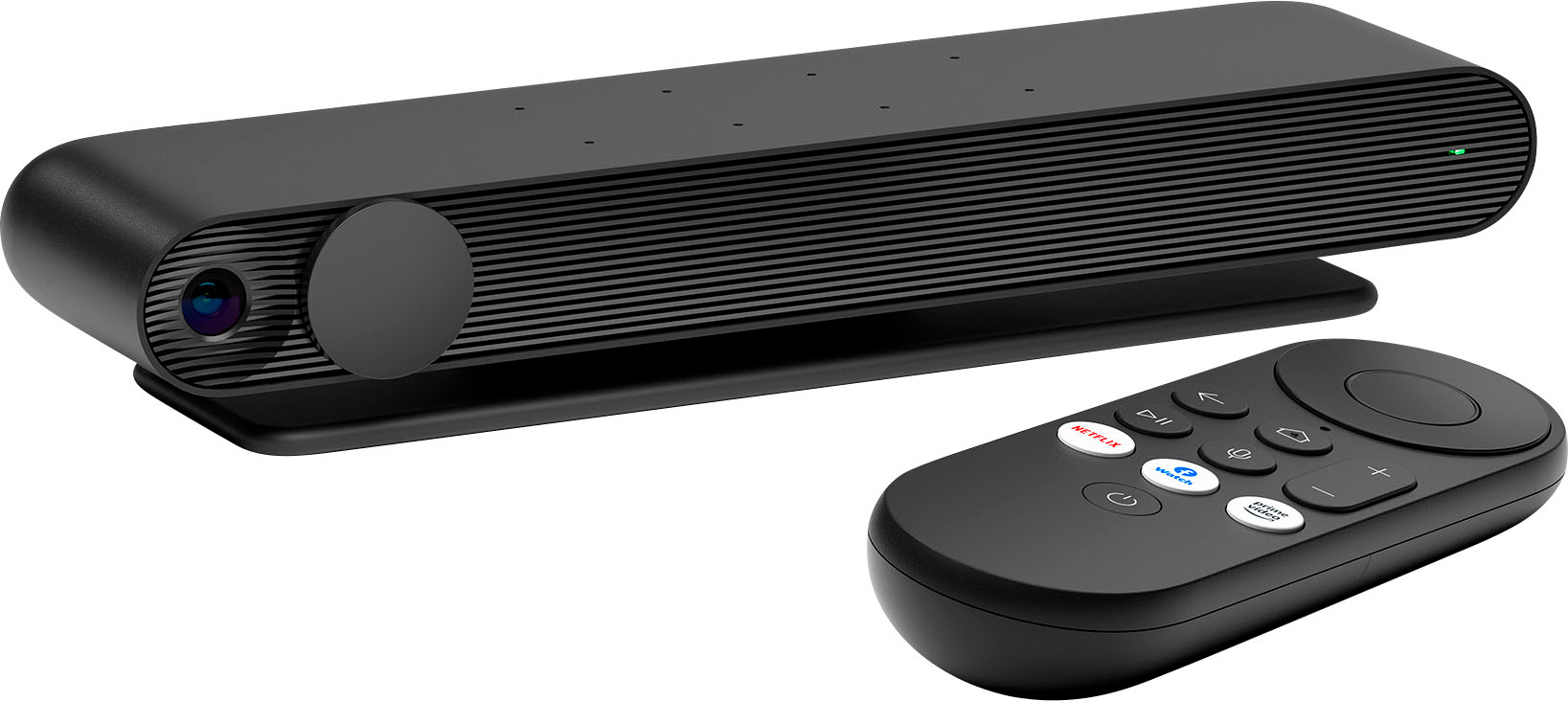
|Posted .This reviewer received promo considerations or sweepstakes entry for writing a review.The Portal TV varies from other portal products as this one has no screen of its own like the 8 inch or 10 inch instead it relies on TV to display. Initial setup took around 25 minutes as it requires latest software or firmware updates to continue. It has eight microphone and a built in speaker for Alexa or Hey Portal command needs when the TV is turned off. This built-in speaker is very useful when you are watching a show on TV and if a video call is coming in. It also has a camera inbuilt with a physical shutter that can be shut off completely for privacy when not in use. You can also disable the microphone when not in use to make sure nothing is heard unless you want to share. This box doesn’t come with HDMI cable and you need to have one to connect(for the price of $149.99 it should be included considering the cheap HDMI cost) At the back there is micro USB for power and HDMI output to TV for both audio and video. Portal TV has a clip that attaches to the top of television if its wall mounted or on the stand or TV cabinet. Mounting clip will not fit to old style TV’s if thickness is more and have to place it on the shelf. I have to place it on the shelf due to the fact my TV on the family room is mounted above the fire place and the top of the TV is about 8 feet from floor. This Portal TV has the same interface like earlier generation but it has a tracking wide angle camera lens similar to Nest Hub Max to follow people on the focus across the room (automatic pan and zoom). This works well even with group of people and will be great to connect with group of friends for broadcasting family gatherings on Facebook with friends. This feature works well due to wide view and upscaling of video to the size of the TV. It does come with a remote control. If you do video calls using Facebook Messenger or WhatsApp and would need it on large screen to connect with your family and friends, look no further as this also supports WhatsApp calls. We use this to connect to our family overseas and it works well for our needs as this comes with end-to-end encryption for added security. Other than video calls, Portal TV also include AR effects that will be more useful during story time mode.
I would recommend this to a friend Not a great device
||Posted . Owned for 1 week when reviewed.This reviewer received promo considerations or sweepstakes entry for writing a review.Poor mic quality. Other party cannot hear my voice properly
No, I would not recommend this to a friendPortal TV
||Posted . Owned for 3 weeks when reviewed.This reviewer received promo considerations or sweepstakes entry for writing a review.Have a lot of bugs when try to connect, needs a good internet connection
I would recommend this to a friendNot for me
||Posted . Owned for 3 weeks when reviewed.This reviewer received promo considerations or sweepstakes entry for writing a review.Setup was a pain and the instructions were inadequate. We returned it.
No, I would not recommend this to a friend- Pros mentioned:Ease of use, Video calling
Portal - A gateway to new experience
|Posted .This reviewer received promo considerations or sweepstakes entry for writing a review.I am not a 'Luddite' by any stretch of the imagination, but did not initially think this would be something I would enjoy using...WRONG! The unit is small, easy to install, and if you already have a short HDMI cable you should be up and running with it within 10 - 15 minutes. The biggest things are that it does not come with an HDMI cable, in the packaging I received, and you must have your facebook account (and WhatsApp, if you are going to connect it) up and running for install. Not a big deal as most people are connected constantly. Unit sits comfortably on the top frame of my TV and uses no mounting hardware that would harm the set itself. There is a coated front bumper frame to hold it in place and a larger adjustable bumper frame to hold it on the TV frame from the back. This back bumper also allows you to set a minimal angle on the unit if your TV sits high on the wall or stand. Worked perfectly for me. Once installed and set up, again very quick and easy, you can set your 'screen saver' to any or all of your facebook photos/albums. Connecting to friends and family who use facebook/WhatsApp is easy and they show up as circles with their profile photo on your dashboard. Also, on your dashboard are facebook related apps, including Facebook Watch. Using the unit is pretty simple as well. With the included remote, you can select who to call, what to watch, turn the unit on/off, etc. Just make sure that the camera slide is open so people can see you. In a call. or testing the unit per setup instructions, you can move about the room and the camera will 'follow' you. Range of view seems to be about 45 degrees to either side of center, which should be plenty of play room for most people. It is not a 4K camera, but the video feed is very clear and the audio feed is decent - depending mainly on the audio output of your TV. Still in the "play" mode for this, but I can say that I am enjoying the unit, and being able to video call family and friends, immensely. The only drawback for me, and this is NOT due to the Portal unit, is that my Samsung SmartHub doesn't allow the unit to work as expected. It does not cut out the feed from my cable box/receiver during a call. This may be something I am doing wrong, but I am still working out a solution -- possibly connecting directly to the TV, rather than through the SmartHub.
I would recommend this to a friend Save your money.
||Posted . Owned for 8 months when reviewed.This reviewer received promo considerations or sweepstakes entry for writing a review.I bought 4 of these units; one for me and three for the out of town kids. Seldom do we get a clear picture with any of them. Connections constantly freeze and drop and we are constantly disconnecting and re-connecting. Frustrating and disappointing.
No, I would not recommend this to a friendSometimes it didn't recognize face
||Posted . Owned for 3 weeks when reviewed.This reviewer received promo considerations or sweepstakes entry for writing a review.we noticed it lags sometimes and face recognitions got struck for some times.
No, I would not recommend this to a friend- Pros mentioned:Video calling
Doesn't turn ON.
||Posted . Owned for 3 weeks when reviewed.This reviewer received promo considerations or sweepstakes entry for writing a review.Couldn't wait to try the big screen video calling experience. Package and the product looked great and sturdy but doesn't turn ON! Had to return! Disappointed.
No, I would not recommend this to a friend Having great difficulty getting this item to funct
||Posted . Owned for 1 month when reviewed.This reviewer received promo considerations or sweepstakes entry for writing a review.I would not buy this particular item again. Having great difficulty operating.
No, I would not recommend this to a friendGood portal
||Posted . Owned for 1 month when reviewed.This reviewer received promo considerations or sweepstakes entry for writing a review.We like the portal. Once we figured out the set up procedures.
I would recommend this to a friendCan’t get it to work
||Posted . Owned for less than 1 week when reviewed.This reviewer received promo considerations or sweepstakes entry for writing a review.Can’t get it to work it supposed to be easy to set up but it won’t work
No, I would not recommend this to a friend- Pros mentioned:Ease of use
Fun for the whole family
|Posted .This reviewer received promo considerations or sweepstakes entry for writing a review.THE BREAKDOWN: This product was nicely packaged. This package included the Portal TV device, power cord and remote with batteries. The only thing needed that wasn’t supplied that is needed is an HDMI cable. This system is very simple to get setup and running. It took around 20 minutes to do the initial setup. It takes a while to get the updates and connect to your Facebook account. One note on my installation is that initially my contact downloaded and I was able to set favorites but once I went all the way into the app my contacts disappeared. I tried restarting the device and that did not work. Once I logged out of the app and logged back in the contact list just seemed to reappear. Once everything was updated and logged in I could call anyone on my contact list that had Facebook Messenger or WhatsApp. I thought the camera worked well. I think they call it a smart camera that is AI powered and automatically adjusts and zooms. I feel that this worked well with the exception of having multiple people in the room as it would not pick them up in the viewing area. The camera put your head at the top of the screen would sometimes cut off the effects even while playing the games. This is a great tool for communicating with friends and family, especially those that live far away. We were able to communicate with our family, add those cool augmented effects, play the games and the story books. The portal offers a variety of 3rd party apps like Showtime, CBS, Stars, Sling TV and Redbull to name a few. These apps are available by selecting the “Portal Apps” icon. One last thing that I would like to mention is the way that it sets on the top of your TV. At first I had it setting in front of my TV then I realized how it was designed to set on top your your tv. Just genius! PRO’s: -Easy to use and setup -Great quality in the build -Have voice control -Smart AI controlled camera -Supports group calls -Really cool augmented effects CON’s: -No included HDMI cable -Camera tracks your head at the top of the screen and cuts off some of the effects SUMMARY: Overall, I feel that this product worked well and I would recommend this to a friend if they are in the market for device like this.
I would recommend this to a friend Audio problems
||Posted . Owned for 3 months when reviewed.This reviewer received promo considerations or sweepstakes entry for writing a review.These devices have terrible audio problems if either side has a decent level of background noise. They enter a walkie-talkie half duplex mode where the loud side transmits while the other side is cut off. The result is no sound coming from the quieter side. My business bought four of these and while the results are decent if both sides are quiet, they're completely worthless otherwise. Be warned.
No, I would not recommend this to a friend