Customer Ratings & Reviews

- Model:
- 899-00412-01
- SKU:
- 6520136
Rating by feature
- Value
Rating 3.5 out of 5 stars
- Quality
Rating 4.3 out of 5 stars
- Ease of Use
Rating 4.3 out of 5 stars
Customers are saying
Customers are satisfied with the Quest Pro's overall performance, comfortable design, and face tracking capabilities. Many users appreciate the clarity and graphics, as well as the innovative controllers and well-balanced weight. However, the high price point and limited battery life are significant drawbacks. Some customers have expressed concerns about the passthrough quality and resolution, and feel that the software still needs further development.
This summary was generated by AI based on customer reviews.
VR
||Posted . Owned for 2 weeks when reviewed.This reviewer received promo considerations or sweepstakes entry for writing a review.Great except for buzzing, buzzing in left ear, Resolution is ok.
I would recommend this to a friend- Cons mentioned:Passthrough
Rushed release
||Posted . Owned for 1 month when reviewed.This reviewer received promo considerations or sweepstakes entry for writing a review.Meta promised many features such as seamless passthrough. But I received the meta quest 2 pass-through with some dull colors. I would wait for Meta to release a couple of software updates before picking this up.
No, I would not recommend this to a friend Don't buy it
||Posted .This reviewer received promo considerations or sweepstakes entry for writing a review.Its the quest 2 in black for $1,000 more expensive. Not for gamers but executives.
No, I would not recommend this to a friendNot so good
||Posted . Owned for 6 months when reviewed.This reviewer received promo considerations or sweepstakes entry for writing a review.Worst and not easy and it’s too much weight to put on head
No, I would not recommend this to a friendMeta Let's do better next time
||Posted . Owned for 2 weeks when reviewed.This reviewer received promo considerations or sweepstakes entry for writing a review.I'm impressed with how underused the hardware is by meta and how unconformable the headset is
No, I would not recommend this to a friend- Pros mentioned:Comfort, Face trackingCons mentioned:Battery life

cutting edge tech with a lot of accessories
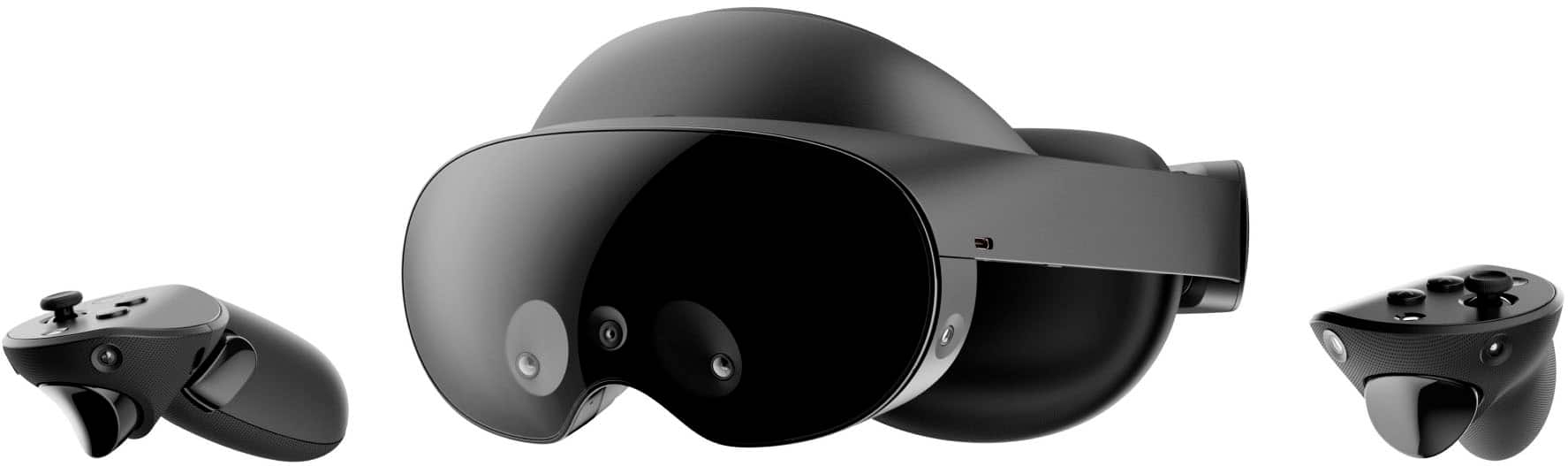
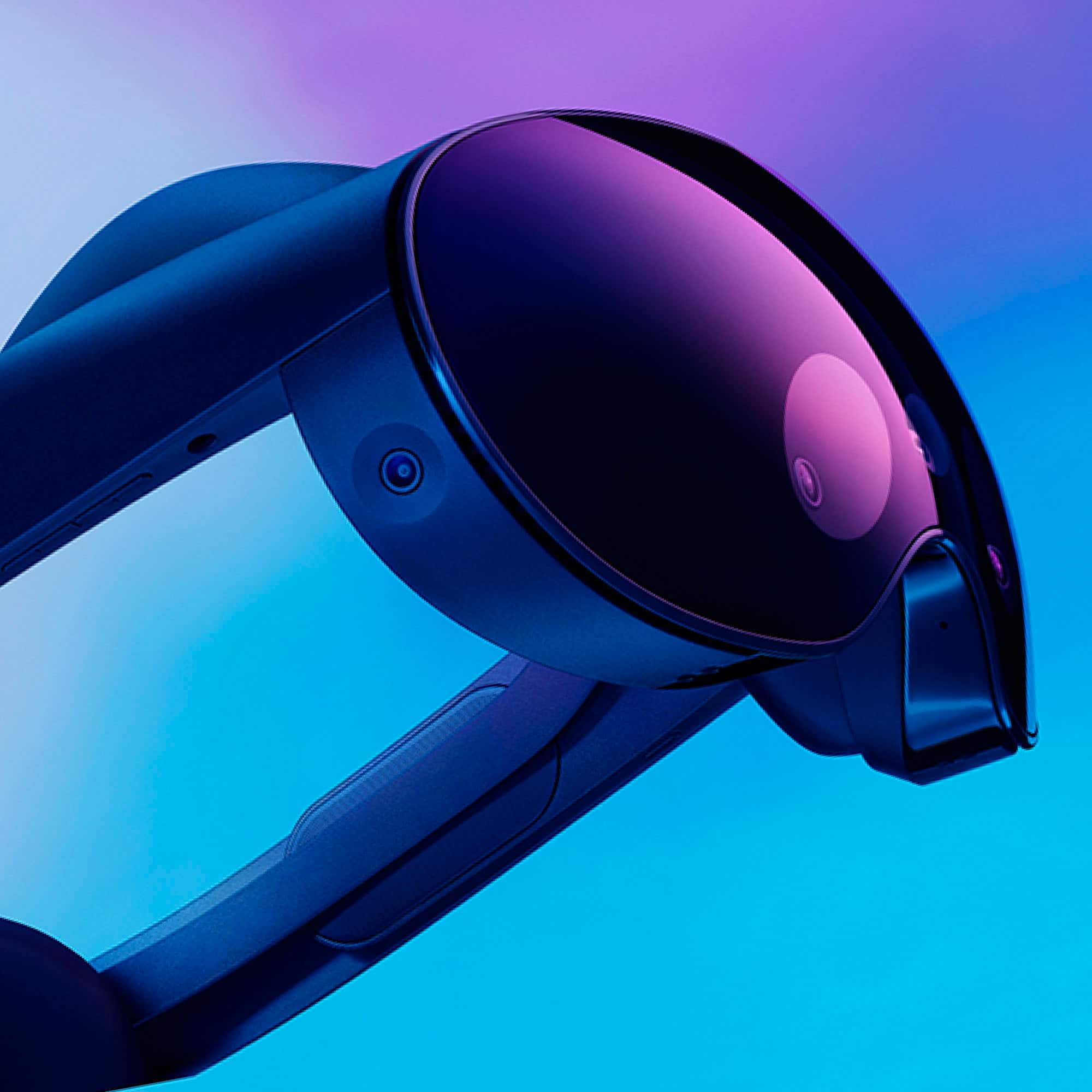
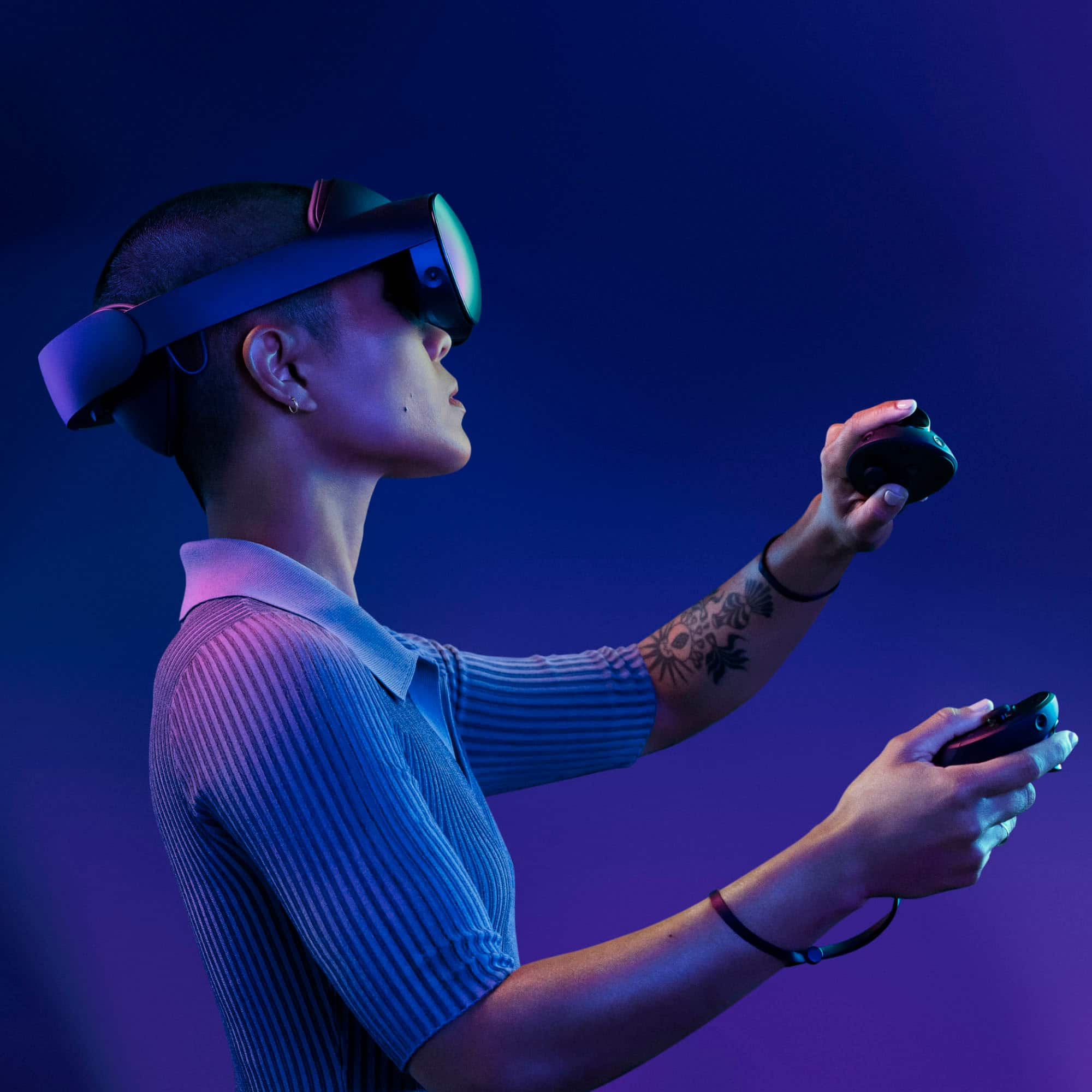
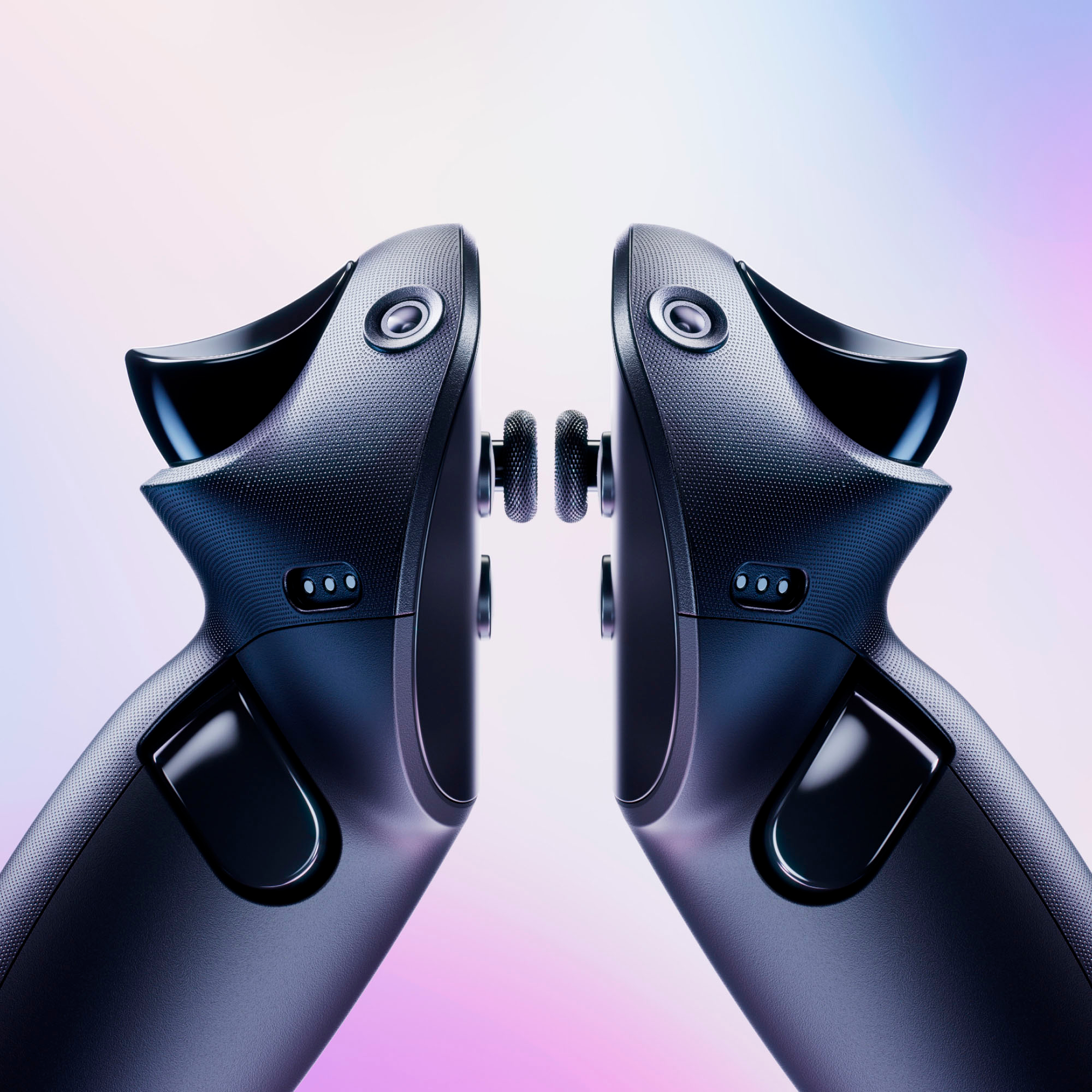
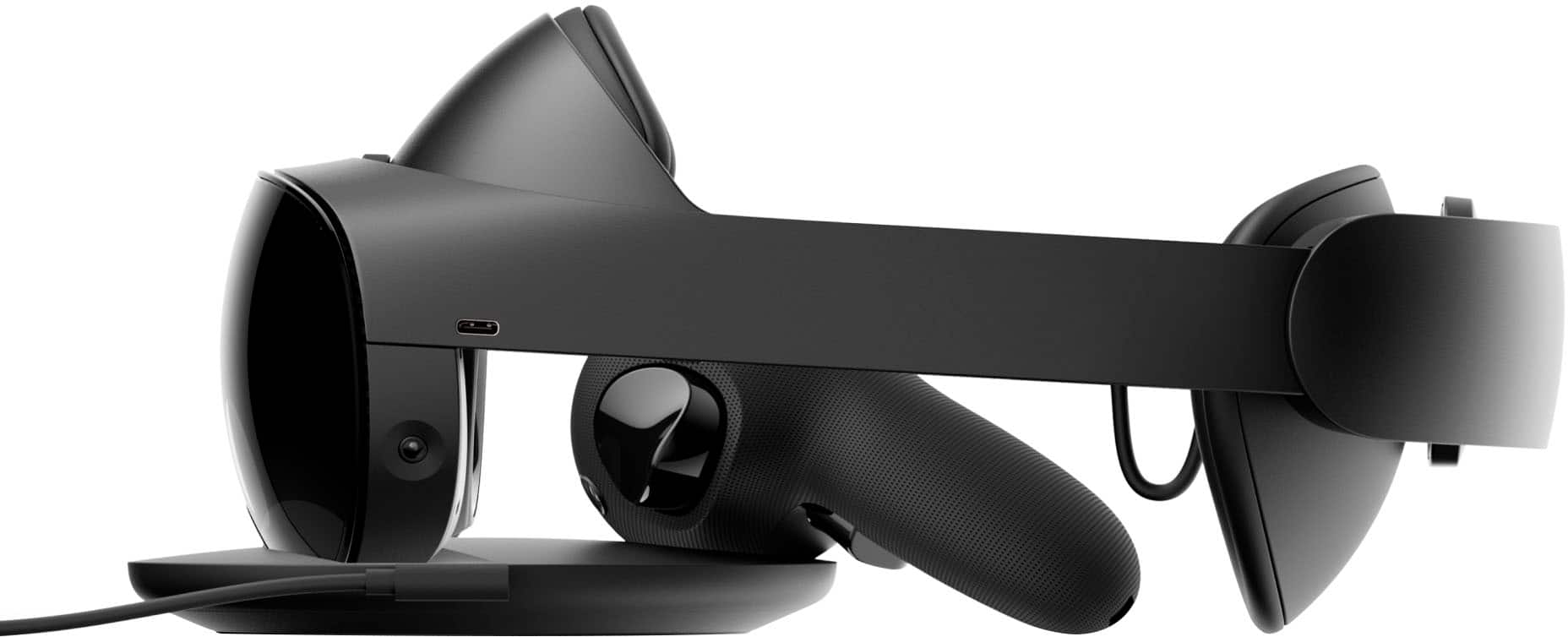
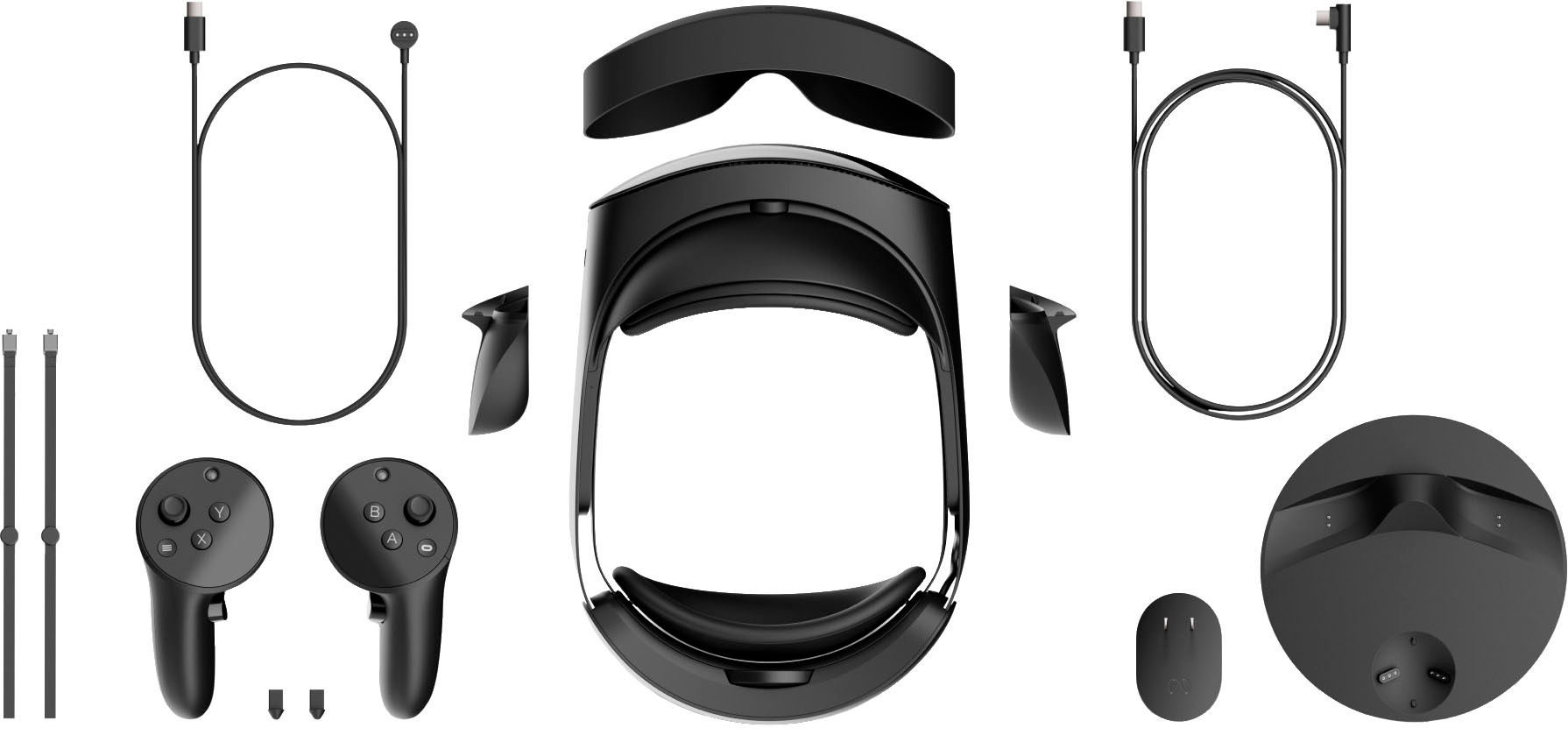
|Posted .This reviewer received promo considerations or sweepstakes entry for writing a review.The design of this headset feels futuristic. It appears to be mostly made of plastic, but it does feel like it’s built with durability in mind. The design is very compact due to the pancake lenses. It feels really comfortable. I think moving the battery to the back really makes the headset feel more balanced. The front and back padding feels super comfortable and the finish on the pads seem like they would be super easy to clean. The IPD adjustment is easy to use; I like that they freely slide so you can get your perfect pupillary distance. The battery life is pretty short at 1-2 hours, but honestly I generally get fatigued in VR before I get to that point so it was not a big deal for me. One interesting design choice that they made was they designed to be open; as in it does not block out ambient light by default. However, Meta included rubber pieces that magnetically attach to each side in order to block out most of the light. With those on, it still lets in some light from the bottom, but if that’s a concern there also sell ones that block out all of the light. Personally, I thought the ones in the box were sufficient. One of the things that make this headset feel the most futuristic is the eye and face tracking. This technology brings my natural expressions and mannerisms into games like Meta Horizon Worlds. It makes this device feel like something out of a sci-fi movie. There are also other uses for tracking that I’m excited for such as foveated rendering, which is rendering where you’re looking with more detail and rendering the peripheral with less detail. The display on this headset is amazing. It’s super bright. With the addition of local dimming, the contrast on this headset is wonderful. I checked for screen door effect but with its high resolution I did not experience it. The field of view and refresh rate seem average to me. The new controller design is really cool. Previous designs used lights to track the controllers with the headset cameras. Now; the controllers have their own cameras and do their own inside out tracking. It works super well. Even if the controllers are out of range of the headset cameras, the headset still can place it in your world. Another cool feature of the new controllers are the touch sensors, which also work super well. The headset comes with a nice dock. It charges the headset and the controllers. It was easy to set up and it is easy to put each piece into their respective charging areas. Meta was nice that they also included charging cables for the headset and the controllers. I tried a few different games on it (such as beat saber and VRChat). They worked perfectly and looked amazing. One of the biggest features of this headset is the color passthrough. It’s very clear you’re looking through a headset when you’re paying attention, but with the addition of mixed reality experiences it becomes a lot less noticeable. It’s really interesting to be able to see both the real and virtual world collide. There are a lot of productivity use cases for this thing, such as using it as monitors for your laptop or using it to join meeting. Overall, this is a great headset. I’d recommend this to anyone who is looking for a cutting edge virtual reality and mixed reality headset.
I would recommend this to a friend - Pros mentioned:Overall performanceCons mentioned:Battery life, Price
Best Standalone VR
Posted .This reviewer received promo considerations or sweepstakes entry for writing a review.The Meta Quest 3 has been praised as a significant advancement in the realm of standalone VR headsets. Notable for its swift processor, the Quest 3 is considered the gold standard in its category, offering impressive performance and a superior experience compared to its predecessor [➊](https://www.pcmag.com/reviews/meta-quest-3#:~:text=4,thanks%20to%20its%20swift%20processor) [➋](https://www.tomshardware.com/reviews/meta-quest-3#:~:text=Reviews%20By%20Brandon%20Hill%20published,its%20predecessor%2C%20but%20the%20price). IGN lauds it as "the best," emphasizing its position at the forefront of virtual reality technology [➌](https://www.ign.com/articles/meta-quest-3-review#:~:text=Meta%20Quest%203%20Review%20Heir,Quest%203%20is%20the%20best). PC Gamer highlights its easy setup, compact and comfortable design, and excellent display, suggesting it significantly improves upon the already popular VR headset line [➍](https://www.pcgamer.com/meta-quest-3-review/#:~:text=Meta%20Quest%203%20review%20The,comfy%20design%20Great%20display%20An). Trusted Reviews adds that the Quest 3 boasts a lightweight, compact design, an impressive VR and mixed reality (MR) experience, top-end performance, and the largest library of apps among standalone headsets. However, they note some drawbacks, including a higher price point, suboptimal battery life, and occasional issues with image warping [➎](https://www.trustedreviews.com/reviews/meta-quest-3#:~:text=Pros%20Lightweight%2C%20compact%20design%20Impressive,could%20be%20better%20Odd%20warping). Overall, the Meta Quest 3 is well-received for its technological advancements and enhanced user experience, although it comes with a heftier price tag and some minor issues.
I would recommend this to a friend Don’t buy it
||Posted . Owned for 1 month when reviewed.This reviewer received promo considerations or sweepstakes entry for writing a review.I barely used it it’s in a box somewhere in my house. Worst money ever spent not very good features only the expressions but that’s about it.
No, I would not recommend this to a friendMeta quest pro
||Posted . Owned for 3 weeks when reviewed.This reviewer received promo considerations or sweepstakes entry for writing a review.Its not worth the money.its deactiv head rest get hot could burn your face skin if you leave it on you head for over 15 minute.
No, I would not recommend this to a friendBEST BIRTHDAY GIFT EVER
||Posted . Owned for 1 month when reviewed.This reviewer received promo considerations or sweepstakes entry for writing a review.Great Birthday gift from my family. It allows me to go places around the world. Really enjoy it.
I would recommend this to a friendWorks as expected
||Posted . Owned for 1 month when reviewed.This reviewer received promo considerations or sweepstakes entry for writing a review.Works great. Can connect to my PC. Recommended to buy the pc connect software. The oculus default one is not as nearly good.
I would recommend this to a friendMeta Quest Pro - Thumbs Up
||Posted . Owned for 1 month when reviewed.This reviewer received promo considerations or sweepstakes entry for writing a review.Better than expected. Great VR experience. Look forward to using more
I would recommend this to a friendMetaPro2
||Posted . Owned for 1 month when reviewed.This reviewer received promo considerations or sweepstakes entry for writing a review.it is nothing surprise and no tech new and just same thing little and no good version.
No, I would not recommend this to a friendTo expensive not aorth the upgrade
||Posted . Owned for 2 weeks when reviewed.This reviewer received promo considerations or sweepstakes entry for writing a review.Not worth the upgrade if your going from the quest2
No, I would not recommend this to a friendAwesome
||Posted . Owned for less than 1 week when reviewed.This reviewer received promo considerations or sweepstakes entry for writing a review.I really like the new headset feels good looks great and is a lot faster and smoother
I would recommend this to a friendA fools buy
||Posted . Owned for 3 weeks when reviewed.This reviewer received promo considerations or sweepstakes entry for writing a review.Waist of money, I do not understand the intentions here, you are better off with the oculus 2
No, I would not recommend this to a friendLove it!
||Posted . Owned for 1 month when reviewed.This reviewer received promo considerations or sweepstakes entry for writing a review.Great foe developers. There is noticible improvement
I would recommend this to a friend- Cons mentioned:Resolution
Awesome Hardware, Need More Apps!
|Posted .This reviewer received promo considerations or sweepstakes entry for writing a review.The Meta Quest Pro is a pretty decked out VR headset and controller bundle. There's the headset, a left and right set of handheld controllers, a charging base, complimentary headphones, and sun/vision shade/visor you can put over the headset to further help with immersion. It's a sleek and stylish looking piece of kit and among one of the many things you notice about the Meta Quest Pro in your first few minutes handling the package. The first thing for me was the weight and size of the box. With the headset out, it makes sense, but the box still looks and feels a lot more solid and hefty than I expected. There's a good weight to it which doesn't translate to wearing the headset. Part of that is some of that weight is the sturdy box itself, the charging base, and controllers but the headset still carries a decent amount of that and it does get a bit heavy after long periods of wear. Opening things up, the next thing I immediately notice were the camera lenses everywhere. Multiple ones dotting the headset and controller. If there's a way to capture how your head and hands are moving relative to each other, there's a camera angle that has that covered. This is the obvious source of the "Pro" designation. My guess is that the sizing is one-size fits all. The headset had decent adjustability - there's a wheel to adjust the headset front/back then the lens spacing and distance from your eyes. One things are dialed in, you can take off the headset taking advantage of the slight elasticity which lets you pull it away from your head a bit without actually changing your adjustments. As long as you don't accidentally flick the lenses with your fingers after removing, things will be the same when you put it back on. For initial setup (and for me, most of the stuff I did anyway), you'd need to have a meta account setup. And while it seems to give you the option to sign up by email, that didn't work for me. I had to use an existing FB/IG account. Once past that you'll pair the Quest Pro to the phone app, then get started. I did some of my initial app selection on the phone but you can do that via the Quest Pro. In fact, the Quest Pro is effectively its own standalone device. It stores its own apps, data, etc. For example I got Adobe Acrobat on the Quest Pro but couldn't immediately use it for existing files on my phone. There are plusses and minues for this. The big minus is that if you want to jump directly into productivity uses with this headset, you've got a lot of upfront work to do. After the setup and safety tutorial, you'll configure either a room or stationary boundary. These are areas within which the Quest Pro will let you use it. Go outside this and it makes it hard to use. Menus stop working down to just the option to redraw boundaries. And tracking doesn't seem to work as well. I'm not sure why, but my controllers regularly needed to be restarted to adjust a tracking issue when I was outside the boundary. There is a passthru mode where you can see outside the headset with it's cameras. Unfortunately, the resolution is not that great. It's good enough to give you a sense of things around you and to read things if they're large enough, but it doesn't seem like it would make for an immersive AR experience. Going pure VR though was awesome. I was blown away by how realistic it felt and how smooth. Doing a VR rollercoaster, I actually felt a thrill going down the coaster. Some parts evoking much more of a visceral reaction than others. A loop-de-loop, I didn't really feel at all but freefall was felt to a certain extent. It seemed like if things went too long, my body caught up with the disconnect between what the rest of me felt and what my eyes were seeing. The experience is stunning and resolution is great. . mostly. Loading up a video app, I tried out a couple streams that I've previously watched in 1080p on my computer. While the Quest Pro resolution is higher than 1080p, and the video in 1080 did look good, it wasn't quite the same. I think part of the issue is that I wear contacts and dialing in my vision seemed a bit challenging. My pupil distance was such that I needed to push the lens apart to the max (it would report 71) but the lens didn't seem to stay there. They'd move slightly back towards 68-69. Also, I was pretty sensitive to vertical placement. All of this looked fine until I was watching video, then I needed to readjust. That said, I was happy with the horizonal and vertical field of view in the headset and it was pretty easy to reorient the main "screen". And with Youtube VR, I quickly found that I could grab and "hold" the screen with a controller as I moved around eliminating the need to snap it back into view to match my current head orientation. Another thing I didn't really notice until I got into my "home" VR environment - the sound quality of the headset is pretty good. I struggled to figure out whether it was using bone conduction to help get the sound in. You get decent volume without things being that loud externally. There are physical volume controls on the right arm of the headset with the power button on the left. I wanted to compare the sound to my BT earbuds. . but couldn't. While the Quest Pro menu has options to pair bluetooth devices, it seems limited. The on-screen menu says keyboards, mice, and controllers. Mine actually found my soundbar, my phone, and some other bluetooth devices in my house, but ignored the ear buds. Playing games, I was surprised by how quickly I acclimated to the controllers. I think it's in part that you often get a visual overlay of your hand and the controller in your FOV which means the controllers are often always in view without being in the way. And a cool productivity thing that I noticed - I could pull up the main Quest menu while a game or video was still running. So with that in the background, I could do something else - tweak settings or start another app. I'm not sure how much processing power the Quest Pro has, but this can be an intersting way to multi-task. I had a lot of fun with this justing sitting down. I was expecting to need more space to stand, jump, or move around. But the ability to activate a lot of your senses with the visuals, vibration from the controllers, and audio makes things really immersive. Battery life seems ok. I got a solid two hours of use from a full charge. Using a web browser or doing things where you'd type with the controller worked well. Typing is faster than touch typing with your thumbs on a cell phone but perhaps slower than one of the swiping keyboards. It's also slower than typing on an actual keyboard but using this, I kept thinking about how this could be the it - device. The one that replaces my work displays. I think I'd need a bit more vertical resolution first but the screen quality is good enough for light document editing, spreadsheets, web browsing or reading. I'd have to use this over a longer period of time to see if my eyes settle in - over the period for this review, I felt I was often straining a bit rather than taking time to adjust the fit or play with the lens. I think my biggest peeve is with the Quest store and available apps. The Quest Pro is pretty cool. The hardware is unambiguously advanced and can do a lot of cool stuff. Unfortunately, this seems let down by the current line up of compatible apps. There's some additional things I'd like to try out on the gaming side like Half Life Alyx but I'm not sure there's a significant improvement in experience with the Quest Pro versus other headsets. The good news is Meta can improve usability. Make it easier to find apps by price or at least add more ability to filter things. Media is also not well categorized. It feels like once you get past the initial set of cool things, this is just like the incredibly early days of smartphones where on a given platform there was just nothing really available to take good advantage of the hardware. Unfortunately, while with smartphones, the portability and ability to surf the net and do basic stuff made phones imminently useable and engaging despite the lack of an app infrastructure that's not the case here. I can't just put this on and head outside to interact with the world in an new way. The behavior when in pass thru mode and camera quality made it clear there's still work to be done before this could be a AR device. I struggled slightly with my rating. Software/app wise, there's enough issues to give it a three. But when things worked, it was beautiful. The hardware is a five. The promise of what this can do and evolve into as app support grows and kings are worked out make it a five. Thinking about that first rush on the VR rollercoaster made the rating choice clear.
I would recommend this to a friend Controllers dont work. Not a good buy for the pric
||Posted . Owned for less than 1 week when reviewed.This reviewer received promo considerations or sweepstakes entry for writing a review.It keeps glitching. Apparently it is very sensitive to the lightning in the room. The controllers keep drifting and disappear randomly when playing a game. This is all my son wanted for Christmas but the controllers are horrible. It made my son cry.
No, I would not recommend this to a friend- Pros mentioned:Comfort
Sort of the future, just not yet
|Posted .This reviewer received promo considerations or sweepstakes entry for writing a review.The Meta Quest Pro, quite an interesting product decision by Meta. VR/AR is still in its infancy, going through the natural process of a new technology becoming more popular. However, Meta is doing everything in its power to accelerate this process. The Quest Pro is the perfect example of that. This headset is far from perfect, yet its still easily one of the best VR/AR headsets you can buy. The largest improvement for this headset over the Quest 2 or other VR headsets is the comfort/fit and finish. Its simply much better than whatever else is out there as a complete package. The lens technology in this headset has made the god rays, and “the sweet spot” effect utterly extinct. If you aren’t familiar, the god rays’ effect is when things on the display had a light tail behind it. That’s the best explanation I can give. One thing I can tell you is that it was distracting and annoying. That’s completely gone. The sweet spot effect was when the headset needed to be in the perfect position to not be blurry. You also could not move your eyes around without having the edges of your field of view being fuzzy. That’s also completely gone. I cannot tell you how big of a difference these things have done for comfort. I used to get fatigued much more easily in VR before because eventually I got tired of constantly adjusting my eyes and the headset position constantly. The Quest Pro is more of a get it right when you put it on, and your good for the entire session. Also, the head strap design is a big improvement. All of the pressure is now on your forehead/back of the head. This is a big improvement as your face gets much less sweaty now. The IPD adjustment is now a slider rather than a clicking design which gives a more precise position for each person. The Quest Pro controllers are also a massive improvement over previous meta controllers. They track themselves using the environment around them rather than the headset tracking them. This allows them to continue being tracked even behind your back, head, legs, anything. The benefits of this become evident when you start playing games and notice the controllers never skip or come in and out of tracking. They also now feature advanced haptic feedback which adds a layer of realism. So how do those things translate to a better experience in the real world, get the pun? Well, they translate well. In every game I’ve played the Quest Pro has been superior to every headset I’ve ever tried, including ones tethered to PC’s. This is just because of the culmination of all these things I mentioned. The controllers never losing tracking just makes so many games feel smoother. The pancake lenses make games look so much crisper. The dual mini-led displays have increased contrast levels that make games look less gray. The headband design helps you forget you are wearing a headset, and remain more immersed for longer periods of time. Gaming on the Meta Quest Pro is simply superior to the previous Meta Quest device, and honestly with the pancake lenses it offers a level of comfort not found even non-Meta devices. Its something that becomes most apparent when you use the Quest Pro, then try going back to a non-pancake lens device. It feels like this needs to be the new industry standard as it solves many issues. The last thing I want to mention is whether or not the Quest Pro is ready to become your productivity best friend. The answer is likely not. While the virtual desktop in full VR is excellent, the passthrough mode with a virtual desktop is not. Meta made a big deal about the passthrough technology and how that will integrate with workspaces. I was incredibly excited to use the headset as a workstation in passthrough so that I am still connected to the outside world. The reality is the passthrough quality is pretty awful. This wouldn’t be a big deal if Meta didn’t spend so much time on this and pitch it so strongly as a productivity machine for professionals. The truth is that the Quest Pro is still a 100x better at gaming than it is at anything else. Things like eye and expression tracking mean nothing to 99% of people, even those wanting to use it for productivity. Meta overextended themselves with the showcase being so heavily focused on productivity. However, the Quest Pro doesn’t do those things well enough yet to justify the marketing pitch. This is a consumer ready gaming headset, while also being a dev kit productivity headset. That’s really the story here. We have one of the best gaming VR headsets in the world, being marketed by Meta as a productivity device. Using this device you can peer into the future, but the future of work and productivity, but that isn’t here yet.
I would recommend this to a friend