Customer Ratings & Reviews


- Model:
- MCZ-00001
- SKU:
- 6261397
Rating by feature
- Battery Life
Rating 4.2 out of 5 stars
- Durability
Rating 4.9 out of 5 stars
- Display
Rating 5.0 out of 5 stars
Customers are saying
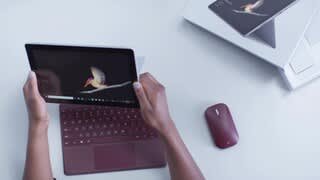
Customers admire the Surface Go's portability, size, and performance, frequently praising its lightweight design and ease of use. Many appreciate the device's speed and sufficient storage, although some find the battery life could be improved. A few users mention the price point as a potential drawback, and some would prefer more USB port options. The operating system also received mixed feedback.
This summary was generated by AI based on customer reviews.
- Pros mentioned:Size
A Great Light Solution
||Posted . Owned for 3 weeks when reviewed.This reviewer received promo considerations or sweepstakes entry for writing a review.This is a terrific, less expensive, “light” alternative to the laptop, or the Pro. All of the functionality is there, just in a smaller package.
I would recommend this to a friend - Cons mentioned:Battery life
Great laptop or tablet for beginners
||Posted . Owned for 3 weeks when reviewed.This reviewer received promo considerations or sweepstakes entry for writing a review.I love my tabletop the only thing I don’t like. you have to charge the battery often.
I would recommend this to a friend - Pros mentioned:Weight
Great for portability!
||Posted .This reviewer received promo considerations or sweepstakes entry for writing a review.The unit weighs slightly more than 1 pound but is packed with power. Great to see a USB-C port included. Facial recognition to logon is great.
I would recommend this to a friend Better than I thought it would be
||Posted . Owned for 3 weeks when reviewed.This reviewer received promo considerations or sweepstakes entry for writing a review.It’s not without its bugs and hang ups, but the size, and ability to use usb c seamlessly to charge or add an external display, as well as the pen capacity make it an even better deal based on the sale prices. While it’s not going to blow any socks off performance wise, it’ll largely multitask smoothly with a bunch of windows open, and compared to the mobile based tablets I have it allows me to get real work done and has access to a proper way to handle files! It’s not perfect For sure, but the build quality and value balance is high.
I would recommend this to a friendBrand response from MicrosoftOutreachTeam
Posted .Hey there,
Thanks for the review! We're delighted you decided to go with Surface Go, and you're enjoying the versatile USB-C feature. If you run into any difficulties while using your Surface Go, we highly recommend checking out the Surface Diagnostic Toolkit, which you can do here: https://aka.ms/AA4r432. The toolkit can help determine if you're Surface Go needs updates and locate issues that can affect the performance of your device.
Cheers,
Heather
Surface Customer Care
- Pros mentioned:Portability
Amazing
||Posted .This reviewer received promo considerations or sweepstakes entry for writing a review.The surface go is a amazing and a great substitute for any of these laptops around the same price range.
I would recommend this to a friend - Pros mentioned:Portability
Good small portable 2 in 1
||Posted .This reviewer received promo considerations or sweepstakes entry for writing a review.The keyboard (bought separately) is small causing typing mistakes until you get used to it. Only a usb-c port to connect requiring a breakout box for add’l ports for connectivity and video. Added cost. Otherwise good little 2 in 1 for portability and travel. I would suggest considering the surface pro earlier models if price and power are needed. Earlier models are priced competitively and may offer more value depending on your personal needs.
I would recommend this to a friend - Pros mentioned:Size
Lightweight power
||Posted . Owned for 2 months when reviewed.This reviewer received promo considerations or sweepstakes entry for writing a review.Small powerful device. Love the size. I don’t do too much on it. Just check email and surf a little online. Watch videos. Picture is great.
I would recommend this to a friend - Pros mentioned:Portability
Perfect!
||Posted .This reviewer received promo considerations or sweepstakes entry for writing a review.I love my surface go. It’s Got all the uses of a regular computer but it’s compact and I can take it anywhere. Works great for my office work!
I would recommend this to a friend - Pros mentioned:Portability
Uvanoscanes
||Posted . Owned for 11 months when reviewed.This reviewer received promo considerations or sweepstakes entry for writing a review.Super fast and easy-to-use and set-up. Some of the software is not needed but not a hassle to deal with.
I would recommend this to a friend - Pros mentioned:Size
Great for portability and decently fast!
||Posted . Owned for 3 weeks when reviewed.This reviewer received promo considerations or sweepstakes entry for writing a review.I like the size for portability, however the text is a bit small. I simply increase the font size just a little and it's great!
I would recommend this to a friend - Pros mentioned:Portability
Surface Go
||Posted .This reviewer received promo considerations or sweepstakes entry for writing a review.My son didn’t want an Apple product so this was his choice. It complements his larger laptop is is very portable to use while in the go
I would recommend this to a friend - Pros mentioned:Size, WeightCons mentioned:Battery life, Price
A pretty, pretty potato with AWFUL battery life.
Posted .This reviewer received promo considerations or sweepstakes entry for writing a review.______Some Background______ My two-year-old NVIDIA Shield tablet was starting to have issues with the charge port, so it was time to find a replacement for my game anywhere / web surfing / occasional Office 365 / movie watching tablet of awesomeness. Being able to easily play AAA games from my Windows gaming desktop in a hotel room on my Android tablet 5 states away via the built in NVIDIA game streaming app was pretty cool. Unfortunately, the tablet market has fewer niches than it did two years ago, so that meant my options for a device with similar functionality at a similar price point simply didn't exist... putting the Microsoft Surface Go or the Nintendo Switch as the top two closest functional equivalents albeit a higher price-point. Since Nintendo has intentionally limited / crippled their device into being a nearly singular use device and there was a good open box discount available, I decided to give the 128GB Surface Go a try. I’ve been a high-end desktop builder for gaming and multimedia production for nearly 15 years and expect a lot out of my computing devices. Having researched the hardware a bit and having hands-on with it for a few weeks now, I knew and have confirmed that this is what enthusiasts would call a “potato PC.” A pretty, pretty potato. (a.k.a. entry-level / low-end / unable to handle more demanding tasks) It has had a few surprises though. ______The Review_____ The Pros: As a long time computer nerd, I'm comfortable with Windows and knew I could do a lot of fun/useful things with the platform (after installing Windows 10 Pro in order to access regular use applications not on the Windows Store). The screen is excellent with good color and brightness. Fingerprint magnet, but easy to clean. Windows Hello (logging in with yer face) integration is nice. Though a low-end graphics solution, the Intel HD 615 IGP is better than most other entry level laptops on the market. It’s incapable of running most AAA games from the last three years, even on lowest settings, but can often run older (i.e. “The Elder Scrolls IV: Oblivion” with some mods) or less complex (i.e. “Castle Crashers,” “Hyperlight Drifter,” “Heroes of the Storm”) Steam games. Often it requires lowering the resolution or settings, but if you have an extensive Steam library, you’ll probably find something. It's awesome having a Windows 10 computer in such a tiny form factor. The device is small, light, and would easily fit in most bags, mid-sized purses, etc. The sound is crisp for such a small device, and the Bluetooth works well in pairing with external sound solutions. The device feels solid with it’s brushed aluminum body, and though not what I’d call “heavy,” it has a certain heft to it that makes it feel like a well-made device. The keyboard and pen accessories (though overpriced) seem well made and responsive. The thought that was given in designing the pen to magnetically cling to the device was a clever touch. Larger microSD cards are starting to come out, so the paltry 128GB storage can be supplemented by a 400GB or more class 10 microSD card for under $100. 1TB cards are expected to hit the market in 2019. With Windows 10 Pro’s bit locker, I can easily encrypt the microSD card too. The Cons: Based on the wording of the warranty information, Microsoft has zero interest in providing support if you chose to use any Windows operating system other than the very limited / Apple-like preinstalled Windows with S mode enabled. I would only recommend Windows S mode, reluctantly, to those uncomfortable with computers or extremely casual users who have all their preferred apps available on the Windows Store. Reminder; no Google apps nor Valve’s incredibly popular Steam gaming platform are on the Windows Store. The battery life is horrific, maxing out at around 3 hours if I’m doing anything other than watching a video. This seems to be the case whether it’s default installation or Windows Pro. Simple tasks like surfing the web in Microsoft Edge or Google Chrome or taking notes in Microsoft OneNote slaughters the battery. Microsoft OneDrive syncing also ate up the battery hardcore when first setting up OneDrive on the device, but that was somewhat expected. Keeping the device in power saving mode and ONLY watching a full screen video seems to max out around 6 hours from informal testing. Being so far off from the “up to nine hours battery life” claim makes me wonder if my unit is defective and is, by far, the largest weakness I’ve found in the device. The system frequently feels slow / unresponsive under very modest workloads. Fresh out of the box, the unit was running exceptionally sluggish at 100% CPU utilization for no clear reason. It appears to have been a bug in one of the 2018 Windows distributions, which was cleared up with subsequent updates and switching to Windows 10 Pro. The Pentium Gold processor was designed in 2nd quarter of 2017 and simply doesn’t have the performance per watt of either ARM based solutions used in most tablets / smartphones, or AMD’s Ryzen APUs. The SSD and microSD card reader are exceptionally slow compared to the SSD experiences I’ve been accustomed to for the last five years, though still faster than a HDD. The cost is the last big detractor. It was nice that Microsoft clearly got some actual designers on board when conceptualizing the device, but their decision to market and price the Surface line as a “luxury computing product” like Apple has done with their entire product line is an unfortunate business decision for consumers. The bezel is pretty big / not particularly “fashionable” in luxury priced computing products. Though I dig the USB-C connection in theory, not having an HDMI port like my SHIELD did without shelling out an unreasonable amount for an adaptor or dock is frustrating. Especially since casting wirelessly just doesn’t seem to work. To elaborate; when connecting to my Miracast capable high-end Sony Bravia 930D 4k smart TV, the sound and video cast by my surface (at 1080p) becomes so choppy and delayed as to be unwatchable. Even doing a screen mirroring to my TV as a wireless monitor, in under a minute, there’s nearly a 10 second delay on the TV. My $200 mid-range Samsung phone from 2015 and SHIELD tablet didn’t have this issue. The device runs somewhat warm. Never hot to the point of being uncomfortable, I have encountered a thermometer icon when trying to start the device on one occasion… apparently indicating I had to let it sit to cool down before it would power on. Not a huge concern since it’s happened literally one time ever… but worth noting if you live in a warmer climate. Lastly, despite the tablet form factor, the device comparatively sucks for use AS A TABLET when put against Android or iOS. Even in tablet mode, things that you take for granted in Android or iOS are common annoyances in Windows. One of the most common examples; typing in a field on a website, only to have the digital keyboard obscure what you’re actually typing… and with no way to move the keyboard other than changing screen orientation, there’s nothing you can do about it other than type blind. Another very common issue; apps not causing the on-screen keyboard to automatically pop up when selecting a text entry field… even if you have it set to do so in Windows settings. I quickly found that many programs that required a sign-in were unusable without a keyboard since the on-screen keyboard wouldn’t be usable if focus was on the program requiring the sign-in. In other words, you HAVE to have a keyboard for this device, which is an additional $100 if you want the Microsoft one for this device… for a keyboard. A $100 keyboard. Sigh. If you don’t mind something bulkier, any Bluetooth keyboard will work. ______Final Thoughts______ I probably should contact Microsoft regarding the awful battery life. It really might just be that my unit is defective. Despite the other flaws I listed, if you can get the device on sale or have the money to spare for a secondary computer that’s tiny and cool-looking, the Surface Go is a pretty interesting device. It’s no power-house, Windows S mode will be annoying to moderate to highly competent users, you have to have a keyboard for regular usage, and it’s a better small computer than it is a tablet… but it’s crazy portable, creative types will likely dig the Microsoft pen implementation (even if the device struggles to run pro-level creative apps), it’s a full-fledged Windows computer in a tablet form-factor, and the Microsoft keyboard with trackpad has a good feel to it. The Surface Go is a pretty, pretty potato and worth considering for a portable secondary computing device.
I would recommend this to a friendBrand response from MicrosoftOutreachTeam
Posted .Hi Kevin,
We at Surface were so impressed at the time and effort you put in to reviewing your recent purchase of Surface Go! Thank you for going above and beyond to provide the community with some great insights about our most portable design to-date. We're delighted you have found this to be an excellent two-in-one device to suit your on-the-go needs.
It sounds like you have been experiencing a number of unusual issues including shorter than normal battery life, some slow processing as well as your device running a bit warmer than normal. We would like to let you know that we have alerted our specialized care team about these symptoms, and they are ready to offer you some specialized assistance. To accept this specialized care, please begin by filing a ticket here: aka.ms/SurfaceCare-us. Be sure to use the reference number we have created on your behalf: 1901286210215.
We deeply care about your satisfaction, and we are looking forward to hearing from you in the near future.
Kind regards,
Jessica
Surface Customer Care
- Pros mentioned:Performance
Not a laptop but close
||Posted .This reviewer received promo considerations or sweepstakes entry for writing a review.Got this as a truck backup to my regular laptop, for emergencies, and ended up using it just as often since there's not much drop in performance
I would recommend this to a friend - Pros mentioned:Size
Great for travel.
||Posted . Owned for 3 weeks when reviewed.This reviewer received promo considerations or sweepstakes entry for writing a review.It took me awhile to get used to the smaller screen but I wanted this size for traveling. I find myself using the pen frequently.
I would recommend this to a friend - Cons mentioned:Battery life
Amazing Touch-Screen
||Posted . Owned for 5 months when reviewed.This reviewer received promo considerations or sweepstakes entry for writing a review.The Surface Go is very close to an ideal budget tablet and mini laptop in one device, but short battery life holds it back.
I would recommend this to a friend - Pros mentioned:Size
Great size, dont expect blazing speed
||Posted . Owned for 1 year when reviewed.This reviewer received promo considerations or sweepstakes entry for writing a review.Love the size, but a little slow for alot of use, Great for browsing and easy tasks though.
I would recommend this to a friend - Pros mentioned:Weight
Great tablet on the go
||Posted .This reviewer received promo considerations or sweepstakes entry for writing a review.This was a Christmas gift and the recipient just wanted a light weight tablet to process emails, FB and movies. It was the perfect match.
I would recommend this to a friend - Pros mentioned:Portability
Great 2 in 1, as a tablet or a notebook
||Posted .This reviewer received promo considerations or sweepstakes entry for writing a review.This is the first time have had a computer other than a desk top or a laptop. This 2 in 1 is the best yet. It's great for travel or home use.
I would recommend this to a friend - Pros mentioned:Portability
Perfect
||Posted . Owned for 1 year when reviewed.This reviewer received promo considerations or sweepstakes entry for writing a review.I am very pleased with this purchase. I can do everything I need to with it. It makes Zoom meetings really easy.
I would recommend this to a friend - Pros mentioned:Portability
Great portable computer
||Posted .This reviewer received promo considerations or sweepstakes entry for writing a review.Love the Microsoft surface go. It gives me all the capabilities of a laptop since it has Windows 10 but with the convenience of portability.
I would recommend this to a friend