Customer Ratings & Reviews


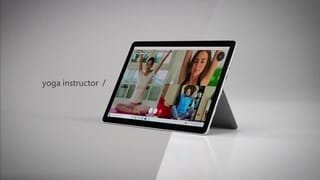


- Model:
- STQ-00001
- SKU:
- 6408475
Rating by feature
- Battery Life
Rating 4.4 out of 5 stars
- Durability
Rating 4.5 out of 5 stars
- Display
Rating 4.7 out of 5 stars
Customers are saying
Customers praise the Surface Go 2's portability, size, and weight, making it ideal for travel. Many appreciate its performance improvements over the previous model and the responsive touchscreen. Positive feedback also highlights the battery life and the value for the price. However, some users express concerns about the operating system's limitations and the relatively small storage capacity.
This summary was generated by AI based on customer reviews.
- Pros mentioned:Weight
Great Tablet
||Posted .This reviewer received promo considerations or sweepstakes entry for writing a review.Pro- light, cheap, and great laptop alternative Con- not as powerful and limited compared to most laptops Great if you are looking for a under $600 laptop if you get the cover/keyboard
No, I would not recommend this to a friend - Pros mentioned:Size
Exactly What I Wanted
||Posted . Owned for less than 1 week when reviewed.This reviewer received promo considerations or sweepstakes entry for writing a review.For me, it hits the sweet spot between my all-in-one desktop computer and my cell phone. Most of the time I can use it to do my usual online stuff when I don't feel like sitting at my desk, but then I can, detach the keyboard, kick back in the recliner with it on my lap, and stream my favorite show or a movie. The screen is crystal clear. The sound is not bad, but it is not difficult to connect a Bluetooth speaker with better sound if you need it. It is a great size carry with you. You don't need a huge bag. Just fold the screen down over the keyboard and go. Throw it in a sleeve for a bit more protection if you like. However, it is not a big production to carry it with you. I highly recommend this to anyone who wants something small that is a bit more than a tablet, but doesn't want to carry around a laptop.
I would recommend this to a friendBrand response from MicrosoftOutreachTeam
Posted .Hi Robin – We appreciate you taking the time to tell us your thoughts on your new Surface Go 2. We're delighted that you love its graphics, and portable design. We hope it continues to serve you well. Best, Erica Surface Customer Care

- Pros mentioned:Weight
Amazing Product
||Posted . Owned for 1 year when reviewed.This reviewer received promo considerations or sweepstakes entry for writing a review.Slim, lightweight and reliable. The surface go is an amazing product.
I would recommend this to a friend - Pros mentioned:Portability
Powerful Tool for Daily Use
||Posted . Owned for 1 month when reviewed.This reviewer received promo considerations or sweepstakes entry for writing a review.I purchased the Surface Go 2 as a replacement for the Surface Pro 6 due to a need for a smaller tablet with computer processing power; it was exactly what I needed. The Surface Go 2 has done a great job of housing all of the laptop/desktop capabilities in a small frame that can easily be tucked under an arm or slid into a bag on the go without added weight. The device is currently being used for Microsoft software as well as numerous webpage use and it has handled all of those needs with ease. While the processor is not as fast as the Surface Pro, it does not lag with webpages and programs open simultaneously. It is versatile in all of the necessary ways, and it serves it’s purpose when used for daily computing needs (work or school). I highly recommend this to college students and office workers who are hoping to manage their work and personal needs.
I would recommend this to a friendBrand response from MicrosoftOutreachTeam
Posted .Hi Hanna – Thank you for sharing your experience with Surface Go 2. It's great to hear that it’s a good fit for your needs. We hope it continues to serve you well. Cheers, Erica Surface Customer Care
- Pros mentioned:Portability, Size
Love this thing!
||Posted .This reviewer received promo considerations or sweepstakes entry for writing a review.I bought this because I wanted a larger screen and my other Surface was more like a tablet size. I use this all the time and just like my other Surface, the cost is well worth the quality of the device. I am not gaming on it, I only use it for personal and business use. I'm not a tech person but found these devices to be easy to set-up.
I would recommend this to a friendBrand response from MicrosoftOutreachTeam
Posted .Hi there,
Thanks for leaving a review! We're delighted to hear you've been enjoying the compact size of your Surface Go 2 and that it was easy to set up and use right away.
Cheers,
Heather
Surface Customer Care
- Pros mentioned:Portability
Had to buy a replacement...
||Posted . Owned for 3 months when reviewed.This reviewer received promo considerations or sweepstakes entry for writing a review.Do to my negligence I had to replace my Surface Go 2. My previous tablet had issues with the power button, which I found out is common. Instead of sending it off to be fixed I tried to fix it myself. Bad idea!!! So off to Best Buy to buy a new one! My replacement is working as well as the first one. I love that it is so portable and a touch screen as well.
I would recommend this to a friend - Pros mentioned:Size
Nice
||Posted . Owned for 1.5 years when reviewed.This reviewer received promo considerations or sweepstakes entry for writing a review.I think is good for kids or anyone is nice size and love it
I would recommend this to a friend - Pros mentioned:Processor speedCons mentioned:Storage, Windows 10

Great secondary / travel device.
|Posted .This reviewer received promo considerations or sweepstakes entry for writing a review.This Surface Go 2 was provided to me as part of Best Buy’s Tech Insider Program. Reviewers in this invitation-only program are provided products for the purpose of writing honest, unbiased reviews. The thoughts and feelings expressed below are my own, and neither Microsoft nor Best Buy had any input in the writing of this review. I got the Surface Go 2 in the hopes of having it replace an old 10 inch Windows tablet that I’ve been using for a few years now that’s gotten a little long in the tooth. I love smaller Windows devices. Having a small, versatile device that can do a little bit of everything without taking up too much space is great for when you’re traveling. This devices comes preinstalled with Windows in S mode. I took the liberty of keeping the tablet in S mode for my entire first day with the device so that I could offer a proper review of it both in S mode and out of S mode. Windows 10 in S mode remains as unappealing as ever. The Windows App Store remains a desolate wasteland. Windows 10’s “S mode” is locked down version of the operating system that only allows you to install apps from the Windows App Store. The logic behind this is that your system is more secure since any apps you install have been properly vetted by Microsoft to ensure that they don’t contain any viruses or spyware. The apps you’re allowed to install have also been vetted to ensure that they will perform well on your device without overly taxing it (guaranteeing an A+ user experience). While running in S mode, the device seems snappy enough. Windows opened and closed quickly though I did observe some lag while typing. I’m not sure if that’s maybe an issue with my keyboard though. I found that S mode so thoroughly limits what you can do with this device that there’s almost no chance of straining the system. If you have an Office 365 account, a Netflix or Hulu account, and/or a Spotify or Pandora account; then you can use the device well enough in S mode for basic productivity and/or entertainment. The device’s micro SD slot and USB type-c port offer options for bringing your own music or videos to this device. It should be noted that support for 3rd party peripherals is sorely lacking in the Windows Store. I have a Logitech keyboard with some extra bells and whistles that requires a separate application for configuring macros and the like. Sadly, this application can’t be installed in S mode and doesn’t appear to have anything analogous within the app store. Same situation with my Epson fitness tracking watch. If you subscribe to YouTube TV or any other “Google Flavored” services, then you’re out of luck in S mode. None of these services will work in the Edge browser, and the Windows Store does not include any Google apps. In S mode, I got about 6 hours of battery life with moderate media usage. The best word I can use to describe this device in S mode is “anemic.” Fortunately, switching out of S mode is very easy to accomplish (note: switching out of S mode is permanent and cannot be reversed). Once out of S mode, I went ahead and installed my usual group of applications (Chrome, Steam, etc. . . .). Honestly, I didn’t really notice any performance hit. But I went into this knowing that this is a light-medium duty device, and I tempered my expectations accordingly. 8GB of RAM is more than adequate for most light-medium duty tasks. The 128GB of storage isn’t much, but I plan on dropping in a 256GB micro SD card before too long that should compensate for that. The CPU is mediocre at best, but for light-medium duty tasks, it’s more than up to the challenge. The hardware is stunningly beautiful. The screen (though small) is bright and crisp. The surface hinge is just as impressive on this baby surface as it is on its larger brethren. The device is thin, sleek, and premium. The screen bezels are large enough to give you somewhere to put your fingers when using this as a tablet, but they aren’t so large that they’re distracting. The Surface Go 2 features Windows Hello, and it can be setup to automatically recognize your face (via the camera) and log you in. Out of S mode, I found that I was getting closer to 5 hours of battery life (still perfectly respectable). I was a little dismayed that this tablet doesn’t come with a USB type-A port (traditional USB). The only connection options are the surface connect port (useful for charging or if you purchase Microsoft’s dock), a micro SD card slot, a headphone jack, and a USB type-C port (not thunderbolt enabled). The USB type-C port does support video output, so if you have a USB type-C to HDMI cable or adapter, it should work with this device. You can also charge this device via USB type-C if you have an appropriate charging cable (Note that not all USB type-C charging cables are created equal. Some charge at slower rates). This particular model does NOT have a SIM card slot. The audio is . . . not awful? It’s a little tinny and weak. It’s definitely not going to fill a room, but it’s adequate for watching a video or listening to some music as you type. And hey, it has both a headphone jack and Bluetooth. Worst case scenario, you can always plug in a nice pair of headphones or pair it to a larger Bluetooth speaker. The tablet does not come with a keyboard, but it is compatible with pretty much any Bluetooth keyboard if you prefer a physical keypad. I wouldn’t recommend connecting a wireless keyboard with a dongle as there just aren’t enough ports on this device. Microsoft does sell a separate keyboard that magnetically attaches to this device. As far as performance goes, this tablet is a bit of a jack of all trades (master of none). This device is fully capable of running word processing software for typing up reports and the like. This device is also fully capable of streaming media (music and movies) for entertainment purposes. This device can run basic photo editing software. This device is even capable of light-duty gaming with older titles or online streaming services (note: this computer DOES NOT have a dedicated graphics card and will choke on anything too intensive). This device IS NOT able to quickly edit 4K video. This device IS NOT able to run the newest and greatest games. This device IS NOT able to hold your entire music and video library. This is an excellent SECONDARY computer (once it’s out of S mode – seriously, switch it over as soon as you get it). It’s great if you’re a road warrior who needs something light, portable, and capable for use in a coffee shop or while traveling. It can manage a little bit of everything, but you shouldn’t rely on it to be your primary computer for everything.
I would recommend this to a friend - Pros mentioned:Processor speed, Weight
Great upgrade
||Posted . Owned for 3 weeks when reviewed.This reviewer received promo considerations or sweepstakes entry for writing a review.Got this to replace my aging Surface 3. Happy with the faster processor and lighter weight. Thought of getting a Lenovo Flex, but the Surface wins hands down with brighter display. Best Buy made it easier to upgrade with their trade-in program!
I would recommend this to a friend - Pros mentioned:Portability, Processor speed
Light and Portable
||Posted . Owned for 2 months when reviewed.This reviewer received promo considerations or sweepstakes entry for writing a review.I love how portable it is, after debloating it it's also pretty quick for what I use it for. I mostly replaced my desktop and replaced my iPad with it. The microSD stopped working but Microsoft replaced it quickly with warranty.
I would recommend this to a friend - Pros mentioned:Portability
Surface Purchase for Students
||Posted . Owned for 3 weeks when reviewed.This reviewer received promo considerations or sweepstakes entry for writing a review.Good size portable light computer that can be laptop or touchscreen. Good college computer for files and work. Only complaint is that it has only one port for usb c input. But battery charge holds a good 4 hrs work with good lighting use.
I would recommend this to a friend - Pros mentioned:Performance, Portability
10/10
||Posted . Owned for 2 weeks when reviewed.This reviewer received promo considerations or sweepstakes entry for writing a review.The Surface is extremely user-friendly and easy to navigate. All of my professional and personal files are downloaded quickly, and the Office capabilities (Excel, Word, etc.) work seamlessly. Highly recommend this product.
I would recommend this to a friend - Pros mentioned:Size, Weight
Surface Go 2, 8 GB Memory
||Posted . Owned for 3 weeks when reviewed.This reviewer received promo considerations or sweepstakes entry for writing a review.5* so far! 100% better than my Surface 3 that only had 2 GB of memory lol. Handles videos much, much better, is a little bit smaller and more compact, lighter. Absolutely loving it.
I would recommend this to a friend - Pros mentioned:Portability
Tablet
||Posted . Owned for 1.5 years when reviewed.This reviewer received promo considerations or sweepstakes entry for writing a review.EZ to use. Pen is super helpful. Battery life is somewhat short.
I would recommend this to a friend - Pros mentioned:Size, Weight
Compact but capable
||Posted . Owned for 1 month when reviewed.This reviewer received promo considerations or sweepstakes entry for writing a review.I’m a surface person through and through. I usually buy the Pro but this little guy is absolutely perfect. A good size for traveling, extremely lightweight, and has all the capabilities of the full size surface Pro
I would recommend this to a friend - Pros mentioned:Portability
Excellent value for the price
||Posted . Owned for 8 months when reviewed.This reviewer received promo considerations or sweepstakes entry for writing a review.I really like Microsoft’s Surface Go 2, it is ultra slim, ultra portable, at a fair price. The specs on this device are pretty average. But I can honestly tell you that it handles all my computing needs very well.
I would recommend this to a friend - Pros mentioned:Processor speed
Feels great, however:
||Posted .This reviewer received promo considerations or sweepstakes entry for writing a review.So! This bad boy is lightning quick. Impressively so, based off of performance alone! It's basically a cute little mini laptop. However, it does heat up quite a bit, which I guess is a normal occurrence for pretty much all these tablet guys. Depending on your battery/power mode settings of 'better battery life' priority or 'better performance' the battery life also won't be anything to ride home about. However! The display is fantastic, I enjoy taking off my attachable keyboard and watching a show on here just because the visual/audio quality is so nice. So! Spend your money wisley, perhaps for the total price considering the keyboard/stylus/case in addition to this could be spent for an actual laptop, however I think if you're really in the market for a multipurpose guy with mobility then this will 100% get the job done. The only downside is that I don't have any chromebook experience to compare this to, just my usage of this device. Good luck!
I would recommend this to a friendBrand response from MicrosoftOutreachTeam
Posted .Hi there,
Thanks for leaving a review! We're glad to hear you've been impressed with speed and performance of your Surface Go 2. If you continue to experience some difficulties with your Surface overheating please feel free to contact our support team here: https://aka.ms/AA4rbq6.
Best,
Heather
Surface Customer Care
- Pros mentioned:Portability, Processor speed
Good on the go computer
||Posted . Owned for 2 weeks when reviewed.This reviewer received promo considerations or sweepstakes entry for writing a review.Bought two of these surfaces. One for my teenager and one for my father. They both wanted a portable laptop to use that was not bulky. This fit the job. They like the speed and it serves their purpose.
I would recommend this to a friend - Pros mentioned:Processor speed
Surface
||Posted . Owned for 9 months when reviewed.This reviewer received promo considerations or sweepstakes entry for writing a review.Got it because I wanted something mobile and slim to take with me to places and do homework/research. By itself it is decent but works best with accessories(mouse/stylus/keyboard). Fast speeds and no lags as well with good camera quality (front & back).
I would recommend this to a friendBrand response from MicrosoftOutreachTeam
Posted .Hi – Thank you for sharing your experience with Surface Go 2. We hope you continue to enjoy using it. Best, Erica Surface Customer Care
- Pros mentioned:Portability, Size
Amazing.
||Posted . Owned for less than 1 week when reviewed.This reviewer received promo considerations or sweepstakes entry for writing a review.Amazing this a tablet but a laptop at the same time very easy to use and set up just like a regular laptop with microsoft windows very compact small but i can bring it anywhere.
I would recommend this to a friend