Customer Ratings & Reviews




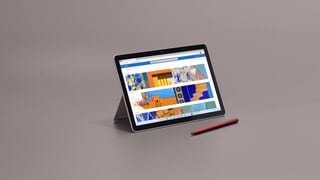
- Model:
- 8VA-00001
- SKU:
- 6478762
Rating by feature
- Battery Life
Rating 4.2 out of 5 stars
- Durability
Rating 4.3 out of 5 stars
- Display
Rating 4.6 out of 5 stars
Customers are saying
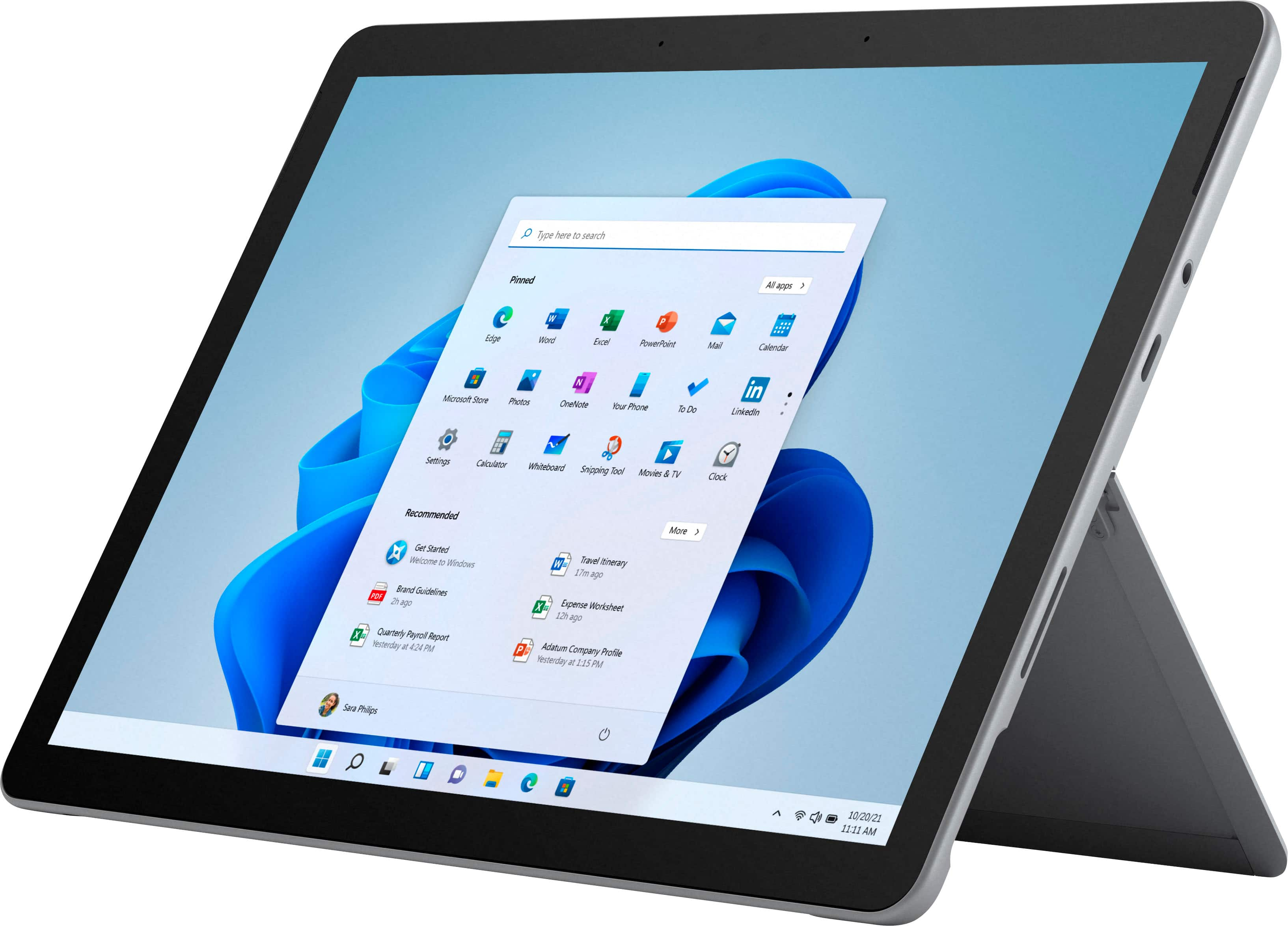
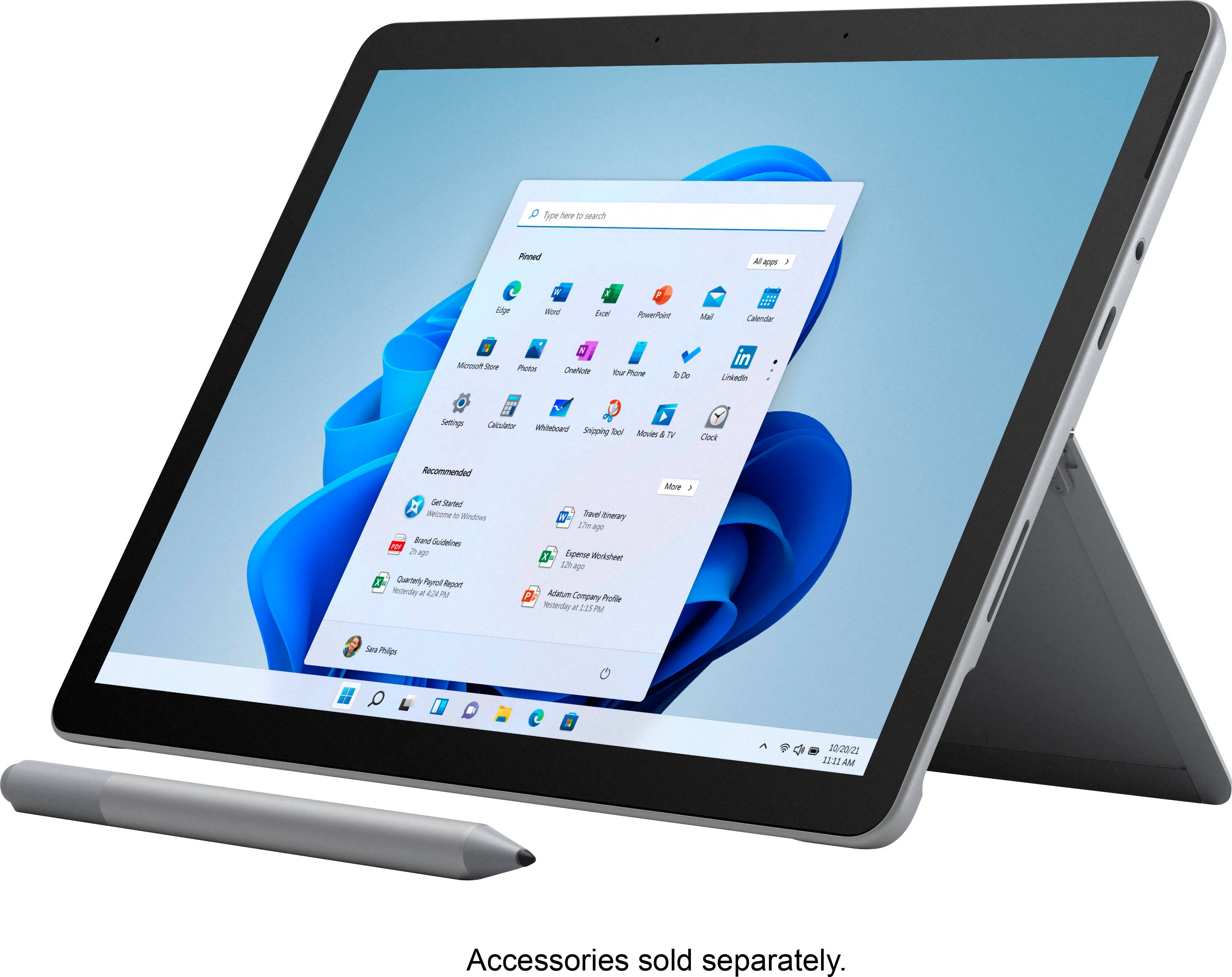
Customers are delighted by the Surface Go 3's ease of use, convenient size, and impressive screen quality. Many appreciate its lightweight design and solid performance for everyday tasks. However, some users express concerns regarding the battery life and limited storage capacity. The price point and potential operating system limitations were also noted by a few customers.
This summary was generated by AI based on customer reviews.
- Pros mentioned:Ease of use, Processor speed

Great as a laptop, only ok as a tablet
|Posted .This reviewer received promo considerations or sweepstakes entry for writing a review.I primarily got this to use as an tablet for entertainment with the added upside of being able to do some work on it when needed. For the most part the Surface Go 3 functions fairly well. The processor was very quick and had no lag. Windows 11 seems to be a tad more user friendly. Windows 11 did take some playing with to figure out where everything is. One thing I was not a fan of with Windows 11 was that you cannot put hardly anything in the desktop. I went through all the settings and even googled how to add programs like Word or Netflix to the desktop but nothing worked; you could only pin them to the task bar or a pop up menu. Otherwise this tablet works just like a standard laptop, however for that use a keyboard (not include). I love the portability of this unit. I wish it functioned more like a tablet however. The cameras on this are not great at all, especially in low lighting. If I had a zoom meeting somewhere without great lighting I feel it would be difficult. It has a little led light next to both cameras, but no flash like other tablets do. Also, for an item that is meant to be great on the go and tablet like, it is difficult to charge on the go. You do not have the ability to charge this in a vehicle or from a powerbank without buying extra special power banks and car ports. The battery life is decent for a laptop. The day i recieved this I took it on a flight with me. I played movies and games on it all flight long and still had about 40% battery left when I landed (about 3 hours). For a laptop that is pretty good. I really like that you can split screen with multiple applications at once. On the plane I was playing solitaire while my daughter watched a movie on Netflix. I also really like the stand. It is super adjustable which is wonderful. I did also notice that even some of the basic games you can download from the app store only work if you have a keyboard, which was kind of a bummer.
I would recommend this to a friend - Pros mentioned:Processor speed, SizeCons mentioned:Battery life, Storage
Solid device for casual activities
||Posted . Owned for 1 week when reviewed.This reviewer received promo considerations or sweepstakes entry for writing a review.pros - nice, crisp 1080p 10.5" screen - decent audio (for a laptop/tablet) - windows 11 works decent in tablet mode, and looks nice. It is missing some features from 10... but 11 is still rolling out so I anticipate updates in the future. - 3.5mm audio jack is appreciated. I've noticed a lot of budget 2-in-1's that do not have one - Decent power for the price (see more details about power in cons) cons - battery life is not quite as good as advertised. It's plenty long enough for my purposes, but be aware that if you are actively using it unplugged you will probably get about half the advertised lifespan - Do not buy this device expecting a powerhouse. It's perfect for casual activities - like browsing, streaming, spotify, discord, word processing or drawing apps, etc. But this device is not intended for heavy workloads (3d rendering) or demanding games. - Also be aware that storage is minimal. There are, of course, cloud options for storage. But the actual SSD is pretty small. This is not an issue for me, but it's good to know before you buy
I would recommend this to a friend - Pros mentioned:Processor speed, SizeCons mentioned:Price
Nice small windows tablet/netbook
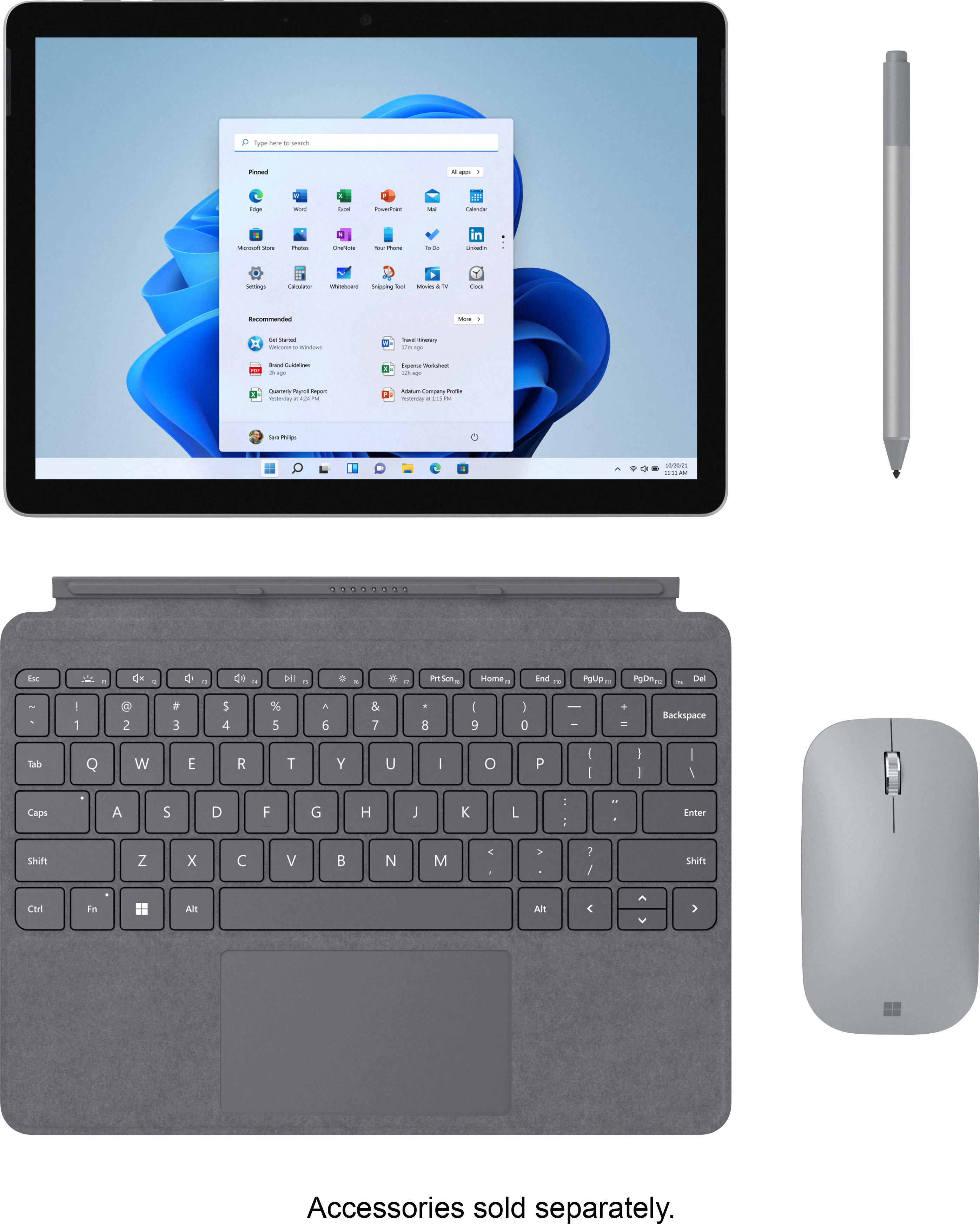
||Posted . Owned for 1 month when reviewed.This reviewer received promo considerations or sweepstakes entry for writing a review.It's pretty unusual to find something this powerful at this size. My mom loves it gave it to her for Christmas along with the matching red keyboard mouse cover, and the stylus and mouse. This has to be one of the best tablets/netbook computers in its size class that I have seen in a long time. It is more pricey than the other models but I can guarantee you that this model will be twice as fast.
I would recommend this to a friend - Pros mentioned:Ease of use, Size
Would Recommend
||Posted . Owned for 1.5 years when reviewed.This reviewer received promo considerations or sweepstakes entry for writing a review.Excellent little computer. Super light and perfect for travel. Would recommend getting the keyboard with it, but the keyboard's track pad is not the best.
I would recommend this to a friend - Pros mentioned:Ease of use, Size
Good, but slow with OneNote
||Posted . Owned for 1 month when reviewed.This reviewer received promo considerations or sweepstakes entry for writing a review.I got this exclusively for note taking in school. I just use the OneNote app and really nothing else. The size is great as I can easily carry it without adding much weight to my backpack(especially since I don't have to bring a bunch of notebooks with me anymore). It's very easy to use and syncs up with my laptop easily so I have access to the same documents on both. The issue is that with the OneNote app it can be sluggish and unresponsive at times. I noticed that if I don't shut it down completely when I'm not using it it will not run smoothly the next time. Also when booting up you have to give it a good 4minutes before using it, otherwise it runs slow and gets unresponsive at times(which can be frustrating if you're taking notes and it starts acting up). Overall its an ok tablet but I would probably get one next time with more power so that it runs smoother. (Again, I only use OneNote so it might just be that specific app that it has problems with at times.)
I would recommend this to a friend - Pros mentioned:Size
Prefect for School and Field Work
||Posted . Owned for 1 month when reviewed.This reviewer received promo considerations or sweepstakes entry for writing a review.I love this product. As soon as I bought it I got a keyboard attachment which made it even better and a cheap stylus from Amazon. This has been my go-to now for school for note-taking and has been great for field work cause it is so light and compact. The only con is the back does scratch easily cause of the texture I don't really care but it could bug others.
I would recommend this to a friend - Cons mentioned:Battery life, Operating system, Price
Not worth it
||Posted . Owned for 3 weeks when reviewed.This reviewer received promo considerations or sweepstakes entry for writing a review.Battery life is VERY disappointing - only a few hours if actively using it. Price of base unit and accessories make this an expensive option. Windows S is a very limiting OS. Won't get as much use as I had planned.
No, I would not recommend this to a friend - Pros mentioned:Processor speed
Ideal device, but only for a specific audience.
||Posted .This reviewer received promo considerations or sweepstakes entry for writing a review.Before getting into this review, I'd like to state who probably should not get a SG3, and the difference between the three SG3 models. Addition, it should be noted that I owned a SG2 (gave it away when COVID hit and greatly reduced my traveling), and have tryed both the $549 and $629 SG3. You should probably not get a SG3 if you: 1. do not need Windows on a small portable computer-tablet 2. do not plan on traveling with the SG3 3. just want to watch Netflix, browse the internet, and check your email. Traditional tablets (iPads, Android) that run smartphone apps can do all these. In short, SG3 is a productivity device for people on the Go who need/use Word, Excel, PowerPoint, OneNote, Zoom, PDF apps for reading and annotating documents (video/photoing editing and gaming are hobbies, not productivity), as well as access to Windows 11's 35 million other applications (iPads only have 1.9 million smartphone apps, and Android only has 2.9 million). Difference between $399, $549, and $629 SG3. 1. Per Microsoft marketing videos and information on their website, the $399 SG3 is for kids and pre-teens. Anyone who complains about the amount of RAM, store, and/or processor power should not be taken seriously because it means they have not bothered to do any research on this device. You don't buy a moped and then turn around complain it ain't a motorcycle. 2. The only difference, besides the price, between the $549 and $629 SG3 is the processor. For this reason, the two processors are the only thing I will focus on. The $549 SG3 has a Pentium Gold 65004 processor and the $629 SG3 has an i3-10100Y processor. The single-core average Geekbench 5.4 score for the $549 SG3 862, while the average score for the $629 SG3 is 986 (multi-core scores are for things like video editing, photo editing, 3D modeling, etc.; things the SG3 was not designed to do). The put that into perspective, the Surface Pro 6 and Surface Laptop 2 with i5-8250U processors also have single-core Geekbench 5.4 scores in the high 900s. Microsoft is selling the SP6 with an i5 processor for a little under $1,000. Amazon is selling the Surface Laptop 2 with an i5 processor also at a little under $1,000. Finally, the 2020 SPX and 2021 SPX wifi-only single-core Geekbench 5.4 scores are also just below 1,000. So anyone who states that either the $549 or $629 SG3 are underpowered does not know what they are talking about. Both computer-tablets have more than enough processing power to do what they are designed to do (simultaneously run open MS Office applications on the Go). Review of SG3 The SG3 is an outstanding computer-tablet for anyone who wants Windows on the Go. There is not another computer-tablet that is a small, lightweight, portable, powerful, and versatile, as the SG3. I own a SP7 and only bring it with me when I need to run statistical software. The SG3 can run statistical software, like R-studio, but is clearly not as fast as my i7 SP7. Like all Surface devices, the build quality is excellent. Screen brightness is over 400 nits. But more importantly, when you turn screen brightness down to zero, the screen is still bright enough to read documents or watch YouTube in a dark or dimly lit room. The battery is very good and easily lasts the entire work day. However, is not on par with a Samsung Galaxy S7 tablet. I was able to get between 9-10 hours of continuous YouTube viewing (40% screen brightness, battery saver and wifi both on, and all apps closed in the background); whereas, the S7 tablet ran for 13-14 hours (60 hz. refresh rate). As for keyboard and pen, neither are expensive if you use common sense. In fact, there is zero reason to buy either accessory brand new because both can be purchased at a 30% to 50% discount on either Amazon (used-like new) or Best Buy (open-box excellent condition). Further, if you have a SP and SPX pens, both work on the SG3. And if you own a SG or SG2 keyboard, they works on the SG3. Tablet mode. There is nothing that can be done in tablet mode that can't be done in regular mode. In other words, tablet mode is not just redundant, it is completely useless. As such, anyone concerned about tablet mode on a tablet-sized computer should just go out and buy an iPad or Android tablet. Laptop. I have never seen anyone in coffee shop, airport, library, conference, professional training, etc. doing serious work with a laptop on their lap. People find a table, counter, or another flat hard surface, place their laptop on it, and get to work. So anyone interested in placing a SG3 (iPad or Android) on their lap to work isn't doing "real" work. Cons. There are several important cons that need to be mentioned. 1. No USB-A port, so a dongle is required if you want to connect the SG3 to a devices that use that port. 2. Screen size. At 10.5 inches, the SG3's screen is just too small to use as a main computing device for most people. There is a reason laptop screens start at 13.3 inches. 3. Price. This SG3 cost $549 and if you have to buy a keyboard and pen, it will cost you anywhere from $110 to $230. That pushes the total cost to $659 - $779. This amount of money can get you a SP6 or SP7 with keyboard included (bundle deal) with a far superior processor, bigger screen, and USB-A port. However, you will take a hit in terms of battery life by around 25% to 40%. 4. If you own a SG2 with an m3-8100Y process (which I did), you will not experience much of an upgrade by purchasing a SG3. Processors have pretty much the same single-core Geekbench 5.4 scores (mid-800s). If, on the other hand, you own a SG2 with a Pentium processor, upgrading to the SG3 will yield a substantial improvement in processing power (around 50% per Windows Central). Conclusion The SG3 is ideal for someone who travels a lot, does not need the processing power of a SP or the screen size of the SPX, AND needs Windows on the Go. If you don't need Windows you may want to consider a traditional tablet (iPad or Samsung Galaxy tablet) because they have superior battery life. The SG3 is also a great secondary or companion device for people who own a traditional laptop, SP, or SPX. But if you aready have need an iPad or Samsung Galaxy S tablet, does not make much sense to get the SG3 over a SP, SPX, or traditional laptop. Because you will only experience about a 12% decrease in processing power, there really isn't a compelling reason to select the $629 SG3 over the $549 SG3. The $80 you save can go towards the purchase of a keyboard or pen.
I would recommend this to a friend - Pros mentioned:Ease of use, Size
A College Student's Dream
||Posted . Owned for 1 month when reviewed.This reviewer received promo considerations or sweepstakes entry for writing a review.This tablet has been a godsend as a college student. It fits on every desk well. The charge is enough to get me through 2-3 classes fine. The charger is also rather small and easily portable. I'd recommend it for those needing a small, reliable device.
I would recommend this to a friend - Pros mentioned:Ease of use
Great little computer!
||Posted . Owned for 1 month when reviewed.This reviewer received promo considerations or sweepstakes entry for writing a review.I bought this to use for travel and also when I am sitting and watching TV. It is light weight and easy to use. I have the keyboard and the pen which make it really easy to use. I am not using a mouse but don't feel I really need one at this point.
I would recommend this to a friend - Pros mentioned:Processor speed, Size
Go3
||Posted . Owned for 2 weeks when reviewed.This reviewer received promo considerations or sweepstakes entry for writing a review.Love the size. Font can be a bit small but overall this is awesome. Very fast and light. Love that I dont need my big pc.
I would recommend this to a friend - Pros mentioned:PerformanceCons mentioned:Battery life
Good performance at a price
||Posted . Owned for 1 month when reviewed.This reviewer received promo considerations or sweepstakes entry for writing a review.Good performance at a price. It burns through a full-battery charge like nobody's business. Using power-saver mode is a must when not plugged in. My use of "performance," above, should be qualified. I don't use it for games, only for very simple tasks. Email, reading, note taking (see below). The kickstand isn't good on my lap due to its small size and because of its very narrow edge. I assume they didn't design it to unfold out from the bottom because touching or writing while standing up would cause it to fold back closed. Am still trying to use it as a handwriting tablet. So far, this is hampered by the native Microsoft software - OneNote primarily and the slickness of the screen. Extra nibs from MS that add friction help a bit, but not to my liking, so I bought a 'paper-like' screen protector, which may itself have added sensitivity issues. Not sure yet. I did edit the registry to move the start menu to the top of the screen because my hand or arm kept triggering the start menu to steal focus from what I was writing. Still isn't perfect for handwriting - certainly not as convenient as my Supernote, which is made for just that, but doesn't work with OneNote for Android. (Supernot has its own issues with handwriting, so the killer note-taking tablet is still out of reach for me.) Bought the keyboard as a referb from Amazon. It's cramped and difficult for me to type with it. More training is needed, I guess. I say below that I'd recommend it, but for limited use cases. I ask myself why I didn't just get an iPad Pro, and the reason was that it's more expensive. Not sure if that's a good answer though.
I would recommend this to a friend - Cons mentioned:Battery life
Nice, compact and light
||Posted . Owned for 2 weeks when reviewed.This reviewer received promo considerations or sweepstakes entry for writing a review.Exactly what I needed to school and work. Super light and compact. Does everything a larger laptop does. Only downside is the battery life sucks but I just keep it plugged in.
I would recommend this to a friend - Pros mentioned:Ease of use, Processor speed
Nice laptop/tablet
||Posted . Owned for 2 weeks when reviewed.This reviewer received promo considerations or sweepstakes entry for writing a review.Love the versatility of this device. I was initially hesitant to purchase but it is very portable and convenient for transportation. Fast and responsive.
I would recommend this to a friend - Pros mentioned:Ease of use
Compact and light weight
||Posted . Owned for 3 weeks when reviewed.This reviewer received promo considerations or sweepstakes entry for writing a review.I bought the Surface Go 3 along with the keypad and toggle for using a wireless mouse. I like how compact and light weight it is. It fits well in my backpack for traveling.
I would recommend this to a friend - Pros mentioned:Processor speed, Screen quality
Best tablet I have owned
||Posted . Owned for 3 weeks when reviewed.This reviewer received promo considerations or sweepstakes entry for writing a review.This thing is great. Excellent: battery life, screen quality, speed. I use this for school and it excels my needs.
I would recommend this to a friend - Pros mentioned:Processor speed, Screen quality
Microsoft doesn't disappoint with the new Surface
||Posted . Owned for 7 months when reviewed.This reviewer received promo considerations or sweepstakes entry for writing a review.I was waiting for the new Surface Go to come out, I'm glad I waited. The Surface Go 3 is a powerful tablet, I use it all the time. Sometimes more than my actual laptop. It's a perfect size and does exactly what a tablet should do. Very easily portable and the touch screen works great. I haven't had any issues with it, it's very fast and I love that it's a solid state drive.
I would recommend this to a friend - Pros mentioned:Ease of use, Size
Ms
||Posted . Owned for 3 weeks when reviewed.This reviewer received promo considerations or sweepstakes entry for writing a review.Works wonderfully with my school, personal and work applications. The screen is a good size to be visually appealing. Compact enough to take along anywhere I go.
I would recommend this to a friend - Pros mentioned:Performance
Snappy performance. Build quality is great
||Posted . Owned for 1 month when reviewed.This reviewer received promo considerations or sweepstakes entry for writing a review.I really like this. I use it with a Logitech Bluetooth keyboard and it always connects, no problems. I bought this because I have a powerful 15" laptop but it uses a lot of power, gets hot, noisy fan, I wanted something compact and quiet for when I just need to do light work and It's performed great so far. Performance and speed is good for a tablet like this. I would buy again in the future whenever I may need to upgrade.
I would recommend this to a friend - Pros mentioned:Size
great buy
||Posted . Owned for 3 weeks when reviewed.This reviewer received promo considerations or sweepstakes entry for writing a review.Great interface, easy to wok with and lightweight. Very practical and fit in a medium size purse without adding too much weight.
I would recommend this to a friend