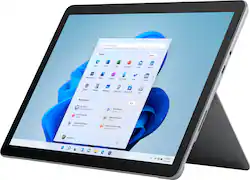
Microsoft - Surface Go 3 - 10.5” Touch-Screen - Intel Pentium Gold - 8GB Memory - 128GB SSD - Device Only (Latest Model) - Platinum
- Key Specs
- Screen Size: 10.5 inches (Size of the screen, measured diagonally from corner to corner.)
- Screen Resolution: 1920 x 1280 (Screens come in a range of resolutions (measured in pixels, horizontal x vertical). The higher the resolution, the greater the picture quality.)
- Processor Model: Intel Pentium Gold 6500Y (Your computer's processor is like its brain. Working in combination with system memory, the power of the processor determines the complexity of software you can run, how many programs you can have open at the same time, and how fast those programs will run. Most computers feature an AMD, Intel or Snapdragon processor.)
- Total Storage Capacity: 128 gigabytes
- Operating System: Windows 11 Home in S Mode (The operating system manages all software and hardware, including files, memory and connected devices. Most importantly, it lets you interact with your device and your programs in a visual way; otherwise, you'd be typing computer code to get anything done.)
- Voice Assistant Built-in: No (A digital assistant built into the device that uses voice commands to answer questions and control smart devices.)
- Works With: Cortana (Compatible with or able to be connected to other smart devices or applications.)
- Wireless Connectivity: Bluetooth, Wi-Fi (The manner in which a device sends data to another device over a short distance without the use of wires or cables.)
- Battery Chemistry: Lithium-ion
- 2-in-1 Design: true (A laptop and a tablet combined in one lightweight, portable device. Sometimes referred to as "convertible" or "hybrid" laptops, these devices deliver the processing power and keyboard of a laptop. When you're ready to play, either detach the screen or fold your 2-in-1 into tablet mode to comfortably watch movies, play games, read an e-book and more.)
- Security Features: Facial recognition
- General
- Brand: Microsoft
- Model Number: 8VA-00001
- Product Name: Surface Go 3 - 10.5” Touch-Screen - Intel Pentium Gold - 8GB Memory - 128GB SSD - Device Only (Latest Model)
- Color: Platinum
- Model Family: Microsoft Surface Go
- Year of Release: 2021
- Display
- Display Type: LCD
- Screen Type: PixelSense
- Screen Size: 10.5 inches (Size of the screen, measured diagonally from corner to corner.)
- Screen Resolution: 1920 x 1280 (Screens come in a range of resolutions (measured in pixels, horizontal x vertical). The higher the resolution, the greater the picture quality.)
- Stylus Input: Built for Windows Ink (Active) (An active stylus/pen is able to communicate directly with a compatible device; active electromagnetic resonance (EMR) pens are powered via a device's screen and active electrostatic (AES) pens require an additional power source. A passive stylus does not have electronic features and is compatible with most capacitative touch screens.)
- High Dynamic Range (HDR): false (An HDR-compatible 4K TV or other HDR-compatible product displays HDR video content when it's available from sources like 4K Ultra HD Blu-ray Discs and 4K streaming services.)
- Processor
- Processor Brand: Intel
- Processor Model: Intel Pentium Gold 6500Y (Your computer's processor is like its brain. Working in combination with system memory, the power of the processor determines the complexity of software you can run, how many programs you can have open at the same time, and how fast those programs will run. Most computers feature an AMD, Intel or Snapdragon processor.)
- Storage
- Total Storage Capacity: 128 gigabytes
- Memory
- System Memory (RAM): 8 gigabytes (Random-access memory (RAM) is a computing device's short-term data storage, which allows active information to be accessed quickly. The size and type of RAM determines how efficiently the device can handle large amounts of information at one time. For example, gaming or video editing requires more RAM for optimal performance.)
- Type of Memory (RAM): LPDDR3 (Each type of RAM delivers a different level of speed, bandwidth, energy efficiency and performance.)
- Expandable Memory Compatibility: microSD, microSDHC, microSDXC
- Compatibility
- Operating System: Windows 11 Home in S Mode (The operating system manages all software and hardware, including files, memory and connected devices. Most importantly, it lets you interact with your device and your programs in a visual way; otherwise, you'd be typing computer code to get anything done.)
- Operating System Compatibility: Windows
- Voice Assistant Built-in: No (A digital assistant built into the device that uses voice commands to answer questions and control smart devices.)
- Works With: Cortana (Compatible with or able to be connected to other smart devices or applications.)
- Connectivity
- Wireless Connectivity: Bluetooth, Wi-Fi (The manner in which a device sends data to another device over a short distance without the use of wires or cables.)
- Network Connectivity: None (The manner in which a device sends data to another device over a long distance using a cellular network.)
- Compatible Wireless Standard(s): Wireless-AX, Wireless-AC, Wireless-A, Wireless-B, Wireless-G, Wireless-N (The wireless networking standard(s) the device is backwards compatible with. This includes networking protocols based on the IEEE 802.11 standard (alphabetically ascending) and the Wi-Fi Alliance standard (numerically ascending), both of which provide high-throughput wireless local area networks (WLANs). Devices designed to work with specific standard(s) will be backwards compatible with previous versions but may not run at optimal performance when using earlier iterations.)
- Headphone Jack: true (The device features an interface that allows for the connection of headphones.)
- Bluetooth Version: 5.0 (The Bluetooth specification formalized by the Bluetooth Special Interest Group. All versions of the Bluetooth standard are backwards compatible with previous versions.)
- GPS Enabled: false
- Number of USB Ports (Total): 1
- Power
- Charging Interface(s): Proprietary (The connection for transmitting power to charge the device.)
- Battery Life (up to): 11 hours (Battery life will vary depending on the product configuration, product model, applications loaded on the product, power management setting of the product and the product features used by the customer. As with all batteries, the maximum capacity of this battery will decrease with time and usage.)
- Battery Capacity: 3500 milliampere hours (The amount of energy stored in the battery.)
- Battery Chemistry: Lithium-ion
- Camera
- Front-Facing Camera: true
- Front Facing Camera Megapixels: 5 megapixels (The more megapixels, the more detail that the camera facing the user can capture.)
- Front Facing Camera Video Resolution: 1080p (Refers to the number of pixels, both horizontally and vertically, used by the camera facing the user to capture video. The higher the resolution the finer the video detail that can be seen.)
- Rear-Facing Camera: true
- Rear Facing Camera Megapixels: 8 megapixels (The more megapixels, the more detail that the camera facing away from the user can capture.)
- Rear Facing Camera Video Resolution: 1080p (Refers to the number of pixels, both horizontally and vertically, used by the camera facing away from the user to capture video. The higher the resolution the finer the video detail that can be seen.)
- Built-In Microphone: true
- Features
- 2-in-1 Design: true (A laptop and a tablet combined in one lightweight, portable device. Sometimes referred to as "convertible" or "hybrid" laptops, these devices deliver the processing power and keyboard of a laptop. When you're ready to play, either detach the screen or fold your 2-in-1 into tablet mode to comfortably watch movies, play games, read an e-book and more.)
- Keyboard Included: false
- Security Features: Facial recognition
- Stylus Dock: None
- Dimensions
- Product Height: 6.9 inches (The out of box height of the item. Height is measured as the vertical distance from the bottom of the item to the top as it would be primarily used or placed.)
- Product Width: 9.65 inches (The out of box width of the item. Width is measured as the horizontal distance from one side of the item to the other as it would be primarily used or placed.)
- Product Depth: 0.33 inches (The out of box depth of the item. Depth is measured as the distance from the front of the item to the back as it would be primarily used or placed.)
- Product Weight: 19.2 ounces (The out of box weight of the item.)
- Certifications Listings & Approvals
- ENERGY STAR Certified: true (Devices carrying the ENERGY STAR service mark, such as computer products and peripherals, kitchen appliances, and other products, generally use 20% to 30% less energy than required by federal standards.)
- EPEAT Qualified: true (The Electronic Product Environmental Assessment Tool (EPEAT) was designed to provide an environmental assessment tool for purchasers. In order to qualify for EPEAT, a product must meet all 23 required criteria.)
- EPEAT Level: Gold (The Electronic Product Environmental Assessment Tool (EPEAT) was designed to provide an environmental assessment tool for purchasers. In order to qualify for EPEAT, a product must meet all 23 required criteria. Products are rated Bronze, Silver or Gold based on how many of 28 optional criteria they meet (below 50%, 50%, 75%).)
- Included
- Included Software: Microsoft 365 Family 30-day trial; Xbox Game Pass Ultimate one month trial
- Stylus Included: false
- Warranty
- Warranty - Parts: 1-year limited hardware
- Warranty - Labor: 1-year limited hardware warranty
- Other
- UPC: 889842801309
The most portable Surface touchscreen 2-in-1 is perfect for your everyday tasks, homework, and play. Designed to light up the best of Windows 11, Surface Go 3 is optimized for digital pen and touch, with a choice of a faster Intel Pentium or Intel Core i3 processor, plus all-day battery⁹, tablet-to-laptop versatility, and comprehensive Microsoft security.
- Copilot in Windows 11 - Get answers, inspiration, and summaries: Find the relevant information and ideas you need to power your own ingenuity. Copilot in Windows 11 can deliver answers that are more relevant to you(1).
- 10.5" Touchscreen with 1920 x 1280 resolution: The most portable Surface touchscreen 2-in-1 is perfect for your everyday tasks, homework, and play. Designed to light up the best of Windows 11, Surface Go 3 is optimized for digital pen and touch.
- Speed through homework, browsing, and more: Enjoy your choice of faster Intel Pentium or Intel Core i3 processor. Plus, connect with faster Wi-Fi 6 for better performance around the house.
- Dual HD cameras for photos and face-to-face chat: Stay connected with front- and rear-facing 1080p HD cameras and dual Studio Mics. Experience built-in Dolby Audiothat’s perfect for online classes, music, audio books, and your favorite shows.
- Built for everyone, ready anywhere: Browse, work, play, learn, and binge watch anywhere with an outstanding 2-in-1 value that can replace both your tablet and laptop.
- Go-anywhere tablet with laptop productivity: Surface Go 3 is small and easy for all family members to hold. Got an idea? Adjust the built-in Kickstand to the perfect angle for taking notes, drawing diagrams, and sketching with Surface Pen. *
- All-day battery life: Get up to 11 hours² of on-the-go power, plus Fast Charging to take you from low to full when you do need to plug in.
- Connect in more ways on the go: Plug in the accessories you use today with the included USB-C port, headphone jack, Bluetooth 5.0, and MicroSDXC Card Reader.
- Built-in anti-virus and malware defense: No one likes to think about viruses, malware, or hackers. Fortunately, with the all-encompassing Windows Security app, you almost never have to.⁷
- More speed for everyday tasks: Stay connected to the people you care about and run the apps you rely on, from Microsoft Teams, Outlook, and Word, to Minecraft, and more*.
- Playtime. Anytime: Play the latest games with graphics that rival reality. Play with players on console. Play with the peripherals that you love. When it comes to playing your way, Windows 11 makes it happen.
- Discover more ways to play with XBOX Game Pass: Play together and discover your next favorite with friends. With XBOX Game Pass Ultimate, access over 100 high-quality games through XBOX.com/Play for one low monthly price.* With games added all the time, there’s always something new to play.
- Expect more from your device: Surface Go 3 adapts to you throughout your day with Windows 11 – use Surface Pen, touch, and even just your voice alone.
- Navigate faster with intuitive touch gestures: Improved interactions and multi-finger gestures with Windows 11 help you navigate more fluidly.
- All things you, always a swipe away: Your favorite photos. The world news. Today’s to-do list and tomorrow’s weather. Widgets with Windows 11 help you find content that matters to you.
Whats Included
- Microsoft - Surface Go 3 - 10.5” Touch-Screen - Intel Pentium Gold - 8GB Memory - 128GB SSD - Device Only (Latest Model)
- Power Supply
- Quick Start Guide
- Safety and warranty documents
A: No, this model does not have a SIM port.
Q: This is a full SSD not eMMC? if SSD what is the speed?
A: Yes, this model uses SSD.
Q: Can you take the device out of S mode?
A: Yes, Windows 11 may be switched out of S mode, however doing so is permanent. For more information on how to do this, please go here: https://support.microsoft.com/en-us/windows/switching-out-of-s-mode-in-windows-4f56d9be-99ec-6983-119f-031bfb28a307#WindowsVersion=Windows_11
A: Yes, it is a full Windows 11 system, you would definitely want to get a keyboard and mouse to make it easier to use though.
A: It uses a standard surface-type power connector (included). You can also charge thru USB-C but requires 45W.
Q: I have a Surface Pro4 now and use the Microsoft dock. Does this dock work on the Surface Go 3?
A: Surface Go 3 is compatible with Surface Dock 2.
Q: This is a 2020 tablet. Can Ram GB be added and how much? Would it void the MicroSoft warranty?
A: Its RAM cannot be expanded.
People also viewed
 Clearance$899.99The price was $999.99
 $379.99The price was $549.99
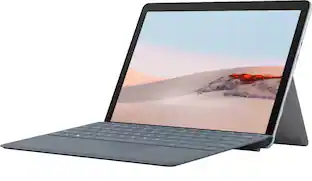 $479.99The price was $629.99
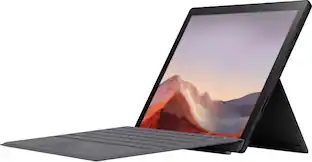 $569.99The price was $1,199.99
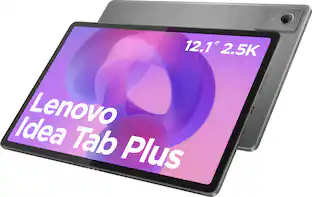 Top Deal$209.99The price was $339.99
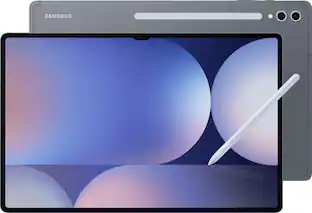 Top Deal$849.99The price was $1,199.99
 $1,049.99The price was $1,149.99
 $244.99The price was $299.99
 $649.99The price was $849.99
Today's top picks
- $649.99The price was $849.99
- Top Deal$209.99The price was $339.99
- Top Deal$849.99The price was $1,199.99
 $1,649.99The price was $2,099.99
- $244.99The price was $299.99
 $1,199.99The price was $1,499.99
 $1,499.99The price was $1,799.99
 Clearance$183.99The price was $229.99
 Top Deal$529.99The price was $629.99