Customer Ratings & Reviews



- Model:
- 8PV-00001
- SKU:
- 6477103
Rating by feature
- Battery Life
Rating 4.4 out of 5 stars
- Durability
Rating 4.7 out of 5 stars
- Display
Rating 4.9 out of 5 stars
Customers are saying
Customers are satisfied with the Surface Pro 8's portability, screen size, and performance. Many appreciate its lightweight design and the speed of the SSD. However, some customers point to the battery life and the need to purchase the keyboard separately as drawbacks. The high price point and limited storage were also mentioned as areas for potential improvement.
This summary was generated by AI based on customer reviews.
Love it
||Posted . Owned for 1 month when reviewed.This reviewer received promo considerations or sweepstakes entry for writing a review.Awesome laptop/tablet. Would highly recommend to everyone!!
I would recommend this to a friendSURFACE PRO 8
||Posted . Owned for 3 weeks when reviewed.This reviewer received promo considerations or sweepstakes entry for writing a review.Loving My surface pro. There is nothing it cant do.
I would recommend this to a friend- Pros mentioned:Processor speed

The Surface Pro update we’ve been waiting for
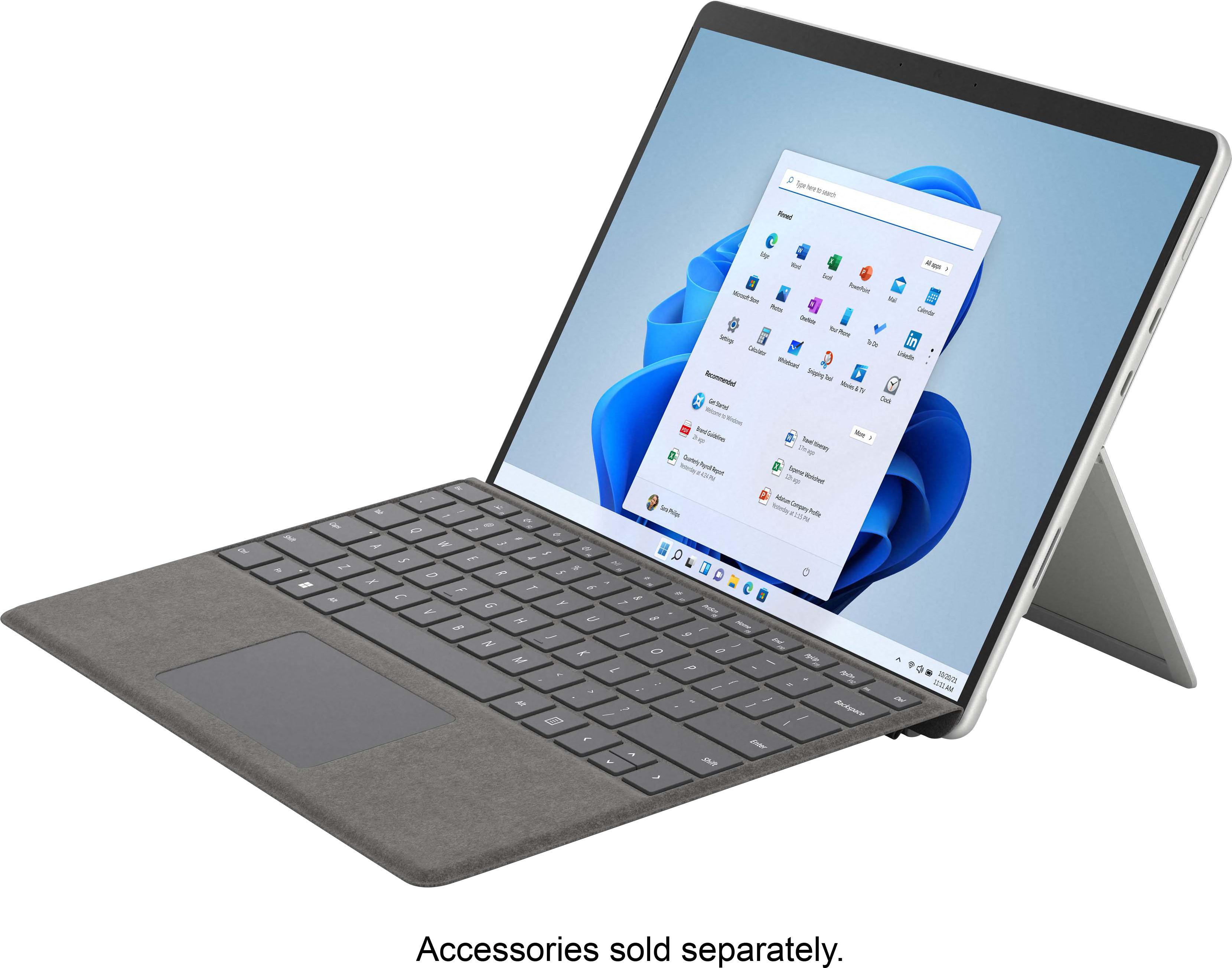
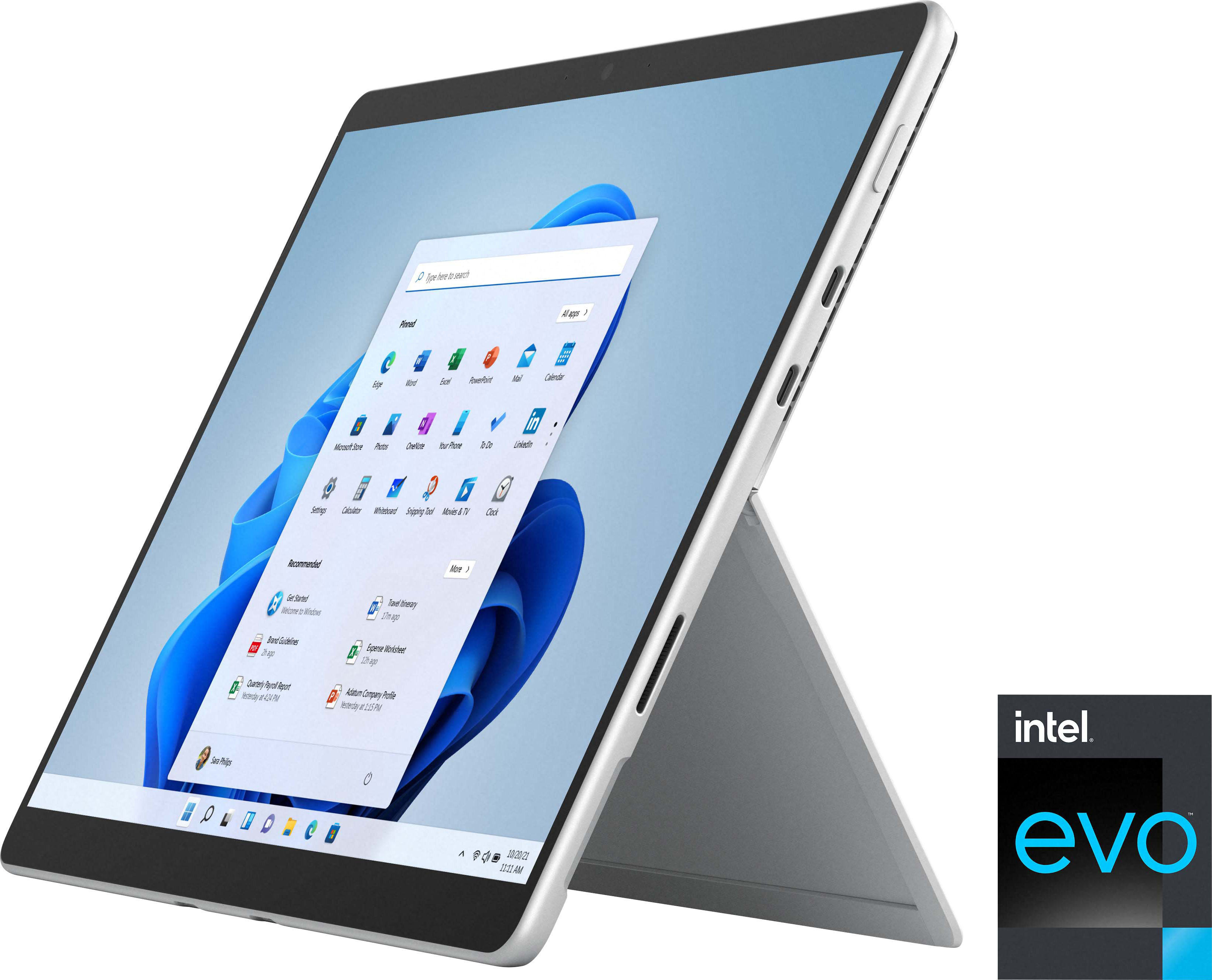
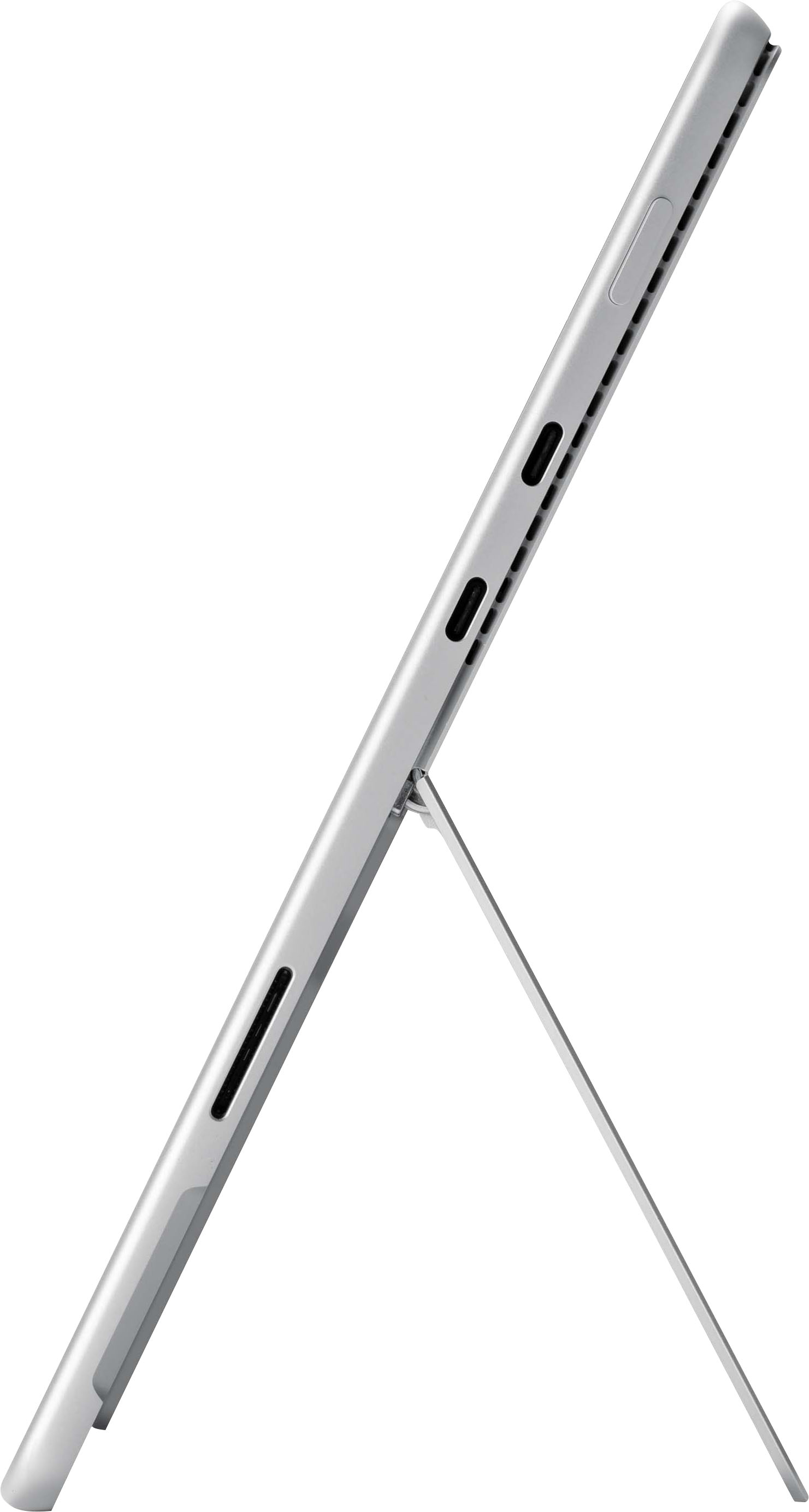
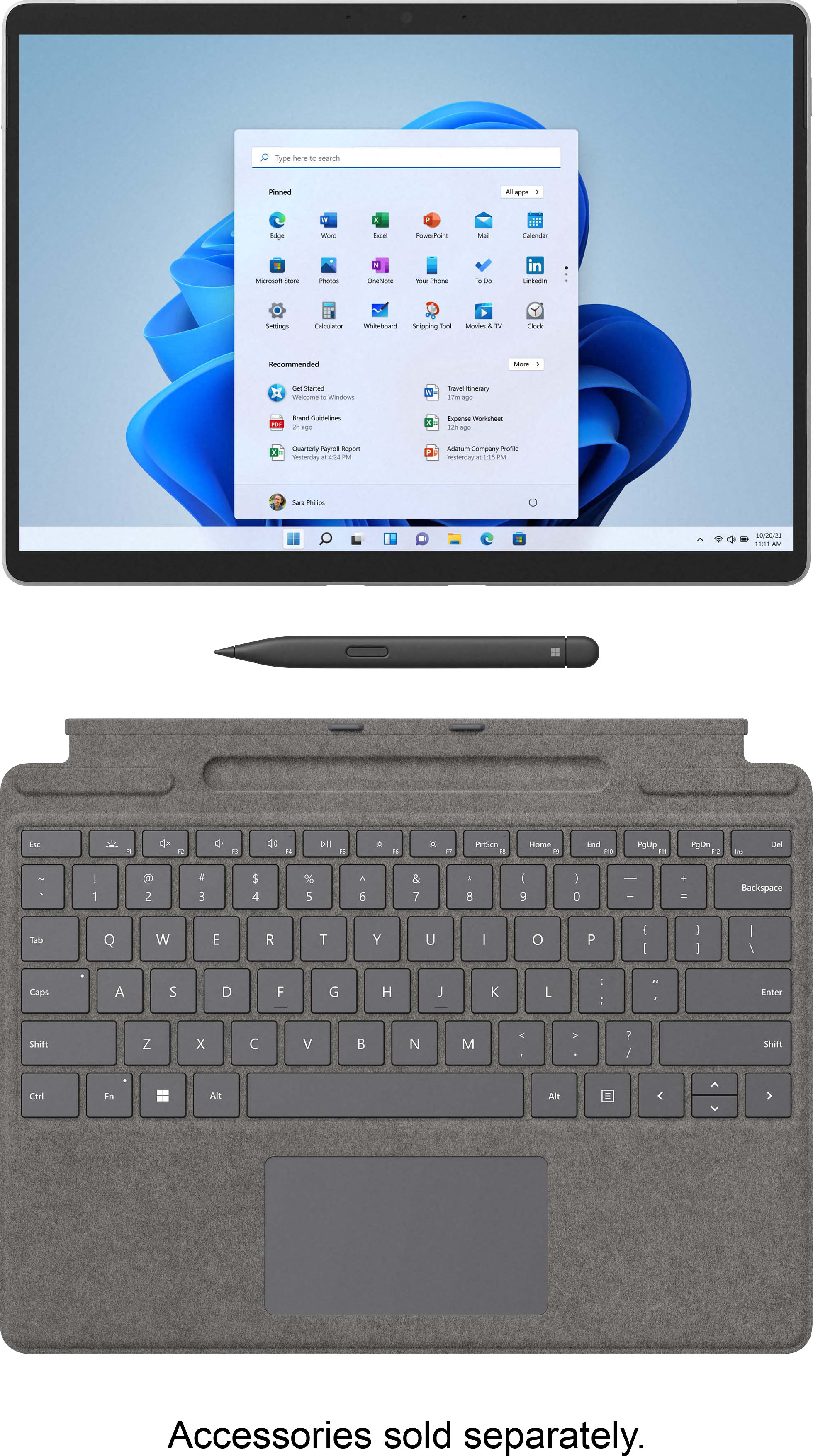
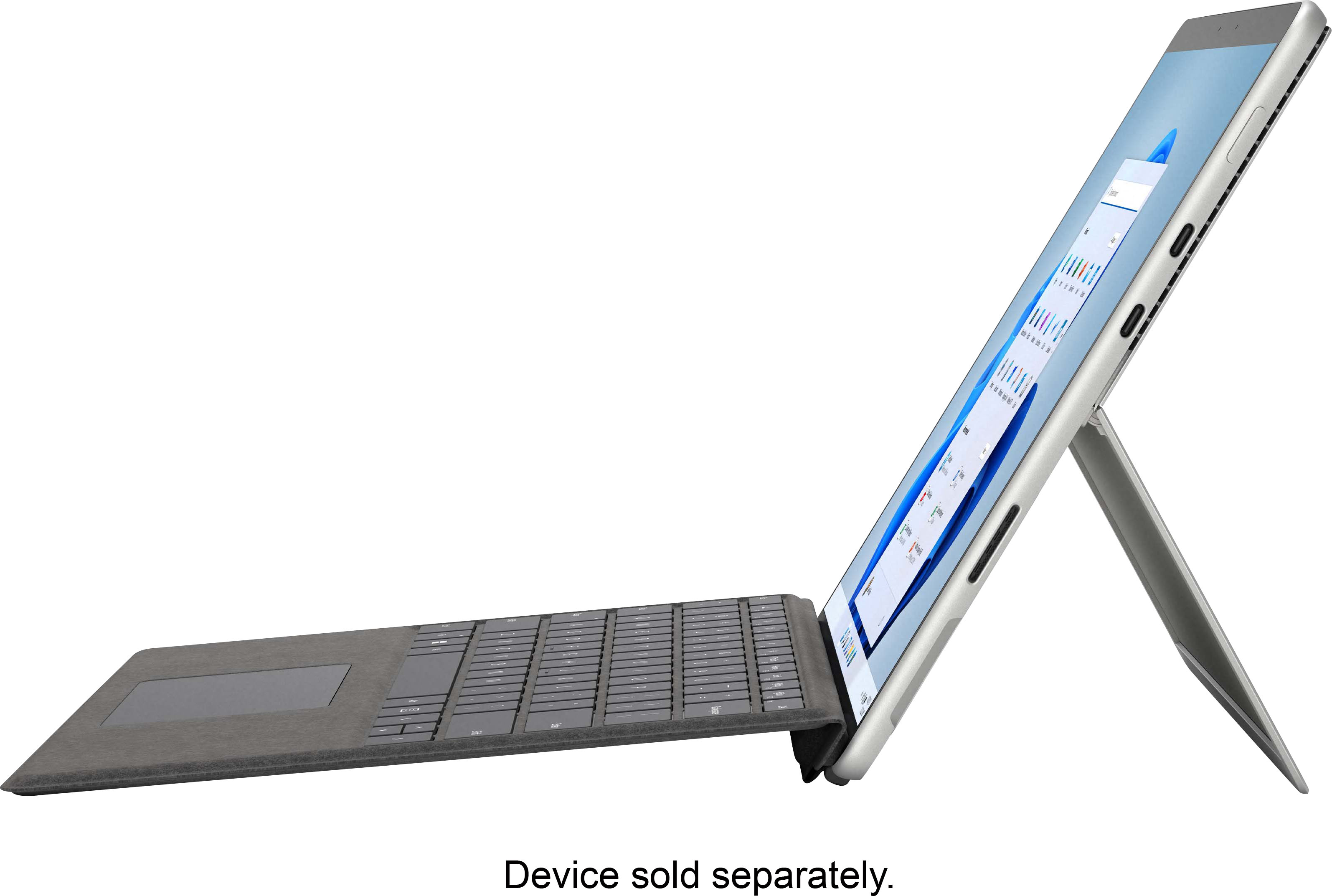
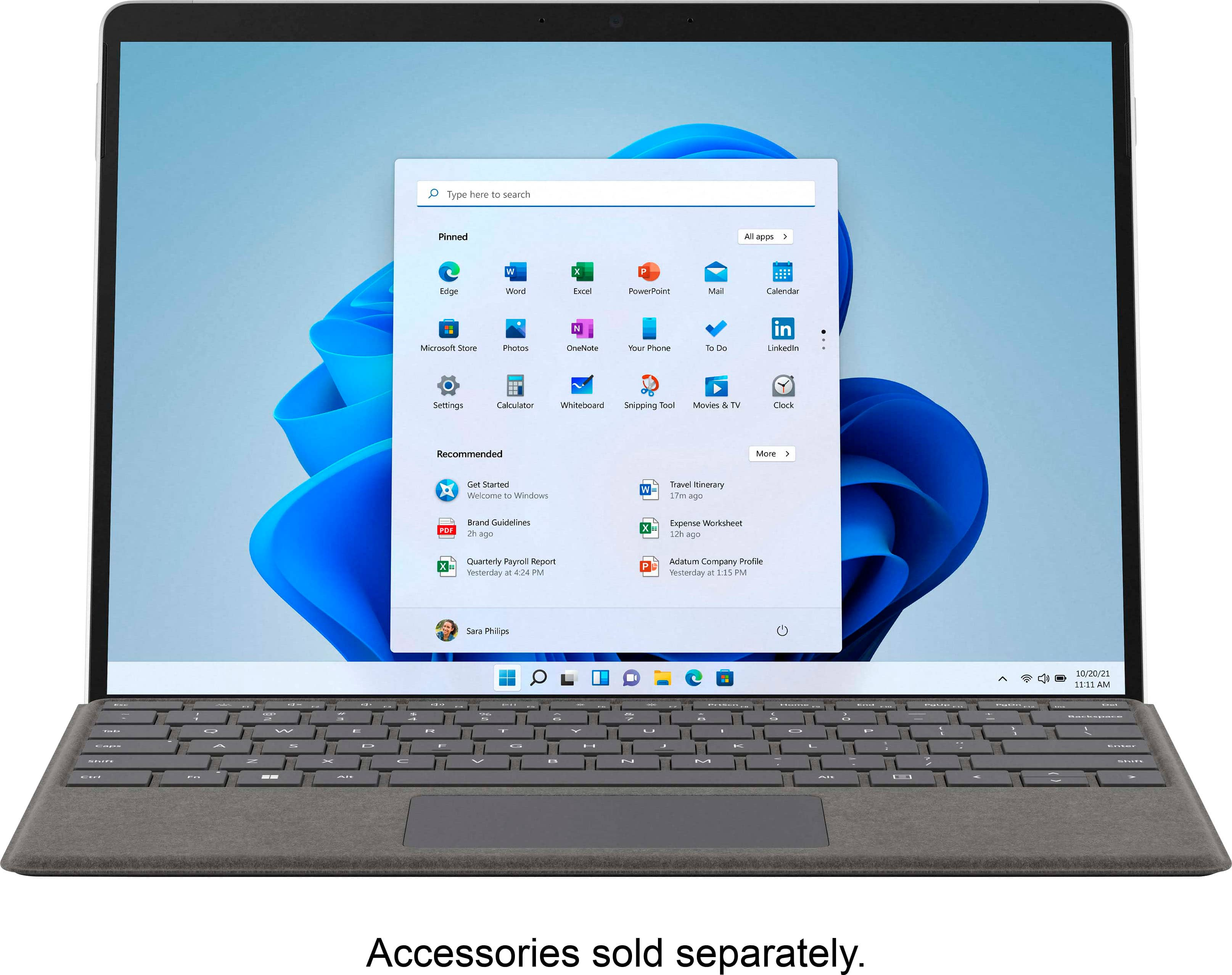
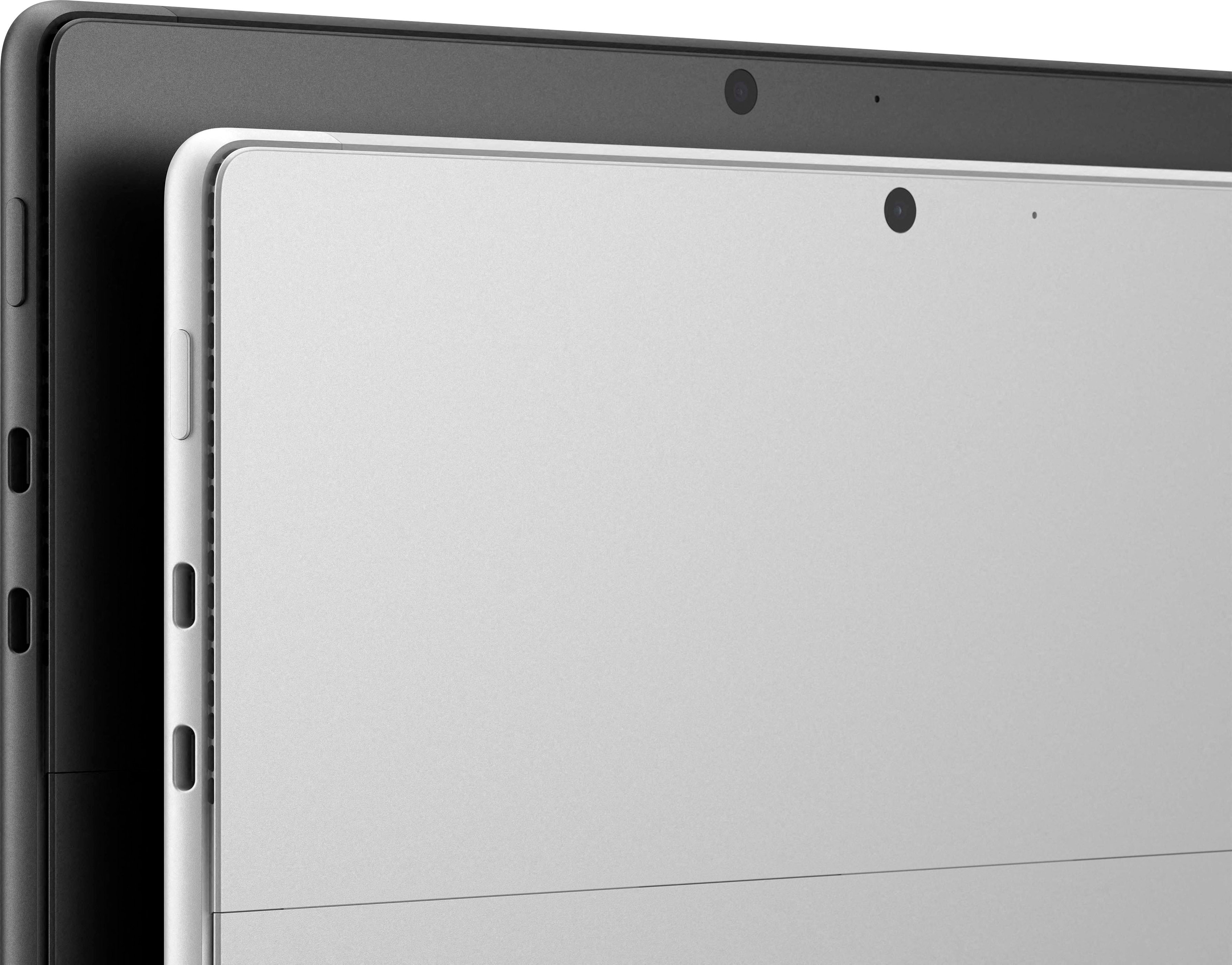
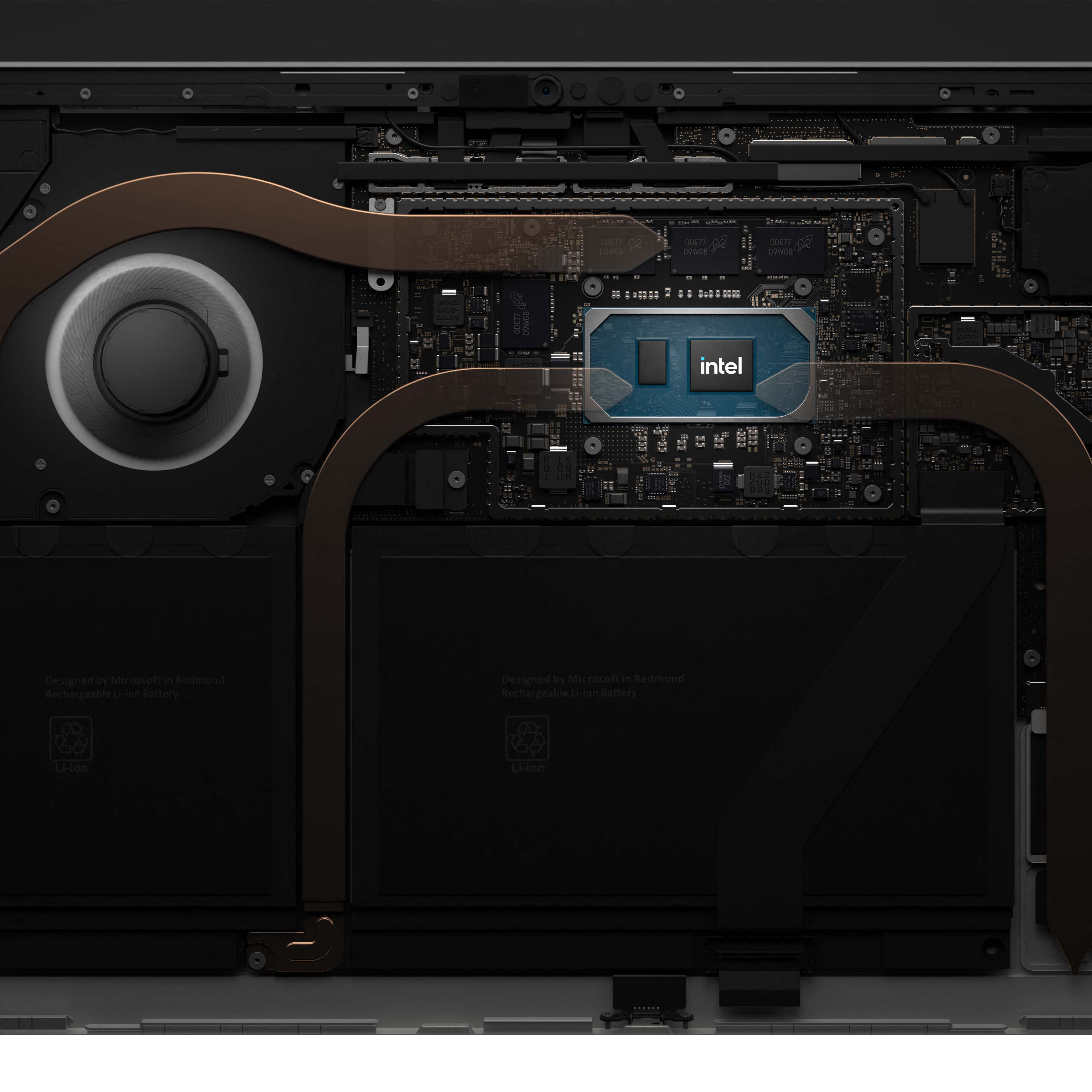
|Posted .This reviewer received promo considerations or sweepstakes entry for writing a review.While there has been a lot of iteration in the Surface Pro line, there haven’t been any substantial changes since the Surface Pro 3. With the Surface Pro 8 and the release of Windows 11 – Microsoft has made some long-awaited hardware improvements and software refinements that make it a formidable productivity and creativity package. PROS: - Thunderbolt 4 (Finally!) - Refined hardware - 120 Hz screen CONS: - No MicroSDXC card reader - Speakers are decent Design + Screen The biggest changes you’ll notice are the design changes. We’ll talk more about the ports later, for now focusing on aesthetics. If you’ve owned a Surface product previously than you will be familiar with the fit and finish that these products have. The chassis is a single piece of machined anodized aluminum save for the kickstand which is its own solid piece. Taking a design cue from the Surface Pro X, the Pro 8 now has substantially more rounded edges which makes it much more comfortable to hold in your hands. In terms of looks the next notable change will be when you turn it on. The smaller bezels on the left and the right make the experience that much more immersive, though they’ve left the bezels thicker on the top for the front facing camera and Windows Hello system – more on this later. The new 13” screen fits in the same profile thanks to the smaller bezels and it’s now 120 Hz, so animations are buttery smooth touch inputs feel that much more responsive. They maintain the same 3:2 aspect ratio which is a crowd favorite in terms of maximizing the screen area for productivity. Hardware + Performance From a port perspective, the Surface line has followed a theme of just enough. Though there are some major additions here and some slight drawbacks from the 7 here. First, the bad news - there is no longer a MicroSDXC card reader on the Pro line. I loved having this flexibility because it meant I could pack light when shooting GoPro or Drone footage on the go. The good news is if you were previously using the SD to expand your storage, Microsoft has done themselves (and you) one better. Under the kickstand on the back of the Surface Pro 8 is a small door which hides the replaceable SSD, so if you found that you were needing more space you could easily upgrade. The major news here is the introduction of Thunderbolt 4 to the Surface Pro line. This has been a long-requested feature from the community, and it brings a host of new capabilities to the tablet PC. It’s now feasible to utilize external GPUs and a host of other thunderbolt 4 docks and monitors which makes the Surface Pro 8 that much more attractive to ‘pro’sumers. The Surface Pro 8 retains the headphone jack, which still a nice to have. For power and docking Microsoft continues to utilize their proprietary Surface Connect port, so if you have a Surface Dock 2 you’ll be able to still utilize it here. The connector attached magnetically, so if you every trip over your charging cable, you’ll be reassured that your Surface doesn’t go flying with it. The Surface Pro 8 isn’t a hardcore gaming machine, but it could be passible with an external GPU. What it excels at is productivity and creativity. It’s a capable machine for all you favorite Adobe apps and casual video editing. While my model only had 16 GB of RAM, you can get up 32 GB putting it in line with other high-end machines. The processor is a quad-core i7-1185G7 with active cooling putting on the high end as far as mobile processors for this formfactor go. The fan means that you won’t experience any thermal throttling as you work through your tasks. At the end of the day, the Surface Pro 8 will exceed your expectations, especially for those that want the thin and light design. Cameras + Microphones + Speakers Microsoft’s intention to make the Surface Pro 8 a well-rounded device, which includes productivity and meetings as much as it does being an outlet and canvas for creativity. The front facing camera provides an above average video conferencing experience that is clear and well balanced, and the microphones do a good job capturing your voice and isolating it from distant background noise, however you will notice people talking or music if it’s playing in the same room. The rear facing camera is likewise also productivity focused – it’s great for capturing and digitizing documents, but you’re better off pulling out your phone if you need more serious photos. The speakers feature Dolby Atmos certification and while they won’t win any awards for quality, they did provide an immersive single viewer experience for my latest Netflix binge. Like you would expect for the formfactor, highs and mids were present and clear, but the low end is practically non-existent. Keyboard + Pen In terms of essential Surface Pro accessories, you’ll want to look at the Signature Keyboard and Surface Slim Pen 2. The keyboard sets the standard in the detachable category with its clicky backlit keys and good key travel. The new keyboard is sturdier ensuring that you can type fast and in any environment. Like previous models it magnetically attaches to the edge and then again to the front of the device for an extra rigid typing surface (pun not intended). This practically eliminates the bottom bezel making for a very sleek computer when you’re typing away. The trackpad is a good size and realistically is probably as big as it can be without compromising the size and spacing of the keys. The Surface pen has long been a staple of the device, and it been further integrated in the Pro 8. For starters, it tucks away nicely (and charges!) in the keyboard cover which magnetically tucks towards the chin of the display. This makes it much harder to lose or get knocked off. It also means that when the keyboard is flipped to the back, the pen is revealed right below the screen making it very accessible in a mode where you might be using the pen more. The pen is an iterative improvement on the previous slim design. The new unit is more tapered making it more comfortable to hold and features a subtle vibration when you’re drawing. This paired with the higher screen refresh rate makes writing and drawing feel more natural than ever. The tip features 4096 levels of pressure, flipping it around the pen functions as an eraser so you don’t loose your flow by having to manually select different tools. Windows 11 What’s good hardware without good software? Windows 11 is Microsoft’s successor to Windows 10 and continues to improve on a lot of the changes that 10 started. From a UI design language perspective Windows 11 feels even more cohesive. Applications now have slightly rounded corners and an updated appearance with modern animations and sounds. The change that I immediately recognized is the center aligned taskbar and Start menu. The new taskbar and Start menu are a radical departure from even Windows 10. Apps you use the most can live on the taskbar while secondary apps and recently opened files live in the start menu. Additionally, when you snap windows side-by-side Windows 11 keeps track of this and Groups them so that you can hop between groups of Windows, helpful for switching tasks. You can also do the same with multiple desktops, which you can name to keep track of. Windows 11 brings out the best of the Surface devices. Removing the keyboard or folding it back enlarges icons and makes everything more touch friendly, and applications like the whiteboard app take advantage of the vibration feature in the pen as well as the 120 Hz refresh rate. One of the biggest and most used applications finally got the makeover it deserved. File Explorer in Windows 11 has a refreshed interface and new icons and functions that streamline certain tasks though the icons and lack of text does take some getting used to. Overall, I found it to be very functional and clean, but that clean design does come with some temporary drawbacks as people relearn the interface. Search also plays a more prominent role in Windows 11. Cortana has been almost entirely removed, so the voice assistant aspect is gone. But search does a great job of helping you search apps, documents, and the web from one central place. Back from Windows 7 is a new widgets pane which I always found very useful. This new desktop addition provides a central place for common information like weather, news, sports, photos, and stocks that you are watching. It’s relatively limited to Microsoft only widgets now, but I’m hoping in the future to see it opened to third parties. Overall Windows 11 in my opinion is a welcomed update as it pairs nicely with the Surface Pro 8 hardware. The modernized graphics and refreshed application UIs help streamline typical tasks and should ultimately benefit most users.
I would recommend this to a friend Great
||Posted . Owned for 1 month when reviewed.This reviewer received promo considerations or sweepstakes entry for writing a review.Great product best battery best display best product
I would recommend this to a friendMicrosoft surface pro 8
||Posted . Owned for 1 week when reviewed.This reviewer received promo considerations or sweepstakes entry for writing a review.It is amazing. .
I would recommend this to a friend- Pros mentioned:Performance, Portability
Handy work companion
|Posted .This reviewer received promo considerations or sweepstakes entry for writing a review.Let me preface this by saying who I am: an Apple guy who occasionally has to dabble with PCs in my work environment. As such, I have a couple of different Mac's (iMac, Macbook Pro) as well as an iPad pro with the magic keyboard and pencil. It is the latter that is the main competitor to the Surface, in my opinion. While I am a tech guy and have a deep knowledge of the intricacies of the various Apple OS platforms, I find Windows more difficult- and the switch to Windows 11 (included on this surface) is probably much harder for me to wrap my head around than someone who is more Windows-centric. I will try to focus on the hardware and not let my personal difficulties in gaining deeper understanding of the new windows environment get in the way. I do believe most of my difficulties have been with the new platform, not from the tablet/laptop itself. Overall, this appears to be a very capable, small, and lightweight laptop alternative. For me, this is its primary role. It doesn't perform as well as a tablet as the iPad does, but where it excels (and where the iPad clearly does not) is with true multitasking. While the screen real estate is quite limited, you can easily create different virtual desktops that can be navigated to easily with the touch pad on the keyboard accessory. This is a good time to question why the keyboard even IS an accessory; it seems as if this should be a bundle, in my opinion. Using the surface without a keyboard would not allow it to perform to its full potential. Again, as a tablet it falls behind the iPad. It shines in its ability to do both reasonably well. In fact, I would say that, outside of its small screen size, it is a completely competent laptop for anything short of full-on gaming. It can stream content well and has an excellent display with crisp colors and contrast. The speakers are adequate, but not particularly exciting. I would definitely recommend headphones for viewing content. The speakers do get impressively loud, however- but do get noisy with some distortion at levels above 70% or so. The Macbook Pro is much better in this regard- but it is a lot larger and heavier, and even then I'd still pick headphones over the built-ins, even on that. The surface speakers are good enough in a pinch (and in a quiet environment), to be clear. I had no issue running multiple Office apps alongside a fairly processor-intensive EMR I use at work. This is really why I own this- while I can use my iPad Pro to access the EMR, it is accessed via Citrix workspace. That particular app is uber-buggy on the iPad, and I've had zero issues so far on the Surface. Video conferencing is quite easy, as well. The easy adjustments in angle using the kickstand in addition to the excellent built-in webcam. I don't use this for gaming, but I've thrown everything at it from a productivity standpoint and I haven't had a single hiccup. I'd be remiss if I didn't also mention how awesome it is to have face recognition for unlocking... it does occasionally fail to work, but 90% of the time unlocking the computer is very quick and hands-free. It does come with their proprietary adapter for charging, but with a reasonable wattage third party charger (I used a 65W Anker as well as the charger for my MBP), you can charge via the thunderbolt ports- which can greatly simplify travel. I leave the bulky OEM charger at home and use the much smaller dual port wall-wart Anker to charge the Surface (along with another device, if needed), which works great. Overall, I think this is a quite capable, compact, light, and extremely portable laptop alternative. It can be used as a tablet in a pinch, but that isn't where it shines (but if doing a lot of drawing with the why-is-it-not-standard-equipment slim pen/keyboard combo, it might work just fine)- but it is reasonably capable at the very least. It has earned a spot in my bag, and is my go-to portable device for work at the present time.
I would recommend this to a friend Surface pro 8
||Posted . Owned for 1 week when reviewed.This reviewer received promo considerations or sweepstakes entry for writing a review.It was totally good but it had tiny scratches and the screen showed black out. So, I put 4 stars.
I would recommend this to a friendGood hybrid device
||Posted . Owned for 2 weeks when reviewed.This reviewer received promo considerations or sweepstakes entry for writing a review.Good 2-1in device. The screen is really nice. However, it's not practical to use on lap.
I would recommend this to a friendGood product
||Posted . Owned for 1 month when reviewed.This reviewer received promo considerations or sweepstakes entry for writing a review.I like this product, it’s good experience. I sm satisfied
I would recommend this to a friendGreat Buy!!
||Posted .This reviewer received promo considerations or sweepstakes entry for writing a review.Everything you expect and more! This is a great value for what you can do on it..
I would recommend this to a friend- Cons mentioned:Battery life
The surface pro 8 I mean what can I say
||Posted . Owned for 3 weeks when reviewed.This reviewer received promo considerations or sweepstakes entry for writing a review.The battery is a deal breaker for me unfortunately.
No, I would not recommend this to a friend Not For Me
||Posted . Owned for 1 month when reviewed.This reviewer received promo considerations or sweepstakes entry for writing a review.Returned item. It wasn't exactly what I wanted. It's for portability.
I would recommend this to a friendFine laptop, fine tablet
||Posted . Owned for 1 month when reviewed.This reviewer received promo considerations or sweepstakes entry for writing a review.The premise is great. Having 1 device instead of 2 supposed to be very convenient. And at some degree it is. But unfortunately, it is as comfortable as a traditional laptop when you actually work on it. And it is not as pleasurable to use as any other tablet on iOS/Android.
No, I would not recommend this to a friend- Pros mentioned:Processor speed, WeightCons mentioned:Price
Great Computer
|Posted .This reviewer received promo considerations or sweepstakes entry for writing a review.This is an awesome computer. I had a Spectre with an I5 in it and it was nice but I have never liked that to use it as a tablet you have to fold the keyboard to the back. This has always felt awkward to me. With this you can simply take off the keyboard (sold separately) however you don’t really need to have the keyboard because there is a virtual one on the screen similar what you have on your phone to send texts etc. what I like is it’s super fast, weight is appropriate for its size, built in stand, all day battery life, and I love windows 11. Dislike are the price and there is no SD card slot. You have to buy an adapter to fit into the thunder port. Overall I love it! It feels really built well and it’s lightning fast. Going forward I will be buying these vs the traditional laptop.
I would recommend this to a friendBrand response from MicrosoftOutreachTeam
Posted .Hi Scott – It's great to hear that Surface Pro 8 is a good fit for your needs. We hope it continues to serve you well. Erica, Microsoft Outreach Team

Lovely device.
||Posted . Owned for 3 weeks when reviewed.This reviewer received promo considerations or sweepstakes entry for writing a review.So far so good no complaints. Best 2 in 1 on the market.
I would recommend this to a friendLove the surface
||Posted . Owned for 1 month when reviewed.This reviewer received promo considerations or sweepstakes entry for writing a review.Would give it 5 stars if they did not remove the micro sd slot.
I would recommend this to a friend- Cons mentioned:Battery life
Overheats & Poor Battery Life
||Posted . Owned for less than 1 week when reviewed.This reviewer received promo considerations or sweepstakes entry for writing a review.I just got this a few days ago and it overheats like crazy with just the simple use of surfing the web. The battery life is also poor and typically lasts 5 hours when I'm drawing. I was planning to use this for digital art, studying, and coding. However, I don't think that this machine can handling anything else other than turning on and off. The dispaly is beautiful, but the functionality is subpar. I don't know if I received a faulty machine or if this is as good as it gets. I feel cheated on for the price that I paid.
No, I would not recommend this to a friend - Cons mentioned:Battery life, Price
Bad buy
||Posted . Owned for 1 month when reviewed.This reviewer received promo considerations or sweepstakes entry for writing a review.Twrribld battery life and over priced for the cost to production ration
No, I would not recommend this to a friend Shortcomings
||Posted .This reviewer received promo considerations or sweepstakes entry for writing a review.Needs an air card slot. Not very good for artists. Not as powerful as Apple. No 4K screen. Shortcomings
No, I would not recommend this to a friendHad high expectations
||Posted .This reviewer received promo considerations or sweepstakes entry for writing a review.Had high expectations, not as fast as expected, consider other options
No, I would not recommend this to a friend