Customer Ratings & Reviews
















- Model:
- EP2-33671
- SKU:
- 6623672
Rating by feature
- Battery Life
Rating 4.8 out of 5 stars
- Durability
Rating 4.7 out of 5 stars
- Display
Rating 4.8 out of 5 stars
Customers are saying
Customers are pleased with the Surface Pro's portability, performance, and battery life, with users finding it lightweight and appreciating its fast processing speeds. The build quality and form factor also receive positive feedback, with users noting its quiet operation and effective heat dissipation. However, some customers feel the screen brightness could be improved and would like to see a better port selection, while others have concerns about app compatibility.
This summary was generated by AI based on customer reviews.
- Pros mentioned:Battery life, Build quality, Performance
Def a great buy!
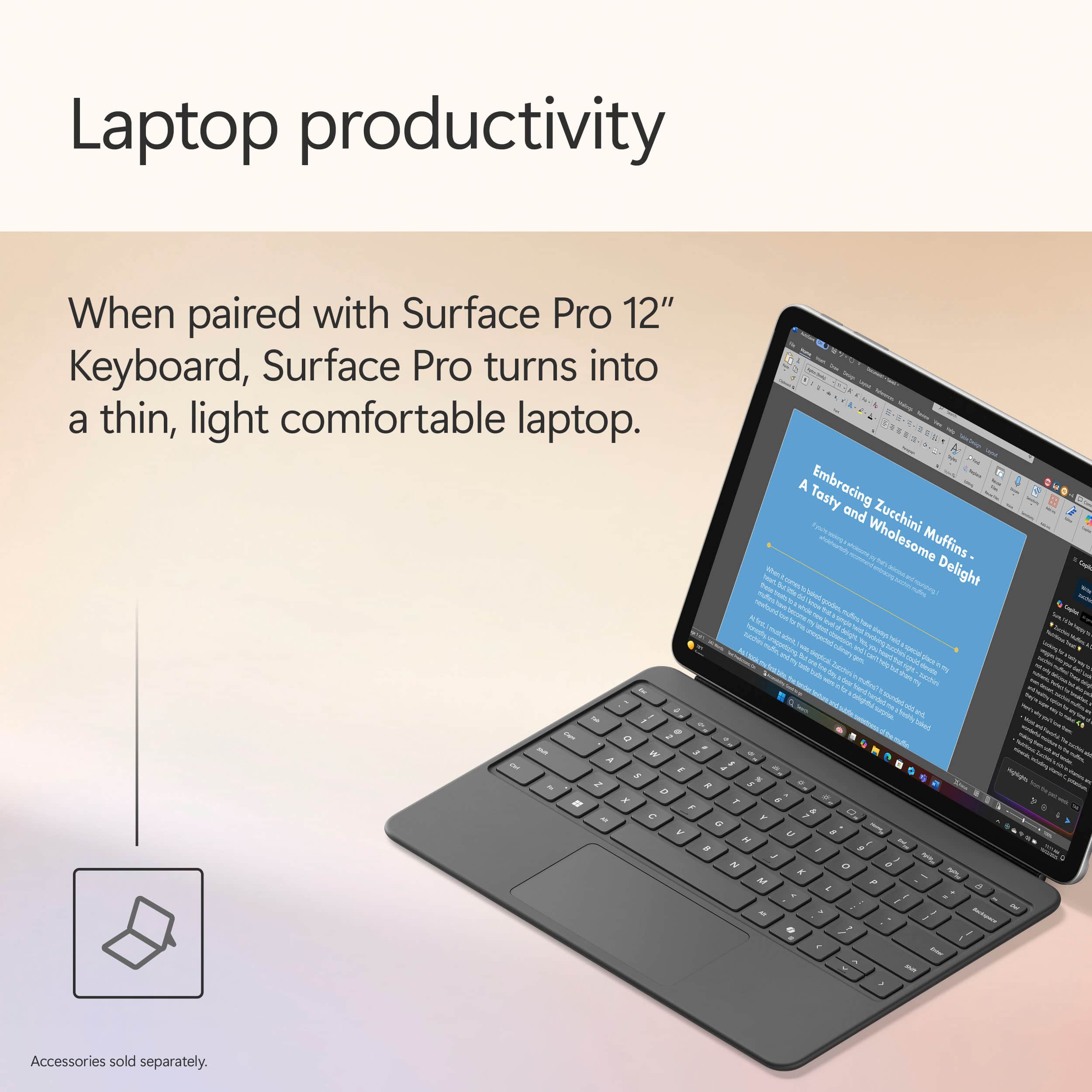
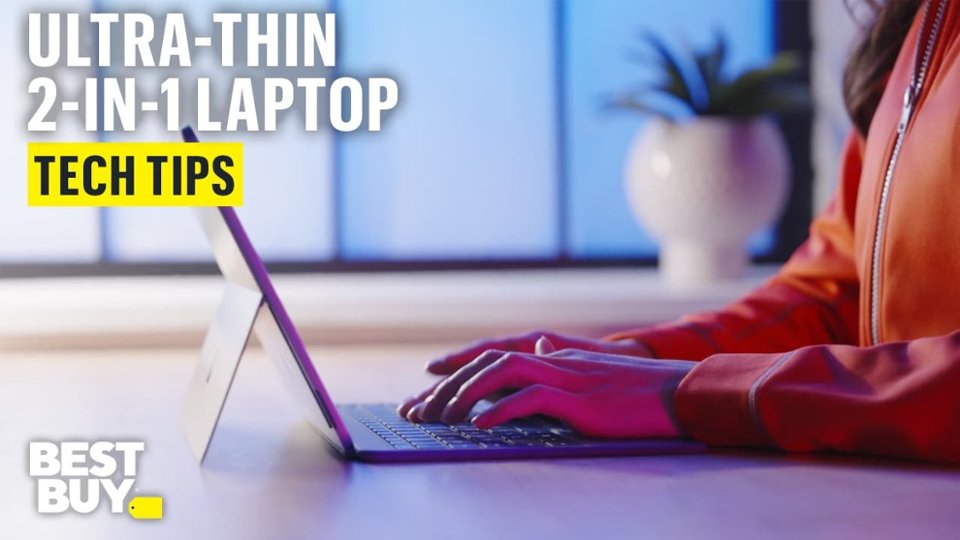
||Posted . Owned for 3 weeks when reviewed.This reviewer received promo considerations or sweepstakes entry for writing a review.I recently purchased this device and overall, I’ve had a great experience with it. The design is sleek, lightweight, and very professional-looking, which makes it perfect for both school and work. It’s easy to carry around, and I love how it quickly switches between tablet and laptop mode. The performance has been smooth for everyday tasks like using Microsoft Excel, Word, browsing the web, and streaming. The touchscreen is very responsive, and the display is bright and clear. I also appreciate how fast it boots up and how long the battery lasts during the day. One of my favorite features is the detachable keyboard. It makes typing comfortable when I need to work on longer assignments, but I can remove it when I just want to use it as a tablet. The Surface Pen compatibility is also a great bonus if you take notes or like to write directly on the screen. The only downside is that accessories like the keyboard and pen are often sold separately, which can make the total cost higher than expected. However, the overall quality and versatility make it worth the investment. Overall, I would recommend the Microsoft Surface Pro to anyone looking for a portable, reliable, and professional device for school, business, or everyday use.
I would recommend this to a friend - Pros mentioned:Battery life, Performance, Portability
Perfect Balance of Performance and Portability
||Posted . Owned for 1 week when reviewed.This reviewer received promo considerations or sweepstakes entry for writing a review.LOVE!!! ⭐️⭐️⭐️⭐️⭐️ I recently purchased the Microsoft Surface Pro Copilot+ PC (12” Touch-Screen, Snapdragon X Plus, 16GB/512GB, Violet) and I’ve been very impressed so far. The performance is smooth and responsive, even when multitasking between multiple apps. The 16GB of memory handles my workflow easily, and the 512GB storage gives me plenty of space without needing external drives. The touch screen is bright and sharp, and it works beautifully for both typing with the detachable keyboard and using touch or pen input. The violet color is unique and stylish, which makes it stand out compared to other laptops/tablets. I also appreciate how lightweight and portable it is—it fits perfectly into my bag and is easy to take on the go. Battery life has been solid so far, lasting through my workday without needing to recharge. I also like that it’s designed as a Copilot+ PC, making it future-ready for AI-powered features in Windows. Overall, this Surface Pro strikes a great balance between performance, portability, and design. If you’re looking for a powerful 2-in-1 device that can handle work, school, and entertainment, I highly recommend it.
I would recommend this to a friend - Pros mentioned:Build quality, Performance, Portability
Still loving it since June—perfect for travel
||Posted .This reviewer received promo considerations or sweepstakes entry for writing a review.This Surface Pro is exactly what I needed for my on-the-go setup. I bought it in June and it’s been incredibly reliable. It fits right into my small over-the-shoulder bag, making it effortless to take anywhere. When my friend Ed saw how much power it packs for such a slim tablet, he was genuinely surprised. Whether I'm using the touchscreen or pairing it with a portable keyboard, the performance is always smooth. Great value and top-tier build quality!
I would recommend this to a friend - Pros mentioned:Performance, Portability
Microsoft Surface Pro
||Posted .This reviewer received promo considerations or sweepstakes entry for writing a review.I recently purchased a Microsoft Surface Pro for my daughter as she heads off to college, and I couldn’t be more pleased with the decision. The device is incredibly versatile, functioning seamlessly as both a laptop and a tablet, which makes it perfect for everything from note-taking in class to creative projects and video calls. It’s lightweight and portable, yet powerful enough to handle demanding applications with ease. The touchscreen and Surface Pen support are added bonuses, especially for someone studying in a digital and fast-paced academic environment. Overall, it’s been a fantastic investment that combines performance, portability, and style, ideal for any college student.
I would recommend this to a friend - Pros mentioned:Battery life, Performance, Portability
Microsoft surface pro car copilot+ pc
||Posted . Owned for 1 month when reviewed.This reviewer received promo considerations or sweepstakes entry for writing a review.⭐️⭐️⭐️⭐️⭐️ Great Performance and Easy to Use I’m really happy with this computer. It’s fast, lightweight, and perfect for everyday use like browsing, work, and streaming. The screen is clear and bright, and the battery lasts a long time without needing constant charging. Setup was simple, and everything runs smoothly with no lag so far. For the price, it’s definitely a great value. I would recommend it to anyone who needs a reliable laptop for home, school, or work.
I would recommend this to a friend - Pros mentioned:Battery life, Build quality, Portability
Great Potential, But Touchscreen Issues
||Posted .This reviewer received promo considerations or sweepstakes entry for writing a review.I purchased the Microsoft Surface Pro 12" to replace my Surface Pro 11, 13" (OLED/1TB), seeking a more portable alternative. The 12" model impressed me with its significantly lighter weight, sleek and compact design, and fan-less operation, making it ideal for travel. At roughly half the price of my 13" version, it seemed like a fantastic value. The LCD screen is really nice, very bright and clear, and the battery life is sufficient for a full day’s usage. Unfortunately, the touchscreen was highly unreliable, working only about half the time, which made the device frustrating and nearly unusable for my needs. I couldn’t determine whether this was due to a hardware defect or a software issue. Additionally, as of July 2025, the 12" model’s recent launch meant accessories like screen protectors and cases were hard to find, adding to the inconvenience. Despite my enthusiasm for its potential, the touchscreen problems and lack of accessories led me to return the device and continue using my 13" model. It’s a shame, as the compact design, vibrant display, and decent battery life were truly promising. I’m hopeful for the second-generation 12" Surface Pro next year, assuming Microsoft addresses the quality control and software issues.
No, I would not recommend this to a friend - Pros mentioned:Portability
Gave it a second chance and did not disappoint
||Posted .This reviewer received promo considerations or sweepstakes entry for writing a review.This was my first Surface Pro device I purchased following my happiness with the violet Surface Laptop. I bought the Surface Pro to compare it with the laptop and see which device worked better for me for work and personal use. I originally bought the Surface Pro without the keyboard in hopes I would use it as a tablet and occasionally use it with a bluetooth keyboard. BUT after seeing the keyboard, I purchased it and was not disappointed. I actually even purchased a case (I am not noticing many out due to it being so new) and did not like the case so kept it just with the keyboard. Performance: I ended up returning the Surface Pro because as I used it for a day of work (meetings, Microsoft Office suite, data), the battery did not last as much as advertised (only 4 hours for me on a full charge). I also noticed it was EXTREMELY overheating to the point that I could not touch it to put it away. I did compare it to the bigger 13-inch Pro and acknowledge the difference in performance. BUT this is the only model that has this beautiful violet color. I must say the color is more blue-ish than purple. Design: beautiful, elegant, sleek. It is super lightweight and portable. This is it's best perk. Together with the keyboard, its still lightweight enough to fit in a sleeve and take out without feeling its weight in my purse. The keyboard is beautiful with satisfying keys. I am not looking to purchase the arc mouse or the pen as I don't see me using these items. After returning the Pro after a week, I found myself missing it very much. The portability, beautiful color, elegant design made for a perfect companion for travel when I am not using my Surface Laptop. I decided to re-purchase the Pro because I found myself unable to match another tablet like 2-in-1 design to it. This time I will be keeping it and potentially getting a nicer case when one comes out to use as a tablet and maybe a screen protector.
I would recommend this to a friend - Pros mentioned:Battery life, Performance, Portability
Great choice for any age
||Posted .This reviewer received promo considerations or sweepstakes entry for writing a review.Love the flexibility of this feeling like a tablet or a laptop. Excellent battery life. Runs quickly and smoothly. Would definitely recommend. Just purchased to use for nursing school.
I would recommend this to a friend - Pros mentioned:Battery life, Portability
Surface Pro 12" review
||Posted . Owned for 2 months when reviewed.This reviewer received promo considerations or sweepstakes entry for writing a review.My husband gifted this as a surprise for my birthday. It is an exceptional piece of technology. Sleek and functional. Easy to operate, holds battery very well, and it is compact. Beautiful screen display with vibrant colors. And I personally love the purple.
I would recommend this to a friend - Pros mentioned:Battery life, Build quality, PerformanceCons mentioned:App compatibility, Port selection, Screen brightness

A Step Forward
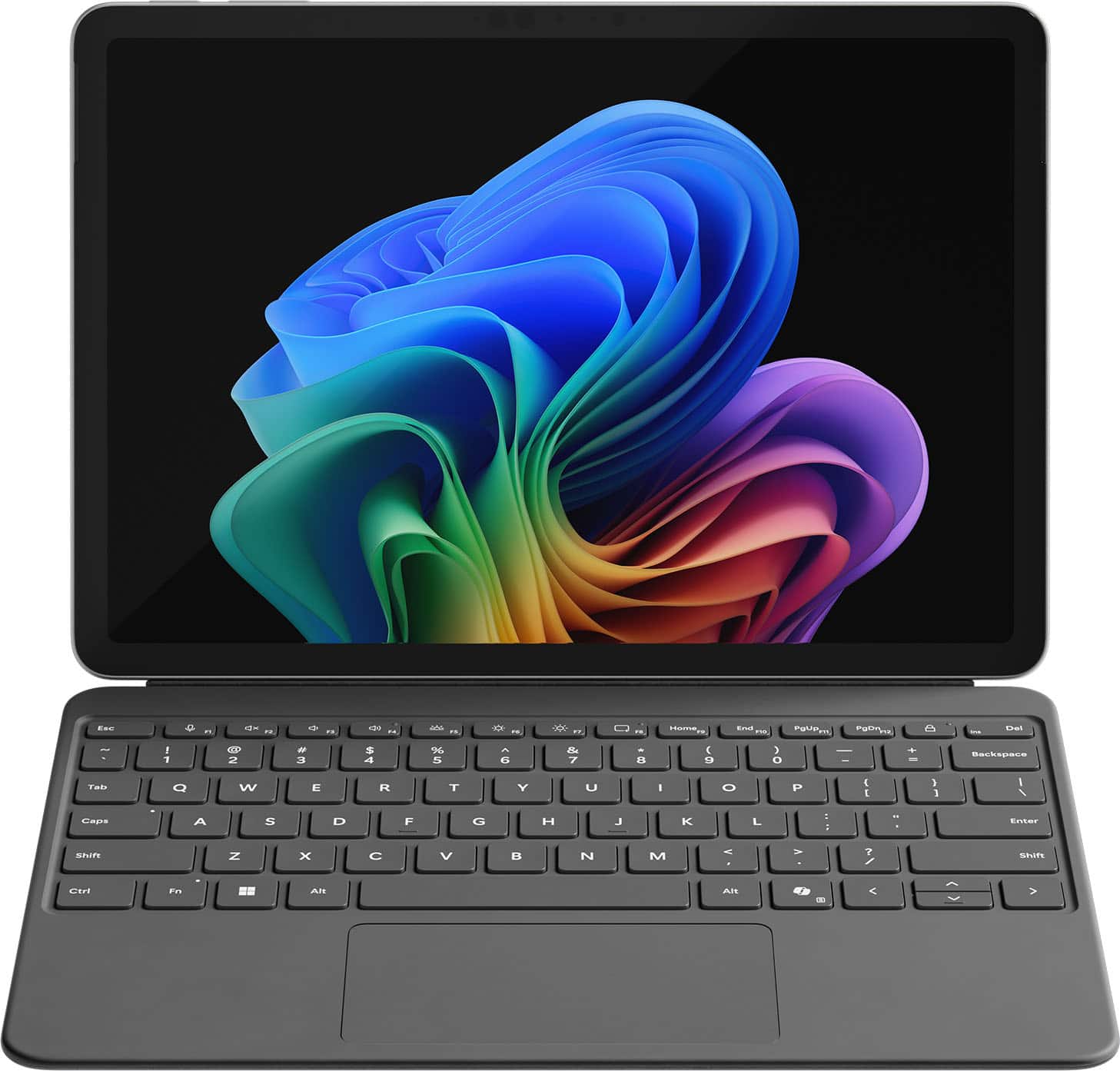
|Posted .This reviewer received promo considerations or sweepstakes entry for writing a review.Setup & First Impressions As soon as I unboxed the Surface Pro 12" in the Ocean finish, I was impressed by how premium it looked. The color has a really subtle, classy vibe—not too loud, but still unique enough to stand out from the usual gray slabs. I paired it with the Surface Pro Flex Keyboard (sold separately), which magnetically snaps on with a satisfying click. Setup was quick and straightforward. Windows 11 Copilot+ guided me through login, updates, and personalization without any hiccups. I was up and running in under 10 minutes. One heads-up: you’ll need your own USB-C charger unless you pick up Microsoft’s, and it doesn’t come bundled with the keyboard or pen. Performance & x86 App Experience Under the hood, this thing is rocking the Snapdragon X Plus chip with 16GB RAM and 512GB of UFS storage. It’s fanless, so completely silent, and even under stress it never got uncomfortably warm. I threw all my usual tasks at it: Edge, Photoshop (ARM-native), Chrome, Slack, Teams—everything flew. When I installed a few x86 apps like older utilities and even a basic Windows-only media editor, the new Prism emulation handled them surprisingly well. I didn’t notice any major slowdowns, but heavier apps (like older Adobe Premiere versions or complex .exe installers) took a bit longer to launch. So yes, it works, but if you're deep into x86 creative workflows, you’ll notice a gap. Battery Life Battery life is a real win here. I’ve taken this thing through multiple long days—coffee shop work, editing on the couch, Zoom calls, and media consumption at night. On a typical day of mixed use, I’m getting around 9 to 10 hours comfortably. And during a recent trip, I tested video playback on a full charge: it clocked nearly 17.5 hours. The standby battery is stellar too. I left it in sleep overnight and came back to barely 2% battery loss. Perfect for travel or switching between tasks without worrying about losing charge. App Speed & Real-World Use This is where the Surface Pro 12" really hit its stride. Apps launch fast, multitasking feels seamless, and it handles anything I throw at it—except for super heavy creative stuff. I’ve edited images in Lightroom, used multiple browser tabs while running Teams and Spotify in the background, and it didn’t flinch. The Flex Keyboard is great, with satisfying key travel and a smooth trackpad. Typing long documents or emails felt just as solid as any traditional laptop. I do wish the screen had a higher refresh rate (it's 90Hz instead of 120Hz like on the 13"), but for the size, it’s still crisp and easy on the eyes. Travel & On-the-Go Use I’ve taken this thing on flights, to meetings, and even outdoors. It weighs just over 1.5 lbs without the keyboard and slips into a sling or backpack easily. No fan noise means I can use it anywhere—on a plane, in bed, during quiet moments—without feeling like I’m firing up a jet engine. Charging it with a basic USB-C charger worked just fine, and being able to top it off from a power bank is a travel game changer. I never once found myself worrying about finding an outlet. Plus, the new AI features like Eye Contact and Live Captions actually came in handy during video calls in noisy places. Final Thoughts What I loved: Ultra-light and perfect for travel Incredible battery life—seriously, all-day and then some Runs native apps buttery smooth Solid performance even for most x86 tasks Flex Keyboard is a must-have—great typing feel Silent and cool no matter what I’m doing What held it back: Keyboard and charger not included Not ideal for high-end x86 creative workloads Screen could be sharper or higher refresh Limited ports (just two USB-C 3.2) Conclusion If you’re someone like me—constantly moving, writing, editing, researching, attending calls—the Surface Pro 12” with Snapdragon X Plus is kind of a dream machine. It’s not the most powerful Surface ever made, but for mobility, silence, and efficiency, it hits all the right notes. This has become my go-to travel companion. It’s a genuinely capable little workhorse that lasts all day, handles nearly everything I throw at it, and slips into any bag with room to spare. If you're mostly working in the cloud, on Office, browsing, editing photos, writing, or just watching content, you’re gonna love this.
I would recommend this to a friend - Pros mentioned:Battery life, Portability
Compact Powerhouse, Ready for the AI Revolution!
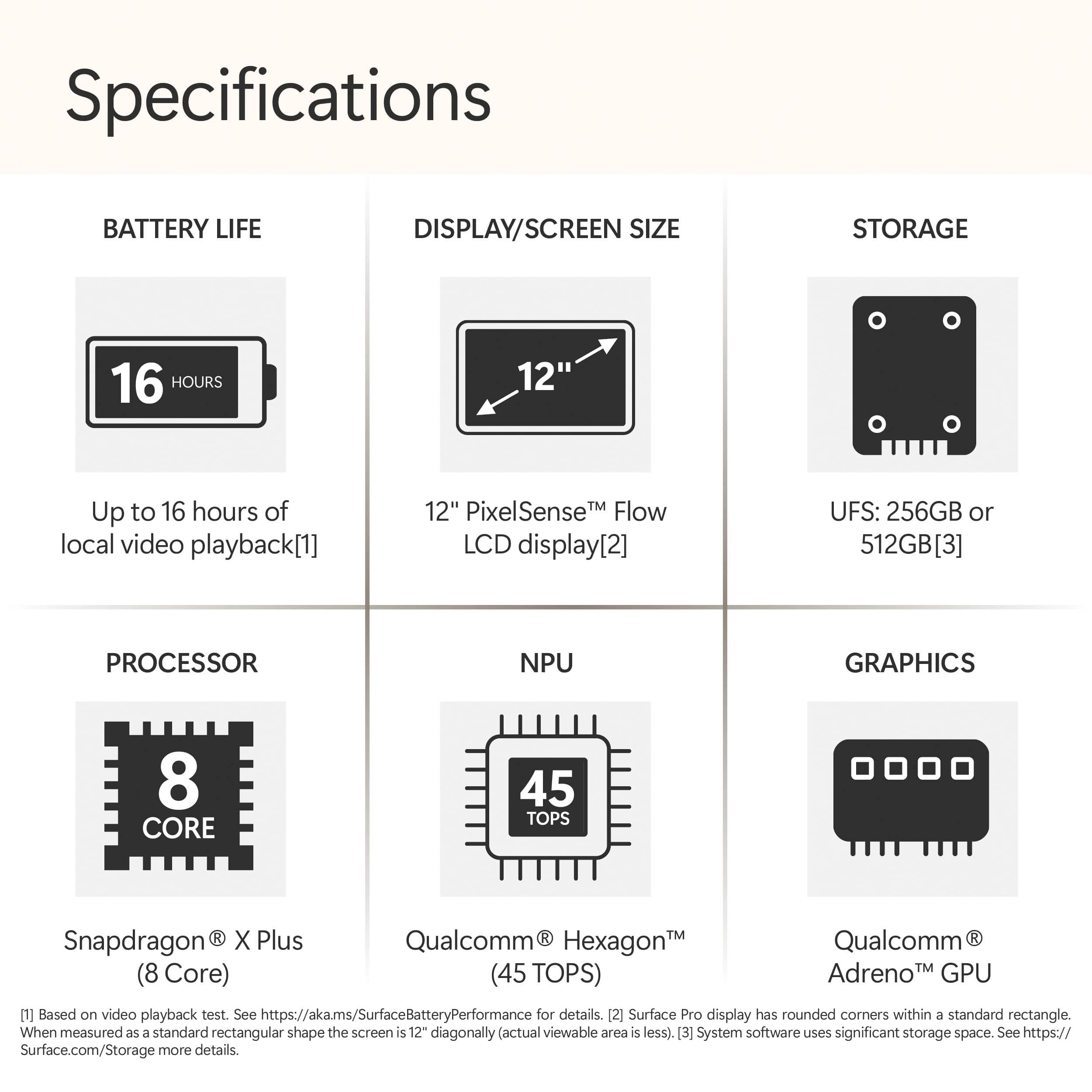
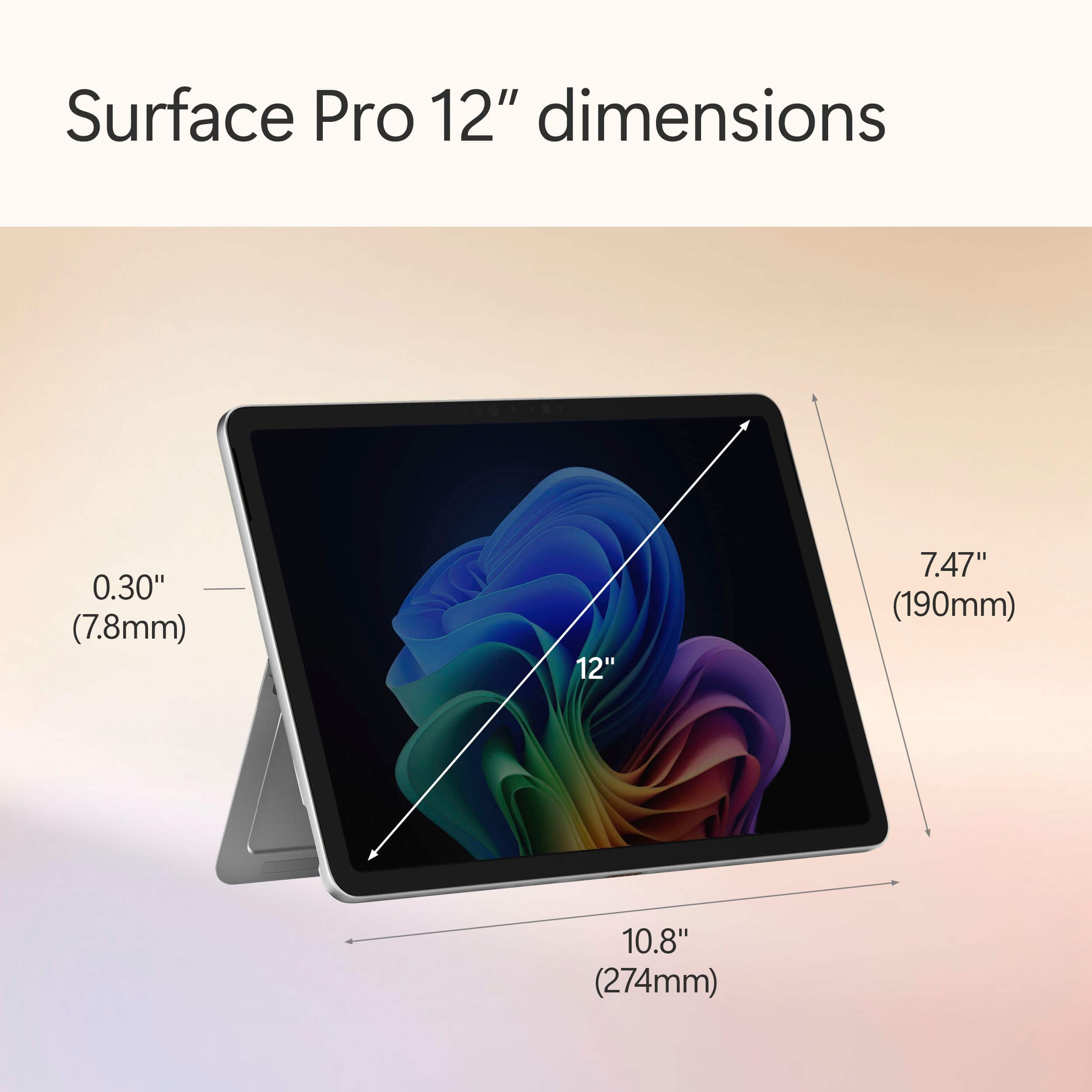
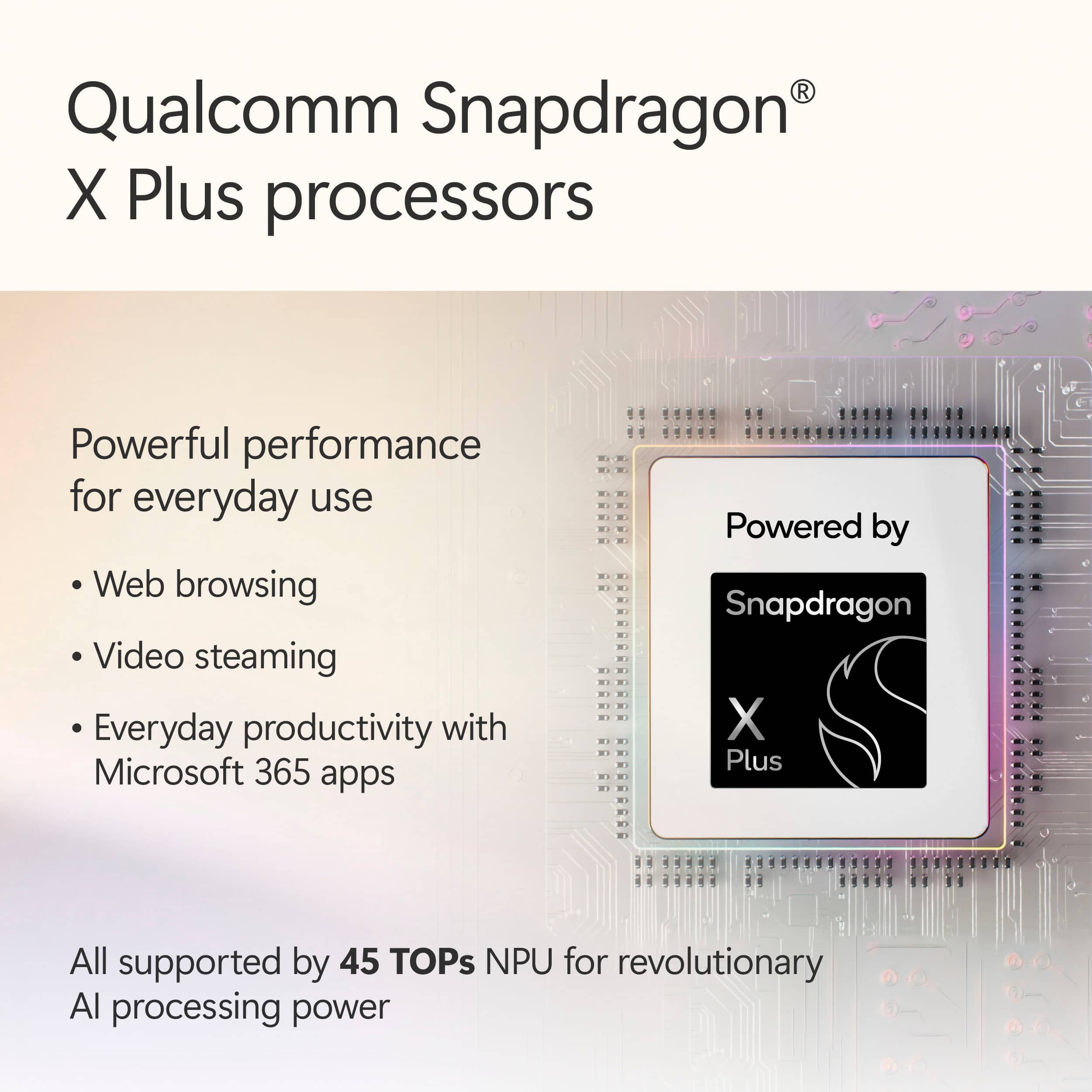
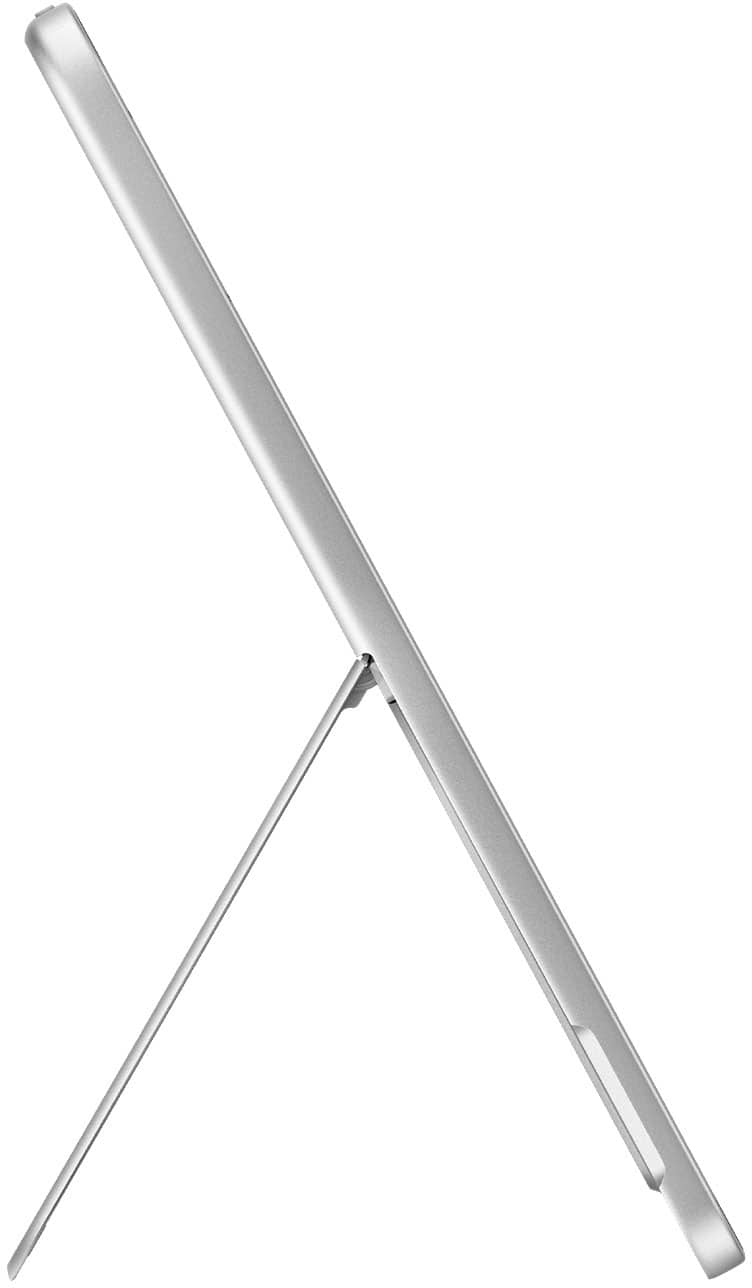
|Posted .This reviewer received promo considerations or sweepstakes entry for writing a review.The newly updated Microsoft Surface Pro Copilot+ 12” tablet is a superb combination of technology and functionality which will outperform many existing laptops thanks to its incorporation of a new 8 core Qualcomm Snapdragon X Plus processor with integrated Hexagon neural processing unit and Adreno graphic processing unit in a very compact form. The solid-state hard drive and low power needs of the LED display, CPU, NPU and GPU make possible up to 12 hours of silent web-intensive operation. The audio quality of the 2 watt stereo speakers with Dolby Atmos sound processing is amazing. Overall, the impression is very sophisticated and high tech – a worthy competitor for iPad fans. Microsoft introduced the Surface product line in 2012 as a Windows tablet. It was the company’s first product which incorporated the Windows operating system and their own hardware. The first products ran tablet-only Windows RT. The early models were somewhat under-powered with limited storage and poor battery life. The next generation added a supplemental keyboard and more processing power, becoming 2-in-1 tablet/laptops. In 2015 the Surface 3 models were the first to run the full Windows operating system and standard programs. Currently there are six lines of devices (Go, Laptop, Book, Studio, Hub and Pro.) The Surface Pro is the most powerful tablet offered and the optional Keyboard with Slim Pen completes its transformation to a laptop form. Consider this outstanding combination of features: • Microsoft Surface Pro Copilot+ 12” Tablet (Model EP2-33676 UPC 196388550616) • Snapdragon X Plus 8 core CPU, 3.30 GHz • Qualcomm Hexagon NPU, 45 TOPS • Qualcomm Adreno X1-45 GPU, 128 MB • 64 bit Windows 11 Home 24H2 operating system • 16 GB LPDDR5x high efficiency RAM primary memory • 512 GB SK-Hynix UFS hard drive • 12” PixelSense 10 point multi-touch-screen display with 2196 x 1464 (220 PPI) resolution • Windows ink workspace/Surface Pen support • 2 watt full-range Aqstic stereo speakers and Dolby Atmos audio processing • Dual studio microphones with enhanced voice focus • Full HD (1080p) front-facing Studio Camera (with auto framing, blur, creative filters, eye contact, portrait light) • 3D IR Camera for Windows Hello facial and gesture recognition • 10 MP Ultra HD rear-facing camera • WiFi 7, Bluetooth Core 5.4 connectivity, Bluetooth LE Audio • 2 USB 3.2 Type C (up to 20 GBps) data transfer, DisplayPort 1.4a (2 4k monitors), fast charging • Sensors: ambient color, accelerometer, gyroscope, magnetometer • 38 Watt-Hour Lithium Ion battery – up to 12 hours active web usage • Requires 45 watt (minimum) USB-C charger (not included) • Kickstand with 165 degree full friction hinge • Power and volume buttons • No fan is required for cooling so the case is sealed • Very slim and compact: 10.8” wide x 7.5” deep x 0.3” thick (tablet only) • Lightweight: only 1.51 pounds (2.28 pounds with optional keyboard/sim pen) • One year warranty on parts and labor So how does this tablet perform? Superbly! It seemed pretty fast when I was using it, so I ran a well-regarded benchmark program (Novabench 5) on both it and four of my other computers to determine their relative performance. This test measures both CPU (general processing), GPU (graphics processing) and data storage rate so they give a good overall measure of a computer’s speed. The four computers included two desktop all-in-one PCs (an older medium powered model with a HDD and a newer model with more RAM, SSD and a more powerful CPU/GPU combination), a well-equipped laptop and a Surface 4 laptop. Finally, I ran the same tests on the Microsoft Surface Pro tablet. All computers were well-maintained, running the latest Windows versions with no other programs active. Here are the results (higher is faster): Novabench 5 Results: 2016 All-in-One Desktop (Intel i5-6400, Intel 530 GPU, 12GB ram, 1TB HD): 619 (base) 2022 All-in-One Desktop (Intel i7-1255, 16GB ram, Nvidia MX550 GPU, 1TB SSD): 1285 (+108%) 2022 Two-in-One Laptop (Intel i7-1260, 16GB ram, Intel Iris Xe GPU, 1TB SSD): 1846 (+198%) 2021 Microsoft Surface 4 Laptop (AMD Ryzen 7 4980U, 8GB ram, Radeon GPU, 0.5TB SSD): 1851 (+199%) 2025 Microsoft Surface Pro Tablet (Snapdragon X Plus, 16GB ram, Adreno X1-45 GPU, 0.5TB SSD): 1441 (+133%) OK, that’s a lot of numbers and technical jargon but the bottom line is that you will find the 2021 Surface 4 laptop out-performed all systems and the Surface Pro tablet was significantly faster than the All-in-One Desktop. But that’s not the whole story. Because the new Surface Pro tablet has an integrated Hexagon NPU (neural processing unit) rated at an amazing 45 Tera operations/second it is far more efficient in supporting artificial intelligence. Even though the older Surface 4 laptop has a higher Novabench score the new Surface Pro tablet is far superior in utilizing the built-in Microsoft Copilot AI. Besides delivering a wonderful, fluid interaction with Copilot, the energy use is far less which enhances battery life. Coupled with the excellent Adreno GPU this produces outstanding performance on games. This little tablet far surpasses any of my other computers in graphics-intensive gaming quality! Now, besides AI and gaming, this is a very capable laptop replacement (with the optional keyboard/slim pen accessory). Put this elegant beauty to work on most business software and it will never even break a sweat. Use it for photo or video editing and it will calmly do whatever you want, no drama. The 2 watt Aqstic stereo speakers and Atmos sound system on this tablet are surprisingly good. I listened to some of my favorite albums from Spotify and the speakers (although tiny) were much better than typical for laptops. They are mounted on the left and right edges, have excellent volume and great stereo separation – they will make watching videos a real pleasure. A major plus for this Surface Pro device is the outstanding battery life. I always test laptops by streaming Netflix series on battery power with a bright screen and high speaker volume. The combination of modem usage, video rendering, screen lighting and speaker volume usually drains most laptop batteries in less than two hours. But this tablet lasted a bit over 10.5 hours before exhausting the charge! That is long enough for five full movies and certainly would suffice a traveler for even the longest international flights. You can thank the ultra-efficient and power-miser Snapdragon CPU and Adreno GPU for that amazing performance. Another advantage for travelers is the compact size (less than 11” wide and 0.5” thick) and very light weight – about 2.3 pounds (measured with the optional keyboard attached.) The tablet with lighted keyboard attached is nicely balanced, so those who like to literally use their laptop on their lap will be pleased. It has latest WiFi 7 which and provides excellent, high speed connection to your network. There is no audio port but it supports Bluetooth LE Audio for wireless headphones. The 12” touchscreen display has superb resolution, high speed video rendering and HDR content support with very good color saturation. The 6:4 screen ratio is taller than the 16:9 or 16:10 ratios seen on many laptops and actually offers considerably more screen area (about 19% more) than the 16:9 screens. This is an advantage when working with Word documents or spreadsheets. Support for the Surface Pen in graphic editing and document notation is flawless. The Microsoft Hello facial recognition and Copilot both work well, as does the webcam and built-in dual microphones. For video calls the tablet offers a variety of useful image enhancement features. The main (rear) camera has good resolution (although most will rarely use it.) What are the possible weak points or purchase issues to consider? • Oddly, no charger is included. You will need to purchase a 45 watt (or larger) USB-C charger if you do not already have one. • Since it uses an ARM processor some applications will run in emulator mode which may affect performance. However, this won’t be an issue for most Office programs. • I would have preferred at least one Type A (for standard flash drives) and two Type C USB ports. I bought an inexpensive USB-C multi-port hub with an HDMI, Ethernet, 2 USB-A and 2 USB-C ports which also allows power delivery to overcome this problem. • I prefer to use a mouse rather than a trackpad so having only USB-C ports is an issue. (I solved it by buying a very nice Bluetooth mouse from Best Buy.) • It would have been nice to have a form-fitting cloth carrying case included (as many other notebook brands provide.) But these are really just minor quibbles. When you consider all of its power and functionality you will agree that the price is very reasonable. I can enthusiastically recommend the new Microsoft Surface Pro Copilot+ 12” tablet for both serious stay-at-home power users, those who need to take notes at meetings and for those who desire a perfect travel companion!
I would recommend this to a friend - Pros mentioned:Battery life, Build quality, PortabilityCons mentioned:Screen brightness
A Windows tablet w/ best access to Copilot
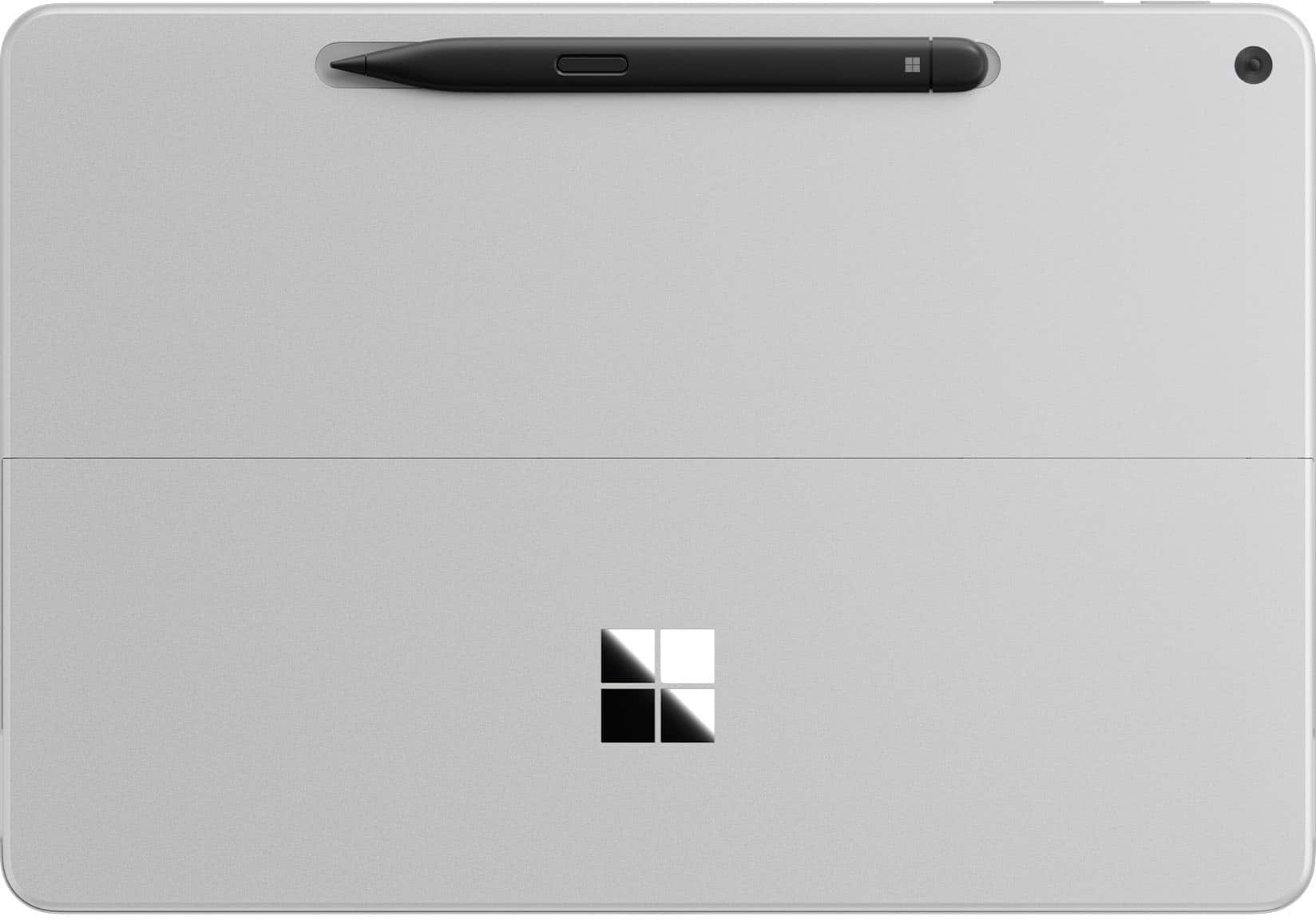
|Posted .This reviewer received promo considerations or sweepstakes entry for writing a review.The latest Surface Pro at glance on its hardware is compact and efficient for mobility thanks to 12” size format. It has the following components (mostly extract from its specification): - Memory of 16GB LPDDR5x RAM (usable 15.6GB) - SSD 512GB - WiFi 7 (802.11be) - Bluetooth 5.4 - Processor: 8-Core Snapdragon X Plus @3.30 GHz 3.24 GHz - NPU: Qualcomm® Hexagon™ with 45 TOPS - Graphics: Qualcomm® Adreno™ GPU - PixelSense LCD Display - Touch: 10-point multi touch - 2 USB-C for: Charging Data transfer DisplayPort 1.4a with support up to two 4k monitors @60Hz Surface Thunderbolt™ 4 Dock and other accessories Supports fast charging with minimum 45W charger via USB-C®16 Surface Pro 12-inch Keyboard connector - 1080p Full HD front facing camera - 10mp rear facing camera - Wireless charging for Surface Slim Pen (it has to purchased separately unless it is bundled) - Battery: Up to 16 hs of local video playback / Up to 12 hours of active web usage -Size: L 10.8 inch / W 7.47 inch / H 0.30 inch / Weight 1.5 lbs without keyboard -Audio/Mic Dual Studio Mics with voice focus It comes with preinstalled Window 11 Home, and for the amount of update needed information, the pre installed version is 24H2 installed on 03/15/2025. Hence depending on when it is purchased, at starting point there is some large updates needed to keep the OS to the latest and at optimum point of the hardware. On the software side and experience, noticeably can’t distinguish between regular notebook on Window OS and the Surface Pro with attached keyboard in the sense of Microsoft experience. With attached keyboard, performing web browsing, writing documents and using spreadsheet feels working ia regular notebook at high level. In Tablet mode without the keyboard, in the beginning of holding with both hands. It provides almost same or similar to the look and feel of tablet with keyboard. It hide the access to the menu in a discrete mode that doesn’t take space in the screen and responsive as touch across menu selection, open browser and navigate or search and play with multimedia. Listening and Watching movie experience does feel superb considering its size and in the context of its built in hardware components. Sounds does feel some level of immersive and surrounding while watching a move in a silent environment. Back to the tablet mode, although its experience seems seamless, but this seems only in the context of notebook like to tablet with keyboard. Using It with table mode in both hands, often activates selection of objects for floating menu option, or part of screens showing option to select when any of them were intended, and having to change the way to hold. Now, on Copilot, it comes with pre installed application and with its specific application box to type and get answer is embedded across any other functional application installed in the surface pro. Its easy access from any point of any other application seems the biggest benefit of the latest Surface Pro. Ability of Copilot to respond to the questions seems more of how well works at the behind the network and interaction with the hardware then comes together with training data being able to compose response that make to the user. But from the latest Surface Pro side it has to do with how easy to access to it that makes different to previous models. Now, what I wish it would do better: 1. Weight, despite of 1.5lbs, still feels heavy and bulky. 2. Pen attachment spot at first seems logical and cool. But for use case of using with both hand or right handed person, more it being used, it feels bit uncomfortable having to remove the pen and try to find somewhere else to move. 3. Touch experience is bit odd and continuously have to find a way not to see floating menu or uninteded selection. 4. Screen: light reflection on the screen overcome what ever on the screen impacting the task of the moment. To conclude, the latest Surface Pro 12” version is handy to perform quick work related task, more for entertain with multimedia and movies experiences with easy access to copilot.
I would recommend this to a friend - Pros mentioned:Battery life, Performance, Portability
Best Hybrid Computing Experience
|Posted .This reviewer received promo considerations or sweepstakes entry for writing a review.I have always loved Surface products; their design language has always appealed to me. The last Surface I owned was the Surface Go2, and I really enjoyed using it for work. I loved the portability; it was fast for work and browsing the net. When I saw the opportunity to give the new Surface Pro 12 a shot, I was excited for the chance. I have been intrigued by Microsoft’s partnership with Qualcomm and the push to use the Snapdragon processors. The main thing I was looking forward to being the performance and battery life that the Snapdragon processors could offer. Let’s just say that this is my favorite computing device I have used over the past couple of years. Let me preface this next part by saying that over the last year, I have used a few different computers regularly. I have rotated between an M4 iPad, M4 MacBook Pro, ASUS ROG G16 & G14. Each of them offered some amazing experiences, but nothing really comes close to what you get using the new Surface Pro 12. Yes, the MacBook Pro and ROG laptops are going to offer more power and better screens. That really comes in handy if you are really pushing the device or gaming on the ROG lines. The Surface Pro 12 is great overall. Honestly, to me, it feels closer to my 13” M4 iPad Pro. The portability and excellent battery life are similar. The pen feels just as fantastic as using the Apple Pencil Pro, too. The main difference is that the Surface Pro is a regular Windows computer and allows you to actually work on it. The M4 iPad Pro has Stage Manager, which is ok for trying to multitask, but it really doesn’t hold a candle to what you are able to do on a Windows machine. Unlike the ROG systems, I don’t worry about battery life at all with the Surface Pro 12, like how I never worry about battery on the iPad Pro. That’s where the Surface Pro 12 really shines. It honestly feels like a great tablet most of the time, with the big exception that the Surface Pro runs a full desktop-grade OS (Windows 11). This difference really opens up what you can do with it. Now, is the Surface Pro 12 going to be perfect for everyone? No. If you are a gamer this really isn’t going to be a great fit, unless you primarily do Cloud Gaming either with Xbox Cloud Gaming or Nvidia. Then you might have a great experience, but running games on the Surface isn’t going to be great aside from some casual games since you don’t have a discrete graphics card. Also, since you are running a Snapdragon system, you are running an ARM processor, and some niche apps might not be compatible with it. I would say that most folks looking at this Surface aren’t really going to have an issue with either one of these caveats, but it is worth noting that those might be some hurdles. I’ve used the Surface Pro 12 very regularly over the last few weeks. When I want to do some quick work, I don’t go for my iPad, or the ROG laptops; no, I go for the Surface Pro 12. It’s super light and thin, the battery life is amazing ( with regular use, I am needing to charge it up after a 2-3 days), there is no fan so I can work in bed while my spouse sleeps without fan noise being an issue, and the only time I have felt that it even gets slightly warm is when I am charging it up. While I have had it on my other Windows laptops, I have really been enjoying using Copilot on this Surface. I think the pen has a great deal to do with that, but I really like the experience so far. I am giving myself the next month to decide, but at this point, I am really considering just using this Surface Pro 12 for most of my work. That would mean I could get rid of my iPad, and one of my ROG laptops (I would keep one for gaming at home). I really can’t recommend this Surface enough. For most people this is going to be such a great computing device. As someone who grew up with MS-DOS, and Windows 3.1 it’s crazy to see just how far we have come. So much capability in a sheet of glass and metal. Try it, and I doubt you will want to use anything else.
I would recommend this to a friend - Pros mentioned:Battery life, Build quality, Performance
Microsoft Absolutely Nailed It!
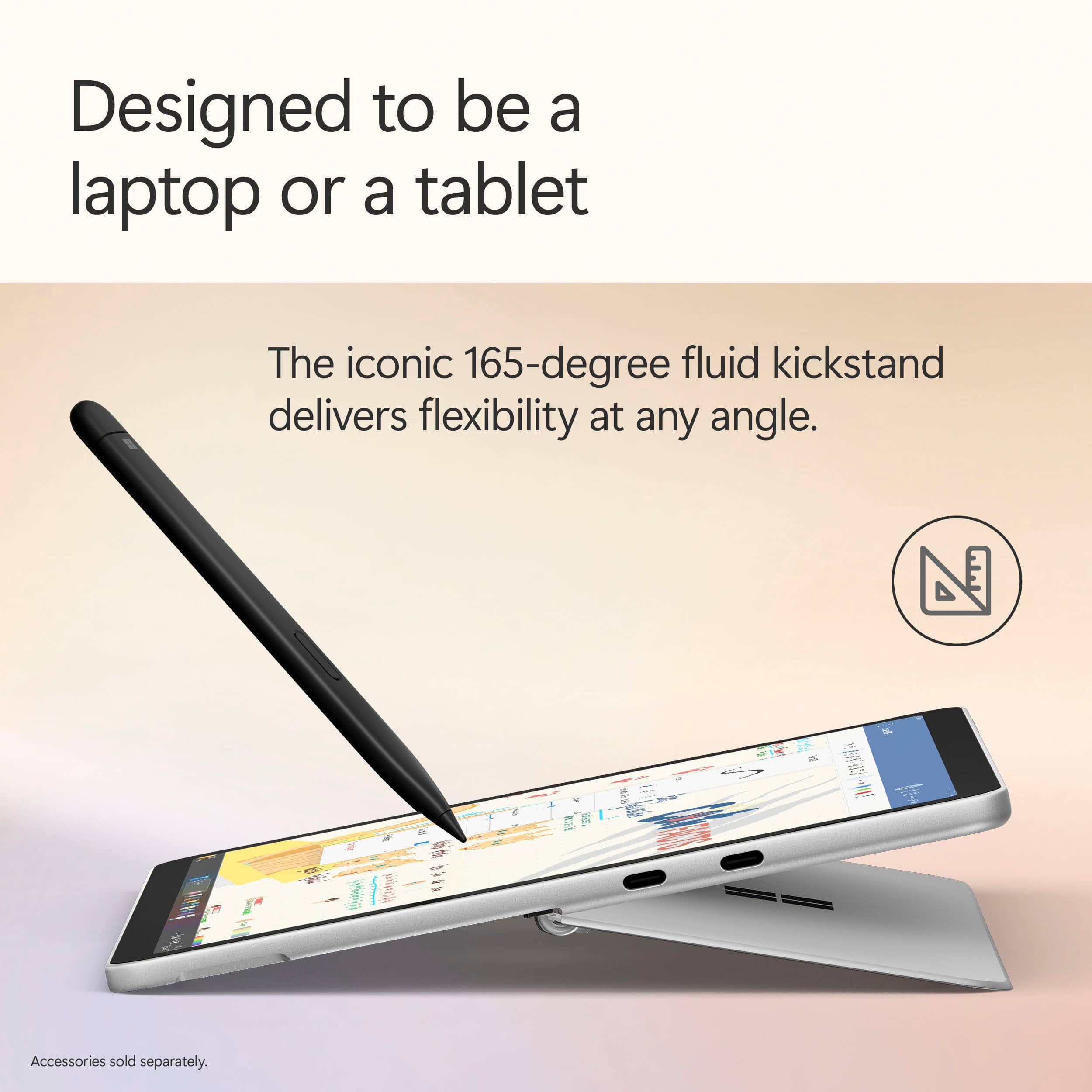
|Posted .This reviewer received promo considerations or sweepstakes entry for writing a review.The Microsoft Surface Pro 12” is an extremely high quality laptop and tablet 2-in-1 experience; second to none I’d say for Windows computers! Microsoft has very evidently had a lot of time to iterate on and refine the Surface lineup over the years, as it seriously shows! To start, the build and form factor of this laptop-tablet is super premium, and considerably lightweight and slim for the high quality aluminum build - it’s honestly higher quality than almost all laptops I see besides others with aluminum frames like MacBooks! The Surface Pro also has a built-in 165 degree kickstand that handles angling the tablet on surfaces extremely well, and has 2 USB-C ports on-board. If you’re looking for a highly-portable and well-built laptop, tablet, or both, this is one! The 12” screen size is perfect for both a tablet and a laptop, and the touchscreen is highly accurate, especially when using the separate Pen add-on! The screen is also bright and crisp, and in general delivers very well when it comes to any content thrown at it. Windows 11 is also highly optimized to facilitate both the tablet and laptop modes, with many automatic optimizations when transitioning between modes! Something that Microsoft has absolutely nailed with the Surface Pro is the battery life; just wow! Coming from my traditional laptops which are high performance gaming laptops that get 1-2, maybe 3 hours of battery if I’m lucky, it’s extremely luxurious to easily get many hours of screen time without having to plug in, usually spanning across multiple days! The battery seriously elevates the laptop experience! The Surface Pro also performs like you would expect a “Pro” laptop would; always on top of its game! I really have had no issues with any task I’ve thrown at this computer in terms of performance; from light gaming, to internet browsing, to coding and media consumption, everything just works! The Snapdragon X Plus chip and 16GB memory gets the job done! (Note this computer uses ARM architecture). Something that is kind of bizarre is that the Surface actually doesn’t have a fan, something I would usually expect from a computer of this caliber! It can get hot when performing intense tasks, but the heat dissipates well due to the aluminum body and generally isn’t a problem at all with regular, non-intensive tasks. Well done Microsoft! I will also say that owning the keyboard and pen accessories when purchasing this computer is basically a must; they are incredibly well built and integrated with the laptop, so much so that it’s honestly surprising they aren’t bundled together. The keyboard seamlessly clips onto the Surface Pro magnetically, and the pen also magnetically attaches to the back of the Surface where it wirelessly charges. Definitely purchase the Surface Pro and these peripherals together! A few remaining parts of the Surface Pro that are great to have as part of the computer are the onboard cameras, speakers, and Copilot. The onboard cameras are very much usable for things like video calling and Windows Hello sign-in, and the speakers are okay and get the job done, but unfortunately have little to no bass response. Copilot is actually a very capable general-purpose AI assistant, which is awesome to have on your device for things like research, coding, asking questions, etc.! There are also other specialized Copilot functions sprinkled throughout the OS, such as the Recall feature, “Cocreator” in Paint, and more that can help with a wide variety of tasks!
I would recommend this to a friend - Pros mentioned:Battery life, Portability
Lightweight and Super Convenient
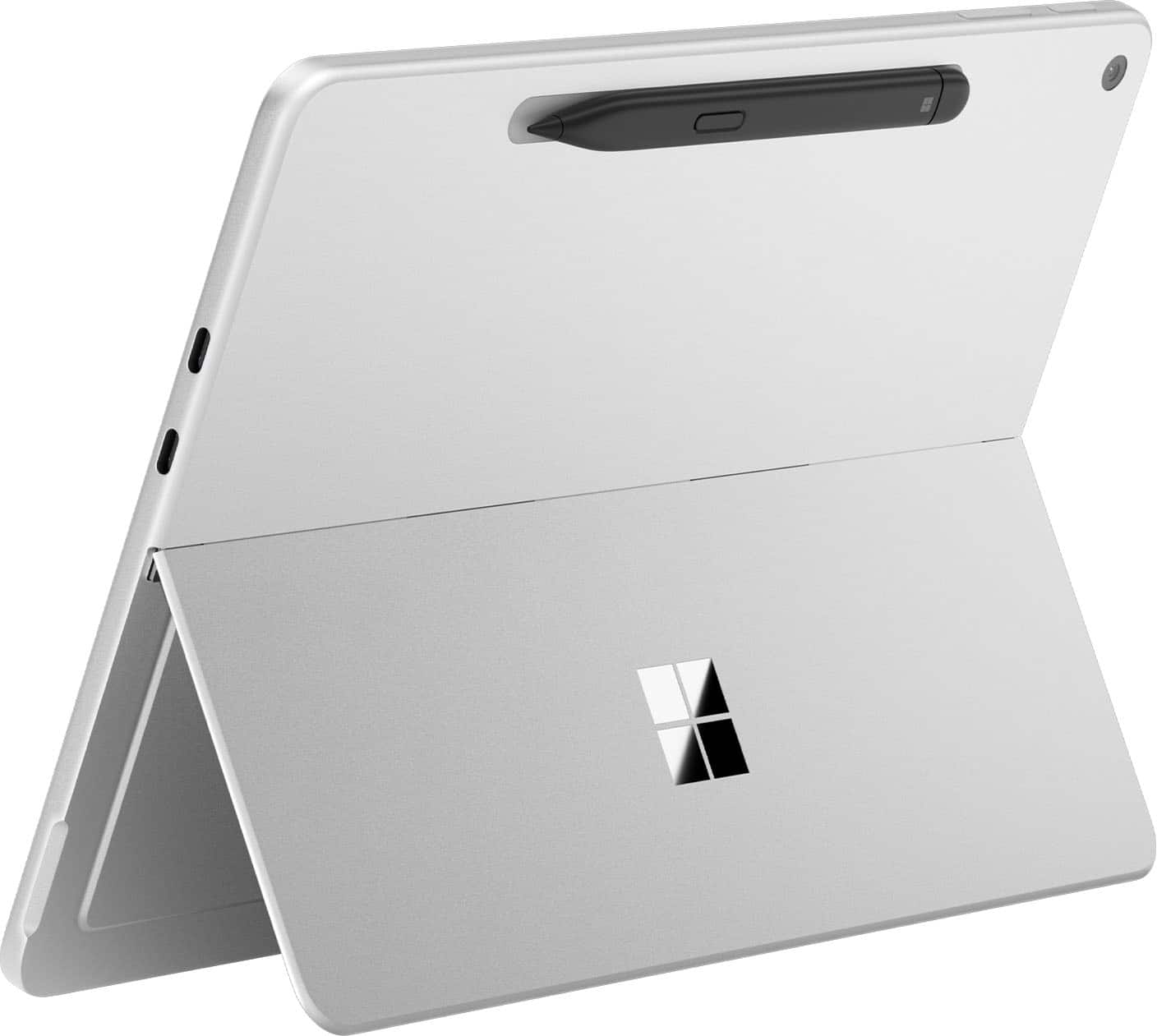
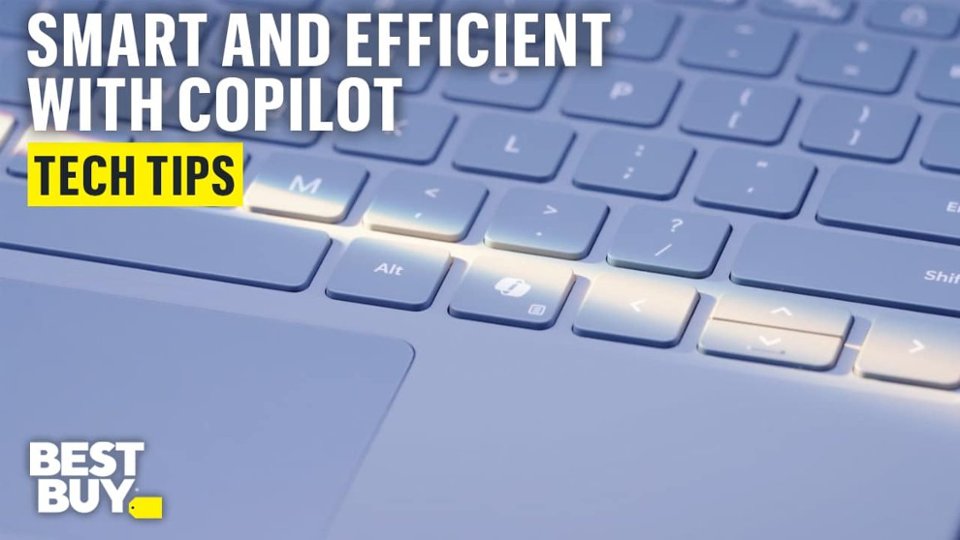
|Posted .This reviewer received promo considerations or sweepstakes entry for writing a review.I initially wanted the Mircrosoft – Surface Pro – Copilot+ PC – 12” Touch-Screen – Snapdragon X Plus- 16GB Memory – 256GB UFS – Device Only (Latest Model) – Platinum to use as my primary tablet for art. It turns out that it is way more useful and can be a laptop tablet in one. The Surface Pro is very light and has a long battery life. Taking it on the go is nice because it's so easy to bring it with the keyboard and pen all in one. I can use it throughout the day and charge it for a couple hours in the evening and it’s good to go. The Surface Pro is lighter than my ipad, BUT it has been next to impossible for me to find a protective case for it... (Probably because it is still so new). I will keep looking. Luckily, the keyboard that coordinates with the surface pro acts as a keyboard/protective case in one. The Surface Pro stays cool when I use it for standard functions and for drawing. There is not a fan to add noise or bulkiness. I have noticed that when I am playing Roblox it heats up some on the upper half of the Surface Pro. If I’m not using it for gaming, then it is fine. Microsoft Copilot has been very useful too and it’s easy to access on the keyboard or the Surface Pro’s lower tool bar. I added a new art app that was confusing and not very user friendly for beginners, so I used Co Pilot to get info on how to access the brushes that I downloaded. It worked like a charm. There are 2 USB-C ports on the Surface pro that can be used for charging, etc. I do have a multiport adapter that I can use if I need additional connections. That should be kept in mind if this Surface Pro is needing to be connected to anything other than a USB-C.
I would recommend this to a friend - Pros mentioned:Battery life, Build quality, PortabilityCons mentioned:Port selection
Good laptop but not so good tablet....
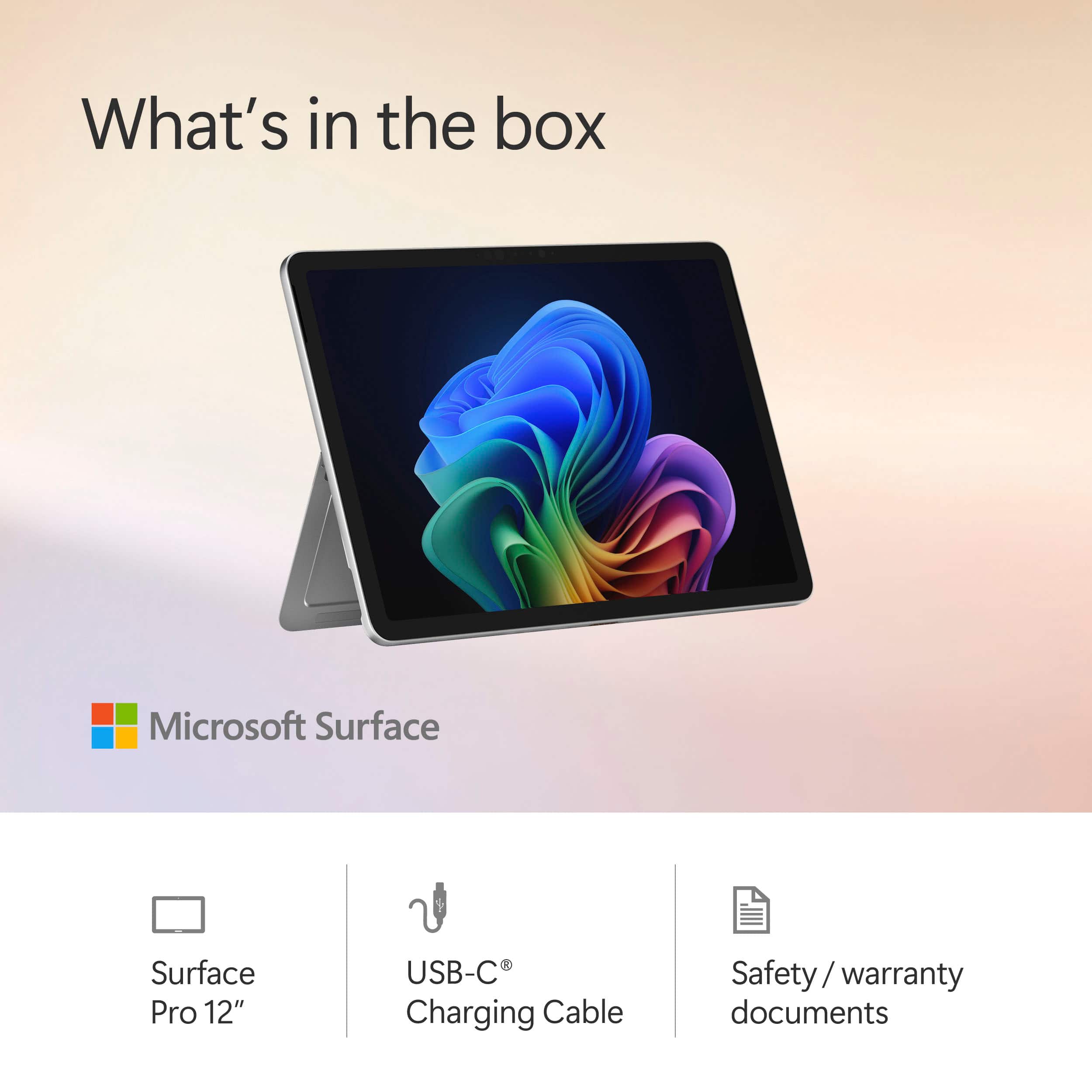
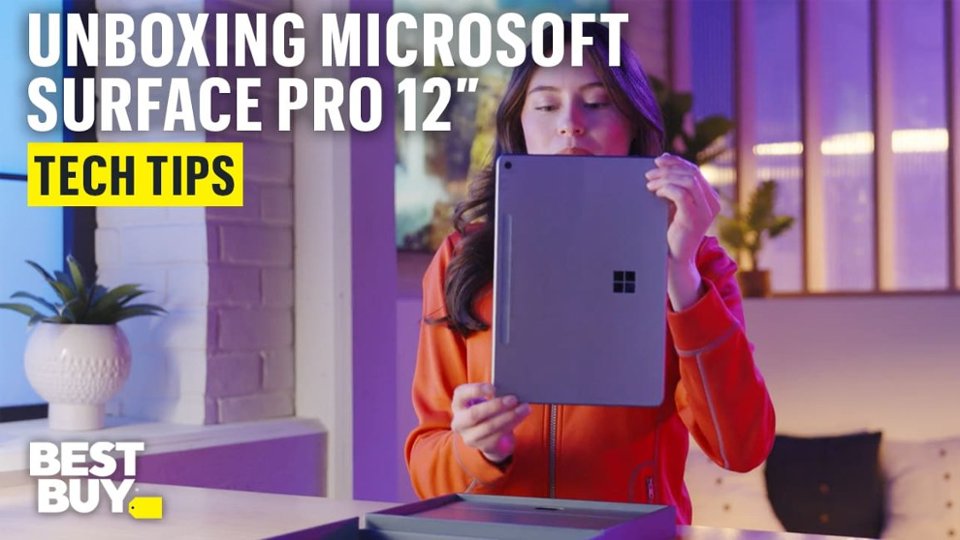
|Posted .This reviewer received promo considerations or sweepstakes entry for writing a review.I was one of the early adopters and actually used a Surface Pro in 2012 before switching to an Ipad which was overall superior even then because it was a tablet trying to be a tablet versus a PC trying to be a tablet. I also revisited the Surface Pro in 2021 when deciding between upgrading to the M1 iPad Pro and used the Surface for several months before eventually again switching back to the iPad Pro 12.9" M1 I still use to this day because of the same problem. So now here we are again in 2025 and enter the new Arm based Surface Pro 12. Microsoft has really gotten good with boxing and presentation. It hints at Apple's presentation while retaining their own custom look and feel. Inside the box you get your Surface Pro tablet and a charging cable along with a quick start guide and that's it. The power adapter, keyboard and stylus/pen are NOT included so be warned. Luckily after testing, the Surface can plug into just about any USB-C charging port from a USB strip to even Apple's various USB-C chargers and more. With every iteration of the Surface since I first tried it, they have become more polished and slick looking. The build quality is excellent and it feels like an iPad type device in your hands. I will need to get a grip style case for mine because the bezels are small and it is slippery. Plus when picking it up and using it my hands do tend to touch the touch screen accidentally. I have this same problem with my iPad too and require a case. I am a heavy Microsoft product user for decades and upon first start up like their previous products you are basically met with, well, Windows. In this case Windows 11. You set up and sign in just like you would on a Windows PC which is fine. After setup, you are presented with a touch version of Windows 11 and now this is where I am experiencing the same issues as with the Surface from 2012 and 2021. Using it for a few days it looks and feels like a Windows laptop that is trying to also function as a tablet. When connected to the Microsoft keyboard and stylus (sold separately for both), it is a light, portable easy to use Windows laptop. They keyboard and stylus make it a joy to use and when closed, it is small and sleek and easy to slip into a backpack or small messenger bag. The battery life on ARM is impressive and as a ultra light laptop I couldn't ask for more for day to day light use. I love the rear kickstand because it can be positioned in any position now versus the older versions that had preset positions. I do have the Microsoft keyboard and pen and it locks on quick and easy to the surface and I love how the pen snaps onto the back or front bezels even. As a portable laptop device with pen support, it is good. My only complaint is I wish the two USB-C ports on the left side were a little lower when in laptop mode and/or an additional port on the other side for versatility but it is only a minor nuisance. On the other hand, this is a 2 in 1 device so as good as it is in laptop form, it is just mediocre in tablet form. I find the stylus to be good for drawing and some functionality but in the end I want to hold and use my finger(s) for navigation and function. Compared to the iPad, it feels clumsy and unintuitive. I found myself having to use the stylus for better control versus my iPad that "just works" with finger usage but also works fantastic with the Apple Pen. I use my tablet in my recliner or when I need to pull up technical documents and I'm just not getting the same ease of use or fluidity with the Surface. I've also used Android tablets in the past and even now time to time and they are also much more intuitive to use than the Surface. The whole Windows desktop and approach is really made for a mouse and keyboard and in hand held touch form it is a clumsy, awkward experience. Hardware wise, the pixel sense screen is beautiful and bright. The Snapdragon 8 core CPU is powerful enough but it is the entry level model. Power wise, it is on par with the Apple M1 CPU in my ipad Pro released 4 years ago according to GeekBench 6. Being an ARM processor, this is also another problem. With my previous Surface Pro units equipped with Intel processors, I could run the same software as my PC and laptop which made integration a breeze but this time you need ARM specific versions as Intel versions are not compatible. Luckily there are many of the programs I use that have ARM versions but unfortunately a few older/custom programs I use do not. This seems to be a transition phase for Microsoft, so make sure the software you want to use has arm based versions. The Surface is not meant for any real heavy CPU and especially heavy GPU use. I know Microsoft is very much all in on Copilot+, but I have yet to overtly find a need for it during my use on the desktop, laptop or Surface. In summary, I very much like the hardware and form factor strides Microsoft has made but in the end the hardware without the proper software support is a non starter. In the case of the Surface Pro 2-1, the lack of ARM support for some of my programs along with still feeling as if this is just Microsoft Windows 11 in "touch form" instead of a true Windows tablet version (Think a proper "SurfaceOS") means I will be going back to my iPad Pro for my basic day to day tablet usage but I am not giving up on the Surface and will continue to use it in tandem when afforded the ability to continue to see how it stacks up but for now, it is not fully usable in my daily work/home flow.
I would recommend this to a friend - Pros mentioned:Build quality, PortabilityCons mentioned:App compatibility
Microsoft Surface Pro 12: Not bad at all!
|Posted .This reviewer received promo considerations or sweepstakes entry for writing a review.New hardware always gets my blood pumping and when it's a Microsoft product, it either works out very well, or it's a hot mess. Surface PCs have been around for quite a while and usually, since they're made by Microsoft, they're very well adapted to the Windows environment. Now, this Surface Pro is a bit different in a big, big way. Let's dive into it. At first glance, you wouldn't think that the Surface Pro with its 12" screen is anything more than a pretty tablet. But it is so much more and it starts with its specifications. What stands out is the use of an ARM architecture CPU/GPU/NPU combo. If you're not very familiar with these terms, let me help you out. Windows (and most PCs) have been running on the good old x86 CPU architecture, such as CPUs made by Intel or AMD. The type of architecture used is meaningful as the operating system has to be able to communicate in its own language with a set of hardware that understands that language (I'm simplifying a lot here). There are other types such as RISC, ARM and others. The "CPU" chosen for this Surface is the first ARM CPU I've ever seen used on a Windows device (outside of VM, but that's another story). You might actually know who makes this CPU: Qualcomm. Their CPUs are currently running most of the higher-end Android smartphones and tablets. The model used in this device is the Snapdragon X plus, which is near the top-tier of their offering. It includes different types of processor cores (8 in total), each set designed to handle specific workloads, including graphics (GPU) and AI cores (NPU). The Snapdragon X plus packed in the Surface Pro is actually fairly good. It can handle most tasks flawlessly and can adjust power consumption depending on the load, resulting in lower battery usage, extending the charge significantly. In terms of memory, you'll be granted 16 gigs of RAM and 256 gigs of NVMe storage. For a tablet PC, that's not bad at all, but I would have liked at least twice the NVMe storage as you might hit the limit pretty quickly if you work offline a lot. If most of your tasks rely on online services (Office 365 for instance), this shouldn't be an issue. But a SD card slot would have been a welcome addition. The screen is probably one of the best I've seen on a mobile device. It's beautiful and has gorgeous contrast, the vivid colors and deep blacks are amazing. If I didn't know any better, I would have thought it was an OLED screen. The screen is obviously a touch screen with a great response and it's quite precise. The Surface Pro is very well made and feels very sturdy (the body is a metal alloy). It features the typical built-in stand (I love this feature) and 2 Type-C connectors which can be both used to charge the device using a 45W charger. I recommend that you get the charger made by Microsoft to avoid issues later on. The sound is good for such a small device as well. Everything is not all rainbows and butterflies. I have had two applications that wouldn't run on the Surface Pro. It might still be that Microsoft needs to work on compatibility a little more to get everything to run properly on an ARM CPU. Also, when the CPU switches between efficient and performance cores, you can sometimes feel a little drag. It's not a lot, but it's noticeable. Last but not least, the battery holds a decent charge but it drains a bit too fast when you use CPU heavy software. In conclusion, I was impressed with the Surface Pro. Adding the keyboard and most importantly (for me at least) the stylus turned this portable device into an excellent, on-the-go graphics design and drawing tablet. It can handle most jobs, but falls short in terms of gaming (it really can't handle much more than simple 2D games). But this is a productivity workhorse and if that's what you're looking for, you won't be disappointed. Nice job, Microsoft!
I would recommend this to a friend - Pros mentioned:Build quality, Portability, Processor speed
It’s a PC, Not Really a Tablet
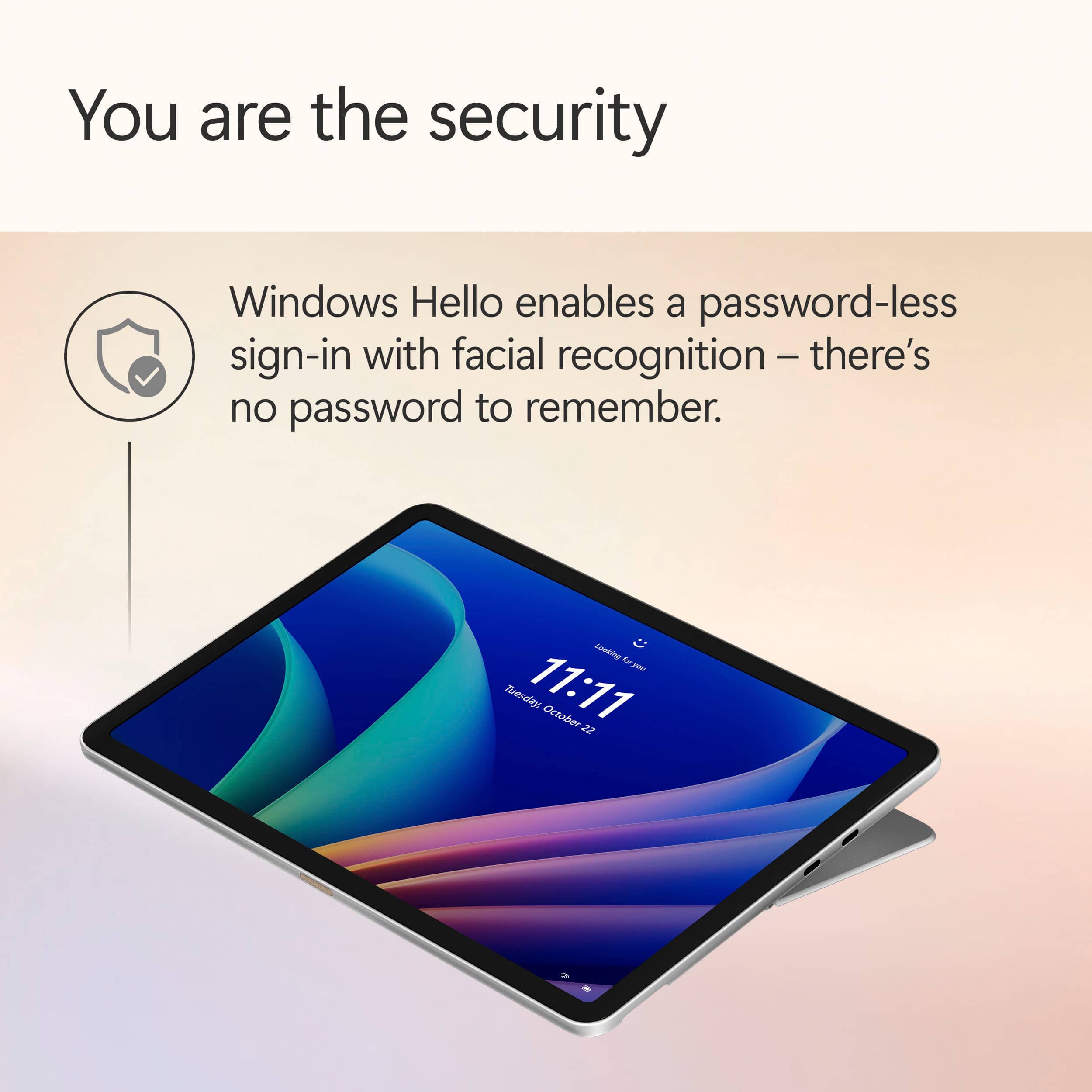
|Posted .This reviewer received promo considerations or sweepstakes entry for writing a review.About the Microsoft Surface Pro This version of the Microsoft Surface Pro is set up with Copilot+ PC. It has a 12 inch touch screen, Snapdragon X Plus Processor, 16GB of memory, and a 256GB solid state hard drive. What it Comes With It’s a really short list: one USB-C charging cable (USB-C to USB-C) There’s no power block (which is a pet peeve of mine). You’ll have to purchase one, and the one that matches this tablet is a 45W. Other accessories such as a keyboard, pen, and screen protector can be found separately. The Set-up The set-up process will look really familiar if you’ve previously purchased a laptop or desktop using Windows 11, because that’s mostly what it is. There are some additional things such as facial recognition and Co-pilot once you get into it further. Then, from there, you can install other apps. Features • Powerful Processor – It does seem to load things quickly and performs tasks well. • 256GB Solid State Hard Drive – Fast loading drive. It is small, and I would like to have more space since it’s shared with the operating system. • Built-in Speakers – There are built-in speakers which provide audio, but are not anything I found wowing. • 12” Screen – Screen picture quality is good as I expected. The 12 inch size for me provides enough screen while being easily portable. I think it’s just right. • Kickstand – There’s a built-in kickstand on the back which is handy. Only disadvantage of this is if you use a protective case for the tablet. It probably wouldn’t work with it. • Magnetic Hold for Pen (sold separately) – There’s a magnetic spot on the top backside of the tablet to hold the pen. It does seem to hold the pen pretty securely and it automatically keeps the pen charged. The problem with the design is that the pen sticks out from the tablet since it’s not fully recessed. You could possibly knock off the pen if you bumped it just right and lose it. Also, it doesn’t lay fully flat on its back with the pen attached. Additional Observations • Feels like a PC – While it’s in the shape of a tablet, using it feels like a PC. The operating system is Windows 11. You get all of the benefits and the disadvantages of Windows 11 on the tablet. • Set-up Experience Wasn’t Great – Windows didn’t listen. During the set-up, there’s a point where it asks you if you want to set it up as a new PC. That’s what I did, but Windows decided to set a bunch of shortcuts and One Drive items on my desktop screen. Not what I wanted or told it to do. • Copilot Doesn’t Work Properly – I can’t get the AI program to work how it should. It’s pre-installed. I even checked for updates. During setup it tells me that I can speak with it, and gives me a list of websites that “work with Copilot”. I tried to tell it what I was looking for and had no response. Had to type everything in. I verified that my microphone was allowing Copilot to use it, and can even see the microphone flash as it listens to the cadence of my voice. It just doesn’t respond. • App Store – Apps must come from the Microsoft App Store. While there are a lot of things on the MS App Store, some of the things I wanted are not on there. They are available on other app stores designed for other operating systems. I find this a little frustrating. • Facial Recognition – I set up the facial recognition, and it worked for about a day. Then Windows required me to set up a typed PIN. Now I have to type in the PIN instead of letting the facial recognition do what it’s designed to do. Not sure what happened. I’m giving the Microsoft Surface Pro 3 stars. I think that it has all of the power and tablet tools that are required for a high-end tablet, but I feel that the Windows 11 operating system causes this to feel labored. If you want something that runs like a PC in tablet form, this may be up your alley. If you want the easy tablet / phone interface that tablets are known for, you may want to look at something else.
I would recommend this to a friend - Pros mentioned:Battery life, Build quality, Portability
The Surface Pro 12 Is the Perfect Travel Companion
||Posted .This reviewer received promo considerations or sweepstakes entry for writing a review.This newly designed Surface Pro accomplished exactly what I'd hoped -- it's the perfect travel companion. I travel a lot, and I used to carry both a laptop and a tablet, weighing down my bag and straining my back. Now, this Surface has mercifully lightened the load, and it's providing everything I need on the road. That means working in Microsoft Office apps, responding to emails and surfing the web. If you're doing heavy tasks like video editing or coding -- or intensive gaming -- this is not your device. But if you're doing basic office work and consuming videos and you need something portable, this Surface Pro 12 is ideal. And, like its predecessors, it runs a full Windows operating system. I like the redesign of this Surface with the rounded corners and the new keyboard that lies flat. It exudes premium. I really like the new Ocean color, although I'm not sure it's the color of any ocean I've seen. The Snapdragon X chip is not blazing fast, but it's quick enough. The display is not OLED and I wish it was brighter, but it's still quite good. What sets this apart, too, is its battery life, which is incredible. You can easily get through a full day and have plenty of battery left. For the right use case, this is the right 2-in-1 device!
I would recommend this to a friend - Pros mentioned:Battery life, Build quality, Portability
Effortlessly Productive
||Posted .This reviewer received promo considerations or sweepstakes entry for writing a review.I’ve been using the new Surface Pro 12-inch for a couple of weeks, and it’s genuinely impressive. Lightweight and fanless, it runs quietly and smoothly thanks to the Snapdragon X Plus processor. The 12-inch display is crisp and vibrant, perfect for both work and streaming. I appreciate the sturdy kickstand and the pen storage design. Battery life lasts me a full day, usually 9–11 hours. It feels great for travel and one-handed use. The downside is the extra cost for the keyboard, pen, and charger, but overall, it’s a sleek, high-performing device that fits my productivity needs perfectly.
I would recommend this to a friend