Customer Ratings & Reviews
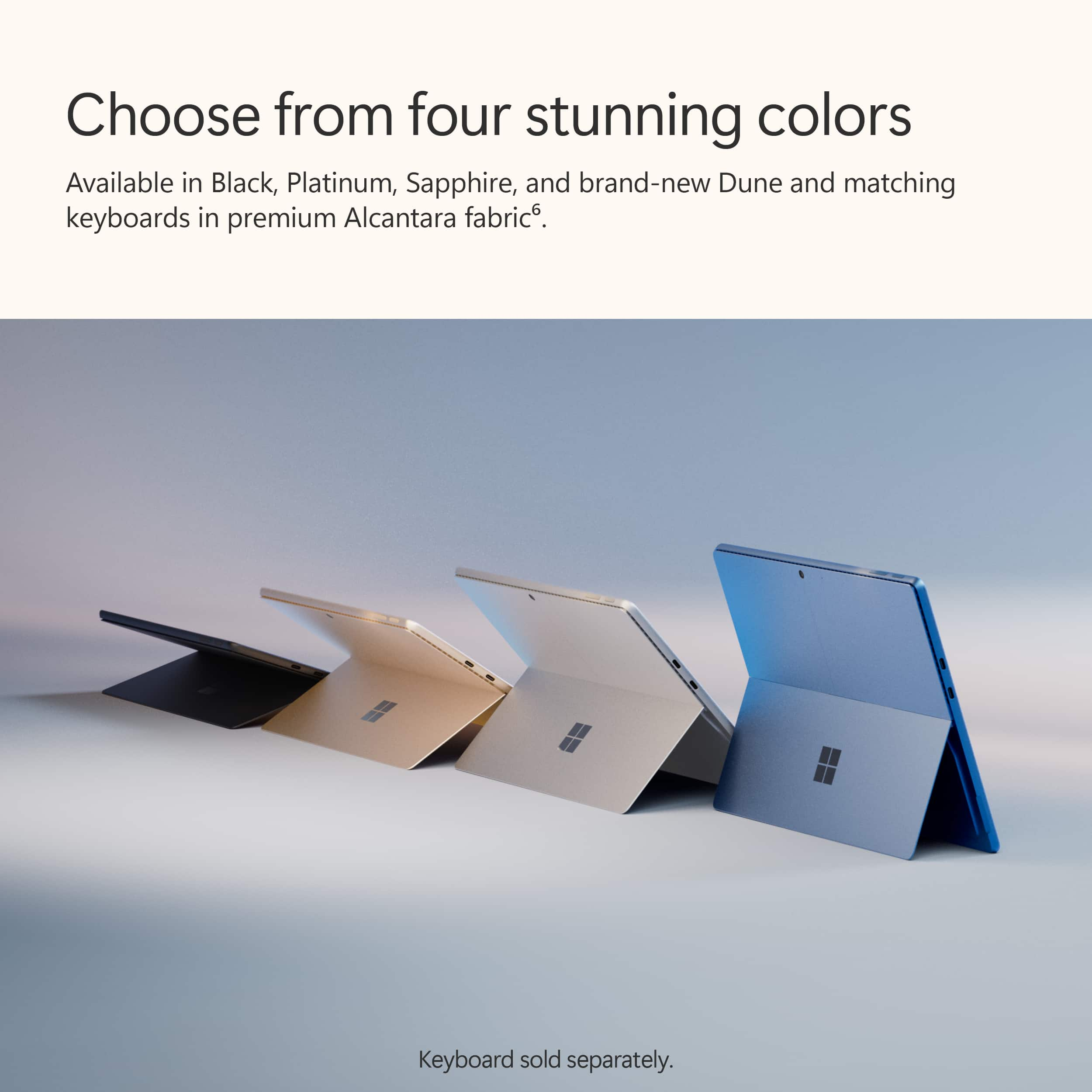
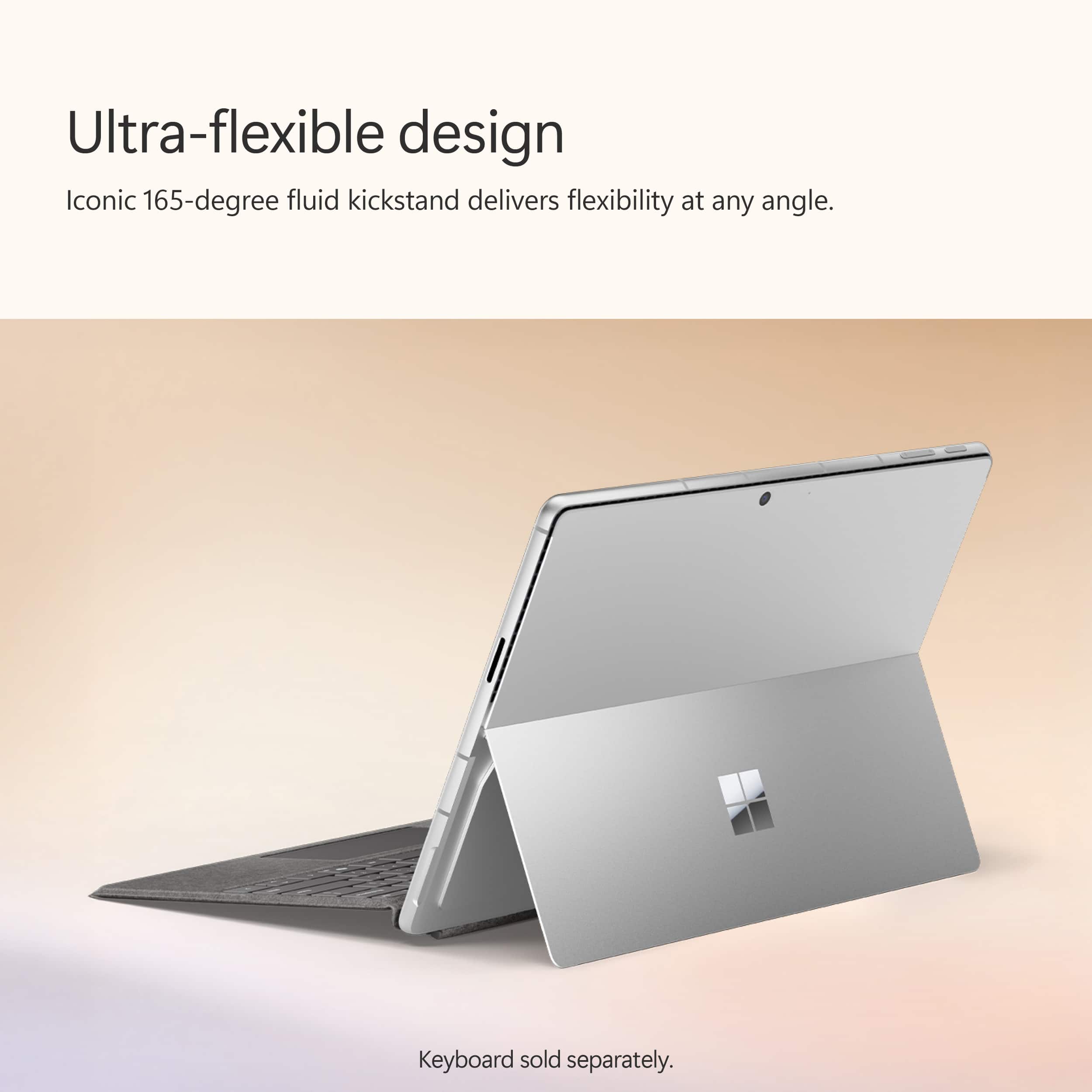
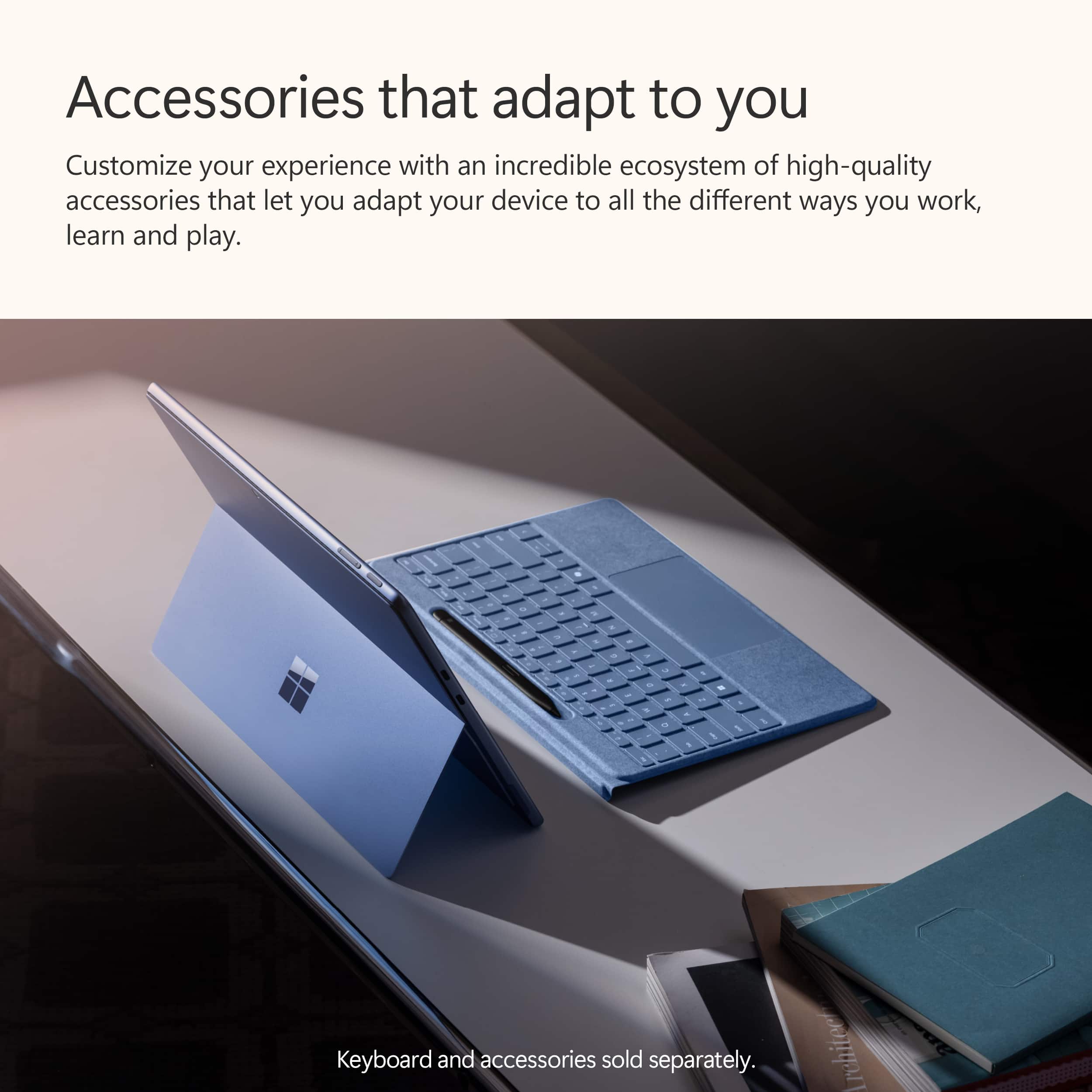
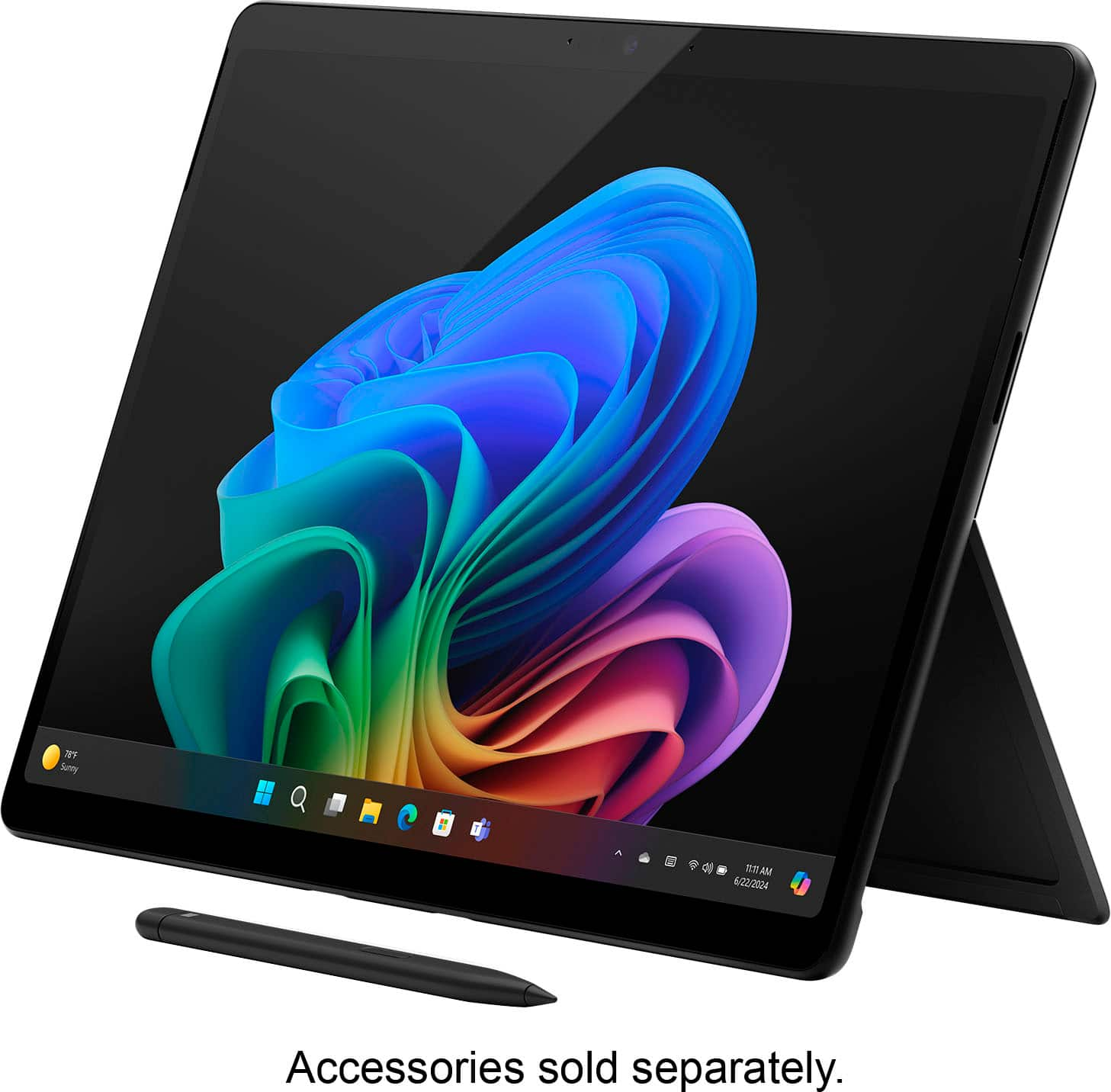
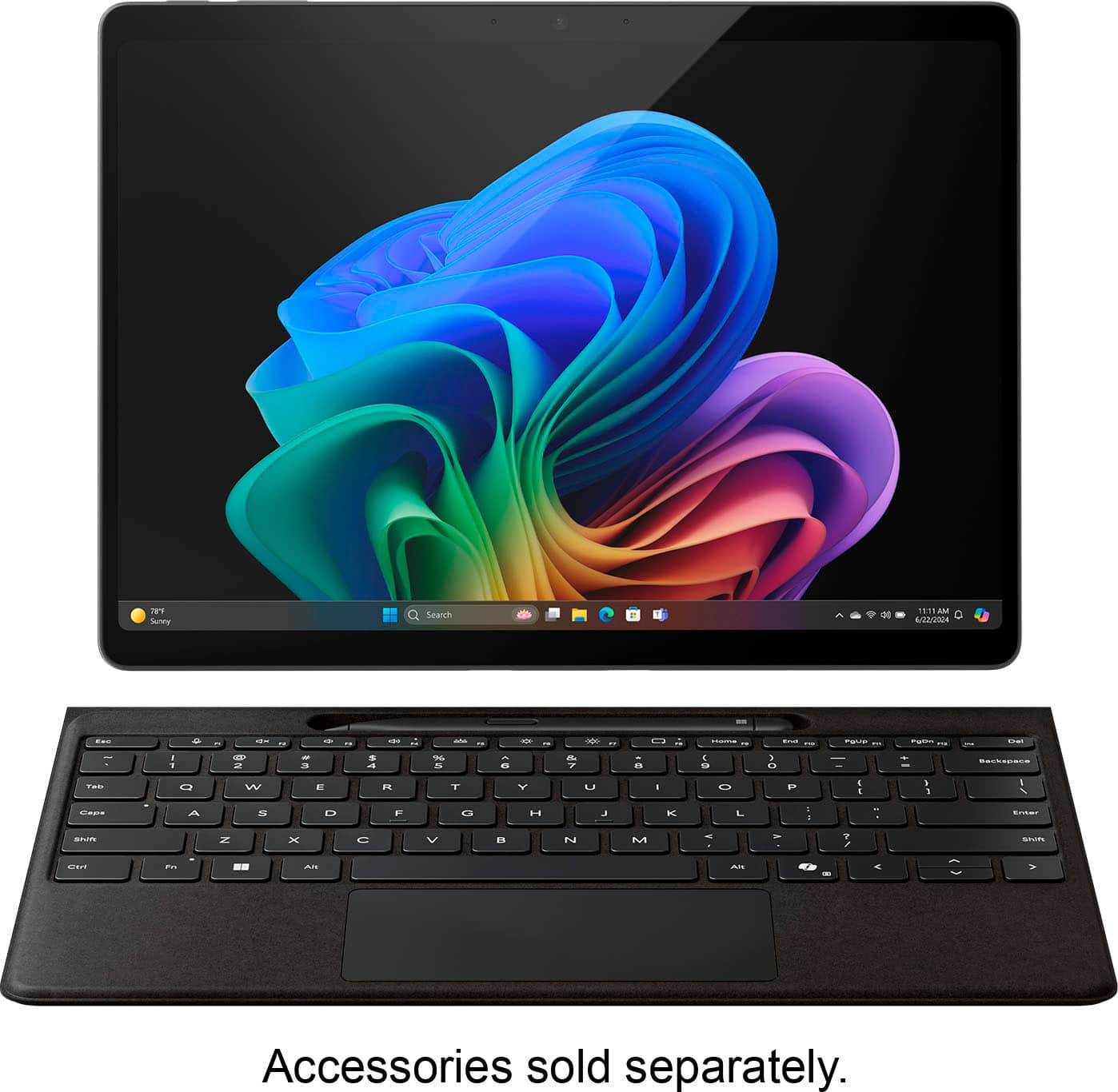













- Model:
- ZIB-00018
- SKU:
- 10122216
Rating by feature
- Battery Life
Rating 4.7 out of 5 stars
- Durability
Rating 4.7 out of 5 stars
- Display
Rating 4.8 out of 5 stars
Customers are saying
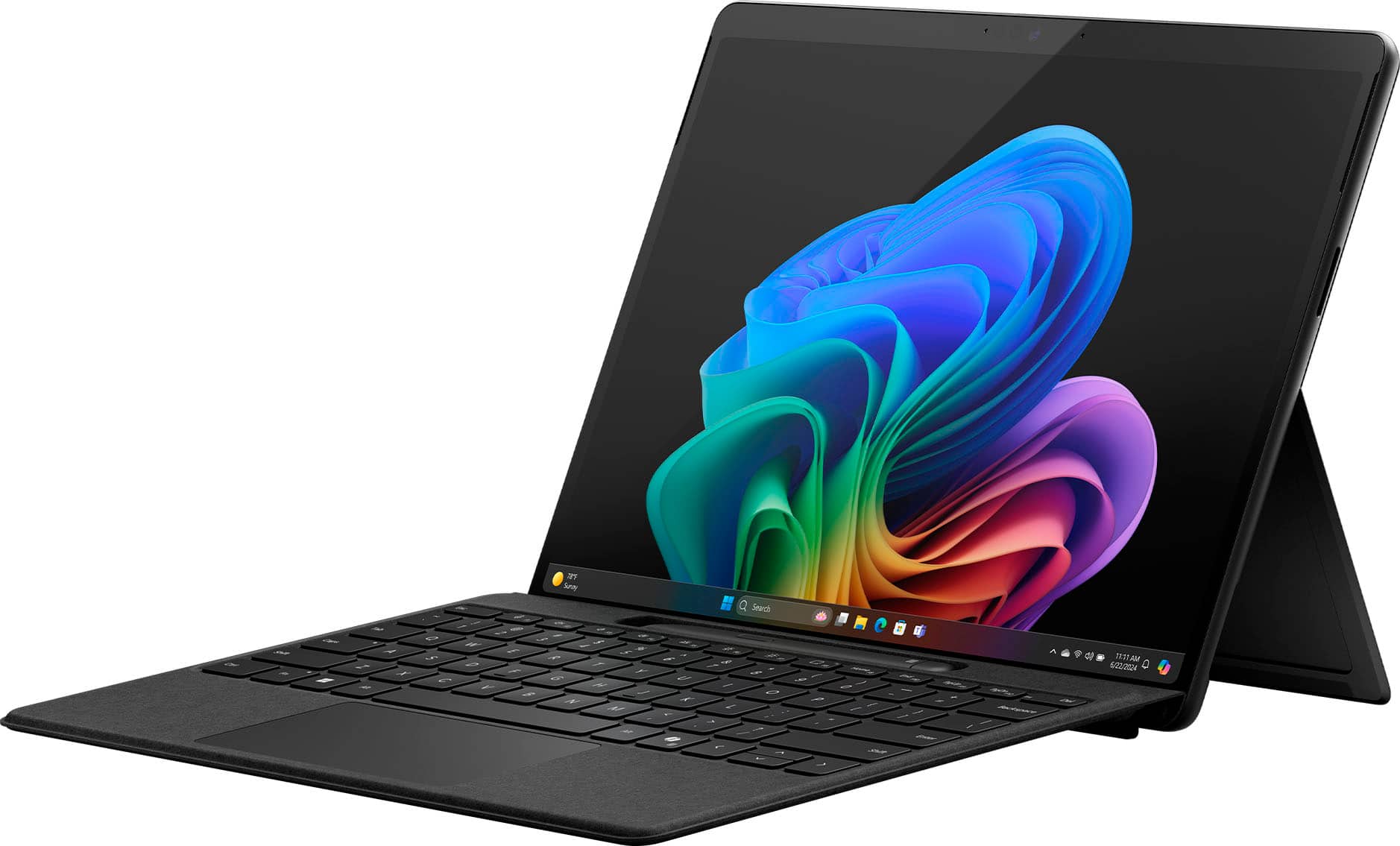
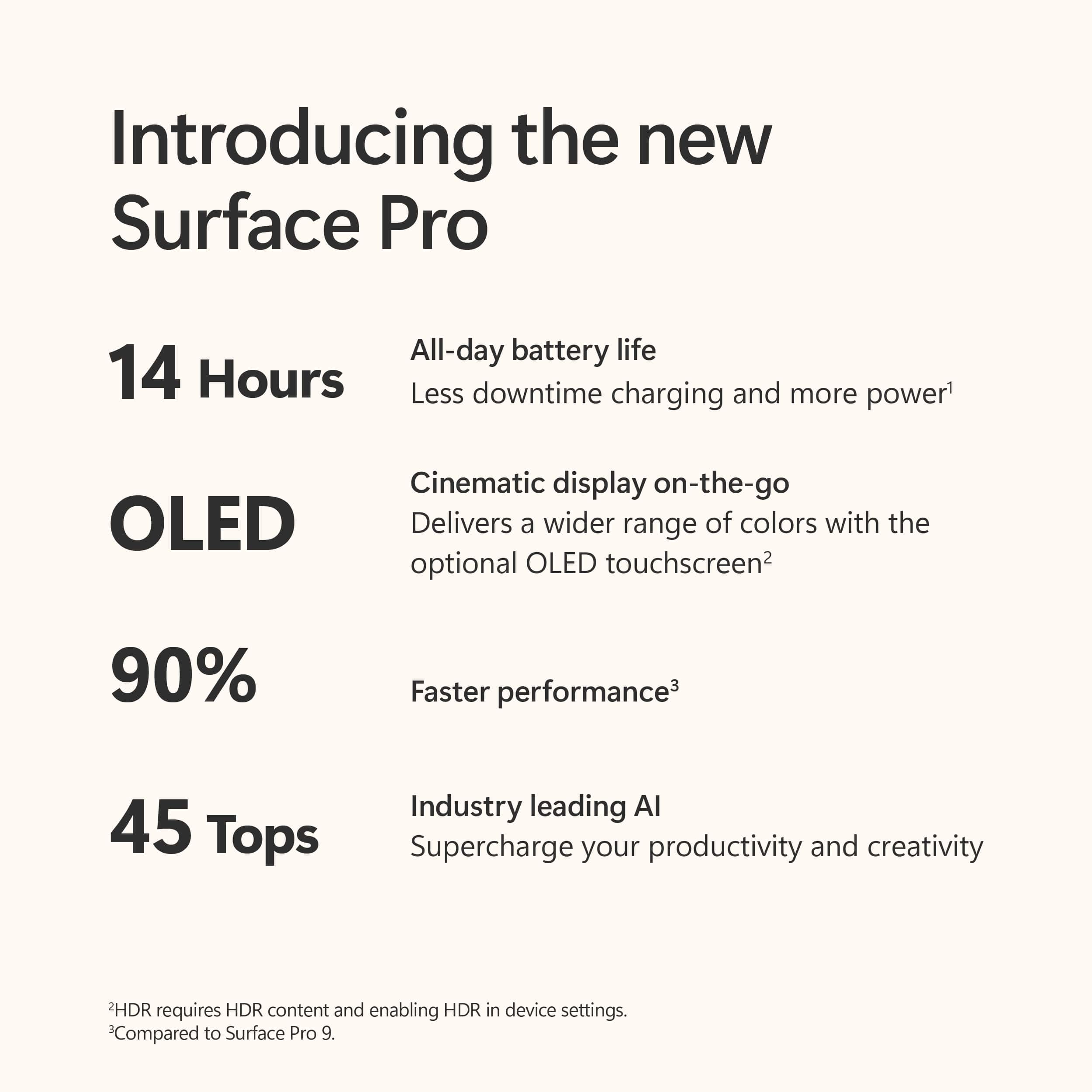
Customers value the Surface Pro for its overall performance, portability, and fast processor speed. Many appreciate the battery life and screen quality, as well as its lightweight design. However, some customers have expressed concerns regarding software compatibility and the product's price.
This summary was generated by AI based on customer reviews.
- Pros mentioned:Battery life, Screen quality
Perfect for College Students, I Love My Surface
||Posted .This reviewer received promo considerations or sweepstakes entry for writing a review.I bought the Surface for college work after one of my good friends recommended it to me, and I LOVE it. I'm a literature student and work in fiction editing. The tablet option is GREAT for working through readings while in a comfortable couch or bed, or even at a desk where I can slide my keyboard back to keep from commenting until I'm fully done with the piece. Battery life is perfect for getting me through an entire day of classes (9:30 am - 6 pm) without having to bring my charger to campus. On top of that, it feels like the laptop has wonderful pixel quality, making the screen feel HD. I'm so lucky to have gotten the latest model for a bit of a discount, combined with my Best Buy gift card. This device is wonderfully priced. I take off one star (really more like 4.5 stars) for the small issues I've had keeping both the keyboard and screen cleaner. Tiny smudges bother me on the screen, but a cloth made for cleaning glasses usually does the trick. The keyboard, like all keyboards, catches crumbs easily, and the smaller size makes it harder to clean out. As for the platinum finish, be wary of visible scrapes. I'm assuming there are cases for the Surface, but for now, I have no case, and my keys have ended up on the wrong side of the tablet and left a few little scratches. I really wish that 4.5 stars were an option on Best Buy because I love my Surface, and don't think my small problems make me love it less.(P.S. the unboxing was so satisfying!)
I would recommend this to a friend - Pros mentioned:Portability
It's been 8 months, still glad I switched
||Posted . Owned for 6 months when reviewed.This reviewer received promo considerations or sweepstakes entry for writing a review.You can see the WHOLE home office setting in the photos. My previous laptop felt short on the stand, but the surface feels closer and taller because it "stands up". I do a whole lot of video conferencing and presentencing, and I travel so much which is why I needed something so portable. I put it under an iPad pro for comparison. I don't do anything extra; just normal everyday work, I keep it on almost all day and I keep it connected to a larger screen about half the time. I had Macs for about 10 years and I dreaded the switch; but honestly it's been okay. I don't miss the lack of screen flexibility and I love the touch screen! I still use the iPad for presenting and watching shows. PROs: It's super convenient to transport, super light, surprisingly scratch resistant (i do not have a screen protector), fits super well in almost any bag, the screen resolution is FANTASTIC ~ i think there's a more expensive one with a better screen... no need y'all MEDs: Battery life runs FAST when video conferencing, it kinda glitches when I connect and disconnect the keyboard (I need to reconnect it's own keyboard to make it work at times), it can be hard to work with when sitting down because the back piece is the only thing holding the screen up. CONs: It has glitched on me and blacked out mid google-meet. I close out all the tabs and restart it but it still does it. This one took the 5th star away. The power cord gave out on me yesterday... extra super PRO: Microsoft has it's own warranty and you can register your device. They are sending me a new cord :) and I don't need to go through BB for it
I would recommend this to a friend - Pros mentioned:Screen quality
Surface Pro — Yay or Nay? Nay for me ):
||Posted . Owned for 7 months when reviewed.This reviewer received promo considerations or sweepstakes entry for writing a review.Okay — so this is an overall great laptop but it could be better in my opinion. I bought it because it was the perfect mix of an iPad & MacBook — PC version of course. Even though that’s somewhat true, multi-tasking isn’t the best thing in the world. On my MacBook, I could easily have 4 tabs open & it would look smooth & manageable. On this, it just looks awkward if I have more than two different screens together (two explorer or chrome pages side to side). I also didn’t enjoy the one note writing experience. As someone that came from an iPad, and a visual learner, it’s not as easy to copy & paste images into your notes. However, I do love typing on this thing it’s so smooth and quick & I get a rush from the keys. The touchpad however I’m not the biggest fan. I’m developing carpal tunnel it feels like because it’s just not sustainable (never had this issue with Mac). I also wish this surface pro wasn’t so flimsy with the cover. If you aren’t connecting it to a projector or screen, you will shorten your chest muscles while you’re hunching over all the time. (Happened to me, needed intense stretching as a full time student to relieve the stiffness and pain). Overall, I think it’s a very good idea. I always brag about this laptop to my friends, but behind closed doors I wish I just stayed with my Mac and iPad. Bestbuy if you’re reading this — please consider me for the $400 gift card. I’d easily trade this in or buy a MacBook in place. Just saying, I’d be beyond thankful. Last note, if you aren’t going to use this laptop all the time, then I’d say it’s a good purchase. It’s just something is missing for me. Maybe because I’ve always used Mac throughout college? Or because I’m an indecisive Gemini that likes a variety of technology? Who knows. Hope this helps haha.
I would recommend this to a friend - Pros mentioned:Battery life, Overall performance
Expensive But Fun
||Posted . Owned for 1 month when reviewed.This reviewer received promo considerations or sweepstakes entry for writing a review.So far, so good. If you are not on a budget then it’s a nice 2-in-1 to have. You can code, watch, take notes, and draw on it. I don’t think you can really play games on it since it doesn’t have a powerful GPU. The battery life is good, the performance seems average. The display is beautiful but it’s a bit too reflective like a mirror. I’m not sure about durability since I’ve only had it for nearly 2 months. I do think it’s a bit expensive especially if you want to have a keyboard and pen (I mean who wouldn’t want a keyboard for their laptop). That being said, I love the wireless pro keyboard even though it’s expensive. I can have my laptop off to the side or in front of me and type… and vice versa with the laptop and keyboard. Sometimes I use OneNote for note taking with the pen. The stand is good for landscape mode but not portrait (I wish it was somehow for when I want to lay the laptop on its side when I lay in bed haha).
I would recommend this to a friend - Pros mentioned:Overall performance
It’s a pc that’s also a tablet
||Posted .This reviewer received promo considerations or sweepstakes entry for writing a review.I find it agreeable. One irk is that the pen tip started to flake and degrade pretty fast, but I’ve had it for a few months and hasn’t got worse. It may be due to me pressing the pen pretty hard on the screen in the beginning as I got used to writing on it. Also the pen programming for the buttons isn’t very versatile, but I don’t need it. The laptop itself I am happy with. There are glitches sometimes where it won’t read either touch or the keyboard. When it doesn’t read the touch I restart it and it’s fine and with the keyboard I just have to disconnect it and reconnect. Nothing terrible, but a little hassle
I would recommend this to a friend - Pros mentioned:Portability
Best of both worlds
||Posted . Owned for 3 weeks when reviewed.This reviewer received promo considerations or sweepstakes entry for writing a review.I've had this for about a month and so far i love it! It's portable amd lightweight like a tablet AND has the same finctions of a laptop. I was specifically looking for these characteristics combined with touch screen and a pen. It meets all of my needs. I use it on a daily basis for work.
I would recommend this to a friend - Pros mentioned:Portability, Processor speed
Microsoft windows tablet
||Posted . Owned for 1 week when reviewed.This reviewer received promo considerations or sweepstakes entry for writing a review.Very good product. Very speed and convenient. Handy
I would recommend this to a friend - Pros mentioned:Portability
Easy to change storage
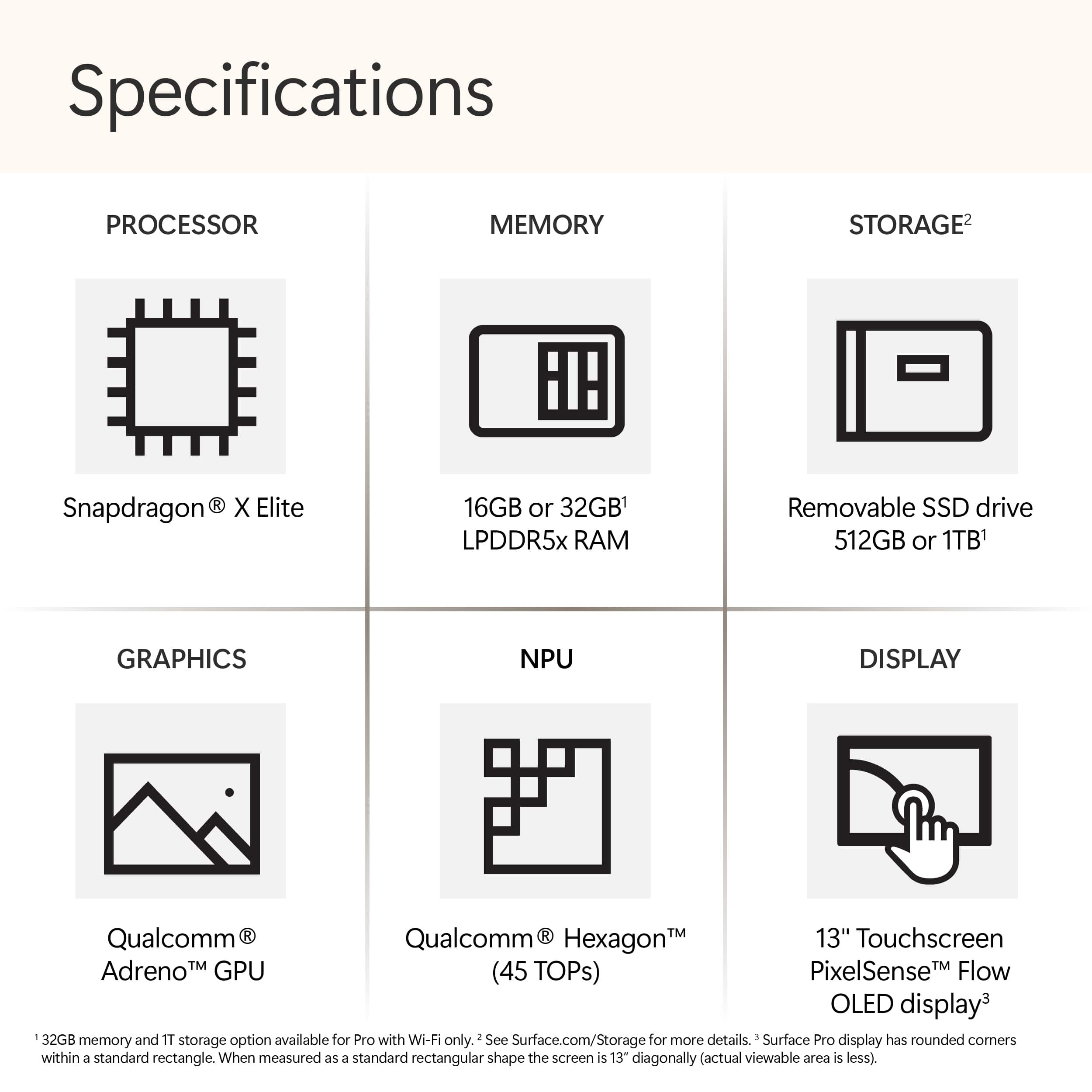
||Posted . Owned for 2 weeks when reviewed.This reviewer received promo considerations or sweepstakes entry for writing a review.Easy to use product that works as advertised. Not bad at all and the touch screen works better than others though it’s heavy to hold and work with. Nice thing is that the ssd can easily be changed by popping out the back cover and replacing it!
I would recommend this to a friend - Pros mentioned:Screen quality
Wonderfully Weird. Won't Work On Your Lap
||Posted . Owned for 10 months when reviewed.This reviewer received promo considerations or sweepstakes entry for writing a review.Great build quality. Beautiful screen. Weird form factor. If you don't need a tablet (I sure don't), don't get this. A traditional laptop would be much better. Cool? yes!
No, I would not recommend this to a friend - Pros mentioned:Processor speed
Solid Multitasking Device
||Posted . Owned for 7 months when reviewed.This reviewer received promo considerations or sweepstakes entry for writing a review.Very fast. Handles multitasking for work on my three-screen setup extremely well. I don't use the tablet features quite as much as I thought I would. Overall a very good machine.
I would recommend this to a friend Almost Converted Me
||Posted . Owned for 2 weeks when reviewed.This reviewer received promo considerations or sweepstakes entry for writing a review.Feels like a Mac in design, but I really didn't like having the kickstand. Awkward for use in lap, takes up more space on the desk. Annoying to have to fold out every time
I would recommend this to a friend- Pros mentioned:Processor speed
Overall review
||Posted . Owned for 1 month when reviewed.This reviewer received promo considerations or sweepstakes entry for writing a review.I love it. Works very well, is fast enough, quality is good. Some functions for office apps are a bit confusing.
I would recommend this to a friend Great Laptop for college students!
||Posted . Owned for 2 months when reviewed.This reviewer received promo considerations or sweepstakes entry for writing a review.Pretty good 2 in 1 laptop. It allows me to write my notes while having the accessories of a laptop. It has a really cool feature of having multiple desktops so I have all my classes separated. Only downside is that it got damaged after a week which Best Buy worked with me to replace and it glitches sometimes. Overall a great product though.
I would recommend this to a friendGreat
||Posted . Owned for 4 months when reviewed.This reviewer received promo considerations or sweepstakes entry for writing a review.Pretty good ive been liking it love how it syncs with my samsung so easily.
I would recommend this to a friendOverpriced
||Posted . Owned for 2 months when reviewed.This reviewer received promo considerations or sweepstakes entry for writing a review.I think for the price, it should include a keyboard, and pencil. The charging cable is a bit of a pain, it doesn’t stay in the charing hole when moving the device.
No, I would not recommend this to a friend- Pros mentioned:Battery life, Overall performance, Processor speed

Great hardware, hindered by Windows desktop focus
|Posted .This reviewer received promo considerations or sweepstakes entry for writing a review.Great Solid build quality Barely drains battery while asleep Silent during normal usage Fast Can still run legacy programs Good speakers SSD easily upgradable Repairability greatly improved Slightly rounded edges more comfortable Sturdy kickstand stays where it is placed Includes Wi-Fi 7 Two USB-C ports No So Great Several AI features advertised require a subscription Windows sending data to Microsoft by default Increased bloatware built into Windows Windows increasing advertising App store still limited Apps have limited touch optimization Limited usability without keyboard cover At first glance looks identical to is predecessor. The only outward difference is the edges have a slight curve compared to previous models. This makes it feel more comfortable in the hand. It has some weight to it but feels solid and well-built with no hint of flex. The SSD is upgradable via a cover held on magnetically and according to iFixit, repairability has been greatly improved. The original magnetic charger is still featured and still a bit finicky to connect with weak magnets. USB charging is also supported. Setup 6/10 Each time Microsoft makes an improvement to Windows they seem to add a change that takes a step backwards. Setup is the familiar Windows setup but now it is even harder to set up with a local account, OneDrive is automatically enabled, and the base Office Suite is installed by default. Also, during setup Windows Updates are required to be installed before you can even start using the device. Taking a sleek new Surface out of the box only to be stuck waiting 30 minutes for Windows Updates is a bit of a letdown. Once you are in you are greeted with preinstalled third-party apps you did not choose. It would be better if the system just did something like open the Windows Store on first login so people could see and choose what they wanted to install instead. Maybe even have a welcome page on the store that displayed options for essential apps to help without installing first. General Hardware 8/10 As a 2-in-1, the Surface hardware is very nice and does a good job of being a good laptop and tablet but not outstanding for either. As a laptop the kickstand is too sharp for extended use on your lap as it digs into your legs. As a tablet it feels more comfortable to use the kickstand and watch videos versus holding in portrait mode as a reading device. Desktop or docked is best as it feels as good as seamless as desktop computer. Speakers 9/10 It’s surprising how capable the speakers are with everything crammed it this chassis. Coming from an older Surface, the speakers in the Surface Pro 11 are not only much louder but far more capable with more range. They are still limited in bass but still do surprisingly well for the size. Of course, music would sound better on discrete speakers or headphones the built in ones are nice for casual movie or music sessions. Voices are produced with good depth making them easier to understand than tablets years ago where voices were thin and hollow. Cameras 6/10 Camera quality in tablets has improved greatly in the past few years. Since Qualcomm processors were originally built for mobile, they have dedicated camera processing, and it shows. The quality is very good with minimal noise and decent dynamic range. No surprise it doesn’t compete with high end dedicated cameras but it a marked improvement from older webcams and nearly as good as modern smartphones. Using the AI features for automatic tracking or background blur is similar to previous webcams but without any lag. Battery Life 9/10 This is where having the Qualcomm processor really shows. Previous generations of Surface had decent battery life when doing basic work but still didn’t last long. Once you start to push them the fans would ramp up, the tablet would start to heat up, and the battery would drop fast. While the Surface Pro 11 won’t win any awards for the longest battery life, it is still vastly improved and removes a lot of anxiety of running out of battery. Of course, what you have installed and running in the background makes a difference but overall, it has been easy to get a full day of casual usage out of the battery. Furthermore, performance doesn’t feel any difference regardless of whether it is plugged in or not. The larger difference is noticed based on the performance profile you choose. While you can still definitely burn through the battery quickly leaving open heavy apps running the background, battery life is significantly better. Where this shows through the most is in standby time. Previously Windows devices, including an older Surface Pro, would lose half their battery or more overnight on standby if not turned off, the Surface Pro 11 can just go to sleep and when you wake it up the next morning you might have lost 1 or 2% battery. With the Surface Pro 11 you can just put it to sleep, and odds are when you come back in a few hours or a day or even two you will still a good amount of battery life waiting to be used. No more opening your bag to a hot laptop and a dead battery. Legacy X86 apps that run in the background will eat through your battery faster but still better than in the past. Hopefully further optimization for non-native apps will improve this in the future. Adjusting to battery life takes some time as normally seeing 34% battery life on an old Windows device would have you looking for your charger. On this Surface you can check back after 20 minutes of use and only dropped from 34% to 32%. There have been times where this Surface has gone over 2 days without needing a charge with sporadic use. Performance 9/10 While running a full operating system it mostly runs as snappy as a tablet with a lightweight mobile OS. Native apps feel fluid with no perceived loss in performance. On some legacy X86 apps you can occasionally feel more of the translation happening, but it mostly seems to occur on install or launch where times are slightly longer. Once things are up and running for the translation process for non Arm apps feels transparent and doesn’t present a problem unlike the old Windows RT days. In fact, even installing legacy keyboard and mouse drivers went off without a hitch. A bonus is that even though it has fans, they have been inaudible if they have even been on. Also, the case has only felt barely warm to the touch. So far, the only issue encountered was Apple Music. The Windows Store won’t install because it says it is not compatible with the processor which is strange that the only error has occurred with a modern app and not a legacy one. For a first generation of a new series of Arm processors for Windows the transition feels far smoother like they got it right this time. It doesn’t feel like a compromise this time but an upgrade. Software usage 5/10 As a fan of Windows, it is hard to see Microsoft seem like they are going to hit a home run and then miss. The core of Windows is still the same old Windows, but Microsoft really needs to decide how committed they are to convertibles from a software perspective. This, more than anything else, brings down the Surface and other Windows convertibles. While adding new features to Windows, the touch experience on Windows still feels stagnant and a missed opportunity. They made small changes to increase the size of some touch targets, but it would be nice to see them bring some of the touch features of Windows 8 to Windows 11 in a thoughtful manner. An example would be offering swipe gestures in tablet mode. Another example is “New’ Outlook. By default, when opening Outlook when using it as a tablet, buttons are small and crowed and controls are nested in a way that works best with a mouse. There are no gestures to browse emails and each line is small. Deleting or archiving an email takes multiple presses. Another example is sometimes the onscreen keyboard. Sometimes it would not launch, launch completely white until restart, or close in the middle of typing. Microsoft also needs to tone down their advertising, specifically within the OS. By default, Windows now shows you ads for Office and OneDrive on setup, then third-party ads in the start menu, then pushing more ads within the sidebar. This is all by default. It would be better if Microsoft would just send an email showing what was offered or put a page in app store. It feels like Windows is becoming more of an advertising platform than an OS. At the very least these should be opt in features, not opt out. AI Features 6/10 Right now, the AI features feel incomplete. Understanding the differences is confusing. The AI camera effects are nice but with many returning to the office, video meetings have reduced the need. Live translation but I don’t know anyone to try live translation on and unfortunately don’t have access to the summary tools. The main AI tools that have are useful are for editing photos. With Windows Photos you can retouch photos, remove and replace backgrounds, smart erase. With Paint you can sketch a basic design and use Cocreator to help you enhance your design. Cocreator and Image Creator are still in the early stages, so results are inconsistent. There are other AI tools that Microsoft shows you can use to summarize documents and write things for you, but they don’t explain well those are in a different product called Copilot Pro that is an additional subscription beyond Office 365. With the integrated NPU it would have been nice if Microsoft included those without a subscription. Final Thoughts The Surface Pro 11 on the hardware side is a solid device. Microsoft needs to work on having a clear and concise path for where they are taking Windows with regards to advertising as well as tablet controls. Hopefully some of the subscription features will trickle down to be included with Windows as they seem compelling. That said, if you are looking for a quality Windows 2-in-1 device the Surface Pro 11 is a solid option, and the Arm chip is a gamechanger.
I would recommend this to a friend - Pros mentioned:Battery life, Overall performance, Portability
Amazing portability, power, and all day battery.
|Posted .This reviewer received promo considerations or sweepstakes entry for writing a review.This tablet / laptop works great for a lot of things. I was skeptical at first being that it is an arm based product and historically windows on arm has been a little hit and miss. However after using this table for a bit as my non-gaming daily for over a week or so I have to say I am pleasantly surprised by the performance and reliability for “most” things that I have tried to do with it. I do software development, and for the most part that experience has been fairly painless and performance has been great. However there are some caveats to that. Programs that are not specifically made for arm run in an emulation mode (so x64 apps) and those apps do have some slight performance hits due to this translation layer. But during normal use those issues are mostly not noticeable at least for the applications I have been using. When it comes to down right application failures there have been a few applications that I was unable to install because they don’t offer an arm version and they would not install ( such as ARC browser which I use on Mac and my intel based windows machine) I also had an issue where an application would install fine but I could not activate it for some reason so I was unable to use it. For productivity software however those where the only two real examples of problems I had. I’ve also been really happy with battery life in normal use as I can get a full 12 hour day of work done and still have battery to spare without much of a worry at all. That’s nice compared to some other laptops I’ve tried to use for work in the past that left me scrambling for a place to plug in. Build quality and style wise, I really appreciate the simple clean design just the adjustable kickstand on the back and that blends in when you fold it down. That kickstand is amazing as well allowing me to use more angles than I ever thought I needed for different situations. The copilot+ stuff is cool if you have a use for it. I played around with the image co-creater features for a while and it really helped flesh out an idea I had been working on even though I am an awful artist. It’s nice to be able to prompt the system, start drawing and as you go it slowly improves the generated image. It’s a neat feature if you have a use for it and I’ll probably use it more in the future. The other really cool co-pilot plus feature I was not expecting to like so much was live captions. It was amazing to be able to watch a video in another language that did not have translations available and be able to understand what was going on. It’s surprisingly fast and super useful for some of the work I do. As for it’s accuracy I’m not totally sure on that front but it was close enough for me to get the information I needed without needing to refer to another source or person. As for all the other co-pilot+ features I’ve not had a lot of time to use or play with them so I don’t have much to say on those but overall I have been super happy with the experience and pleasantly surprised. Overall if you’re looking for a super portable and fairly quick computer to do work on this is shaping up to be a great choice overall. I’ve all but replaced my other travel electronics because this takes up less space and does the things I need it to without too much hassle. There is one note for all of this though, do not expect to be able to play games on this laptop/tablet. It’s not intended for that and the driver compatibility with games is very far from good. There are also several games that just won’t run at all because some kernel level anti-cheat systems don’t support ARM. I’m sure that will get better in the future but in reality that’s not what this computer is intended for anyway. I just wanted to make sure I included that in my review just in case someone was looking at it for that reason. The only real reason I was not able to give this a 5 star rating was the few issues I did have with software compatibility. I think after some time that issue will get better though.
I would recommend this to a friend - Pros mentioned:Battery life, Overall performance, Processor speed
Very good for a Surface. Ai is ok. Updates help
|Posted .This reviewer received promo considerations or sweepstakes entry for writing a review.Overview: You will probably love this new Microsoft Surface Pro Snapdragon X Plus with Copilot+ and the many tweaks that make this new Surface impressive. Most Windows apps were optimized to run for this new chip and workflow is very good. The Copilot+ suite of AI assistants at this early stage might still have room for improvement. Some of the AI works as intended and is fun to use, but not everything seems to work as easily as preview demo videos showed. It is definitely a quick PC that sips power and can be left on most of the time for quick and easy use all day long, much like you do with a cell phone. Yet, if you prefer apps and programs far from the Microsoft ecosystem, you might have a few growing pains running non-native apps in emulation mode. And most gaming at this early release date will not install through the on board services. Surface tablets were not usually considered for gaming anyways, but there could be hope for it someday soon. Copilot+: The demo videos I saw were very impressive. Sadly, maybe a few features are not fully at peak Ai readiness. Or are for a different type user other than myself. Camera: Only tried the camera briefly as I do not use tablet cameras much. Studio effects for Automatic Framing and Blur are the only beneficial features I thought worked well enough to use. The creative filters were too odd looking for me to use in the current state. Restyle: Editing photos with Restyle (any photo you load into image viewer and select edit option) is a fun tool with several art styles, or make one up, works well for decent edits to bizarre creations. This one works. Chat: The likely hero of Copilot+ in the long run. Chat collaborator seems to work pretty good and answers quickly and can be paired with a few plugins like Instacart and Kayak. It will also help create images in partnership with the DALL.E 3 Designer. The feature of Ai many, myself included, like to use to create fun pictures from text prompts. Image Creator/Cocreator: It is when I tried the Cocreator in Paint. Maybe I can not draw well enough or it does not know what my text description means. Every art project ends up a complete mess with very few of the elements described or drawn rendering correctly. Then there is the version of Image Creator also in Paint. Seems to be a pay to play feature as it shows I have zero coins and does not work to create anything. Everything with Ai is still in the early learning phases and daily there might be improvements pushed out that can make programs and features better. Today, certain features might not be as easy for users to implement as demo videos have made it seem. Surface Copilot+ improvements I like so far: Qualcomm Snapdragon Plus chip looks to have great potential if everyone gets on board and builds software and drivers for it. Windows tasks are a bit quicker than previous models. Now with a minimum of 16GB RAM helping multitasking abilities. Tip: buy the most RAM you can, since these are not user upgradable short of the SSD. Although, Microsoft has made this new Surface somewhat repairable should things need service down the road as noted online by i-fixit, thank you. Also new, and very welcomed addition this model series is the settings shortcuts on the far right side of the taskbar where battery level is (similar to settings drop down on Android phone). Also very happy with letting the unit go to sleep after 3 min. Then being able to anytime just pick the tablet up and it near instantly wake up and not have lost 5-10% of the battery because you did not fully shut down the PC. Much like a cell phone for battery life, you never turn those off, it sips power in standby/sleep. Wi-Fi 7 for the future of blazing internet speeds. And finally, this is the first tablet that Windows hello worked in portrait orientation, for me. Literally pick up the tab at almost any angle at it unlocks if the camera sees me. Maybe it worked before, and just didn't like me. Hardware unchanged in the base models: The screen and audio appear to be the same as previous model, good visuals and loud speakers. No Atmos just stereo. Kickstand is excellent on desk, still rough on the lap. Magnetic charger and USB-C ports are also unchanged for the most part. Charger is plenty long and flexible. My series 9 keyboard/pen can be carried over, but the pen needs to be paired/synced to work. Just no Copilot specific key like on the new updated keyboard. Tip: watch for those Best Buy combo deals where you can often get the keyboard and/or pen cheaper than when purchased separately. Sadly the SD card slot is still gone, not sure why it was ever removed. Gaming, First off, I don't think Microsoft ever claimed any gaming specs for Surface Pro tablets that I am aware of. Again it was demo videos, this time of the Snapdragon chip that gives us hope that maybe someday a Surface can play some current top titles. This Surface will play time waster games found in the app drawer or Edge tab (puzzles, card games or candy busters). I had no luck getting a larger game in Game Pass, Microsoft store or Xbox to install (did not want/try cloud gaming). Not even Minecraft would install! Games I own, clicking install, nothing happens. Besides, anything recent might need the Elite chip or better compatibility. Will try again later to see if support becomes available. Microsoft may leave this disabled to protect the Surface internals from issues games might cause, speculation on my part. Just know many games do not install.
I would recommend this to a friend - Pros mentioned:Battery life, Overall performance, Screen quality
Great device, a few 1st gen hiccups.
|Posted .This reviewer received promo considerations or sweepstakes entry for writing a review.So far this has been a surprisingly painless experience. It's my first foray into an ARM powered windows machine, and so far the experience has been almost indistinguishable from a typical x86 machine. There are a few hiccups, some x86 programs don't run well emulated (or at all), although they're usually niche things that most people don't need. Also, because Windows on ARM isn't quite mainstream, it can be hard to find programs compiled for it - I had to go to a few different websites to find Java 21 compiled for ARM. Most of this will be resolved with time however, and it's already quite usable. Regarding AI and Copilot+, honestly at the time of writing they're mostly just a gimmick. most of the available features are rather useless in daily usage. And in case this isn't clear to anyone, the copilot AI assistant does NOT run locally, it's purely cloud based. Won't even load without an internet connection. Studio effects (camera stuff) could be useful in online meetings, and live captions can be useful to view content in other languages. I hope to see some more useful features come out eventually, but right now it's mostly just a shiny new gimmick. The camera is great quality - compared to almost any other laptop webcam, this is in another class altogether. From what I've heard, Qualcomm actually has an image signal processor on the SOC, and typical x86 laptops rely on whatever cheap ISP is inside the webcam - which usually leads to really low quality, even if the webcam is "1080p" or even "4k". It also helps that the Surface Pro is a tablet form factor and has much more room for a quality image sensor. I was hoping to dual boot Linux, however at the time of writing the Snapdragon X aren't supported on Linux yet. As far as I'm aware, these chips are designed in such a way that you have to add support directly to the Linux kernel for each specific chip to be able to run it, which is unfortunate. However, Qualcomm is actively working on making Linux work with these chips - which is really nice to see. Now to the device - The OLED screen is gorgeous, brightness is great - even sufficient outdoors (at least in shade, haven't tested in direct sunlight). As it is a touchscreen device, there is a slight pattern from the digitizer visible up close to the screen - I can only see it from distances unreasonable for any average user (say, 6-8 inches away from the screen). HDR looks great, 120hz is fluid, VRR provides a nice power saving option. Battery life has been pretty good compared to some other laptops I've owned, it lasted quite awhile even streaming HD content for hours. The build is solid, the hinge feels pretty durable. The power and volume buttons are plastic which is a slight disappointment but not a huge issue. The SSD is easily accessible through a magnetically attached door, which is great to see from a repairability standpoint, albeit a little odd. The form factor is a bit uncomfortable sometimes, it's a bit hard to use they keyboard cover if you're not at a desk or table. As a tablet it works great wherever though, as most tablets do. Windows is fairly usable touch only, minus a few UI quirks. You tap with two fingers to "right click," but if you need to do that with any sort of precision then you long press with a single finger - unfortunately there's no haptics, sound, or visual indicator to let you know it's been long enough, so you end up wasting time holding it too long. Could get used to it with time, but an indicator of any kind would be a much better option. Overall it's a great device, just needs a bit of time for software to catch up.
I would recommend this to a friend - Pros mentioned:Battery life, Processor speedCons mentioned:Usb ports
The Future is (Almost...) Now
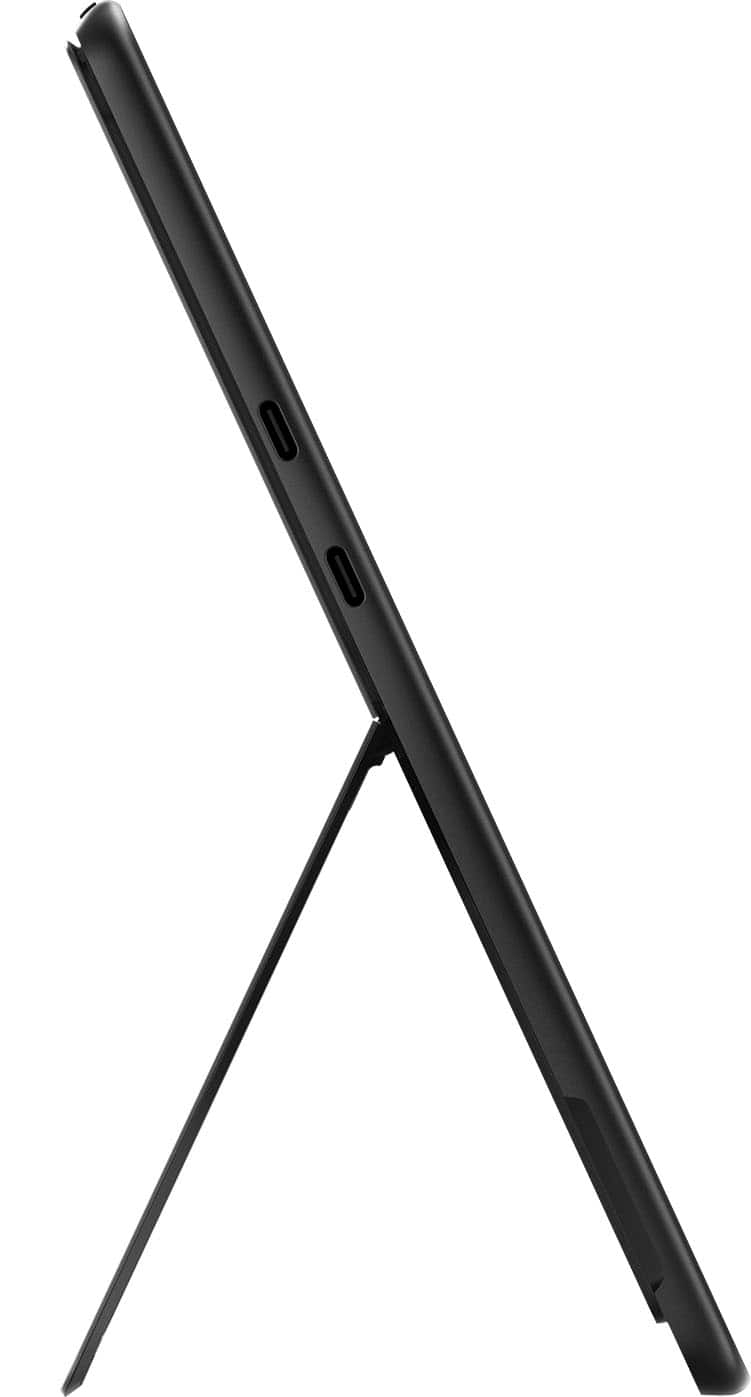
|Posted .This reviewer received promo considerations or sweepstakes entry for writing a review.The new Surface Pro with Copilot+ is one of the more exciting new Windows devices to launch in recent memory. Sporting all new Snapdragon powered internals, with a knockout OLED screen and class best battery life, this finally feels like the tablet that can truly bridge the divide between tablet and laptop. That said, the experience not without hiccups. Fit and finish on this tablet are frankly second to none. It emanates quality, featuring an incredible display, uniquely rich color, and a rock solid hinge mechanism. It has an assured weight, owing to its (presumably) aluminum chassis. Ports are a bit lacking, with only 2 USB C ports on the left and the single power port on the right. Notably lacking are a headphone port (which, in truth, is becoming somewhat passe in 2024) and additional USB ports which could be quite useful for those using the Surface Pro in professional capacity. Speaking of usage... I'm both blown away and slightly underwhelmed by the performance. In general, the device is lightning quick. The best way I can describe it is that most of the time, it feels like a phone, which is to say that it feels incredibly responsive with infrequent slow downs. However, it's not quite there; actions like three finger pinches on the touchscreen, or especially three finger swipes on the touchpad of the optional Pro keyboard attachment feel VERY laggy. These lag instances are made all the more obvious by how fluid the rest of the experience is overall. It's a bit of a disappointment, but overall the performance here feels ALMOST top notch a lot of the time, and I feel this is likely an area that will continue to improve as the Snapdragon X platform matures. At least, I hope it does. I've had zero problems with apps being able to run correctly, which is frankly amazing given where Windows was just a few short years ago in terms of emulation ability for ARM based processors. Brief trials of Adobe based products (Premier and Photoshop) both ran exceptionally well in my limited experience. Very brief testing with Reaper, which has no native Windows based ARM support currently, also seemed to work correctly. Again, this is a marked improvement over previous iterations of ARM based systems on Windows. Overall, it's highly impressive, and points to a concerted effort to make this a class leading device that can do it all. Almost. All that said, don't expect to do any type of serious gaming on this thing. Given the device type, you shouldn't anyways, but the additional emulation layer required to run a lot of games at current time means anything fast paced is likely out of the question. This, as with a lot of things here, will likely to improve in the coming months, though, as platform support for the Snapdragon X chips expands across the industry. The elephant in the room here, besides of course the shiny new Snapdragon X Elite processor, is the inclusion of what Microsoft has branded "Copilot+ PC". This aims to integrate a series of AI features directly into the OS, giving you quick access to tools that should help your day to day workflow. My primary usage of this was to invoke Copilot using dedicated Copilot button on the keyboard to assist in software development tasks. Powered by a combo of GPT-4 and Bing Search, Copilot is as useful as you'd expect at tasks. Overall, this is a nicely streamlined experience for those that utilize Chat GPT on a regular basis, and the inclusion of GPT-4 without an OpenAI premium sub is a really nice bonus. The other main AI feature I've tried in my short time with the Surface Pro laptop is the "Cocreator" function in MS Paint. Yes, that MS Paint, that long ago was relegated to intentionally awful "photoshops". Now, with a Surface Pen and Cocreator, you can create legitimately solid pictures. Or at least that's the sales pitch. My personal experience with this has been underwhelming, personally. Great idea, less than great implementation. Finally, I'll mention battery life. Put simply, it's stellar. Compared to other Windows laptops I've had (including a Surface Book Pro 3), this Surface Pro tablet is heads and shoulders above all of them. I'm routinely going days without charging on moderate usage. This finally feels like what we should be expecting out of our devices; multiple days of battery life without sacrificing performance. Overall, I really enjoy using the Surface Pro tablet. As mentioned earlier, this is the first device that I've used that truly feels like it's bridging the gap between tablet and laptop/PC. This iteration of ARM on Windows is in its infancy, but already, the makings are there of something great. This feels like the future for all but the most demanding workflows (like gaming), and likely will continue to amass market share in the coming months and years. Finally, Microsoft has spent some capital on trying to make evolve their ecosystem and finally, it feels like they're on their way to doing it. Nagging performance issues aside, this device is a joy to use in a number of scenarios, and will likely become my primary device for travel, work, and leisure.
I would recommend this to a friend