Customer Ratings & Reviews
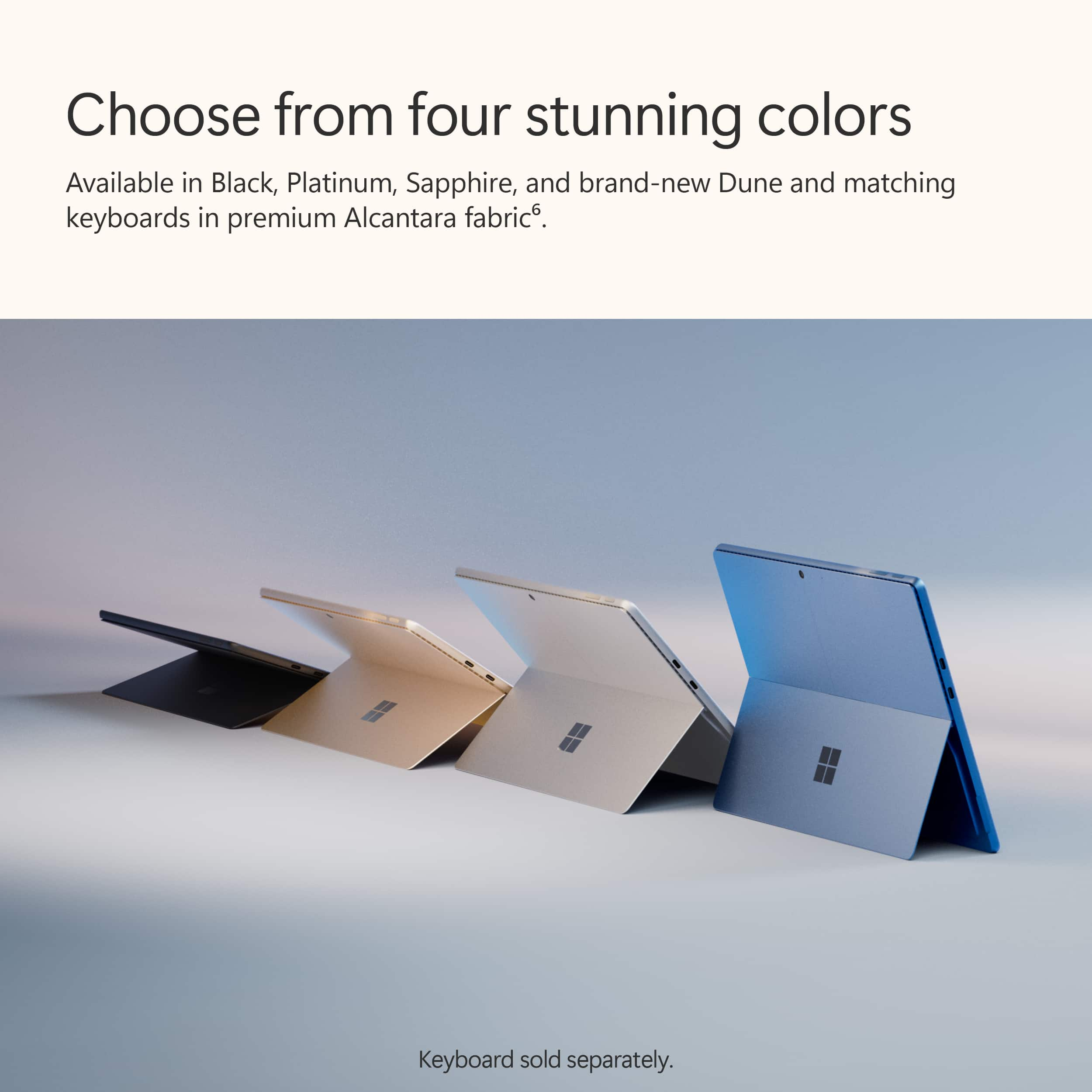
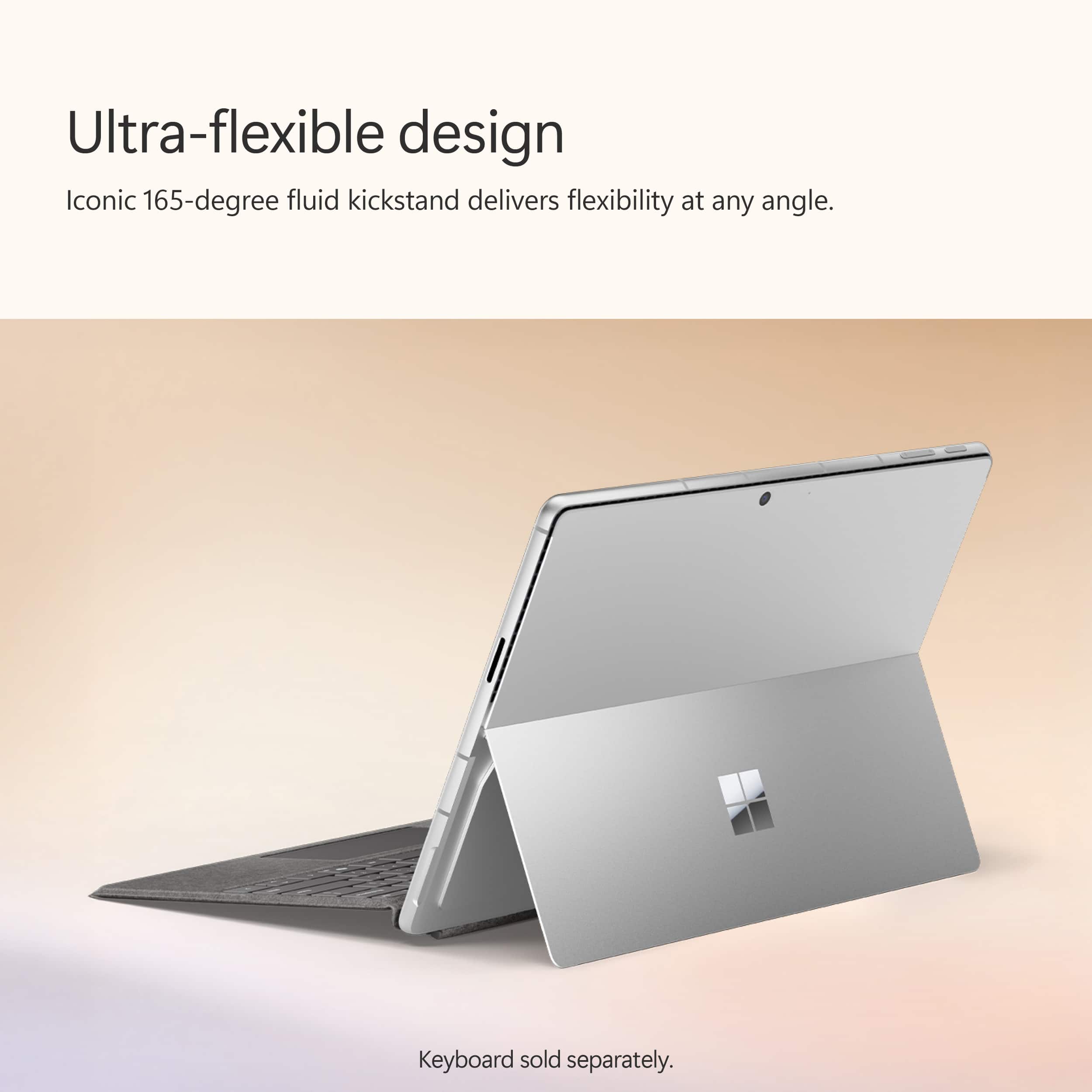
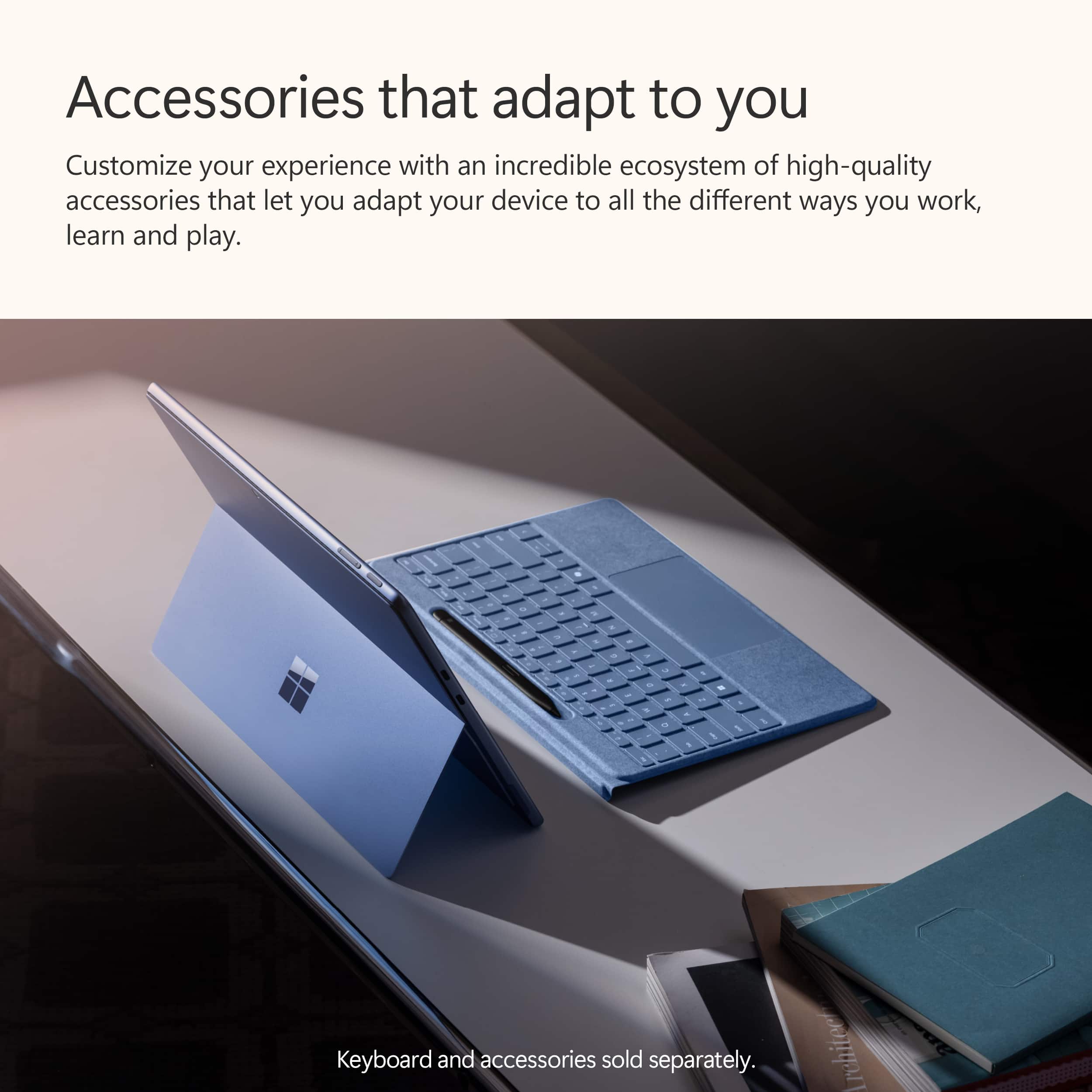
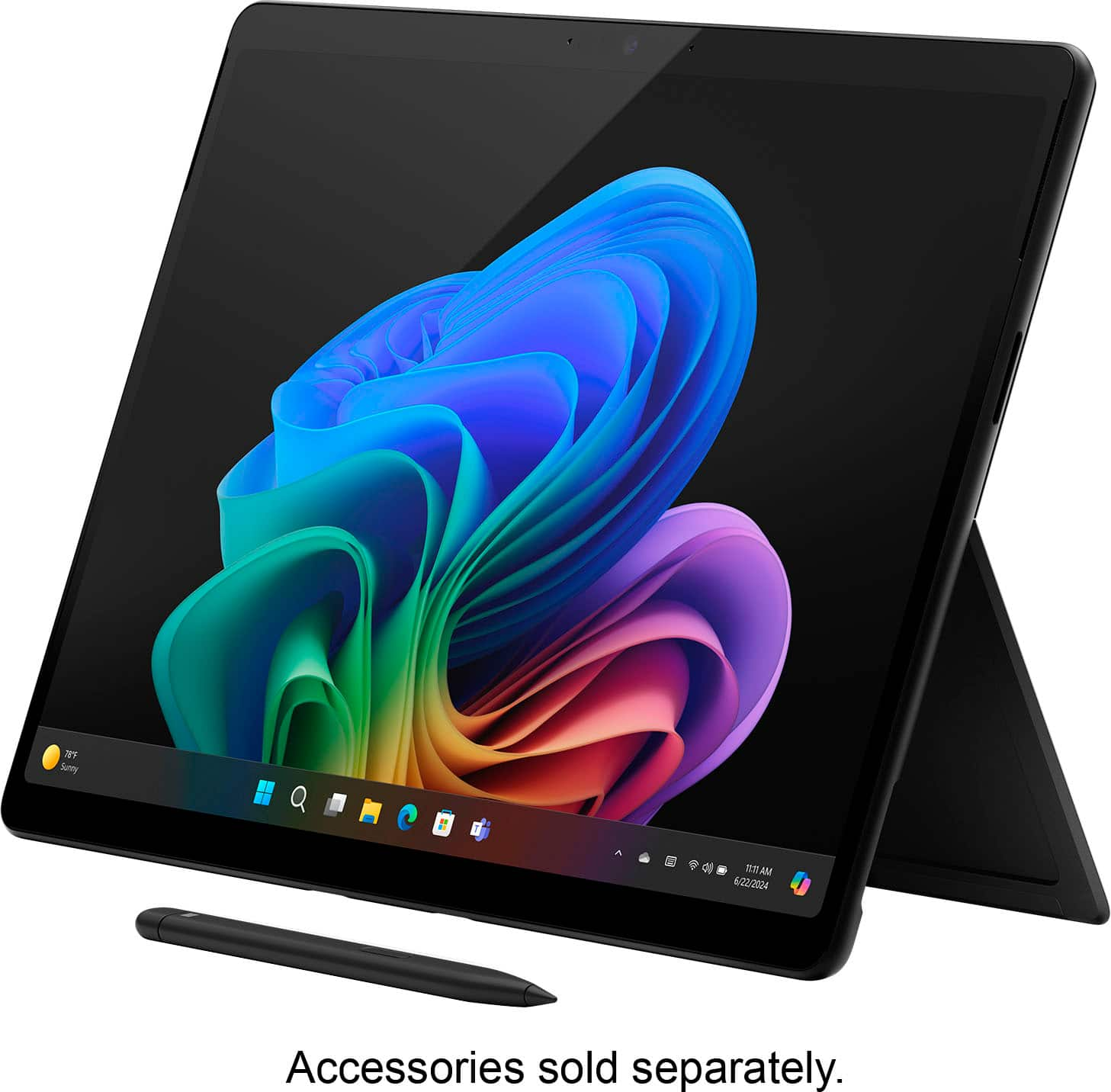
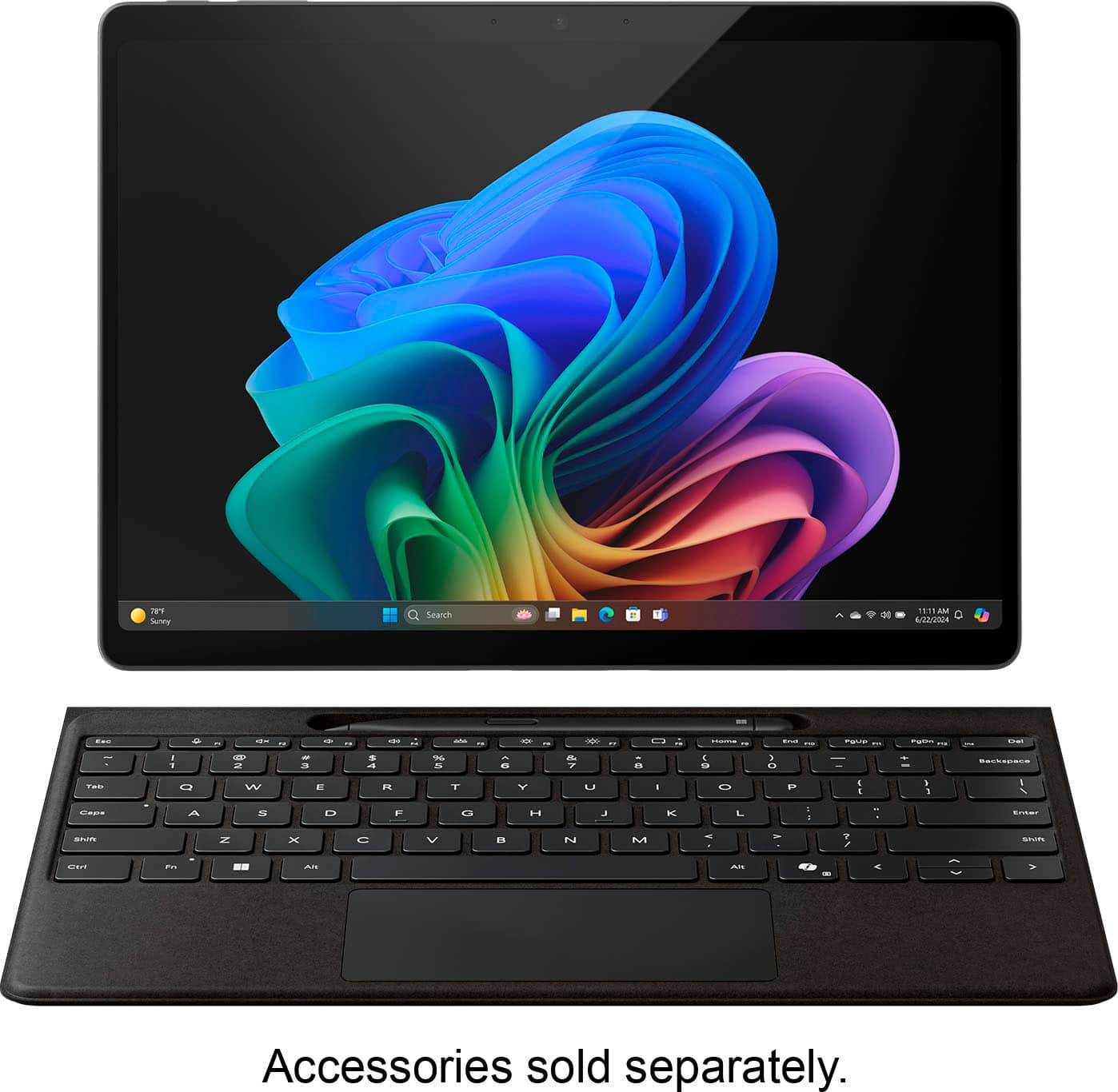













- Model:
- ZIB-00018
- SKU:
- 11174687
Rating by feature
- Battery Life
Rating 4.7 out of 5 stars
- Durability
Rating 4.7 out of 5 stars
- Display
Rating 4.8 out of 5 stars
- Pros mentioned:Battery life, Overall performance, Processor speed

Great performance, limited local AI features
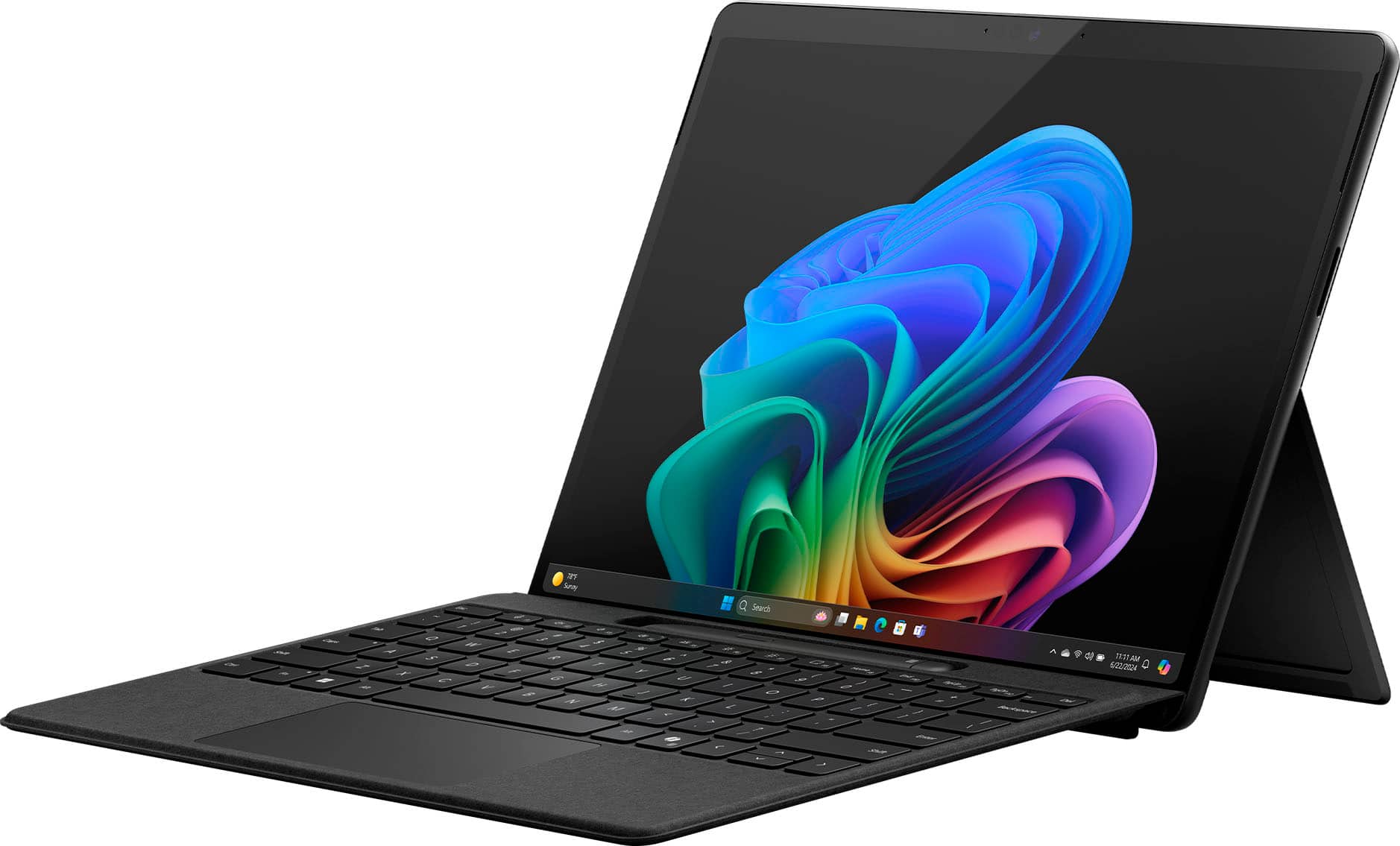
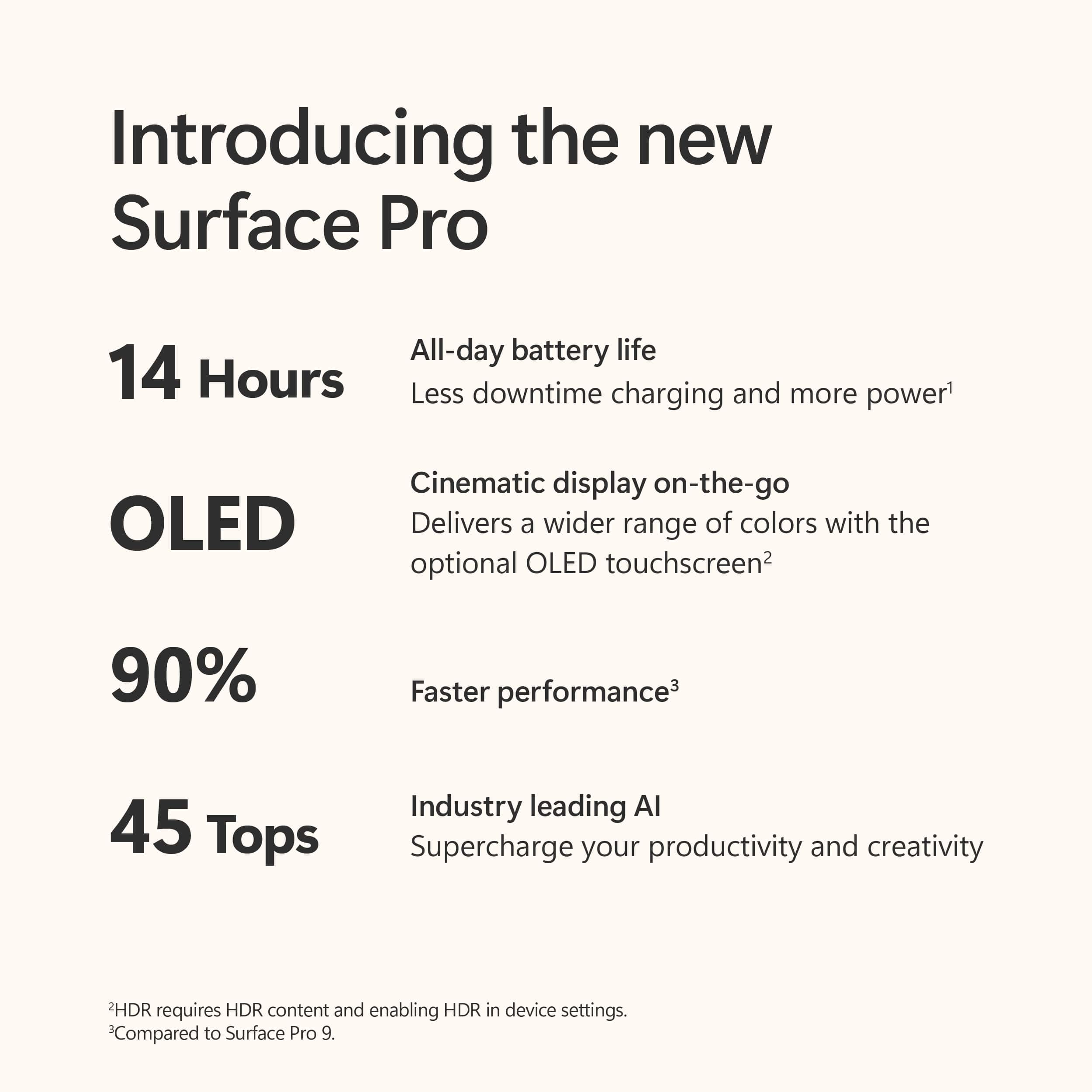
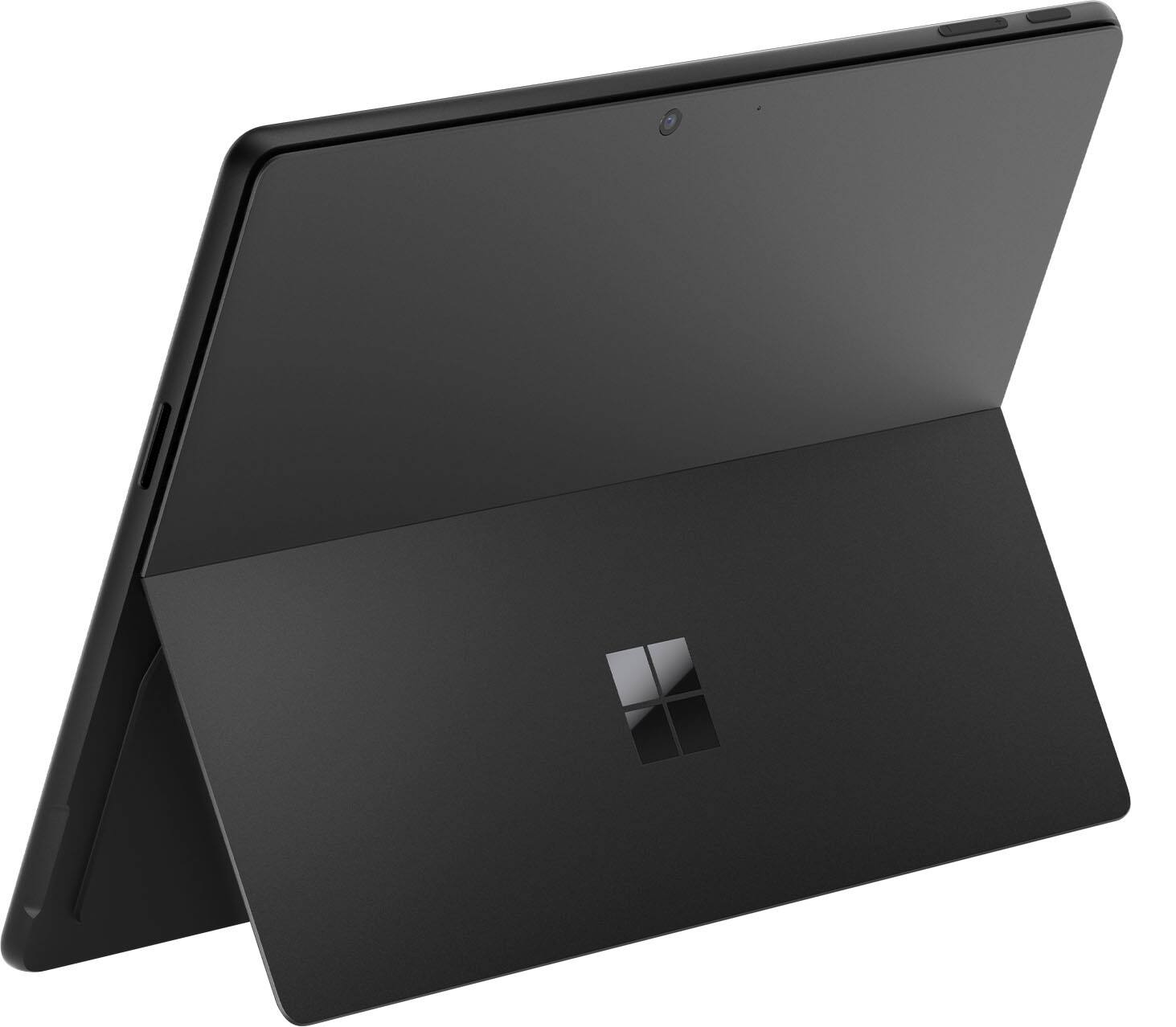
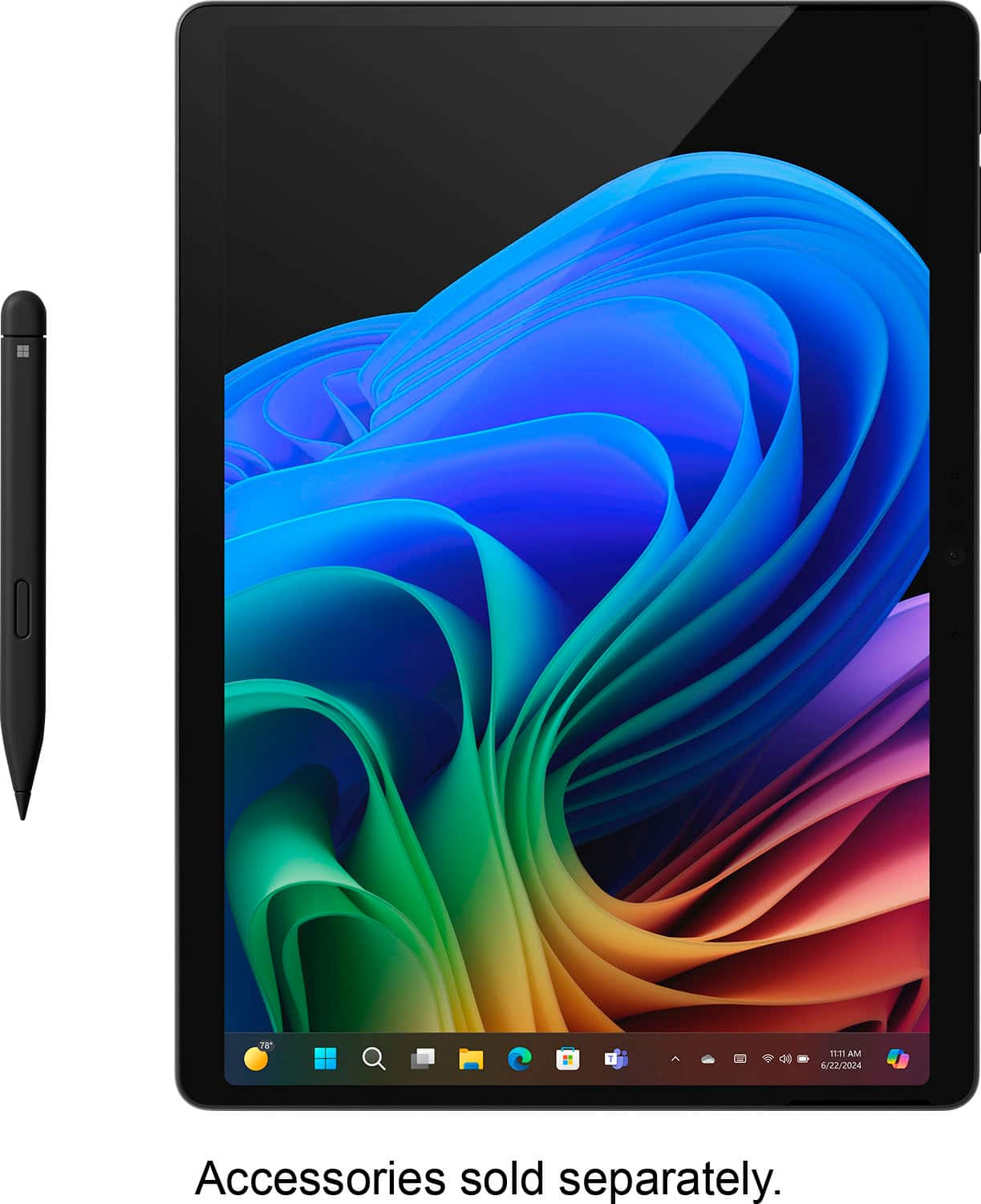
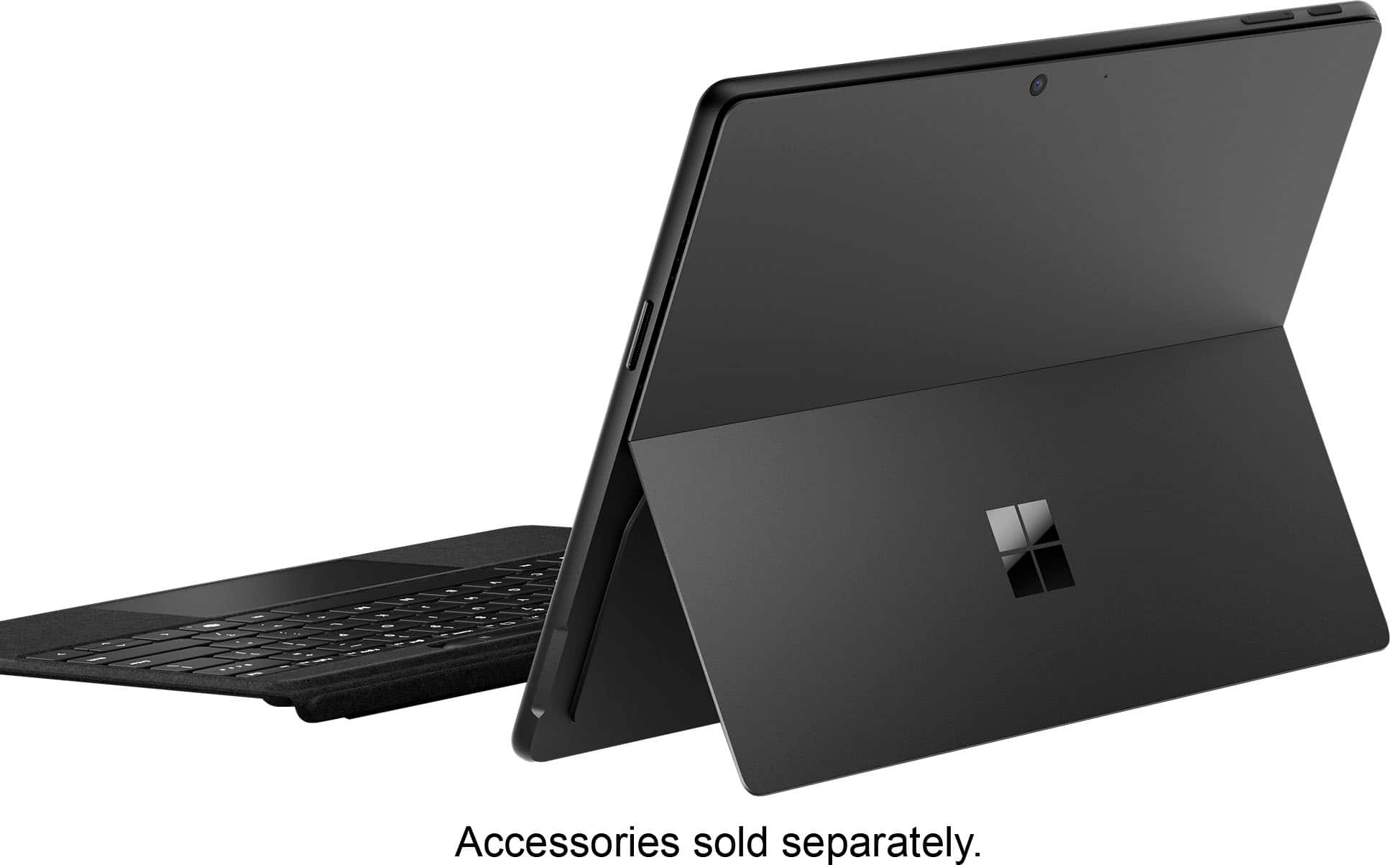
|Posted .This reviewer received promo considerations or sweepstakes entry for writing a review.## TL;DR PROs - Speedy performance and beautiful display - Cool AI image generation/enhancement features that happen locally - Great battery life CONs - Limited local AI features - Some apps (VPN, anti-virus) may not yet be compatible with ARM processors ## What's new with Copilot+ Surface PCs? How are they different from "regular" PCs? The key difference between the new "Copilot+ PCs" announced by Microsoft and existing PCs is the requirement of a powerful Neural Processing Unit (NPU) with at least 40 Trillion Operations Per Second (TOPS) performance. This NPU hardware is necessary to run the advanced AI models and features that Microsoft is introducing with Copilot+. This Copilot+ PC's processor uses an ARM architecture for energy efficiency and longer battery life. Existing x86-64 applications are able to run based on Microsoft's emulation technology, but you may initially run into some issues with 3rd-party drivers and VPN clients until updates are made by those vendors. However, if you do most of your work in the browser, you should be fine. ## Design The Design of this Microsoft Surface Pro (11th generation) is very similar to previous generations. In fact, I even found that screen protectors from the previous Microsoft Surface seem to fit fine. The all-glass front is supported by an aluminum casing with a kickstand on the back. The kickstand is fine for working at a desk, but less ideal for working from your lap where you'll probably find a traditional laptop hinge is more comfortable. The keyboard (sold separately) is comfortable to type on and magnetically stores the Slim Pen when not in use. It is thin and can feel a little flimsy when typing on it (especially if you're using it on your lap). However, the keys seem to be spaced normally and it did not feel like a huge adjustment moving from a full-sized keyboard to this. Both the laptop and keyboard fold together nicely to protect the screen and they make the unit very portable to carry or slip into a backpack. ## AI Features I was excited to hear about the local AI features available on the CoPilot+ PCs, but in practice, I found them a little confusing to find. ### Image Co-Creator The first feature I tried to test out was the new "Cocreator" in Paint. I open the Paint program from the Start Menu, but there is no Cocreator button to be found on the toolbar. "Ah, maybe I need a Windows Update to enable it," I thought. Nope, all available Windows Updates had already been installed. I tried looking through the "Help" system and checking for an update in the Microsoft Store (and when did Windows 11 get so many pop-up ads for service plans and Xbox Live?!), but still could not locate a reason as to why the button was missing. At the risk of defining "insanity," I open the Paint app again hoping for a different result. And behold, the "Image Creator" and "Cocreator" buttons have magically appeared, although nothing seemed to download nor update. Nevertheless, I selected "Image Creator" first as I would like to create some cool 8-bit backgrounds for my blog about retro technology. My dreams of generating beautiful pixel art are immediately dashed by a "Join the Waitlist" button. What?! I click to join, and I'm immediately given access with a limit of 50 credits, with no information about when credits are replenished. Do I get more tomorrow or am I stuck with just 50 credits for the life of this PC? I click to the help article which simply states: "You will receive 50 credits to create images when you join Image Creator." That's it, no further details on how to get more credits. Perhaps it was a misunderstanding on my part, but what is the point of the local, AI-enabled NPU processor that is still spending "credits" to produce images from the cloud? Turns out that it was a misunderstanding on my part, as the local NPU image generation doesn't kick-in until you use the "Cocreator" button. It looks basically the same, asking for a prompt and a style to generate the image. The difference is, it won't do anything until you start drawing something first. So, when using the Paint program, the NPU doesn't actually create a new image, it simply enhances something you've already started creating. And don't think you can hop on a plane, turn on Airplane Mode, and create to your heart's content on a long flight: even though the feature uses the local NPU, it still requires internet access to function. ### Photos Now, forget everything I said about the Image Creator in the Paint app, as the Photos app also has a feature with the same "Image Creator" name, however it does NOT use credits, it DOES appear to use the local NPU processor, and it does NOT require you to draw something first. Confused? Yeah, me too. However, the "Image Creator" in the *Photos* app does what I assumed the "Image Creator" would do in the *Paint* app: generate new images based on a prompt using the local NPU. It does still require an internet connection, but the actual image creation seems to happen locally. It was a confusing user journey to understand what AI capabilities this PC can perform locally, but I eventually got there. You can also use AI to edit photos you have stored in the Photos app. Open a photo, click the "Edit" icon, then select the new "AI" icon. You can add a prompt, but depending on the photo, there is only so much you can do with it. If a face is detected, then you can only change the background of the image and it won't mess with people's faces. ### Live Captions While Windows 11 already offers real-time Live Captions on "normal" (non-CoPilot+ PCs), the dedicated NPU adds the ability to translate these captions in real-time. This can be accessed by pressing the Windows + CTRL + L keys and downloading a language file. I fired up a Spanish YouTube video and was impressed with the real-time translation to English, although it was all one long paragraph (no speaker differentiation). The process does appear to be very efficient, with the NPU averaging between 3-4% utilization while the feature was actively translating Spanish to English. It's also nice that you don't need to specify the source language; only the language you want it to be translated into needs to be set. Unfortunately, there is no dedicated "Translate" app like on your phone, although you could use the Sound Recorder app to record someone speaking, then play it back to get the translation. ### Windows Studio Effects There are some AI-powered effects that you can add to the camera for your video calls: - Standard Blur: This provides an unnaturally blurred background as you've probably seen on your "regular" PC. - Portrait Blur: The blur effect is not as pronounced and appears more like a natural bokeh effect from a DSLR camera. I was most impressed by this effect. - Portrait Light: Brightens your face as if a ring light is in front of you. - Creative Filters Illustrated, Animated, and Watercolor: Less practical as it makes you look like a cartoon. - Eye Contact: Makes your eyes appear so that it appears you're looking directly at the camera, when in reality you're looking at the screen. - Automatic Framing: The wide-angle camera lens zooms in on you and follows you around as you shift to the left or right. ### My Wishlist for Local AI After seeing Apple's implementation of AI throughout iOS and macOS, I wish there were some more offline AI features available on the Surface Pro, such as summarizing incoming emails, creating summary transcripts of meetings, or text generation tools throughout the operating system. To be fair, some of these features are available through Microsoft 365 Copilot, which is a separate subscription service. Also, Microsoft does make their regular Copilot chat assistant available for free and it is only a button press away (as long as you have an internet connection) and perhaps more local AI features will be coming in the future. ## Performance The reviewed configuration of Microsoft's 11th generation of the Surface Pro features a Snapdragon X Plus processor, an ample 16GB of RAM, and a roomy 512GB of storage. The Snapdragon processor seems to provide very good performance, as Edge and Office applications open almost instantly, and web pages render just as fast. The 16GB of RAM is a good amount for Windows 11, and it allows me to run multiple applications and have multiple browser tabs open at the same time with only the occasional stutter. The 512GB SSD provides ample storage, but only about 416GB was available after installing operating system updates and the offline AI models. The OLED display on this unit is bright, vivid, and a joy to view whether working on a Word document or watching a YouTube video. In fact, I find the screen a tad too bright, even at the dimmest setting, when working late at night. Thankfully, Windows has implemented dark mode! The speakers on this unit are also surprisingly good. Not as good as many Bluetooth speakers, but better than I was expecting for a tablet's built-in speaker system. ## Battery Life The Surface Pro's AMD architecture does indeed appear to be energy efficient. After about an hour of video watching, general web surfing and some AI image creation, I found the battery decreases about 10-12%. I don't know about 14 hours of video playback, but there seems to be enough power to at least get you through the work day. It comes with a proprietary Surface charging brick and cord, but I found the Surface is able to charge with a standard USB-C charger as low as 30 watts. ## Summary Like previous generations, the 11th generation of the Microsoft Surface Pro 11th generation has a great design complemented by great performance. The addition of new local AI features like image generation, image enhancement, studio camera effects and live translations is definitely cool, and I hope they expand the local AI feature to more areas like text generation and proofreading.
I would recommend this to a friend Clearly pre-used and it’s an expensive item
||Posted . Owned for 1 week when reviewed.This reviewer received promo considerations or sweepstakes entry for writing a review.The item came and was clearly already opened and used.
No, I would not recommend this to a friend- Pros mentioned:Battery life, Processor speedCons mentioned:Usb ports
The Future is (Almost...) Now
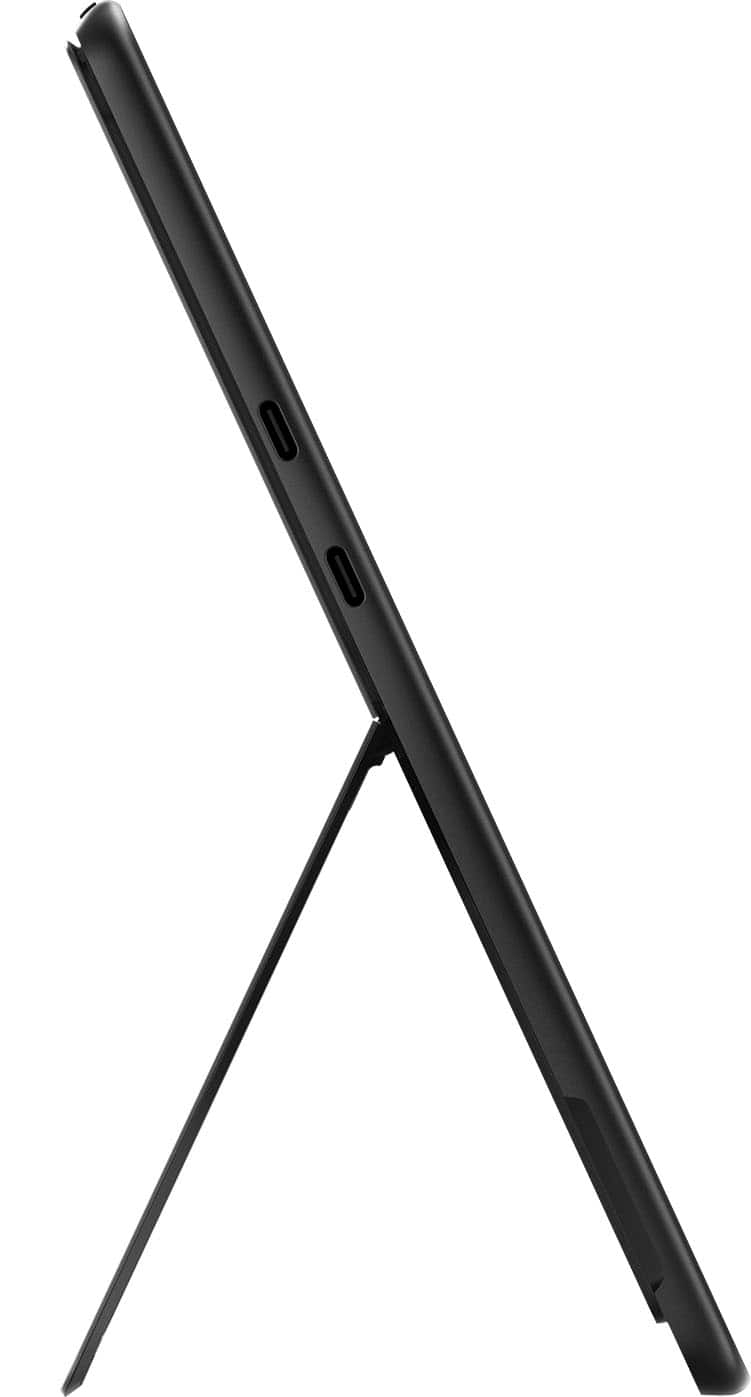
|Posted .This reviewer received promo considerations or sweepstakes entry for writing a review.The new Surface Pro with Copilot+ is one of the more exciting new Windows devices to launch in recent memory. Sporting all new Snapdragon powered internals, with a knockout OLED screen and class best battery life, this finally feels like the tablet that can truly bridge the divide between tablet and laptop. That said, the experience not without hiccups. Fit and finish on this tablet are frankly second to none. It emanates quality, featuring an incredible display, uniquely rich color, and a rock solid hinge mechanism. It has an assured weight, owing to its (presumably) aluminum chassis. Ports are a bit lacking, with only 2 USB C ports on the left and the single power port on the right. Notably lacking are a headphone port (which, in truth, is becoming somewhat passe in 2024) and additional USB ports which could be quite useful for those using the Surface Pro in professional capacity. Speaking of usage... I'm both blown away and slightly underwhelmed by the performance. In general, the device is lightning quick. The best way I can describe it is that most of the time, it feels like a phone, which is to say that it feels incredibly responsive with infrequent slow downs. However, it's not quite there; actions like three finger pinches on the touchscreen, or especially three finger swipes on the touchpad of the optional Pro keyboard attachment feel VERY laggy. These lag instances are made all the more obvious by how fluid the rest of the experience is overall. It's a bit of a disappointment, but overall the performance here feels ALMOST top notch a lot of the time, and I feel this is likely an area that will continue to improve as the Snapdragon X platform matures. At least, I hope it does. I've had zero problems with apps being able to run correctly, which is frankly amazing given where Windows was just a few short years ago in terms of emulation ability for ARM based processors. Brief trials of Adobe based products (Premier and Photoshop) both ran exceptionally well in my limited experience. Very brief testing with Reaper, which has no native Windows based ARM support currently, also seemed to work correctly. Again, this is a marked improvement over previous iterations of ARM based systems on Windows. Overall, it's highly impressive, and points to a concerted effort to make this a class leading device that can do it all. Almost. All that said, don't expect to do any type of serious gaming on this thing. Given the device type, you shouldn't anyways, but the additional emulation layer required to run a lot of games at current time means anything fast paced is likely out of the question. This, as with a lot of things here, will likely to improve in the coming months, though, as platform support for the Snapdragon X chips expands across the industry. The elephant in the room here, besides of course the shiny new Snapdragon X Elite processor, is the inclusion of what Microsoft has branded "Copilot+ PC". This aims to integrate a series of AI features directly into the OS, giving you quick access to tools that should help your day to day workflow. My primary usage of this was to invoke Copilot using dedicated Copilot button on the keyboard to assist in software development tasks. Powered by a combo of GPT-4 and Bing Search, Copilot is as useful as you'd expect at tasks. Overall, this is a nicely streamlined experience for those that utilize Chat GPT on a regular basis, and the inclusion of GPT-4 without an OpenAI premium sub is a really nice bonus. The other main AI feature I've tried in my short time with the Surface Pro laptop is the "Cocreator" function in MS Paint. Yes, that MS Paint, that long ago was relegated to intentionally awful "photoshops". Now, with a Surface Pen and Cocreator, you can create legitimately solid pictures. Or at least that's the sales pitch. My personal experience with this has been underwhelming, personally. Great idea, less than great implementation. Finally, I'll mention battery life. Put simply, it's stellar. Compared to other Windows laptops I've had (including a Surface Book Pro 3), this Surface Pro tablet is heads and shoulders above all of them. I'm routinely going days without charging on moderate usage. This finally feels like what we should be expecting out of our devices; multiple days of battery life without sacrificing performance. Overall, I really enjoy using the Surface Pro tablet. As mentioned earlier, this is the first device that I've used that truly feels like it's bridging the gap between tablet and laptop/PC. This iteration of ARM on Windows is in its infancy, but already, the makings are there of something great. This feels like the future for all but the most demanding workflows (like gaming), and likely will continue to amass market share in the coming months and years. Finally, Microsoft has spent some capital on trying to make evolve their ecosystem and finally, it feels like they're on their way to doing it. Nagging performance issues aside, this device is a joy to use in a number of scenarios, and will likely become my primary device for travel, work, and leisure.
I would recommend this to a friend - Pros mentioned:Battery life, Processor speed, Screen quality
Beautiful machine that will impress in hardware
|Posted .This reviewer received promo considerations or sweepstakes entry for writing a review.Over the years, Microsoft has shown innovation with its Surface line. At one point, the Surface was the best all-around Two-In-One available for users who wanted to experience a device that offered the benefits of a tablet and a mobile laptop. The Surface Pro was first introduced in 2013, and even though it's been a solid choice, it has yet to evolve exactly how Microsoft wanted it to. Enter Surface Pro 11, equipped with the latest computer world's latest buzzword: A.I. Or, more specifically, Microsoft's Co-Pilot. A.I. has pushed harder than anything I can remember. It's everywhere. No matter what company you're loyal to, Apple, Google, or Microsoft, you'll be constantly reminded that A.I. is the future and the future is now. It's been talked about so much that you'd think this new Surface Pro will be a personal assistant you can converse with and ask to do projects on your behalf. But sadly, it is not. The A.I. aspect, as of right now, is underwhelming. There's just not much here yet, however. I'm sure a lot is around the corner. The most unique aspect of it is a dedicated "Co-Pilot" button. It does open up the co-pilot program, but not much else yet. On the other hand, when you get past the A.I. hype, you get an excellent machine that will impress with its quality hardware. This thing is beautiful. The OLED screen pops with contrast and solid blacks. I'm a sucker for OLED and find it difficult to use any other screen with anything bigger than a phone, and Microsoft did not disappoint in the screen. The built-in kickstand is as solid as ever with the Surface, and the new Dune color separates itself from the pack of devices out there. The entire package is very stunning. I received the Snapdragon X Elite version, and the speed and power of the machine can be seen immediately. Everything is snappy and quick, with no hiccups or delays. Power consumption is well managed, as the battery life is better than most 2-In-Ones I've used in the past. I wish Microsoft would market the build quality of these machines more than the A.I., because working on this has made me forget it even has A.I. features. I don't use them yet, but I am a freelance writer and do a lot of photography editing. I haven't delved too much into the editing capabilities yet, but writing on this with the Pro keyboard has been comfortable. If you haven't had a Surface Pro and have always thought about it, then I'd say it's the perfect time to get one with the 11. PROS: • OLED screen is beautiful • build quality is excellent • battery life is impressive • speedy and powerful CONS: • A.I. is underwhelming • Pen can be a bit more hefty
I would recommend this to a friend - Pros mentioned:Battery life, Processor speed, Screen quality
A remarkable tablet PC
|Posted .This reviewer received promo considerations or sweepstakes entry for writing a review.I’ve been intrigued by the Microsoft Surface for many years but I haven’t had the chance to try it out until now. I’m an Apple user for the most part but I do use Windows machines for gaming and my fiancé uses them sometimes for work. But neither of us have had the chance to try out the flagship tablet from Microsoft. My fiancé was immediately taken with it. She said the screen was breathtaking and one of the first things she wanted to try was watching high-quality video on it. We set up Netflix and Disney+ on it and watched some videos. The speaker quality is very good on the Surface Pro and we didn’t feel the need to immediately connect it to external speakers. The tablet comes with a full version of Windows 11 on it. My fiancé works with software developers so she’s done a lot of prompt training with bots and she asked a variety of questions to Copilot+. It was quick with responses and one of the things that we both really liked was that it provided references for where it found its answers. We tried image creation and looking up answers to some basic questions and it worked just as well as ChatGPT. The best part is that it’s integrated into the system. There are other system enhancements that Copilot+ provides, but they are a work in progress. We ran a Geekbench test on it to see how it compared to the benchmark. The single-core score was 2440 and the multi-core score was 13196. Both of these scores surpassed the top Android device listed in Geekbench’s Benchmark Charts (Samsung Galaxy S24 Ultra, Qualcomm Snapdragon 8 Gen 3, 2.3 GHz) and was in line with Intel Core i5 13th and 14th generation processors. The tablet is quiet and it doesn’t seem to get overly hot — even with prolonged use. The battery life is very good. We had it on standby for a couple of days and it still had 18% battery left when we picked it up again. It seems to be very efficient power-wise. The only thing I would change about its power features is its charging method. While it will charge using USB-C the charging option that came with it is a magnetic connector and a two-part power supply/cable that is quite bulky to lug around. The Surface Pro is sleek and easy to transport — except for the charging cable. One of the most remarkable things about this tablet is that it’s running Windows 11 — and running it very well. It’s a fluid experience and even though there was pre-installed software on it, the system didn’t seem to be bogged down at all. Overall, the Surface Pro Snapdrago X Plus is a remarkable device that provides a high level of productivity for the end-user. We certainly like having it as an additional machine in our home.
I would recommend this to a friend - Pros mentioned:Battery life, Processor speed, Screen quality
A new gold standard in laptops/tablets!
|Posted .This reviewer received promo considerations or sweepstakes entry for writing a review.The new Microsoft Surface Pro Copilot+PC OLED is a thing of beauty! This is clearly a big move forward in the future of laptops/tablets. Externally, it really doesn't differ much from previous Surface models. That's not a bad thing as Microsoft already had a good thing going with the design. The changes from previous models are under the hood. Most notably the new Snapdragon X Elite chip. This new ARM processor is a game changer. A lot of hype has been made of this chip and it delivers. Incredibly fast and the battery life is simply amazing. 12+ hours of use is not out of the question. You heard me right, A Windows laptop that can do 12+ hours! Not sure I ever thought I would see the day. Everything I have thrown at this chip has worked great. Web browsing, spreadsheets, videos (4K at that) all work fast and without hesitation. I was particularly interested in the Surface Pro as a portable Photoshop/Lightroom station that I could fit in my camera bag. I've tried other small & lightweight tablets and laptops for this use and they all have left a lot to be desired. Not the case here. I can honestly say the full Windows versions of Photoshop and Lightroom run very well. In fact, better than others I have tried that cost more. The new OLED screen (a Surface Pro first) is beautiful with accurate color. Copilot is of course a big selling point. I'm still new to it, but so far I'm impressed with the abilities of Copilot. It is really an all around assistant. Using it for information search has worked well. I'm getting the hang of using it for photos as well. I wasn't really sold on the use of AI until now. Copilot has shown me enough so far to see its great potential. It can do a ton already and it's still new. Downsides. Well, keep in mind this is an ARM based machine. That means there are still some programs that may not run natively. However, the emulator works so flawlessly that it's not much of an issue. The only issues it has caused for me so far is that a few of my favorite Photoshop plugins won't work. But, these are also older plugins so that isn't surprising. Not a deal breaker in any way. It should be obvious, but I should mention this is for productivity and creation. There are games that will work with the Surface Pro, but this is in no way a gaming machine. The Surface Pro 11 Copilot+PC has finally closed the gap between PC and tablet and has clearly shown that ARM is the future and that's a great thing. I couldn't recommend this more highly.
I would recommend this to a friend - Pros mentioned:Battery life, Processor speed, Screen quality
The Best Surface Yet - Copilot+ Notwithstanding
|Posted .This reviewer received promo considerations or sweepstakes entry for writing a review.The new Surface Pro 11 is remarkably fast and power-efficient, thanks to the new Qualcomm Snapdragon X Elite CPU. It blazes through native apps and, more importantly, emulates older apps without much struggle. Essentially, it’s a killer laptop – or more accurately, a killer tablet with amazing battery life. This leads to perhaps my main issue. While a tablet is certainly useful in certain situations, as a general productivity tool, it’s not the most practical. For instance, I’m writing this review on the Surface Pro, but doing so with the virtual keyboard would be excruciating. I received this Surface, but the optional Flex Keyboard, which was supposed to come with it, was delayed over a week. I ended up relegating the Surface to the corner of my desk and waited for the keyboard to arrive. Once it did, the narrative changed immediately. The Flex keyboard is easy to attach and a joy to use – you can even detach it, leave the Surface on the desk, kick back in your chair, and use the keyboard from your lap. It gives the Surface a different personality and makes it a joy to use. The crisp display makes it easy to use for extended periods, the keyboard has a great feel, and you can use it just about anywhere. So why is this an issue? Well, the keyboard (which comes with a pen) is optional, and it’s a significant investment that drives the price of the total package up considerably. It’s an excellent keyboard, but is it worth the cost of other inexpensive laptops by itself? So, what’s this Copilot+ AI thing? Other than a marketing term to get consumers excited about AI, it doesn’t offer much in my opinion. Microsoft has held back the main AI feature, leaving the AI features of Copilot+ largely pointless. There’s an AI restyle that lets you experiment with images, but I found it doesn’t do much. There’s an automatic language translator that might be useful in specific instances, but unless the speaker is clearly enunciating the words, it’s slow and not particularly accurate. You can also do AI image generation, which happens on the device using the NPU (neural processing unit), but it’s very underwhelming compared to what you can do in the cloud. There may be some better uses for the NPU with new apps that leverage the chip, which I haven’t tried, but given the built-in uses, I don’t have high expectations. The battery life is exceptional – I used it all day for off-and-on work and still had 50% remaining at the end of the day. The Surface did get warm a few times (mainly when I was playing Forza Horizon), and it has fans you can hear in a quiet room, but it’s not distracting in most situations. The webcam was of good quality, and the speakers were very good for such a small device. Audio from movies and YouTube videos was heard clearly. Overall, I found the Surface to be fast, and with the Flex keyboard, I could work with it just about anywhere. Battery life was superb, and while there are some compatibility issues, none of the apps I ran exhibited any. The Surface Pro 11 isn’t a revolution—it’s an evolution, bit in my opinion it’s the best Surface Pro yet. Whether you’re a creative pro, a student, or just someone who wants a sleek 2-in-1 companion, this little marvel deserves a spot on your radar. Just remember to budget for those peripherals…
I would recommend this to a friend - Pros mentioned:Battery life, Processor speed
Deceptively powerful 2-in-1
|Posted .This reviewer received promo considerations or sweepstakes entry for writing a review.The Surface Pro 13 OLED 2-in-1 is a best of both worlds beast. Deftly switching from tablet to laptop with an optional keyboard and powered by a 12-core Snapdragon processor mated with a 512GB SSD, 16GB RAM, and a new OLED screen, the tablet feels like a strong laptop in both performance and features. Design/Body: The 13-inch tablet isn’t as large and bulky as it sounds. Much like early smartphones, I’ve come to realize that 13-inch tablets aren’t as huge as I originally thought they were. At first glance the Surface Pro doesn’t look much larger than my 11-inch tablet. It’s only when placed side by side does the slightly larger size of the Surface Pro become evident. The Surface has some weight to it but isn’t uncomfortably heavy. I find it easy to use and handle. The body is crafted from aluminum with a kickstand that allows the Surface Pro to be used upright in landscape mode with a keyboard. The kickstand folds flat against the back of tablet when not in use. I don’t find the aluminum body slippery or fragile feeling. The Surface has two USB-C ports on the left side, two ports on the bottom that integrate with the Surface Pro Keyboard, and three buttons on the top for power and volume controls. All ports and buttons are described with the Surface in the landscape position using the kickstand. Screen: The 13-inch OLED screen looks fantastic. I admittedly wasn’t quite as blown away as I’d hoped but it still looks good. It’s just not the quantum leap I thought it would be over previous Surface tablets. It has the deeper blacks and more richly saturated colors common with OLED. Text and graphics are also clean and razor sharp thanks to the 2880X1920 resolution. The screen has good brightness and fast response. Performance: The 12-core Snapdragon X Elite processor does not feel like an ARM processor. It feels more on par with a full-fledged X64 laptop. This is good because the Surface Pro is essentially a Windows 11 laptop in a tablet body. Despite the demands of running Windows 11, there is no noticeable lag. Windows open quickly and fluidly. Apps launch swiftly and run with no latency or hiccups. The NPU works splendidly and provides the processing punch required to make Copilot and other AI features actually useful rather than merely window decorations. The Surface isn’t the best equipped for PC gaming, but can handle most other tasks efficiently. The only downside are compatibility issues with some software due to the ARM processor. For example, I cannot install the exact same antivirus as my Windows laptops. I get booted to the Microsoft store for a less capable app version of the program. But as far as productivity apps, media editors, and content creation, the Surface Pro handles it all with ease. It doesn’t run hot in most instances and I haven’t encountered a freeze or blue screen yet. The two cameras and speakers are both decent quality. The QHD front facing camera has face tracking and is utilized for Windows Hello facial recognition. The camera takes good quality photos and video and works great for video conferencing. The 10mp rear camera performs well also. Neither camera can best high-end smartphone cameras but both are more than sufficient for a tablet or even a laptop. They’re also better than the cameras on my other tablets. Same with the speakers. They sound loud, clear, and better than anticipated for a tablet. Music sounds rich and is actually enjoyable. The speakers easily outperform my other tablets and even the quite capable laptop I’m currently typing on now. Battery life is fantastic. I only have to charge every couple days with moderate usage. Extras: Windows 11 recently introduced several AI powered new features. The most anticipated being Copilot. Co-pilot is an AI chatbot that provides a wealth of useful information at your fingertips. It can be helpful for research or automating certain creative processes. It can also utilize plug-ins for recipes, shopping, travel, home and more. Another interesting Windows AI feature is the DALL-E powered co-designer. Integrated with later versions of Paint, it allows you to create dazzling works of art using descriptive phrases and rough sketches. For example, I described an anime turtle on the beach, used some brush strokes to indicate the sand, water, sun and clouds and co-creator did the rest. I included the before and after photos with this review. The more descriptive the phrase, the more accurate the AI rendering. Features in Copilot also provide AI enabled searches and information requests, real-time translation with live captions, creative studio filters and effects for the camera and more. The camera filters were somewhat disappointing. There are only three filters and they only work in the video mode, not with still photos. There are also two blur modes: background and portrait. The AI camera effects are an okay start but I hope Microsoft plans on expanding the filters to not only include a larger selection but work for still photos as well. Cons: As we all know, few things in life are perfect and I’d be doing a disservice by gushing over what impressed me and omitting what didn’t. In the not-so-great department, I already mentioned the compatibility issues I encountered trying to install X64 apps on an ARM device. The Surface Pro runs so well, it’s easy to forget it’s an ARM device until running into an issue like that. Another not so great is the requirement for a complex PIN. I wanted to use a simple four-digit PIN that was easy for me to remember but Windows wasn’t having it because it didn’t meet complexity requirements. Now I have to look up my PIN if facial recognition fails for whatever reason. Lastly, it’s a Windows device, so that means frequent updates. It updated on first boot right out of the box. Lastly, I also had a bunch of unwanted files from another PC dropped onto the Surface thanks to OneDrive being infuriatingly active by default. Despite the above minor cons, I am still blown away by the power and capability of the Surface Pro OLED. It’s blazing fast, has great battery life, and offers the power of a laptop with the convenience and travel friendly size of a tablet. I do strongly recommend using it with a keyboard for the full experience. Case style is best and the Surface works seamless and marvelously with the Surface Pro Keyboard. However, any keyboard is better than no keyboard for those times you need a laptop, not a tablet. One thing I can say is as far as reliability, the Surface has already proven to be a long-lasting well-built piece of tech. I'm still using a Surface Pro X 1876 that is at least 4-5 years old and it’s showing no signs of slowing down.
I would recommend this to a friend - Pros mentioned:Battery life, Processor speed
An exciting tablet/laptop with great promise
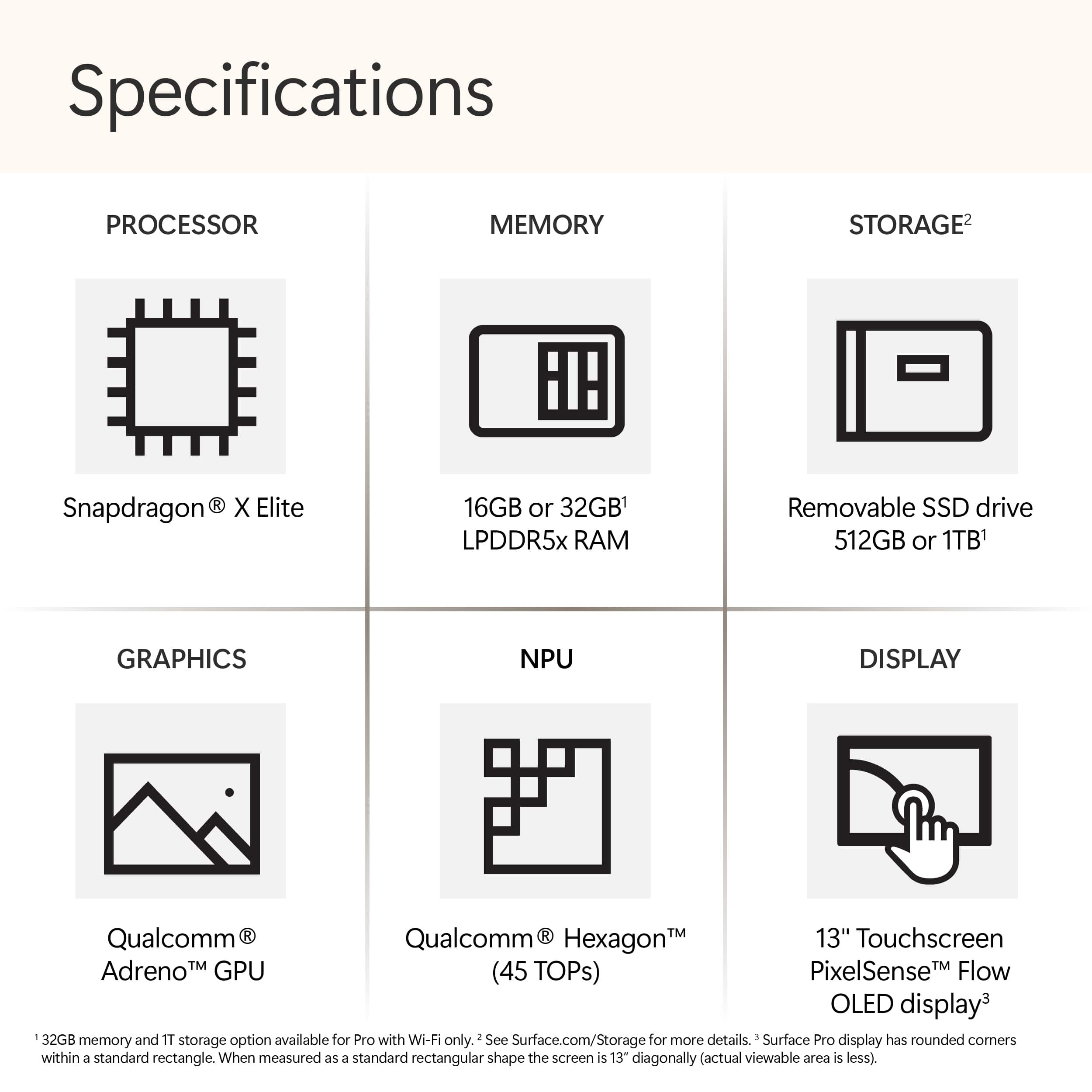
|Posted .This reviewer received promo considerations or sweepstakes entry for writing a review.The Microsoft Surface Pro 11 is one of most exciting tablets/laptops to come out in many years. The main benefit of using ARM64 instead of Intel/AMD is in power efficiency. Devices using ARM64 can usually run longer on battery without charging and provide exceptional performance while generating less heat and noise. The main drawback of using ARM64 for Windows is that there are fewer native applications so good emulation of legacy x86/x64 software is essential for it to succeed. With the new Qualcomm Snapdragon X Plus SOC and Microsoft’s Prism emulation layer, Microsoft is now in the same position as Apple was with their first M1 based MacBooks. Emulation of legacy x86/x64 software is now more than “good enough” for a successful expansion of the Windows OS to ARM64. --Quick Specifications— My review unit comes with the following specifications: 1. Qualcomm Snapdragon X Plus 10-core X1P6400 SOC with Adreno GPU and Hexagon NPU 2. 16GB LPDDR5x Memory (non-upgradable) 3. Samsung MZ9L4512HBLU 512 GB SSD (upgradable but it’s only recommended for repair and security purposes) 4. Qualcomm FastConnect 7800 Mobile Connectivity System for Wi-Fi 7 and Bluetooth 5.4 5. PixelSense 13-inch Touch Screen LCD Display with 2880 x 1920 resolution, 1200:1 contrast ration and dynamic refresh up to 120Hz. 6. Built-in kick stand 7. Surface Connect port 8. Surface Pro Keyboard port 9. 2 USB-C ports (supports charging, data transfer, DisplayPort 1.4a) 10. 1440p Quad HD Front camera (supports Windows Hello) and 10MP Ultra HD rear camera. --Setup and First Impressions-- The Microsoft Surface Pro 11 comes in a premium looking but echo friendly box where the unboxing experience is very Apple-like. Inside the box is a 39W Surface Connect magnetic charger, a Quick Start Guide, and warranty and safety pamphlets. You can also charge through either of the two USB-C ports. The build quality is excellent and has a very premium feel. Setup is identical with other Windows based devices and was very quick and easy. Just turn the device on and follow and answer the prompts. The ability to seamlessly run both native ARM64 Windows applications and x86/x64 Windows applications side by side is so well executed that I would never have known the Microsoft Surface Pro 11 was using an ARM64 processor instead of an Intel/AMD processor without looking at the specifications. The display is sharp, vivid and provides rich colors so watching videos is fantastic. It probably has some of the best speakers I’ve ever heard in a tablet/laptop. The sound is crisp and clear while providing a surprisingly spacious soundstage and decent bass for a tablet. As a result, it is an excellent media consumption device. It is also the quietest Windows laptop I have ever used. Even during firmware and software updates, I didn’t hear any fan noise. On all other laptops these types of activities have always caused the fan noise to rev up. The only time I heard any fan noise and noticed that it got slightly warm was when I used Handbrake to transcode some video during my benchmarking. The webcams are also very good (much better than a lot of other tablets and laptops) so this would also make a great video conferencing device. --Application Experience— I have successfully run x86/x64 legacy applications like Quicken, KeePass 2, and Handbrake and they all ran without problems. For Quicken and KeePass2, I didn’t feel any difference at all compared to running these applications on an Intel/AMD based laptop. Starting up the applications felt normal, and they both felt zippy. With Handbrake, the transcoding process was noticeably slower compared to my newer Intel/AMD computers. I was getting only about 70 fps on the Microsoft Surface Pro 11 vs 1359 fps on an AMD Ryzen 7 7700 based desktop system. However, I think the reason for this was because Handbrake currently doesn’t support hardware encoding on the Qualcomm Snapdragon X SOC. If Handbrake ever gets this support, then I would expect much better performance. Even so, it’s amazing to me that Microsoft’s Prism emulation works as well as it does. The type of x86/x64 legacy software that I have experienced trouble running has been drivers for odd devices that I have in my home. I have a Silex USB network hub that allows me to share USB devices (such as older USB printers) with my computers at home. This requires installation of some client software on each computer that needs access to the shared USB printer. This driver software didn’t work. If you have some esoteric hardware, and there isn’t any native ARM64 based drivers for it, then it will probably not work. So, if you absolutely require some x86/x64 based application to run or need to have your laptop be able to work with some hardware, you should do some research before buying this tablet/laptop. The best experience will be using native ARM64 Windows applications such as Microsoft Edge and Microsoft 365. There is an ARM64 version of Visual Studio that I installed and from my brief experience with it, it seems to function exactly like the Intel/AMD based version that I have on my other computers. I did a quick little experiment with Visual Studio. I have a project that I created a few years ago for a BitString library that allows the user to easily manipulate bits in memory using a string like notation. There is a benchmark in my project that takes 14 seconds to run on my AMD Ryzen R7 7700 based computer. On the Microsoft Surface Pro 11, it takes 31 seconds to run the x86/x64 version of the benchmark using the Prism emulation layer. When I compiled the library to target ARM64, the benchmark took only 17 seconds. In my opinion, this illustrates how impressive Microsoft’s Prism emulation layer is (emulating an Intel/AMD processor only seems to cut performance in half for this situation) and it also illustrates that we can expect even better performance if an application is targeted to native ARM64. For general computing tasks (surfing the web, paying bills, creating reports, software development etc.) and media consumption (watching videos and listening to music), most people would probably be very happy with the Microsoft Surface Pro 11. --Gaming Experience— I personally wouldn’t buy this device solely for gaming, but it can play some games in a pinch. For my brief test, I installed the Steam client and downloaded my current gaming obsession “Age of Wonders 4” which was released in 2023. I was surprised both installed successfully, and the game plays! There were some graphical glitches in the game menus, but I didn’t see any glitches during actual gameplay. I was only getting about 14 fps at full resolution and 30 fps using 50% render resolution, so it wasn’t the best playing experience, but it was playable. --A.I Features— For the most part, I think that the A.I features are cool but somewhat gimmicky for now. I played around with Cocreator in Paint, and you can use it to generate one-shot artwork for stuff like posters, greeting cards, and video thumbnails. But it doesn’t seem suited to help with generating artwork for something like a comic book where you would need to generate multiple images containing a consistent looking character in a consistent world. One feature that I was excited to try was Live Captions. I wanted to see how it performed in translating foreign language films. I tried it with a French language movie and a Cantonese language movie. I think it handled translating French to English better than translating Cantonese to English. It didn’t quite handle Cantonese well, but I was impressed with the attempt. I see a lot of promise with this feature. Another feature that I think could be very useful is the Teleprompter feature (where it makes it look like you are looking at the camera instead of reading text from a teleprompter), but I didn't have a chance to test it. The last A.I feature I played around with was Windows Studio Effects in the Camera app where you can enable settings such as Automatic Framing so that even if you move around, the camera keeps you centered on the screen. It works very well. Other features that work well are background blurring. They also had Creative Filters (which makes your image look as if it was Illustrated, in Watercolor, or Animated). I had a hard time seeing the difference between the three effects. --Battery Life— Battery Life has been very good. I’ve been getting about 10 to 12 hours doing stuff like writing this review and watching YouTube videos in the background. It seems to drain about 10% for every hour or more of use. For me, the most impressive thing was how quiet and cool it was during these activities. --Summary— The Microsoft Surface Pro 11 is a very exciting tablet/laptop. It would be an excellent choice for anyone who wants a new tablet/laptop for general computing tasks and media consumption. It would also be an exciting choice for a software developer who wants to develop native ARM64 Windows applications. Surprisingly, it can run games, but I would not buy this expecting it to be your sole gaming system. The A.I. features are promising but somewhat gimmicky now. This wouldn’t be the primary reason I would buy this device. But it’s good to have as a differentiating feature from other devices. If you have a specific need to use some older peripherals or legacy x86/x64 applications, you should do some research to make sure they are compatible before purchasing. As more and more native ARM64 Windows applications arrive, the Microsoft Surface Pro 11 will only get better. And Microsoft did a great job with making the internal SSD user upgradable so you can expand it as your needs grow. Overall, I can easily recommend this exciting new tablet/laptop.
I would recommend this to a friend - Pros mentioned:Battery life, Portability, Screen quality
Microsoft Surface Pro – A True 2-in-1 Powerhouse
||Posted . Owned for 3 weeks when reviewed.This reviewer received promo considerations or sweepstakes entry for writing a review.The Microsoft Surface Pro is hands down one of the best devices I’ve ever used. It perfectly bridges the gap between a laptop and a tablet, offering unmatched versatility. Whether I’m taking notes with the Surface Pen, editing photos, or streaming movies, it delivers flawless performance every time. The high-resolution PixelSense touchscreen is vibrant and crystal-clear, making everything from creative work to casual browsing a pleasure. Paired with the detachable Type Cover, it transforms instantly into a fully functional laptop with a comfortable, responsive keyboard. Battery life is another highlight—lasting me all day without constantly searching for an outlet. It’s lightweight and ultra-portable, so it slips easily into my bag, making it perfect for both work and travel. The build quality feels premium, and the sleek design always gets compliments. In short, the Surface Pro combines the best aspects of portability, performance, and design. It’s powerful enough for demanding tasks, yet compact enough to go everywhere with you. If you’re looking for a reliable, stylish, and versatile device, the Surface Pro is an absolute game changer.
I would recommend this to a friend - Pros mentioned:Battery life, Screen quality
Nearly Perfect Portable PC
|Posted .This reviewer received promo considerations or sweepstakes entry for writing a review.I’ve owned a few Surface’s over the years, but I haven’t been excited about them for a while now - really since the very first one. I was a little skeptical about all the hype on the Snapdragon X processor and after using the new Surface Pro I can confirm that, unlike previous attempts, it mostly delivers on the promise of Windows on ARM. The performance is great on both native and x86 apps, the battery lasts forever (and it sleeps properly), the OLED screen is beautiful, and the build quality is as great as it’s ever been for a Surface. It’s not going to replace a high end desktop or a big beefy gaming laptop, but as an everyday device it does everything I want and I know I can depend on it to just work. The build quality is as good as it’s ever been from Microsoft, which is to say excellent. The ‘Dune’ color is a somewhat muted gold color that looks very classy. The aluminum casing feels nice and does a reasonable job of resisting fingerprints. The integrated kickstand folds out to just about any position and holds firm where you set it. For ports there is the proprietary Surface Connect port and 2 USB4 USB-C ports. The included 39W power adapter connects via the Surface Connect, but the Surface Pro supports 65W fast charging through USB-C or another Surface charger. Behind the kickstand there is a plate covering the 512GB SSD that can be popped open without any tools that reveals an M.2 2230 SSD that can easily be upgraded in the future. The keyboard and pen aren’t included in the price of the Surface Pro, so this is something to bear in mind when pricing it out. With the keyboard and pen attached, the overall weight is just a little over 2.5 lbs. The OLED display is new for Surface and it looks fantastic. It supports HDR and a 120Hz variable refresh rate. It also gets very bright. The 2880 x 1920 resolution provides a dense 267 ppi and the 3:2 aspect ratio gives you some extra vertical space that’s great for productivity. In the 5 or so days I’ve used the Surface so far the main thing I’ve noticed has been how great the battery life is. I’ve had other Windows devices with good battery life before, but the problem I’ve had with them is they tend to drain a lot even when you’re not using them to the point where I have lost 30% or more battery over the course of a day if I didn’t completely shut them down. This is not an issue with the Surface. The battery lasts to the point where I could very comfortably leave the charger at home for at least a day if not more. And it doesn’t need to be shut down; you can put the Surface to sleep and come back in a few hours or even a day to the same amount charge it had before. And it’s always ready to go right when you bring it on out of sleep. It opens up a lot of possibilities just from the simple fact of not having to have anxiety about whether or not your laptop is going to make it through whatever you’re doing. The performance so far has been great for me on both native ARM and x86 apps. Obviously native apps run better and don’t stress the battery as much, but I don’t feel hamstrung by the ARM processor. So far I’ve primarily been using Chrome and Adobe apps. I haven’t tried any gaming yet, but from what I’ve seen other places the results are underwhelming - not that I would have chosen any previous Surface device for gaming anyway. I know the x86 compatibility isn’t 100%, but for me I haven’t run into any issues and with so many more ARM-based Windows devices coming out I’m hoping compatibility will improve and more applications will get native ARM versions. Microsoft is calling the Surface a Copilot+ PC, which means it has a separate processor for doing AI tasks. So far in Windows this is mostly down to what I would call gimmicky things like eye contact in the front-facing camera, generative image generation in Paint based on what you draw, and a basic upscaler for gaming. These features are all good and even useful at times, but so far none of them are game changing. Windows 11 is still Windows 11 and while I’m a fan, many are not and nothing about how you interact with it with the Surface is going to change anybody’s opinion on it. The nice thing about it being a product directly from Microsoft though is the Windows bloat is reduced compared to other brands. The front-facing camera looks great and incorporates many of the aforementioned AI features. The built-in microphone is also high quality. You also get Windows Hello, which recognizes and logs me in in less than a second most of the time. The rear camera is just okay, but fine for basic photos or documentation purposes. The speakers get quite loud and don’t distort at high volumes. There’s also more bass than I was expecting for such a small device. Overall I’m really impressed with the new Surface. It’s got a beautiful build, a beautiful screen, a battery that lasts for days, and the performance to back it all up. It’s an almost no compromises portable Windows experience and aside from the higher price you’ll pay for that I’d have no problems recommending it to anyone.
I would recommend this to a friend - Pros mentioned:Battery life, Overall performance, Portability
Amazing Performance in a Lightweight Package
||Posted . Owned for 1 week when reviewed.This reviewer received promo considerations or sweepstakes entry for writing a review.The Surface Pro with Copilot+ Snapdragon X Plus is fast, lightweight, and perfect for work on the go. The battery lasts all day, the screen is beautiful, and Copilot makes tasks so much easier. Super smooth performance—I highly recommend it!
I would recommend this to a friend - Pros mentioned:Processor speed, Screen quality
Fast, solid tablet as expected
|Posted .This reviewer received promo considerations or sweepstakes entry for writing a review.DESIGN: Got the Surface Pro in the Dune color which reminded me of rose gold. It has a solid build, and physical power and volume buttons on the sides have a nice button press. The tablet feels light and touchscreen is responsive. Kickstand doesn’t feel flimsy although it feels like it possibly could flex with some force. Volume buttons in landscape mode are still left - volume up, and right - volume down.To me, when paired with a keyboard this action feels reversed, but it looks unchangeable as the + and - is imprinted on the button itself. Being able to charge via USB-C is great, however there are only 2 USB-C ports. SPEAKERS The speakers sound good for a tablet in my opinion. Low mids and even a little of subs in moving bass lines can be heard compared to other phone or laptop speakers. Disabling ‘audio enhancements’ in audio settings made the speakers sound very tinny. DISPLAY: I love the OLED display. Currently I have it set to 2880x1920 @ 120hz and things feel snappy and smooth. I’m not a color pro but personally it looks balanced after switching off the ‘Adaptive color’ setting because I was getting an orange tint (like night mode) under direct sunlight. Brightness is not an issue and it can get very very bright. The corners of the screen are rounded which felt different to me and I enjoyed that. I had no issues with the touchscreen which felt very responsive. LIVE CAPTIONS This was something I was really looking forward to, since I like to watch international content on YouTube but subtitles aren’t always available. Unfortunately it didn’t really get the job done - the captions felt like they were missing half of the things being said and even then it was a little slow and often mistranslated. To be fair there was background music with the dialogue but nowadays most content on YT has music in the background. Maybe Live Captions is better suited for video conferencing and professional situations since there is also a ‘include microphone audio’ option in the settings. There are 3 settings for positioning (above screen, below screen, overlaid on screen). On YouTube, choosing one position for the captions and then full screening the video will revert the captions to its default position (above screen), which was a bit of a buggy experience for me. COPILOT: I asked for a few movie recommendations (from a specific country) but it only gave me 2. When I asked for more, it gave me 3 additional titles for a total of 5 titles. Not bad, but another AI with the same prompt gave me 3 genres with 2-4 titles each for a total of 9 titles. CAMERA The front facing camera has a nice wide angle (making the room in the background look huge). As a result the video feels like there’s some breathing room around instead of just a talking head taking up the entire space. Something about the overall color feels off/dated somehow however, like the quality from a phone camera from 5-8 years ago. BATTERY I can’t accurately comment on this but while typing this with the Surface Pro Keyboard attached on the ‘recommended’ power setting at 50% brightness and 45 minutes of ‘display on time’, the battery has gone from 100% to 88%. Nothing else was in the background besides 3-5 other open browser tabs. OTHER THOUGHTS: Overall the Surface Pro feels very fast and responsive. For its price I was expecting it to, and it didn’t disappoint. Normal use such as browsing or watching things online doesn't make the tablet hot, it stays cool or just a little warm on the skin, although it did get hot to the touch while downloading/installing programs and updates during initial setup. IN THE END The biggest thing to consider for me was its form factor. For example, when connected with the Surface Pro Keyboard, moving the ensemble required two hands or else the keyboard would end up flapping around in the air. In addition, I couldn’t use the Surface Pro with Keyboard on narrow surfaces, forcing me to remove the keyboard and use other alternatives. PROS: Solid, light design. Fast and snappy. Speakers sound good for a tablet. OLED Display is 120 hz. Front camera is wide angle. Kickstand is great for videos without needing a tablet stand. CONS: Surface Pro tablet/keyboard combo has some limitations as to where it can be set up and the kickstand feels like an additional step that can take some getting used to. 2 USB-C ports only, will need a dock for extra peripherals
- Pros mentioned:Battery life, Processor speed
A future proof tablet!
|Posted .This reviewer received promo considerations or sweepstakes entry for writing a review.I think it's important to ask yourself what you are looking for in a tablet. What are you looking to get out of it? I think sometimes the use case you will find is better suited for a laptop or vice versa, maybe your use case does indeed justify a tablet. This is important to establish because it will correctly set your expectations for the device. For me, I wanted something ultra portable that I could do some non intensive tasking with such as browsing the web, shopping, checking email but also something I could do some post processing of photos on and some light video editing. I don't expect to game or do any sort of heavy production that a performance desktop or laptop would be more suited for. I also wanted to dive into the world of AI and I feel these new devices sporting the new NPUs would be perfect for this. Specs Up Front: Processor: Qualcomm Snapdragon X Plus - 10 cores Neural Processing Unit (NPU): Qualcomm Hexagon - 45 trillion operations per second Graphics: Qualcomm Adreno GPU Memory: 16GB LPDDR5x RAM Storage: 512GB Gen4 SSD Display: 13-inch LCD PixelSense Flow display Operating System: Windows 11 I/O: 2x USB-C/ USB4 supporting: -Charging -Data transfer -DisplayPort 1.4a -Surface Thunderbolt 4 Dock and other accessories Surface Pro Keyboard port Surface Connect port with fast charge support Connectivity: Wi-Fi 7, Bluetooth v5.4 Audio: 2W stereo speakers with Dolby Atmos Dual Studio Mics with voice focus Battery Life: Approximately 14 hours of video playback Weight: 1.04 lbs Dimensions: 11.3 x 8.2 x 0.37 inches Build Quality: I appreciate the design and craftsmanship Microsoft put into the Surface Pro 11. This is my first tablet style Surface so I wasn't entirely sure what to expect but I’m impressed with the quality materials and simple design. The power button and volume button location is convenient and well placed as are the two usb-c ports and the power port. The webcam is perfectly placed in the center of the device making great for video conferences. I also appreciate the rounded edges which makes the tablet more comfortable to use and hold. I also want to mention that upgrading the SSD storage in this device is easy as you can access it directly from the rear of the device without having to disassemble the device to get to it. This is a fantastic feature. Setup: Setup includes your typical Microsoft Windows software setup guiding you through everything you need to setup and establish your Microsoft account on your new device. Very straightforward and easy to accomplish with minimal effort. I did my Microsoft updates immediately following the setup as I always do with my systems. Features: Along with the hardware features I listed above, are some included AI features with CoPilot+. The “Neural Processing Unit (NPU)” is the new hardware built into the tablet that allows us to take advantage of these new AI features and processes them on-device. This allows greater security by keeping this data local as well as allows for faster processing for AI. I have used Live Captions and Cocreator and although these both are still new, they are very powerful. Live Captions has the ability to caption other languages, in real time, and translate them to English. I tested Live Captions in several different scenarios, playing foreign movies off youtube, as well as other video sources. I didn't feel that it was able to keep up very well with the foreign language when I tested it. It definitely a neat concept but in my testing, so far, it falls short of being impressive. Cocreator is neat and I definitely feel like it will improve over time. I tested Cocreator with several different hand drawn images in MS Paint and was pretty impressed when I described my drawing and adjusted the creativity slider to achieve different levels of effects. This is really neat to play around with but I’m not sure there is a specific use case I have for it at this time. Maybe in the future I can find a reason to use it but right now, I think at least for me, it's just something fun to play around with. CoPilot itself from a conversation based AI assistant is a nice feature for any operating system and I see myself using it more and more for different things even if its just to look something up really quick. I used to use search engines but I feel like I get pretty good results from using the AI assistant. I can see these features only growing to provide additional features and benefits for us in the future. I asked myself the question, would I purchase this just for the AI features it includes? But I don't feel that is a practical question to ask. I feel like this is a great device for my use case with the added benefit and future proof of having the ability to take advantage of these features, even if they aren't something I need or currently use today. Performance: I was somewhat apprehensive about the Snapdragon ARM architecture but I honestly have not had any performance issues at all with the Surface Pro. It is very fast and the battery life is excellent. I can heavily use it for hours without having to recharge it and when I do need to recharge it, it seems to charge pretty quickly. I didn't start a timer to determine exactly how much time the battery lasted from 100% to 0% nor did I time how long the device took to charge so I have no real data numbers but for someone who DOES pay attention to these details, I am happy with both. I did notice when I was working with Cocreator that the images took some time to display. I think this may be a software delay as it has its own processor (the NPU) for these tasks. Like I mentioned above, the AI features are still in their infancy and will grow and become better and faster in time. But this is truly an awesome piece of technology and I look forward to watching the updates and rollouts in the future. I also want to state that this has one of the best looking LCD panels I’ve seen on a tablet and the 120Hz refresh rate makes it very enjoyable to use. The peak brightness is also perfect for me. The speakers are also fantastic on this device. Everything sounds fantastic and the volume goes up pretty high. The sound quality and the speaker placement is really good. I've had other devices in the past that really didn't sound good and it's a big deal if you are using your device for anything dealing with audio and video so I'm very happy the speakers are so good on this tablet. Overall Impressions: I love it! It has become my daily driver from a tablet perspective. I feel like I can do more with this tablet than I can my Android or IOS tablets because it's running Windows 11 and many applications are not as fully featured on Android/IOS as they are on a Windows system. They are getting there but I really feel more comfortable using those applications on this tablet. With the beautiful screen, excellent audio, fast processor, AI features, and perfect size for portability, this makes a perfect tablet for my use. I'm very impressed with the battery life as well.
I would recommend this to a friend - Pros mentioned:Battery life, Portability, Processor speed
Fantastic Laptop — Worth Every Penny
||Posted . Owned for 1 month when reviewed.This reviewer received promo considerations or sweepstakes entry for writing a review.I bought the new Microsoft Surface Pro (11th Edition, OLED, Snapdragon X Elite) for my son to use for college, and he absolutely loves it! He takes it to class every day and uses it for homework, assignments, and everything in between. It’s incredibly fast and smooth, with an amazing OLED display that’s bright and crisp. The lightweight design makes it easy to carry around, and it feels sturdy and durable. I also bought the keyboard and pen, and they’re worth every penny — great typing feel and perfect for note-taking. Battery life is impressive, and overall it’s a powerful, reliable device that makes schoolwork easier and more enjoyable. Highly recommend!
I would recommend this to a friend - Pros mentioned:Portability, Processor speed
Tablet that Mimicks a Windows Notebook PC
|Posted .This reviewer received promo considerations or sweepstakes entry for writing a review.I have been wanting a Microsoft Surface tablet for a long while now, so was beyond excited to be able to get this one! The Dune color is beautiful! It reminds me of a dark rose gold, which I love. The 13" OLED display is super bright and crisp. Just, wow! It's honestly awesome. The magnetic 'snap on' power cord is really great. It latches on to the port on the side of the tablet securely, and even has a light to show that it is fastened on correctly. The 'fold out' lower panel on the backside of the Surface Pro is adjustable, so you are able to position the tablet at just the right angle you so choose. There are 2 handy USB-C ports on the side, as well. Setting up my new Surface Pro was actually fun. Since this was my first experience with a Microsoft tablet, I spent the time getting to know my new device. Updates took the usual time, and after a small "hiccup" being able to log into my OneDrive account, we were up and running! The Snapdragon X 12-core processor, so far, is performing above my expectations. It truly feels as though I'm using a mid-range laptop, and not a tablet. So responsive, with fast transitions when opening multiple windows, starting software, and switching between all of these operations with ease. The 16gb RAM also assists with helping numerous applications and tasks to run smoothly. I'm not a big fan, as of yet, of AI in general. However, as someone fascinated by technology and well versed in trying out innovative tech, I'm interested in seeing where AI will leads us as this "new" technology will certainly improve and be implimented in many more useful applications to come. Copilot itself was interesting. There are 3 "modes" - Creative, Balanced, and Precise. You can type in a short description of what you'd like to be created, or speak it. The AI does the rest. I tried all three modes and came to understand that depending on the criteria of what you'd like the AI to create for you, you should best choose which mode to use in order to get the desired result. That being said, the Live Captions feature proved quite useful. Sometimes the videos I watch from various international content creators can be difficult to understand. Being able to use this feature during video chats for business or school work, ie to make "in-person" conversations easier to understand in 'real time', is a big plus. CoCreator was also very very fun to play around with. The tools were basic, yet simple enough to understand, being similar to other types of creation software. I'm not an artist, but I've studied art and admire those skilled with this particular talent. While the Style options were simplistic and limited, they gave me several choices with which to manipulate the AI generated image that I had the program draw. Using the Creativity slider changed the image even more, but putting the slider all the way to the right, caused my drawing to become a bit weird (not necessarily a bad thing). Windows Studio Effects is another really fun feature to experiment with while using the camera and for videos. I liked how the creative filters removed the wrinkles on my face, but at the same time, there was that "unreal" AI look I've come to recognize and not like very much. But that's merely a matter of preference. My overall take? After trying out Copilot+ and all the new features this Microsoft Surface Pro has going for it, I'm beyond pleased! Using this tablet is FUN! Whether you are an artist, content creator, writer (like myself), or someone interested in AI software options for personal use or business/work, then this Surface tablet is one to consider. It's features are geared toward the future. With this device, Microsoft is "forward thinking." I've no doubt that this technology will improve and become even more innovative as time goes on.
I would recommend this to a friend - Pros mentioned:Battery life, Overall performance, Portability
Excellent Performance and Versatility!
||Posted .This reviewer received promo considerations or sweepstakes entry for writing a review.The Microsoft Surface Pro has exceeded my expectations in every way. Its sleek and lightweight design makes it incredibly portable, while the powerful performance ensures smooth multitasking whether I’m working, streaming, or creating content. The high-resolution touchscreen is crisp and vibrant, perfect for both productivity and entertainment. I especially love the flexibility of switching between laptop and tablet mode, making it ideal for work on the go. The Surface Pen support is a game-changer for note-taking and drawing, adding to its versatility. Battery life is impressive, lasting through my entire workday without needing a recharge. Overall, the Surface Pro is a reliable, fast, and beautifully designed device that combines the functionality of a laptop with the convenience of a tablet. Highly recommended for professionals, students, and anyone who values performance and portability!
I would recommend this to a friend - Pros mentioned:Battery life, Overall performance, Portability
Lightning Fast, Ultra Portable – The Future
||Posted .This reviewer received promo considerations or sweepstakes entry for writing a review.I’ve been using the Microsoft Surface Pro (11th Edition) with Snapdragon X Elite and Copilot+ for two weeks now, and I’m genuinely impressed. This device is an absolute game changer. The 13” OLED display is stunning—vivid colors, perfect blacks, and buttery smooth scrolling. It’s a pleasure for both productivity and streaming. The Snapdragon X Elite chip offers instant-on performance, zero lag multitasking, and long-lasting battery life—I've gone nearly two full days on a single charge with moderate use! Windows 11 runs beautifully, and Copilot+ is surprisingly useful—especially for organizing my work, emails, and quick summaries. The 16GB RAM and 512GB SSD give me all the space and speed I need for design work, light video editing, and day-to-day tasks. The build is premium, lightweight, and portable—ideal for travel or work on-the-go. I opted for the device only version, and paired it with the Slim Pen and keyboard—no regrets. If you're looking for the latest-gen ultra-portable PC that can keep up with your workflow and look sleek doing it, this is the one to beat.
I would recommend this to a friend - Pros mentioned:Battery life, Portability, Processor speed
A Game‑Changing 2‑in‑1 for Work and Creativity
||Posted . Owned for 1 month when reviewed.This reviewer received promo considerations or sweepstakes entry for writing a review.The new Microsoft Surface Pro Copilot+ PC is an impressive upgrade in every way. The 13” OLED touchscreen is absolutely stunning—colors are vibrant, blacks are deep, and everything looks incredibly sharp. It makes streaming, designing, and everyday work feel premium. The Snapdragon X Elite processor delivers smooth, fast performance with excellent efficiency. Apps open instantly, multitasking feels effortless, and the device stays cool and quiet. Paired with 16GB of memory and a 512GB SSD, it handles productivity tasks, creative work, and entertainment without breaking a sweat. Copilot+ features are a standout addition. AI‑powered tools feel genuinely useful, whether it’s organizing tasks, summarizing content, or boosting productivity. It’s a great example of how AI can enhance the day‑to‑day experience. The design is sleek and lightweight, and the Sapphire color gives it a modern, professional look. Battery life is strong, making it perfect for travel, meetings, or working on the go. Overall, this Surface Pro feels like a major leap forward—fast, beautiful, and incredibly capable. A fantastic choice for anyone who wants a premium 2‑in‑1 device with next‑generation performance.
I would recommend this to a friend - Pros mentioned:Battery life, Processor speed
Power and performance in an elegant package
|Posted .This reviewer received promo considerations or sweepstakes entry for writing a review.I've owned several Surface Pro tablets over the years. Each felt like a step forward in power and capability. This one, however, feels like more of an event. The addition of the new Snapdragon X processors not only handle nearly everything you throw at them, they do it without sacrificing battery life. Emulation of x86 apps feels seamless, and for the most part, not like they're being emulated at all. It also feels like many developers are on board as well, with many of the more popular apps already having native ARM apps. I'm anxiously awaiting to see what the addition of AI will do throughout Windows as well. Cocreator and Live Translate are nice additions, especially Live Translate. It's impressive to just play any video and see translations appear as you're watching. Cocreator is a neat addition, and I can see how it would be a useful tool, especially for conceptual work. Giving a rough description of what you're doing, then watching as it updates and matches your sketch is pretty impressive. ** Hardware ** Surface devices are often very well designed and elegant. The new Surface Pro is no exception. The Dune color is very nice in person. It's kind of a newer take on gold colors in usual devices. It pairs well with the Surface type covers too. Another huge addition to this model is the OLED screen. And man, does It look beautiful. The inky blacks of OLED are pretty tough to beat. It's a very welcome addition to the Surface Pro. The thickness, weight and kickstand all feel comfortable to use, with the kickstand working well and keeping its position. I used it while sketching in my lap and was able to comfortably draw without the need for constant readjustment. I've also found that, even under heavy workloads, the fans aren't overly loud. You'll hear them, but they don't come close to previous Surface devices I've used. Speaking of sound, the audio is also pretty impressive on the Surface Pro. Things were sounding clear in my time so far. I was kind of shocked at how loud the speakers can actually get too. ** Performance ** I've already mentioned the new processor. If you're only using the tablet as a web browser, or Office work, you'll still appreciate its performance, but I wanted to try and push it a bit harder. I have tried using it with many different apps and games, just to see how and if it will be noticeable if it's being emulated. Photoshop, having a native ARM app, works flawlessly, as expected. So, I tried to put it through its paces a bit more using Rebelle 7. They don't have a native ARM version yet, but honestly, I couldn't tell. I was able to sketch, using a few layers, without any trouble. One downside to the processor architecture is games. If you intend to do some gaming on the Surface Pro, it's still somewhat early days of compatibility. I have every confidence that it will improve, but I did have some trouble getting games to run. Some do run, and some run well. But, as of right now, things are still pretty early. ** Battery Life ** Along with the performance, the huge benefit of the Snapdragon X processors is they are very efficient. Battery life will easily last you all day. And this is without regard to what you're doing. Sketching, browsing, watching videos, coding, whatever. The battery life is very impressive. With pretty steady use throughout the day, taking notes, sketching and browsing the web, the battery was around 50% by the end of my day. I'm pretty sure I could make it on a couple of days without the need for a charge. I also don't seem to notice any of the way previous Surface Pros would lose a bit of battery in standby. It seems like it keeps its battery life while not in use. ** Pros ** Excellent performance, battery life, OLED screen, app compatibility, nice sounding audio ** Cons ** Game compatibility is still a work in progress, I wish the pen and type cover were included
I would recommend this to a friend