Customer Ratings & Reviews
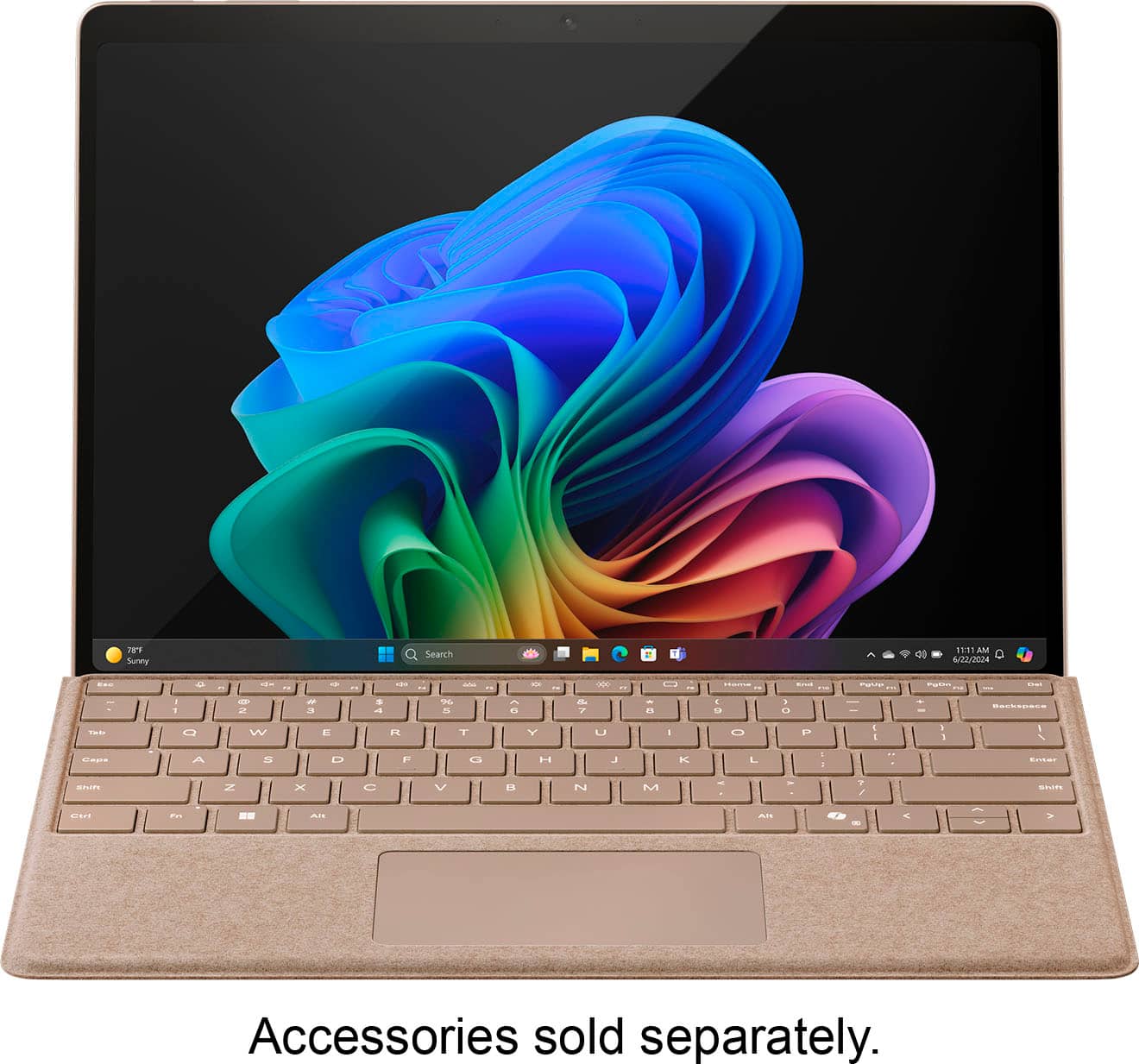













- Model:
- ZIB-00041
- SKU:
- 12314458
Rating by feature
- Battery Life
Rating 4.7 out of 5 stars
- Durability
Rating 4.7 out of 5 stars
- Display
Rating 4.8 out of 5 stars
- Pros mentioned:Battery life, Overall performance, Portability
Amazing Performance in a Lightweight Package
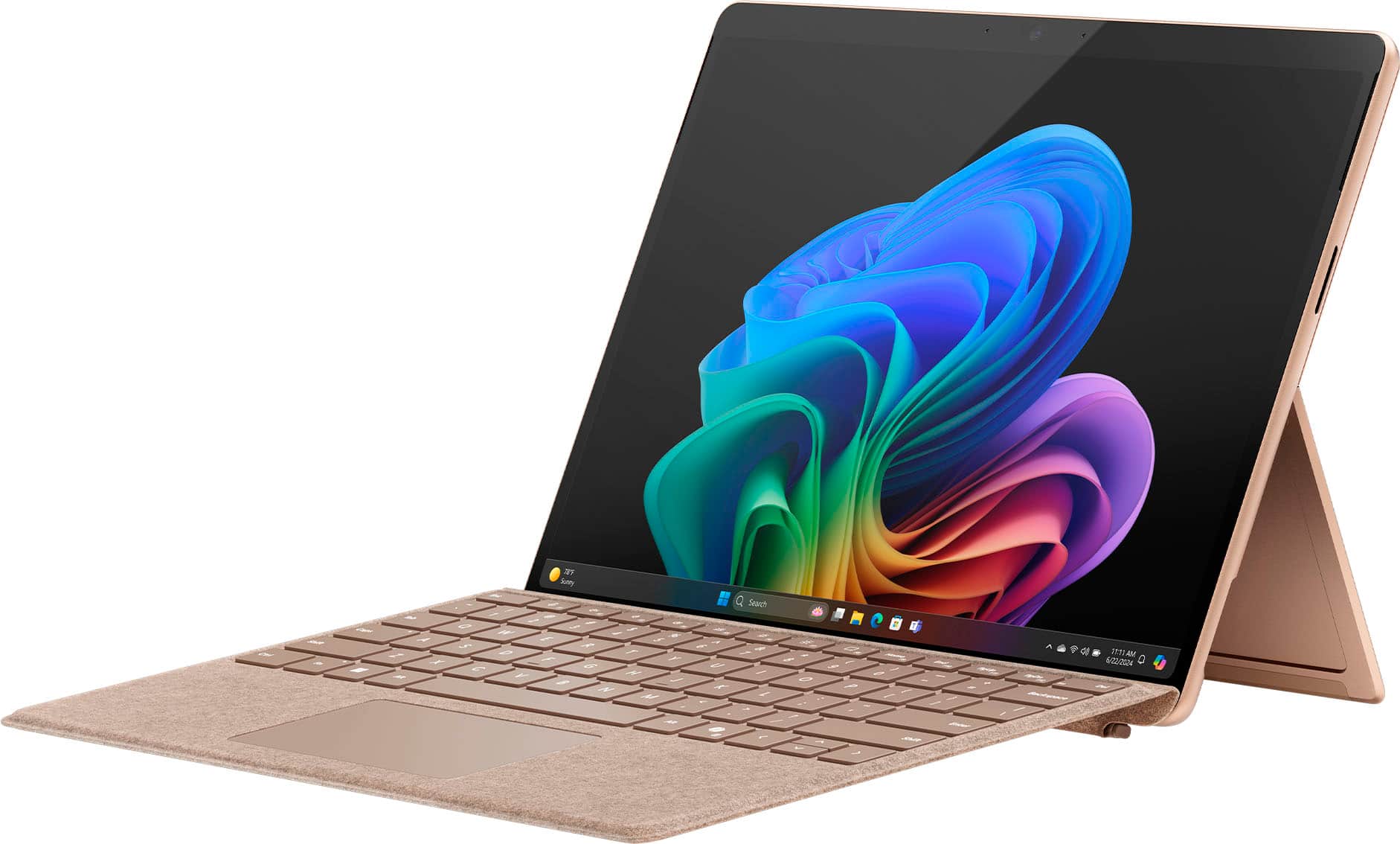
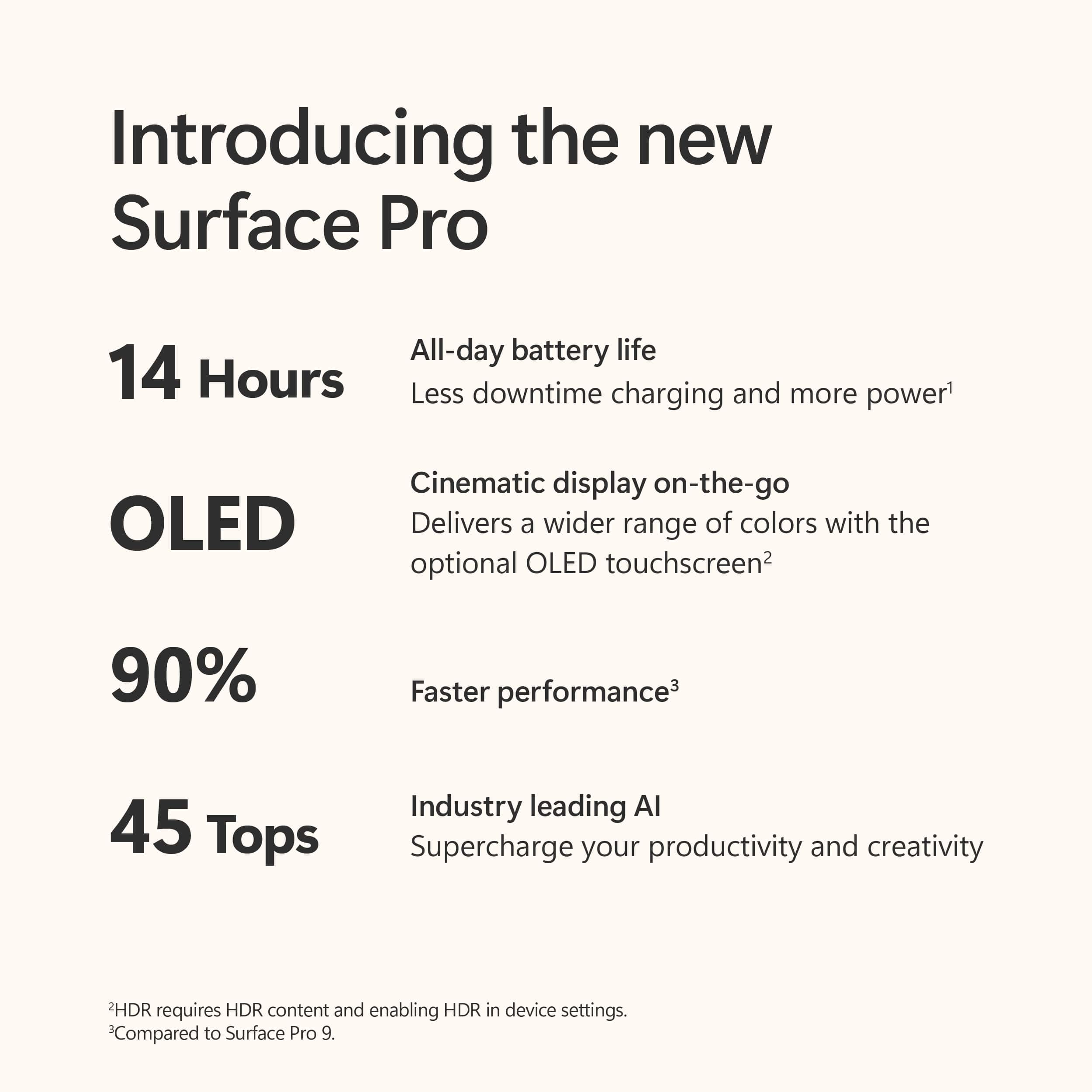
||Posted . Owned for 1 week when reviewed.This reviewer received promo considerations or sweepstakes entry for writing a review.The Surface Pro with Copilot+ Snapdragon X Plus is fast, lightweight, and perfect for work on the go. The battery lasts all day, the screen is beautiful, and Copilot makes tasks so much easier. Super smooth performance—I highly recommend it!
I would recommend this to a friend - Pros mentioned:Battery life, Overall performance, Portability
Excellent Performance and Versatility!
||Posted .This reviewer received promo considerations or sweepstakes entry for writing a review.The Microsoft Surface Pro has exceeded my expectations in every way. Its sleek and lightweight design makes it incredibly portable, while the powerful performance ensures smooth multitasking whether I’m working, streaming, or creating content. The high-resolution touchscreen is crisp and vibrant, perfect for both productivity and entertainment. I especially love the flexibility of switching between laptop and tablet mode, making it ideal for work on the go. The Surface Pen support is a game-changer for note-taking and drawing, adding to its versatility. Battery life is impressive, lasting through my entire workday without needing a recharge. Overall, the Surface Pro is a reliable, fast, and beautifully designed device that combines the functionality of a laptop with the convenience of a tablet. Highly recommended for professionals, students, and anyone who values performance and portability!
I would recommend this to a friend - Pros mentioned:Battery life, Overall performance, Portability
Lightning Fast, Ultra Portable – The Future
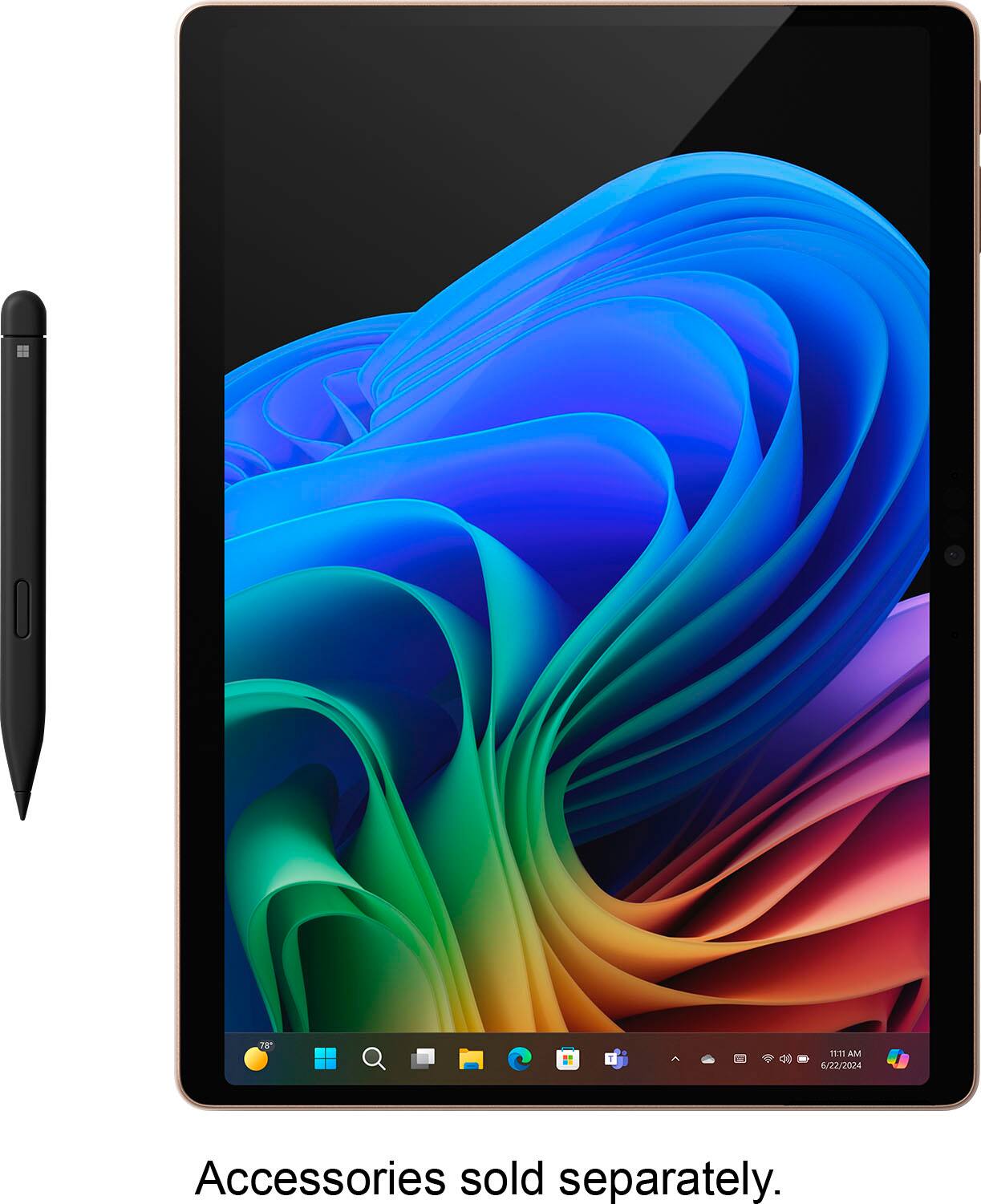
||Posted .This reviewer received promo considerations or sweepstakes entry for writing a review.I’ve been using the Microsoft Surface Pro (11th Edition) with Snapdragon X Elite and Copilot+ for two weeks now, and I’m genuinely impressed. This device is an absolute game changer. The 13” OLED display is stunning—vivid colors, perfect blacks, and buttery smooth scrolling. It’s a pleasure for both productivity and streaming. The Snapdragon X Elite chip offers instant-on performance, zero lag multitasking, and long-lasting battery life—I've gone nearly two full days on a single charge with moderate use! Windows 11 runs beautifully, and Copilot+ is surprisingly useful—especially for organizing my work, emails, and quick summaries. The 16GB RAM and 512GB SSD give me all the space and speed I need for design work, light video editing, and day-to-day tasks. The build is premium, lightweight, and portable—ideal for travel or work on-the-go. I opted for the device only version, and paired it with the Slim Pen and keyboard—no regrets. If you're looking for the latest-gen ultra-portable PC that can keep up with your workflow and look sleek doing it, this is the one to beat.
I would recommend this to a friend - Pros mentioned:Battery life, Portability, Processor speed
Fantastic Laptop — Worth Every Penny
||Posted . Owned for 1 month when reviewed.This reviewer received promo considerations or sweepstakes entry for writing a review.I bought the new Microsoft Surface Pro (11th Edition, OLED, Snapdragon X Elite) for my son to use for college, and he absolutely loves it! He takes it to class every day and uses it for homework, assignments, and everything in between. It’s incredibly fast and smooth, with an amazing OLED display that’s bright and crisp. The lightweight design makes it easy to carry around, and it feels sturdy and durable. I also bought the keyboard and pen, and they’re worth every penny — great typing feel and perfect for note-taking. Battery life is impressive, and overall it’s a powerful, reliable device that makes schoolwork easier and more enjoyable. Highly recommend!
I would recommend this to a friend - Pros mentioned:Battery life, Processor speed

Power and performance in an elegant package
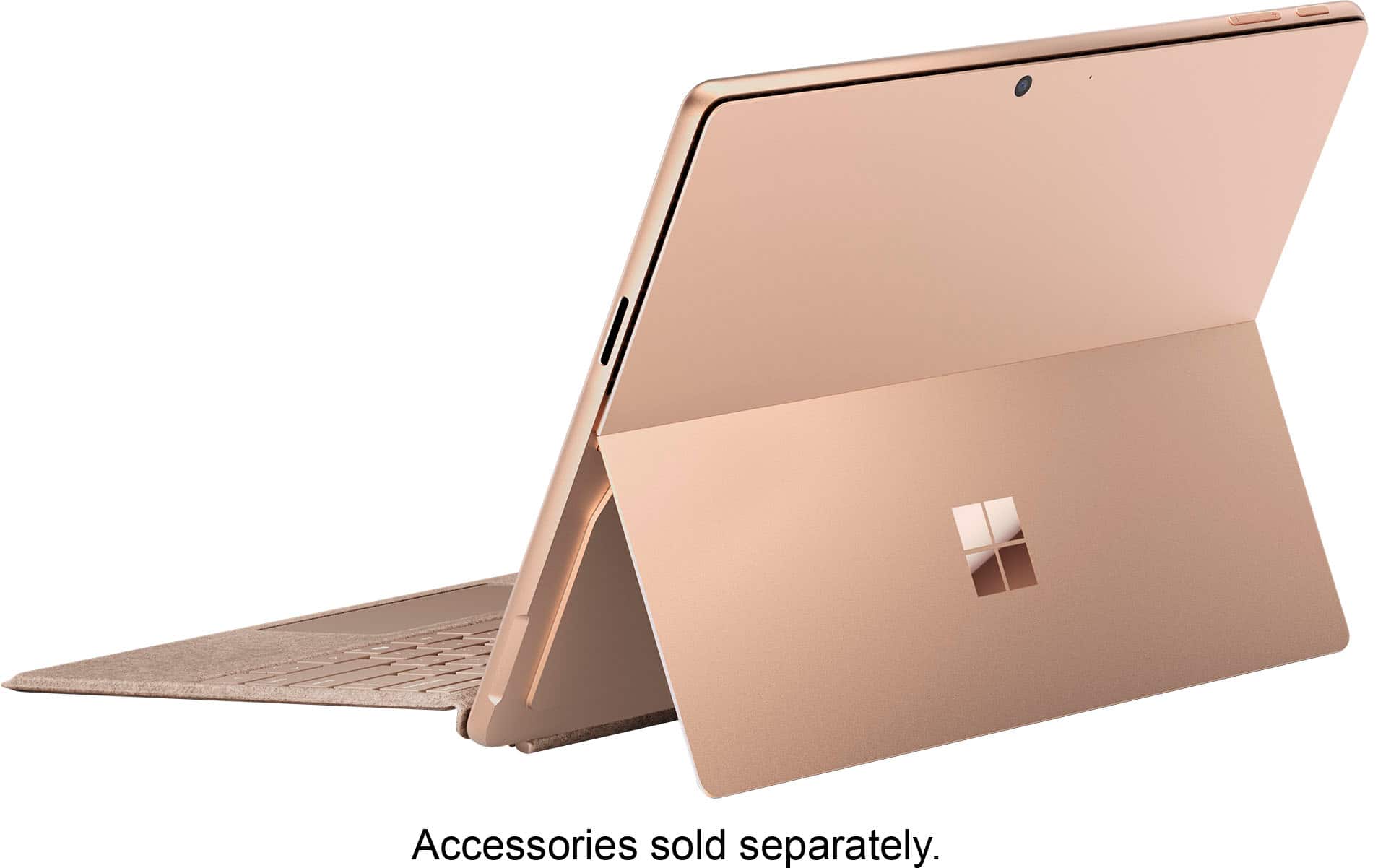
|Posted .This reviewer received promo considerations or sweepstakes entry for writing a review.I've owned several Surface Pro tablets over the years. Each felt like a step forward in power and capability. This one, however, feels like more of an event. The addition of the new Snapdragon X processors not only handle nearly everything you throw at them, they do it without sacrificing battery life. Emulation of x86 apps feels seamless, and for the most part, not like they're being emulated at all. It also feels like many developers are on board as well, with many of the more popular apps already having native ARM apps. I'm anxiously awaiting to see what the addition of AI will do throughout Windows as well. Cocreator and Live Translate are nice additions, especially Live Translate. It's impressive to just play any video and see translations appear as you're watching. Cocreator is a neat addition, and I can see how it would be a useful tool, especially for conceptual work. Giving a rough description of what you're doing, then watching as it updates and matches your sketch is pretty impressive. ** Hardware ** Surface devices are often very well designed and elegant. The new Surface Pro is no exception. The Dune color is very nice in person. It's kind of a newer take on gold colors in usual devices. It pairs well with the Surface type covers too. Another huge addition to this model is the OLED screen. And man, does It look beautiful. The inky blacks of OLED are pretty tough to beat. It's a very welcome addition to the Surface Pro. The thickness, weight and kickstand all feel comfortable to use, with the kickstand working well and keeping its position. I used it while sketching in my lap and was able to comfortably draw without the need for constant readjustment. I've also found that, even under heavy workloads, the fans aren't overly loud. You'll hear them, but they don't come close to previous Surface devices I've used. Speaking of sound, the audio is also pretty impressive on the Surface Pro. Things were sounding clear in my time so far. I was kind of shocked at how loud the speakers can actually get too. ** Performance ** I've already mentioned the new processor. If you're only using the tablet as a web browser, or Office work, you'll still appreciate its performance, but I wanted to try and push it a bit harder. I have tried using it with many different apps and games, just to see how and if it will be noticeable if it's being emulated. Photoshop, having a native ARM app, works flawlessly, as expected. So, I tried to put it through its paces a bit more using Rebelle 7. They don't have a native ARM version yet, but honestly, I couldn't tell. I was able to sketch, using a few layers, without any trouble. One downside to the processor architecture is games. If you intend to do some gaming on the Surface Pro, it's still somewhat early days of compatibility. I have every confidence that it will improve, but I did have some trouble getting games to run. Some do run, and some run well. But, as of right now, things are still pretty early. ** Battery Life ** Along with the performance, the huge benefit of the Snapdragon X processors is they are very efficient. Battery life will easily last you all day. And this is without regard to what you're doing. Sketching, browsing, watching videos, coding, whatever. The battery life is very impressive. With pretty steady use throughout the day, taking notes, sketching and browsing the web, the battery was around 50% by the end of my day. I'm pretty sure I could make it on a couple of days without the need for a charge. I also don't seem to notice any of the way previous Surface Pros would lose a bit of battery in standby. It seems like it keeps its battery life while not in use. ** Pros ** Excellent performance, battery life, OLED screen, app compatibility, nice sounding audio ** Cons ** Game compatibility is still a work in progress, I wish the pen and type cover were included
I would recommend this to a friend - Pros mentioned:Battery life, Processor speed
Pricey but worthy upgrade over the Surface Pro 9
|Posted .This reviewer received promo considerations or sweepstakes entry for writing a review.I have always been a fan of the Surface - it's a great hybrid tablet and tablet combo. Because I have a lot of familiarity with the Windows OS, it's nice having a full featured desktop OS in a portable tablet form. This means many of the application you use on a Windows desktop can be used with the Surface. Of course there are limitations given the specs if you're trying to run graphically intensive games like Microsoft Flight Simulator or Dragon Dogma 2. What Microsoft hyped about the Surface Pro is it being a Copilot+ PC. Personally I think those features are mostly nice to have; it's the hardware changes that's making the Pro 11 worthwhile. Gone from the 9 are in the Intel processors, the 11 uses a Snapdragon X processor and a Qualcomm Adreno as its GPU. What this means is that 10 is plenty fast and powerful. You can do some light gaming on it though you obviously won't be playing at higher resolutions. That said it is great for emulation of older titles. I wouldn't doubt that the Snapdragon contributes to a better battery life too given that the processor is geared more towards mobile devices. A disadvantage with the ARM architecture as opposed to the Intel one is that there are some applications that might not be that compatible though this isn't bad as it used to be. Speaking of battery life, it's an improvement over the the Surface 9. I swear from real world hours usage I was only getting like 5 hours on the 9. The battery drain on the 11 seems to be lesser so I'm able to get a little bit more maybe like 7 hours. When I say "real world usage" this is from browsing webpages and streaming videos without resulting to any battery saving measures. Microsoft claimed that the 9 could do 15.5 hours, but that was never what I usually experienced much like Microsoft claims of the 11 doing 14 hours. Design wise the Surface hasn't changed much with having all the similar ports from the Pro 8.... and still lacking a 3.5mm jack. I do wish the bezels were made a bit slimmer though. Of course the biggest difference is the OLED screen, which is fantastic. Combine the OLED screen with the native HDR support and you have a beautiful screen especially when you're viewing blacks. The camera and WiFi connectivity have been upgraded too as expected if you look at the specs. Front camera is 1440p(compared to 1080p on the 9), while the rear camera is 10 MP. WiFi 7 is supported and the supported Bluetooth version is 5.3. How are the Copilot+ features? Honestly they are not that great with what's currently. The 11 features a dedicated NPU chipset to Microsoft's Copilot. This allows features like the Live Captions app to provide real time translations if you're watching a video or having a video call with someone. Unfortunately for image creation like Paint(there's a Copilot button in it) and Windows 11's photo app, you have to be signed in online because the images are sent to Microsoft's Cloud servers to make sure it's "approved" to be shown to the user. All in all, the Surface Pro 11 is a nice upgrade over the 9 or a good starting point for someone who needs a tablet/laptop combo. It's pricey, but the hardware specs and OLED makes it worth owning even if the Copiot+ features aren't much to write about. Unfortunately, I can't give this a 4.5 star so I'll round the score up to a 5.
I would recommend this to a friend - Pros mentioned:Battery life, Processor speed
Nice tablet but AI not quite there
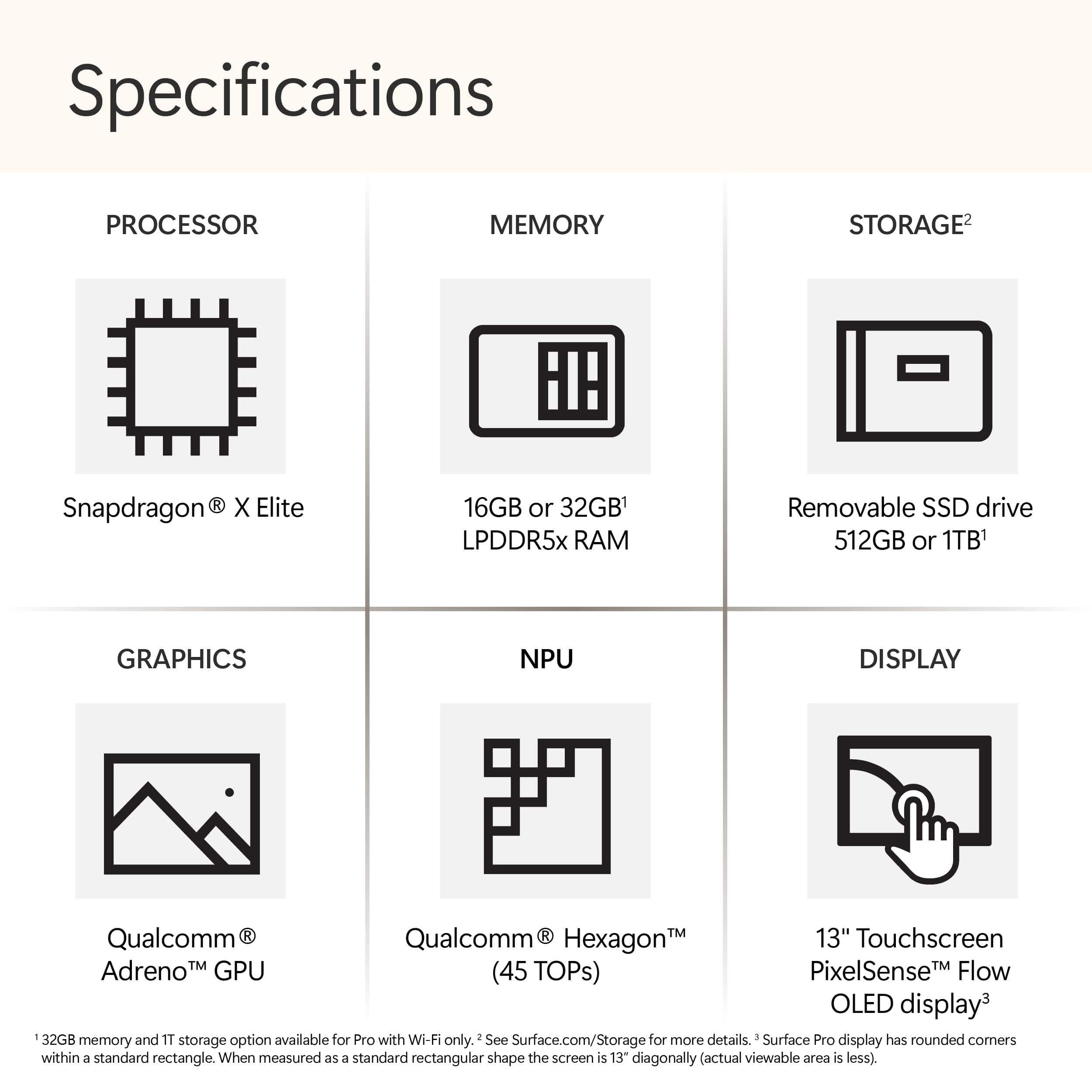
|Posted .This reviewer received promo considerations or sweepstakes entry for writing a review.Out of the box, the unit doesn’t break any new designs looking pretty like all surface tablets, which isn’t necessarily a bad thing. Case is anodized aluminum. My unit came with; Qualcomm Snapdragon X Elite CPU’ NPU (Neural Processing Unit – can you say Terminator) Copilot+PC 512GB Samsung MZ9L4512HBLU-00BMV 2230 NVMe Gen4 SSD. This can be upgraded through a nifty magnetic “door” you just flip open. 16GB LPDDR5X ram – not upgradable OLED 2880x1920 3:2 13-inch 120 Hz touchscreen. Gorillas Glass 5 and unit still has the 165-degree kick-stand, which I really like. 2 USB-C (4.0 ports). Supports charging, data transfer, DisplayPort 1.4 as well as Thunderbolt 4.0 dock User facing 1440p ultrawide camera with studio affects and facial recognition (windows hello) Rear facing 10-MP UHD camera. Built-in microphone Built-in 2 W Dolby Atmos Qualcomm Aqstic adapter speakers. They sound nice for their size and somewhat immersive. Wifi 7 Bluetooth 5.4 Surface Pro keyboard port Surface Connect 39-watt AC adapter. About 7 ft long with inline brick. Lithium-ion battery Windows 11 home I also received the Surface Pro keyboard and Pen. Very light at just under 2 lbs. (before adding keyboard/pen). 1-year warranty Use This is my 1st machine using ARM architecture and I was pleasantly surprised by the performance. It tested very well using Cinebench. I did, however, run into an unexpected issue trying to install some of my “go-to” security, testing and taskbar software. It appears not all x86 based software will install/work with ARM. I had not considered this, and it is certainly disappointing – but I am not sure where the fault lies exactly? So just be aware. OLED screen is very impressive and supports HDR (my info shows 900 nits) but is very reflective. The 4:3 aspect ratio seems a tad odd, nice for docs, scrolling, etc. but lacks a little when viewing a movie. But movies look almost 3-D they have so much color/resolution. Very responsive touch as well. Easily connected to my wifi 7 mesh network. Battery life is very impressive. In recommended mode I looped a movie (stored on SSD – not streaming) with Wifi and Bluetooth both on and at 13-hour mark there was still 6% battery left. Best-performance mode ran about 75% of that. Super quiet while running and size/weight makes it very portable. AI experience. Co-pilot key was easy enough to use. It opened a search engine type window. Co-creator in Paint is easy to access. You draw in a box on the left side, giving a description of what you would like to create while also selecting a style, on the right. I described Godzilla (grandsons) and drew a very rudimentary figure but what it generated certainly wasn’t what I was looking for. Photos AI inspired Restyle tool accessed by selecting edit then AI colored button. Has options such as Fantasy, Anime, Watercolor, etc. Fun to play with but needs better rendering. Photos also has Image Creator where you can give description and it will generate photos/pic. I tried dinosaurs (again grandsons) and it provided several nice options. This was my favorite out of the 3. As with any new software/process there are going to be issues. Mine are not really with the software per se but with the fact you must sign into your MS account and have an internet connection to use them. You cannot use these features off-line. With that being the case there are any number of online editing tools you could also use. Negatives. Not great for gaming Touch-screen is reflective. No keyboard included (additional cost). This is kind of a must have for me to give it some semblance to a true laptop. No pen included (additional cost). Using finger to paint, etc. is nice but you really need a pen. No headphone jack – easily “fixed” with USB-C to mini connector. No Micro SD to easily add storage. No HDMI connector. Given tablets sleek design is not surprising. Easily “fixed” as well with USB-C dongle or hub. Since you can charge using USB-C connection I would prefer an additional USB-C connection replacing the Surface connect. ARM/X86 software issues but should be resolved soon hopefully. Cannot use AI software off-line. Also, for an additional monthly charge you can access CoPilot Pro. While I feel that AI is not ready for prime time yet, this unit should have you ready when it is. It is a nice compact unit filling that line between a tablet and laptop. Powerful, compact/light and energy efficient for everyday use I would recommend but it is a tad pricey especially if you add keyboard and a pen. There are more AI machines coming out every day. Also, I had Copilot rewrite the above and this is what it produced; • The tablet features an anodized aluminum case and a 13-inch OLED touchscreen with a 2880x1920 resolution and 120 Hz refresh rate. • It’s powered by a Qualcomm Snapdragon X Elite CPU with an NPU (Neural Processing Unit). • The storage includes a 512GB Samsung NVMe Gen4 SSD, which can be upgraded via a magnetic door. • The tablet has 16GB LPDDR5X RAM, user-facing 1440p ultrawide camera, rear-facing 10-MP UHD camera, built-in microphone, and 2W Dolby Atmos speakers. • Connectivity options include USB-C (4.0), Wi-Fi 7, Bluetooth 5.4, and a Surface Pro keyboard port. • It runs Windows 11 Home on ARM architecture. • The OLED screen supports HDR but is reflective due to Gorilla Glass 5. • The 3:2 aspect ratio is great for documents but may not be ideal for movies. Regarding compatibility, some x86-based software may not work on ARM architecture. Keep that in mind when installing applications. Overall, it’s a lightweight tablet with impressive performance and features! 😊📱
I would recommend this to a friend - Pros mentioned:Portability
Great Investment, highly recommended
||Posted . Owned for 1 month when reviewed.This reviewer received promo considerations or sweepstakes entry for writing a review.This is one of the best large I have made. I was one of those people who were very resistant on using any kind of AI. I came to realize that AI was going to become part of a group of skills to be had and decided I better get on board. I have to say Copilot is awesome. I am not sure about other AI platforms, I have only tinkered around with a few so far, but Copilot is a great starting point for those of us just getting started with it and seems like something that is still advanced enough for seasoned users as well. I fell in love with the surface several years ago when i bought a used one locally through marketplace. It didn't have much memory and was well sued. I already knew going in I wanted one. I love the versatility of the detachable keyboard, the slim design and its features as far as operating standards go were not sacrificed for the design as is most prototypes. I do also love the touch screen, so helpful in many ways. I for one am not great with the touch mouse, I have become a little better at its use, however when i am having a hard time with it, the touch screen helps. I Bought this product with a 1TB memory for use in my new business I am starting, I am hoping to find a good outer shell to purchase for it so i can use it sometimes in the field. Since I will be running a painting business there will be a lot of dust particles and things to worry about, of course this would be a concern with most computers. Again, I am excited about how easily this one travels. Its capacity to hold on to so many things for me to work on at once is awesome, the fact that its defender program that comes with it is such a great standalone product that I haven't added a subscription to another company as of yet. This has been true of Microsoft for a long while now. I have always appreciated that. The pen is also new to me, I haven't unlocked its full potential yet, but what I have used it for was easy and convenient. This is a great investment, and I highly recommend it to anyone who is considering this an option.
I would recommend this to a friend - Pros mentioned:Battery life, Portability, Processor speed
A Game‑Changing 2‑in‑1 for Work and Creativity
||Posted . Owned for 1 month when reviewed.This reviewer received promo considerations or sweepstakes entry for writing a review.The new Microsoft Surface Pro Copilot+ PC is an impressive upgrade in every way. The 13” OLED touchscreen is absolutely stunning—colors are vibrant, blacks are deep, and everything looks incredibly sharp. It makes streaming, designing, and everyday work feel premium. The Snapdragon X Elite processor delivers smooth, fast performance with excellent efficiency. Apps open instantly, multitasking feels effortless, and the device stays cool and quiet. Paired with 16GB of memory and a 512GB SSD, it handles productivity tasks, creative work, and entertainment without breaking a sweat. Copilot+ features are a standout addition. AI‑powered tools feel genuinely useful, whether it’s organizing tasks, summarizing content, or boosting productivity. It’s a great example of how AI can enhance the day‑to‑day experience. The design is sleek and lightweight, and the Sapphire color gives it a modern, professional look. Battery life is strong, making it perfect for travel, meetings, or working on the go. Overall, this Surface Pro feels like a major leap forward—fast, beautiful, and incredibly capable. A fantastic choice for anyone who wants a premium 2‑in‑1 device with next‑generation performance.
I would recommend this to a friend - Pros mentioned:Battery life, Processor speed
Best Surface Tablet Yet
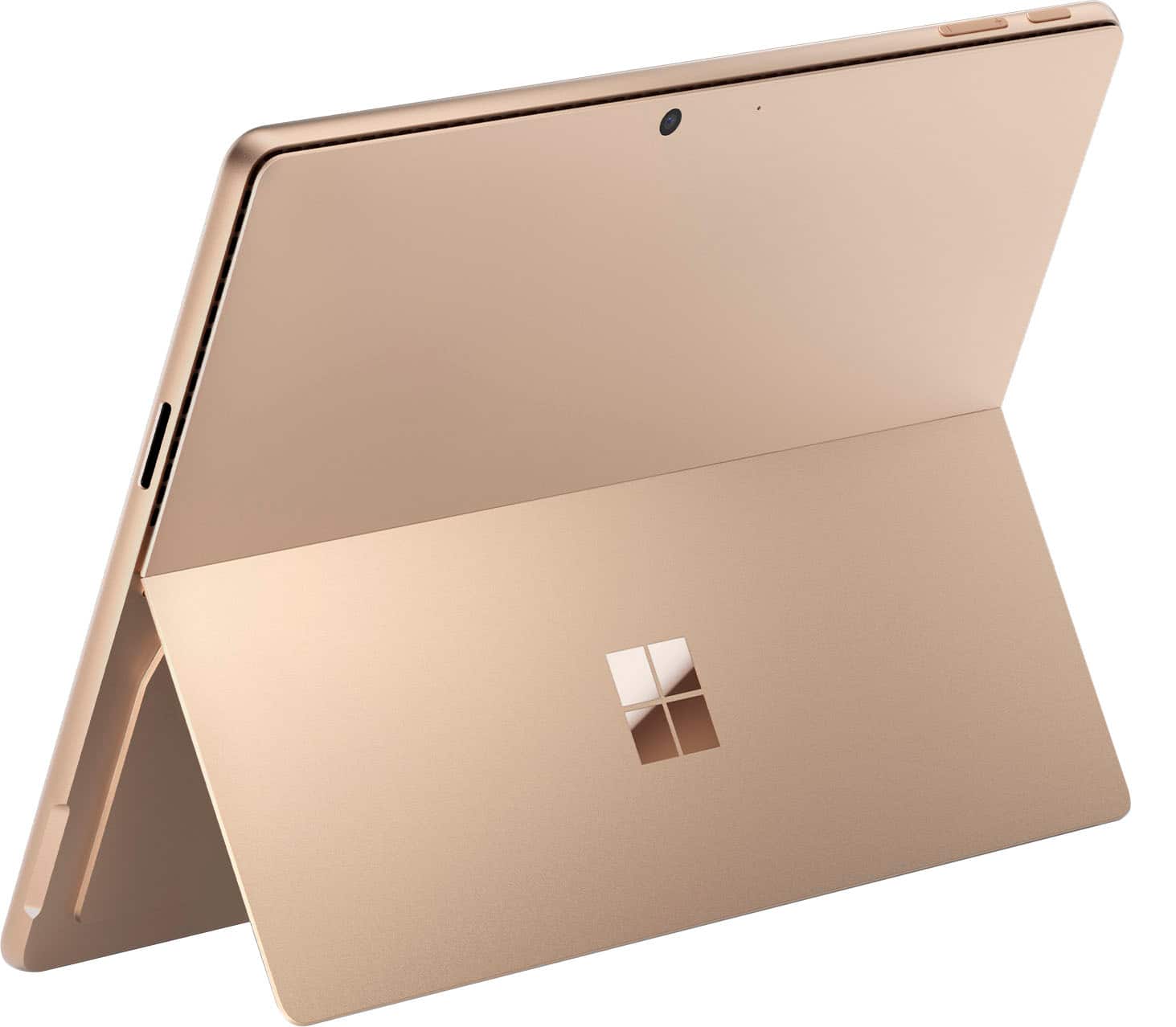
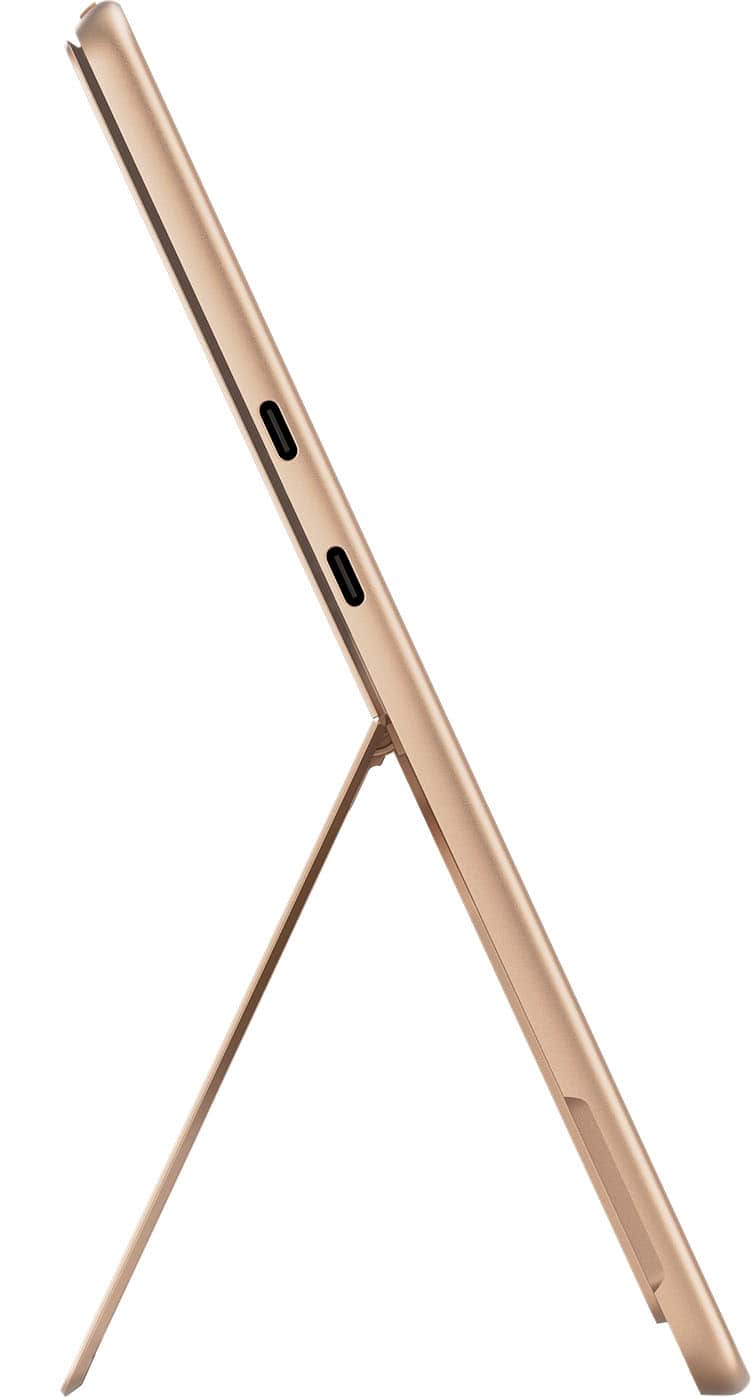
|Posted .This reviewer received promo considerations or sweepstakes entry for writing a review.This is my third Surface tablet, coming from a Surface 7, so I was anxious to see how much this latest model with the new processor architecture would do. My first impression just on unboxing it was very good, as the color they call “Dune” is a very attractive silvery-gold that really pops and looks quite classy. It uses the same charger as my previous device with its own dedicated port on one side, leaving the two USB-C ports on the other side free for connection to various types of devices. These ports are listed as having charging capability for doing things like topping up your smartphone, earbuds, etc. An external display can also be driven from these versatile connections. When first powering it on, I was also wowed by the OLED screen, which is the best I’ve had on a device this size. Similar to most smartphones, Microsoft eases the initial setup of a new device like this by letting you select from the latest configuration backup of one of your other Windows devices, then initializes things to match and installs any apps that you have previously installed from the store. Also, as usual, there is a big initial mandatory software update that delayed my first real hands-on use of the product. From day one, Windows has always run on processors using the Intel x86 architecture, which has undergone massive changes and improvements over the years, but keeps everything compatible from generation to generation. This new line of products, however, runs on the Snapdragon X processor family based on the ARM architecture that is completely different from Intel’s designs. This is what I really wanted to evaluate from the standpoint of speed and compatibility. My first impressions were very good indeed. The tablet boots up so quickly that I can hardly see it doing the logon validation. I use face recognition to sign onto Windows. On my older Surface I see messages such as “Looking for you” as it does its processing before signing me in; on the new one I’m signed in before I can read any intermediate messages. Even though Windows provides some sort of “emulation layer” that allows apps written for the Intel CPUs to work on ARM CPUs, it is also possible (and preferred) to modify and build an ARM-specific version to maximize performance. The Edge browser is one such app, and it really screams. The main thing I noticed is that it launches instantly the way that you expect smartphone apps to do. I haven’t been able to do any meaningful tests on battery life, which is supposed to be a big advantage of the Snapdragon CPU, but I can definitely say that this tablet stays much, much cooler than my older Surfaces did. Less heat has got to mean less battery being chewed up! There have been reports of some Intel-based apps not running correctly if at all on the new architecture, especially some of the more complex, technical apps. One such app that I really wanted to use is a cycling simulator that connects to my indoor biking setup and lets me “ride” roads all over the world while collecting data and providing a realistic video feed of the riding experience, sometimes shared with people around the world. I was therefore very pleased to see that this app is working on the new tablet, although I did send them a suggestion that they should produce a specific ARM version that would further improve its performance. In general, I have not yet tried an app that did not run fine or not perform well on the new Surface. So far I’ve had only limited need for the new CoPilot+ AI features on this device. The specs for the NPU are certainly impressive (40 trillion operations per second!!) and I wanted to give it a try. So I used the smart pen that came with the keyboard to draw a very rough sketch of a bicycle in the Paint app and then played around with CoCreator+ to see what I could do with it. For just a couple minutes of tweaking, the results were impressive, and someone with more artistic talent could undoubtedly refine it much further. I’ve included the beginning and ending graphics with this review. In summary, this is probably the biggest upgrade in the history of the Surface line of products and is well worth considering as a new or replacement tablet. The improved performance potential going forward is huge.
I would recommend this to a friend - Pros mentioned:Battery life, Processor speed
Entry into AI Computing
|Posted .This reviewer received promo considerations or sweepstakes entry for writing a review.There are some real advantages and a few disadvantages to this Surface Pro 11. You get the portability and long battery life of a tablet with the processing power of a laptop. Beyond this you get the cutting edge AI capabilities offered by Microsoft and possible AI applications that are just being released. But you also have to worry about possible compatibility issues due to the ARM64 architecture used in the Surface Pro especially if you are a gamer. Most programs are written to run on the older x64 architecture but more programs are now being written to run the Windows-on-Arm (ARM64) natively. Those that are not native to ARM64 use Microsoft’s emulation software to operate but this is not the preferred approach. Overall this Surface Pro 11 matched with the Surface Pro keyboard provides an opening into the AI computing world and the ARM64 architecture. How significant this Surface Pro is over other Windows x64 capable devices will be determined as more AI apps are released and more apps become ARM64 compatible. Here are the benefits as I see them: - The new Snapdragon Plus has 10 Cores and scored high in Geekbench testing see below - The display is a touch screen with a resolution of 2880 x 1920 with a 120 hz refresh rate - There are two USB-C ports and a proprietary power port - It comes with 16 gb of DDR 5 memory but this memory also gets used to support video processing and it’s not upgradeable - There is a 512 GB SSD that can be easily upgraded but not necessary for most uses - Front and rear facing cameras for conferencing - Matched with the Surface Pro keyboard it becomes a competitive Windows laptop - Wi-Fi 7 wireless capabilities Here are some counter points as I experienced them: - If you are gamer its best to research your games. Using my Steam library War Thunder and Forza 5 will not play but Humans Fall Flat worked fine. In time I expect more games to be compatible. - The lack of a dedicated GPU means the 16 GB of memory is shared for video and cpu processing and accounts for the poor benchmarking scores for video see below - Not all the popular programs run natively in ARM64 as can be checked in Task Manager Overall Thoughts: The Surface Pro does not come with a keyboard or pen, its more tablet than laptop. After using it though I would highly recommend purchasing the Microsoft Surface Pro keyboard because it really adds to the overall value and use of the Surface Pro. The keyboard magnetically connects to the Surface Pro so you remove it when you want a tablet or install it when you want a laptop. The display and speakers are good and typical of what you get in a laptop in this price range. The kickstand allows you to adjust the viewing angle to your preference. The touch screen is responsive and using the optional Slim Pen 2 enhances the capabilities. The proprietary power plug has a magnetic attachment but it still seems to come undone too easily. I am a fan of CoPilot so having AI capabilities built in makes this even better. So far the only issues I have had are that many of my games are not compatible. I continue to research and monitor which programs work on Windows-on-Arm natively and which are being emulated. So far McAfee, Steam Client, DuckDuckGo and HP Smart are not native to ARM64 and are being emulated but work just fine. You can check this by viewing the Details tab in the Task Manager and looking for x64 vs ARM64. Before I install any new programs I use CoPilot to help research any compatibility issues because the emulation can cause problems. I have also used CoPilot to give me a list of the best AI programs to explore based upon my interest and I am just starting to look into those. Setup and Testing: Once I charged the Surface Pro and attached the Surface Pro keyboard I updated all the software and set the System power setting to Performance. I then ran it through several benchmark test including Geekbench 6 and 3DMark. The Geekbench scores were comparable to laptops that I own with Intel i7 and AMD R9 processors so this has great computing power. But without a dedicated GPU the video scores were quite low. For 3DMark I tested using the new Steel Nomad Light which is geared towards Windows-on-ARM laptops. Because this software is so new it does not give fps scores for various games yet. Geekbench 6 Single Core = 2453 Multi Core = 13191 Open CL = 19743 Vulcan 23542 3DMARK 3DMARK score for Steel Nomad Light Graphics = 1965 3DMARK Steel Nomad Graphics test = 14.56 fps
I would recommend this to a friend - Pros mentioned:Overall performance, Portability, Screen quality
Great gift choice
||Posted .This reviewer received promo considerations or sweepstakes entry for writing a review.I bought this Microsoft Surface Pro as a gift and it was very well received. The design is sleek, the screen looks great, and it feels fast and responsive. It’s lightweight, powerful, and perfect for everyday use. An excellent gift and a great device overall.
I would recommend this to a friend - Pros mentioned:Battery life, Overall performance, Screen quality
The made for all machine !!
||Posted . Owned for 3 weeks when reviewed.This reviewer received promo considerations or sweepstakes entry for writing a review.Okay, here's a review for a Surface Pro, written with a generally positive slant but also acknowledging potential drawbacks: Microsoft Surface Pro: The Versatile Workhorse That Adapts to Your Needs The Microsoft Surface Pro has long been a flagship device in the 2-in-1 space, and the latest iteration continues to impress with its blend of tablet portability and laptop functionality. For those seeking a device that can seamlessly transition from note-taking in a meeting to powering through spreadsheets at a desk, the Surface Pro remains a compelling option. What We Loved: * Stunning Display: The vibrant and sharp PixelSense display is a joy to use for everything from streaming videos to detailed photo editing. The aspect ratio feels well-suited for both portrait and landscape orientations. * Versatile 2-in-1 Design: The kickstand is as ingenious as ever, offering a wide range of viewing angles. Paired with the optional (but highly recommended) Type Cover, it transforms into a capable laptop in seconds. Detach the keyboard, and you have a powerful tablet for reading, browsing, or sketching with the Surface Pen. * Solid Performance: Depending on the configuration, the Surface Pro offers snappy performance for everyday tasks, creative work, and even some light gaming. The processors are generally efficient, balancing power and battery life effectively. * Excellent Pen Support: The Surface Pen (sold separately) remains a standout feature. It offers precise input, pressure sensitivity, and tilt functionality, making it ideal for artists, note-takers, and anyone who prefers a more natural writing experience. * Improved Battery Life (on some models): Recent generations have seen improvements in battery life, allowing for a more productive workday without constantly tethering to a power outlet. * Clean and Familiar Windows Experience: You get the full power of Windows 11 in a portable form factor, offering access to a vast library of applications and familiar productivity tools. * Premium Build Quality: The Surface Pro feels like a well-crafted device, with a sleek and durable design that can withstand the rigors of daily use. Things to Consider: * Accessories are Often Extra: The Type Cover and Surface Pen, while essential for the full experience, are typically sold separately. This can significantly increase the overall cost of the device. * Price Point: The Surface Pro sits at the premium end of the market. While the quality and versatility are undeniable, it might be a significant investment for some users. * Port Selection: The port selection remains somewhat limited, often including only a couple of USB ports (typically one Type-A and one Type-C) and a Surface Connect port. Dongles may be necessary for connecting multiple peripherals. * Tablet Experience (without accessories): While the tablet mode is functional, the lack of a built-in keyboard and the weight of the device can make it less comfortable for extended handheld use compared to dedicated tablets. * Fan Noise (on some configurations): Under heavy load, some configurations with more powerful processors can exhibit noticeable fan noise. Who is the Surface Pro for? The Surface Pro is ideal for: * Professionals on the go: Its portability and laptop capabilities make it perfect for those who need to work from various locations. * Students: The note-taking capabilities, combined with the ability to run full desktop applications, make it a valuable tool for education. * Creative professionals: Artists and designers will appreciate the excellent pen support and powerful performance for creative software. * Anyone seeking a versatile device: If you need a tablet for media consumption and a laptop for productivity, the Surface Pro offers a compelling all-in-one solution. The Verdict: The Microsoft Surface Pro continues to be a top contender in the 2-in-1 market. Its stunning display, versatile design, and powerful performance make it a valuable tool for a wide range of users. While the cost of entry (especially with the necessary accessories) can be a hurdle, the Surface Pro delivers a premium experience that justifies the investment for those who value flexibility and power in a portable package. If you're looking for a device that can truly do it all, the Surface Pro is definitely worth considering.
I would recommend this to a friend - Pros mentioned:Overall performance, Portability, Screen quality
Terrific Tablet
||Posted . Owned for 1 month when reviewed.This reviewer received promo considerations or sweepstakes entry for writing a review.I use this for home and work, mostly using various MS suite programs. It is slim and EZ to transport. It's great if you don't want to haul a heavier laptop and can run MS suite. The screen is nice and the surface pen works well to draw or write on an image in real time. I've given a number of presentations from this and it ran well. There is a tiny lag in loading a large video, but then it runs well. All said I think this is a good, functional and attractive tablet that is versatile.
I would recommend this to a friend - Pros mentioned:Overall performance, Portability, Screen quality
Surface Pro Elite Excellent!
||Posted . Owned for 1 month when reviewed.This reviewer received promo considerations or sweepstakes entry for writing a review.I love this tablet in all ways so far, so my sentences here could go on with permutations of punctuation creating run on sentences. I'll try to keep it simple. The performance is incredibly quick with what I have thrown it at so far. The responsiveness of software, the way that it turns on are all incredibly quick and feel instant and modern. I love the premium feeling of the tablet itself; it feels substantial, it feels durable, it feels made with high quality materials. The screen is superb. The sound quality is sort of unbelievable, because it has a fantastic resonance and quality. I love the lightweight yet substantial feel to it. I love the keyboard attachment that is incredibly lightweight and practical, yet feels premium somehow. Very happy with this purchase so far.
I would recommend this to a friend - Pros mentioned:Overall performance, Screen quality
Excellent Product with Great Features
||Posted . Owned for 1 month when reviewed.This reviewer received promo considerations or sweepstakes entry for writing a review.I’ve been using this product for a while now, and I’m very happy with it. The overall quality is excellent, and it works exactly as expected. The features are well designed and easy to use, which made my experience very smooth from the start. What I liked most is how reliable and efficient it is. It performs consistently and feels well made, which gives me confidence in using it regularly. The design is also thoughtful and user-friendly. Overall, I loved this product and would definitely recommend it to anyone looking for something dependable with great features. It has been a great addition and met all of my expectations.
I would recommend this to a friend - Pros mentioned:Battery life, Portability, Processor speed
Excellent!!!!
||Posted . Owned for 3 weeks when reviewed.This reviewer received promo considerations or sweepstakes entry for writing a review.The Microsoft Surface Pro - Copilot+ PC (11th Edition) is a standout device that combines the portability of a tablet with the power of a laptop. Here are some key highlights: Design and Display 13” OLED Display: The OLED screen is stunning, offering vibrant colors and deep blacks, making it perfect for both work and entertainment1. Sapphire Color: The sapphire finish adds a touch of elegance and sophistication to the device1. Portability: Weighing just under 2 pounds and featuring a sleek design, it's incredibly portable and easy to carry around1. Performance Snapdragon X Elite 12 Core Processor: This processor ensures smooth performance for multitasking and running demanding applications1. 16GB Memory and 512GB SSD: Ample memory and storage space make it suitable for professional use, including heavy-duty tasks like video editing and software development1. Features AI Capabilities: As a Copilot+ PC, it integrates advanced AI features that enhance productivity and efficiency2. Battery Life: The device boasts impressive battery life, allowing you to work all day without needing to recharge1. Pros and Cons Pros: Exceptional OLED display quality Powerful performance with Snapdragon X Elite Lightweight and portable design Long battery life Cons: Some app compatibility issues with ARM architecture1 Expensive accessories like the Flex Keyboard1 Overall, the Microsoft Surface Pro - Copilot+ PC (11th Edition) is a versatile and powerful device that excels in both performance and design. It's an excellent choice for professionals and creatives who need a reliable and portable computing solution.
I would recommend this to a friend - Pros mentioned:Battery life, Processor speed, Screen quality
It's worth it!
||Posted . Owned for 1.5 years when reviewed.This reviewer received promo considerations or sweepstakes entry for writing a review.The Surface Pro Copilot+ has been an excellent device throughout my day. The Snapdragon X Plus delivers fast, consistent performance whether I’m working on school assignments, handling work projects, or multitasking with several apps open. The 13-inch touchscreen is sharp and responsive, and the overall build quality feels premium without adding extra weight. Battery life has been a standout. I can get through classes, meetings, and writing sessions without worrying about finding an outlet. It also handles entertainment effortlessly, from streaming to casual creative work. Writing on it, whether with the keyboard or pen, is smooth and intuitive. Overall, this has been a great all-around device that fits school, work, and entertainment perfectly. Highly recommend it.
I would recommend this to a friend - Pros mentioned:Battery life
Excellent Hardware- Intriguing AI.
|Posted .This reviewer received promo considerations or sweepstakes entry for writing a review.Well, here we go…AI…Integrated into a computer. I was super excited to get my hands on Microsoft’s Copilot + PC…I tuned it on and went through the basic windows set up…and I was waiting for that moment like in the movie “Her” where the AI started talking to me and I would be blown away…and that didn’t happen. So then I hit the dedicated Copilot button on the Surface Pro Keyboard and started asking it some questions… Like “plan a trip to Pawhuska, Oklahoma”. I already planned a trip there for later this summer, but I was curious as to what it would say. That’s when it began to feel a little more like the “Her” experience. The voice is super conversational. Subtle inflections in the voice and tone make it warm and friendly. The data was good and she offered some ideas that I had not come across. The day she planned was from the drive out of town to the location and was a day trip. What I found helpful was the fact that I think I was unrealistically planning too many activities in a day trip and Copilot helped me understand that because Copilot’s time line considered things in a more realistic fashion and not just trying to cram a bunch of things into a single day trip. That’s a real game changer. We are going to make it a two-day trip now. Copilot really brought insight and value in a very novel and powerful way. I asked Copilot to create a weekly menu for a medical condition I have and it did…I asked it to tell me a story about our Sun…and it did…about how it would burn out in about 5 billion years. And it’s not just the conversational and information aspects that are subtle but impressive. The onboard camera for video calls. I noticed the background blurring and effects are more defined and smooth looking. They look more professional for a lack of a better description. The slim pen (sold separately) writes so crisp and clean. It is fast and responsive and looks just like my handwriting. AI is assisting with that as well. Then there is the image generation that kicks over to DALL E 3. I wanted an elephant driving a car….and I got a few versions of that. Very impressive. I could see how I will be probably upgrading to Microsoft Copilot 365 for the integration into the Office suite. As impressive as it all is and it is… I have just a pang of disappointment though. I really wanted a fully engaged AI experience like in the movies…and it’s first generation. It is the future and Microsoft is right in the lead of things…but again, It’s still first generation and has a long way to go before it’s like the movies. I don’t think that is fair to Microsoft…my expectations, like my day trip were unrealistic. But as I played with Copilot more…I really began to see where we are going…It is going to be wild and surreal ride. BUT…EVEN IF Copilot was not on the Surface Pro, the hardware is ABSOLUTELY PHENOMINAL!!! The 13” OLED is just gorgeous! The colors and brightness and crystal-clear text and graphics are truly spectacular! The amount of sheer horsepower in such a small and portable design is really awe inspiring and a technical marvel! The design and color palette (Dune in my case) of the unit really stands out. It’s one of the most striking looking pieces of tech I have ever owned. The Surface slim pen and Keyboard are an absolute must buy with the Surface Pro. It’s like cookies and milk and not having cookies! I digress, The keyboard and pen combined with the Surface Pro is a one and done laptop replacement that looks gorgeous, feels amazing in the hand and with the power of the Snapdragon X Elite is truly a laptop replacement tablet! Then there is the battery life. When Microsoft says all day battery life… they mean it. That’s a big deal for me and the magnetic charging is also really nice. I love the way Microsoft designed the “kickstand” on the tablet as well. That is such a nice feature, that I was unsure of. It looks kind of weird in the marketing and pics of the unit but in practicum and daily use, it’s the most stable and versatile idea out there. The stand that you don’t have to pack, manipulate… you set it an it works. Really cool. The last thing I really liked was that Microsoft is really stepping up their recycle game. The Surface Pro enclosure is made of 72 percent recycled material and the aluminum alloy and rare earth minerals they use are 100 percent recycled. That’s important to me. Good on you Microsoft! Overall, just amazing tech infused with the future of humanity (gulp).
I would recommend this to a friend - Pros mentioned:Battery life, Overall performance, Screen quality
Good quiality
||Posted . Owned for 3 weeks when reviewed.This reviewer received promo considerations or sweepstakes entry for writing a review.This product exceeded all my expectations. It’s fast, efficient, and has a modern design that stands out. The battery life is impressive, ideal for working for hours without worry. Also, the screen quality is amazing. I totally recommend it to anyone looking for a reliable and powerful device.
I would recommend this to a friend