Customer Ratings & Reviews
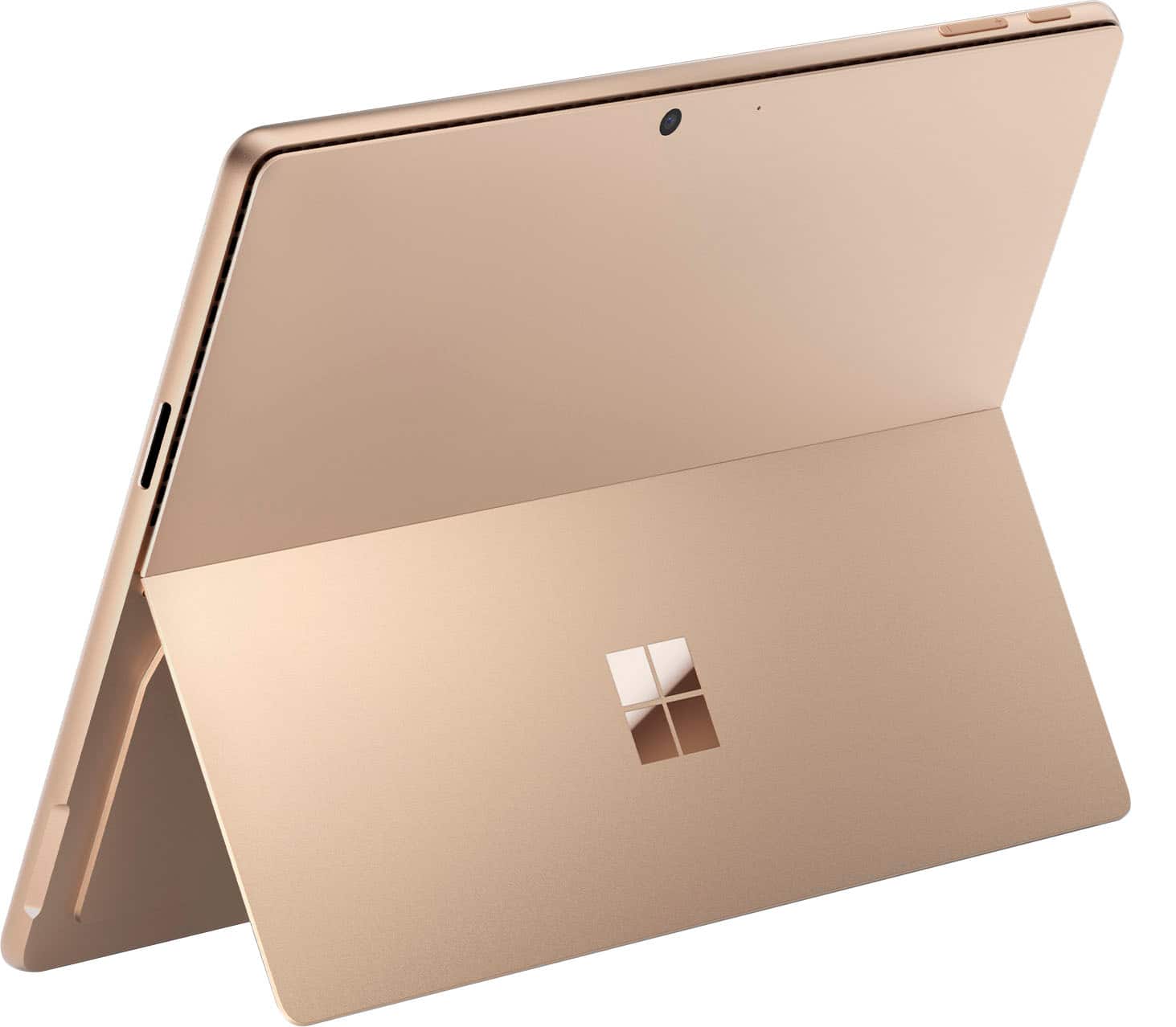
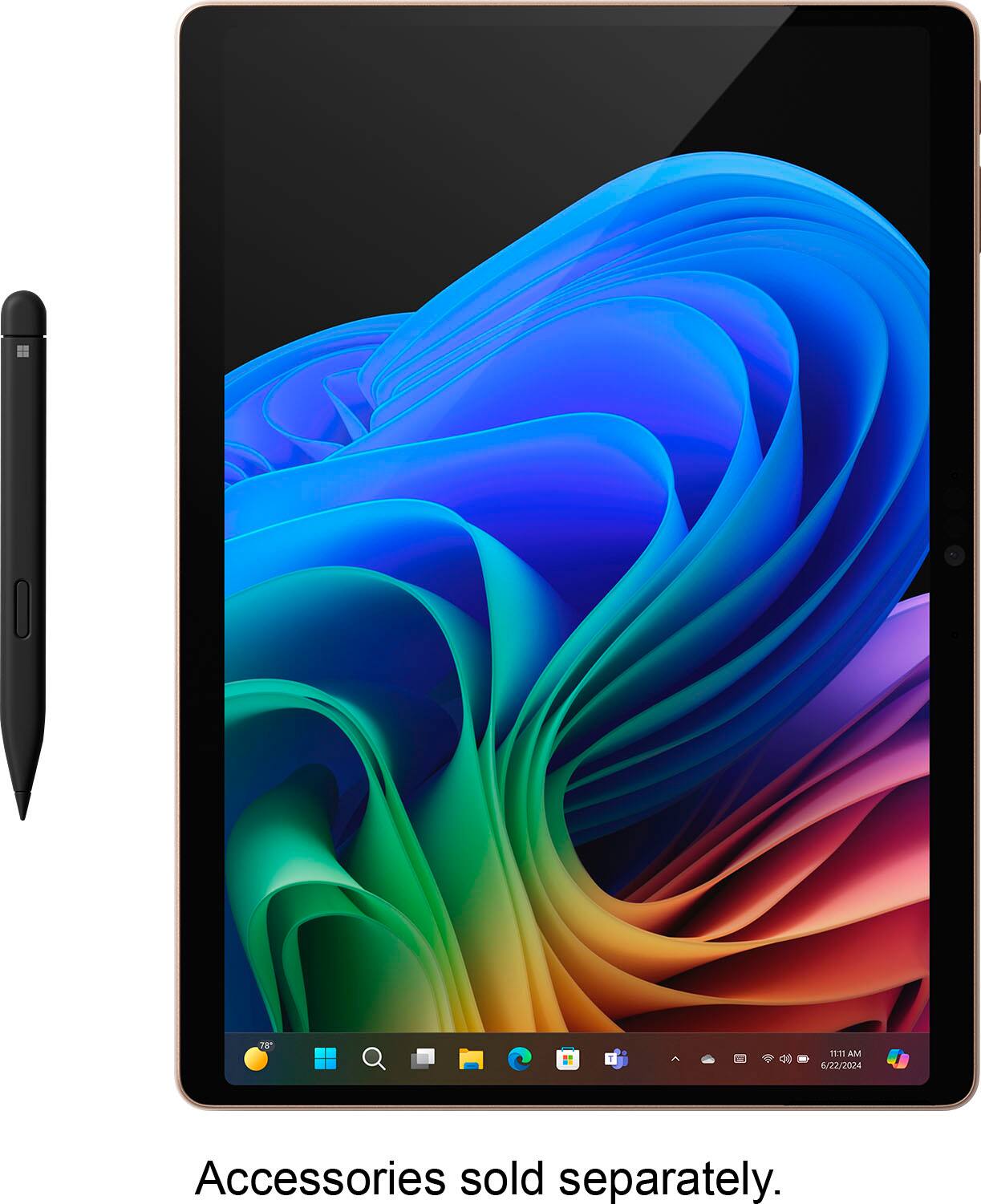
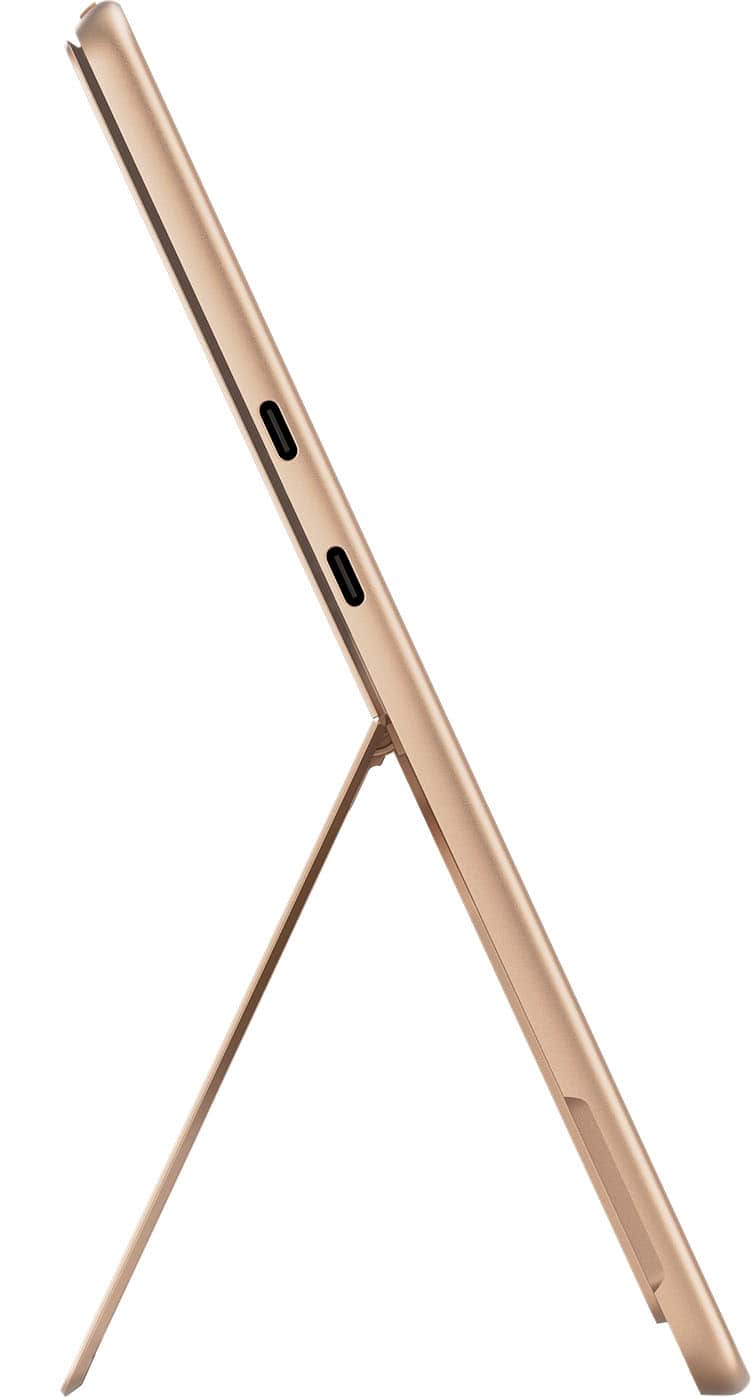
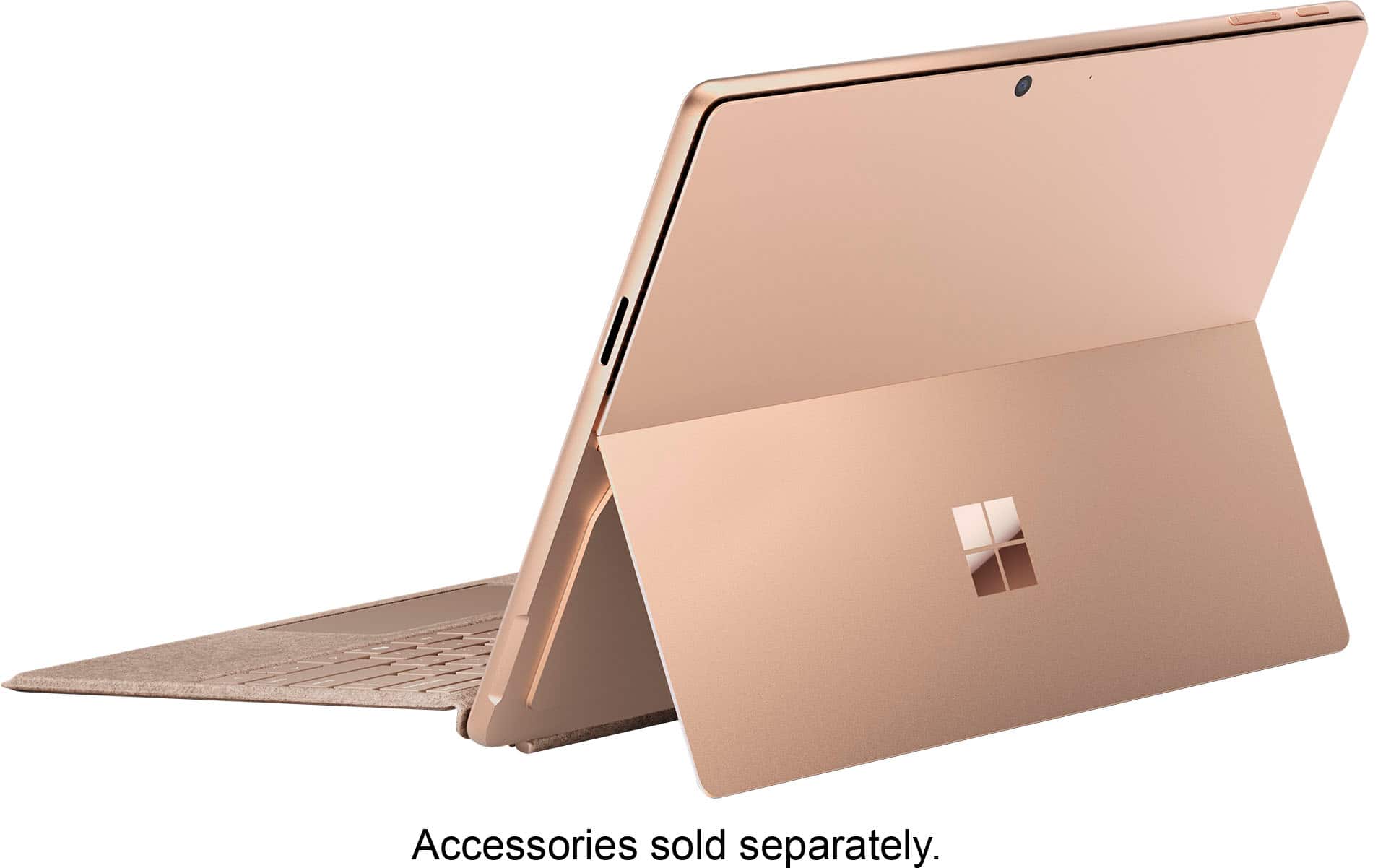













- Model:
- ZIB-00041
- SKU:
- 12314458
Rating by feature
- Battery Life
Rating 4.7 out of 5 stars
- Durability
Rating 4.7 out of 5 stars
- Display
Rating 4.8 out of 5 stars
- Pros mentioned:Battery life, Overall performance
Really Nice Surface Pro 8 Replacement
||Posted . Owned for 2 weeks when reviewed.This reviewer received promo considerations or sweepstakes entry for writing a review.Warning: this is a stream of consciousness review, so it's not super structured, but I hope it helps provide a clearer review of this than many others on youtube and Reddit! This is my 2nd Surface Pro. This one replaces a Surface Pro 8 i7 that I've used for 3 years. I replaced the 8 because I wanted better battery life and snappier performance. I picked up the SP 11 OLED and Flex keyboard on a really good sale. I originally purchased a Surface Pro 11 13" LCD with Snapdragon X Plus because I read some negative things about the OLED screen door effect and possible screen flickering issues. I had some doubts, so purchased the OLED version for comparison. Let me say this just once: there is no world in which the OLED is inferior to the LCD, in my opinion. In fact, the LCD gave me headaches due to ghosting when using it as a tablet and scrolling web pages. The OLED is buttery smooth with near zero ghosting. Yes, I had 120Hz refresh turned on, even turned off "adaptive refresh rate" to make sure. There is a screen door effect if I use my phone and zoom way in. In regular use, even with a white background it's imperceptible to me. I'll take buttery smooth scrolling any day. As far as glare - they're both not great AND the screen reflectiveness between the two is identical (turn the screen off and look at the reflections when you're in the store - you'll see no difference). Deep blacks can cause glare to appear worse on the OLED because the contrast ratio is higher - blacks are blacker, allowing sunlight to appear brighter. Performance wise, the LCD and the OLED model are nearly indistinguishable in daily use for web browsing, Office and other productivity tools. Stylus performance is comparable. The Surface Pro 11 runs cooler than my Surface Pro 8. Battery life is better than the Surface Pro 8. For web browsing, OneNote and office, I would get 4-6 hours with the SP8. With the Snapdragon, I am seeing 6-8 hours. The difference of 2 hours is not staggering, but it's enough AND you can get that life without energy saver, super dim screen setting, etc. I have not seen 10 or more hours of battery life. I've had a couple of software compatibility "issues." The first is my Mixing Station app for sound board operation, This is not a native ARM app. It does run fine under emulation, however. Second is ClickUp, my task management software. That does not have an ARM app and it runs poorly under emulation. I just use the web browser and created an Edge app with it that runs fine. The only drawback is it just asks me to log in more than I would like. Regarding the Flex keyboard: love it, love the bluetooth and the feel. Superior to the Signature keyboard I've used for 3 years. I got a really good price match on it that made the price more palatable. Being able to detach the keyboard makes a big difference when using the stylus and the keyboard. As far as form factor debates, I don't have anything to say because I am a fan of the Surface. You can say things about "lapability" and all of that, but it works for me. All in all, I do really like this version. The only thing that might be nice is "real" 10+ hour battery life, but practically speaking, for the form factor and functionality, it works out just fine. Hope this helps!
I would recommend this to a friend - Pros mentioned:Battery life

Microsoft - Surface Pro - Copilot+ PC - 13”
|Posted .This reviewer received promo considerations or sweepstakes entry for writing a review.I’ve really been looking forward to testing out the new Surface gear from Microsoft this year. Microsoft's new Surface Pro 11 with Snapdragon X Plus boasts a familiar design but promises a leap forward with its Copilot+ PC standard. Unlike previous ARM attempts, this Surface Pro features a Qualcomm Snapdragon chip with an NPU for on-device AI tasks. This translates to exceptional battery life and performance that are supposed to rival high-end processors. Here is how it went: —Unboxing, Initial Impressions, Setup— Despite the familiar matte black design (identical to the prior generation), the Surface Pro 11 Copilot+PC impressed me with its snappy performance from the moment I booted it up. After a quick setup process which downloaded the new Copilot features, the vivid display and smooth UI navigation hinted at the power of the Snapdragon X Plus chip. It was a frustration-free experience that left me eager to explore more. —Applications on ARM— While the Surface Pro 11 comes pre-loaded with some essential ARM64 Microsoft apps (OneDrive, Office, Teams), compatibility can be a hurdle for us early adopters. Many popular applications, like Adobe and Google Drive, lack native ARM64 versions. However, Microsoft's emulation works surprisingly well for most x86 and x64 apps, with only specific tools requiring a true ARM64 version (Like Google Drive and many VPN apps). The good news is, with more ARM64 devices hitting the market, developers are likely to prioritize native ARM64 support soon. This, combined with Microsoft's push for wider adoption by other manufacturers, should solve the compatibility issue in the long run. For most users, these shortcomings won’t be an issue. Third party apps I’ve installed and confirmed ARM64 support: Google Chrome VLC (via nightly build) 1 Password (via beta insider build) Netflix Hulu Geekbench 6 Powertoys (preview) Package Tracker Spotify —Performance— The Snapdragon X Plus holds its own against the top-of-the-line i9 desktop CPU. While the i9 beats out the Snapdragon in single-core performance (2440 vs 3134) and multi-core (12626 vs 20507), the Snapdragon's efficiency shines. It delivers similar single-core performance with far better battery life (12 hours vs 30-60 minutes). Even with half the cores, the Snapdragon keeps up in multi-core, exhibiting impressive processing power for a mobile chip. I was able to achieve 6 hours of work with 48% battery remaining, a vast improvement over previous laptops. Overall, the Snapdragon X Plus offers impressive performance with outstanding battery life. —Copilot+PC Features— Microsoft's Copilot integration with Copilot+PCs offers intriguing features, but most are in their early stages. Paint's AI enhancements like Cocreate and Image Creator sound innovative, but their accuracy and usefulness are currently limited. They might be fun to experiment with, but for practical purposes, they're not mature yet. I asked Cocreator to assist me with drawing “a grandfather clock positioned in the middle of a modern living room surrounded by glass walls with trees visible outside.” What I got, was incomplete (see attached screenshots). Video conferencing features are more promising. Background removal, live captions, and language translation are genuinely helpful additions, especially for remote work. Copilot integration with Office holds potential for improved grammar, document writing, and creative assistance. However, its effectiveness remains to be seen. Overall, Copilot features are a work in progress. While not a selling point yet, they offer a glimpse into future possibilities. As these features mature and integrate with everyday apps, their use case will increase significantly. —Conclusion— The Surface Pro 11 Copilot+PC is a great leap forward in processing power and battery life, thanks to the new Snapdragon X Plus chip. However, the lack of a bundled keyboard and some limitations with Copilot features and ARM64 app compatibility make the overall value proposition a bit questionable, especially considering the high price point. Despite these drawbacks, Microsoft's innovation is commendable, and future advancements in Copilot and ARM64 compatibility have the potential to make this device a clear winner.
I would recommend this to a friend - Pros mentioned:Battery life, Overall performance, Portability
Lightweight, Fast & Reliable
||Posted .This reviewer received promo considerations or sweepstakes entry for writing a review.My wife is an EMT and uses this Surface Pro daily for entering patient reports and navigating various work systems—and it’s been flawless. The lightweight design makes it easy to carry on shifts, and the 13" OLED display is stunningly sharp and bright, even in outdoor lighting. It boots quickly, runs smooth with zero lag, and the battery life comfortably lasts through long shifts. The 16GB RAM and 512GB SSD provide more than enough performance for multitasking between apps, reports, and cloud systems. The detachable keyboard (Sold seperate) and touchscreen combo give her flexibility whether she’s at a desk, in the ambulance, or on the go. It's durable, sleek, and handles everything a mobile professional needs without weighing them down. Highly recommended for anyone in a fast-paced field who needs speed, clarity, and reliability in a portable device.
I would recommend this to a friend - Pros mentioned:Battery life, Overall performance, Portability
Surface Pro
||Posted . Owned for 4 months when reviewed.This reviewer received promo considerations or sweepstakes entry for writing a review.This surface Pro is top notch! So versatile can be used as a laptop or tablet. Bought it for my son for college and he says it’s the best. It literally serves every purpose for him. He can take notes with the pen during lecture. It is lightening fast, very light for packing across campus. He loves the touchscreen. The battery is great, very durable despite being light, the color display is amazing.
I would recommend this to a friend - Pros mentioned:Battery life, Processor speed, Screen quality
Incredible Macine
||Posted . Owned for 1 week when reviewed.This reviewer received promo considerations or sweepstakes entry for writing a review.This computer is awesome. Brilliant screen. Fast. Lightweight. An incredible battery life. I have had very limited issues with applications not being compatible with the ARM chip. Microsoft SQL server doesn't work yet, but that is it. POSTGRESQL was a simple remedy, plus a better database anyway.
I would recommend this to a friend - Pros mentioned:Overall performance, Portability
Best two in one device
||Posted .This reviewer received promo considerations or sweepstakes entry for writing a review.Very light weight and stylish, powerful and handy two in one device
I would recommend this to a friend - Pros mentioned:Battery life
Next Level Computing in a portable machine
|Posted .This reviewer received promo considerations or sweepstakes entry for writing a review.I have had my Microsoft Surface Pro with Co-pilot for a few days now and can say overall this is an excellent machine. Setup was quick and easy and had no issues whatsoever. As for the interface, it is pretty much the same as your desktop computer with the exception of the touch screen so for those who are proficient in Windows on a desktop should have little to no issue with the surface. Touchscreen works great but I personally prefer to use the pen for it as I feel it is a bit more accurate. I didn’t have an issue using my fingers but to be honest, I didn’t want to dirty up the screen even though that it wasn’t too much of an issue when I did. As for the features, I really find myself using Co-Pilot a lot. While I am pretty fast when it comes to typing, I find that the listening feature works really well. One issue I always have due to my heavy Brooklyn accent is speech to text. Most platforms never get it right. But this machine and Co-Pilot have not failed me yet. It has accurately dictated everything I have said to it. The response does come back at first as if someone is typing it out but once done, it reads the response back in a very clear human like voice. It is almost like you are speaking to a person at times and has been really excellent. One feature that I have not yet figured out is creator in paint. It says it is a preview and shows a credit count on the bottom. From what I have read, you are supposed to sign up for it and will get 50 credits. I have not been able to figure out where to sign up as I have no join button. I will have to keep trying but I do feel this should be pretty straightforward. Co-creator is interesting and I have found it to be hit or miss. Not sure if it because my drawing ability is that bad or if it is because I am requesting too much. This is something I think may be on me because when I ask for something simple, it creates amazing renderings. As for this machine being used daily, most definitely will be my daily workhorse. Battery life is amazing. While I have not spent hours watching videos on it, I can say I have spent hours on it being productive. Everything from school papers to photo editing. Not one hiccup yet. It has handled all my applications with no issue, something I was not sure it would be able to do but it proved me wrong and I will say this machine packs a lot of processing power. I am very impressed with what it can handle. Speakers are another great feature. Sound is crystal clear and very loud. Perfect for all audio needs. And the display is very bright and clear. Display was even very clear in direct sunlight which is excellent for anyone who chooses to use it outdoors. Size is great and perfect for those who need something to throw in the backpack to get up and go. This is an all around powerful tool which can handle all your needs whether it be entertainment or production. I’m extremely happy and love this Surface pro.
I would recommend this to a friend - Pros mentioned:Processor speed
If this fits your need, you will be very happy
|Posted .This reviewer received promo considerations or sweepstakes entry for writing a review.The Surface Pro 11th edition is the latest edition in Microsoft’s attempt to move away from the traditional Intel or AMD based devices. This Surface Pro runs on the Qualcomm-based Snapdragon X Elite chip that benchmarks in line with Apple chips. What that means is that this is an ARM-based processor, so you need to make sure what running an ARM-based computer means. Your “normal” laptop runs off either and x86 or x64 architecture which are based on Intel and AMD. With this offering of the Snapdragon processor, normal Windows programs are emulated on this Surface. With the typical Windows apps that everyone loves and uses, it does an excellent job running those apps without lag. Office apps such as Word, Excel, and Powerpoint run like a champ. Adobe line of products such as Photoshop and Illustrator run fine. Google Chrome, Mozilla Firefox, Brave web browser also run no issues. Every typical productivity and entertainment app runs well on the Surface Pro Snapdragon X processor without an issue. What you might have issues with is with peripheral devices that need drivers. Certain printers, audio interfaces, capture cards that need more than your standard Windows drivers might have compatibility issues rendering them useless. So, if you are thinking about purchasing a Surface Pro with the Snapdragon processor, remember the use case of this computer, a lightweight, thin, long lasting productivity and entertainment device and you will not be disappointed. If you are looking to do absolutely everything you once could do on a regular PC, you might want to do some research to find out if all your devices will work. Another interesting thing about this Surface Pro is the addition of a Neural Processing Unit (NPU) that helps the computer process Artificial Intelligence (AI) instructions faster. What this really means is that when you use the Copilot feature on these new Copilot+ PC it executes the AI tasks much faster than relying solely on the internet. The most impressive feature of having the NPU on board is the Live Translate feature. All too common you pull up a video on YouTube or some other source where you cannot understand the language. Pull up the Live Translate feature and you get real-time captioning in your preferred language. Another cool feature is CoCreator in Microsoft Paint. You can describe what you want to create and then start drawing a sketch and then the AI artistically produces what it thinks you were thinking. Using the CoPilot button, you can ask the AI to help you write a product description based on a picture of an item and it saves you an hour trying to write something meaningful. One problem with the CoPilot camera is that only the camera facing you works, not the back camera. Perhaps a software update will enable that feature someday. Is all the AI built into this Surface Pro a gimmick? Maybe, but it’s nice to have at your disposal if you need it.
I would recommend this to a friend - Pros mentioned:Battery life, Overall performance, Processor speed
Perfect for traveller, blazing speed, bst battery.
||Posted . Owned for 3 months when reviewed.This reviewer received promo considerations or sweepstakes entry for writing a review.This remarkable computer truly stands out, delivering an exceptional user experience that far surpasses expectations. Boasting blazing-fast speeds and an impressively long-lasting battery, it handles multitasking with unparalleled ease. I can confidently say this device is a revelation – far more impressive and user-friendly than anything I've experienced before. When paired with its accompanying keyboard, it transforms seamlessly into a perfectly functioning laptop, yet retains its versatility for standalone use as a convenient tablet. This product is, without a doubt, a must have household product.
I would recommend this to a friend - Pros mentioned:Overall performance, Portability, Screen quality
An Exceptional Piece of Technology
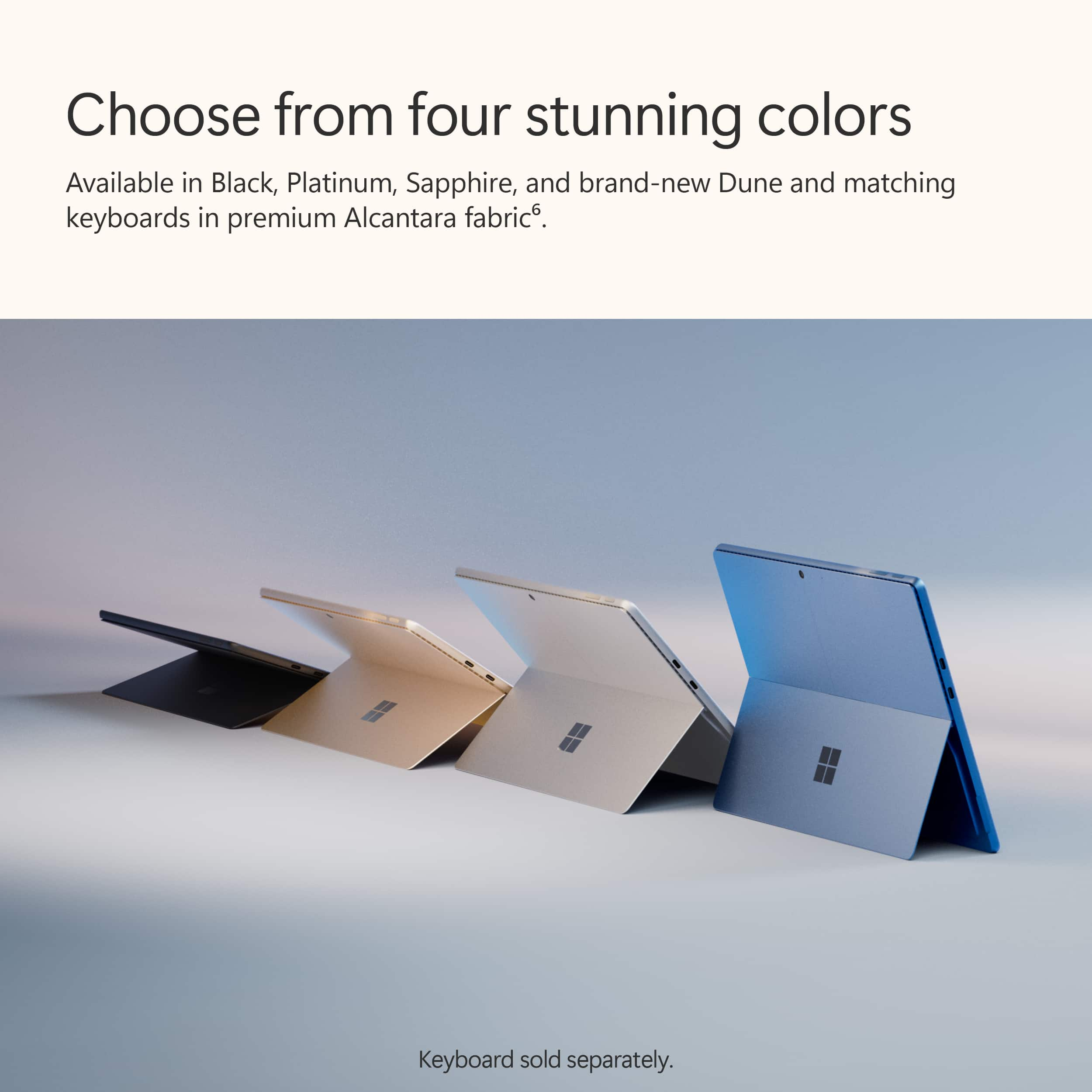
||Posted . Owned for 1 week when reviewed.This reviewer received promo considerations or sweepstakes entry for writing a review.The Microsoft Surface pro offers great versatility for everyday use. It offers a stunning display with easy to use functions and who can forget the 13" OLED touch screen which makes this PC a fun tool to use anywhere you go. You can use it as a tablet or if you want to use it as more as a work and typing PC the attachable keyboard can easily and rapidly give you that option. It also just looks great, I myself have Apple products but speaking to tech friends and looking at reviews i decided to purchase a Surface Pro. One last thing I will mention is the visual appearance of the Surface Pro, it is very pleasant to look at it comes with a sleek and subtle design, I went with the sapphire edition but looking at the other colors they are all very attractive.
I would recommend this to a friend - Pros mentioned:Battery life, Processor speed
Best Surface Pro Yet, But It's Not for Everyone
||Posted . Owned for 1 month when reviewed.This reviewer received promo considerations or sweepstakes entry for writing a review.This is the third Surface Pro that I've owned, and it's by far the best. The Snapdragon X Plus Chip has added power, speed and long battery life to this hybrid tablet/laptop that I've not experienced before. I opted for the "Plus" chip instead of the "Elite" Snapdragon chip for this particular device. I'm using the Surface Pro as a portable computer than I carry at work to meetings and on trips. This chip is plenty quick enough for basic tasks like note taking, writing documents/emails, surfing the web and using Copilot for research. The display is crisp and bright. The detachable keyboard is serviceable. The battery life is a marked improvement over earlier Surface Pro versions, lasting an entire work day without a charge. This machine is great for what it is -- a light weight, full operating system packaged in a small form factor for people who need maximum flexibility and portability. But if you're primarily going to be using this as a laptop and you don't need the tablet function much, I'd suggest that you just buy an ultra portable laptop instead. As a tablet, this is not as good as the iPad Pro. And as a laptop, there are comprises, especially with the keyboard, the small trackpad and minimal port selection. I wouldn't characterize this as a workhorse device for power users. If you need a hybrid device with a complete operating system and long battery life, then you should go for this. Otherwise, I'd recommend an ultraportable laptop like the new Lenovo Slim 7x, the new Surface Laptop 7 or the Dell XPS. For what it's worth, I LOVE the Sapphire color.
I would recommend this to a friend - Pros mentioned:Battery life, Overall performance, Portability
Surface Pro 11 recommended!
||Posted .This reviewer received promo considerations or sweepstakes entry for writing a review.I upgraded from a surface pro 6 to an 11. It works just as my previous SP did but faster and more capable and with a longer lasting battery. I got the 32gb /1TB machine. The OLED screen is also sharper and brighter. I love the light weight and portable nature of the machine. All in all a very good purchase especially since it was on sale.
I would recommend this to a friend - Pros mentioned:Overall performance
Really good overall
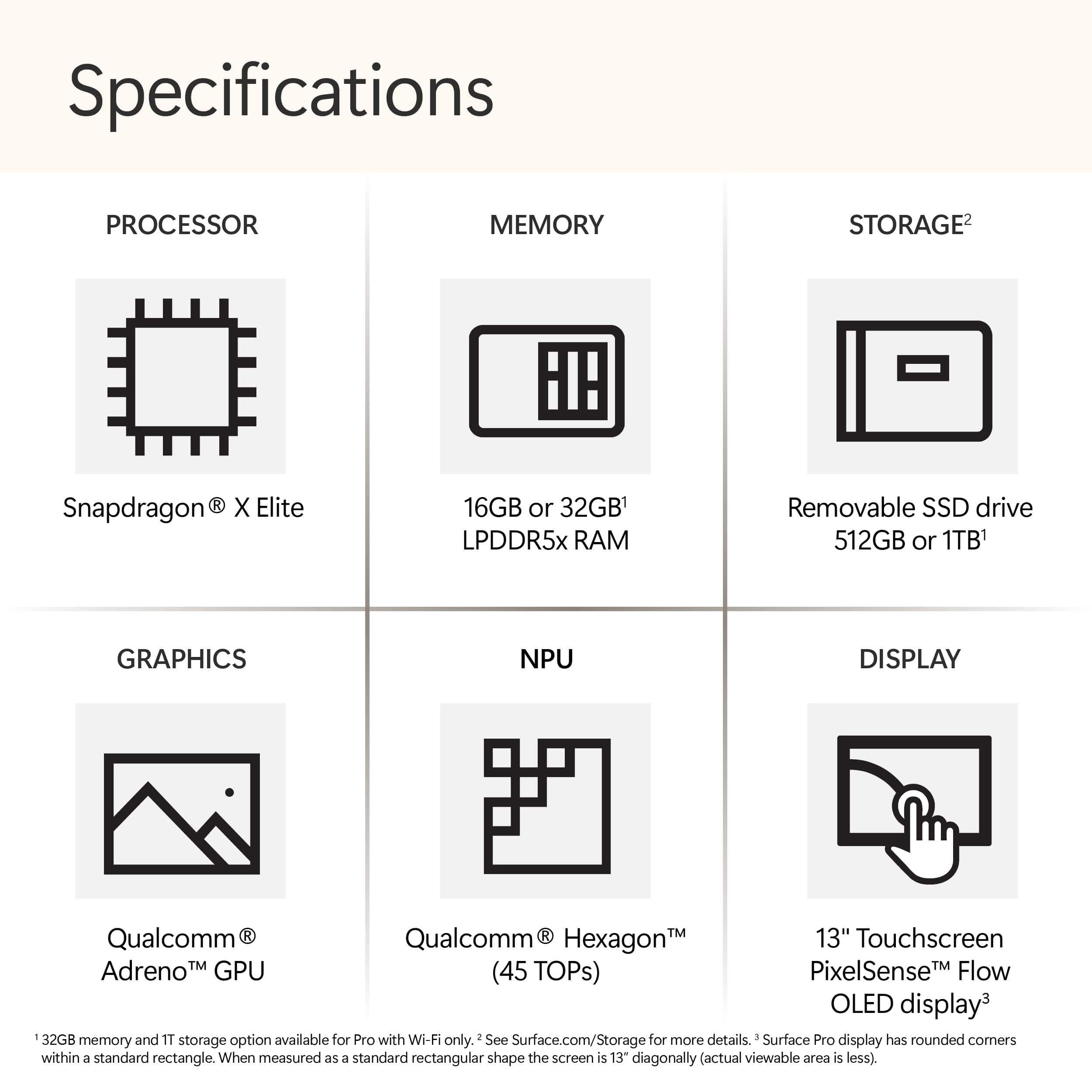
|Posted .This reviewer received promo considerations or sweepstakes entry for writing a review.The Surface Pro CoPilot+ tablet has a nice display (the OLED version seems better though) and is just the right size for reading and for working on the road. The 512GB SSD storage is more than adequate when combined with any cloud or NAS storage. The 16GB memory is fine for routine productivity software and light gaming. What’s in the box: • Surface Pro 13” tablet • 65-Watt Power supply with cord (proprietary connector but you can also charge via USB-C) This Surface Pro has a Snapdragon X Plus – X1P64100 Qualcomm Adreno GPU, a Snapdragon X 10-core – X164100 (3.40 GHz) CPU and 2880 x 1920 screen resolution. I haven’t yet received the keyboard and pen bundle, so I’m reviewing just the tablet here. I really wanted to love this tablet. It has some really nice features, but there are a few things I don’t like too. The display is clear, it’s light and easy to hold, the built in easel is handy and it runs (almost) all of my Windows compatible software just fine. These are definitely on the plus side. One small irritation is that the touch screen is not as responsive as I’d like, and I haven’t found a way to increase the sensitivity. The instructions for recalibrating lead to menu items that aren’t found where the instructions say they are. Another irritation is that the Surface Pro gives an error that the drivers for my aging Canon ImageClass printer are not compatible, even though it works fine with my other Windows 11 devices. CoPilot+ is fun to play with. I prompted it to develop a test plan for illustrating the features of the Surface Pro. It came back with a decent plan outline. I was also hoping to test CoPilot+ with Excel, but alas, that seems to be a paid extra. If you have an artistic side, Cocreator is fun. I tried that out by drawing a smiley face and prompting Cocreator to draw a modern Mona Lisa with a pleasing smile, in modern attire and with flowers in the background. It worked. I ran 3DMark's Steel Nomad Light test on the Surface Pro. The Steel Nomad Light score was 1 924. Not great, but respectable for a tablet. Overall NovaBench score was 1301 and PassMark scores were: • Overall, 4120.4 (45th percentile) • CPU Mark 22767.0 (76th percentile) • 2D Graphics Mark 585.2 (47th percentile) • 3D Graphics Mark 2569.9 (28th percentile) • Memory Mark 3392.8 (82nd percentile) • Disk Mark 23617.7 (78th percentile) In summary, the Surface Pro CoPilot+ tablet has enough power for work and leisure. It’s great for kicking back and reading the e-Version of your favorite publication or book. Plus, it is very portable. It’s not perfect but it’s very good.
I would recommend this to a friend - Pros mentioned:Overall performance, Portability, Processor speed
Top of the line
||Posted .This reviewer received promo considerations or sweepstakes entry for writing a review.this thing is top of the line like my title says. It's a 2 in 1 powerhouse and i wouldn't take any other machine over this. It's powerful and the speed is amazing. forget about an ipad. this is 10 times better because it's not only a powerful pc but it's the size of a tablet. buy it and don't think twice trust me.
I would recommend this to a friend - Pros mentioned:Battery life, Portability, Processor speed
Fast, Beautiful, and Super Portable.
||Posted . Owned for 3 weeks when reviewed.This reviewer received promo considerations or sweepstakes entry for writing a review.I love my new Surface Pro Copilot+ (11th Edition) in Dune. The 13” OLED screen is stunning. Everything looks sharp and vibrant. Thanks to the Snapdragon X Elite chip, it's fast and handles all my tasks without slowing down. Battery life is excellent. I can go all day without charging. It’s light, easy to carry, and looks great. I wish the keyboard and pen had come with it, and you don't have to buy them separately. Highly recommend if you need a powerful and stylish 2-in-1!
I would recommend this to a friend - Pros mentioned:Portability, Processor speed, Screen quality
Great portable computer!
||Posted . Owned for 1 month when reviewed.This reviewer received promo considerations or sweepstakes entry for writing a review.Awesome fast and light! Screen is crystal clear! Best for travel.
I would recommend this to a friend - Pros mentioned:Battery life, Portability
Fantastic Buy
||Posted . Owned for 3 months when reviewed.This reviewer received promo considerations or sweepstakes entry for writing a review.I am very happy with my purchase. It's light wight, compact, good battery life. and great graphics.
I would recommend this to a friend - Pros mentioned:Overall performance, Portability, Processor speed
great tablet laptop!
||Posted . Owned for 3 weeks when reviewed.This reviewer received promo considerations or sweepstakes entry for writing a review.this surface pro is awesome! it performs great and it starts right up. it runs so fast compared to my old hp laptop. I love using the smart pen on it and its light and easy to cary
I would recommend this to a friend - Pros mentioned:Portability, Processor speed, Screen quality
Fantastic little computer
||Posted . Owned for 8 months when reviewed.This reviewer received promo considerations or sweepstakes entry for writing a review.I travel almost everyweek for work and this surface pro goes everywhere with me. It has never let me down or gotten any damage from going through varuous airports. The screen is incredible and the speed of the snap dragob processor is awesome. Highly recommended.
I would recommend this to a friend - Pros mentioned:Overall performance, Portability
Señor
||Posted . Owned for 3 weeks when reviewed.This reviewer received promo considerations or sweepstakes entry for writing a review.Excellent product, fast, light, easy to write with the pencil
I would recommend this to a friend