Customer Ratings & Reviews
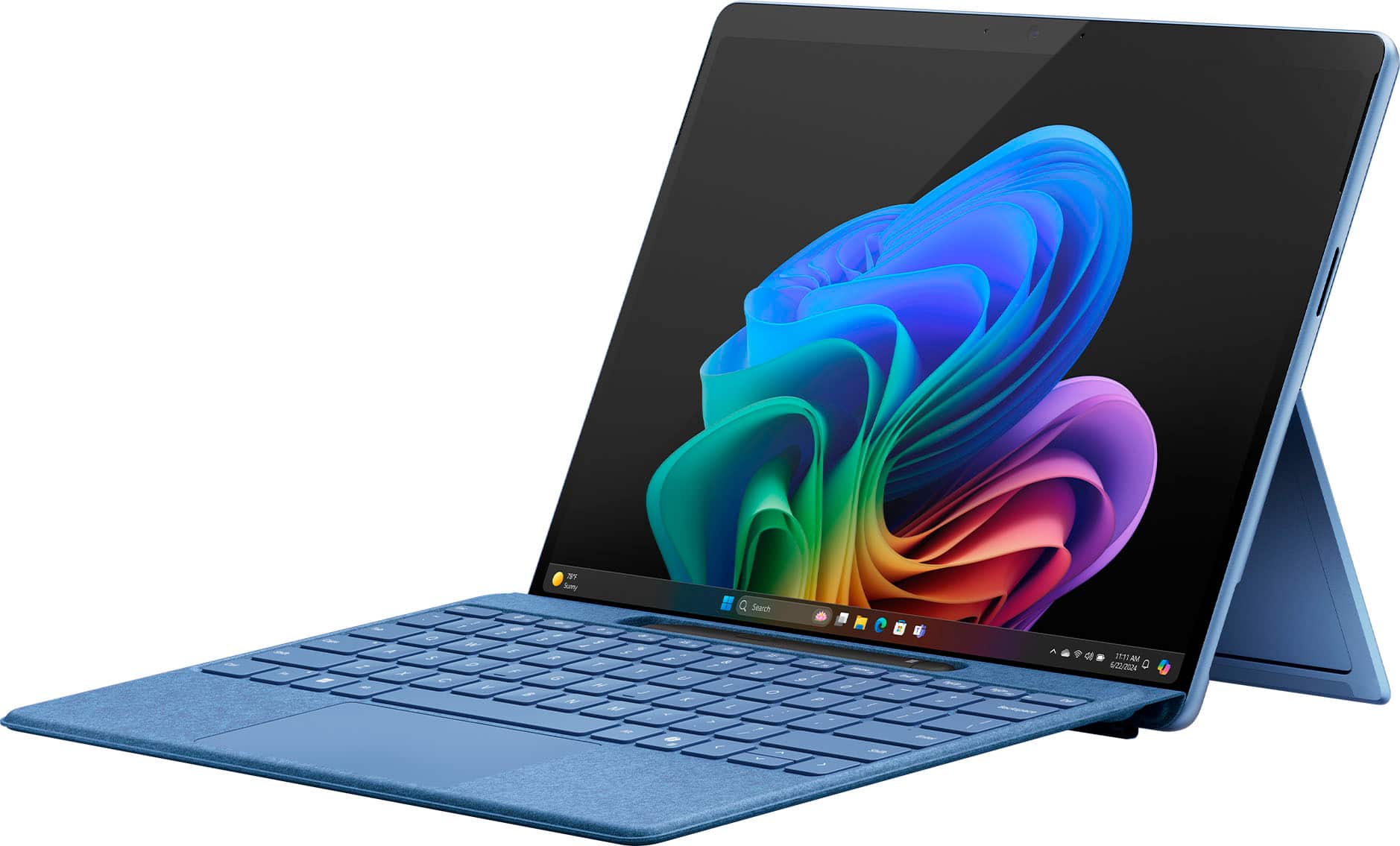
- Model:
- ZIB-00035
- |
- SKU:
- 10122215
Customer reviews
Rating 4.6 out of 5 stars with 1178 reviews
(1,178 customer reviews)Rating by feature
- Battery Life4.7
Rating 4.7 out of 5 stars
- Durability4.7
Rating 4.7 out of 5 stars
- Display4.8
Rating 4.8 out of 5 stars
to a friend
Rated 5 out of 5 stars
Google laptop
||Posted . Owned for 2 weeks when reviewed.This reviewer received promo considerations or sweepstakes entry for writing a review.Great machine with fast processor. Would highly recommend.
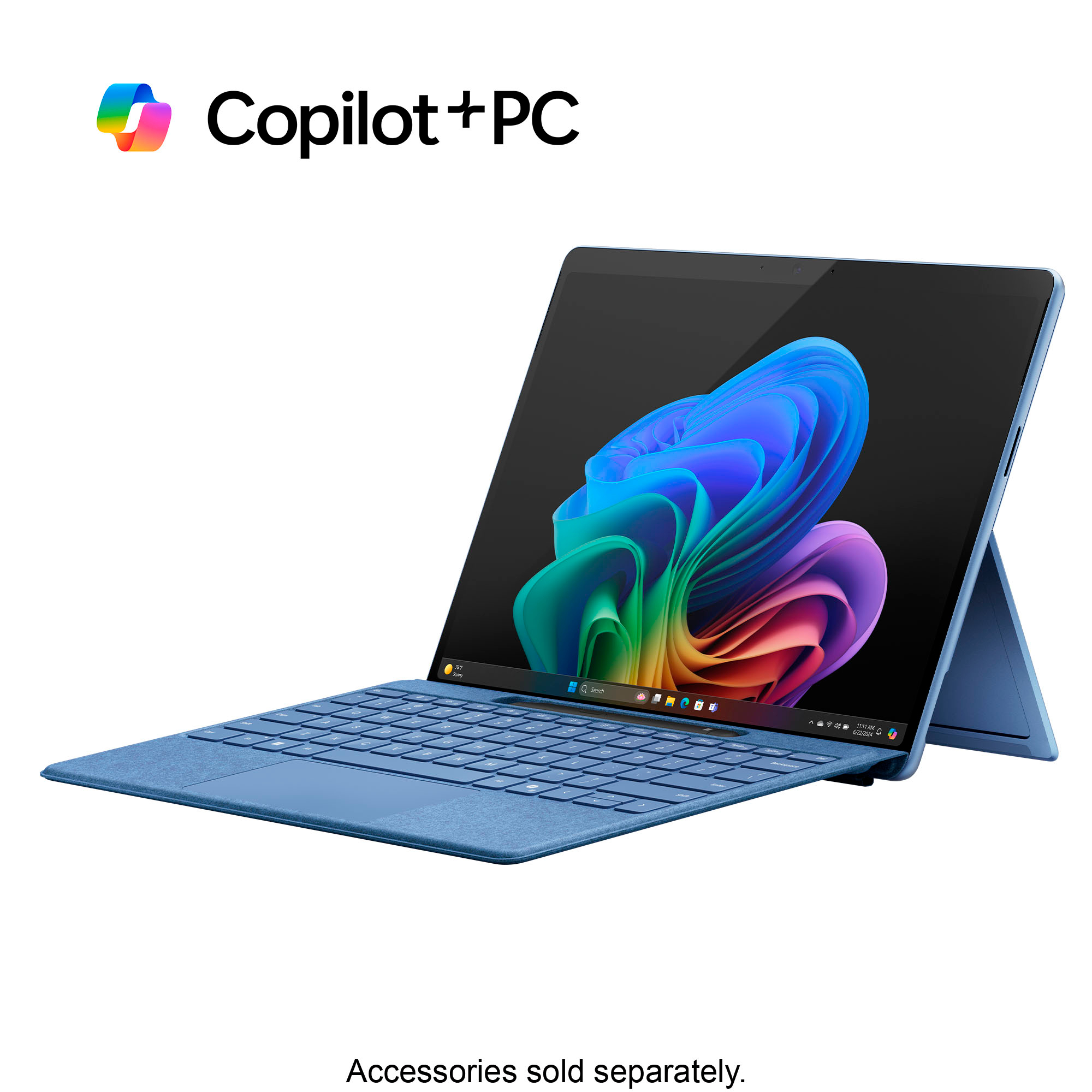
This review is from Microsoft - Surface Pro - Copilot+ PC - 13” Touchscreen - Snapdragon X Plus - 16GB Memory - 512GB SSD - Device Only (11th Ed) - Dune
I would recommend this to a friendRated 4 out of 5 stars
Good choice for college
||Posted . Owned for 1 week when reviewed.This reviewer received promo considerations or sweepstakes entry for writing a review.Good choice for daughter starting college this year. Met all the school recommendations
This review is from Microsoft - Surface Pro - Copilot+ PC - 13” OLED Touchscreen - Snapdragon X Elite - 16GB Memory - 512GB SSD - Device Only (11th Ed) - Sapphire
I would recommend this to a friendRated 4 out of 5 stars
Good buy
||Posted . Owned for 1 week when reviewed.This reviewer received promo considerations or sweepstakes entry for writing a review.It’s a convenient laptop and it’s fast. It’s compatible for my son to use at college.
This review is from Microsoft - Surface Pro - Copilot+ PC - 13” OLED Touchscreen - Snapdragon X Elite - 16GB Memory - 512GB SSD - Device Only (11th Ed) - Black
I would recommend this to a friendRated 2 out of 5 stars
Surface pro 11 is it worthy to buy?
||Posted . Owned for 1 week when reviewed.This reviewer received promo considerations or sweepstakes entry for writing a review.Heating issue exist,touchscreen not that fast.Seperate keypad option however it becomes bulky altogether.Charging time and backup time is not as reported.Alao price is higher comparable previous surface pro
This review is from Microsoft - Surface Pro - Copilot+ PC - 13” Touchscreen - Snapdragon X Plus - 16GB Memory - 512GB SSD - Device Only (11th Ed) - Black
No, I would not recommend this to a friendRated 1 out of 5 stars
Headaches
||Posted .This reviewer received promo considerations or sweepstakes entry for writing a review.Issues started to come up when we tried to install Outlook which was a standard software package through Microsoft 365. None of my printer would install which I have installed on my laptop with Windows 11 installed and most up to date drives downloaded from Canon.
This review is from Microsoft - Surface Pro - Copilot+ PC - 13” OLED Touchscreen - Snapdragon X Elite - 16GB Memory - 512GB SSD - Device Only (11th Ed) - Black
No, I would not recommend this to a friendRated 5 out of 5 stars
Please purchase
||Posted . Owned for 1 month when reviewed.This reviewer received promo considerations or sweepstakes entry for writing a review.Purchased this to replace my Surface Pro 4. LOVE THIS
This review is from Microsoft - Surface Pro - Copilot+ PC - 13” OLED Touchscreen - Snapdragon X Elite - 32GB Memory - 1TB SSD - Device Only (11th Ed) - Platinum
I would recommend this to a friendRated 5 out of 5 stars
Surface Pro
||Posted . Owned for 1 week when reviewed.This reviewer received promo considerations or sweepstakes entry for writing a review.Very good for all around needs and easy to carry during travel.
This review is from Microsoft - Surface Pro - Copilot+ PC - 13” Touchscreen - Snapdragon X Plus - 16GB Memory - 512GB SSD - Device Only (11th Ed) - Sapphire
I would recommend this to a friendRated 3 out of 5 stars
Surface tablet pro review
||Posted . Owned for 3 months when reviewed.This reviewer received promo considerations or sweepstakes entry for writing a review.I switch over to the laptop surface pro just because it was better overall and im not really a tablet person. Also i recommend going with the laptop just due to having to buy your own separate keyboard.
This review is from Microsoft - Surface Pro - Copilot+ PC - 13” OLED Touchscreen - Snapdragon X Elite - 32GB Memory - 1TB SSD - Device Only (11th Ed) - Platinum
I would recommend this to a friendRated 5 out of 5 stars
surface
||Posted . Owned for 2 weeks when reviewed.This reviewer received promo considerations or sweepstakes entry for writing a review.Surface is great for working and school on the go.
This review is from Microsoft - Surface Pro - Copilot+ PC - 13” Touchscreen - Snapdragon X Plus - 16GB Memory - 512GB SSD - Device Only (11th Ed) - Black
I would recommend this to a friendRated 4 out of 5 stars
Excellent 2-in-1 device with very limited AI help.
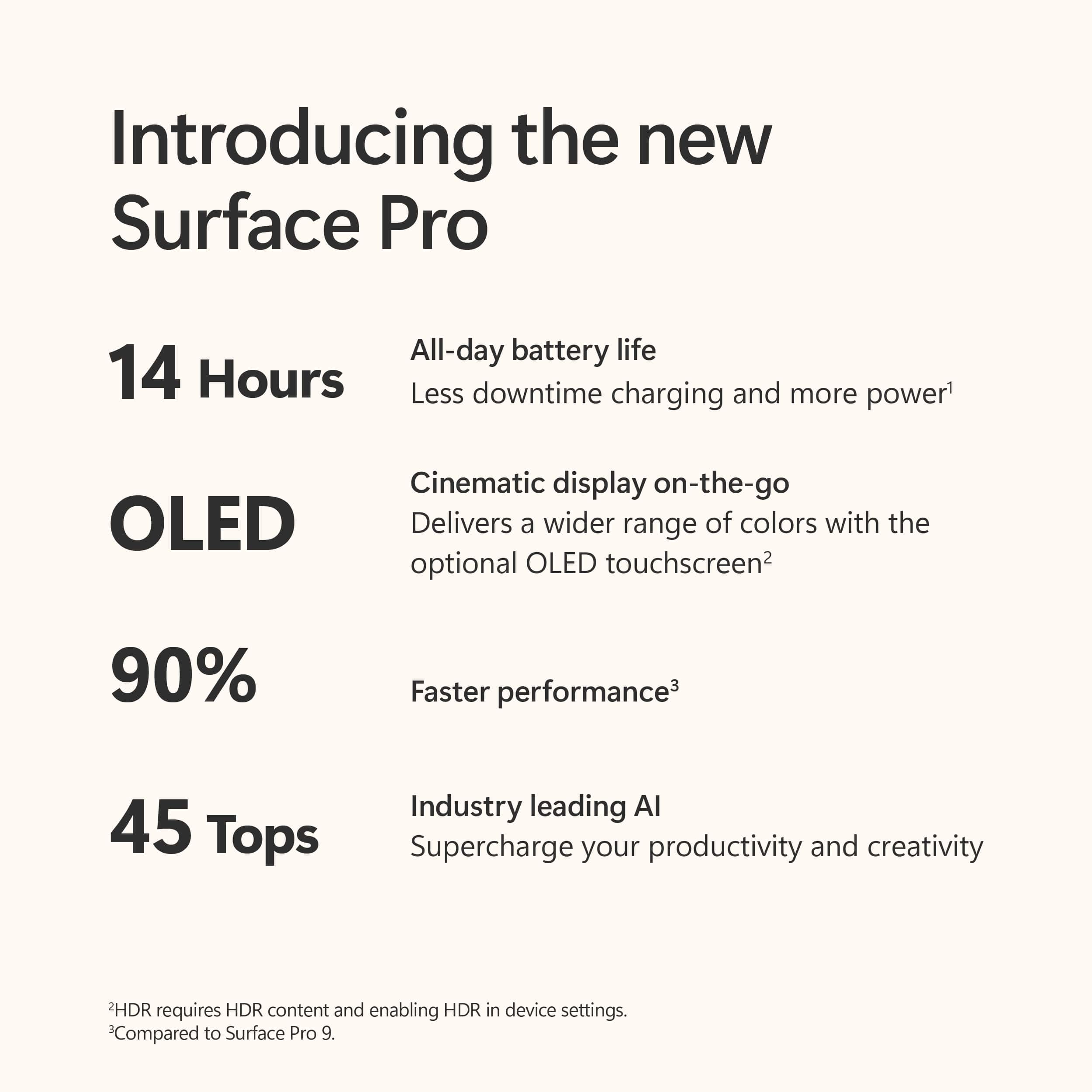
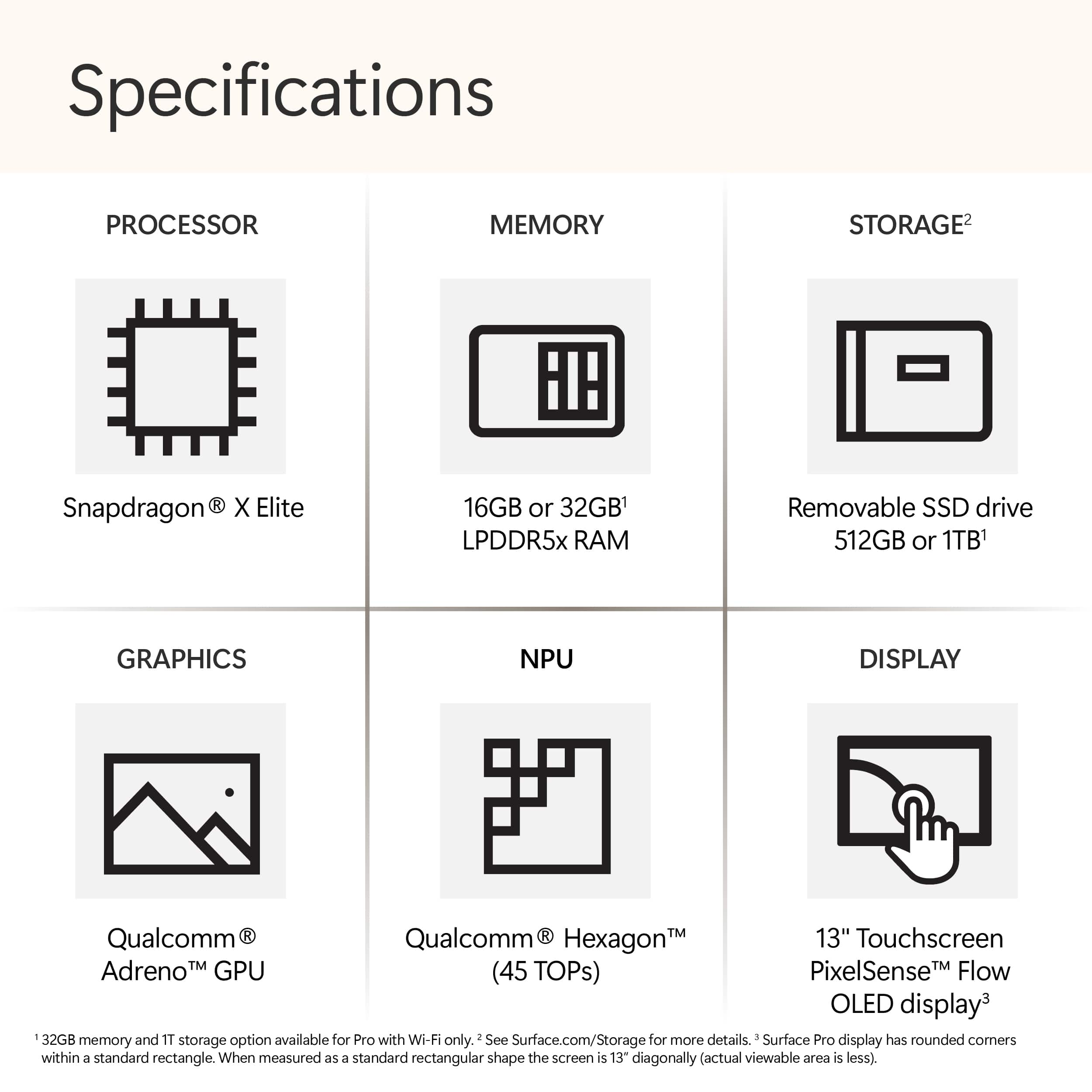
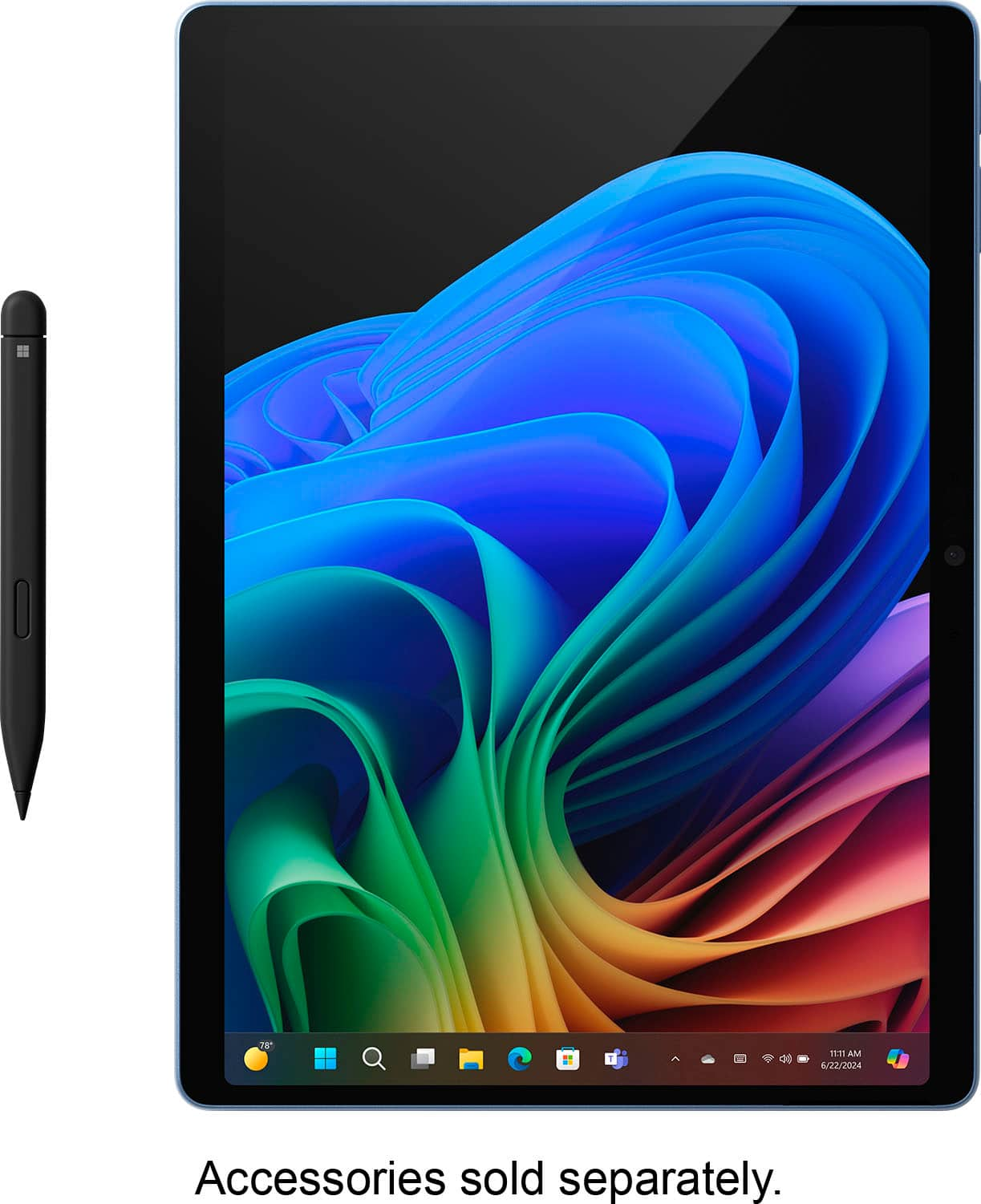
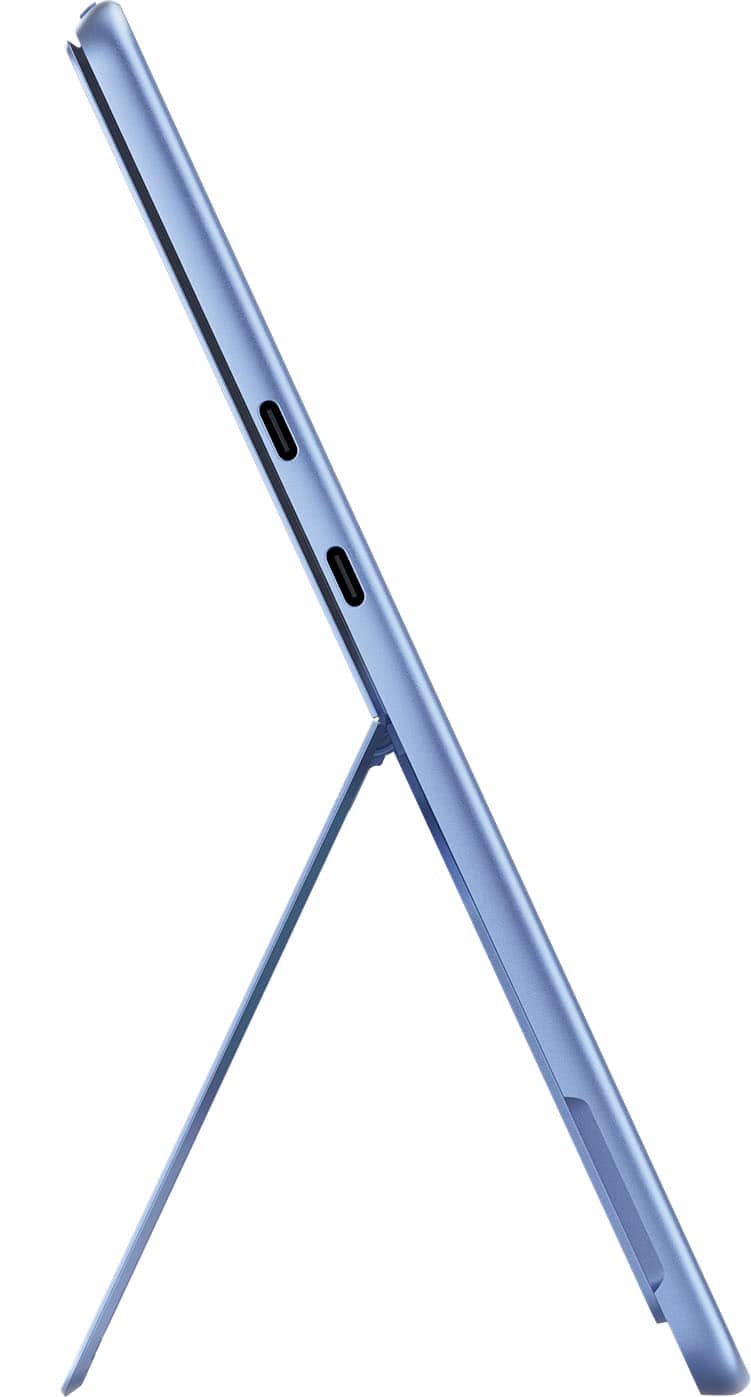
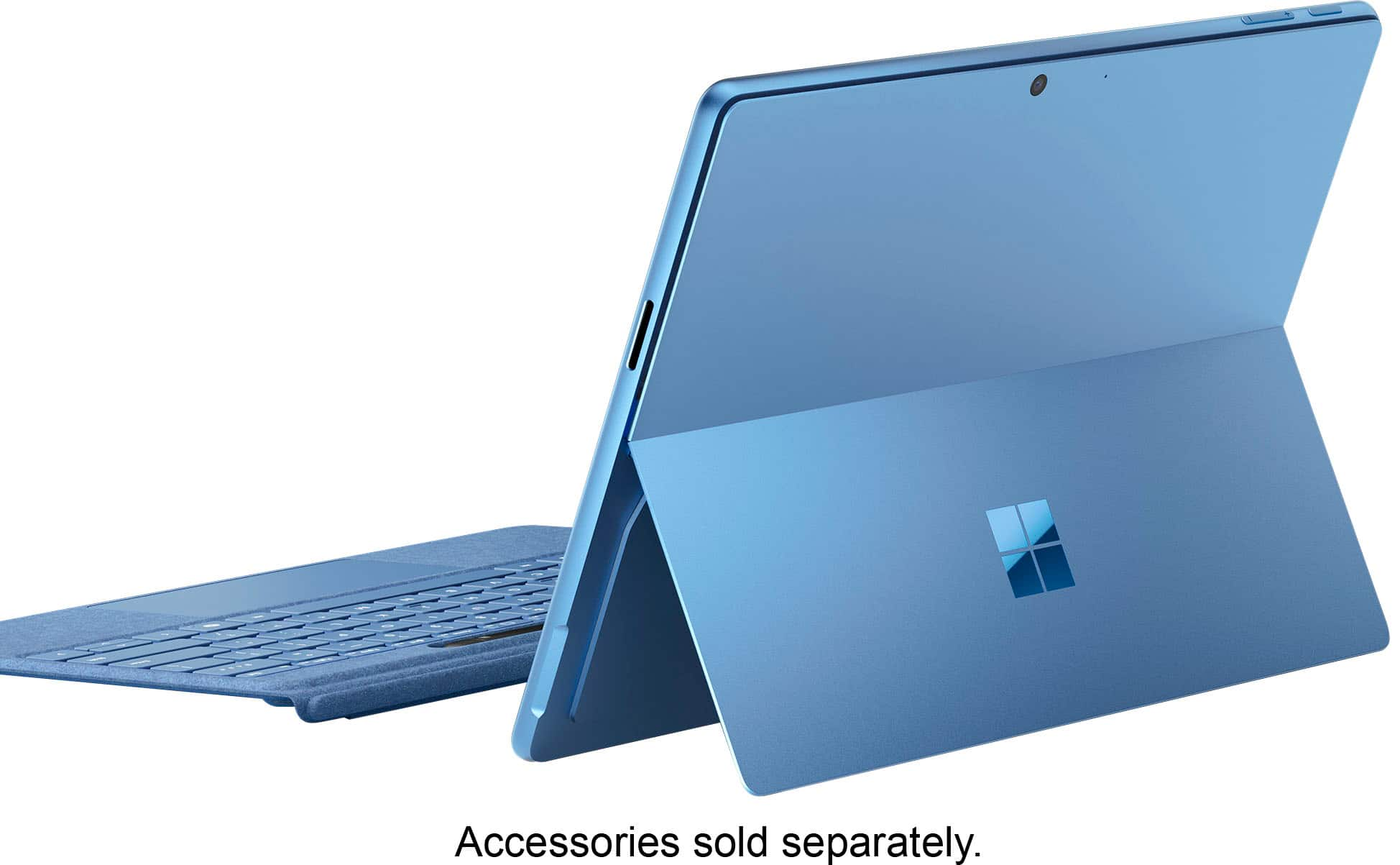
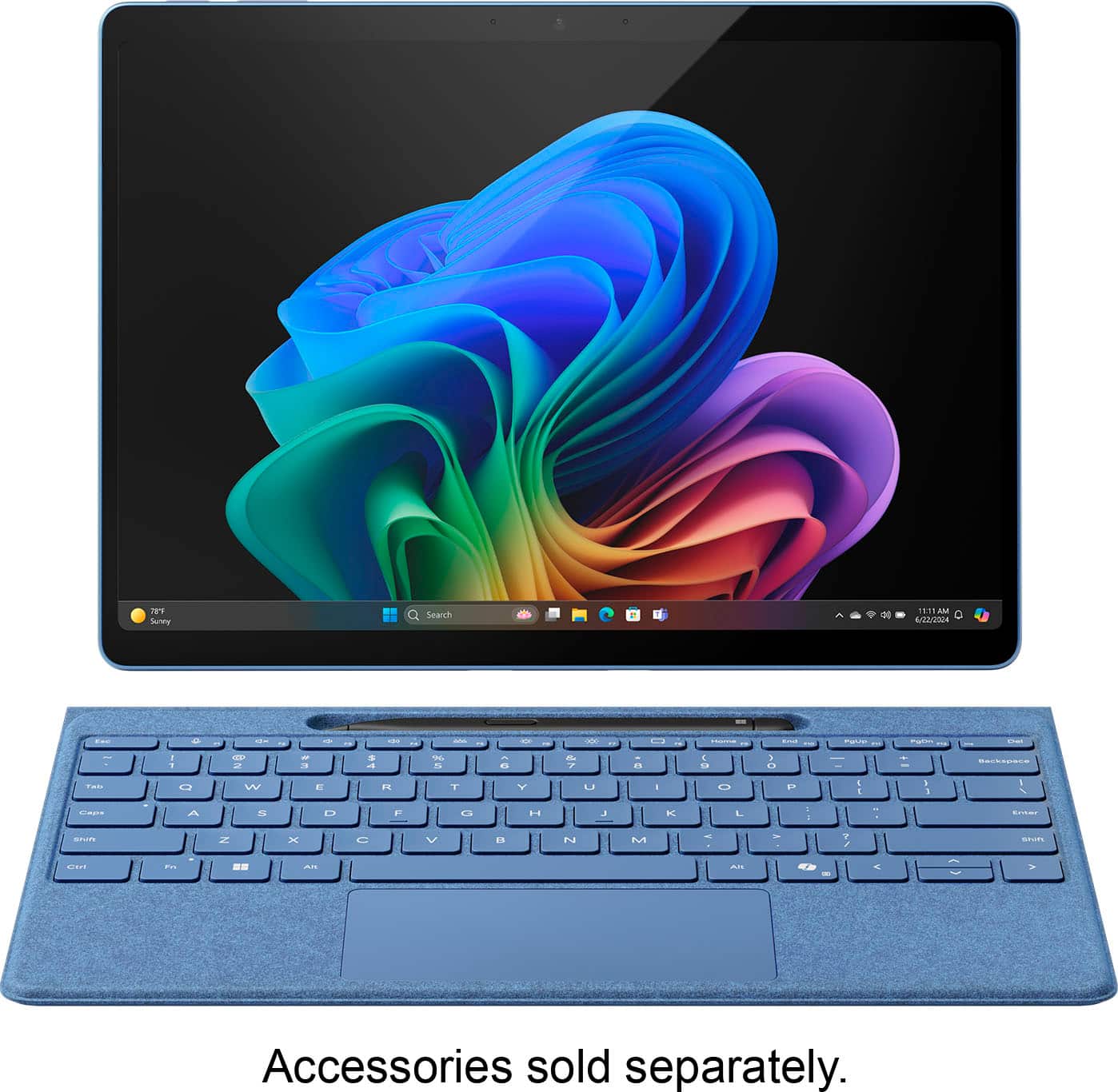
|Posted .This reviewer received promo considerations or sweepstakes entry for writing a review.Microsoft - Surface Pro — Copilot+ PC (Edition 11) — 13" — Snapdragon X Plus — 16GB Memory — 512GB SSD – Black The Surface Pro I have has the LCD IPS screen (2880 x 1920 resolution) with 266 PPI and not the more expensive OLED screen version. However, the IPS screen is beautiful, in my opinion. It has a good color range with sRGB and Vivid color profiles, and its refresh rate is a dynamic 120 Hz making it very responsive and smooth. Also, it offers HDR support as well for a bright and sharp picture. Altogether, it offers a really good experience watching videos, reading documents and working with various office programs. The screen aspect ratio is 3:2, which offers a better view for documents or browsers. It offers Windows Hello, and I have to say that it is the quickest at identifying your face than any other computer I’ve used before with Windows Hello – as soon as you see the camera blink to scan your face, it opens the screen instantly. It has two 2-watt speakers directed to the front with Dolby Atmos, and for me, the best sound I’ve heard from a 2-in-1 device, or laptop in my experience. I’m not saying there aren’t some out there with even better sound, but in my experience dealing with various tablets, laptops and 2-in-ones, it’s the best sound I’ve heard. The speakers can reach 82.4 dB without distortion and are more than loud enough to be heard in a noisy environment. But it isn’t just loudness of sound, but very good quality and richness of sound for such a device. Although there aren’t a lot of ports on the Surface Pro, the ones available are powerful. There are 2 USB-C 4 ports (fully as capable as Thunderbolt 4 ports without the Thunderbolt name, which belongs to Intel and not Microsoft). These powerful ports can be used to run Thunderbolt docks or just USB-C 4 docks for as many peripherals as you need. The Surface Pro has a proprietary charging port (65 watts and fast charging), but you can more slowly charge your Surface Pro through the lower USB-C port (lower of the two) on the left side of the device – the charging port is on the right side of the device. If you use your Surface Pro 11 as your desktop, it will power two external monitors as well plus your other devices. Regarding battery life, you can read all sorts of reports on the web about that. Suffice it to say for my part, my first day I turned on my Surface Pro 11 at 5AM with my battery at 100% and when I shut it down at 9:30PM it had 34% left. I was doing updates, allowing OneDrive to copy over everything onto my device and generally doing ordinary office work off and on during that time along with researching with the browser. Admittedly, none of this was a continuous heavy load which would have caused the battery to run down sooner. Doing more regular work during a couple of days, my battery rate looked like this: 8:19AM to 5:04 PM from 100% to 22%, 8:20 AM to 5:54PM 100% to 31%. Obviously, your battery usage will vary, but I believe that the Surface Pro 11 will get you through the normal work or class day without having to recharge assuming you’re running on battery all day. But, if you have to recharge, using the proprietary charger will have you going from about 30% to 100% in about 1.5 hours. My Surface Pro 11 comes with a speedy 512 GB SSD that is easily upgradeable through a nifty plate that comes off the back of the device located under the built-in kickstand that Surface Pro’s have been noted for since the first one. Popping open the plate shows the SSD that can be removed without opening the device further. A review of my Surface Pro 11 wouldn’t be complete without mentioning the Snapdragon X Plus processor. It is the slightly less powerful processor compared to the version offering the Snapdragon X Elite processor. I have to say that others have commented online that in ordinary use, they cannot tell the difference when using the Plus processor. I only mention that here to say that I’ve not used a Surface Pro 11 with the Elite processor, but I think the online comments are correct. If you look at the specs of both processors and watch others use them, you really can’t see a difference other than what may show on some of the bench tests. My experience with the lower priced Plus version is that the device is snappy in every respect. Windows open quickly and the various processes you set in motion do not exhibit slowness of any sort. In real world use I seriously doubt the actual user is going to be aware of the small difference between these two processors. The real point talking about the Snapdragon processors is to say that they are ARM processors and not Intel or AMD processors found on nearly every computer you’ve heard about until this year. Snapdragon ARM chips and their ilk run just as fast or even faster than x86 chips, but they require less energy and produce less heat in use – your phones and tablets generally run on ARM chips. But ARM processors require software written for them and not x86 processors. There is good availability for software to run on the Surface Pro 11 with more coming this year. I use Microsoft’s 365 Office Suite and they all run perfectly. In fact, I run a number of other programs that run properly as well. To do this in the interim requires an emulator (virtual system allowing programs written for Intel and AMD to run on the Surface Pro 11’s ARM Snapdragon chip). Those programs I use that are not written yet for ARM run perfectly fine on Microsoft’s emulator named Prism. In fact, I can’t tell the difference running these non-ARM programs on my Surface Pro 11 with Prism compared to running them on my Intel based laptop. Based on my experience, you’ll probably not find a problem running your usual stuff on the Surface Pro 11. I would also say that if you’re into heavy graphics/video/photo/audio editing or gaming, you need to check with the manufacturers of the special use software you use to see if it is compatible with ARM at this time. Lastly, a few words about AI. The Surface Pro 11 has a NPU (Neural Processing Unit – read, ‘dedicated processor for running AI work’) so it can handle AI programming separately from the work you CPU ordinarily handles. Some of the AI features available on the Surface Pro 11 are: Paint’s Cocreator – you can do a stick drawing or slightly better if you have the talent, include a bit of text input to guide it as to what you’d like, and it will produce a “better” image of what you’re trying to draw. Then you can give it a little more input to have it increase the quality of the picture you’re looking for. Certainly, the product could be used to illustrate an article if needed. Of course, just asking CoPilot (launched from your task bar) for an image based upon your text input will probably get you a better image overall. Photos App – you can do as mentioned above with your photos in the Photos app where you have a little better interface to work with on your photos. Live Captions – if you have any video to play, or you’re receiving live streaming, it will display subtitles of what is being said for you to read if needed, but if you’re not just using any computer running the web app version of CoPilot for the subtitles, the NPU on the Surface Pro 11 will enable translation of about 44 languages into English from any audio you’re receiving from a video on your device you’re watching or that is being streamed live to you through your Surface Pro 11. Sometimes the translation can hitch a bit, but that is expected with any translation software I’ve heard of. Windows Studio Effects – this AI app allows you, during video calls, to adjust your light exposure if you need additional or less light and provide automatic framing (keeping the camera on your face if you’re moving around during the video call) as well. In addition, it will show your eyes in contact with the other party(s) involved in the call even if you’re looking off to the side at notes or a teleprompter! It also offers several degrees of background blur if you don’t want your space to distract from your call or provide too much personal detail around you to others on the video call. This app works quite well in all respects, but at this time many video conferencing apps provide similar tools, so this isn’t just available through CoPilot’s AI. Here’s my bottom-line on all this: The Surface Pro 11 CoPilot + PC is a great & powerful device. The AI capability is disappointing & limited & hamstrung for such an ice-breaking device.
This review is from Microsoft - Surface Pro - Copilot+ PC - 13” Touchscreen - Snapdragon X Plus - 16GB Memory - 512GB SSD - Device Only (11th Ed) - Black
I would recommend this to a friendRated 5 out of 5 stars
Love it
||Posted . Owned for 1 week when reviewed.This reviewer received promo considerations or sweepstakes entry for writing a review.Love it best computer for my new collage students.
This review is from Microsoft - Surface Pro - Copilot+ PC - 13” Touchscreen - Snapdragon X Plus - 16GB Memory - 512GB SSD - Device Only (11th Ed) - Sapphire
I would recommend this to a friendRated 4 out of 5 stars
Lost Laptop
||Posted . Owned for 1 month when reviewed.This reviewer received promo considerations or sweepstakes entry for writing a review.I purchased this for me but my wife has taken it over ever since I brought it home.
This review is from Microsoft - Surface Pro - Copilot+ PC - 13” Touchscreen - Snapdragon X Plus - 16GB Memory - 512GB SSD - Device Only (11th Ed) - Black
I would recommend this to a friendRated 3 out of 5 stars
Tablet
||Posted . Owned for 1 month when reviewed.This reviewer received promo considerations or sweepstakes entry for writing a review.Still, the tablet and Microsoft are incompatible. For its 16 GB it works slowly.
This review is from Microsoft - Surface Pro - Copilot+ PC - 13” Touchscreen - Snapdragon X Plus - 16GB Memory - 256GB SSD - Device Only (11th Ed) - Platinum
No, I would not recommend this to a friendRated 5 out of 5 stars
Power, Portability, and Innovation in One Device
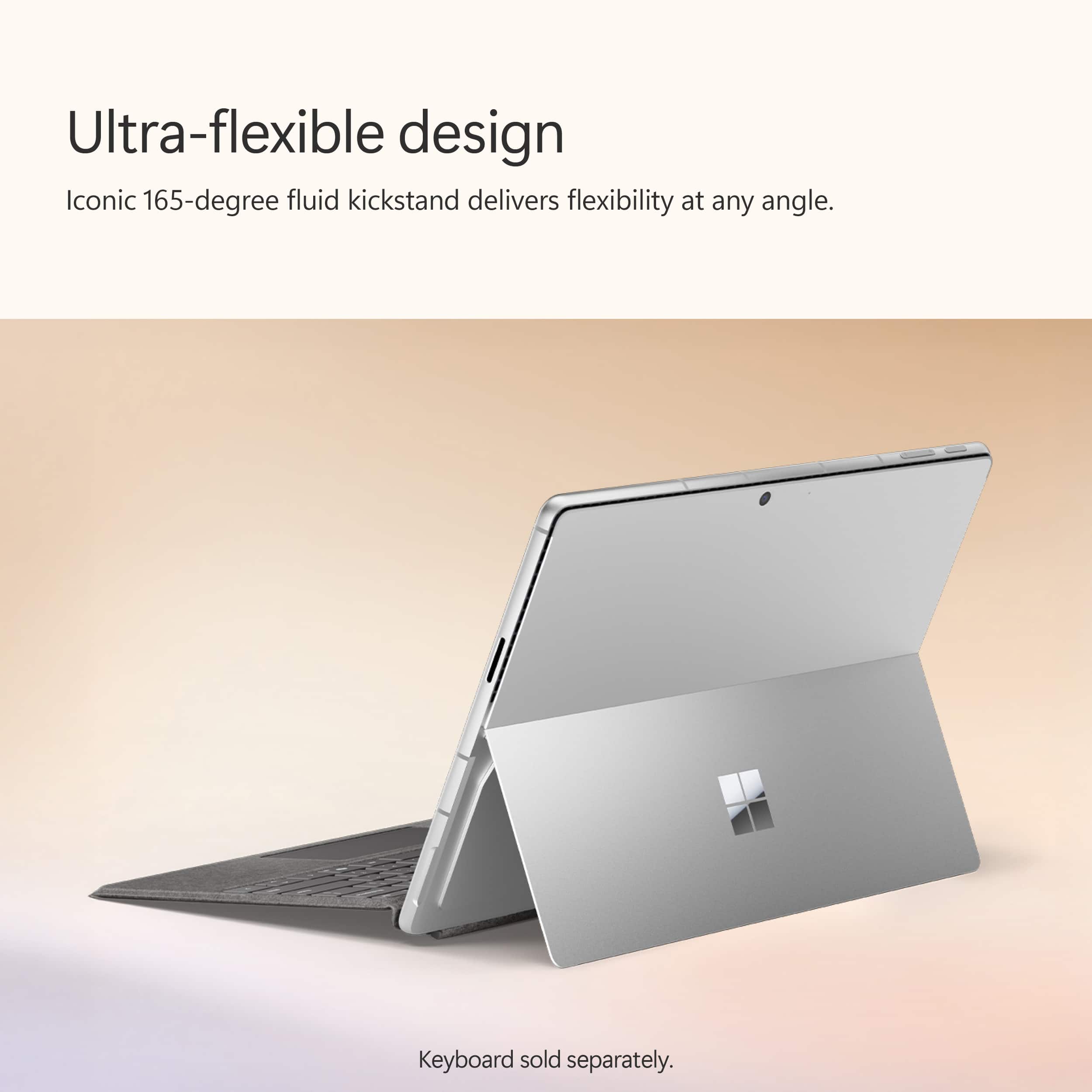
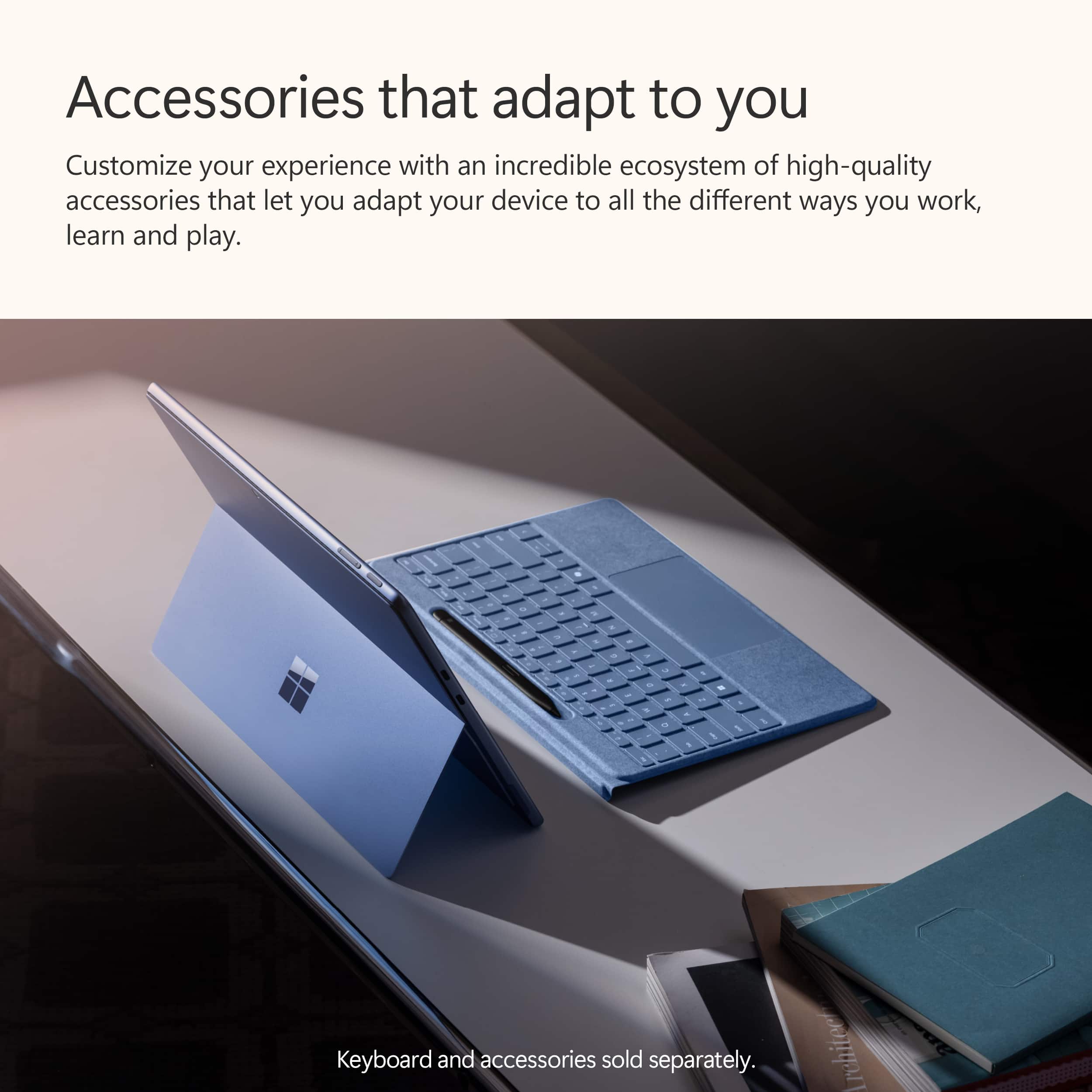
|Posted .This reviewer received promo considerations or sweepstakes entry for writing a review.After using it for sometime, I feel comfortable enough to discuss my impressions and firsthand experiences with the recently released Microsoft Surface Pro Copilot+ PC 11 edition. This device carries on the company's tradition of exquisite, upscale design. Its magnesium alloy body is very well-made, light, and robust. Because it weighs little under two pounds, this device is incredibly portable despite possessing sophisticated technology. Among other advantages, the 13-inch OLED touchscreen is notable for its outstanding viewing angles, deep blacks, and brilliant colors. Because of the crisp, bright display, it's excellent for a variety of tasks, including viewing movies and conducting business. With its 16GB RAM and Snapdragon X Elite processor, this Surface Pro offers remarkable performance. It easily handled anything I threw at it. It was swift and incredibly responsive. Whether using heavy software such as Adobe Photoshop or juggling several apps at once, the tablet never froze. The strong processor and lots of RAM enable a seamless and effective user experience, the Surface Pro does not have the issues with battery life that many other high-end computers do. I was able to get around 10 hours of mixed use out of it after working on documents, viewing movies, and using the internet. For the duration of the workday, it can operate without requiring a plug. The Surface Copilot+ provides more than enough space for the majority of users thanks to its integrated 4th generation 512GB SSD. Fast file and program access is guaranteed by the SSD, along with fast startup times. This time, the SSD is easily replaceable for more capacity if necessary. It is housed in a container beneath the tablet's rear kickstand. The Surface Pro comes with a limited number of connectivity choices. It contains two USB-C ports in addition to a Surface Connector. The addition of USB-C is really helpful as it allows you to use a large range of accessories and gadgets. In order to guarantee dependable and efficient connection, it also supports Wi-Fi 7. The most recent enhancements and features of Microsoft's operating system, including AI integration, are available to the Surface Pro Copilot+ when it runs Windows 11. Because of how user-friendly and straightforward the interface is, it fully utilizes Windows 11's advancements for touch and pen input. The innumerable choices include live captioning for any content in any language, intelligent task management, AI-driven meeting notes, automatic video conference optimization, and customized settings. Given its integration with the rest of Microsoft's productivity suite, Office 365 ought to be the option of choice for all consumers. The Surface Pen (separately available) is a joy to use, and the OLED display is wonderfully responsive. It's excellent for taking notes, drawing, and other creative jobs because the pen input is smooth and accurate. Additionally, the touchscreen enables multi-touch gestures and performs them seamlessly. A powerful device, the Microsoft Surface Pro Copilot+ PC 13" 11 edition offers an exceptional feature-to-portability-to-performance ratio. It will appeal to pros and power users alike because of its stunning OLED touchscreen, robust hardware, and clever AI-driven features. The device's quality and capabilities outweigh its high price, making the purchase worthwhile. The Surface Pro Copilot+ is unquestionably a 2 in 1 worth taking into consideration if you're looking for one that is highly capable, multipurpose, and able to tackle a variety of jobs.
This review is from Microsoft - Surface Pro - Copilot+ PC - 13” OLED Touchscreen - Snapdragon X Elite - 16GB Memory - 512GB SSD - Device Only (11th Ed) - Dune
I would recommend this to a friendRated 4 out of 5 stars
Accounting Mgr
||Posted . Owned for 1 month when reviewed.This reviewer received promo considerations or sweepstakes entry for writing a review.4 out of 5 because it cannot connect to our printer.
This review is from Microsoft - Surface Pro - Copilot+ PC - 13” OLED Touchscreen - Snapdragon X Elite - 16GB Memory - 512GB SSD - Device Only (11th Ed) - Black
I would recommend this to a friendRated 1 out of 5 stars
Poor Compatibility. Worse Than Other Options.
|Posted . Owned for 7 months when reviewed.This reviewer received promo considerations or sweepstakes entry for writing a review.Compatibility issues everywhere. Switched to a laptop with an AMD AI 370HX and it gets better battery life than this on its iGPU. Microsoft needs to refine their translation layer an not leave features like AVX emulation missing at launch of a new architecture.
This review is from Microsoft - Surface Pro - Copilot+ PC - 13” OLED Touchscreen - Snapdragon X Elite - 16GB Memory - 512GB SSD - Device Only (11th Ed) - Black
No, I would not recommend this to a friendBrand response from Snapdragon team
Posted .Hi Sean, Snapdragon X Elite & X Plus platforms are engineered for outstanding performance and efficiency, promising all-day battery life. If you’re not seeing this, please review your power settings and manage background applications, as these factors can significantly affect battery longevity.
Rated 2 out of 5 stars
Disappointing for this day and age
||Posted . Owned for 1 month when reviewed.This reviewer received promo considerations or sweepstakes entry for writing a review.Windows on ARM has been nothing short of a buggy nightmare. Having to restart the PC insanely frequently just to stop background processes, or lag is very annoying. Despite having 16gb of ram, it is very hard to run any games outside of ones you can run on your phone. Copilot and essential business applications are locked behind a Microsoft 365 subscription… AFTER you’ve bought your $1,700 laptop.
This review is from Microsoft - Surface Pro - Copilot+ PC - 13” OLED Touchscreen - Snapdragon X Elite - 16GB Memory - 512GB SSD - Device Only (11th Ed) - Sapphire
No, I would not recommend this to a friendRated 3 out of 5 stars
Jims
||Posted . Owned for 1 month when reviewed.This reviewer received promo considerations or sweepstakes entry for writing a review.problems with mouse and keyboard not working since I bought it ?????????????????
This review is from Microsoft - Surface Pro - Copilot+ PC - 13” OLED Touchscreen - Snapdragon X Elite - 16GB Memory - 512GB SSD - Device Only (11th Ed) - Black
No, I would not recommend this to a friendRated 2 out of 5 stars
Review of the Microsoft Surface Pro
||Posted . Owned for 5 months when reviewed.This reviewer received promo considerations or sweepstakes entry for writing a review.I bought this and the next day returned it. The touch screen did not perform well, the installation requirements to operate it for my intended purpose was taking way too long and required reaching out to Microsoft before we realized it was malfunctioning. I like the idea of this tablet. It's just not there yet.
This review is from Microsoft - Surface Pro - Copilot+ PC - 13” Touchscreen - Snapdragon X Plus - 16GB Memory - 512GB SSD - Device Only (11th Ed) - Black
No, I would not recommend this to a friendRated 4 out of 5 stars
Nice for College Student
||Posted . Owned for 1 week when reviewed.This reviewer received promo considerations or sweepstakes entry for writing a review.Gift for college student. Recipient is very happy.
This review is from Microsoft - Surface Pro - Copilot+ PC - 13” OLED Touchscreen - Snapdragon X Elite - 16GB Memory - 512GB SSD - Device Only (11th Ed) - Black
I would recommend this to a friend