Customer Ratings & Reviews
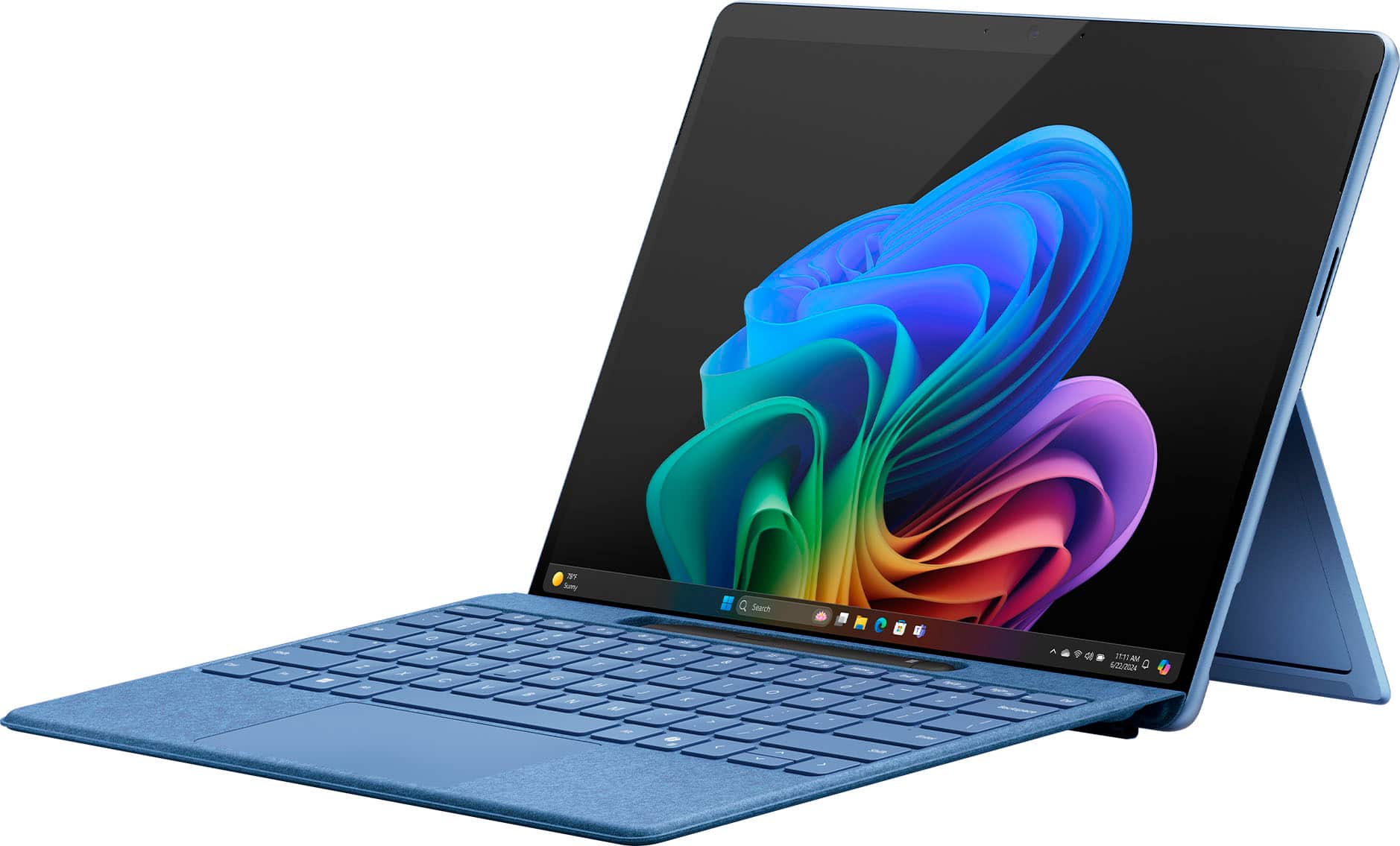
- Model:
- ZIB-00035
- |
- SKU:
- 10122215
Customer reviews
Rating 4.6 out of 5 stars with 1179 reviews
(1,179 customer reviews)Rating by feature
- Battery Life4.7
Rating 4.7 out of 5 stars
- Durability4.7
Rating 4.7 out of 5 stars
- Display4.8
Rating 4.8 out of 5 stars
to a friend
Rated 1 out of 5 stars
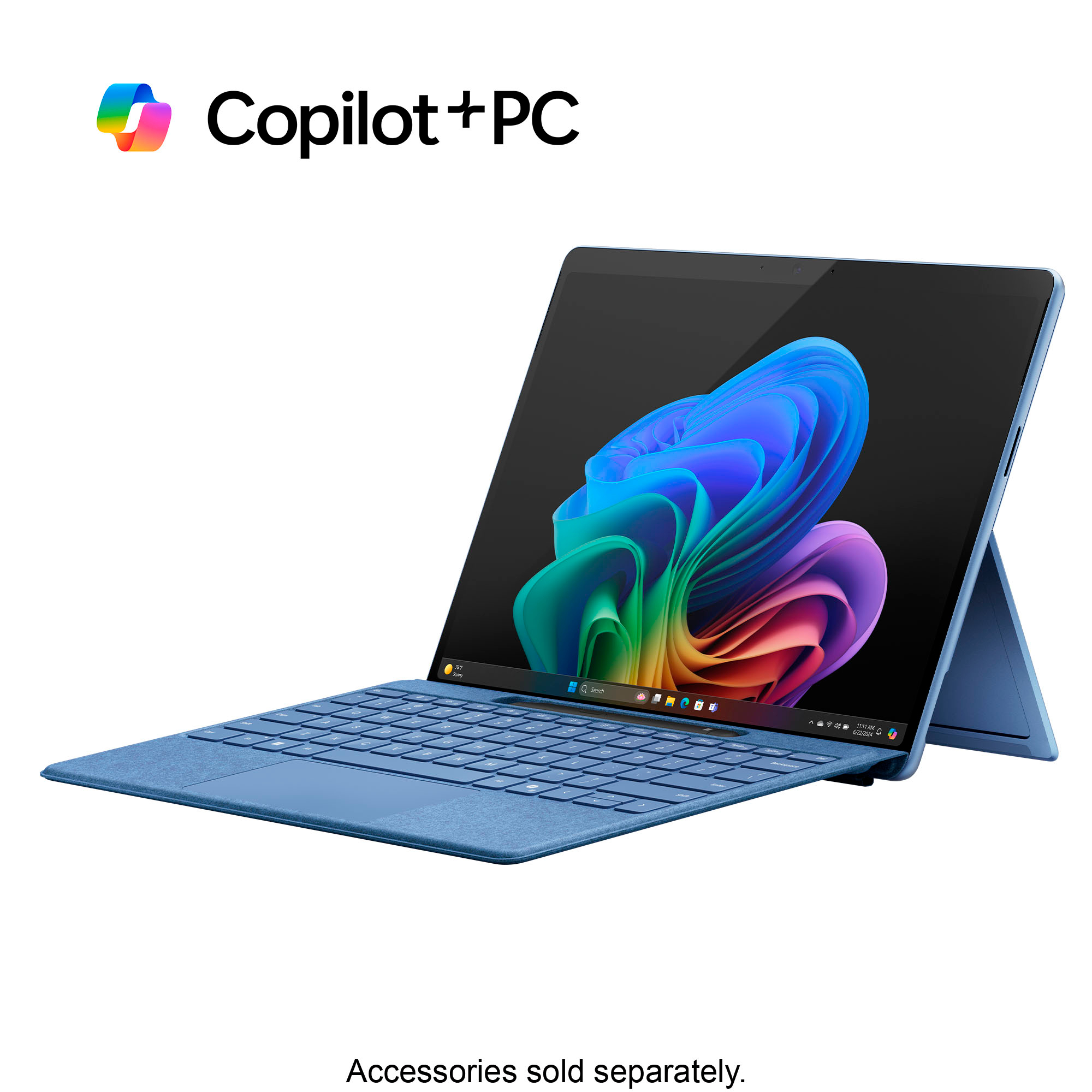
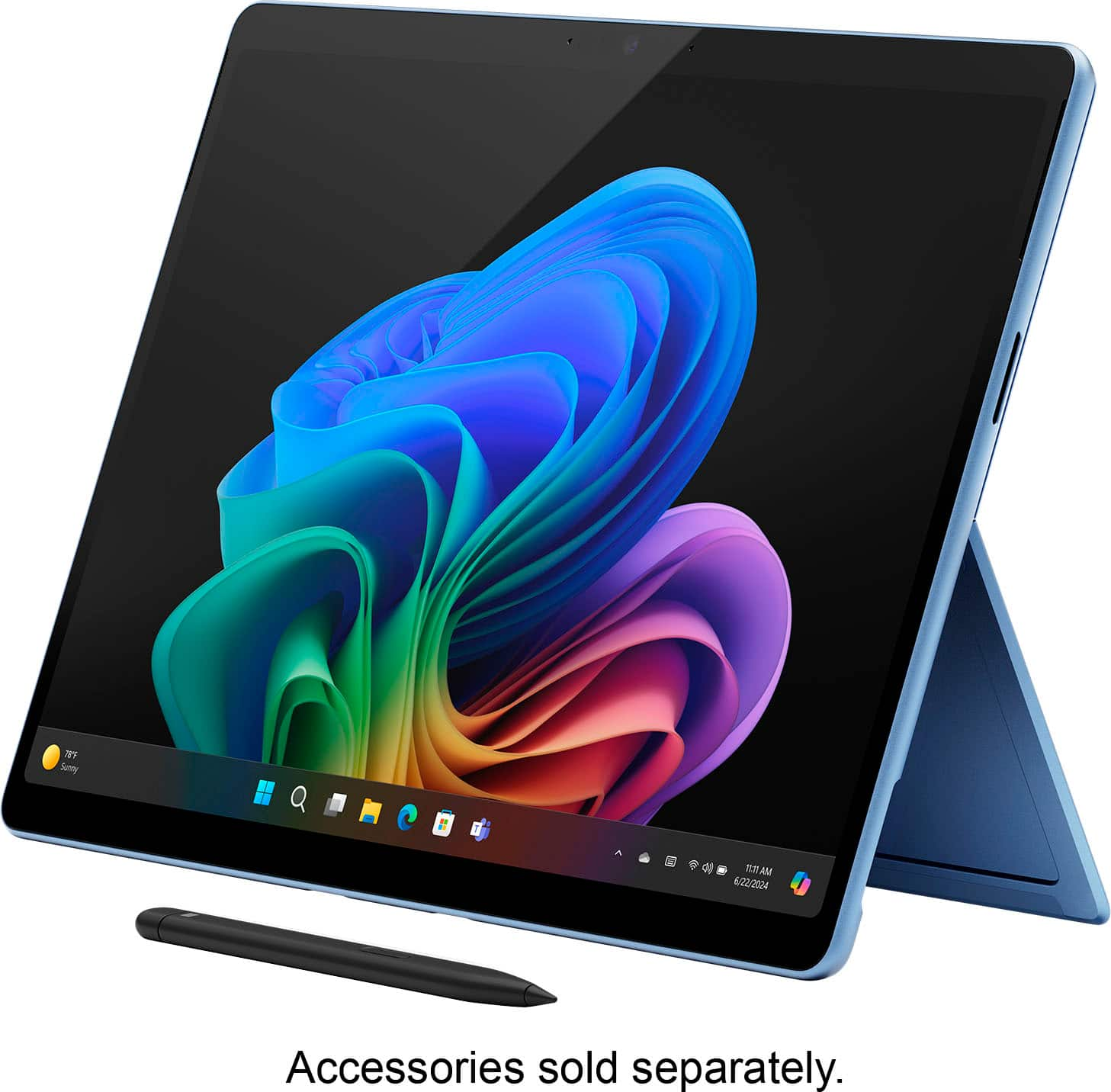
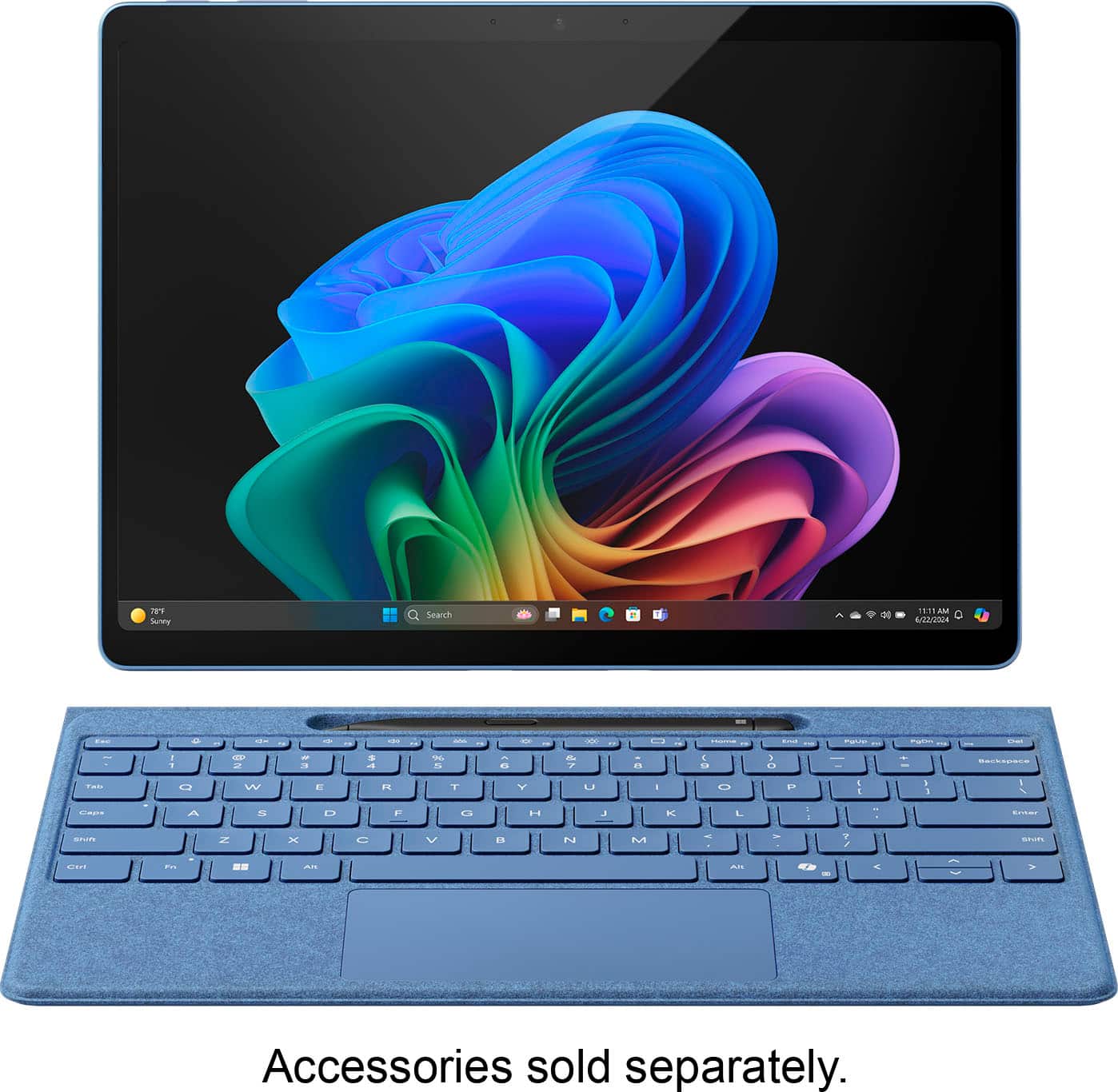
False Advertisement NO KEYBOARD INCLUDED
||Posted . Owned for less than 1 week when reviewed.This reviewer received promo considerations or sweepstakes entry for writing a review.Why would they show the keyboard and not mention anywhere in the description keyboard not included and yet its not included?
This review is from Microsoft - Surface Pro - Copilot+ PC - 13” OLED Touchscreen - Snapdragon X Elite - 16GB Memory - 512GB SSD - Device Only (11th Ed) - Sapphire
No, I would not recommend this to a friendRated 1 out of 5 stars
Waste of time & money
||Posted . Owned for 8 months when reviewed.This reviewer received promo considerations or sweepstakes entry for writing a review.If i could give 0 stars i would. I do not recommend this product to anyone for anything. It runs incredibly slow right out of the box.
This review is from Microsoft - Surface Pro - Copilot+ PC - 13” Touchscreen - Snapdragon X Plus - 16GB Memory - 256GB SSD - Device Only (11th Ed) - Platinum
No, I would not recommend this to a friendRated 1 out of 5 stars
Pc and tablet
||Posted . Owned for 7 months when reviewed.This reviewer received promo considerations or sweepstakes entry for writing a review.Overated item. The size is practical, but the operational system is terrific.
This review is from Microsoft - Surface Pro - Copilot+ PC - 13” OLED Touchscreen - Snapdragon X Elite - 16GB Memory - 512GB SSD - Device Only (11th Ed) - Sapphire
No, I would not recommend this to a friendRated 1 out of 5 stars
not good to switch
||Posted . Owned for 2 weeks when reviewed.This reviewer received promo considerations or sweepstakes entry for writing a review.Not good to operate, switch between the touch screen and the keyboard
This review is from Microsoft - Surface Pro - Copilot+ PC - 13” OLED Touchscreen - Snapdragon X Elite - 16GB Memory - 512GB SSD - Device Only (11th Ed) - Sapphire
No, I would not recommend this to a friendRated 1 out of 5 stars
Avoid Best Buy
||Posted . Owned for 1 month when reviewed.This reviewer received promo considerations or sweepstakes entry for writing a review.Slow and uselss. Definetlt dont buy from Best Buy, their customer support is atrocious.
This review is from Microsoft - Surface Pro - Copilot+ PC - 13” OLED Touchscreen - Snapdragon X Elite - 16GB Memory - 512GB SSD - Device Only (11th Ed) - Platinum
No, I would not recommend this to a friendRated 5 out of 5 stars
Surface Pro quality, battery life champion
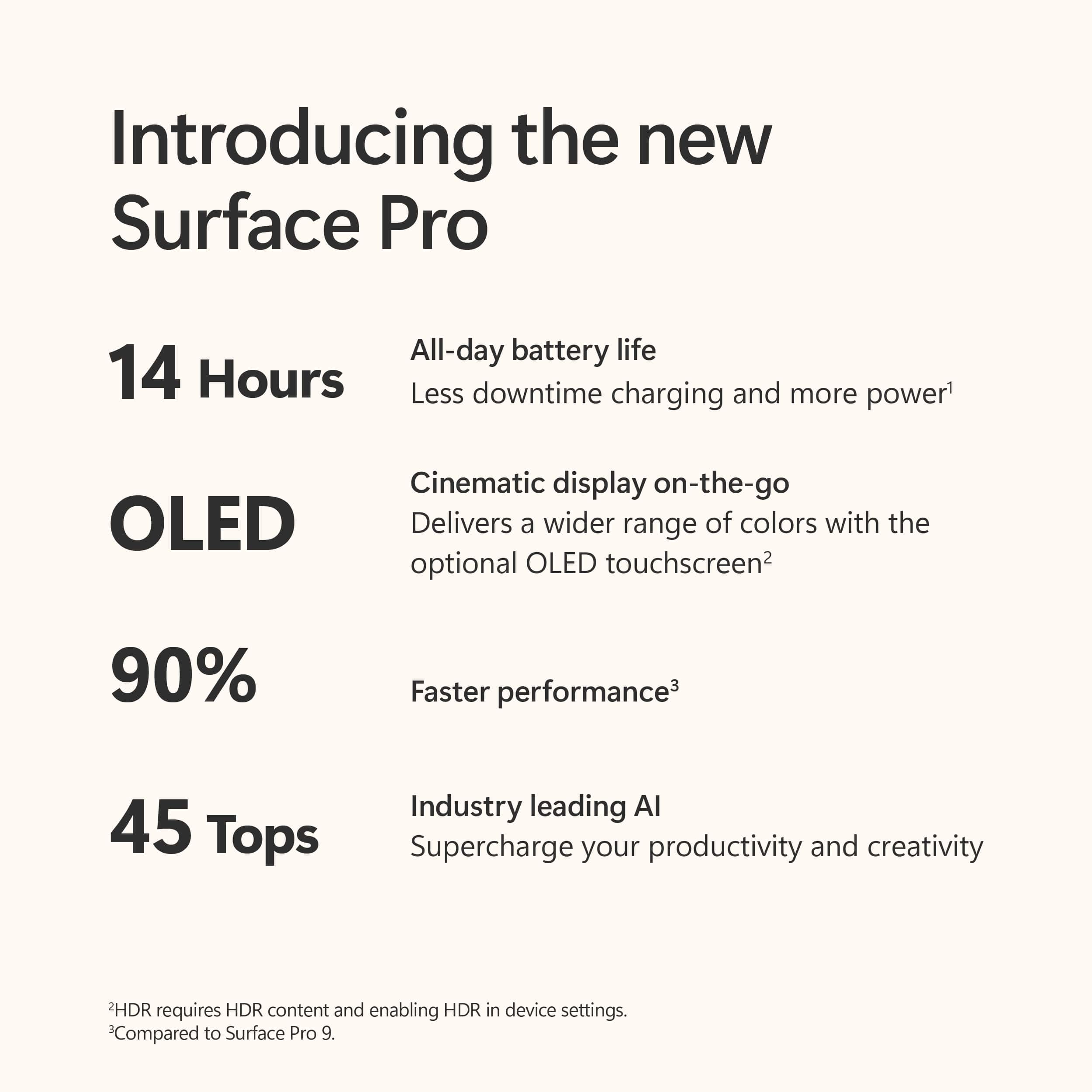
|Posted .This reviewer received promo considerations or sweepstakes entry for writing a review.I have considered the Microsoft Surface Pro line as the de facto tablet for Windows. The quality and polish of the devices have been the gold standard if you are looking for a tablet, and for me this includes a 360 style 2-in-1 form factor. The Surface Pro 11 is no exception. It continues the same design language as the previous generation, and this is a good thing. I used for a little while the Surface Pro 10 for work and it was just right. This continues that excellence. I got the Dune color this time and it’s nice champaigne color to me, which is cool, not the typical silver or black colors. The real distinction here, and arguably the reason for upgrading, really comes down to two things, the new Arm achitecture (Intel/AMD no longer), and the reason for the “Copilot+PC” in the name. This is the realization of full integration of Microsoft’s AI language model into the Windows experience. For all intents and purposes, it’s like having your phone assistant integrated into Windows, but in overdrive. It integrates with your Office products, it provides intelligent feedback when querying for information, and it’s just beginning. I have been sort of resistant to using the AI languages, preferring to manually search or complete actions as I just enjoy the “tactile” feedback of manual entry. Copilot really begins to bridge my preferences to an intelligent assistant future. I’m slowly reaching for Copilot for many things and expect this to continue. There is even a hardware Copilot on the Surface keyboard should you get that as an accessory. I see the future Microsoft is going for. The former aspect that makes the Surface Pro 11 a real distinction is the Snapdragon X processor family. Being an ARM architecture (think system on chip processors like Android and iPhones), The possibility of real processing speed comparable with the x86 architecture previously used is here. I have not experienced any slow downs with this chip. The other part though, and this was crucial for me in a tablet, is that the Snapdragon X, along with Microsoft’s optimizations in Windows they are beginning to roll out, make battery life in the Surface Pro 11 on scale with tablets with Android or iPadOS. This is huge, because for me I was hesitant to use a Windows tablet due to battery life, opting for laptops with bigger batteries to compensate for the power hungry processors needed before. This processor is phenomenal for this aspect. Qualcomm has also really beefed up the neural processing of this processor which is the “brain” for AI and Copilot. This allows for incredibly speedy results when using AI. It makes it a joy to use. Overall, I would recommend this machine for anyone wanting a true tablet Windows experience. It does run your applications that are not compiled for ARM in an emulation layer, so those at times might take a slight performance hit, but I didn’t notice anything that was unusable. The battery life makes this an immediate upgrade from the 10th gen Surface Pro for me.
This review is from Microsoft - Surface Pro - Copilot+ PC - 13” OLED Touchscreen - Snapdragon X Elite - 16GB Memory - 512GB SSD - Device Only (11th Ed) - Dune
I would recommend this to a friendRated 5 out of 5 stars
Portable Excellence
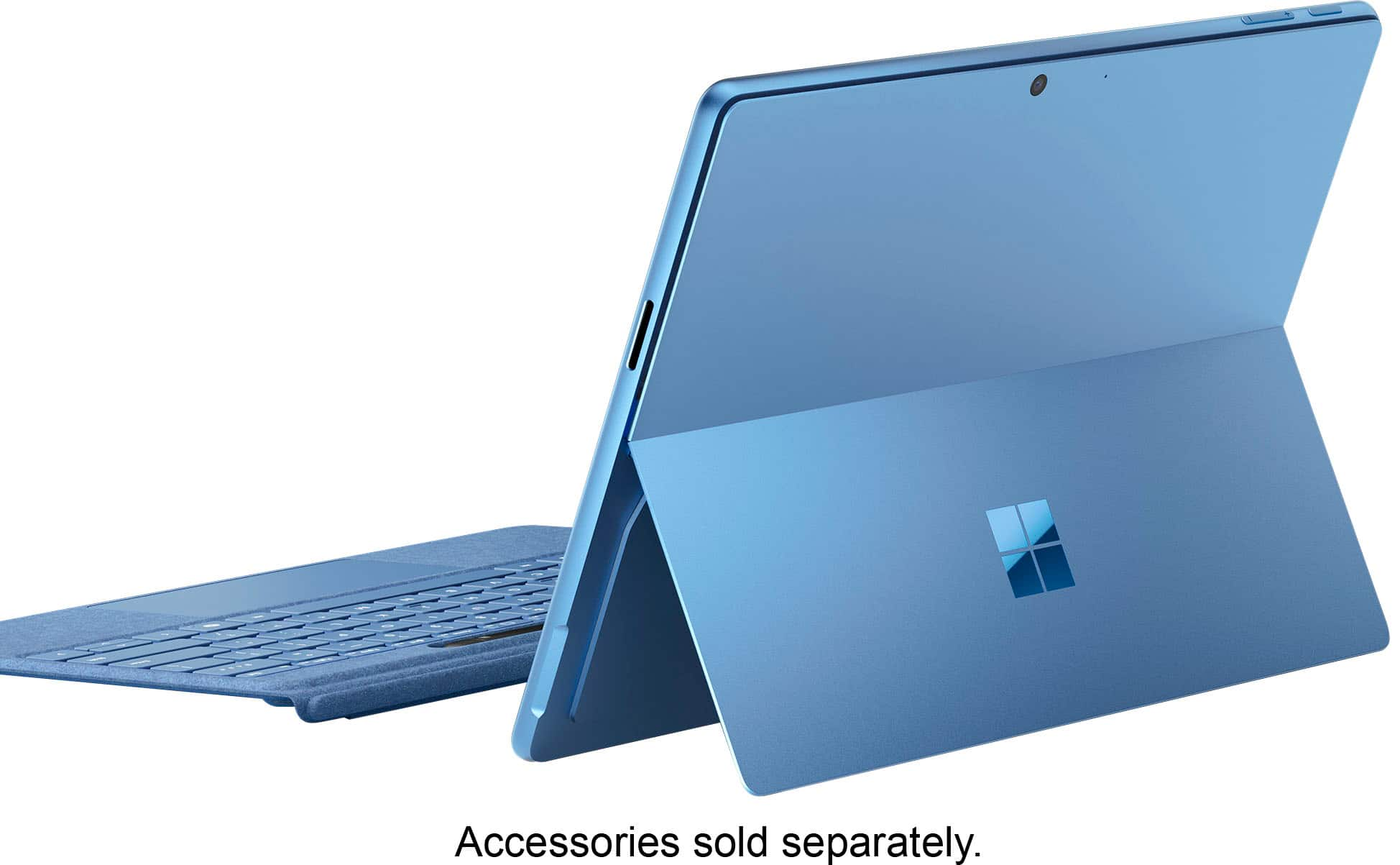
|Posted .This reviewer received promo considerations or sweepstakes entry for writing a review.This is the type of device that will make Windows, and Surface in particular, users extremely happy. It will also make users of other operating systems want to switch. It is a true computer yet also a tablet - a power house when you need it and all day battery life to keep it going. The battery has been incredible. I’m able to get through a full day, and then some, of work and play, with minimal battery loss while sleeping. I love the form factor - a thin table with a built-in kickstand that holds in any position. I also like that the hard drive is easily accessible - a magnetic cover under the kickstand is easily removed to reveal it. For me, it is best with the separate purchase of the keyboard and pen, but this is a really great value. I find no use for the surface connector and would rather have a third USB type C port on that side of the device. It has been able to run all of my needed applications (Office 365, Teams, Signal, WSL2, VS Code, Jetbrains apps, even MySql running through emulation works great). Windows Hello facial recognition is fast and secure and the AI features are useful. The Copilot app is helpful, Live Translate works very well, Image Creator in Photos works well and is fast, Paint CoCreator gives a good starting point for creating images. Even if you don’t use the AI features, the device is worth it for the new hardware alone. The Edge browser is fast, doesn’t drain battery, and works great for touch (especially the swipe gesture for going back). Although not a gaming laptop, I installed Steam and Hades 2. On medium settings, game play is excellent. This does drain battery a bit faster, but to be able to play games is a great bonus. My main laptop is an Apple MacBook Pro (M1) and this fits right into my set up. It works with the Caldigit TS4+ dock, connected to an Apple Studio Display. If you are mainly an Apple user, you can even install the iCloud app and have access to your photos, passwords, drive, and bookmarks. All of this great performance with the Plus processor, this is truly excellent. It is just unreal to me that this thin device is a full computer that can be used all day and has battery life to spare. I really enjoy using it during the day at my desk, taking a break and moving to another office on battery power, and then finishing up with some Hades 2 at the end of the day. This is simply an excellent computer.
This review is from Microsoft - Surface Pro - Copilot+ PC - 13” Touchscreen - Snapdragon X Plus - 16GB Memory - 512GB SSD - Device Only (11th Ed) - Black
I would recommend this to a friendRated 5 out of 5 stars
Great device with AI features
|Posted .This reviewer received promo considerations or sweepstakes entry for writing a review.This is my first Microsoft Surface Pro and have always had HP laptops in the past. My main reason why I got this PC is because of its Copilot features - I am just so excited to get my hands on the AI capabilities that are integrated into this powerful device. Tip: I also got the keyboard and Pen bundle accessory to complement the Surface Pro and they are the perfect combo for seamless productivity on the go. When I powered the device up out of the box, it went through the usual set-up process. The set-up was quick, and it recognized and connected to our wireless network without any issues. By this point I was already impressed because of how fast the Surface Pro processes things. The Microsoft 365 apps have been preinstalled and all I had to do was sign up on my Microsoft account to activate the apps. I also installed other entertainment apps as I plan on using this device to watch videos as well as play music. Video quality is really good with the 13 inch screen with QHD screen resolution. Sound from its built-in speaker is loud at the highest setting but could be better quality though, but not an issue for me since I use an external speaker for this purpose. As for the Copilot features - I like that there is dedicated Copilot key on the keyboard, by the way - there are ton of possibilities and I have yet to utilize them! I have used Copilot and ChatGPT on my work laptop and have attended some online classes on prompting, so I can say I have a little bit of background on how to use GenAI. The integration of Copilot into the Surface Pro is the convenience I am looking for in a personal laptop. If I could share a quick tip that would be to play around and practice better prompting so that Copilot will generate the content that you want and ask for. In the Surface Pro Copilot+ PC, with just one press of a button, the Copilot app gets powered up and you can enjoy endless possibilities ranging from text rewrites, summarization, image generation, language translations, and so on. This is one device that I am sure I will use for a long time, apart from my work pc. Its sleek and slim design as well as better battery life and remarkable performance make this device very portable and powerful for on-the-go productivity.
This review is from Microsoft - Surface Pro - Copilot+ PC - 13” Touchscreen - Snapdragon X Plus - 16GB Memory - 512GB SSD - Device Only (11th Ed) - Black
I would recommend this to a friendRated 1 out of 5 stars
Why is ai in everything?
||Posted . Owned for 5 months when reviewed.This reviewer received promo considerations or sweepstakes entry for writing a review.Remove the ai and maybe the snapdragon can keep up with daily tasks. Returned.
This review is from Microsoft - Surface Pro - Copilot+ PC - 13” OLED Touchscreen - Snapdragon X Elite - 16GB Memory - 512GB SSD - Device Only (11th Ed) - Black
I would recommend this to a friendBrand response from Snapdragon team
Posted .We value your input and thank you for sharing your experience with the Snapdragon processor. Your feedback is crucial to us, and we will ensure it is communicated to our team.
Rated 1 out of 5 stars
Lied about the promotion
||Posted . Owned for 2 months when reviewed.This reviewer received promo considerations or sweepstakes entry for writing a review.Tablet works but you will not receive the promotion that goes with the item you purchase!
This review is from Microsoft - Surface Pro - Copilot+ PC - 13” Touchscreen - Snapdragon X Plus - 16GB Memory - 256GB SSD - Device Only (11th Ed) - Platinum
No, I would not recommend this to a friendRated 5 out of 5 stars
Incredible Machine
|Posted .This reviewer received promo considerations or sweepstakes entry for writing a review.This Microsoft Surface Pro Copilot+ PC is just simply an incredible machine. I haven't had a new computer in a long time, but this one has had the best first impression on me that any new computer has since my first one 30 years ago (the early days of the internet). There are a few things that I'm seriously impressed with: the speed and the battery life. The Copilot Plus features are also pretty cool, and I'll get to those, too. This computer is fast, plain and simple. It never lags and no matter what I'm doing, things load quickly no matter how many things are open. Then the battery life. I'm used to seeing the battery go down quickly on my last tablet. I loved that computer, but this one blows it away. I would describe it as it sips battery. With constant use, it lasts more than all day. The Copilot Plus features are pretty cool. I've been using Copilot on my phone for while and it even ended up writing the obituary for my father. It's a great service, so I was very interested to see these features. The cocreator was great. You draw smething that you want and then type in what you want to see and choose the creativity level and it peoduces a picture. I found that the higher the creativity level the closer that I would get to what I asked for. I found that using it in Photos was even better. It was fast and accurate. I would but this computer over and over again for the speed and battery life. The Copilot+ features are great. I'm so happy with this PC and would recommend it to anyone looing for a portable, long battery life and fun to use computer.
This review is from Microsoft - Surface Pro - Copilot+ PC - 13” OLED Touchscreen - Snapdragon X Elite - 16GB Memory - 512GB SSD - Device Only (11th Ed) - Dune
I would recommend this to a friendRated 5 out of 5 stars
New & Improved
|Posted .This reviewer received promo considerations or sweepstakes entry for writing a review.I have the Surface Pro X SQ1 and decided to upgrade to this new surface Pro and it is such a significant improvement. This new version I got is the snapdragon plus version and not the Elite which still has amazing performance. The screen is still the same size. The keyboard and pen for the surface pro x SQ1 are even compatible with this version. The resolution to me seems a little sharper although some may argue but I do see a a more crisper image when surfing the net. The copilot plus feature is pretty cool! I'm just so used to searching and doing everything manually that it's not really a feature I could see myself using personally. It's always nice to have options though. The Snapdragon X Plus processor is faster than previous models which is a nice always a nice addition. When surfing the net the pages load almost instantly. The design is very nice with a sturdy kickstand and design over all just like the previous version I have. I never really had a problem with the design though. Overall I would definitely say that this is an improvement over the last model and seems with each new release the surface pro only gets better. I would definitely recommend the new surface pro to anybody looking to upgrade.
This review is from Microsoft - Surface Pro - Copilot+ PC - 13” Touchscreen - Snapdragon X Plus - 16GB Memory - 512GB SSD - Device Only (11th Ed) - Black
I would recommend this to a friendRated 1 out of 5 stars
Still waitibg for product promised by the 18th of
||Posted . Owned for less than 1 week when reviewed.This reviewer received promo considerations or sweepstakes entry for writing a review.Still waiting for product. Waiting, waiting......
This review is from Microsoft - Surface Pro - Copilot+ PC - 13” Touchscreen - Snapdragon X Plus - 16GB Memory - 256GB SSD - Device Only (11th Ed) - Platinum
No, I would not recommend this to a friendRated 5 out of 5 stars
Happy customer!
Posted .This reviewer received promo considerations or sweepstakes entry for writing a review.This device has a great screen and performs well. I have been able to run several applications at once without any loss of speed. I've had it for a couple of months now, and it has been a pleasure to work on.
This review is from Microsoft - Surface Pro - Copilot+ PC - 13” OLED Touchscreen - Snapdragon X Elite - 16GB Memory - 512GB SSD - Device Only (11th Ed) - Sapphire
I would recommend this to a friendRated 5 out of 5 stars
Good and meets my expectation.
Posted .This reviewer received promo considerations or sweepstakes entry for writing a review.This laptop/tablet does the job. I am not a fan of the screen as I can see every single pixel i'm not sure if that is normal. I have been an Apple Tablet and Macbook pro user for years. I decided to move from the Ipad due to the limitations of it such as a completely operable hardware with very limited and restricted software. Knowing this was going to be released I waited for it. I am not disappointed leaving the iPad as this allows me to actually use the features I want more efficiently. I like the whole AI assistance which is very helpful. The speakers are pretty good I am impressed, and I am impressed with the battery life. I have not stressed the Snap Dragon chip and I do not plan too. However I do see it more responsive and the software being snappy. If iPad had the full software I would stay but I am currently satisfied and may not switch back.
This review is from Microsoft - Surface Pro - Copilot+ PC - 13” Touchscreen - Snapdragon X Plus - 16GB Memory - 512GB SSD - Device Only (11th Ed) - Platinum
I would recommend this to a friendRated 5 out of 5 stars
Excellent Device
Posted .This reviewer received promo considerations or sweepstakes entry for writing a review.This is an excellent devices with its portability, speed and screen resolution. However, once in a while the keyboard fails to connect on bootup until it is removed and re-inserted.
This review is from Microsoft - Surface Pro - Copilot+ PC - 13” OLED Touchscreen - Snapdragon X Elite - 16GB Memory - 512GB SSD - Device Only (11th Ed) - Dune
I would recommend this to a friendRated 5 out of 5 stars
Perfect for the Photographer on the go!
Posted .This reviewer received promo considerations or sweepstakes entry for writing a review.Might be exactly what I need. I am a professional photographer and was debating between this new Surface or an MacBook Air M3. Personally I still wanted the capability and ability to use a touchscreen for certain apps which leaned me towards the Surface over the MacBook. There were some features also that weren’t available on my iPad Pro and was looking for a desktop experience. I needed some capabilities of Lightroom Classic, Photoshop, Luminar Neo and Capture One. While there are not full native versions for Windows ARM the emulated versions were pretty fast for me and can’t wait till developers start making full support versions for this 2 in 1. The OLED screen is bright and beautiful. I did a comparison test between my iPad Pro M1 and was pleasantly surprised of the quality of this new OLED. The blacks on this screen are crisp and just what I need for my editing. I’ve done work on and off throughout the day and battery life has been so much better than past intel based versions after doing a few hours of editing throughout the day I still had 80% battery life. I opted for the cheaper $279 version of the keyboard with pen, which suits my needs. I don’t always need the pen at the ready and may not need the keyboard to work wirelessly via Bluetooth. I’m very satisfied with this purchase and excited for the future of these new processors and Windows ARM.
This review is from Microsoft - Surface Pro - Copilot+ PC - 13” OLED Touchscreen - Snapdragon X Elite - 16GB Memory - 512GB SSD - Device Only (11th Ed) - Black
I would recommend this to a friendRated 5 out of 5 stars
Great New Surface Pro!
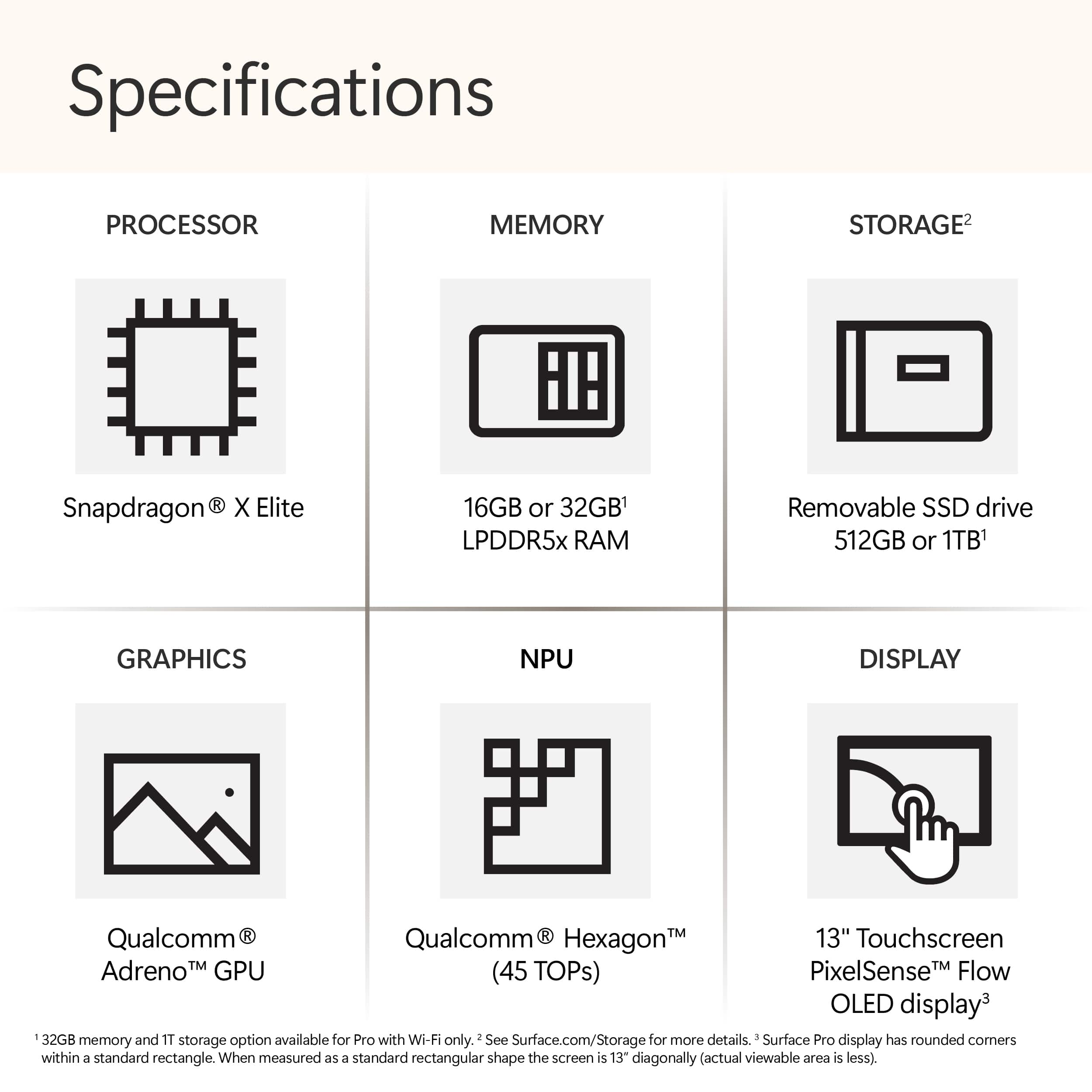
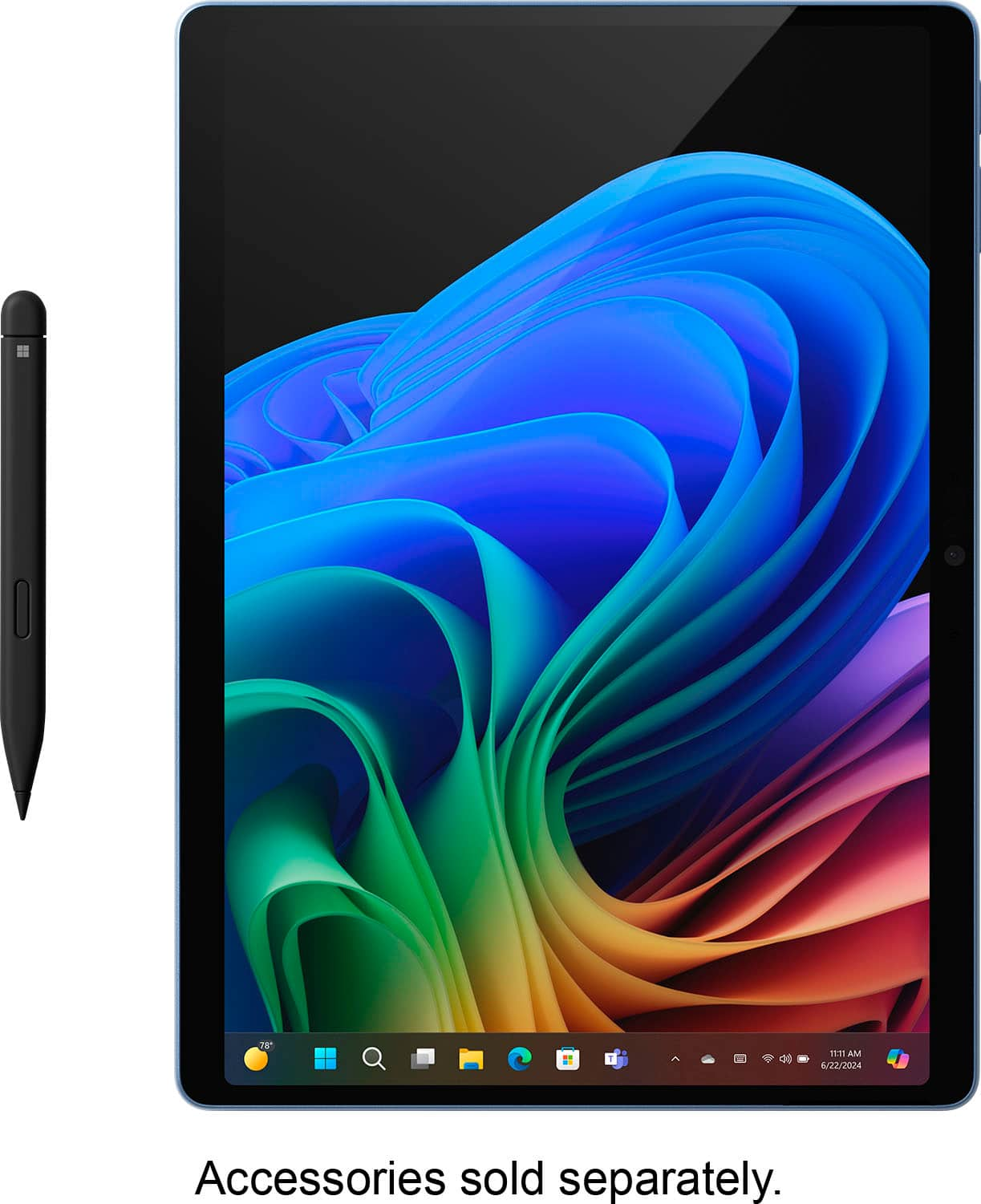
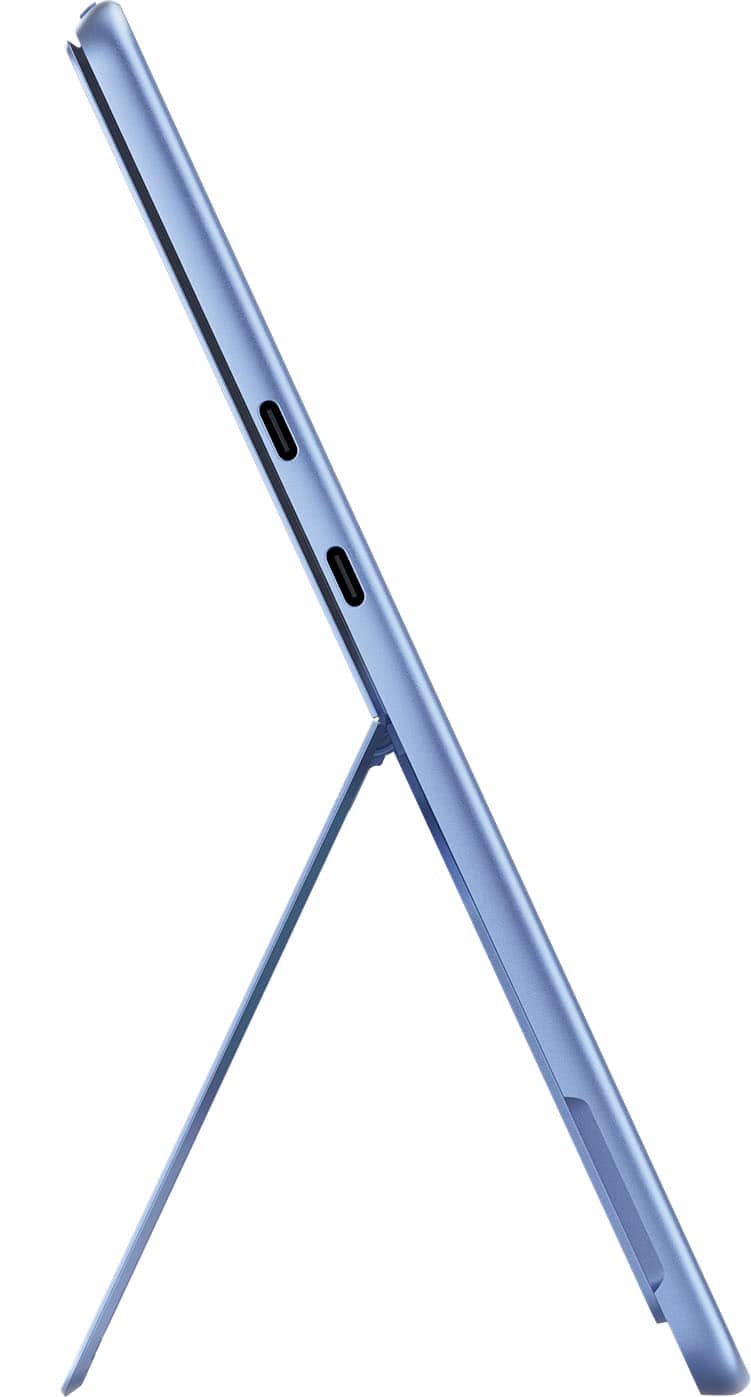
|Posted .This reviewer received promo considerations or sweepstakes entry for writing a review.The latest version of the Microsoft Surface Pro (11th Edition) is one of the first devices to use the new Qualcomm Snapdragon Elite X and Elite Plus chips. It utilizes an Arm architecture instead of the older Intel X86 version of Windows. In the case of my model, the chip is the X1E-80-100. This device also uses the first OLED type screen for Surface. The Snapdragon X series brings new AI features and improvements to battery life and speed over the previous versions of the Surface Pro. By now the structure and construction of the Surface should be familiar. It has a solid, high quality build. The ports are two USB 4 and a Microsoft Surface magnetic charger port. I like the color options of this model, including my Dune model and the Sapphire as well. The rear of the device under the useful kickstand has a small, magnetic door to access the upgradeable SSD. The new OLED screen is a great new addition to the Surface. It is very bright and HDR video content looks especially good. The speakers are quite loud and actually have a bit of bass response. They are among the best speakers on a tablet. The Surface has no headphone jack. The Pro 11 has an improved battery life compared to previous models. Of course battery life greatly depends on factors such as screen brightness, speaker volume and app usage. I have noticed approximately a 20-25% improvement over the previous model. It is a good improvement but not game changing. Your experience will of course be different, but I would classify the battery life as very good to excellent especially for a Windows device. I saw no unusual battery loss in either a standby or power off state. Fan noise and warming of the chassis can happen when multitasking in high performance mode, but the device is quiet and stays slightly warm in general use. As for the new AI features in the Copilot + PC Surface Pro 11, they are kind of fun to play around with, but not especially compelling for me, but for digital artists I'm sure they would be more useful. The Image Creator in the Paint app takes my very poor drawing skill, and produces a digital image of high quality. In the Photos app it takes existing photos and turns them into various styles of art such as impressionism, pencil drawings, etc. The Copilot app itself is basically a chat bot that is capable of creating images and even songs from your descriptions. It answers your questions, or directs you to Bing Search if it can't come up with a response. I'm fairly certain that future updates to other apps will bring new AI enhanced features. Overall, I see this Surface as a first step in a new direction from Microsoft and the competition from Intel and AMD in their forthcoming chips can only be a good thing. I see this as a successful attempt at innovation and a worthy purchase for anyone looking to upgrade from an older model Surface or Windows laptop. Unfortunately, I have never been a PC gamer, so I can't comment on that aspect of the Surface, and if that is a concern of yours, please do your own research. I have yet to see a downside to this product and I highly recommend it.
This review is from Microsoft - Surface Pro - Copilot+ PC - 13” OLED Touchscreen - Snapdragon X Elite - 16GB Memory - 512GB SSD - Device Only (11th Ed) - Dune
I would recommend this to a friendRated 5 out of 5 stars
A Great Compact Computer
Posted .This reviewer received promo considerations or sweepstakes entry for writing a review.The surface is a great computer. It does everything I need it to do. It’s compact and light to carry around. I am so glad I purchased a surface.
This review is from Microsoft - Surface Pro - Copilot+ PC - 13” OLED Touchscreen - Snapdragon X Elite - 16GB Memory - 512GB SSD - Device Only (11th Ed) - Black
I would recommend this to a friendRated 4 out of 5 stars
Copilot takes the back seat
|Posted .This reviewer received promo considerations or sweepstakes entry for writing a review.Gotta start this off by stating AI in its current state is mostly a gimmick unless you have a very specific case usage. I have no clue what that scenario might be because I haven't come across a task that benefitted from AI. Cocreator...well I'm an artist. I draw on my own so I don't need an assistant for that. Add that you're required to sign in with a MS account makes it even more of a hassel. I always sign in with a local account because of the 10 device limit. Using an MS account was fine back in the Windows 8.1 days when they allowed 81 devices, now it's a useless limit that punishes people who enjoy MS devices and OS. Copilot is another big miss. It's tied to Bing and Edge. Without using a third party work around you're using Bing and Edge. I hate Chromium browsers but use Brave as my secondary choice. My main browser is Firefox. Since I can't officially have Copilot open links in either browser it's unhelpful to me and leaves it wide open to other assistants that don't limit you on browser preference. It's the same reason I've always uninstalled Cortana. If I was offered a choice of browser, maybe I'd use it more. They're just web links so that lock on the browser is ridiculous. MS is about to get into some hot water claiming it's legal for them to pirate copyrighted content from providers on the web and even ignore robot.txt. Makes me wonder how long before my personal files get snatched ...oh wait, One Drive is backing up data without my consent. Uninstall! Now with the AI trashing out of the way on to the hardware. This is the absolute best Surface product I've owned and my third so far. There are some improvements I wish they can make but it's still a great device. My first wish is to include screen adjustment software. Without being able to really calibrate the display doing any professional photo/video editing it pretty much crippled. You can adjust the gamama with Windows calibration, but that's it. You can't adjust brightness (not backlight), contrast, RGB values, etc. You're stuck with the settings they deemed best. Plus without using HDR and auto adjust the screen's blacks come out gray, further reducing the use as profession photo editing tool. Drawing on the table is wonderful experience. It's been a good while since I've drawn on a Windows device and the Surface Pro 11 doesn't disappoint. My old pen used AAAA batteries while the new pen is rechargable. Set up and personalizing the buttons is pretty straight forward. So far, some apps I tested use the top of the pen as an erasor. Battery life seems pretty good so far. According to Windows it's anywhere between 7-12hrs on my mixed usage. I haven't done a full rundown but the battery lasts a fair bit longer than my old Surfaces and some of my laptops. You'll definately get a full day's use out of it as long as you're not blasting the screen at 100% and running high performance processes. I keep my screen around 25-40%, pretty much where I keep all my screens to where they're as bright as a sheet of paper under my lighting conditions. The few x86 programs I've tested worked fine. I haven't seen KeePass mentioned in any reviews, but it works perfectly on my unit. So that's a huge plus for me. I haven't tried any games since I have multiple gaming laptos, but I do need to see what old games I can put it through for those emergency gaming sessions I might need, lol. Upgrading the harddrive is a simple. The Surface has a 2230 NVME SSD wiht a magnetic cover that pops off to reveal the drive. Whoever came up with this deserves a raise! Laptops used to be like this where they had removeable panels over the upgradeable components. I'm glad MS has taken this route with the Surface. Memory isn't as easy. You need some skills to tackle that one. VRR is a hit or miss. Some apps, like Edge, work fine with it. Firefox becomes a stuttering mess with VRR. Turing it off makes it smoother, but it's still not as smooth as Edge. But it's still not enough of an annoyance for me to switch to a Chromium browser. MS needs to have a blacklist for apps to not use VRR. So, the Surface Pro 11, even being an ARM64 device, is the best Windows tablet and best Surface product I've owned. Hoping next round will have more tweaks and optimizations to beat the 11. Looking forward to 12!
This review is from Microsoft - Surface Pro - Copilot+ PC - 13” Touchscreen - Snapdragon X Plus - 16GB Memory - 512GB SSD - Device Only (11th Ed) - Black
I would recommend this to a friend