Last Chance 48-Hour Flash SaleEnds Dec. 24. Limited quantities.Shop now

Skip to content
Gift Ideas
Main Content

Customer Ratings & Reviews
Your price for this item is $1,399.00
The comparable value price is $1,699.99

Customer reviews

Rating 4.6 out of 5 stars with 1179 reviews

Rating Filter

Rating by feature

  • Battery Life

    Rating 4.7 out of 5 stars

  • Durability

    Rating 4.7 out of 5 stars

  • Display

    Rating 4.8 out of 5 stars

91%
would recommend
to a friend
The vast majority of our reviews come from verified purchases. Reviews from customers may include My Best Buy members, employees, and Tech Insider Network members (as tagged). Select reviewers may receive discounted products, promotional considerations or entries into drawings for honest, helpful reviews.
Page 59 Showing 1,161-1,179 of 1,179 reviews
  • Rated 5 out of 5 stars

    Excellent upgrade. Powerful, fast, great screen.

    Posted .
    This reviewer received promo considerations or sweepstakes entry for writing a review.

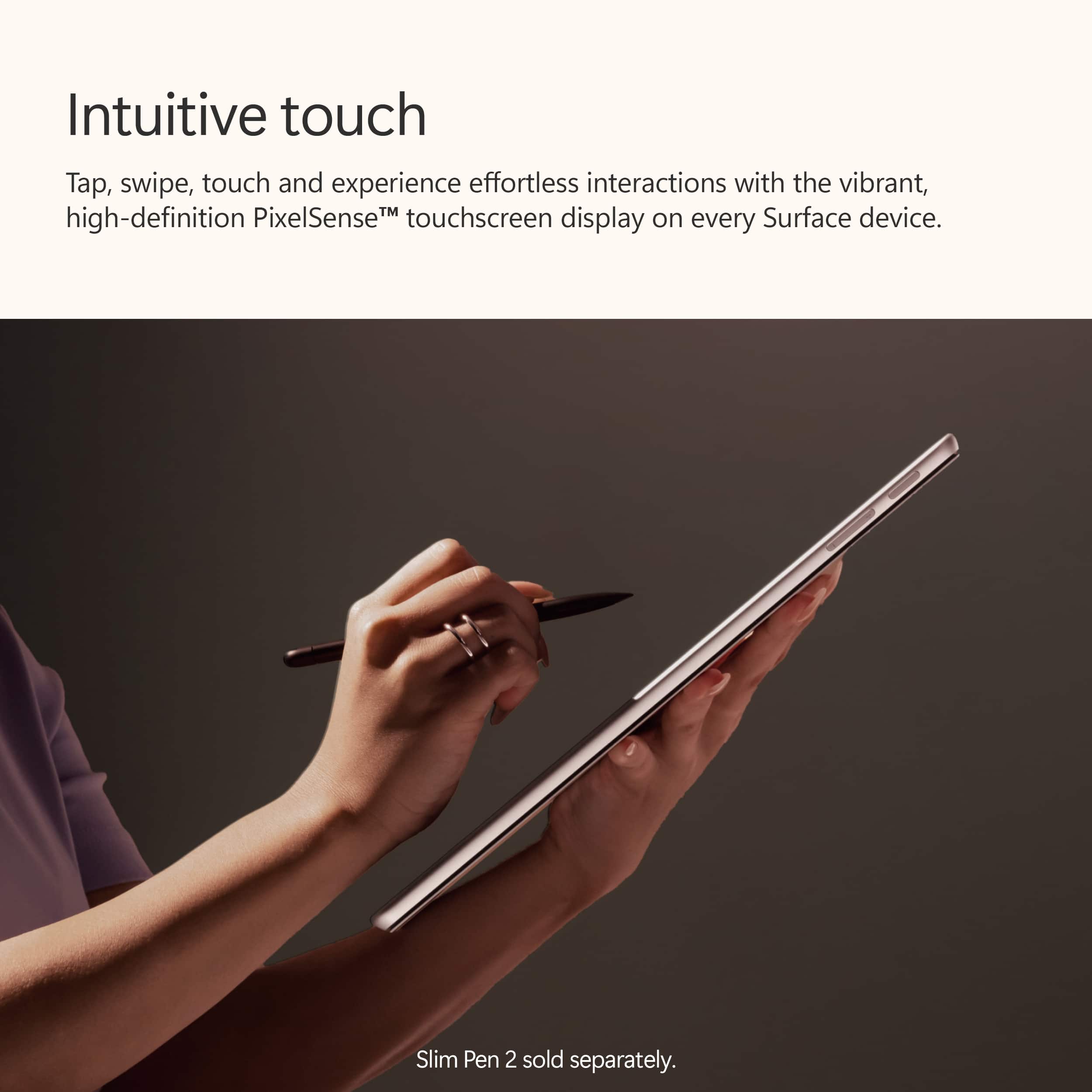
    Excellent two-in-one. Coming from a Surface 9, which is still very capable. Still this top-of-the-line Pro is much snappier and the OLED monitor is excellent. Very sharp with deep colors and nice blacks. The Recall feature ia not yet enabled, but look forward to using that too. Writing on the Pro 11 is great. The Slim Pens works well, so I can take notes in OneNote, write in fields, and draw for brainstorming. I normally use with a Surface Pro keyboard (not the Flex yet), and disconnect it when I go to meetings so I can take notes. CoPilot is very helpful, but I have yet to feel the benefits of the NPU and integration in the experience. Would be good for Microsoft to provide more detail on the benefits and how to use. Have run into only minimal compatibility issues with the ARM architecture, mainly with very specialized programs that rely on SQL behind the scenes. Otherwise, no troubles and handles even very large, complicated spreadsheets easily. Solid build. Battery life much better than the Surface 9 Pro. I am getting 9 hours with a lot of spreadsheet work, web work, document editing, and Teams/WebEx meetings. Camera, speakers, and mic all work great for these meetings. A fantastic hybrid computer that I can highly recommend.

    I would recommend this to a friend
  • Rated 5 out of 5 stars

    Tablet

    Posted .
    This reviewer received promo considerations or sweepstakes entry for writing a review.

    Amazing product couldn’t get anything better for the price quality and weights on point i recommend for first tablet for school

    I would recommend this to a friend
  • Rated 5 out of 5 stars

    Oh yeaa

    Posted .
    This reviewer received promo considerations or sweepstakes entry for writing a review.

    You don't need nothing else, if you want a sit back and relax in your bed this is it

    I would recommend this to a friend
  • Rated 5 out of 5 stars

    SImply Excellent!

    Posted .
    This reviewer received promo considerations or sweepstakes entry for writing a review.

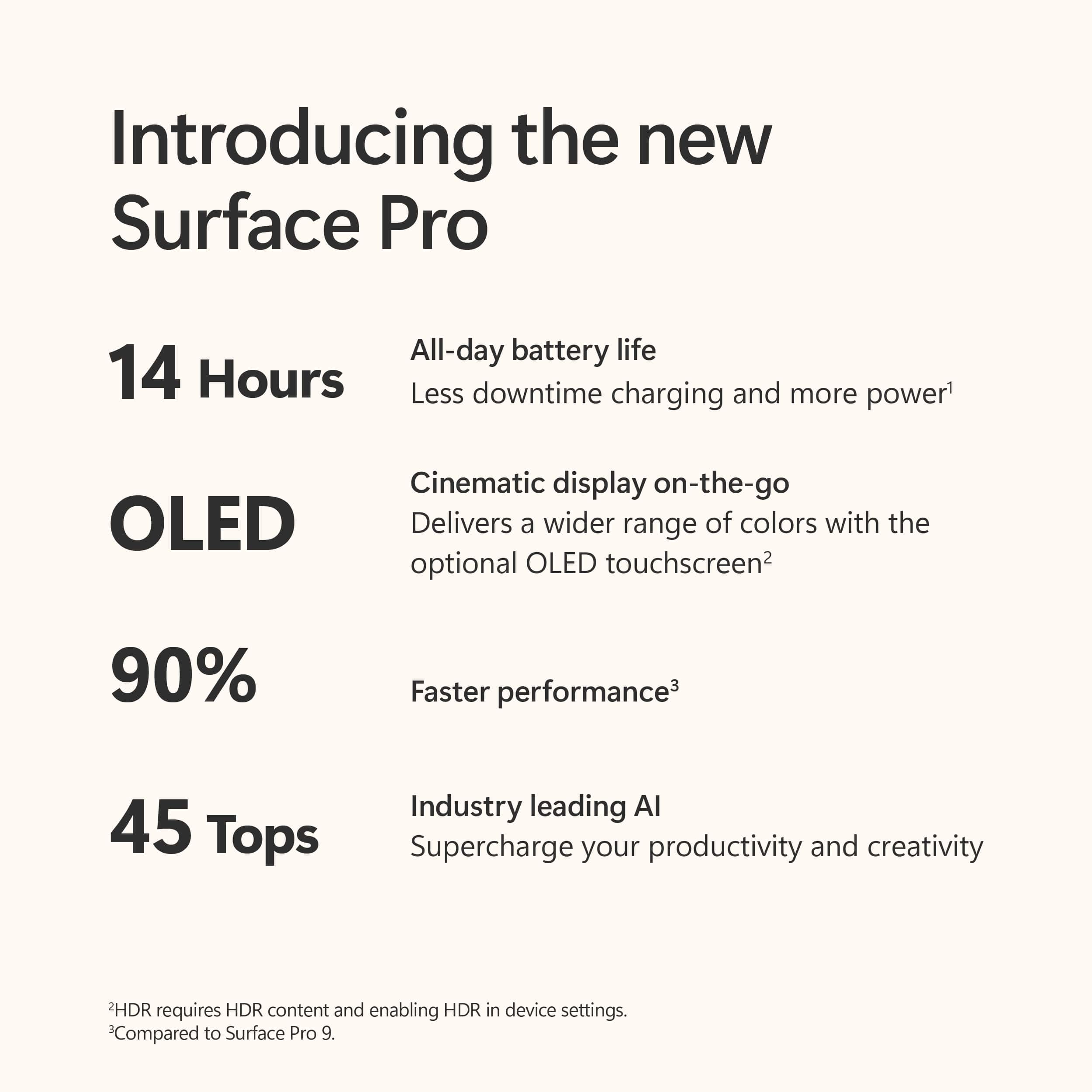
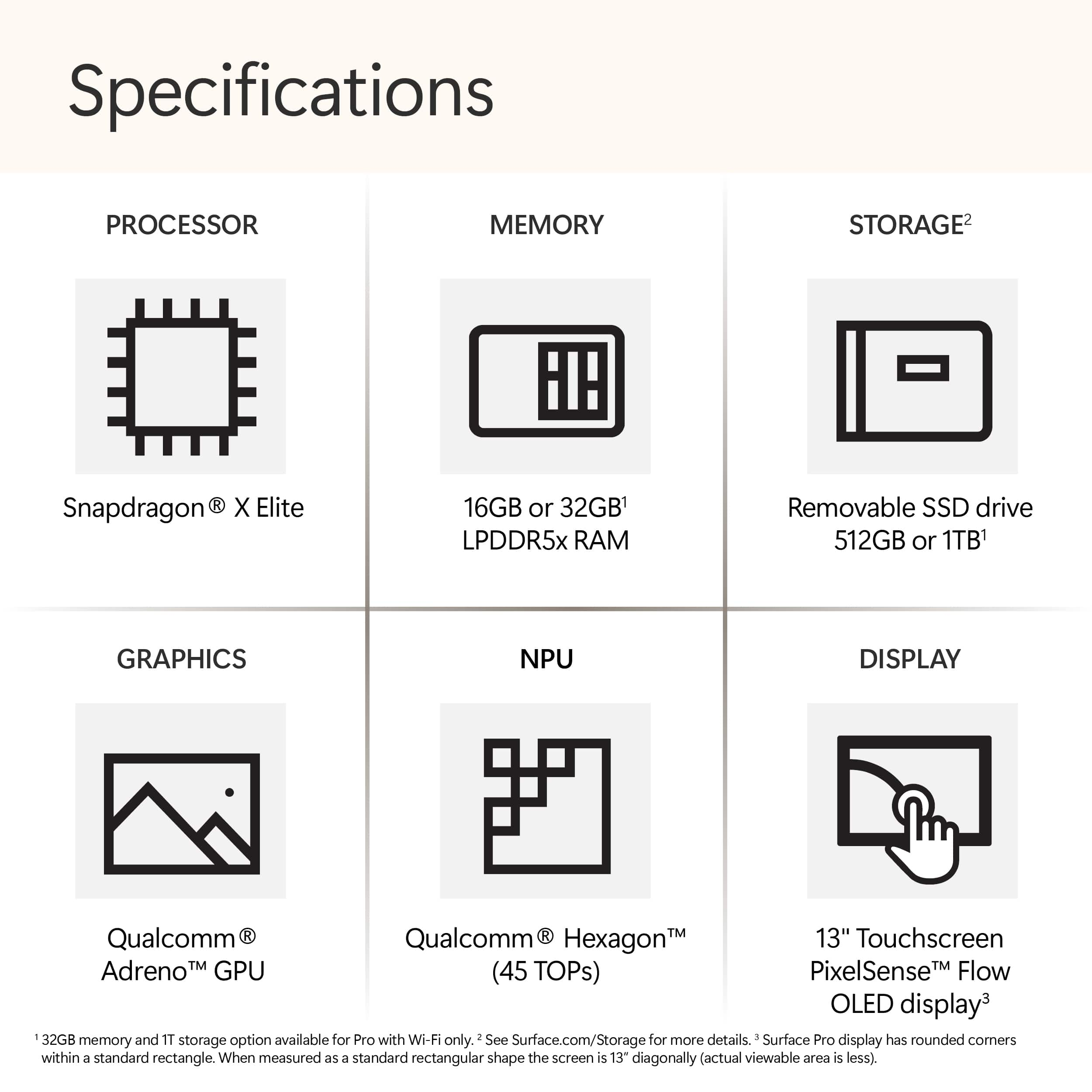
    Absolutely excellent! This device replaced an older Surface Pro 8 which I gifted to a friend. This device however meets and even surpassed my hopes. The Snapdragon X Elite gives me well over a full day of battery life and the screen is beautiful. It is extremely responsive and have experienced zero issues at all with the device. After my experience with this device, I'm very tempted to click buy on the new Surface Laptop. This device is my daily driver and handles everything extremely well from web to video editing, photoshop to lightroom with a HUGE catalog. WiFi is blazing fast and I couldn't be happier. I can't imagine anyone not being extremely pleased with this device.

    I would recommend this to a friend
  • Rated 1 out of 5 stars

    Bad Experience

    Posted .
    This reviewer received promo considerations or sweepstakes entry for writing a review.

    I bought a Surface Pro 11 from Best Buy the day it was released. For me it was a bad experience and I had to return it four days later. I have had all the Surface Pros each year they are released, so I was able to compare it to my Surface Pro 9 (Intel), and my Surface Pro 10 for business with a Core Ultra 7. Microsoft did a horrible job with the translation software. My OBD program would lock up the computer and I would have to use bitkey blocker key each time and reset the computer and start over. A have three wide-screen monitors and the LG monitor would not work correctly, even with updated drivers. For some reason Microsoft's Office 365 for Arm does not have Outlook Classic, just Outlook the email client which is a no go for me, I need the full PDA version. A lot of my other software would work for a while and then reboot, or start working real slow. The battery life is definatly better than the Surface Pro 9, but the Surface Pro 10 for business could defiantly give it a run for it's money depending on what I was doing with the computer. The screen on the Surface 11 was awesome in dark environments, but in bright lights I had a hard time telling the difference between the 11 and 10, and the 10 has an anti-glare coating which makes a big difference in bright light, I do not know why Microsoft didn't add the anti-glare coating to the 11. As far as speed I pushed them hard to see if I could tell the difference, the 9 was the slowest with its 12 gen processor. But it was hit and miss between the 10 and the 11. It was hard to tell th difference between them, the were both very fast. Because of the software limitations of the 11 I had to return it. Maybe in the future things will be different.

    No, I would not recommend this to a friend
  • Rated 5 out of 5 stars

    Flexable

    Posted .
    This reviewer received promo considerations or sweepstakes entry for writing a review.

    Very powerful and flexible for work and play, great for travel!

    I would recommend this to a friend
  • Rated 5 out of 5 stars

    Mr.

    Posted .
    This reviewer received promo considerations or sweepstakes entry for writing a review.

    It is an excellent computer That I can use Everywhere

    I would recommend this to a friend
  • Rated 4 out of 5 stars

    Frank H

    Posted .
    This reviewer received promo considerations or sweepstakes entry for writing a review.

    Computer is excellent however the salesperson said it came with the keyboard and pen but it didn’t. I had to go back to purchase them. If I knew that when I ordered for delivery I may have chose something different

    I would recommend this to a friend
  • Rated 5 out of 5 stars

    good thx hjsdjhsdhjdsjhdshjdsjhsd<mark>xssxss</

    Posted .
    This reviewer received promo considerations or sweepstakes entry for writing a review.

    good thx hjsdjhsdhjdsjhdshjdsjhsd<mark>xssxss

    No, I would not recommend this to a friend
  • Rated 5 out of 5 stars

    Great upgrade

    Posted .
    This reviewer received promo considerations or sweepstakes entry for writing a review.

    I had an older model and needed to upgrade since i use it mostly for Photoshop and i am impressed. Its a machine that cn handle easily that software. My only critique would be the responsiveness of the pen. It has a tiny bit of lag.

    I would recommend this to a friend
  • Rated 4 out of 5 stars

    Okay but expensive

    Posted .
    This reviewer received promo considerations or sweepstakes entry for writing a review.

    asdlkcna;wjvn;awejn;awkmfawefma.wejnWEJWEJFNWJENDLWef

    I would recommend this to a friend
  • Rated 2 out of 5 stars

    ARM processor compatibility problems

    Posted .
    This reviewer received promo considerations or sweepstakes entry for writing a review.

    The trouble immediately started when I connected my Canon multi-function printer. While there's a Windows 11 driver the will send print jobs, none of the scanning software is compatible. So I can't use the Canon scanning features that let me adjust settings. I want to create multipage PDFs and edit them, like I've done on my old AMD x86 laptop. Very disappointing that something should be so standard is such a problem. Otherwise, great machine to work on!

    No, I would not recommend this to a friend
  • Rated 3 out of 5 stars

    Careful with wireless only.

    Posted .
    This reviewer received promo considerations or sweepstakes entry for writing a review.

    I think you to be careful about a computer that only has wireless connectivity. My son once had a computer in which the wireless card failed. We replaced the card but we needed o install a driver. Obviously we couldn't download the driver vía the wifi. We download it on another computer and tried to transfer the driver using a pendrive but that didn't work. Finally I found an ethernet cable that I had kept just in case, and we plugged it into the modem. You never know when circumstances might force you to use what seems to be obsolete.

    No, I would not recommend this to a friend
  • Rated 3 out of 5 stars

    Review

    Posted .
    This reviewer received promo considerations or sweepstakes entry for writing a review.

    Challenging transition from Window 10 to 11. Very different and less satifying experience.

    I would recommend this to a friend
  • Rated 1 out of 5 stars

    Poor compatibility with most Apps

    Posted .
    This reviewer received promo considerations or sweepstakes entry for writing a review.

    Many apps are not compatible wiht the hardware config of the Surface Pro 11. Can't use virtual background in zoom, can't use apple tv app, can't use apple music app. Don't get this if you use apps. Wait until the apps either catch up, or microsoft comes out with a simialr model with intel processor , not snap dragon. As an aside, I purchased this in the Mircosoft retail store on 5th ave in Manhattan and this issue was not metnioend. I wil be returning, what a waste of time

    No, I would not recommend this to a friend
    • Brand response from Snapdragon team
      Posted .

      Thanks for letting us know, everyday more and more applications are being supported either via emulation or natively. Please check https://www.qualcomm.com/products/features/windowsapps to see the most popular apps that are supported. snapdragon

  • Rated 1 out of 5 stars

    Don't Buy

    Posted .
    This reviewer received promo considerations or sweepstakes entry for writing a review.

    No stars. Avoid purchasing due to major issues with arm64 processor. Had to buy a new arm64 compatible printer which unable to connect due to software issues to the point of exchanging surface pro for a Dell or Levono as suggested by an outside computer technician.

    No, I would not recommend this to a friend
  • Rated 1 out of 5 stars

    Honesty, so disappointed in this product

    Posted .
    This reviewer received promo considerations or sweepstakes entry for writing a review.

    I was really looking forward to using this for college and it was a total let down. The notes functionality on this product sucks. It's basically non existent and I had so many issues with exporting, connecting/logging into my accounts, etc. The pen constantly disconnects from the device and then randomly turns into the eraser and deletes my content. Not to mention it's very, very laggy and takes me hours to take notes or do assignments that are normally a 30 min task. The screen will also randomly freeze up when I'm working and the only way to fix it is to refresh the tab or close/reopen the application deleting all my unsaved work. The battery life is poor as I have to charge at least twice a day and once it goes into energy saving mode the battery drains twice as fast as normal. For example, it had 20% which is when the energy saving mode turned on and within 3 minutes the device was dead. The copilot feature is what initially attracted me to this product but its honestly pretty useless and not even equivalent to the free version of ChatGPT. The keyboard is very floppy and constantly falls off which then causes the screen to glitch because its unsure of which mode to be in. I know that there are high reviews for this product, but I just had a poor experience with it.

    No, I would not recommend this to a friend
  • Rated 1 out of 5 stars

    Too heavy and not stable.

    Posted .
    This reviewer received promo considerations or sweepstakes entry for writing a review.

    Piece of junk. The Surface Pro 9 is so heavy that it defeats the purpose of having a tablet/laptop. The screen goes completely from edge to edge and it being a touch screen means if you attempt to adjust it's position you end up "clicking" on god only knows what. Also, the controls for the action to take when the keyboard is collapses onto the screen simply does not work. Not sure what the mechanism is for the "laptop" to sense when it is collapsed but it does not work. This means it never goes to sleep when you close the lid no matter what settings you adjust. Super frustrating when you close it up and place it in your bag only to have it wake itself back up and then over heat. Speaking of heat, this thing feels like it going to ignite on fire when you are charging it or have it plugged in. Just a poorly engineered computer. I really regret having purchased it.

    No, I would not recommend this to a friend
  • Rated 1 out of 5 stars

    Terrible stay away - cheap and no customer service

    Posted .
    This reviewer received promo considerations or sweepstakes entry for writing a review.

    Terrible computer - forces you to use edge and deletes google chrome - there absolutely no customer support, installation was a nightmare - if you call customer support there is a bot answering you need to trouble shoot online- I couldn’t be more negative on this computer and would like to save the next person from doing the mistake I made (wish Best Buy would have cautioned me against buying this sub-standard machine).

    No, I would not recommend this to a friend