Customer Ratings & Reviews
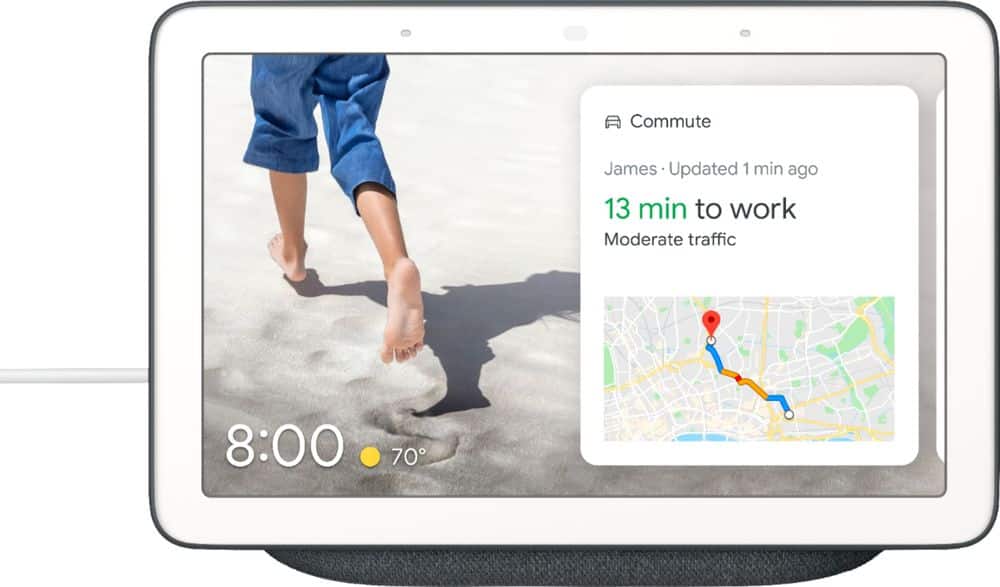
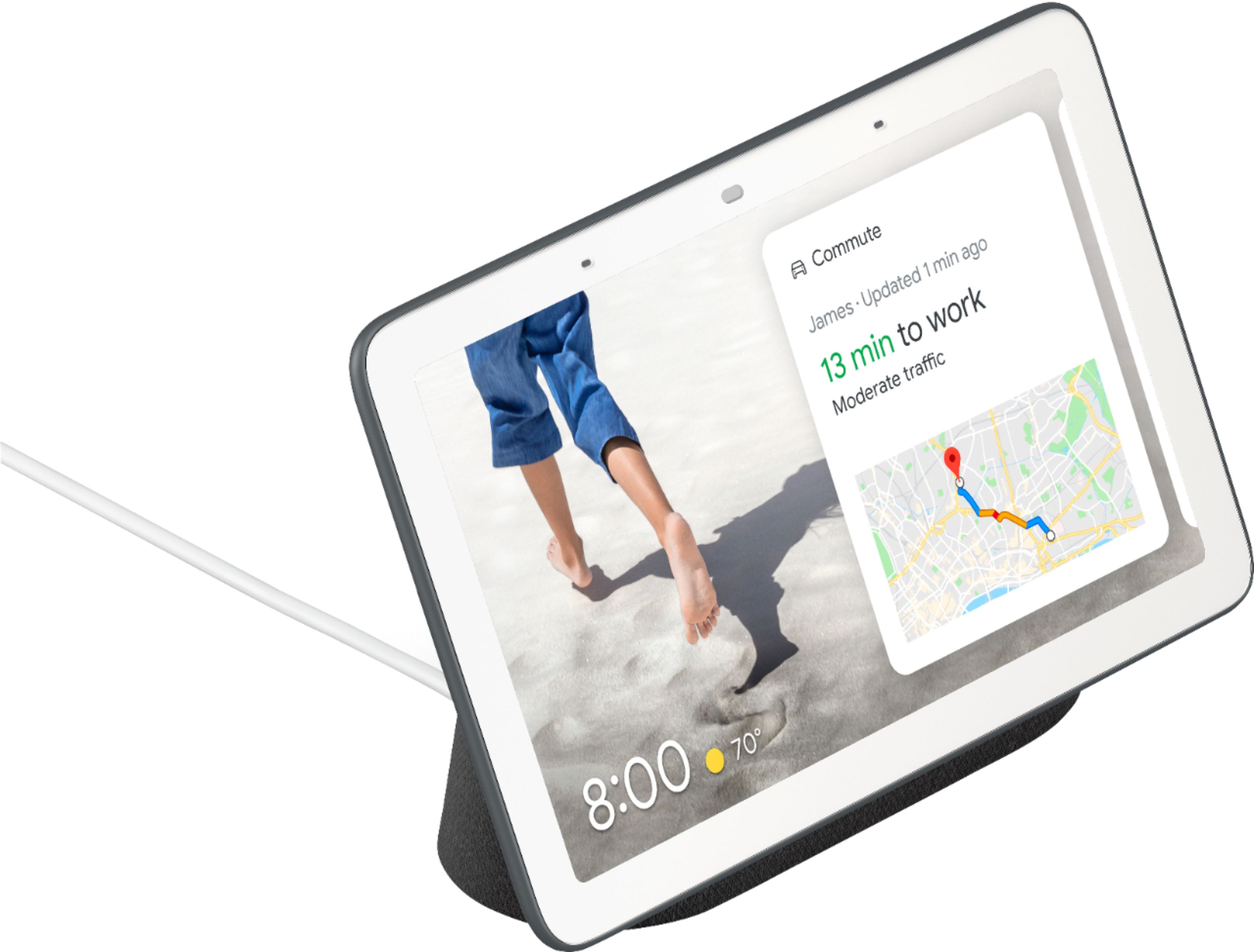
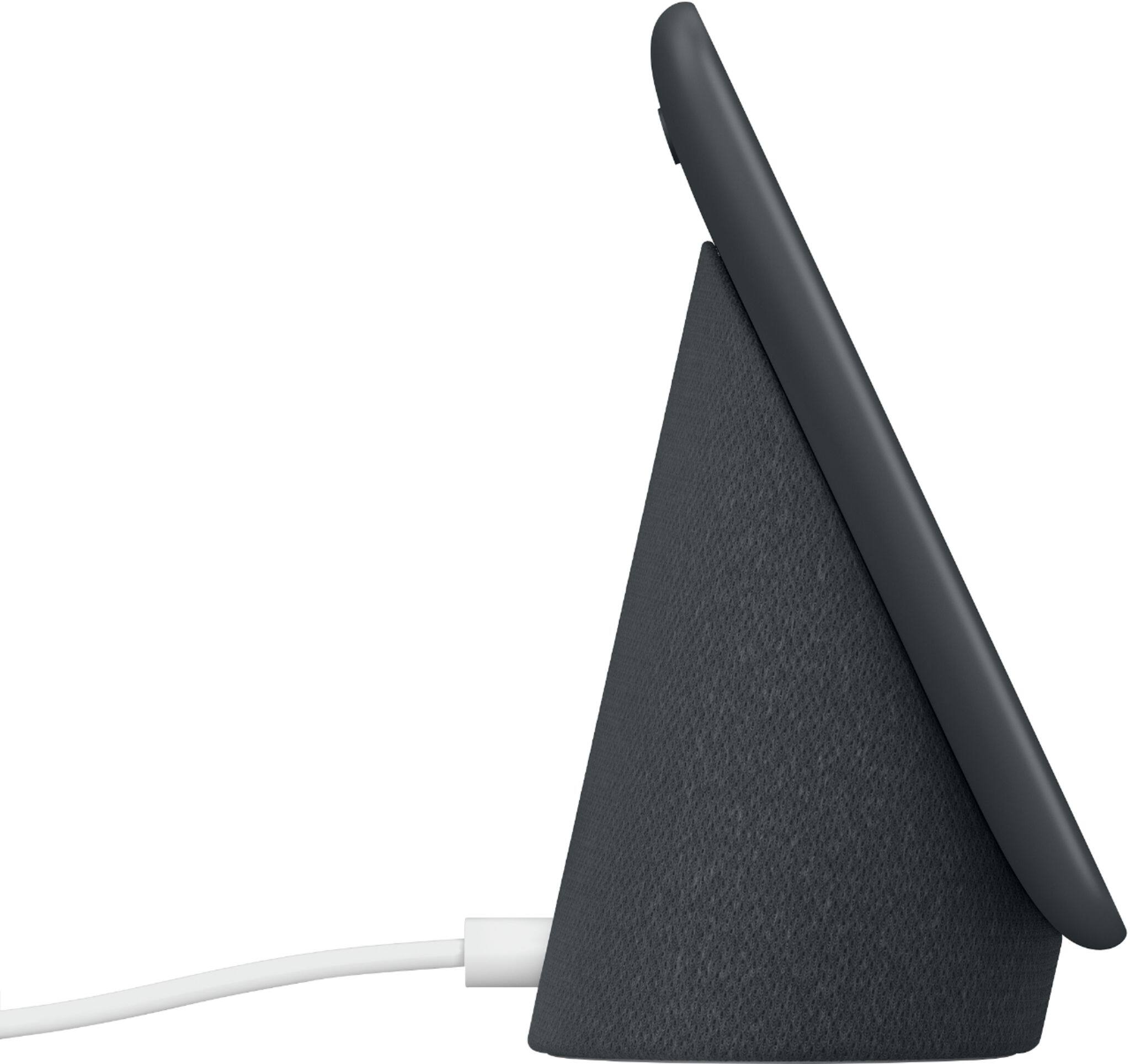
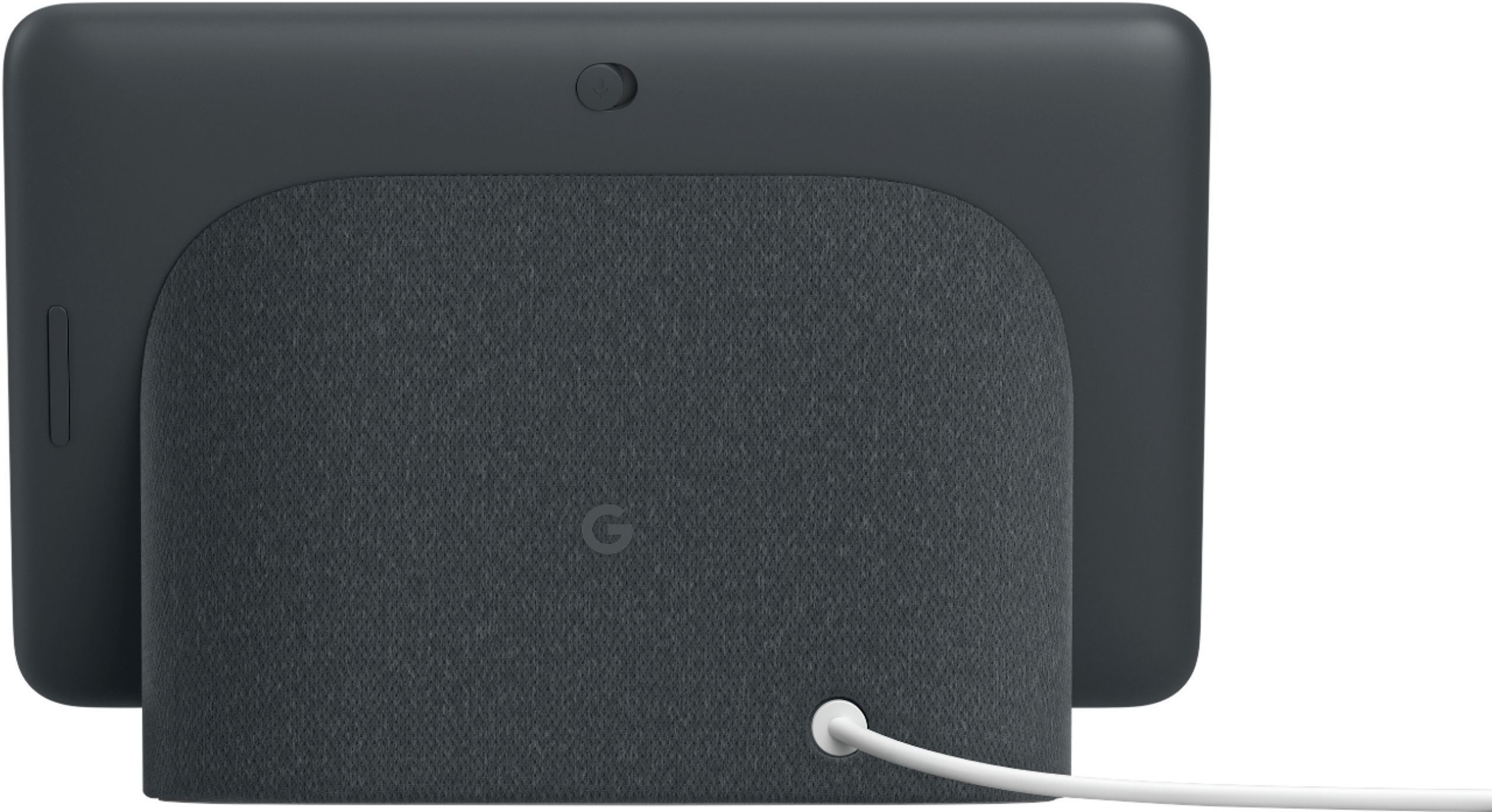




- Model:
- GA00515-US
- SKU:
- 6290306
Rating by feature
- Value
Rating 4.6 out of 5 stars
- Quality
Rating 4.8 out of 5 stars
- Ease of Use
Rating 4.7 out of 5 stars
Customers are saying
Customers are positive about the Nest Hub Smart Display's ease of use, screen size, sound quality, and Google Assistant functionality. Many appreciate its compatibility with other smart home devices. However, customers are negative about the lack of a camera and some have reported connectivity issues. A few also find the price to be too high.
This summary was generated by AI based on customer reviews.
Screen laggy & unresponsive
||Posted . Owned for 6 months when reviewed.This reviewer received promo considerations or sweepstakes entry for writing a review.I was very excited to try this product out, as I had my eye on it for awhile. Initially, I noticed that the setup was more difficult than it needed to be. It refused to operate on my college campus’s wifi because of security protocols, so I had to take it home to set up and ended up leaving it there where it could remain fully functional. After I fully set up the unit, I immediately noticed that the display was laggy and not very responsive. This was a brand new device that should not have screen lag after seconds of use. I gave it a couple months to grow on me, but I still hate it.
No, I would not recommend this to a friend- Pros mentioned:Screen size

A Great Home Hub
|Posted .This reviewer received promo considerations or sweepstakes entry for writing a review.The Google Home Hub is a great entry level home assistant with a screen. If you’re already a Google assistant user, you immediately notice how the addition of a screen really enhances Google’s vision of a smart assistant as opposed to the speakers alone. I feel as though Google’s assistant’s personality is better augmented with the visual feedback and Google has done a great job in this arena. I’ve had an Echo Show for a while, and I found that while it can do a lot of things and the screen is a useful addition but not essential. When using the Google Hub, I’ve felt like Google does a better job using the whole slew of interactions, including presenting more advanced touch controls, and interactive follow-ups to questions/activities. For instance when controlling lights or my Nvidia Shield, I can initiate it with my voice, but get a whole slew of other controls allowing me to use the touch screen to fine tune my wishes. Another example is asking for a joke will provide several buttons at the button of the screen after the joke, allowing you to get a different style or just play a game since you seem to be in a jovial mood. I truly feel like Google nailed this on the head as it definitely seems like my voice commands flow into the next actions and more and more information is at my fingertips. I appreciate how customizable it is, and it’s interesting to see where the ambient mode will be heading. I appreciated that I could have just a clock if I wanted. My son and I have asked for jokes, played games, and in general found these interactions engaging. So much of this is first party content, so it doesn’t seem quite as disconnected as some of the skills on the Echo’s. Obviously if you're a seasoned Google Assistant user all the home automation stuff is right there. If you aren't yet, you'll find that Google's integrations are much closer parity with Amazon's than they were a year or two ago. Google has had to play catch-up here, but they've worked hard at it, and have the biggest bases covered. Most popular smart home devices are supported, and I've been pleased with the supported products. Overall the execution of the Hub isn’t quite as premium as some other assistant devices. This in many ways is very similar to the sound and presence (from an audio perspective) to the Google Home Mini. The screen is pretty much the same unit/size found in the first gen Echo Show. Viewing angles are good, and brightness range (with auto brightness) is excellent. Resolution is low, but this screen is meant for usage from a distance, so it’s not really a problem. It’s very light, and is mostly plastic. There is a bit of fabric around the speaker base, and in general, the color scheme is meant to blend into most kitchens/living rooms. On the back side of the device you'll find a mute switch, and volume rocker (both are accessible via the touch screen pullout menu). One odd thing is the power adapter, which in Google's Home tradition is a circular power plug. For me the biggest letdown was sound, as we have a YouTube Red subscription, so music was passable at best. That said it's easy enough to play on another device that supports casting, which is pretty ubiquitous in my household, so it's only a slight ding. One great feature that is definitely a Google exclusive is YouTube playback. It’s pretty cool to recall your videos, and watch whatever is next in your stream. I found the Google Home Mini to be problematic when I first got it and started using it. It seems like Google has really hit a stride with the Home Hub however, learning from the Assistant’s previous rough edges, and really getting the most out of the screen. I could imagine a house w/ one of these in every room, and how useful they could be. I never felt that way about the Echo Show, which was and still is a novelty in our household. My biggest complaint is that the sound isn't as full as the Show or Google Home, but of course you can just tell it to play on another device or Chromecast Audio, so I can't fault it there. At the MSRP it's not a bad addition to the household, but I can imagine deals will be found during the holidays and I think I may be picking up another one for our upstairs family area. I can definitely recommend you check out the Home Hub!
I would recommend this to a friend It stopped working in 3 hours.
||Posted . Owned for less than 1 week when reviewed.This reviewer received promo considerations or sweepstakes entry for writing a review.The hub was setup properly, linked to everything it could in my Google account, displayed my online Google photos and it searched for everything I asked for. 3 hours later, the display was off not showing pictures anymore, no respond from voice command whatsoever, my Google app can’t find it, and hard resetting not working. It just stopped working. Tried connecting device to different outlets but no response. Online reviews and comments suggest sleeping mode settings and whatnot, but the Hub doesn’t turn on at all or gets recognized by app to verify settings. I’m returning the item tomorrow because the store is closed already.
No, I would not recommend this to a friendBrand response from Nest Support
Posted .Hi BestbuyerTX,
Thank you so much for taking the time to leave a review for Google Nest Hub. We're sorry to hear you had an issue with your Google Nest Hub.
From your description of the issue, it sounds like your Google Nest Hub is no longer powering on. This could be related to the device or the power cable. We recommend reaching out to the retailer for further resolution.
If you'd like us to take a look at the issue, and assist you in resolving it, you can reach out to us here: https://support.google.com/googlenest/contactflow
No video Chat
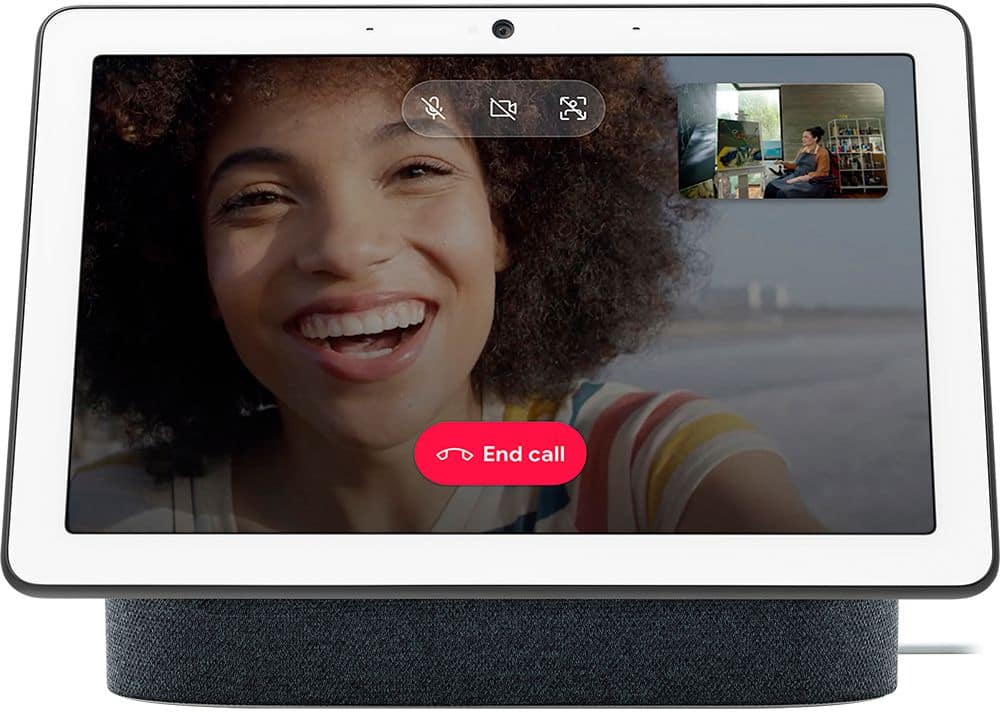
||Posted .This reviewer received promo considerations or sweepstakes entry for writing a review.It just was not what I was expecting. I purchased for my mother so we could video chat but that feature is not available on this product. She loves it for the music but it looks like I will have to find a different way to video chat with her.
No, I would not recommend this to a friendGlad it was free
||Posted . Owned for 8 months when reviewed.This reviewer received promo considerations or sweepstakes entry for writing a review.I haven't figured out how to use this for anything other than a clock. I'm pretty comfortable with tech but this is not user friendly at all. I would have returned it had it not come free with the Nest Hello.
No, I would not recommend this to a friendBrand response from Nest Support
Posted .Hi Futurewriter,
Thanks for sharing your feedback with us. Sorry to hear Nest Hub's user interface didn't meet your expectations. We can help you with exploring what else you can do with Nest hub.
Aside from using it as a clock, Nest Hub provides an all-day help at a glance in any room at home. With Google Assistant, you can ask any question and find visual, immersive answers on the weather, recipes, local businesses, sports and more. If you set up a voice match, you can get your personalized events, commute info, reminders, and more. Nest Hub works with 10,000+ smart devices from 1000+ popular brands. You can link compatible smart home control devices and see and control them all from a single dashboard.
Here are some other things you can do with Nest Hub:
- Watch and control supported TV shows and movies on your Nest display.
- Automatically display your best shots from Google Photos of your favorite people and pets without uploading them manually.
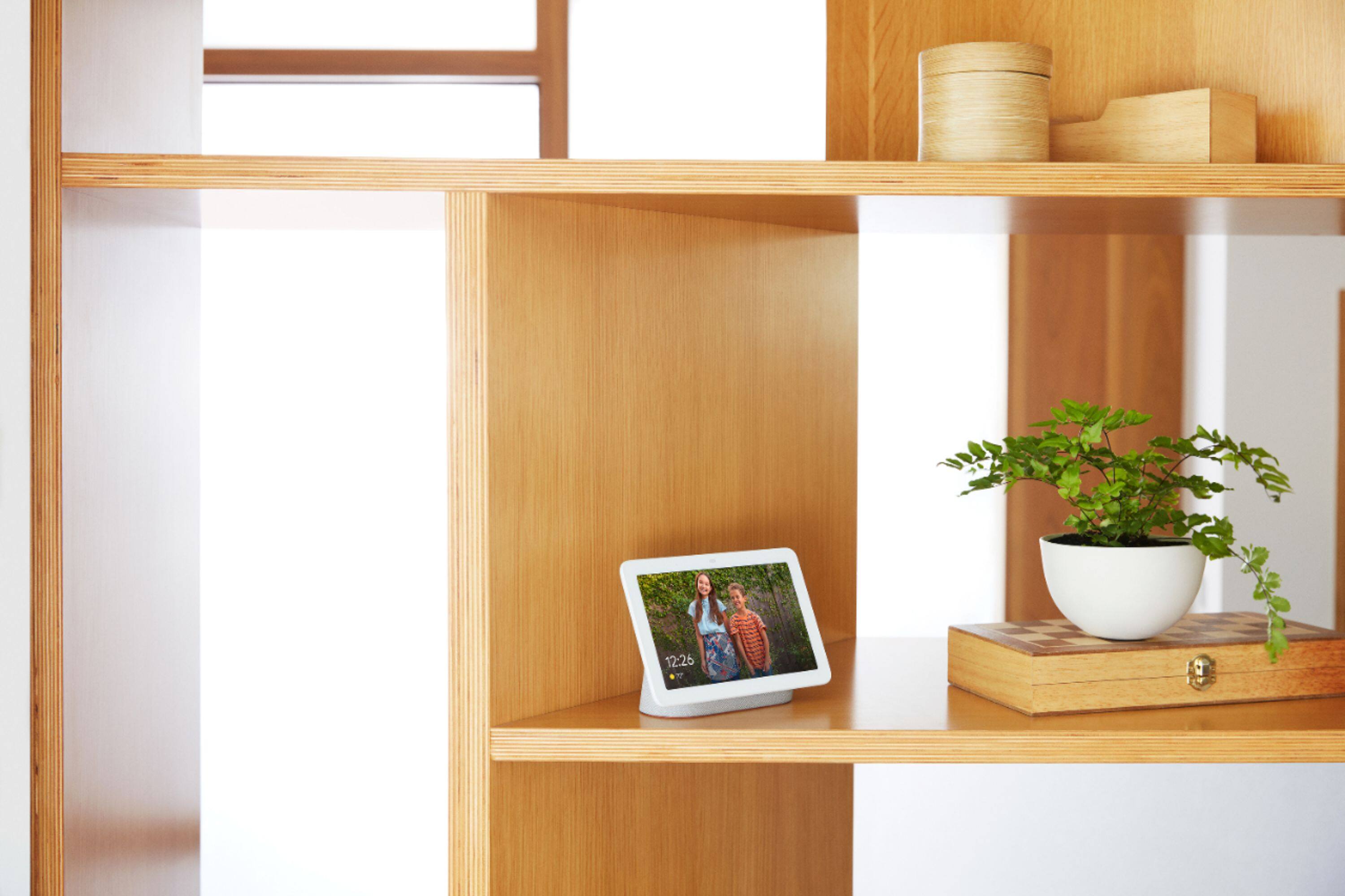
- User Nest Hub as a photo frame. SImply create photo albums in Google Photos and display them on Google Nest Hub.
- Watch YouTube and play songs and music videos from YouTube Music. Plus, listen to Spotify and Pandora. All available for free.
You can find out more here: https://support.google.com/googlenest/topic/7195641
We care about your experience with our products and services. If you need further assistance, feel free to get in touch with us here: https://support.google.com/googlenest/contactflow
Worthless
||Posted . Owned for less than 1 week when reviewed.This reviewer received promo considerations or sweepstakes entry for writing a review.This thing is not able to do almost anything it should be able to. It can't stream properly from my camera even though it claimed it could. Wasted over an hour with Google support. Had me redo, reset everything, send a picture to prove, fixed nothing, wanted me to video the same told them to get lost. Refuses to play my Pandora stations no matter what I tell it. Can't even display my calendar. Sure it is a great photo frame but I don't need that. Can't customize the thing hardly at all. Pretty much a big joke. Can only do about 10% of what any other Android device can do. Don't waste your time and money like I did.
No, I would not recommend this to a friendBad
||Posted .This reviewer received promo considerations or sweepstakes entry for writing a review.If you are looking for an assistant for your room I think Google Assistant is perfect but, if you are looking to use it for your house in general this is not for you, the screen is very small the sound is horrible. I return it
No, I would not recommend this to a friend- Pros mentioned:Sound quality
You got your personal assistant in my photo frame!
|Posted .This reviewer received promo considerations or sweepstakes entry for writing a review.This is what you get when you take an old school photo frame and throw a pinch of personal assistant into the mix. Something that looks as pretty as you AND does what you tell it to do (unlike my daughter!). As with any Google assistant, hooking up was easy as using Google Home App and clicking a few buttons. I was up and running in just a few minutes. I didn't set up the Duo calling (not sure how that works w/o a camera) or any social type features, just music and location. I like to keep some stuff private (says the guy who owns a lotta google devices). I love that it doesn't have a camera, I'm still a bit shy about having an open mic in the house so having the Hub keep it's peepers off me gives me a little comfort. The screen, although lower res - guessing 1200x800 or 1280x720 (no specs that I could find) - is pretty sharp and clean. Using the Ambient light feature makes it look almost like an e-ink screen. The brightness is set by judging your ambient surroundings and from what I see makes it look almost like a printed picture instead of a light source. It's something you gotta see for yourself and a feature I'd love to see in other devices. It just looks natural, not blinding. The Google Assistant stuff is pretty much the same as others but this device seems to hear me better than all the other GA devices I own(ed). At about 20' away I have to talk a little louder and take some of the bass out of my voice for it to hear me. Still a lot better than other GA's. The Home Hub also show the text of what you said on top of the screen. Nice, but not very useful from the distance I usually am when requesting commands and info. It'll also show the current weather, delays in morning transit, schedule, etc. Which is a lot better than having it spoken to me since I can take that all in three seconds vs 20+ seconds of listening - I prefer reading vs video tutorials/info. And going on to video. Since its Google's Hub you know YouTube access is gonna be baked in. I asked it to show me current movie listings in my area and a scrollable list show up (the screen is touch enabled) and I asked it to play xxx trailer and off it went showing me the official YouTube trailer for the movies I requested. I'm a Google Play Music/YouTube Premium/Red or whatever branding they wanna call it today subscriber and hooked the hub up with YouTube Premium music. The screen is used here also and displays just like it would on your tablet showing the artist and song. Keeps me from having to ask Google who is this and interrupting the song. Now I just turn my head and see for myself. Music quality is very clear and on the warm side, but the bass is pretty weak. It does get loud enough to bother me but still clean (my left ear is very sensitive to high pitched sounds). It's not gonna win any awards for music playback, so as long as you can live without the bass it'll do good enough. You could always pair a better set of bluetooth speakers if you need. One thing I'd like to see is an option to make the clock on the photo frame bigger or customizable. I'd like the option to have the numbers as big as the flip clock option just so I can see the time from away. There are a bunch of features that I haven't touched yet and probably won't. I mainly use the assistants as smart music players, weather, and to control my lights. I don't use them to control TV streaming since I have to shout while a movie is playing for it to hear me, besides pushing a button is fast enough.
I would recommend this to a friend far field mics suck
||Posted . Owned for 6 months when reviewed.This reviewer received promo considerations or sweepstakes entry for writing a review.Does everything you would expect except hear your commands. The mics suck, you may have to say hey google or ok google 3 times directly at it and next to it to wake it up. Home minis are much better
No, I would not recommend this to a friendBrand response from Nest Support
Posted .Hi ncap,
Thank you for taking the time to leave us a feedback. We're sorry to know you're having issues with Nest Hub's microphones, and we can understand how that can be frustrating. Your Google Nest Hub should trigger after it hears the hotwords "OK Google", or "Hey Google". We recommend making sure nothing covers the two forward-facing microphones. If you haven't already, also restart your Google Nest Hub.
To restart Google Nest Hub:
-Disconnect the power cable from the Google Net Hub.
-Leave unplugged for approximately 1 minute.
-Reconnect power cable back into the Google Nest Hub.
If still unresolved, you can perform a factory data reset on Google Nest Hub, then set up again. Press, and hold both volume buttons located at the back of your Nest Hub together for about 10 seconds. You'll hear your Google Assistant confirm that it's resetting your Nest Hub. You can take a look at the following link for the complete setup instructions: https://support.google.com/googlenest/answer/7029485
If you'd like us to take a look at the issue, and assist you in resolving it, you can reach out to us here: https://support.google.com/googlenest/contactflow
- Pros mentioned:Screen size
Great Home Hub
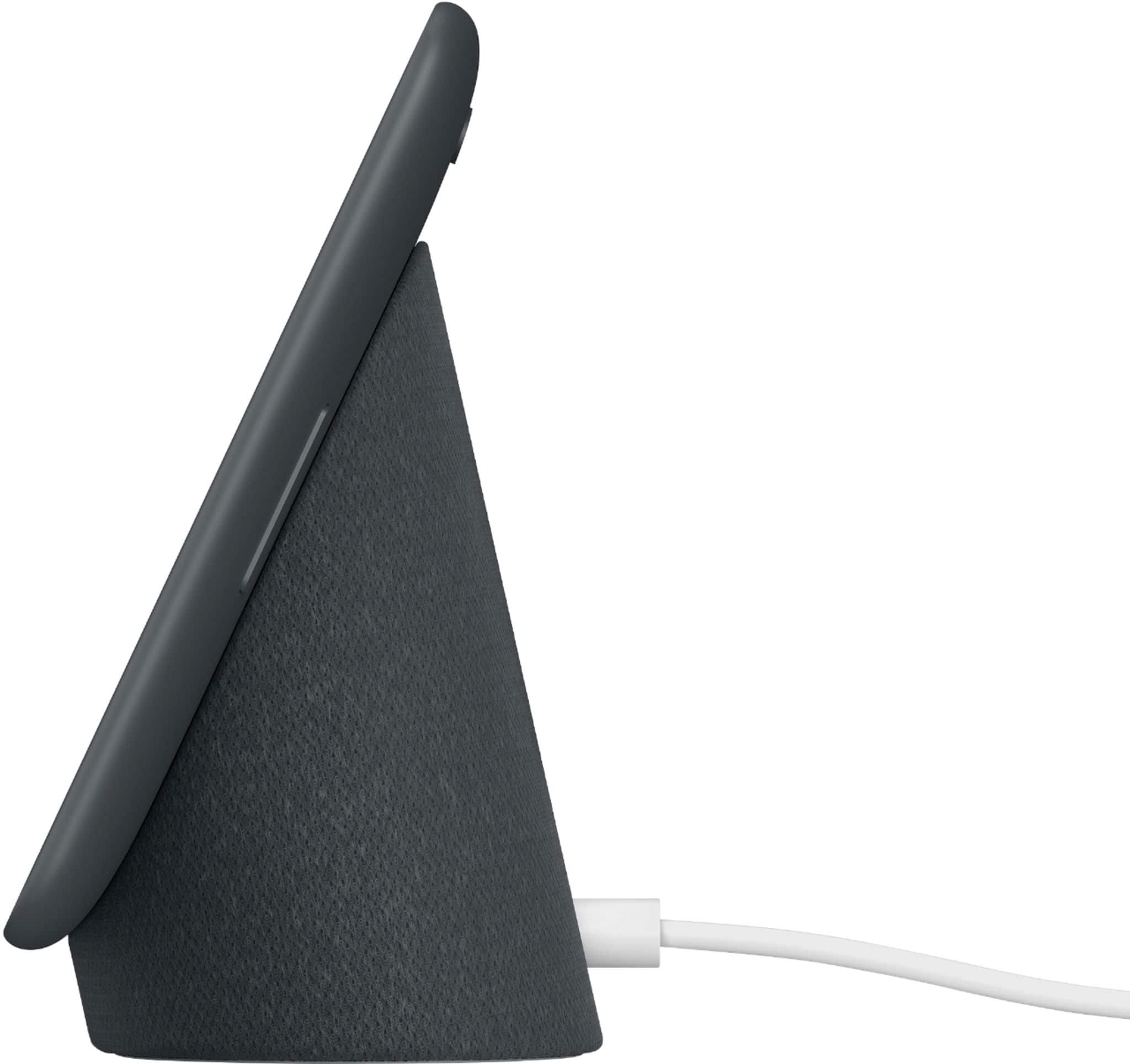
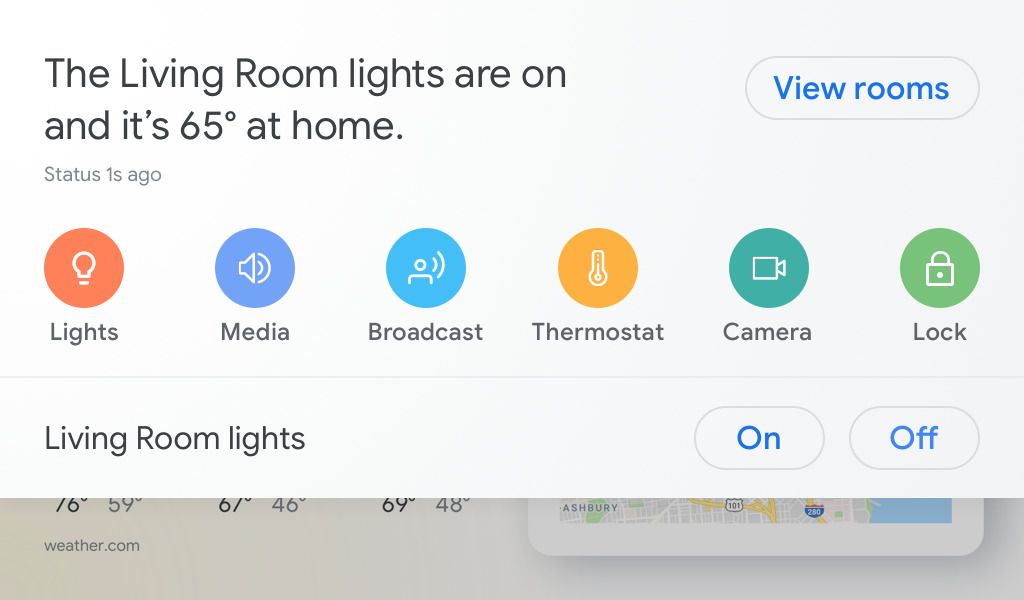
|Posted .This reviewer received promo considerations or sweepstakes entry for writing a review.I’ve had a Google Home device for over a year. I mainly use it for voice control of my smart home devices. Upon hearing of Google Home Hub I was definitely curious to see what the Home Hub had to offer. This is basically a Google Home with a display. The Hub is somewhat smaller than I expected but the 7 inch screen it is more than adequate. Unboxing you’ll find the Hub and a power adapter. Build quality is quite nice. Setup was simple using the Google Home app. On the exterior you’ll find two physical buttons. One to turn the mic on and off and the other to adjust the volume. You can access some settings on the Hub itself but many more are available within the Google Home app. The Hub is much like a small tablet on a stand and is constantly powered on via an adapter. The display cycles through various wallpapers and here gives you the ability to use your own photos. Pretty cool as it then acts as a very smart picture frame. There is an ambient EQ brightness setting which automatically dims the screen. You can turn this on or off and adjust the brightness manually to your own preference. I however really like the ambient EQ on. It gives the display photos a sepia quality. I think it’s cool. As I start using the Google Hub I quickly feel a bit perplexed by what exactly this device does and what it does well. It’s not really a tablet so as I initially approached it as one it seemed awkward. As I explore the device this fades quickly. I see I can check my calendar and the news and weather. I can use it for entertainment for videos on YouTube and I can play music from Google Music, Spotify, Deezer, or Pandora. I can immediately imagine the benefit of the Hub for entertainment while cooking or even viewing recipes on YouTube so straight to the kitchen it goes. I would say that the sound quality on the Hub isn’t as good as on the Google Home device. I’m most anxious to explore the smart home features so I dig right in. I have a few dozen smart devices already setup in the Google Home app so they automatically appear on the Hub. That’s perfect. You access them by simply swiping down on the Hub screen. There I can control all my lights with a touch or of course you can simply talk to the Hub. What I love here particularly is the access to my video cameras in and outside my house and the ability to view them with a touch. I love this feature! Now while I’m cooking in the kitchen I can easily check my cameras for where family members are in or outside the house or I can now check on my driveway cam if expected guests have arrived for dinner. I’ll be using this often. As I explore further I’m thrilled to see that you can make video calls on the Hub. I am unable to test it because It seems your contacts need to be registered with Google Duo in order to connect to them. I can’t wait to use this feature. I quickly become a big fan of this device. It’s kind of like a tablet but not really a tablet and kind of like a Google Home but it really is so much better with its screen and touch interface. I quickly discover that a simple touch on the Google Hub is far more convenient in many instances than having to always say a command. The Google Home Hub really does live up to its name and functions perfectly as an information, entertainment, communication, and smart home control hub at the center of my home. Great product.
I would recommend this to a friend too invasive
||Posted .This reviewer received promo considerations or sweepstakes entry for writing a review.the value proposition isn't worth it...you give them too much personal data to get back info that is generally avaiable elsewhere....don't trust the devise....it was a gift...I would not have purchased...I'll regift it :)
No, I would not recommend this to a friendAbsolute Garbage
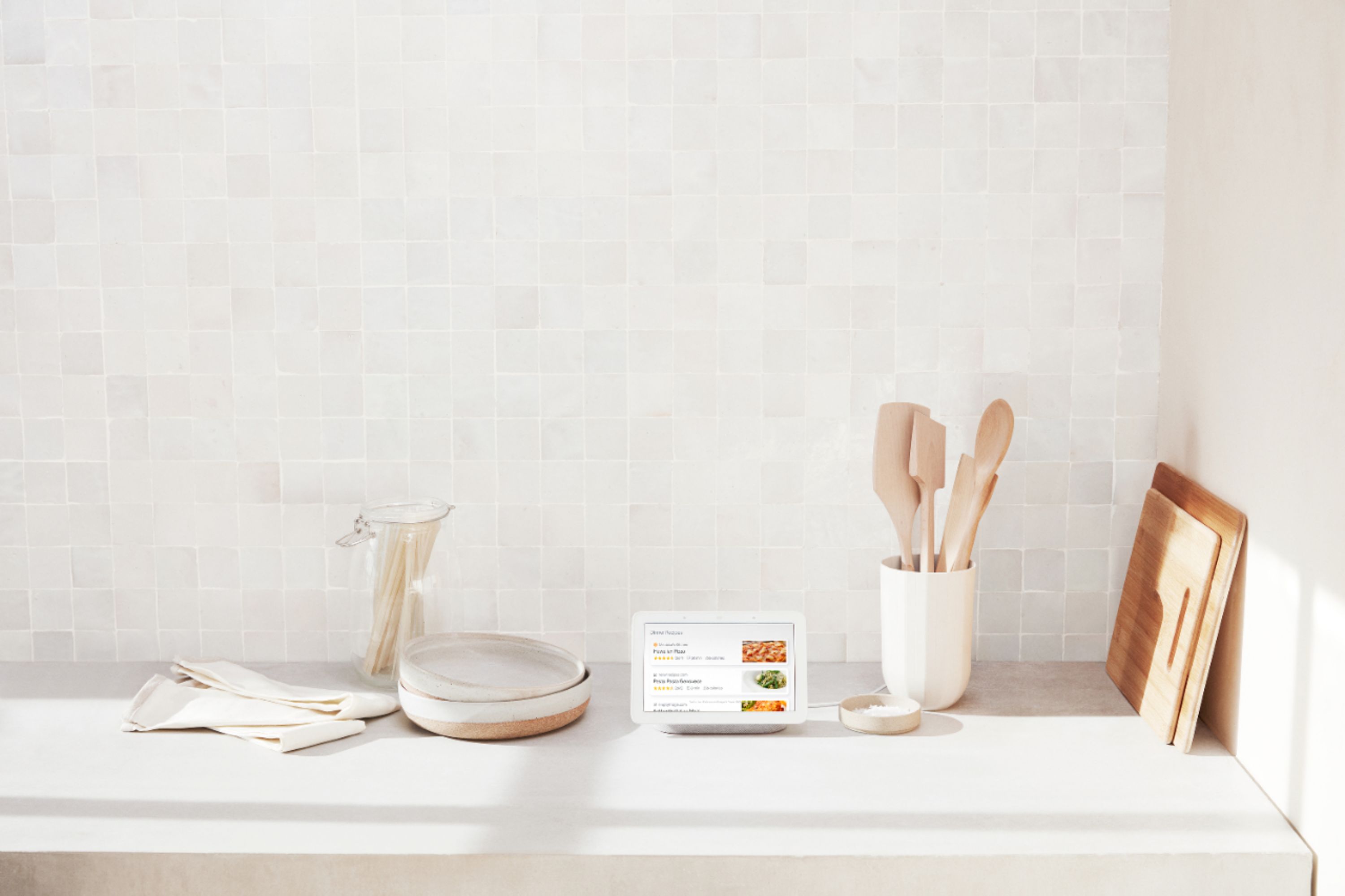
||Posted . Owned for 1 month when reviewed.This reviewer received promo considerations or sweepstakes entry for writing a review.You can get a digital picture frame for much less money which is much less trouble to operate. I got this to use in the kitchen for recipes, which it can’t do. If you’re lucky enough to find a recipe that will go to it, it loses the recipe right away. All of this is more complicated, difficult, temperamental, and troublesome than just using your phone. On star because you can at least have it google questions for you or show pictures. Save your money, at it’s best this is an open wiretap for google to eavesdrop because it does little else well. I’m giving up and trying to return it.
No, I would not recommend this to a friendDisappointing
||Posted .This reviewer received promo considerations or sweepstakes entry for writing a review.A lot of the features already available on the other Google Home devices aren't available on this one. No music alarms, clock display is way too dim at night, no continued conversation. It just feels like this wasn't ready to be released. I get that you can leave feedback for requested features, but some of this stuff seems like it should just be available. Like, why do they add the option for an ambient display clock if you can't even see it at night? I really wish I'd returned this in the timeframe. Totally kicking myself now. I actually ended up getting an Amazon Echo device to supplement this Google one.
No, I would not recommend this to a friendNeeds an software update
||Posted . Owned for 1 year when reviewed.This reviewer received promo considerations or sweepstakes entry for writing a review.Looks like it requires a software update. I have to keep restarting it to get current temperature on display screen
No, I would not recommend this to a friendSmart hub
||Posted .This reviewer received promo considerations or sweepstakes entry for writing a review.Not really sure why I need this. Doesn’t sync with blink cameras, ring doorbell, or my rainbird sprinklers. Photo album doesn’t sync easily with iPhone I’d prefer to return.
No, I would not recommend this to a friend- Pros mentioned:Ease of use, Screen size, Sound quality
My house is now a Google home
Posted .This reviewer received promo considerations or sweepstakes entry for writing a review.I really had no interest in this product, but for $100 it was such a good deal I decided to check it out. I already had a original Google Home and a couple Google Home Minis, so why do I need one with a screen? Well after setting it up and playing with it for a day, I went out and bought a second one so I could have one as my bed stand alarm clock and one downstairs. The screen is a game changer. Not only is it a great digital picture frame, it's also great for quick info, like time, weather, news & watching YouTube videos. When you ask a question, the answers are spoken and in text, which is helpful. Also when you're listening to music you can see the artist and song name, without having to ask. Setup was super simple. About 5 mins and since I had already set up all my commands for lights, those all transferred over seamlessly. Seriously, never having to get up to turn off the lights is worth the money. I created speaker groups with my existing Google Home devices so I can have all the bedroom play or downstairs or the whole home. Having multiple Home units playing music together, the sound is much richer. Especially when paired with the original Home, it gives the extra bass it needs. As an alarm clock it's awesome. It has ambient lighting, so when the lights go off, the screen dims so you aren't distracted while trying to sleep. You can play relaxing sounds and have your alarm set to your playlist or favorite radio station. If you're looking to dip your toes into the Google Home ecosystem, I highly recommend starting with the Home Hub then augmenting it with Minis to cover other rooms. It also works well as a cheap stereo that is also a smart assistant. Google is always improving and this is still new, so I expect it will get even better in the future through updates.
I would recommend this to a friend Waste of time
||Posted .This reviewer received promo considerations or sweepstakes entry for writing a review.purchased online along with hue lights and picked over the holiday weekend excited to setup and have my first smart items , After unpacking and getting both updated I cannot control lights with google assistant. wasted hours on my own, with Phillips and Google support and nothing , Google elevated to a pro tech and after setting up appointment for a call back and waiting I was not even contacted by Google pro tech. Will return and get Echo show and see if i can get it to work. if not I will return Lights also. so disappointing...
No, I would not recommend this to a friendNot user friendly
||Posted .This reviewer received promo considerations or sweepstakes entry for writing a review.The amazon echo seems to work better for me. I was told the google home would connect easily with my other devices (like my lg smart tv) and that has simply not been the case.
No, I would not recommend this to a friend- Pros mentioned:Screen size
Google Home Hub - I really like it!
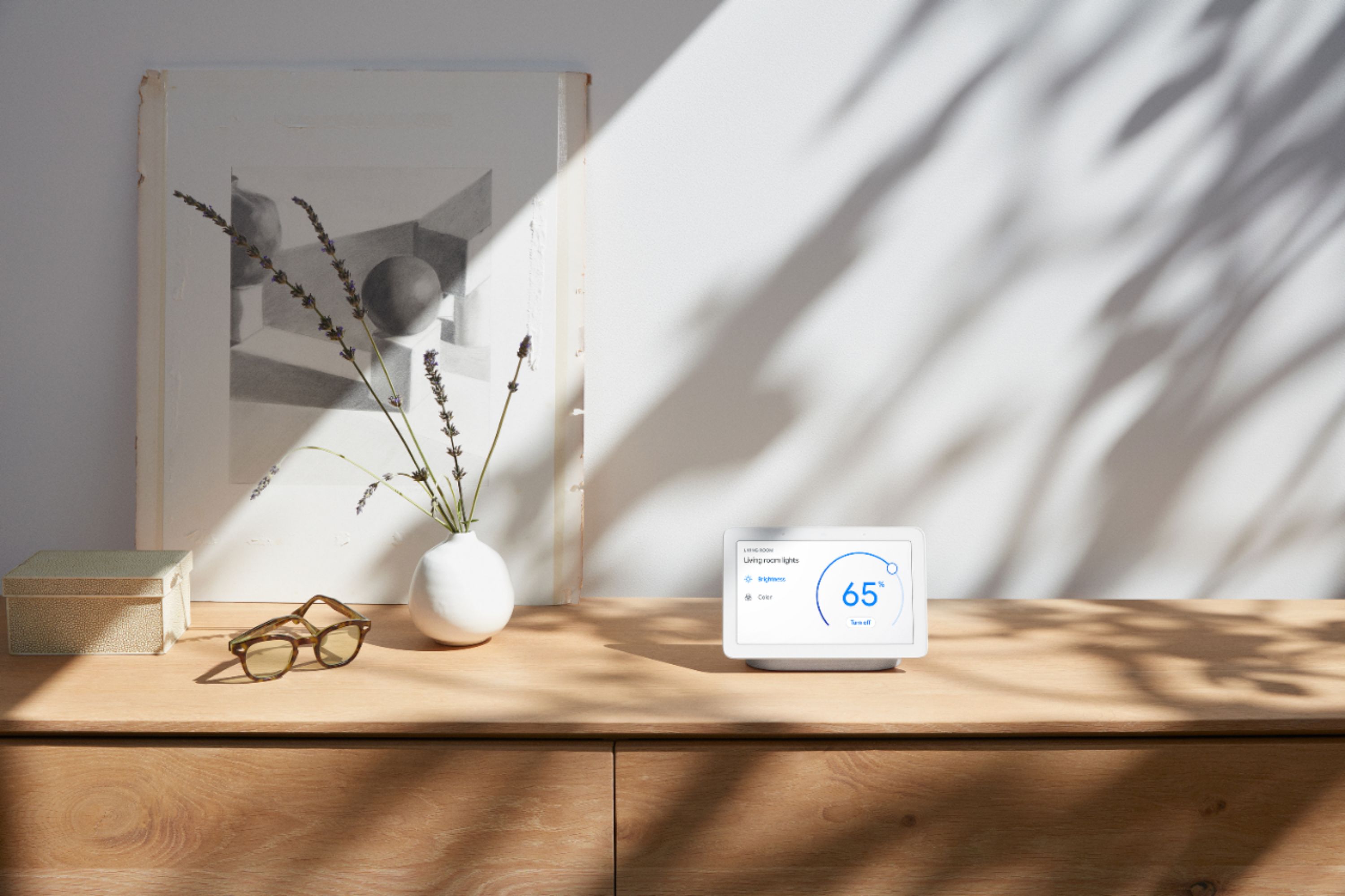
|Posted .This reviewer received promo considerations or sweepstakes entry for writing a review.The Google Home Hub basically adds a touchscreen display to the Google Home speaker and really significantly expands it's functionality. The Hub ties the increasing smarter Google Assistant to the Google Home app on your IOS or Android phone to present a simple way to control and monitor your home. All the voice control of Google Home plus camera monitoring, reminders, alarms, alerts, recipes, weather, news, traffic and directions, and of course, YouTube. It's also a great digital photo frame, scrolling through (configuration dependent) your Google photos or stock images. It's small enough to put just about anywhere without being intrusive, easily fitting on a counter, desktop, or headboard. While I've seen some criticism of the screen size, I found it just about perfect; I have TVs or tablets for movies. It thankfully does not have a camera, so there is no worry over being spied upon, and you can even turn the microphone off with a physical switch (for the uber paranoid). While the lack of a camera precludes video calls, most of the competitors with cameras can only use their proprietary video calling, so you can only call to other similar devices. The Google Home Hub does allow you to make standard voice calls. The home control interface is dead simple: Add the devices you want to Google Home, put them in the appropriate room, then you can say "turn on the bedroom lights", or "view the front porch". The latter is really useful, being able to see who's at the door from the kitchen or bedroom. Google Assistant really works well. Setup was equally simple, controlled by the Google Home app on your phone or tablet. Very quick and straightforward. The negatives: The speaker is really not audiophile quality, although it is pretty good, certainly good enough for casual listening. If you really want audiophile, simply Cast to your really good speakers. The capabilities are expanding, but the Hub is not a generic Android device that can download apps from the Play store, so what you see is what you get. While I don't miss the built in camera (at all!), some may like a device with video calling. Overall, Google has a winner on their hands. After a week I found myself using it more and more, and wishing I had another one or two scattered around the house. I'm sure I'll find it even more indispensable as more features are added.
I would recommend this to a friend useless- returned for refund
||Posted .This reviewer received promo considerations or sweepstakes entry for writing a review.doesn't play Netflix, doesn't play Amazon Prime, sort of plays YouTube but you can't Search, and it doesn't show History. if I ask for a video or music with the Exact name, it finds it about 25% of the time. Neither of the 'Routines' we created run properly. to be fair, it might function well as a controller for other Smart devices, I did not try this. but as an Assistant or video/music, sound, ambiance device it's so limited and clumsy it's useless and frustrating. easier to use my iphone with bluetooth speaker.
No, I would not recommend this to a friend