Customer Ratings & Reviews
- Model:
- RAX200-100NAS
- |
- SKU:
- 6373078
Customer reviews
Rating 4.1 out of 5 stars with 452 reviews
(452 customer reviews)Rating by feature
- Setup4.6
Rating 4.6 out of 5 stars
- Range4.6
Rating 4.6 out of 5 stars
- Signal Strength4.6
Rating 4.6 out of 5 stars
Customers are saying
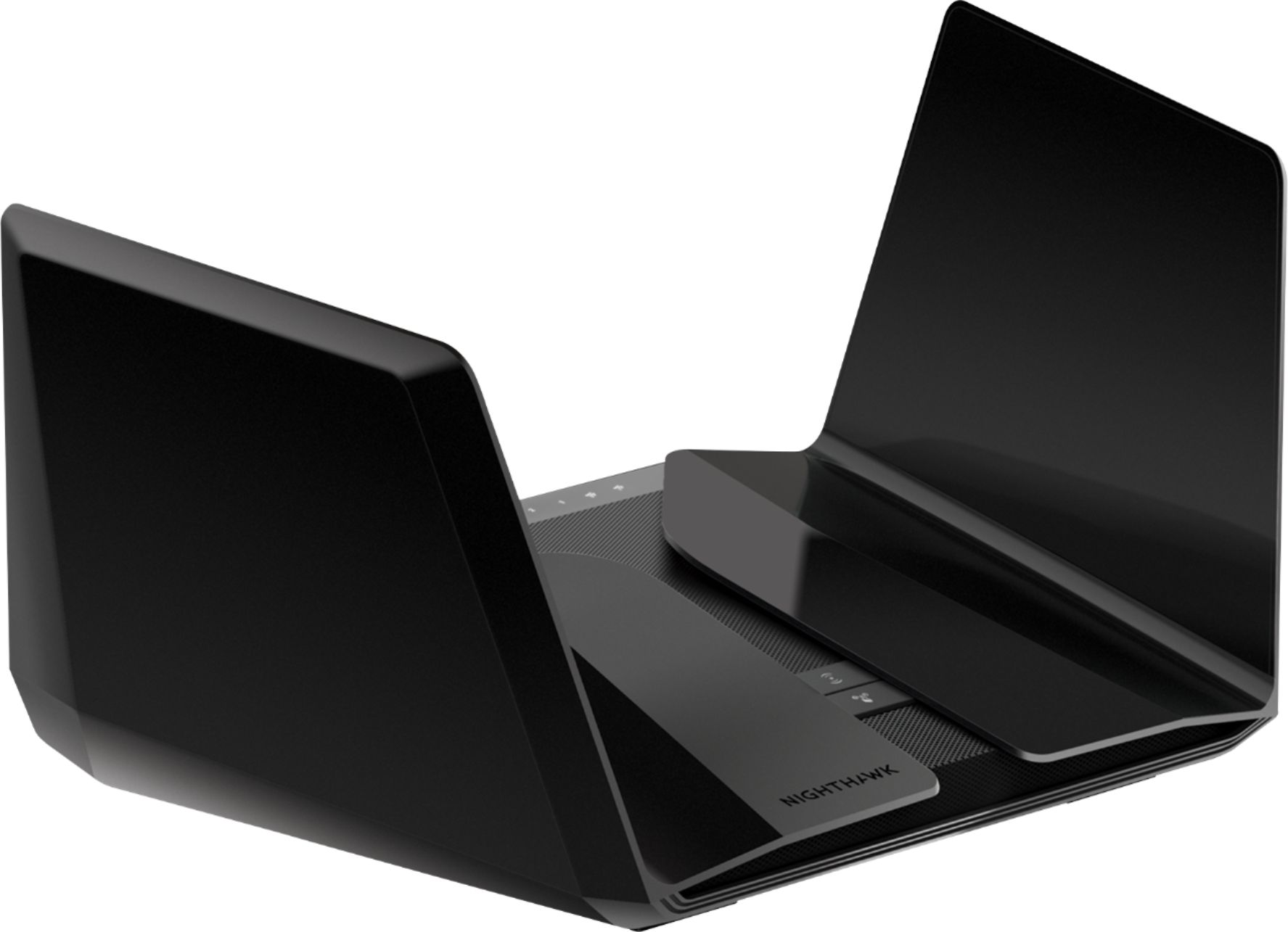
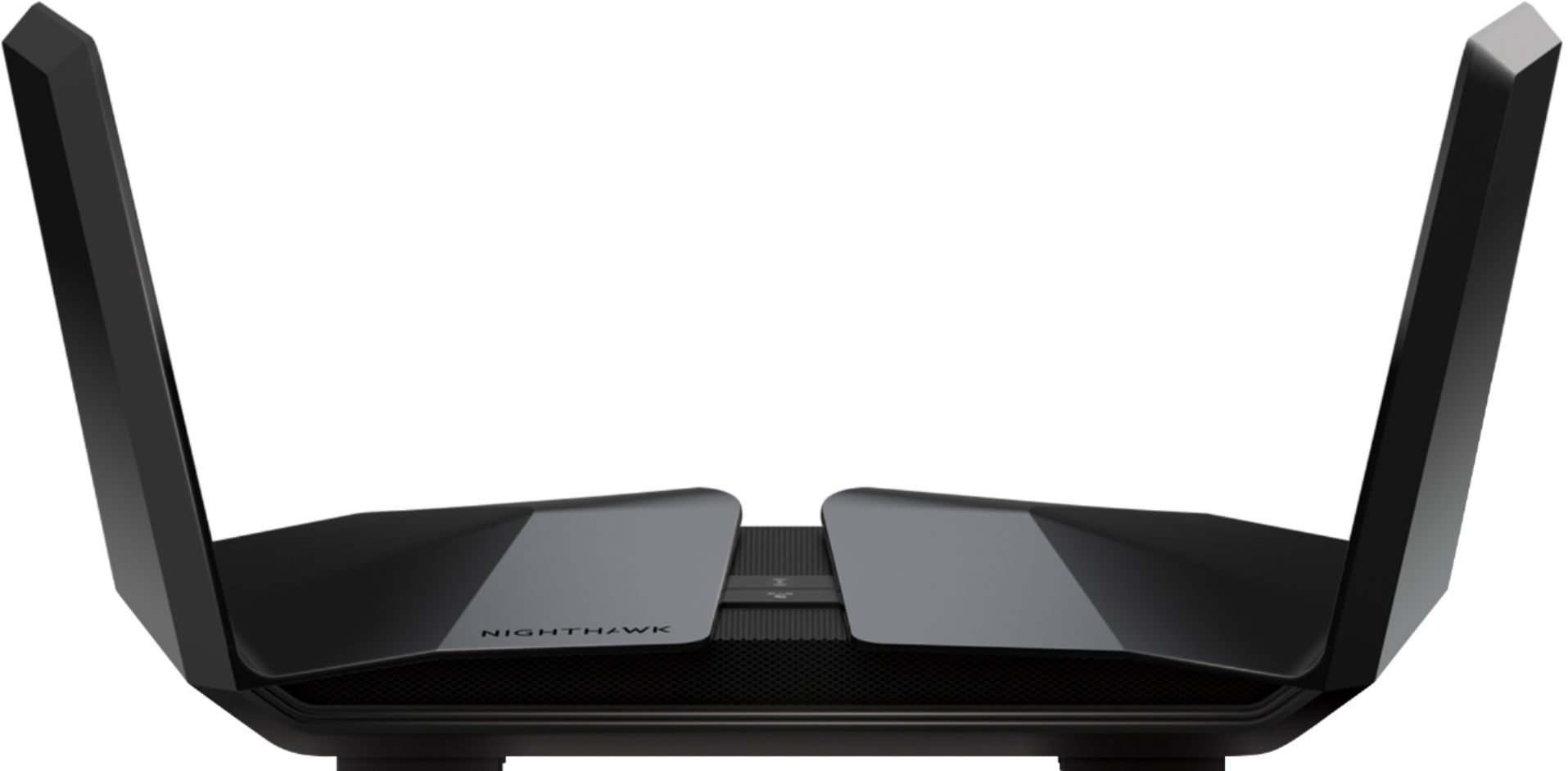
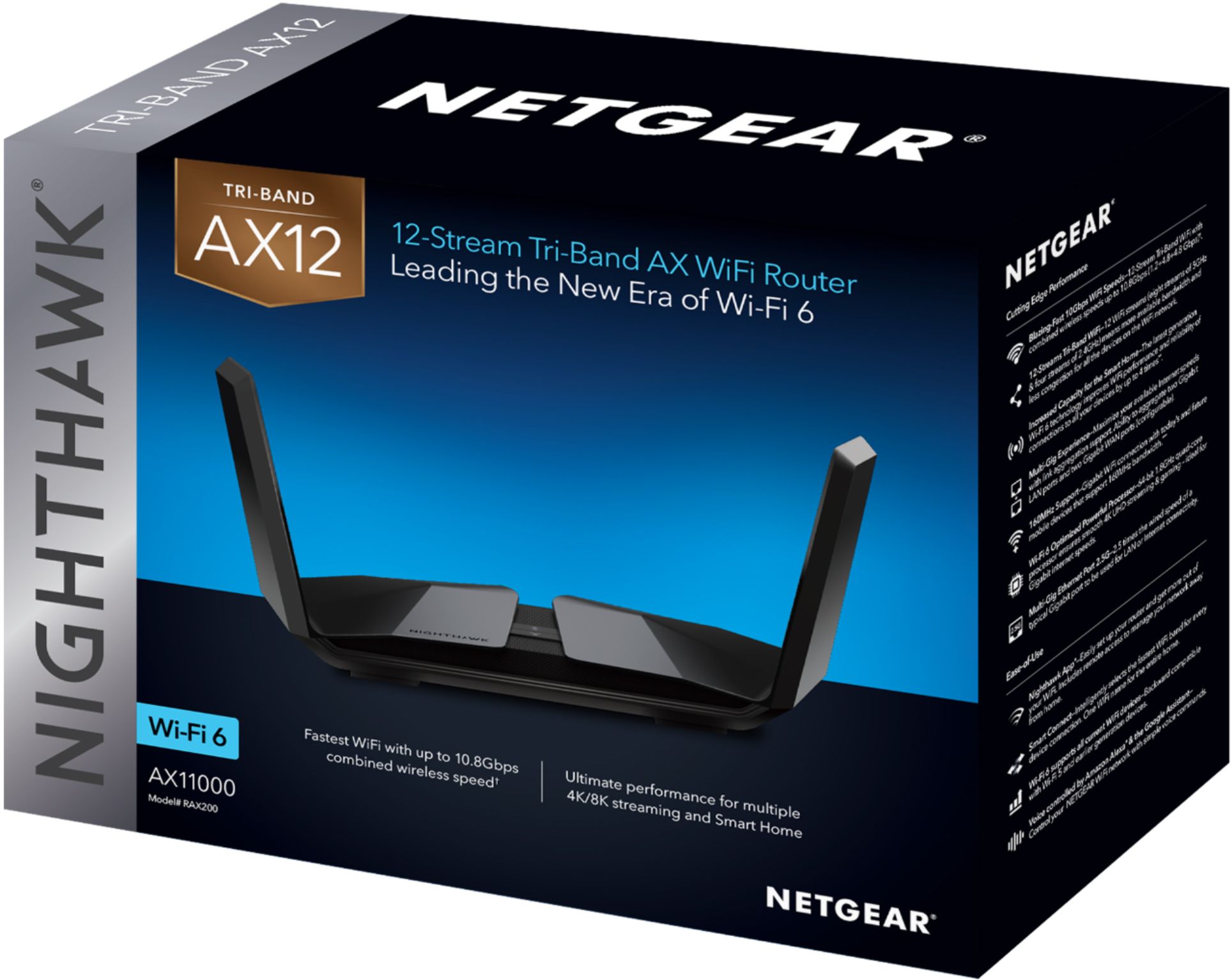
Customers praise the Nighthawk AX11000 Tri-Band WiFi 6 Router for its impressive range, strong performance, and ease of setup and use. Many appreciate the excellent coverage and signal strength, enabling seamless connectivity for numerous devices. While some find the price high, positive feedback outweighs concerns about occasional firmware issues. The router's WiFi 6 capabilities and sleek design are also frequently highlighted.
This summary was generated by AI based on customer reviews.
- Pros mentioned:Performance
Rated 4 out of 5 stars
Overall worth the price of admission to WiFi6
||Posted . Owned for 1 month when reviewed.This reviewer received promo considerations or sweepstakes entry for writing a review.I was having issues with my Cox Panoramic modem/router. I bought this with the hope that it would handle the burden of COVID-19 causing my family to demand more from the network. Overall it has delivered. I do have to reboot it along with the modem about 4x/week. I've had Cox come out several times as they are having issues with the outside node not being done right, along with the network being being heavily burdened by myself and my neighbors. So I can't really isolate the issues I experience to this device, or my new modem, or Cox, or a mixture of all. The fan does sound loud when it boots up, but quiets down once complete. When I bounce it and the modem, I have to connect this first, let it boot up, and THEN do my modem. It doesn't connect properly otherwise. The iOS app is very simple to use. Not alot of Parental Control offerings, but definitely better than what I had with Cox. I have a 3 bedroom home, ~1400sq ft, and I do get some lagging in some of the rooms. Again not sure if it's the nature of the world we live in right now, or I have too many devices, or the signal is weak. Overall I did see a huge boost in performance compare to where I was before, and even the Cox rep was impressed when he saw it. *I have Gigablast
I would recommend this to a friend - Pros mentioned:Range, Speed
Rated 5 out of 5 stars
Setup was not easy but after that!!!
||Posted . Owned for 1 month when reviewed.This reviewer received promo considerations or sweepstakes entry for writing a review.I bought this router and a Modem so I did not have to pay rent on Comcast modem anymore. Setting both was incredibly hard and I spent hours on the phone with Netgear but now I'M SUPER HAPPY!!! The combination makes this the fastest setup you can have at home with a fantastic range. My house is over 3,000 Sq ft and I get full bars even outside. The speed will vary according to your device, so my cell phone and my friend's iPhone are super fast. I set up a guest network so friends can come in and use it without interfering with my other devices. I have about 26 devices connected and nothing can slow down the network. Too bad cost a LOT of $$$$$$ but you won't need to buy anything else for the next 5 to 6 years.
I would recommend this to a friend - Pros mentioned:Performance, Range
Rated 5 out of 5 stars
Best Router for Smart Homes
||Posted . Owned for less than 1 week when reviewed.This reviewer received promo considerations or sweepstakes entry for writing a review.We live in an age where everything now is connected to our WiFi in our houses. In our home we have 9 best smoke/co detectors,nest, WiFi door locks, 4 laptops, 1 desktop, printer, 2 iPads, 4 iPhones, 3 Apple TV’s and even our fan is connected to WiFi. With our stay at home order we were having massive problems running online school for 2 and work for 2 at the same time. Zoom was freezing and we were paying for 1000 MBs if speed. Nothing worked until we bought this router. Not only do we now all have fast internet throughout the entire house, our neighbors across the street tell us they can see our network in their backyard! Best investment we have made to help navigate the demands of our Smart Home.
I would recommend this to a friend - Pros mentioned:Ease of use
Rated 5 out of 5 stars
High Performance - Latest Technology
||Posted . Owned for less than 1 week when reviewed.This reviewer received promo considerations or sweepstakes entry for writing a review.Excellent upgrade from the Netgear R8000 I've had for several years. I wanted to add WIFI-6 to my home and this router is a beast. Being familiar with Netgear products the setup was easy, but I can say that even if you have not done this before Netgear makes it simple to set up with pretty good default security settings. I am getting much faster speeds in my home even in the basement. Signal strength has improved to the point where I no longer need to use a WIFI extender.
I would recommend this to a friend - Pros mentioned:Ease of use
Rated 5 out of 5 stars
Pricy but GREAT coverage
||Posted . Owned for 6 months when reviewed.This reviewer received promo considerations or sweepstakes entry for writing a review.This really is a great router. Very flexible. As a parent, it is easy to control what devices have access and which don't. Wifi coverage from this router is great.
I would recommend this to a friend - Pros mentioned:Speed
Rated 2 out of 5 stars
Fast But Major Hardware and Quality Control Issues
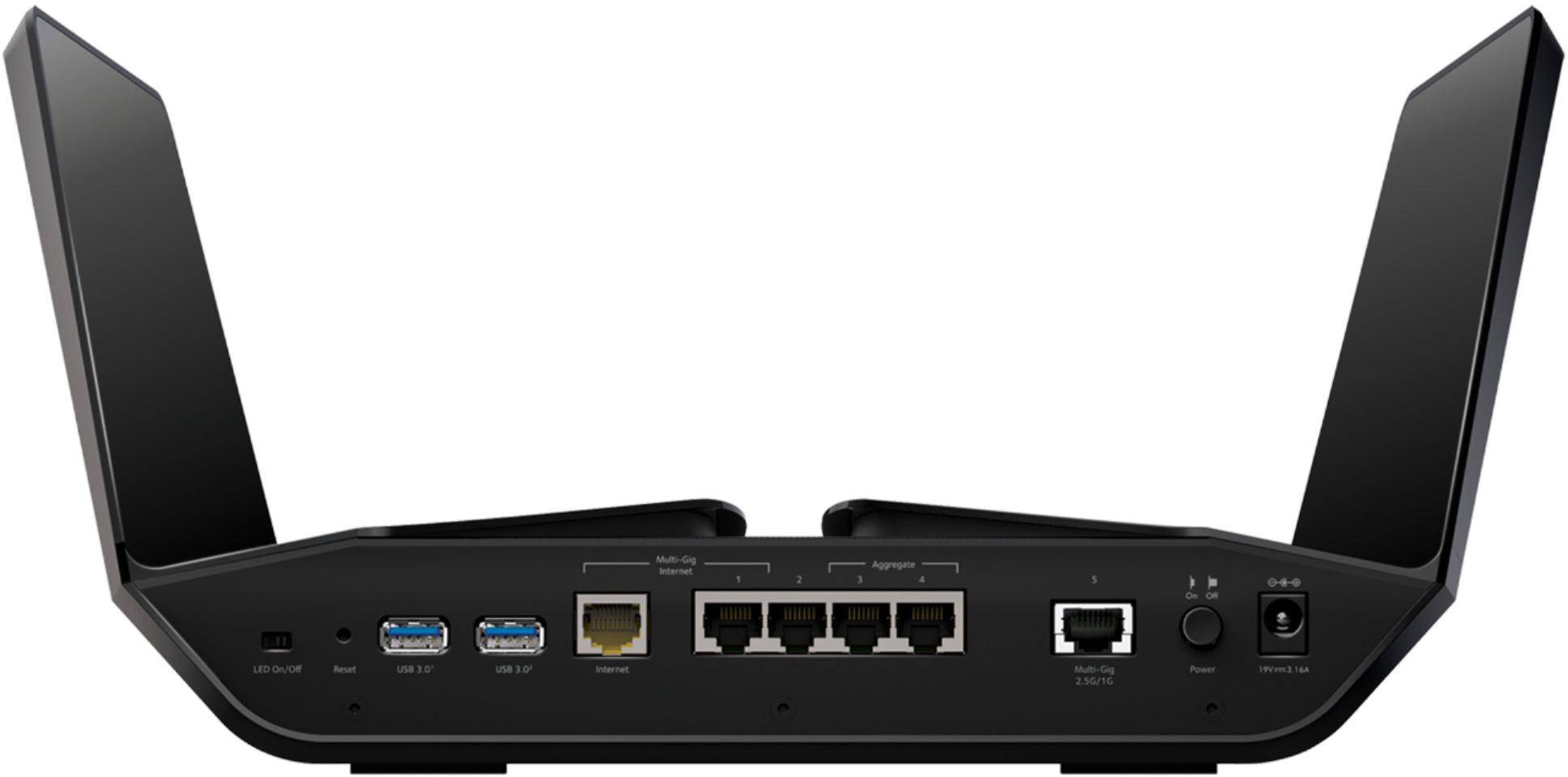
||Posted . Owned for 3 months when reviewed.This reviewer received promo considerations or sweepstakes entry for writing a review.I am a network engineer and do IT for a living so trust me when I say this product is not ready for primetime, trust me , I know what I am talking about. I've owned several of Netgear's flagship Nighthawk routers (R7000, R8000, R8000P) and all have been great, rock solid, no issues. So when I purchased the RAX200, I was expecting nothing less. I could not have been more disappointed. All firmware updates were applied and the router was factory reset after every firmware update to ensure it had a "clean slate" to start with. None of that mattered. A little about my home network: I paired the RAX200 router with a Fios Gigabit connection and have about 75 devices on my home network at any given time. Smart home plugs and switches, multiple Alexas and Google Homes, multiple tablets, laptops, desktops, gaming systems, smartphones, media players, security cameras, multiple Tivos, multiple ethernet switches, NAS, etc. Devices are split evenly between wired and wireless. THE GOOD: + Router is extremely fast! None of the devices connected had bandwidth issues and the RAX200 was able to handle them all seamlessly and simultaneously. + Wifi signal is strong. No problem getting a strong, fast signal all throughout all three floors of my 3 story, 2000 sq ft home. + Router looks super cool (like a spaceship)! THE BAD: I owned two of these units and the following issues were common to both: - For whatever reason, several of the devices I assigned to the 2.4ghz band would have trouble connecting at times to the router's 2.4ghz signal. Specifically, they would fail to connect after the router had been rebooted. They could all see the signal but just would not connect. No problem connecting to the 5ghz band for those devices that had that option. However, for devices like all my home smart switches and plugs that do 2.4ghz only, this was a major problem. The only fix I could find was to reboot the router again and after anywhere from 1-3 reboots, that would usually fix the issue. But with a caveat... - This brings me to my next issue in that everytime I rebooted the router, many of my devices could not reconnect to the router. The only way to get them to reconnect was to factory reset the router, then reapply my settings from a file I had saved with all my preferred router settings. But needless to say, knowing that anytime I needed to reboot the router (which wasn't that often), I would need to do a factory reset and then reapply my settings just so all my wireless devices could reconnect, that was a major letdown - If you accidentally push the WPS button on the router, it will continuously blink at a steady rate. Only way to get the button to stop blinking once it is pushed is to do a factory reset. Not a major issue but still annoying. Again, all these issues were common to both units of the RAX200 I purchased (one from Amazon, one from Best Buy). If I swapped in my older Netgear R8000P router, all these issues would just go away and all my devices would connect and perform flawlessly. Now for the issues I noticed specific to each of the two units I purchased: Unit 1 Issues: - The 2.5 GBE port died after about a month of use. I had it connected to a NAS which supported the 2.5GBE connection. The NAS lost its connection about a month after I purchased this router. After much troubleshooting on my own, on a hunch, I tried connecting the NAS to one of the standard gigabit ports on the router and it immediately reconnected. Determination: 2.5gbe port was dead. And I should have realized that earlier as the LED for the 2.5GBE port on the router started to flicker back and forth between amber and white, indicating it was having issues maintaining a steady 2.5GBE connection to the NAS. Unit 2 Issues: - After about 2 months, the built in 4 port gigabit switch on the router died. All wired devices lost connectivity but the wireless devices were fine and continued to function normally. No amount of firmware updates and factory resets would fix the issue. No wired devices would connect to the internet. I can only guess that based on the issues with the various LAN ports on the router dyeing at one point or another, there are some hardware quality control issues with this router. If I had to guess, I would say it is overheating. And yes, I placed the router in a well ventilated open space in my home with plenty of airflow. It is hard to overstate just how disappointed I am with this router, especially after having such good experiences with several of Netgear's previous high end/ flagship Nighthawk routers. When the RAX200 worked, it was super fast with a strong wifi signal. Unfortunately, it seems there are some design flaws with the router and I cannot recommend it at all. If you choose to purchase this router, know that it will likely perform well for the first few months, then randomly start to have issues and eventually die. As an alternative, I would recommend the Asus GT-AX11000. It has all the same features as the RAX200, plus a ton of additional options and settings that you can tweak that the Netgear RAX200 cannot even touch. Its wifi signal is just a strong (if not stronger) and you get a few more advanced VPN features as well as the ability to connect an Android smartphone directly to the router and use that as your internet signal (WAN) source in case your regular ISP ever goes down. And its over a hundred fifty less than the Netgear RAX200. More features for a lower price. Hard to argue with that!
No, I would not recommend this to a friendBrand response from Netgear Support
Posted .Hi Slater,
We appreciate your feedback and we want you to know that your experience is important to us. Please email us at NetgearTeam@netgear.com for additional resources or to contact one of our support experts. We will be happy to help.
Thank you.
Rated 4 out of 5 stars
You get what you pay for
||Posted . Owned for 1 year when reviewed.This reviewer received promo considerations or sweepstakes entry for writing a review.This is an expensive router, but worth the money for the signal strength. Overall ease of set up is a bit much, but the customer service is steps above other brand products. If you have a lot of Wi-Fi products to connect, it is worth the money. The app is easy to use. Router gives you three channels of use, to include two extra 5g networks. Have had this product almost two years and it is just now starting to slow up a bit. We will see if it makes it to my four year expectation. I figure if it does, it will have averaged out to be around 100$ a year, which is the cost of a basic starter router that usually last around the one year mark.
I would recommend this to a friend- Pros mentioned:Speed
Rated 5 out of 5 stars
Best Router on the Market
||Posted . Owned for 1 month when reviewed.This reviewer received promo considerations or sweepstakes entry for writing a review.I have been through many routers the past 15 years. Business, home use, gaming and streaming. I owned the netgear gaming router which was a great router. Purchased 4 Apple 4K streaming boxes so I needed to upgrade that can handle 4 streaming boxes and 4 Xbox one X’s. I am blown away with the speed and connectivity. I own a 2700 sq ft home and no issues with this router at one end of my house. WiFi connection still strong down the street from my house.
I would recommend this to a friend - Pros mentioned:Performance, Range
Rated 5 out of 5 stars
Better the. Mesh network.
||Posted .This reviewer received promo considerations or sweepstakes entry for writing a review.This router has 2 channels of 5Ghz. This is ideal to separate traffic on your WiFi network. It also has a 2.4 channel. The 2.4 is good for long range but it’s slower then both channels of 5. I also added a few switches from netgear to reduce the traffic in the WiFi network. I have a 5,000 sq foot home and this is the best router I have owned. I previously ran a mesh network. It replaced that and has performed better.
I would recommend this to a friend - Pros mentioned:Ease of use
Rated 4 out of 5 stars
Router
||Posted . Owned for 9 months when reviewed.This reviewer received promo considerations or sweepstakes entry for writing a review.Great router with WiFi 6. Setup was easy and interface is user friendly. Lacks a few features other brands have and value could be a little better due to the high price.
I would recommend this to a friend - Pros mentioned:Speed
Rated 5 out of 5 stars
Best router ever
||Posted . Owned for 11 months when reviewed.This reviewer received promo considerations or sweepstakes entry for writing a review.Worth every penny. One of the only routers on the market that accommodate 2gbps over wifi
I would recommend this to a friend Rated 4 out of 5 stars
Nice tech, flimsy build
||Posted . Owned for 1 month when reviewed.This reviewer received promo considerations or sweepstakes entry for writing a review.This router is AWESOME! I have a dedicated wifi channel to EACH one of our electronic items that require internet connection. No more lag because of to many phones or tablets on the same channel. Two reasons I didn't give it the full 5 stars though. 1 the physical build is flimsy to the point that you get afraid of braking it. The holes for the wall mount are not secure enough, mine actually fell and broke one of the antennas, but somewhat clipped back together and has full function. For a $500 router you'd expect the build quality to be top-notch. 2 the so called "app" that makes is "easier" to connect your equipment is complete TRASH. How are you supposed to connect your equipment if the router won't let you if it hasn't been previously connected?! Also if by any chance after already having connected your phone or tablet, the app updates or pops up an error and you have to re-connect, good luck because you won't be able to. The only way I was able to get anything connected was to connect via the router address and set up everything that way. In short, with the app if you can't connect to the internet to access the app settings then you can't connect to the app ( how can you connect to the internet if the app controls your internet access?). Other than the setup issues with the new app, this router hasn't let me down yet. I can literally have all our equipment at once and have no lag or connection issues. There are constantly 4 of us using the internet at once... My son with his phone and PS4 going at the same time while my wife with her phone, my daughter and her tablet, and I with my phone and PC.
I would recommend this to a friend- Pros mentioned:Speed
Rated 5 out of 5 stars
Overkill but work it
||Posted . Owned for 1 month when reviewed.This reviewer received promo considerations or sweepstakes entry for writing a review.It's a bit overkill and expensive but so far no problems. I have a large home with everyone streaming or gaming so I needed something to keep up with everyone. So far no problems. No rebooting or signal drop off. Speeds are amazing and works well with every device.
I would recommend this to a friend - Pros mentioned:Ease of use, Range, Speed
Rated 5 out of 5 stars
Great speed/range.
||Posted . Owned for 6 months when reviewed.This reviewer received promo considerations or sweepstakes entry for writing a review.Easy to setup got way more range and speeds then my previous router.
I would recommend this to a friend - Pros mentioned:Setup
Rated 5 out of 5 stars
Amazing WiFi 6 Router!
||Posted . Owned for less than 1 week when reviewed.This reviewer received promo considerations or sweepstakes entry for writing a review.I recently made the switch to Gigabit Ethernet and I needed a router that would handle the 20+ WiFi devices I have at home. The Nighthawk AX12 does it’s job flawlessly; handling multiple 4K video streams, online gaming, and providing WiFi 6 to Next Gen. devices! Setup was extremely easy using the Nighthawk App. Definitely recommend this router for the modern Smart Home.
I would recommend this to a friend - Pros mentioned:Setup
Rated 5 out of 5 stars
Nighthawk
||Posted . Owned for 1 week when reviewed.This reviewer received promo considerations or sweepstakes entry for writing a review.Absolutey love this router, easy to set up, and handles all of my device needs.
I would recommend this to a friend - Cons mentioned:Firmware
Rated 2 out of 5 stars
Awesome Specs, But Poor Implementation
||Posted .This reviewer received promo considerations or sweepstakes entry for writing a review.On paper, the specs for this device are awesome: Quad Core CPU, Wifi 6 w/ OFDMA, WPA3, Netgear Armor, Circle, Tri-band radios. This was the first device purchased. Quality control fail: 2 bad LAN ports (permanently lit red and no device could sync). Additionally had ISP issues for IPv6. Web interface is buggy. Device attached list shows wired devices as wireless in some cases. QoS questionable. Returned. Replacement device also could not connect to my ISP using IPv6, however previous Netgear router, and Linksys EA8300 work fine for IPv6. Support stated it was defective. Replaced again. Still not able to connect to my IPv6 ISP. Found online reports / a firmware bug. Then newer firmware (hotfix/beta) was released. Still IPv6 remains broken. Support now states to just wait it may be fixed in a month...I have an IPv6 ISP, so pretty much useless. Or revert to and older firmware and lose some of the features (Netgear Armor, Circle, and some OFDMA capabilities lost if downgrading, just to get a fundamental feature like IPv6 to work..Not Cool!). If Netgear could actually address firmware bugs, there is a lot of potential for this router...but I'm skeptical and currently left disappointed. Would recommend trying a competitor such as ASUS, firmware seems to be more reliable and support is a little bit more knowledgeable.
No, I would not recommend this to a friend - Pros mentioned:Speed
Rated 4 out of 5 stars
Great Speed Ok Coverage
||Posted . Owned for 3 weeks when reviewed.This reviewer received promo considerations or sweepstakes entry for writing a review.We wanted to upgrade our old router, so after doing research and looking at all the reviews, we decided on this nighthawk router. The speeds and ability to hook up multiple gaming systems has been great, but disappointed that the range isn't as good in our home as advertised. I still get ok coverage in my office and is better than the old router. The setup was quick and easy, I did have to reboot the system a couple 3 times during the 1st week, as some of the devices dropped signal and couldn't reconnect, but after that everything has worked great.
I would recommend this to a friend - Pros mentioned:Ease of use, SetupCons mentioned:Price
Rated 5 out of 5 stars
GREAT WIFI DEVICE FOR LARGE HOME MNY DEVICES
||Posted . Owned for 2 weeks when reviewed.This reviewer received promo considerations or sweepstakes entry for writing a review.Great device. Easy setup. Easy to use. Very expensive though,
I would recommend this to a friend - Pros mentioned:SpeedCons mentioned:Price
Rated 5 out of 5 stars
Pricy but AWESOME
||Posted .This reviewer received promo considerations or sweepstakes entry for writing a review.Replaced the x10 with the AX12 and man, this thing is awesome. Super pricy but if you have a lot of devices and streaming to multiple devices, this is a great router.
I would recommend this to a friend