Customer Ratings & Reviews
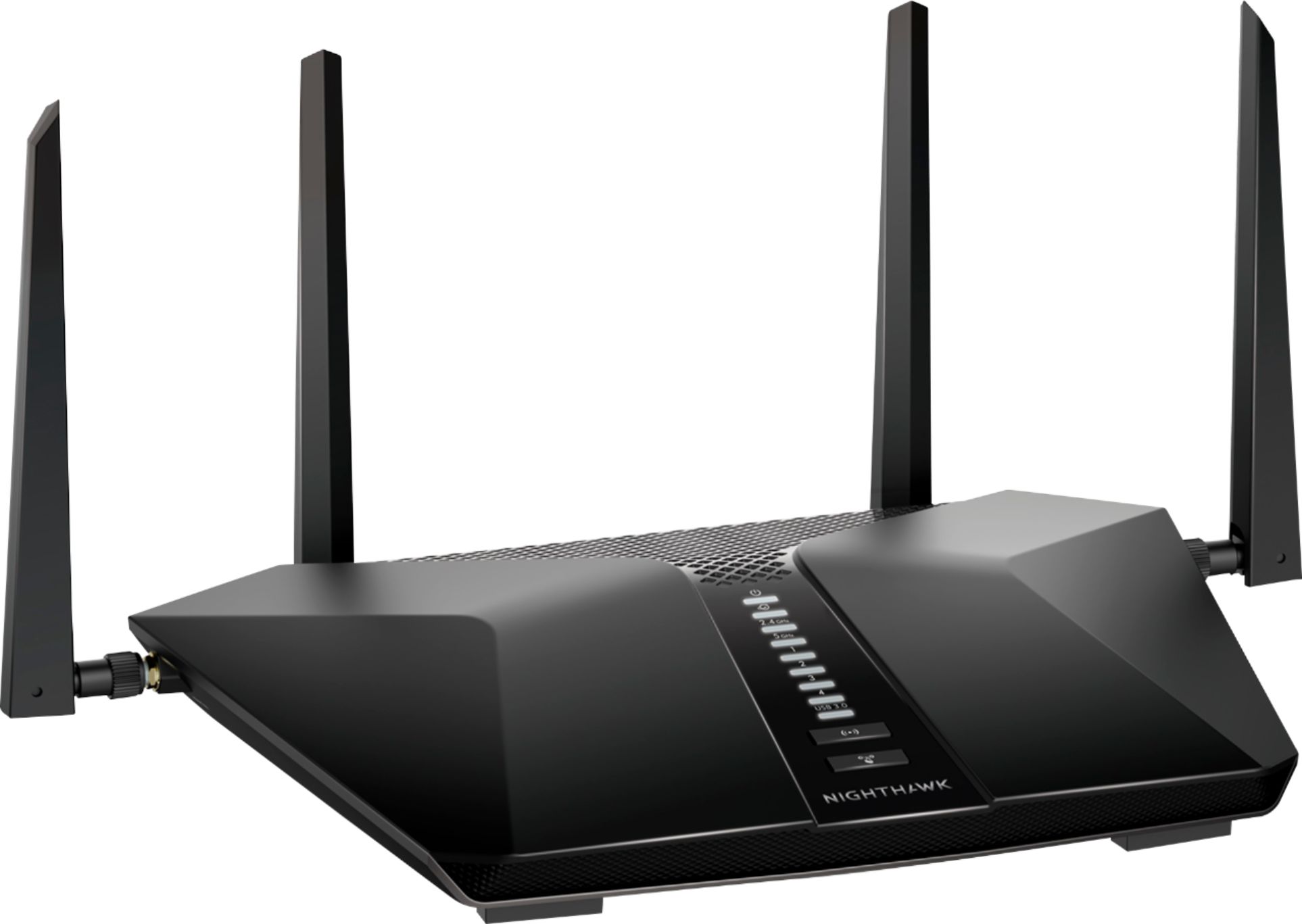

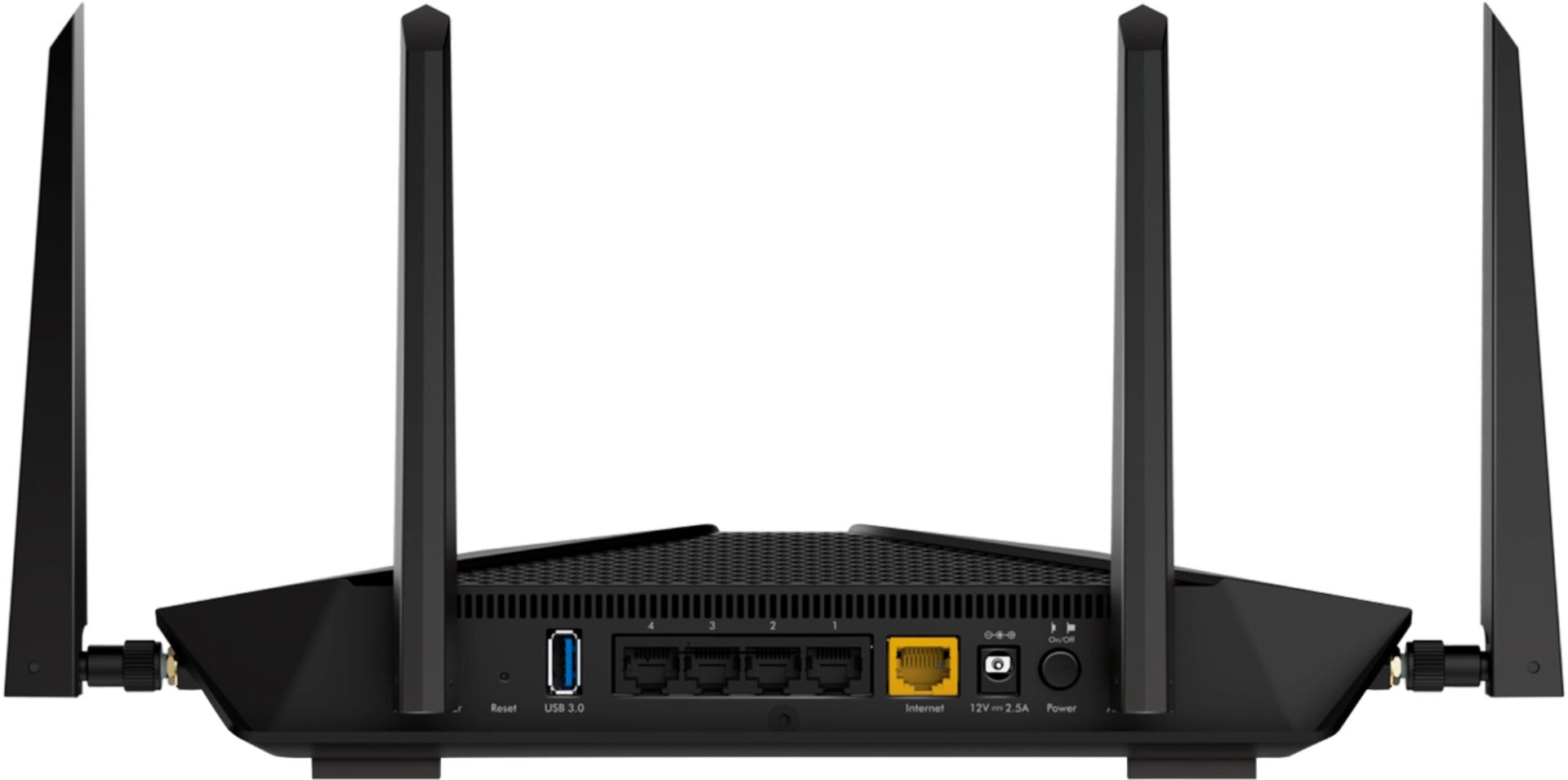
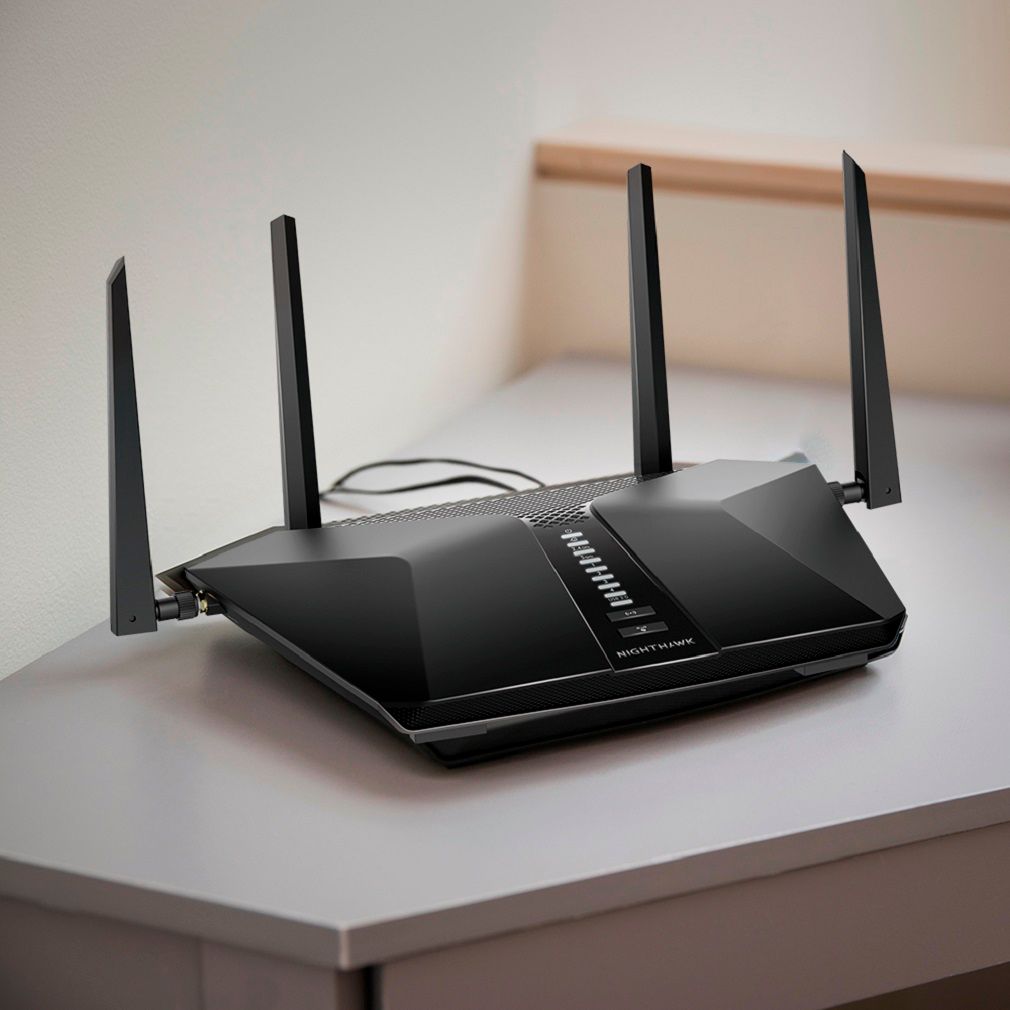

- Model:
- RAX50S-100NAS
- |
- SKU:
- 6405442
Customer reviews
Rating 4.5 out of 5 stars with 761 reviews
(761 customer reviews)Rating by feature
- Setup4.6
Rating 4.6 out of 5 stars
- Range4.6
Rating 4.6 out of 5 stars
- Signal Strength4.6
Rating 4.6 out of 5 stars
Customers are saying
Customers are pleased with the Nighthawk AX5400 Wi-Fi 6 Router's ease of use, range, and performance, citing positive experiences with setup and strong signal strength. Many appreciate the improved coverage and speed, although some experienced connection issues. A few users found the app inconsistent and noted that the price point is high. Concerns were also raised regarding the additional cost for parental controls.
This summary was generated by AI based on customer reviews.
- Cons mentioned:App
Rated 1 out of 5 stars
Garbage
||Posted . Owned for less than 1 week when reviewed.This reviewer received promo considerations or sweepstakes entry for writing a review.Absolute garbage. Do not buy this router. The app sucks and it's slower than my old router. Also you cannot update the firmware.
No, I would not recommend this to a friend Rated 3 out of 5 stars
Router
||Posted . Owned for 3 weeks when reviewed.This reviewer received promo considerations or sweepstakes entry for writing a review.Speed internet service connection quick easy setup
I would recommend this to a friend- Cons mentioned:Connection
Rated 1 out of 5 stars
Thought is was a great product
||Posted . Owned for 6 months when reviewed.This reviewer received promo considerations or sweepstakes entry for writing a review.Lose connection on some devices.. I try to view my camera in the house and can’t see anything because it says it’s not connected
No, I would not recommend this to a friendBrand response from Netgear Support
Posted .Hi Jam7,
We appreciate your feedback and we want you to know that your experience is important to us. We are sorry to hear that you had a difficult experience with your product. This resource should help you "https://kb.netgear.com/1110/How-do-I-troubleshoot-my-wireless-network”
Please let us know if this resolved your issue by updating your review. If you need further assistance, please email us at [email protected] for additional resources or to contact one of our support experts. We will be happy to help.
Thank you.
Rated 2 out of 5 stars
When it's working it's good. (sporadically)
||Posted .This reviewer received promo considerations or sweepstakes entry for writing a review.When it's good, it's good. Almost weekly it loses its connectivity with the internet (via ethernet from FIOS modem/router combo). At the same time the FIOS internet is up. I have to powercycle once every week or week and a half. Not worth the $299.99 before tax!
No, I would not recommend this to a friendBrand response from Netgear Support
Posted .Hi UnhappyCamper,
We appreciate your feedback and we want you to know that your experience is important to us. We are sorry to hear that you had a difficult experience with your product. This resource should help you https://kb.netgear.com/000061716/How-can-I-troubleshoot-my-NETGEAR-router
Please let us know if this resolved your issue by updating your review. If you need further assistance, please email us at NetgearTeam@netgear.com for additional resources or to contact one of our support experts. We will be happy to help.
Thank you.
Rated 3 out of 5 stars
Disappointed
||Posted .This reviewer received promo considerations or sweepstakes entry for writing a review.It doesn’t have a good reach. I need to get add ons
No, I would not recommend this to a friendBrand response from Netgear Support
Posted .Hi Sbasj,
Wireless routers, access points, and adapters send and receive radio wave signals through antennas. To optimize your wireless range, we suggest checking this resource: https://kb.netgear.com/1114/Improving-wireless-range-Overview
Please let us know if this resolved your issue by updating your review. If you need further assistance, please email us at NetgearTeam@netgear.com for additional resources or to contact one of our support experts. We will be happy to help.
Thank you.
Rated 1 out of 5 stars
WAN Port Dead Out of the Box
||Posted .This reviewer received promo considerations or sweepstakes entry for writing a review.Bought today, returning tomorrow. The setup app refuses to accept the default ID and password provided, but after 20 tries or so I got in. Then it complained about cabling to the cable modem. After a lengthy session with support, and testing multiple cables and validating conclusively that my cable modem is fine, we both agreed the WAN port is flat out dead out of the box. Could not even test it out.
No, I would not recommend this to a friendBrand response from Netgear Support
Posted .Hi John,
Thank you for the feedback on the Installation of your nIghthawk router. We understand that the product was faulty. Your reseller will be able to exchange the product in person within the return period. After that, we are happy to help you with the router. If you need further assistance, please email us at netgearteam@netgear.com for additional resources or to contact one of our support experts. We will be happy to help.
Thank you.
NETGEAR Team
- Pros mentioned:Performance, Speed
Rated 5 out of 5 stars
Great Value for the latest wifi technology
Posted .This reviewer received promo considerations or sweepstakes entry for writing a review.I received this router as a part of Netgear's first look program. I was super excited to see how this router would perform with the latest technology compared to my existing Orbi AC3000. I get ridiculous coverage from the Netgear Orbi and I was wondering how much the Nighthawk would be able to match it - more on that in a second. Unboxing and setup took maybe 5 minutes. The 4 antennas are clearly marked and after downloading the app it connected first time to the router and was ready to go. The router also includes the Armor security suite free for the first year which gives you a $69.99 value. With 3 kids 10 and under I have the ability through the app to limit their devices connectivity when it is time for them to go to bed. Even if they sneak down to look for their device they can't use it which I like that level of parental control for young users. Performance is outstanding on this unit. Like I said above, I have the Orbi that gives me excellent coverage for my two story home (2700 square feet). The nighthawk gives me the same coverage at consistently faster speeds including my yard with only one router, no satellites needed. It optimizes the best connection for devices and with smart devices exploding, it is able to handle our load and more. For example we have not cable for several years and I we were streaming Youtube TV, while two my kids were watching Netflix and one kid playing Roblox simultaneously. We did not encounter any drops, lags or buffering during this critical test. It also includes 5 wired connections so it functions well as the hub of your wired setup in your home. I like that I the option to have my apple tv wired keeping the wifi open for iphones, ipads and laptops. I am not surprised at the performance as netgear continues to put out professional level equipment for personal and home use. Netgear has always met and exceeded my expectations. I would say this router has made me think twice about getting rid of my current setup based on how it performed in my trial. At $299, it is $30 dollars cheaper than my Orbi and I think it is actually better. I would absolutely recommend this to my friends and family. If you are in the market for a router and you are wondering if $299 is too much. I think in this case you get more value then the $299 (security suite free for the first year) and being the latest technology you can use this router for the years to come.
I would recommend this to a friend Rated 1 out of 5 stars
Slow, laggy, hanging interface
||Posted . Owned for 3 weeks when reviewed.This reviewer received promo considerations or sweepstakes entry for writing a review.The management interface on this router is incredibly clunky. Every time a change is made to a setting, clicking "Save" means that everything hangs for 30-60 seconds while the change is saved to NVRAM. It's incredibly frustrating to set up and manage because of the lag when moving between menus. I found it practically unusable and ended up returning it.
No, I would not recommend this to a friendRated 2 out of 5 stars
Not happy with this model…
||Posted . Owned for 1 year when reviewed.This reviewer received promo considerations or sweepstakes entry for writing a review.Lasted less then a year and a half… for $300 I think it should have lasted a little longer. Have purchased Netgear many times it has alway been a good product .. this one not so much
No, I would not recommend this to a friend- Cons mentioned:Connection
Rated 1 out of 5 stars
New technology is very hard.
||Posted . Owned for 1 week when reviewed.This reviewer received promo considerations or sweepstakes entry for writing a review.I installed myself, basically the same before. But it is new technology is very hard. Router connect my PC is slow. And no internet. I have returned it.
No, I would not recommend this to a friendBrand response from Netgear Support
Posted .Hi LoveSalePrice,
Thank you for your review. We understand that you have not seen an increase in speeds with your router. If you still have your router we would like to look into some of the support opportunities that we have available. Please email us at [email protected]
Thank you.
Rated 1 out of 5 stars
Could be good, customer svce very poor
||Posted . Owned for 1 month when reviewed.This reviewer received promo considerations or sweepstakes entry for writing a review.Nighthawk products are usually excellent. The reason for the low rating is TERRIBLE customer service. The default settings would not let the full 400mbps through so a call to customer svce. Incompetent. I got nowhere. Still under 175mbps max. I have to use the cable CO's router, very poor range and no features but full speed.
No, I would not recommend this to a friendBrand response from Netgear Support
Posted .Hi HoneywellHEPAAirfilter,
We are sorry to hear that you had a difficult experience with the support team. Please email us additional information about the problem and steps taken to try and resolve it. Also please include your phone number and time zone so we can have this escalated. Our email is netgearteam@netgear.com
Thank you
NETGEAR team
Rated 1 out of 5 stars
Netgear charges $89.99 to fix out of box issue
||Posted . Owned for 5 months when reviewed.This reviewer received promo considerations or sweepstakes entry for writing a review.I'd pass. I purchased had software issues that were fixed pretty quickly under Netgears 90 day free tech support. Guy said most routers have the issue. Fast forward 6 months i move. Same issue upon new setup, and now they want $89.99 to fix an out of the box issue.
No, I would not recommend this to a friendBrand response from Netgear Support
Posted .Hi Brad,
All NETGEAR products come with 90 days of complimentary technical support, and 1 year of hardware replacement warranty. If you are beyond the 90 days of complimentary support and you need additional technical support you will be asked to purchase an extended support contract, but if the device has failed and needs to be replaced you will not be charged for the support call, since this is covered under the hardware replacement warranty.
Regards,
NETGEAR Team
- Pros mentioned:Speed
Rated 5 out of 5 stars
Fast, Solid AX5400 Netgear Router, Easy to Set Up
Posted .This reviewer received promo considerations or sweepstakes entry for writing a review.Firstly, I would like to disclose the fact that I received the beta version of this Nighthawk AX5400 Netgear Router at no cost. Although to be honest, this does not effect my feelings for this router at all. I was using a Netgear R7000 before this one and the difference, especially wireless is incredible. I work outside in my garage a lot but was never able to get a very decent signal at all. The wall between the garage and the room in the house that has the AX5400 is made of concrete. But yet I get a great connection and never lose wireless our there. It is just as if I were sitting in the house with the phone. I also noticed the wireless is a lot more solid with my security cameras. I also really like the app you can install on your phone (they have the app available in both IOS and Android) that helps you set up the router and keep track of all your connections and also be able to change settings. I have a cable internet modem connected to the AX5400 router and my speeds have been solid. During all the time I spent testing the router, I never lost internet, which is pretty amazing. The router has 4 nice large attenas and the lights are a light blue. You do have the option to turn off all the lights but the power one in case you have the router in a bedroom. This is a very nice router and secure. You can use a VPN with it if you wanted to and/or a DNS service. The router can be very simple to set up or you can use its more advanced options. I use OpenVPN for my security cameras so when I'm at work, I can check out the cameras, which is really a handy feature. In my experience with this router, I have found it works great and I can get signal all over the house, and our house has many corners and walls. I haven't experienced any bugs and the newest firmware has the option to subscribe to Bitdefender (called Armor on the router's webpage or in the Nighthawk app), making it even more secure. I highly recommend the Nighthawk AX5400.
I would recommend this to a friend Rated 1 out of 5 stars
Good internet distribution, but doesn't last
||Posted . Owned for 2 months when reviewed.This reviewer received promo considerations or sweepstakes entry for writing a review.Honestly one of the worst investments I have ever made. The router has worked, without issue, for the first two weeks of ownership. After that devices trying to reconnect to the network would be unable to and devices that never left the network would have no internet. This required a hard reset of the router to fix and it would only work for a few days. Do not waste your time or money on this device.
No, I would not recommend this to a friendBrand response from Netgear Support
Posted .Hi QuestionableWiFi,
Thank you for your feedback on your RAX50S. We are sorry to hear that you have experienced connectivity issues and we would like to look into the support opportunities with you. Please email us at [email protected]
Rated 1 out of 5 stars
Only good use for this is a paperweight.
||Posted .This reviewer received promo considerations or sweepstakes entry for writing a review.DO NOT BUY THIS PIECE OF JUNK!!!! I purchased this router yesterday. I got home and setup it up and after 10 mins it stopped working. I was not able to log in to it or have internet. Took this back and exchanged for another brand.
No, I would not recommend this to a friendBrand response from Netgear Support
Posted .Hi JT2021,
We are sorry to hear that your initial installation did not work as expected. We understand that you have already returned your nighthawk router, but if we can be of further assistance, please visit http://support.netgear.com to register your product, get help, access the latest downloads and user manuals, and join our community. We recommend that you use only official NETGEAR support resources.
Thank you.
NETGEAR Team
- Pros mentioned:Performance, Setup, Speed
Rated 5 out of 5 stars
Great Option for Medium Sized Homes!
Posted .This reviewer received promo considerations or sweepstakes entry for writing a review.I've been a huge fan of the Orbi Mesh System for years. It has brought adequate coverage to my multi story home, but with WiFi 6 becoming more mainstream, I was eager to check out the latest tech. BIG PICTURE: You will get the speeds you're paying your ISP for. As long as you are within range, there is no speed degradation, even with a lot of devices pulling down a lot of data. SETUP Like all NETGEAR Products, setup is an absolute breeze. Whether using the Nighthawk App or web interface, this will take you just minutes to get moving. Rememeber- you can use the same SSID and Password as your previous system to get things up and running immediately. Like all wifi products, be aware of what you are placing the router near to reduce interference. ARMOR CYBER SECURITY One of the benefits of this specific model is that it includes 12 mos of NETGEAR'S award-winning cybersecurity. Unlike old virus software from the past which was only for a specific device, this offers whole-home protection for all of your connected devices. NETGEAR is constantly updating what they are scanning for- not only viruses, but malicious websites, phishing schemes, and DDOS attacks. PERFORMANCE When spending $300 on a router, you want to make sure you're getting quality, and NETGEAR delivers. Again. The speeds are unlike anything else I have had in my home. However, keep in mind that this may not have the range of mesh systems, like Orbi. While speeds are higher, I do not get the consistency I did at all corners of my property with Orbi. VALUE Wifi6 is new, so it comes at a premium. However, NETGEAR has created a great entry level option in this unit for anyone wanting to future-proof their home's network for the next 5-10 years. CONCLUSION If you're thinking about this unit, and your home is medium-sized, go for it! You will not be disappointed. You're allowing your network to get a necessary upgrade to take advantage of the speeds offered by your ISP AND unlock the full potential of next-generation connected devices. I'm grateful to have been selected by NETGEAR to test this device at no cost in exchange for an honest review. My home network is in better shape because of it!
I would recommend this to a friend Rated 2 out of 5 stars
Hurricane
||Posted . Owned for 1 month when reviewed.This reviewer received promo considerations or sweepstakes entry for writing a review.Very hard to setup. About 8 hrs. Called netgear for help They wanted to charge for help. no way I would pay. Works good after setup.
No, I would not recommend this to a friendRated 1 out of 5 stars
Nothing but trouble
||Posted . Owned for 2 weeks when reviewed.This reviewer received promo considerations or sweepstakes entry for writing a review.I had nothing but trouble from the moment I plugged this in. Wifi connectivity was inconsistent and I would loose connectivity for no reason throughout the day/night. Bandwidth would drop to zero and when I would reboot the router my configuration information would disappear and i would have to start over again with a factory reset.
I would recommend this to a friendBrand response from Netgear Support
Posted .Hi MichaelR,
This resource should help you " How do I troubleshoot my wireless network?" To find this resource, one of many others, please login to MyNETGEAR and click support.
Please let us know if this resolved your issue by updating your review. If you need further assistance, please log in to MyNETGEAR and click support for additional resources or to contact one of our support experts. We will be happy to help.
Thank you.
- Pros mentioned:PerformanceCons mentioned:Lag
Rated 5 out of 5 stars
Overall Great Router.
Posted .This reviewer received promo considerations or sweepstakes entry for writing a review.First off, let me start by saying: if you're thinking about buying any other router, stop for a second, and consider this one. I previously purchased an ASUS AC3100, and within the second day of me having it, the internet would disconnect. Come to find out that it's a pretty big issue among all ASUS routers. I ended up returning my AC3100 for this Nighthawk. Let me tell you, i do not regret it one bit. The set up of this router is as simple as it can get. All you have to do is download the app, and scan the code that comes on the wrapping of the router. It's quick, and it's easy. The overall performance of the router is nothing more or less than what i expected. Which to me, is a good thing. Most of my speed tests say it pushes out over 250/mbps. Sometimes, it'll even top 300/mbps, and my internet plan is only 200/mbps. This router has four Ethernet ports which allows you to connect a handful of devices to get the best speed possible. I mainly use this for gaming purposes, and it performs flawlessly. Lag is basically non-existent with this router unless you have terrible wifi already. Also improves latency time. I set this router up with my cable provider so that this is my main source of wifi. If you already have an ISP, your probably have the basic Router/modem built in one combo. To use this router as your main source of WiFi, just call your ISP, and tell them you'd like to disable the wifi on your current modem/router combo, and enable bridge mode so you can set this router as your main source. All free of charge (except for buying the router, of course). i have about 11-12 devices connected to this router, and all devices can stream movies, shows, etc. All of them perform, and connect to the router with no issues at all. I believe this router tops out at 25 devices connected. I'm on about my 2nd week since i bought this router, and it has giving me nothing but an excellent experience. 10/10 would highly recommend this router.
I would recommend this to a friend Rated 2 out of 5 stars
Router review
||Posted . Owned for 1 month when reviewed.This reviewer received promo considerations or sweepstakes entry for writing a review.I kept losing the signal, so I returned this and bought an ASUS router.
No, I would not recommend this to a friendBrand response from Netgear Support
Posted .Hi KenG,
Thank you for your review. We appreciate your feedback and we want you to know that your experience is important to us. We are sorry to hear that you had a difficult first experience with this product and returned it. If you need further assistance, you can visit http://support.netgear.com to register your product, get help, access the latest downloads and user manuals, and join our community. We recommend that you use only official NETGEAR support resources.
Thank you.
NETGEAR Team