Rating 4.5 out of 5 stars with 761 reviews
4.5- Speed (169)
- Ease of use (124)
- Range (92)
- Performance (82)
- Setup (53)
- Price (16)
- Connection (12)
- App (9)
- Lag (9)
- Parental Controls (5)
Customer Images
The vast majority of our reviews come from verified purchases. Reviews from customers may include My Best Buy members, employees, and Tech Insider Network members (as tagged). Select reviewers may receive discounted products, promotional considerations or entries into drawings for honest, helpful reviews.
- Rated 5 out of 5 stars
Works great over 300 mbps
Getting top speeds of 357 down on 300 meg service. I have a netgear cm1000 cable modem and have ax5400 hardwired. At first i was not getting my speeds about 160 mbps. Went to the advanced setting by using a browsers by entering 192.168.1.1 when to advance, advanced setup,then ipv6 put on auto detect mine selected 6to4 tunnel. And started getting my speeds 302 to 355 within 7 to 25 ft. I did lower the power of the wifi transmit power control to 50% since i live in a 800 sqft home.. Bigger place ill leave at 100%
Posted by Jester
- Rated 5 out of 5 stars
Fast Router with Incredible Range
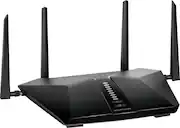
This router is a great WiFi6 router for small-to-mid sized homes (the box actually says 3 bedrooms) and it supports up to 4 wired devices (with 4 LAN and 1 WAN) 10/100/1000 Mbps gigabit ethernet ports. The device is perfectly fit to manage up to 25 devices and provide them with incredible speeds. When I initially opened this router, I couldn’t help but notice that it was packaged nice and had each antenna individually wrapped. This router has 4 adjustable antennas (2 side and 2 rear) and they have to be placed in the appropriate spot when attaching to the router. Netgear makes it a point to label these in numerous places to ensure you don’t get them mixed up. After you unpack it and plug it in, there are a few steps you need to take to get your router up and running. When you go to setup the router, Netgear recommends you use the Nighthawk app but if you are “old-school”, you can use routerlogin.net or the 192.168.1.1 IP address to hit the administration screen of the router. Normally, I would go to the “old-school” route but wanted to give the Nighthawk app a try. Setting up the router was surprisingly easy with the Nighthawk app. It contains a QR scanner and you just us it to scan the QR code on the front of the router. From there, the app walks you through the rest. Despite the Nighthawk app being easy to use, I found myself reverting back to the “old-school” administrative screens to validate/confirm some of the router’s configuration from my laptop (vs. my smart phone). Note – there was a firmware update right out of the gate, so you may want to give yourself a few extra minutes when setting the router up if you plan to use the latest firmware. The nice thing is that the router pops up with a question asking you if you want to upgrade the firmware immediately and Netgear provides you with the release notes so you know what’s in it. The router has some of the more common features found in most routers like various security options, channel designation, SSID broadcast enabling and guest networks but it also has some features that aren’t found within all routers. For example, the router has a “Smart Connect” feature which lets the router intelligently select the best band for your WiFi connection (2.4 GHz or 5GHz). This router also supports AX features such as OFDMA and they can be enabled/disabled from the administration screen. It has implicit beamforming technology which is supposed to boost WiFi speed, reliability and range for mobile devices – a nice plus when most devices these days are wireless. The router has a plethora of options and settings to configure if you are comfortable in doing so but they have made it extremely easy to setup in the event you are novice just needing blazing fast internet from a solid router. If you are comfortable making the changes to the router’s configuration, the administration screen has it all. From a security perspective, you can restrict (or allow) certain devices to join the network and block websites from being visited and services from being run. You can also setup a schedule for when users can access the internet through the device, if desired. If you want to use this device as an access point, you can, and opening up ports and static routes are a breeze. You can even enable remote management and VPN service, if you need to. Additionally, the administration screen lets you observe the status of the router and network traffic at any time. Check in on the router’s status and see the devices that are attached to your network. You can even look at the logs, in the event you want to see who is doing what on your network. In terms of performance, this thing is blazing fast. If you are needing a router that will keep your speeds quick, the new WiFi 6 routers can help you accomplish this objective. In addition to being fast, I was blown away at how far the range is on this router. I was able to walk to the opposite side of my house and even into my back yard and I still was able to stay connected to the router. Really impressed. The router comes with 1 year free of Armor, which is Netgear’s advanced cyber threat protection. It is powered by Bitdefender, which is a notable brand in cyber security. With all of the security threats these days, it is nice to have some extra piece of mind. The security features within Armor are pretty nice and it lets you know how secure your network is by giving it a rating. Additionally, it indicates if you have any vulnerabilities and if any threats were blocked. It even provides you with recommendations on how to improve the security of your network even further. The 1 year free that comes with this router is a nice touch. I participate in Netgear’s First Look and Review Program where the send me their newest devices in return for an honest and unbiased review on its usability and performance. The information helps Netgear bring their products to market and continuously improve them for their users. All in all, I would say that this is a great router that delivers fast speeds at incredible distances. It possesses all of the advanced features that expert network buffs will seek but is designed to be implemented and setup by even the most novice users. Throw in the 1 year of Armor protection and you have a great value at its current price point. I would recommend this router to friends and family who have a medium sized home or smaller.
Posted by Donkey1521
- Rated 5 out of 5 stars
Awesome Router
Wow! That was my reaction when I saw the download speed from this router. I used a 100ft wifi cable to run my connection from my main router to the Netgear router in another room and it still delivers extremely high internet speeds through land line and through wifi signal to my cellphone. This router has an app where you can completely control your router. You can check speeds, turn off/on, and even control who can and can't use your routers internet. This Netgear router is worth every cent.
Posted by George
- Rated 5 out of 5 stars
Great router for online gaming and work from home.
I had an old router that was on its last legs and I finally decided it was time to upgrade. I read a long list of reviews before I finally landed on the AX5400 and it has not disappointed. My online gaming is flawless. My connection while working from home has not dropped once since upgrading. The cherry on top is the fact that my lady and the kids who are in in a different part of our home when I am working can finally get a descent connection for their electronics without slowing down my connection when I am working. I would absolutely urge anyone who has multiple devices in their home to pick one up. Furthermore, the WIFI 6 on my compatible devices is unrealistically fast when streaming HD videos. Two thumbs way up!
Posted by Gamerboughthis
- Rated 5 out of 5 stars
Great product
Great product! Easy set up and great speed. No hiccups in connection.
Posted by Amyrl