Customer Ratings & Reviews

- Model:
- RAX80-100NAS
- |
- SKU:
- 6295912
Customer reviews
Rating 4 out of 5 stars with 904 reviews
(904 customer reviews)Rating by feature
- Setup3.8
Rating 3.8 out of 5 stars
- Range3.9
Rating 3.9 out of 5 stars
- Signal Strength3.6
Rating 3.6 out of 5 stars
Customers are saying
Customers often highlight the Nighthawk AX8's impressive performance, extensive range, and ease of setup as significant advantages. Many appreciate its strong signal and the inclusion of Wi-Fi 6 technology. However, some users mention occasional connection issues and a higher price point as drawbacks. Concerns regarding the router's firmware and mobile application have also been raised by a few customers.
This summary was generated by AI based on customer reviews.
- Pros mentioned:Performance, Range, Setup
Rated 5 out of 5 stars
Great for future wifi needs
Posted .This reviewer received promo considerations or sweepstakes entry for writing a review.Setup? This was very easy to set up. Simply download the app, follow the directions and your good to go. Working within the web GUI is very simple as well. This is any different from the typical other netgear GUI formats you see so if you have used Netgear before, this should be very familiar to you. Performance? Performance is really great. Testing on both 2.4 and 5ghz bands, connection is solid and works well with a large range of devices. At this point there aren’t many AX capable devices to test from. But looking at the newest wifi standard and seeing that Netgear is pushing towards that is very impressive with 802.11AX. And as we shove more wireless gadgets into our houses and stream more, AX is going to be a huge help. Also, Range is great and covers a 1600 sq foot house with ease. Worth the money? Knowing that Netgear is pushing forward with the newest wifi standard, and next gen technology I’d say this is very worth it if your interests are in future proofing your wireless coverage. Even though speed is a benefit with AX, the other bumps in technology is provides will be a massive help in smart homes. received this product for free from the Netgear First Look Review Program for my honest opinion.
I would recommend this to a friend Rated 4 out of 5 stars
Great new router, with a few concerns
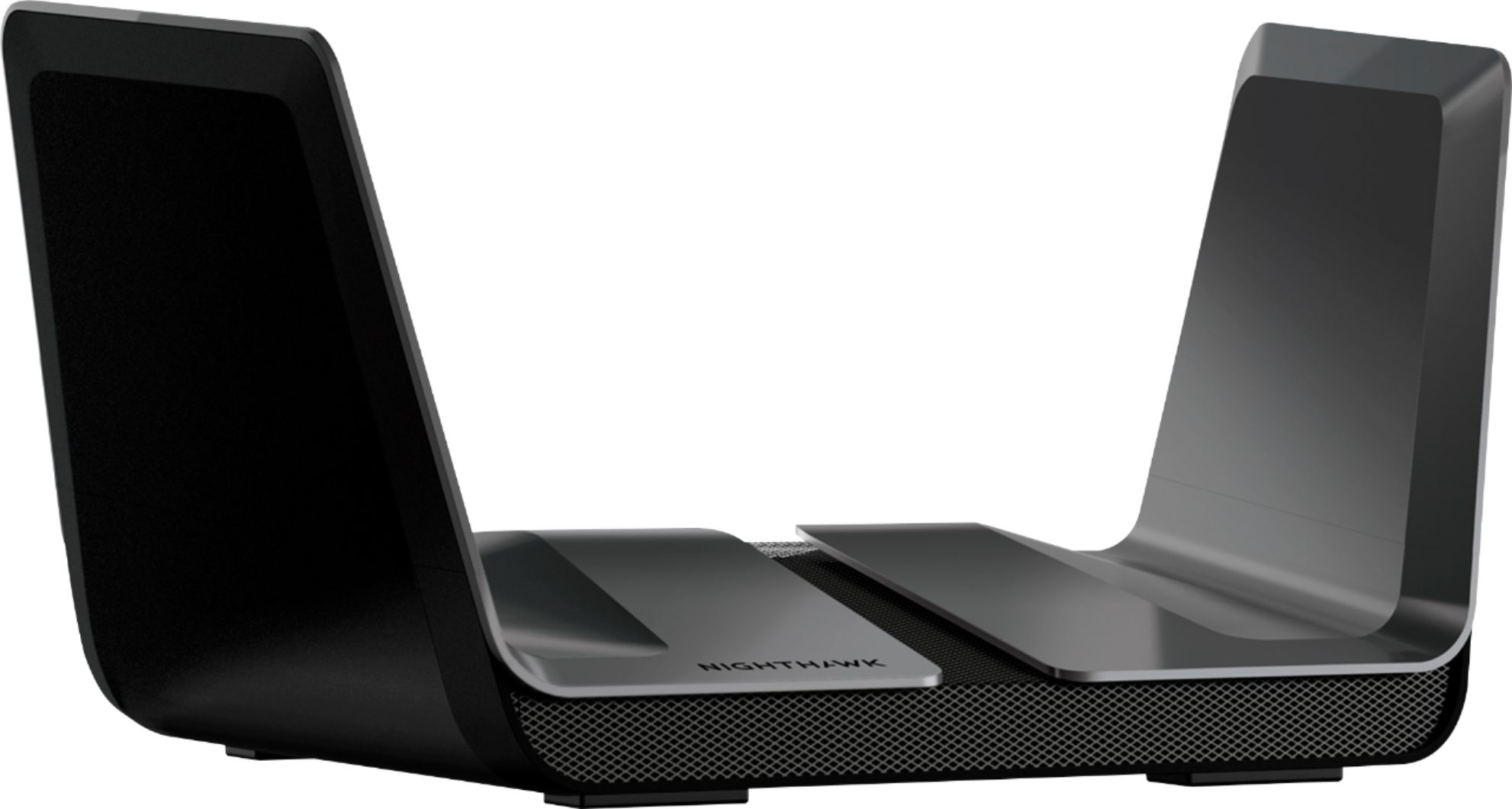
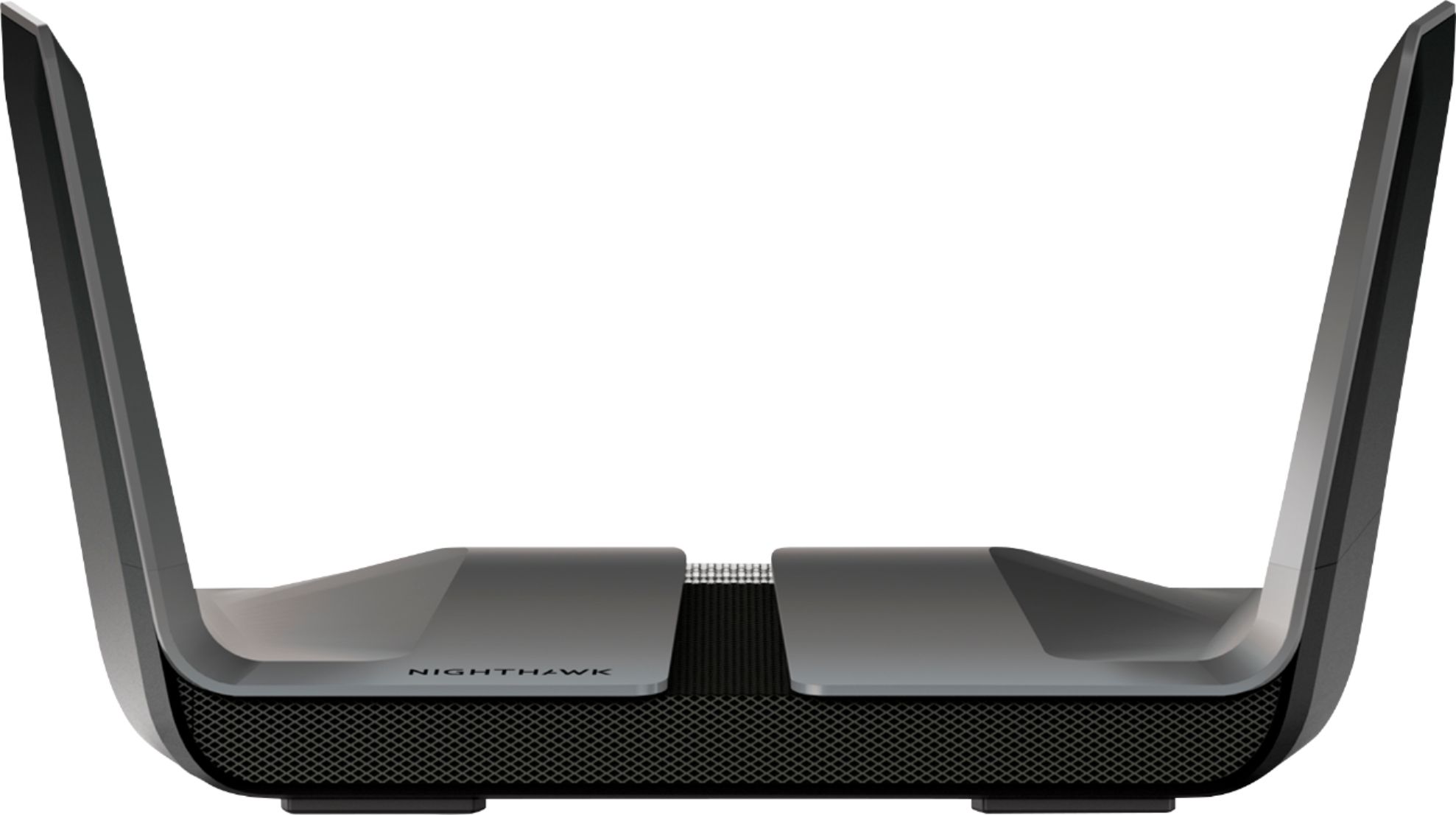
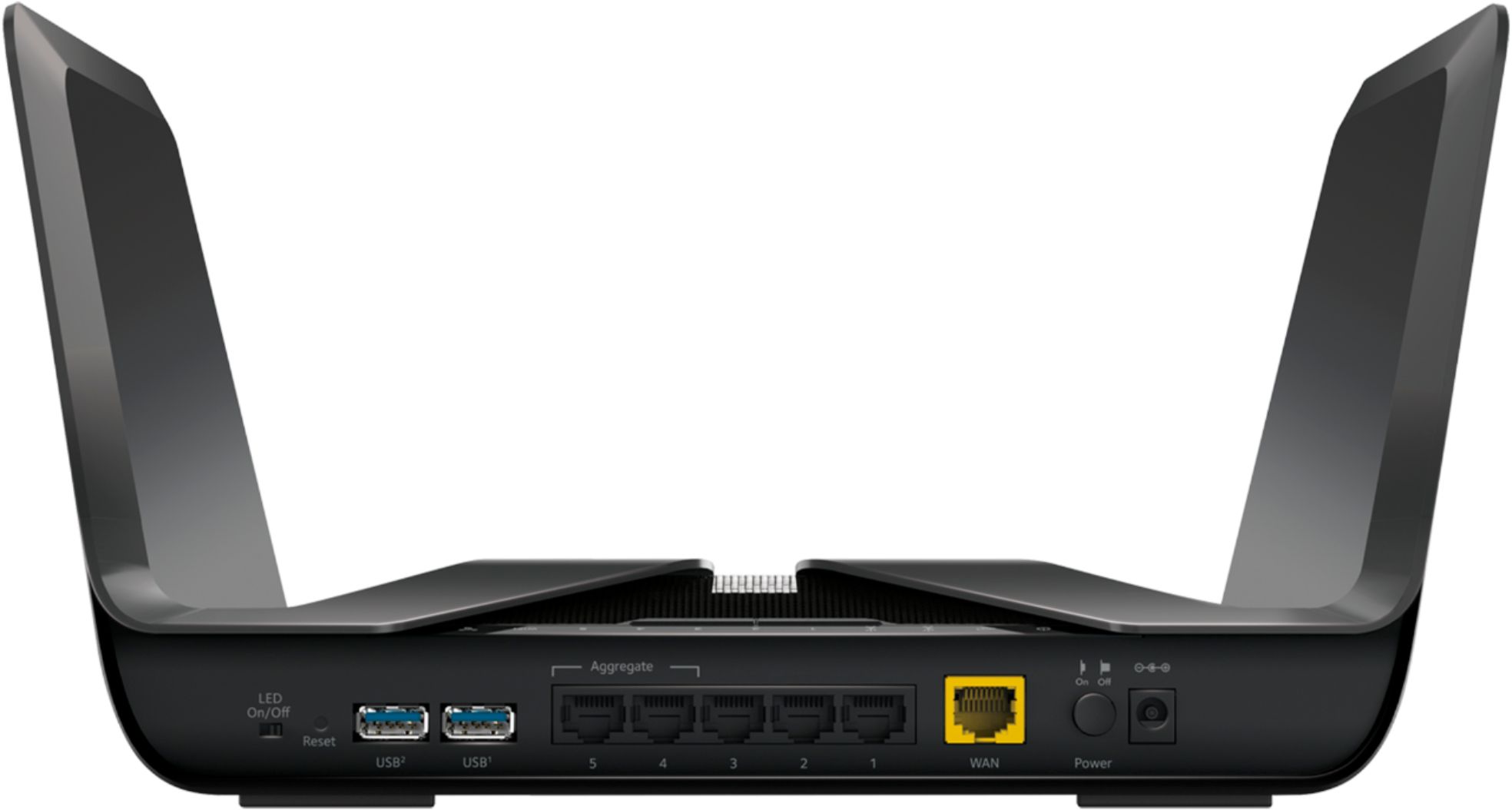
Posted .This reviewer received promo considerations or sweepstakes entry for writing a review.Today’s review is for the Netgear AX-8, or the ‘RAX80’. Seriously Netgear, why can’t you just have 1 model number? As many other reviewers have pointed out, the specs on this thing thing are future proofed, by adopting the 802.11ax wireless spec, future additions to your network are guaranteed to be compatible. (Note: there’s not currently any 802.11ax adapters available on the market, yet.. So any performance tests have been tested with previous generations of chipsets…. If you’re reading this after the AX series of adapters are out, your mileage may vary) Alright, so let’s get the obvious out of the way, here first… Netgear marketing clearly missed an opportunity to make the RAX80 white, and partner with Disney/LucasFilms to make this thing look like an imperial shuttle… right? Add a center wing, and you’d have a neat piece of tech that any SW Fan would appreciate :) Now, I could drone on an on with the technical specs, but you have a ton of other reviews and tech specs IN the sales sheet, what you want to know is the real life end user experience. Now, I’m required to mention that I got this as part of the Netgear friends and family first look program, so for those of you who immediately discard reviews based on that fact, please take the time to read this one before you immediately throw this review in the trash bin… because I generally insist on using a device for a few weeks before I write up any review, and this device is no exception, so don’t expect a ‘NEW TOY!’ review here, all excited and positive because of it being a brand new device… not everything is all wine and roses here.. Which I’ll explain in a bit. The device looks large, but coming from the Netgear XR500 router, this device is positively small. People who walk into our family/computer room immediately see the thing sitting there, and surrounded by other sci-fi memorabilia, everyone immediately assumes it’s a spaceship. (hence my original statement, above) When I tell them that it’s the newest router we’ve added to the house, everyone seems fascinated and start asking more questions. I’m able to connect all of my wireless devices, with no real issues (couple of quirks I’ll note below). During the holidays, our house was filled with up to 20 people, and everyone was able to connect, as they have in the past, with zero issues. 4k wireless streaming seems to be handled, well, by this device… no buffering or ‘please waits’ experienced with it. The fact this router offers port aggregation or ‘trunking’ is something I’d like to see more manufactures offer in the future… as someone with 10Gbase-T wired throughout my home, often a single 1Gbps port can act as a bottleneck for some of the storage processes I have in place. I live in a single story home, primarily drywall and wooden studs in the wall.. No weird metallic paint, no metal studs in the interior walls, and no cold air returns in the walls, either, that would block signal. However, in the past, I’ve discovered that I have a couple of dead spots at the far end of my house. I’ve since ran Cat6 networking cable to those locations, and have installed wireless repeaters/bridges there to provide full coverage.. But having multiple electronic devices laying around the house becomes a nuisance when moving furniture, and changing room layouts.. So I’ve been searching for that one magic solution that covers every nook and cranny of this house. Prior to now, I’ve gotten close on many occasions, with other routers, but always I keep running into a problem, because that’s my daughter’s room, and her desk is the far corner.. So without those repeaters, the signal drops down low.. AND let's not discuss when she has 6-9 friends in that room all streaming and browsing the net on their individual phones… I can feel the headache coming on, right now, just imagining the yelling. Anyhow, the RAX80 was the newest router to claim that it gives whole house coverage…. And it mostly succeeds at that fact. My daughter and her friends have coverage in her room, and I’ve been able to remove the wireless bridge from her room… so that should remove the possibility of yelling, right? Wrong. See, since installing this device, there have been a few little… quirks… that we’ve seen, and they’ve been happening so often, I’m to the point I’m beyond believing it to be just coincidence. As mentioned, above, I’ve been using this router for approximately a month now, and since then, we’ve experienced a larger than normal number of our Google Home devices, sort of disconnecting. Prompting the homes, with ‘OK Google’, seems to often return with a ‘Please hold on while I connect to your wireless’ or something of that nature. While I’m sure many more people added Google Homes, over the holidays, this has been happening enough, that I’m not entirely certain the blame is all on Google. Now, regarding my daughter and her friends… For the last month, yes, her room has had full wifi coverage, and that’s awesome. However, her friends started reporting, almost immediately, that when they’re here, their lookups and web page browsing seems to… pause… every time they load into a new domain. I’d love to say it’s just them, but after their first reports of it.. I started really paying attention on my end, and I can confirm there’s a weird pause that happens before a page on a new domain loads… is it a game stopper? No.. but for some, it might be annoying. If you’ve ever worked on a network that’s being filtered by a content or AV scanner of some sort (proxy), then you’ll know what I’m referring to. It’s not a big thing.. but it adds just the slightest level of annoyance. Also, I can’t fully explain why…. But occasionally I’ll get performance lag with this device, on the WIRED side of things. I’ll be in Discord with friends/family/co-workers and I’ll watch the latency indicator go red, at the same time friends will say I’ve gone all ‘robotic’ with my voice. It could be the server, sure, but it’s not something I experience very often with my other routers. Note: I’ve reached out to Netgear’s support team, and the good news, is that a new firmware just came out a couple days ago, that addresses some of these quirks… unfortunately, it’s so new, I’ve only been testing it for the last day or so, and while I can confirm the weird pauses seem to be gone, for now, I had the mysterious Google Home issue this morning. I actually wonder if this is partially due to this router having OFDMA. I’ll have to research this more. Occasional performance issues aside, there’s a few other things I’d like to mention. For some really strange reason, I can’t hit my maximum throughput with this router. It’s almost as though it measures the speed, and then reserves 10-15% to keep the network from being overly saturated. This might be by design, but I’d at least like to know more about why it’s doing it. The user interface is similar to what you’ve experienced on other Netgear devices, but it honestly feels like someone decided to remove all color from the GUI. The UI is decidedly sparse, operating entirely in black, white, and grey… Also, someone needs to work with the UI design team, and explain to them that you should NEVER have multiple scroll bars on the right side. The entire UI scrolls a bit larger than 1080p, and then you have a framed window inside of that UI, that also has a scroll on it… and it doesn’t matter what resolution you’re using to work within the UI, 1080p, 4k, 2k… that UI scales accordingly, so you’re stuck with that terrible design. Now, let's also go one step further.. The ‘frame’ also has other frames within it.. And those have scroll boxes too…. Look, Netgear, I know you want everyone to use your Genie/Nighthawk apps… but you have to make a conscious effort to not make the UI look terrible, for those that want to use the HTTP UI. I guess that brings us to the question.. Do I like the device? That’s a tough question to answer… Yes, I like the device, but it kind of feels like it was rushed to market. Some of the strange little issues should have been picked up during beta testing, and maybe they were, but marketing forced it out the door prematurely... If you’re in the market for a new router, right now, and you require future proofing, or aggregate ports on your router (for something like a NAS), OR you need more coverage than your current router gives… then by all means, I’d recommend this router wholeheartedly. Yes, there are some issues that are apparently being ironed out, and while that’s good… for $400, consumers shouldn’t have to play beta tester for the device. Still, it’s a strong device, and will have plenty of support available for it in the next couple of years. However, if you’re on a strong 802.11ac router from last year, or the year before that.. Justifying the $400 purchase is much harder for me to do. In that case, I’d say hold off a bit until this product (and the 802.11ax spec) matures.
I would recommend this to a friend- Pros mentioned:Range, Setup
Rated 5 out of 5 stars
Simple to setup, super fast!
Posted .This reviewer received promo considerations or sweepstakes entry for writing a review.I got this router as a replacement for my old AC3200 (R8000). The first noticeable aspect of this router is the solid position antennas. The AC3200 had 6 movable antennas that never really improved the performance. The solid positioning on the AX6000 is a nice feature, not to mention, a totally better look. As far as setup, like many Netgear products, it was very straightforward. The Nighthawk app was actually really awesome to use as it walked you through the overall setup and configuration and also included a nice speed test feature. Compared to my older router, the AX6000 had a download speed bump of about 10 Mbps (from 90 to 100). The more noticeable improvement came on the range. I live in a really old home, with metal-lined sheetrock that causes some big issues with regards to range. This one reaches well beyond the walls of our home and makes connectivity consistent across our entire home. Having the multiple range networks along with Guest capabilities is a must-have for me in order to connect all of our devices. I've yet to have any issues with connecting all of my devices and use at the same time. One thing I did have to troubleshoot was connecting to an older laptop, that did not recognize any of the networks SSIDs. I ended up having to turn off the AX feature to get the device to see the networks, but it does not appear to have impacted any performance. Overall, this is a pretty expensive router, but if you want the best all-around performance, I think it is worth it. For that kind of money, you expect the best results and the AX6000 definitely delivers.
I would recommend this to a friend - Pros mentioned:Performance
Rated 4 out of 5 stars
Good, but with some frustrations
Posted .This reviewer received promo considerations or sweepstakes entry for writing a review.I bought this to replace an old R7000. The R7000 is now acting as an access point in another part of the house, and it still needs fairly frequent reboots even though it now carries a much lighter load than before. The RAX80 has been rock solid compared to the old R7000. No reboots. It's been very reliable with a good, strong signal. The downside is that every so often, the throughput speeds will go down by around 20%, even over ethernet. Usually, this happens if the ISP increases my bandwidth, or occasionally after a firmware update. If this happens to you, the fix is to enable QoS, apply, then disable QoS and apply. Some people say rebooting the router works, although I haven't had to try that yet as enabling and disabling QoS usually does the trick for me. Also, this router has yet to receive a firmware update to make WPA3 available. It seems that very few Netgear routers have that as yet. The Android app is OK, but limited. If you want to do anything tricky, you may need to fire up a web browser on a desktop or laptop. Caveat: I do not have any WiFi-6 devices, so I have not been able to test the WiFi-6 performance.
I would recommend this to a friend - Pros mentioned:Speed
Rated 5 out of 5 stars
Excellent router
Posted .This reviewer received promo considerations or sweepstakes entry for writing a review.I rarely hand out five stars. For me, four stars means the product is doing what it should doing, and I am happy. This time, I'm wavering but I'm pretty sure this is going to be five stars. While all NetGear routers of late sport a "alien" look, The AX8 really looks kinda extra alien. I bought this router for the main reason that I had just moved and gotten Centurylink's Gig Fiber to the home, and my last two routers (one of them an Orbi) just could not give me full wire speed of the Gig out to the internet. So, I went looking, and found this router. the spec's made it look like it would handle the line rate of the traffic, so I ordered it and just waited. I got the box, and opened it up. Soon I had most of it up, except I had never used the nighthawk app - I'm kinda old school that way. Anyway, I decided to give the app a try. It worked pretty good. I needed to make the config a bit more complex so I had to move down to the web interface. After setting a few of the regulars (name and password) into the new router, I noticed that while the web UI is pretty bare bones, it does get the work done. i also found a speed test area in the web app. The speeds were consistent at 990M. I was pretty ecstatic. After looking around, I told the unit to upgrade since it's always smart to have the firmware upgraded. While the AX8 is pretty snappy, I'd recommend that you always upgrade the firmware. After a few minutes of testing wired connectivity, I put the router in the middle of my network. It handled it without a trouble. Wireless clients started getting on the router and it seemed we had faster speeds. I like the new interface, though I suspect that will disappear as the app is pushed more. I like the signal strength. I think this is a nice little router for the price, and it has some pretty good features. I'd recommend it if you need either line rate speeds (aka Gig) or you need faster speeds in your house. I would recommend this to my family. It's future proofed and ought to be worth OH! And I Forgot, while I'm not currently using it, I could team two of the ports in order to have *two* gig lines coming into your house. If you are setting up on a Centurylink GPON Gige line, you will need to go into advanced setting and change the VLAN two 201 on the incoming WAN ports. you will then need to look for PPoE in the advanced section so that you can set up your username and password from the provider. And then you are off to the races. Overall, this router is pretty amazing, and I would get it again. Netgear is building on the building blocks of the previous NightHawks. I hope you enjoy it too.
I would recommend this to a friend - Pros mentioned:Performance
Rated 5 out of 5 stars
Dang! It just goes and goes and goes....
Posted .This reviewer received promo considerations or sweepstakes entry for writing a review.First off, not sure if its required here...but I did receive this as a part of NETGEAR's Friends and Family program. Now that part is out of the way... I’m upgrading this router from my existing Nighthawk X10 (which is almost $100 more right now) and since NETGEAR has standardized their software across the board, setup was a breeze. This is a piece of equipment I could give my mom and be confident that she could get it working with little to no hassle. Feature-wise, it has a little bit less of bandwidth from the X10, but it also gives me no dead spots in my apartment. In fact, it gives me a strong signal outside in my car almost 100 yards away from my apartment building, something that was a huge surprise. Performance-wise, this has taken anything I have thrown at it, from spreading video to backups to screen sharing/VPN sessions. Often these were going on all at the same time. This product fully met my expectations, but the retail price ($400) is a little high. Unless you have a strong need for its extreme bandwidth this offers, the Orbi system might be a better bet in a large house. I would definitely recommend this to Friends/Family. NETGEAR continues to make some pretty solid gear.
I would recommend this to a friend - Pros mentioned:Performance
Rated 5 out of 5 stars
Perfect for Gamers
Posted .This reviewer received promo considerations or sweepstakes entry for writing a review.Great Wifi 6 router perfect for gamers and households with a lot of devices
I would recommend this to a friend - Pros mentioned:Speed
Rated 4 out of 5 stars
Fast/Decent Router
Posted .This reviewer received promo considerations or sweepstakes entry for writing a review.Coming from a ASUS 5300 I would say this router has less distance coverage than my ASUS 5300 but with my existing Netgear AC1900 extender it makes it to all portions of my 5300 square foot house. AX6000 resides in room over my garage and from that room I get between 300-700MB connections wired and wireless (just upgraded to Verizon GIGABIT network after making this purchase) however when I go to the otherside of my house where walls/celings are in-between (directly connected to AX6000; not using extender) I receive signals of about 70-80MB download and 6-15MB upload speeds. However, when I connect to the 5GHZ extender I end up getting around 100MB download and 10-30MB upload speeds. Still since I am paying for 1GB internet if my son begins complaining about his PS4 staying connected I will probably take this router back and try one of the ORBI systems or potentially buy a newer Extender and see if that carries the bandwidth further. For me it is all about the bandwidth and making sure multiple units can connect at one time as we have 4 phones / 6 TVs / 4 laptops / 2 wired laptops / google home devices / Alexa devices / Home camera systems all connecting to this router or the extender. I will watch this over next 30 days and if keeps up nicely I wll keep the device however if it starts to lag I will return for another system.
I would recommend this to a friend - Pros mentioned:Ease of useCons mentioned:Price
Rated 5 out of 5 stars
Easy to set up and better WiFi coverage
Posted .This reviewer received promo considerations or sweepstakes entry for writing a review.I wanted to upgrade from my previous mesh system because as a mobile gamer, I'd often get disconnected mid-game whenever my mobile device switched between access points as I moved about the house. Although my mesh system had decent coverage, I wanted to see if I could find a whole-home router that would help me avoid those annoying disconnects. The Nighthawk AX6000 seems to be doing the trick and I get similar if not better WiFi signal from the far corners of my house. The setup was simple enough although it requires that you download the Nighthawk app. At first, it didn't detect my internet connection but a power cycle of both the modem and the router helped solve that. The price is pretty steep for a router but with the slightly better WiFi performance and updated features I think it's worth the extra $ over my previous mesh system.
I would recommend this to a friend - Pros mentioned:SpeedCons mentioned:Price
Rated 5 out of 5 stars
This is a great router!! fast, DFS channels, MIMO
Posted .This reviewer received promo considerations or sweepstakes entry for writing a review.This is a great router, i live in a community where their is 105 wifi routers around me, now most of them are now 802.11ac routers. Apple is no longer making WIFI routers like the Airport, I think this is the closest product that would compare to a product Apple would make. My old 802.11ac router could not do DFS channels and it was over crowded on the normal bands. This solved the problem I now get at consent 1300mbps on my Mac Pro with a netgear 802.11ac adapter. I always try to stay ahead of other in my community because and more people get on your channel, the slower the connection you get on your wifi. The router is more expensive but it should take me at least 6 to 8 years so spread over the years it is a good investment. When you pay $70 a month over internet you don't want some sub-par router slowing you down. And i can stream multiple connection and game. This router beats the pants off of my old linksys 8500 router.
I would recommend this to a friend - Pros mentioned:Performance, Speed
Rated 5 out of 5 stars
Fastest Router ever use!!!
Posted .This reviewer received promo considerations or sweepstakes entry for writing a review.Great speed no matter the distance from the router very smart connection switching from 2.4ghz and 5ghz due smart connect device buit in make it as mesh reliable but way faster than any mesh systems on market without multiple units. Best performance router on market.
I would recommend this to a friend - Pros mentioned:Speed
Rated 5 out of 5 stars
This Router is Awesome!
Posted .This reviewer received promo considerations or sweepstakes entry for writing a review.This router is awesome! Review done, that’s all you need to know. Ok, I will add a bit more, starting at the beginning: This was the simplest networking setup I have ever done. To add even more weight to that statement, I have done a lot of setups that were pretty easy and the ease of this setup simply blows them away. From start to finish the set up only took a few steps and I was guided the entire way by the Nighthawk App on my iPhone. If you want to set up a powerful home network and don’t want to have to spend a lot of time configuring then this would definitely fit that bill. Of course, easy installation is great but what does it matter how easy it is to install if the system doesn’t work well? Not to worry in this case as the system performs like a champ. In the past I had WiFi coverage problems in my home which required a strong WiFi device to get basic coverage throughout, and even then the coverage was generally intermittent. The AX8 not only covers the house it does so at full strength. No missing Wi-Fi bars on any of my devices anywhere in the house! Not only that, it is F.A.S.T! I have yet to see a slowdown on any device which, in my smart home, was rare because so many devices are competing for bandwidth. How does this new router do that?! The big reason for this is probably the addition of AX and OFDMA technology. Not to bore you with too many details but the simple way to put this is old routers used the entire frequency bandwidth to transmit data to one device and it had to wait for a channel to be clear before sending to a different device. If you have a lot of devices, even if they are only getting small amounts of data, that can add delays for the data waiting for the bandwidth. With AX, the router can deliver multiple packets of data simultaneously by splitting larger channels into smaller sub-channels. That way it can deliver data faster to more devices at all at the same time. The best comparison I heard was the old technology is like a delivery truck that can only carry one package at a time with one delivery per trip but AX is like a delivery truck that is full and can make many deliveries on a single trip. The net result: no traffic jams! I am a tinkerer and I like to “check in” on my network from time to time to see what’s up. With the Nighthawk app, once you do the basic setup you have some of the basic controls that most people might want to use right at their fingertips. There is no need to login through a browser and dig into the configuration pages to do things like enabling/disabling the guest WiFi network. Just a quick launch of the Nighthawk app, push a couple of buttons and you are good to go. You can also easily see what devices are connected, adjust parental controls, even shut off the network completely if, for example, you want to have an old-fashioned dinner as a family and see what everyone’s face looks like when not jammed into their screens! One feature I really like with the app is the capability when enabling the guest network to set a duration for how long it will run. That way you don’t have to remember to turn it off after your guests leave. Did I mention you can also use Alexa to control some settings, including the guest network? Yeah, you can do that too! Because I am fairly familiar with the setup and configuration of a home WiFi network I like having the ability to “look under the hood” and see how everything is configured. Generally, there are pages of settings with network gear and sometimes, if you understand what you are doing, it is worthwhile to make changes to fit your needs. This system also allows you to get in and have access to all of those deeper controls too using the browser pages for control. So it has the best of both worlds in that regards, simplicity for those that want it, full control for those that want more. Finally, I would be remiss if I didn’t give a shout out to the designers of this router. This thing looks awesome! I love the design with the wings that contain the antennas which give the whole device an amazing look. Nice job! There must also be a lot of power under the hood too because I can hear the slight sound of a fan when it is powered on. It is really quiet when it is running and I don’t know if I would have noticed it if I hadn’t heard it when I turned it on. If you are using this in an exceptionally quite space it may be more noticeable. In conclusion, if you want a great WiFi router that is incredibly simple to get up and running yet is very powerful this is a great system for meeting that need. At the same time, If you are a networking power user and also want to be able to configure Access Control Lists, QoS, enable a VPN, etc. this system also has that capability too. If that last sentence sounds like gibberish then this system is definitely the one you want to give you great performance and coverage in your home or small office but not require you to learn anything about networking to set up an excellent network. Although I was provided this product for free to test the system and write this review, the content of the review is my honest and unbiased opinion.
I would recommend this to a friend Rated 4 out of 5 stars
Nice router for home with many devices
Posted .This reviewer received promo considerations or sweepstakes entry for writing a review.I was a beta tester for Netgear and I received a unit to test for free. Firmware 1.0.1.36 fixed the fan noise and there is a massive heatsink inside to keep the router cool. Try to lift the router to feel the weight. The router feels solid and well built. As for performance, all my wired devices (Roku, Blu-ray player, Ooma, and my Network printer) work well and no issues. The sound quality on my Ooma device is fantastic because the conversation was very clear. My friends and family are not complaining anymore that the conversations are breaking off or I can’t hear you. On wireless devices(Ipad, IPhone 7, IPhone XR, Samsung S7, Dell XPS 13), I only had one Dell Inspiron 7000 laptop not connected to the router but once I disabled the OFDMA feature, it connected. I lived in a 1300 sq ft home and the RAX80 covered 90% of the house but I was expecting 100% due to the power of this router. I was getting 3/5 bars on R7000p and now 4/5 bars on RAX80. I didn’t like the administration page to manage the router because it is a new theme where I had to scroll up and down to change settings. The older interface on R7000p, I didn’t do much scrolling of up and down which I like better. The only issue I found was the icons for attached devices. I can assign a printer icon to the network printer but after some time, the RAX80 will remove the icon from the device after some time. Netgear is aware of this and planning a fix in a future firmware. RAX80 is the primary router I’m using for now.
I would recommend this to a friend- Pros mentioned:Speed
Rated 5 out of 5 stars
Fast and easy
Posted .This reviewer received promo considerations or sweepstakes entry for writing a review.First I honestly don' t understand any of the bad reviews because this is the best router I have ever had. When you open it up it tells you to install the app. So all you have to do is plug everything in to the Nighthawk correctly the app then communicates with the router installs it and updates it within a few minutes and done. Plug and Play. The speeds are amazing. I had the verizon fios quantum with 1gbs speed but it would never reach that speed and when I would watch 4k videos even with direct ethernet connection it would lag especially when I was using google play to watch movies. I would get maybe 40 mbs speeds over wifi even though I am paying for 1gbs. However once I switched to this router I am now getting 900 mpbs through ethernet and 400mbs through wifi and with only about 5 ping. Right now this is the best it can do until more devices become compatible with wifi 6. If you want to future proof your router then this is the one to get and also if you want one of the fastest and best experiences with wifi you can get. It doesn't have as many features as some cheaper Wifi 5 routers(AC) because it is a new technology you will pay for that. SO if you want to have the fastest speed with the future in mind I would get this. If you are looking for a more feature rich router with adaptive QOS and more customization and aren't too worried about the newer wifi then I would get a wifi 5 router until wifi 6 become standard and the technology gets cheaper. If you have a ton of devices, are watching 4k videos, playing games online and have an older router or are noticing lag I would definitely recommend this router if you want to upgrade but if you don't care about future proofing then I would wait and just get a AC router for now Because you are paying a higher fee for early adoption. To sum up though I love it and am Loving my speed.
I would recommend this to a friend - Pros mentioned:Performance
Rated 4 out of 5 stars
Great router
Posted .This reviewer received promo considerations or sweepstakes entry for writing a review.I received this router to beta test for Netgear. I replaced a Linksys AC router (don't remember the model as I gave it to a relative) and have been pleased with its performance. Other people have talked about fan noise but I have never heard any. The only issue I have noted is I can't use the AX function due to an incompatibility with my EcoBee 3 lite thermostat. All in all I would recommend this unit to both friends and family.
I would recommend this to a friend - Pros mentioned:Speed
Rated 5 out of 5 stars
router
Posted .This reviewer received promo considerations or sweepstakes entry for writing a review.excellent router, fast, great speed and coverage area
I would recommend this to a friend Rated 3 out of 5 stars
Great for 4K Plex Content over WiFi
Posted .This reviewer received promo considerations or sweepstakes entry for writing a review.I personally love how this router handles traffic. It handles my 4K content over WiFi no problem to my living room with 0 stuttering. All my previous routers stuttered when it came to 4K content and we just gave up on it and went for BluRay content instead. There is one major issue for me in its current state. Plugged in directly to the ethernet port, as the only device, my Internet Speeds are instantly cut in half.... From Spectrum 1 gig internet getting about 700-900Mbits average directly connected to the Modem, these "1 gig" ports struggle to get anywhere near average of 300-400Mbits speeds. For some reason also, I consistently get micro stutter and notice on ping tests that my pings are going from 50-70 and spiking up to 350+. This happens 4-5 times in the span of a 10 second test and sometimes requires multiple restarts of the router. As someone who streams on a consistent basis and use it as a source of income, I find myself getting extremely frustrated with this router. Sure, I fixed my Plex issues and can watch 4K content locally over Wifi, but I should not be having any kind of direct connect issues with how much the price of this router is, and how new it is. This Modem came out in December 2018 and it has a great deal of room for improvement but as of right now its been 8 days since making a ticket with Netgear and I have yet to hear back from them about my issues. Also, AX is NEW technology and its a great concept, but the problem is the same as AD, its a technology that current technology has to adapt to and the pickings are very slim if you want to get the most out of your router. At its current state, if you are using this on a home network for sending content/file transfers/etc I would definitely recommend this router. If you want the best possible speeds and intend to directly connect, I honest would steer away. I get faster ethernet speeds on my older Nighthawk X6 which on average gets me around 600 Mbits download. Range is decent, but not as good as I hoped. I really wish I could give this a 4 or 5 stars because of how impressed I was with local connections, but as of right now I give it a solid 3/5 starts and advise waiting a few months for firmware updates to potentially fix some of the early issues.
No, I would not recommend this to a friend- Pros mentioned:Performance
Rated 2 out of 5 stars
Connection issues - Do not Buy!
Posted .This reviewer received promo considerations or sweepstakes entry for writing a review.After upgrading my internet to 1 gig I decided to get equipment that would support it. My ISP is Comcast. I paired this equipment with the cm1000 Netgear modem. After starting my service I began to notice disconnect and connection interrupted issues. MDD message not sent and T3 timeout. Latency, lag, packet loss, and not pinging when directly wired or Wireless while playing Call of duty Blackops 4. Spent several days on the phone with Netgear. Tried several firmware updates and beta versions. Also changed several settings in router. Nothing seemed to correct this issue. Assigned fix IP addresses and still had a problem. I was losing connection to multiple devices at same time. No other traffic on network - using xbox one x. After almost 3 months I decided to give up on this router as it clearly had issues. Replaced with a tp-link Archer C5400x. So far so good. No disconnects. Plus the 5G coverage is better on tp link. Lucky for me I had a 2 year replacement plan and decided to use it. Much happier with tp link router as it is not showing any performance issues. If you are thinking about this netgear router I strongly recommend gaming as much as possible in the first 10 days to test. If you're router is not working correctly return within 15 days to get a full refund on replacement plan and cost of product. Otherwise you will be using your replacement plan after day 15 and will lose your $40 it cost. *The software and app was easy to use. Netgear did try to to help. *This is the only reason I gave this 2 Stars.
No, I would not recommend this to a friend - Pros mentioned:SpeedCons mentioned:Connection
Rated 1 out of 5 stars
Worst Router-Awful Product
Posted .This reviewer received promo considerations or sweepstakes entry for writing a review.So after spending 200 on my new Netgear cable modem and $400 on this Netgear AX Router that is supposed to be the newest, fastest most secure internet - I am left with$600 for internet that will not stay connected for more than an hour or two. This is 1 of the worst products i have ever purchased. Netgear never should have released this router. They are using early adapters as Beta testers. The router resets itself all the time. My internet goes out 20-40 times a day. When it works the speed is good but it will then reset itself at will. Then it's time to set it up again using the awful Nighthawk app. The only good thing i can say about this product is it looks cool. Keep in mind this is draft A/X not the final version. Although the router can probably be updated you are being used as a tester for a $400 product. I will never buy Netgear again-Ever!!! Please, please, please consider a different router. This router offers zero reliability and is not ready to be sold.
No, I would not recommend this to a friend - Pros mentioned:Speed
Rated 5 out of 5 stars
Amazing
Posted .This reviewer received promo considerations or sweepstakes entry for writing a review.Honestly was pretty hyped about this new nighthawk when i saw it in store had to have it works amazingly i pay for 300 Mbps and through wifi i got 352 and tested it twice both times gave me near same results absolutely a great product just be aware that not all devices will support this unfortunately everything in my home besides my brothers pc did connect but his desktop wouldnt support it
I would recommend this to a friend