Customer Ratings & Reviews




- Model:
- RAXE300-100NAS
- SKU:
- 6507582
Rating by feature
- Setup
Rating 4.6 out of 5 stars
- Range
Rating 4.7 out of 5 stars
- Signal Strength
Rating 4.7 out of 5 stars
Customers are saying
Customers have good things to say about the Nighthawk AXE7800 Tri-Band Wi-Fi Router's ease of use, range, and performance, with many praising the quick setup and strong signal. Positive feedback also highlights the router's coverage and sleek design. However, some customers noted the router's size and price as drawbacks, while others experienced occasional internet connection issues. A subscription is required for parental controls and some advanced features.
This summary was generated by AI based on customer reviews.
Dud!
||Posted . Owned for 3 weeks when reviewed.This reviewer received promo considerations or sweepstakes entry for writing a review.Zero stars. Would not function. Was returned to store.
I would recommend this to a friendBrand response from Netgear Support
Posted .Hi GrimReaper77,
Thank you for your review, we appreciate your feedback and we want you to know that your experience is important to us. We're sorry to hear that you had an issue with your RAXE300 not fucntioning and have already returned it. When experiencing an issue with your device, we recommend visiting this troubleshooting resource: https://kb.netgear.com/000061716/How-can-I-troubleshoot-my-NETGEAR-router?language=en_US.
If you decide to repurchase the RAXE300 or any other NETGEAR product and have any issues, NETGEAR Support will be happy to help you. You can contact NETGEAR Support by going to: https://my.netgear.com/support/contact.aspx and follow the onscreen instructions. Once you’ve registered your product you will be given the options of contacting Support through Phone, Chat, or email.
Regards,
NETGEAR Team
- Pros mentioned:Speed

Blazing fast speeds and easy setup
|Posted .This reviewer received promo considerations or sweepstakes entry for writing a review.Switched from a Wi-Fi 6 to the AXE7800 which is 6E and provides more coverage via the 6GHz radio band. Unfortunately, I do not have any devices yet that can utilize 6E. I did, however, still see a 10-15% speed increase with my Wi-Fi 6 devices. I have a fairly small home (< 2000 sq. ft.) and have the router setup in a fairly central location on the main floor. Coverage was great all throughout the house. The signal dropped off a little bit downstairs but was still strong and did not see much reduction in connection speeds. I have one spot in the basement that the old router had a little trouble with, but the signal is significantly better with the Nighthawk router. We have several gamers in the house and also stream video to several televisions. Did not experience any issues or complaints even with multiple activities going on at the same time. Setup was really easy with the mobile Nighthawk app which provides a number of tools for configuring and managing the router and checking status. The only complaint that I have would be when making most setting changes the router must reboot which takes a couple of minutes to complete. If you are experimenting with different settings this can become rather tiresome. Overall, this is quite an impressive router with great performance and super-fast speed. With the “wings” hiding the antenna that makes for quite an interesting design. I’ve had a couple of people remark that it reminds them of an Imperial Shuttle from Star Wars.
I would recommend this to a friend It's not compatible with all Nest devices
||Posted . Owned for 1 month when reviewed.This reviewer received promo considerations or sweepstakes entry for writing a review.Had to returned it, because it's not compatible with my nest yale-doorbell, nest ring,
No, I would not recommend this to a friendBrand response from Netgear Support
Posted .Hi MPoltronieri,
Thank you for your review, we appreciate your feedback and we want you to know that your experience is important to us. We're sorry to hear that you had problems with your RAXE300 connecting to your Nest Devices and have already returned it. When experiencing trouble with devices connecting to your device, we recommend checking out these troubleshooting resources: https://kb.netgear.com/000063823/My-wireless-devices-are-disconnecting-from-my-WiFi-network-what-do-I-do?language=en_US, and also: https://kb.netgear.com/000061531/What-should-I-do-if-I-experience-wireless-connectivity-issues-while-connecting-devices-to-my-WiFi-6-NETGEAR-router-or-Orbi-mesh-system?language=en_US.
For your RAXE300, we also recommend ensuring your device is on the latest firmware, v1.0.8.64: https://kb.netgear.com/000065584/RAXE300-Firmware-Version-1-0-8-64.
If you decide to repurchase the RAXE300 or any other NETGEAR product and have any issues, NETGEAR Support will be happy to help you. You can contact NETGEAR Support by going to: https://my.netgear.com/support/contact.aspx and follow the onscreen instructions. Once you’ve registered your product you will be given the options of contacting Support through Phone, Chat, or email.
Regards,
NETGEAR Team
Router /modem
||Posted . Owned for 6 months when reviewed.This reviewer received promo considerations or sweepstakes entry for writing a review.Again, it was a relatively difficult about staying up, would not recommend it
No, I would not recommend this to a friend- Pros mentioned:Speed
It's a Nighthawk, it does what you'd expect
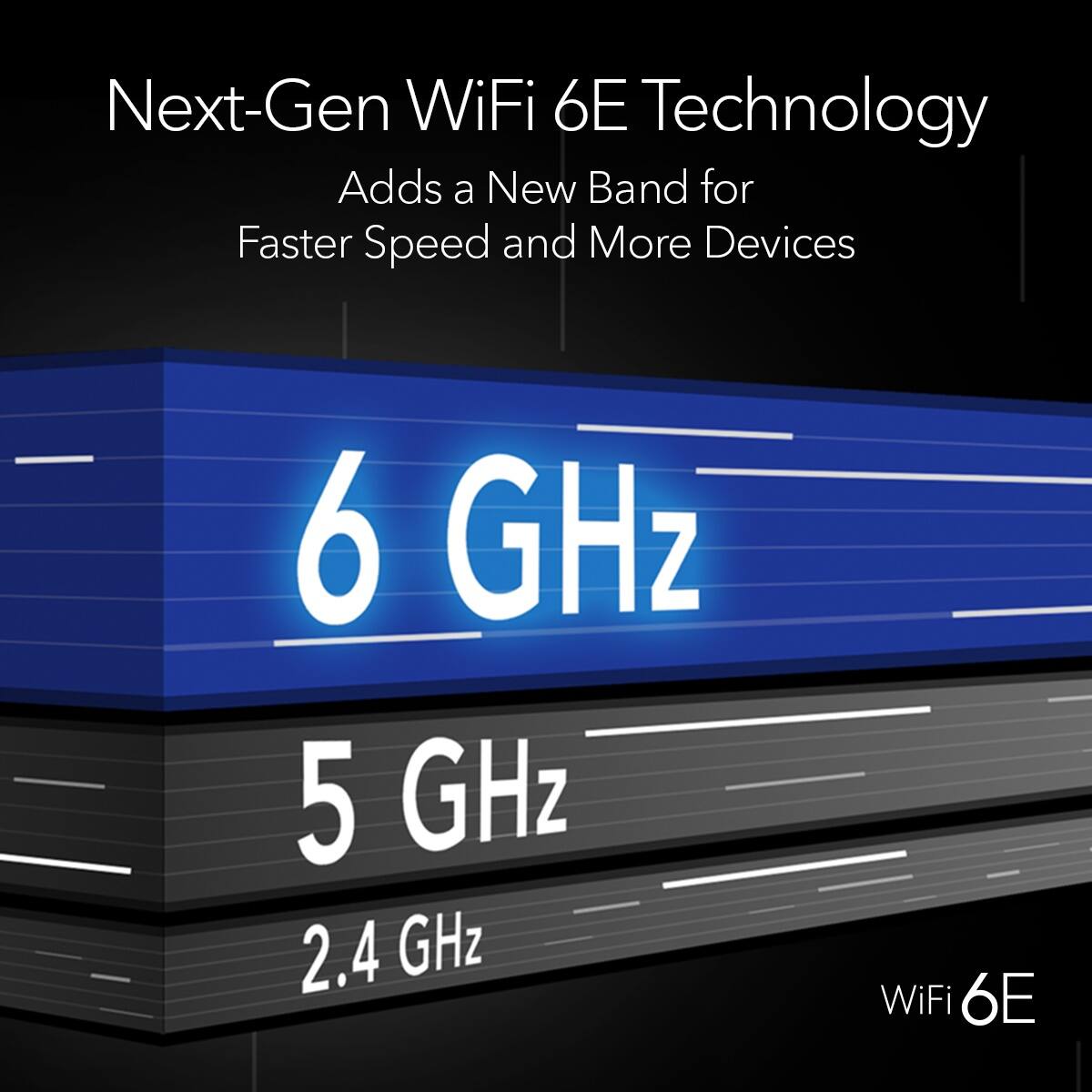
|Posted .This reviewer received promo considerations or sweepstakes entry for writing a review.This NETGEAR nighthawk router lives up to the nighthawk line-up. It provides excellent coverage and great speeds. The three available bands (2.4Ghz, 5Ghz, and 6Ghz) really allow you to direct and prioritize household Wi-Fi traffic. You can let the router decide what band it thinks each device would benefit from or you can manually set which device uses which band. The latter is my preferred option as it allows me to keep things like house lights and thermostats on 2.4Ghz, kids electronics on 5Ghz, and family TVs and work computers on the faster 6Ghz. This is also a sharp looking router in my opinion. While aesthetics aren't a particularly high selling point as this is hidden away near my networking cabinet in my laundry room, it was refreshing not seeing a thousand antennas protruding from it with gamer vibes oozing from it's colors. Setup was rather straight-forward, though I'm still not a fan of having to use an app for initial setup. You are given an option to setup the router from a webpage when using a desktop but it still kind of forces you to run a wizard. I really wish they would make it easier to manually configure routers. My thought is that if you know enough to find the default IP gateway and to navigate there you should be trusted to input your own settings. Once you make it past the setup however the UI is very nicely laid out and responsive. The signal covers my 2500sq ft house very well and is an improvement on my previous router that struggled with some far corners downstairs. The inclusion of 6E (6Ghz) also helps with speeds on the devices that are compatible, I was able to relocate a PC away from a LAN drop and lost negligible speed compared to wired.
I would recommend this to a friend - Pros mentioned:Ease of use
Great Upgrade
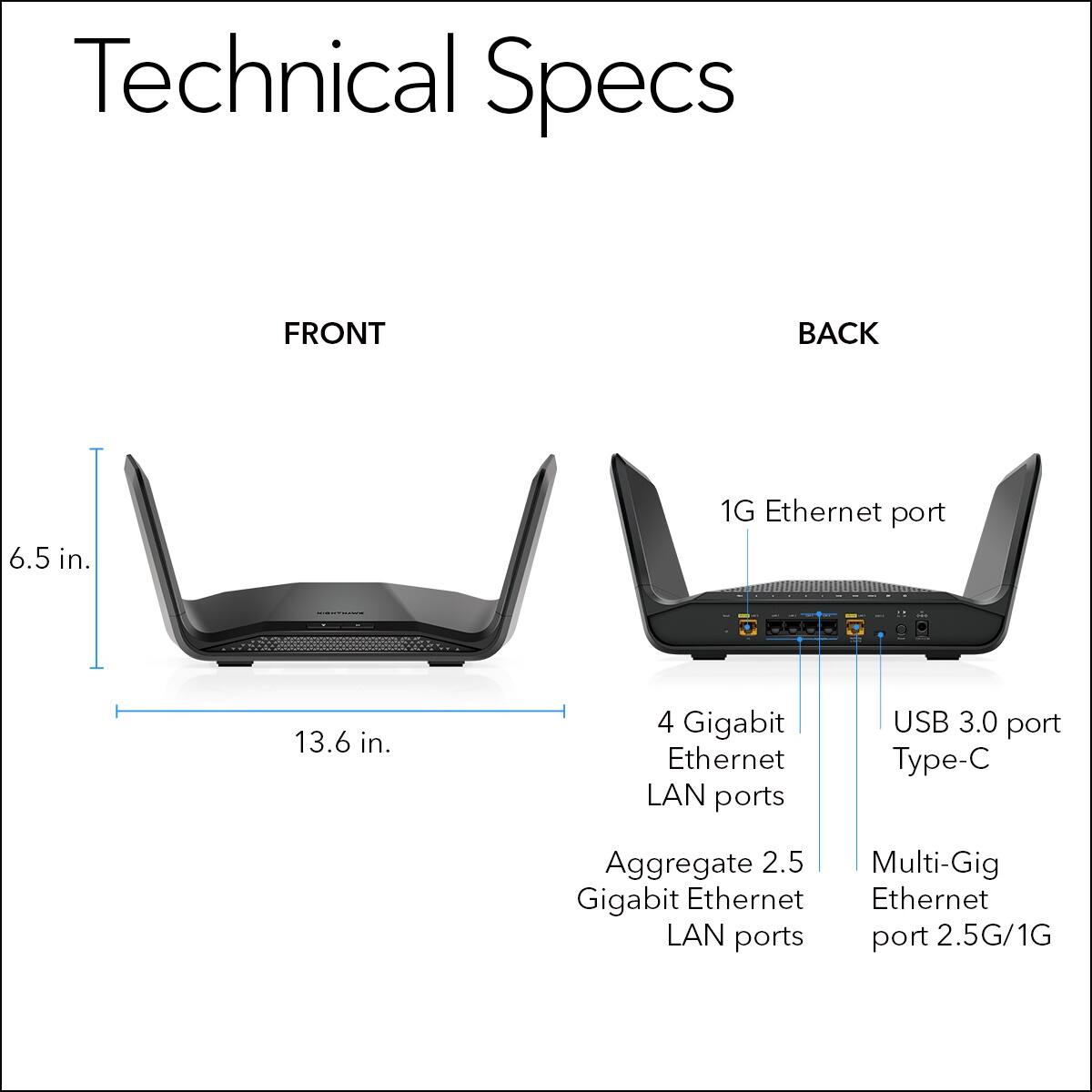
|Posted .This reviewer received promo considerations or sweepstakes entry for writing a review.In the box is the router, the power cord, a 3m flat ethernet cable and a quick start instruction card. First Impression, I love the design to include the upright antenna and the ease of installation with the Netgear app. Setup is simple, use the quick start guide and the sticker affixed on the router to set up the app. There is a pre-completed SSID but you can change it once you begin personalizing the router. As a previous owner of Netgear products, the setup was much easier this time around. The app asks you questions, and the setup is pretty much done. The router is designed with 4 physical ports, 1 normal land port and an additional 2.5 multigig land port for future upgrades for your home network. It also has a power connected port for the power that connects in the wall and an on/off button which is a nice added feature from the previous model that I own. On the front, there are two buttons, the WPS and the reset which is another nice added feature since normally they are on the back. Connectivity has been much better so far. I have between 5-10 devices, streaming or gaming usually all at once and I haven’t heard anymore complaints of the connection slowing down. Overall, I am definitely impressed with this updated router, and I would recommend to friends and family.
I would recommend this to a friend Top Notch performance and features
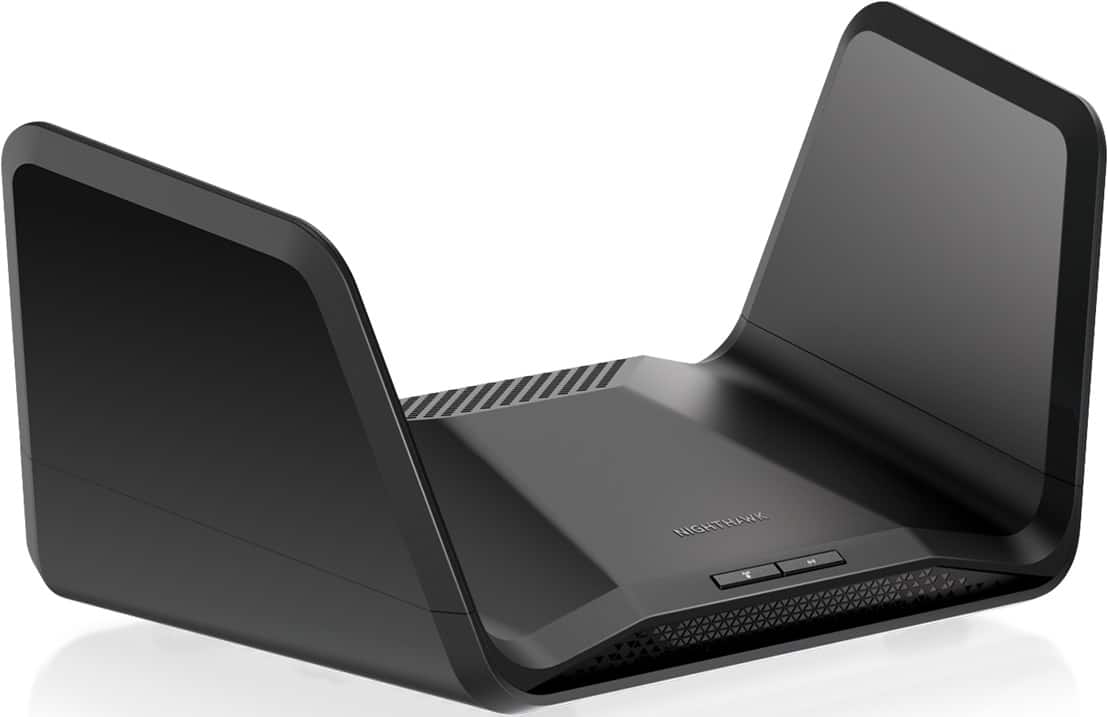
|Posted .This reviewer received promo considerations or sweepstakes entry for writing a review.If you are looking for a router that has all the current features without the fear of missing out on what will come in the years to come this is one that should be at the top of your list. In the box you get the Nighthawk RAXE300 router, AC power adapter, Ethernet cable and the manual. First impressions on opening it was wow this looks like a spaceship from a sci-fi movie. The fold-able antennas look just like wings. Its awesome. It feels very solid and you can just feel how well its built. It has 6 LAN ports which is great. For some the standard 4 just isnt enough. It is pretty wide at 13 inches, but still had no issues putting it where my other router was. Initial set up and installation is very easy using the Nighthawk app. Easy to follow instructions and I was up and running in about 10 minutes or so. If you dont want to get all into the settings and tweak things you can basically plug and play. But for those that want all the extra features and settings they are there. For me the most involved I get is port forwarding for gaming. And it was pretty straight forward and easy to get set up. The performance of this router is absolutely outstanding. My previous set up required dual routers to be able to cover most of my home. With this I can use just the Nighthawk router and even get decent coverage in my front yard. Although my current internet service only allows for up to 180gbs I was easily getting that and more in most areas of the home. Recently I stopped using Direct TV and have gotten all my TV entertainment via streaming services. These of course require a good solid connection to avoid pauses and constant buffering. And with this even the more difficult apps ran with no issues at all. Nothing worse than watching a great movie in lowered resolutions, or having to stare at a circle circling while it catches up. Although I dont use these the router is also compatible with Alexa and Google assistant, which is a very cool feature that a lot of routers just dont have. And as mentioned before this router is awesome for gaming. My PS5 and XBOX Series X both played online games very smooth with no delay for multi-player at all. Game installations and updates were also very fast. I also recently got back into Mario Kart on the switch with the new courses and multi-player there was rock solid as well. In summary if you are looking for a router that does it all and does it well look no further. Easy set up, extremely solid coverage, fast speeds, ports a plenty, features for years to come this is a great choice. Netgear knocked it out of the park with this one. Highly recommended!
I would recommend this to a friend- Pros mentioned:Performance
Solid, Reliable and good investment
Posted .This reviewer received promo considerations or sweepstakes entry for writing a review.This was easy to setup and increased coverage for my large single story house + separate garage. I like not having to pay monthly fee for under performing router...this will pay for itself by the end of this year. I've had mine for over a year now and it is a solid, reliable router. I did add an extender to boost signal with back yard and separate garage on a half acre.
I would recommend this to a friend - Pros mentioned:Setup, Speed
good router
Posted .This reviewer received promo considerations or sweepstakes entry for writing a review.needed to upgrade my old netgear router. read the positive reviews about this router. setup was a breeze. used the app, and it took about five minutes. i get good, reliable speeds throughout my house. i always buy netgear products and know they will deliver good products.
I would recommend this to a friend - Pros mentioned:Setup
Great Wifi 6E router for homes under 2k Square ft.
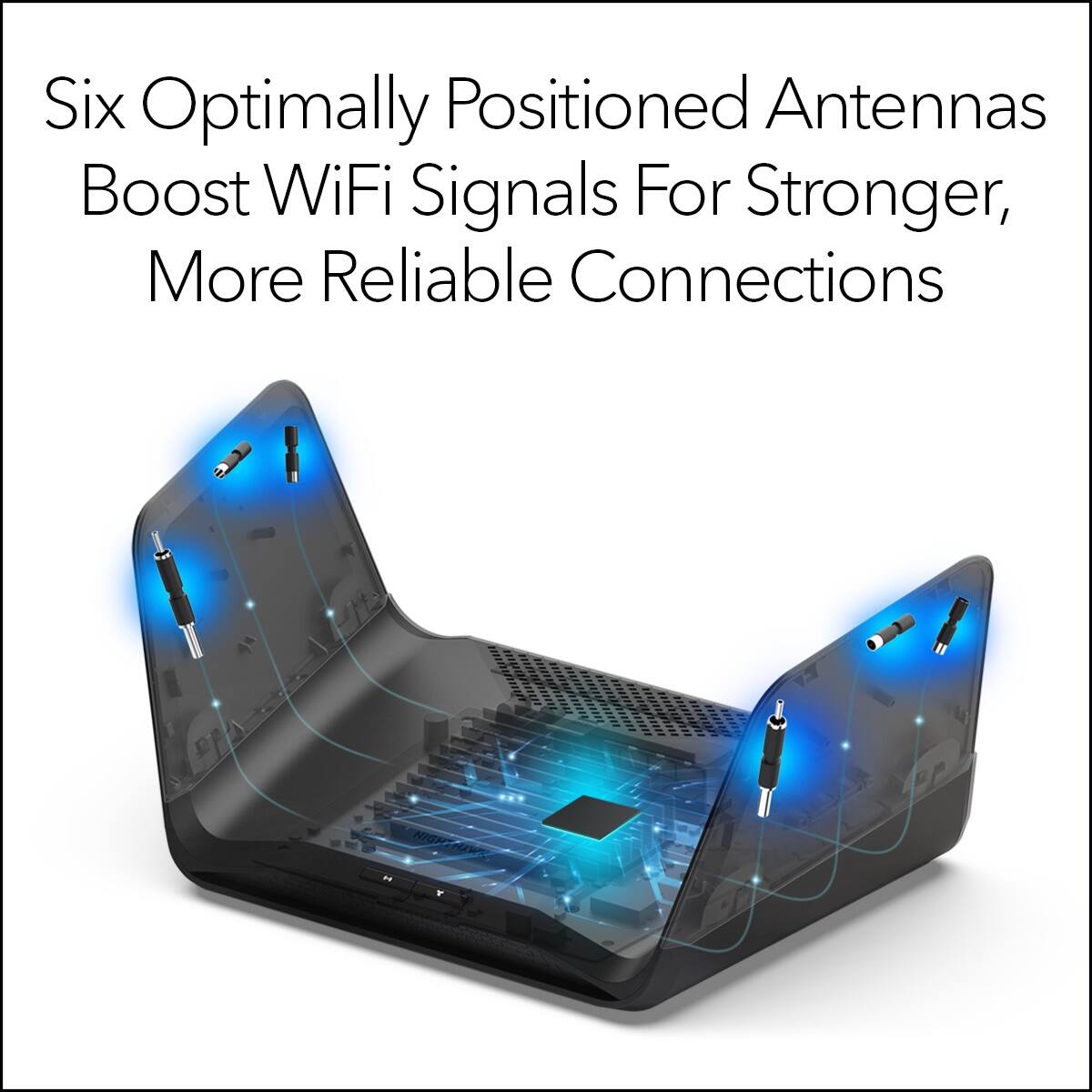
|Posted .This reviewer received promo considerations or sweepstakes entry for writing a review.I do like how the 6 built in wifi antennas are hidden inside the routers flaps I suppose you could call em, no need for adjusting or breaking off this wifi routers antennas. Signal for 2.4 ghz band is superb throughout my home and yard. 5 ghz is great with a nide wide area throughout my home and yard. The 6 ghz is definitely not as strong, especially when you roam throughout my yard. But thats ok as I cut2only have 2 devices ( Galaxy S22 U & Tab S8 U) that support the Wifi 6E signal. I have a total of 66 devices connected to this router from 20 hardwired and the other 46 on wifi and guest wifi networks. The Nighthawk is easyto use and setup, but for some reason I had the worst time trying to setup a Netgear account to actually use the Nighthawk app. You can skip this by using the routers web address. There ks so many options and configuration changes that are able to be made with this new router. I love the apl and web setup and controll. I did not use mor will I Netgears Armor protection. In my opinion its a pain, annoying and unnecessary. Surprisingly this replaced my Asus AX-6000 router which Ive loved sinced getting it almost 3 years ago. This has 4 hardwire ports and 1 ultra giga network port. I connected a 16 port tp link switch to this for extra hardwire ports for my network devices. There a model one step up that has 8 instead of 6 antennas, I would think the extra 2 built in antennas would definitely improve on Wifi coverage. I would definitely recommend this router.
I would recommend this to a friend Stellar tri-band router
|Posted .This reviewer received promo considerations or sweepstakes entry for writing a review.I was expecting just another wifi router from Netgear, but I've instead been thoroughly impressed with the performance and features of this router. You're given two setup options when you initially turn it on. One is to use the app and go through the step-by-step process, where the router will auto-detect and to all the setup for you. This is a good option for anyone not comfortable with home networking and setting up wifi. It did seem like at moments when the app said the router was booting up or detecting/configuring, it was actually alredy done with those steps, but it still made me sit there in the app as it touted its own features. That was a bit annoying. It made me think that doing the manual setup may be quicker, if you are comfortable with that path. I would still recommend going into the router settings in your browser, going to Wireless, and turning on Smart Connect, so that the 2.4Ghz and 5Ghz bands are using the same SSID. Once it was setup and I was connected to the internet, it had a quick firmware update. Then it apparently did a Bitdefender scan. In concept, the Bitdefender/"Netgear Armor" feature of this router is a good idea. In implementation, Netgear made something rather annoying. It will 'scan' all the devices connected to your network (presumably looking for basic/common network vulnerabilities), and provide a notification to your phone of each device, saying it has/hasn't found any vulnerabilities. My router scanned 23 devices, so that meant 23 notifications, one after the other, every few seconds, telling me all was good. Netgear could've bundled this all into one notification. What is helpful though is I get an alert and scan when a NEW device connects to the network, which is kind of nice. But, the real problem is, Bitdefender/Netgear Armor is a subscription-based paid addon, that you only get a 30-day free trial of. In the end, in my opinion, the Netgear Armor is a bit of a distraction that I don't see most people paying for once the trial is up. Every other feature of this router I really like. I have 1gb internet, and this router really enables me to take advantage of it from all my devices. The app lets check speeds to the internet, your actual signal strength, signal strength of other detected wifi routers (good for checking noise/interference), interference by channel, and signal strength over time. These are all fantastic features for helping troubleshoot dead zones in your home or sources of interference. You can also see all connected devices, what channel they're connected to, and their signal strength and link rate. Other good features include Dynamic DNS support, traffic/bandwidth meter, LAN Port Aggregation, OpenVPN, ability to adjust wifi power output, logging, ability to block domains, and more. I'm in an apartment with concrete walls, I was able to get amazing speeds and signal several hundred feet away from my apartment. It's to the point I might actually lower the output power of the router. Really, I'm just impressed with this router.
I would recommend this to a friendBlazing fast router with great coverage.
|Posted .This reviewer received promo considerations or sweepstakes entry for writing a review.I am always on the hunt for a better router. I've had everything from standard routers of the past, to the latest mesh networks. I have a lot of devices connected to my router and need fast speeds to keep up with everything as well as good coverage. We have a smaller house at 1,400 sq. ft., and it is anything but an open floor plan. Each room is closed off to the next. You will need to download the Nighthawk app for setup and to use the features of the router. The app includes a device manager to see your full list of devices, speed test, parental controls, WiFi analytics (signal strength, speed tests for different rooms of your house, settings for each of the three bands, guest WiFi and a traffic meter). It also comes with a 30-day free trial of Armor Security, you can pay for the yearly subscription after the trial if you wish. At any given time we have around 30 devices connected to the network. (There are several more, but these are the ones that are always on and connected). The tri-band is extremely helpful. I can split the devices connected between the three bands based on my needs. For example, my phone stays on the 6GHz band, while my smart-home devices stay on the base band (2.4GHz). My old router was in the master bedroom and I had nodes in various places throughout the house/garage. It still didn't have the best coverage. With this router, I decided to move it to the center of the house in the living room. I put it in what should be a bad spot signal wise. I have it on the bottom shelf of our TV stand behind a door. With everything so close to it, and it being almost on the floor behind a door, I figured it might struggle to get a signal out, but it does great. I live on one acre and I have strong signal all over the property and my outdoor cameras have a full signal. I have my PS5 and my JBL Bar 9.1 soundbar wired to the router. I will say that this router is quite large (13.6" wide, 6.47" high and 8.16" deep) and will be harder to hide than most current routers. I don't mind the size as it is hidden away and fits in my TV stand. As far as some of the devices connected and where they are, I have three TVs connected (each with a FireStick), one TV is in the garage. Four smartphones, three smart watches, three Alexa Shows, many light bulbs, two outdoor cameras (one on the front porch and one outside the garage), two laptops, a doorbell and security system. I never have any lag while gaming and no buffering while streaming TV. This router is great if you have a larger space and many devices connected. I've finally found a router that checks all of the boxes and covers all of my needs. I highly recommend this router.
I would recommend this to a friendFast. Stable. Good coverage. Future proofing.
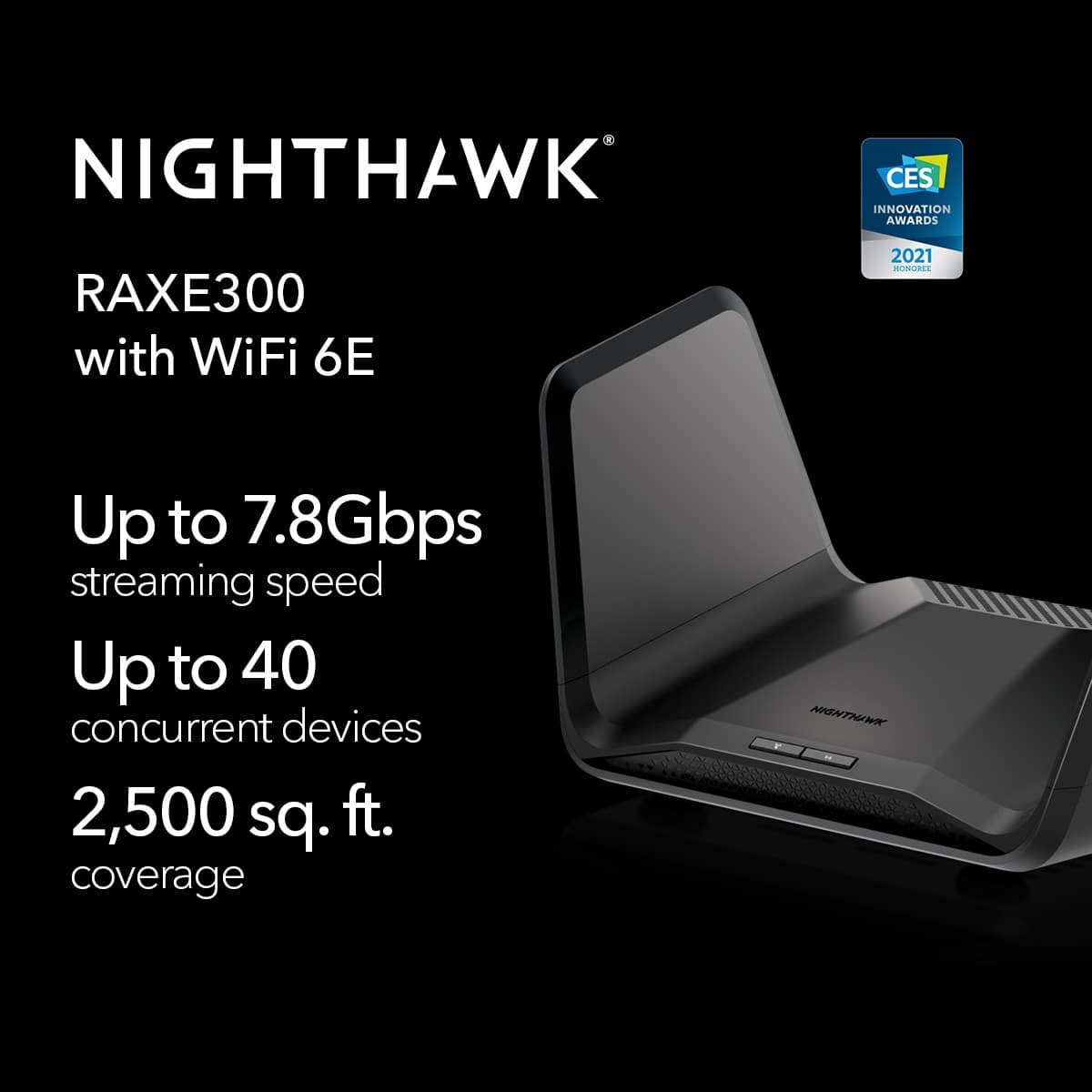
|Posted .This reviewer received promo considerations or sweepstakes entry for writing a review.To sum it all up in one sentence, this router is easy to use, fast, stable, has nice coverage, comes with a functional app, and should have you covered going forward for some time. The design is about what you would expect. Muted black, simple-ish and not TOO large. It does look a bit like a giant wing (hence the Nighthawk name), but this is sort of the norm these days. It is solidly built and has good connectivity with 6 ethernet (LAN) ports and a single USB-C port, which is a nice add. I also appreciate the number of wired ports, which sometimes are lacking. Set-up is very easy. Connect it to your modem, download the App, reboot, and follow the steps. That’s it. I had zero issues. The App gives you a nice amount of functionality, and I like the UX and design. You can see and control nearly every aspect of your network. You can still also use a web interface. Netgear does offer some additional security and parental control services here, but they are for an added fee (you do get a trial), and frankly, I was not interested. They may appeal to some, so it is something to note. Performance is great. Devices connect without issue, stay connected, and do so all over my space. My space is not that large, but this thing is rated for over 2,500 sq ft, so it should meet many people’s needs. Of course, building construction, floors, location ...etc… are always something to think about. That said, all of my devices are solid, and I have been getting great speeds. I recently made the move to 400 Mbps internet and while my wired connections still outpace them, the W-Fi speeds I am seeing with this router have been outstanding. Not only that, but I also seemingly cannot even dent the connections. I typically have over 40? devices connected, and while they are not usually all active at the same time, I can cruise along with concurrent streams (4K in there as well), games, updates and other uses and everything rips and is rock solid. I really have no complaints. Frankly, a lot of the tech in this router outpaces what I currently am running. I see that as only a good thing. At some point, my devices will catch up, and the number of them will only increase with time, so I really like having a nice bit of room to grow into here. That is not always easy to find. Ultimately, I really like this router. It does everything I need it to, and it does it well. Easy to set-up. Nice app. Fast speeds. Stable connectivity. Blanket coverage. Future proofing. A real nice mix of features that I think most would find work for them.
I would recommend this to a friend- Pros mentioned:Ease of use, Speed
Great!
Posted .This reviewer received promo considerations or sweepstakes entry for writing a review.Easy to install and personalize. This router is two times faster than my previous one, from the speed tests I’ve done. And it looks great!
I would recommend this to a friend WiFi 6 Excellence!
|Posted .This reviewer received promo considerations or sweepstakes entry for writing a review.The Netgear Nighthawk AXE7800 offers excellent performance in a WiFi 6 router. In a quick speed test shortly after setup, I was getting 338 Mbps to my iPhone over WiFi on a 400 x 20 cable connection. The router came securely packaged with a power supply and a flat CAT5e cable, as well as a quick start guide and a quick reference card to be kept near the router. Setup was quick. I plugged my wired devices into the 4 gigabit ethernet ports, and connected the cable modem to the gigabit WAN port, rebooted the cable modem, and once the modem's boot up was complete, I plugged in the router and had it up and running in just a few seconds. There is also a 2.5 Gbps WAN port if you're lucky enough to have faster than Gigabit speeds from your ISP. I then connected my iPhone to the router's default WiFi and used the Netgear Nighthawk App to customize my SSIDs and passwords and add guest access. This portion of the installation could have been a little smoother. Between main and guest WiFi networks, there are a total of SIX SSIDs. Each one required entering the custom SSID and password, and then waiting for a reboot. It would've been much, much faster if all six were entered on a single screen followed by a single reboot. That issue aside, installation wasn't difficult, just a bit more time consuming than it needed to be. I do like that the router defaults to separate SSIDs for each band, as this makes it easy to connect home automation devices to the 2.4 Ghz network, which most of them require. It's also nice to be able to choose the connection you need for a particular purpose or device since 2.4 Ghz offers longer range, but 5 & 6 Ghz bands offer much higher speeds. The AXE7800 offers extreme speed for those who need it, along with ease of installation, and a very good management app. This is a very nice, VERY fast router.
I would recommend this to a friend- Pros mentioned:Range, Speed
Netgear router
Posted .This reviewer received promo considerations or sweepstakes entry for writing a review.Easy set-up. Range is excellent. Great features to check speed and connectivity.
I would recommend this to a friend - Pros mentioned:Ease of use, Speed
Best router ever!
Posted .This reviewer received promo considerations or sweepstakes entry for writing a review.Excellent quality and super fast! Very easy to setup and the best router I've owned!
I would recommend this to a friend - Pros mentioned:Speed
Screaming fast Router upgrade at all levels !
Posted .This reviewer received promo considerations or sweepstakes entry for writing a review.Was needing to upgrade my Netgear router and after doing a little homework found what I wanted in the AXE7800. Easily made the transfer from old to new. With this router and the Spectrum approved Netgear modem my service has never been faster or more stable.
I would recommend this to a friend - Cons mentioned:Lag
Netgear Nighthawk router (RAXE300)
Posted .This reviewer received promo considerations or sweepstakes entry for writing a review.I have multiple device within my 1800sqft of Area which 50+ devices communicate very well no zero lagging with my 1gig speed network, i paired it with a CM1200 Netgear Nighthawk modem. Honestly, i haven’t had any issues.
I would recommend this to a friend - Pros mentioned:Ease of use
Easy Setup
Posted .This reviewer received promo considerations or sweepstakes entry for writing a review.Setting up the Netgear Nighthawk Tri-band Wifi 6E Router was a breeze with the user-friendly interface, making it simple for even non-tech-savvy individuals to get connected quickly
I would recommend this to a friend