Customer Ratings & Reviews
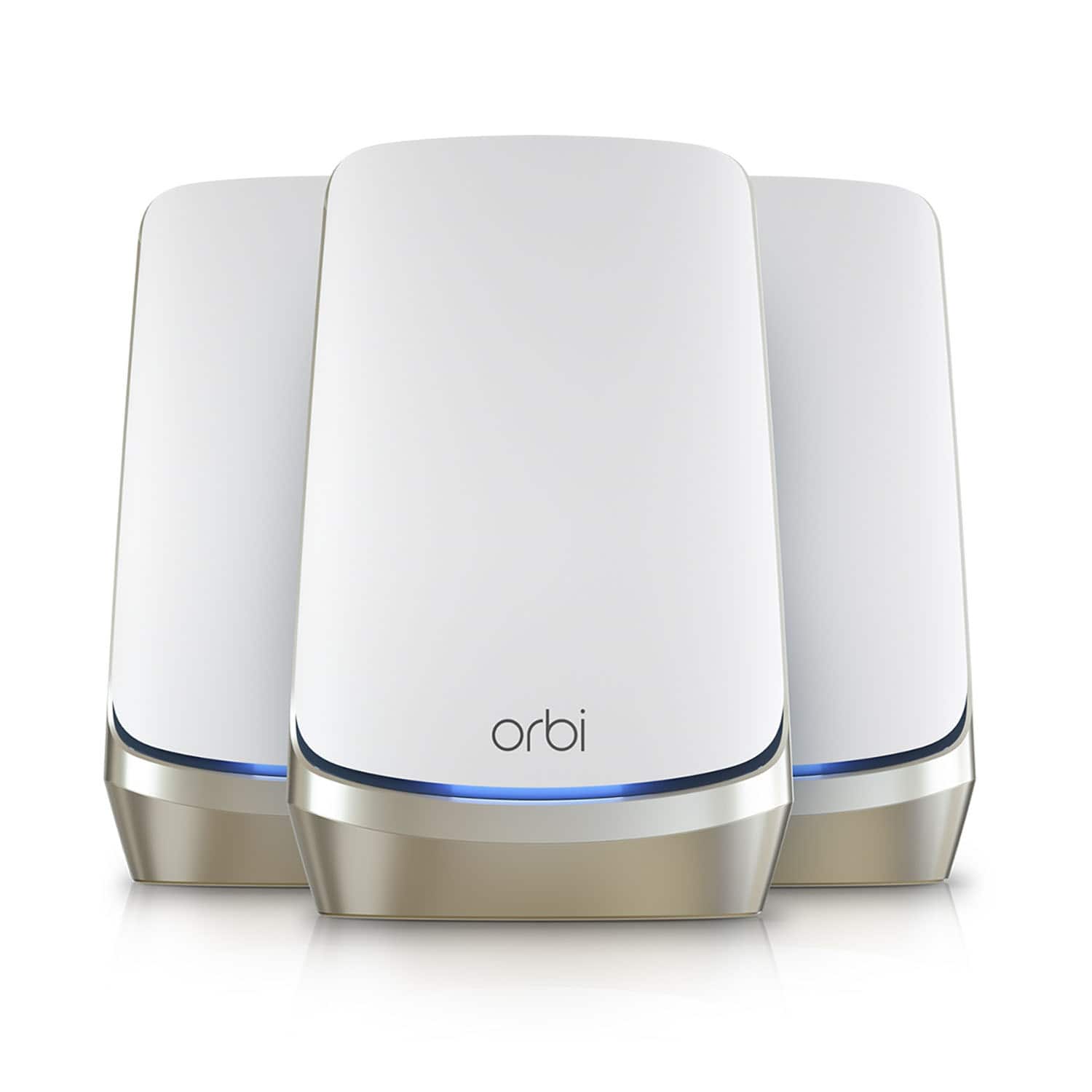




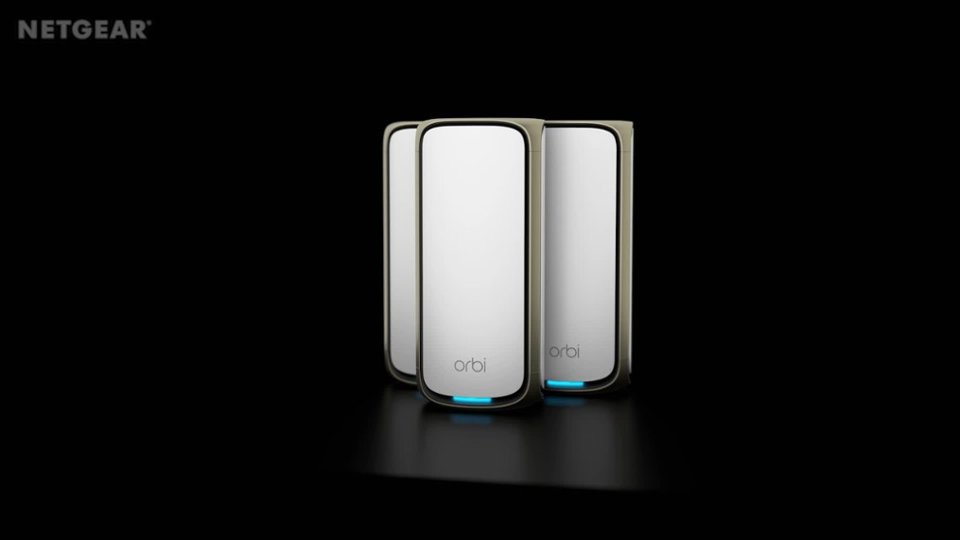

- Model:
- RBKE963-100NAS
- SKU:
- 6479675
Rating by feature
- Setup
Rating 4.6 out of 5 stars
- Range
Rating 4.8 out of 5 stars
- Signal Strength
Rating 4.8 out of 5 stars
Customers are saying
Customers are enthusiastic about the Orbi 960 Series' impressive coverage, ease of setup and use, and strong performance. Many appreciate the system's extended range and reliable signal strength, consistently delivering fast speeds throughout their homes. However, some users find the price point to be high and the physical size of the units to be a drawback. Concerns were also raised regarding the parental controls and app functionality, with some users experiencing issues with connectivity and the app's reliability.
This summary was generated by AI based on customer reviews.
- Pros mentioned:Setup, Speed
Pricey But Well Worth the Money!!
||Posted . Owned for less than 1 week when reviewed.This reviewer received promo considerations or sweepstakes entry for writing a review.I originally purchased a Orbi AX4200 unit as I had recently upgraded my internet connection to 1.4Gbps and needed a new unit that supported Gigabit connections. The AX4200 showed on the box that it supported up 4 to 5Gbps but found out in the end that it does not, maybe router to satellite but not actual internet speed. It supports UP TO 1Gbps, if your connection is over 1Gbps you are out of luck, at best you will get is around 950Mbps or less, so I returned the AX4200 and purchased this unit (AXE11000). Setup, same as the AX4200 was a breeze and the nice thing was I did not have to remove the old unit from the app, I just tapped setup new Orbi system and setup did the rest. I've seen several complaints regarding the Orbi setup, but I did not have any issues; unplug internet modem, plug in modem and let it boot up, plugin ethernet cable into the ethernet port into your modem, plug ethernet cable into Orbi router (Gigabit port yellow ethernet port), connect power cable to Orbi router and plug it in. Give it a few minutes to boot up, open the app and follow the instructions to finish router setup and connect satellite(s), it's as easy as that! After setup I ran a speed test, download speeds were between 1.4 to 1.5Gbps, upload side around 40Mbps +. My primary workstation is a PC with external drives connected that are shared over the network that is plugged into the Orbi routers Gigabit ethernet port. One external drive has a lot of video files on it. From my laptop, I accessed the drive via file manager, double clicked an mp4 file and the video started playing almost instantaneity. Anything internet relate is super-fast!! Make sure in setup (orbilogin.net or go to the IP to login in a browser), go to Wi-Fi, make sure you enable Wi-Fi 6. What this does, if you have a device that supports WiFi6e, when you scan for available networks, it will show in available networks and is much faster than WiFi6. Another thing, if you are connected via Wi-Fi and are connected to the router, a speed test will show very high speeds (same as your internet connection), if you are connected to a satellite, speeds will be slower. Example my connection is 1.4Gbps down, speed test showed 750Mbps down when connected to the satellite, upload side was not affected. Of course, anyone considering buying one of these units will have internet speeds in excess of 1Gbps; I am saying this because if you have less than 1Gbps you are wasting your money buying an AXE11000 as there are other Orbi units that support up to 1Gbps that cost much less. I hope this review helps anyone who is considering purchasing a 960 unit. Yes, these unit(s) are very pricey, but in today’s world you get what you pay for. Bottom line I highly recommend the AXE11000. One final note, Orbi support is great, they are 24/7, very helpful, and they actually know what they are talking about!
I would recommend this to a friend - Pros mentioned:Range, Speed
Worth every penny!
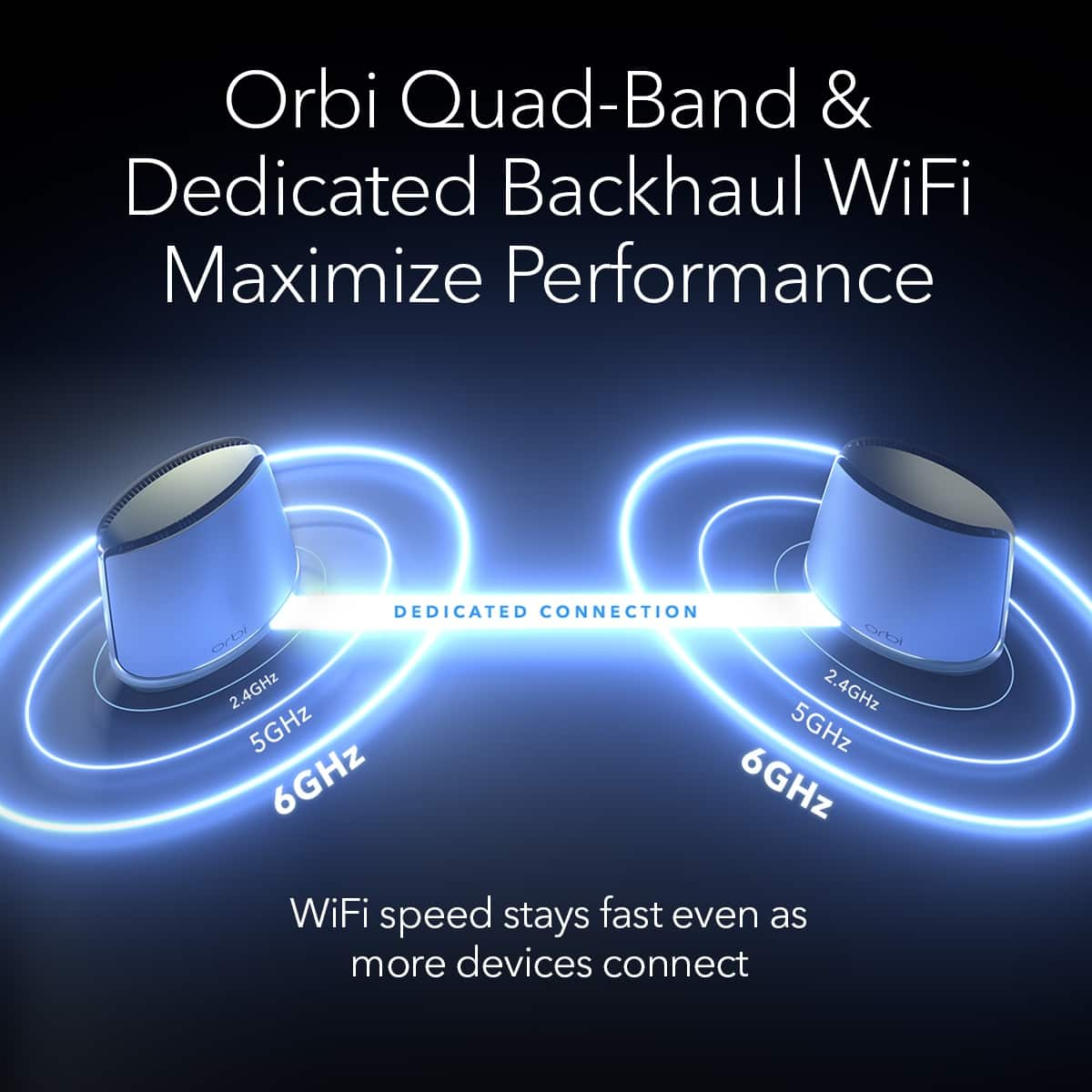
||Posted . Owned for 1 month when reviewed.This reviewer received promo considerations or sweepstakes entry for writing a review.This is the most I've paid for a wireless system, and it has been worth every penny. I am getting full coverage and strong signals with just a router and two satellites throughout the house. My previous Orbi system, which was the top of the line prior to this one, required four satellites to provide full coverage. My smartphone uses Wi-Fi6E, and the speeds I'm getting are as fast as my wired desktop. I have one satellite using the wireless backhaul and the other a wired backhaul, and both work without any complications. Highly recommended!
I would recommend this to a friend - Pros mentioned:Range, Speed
Best coverage available
||Posted . Owned for 2 weeks when reviewed.This reviewer received promo considerations or sweepstakes entry for writing a review.Talking with an ADT installer inquiring about good mesh systems for larger houses, he had recommended Orbi as the product that came to mind. After extensive web surfing and product reviews I too came to the conclusion that Orbi was top of my list. After reviewing three systems ranging from $500 - $1200 I decided because of my square footage (8000) and the way my house is laid out (3 stories with some slabs and concrete block) I decided to go with the AXE11000 6E for range and use of the new frequencies of the 6E. I’ve used it now for over two weeks and undoubtedly made the best choice. Not only does it cover the entire house at speeds near what my router can max at (400mb) but It extends into the yard and detached garage near those speeds as well. Yes it’s expensive, but given the fact that using another brand I couldn’t even connect the satellite on the third floor, this product blew the competition completely out of the water. You get what you pay for and I needed fast Wi-Fi everywhere and that’s exactly what I have. Highly recommend
I would recommend this to a friend - Pros mentioned:Range, Speed
Enterprise grade performance, pro-consumer price.
||Posted . Owned for less than 1 week when reviewed.This reviewer received promo considerations or sweepstakes entry for writing a review.Xfinity/Comcast User: Fantastic upgrade from the original AmplifiHD mesh system I was using. Getting near full gigabit speeds off the Router and from 500-800mbps off my wireless devices that support 802.11AX (wifi-6). Using the separate IoT network for my security and smarthome devices is a very nice feature which has reduced congestion for my end user devices. This covers my home fully out -and past- my property line (over 7000sf). It handles the 40+ devices, multiple VPNs, live-feeds and other data heavy apps I run with fast load times and no lag. This is an enterprise grade system at a pro-consumer price point.
I would recommend this to a friend - Pros mentioned:Setup, Speed
Best WiFi system I’ve ever purchased!
||Posted . Owned for less than 1 week when reviewed.This reviewer received promo considerations or sweepstakes entry for writing a review.I’ve owned many WiFi systems in the past. Spent a lot of money on complicated systems that didn’t really get a good value for. With Netgears Orbi 6E mesh system, hands down the best! So easy to setup, used iPhone app to get it running within minutes. I’m able to run hardline on each satellites which is awesome. Fastest speeds I’ve ever gotten on WiFi. 755mbps down and 40.8mbps up! I ended up buying 2 of these systems to replace my business and home WiFi. NETGEAR all the way!!
I would recommend this to a friend - Pros mentioned:Coverage, Speed
Extremely Fast
||Posted .This reviewer received promo considerations or sweepstakes entry for writing a review.I purchased the Netgear Orbi AXE11000 Mesh system to replace my older nighthawk mesh system which had exceed the simultaneous 50 device streaming limit. The speeds I get are consistent throughout my home (basement, first, second floor, garage, and patio) and coverage is optimal. I highly recommend the AXE11000 mesh system to anyone who has many devices connected to their network, want amazing coverage, and no compromise in speed.
I would recommend this to a friend Pricey but worth it so far
||Posted . Owned for less than 1 week when reviewed.This reviewer received promo considerations or sweepstakes entry for writing a review.I didnt exactly want to shell out $1,200.00 for some wifi routers as i remember the days of my linksys wrt54g getting it done……I had the Velop in my 6k sqft house for years but the wifi performance was never stellar………. We have at&t gif intennet but never getting more than 20mb up/down was insane…….I was constantly dropping calls on Zoom and Teams meetings and my son was getting slaughterd on COD because he couldn’t keep a good connection…… Setup on the Orbi was super simple, just dont be a dunce like me and try to hook a satellite to your internet router…….Getting great pings and throughput up and down all over the house. Below are some acreenshots from my iphone in places it previously just didnt work well in my house…..one Orbi per floor. Basement, main, upstairs. Works freatnso far. Lets hope it stays that way.
I would recommend this to a friend- Pros mentioned:Speed
wow
||Posted . Owned for 1 week when reviewed.This reviewer received promo considerations or sweepstakes entry for writing a review.Google fiber 2gig service. The speed test is on an iPhone 13 pro, only capable of wifi 6. Results have more than doubled in every Room. We've seen the fastest speeds with multiple streams simultaneously. Satellites/ access points drop off a tiny but but speeds are still more than twice as fast than old google mesh.
I would recommend this to a friend - Pros mentioned:Setup
Orbi quadband Wi-Fi 6
||Posted . Owned for less than 1 week when reviewed.This reviewer received promo considerations or sweepstakes entry for writing a review.Switched out from my previous Orbis, the coverage and speed of these are simply amazing. Setup takes a little patience, but after that, it just works. I also use their wall mounts and love those.
I would recommend this to a friend Orbi 960 Series
||Posted . Owned for 6 months when reviewed.This reviewer received promo considerations or sweepstakes entry for writing a review.Orbi just continues to make amazing routers! Its all i have used for years. This is another example of on point technology created by Netgear Orbi products have robust security and you can feel confident your data is secure, i highly recommended this 960 series or the newest drop.
I would recommend this to a friend- Pros mentioned:Speed
Ultra fast speeds
||Posted . Owned for 3 weeks when reviewed.This reviewer received promo considerations or sweepstakes entry for writing a review.Expensive but worth it, no more slow internet in ny house, with multiple devices connected still runs great and high speeds.
I would recommend this to a friend - Pros mentioned:Ease of use
Worthy purchase
||Posted . Owned for 1 month when reviewed.This reviewer received promo considerations or sweepstakes entry for writing a review.I simply like it's so easy to setup and blend into my home background. Also, the satellite provide more backhaul cable connection, awesome.
I would recommend this to a friend - Pros mentioned:Range
Amazing Wifi
||Posted . Owned for 2 months when reviewed.This reviewer received promo considerations or sweepstakes entry for writing a review.Great option for wifi in a 7000 sqft house. Love it
I would recommend this to a friend - Pros mentioned:Coverage
Wi-Fi extenders / mesh network
||Posted . Owned for 1 month when reviewed.This reviewer received promo considerations or sweepstakes entry for writing a review.Easy set up, good coverage and connection and visually nice.
I would recommend this to a friend - Pros mentioned:Speed
Orbi wifi 6
||Posted . Owned for 9 months when reviewed.This reviewer received promo considerations or sweepstakes entry for writing a review.My wifi connection has never been this great. High speeds over wifi. You cant beat it.
I would recommend this to a friend Hands down the best!
||Posted . Owned for 2 weeks when reviewed.This reviewer received promo considerations or sweepstakes entry for writing a review.I have tried many of the big name mesh routers and this Orbi system hands down delivers. Speeds are phenomenal, there is no buffering, the parental controls are great and easy to use, and the app is very user friendly. Highly recommend and worth the price.
I would recommend this to a friendExpensive but worth it?
||Posted . Owned for 2 months when reviewed.This reviewer received promo considerations or sweepstakes entry for writing a review.This writer is not cheap but with over 40 smart devices in my home I needed something with the ability to handle all of it. Haven’t had a problem so far.
I would recommend this to a friend- Pros mentioned:Range, Setup, Speed

Simple setup and solid network connection
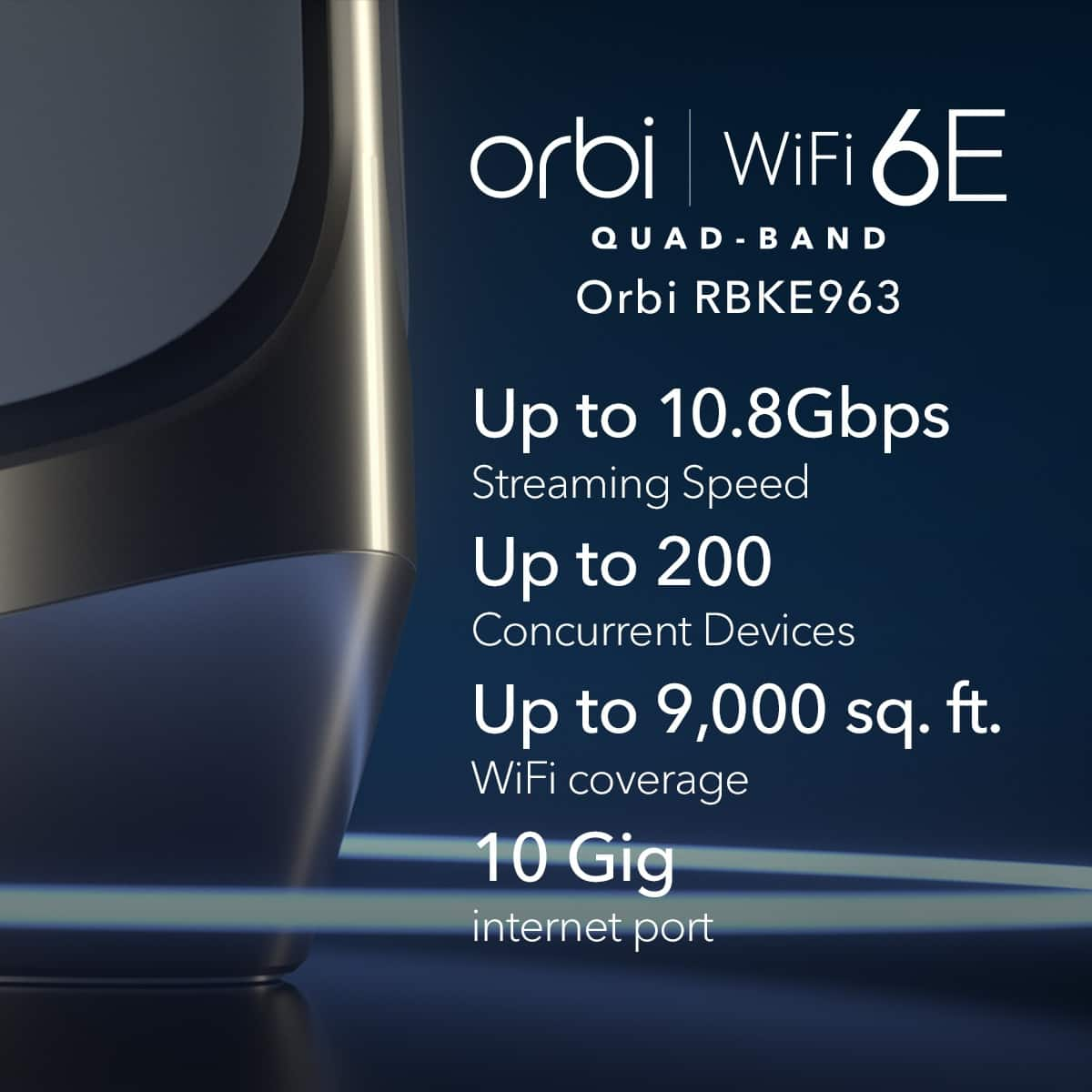
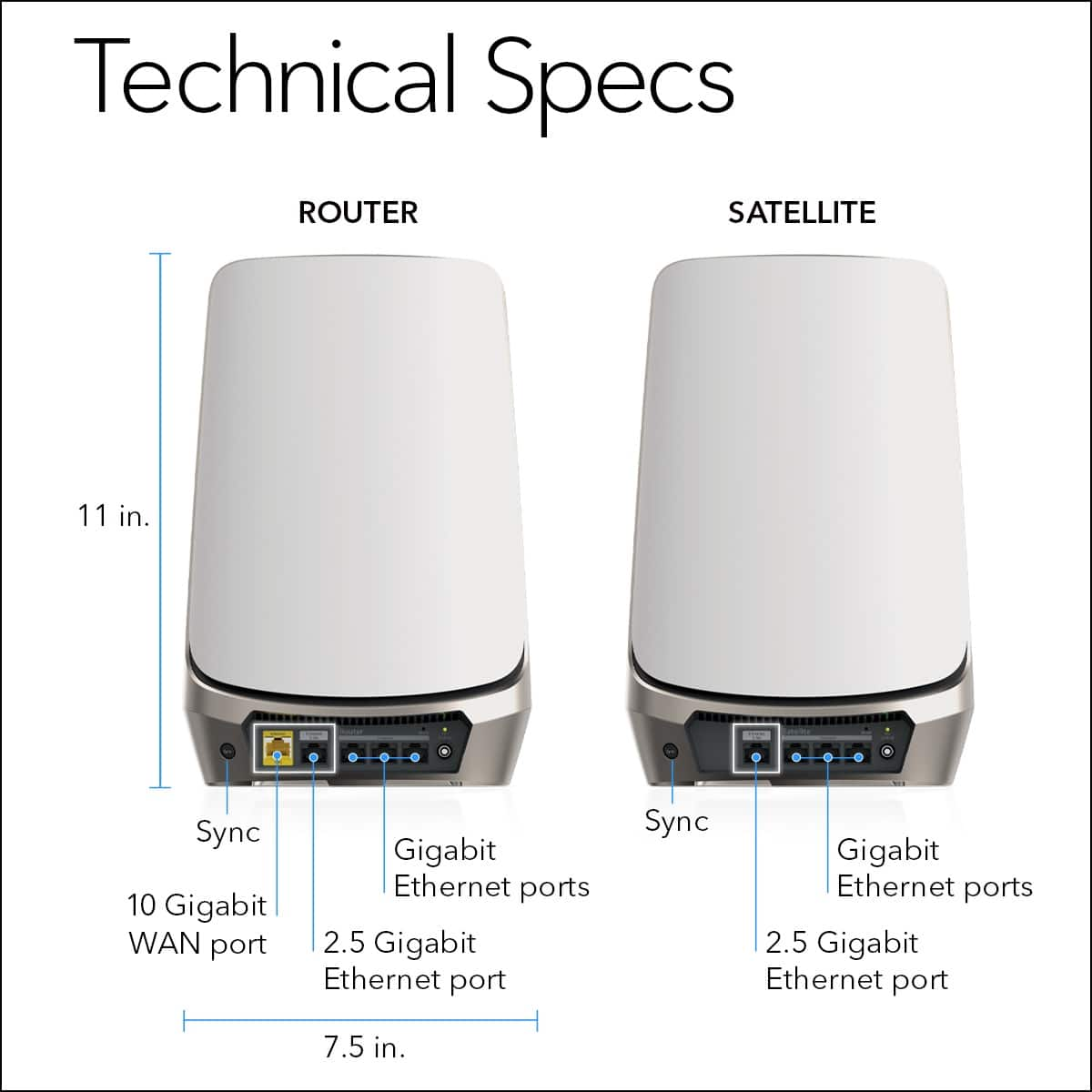
|Posted .This reviewer received promo considerations or sweepstakes entry for writing a review.About five years ago, I installed my first Orbi system in my home. Since the technology behind WiFi networks has changed pretty dramatically since then, we’ve ended upgraded our wireless routers a couple of times in the meantime. The newest Orbi AXE11000 is the latest addition to our network. Orbi does a great job of making the installation of this router system extremely user-friendly. To get started, you download the Orbi app and make sure you have an account with Netgear setup. Once that’s in place, you can proceed with the rest of the setup. You will want to place your router near your modem because it connects directly to it. The main router unit as well as the two satellites have Ethernet ports so that you can hardwire devices into them. The WiFi speed can be up to 10,800 MB/s while the Wired connections around only around 10,000 Mb/s. Even though the app provides on-screen directions, I’ve found that it goes much smoother if you go ahead and place the satellites where you want them in your home or office. They have a range of 9,000 square feet (with the 3-pack), which is 4,000 square feet more than our original Orbi system. Each additional satellite covers 3,000 additional square feet In our home, which is also our offices, we have the main router in the main office located in the front of the house. The first satellite is placed in the second office space, which is down the hall from the main office and it's on the north wall of the house. The second satellite is installed in our living room, which is located at the back of the house. When it’s all said and done, the three units sort of form an obtuse triangle. We structured them this way because it hits all the places that we typically need our Internet signal to reach clearly. Now, I do want to point out that our home is only 1,500 square feet in size. So, this system seems as though it is overkill for the space. But, we’ve found that having an advanced, dedicated mesh WiFi router is the way to go - even if you don't have 9,000 square feet to cover. We never find ourselves with a dead zone in our house and because the Orbi reaches so far, our network even extends into our yard. I'm excited that this system supports WiFi 6 even though a lot of devices haven’t caught up to that technology. We actually have two laptops - the MacBook Air M1 and the MacBook Pro M1 Max - in our home that can take advantage of WiFi 6 speeds. I was able to verify that the network is actually compatible with the technology, by looking up my laptop’s current network information in the System Profiler. The PHY Mode shows 802.11ax, which is WiFi 6. One of the big benefits of using a stable WiFi system like this is its ability to handle smart devices. Years ago, we started adding smart devices to our house. We started small with just a few lightbulbs, but suddenly, we were swapping out ALL our bulbs for the smart ones. We now have 67 different devices on our network. This includes devices on the WiFi network and those hardwired into our switcher. This also includes many different smart home products including light bulbs, hubs, speakers, controllers, and other sensors. This Orbi system supports up to 200 devices on the network. We have not had any issues with how the system handles all these devices. Better than that, the setup couldn’t have been easier. Aside from the initial Orbi system setup, if you have an existing WiFi network as we did, you can simply rename your new Orbi network with your old network name and password. All your old devices should reconnect within a few minutes. Since we had so many different items, it did take about 30 minutes for everything to reappear, but most of the major devices popped up right away. Even though there is a considerable monetary investment for a system like this, I think, based on my experiences with this and other Orbi (and non-Orbi) systems, that it is extremely worth it. Our house will never end up going back to a non-mesh network.
I would recommend this to a friend - Pros mentioned:Coverage, Setup, Speed
Excellent upgrade for full home Wi-Fi Coverage
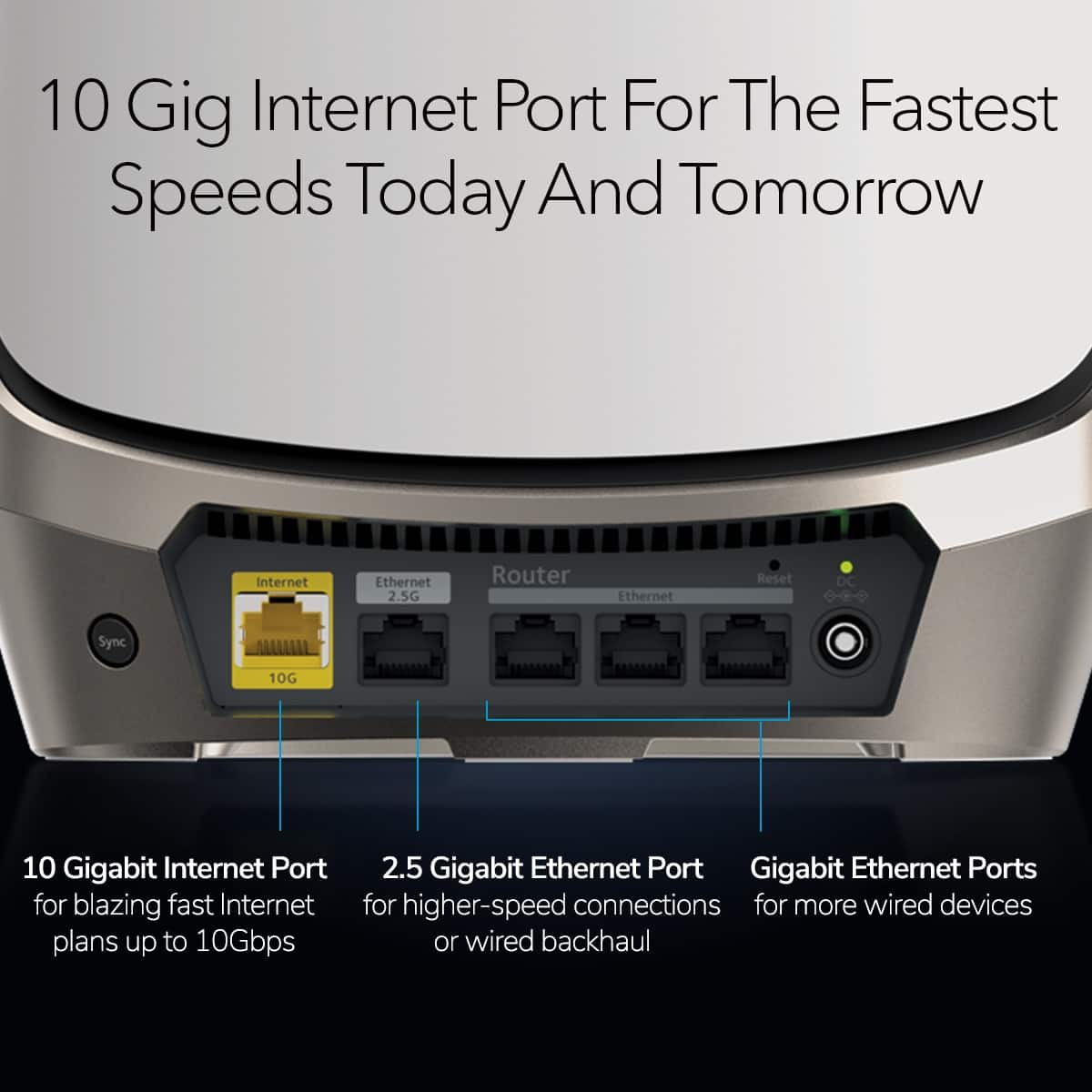
|Posted .This reviewer received promo considerations or sweepstakes entry for writing a review.I’ve always been interested in this advent of mesh networks but never could convince myself to take the plunge given that these systems don’t come on the cheap side. Yet, cue the new Orbi system from Netgear. I switched to their hardware around a year or two ago because I got tired of dealing with my ISP’s run of the mill gear, so I picked up Netgear’s highest end modem and a RAX50 router. Fast forward to now and they’ve recently released this new Wi-Fi 6 Mesh system. Setup was a breeze. I placed my Router next to the modem, and one of the satellites in my dining are as it’s near the furthest point in the house. It took about 10-15 minutes from downloading the Orbi app (do this before you disconnect anything on your current setup) to being able to get everything connected again. It really is a simple process. If you need finer control, once setup, you can always go to the Router’s webpage to make more detailed changes than what’s available in the app. I can honestly say, if you’re serious about having full home coverage, mesh is by far and large the way to go. I’m currently only using the Router hub and one of the Satellites till I figure out where I want to install the 3rd. It’s a bit overkill for my home in all honesty, but this is something I’m not going to have to replace or upgrade for years. It supports up to 10 Gigabit coming in. It features a 2.5Gbps ethernet port for devices on your network that may be able to take advantage. My desktop pc does feature one of these ports, however I can’t even come close to saturating it. There are 3 other 10/100/1000 ports on the main router. On the Satellites there’s 1 2.5 Gigabit and 3 Gigabit Ethernet ports. With my old Netgear setup out in my kitchen a good 30 feet away I could get reception just fine, but the speeds would start to drop quickly. I believe in some areas of the house I would see speed reductions of below 600Mbps over Wi-Fi 6. Still more than what I get from my service provider, but a steep decline. With this new setup, there was only once place in my house that dropped below 1Gbps, and I believe it was around 920 Mbps, still plenty fast especially for those with gigabit connections. What I really like most about this setup is that it has multiple bands, but best of all, it’s got a separate band you can setup specifically for all your IoT devices. Things such a Wireless Security system, Thermostats, Smart Speakers etc. It is off by default, but once you enable it, it really helps to segregate things on the network. I would like to see more companies provide an option like this. Speed wise, one thing I noticed is that my pings dropped about half. In gaming I don’t really notice much of a difference. Until I get a better option for a service provider, I’m left with pretty lackluster performance. I’m not certain if it was a setting, but on my old setup, doing speed tests to some places, my pings would be in the mid to upper 40’s. With the Orbi I’m down to the mid 20’s. Again, that could have been due to some changes I made but with the Orbi already running better out of the box, I’m certainly impressed. I’ve got several devices in the house running over Wi-Fi, Two phones, a table, a Surface Pro 8, a PS5 and several other IoT devices and so far, no hiccups at all. Everything just powers through without an issue. I did notice that my PS5 on the 5Ghz channel is performing very well now, I’m seeing downloads near what my total bandwidth is. Uploads are better, but still around half, but I think that’s an issue with the console and their network infrastructure. One of the photos I’ve included in the review show what my speeds are from the Speed Test in the app ranging from the areas of my house. If you’re looking for a setup that you don’t have to replace for 5 years or so and want the best, look no further than the Netgear Orbi. There’s a good reason Netgear is a household name and the quality of the product shows this.
I would recommend this to a friend - Pros mentioned:Range, Setup, Speed
Wish We Would have Bought These First
||Posted . Owned for less than 1 week when reviewed.This reviewer received promo considerations or sweepstakes entry for writing a review.Still in the first week of usage, but I will lay the groundwork: Needed a mesh system that would cover over 7,000 sqft of space while reliably running a local server streaming 4K video, several smart cams, and a large Sonos speaker system. Overall we needed the ability to support over 50 devices, many of them high bandwidth. We had an older Wifi5 Orbi mesh system that worked great for years, but needed to expand the range and it became impossible to find satellites still compatible with this system, so we opted to "upgrade" to a newer Wifi6 system that could be more easily expanded. At first we tried a competitor's Wifi6 system due to its modularity and ability to easily add more nodes. It was a disaster. We had the competitor's system for about six months and it never worked properly, even after resetting and RMAing several nodes - devices constantly being dropped for seemingly no reason, nodes going offline, smart cameras going offline constantly, and the Sonos system would never work reliably - speakers constantly coming in and out no matter what we did to customize the band and node the speakers were assigned to. Hours of internet research, tech support, we tried everything. And the straw that broke the camel's back, our work-from-home PCs being dropped by the nodes which resulted in our conference calls dropping and our PCs being booted out of our work VPNs with regularity. Very frustrating. Finally got tired of trying to make it work and decided to ditch the competitor's system and go back to the Orbi system we'd liked for years. We opted for this Orbi 960 set, and after just four days of use the experience is much improved. The Sonos system works reliably, and we don't have the random signal drops to devices. Work VPN connections are reliable. Setup was a relative breeze. The main unit is setup via the Orbi app, and then all you have to do is plug the satellites in and the mesh system sets itself up without any input required from the user. Painless. Using the same SSID and password as the old system, almost everything in the house connected to the new Orbi system without issue. A few wireless devices needed to be power cycled to get them to connect to the new network, but other than that we didn't have to reset or change the settings in any of the 50+ wireless devices in the house. Total Orbi mesh network install time, including unboxing, reading the directions, updating unit firmware, power cycling stubborn wireless devices, and custom port forwarding via the Orbi web client: 45 minutes. Whereas installation and troubleshooting time over six months on the competitor's WiFI system amounted to DOZENS of hours, and it still never worked properly. Wifi speeds with the Orbi 960 are insane. Even in what I would consider the fringes of the coverage area my phone is able to get speeds of 200+ down/200+ up. Standing next to the primary Orbi unit my S23 Ultra can achieve 800+ down/800+ up on a 1Gb internet connection. With the competitor's system our wireless devices could barely achieve 100/100 standing right next to the primary node. Overall this Orbi system so far worked as reliably as our old WiFi 5 Orbi system while substantially improving speed and range. Wish we would have done this first and not tried to go with the other brand for six months, what a nightmare that was. The Orbi 960 system - while far more expensive - is more reliable, has better coverage, is easier to setup, and far less finnicky that the other brand.
I would recommend this to a friend