Customer Ratings & Reviews
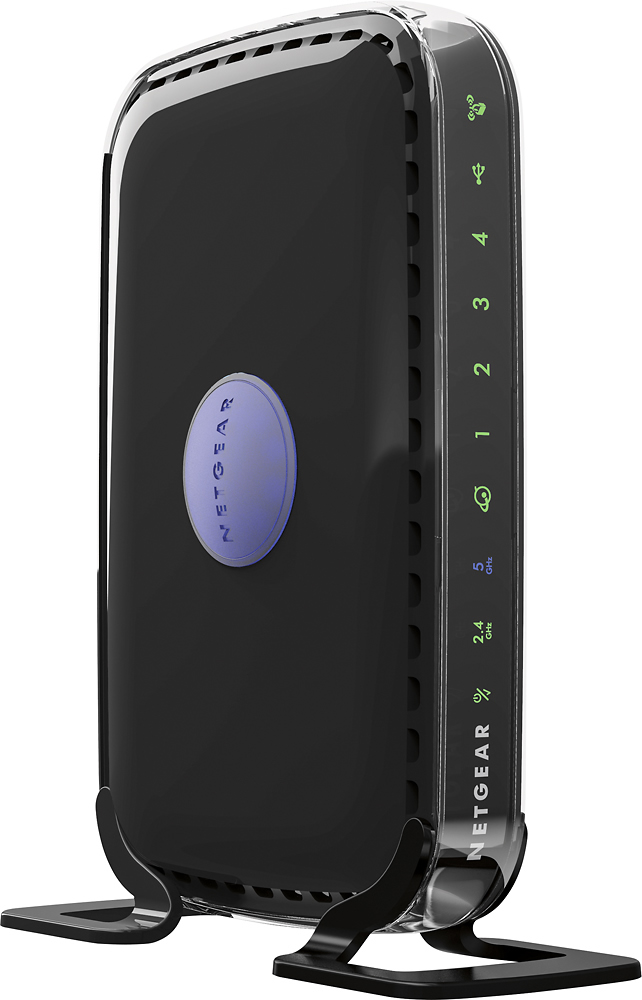
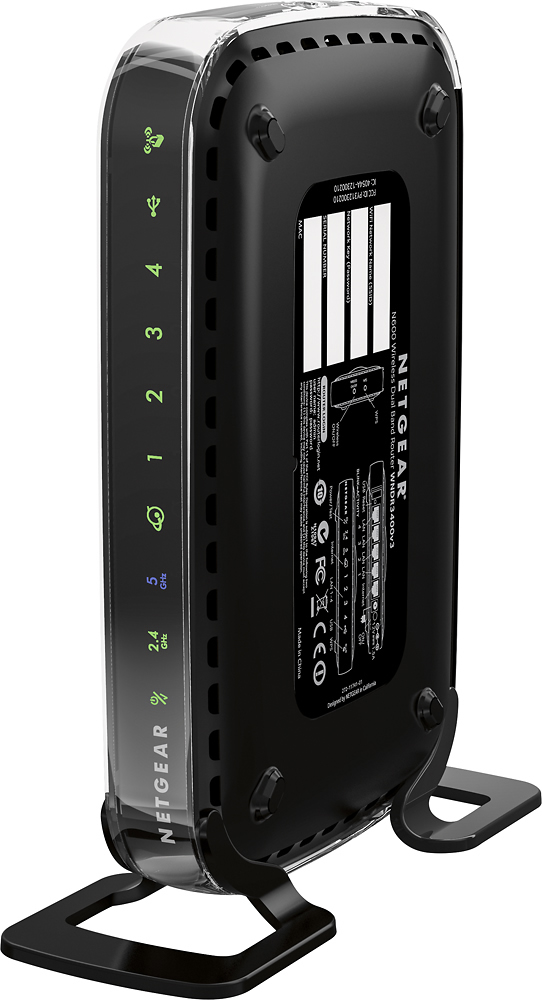
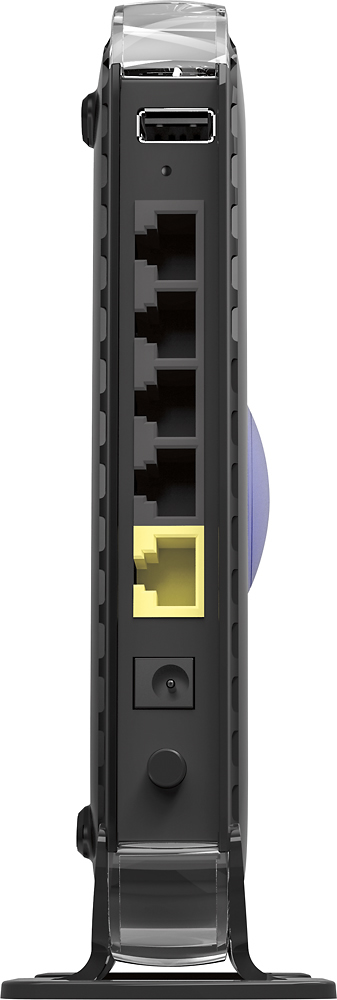
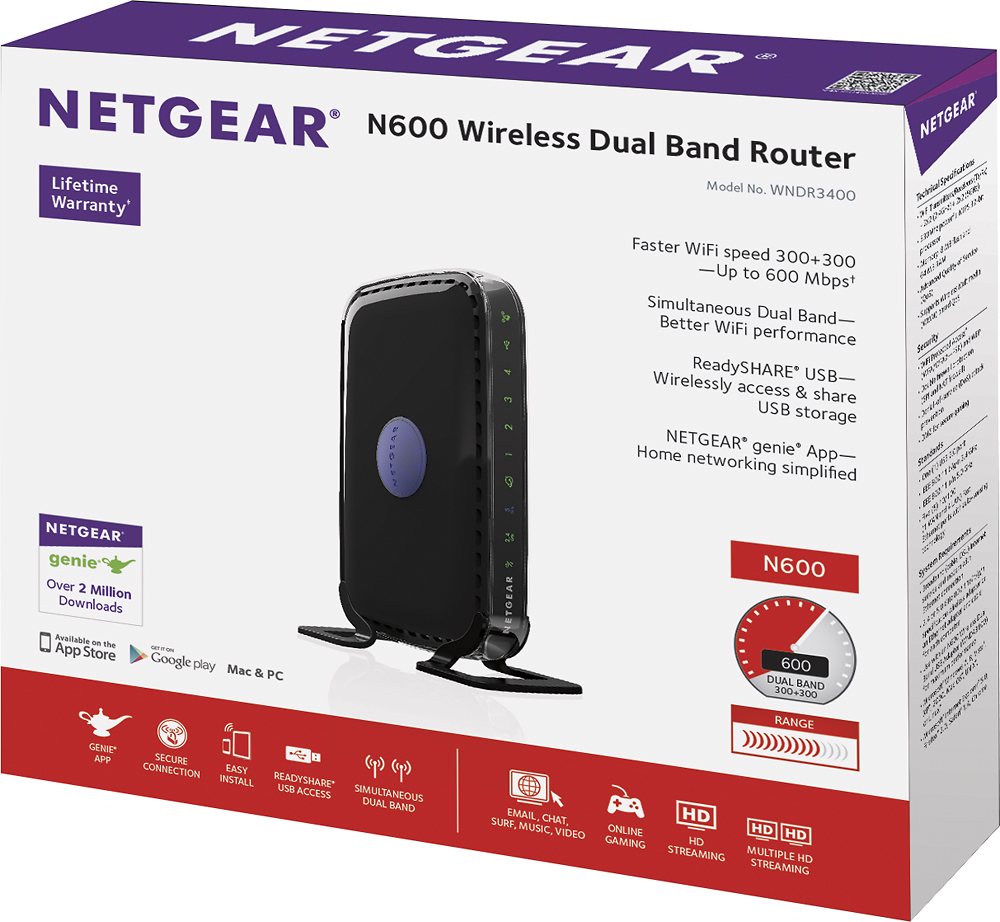


- Model:
- WNDR3400-100NAS
- |
- SKU:
- 1208844
Customer reviews
Rating 4.5 out of 5 stars with 8065 reviews
(8,065 customer reviews)Rating by feature
- Value4.5
Rating 4.5 out of 5 stars
- Quality4.5
Rating 4.5 out of 5 stars
- Ease of Use4.5
Rating 4.5 out of 5 stars
Customers are saying
Customers are positive about the RangeMax N600 Dual-Band Wi-Fi Router's ease of use, range, performance, and setup. Many also praise its signal strength, price, and reliable connection, along with the dual-band functionality and compact size. Positive feedback frequently highlights the router's ability to provide good coverage throughout the home. However, some customers have reported compatibility issues with certain internet service providers and operating systems.
This summary was generated by AI based on customer reviews.
- Pros mentioned:Setup
Rated 5 out of 5 stars
Easy setup, works great!
Posted .This reviewer received promo considerations or sweepstakes entry for writing a review.Although this router hasn't stood the test of time yet because I just set it up yesterday, I am very happy with it. I bought and attempted to hook up a Belkin router prior to this one and that was a nightmare. After returning the Belkin I decided on the Netgear. I literally spent 5 minutes hooking this router up and in that time was able to get it connected to 3 devices. I bought this router because my G type router didn't work with my newly purchased smart tv and this router works great with it even at a crawling internet speed.
I would recommend this to a friend - Pros mentioned:Ease of use, Range
Rated 4 out of 5 stars
Great product!
Posted .This reviewer received promo considerations or sweepstakes entry for writing a review.Easy to install, great range. The ability to wirelessly access an external drive by using the Readyshare feature is a huge bonus and a great reason to buy this product along with it's ease of use!
I would recommend this to a friend Rated 5 out of 5 stars
Great Router
Posted .This reviewer received promo considerations or sweepstakes entry for writing a review.I had a horrible experience with a Linksys not to long ago and was never going back. I did some research and found this bad boy. The dual band gives you a fast connection for both devices I have hooked up to it and seamless access to new devices. All I had to do was update some firmware, name the router and set a password and I was in business. I loved it since I was so afraid of routers because of my last one. Great product and great price. Highly recommend this one.
I would recommend this to a friend- Pros mentioned:Ease of use
Rated 4 out of 5 stars
Easy to Install
Posted .This reviewer received promo considerations or sweepstakes entry for writing a review.This router was extremely easy to set up. Basically, it was plug and play. Unfortunately, if you didn't want the default name and default identification code, then it becomes hard to change it. I took the defaults, since I couldn't figure out how to change the name and codes. It works well but I am getting 25 mbps with the router instead of the 35 mpbs with the ethernet connection. My ip quotes up to 50 mpbs but I am happy with what I have. Over 15 mpbs is almost instantaneous. I would buy this router if you want one you can set up yourself.
I would recommend this to a friend - Pros mentioned:Range
Rated 5 out of 5 stars
Easy Setup and fast connection
Posted .This reviewer received promo considerations or sweepstakes entry for writing a review.After reading some mixed reviews I decided to get this wireless router anyway. So far it has performed to my expectations. It performs as advertised. The range is excellent too. I have Directv and did noticed that I lost the internet connection once I installed this router. In order to establish the connection again, all of you have to do it reset the network connection from the Directv box directly. Once that is done, Directv will connect to the router.
I would recommend this to a friend - Pros mentioned:Ease of use, Range
Rated 5 out of 5 stars
Bought it for all the features.
Posted .This reviewer received promo considerations or sweepstakes entry for writing a review.Have used this router for about a month. It works great. Netgear N600 has great range.Haven't had any interference problems.Easy to install.
I would recommend this to a friend - Pros mentioned:Range
Rated 5 out of 5 stars
Great router; professional installation.
Posted .This reviewer received promo considerations or sweepstakes entry for writing a review.This router has great range and is working without any problems. The Best Buy installer, "Blair," was faced with some new problems caused by our ISP but was able to figure them out and complete the installation. He was very prompt, friendly and professional. He helped us understand everything he was doing and what we would be able to do with this product. He made suggestions to help our computer operate more safely and efficiently. I would recommend this type of router/installation bundle from Best Buy to anyone shopping for this type of product.
I would recommend this to a friend - Pros mentioned:Speed
Rated 5 out of 5 stars
Best All-Around Router!
Posted .This reviewer received promo considerations or sweepstakes entry for writing a review.This wireless router is amazing! Blazing fast speeds, dual band connections, USB storage access, wireless security and many more features. It's like having an Ethernet switch that also operates wirelessly. I recommend this to anybody that wants to surf the internet, watch videos, and play online games. Unlike other expensive dual band, N+ routers, this router is (in my opinion) the best yet.
I would recommend this to a friend - Pros mentioned:Setup, Speed
Rated 5 out of 5 stars
Great product for good price
Posted .This reviewer received promo considerations or sweepstakes entry for writing a review.It took all of 2 minutes to install and set up, I was on the internet in no time!! Super fast for video games on XBOX live, no glitches or pauses. So far no issues noted, just very pleased.
I would recommend this to a friend - Pros mentioned:Ease of use
Rated 3 out of 5 stars
more info would be nice
Posted .This reviewer received promo considerations or sweepstakes entry for writing a review.Setup was easy, but there is no timer to tell you the computer is downloading. You click next and wait a seemingly long time w/o any feedback that anything is happening. Also it would have been helpful to explain clearer that you are a guest on the router until you set up your net log in info, and where that set up takes place. I kept getting kicked off after my guest time was up, and didn't know why until I looked around on the set up menu.
I would recommend this to a friend - Pros mentioned:Ease of useCons mentioned:Compatibility
Rated 4 out of 5 stars
Easy even for a non-techy!
Posted .This reviewer received promo considerations or sweepstakes entry for writing a review.Very easy to use and understand the directions. Purchased for use with my iPhone, PS3, and other computers in the house. Only problem seems to be with the PS3 but everything else works great.
I would recommend this to a friend - Pros mentioned:Setup
Rated 2 out of 5 stars
Deceptive, supports up to 100 Mbps not 300
Posted .This reviewer received promo considerations or sweepstakes entry for writing a review.I recently upgraded from 100 Mbps service to 300 Mbps service. I was very excited but found that my TDS router wireless gives me a maximum of 100 Mbps, so I wasn't getting the full value of my service. Using a direct connection to the router I could get the full 300 Mbps though. I read reviews and thought this router was perfect for my needs. I purchased it and set up was extremely easy, within twenty minutes or so I had it installed, firmware upgraded, etc... This is why it gets two stars and not 1. However, once I started speed testing, I found I couldn't get more than 50 Mbps for wireless and direct connection wasn't getting above 50 either. I was very confused and did a lot of testing/research for hours. I found that the ethernet cable provided was damaged/kinked somehow. Once I started using my non-kinked cables I own, I got the speeds up to 100 Mbps for wireless and wired but couldn't get any higher. After even more research, spending half of a day on this, I finally found that the ports on the back of this router are all 10/100, so when you plug in your ethernet cable from your TDS router you instantly downgrade your service from 300 or 1 Gigabit to 100 Mbps. This router can never get speeds higher than 100 Mbps, so this is extremely deceptive. I'm returning this today and will be getting a gigabit router because the ports on the back can handle up to 1 Gigabit, not 100 Mbps. Be very careful when buying and read the max throughput for the ports on the back. Most of these positive reviews are from people who are just happy they could set the unit up in 15 minutes, and don't care that they're paying for internet speeds that they don't get to use.
No, I would not recommend this to a friend - Pros mentioned:Ease of use
Rated 2 out of 5 stars
Are you Geek Squad?
Posted .This reviewer received promo considerations or sweepstakes entry for writing a review.I work in health care and consider myself semi-advanced computer user. So, I am not afraid to tweek "advanced settings" if need be and I got this router and was excited that I finally got something good and that it was a "High Performance". Yes it worked, yes it had more than adequate download speed, however, it took more than an hour and a half with tech support (first 3 months free) to set up and my 2.4GHz signal strength was less than half (33-75%) what my STANDARD ISSUE mail order Qwest router/modem was (always 100%.) Tech support was great and answered all my questions and took the time to understand my needs. Which is priceless. However... My main concern was that this new router was not able to shoot it's signal through one wall let alone the 2 floors that are needed to send a WiFi HD signal to my proposed home theater in the basement, in the not too distant near future. This was not able to be resolved on the 3rd try with Tech Support. Instead of exchanging the Netgear router, I returned it and opted for the Linksys E3000. Wow! The signal is now what I remember and the SETUP WAS A BREEZE! I will say it again. THE SET UP WAS A BREEZE WITH THE LINKSYS E300. Just insert the supplied CD and go!!! Sure it was $75 more but well worth it it in my humble opinion. Get the Netgear if you want, but you will be missing the real deal with the Linksys E3000. 50 slots of fun, separate password Guest access (good for your company you don't want snooping on your network), Intuitive set up (if you could call it a set up. I think I hit the start button. ...that's it) Happy Shopping! ps. I never needed to contact Linksys' tech support, therefor, I cannot comment on their support, and I am ok with that.
No, I would not recommend this to a friend - Pros mentioned:Range
Rated 5 out of 5 stars
Just what I was looking for
Posted .This reviewer received promo considerations or sweepstakes entry for writing a review.I wanted a wireless router that I could hook to my Quest DSL modem that would allow me to use my IPad 2 anywhere in my home and still have my main computer in my Study, hard wired to the modem. After reading many reviews I was really confused. Everyone seemed to be having trouble one way or another with their routers. So I went to Best Buy and asked one of the salesman what he would recommend. This is the one he told me to buy. He was right.
I would recommend this to a friend Rated 3 out of 5 stars
Good when it works. But it loses connection often.
Posted .This reviewer received promo considerations or sweepstakes entry for writing a review.I've been using the router for a little over a year now. I have my Xbox and TV connected to it via Ethernet and they are typically fine. The WiFi signal I use for my phone, tablet, Google Chrome and or Fire TV Stick always lose connection. NO, I'm not running them all simultaneously. But guaranteed several times a day I will lose connection to WiFi. Quite often the WiFi will get so bad that it'll drain my tablet from 100% to almost dead in the 10 hours I'm gone to work, just because the signal goes in and out all day. I have to constantly disconnect my router and plug it back in. This happens several times a week. I once thought maybe it was Time Warner. But if my wired electronics aren't losing connection then it has to be this router.
No, I would not recommend this to a friend- Pros mentioned:Range
Rated 5 out of 5 stars
Worked like I hoped
Posted .This reviewer received promo considerations or sweepstakes entry for writing a review.I bought a router for the first time after a rep for Time Warner Cable explained to me I could get more out of my internet, and save money with buying my own router rather than getting one from TWC. Me and my husband picked one since he is more savvy with these products and double checked with a Best Buy rep if this was the ideal one for our needs: web browsing, Netflix, and gaming. He agreed with us that we had the best pick for the money. Within 5 min, the router was installed and life went on. I have a long 3-bdrm apt. The router does just fine from one wall to the other, and the kids are using it nonstop. It worked great and no problems whatsoever.
I would recommend this to a friend - Pros mentioned:Ease of use
Rated 5 out of 5 stars
Good solid router
Posted .This reviewer received promo considerations or sweepstakes entry for writing a review.Lighting took out all my network gear and i needed something quick and this seemed like a good one from the specs. It is a good unit. fairly easy to configure but as with most things these days there are too many "easy buttons" configuration wizards you have to get past to get to the real configuration values. Works good on both bands a single computer on the N band and everything else on the other one. Distance seems normal, speed seems superior. This unit does not support my dynamic DNS provider "zone edit" only Buffalo routers do that so when my son leaves for college I will send this one with him and get one that supports my DDNS provider.
I would recommend this to a friend - Pros mentioned:Ease of use, Speed
Rated 5 out of 5 stars
Easy su, full coverage
Posted .This reviewer received promo considerations or sweepstakes entry for writing a review.This was one of the easiest set-ups for a router that I have done. It identified any conflicts and made suggestions for solutions. The end result was a fast su and full functionality
I would recommend this to a friend - Pros mentioned:Performance
Rated 4 out of 5 stars
Great router, picky USB Netstorage
Posted .This reviewer received promo considerations or sweepstakes entry for writing a review.This product is working great, as a router. The USB NETStorage, on the other hand, is rather picky. The compatible external storage drives are limited, and if I want mine to work, which is set up with a Mac, I'd have to reformat it. Not fun, and not worth it, especially after the big data-loss that came with the last reformatting. All in all, if you're going to pay for high quality internet, then get a high quality modem and router to make the most of what you're getting (DO NOT rent or buy from an internet company).
I would recommend this to a friend Rated 4 out of 5 stars
Good wireless router for beginner w/simple needs.
Posted .This reviewer received promo considerations or sweepstakes entry for writing a review.First, the high points - this router has been running 24/7 (barring a few short power outages) since it was installed. No hangs, forced resets, or bizarre bottlenecks as experienced with earlier Netgear wireless routers. It plays well with the cable-provider's supplied cable modem, and delivers throughput only slightly less than the total bandwidth available. It seems to handle dual-mode traffic just fine, with little or no degradation in packet rates when both modes are in play. [I haven't tried streaming HDTV or real-time full-motion gaming over it, but in all other respects I hammer it pitilessly]. Now the down-side. The configuration tools are completely at sea when it comes to hooking the N600 directly to an existing LAN - nowhere in the menu is this even considered, and even the Netgear tech site appears to be overlooking this important market genre. The only reason I ever got it to work in this configuration is by dispensing entirely with the provided configuration and instead relied on 20+ years of professional network-engineering experience. Considering that most cable "modems" [sic] handle all the backside authentication, LAN state, DHCP handoff from the provider and all other critical tasks, forcing the wireless router to rehash these functions is both counterproductive and diminishes greatly the ease of configuration for folks who already have a switch in front of their cable-modem or gateway router. This goes doubly true for businesses with their own existing LAN who simply need wireless to bridge between buildings, reach shop or warehouse facilities, or reach trucks awaiting dispatch instructions in nearby parking lots. This router would perform admirably in such a context, but almost certainly never will -- the IT engineer tasked with making it work in these conditions would no doubt struggle with the unit for a few hours and then return it as 'defective' in every instance I can envision. By using an unfortunate configuration schema Netgear is losing a big potential market. Hopefully this realization will drive them to fix these difficulties in subsequent generations.
I would recommend this to a friend