Customer Ratings & Reviews
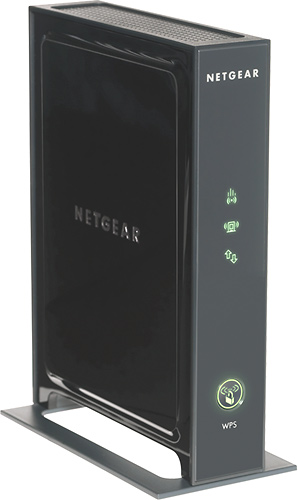
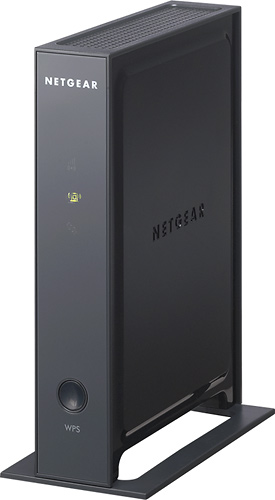
- Model:
- WN2000RPT-100NAS
- |
- SKU:
- 1243081
Customer reviews
Rating 4 out of 5 stars with 1144 reviews
(1,144 customer reviews)Rating by feature
- Ease of Use4.0
Rating 4.0 out of 5 stars
Customers are saying
Customers appreciate the ease of setup, extended range, and improved signal strength this extender provides. Many also highlight the convenient Ethernet ports and find the overall performance satisfactory for the price. However, some users experienced connection issues. A few customers also mentioned that the instructions could be improved for clarity.
This summary was generated by AI based on customer reviews.
- Pros mentioned:Signal strength
Rated 4 out of 5 stars
WORKS, BUT THE INSTRUTIONS MAY NOT APPLY TO YOU!
Posted .This reviewer received promo considerations or sweepstakes entry for writing a review.I bought this router because I needed more signal in the remote parts of my house. I set it up in my kitchen, and now have a great signal in the back of my home. I'm normally not a fan of NETGEAR products but this one works exactly has advertised. The issue I had was with the set-up. According to the installation manual, this device is simply going to take your existing wireless signal (SSID# and add an extender network name #_EXT). Basically, if your original network name was HOME, your extended network would be HOME_EXT, and you should still be able to sign in using your existing network password. That's not exactly what happened when I plugged it up. For lack of a better term, the device hijacked my wireless signal, renamed it, and changed my WEP key. The one saving grace was that it didn't lock me out of my router. So, I was able to log into my router to get the new SSID and password. Only after doing that, was I able to attach my other wireless devices. Not sure if it's because I use a CISCO router, but the set-up instructions didn't help me figure this out at all. As a matter of fact, the instructions don't mention anything like this will even happen. So, if you find this happens to you, log into your router settings, and go the wireless set-up, and everything you need will be there. After that, this device works like a champ.
I would recommend this to a friend - Pros mentioned:Ease of use, Range
Rated 5 out of 5 stars
awesome product
Posted .This reviewer received promo considerations or sweepstakes entry for writing a review.so i have a netgear router in my bedroom which is upstairs in my parents house. now the reason i needed to get the extender is b/c i needed a wired connection for our LED tv and blu-ray...the extender works GREAT!!! setup is easy, just follow directions and the only tip for setup i can give is make sure you give the device ample amount of time to warm up...if you do not see the signal lights turn green right away dont be alarmed. also the device is supposed to be setup in the middle of the area of where your router is and the area you want covered...this doe's NOT have to be done...obviously if you want a wired connection to something you need the extender right next to it. for wireless capability: works great as well...i have a netgear router WNDR3400..which is awesome..my parents house is pretty spacious....my router is upstairs and carries a signal across the house,downstairs, and through many walls and give a great signal BUT with the extender- the signal downstair went from 85% too100%. conclusion- this is a "don't think twice" buy
I would recommend this to a friend - Pros mentioned:Ease of use, Ethernet ports, Range
Rated 5 out of 5 stars
Universal Wi-Fi Range Extender Perfect!
Posted .This reviewer received promo considerations or sweepstakes entry for writing a review.I needed a range extender to cover my detached garage and loft. This thing was easy to setup and works wonderfully. I probably didn't need the ports but it was priced fairly and got good reviews from others. No regrets. Works like a charm.
I would recommend this to a friend - Pros mentioned:Ease of use
Rated 2 out of 5 stars
Extender failed just about a year after purchase
Posted .This reviewer received promo considerations or sweepstakes entry for writing a review.The extender was pretty easy to set up and worked OK for a while. Since my wife is the only one that used it regularly I expect it started to go toes up about 10-11 months after installation though my wife was always blaming her computer. Just a week or so after the warranty period expired I did some serious testing and determined that the extender was running at a crawl. Speeds measured using the wireless router and my wife's computer were 28+/5+ while speeds using the wireless extender were both below 1! I'm pretty computer savvy and tried various fixes - reset to default factory settings, moving the extender closer to the router, shutting down anything that might interfere with the radio, etc - with no good results. I also saw other indications that something was not right with the extender: you set up the extender using a browser and a Netgear URL and the method absolutely would not work. Browsed the Netgear FAQ's and "forum" for assistance and found nothing useful. Finally reached out to Netgear "support" and was told to search the Netgear FAQ'a and "forum"!
No, I would not recommend this to a friend - Cons mentioned:Instructions
Rated 4 out of 5 stars
Difficult to set up with a Mac
Posted .This reviewer received promo considerations or sweepstakes entry for writing a review.The instructions provided are abysmal. However, the telephone support was excellent and they talked me thru the process. It has worked well except for times when streaming a 3D Samsung app, it would stop and start. This is with the ethernet cable. On Wi-Fi w/o cable it did not work well. However, it is working well at this time. I have not had to restart it. My I-Pad 2 is working faster also.
I would recommend this to a friend - Pros mentioned:Ease of use
Rated 4 out of 5 stars
So Far So Good
Posted .This reviewer received promo considerations or sweepstakes entry for writing a review.I HAD to buy an extender. After owning three different brands of routers, I found out that my quickly diminishing and unsteady signal is a house or environmetal issue, not any router. I have structural elements to my house that evidently dampen any wifi signal and does so quickly as a function of both distance and number of walls the signal must go through. One must have line of sight PERIOD to get a full signal. If you move and try to throw the signal through a single wall one loses almost all of the signal strength. I can get full signal through the floors but not horizintally on the same home level. Even this extender unit must be placed carefully with the primary router to throw a good signal into the extender. That being said, this extender was easy to set up and connect. Plugged it in, followed the connection protocol and I was up and running! This extender feeds wifi to a TIVO and is also used to fire wireless at an iPad2 in the same room. It works great! It fixed my rather frustrating and annoying problem! Problem solved! The only issue that I worry about is one others have mentioned, that of having to reconnect if power goes out. I have far too many devices that require my attention to reboot, reconfigure, restart, reconnect, etc., that I am now thinking of getting a UPS (uninterruptible power supply). One damned problem leads to the next! Is it high tech or is it just making us slaves to the machine!
I would recommend this to a friend - Pros mentioned:Setup
Rated 5 out of 5 stars
Super easy setup
Posted .This reviewer received promo considerations or sweepstakes entry for writing a review.I do a lot of shopping around before I buy stuff online as I'm sure a lot of you reading this do and amazingly Best Buy had the best buy on this extender/bridge that I could find. I checked sites like Newegg, Amazon and eBay and Best Buy had the best price of all of them, not to mention I was able to go into the store and pick it up the same day, no waiting for it to ship to me. :) Anyway, for me one of the best parts about this wireless extender/bridge is that it was super easy to setup. I plugged in the power on it then plugged the Ethernet cable into my laptop and the setup wizard walked me through the setup process. It very easily connected to my router and automatically configured itself to the same security settings (WPA2) as my Netgear wireless N router. The whole process maybe took 10 minutes at the most. I primarily use it as a bridge for my DVR, Blu-ray player, Slingbox and Xbox 360 for which it works fantastically. Overall I'm very pleased with this extender/bridge and would recommend it to anyone. It's reasonably priced and does it's job!
I would recommend this to a friend - Pros mentioned:Ease of use, Ethernet ports, Signal strength
Rated 5 out of 5 stars
Excellent product
Posted .This reviewer received promo considerations or sweepstakes entry for writing a review.Super easy set-up with Cisco 3000 (LinkSys) router. Does what it advertises. Very good Range Extension signal strength and with the 4 port feature also used it to connect my TV to the internet .
I would recommend this to a friend - Pros mentioned:Setup
Rated 5 out of 5 stars
Does exactly what it is designed to do.
Posted .This reviewer received promo considerations or sweepstakes entry for writing a review.I am an Auto Mechanic and Vibration Analyst. In my home shop, I have much electronic equipment. I have a PC that is dedicated to OBDI and OBDII diagnostics. It also has the complete GM library for any Automobile ranging from 1985 to 2005. Problem is network must be within reach for the data to update and also to connect to AllData. I also have network backup drive attached to my wireless router. I have a Motorola surfboard N+ 6850 modem. Connected to it is a Belkin N+ wireless router with a USB for the network storage. The PC in my shop has a Linksys PCI card installed with a DataLink directional Antenna. I could only get 3 to 4 bars with a max speed of around 12 mbps. I hooked the extender to my PC by hardwire. Started Internet explorer and the program auto ran. Follow the instructions and try to not vary from what the instruction tell you as you go. After programming the thing, I took it off the hardwire and tried to go around the midpoint of the router and Shop PC. The indicator light went green. I had a wide area I could use and still remain in the excellent connection (Green) region. I placed the extender in my house on the opposite side which is closest to the shop and is almost at the midpoint. Started up the shop PC, joined the Belkin Wireless_N ext network and told the network manager to auto connect to this network when in range. I also had to go into the wireless router properties and tell it to not connect automatically. Can't connect to them both. Restarted the PC and I now have 5 Bars and the speed is @ 56 mbps. I am very happy with this product. There is an installation manual available. Search Google and it will appear. It will help if you are familiar with networking and the terminology. But you do not have to be an IT tech to get this unit up and running. Another good thing is I can turn it off when I’m not in my shop. I use WEP (Wired equivalent privacy); 128 bit encryption so I don’t think anyone around here is getting in. I do recommend this extender to anyone who just wants to push the signal to low signal or no signal areas!!! Good luck!
I would recommend this to a friend - Pros mentioned:Ease of use, Ethernet ports
Rated 5 out of 5 stars
Great Product - Easy To Use - Bit Pricey
Posted .This reviewer received promo considerations or sweepstakes entry for writing a review.I purchased a home theater system for my house, however it could only connect to a wired network, not wifi. The only problem was that my router is about 25ft and on a different floor, so it made it almost impossible to connect it. With this it connects to my wireless network and and has 4 wired ports where it coverts the wireless signal back to wired. Its amazing, Highly recommended. It took me less than 5 minutes to hook up, very easy, no installation disk.
I would recommend this to a friend - Pros mentioned:Ease of use
Rated 5 out of 5 stars
Great extender
Posted .This reviewer received promo considerations or sweepstakes entry for writing a review.Our WiFi signal didn't reach to every area of our house. We tried extending wired Ethernet, but that was very prohibitive. On a whim, we got this extender to see how good the signal was, not expecting much. However, it picks-up and rebroadcasts the WiFi signal throughout the house, with many intervening walls and dividers. Automatic setup also didn't require any brand damage. Very cool!
I would recommend this to a friend - Pros mentioned:Ease of use, Signal strength
Rated 5 out of 5 stars
Exactly what I needed
Posted .This reviewer received promo considerations or sweepstakes entry for writing a review.I was looking for a way to boost my wireless internet to reach more of my home. I was having difficulty getting good internet speeds for either of my PS3 or my tablet, which were on the opposite end of my house from my router. This does exactly what I needed and gives me 100% signal on the opposite end of my house from the router. So easy and simple to set up. The LED display shows very clearly if you need to move the unit to get a better signal. Not sure why people say the installation is complicated. You literally plug in the extender, wait 1 minute for it to boot up. Push the WPS button on the extender, then push the WPS button on your router and the extender will do the rest once its within range.
I would recommend this to a friend - Pros mentioned:Ease of use, Signal strength
Rated 4 out of 5 stars
Works well and installs simply
Posted .This reviewer received promo considerations or sweepstakes entry for writing a review.This was very easy to install, I made sure to sync with the router in the same room, and then moved the extender to another part of the house. I have a 3 story house with the router on the top floor, I used hte extender to take the signal to the basement and provide ethernet connectivity to my gaming systems.
I would recommend this to a friend - Pros mentioned:Ease of use
Rated 5 out of 5 stars
netgear wirless extender
Posted .This reviewer received promo considerations or sweepstakes entry for writing a review.I purchased both the wn2000rpt and the wn3000rp from best buy about a month ago. Installed the 3000 first which at a friends house which was very easy to do. I then needed to install the 2000 at another friends house since their new cisco wireless does not have much range and pc was so slow. Still did not feel the performance was that great on the computer. I then used one of the rj45 ethernet ports and plugged the pc straight into the extender. Wow,,, like having a new computer and real bandwith. Then tested with my macbook pro and ipad2 and determined the cisco usb wireless on the pc was causing the slowness. I would definetley recomend this unit.
I would recommend this to a friend - Pros mentioned:Signal strength
Rated 4 out of 5 stars
Pretty good at fixing those dead spots
Posted .This reviewer received promo considerations or sweepstakes entry for writing a review.Before purchasing our network only used the Linksys E3000 wireless router, which performs quite well but I was unable to get a stable signal towards my siblings' Nintendo Wii downstairs through roughly 3 walls at a distance of ~120ft. After installing the network repeater 45ft from the router, Im able to EASILY get 4/5 bar signal strength through the Wii and my laptop throughout the house. I've had to reset the repeater a couple of times.
I would recommend this to a friend - Pros mentioned:Ethernet ports, Signal strength
Rated 5 out of 5 stars
Does the job very well
Posted .This reviewer received promo considerations or sweepstakes entry for writing a review.My primary reason for buying this was to extend my existing wi-fi network to the audio visual setup in the master bedroom. The four ethernet ports were ideal for connecting my sattelite receiver and blu-ray, neither of which are capable of connecting to wi-fi. Installation was fairly simple, but I'm fairly familiar with networking. Only problem I ran into was having to alter the configuration of my primary wi-fi router (Apple Time Machine/Airport) to permit extension of the network. Been in use for about a month now - no dropouts, signal strength and speed have been spot-on.
I would recommend this to a friend - Pros mentioned:Ethernet ports, Range
Rated 5 out of 5 stars
Easy install, does what it's supposed to do.
Posted .This reviewer received promo considerations or sweepstakes entry for writing a review.I needed a direct line connection for my Sling Box, which resided in a room easily 50 to 60 feet from my wireless router, so I decided to pick this unit up. Small amount of confusion about needing to hook it up with a wire to a laptop or PC first, but after that it went quickly and simply. Provides 4 RJ45 ports on the rear for direct connection of devices, provides a second wireless network to extend the range of the existing network, simple display and simple installation interface.
I would recommend this to a friend - Pros mentioned:SetupCons mentioned:Instructions
Rated 4 out of 5 stars
Good Wireless Bridge for Price
Posted .This reviewer received promo considerations or sweepstakes entry for writing a review.WPS button didn't sync properly, so had to use the computer to complete the install. However that process was extremely easy and was hooked up in about 8 minutes once I started that process.. Instructions are extremely lacking. Product is working fine so far
I would recommend this to a friend - Pros mentioned:Signal strength
Rated 5 out of 5 stars
Easy setup
Posted .This reviewer received promo considerations or sweepstakes entry for writing a review.Great product and easy setup and instalation. Used this to get a better signal to my basement from upstairs. I have a wireless N router upstairs but everything in the basement was wireless G only. Now everything receives a better signal in the basement and now I plug my PS3 directly into this unit. Gameplay is faster and netflix movies are better as well. Now I can watch the HD movies on the streaming netflix with no problems. The only downsidefor me was the price. I fiqured this should be about $20 cheaper. Overall I would reccomend this product.
I would recommend this to a friend - Pros mentioned:Range
Rated 4 out of 5 stars
After One Call, Greatness
Posted .This reviewer received promo considerations or sweepstakes entry for writing a review.This wi-fi extender works well and does everything that its suppose to do. My only problem was that I had to call Netgear to get them to walk me thru the setup. After that, everything has been working very well. The range I get is a lot more than I expected. I would say I get about 50-75 ft of reception from this extender. I would recommend this router if you're looking for as simple wi-fi extender at a decent price.
I would recommend this to a friend