Customer Ratings & Reviews
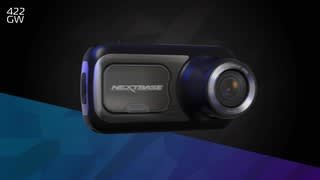

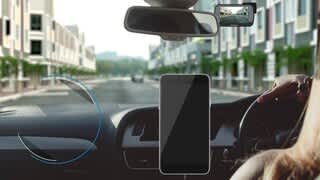

- Model:
- NBDVR422GW
- SKU:
- 6346989
Rating by feature
- Value
Rating 3.6 out of 5 stars
- Quality
Rating 4.0 out of 5 stars
- Ease of Use
Rating 3.7 out of 5 stars
Customers are saying
Customers enjoy the 422GW Dash Cam's excellent video quality and ease of use, finding it straightforward to install and operate. Many appreciate the GPS functionality and the inclusion of a touch screen. However, some users express dissatisfaction with the app's performance and the short battery life.
This summary was generated by AI based on customer reviews.
- Pros mentioned:GpsCons mentioned:Battery life, Usb

Does the important things right
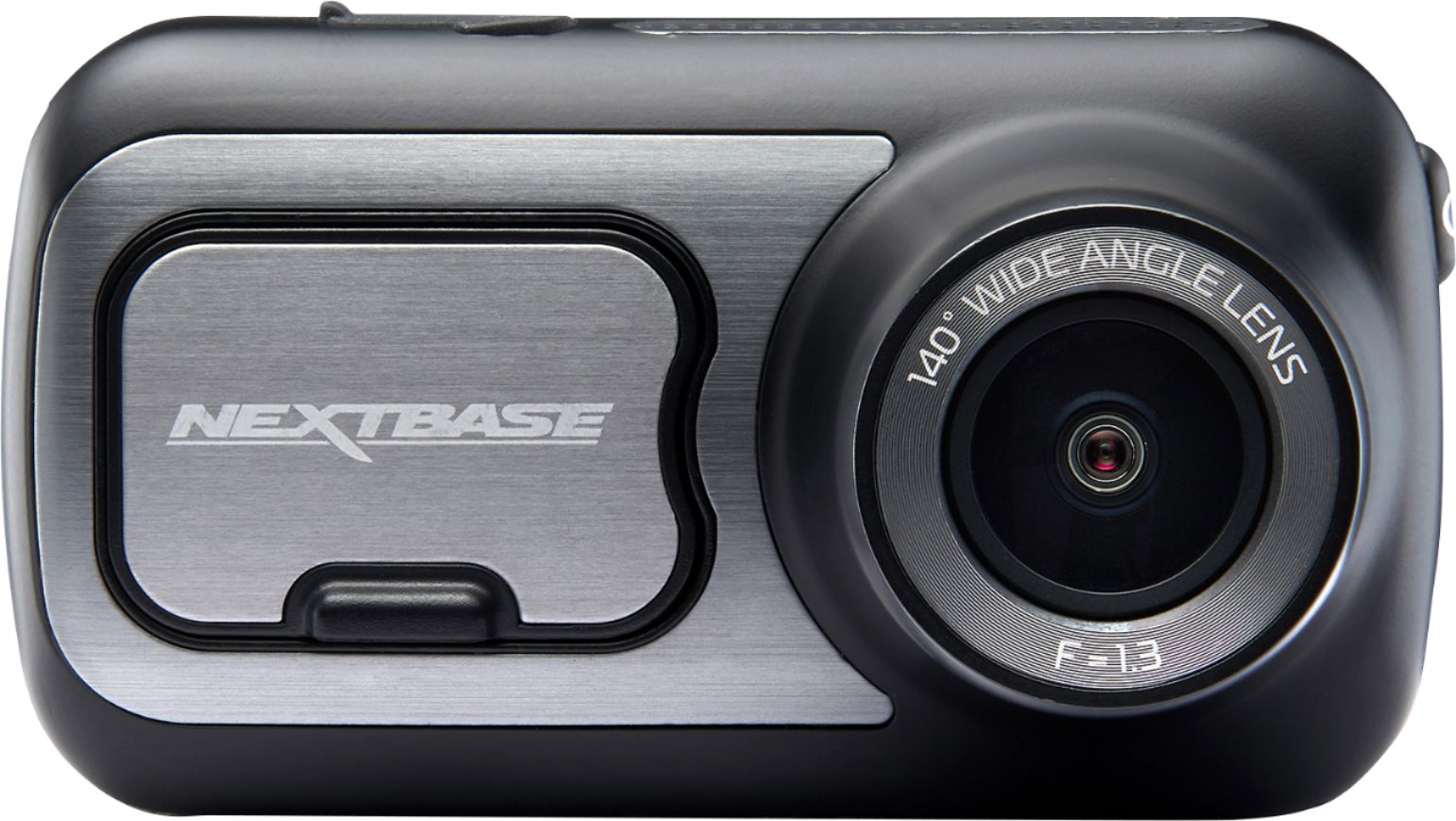
|Posted .This reviewer received promo considerations or sweepstakes entry for writing a review.After proof of fault could not be 100% determined by the insurance companies in a recent fender bender, I decided it was time to try a dash cam out in case of another instance. Positive feedback online led me to Nextbase. I considered other dash cams but the positive reviews and features of the Nextbase were just what I was after. While this dash cam does most everything right, there are a few very minor issues. In our current web and tech world, specs and features for almost anything you want to purchase is readily available. Instead of focusing on the specs and features that you can read about in better detail on the Nextbase or Best Buy websites, I will focus on real world use. First off, the packaging is quite nice. Everything was secure and there was protective film over the lens element and the touch screen. The camera was surrounded by soft foam and fully protected. When you open the box and view the included items, you get the sense that Nextbase cares about presentation. In this competitive world, that is a good practice. Initial Android pairing and setup was a little wonky. I do believe this was in part to my phones WiFi settings, so not too big a deal. Once I corrected the WiFi issue and got the firmware updated, it was ready to be installed. The whole pairing and update process only took about ten minutes even with my Wifi issue. Then the battery. What battery? Not sure what the mAh rating is, but it is absurd. If you have it unplugged, you are lucky to get 10 minutes before it is depleted. If you take it inside to update or adjust settings with the app, be sure to plug it in immediately. Also, don’t lose the cable they provide to attach it to your computer, because it is a USB 2.0 Type B - 5 position cable (see attached photo). Why they didn’t design it with the standard micro USB input that’s so common is beyond me. SENSITIVITY!? After I updated the firmware, I unplugged the cam and set it aside for a few minutes to read the install instructions and unpack the mounts, etc. I noticed immediately that any time I bumped my desk or set something on it, the camera would turn on and start recording. When I picked it up to take to the car, it also woke up and immediately started recording all the way outside and into the car. That is one touchy accelerometer! In one way this is good because this is how your camera detects when you start driving, or if it is bumped while in a parking lot, etc. In another way it is annoying. I just wish there was a master switch so it could be turned off (and stay off) when removing it from the car. This means you will have a lot of wasted space and black video clips on your SD card if you keep it in a bag or purse. There may be a way to disable this auto on/recording feature, but I have scoured the app and have not found a way yet. Simply turning it off by pressing the power button does nothing, because it will just start right back up and start recording again the second you move it. On the other hand, once you leave your car or set it down and it is completely still, it will shut off and be in stand by mode until it detects movement again. Installation is very easy and comes with a tuck tool to help hide the cable. Once installed and plugged in, I took a test drive around the neighborhood to check it out. I have mine set for max resolution and the files look great on my computer. Definitely good enough for an insurance company. The field of view covers my entire windshield, so it is very wide angle and captures the whole scene in front of the car easily. These cameras are also upgradeable with cool and functional add ons, such as a rear facing camera that I may look into later. The touch screen is bright and relatively sharp, just don’t expect high end tablet or phone quality. The screen is also small, so the icons for Alexa, start/stop recording, and settings, are really small. That said, you don’t really need to touch the camera at all once it is set up and ready to go. I have also noticed that the cam gets pretty hot. I am guessing that is because it is recording max resolution and also because it is summer. It remains to be seen, but the heat could be an issue with longevity of the device. Another cool feature is the screensaver. If turned on, the screen will change to a digital speedometer after a short time. This is great and helps keep your eyes on the road, not a screen showing what you are recording. If you want to check to make sure it is recording while in screensaver mode, simply tap the screen and it will show you the live view. Alexa integration is a nice feature and seems to work well so far. I do not use a music service that works with Alexa, so I cannot comment on dialing up music while driving. I mainly use it for easy commands like weather updates. Emergency SOS is a VERY cool feature and quite possibly the BEST feature of this device. For instance, the unit can automatically send an information stamped video file to select email(s) of your choice if you are in an accident. It can even send GPS coordinates to emergency services automatically if you are unable to press the SOS button. This is only two amazing SOS features. There are other extremely useful features with the SOS system that I highly recommend reading about on the Nextbase website. These features alone make this dash cam worth buying. Keep in mind that this is a paid subscription after the first free 12 months. All in all, I am happy with the device. It does the important things right, therefore I am only knocking one star for the minor issues. PROS: Good wide angle resolution and IQ Nice small design and seems well built Easy install, set it and forget it Emergency SOS SUPER sensitive CONS: What battery? No way to override or turn off the auto on/recording USB 2.0 Type B (5 position)? Really?! Gets hot while recording 1440p Touch screen is small so therefore the icons are small
I would recommend this to a friend - Pros mentioned:Gps, Touch screen, Video qualityCons mentioned:Usb
I can see you make that left in front of me!
|Posted .This reviewer received promo considerations or sweepstakes entry for writing a review.What’s to like: Sharp picture, clear in low light, parking mode, speed & location embeded in video, good app integration What’s not to like: larger than some, screen stays on, No SD card provided Why do you need a dash camera? It’s them, not you. It’s to capture the moments when someone does something stupid to cause an accident. Why should you look at the Nextbase 422? It gives you nearly everything you need to prove you did nothing wrong. Easy hook up to your 12V power jack means it will work in every car. Suction cup mount keeps the camera out of the way, but also lets you switch cars when you want to. GPS built into the mount lets the camera record your speed and location. It even lets you display a speedometer on the screen instead of the scene it’s recording to reduce distractions. How good is the picture? It’s clearer than the Garmin 55 this replaced. It’s sharp and adapts well to different lighting conditions. The touch screen makes it easy to navigate the options which include time lapse mode, dual video recording mode, and entering your license plate on the video. You can also take a picture or protect a video clip from being overwritten. Nextbase also includes a rechargeable battery which keeps this powered in parking mode for your camera to watch your car when you’re not around. Nextbase went beyond just a dash cam with the current line up, including the 422: Alexa integration. Oddly, this doesn’t mean voice control of your dash cam. It means you can use the camera as an always on voice control for anything you might otherwise do at home: play music, add items to your shopping list, or get directions. You can also use it to initiate phone calls. It’s not quite perfect, but comes close. The Garmin I had included lane change warnings, speed & red light camera notifications, and a close car warning. Nextbase has no safety alerts. One other note, the camera does not come with an SD card. Nextbase recommends a high speed U3 card or better to handle the high resolution video. These cards run ~$10-15 for a 32 GB. I did have a connection issue with my unit, but customer service was very responsive and quick to take care of it. Overall: This is one of the better dash cams that I’ve used. Between features and quality it beats all the other ones I’ve tried.
I would recommend this to a friend - Pros mentioned:Gps
Small Footprint Dash Cam w/ Great Performance
|Posted .This reviewer received promo considerations or sweepstakes entry for writing a review.Nextbase 422GW Dash Cam --------------------------------------------------------------------------------------------------------------------- *****Review***** --------------------------------------------------------------------------------------------------------------------- The Nextbase 422GW Dash Cam, a small footprint on your windshield. But don’t be fooled... It has excellent image quality and is built with quality material to give it that premium feel/look. With the 422GW Dash Cam by Nextbase, you are equipped with an IPS touchscreen that is pretty responsive to the touch and as a plus it looks good as well. When it comes to the touch screen, you pretty much have all your options where you need them so it’s readily accessible and user friendly. I did encounter a weird issue where the touch screen stopped responding to my touch and then the dash cam rebooted; this only happened once. There’s also several different ports/button to keep a note of such as power/reset, HDMI and microUSB. The power button is pretty much self explanatory while the reset button acts as a “factory reset” button. The HDMI port gives you the ability to plug it into a TV/monitor (for projection of your clips) as well as other units that Nextbase has to offer. The microUSB gives you the ability to plug it into a PC if you decide you want to transfer footage, do firmware updates, or simply if you want to plug in the microUSB instead of the 12-24V car power adapter. You also have the ability to transfer footage if you simply eject the microSD from your dash cam and insert it into your PC (given you have that ability on your PC). Also just as a side note, Nextbase doesn’t include a microSD card so make sure you buy one to expand the memory capability (128GB). I’m not going to dive into installation because in my honest opinion, it was super easy to install and you essentially have 2 “methods” to choose from (suction cup or sticky pad). So it ultimately depends on which option you want to go with (I went with the suction cup method). I personally didn't have any problems installing the actual dash cam in my car. What I did encounter were issues with the MyNextbase app for my iPhone. It had trouble communicating together and I also ran into an issue updating the firmware through the app for a solid 45 minutes which was a little bit frustrating. I even tried to delete the app, unpair it from my phone, and I even ended up resetting the dash cam itself… I finally got the firmware to update by downloading MyNextbase Player on my PC and completing the firmware update this way instead. I really like the features of the 422GW Dash Cam by Nextbase as well. Parking Protection is pretty spot on and I didn’t run into any issues using the feature. You can select different sensitivity settings but I personally felt like the normal/medium worked the best for me. What Parking Protection does is that if someone taps your car in the front while reversing, the dash cam will trigger and capture the footage. Along with the Parking Protection feature, you also get an Emergency SOS feature. Basically if you get into a car accident, the Emergency SOS feature will trigger and EMS (Emergency Medical Services) will be contacted. It doesn’t stop here with the features, you also get Amazon Alexa. Basically the thing(s) you normally do with Amazon Alexa you can do with your 422GW Dash Cam as it has built in Amazon Alexa. When it comes down to the performance of the 422GW Dash Cam by Nextbase, I am thoroughly impressed. With the footage that I was able to catch on my daily (day) commute, it was perfectly clear to make out the make/model and color of the vehicles around me. If you’re wondering if the 422GW Dash Cam can get the license plates around you as well; let me just say that there’s no need for wondering here. My only complaint that I have is when it comes down to footage at night. Don’t get me wrong, it’s still relatively clear in case of an emergency… But I personally feel like the quality is a bit grainy. In conclusion, all in all, I am pretty impressed with the 422GW Dash Cam by Nextbase. It’s a fantastic dash cam that can record with clarity, has some stellar features and has a small enough footprint to not be obnoxious on your windshield. If you run into issues with the MyNextbase app like I did, I’d recommend going the route of the software which is MyNextbase Player. My only recommendation here is that Nextbase fine-tune their MyNextbase app (resolve any issues/bugs that users encounter). That being said, if you’re someone that is currently in the market for a dash cam for either your daily commute or you actually need it for something like Lyft and Uber; I wouldn’t hesitate to consider the 422GW Dash Cam by Nextbase. --------------------------------------------------------------------------------------------------------------------- *****Quick Features & Specs***** --------------------------------------------------------------------------------------------------------------------- Alexa built in: Use voice commands to play music, check the weather, control smart home devices, and talk directly to your dash camera. High-quality (1440p) video recording: Allows you to capture sharp high-definition footage at 30 fps. 140° viewing angle: Provides expansive shooting coverage with minimal edge-to-edge distortion. Integrated 2.5" IPS touch screen: Offers an interactive interface and high clarity. Build-in G-sensor: Supports emergency video file backup when an accident happens. Emergency SOS: Features an emergency response to alert the emergency services to your location in the event of an accident. Bluetooth 4.2 and Wi-Fi enabled: Lets you automatically synchronize files to your phone. Supports microSD cards up to 128GB: Expand your camera's storage and recording capabilities with an SD card (sold separately). Click & Go Pro mount: High strength integrated neodymium magnets offer easy installation and removal in your vehicle. --------------------------------------------------------------------------------------------------------------------- *****What's in the box***** --------------------------------------------------------------------------------------------------------------------- Nextbase 422GW Dash Cam 12-24V car power cable USB cable Power cable fitting tool Adhesive mount Suction mount Click&Go PRO mount Owner's manual
I would recommend this to a friend - Pros mentioned:Alexa, Gps, Video quality
Excellent dash cam
|Posted .This reviewer received promo considerations or sweepstakes entry for writing a review.I have owned other dash cams, and after a few weeks of using the Nextbase, I can attest that this an excellent device. The video+audio quality is, and the field of view is about right, not too narrow and not too wide. The main strengths found with the Nextbase dash cam is the effortless installation, includes GPS location+speed, integrated with Alexa, and great software (both mobile app and PC). The device is very lightweight and made of durable plastic. INSTALLATION: The kit includes all the required hardware and cables to complete the installation. Car charging wire is long enough for all vehicles, even running the wire under the dash, side panel, and the car’s ceiling. The kit comes with two window/dash holders, sticker mount or suction base mount. The suction base is excellent for rental vehicles. RECORDING: Before using the dash cam, it is highly recommended having the device charge for 2hrs. After this, Inserting and formatting the memory card, install mobile or PC/mac software, perform a firmware update, and complete the final configurations. It has a parking collision sensor that captures images when motion is detected. The camera records quality video and at a wide field of view. In case you are in an accident, you want good images as evidence. Nextbase cam produces good quality video + audio. Going cheap on a dash camera will be regretful whenever you need evidence for an accident. Having recorded video/audio is to have evidence. Also, it can be used to file a claim with the insurance company. WORKS PERFECTLY: The dash cam records everything in front of a vehicle. I like how useful are the mobile app and PC software. With the mobile app, I can live view what the cam is recording, connect to Alexa, activate S.O.S., and view recorded video. Using the PC software is extremely easy and useful. With it, I can quickly find a clip, zoom in, locate GPS location, and it includes the exact location using Google Maps. Overall, I am satisfied with the Nextbase dash cam. In an accident, I will be glad to have great audio and video. This product could save you money in an insurance claim. I highly recommend the use of a dash cam.
I would recommend this to a friend - Pros mentioned:Alexa, Gps, Video qualityCons mentioned:App, Usb
Very well designed
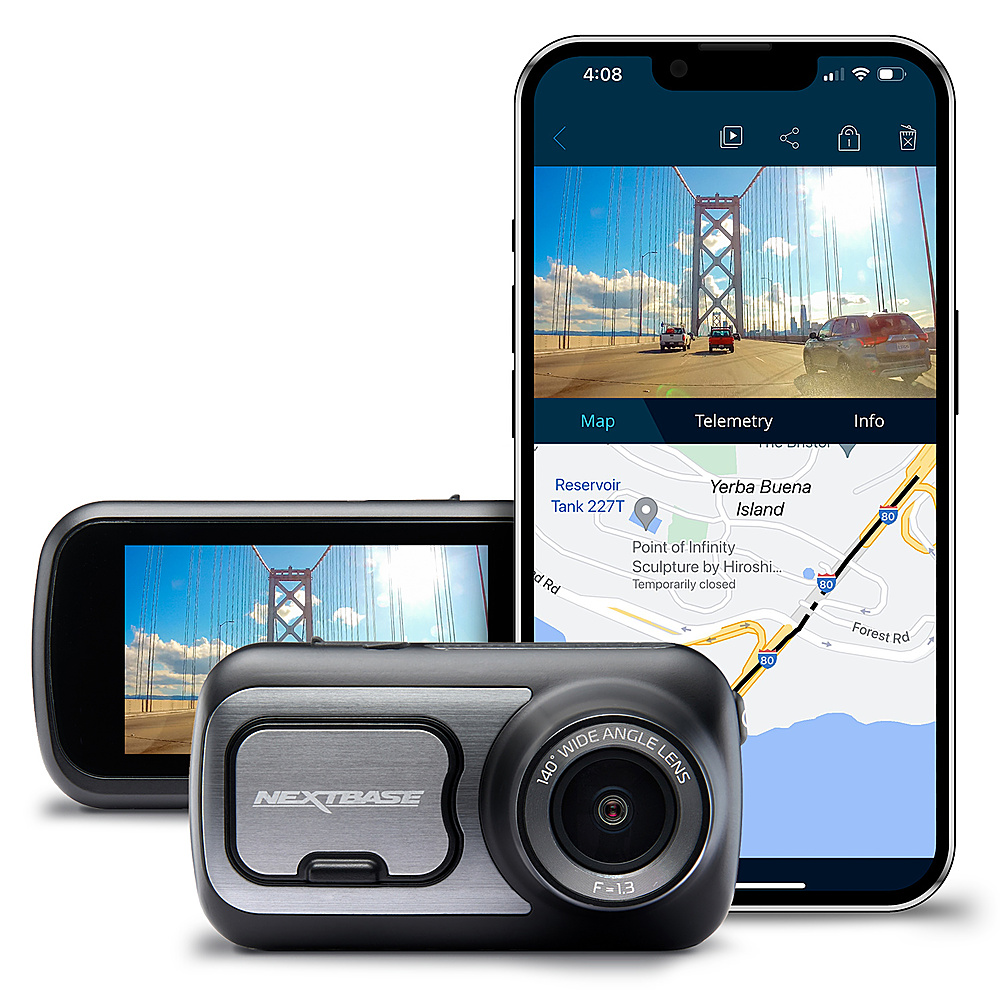
|Posted .This reviewer received promo considerations or sweepstakes entry for writing a review.Specs: - Camera records 1440px30fps or 1080x60fps - Accepts remote o locally attached rear-camera modules at 1080p - Bluetooth and Wi-Fi connection to a phone - Alexa support (Over Bluetooth with a phone) - G-Sensor, GPS Design: 422GW is part of a line of new dashcams. This model has all the connectivity features. When first opening the package and installing it, it's obvious it was designed in UK, and there is a lot of attention to detail. The camera comes with two mounting bases: On is permanently affixed via a 3M sticky pad, and the other is a more conventional suction cup that works very well. In both cases, the power cord is connected to the mount, not the camera, and the camera is held through a strong magnet that also sends power, so the camera can be cleanly removed without unplugging any cables. The camera screen is touchscreen, fairly responsive, with a physical record button that lights up faintly at night. Functionality: The camera is meant to be paired with a phone for full functionality. Like other high-end cameras, it features Alexa integration (Both the camera app and the Alexa app have to be running in the background on the phone for it to work). It can automatically transfer videos to the phone in case of impact (The camera has G-sensors) and optionally call 911 or send a link to the videos via email. These last features are optional. The recordings are very clear during the day, and at night it records in color, fairly clearly, depending on how good your headlights are. App: The camera can stream real-time video to the phone, or transfer videos to the phone (By default, the camera creates one video per minute, this can be changed). The main screen is a bit busy, and on my iPhone, it only works in portrait mode. Putting the phone in landscape (sideways) does not produce a full-screen video. When reviewing videos, the top of the screen shows the video and on the bottom it can show map data overlaid with Google maps, acceleration, speed, X-Y axis, location. Overall: This is a great camera, among the best in term of features and how well it's designed. It works well as either permanently mounted (with optional hardwire kit) or plugged in via cigarette lighter connector. It can always be removed with the magnetic connection to the base even when the base is permanently attached. Bluetooth and Wi-Fi connections work reliably with a well designed app. It supports different models of rear-cameras and rear-passenger cameras (ie for ride-hailing) that can be either attached to the camera itself or via a cable to the rear window. Designed in UK with great attention to detail. Note: It uses MicroSD cards (Not standard larger SD cards), and it does not come with one. If you're planning on using a rear camera module, you'll need a 'v30' capable card to be able to record two HD videos in real-time.
I would recommend this to a friend Tiny dash cam packed with features and clear image
||Posted . Owned for 3 weeks when reviewed.This reviewer received promo considerations or sweepstakes entry for writing a review.this thing has already paid for itself. within a couple weeks, i was hit by another driver and caught it on my dashcam. I quickly sent the footage through the app at the scene of the accident. My claimed was processed and i had my car fixed in the shortest amount of time ever. luckily i didn't have to use the SOS tech for this accident, but it's nice to know it's there for me and my fam. i love the alexa auto function as well. Maps, weather, traffic, music, etc. so easy to just boss my car around and tell it what to do. the rear cabin module is dope. you can see out all back door windows and rear window and also catch all the funny that happens inside the car.
I would recommend this to a friend- Pros mentioned:Gps, Video quality
One of the best dashcams available
|Posted .This reviewer received promo considerations or sweepstakes entry for writing a review.I've played around with a few less expensive dash cams that did a decent job, but none of them felt like the Nextbase 422GW at any point in use. The short and sweet of this camera is that it might be a bit pricier than alternatives, but the whole experience - from setup, to viewing and editing videos, even to just holding it in your hand - feels top notch. At no point in using this camera did I wish to go back to one of the other models I've used in the past. Nextbase has done a great job on this unit. Everything you need is included in the box except for a micro SD card. A small USB cable is included for charging and transferring videos. A semi-permanent adhesive mount, and a more portable suction cup mount is included to provide options. A 12v vehicle power cable is provided that is long enough to conceal behind your vehicle trim and dash, and it plugs into both mounts so you can leave it once the cam is positioned to your liking. A small plastic vehicle trim tool, the "Cable Tidy Tool", helps you tuck that power cable out of sight. And a quick guide helps get you up and running fast. A full manual is available for download from the Nextbase website and I highly recommend reading it. The info it provides is extremely useful for advanced options, and for operating the camera effectively. Video quality on this unit is excellent. It records 1440 res at 30FPS, and the recordings look great both during the day and at night. I set mine to 1080p at 60FPS, however, and found the video quality to still be excellent, while also saving some file size. While recording you can tap the screen to generate a still shot while the recording continues. Recordings default to 1-minute clips to provide an easier time transferring and managing space. You can change this setting to 2 or 3 minutes if desired. The camera features a battery on it for loss of power or Parking Mode. While it only supports about 15 minutes of recording time, it's a decent amount of standby time since it only records when necessary. The camera also features loop recording meaning once the micro SD card fills up, every time a recording is needed an existing 1-minute clip is removed. To make a longer video of your drive, the MyNextbase player offers an easy editing experience with simple stitching options. Using the MyNextbase Player also allows you to add annotations, title screens, and cut videos to shorter clips. The interface on the app is simple but effective, and I found the viewing experience of videos to be much better than using the camera for this. The player also provides GPS information, speed, heading direction, and a route map. The route map not only shows your location during playback, but also allows you to click a point on the route to jump the video to that time, which I really liked. The camera is best used with the MyNextbase app installed on your phone and your phone connected to the camera during use. The app allows you to update firmware and modify more advanced settings, which gives you greater control over the cam. It is also how the Alexa integration and Emergency SOS feature works. Since I don't use Alexa as much as some may, I found the Emergency SOS to be one of my main reasons for the app, and one of the primary features I liked about this camera. Emergency SOS alerts emergency services in the event of a crash. The camera uses the GSensor to detect a crash and uses the app to sense driver movement or interaction afterward. If no motion is detected via the GPS, accelerometer, or pedometer, the app displays a countdown to emergency alert. If no one cancels the countdown on the camera or app, an emergency SOS message is sent out with GPS and personal data for emergency services. I like this option over other in-car monitoring services, since nothing is transmitted unless an incident occurs, and you can’t cancel the countdown. Speaking of incidents, there is a protect button right below the screen and Nextbase logo that allows you to manually protect recordings, and it is also activated in the event of a detected incident. When activated, a 10 second lead and 20 second tail is added to the recording and the recording is saved in a protected folder on the micro SD card. Files in this folder are not removed when the card fills up. There were very few things I didn't like about this camera, but nonetheless there are some. The first thing was right out of the box. The USB port on the camera is mini USB, not micro, which was a shock for a modern device. Brand new USB devices are going to USB C, and most modern devices are at least using Micro USB. I have even begun purging my excess mini USB cables since I only have 1 or 2 devices using them. I don't understand the decision to go with the dated Mini USB form factor and think they could have easily opted for at least Micro. The second thing I didn't like was also something I really like, sort of. The camera secures to both mounting options using a magnet in the front. It's very secure. Too secure. I love that the camera doesn't seem like it will ever fall off, but removing it is also a really difficult task because the magnet is so strong. With the adhesive mount this is less of a problem, but I have had the camera pull the suction cup mount with it when trying to remove it. The last issues I had were with file transfers from the camera to the computer. First, when moving from camera to computer I found transfers to be rather slow when moving multiple files. It's much faster direct from micro SD card plugged into your computer. Second, I found duplicate videos on the card, varying only by a couple letters (FH or FL) but with very different file sizes. It's easy to overlook the part in the Video Settings section of the manual that indicates "both a high and low quality video are saved." It turns out FH means "Front High" and FL means "Front Low". Adding a rear cam accessory will also generate a RH and RL recording. Overall, as I mentioned, I really like this cam. The built quality is spot on, the recording quality is excellent, the size is just right, and the feature set is perfect. There are many more features I haven't mentioned in detail, like Parking Mode, Screen Saver, and Time Lapse, that this cam supports, and they all work very well. Add in the support for hard wiring and any number of rear camera accessories, and what you end up with is a great package that feels well planned out and like it will last.
I would recommend this to a friend Lots of reflection from the windshield.
||Posted . Owned for 1 month when reviewed.This reviewer received promo considerations or sweepstakes entry for writing a review.This Dash camera must have a reflection free lens for high quality videos.
I would recommend this to a friend- Pros mentioned:Video qualityCons mentioned:Battery life
Great quality dashcam with lots of features
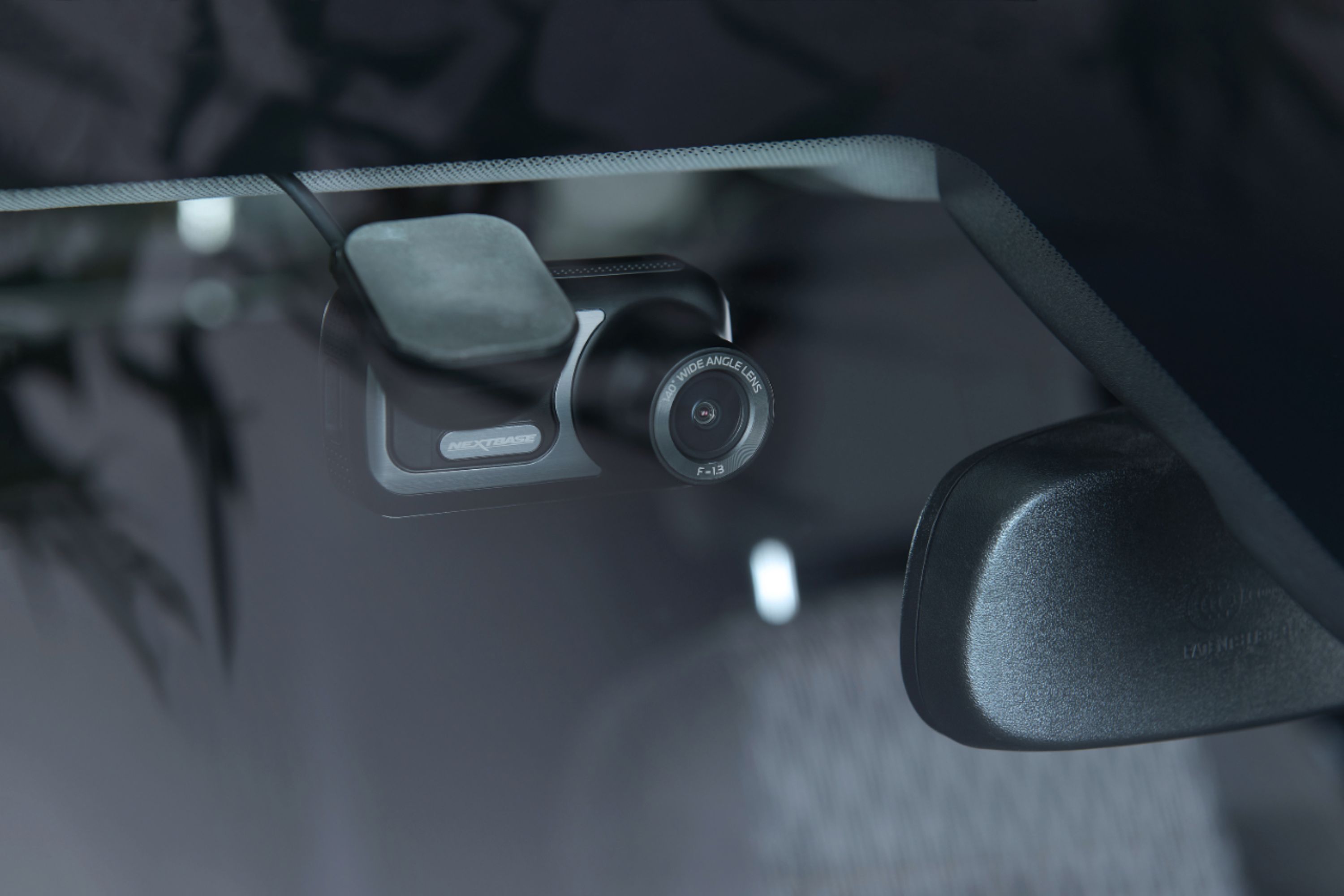
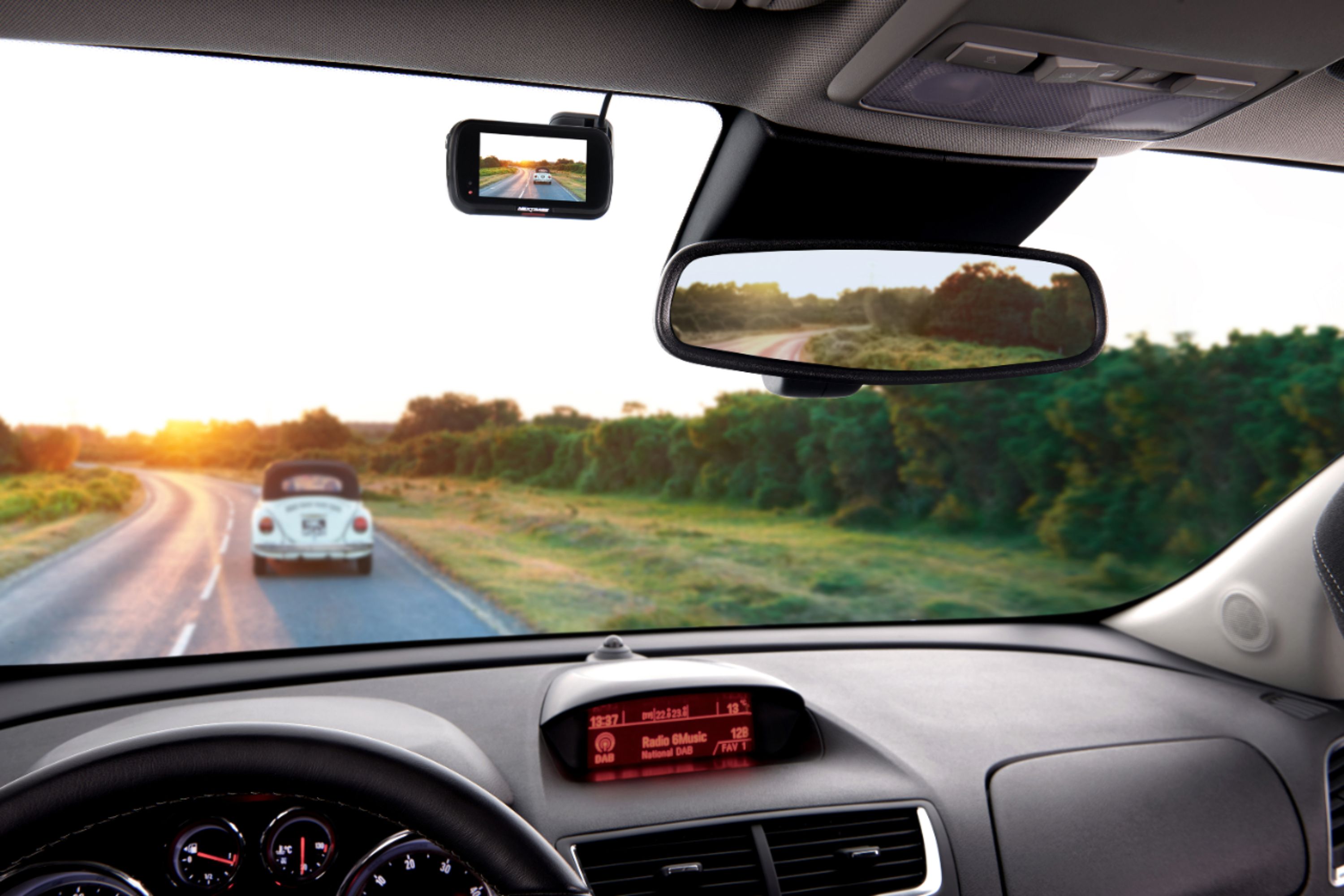
|Posted .This reviewer received promo considerations or sweepstakes entry for writing a review.I have had dash cams in both of my vehicles for the past couple of years in an effort to protect myself in the event of an accident or perhaps a ticket. The past couple that I have used were on the cheaper end of the spectrum however I sacrificed quality and features. I decided to upgrade to the Nextbase Dashcam 422GW because of the unreliability of the cheaper model ones I was using and the quality, features and good reviews the Nextbase has. I'll start off by saying it was fairly simple and quick to set up after unboxing and installing a firmware update. You will need to purchase a micro SD card in order to record as there is not one included. The touchscreen was very responsive and setting it up to wifi was a breeze. It also is very quick to start up when you start your car. I liked the idea of being able to charge it and stick it on my windshield as to avoid wires however the charge does not last very long so you'll probably have to have it plugged in while in use. I like the application you can install on your smart phone to watch live video on your phone and download the video files to your device. Having Amazon Alexa in my car is also a convenient feature however I initially experienced issues syncing with my smartphone so be patient as it seems to eventually fix itself. The camera was small enough to tuck away behind my rear view mirror as to not be a distraction while driving but still allowed for touch screen use. The camera mount provided is very sturdy and holds against the window well while also not allowing for too much shaking or moving. The 140 degree angle of the camera, similar to a fish eye lens, was great to capture vehicles that are next to you. Some of the other features that may come in useful, but hopefully not, are the SOS button that can sense accidents and notify emergency personnel if the driver is unresponsive and the parking mode that will record if the camera senses your vehicle being bumped. Overall I think the Nextbase Dashcam is a good investment and decent upgrade from what I was previously using while also providing many new and useful features.
I would recommend this to a friend - Pros mentioned:Touch screen, Video quality
The Perfect Co-Pilot
|Posted .This reviewer received promo considerations or sweepstakes entry for writing a review.Looking to get a dash cam? Be it for safety, insurance or just to film the road trip's special moments. This will definitely do the trick. The Netbase 422GW Dash Cam is pretty darn close to perfect for posting up right under the rear view mirror and starts recording as soon as you start your vehicle or as soon as it feels movement, if you'd prefer. The video quality is great and the sound is more than adequate. It's well built yet just light enough to carry around without issue. It has an micro SD card slot( card sold separately) for more memory. The booklet shows usage of 16 GB card, but I went with a 64 GB, personally.It shows you how to run the wiring so that it it's clean and neat. It even comes with a tool just for hiding the cable. You can connect it to Alexa for your voice operated, hands free needs . It has a touch screen, so that makes for easy navigation of the menu. All around easy to install and use. It also works with curtain backup cameras. This thing is kinda great. The app can be a little dodgy, but I just reset the app and things worked like a dream. I highly recommend this dash camera at the going rate of $249.99. If it ever goes on sale, you'd better believe I'm buying a couple more. So go pick this up and drive and/or park your vehicle with confidence and security.
I would recommend this to a friend Great hardware, poor software
|Posted .This reviewer received promo considerations or sweepstakes entry for writing a review.=== Summary === The Nextbase 422GW dashcam is a pretty good & quality dashcam that is easy to mount and set up with good video quality, excellent audio quality, and several neat features. The 2.5" IPS touchscreen display is clear and bright and very responsive to touch inputs. The only major glaring flaw is the MyNextbase smartphone app that needs lots of improvement. Overall, I give it a 4 out of 5 due to software issues. _____ *Pros: -Easy to set up and mount. -The mounting magnet system is very strong & secure. -Bluetooth and Wifi connections are made quickly and reliably every time. -Small & light components = highly portable. Easy to carry from one car to another. -Auto-recording upon car start has been very reliable. -Rechargeable battery inside. -3 recording modes: 1440P@30 FPS, 1080@60 FPS, and 1080@30 FPS. -Parking Mode is useful for recording bumps & hit-and-runs. -Adjustable G-Sensor sensitivity to minimize false alerts. -Daytime video quality is crisp & sharp but oversaturated. Nighttime recording is better & good. -Audio recording quality is very good and clear. Good background noise filtering. -Supports microSD cards up to 128GB. -GPS fires up quickly and is accurate. -The Emergency SOS feature is a thoughtful feature. -Is compatible with several add-ons - polarizing filter, rear view camera, rear window camera, and cabin view camera. -Supports Amazon Alexa AI assistant. _____ *Neutral: -I wish the car charger had at least one USB port for phone charging. -Colors are overblown, especially the red and orange colors (see picture). -I wish it came with a hard carrying case. -Due to the strong magnet connection, it's kind of hard to detach the dashcam from the mount. Gotta wiggle it a lot. -The rechargeable battery capacity is small (320 mAh) and runs out of juice quickly without the car charger. -The Emergency SOS feature costs money after the 1-yr free trial period. It's $4.99/month - kind of expensive. -I wish Google Assistant was an option. _____ *Cons: -Once disconnected from the car charger, the dashcam won't turn off fully unless Parking Mode is disabled or the battery runs out. -The MyNextbase app is buggy - Live View lag, frequent Live View disconnects, changing settings loses connection to phone with no automatic resuming of video recording. === Hardware & Performance === All the hardware components & accessories of the Nextbase 422GW dashcam inside the box are of high quality and exhibit excellent build quality and fit-and-finish. The Click&Go Pro GPS Mount attaches smoothly to the Suction Mount and the Suction Mount, in turn, connects strongly & securely to the dashcam via a very strong magnetic connection. I chose not to use the Velcro mounting option because I didn't want any glue residue melted onto my dashboard (SoCal weather during summer often goes above 100 F). The suction cup stuck onto my windshield very securely and thanks to the light weight of the 422GW, the camera never fell down despite my car having a relatively rough suspension system due to an aftermarket coilover system. The main dashcam unit is very light (105 g) and well-built and it was easy to handle. The 2.5" IPS color display is bright and very responsive to touch inputs. The Power Button and the microSD card slot are located on the left where access is fast and easy for the driver. The car charger cable plugs in to the right side of the 422GW and it stays out of my way when driving my manual stick-shift car. It would've been nice if the car charger included at least one USB port for phone charging. The 140-degree viewing angle captured a wide swath of the road and the video quality at both 1080P and 1440P was crisp, sharp, and satisfactory. Street signs and license plate numbers were clear and easy to read during video playback. Nighttime videos were especially impressive & noticeably brighter than my other dashcam as it contained much less noise and showed more colors. Both dashcams are around the ~$200 MSRP pricepoint but the Nextbase proved superior. Daytime videos, however, fell below my expectations. Despite having high FPS and crisp images, I was constantly bothered by the extremely saturated colors, especially the reds. I really wish that Nextbase, in future firmware updates, will either tone down the color saturation levels or give the user the option to change color profile settings. Adding or improving the HDR option would be nice as well. When it comes to the quality of audio pickup from the microphones, this is another area that the 422GW excels in. It picked up low background voices much better than my other dashcam and the volume was louder and more clear. Bluetooth and Wifi connections are yet another set of strong attributes of the 422GW. My phone was immediately recognized upon opening the Nextbase app and swiftly connected. When I initiated a Wifi connection, that also went over smoothly. As for file transfer speeds over Wifi, however, I wasn't very impressed. Nextbase calls it a "High-Speed Wifi" connection but it was very slow, peaking at ~2.5 MBps (20 Mbps) transfer rate. When I transfer files from my laptop to my desktop over my home Wifi (dual-band 801.11ac), I get much higher transfer speeds than that and reach speeds up to 14.5 MBps (116 Mbps). Charging is done via a mini-USB B port and the 422GW has an extra port on the side for future expansion modules such as a rear view, rear window, or cabin view camera. Other optional accessories for the 422GW include a hardwire car kit (to neatly tuck in the power cable), a polarizing filter to reduce glare & reflections, and a carrying case. At this price point, I expected a carrying case to be included instead of being a separate purchase. Oh well~ On the topic of GPS, it worked very well. I compared the GPS coordinates reported by the 422GW against Google Maps and my location was spot-on and accurate. Impressed. The Intelligent Parking Mode that runs the 422GW on battery power and detects for bumps and motions while the car is parked worked as intended and recorded clips in a timely fashion. The G-Sensor, which informs the 422GW about possible accidents, worked great & "locked" videos so that they couldn't be overwritten. I set sensitivity to Medium to minimize false alerts. Besides the oversaturated color profile in the videos, I see no other faults with the 422GW. It's a quality modular dashcam with a robust accessory ecosystem. === Software Integration === In terms of software, mainly the MyNextbase smartphone app, I didn't like it very much. Upon launch, there are big notices/ads for Amazon Alexa, Nextbase News, and accessories that take up more than half the screen. And they don't go away which is irritating. Another negative is the Live View video feature. It was always lagging behind by one to two seconds and the connection would break off at random times. The feed did eventually reconnect on its own but it was annoying regardless due to its high frequency of cutouts. Another thing that annoyed me was when I made changes to the dashcam inside Settings, the dashcam would stop recording and not begin recording automatically once I exited the Settings section. I had to manually restart the recording process each time by tapping on the display. If I forgot to hit record, then there would be no important footage to review later in case something happened to me and my car. Onto some positives. A nice and thoughtful addition is the Emergency SOS feature whereby the 422GW detects a car crash and sends my GPS and medical data to an emergency responder. It is free for one year then it costs $4.99/month. It's on the expensive side and I, therefore, won't be continuing the service after the trial. I'm sure some will appreciate it though. Since I use Google Assistant on my phone and at home, I didn't try using the Alexa AI. I didn't want to install another app and go through the learning process. I didn't use the MyNextbase Player application either as I use Cyberlink Power Director for my video editing needs. Overall, the software is very "meh" and I'm hoping for future refinements from Nextbase. === My Take === To sum it up, Nextbase offers good hardware and so-so smartphone app. After considering the two together, I cannot rate the Nextbase 422GW package higher than a 4 out of 5. It gets points for its crisp, sharp, and smooth videos. Also for its Intelligent Parking Mode, excellent microphone quality, and its slick mounting system. They just need to fix the oversaturated colors and improve the smartphone app.
I would recommend this to a friend- Pros mentioned:Ease of use, Video quality
Fantastic Dashcam, Especially When You Need One!
|Posted .This reviewer received promo considerations or sweepstakes entry for writing a review.This dashcam is easy to set up and works well with the free Nextbase app available on your app store. A few days after setting it up in my wife's car, I had an unfortunate meeting with a whitetail deer early one morning on my commute to work. It captured the event in vivid detail, and it was easy to retrieve the video from the SD card to share with law enforcement if needed. It is important to note that the camera also records telemetry data (your speed, direction of travel, and location) which could also be used against you in the event of an accident, so be sure that you are doing what you should be doing if you install one of these in your vehicle! When I opened the box, I found the camera, a suction cup mount, an adhesive mount, and a power cord which connects to the mount. It was very easy to download the Nextbase app from the Apple App Store and get the camera paired via BlueTooth. Once paired, the camera will establish a WiFi connection for more data-intensive communication with the camera if needed. My camera also required a firmware update which was quickly and easily accomplished via the app. The camera also has Amazon Alexa built-in, but it relies on your phone to communicate with the Amazon servers, so the implementation is clunky and difficult to use. I ultimately gave up on getting it to work reliably, so I wouldn't buy this camera for that feature.\ This is great dashcam for capturing what happens on the road and providing potential protection in the event of an accident. Alexa implementation isn't really important to me in a dashcam, so I did not deduct for the poor Alexa functionality. Just know that if Alexa is important to you, this may not be the camera to buy. I attached some images from my deer event.
I would recommend this to a friend Nice dash cam.
|Posted .This reviewer received promo considerations or sweepstakes entry for writing a review.Overall the Nextbase 422 is a solid dash cam. With a very responsive touchscreen and an equally good app you have a lot of ways to control it and see your video without removing the sd card. The app gives you the ability to view live video of your dash cam and access all the video it’s recorded. Not having to remove the sd card and put it in a computer to view the video makes it easy if you do have an incident. With built in gps you see the video and also the gps data via Google/Apple maps in the app. I’m not an Alexa user so I can’t speak on how well that works, but it is an option. It also has an SOS mode built in that if set up with your phone will call emergency services if your in an accident and unresponsive. One feature I was happy to see at first was the parking mode, after using it I had to turn it off. When using parking mode whenever I opened the door and closed it the camera would detect it and start recording a protected video. This is a great feature and wish they could have made it to where it had a sensitivity level instead of just on and off. Per the manual it’s states not to operate the unit above 113 degrees F, living in an area that will reach 100 degrees F this week that was a little concerning for me especially when I was looking to use the parking mode feature. I’ve left it in my vehicle on 95 degree + days and have had no problems, but will probably take it inside if it gets real hot as the magnetic mount makes it easy to take with you.
I would recommend this to a friendFantastic Dash Cam and Easy to Use
|Posted .This reviewer received promo considerations or sweepstakes entry for writing a review.I picked up a dash cam for my car recently and wanted one for my wife. I chose to give this cam from Nextbase a shot because of the features. I expected it to be better than mine but WOW. This thing is AWESOME!! First, the quality, fit, and finish is top notch. The touch screen is easy to use, easy to navigate, settings are easily adjusted and could be understood by even the least tech savvy. The mounting system is significantly better than the "wedge" system that I'm used to on mine. It uses a powerful magnet to hold it in place and it works very well. This not only makes it easier to remove for use but it makes it significantly easier to install and adjust. This was a breath of fresh air from my current cam which offers no horizontal adjustment. The recordings are high quality and you can record in up to 1440p60fps. I chose to record in 1080p since it retains plenty of detail but takes up slightly less recording space. I haven't even touched on the plug and play ability to add a "cockpit" camera to record what's going on inside the car (and behind you to a certain extent). Downloading the app makes it easier to transfer and save files; potentially handy in the event you need to be able to show someone what ACTUALLY happened during an accident. Built-in Alexa is nice but I haven't used it as much as I thought I would. Also, built in emergency alert!! The dash cam for my car has NONE of these features built in and the cost was very similar. The ONLY knock I have to give this particular cam is that it doesn't come with a hardwired cable; only a cigarette lighter plug in. Potentially, you could use this permanently but, in my wife's case, those plugs are all the way near the floor board in the middle of the van so it'd be hard to run and hide it all the way up to the top of the windshield. Also, it might mean you'll have to get creative to charge other equipment such as your phone, tablet, etc. However, you can source one fairly cheaply from multiple places AND the camera automatically turns on and off with your vehicle. I absolutely recommend this dash cam. You will not be disappointed with it!! I will probably be replacing my current cam with this particular model. IT'S THAT GOOD.
I would recommend this to a friend- Pros mentioned:Ease of use, Video qualityCons mentioned:Usb
Well Worth it!
||Posted . Owned for 2 months when reviewed.This reviewer received promo considerations or sweepstakes entry for writing a review.It comes with everything except Micro SD card. Once you set up the camera very easy to use. Automatically powers up when you start your car. Pleased with the performance how easy to hook up to my phone. Excellent quality picture. Excellent investment.
I would recommend this to a friend - Pros mentioned:Alexa, Touch screen, Video qualityCons mentioned:Battery life
Good not Great
|Posted .This reviewer received promo considerations or sweepstakes entry for writing a review.So, I have dash cams in both my cars. I feel these days it is not a requirement, but it definitely is something that will help you (if you are in the right) at the scene of an accident. I drive a mini cooper and get cut off all the time. One time it was so bad, I almost wrecked. That was the final straw and I bought an entry level dash cam, not this one. The Nextbase 422GW is what I have now upgraded to. The first thing you will see right out of the box is how well built it is. Its like a small digital camera with a touch screen. There is a SUPER strong magnetic connection on the front of the camera that I will discuss later. Everything is pretty obvious as far as its given purpose, right out of the box. I ran the wire from the windshield to the lighter connection with few complications. That will of course depend on your car set up. One thing I liked was the fact that they provided a tool in order to get the wiring under the trim on your car. I feel I know what I am doing, but to be honest it made the job twice as fast. So after the install (I tried a few locations, as I wanted to make sure I had the best view) I figured I had the best spot for the install. I put it on the passenger side just to the right of the rear view mirror. I am able to reach it well, and it is not a distraction for me. I also turned on the screen saver mode, so it will appear to be off as I am driving. The touch screen is large for what it is. Its not an iPhone sized screen, but then again you don’t want an iPhone sized screen blocking your view of the road! The screen is responsive and the controls are fairly intuitive. I think the software is good, but not great. I realize this can all be fixed with an update, so its no big deal. There is an App for my iPhone, and the integration between the two is hit or miss. I would love it to work better than it does, but again I feel with the constant upgrades for hardware and software for the iPhone, this would be a challenge for any company to do. There is a feature I like that is called SOS. When you get in a crash, it links with your phone and calls emergency services. We have onstar in my other car, so we are covered for my wife. But, I love the idea that I now have something in my car. It does say the connection is failing quite often, which I am not fond of. Also, I am not getting a charge in the device when it is connected. The second I remove it from the power source it dies within 5 minutes. Hence the four star rating. It works well otherwise, but I don’t like the fact I cannot do updates and adjust the settings unless its connected to a power source. The picture and recording capabilities is fantastic. It is HD for sure, and the angle of the lens is sort of like a fish-eye without the distortion. That part is extremely impressive. It also has Alexa on it, which is something awesome if you are into that. I am back and forth on the idea of having that in the car, but I know people that love it. So it is there for you and it works well. It reacts to your voice well and it’s a really cool feature.
I would recommend this to a friend - Pros mentioned:Video qualityCons mentioned:App
Very Good Camera
||Posted . Owned for 1 month when reviewed.This reviewer received promo considerations or sweepstakes entry for writing a review.This is a good camera. Picture quality is very good, not great. I'm not a fan of the app. Not friendly, and I have yet to figure out how to watch footage from my phone.
I would recommend this to a friend - Pros mentioned:Gps, Video qualityCons mentioned:App
Great new generation dash cam
|Posted .This reviewer received promo considerations or sweepstakes entry for writing a review.This 422GW cam is the new car dashcam generation, clearly designed to extend the obvious possibilities of a cam mounted in your car while simplifies the user experience. The first impression after opening the box is how well it’s designed, that it’s important when you think in how well integrates in your car windshield with low visual impact. I observe how beneficial is this quality also, after a very sunny days week with more than 100 degrees, when the camera didn’t experience any overheat. The box includes two mounting bases. One that can permanently fixed via a 3M sticky pad, and the other with a suction cup (my preference and I can confirm how well stays in place). In both cases, the power cord is connected directly to the mount and not the camera. The power is transmitted to the camera through the base that has a strong magnet that keeps the camera in place. This system also allows the removal of the camera without unplugging any cables. The power cords can be permanently mounted (with a non included hardwire kit) or plugged in via cigarette lighter connector (this is included). The camera screen is touchscreen, responsive, with a physical record button that serves to protect the recording that could consider relevant to be saved. In reality, I only used for the initial setup, once done all is done through the app. Camera and app, connect by Bluetooth and Wi-Fi and both connections work reliably. The camera is designed to be paired with a phone for full functionality. It integrates with Alexa (both the camera app and the Alexa app have to be running on the phone for it to work). The app allows the transfer of videos to the phone in case of impact (thanks to some sensors included in the camera) and optionally (after the setup) could call the emergency services providing the GPS location. The recordings are very clear at day and at night but I guess that this is based in how powerful your car headlights are. The App allows the camera to stream real-time video to the phone, or transfer videos to the phone (as proposed by default, I created one video per minute but could be changed). Personally, I think that more development is needed, sometimes the screen is frozen and includes more links with publicity than functions. But it’s true that is the great tool to download and to review the videos, including the general data of the record: the map, acceleration, speed, X-Y axis, location. To know that, it supports different models of rear-cameras and rear-passenger cameras that can be purchased separately. It uses MicroSD cards (Not standard larger SD cards), and it does not come with one.
I would recommend this to a friend - Pros mentioned:Ease of use, Gps, Video qualityCons mentioned:Battery life
Purchase your perfect witness
|Posted .This reviewer received promo considerations or sweepstakes entry for writing a review.In the last year, both my wife and I have been rear ended with our word against theirs for insurance responsibility... that won't happen again with Nextbase as our witness. The camera is easy to set up and took me about 30 minutes to install in my F-150 with the optional rear window camera. (Note when picking which rear view camera I sent a message to Nextbase asking which would be best for my vehicle and I received a personal response within a day). I used the suction cup mount to hide the camera behind the rear view mirror. I then used the included tool to help hide the power cord and rear view camera cord in the molding around my windshield and doors. Once complete, the cords are well out of sight around the vehicle, only showing where I come up from the floor to plug into the cigarette lighter. Using the camera is then almost hands free. Every time I get into the vehicle and start it, the camera does its own thing, taking 1 minute videos (can change to 2 min or 3 min but would recommend staying at 1 min for smaller file size). The video is simultaneously recording front and back, creating two separate files that also contain your location and speed from the gps. The quality of both videos is great, with occasional glare from the windshield. Where you will need your hands is if you want to protect a recording, there is a convenient button to press. However, if you are in an accident, the camera is supposed to sense the accident from the impact and automatically protect the video. Once you have your video you can download to your phone with the Nextbase app, plug the camera into your computer, or remove the memory card to insert into your computer. The app works, but the transfer is slow, and I've had the camera auto shut off when trying to download more than one file at a time (if anyone knows how to increase the auto shut off time, please comment). So its convenient, but it has its limitations. The app also has the feature of then sending the file to the web and creating a free link for 45 days to share to others to view your video. For my preferred method I remove the memory card to view on my computer with the Nextbase program to see the map and speed. Contrary to other reviews, I have no problem pushing in the memory card and ejecting with the spring loaded mechanism. As others have noted, the camera does get very hot, but so far I have not found that to affect its performance. So after wishing I had a camera from our insurance company experiences of he said vs she said, I've found a camera that does it all from a company that clearly knows what they are doing... and as I write this review, I have a second camera and rear view camera on order for my wife, taking advantage of Best Buy's bundle sale of $50 off when buying both. If you are looking to bring your own witness on the road, I'd recommend you take advantage of this sale as well.
I would recommend this to a friend - Cons mentioned:App
Absolutely Useless
||Posted . Owned for more than 2 years when reviewed.This reviewer received promo considerations or sweepstakes entry for writing a review.This dash cam, and I assume every one by this brand, is completely worthless. I’ve had the camera for two years now, and since day one it stops recording for no reason and without warning, and the disgrace of an app is nearly unusable because it always freezes during file downloads. I would not trust this camera to protect me if I actually needed it after an accident. Avoid this camera!
No, I would not recommend this to a friend