FREE shipping to
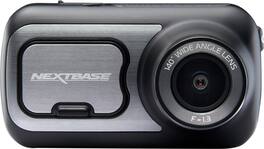
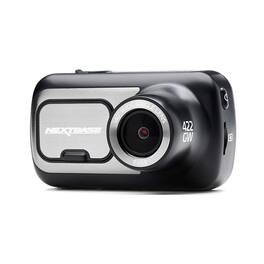
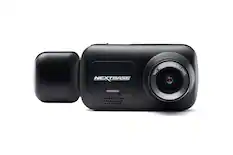
Capture video while driving with this Nextbase 422GW dash camera. Wi-Fi and Bluetooth connectivity automatically sync footage to your phone for easier editing and sharing, and the 2.5-inch IPS touch screen offers intuitive control with upgraded resolution. This Nextbase 422GW dash camera with Alexa built-in uses a G-sensor and SOS response service, safeguarding your footage upon impact while alerting emergency services for safety and a prompt response.
A: The manual says don't leave it in an unattended vehicle in direct sun, don't operated outside of -4*f to 113*f, and don't store for extended periods outside of 32*f to 77*F.

Capture video while driving with this Nextbase 422GW dash camera. Wi-Fi and Bluetooth connectivity automatically sync footage to your phone for easier editing and sharing, and the 2.5-inch IPS touch screen offers intuitive control with upgraded resolution. This Nextbase 422GW dash camera with Alexa built-in uses a G-sensor and SOS response service, safeguarding your footage upon impact while alerting emergency services for safety and a prompt response.

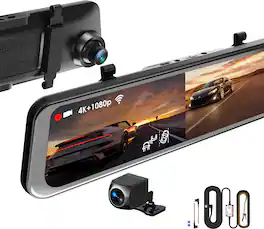
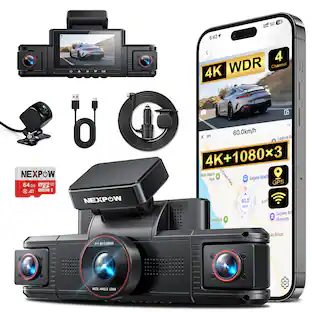
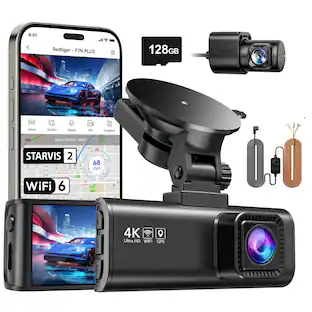
Experience comprehensive coverage with the Rexing R316 dash cam, offering 4K front and 1080p cabin recording. Wide-angle lenses and infrared night vision capture clear, extensive footage any time. Enhanced with loop recording for continuous capture and a G-sensor for impact detection, this dash cam ensures crucial moments are never missed. It includes a parking monitor that activates on detecting vibrations, providing security while parked. This complete package comes with a 64GB SD card and a smart hardwire kit, ensuring non-stop power and protection. With built-in GPS logging, 5.0 GHz WiFi, and mobile app integration, the R316 is equipped for all your driving needs.

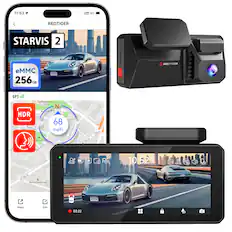
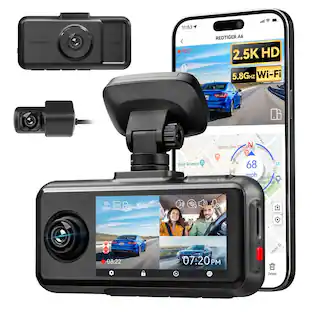
Stay connected and protected with the Rexing 4G LTE Dash Cam, featuring a 2.5K front camera and 1080p rear camera. With real-time tracking, GPS, parking mode, and push notifications, you’ll have instant alerts. Impact sensing ensure you never miss a critical event, even when parked. Customize to your preference by mounting the rear camera to capture either the rear view or the cabin.

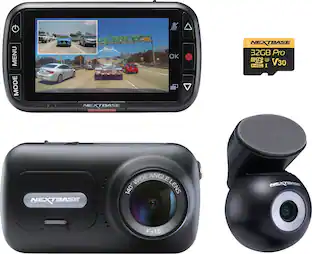
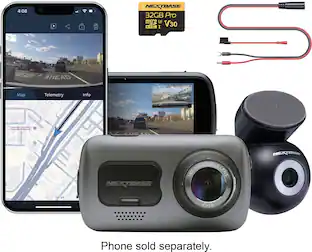
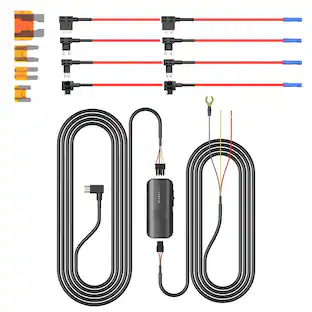
Awarded Consumer Reports Editor’s Choice for Best Dash Cam, the Nextbase 622GW Dash Cam is a popular choice for everyday drivers who demand the very best in road safety. With ultra-detailed 4K resolution, it captures every license plate, sign, and street detail—making 4K a must-have for drivers who want total confidence behind the wheel. This premium bundle includes the 622GW Dash Cam, Rear Window Camera, 32GB U3 microSD card, and a Hardwire Kit—everything you need for full high-definition coverage of your vehicle, front and rear. The 622GW sets the standard with crystal-clear 4K video at 30fps, advanced Image Stabilization, what3words location tracking, and built-in Emergency SOS Response—all packed into a sleek, compact design. The Rear Window Camera connects directly to the 622GW and records in 1080p HD, making it ideal for capturing tailgaters and rear-end incidents. The included 32GB U3 microSD card ensures up to 1 hour of front and rear recording before looping, while the Hardwire Kit provides a clean, hidden install and powers the dash cam even when your vehicle is parked enabling Intelligent Parking Mode. Whether you’re commuting daily, driving for work, or hitting the road for a weekend trip, the 622GW Bundle offers complete protection, smart features, and industry-leading performance—every time you drive.
| Pros for Nextbase - 422GW Dash Cam - Black | |||
|---|---|---|---|
| There were no pros for this product— | Video Quality, Overall Performance, Ease of use, GPS, Installation | Video Quality, Connectivity, Installation Ease, Design, Parking Mode | Video Quality, Overall Performance, Ease of Use, Included Accessories, Field of View |
| Cons for Nextbase - 422GW Dash Cam - Black | |||
| There were no cons for this product— | App Usability | There were no cons for this product— | Connectivity, Battery Life |
The vast majority of our reviews come from verified purchases. Reviews from customers may include My Best Buy members, employees, and Tech Insider Network members (as tagged). Select reviewers may receive discounted products, promotional considerations or entries into drawings for honest, helpful reviews.
After proof of fault could not be 100% determined by the insurance companies in a recent fender bender, I decided it was time to try a dash cam out in case of another instance. Positive feedback online led me to Nextbase. I considered other dash cams but the positive reviews and features of the Nextbase were just what I was after. While this dash cam does most everything right, there are a few very minor issues. In our current web and tech world, specs and features for almost anything you want to purchase is readily available. Instead of focusing on the specs and features that you can read about in better detail on the Nextbase or Best Buy websites, I will focus on real world use. First off, the packaging is quite nice. Everything was secure and there was protective film over the lens element and the touch screen. The camera was surrounded by soft foam and fully protected. When you open the box and view the included items, you get the sense that Nextbase cares about presentation. In this competitive world, that is a good practice. Initial Android pairing and setup was a little wonky. I do believe this was in part to my phones WiFi settings, so not too big a deal. Once I corrected the WiFi issue and got the firmware updated, it was ready to be installed. The whole pairing and update process only took about ten minutes even with my Wifi issue. Then the battery. What battery? Not sure what the mAh rating is, but it is absurd. If you have it unplugged, you are lucky to get 10 minutes before it is depleted. If you take it inside to update or adjust settings with the app, be sure to plug it in immediately. Also, don’t lose the cable they provide to attach it to your computer, because it is a USB 2.0 Type B - 5 position cable (see attached photo). Why they didn’t design it with the standard micro USB input that’s so common is beyond me. SENSITIVITY!? After I updated the firmware, I unplugged the cam and set it aside for a few minutes to read the install instructions and unpack the mounts, etc. I noticed immediately that any time I bumped my desk or set something on it, the camera would turn on and start recording. When I picked it up to take to the car, it also woke up and immediately started recording all the way outside and into the car. That is one touchy accelerometer! In one way this is good because this is how your camera detects when you start driving, or if it is bumped while in a parking lot, etc. In another way it is annoying. I just wish there was a master switch so it could be turned off (and stay off) when removing it from the car. This means you will have a lot of wasted space and black video clips on your SD card if you keep it in a bag or purse. There may be a way to disable this auto on/recording feature, but I have scoured the app and have not found a way yet. Simply turning it off by pressing the power button does nothing, because it will just start right back up and start recording again the second you move it. On the other hand, once you leave your car or set it down and it is completely still, it will shut off and be in stand by mode until it detects movement again. Installation is very easy and comes with a tuck tool to help hide the cable. Once installed and plugged in, I took a test drive around the neighborhood to check it out. I have mine set for max resolution and the files look great on my computer. Definitely good enough for an insurance company. The field of view covers my entire windshield, so it is very wide angle and captures the whole scene in front of the car easily. These cameras are also upgradeable with cool and functional add ons, such as a rear facing camera that I may look into later. The touch screen is bright and relatively sharp, just don’t expect high end tablet or phone quality. The screen is also small, so the icons for Alexa, start/stop recording, and settings, are really small. That said, you don’t really need to touch the camera at all once it is set up and ready to go. I have also noticed that the cam gets pretty hot. I am guessing that is because it is recording max resolution and also because it is summer. It remains to be seen, but the heat could be an issue with longevity of the device. Another cool feature is the screensaver. If turned on, the screen will change to a digital speedometer after a short time. This is great and helps keep your eyes on the road, not a screen showing what you are recording. If you want to check to make sure it is recording while in screensaver mode, simply tap the screen and it will show you the live view. Alexa integration is a nice feature and seems to work well so far. I do not use a music service that works with Alexa, so I cannot comment on dialing up music while driving. I mainly use it for easy commands like weather updates. Emergency SOS is a VERY cool feature and quite possibly the BEST feature of this device. For instance, the unit can automatically send an information stamped video file to select email(s) of your choice if you are in an accident. It can even send GPS coordinates to emergency services automatically if you are unable to press the SOS button. This is only two amazing SOS features. There are other extremely useful features with the SOS system that I highly recommend reading about on the Nextbase website. These features alone make this dash cam worth buying. Keep in mind that this is a paid subscription after the first free 12 months. All in all, I am happy with the device. It does the important things right, therefore I am only knocking one star for the minor issues. PROS: Good wide angle resolution and IQ Nice small design and seems well built Easy install, set it and forget it Emergency SOS SUPER sensitive CONS: What battery? No way to override or turn off the auto on/recording USB 2.0 Type B (5 position)? Really?! Gets hot while recording 1440p Touch screen is small so therefore the icons are small
This review is from Nextbase - 422GW Dash Cam - Black
MrShinyCadillackness Posted
What’s to like: Sharp picture, clear in low light, parking mode, speed & location embeded in video, good app integration What’s not to like: larger than some, screen stays on, No SD card provided Why do you need a dash camera? It’s them, not you. It’s to capture the moments when someone does something stupid to cause an accident. Why should you look at the Nextbase 422? It gives you nearly everything you need to prove you did nothing wrong. Easy hook up to your 12V power jack means it will work in every car. Suction cup mount keeps the camera out of the way, but also lets you switch cars when you want to. GPS built into the mount lets the camera record your speed and location. It even lets you display a speedometer on the screen instead of the scene it’s recording to reduce distractions. How good is the picture? It’s clearer than the Garmin 55 this replaced. It’s sharp and adapts well to different lighting conditions. The touch screen makes it easy to navigate the options which include time lapse mode, dual video recording mode, and entering your license plate on the video. You can also take a picture or protect a video clip from being overwritten. Nextbase also includes a rechargeable battery which keeps this powered in parking mode for your camera to watch your car when you’re not around. Nextbase went beyond just a dash cam with the current line up, including the 422: Alexa integration. Oddly, this doesn’t mean voice control of your dash cam. It means you can use the camera as an always on voice control for anything you might otherwise do at home: play music, add items to your shopping list, or get directions. You can also use it to initiate phone calls. It’s not quite perfect, but comes close. The Garmin I had included lane change warnings, speed & red light camera notifications, and a close car warning. Nextbase has no safety alerts. One other note, the camera does not come with an SD card. Nextbase recommends a high speed U3 card or better to handle the high resolution video. These cards run ~$10-15 for a 32 GB. I did have a connection issue with my unit, but customer service was very responsive and quick to take care of it. Overall: This is one of the better dash cams that I’ve used. Between features and quality it beats all the other ones I’ve tried.
This review is from Nextbase - 422GW Dash Cam - Black
Dan0Sterling Posted
Nextbase 422GW Dash Cam --------------------------------------------------------------------------------------------------------------------- *****Review***** --------------------------------------------------------------------------------------------------------------------- The Nextbase 422GW Dash Cam, a small footprint on your windshield. But don’t be fooled... It has excellent image quality and is built with quality material to give it that premium feel/look. With the 422GW Dash Cam by Nextbase, you are equipped with an IPS touchscreen that is pretty responsive to the touch and as a plus it looks good as well. When it comes to the touch screen, you pretty much have all your options where you need them so it’s readily accessible and user friendly. I did encounter a weird issue where the touch screen stopped responding to my touch and then the dash cam rebooted; this only happened once. There’s also several different ports/button to keep a note of such as power/reset, HDMI and microUSB. The power button is pretty much self explanatory while the reset button acts as a “factory reset” button. The HDMI port gives you the ability to plug it into a TV/monitor (for projection of your clips) as well as other units that Nextbase has to offer. The microUSB gives you the ability to plug it into a PC if you decide you want to transfer footage, do firmware updates, or simply if you want to plug in the microUSB instead of the 12-24V car power adapter. You also have the ability to transfer footage if you simply eject the microSD from your dash cam and insert it into your PC (given you have that ability on your PC). Also just as a side note, Nextbase doesn’t include a microSD card so make sure you buy one to expand the memory capability (128GB). I’m not going to dive into installation because in my honest opinion, it was super easy to install and you essentially have 2 “methods” to choose from (suction cup or sticky pad). So it ultimately depends on which option you want to go with (I went with the suction cup method). I personally didn't have any problems installing the actual dash cam in my car. What I did encounter were issues with the MyNextbase app for my iPhone. It had trouble communicating together and I also ran into an issue updating the firmware through the app for a solid 45 minutes which was a little bit frustrating. I even tried to delete the app, unpair it from my phone, and I even ended up resetting the dash cam itself… I finally got the firmware to update by downloading MyNextbase Player on my PC and completing the firmware update this way instead. I really like the features of the 422GW Dash Cam by Nextbase as well. Parking Protection is pretty spot on and I didn’t run into any issues using the feature. You can select different sensitivity settings but I personally felt like the normal/medium worked the best for me. What Parking Protection does is that if someone taps your car in the front while reversing, the dash cam will trigger and capture the footage. Along with the Parking Protection feature, you also get an Emergency SOS feature. Basically if you get into a car accident, the Emergency SOS feature will trigger and EMS (Emergency Medical Services) will be contacted. It doesn’t stop here with the features, you also get Amazon Alexa. Basically the thing(s) you normally do with Amazon Alexa you can do with your 422GW Dash Cam as it has built in Amazon Alexa. When it comes down to the performance of the 422GW Dash Cam by Nextbase, I am thoroughly impressed. With the footage that I was able to catch on my daily (day) commute, it was perfectly clear to make out the make/model and color of the vehicles around me. If you’re wondering if the 422GW Dash Cam can get the license plates around you as well; let me just say that there’s no need for wondering here. My only complaint that I have is when it comes down to footage at night. Don’t get me wrong, it’s still relatively clear in case of an emergency… But I personally feel like the quality is a bit grainy. In conclusion, all in all, I am pretty impressed with the 422GW Dash Cam by Nextbase. It’s a fantastic dash cam that can record with clarity, has some stellar features and has a small enough footprint to not be obnoxious on your windshield. If you run into issues with the MyNextbase app like I did, I’d recommend going the route of the software which is MyNextbase Player. My only recommendation here is that Nextbase fine-tune their MyNextbase app (resolve any issues/bugs that users encounter). That being said, if you’re someone that is currently in the market for a dash cam for either your daily commute or you actually need it for something like Lyft and Uber; I wouldn’t hesitate to consider the 422GW Dash Cam by Nextbase. --------------------------------------------------------------------------------------------------------------------- *****Quick Features & Specs***** --------------------------------------------------------------------------------------------------------------------- Alexa built in: Use voice commands to play music, check the weather, control smart home devices, and talk directly to your dash camera. High-quality (1440p) video recording: Allows you to capture sharp high-definition footage at 30 fps. 140° viewing angle: Provides expansive shooting coverage with minimal edge-to-edge distortion. Integrated 2.5" IPS touch screen: Offers an interactive interface and high clarity. Build-in G-sensor: Supports emergency video file backup when an accident happens. Emergency SOS: Features an emergency response to alert the emergency services to your location in the event of an accident. Bluetooth 4.2 and Wi-Fi enabled: Lets you automatically synchronize files to your phone. Supports microSD cards up to 128GB: Expand your camera's storage and recording capabilities with an SD card (sold separately). Click & Go Pro mount: High strength integrated neodymium magnets offer easy installation and removal in your vehicle. --------------------------------------------------------------------------------------------------------------------- *****What's in the box***** --------------------------------------------------------------------------------------------------------------------- Nextbase 422GW Dash Cam 12-24V car power cable USB cable Power cable fitting tool Adhesive mount Suction mount Click&Go PRO mount Owner's manual
This review is from Nextbase - 422GW Dash Cam - Black
MarkusKong Posted