Customer Ratings & Reviews
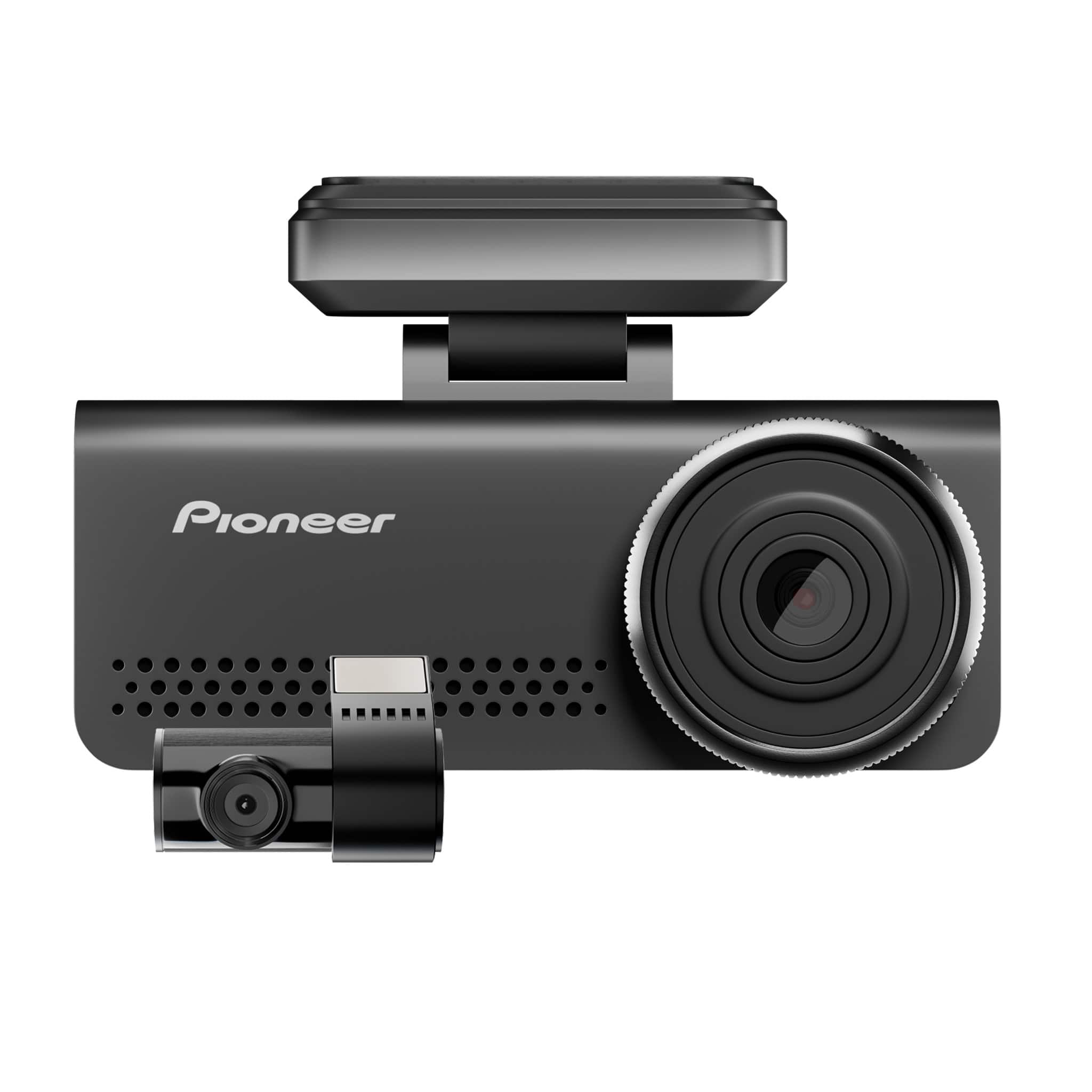
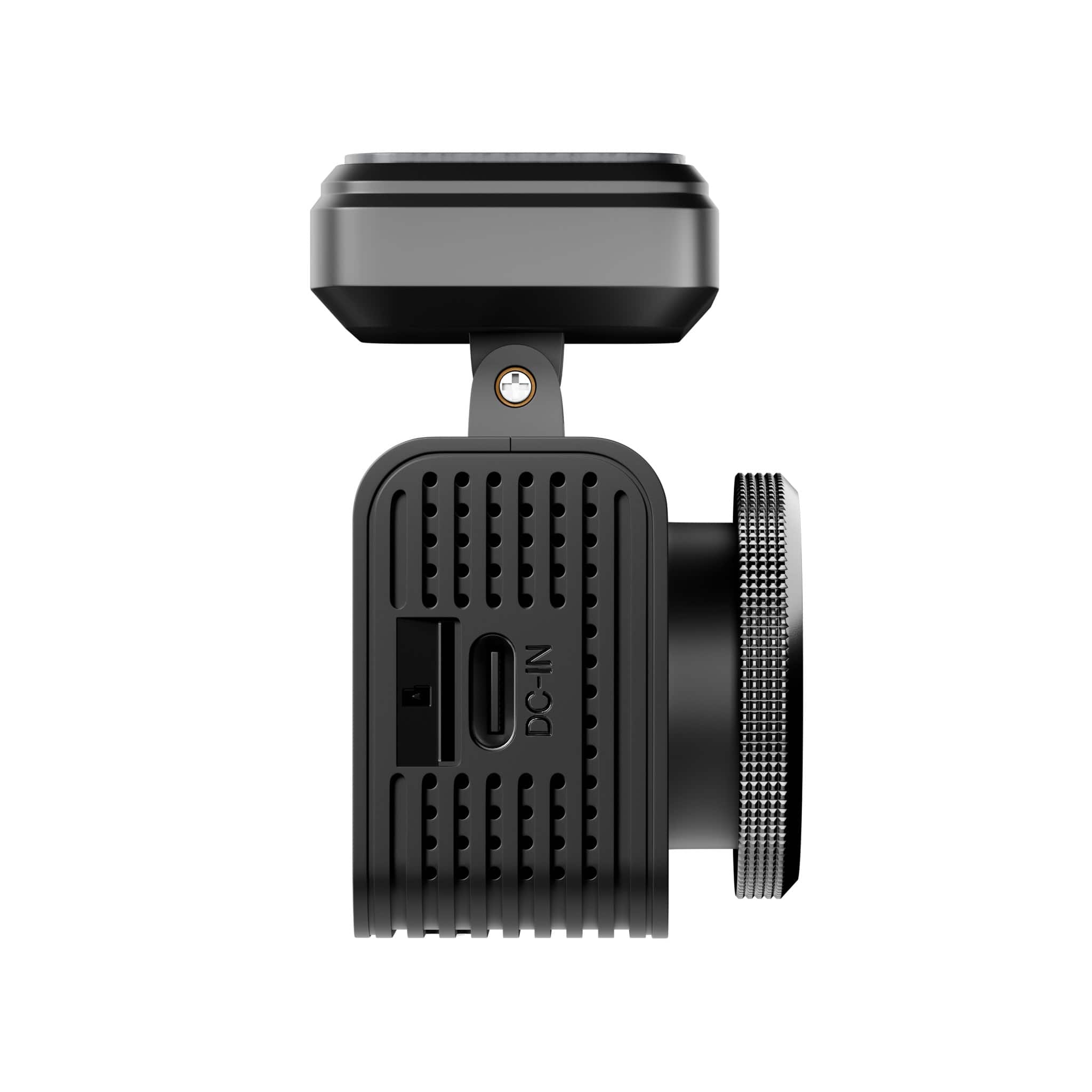
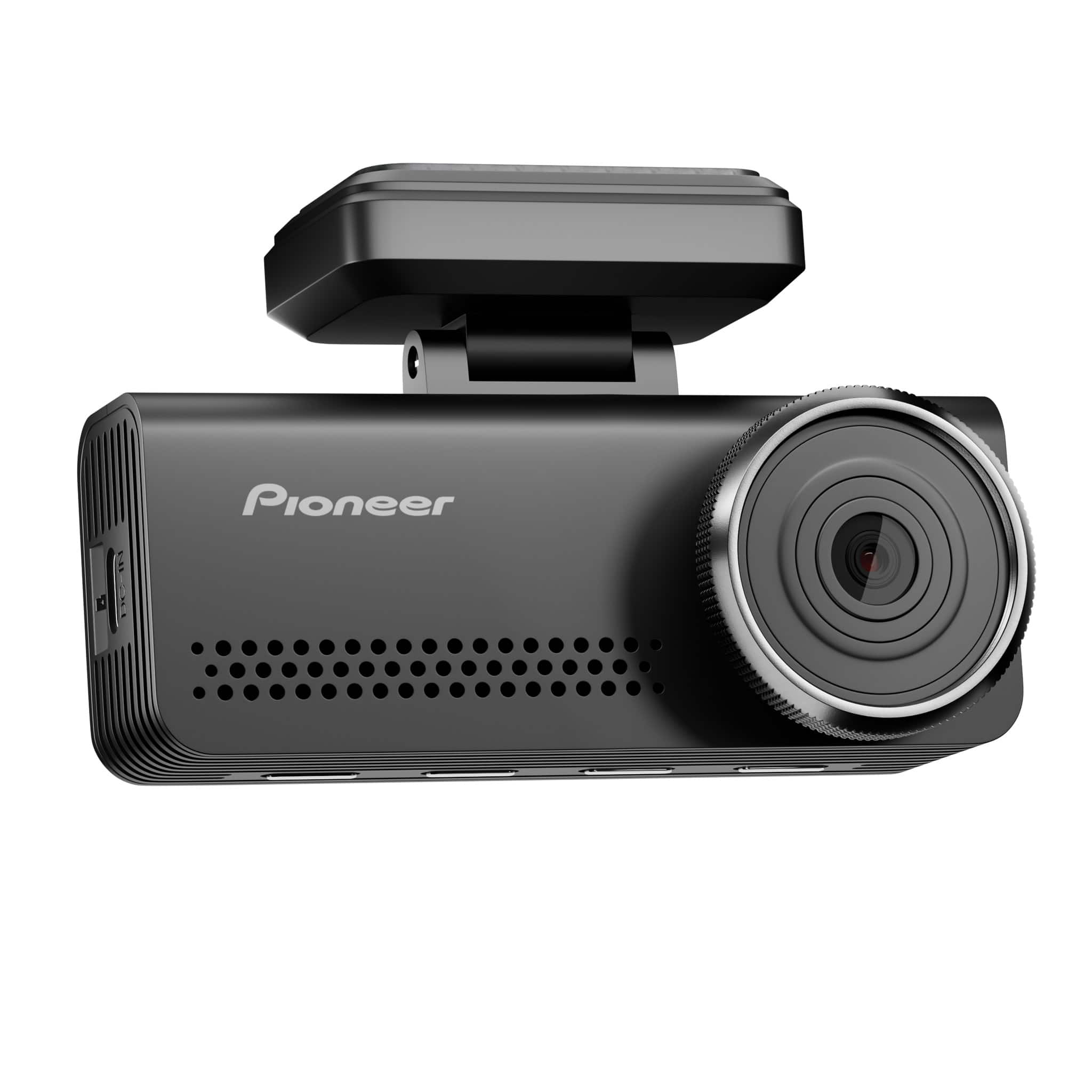
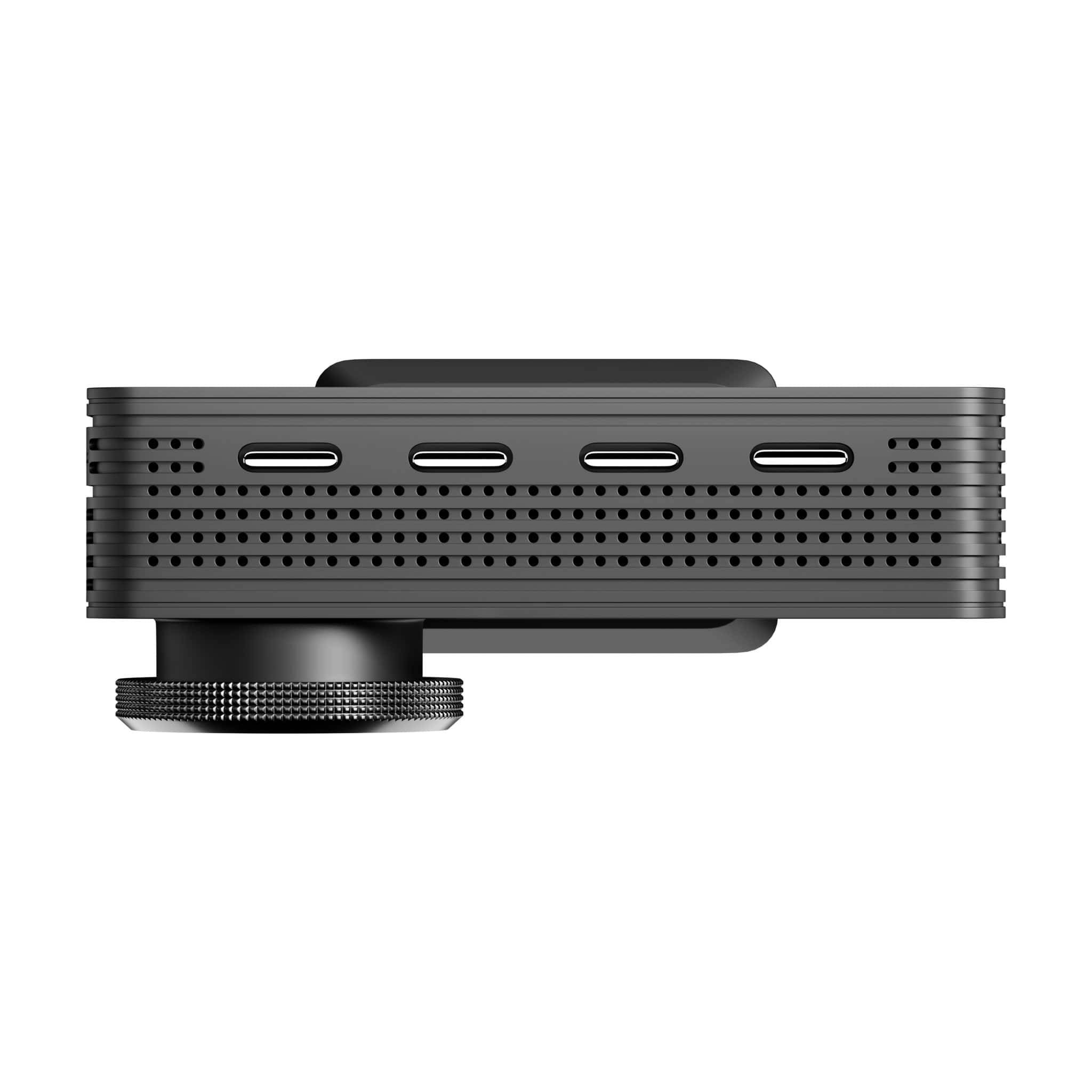
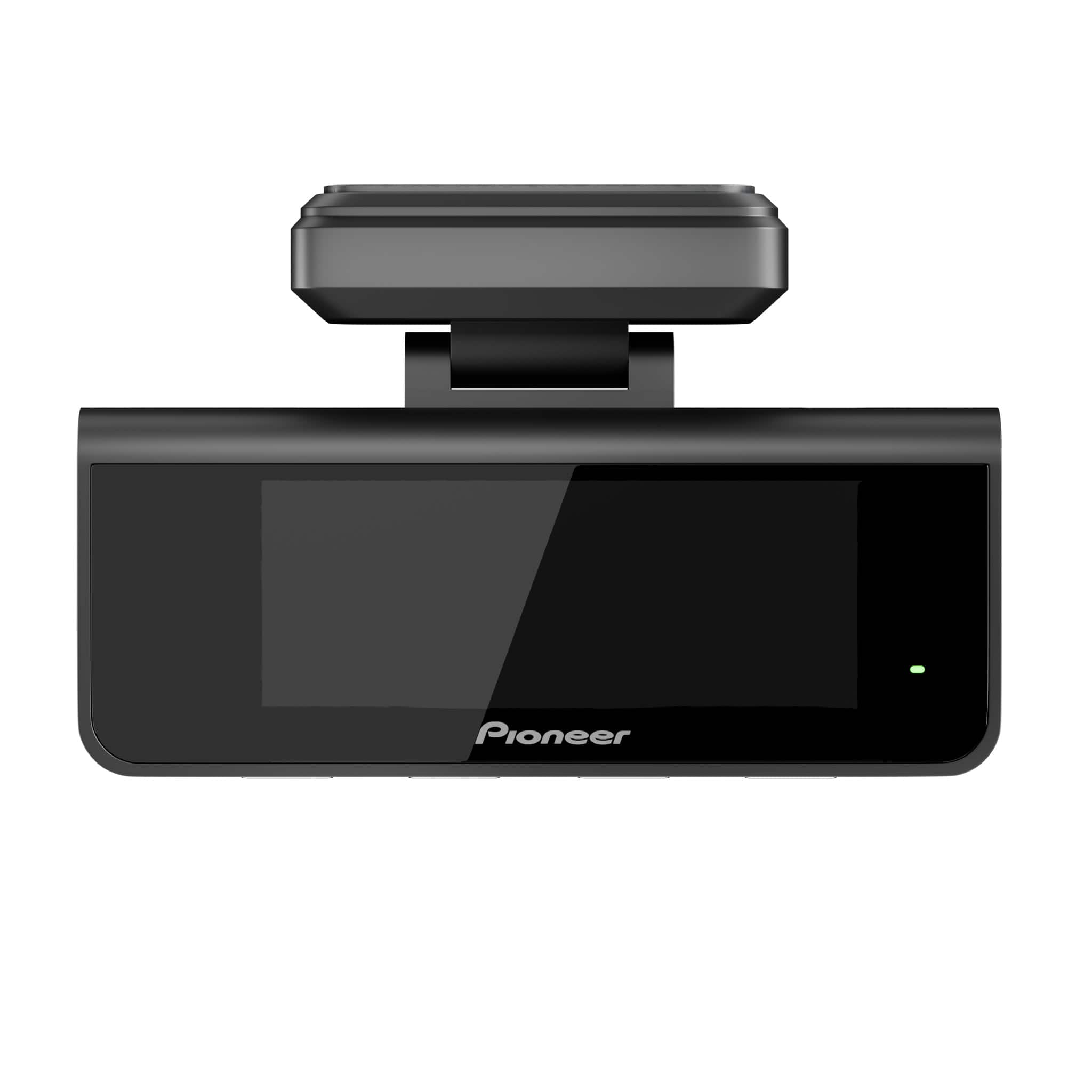
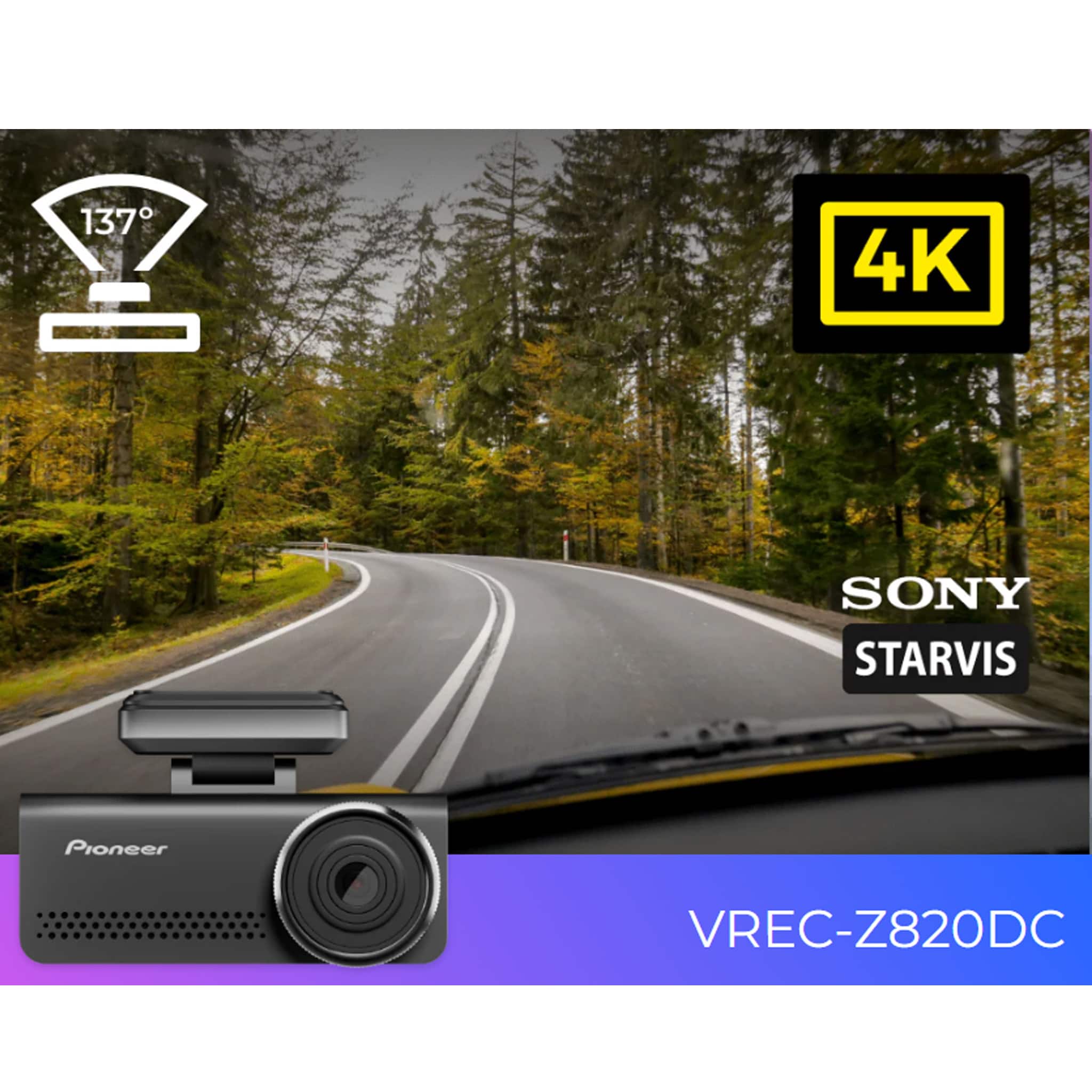
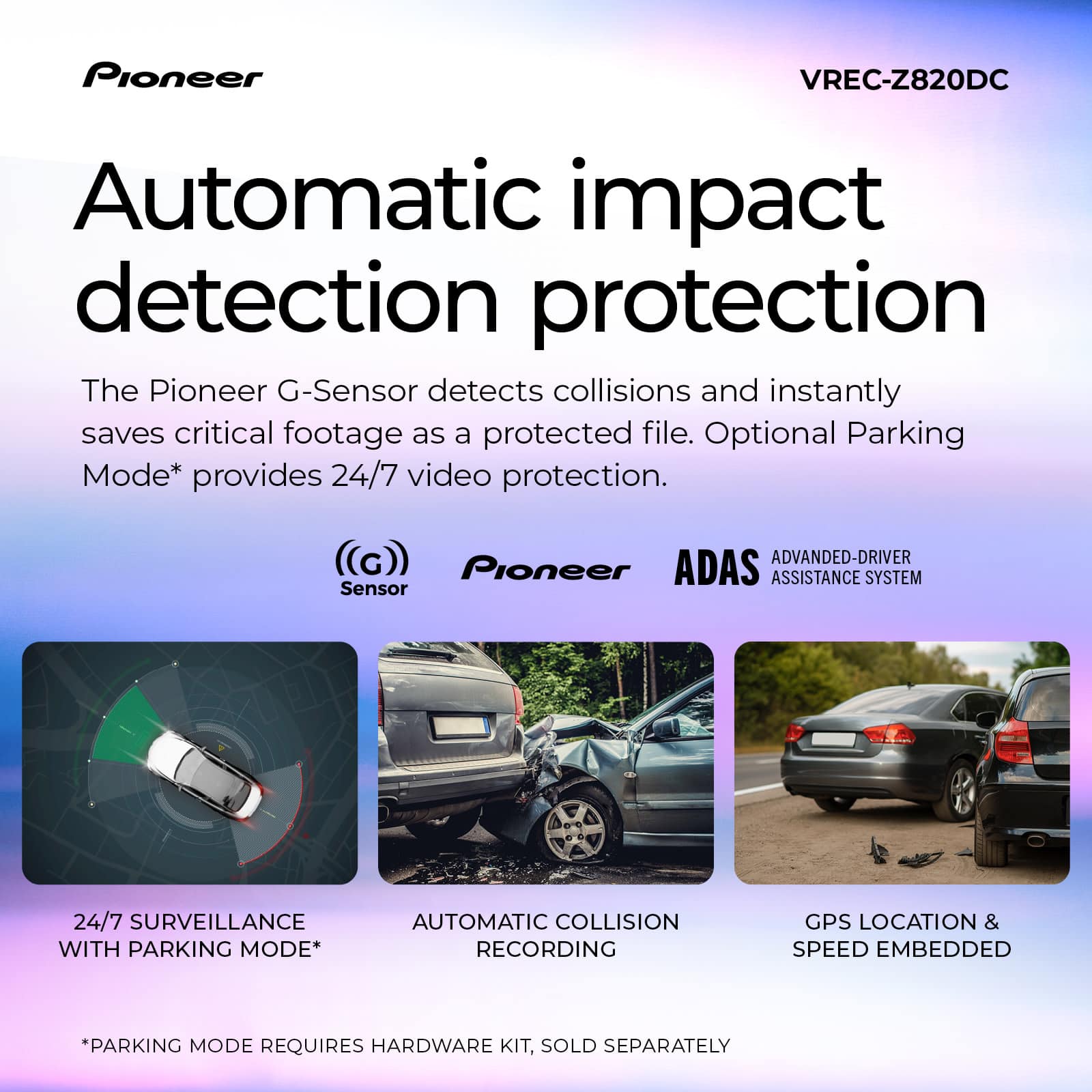
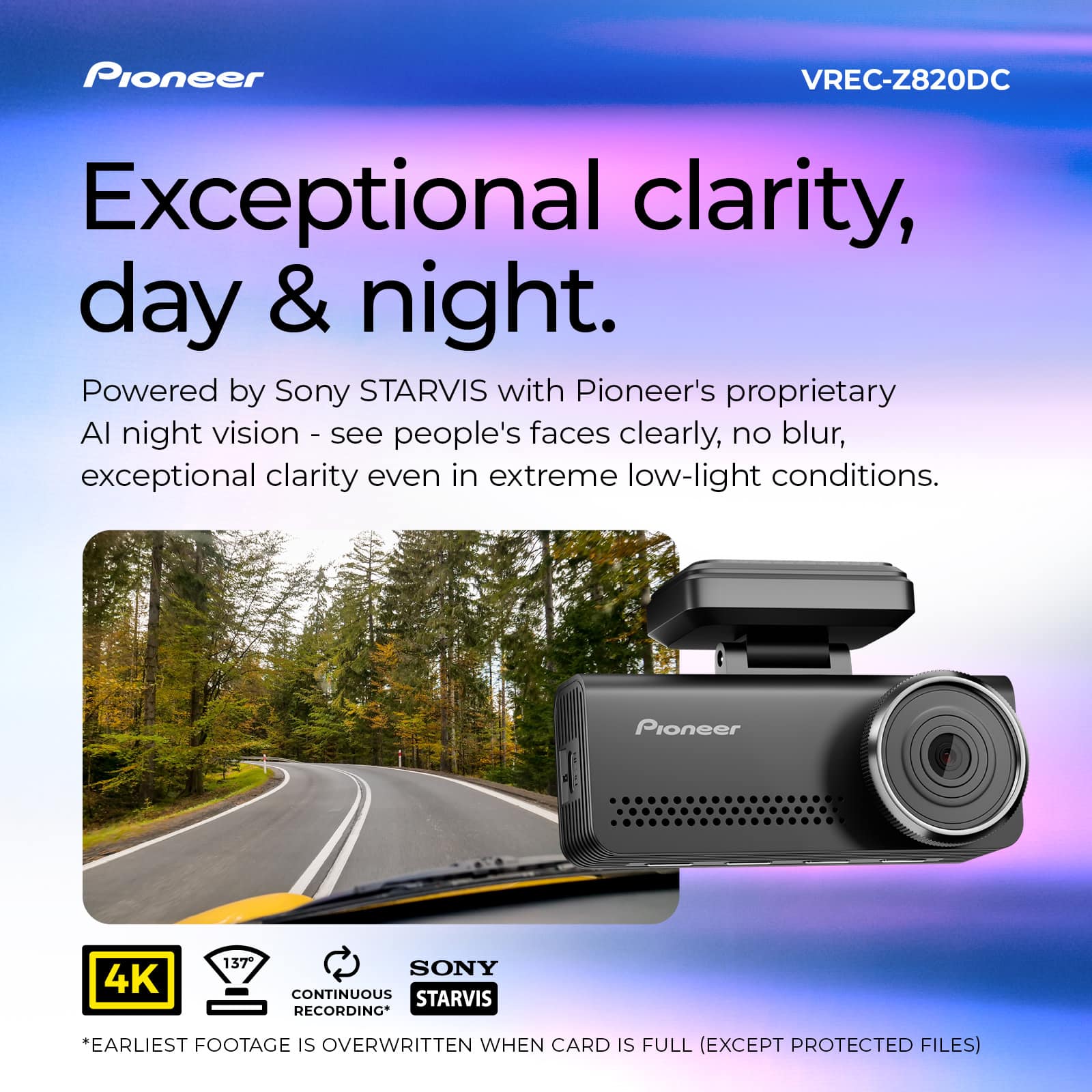
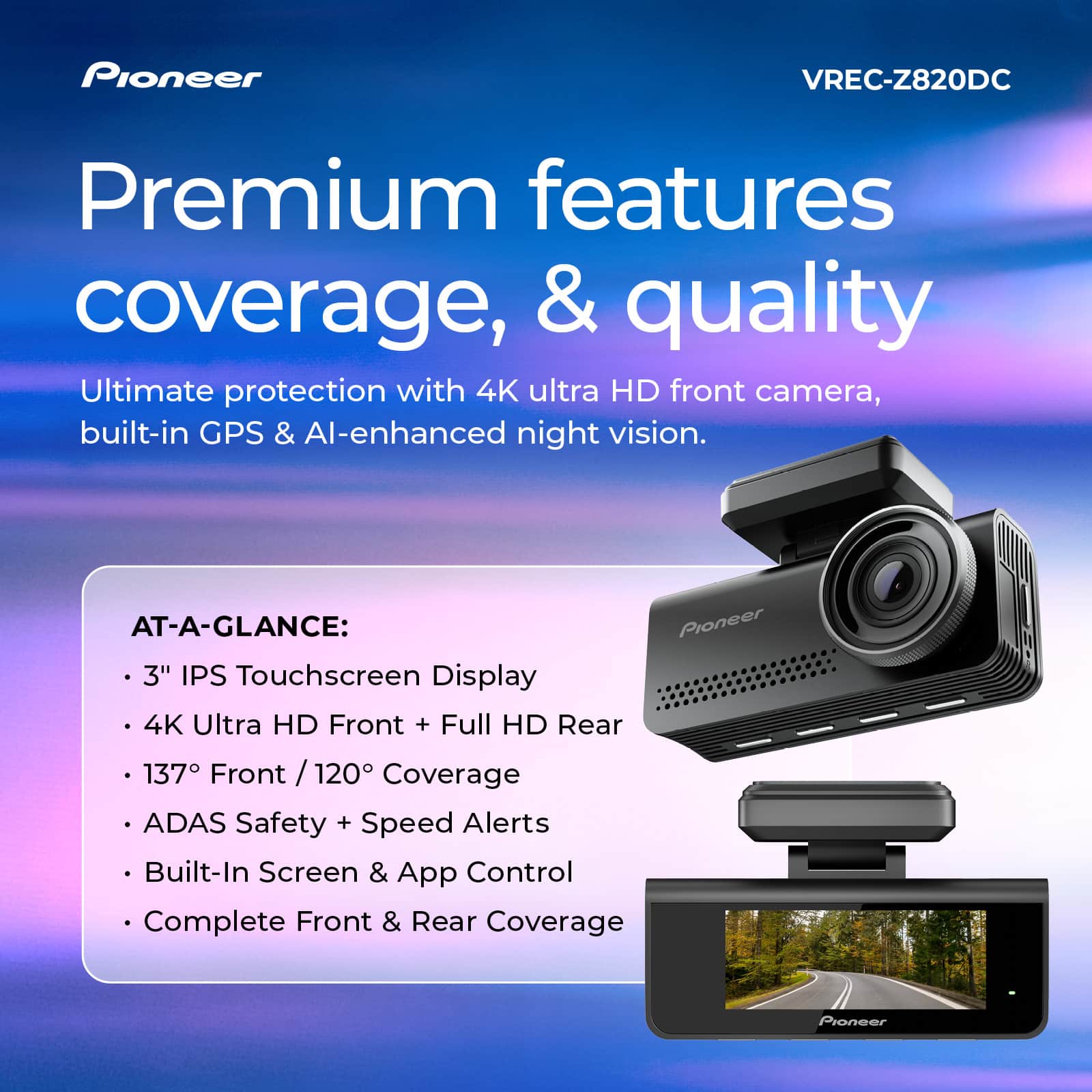
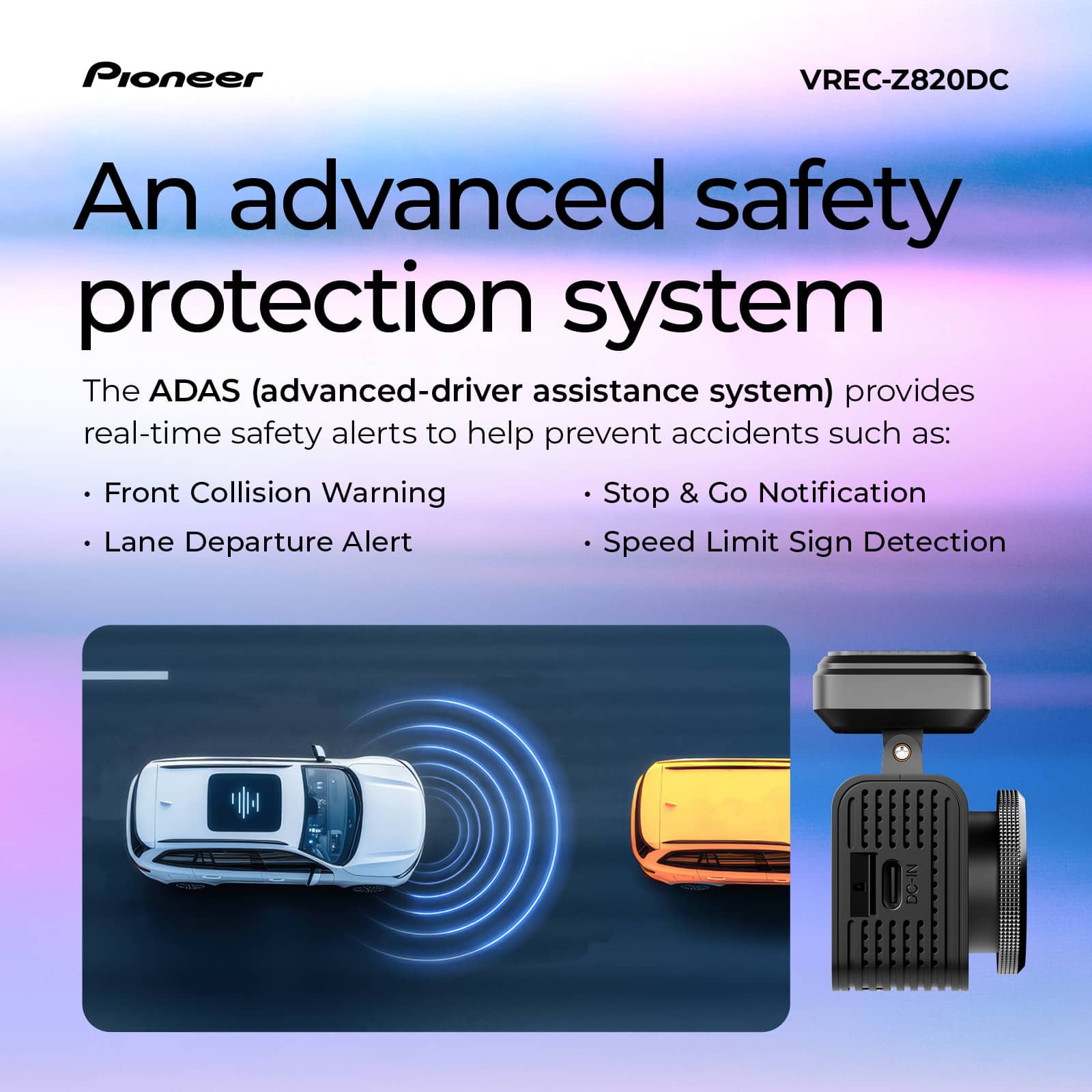
- Model:
- VREC-Z820DC
- SKU:
- 6644075
to a friend
Customers are saying
Customers have good things to say about the Universal Compatibility Car Dash Camera, particularly praising its excellent video quality and relatively easy installation. The camera's wide field of view is also appreciated. However, some customers have reported issues with Wi-Fi connectivity.
This summary was generated by AI based on customer reviews.
Pioneer Dash Cam Front and Rear
||Posted . Owned for 3 weeks when reviewed.This reviewer received promo considerations or sweepstakes entry for writing a review.This dash cam was easy to install, I did not understand the peel and stick clear mounting strips and I am worried that they will slip off within time. Good visibility on display. I am still trying to figure the app out. Good value.
I would recommend this to a friendBrand response from Pioneer Electronics Team
Posted .Thank you for providing the feedback on the VREC-Z820DC dash camera, we appreciate your time.
If needed, please contact our Product Support at 1-800-421-1404, select option 1.
They will provide operational assistance.
- Pros mentioned:Video qualityCons mentioned:Connectivity

Great hardware, software needs some work.
|Posted .This reviewer received promo considerations or sweepstakes entry for writing a review.Really nice dash cam. They include everything to get it working, even a 128GB micro SD card (industrial grade). The only thing that was not included was that plastic pudgy to help open up the weather stripping or columns on your car (I've had other older cams that included that) and a permanent way to wire it so you can enable parking features (they only include a cigarette lighter power plug). The main camera takes power from the cigarette lighter adapter, and they use a Type C USB plug, however the back cam plugs into the main one using a nice and long cable with micro USB plugs (don't know why its not type C like the power one). Install was easy and the cable for the rear cam is long, I had extra length I had to tuck in, so length is not an issue. Setup was using their app and it connects to the cam using its own Wi-Fi network, this is where I had some hiccups, It would no connect, no matter what I did using my phone (android), however it did with my iPad. I hope they can do some updates on the software/app side to make it more stable. The main cam itself is nice and has a nice wide screen. You can tune the up and down angle of the lens, but no side (wish you could move the lens 360 degrees to tune your image), so make sure you install it very well centered on your windshield, it attaches via sticky tape (no suction cup, I would have preferred this method). Video quality is very nice, thanks to its Sony Starvis sensor and 4k. Nigh quality is nice too. It also has an included GPS, so no need to get a GPS module. It can record in 1 minute length continuous videos (I hope they update this too giving the option for 3 or 5 minutes too). It also has a lane assist function, but it needs some tuning too, sometimes it fails to alert me and some times it does, its not very consistent, but to me its just a plus, I want it for the peace of mind recording, specially these days with so much insurance fraud and people being just plain bad drivers, if you are looking for a no frills, great video quality dash cam, this is a good one!!
I would recommend this to a friendBrand response from Pioneer Electronics Team
Posted .Thank you for providing the feedback on the product, we appreciate your time.
- Pros mentioned:Field of view, Video qualityCons mentioned:Connectivity
Good cameras but the app is the weak link
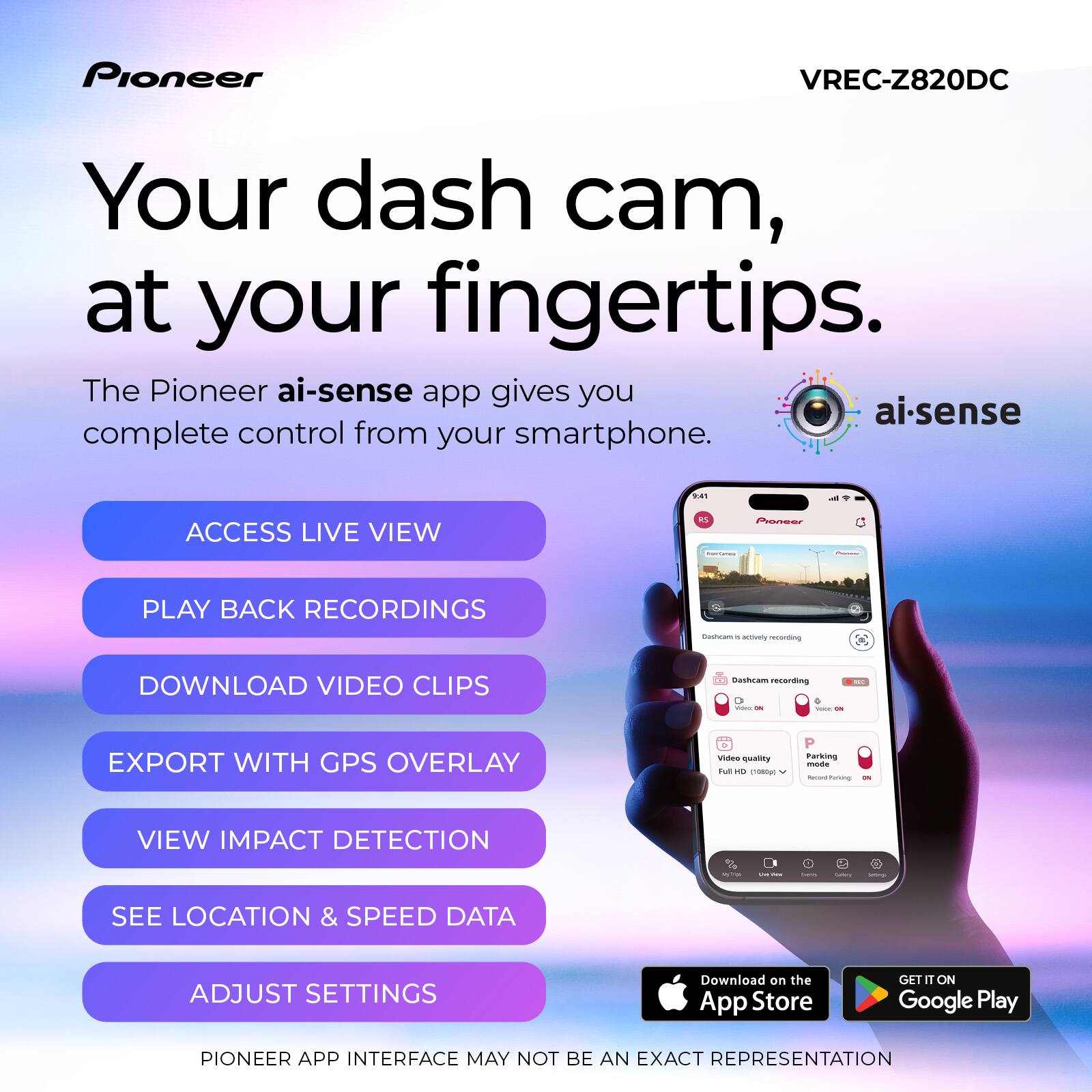
|Posted .This reviewer received promo considerations or sweepstakes entry for writing a review.The Pioneer4K dash camera (VREC-Z820DC) ships with a front camera, rear camera, USB-A to mini-USB rear camera connector cable, USB-C to USB-A power cord for primary camera, 12V DC power adapter, and two electro-static mounting films. The power adapter isn’t permanently attached to the power cord like many cameras. That leaves it available if needed to charge another USB-A device like a phone. Setting up and installing this Pioneer dash cam was easy and straightforward. I first downloaded and installed Pioneer’s AI Sense app. Then I powered on the camera and completed the initial setup which included setting the time/date, metric or imperial, and a few other basic settings on the device itself through the hardware buttons. Finally, the app had me connect to the camera through Wi-Fi, complete the camera setup, and checked for firmware updates. Next up was the physical installation. I’m relieved Pioneer provided backing films that can go between the camera mount and the windshield. I have window tinting and was concerned about the rear camera tape adhesive possibly damaging the tint. Thankfully, I was able to apply the protective electrostatic film to the glass first and affix the camera onto that rather than on the tint. The film sticks to the tint securely and supports the lightweight rear camera with no problem. Only thing I had to do was work out a few air bubbles. A film is provided for the front camera also, but I affixed that camera directly to the glass. I’m just relieved that if I ever need to remove the rear camera, I don’t have to risk damaging the window tinting. Cable placement could be a little better because the rear camera cable blocks me from accessing the SD card port unless I unplug it. Pioneer provides a lot of slack for the rear camera cable. However, no trim tool is provided. It’s fortunate that I already had one because I definitely needed it. It was easy to hide the wire underneath the trim and around the pillars, but so much slack is provided I had to get creative to hide the excess slack in my sedan. I didn’t install a hardwire kit, nor do I use a constantly powered 12V outlet, so some safety features like parking monitor aren’t available. I’m not too worried about parking monitor for now because I seldom park in high crime areas and haven’t had any issues with vehicle break-ins. I may invest in a hardwire kit if I find myself parking more in questionable areas or lots, especially for lengthy periods such as when I park at airport long term lots. Like most dash cams, this camera records in intervals. The front camera records in 8MP 4K, the rear camera records in 1K. Metadata confirms 4K recording at 30fps on the primary camera. The front camera has an impressively wide field of view. The rear also has a wide field of view and both cameras capture the entire roadway and quite a bit more detail outside the roadway. Video from both cameras is clear and decipherable both day and night. I usually have no issues deciphering plate numbers and road signs on bright light recorded videos and on night videos with good illumination. The dim lighting at night doesn’t seem to negatively impact recording quality and I don’t see any glare in night footage. The wide dynamic range works well at eliminating glare and harsh shadows with the varying lighting conditions. There is no PIP for the rear camera but I can switch the display to the rear camera using the hardware buttons. I can also view live-view footage through the app. Captured video is timestamped with the time and date, speed, and GPS coordinates. The camera has advanced driver assistance system (ADAS) capability that can warn of lane departure, imminent collision and dense traffic. It’s a little inconsistent and doesn’t work more than it does, but luckily I already have the same features OEM in my vehicle which work much better. It’s a helpful safety feature for vehicles that aren’t equipped with it, but it needs some improvement. There were also warnings in the manual about components heating up but neither the camera nor the power adapter has felt excessively hot during the times I used it. The camera screen blanks shortly after powering on which is a feature I actually like because it’s less distracting while driving. As long as I see the green LED, I’m reassured the camera is recording. The camera has been reliable in most operations and with recording during travel. The only significant issue I’ve encountered occurred after I changed the Wi-Fi password. After doing so, the app instructed me to forget the Wi-Fi connection and reconnect with the new password. I did as the app instructed but have been unable to connect to the camera over Wi-Fi since. It doesn’t even show up among the list of available Wi-Fi networks when I scan. I’ve tried various troubleshooting techniques just short of resetting the camera to factory default but haven’t had any luck. I even tried scanning with other devices but still don’t see the camera among available Wi-Fi networks when I scan. That leads me to believe the issue is with the camera rather than my phone. It’s mildly aggravating but I’m not going to worry about it too much for now because I prefer manually downloading footage directly from the SD card anyhow rather than through the app. However, I will have to address it soon because I’m going to need Wi-Fi connectivity for adjusting settings and applying firmware updates. I’m thinking I’ll likely be forced to reset the camera and start from scratch, but I consider that the last resort option and avoiding it until all else fails. But this is the reason I prefer dash cams be equipped with Bluetooth rather than Wi-Fi only. Overall, the Pioneer VREC-Z820DC is a decent 4K dash cam with helpful safety features. Some require installing a hardwire kit but I have all the features I need or plan to use at the moment. The app could definitely use some work because it bricked the first camera I tried and now I am unable to connect to Wi-Fi on the second. So, my verdict is that it is a decent camera, but the app leaves a lot to be desired. Hopefully these issues will get ironed out in future app updates.
I would recommend this to a friendBrand response from Pioneer Electronics Team
Posted .Thank you for providing the detailed feedback on the VREC-Z820DC, we appreciate your time.
After you change the password in the application, you need to tell your phone to forget the wifi connection for the camera and make a new connection.
Close the ai-sense application.
Clear the Pioneer from the phone wifi menu.
Launch the ai-sense application.
Go to the wifi settings of your smartphone and have it search for networks. It should find the Pioneer and connect to it. You will need to enter your new password.
No go back to the ai-sense application and it should connect.
- Pros mentioned:Installation difficulty, Video quality
Great Dash Cam and Rear Camera, Horrible App!
|Posted .This reviewer received promo considerations or sweepstakes entry for writing a review.This Pioneer VREC-Z820DC dash cam has some great features, and the video quality is pretty good, especially when recording in 4K resolution. It comes with a 128GB SD card, but I do suggest getting one with more storage or recording in 2K or 1080p FHD so you don’t run out of space as fast. The dashcam has its own GPS and WiFi, and the cords it comes with make physical installation fairly easy, even in larger, longer vehicles like vans. Just pay attention to the direction the rear camera should be facing before adhering it so that it doesn't display upside down. The mounting adhesive is pretty strong! It comes with a USB-C to USB-A cord and 12v cigarette lighter adapter, but you can purchase the optional hardwire kit if you prefer to power it with your car battery. The hardware kit is relatively inexpensive and needed to take advantage of some features so I think should have just automatically come with the dash cam. You need to download and install the Pioneer AI Sense app for most of the set up. Here is where it got icky to me and needs improvement. There were problems getting the dash cam’s firmware to update. It took multiple attempts over the course of a week for it to finally download, and I still haven’t been able to get it to install. Pioneer should have designed the app to be usable with other WI-FI networks because it’s annoying to have to keep switching the network on my phone in order to control the dash cam through the app. Thankfully, the cam has a pretty easy to navigate and read touch screen. I love the video quality! And the Night Vision AI even recorded clear images in low light. The cam engaged flawlessly to capture footage whenever sudden movement was detected. An advanced feature is the Advanced Driver Assistance Systems that’ll beep to provide impact warnings and lane departure alerts in real time and also shows vehicle speeds. I did notice that the MPH and the lane departure were not always accurate, so I wouldn’t rely on those too much. And the difference in mileage speeds could be an issue if the footage was ever needed. Not sure if this is a software glitch or not, but either way Pioneer needs to troubleshoot that. Overall, though, the VREC-Z820D has some great features and pretty great front camera video quality and good viewable rear camera so I’d still recommend it.
I would recommend this to a friendBrand response from Pioneer Electronics Team
Posted .Thank you for providing the feedback on the VREC-Z820D, we appreciate your time.
When doing the update, it is important to make sure the phone and the camera stay connected. If it interrupts in the middle of the update, it can damage the camera.
If you have wireless CarPlay or wireless Android Auto, make sure the radio is sourced off. This way it will not continue to attempt connection.
The firmware update will correct the issue with the speed not displaying correctly. You can update the firmware through the application or download it from our support page. Copy/paste this link to access our support page. https://usa.pioneer/pages/support
- Pros mentioned:Video quality
Good Video Quality, But Buggy App Support
|Posted .This reviewer received promo considerations or sweepstakes entry for writing a review.TLDR: An excellent dash cam, but the ADAS assist system is gimmicky & apps are buggy. PROS: Excellent 4k Video Plenty of Wiring Included Top Rated Sony STARVIS Sensor CONS: ADAS Traffic Assist Buggy Both Android & iOS Apps Buggy Inferior MicroSD Card Included Frustrating Initial Set-Up No Included Hardwire Option on Premium Product INSTALLATION Pioneer deserves major kudos for actually including enough wiring for drivers in the US market. This is the first dash cam I've installed to date that didn't require me to purchase an add-on extension harness to connect either power or the rear camera. Not to mention, Pioneer finally got away from the annoying 1/8" stereo mini plug for power and data and went to a standardized micro USB cable to power the rear camera. Excellent! This VREC-Z820 replaces an older Pioneer dash cam in my 2014 Tundra Double Cab truck. Major props to Pioneer for having more than enough included wiring with the dash cam to install in my truck without issue. Like I just mentioned, unlike my old Pioneer dash cam, I needed nothing extra to install the new VREC-Z820. SET-UP I'm not going to sugar coat it. Pioneer dropped the ball on their apps. Yes, apps is plural, as both the iOS app and Android app are buggy. I first attempted installation with my new Android smartphone. Epic fail. Things were going smoothly until I attempted to change the default Wi-Fi password, as recommended by Pioneer. Not only did my password change not take affect properly, it shut down the entire Wi-Fi radio, forcing me to do a full factory reset and start the process all over. Thinking I would be smarter the 2nd time around. I grabbed my iPad and began installation. Everything started going without issue, but this time I didn't change the Wi-Fi password and luckily it was able to connect to the iPad. Unfortunately, the firmware update was riddle with issues as well. It took a full 6 attempts to get the firmware downloaded off my robust Wi-Fi network and actually installed to the dash cam. Once installed and rebooted the dash cam seemed to function better, but the app reared its ugly head once again. The iOS app doesn't size itself properly to the device's screen, leaving adjustments and settings unreachable on the pages. I had to cycle between my Android phone and my iPad to get all the settings changed that I wanted. Huge pain. The firmware of the dash cam was equally as buggy as the apps. I installed the included Silicon Power microSD card as instructed. After initial boot, the dash cam found the card and attempted formatting. The formatting failed, forcing a dash cam reboot. Upon reboot, the dash cam found the memory card and again initialized a format sequence, this sequence went without issue and the dash cam came to life and began recording. However, remember that initial firmware update I mentioned above? Well ... after installing the said update, the dash cam rebooted and said it found an unformatted microSD card and needed to format the card for use. No sweat. Proceed. That's when the dash cam reported that the microSD card was damaged and unusable, even though it functioned properly less than 5 minutes prior to firmware update. Luckily, my old Pioneer dash cam required the same memory card, so a simple swap between cameras and I was back in business. Taking that same microSD card to a computer, it formats and functions without issue. USE Image quality from 4k front and full HD rear cameras are impressive. Sony STARVIS sensors have long been regarded as some of the best in the business. I am lucky enough to have tested 2 Pioneer dash cams and back-to-back video shows a marked improvement in quality compared to my previous Pioneer. Pioneer touts their Wide Dynamic Range cameras and Sony STARVIS sensors reduce haloing and improve contrast. They are right. Images and video, especially at night, are substantially better than its predecessor. ADAS AI SAFETY FEATURES I find the included AI Safety Features more of a gimmick than actually useful for a number of reasons. First of all, they are not fully baked. Take the Lane Departure Warning system for instance. It often warns me of a lane departure when I'm driving down the middle of my lane. Second, I purposely crossed over the solid, white line on the shoulder of the road several times last night (safely) and the Lane Departure system never once alerted me. Four crosses, four failures. Most annoying is when you are on a major freeway and change lanes to pass the car in front. It seems like the Pioneer never fails to alert of a lane departure when I'm actively trying to change lanes, but fails miserably when I have an actual lane departure. CAMERA ACCESS The one thing I missed most about my old Pioneer dash cam was the fact that to access any videos, you had to remove the microSD card and use it in a computer just access any of the data stored on it. The VREC-Z820 resolves this issue by creating its own Wi-Fi network allowing your phone to access the video directly off of Wi-Fi. I have found that accessing the video via the app works quite well and is mostly reliable whether its on an Android phone or Apple phone. Users can view low-resolution playback directly off their device or choose to download a full high-resolution video file should they so choose. PARKING MODE One of the primary benefits of having a dash cam is the ability to have it keep an eye on your vehicle when you are not around. The VREC-Z820 will do this as well, but unfortunately, will not work with the included accessories. To get Parking Mode to work with the VREC-Z820, buyers are required to purchase a separate, hard-wired wiring harness for installation. This ensures that the VREC-Z820 can draw a constant 12V. This is a fail in my book, as other dash cam providers include this hard-wire kit with purchase, especially when purchasing their premium product offering like this VREC-Z820 is intended to be. FINAL THOUGHT While the Pioneer VREC-Z820 has excellent video quality and easy video retrieval, it is not without its faults. Would I recommend the VREC-Z820? Yes, I would. It is a good product even with its faults. I applaud Pioneer for giving buyers extra features and benefits that some of the competition now want to charge a subscription fee for. Something I would never recommend to buyers. So, while I would recommend the VREC-Z820 to potential buyers, it would be with one caveat. Give Pioneer a little time to get all the bugs worked out of their firmware and apps before purchase to save yourself the frustrations I'm experiencing. While I like the dash cam, the app is dragging the whole ownership experience down. Because of this, the VREC-Z820 only garners a 3/5. If the apps and firmware get fixed, this could be a great piece of kit. RECOMMENDED
I would recommend this to a friendBrand response from Pioneer Electronics Team
Posted .Thank you for providing the detailed feedback on the VREC-Z820DC, we appreciate your time.
- Pros mentioned:Video qualityCons mentioned:Connectivity
A Good Investment for Your Vehicle
|Posted .This reviewer received promo considerations or sweepstakes entry for writing a review.My first foray into reviewing the Pioneer Car Dash Camera was an auspicious one. First thing to note is that it does NOT come with the plug for your car’s power outlet. You will need to procure one in order to power the unit. In a pinch, I discovered that it will work on a battery pack, as it does have a USB-C cable to power it. It’s not a long-term solution but it does work. There is not a rechargeable battery in the unit – it must be plugged into power to operate. The installation was interesting. It comes with small plastic sheets, each one sized to their corresponding cameras, to place on the glass first. You then stick the cameras to the sheets. This makes it easier to remove the cameras should you need to do so. Then, you have what seems to be a mile of cable to connect the front camera to the back camera. I wish these could run on Bluetooth or something similar vs. running cable throughout the car, having to remove trim pieces to try and tuck away the cables from view. My unit powered up as expected, connected to the back camera (it will announce that the back camera is connected each time the unit turns on), and allowed me to update the settings. What it did NOT do was connect to the app to finish setup. At first, it was my fault because I downloaded the wrong Pioneer app. Once I downloaded the correct app, it still would not connect to my phone. I have a Samsung S24 Ultra, which is on the current Android operating system with all updates complete. I rebooted the camera, rebooted the phone, researched troubleshooting online, tried different phones – all to no avail. The camera operated great. The unit uses a micro-SD card to record video. (Please note – the camera will not operate without a card installed.) I couldn’t get it connected to the app to download and/or view the video. I was able to troubleshoot with Pioneer, and their stellar customer service sent me out a replacement unit. In the interim of waiting for the new unit, however, the sticker for the back camera fell off my back glass. I don’t know why or how. I cleaned the glass with alcohol prior to installation to ensure a good seal. The back camera continued to operate, even though it was recording the view of my cargo area. Once I installed the second camera, my connectivity issue was resolved. I was able to connect the camera to my app with ease. Well, mostly with ease. You have to change your network and log onto the camera’s broadcast network in order to sync with the phone. Once you do, you can view and download your recordings. You can set it up to automatically connect, however I have that setting turned off. The picture quality is outstanding. It will record while you drive and up to a set amount of time after you stop the car. It will shut the power down (these are settings you can change in the menu) after being idle. As far as I can tell, it does not have a motion sensor where if your car gets bumped, the camera turns on. That’s disappointing for me, but not a deal breaker. Even with all my challenges, I think the Pioneer Car Dash Camera is a good buy. It’s easy to install, easy to modify settings, and operates with little effort from the user. You can view your videos on your phone shortly after they are recorded. You can also use a card reader to access the micro-SD card to save data to a laptop.
I would recommend this to a friendBrand response from Pioneer Electronics Team
Posted .Thank you for providing the DETAILED feedback on the VREC-Z820DC, we appreciate your time.
For power, the camera comes with a USB cable and a plug for a cigarette lighter type port.
To have the unit powered all the time, for Parking Mode, you would need the RD-HWK300 Hardwire Kit (sold separately).
If needed, contact our Product Support at 1-800-421-1404, select option 1.
They will provide operational assistance.
- Pros mentioned:Installation difficulty, Video quality
Great video quality but could be designed better
|Posted .This reviewer received promo considerations or sweepstakes entry for writing a review.Out of the box and installed was about 25 to 30 mins. Running the USB cables so they aren't visible or noticeable was what took the longest. Once I had laid out where they would go and mounted the front camera it was just a matter of routing them. I had a tool already from a previous camera that helped me push the cables into the car molding to help hide it but would have been nice if this one came with a similar tool for those who don't have one already. Overall video quality is excellent and the fact that it comes with an SD-Micro card means you can install and start using right out the box. Mounting both cameras was easy with the included adhesive. My main complaints about this camera is the lack of movement of the main camera once mounter, it only will swivel up and down, you cannot move it at all left or right. The placement of the USB ports is also frustrating and was a challenge to plug in the main power one once I had mounted it to the windshield. I also don't like the location of the SD-Micro card port as it is difficult to install with the USB plugged in at the same time. Pros - Video quality is outstanding and it has multiple features for safety as well - Comes with plenty of length of cable to install read camera which we installed in minivan - Comes with an SD-Micro card to begin using right out the box Cons - Placement of ports makes it difficult to plug them in once mounted to the windshield for the front camera - Inability to move the camera left or right as it will only move up and down - Updating the firmware was a challenge after connecting to it and had to try it multiple times to finally get and stay connected and perform the firmware update Overall the video quality is excellent and the other features it offers are great. Just be sure to know where you want to mount for the best view and connect the USB cable and install the SD- Micro card before attaching to the windshield.
I would recommend this to a friendBrand response from Pioneer Electronics Team
Posted .Thank you for providing the detailed feedback on the VREC-Z820DC, we appreciate your time.
- Pros mentioned:Video quality
Excellent video, poor app
|Posted .This reviewer received promo considerations or sweepstakes entry for writing a review.I've been in the market for a good front and rear dash cam for quite some time and this seemed to fit the bill for exactly what I wanted. Packaging: To start, it's packaged well, comes with both cameras, a USB power (and 12v socket power adapter) cable and a cable to attach the rear cam to the front cam (it's extremely long), a 128gb industrial SD card and some minor documentation. I'm disappointed that it didn't come with a pigtail to attach the power to either the fuse box or a powered rearview mirror Setup and Use: Installation is straightforward, stick it to the windshield, stick the other to the back window, wire it together, plug it in and you're good to go. Again disappointed that it doesn't have another power option in the box, that said you can buy a hard wire kit which is something I will probably end up doing, my 12v outlet already does 18 other things, I dont have room for just this. Setup is done by way of an app and local wifi from the device. I despise local wifi setup devices. Phones and tablets always struggle with them due to the inability for them to access the Internet through that connection so it constantly wants to drop off. When you do get it connected however, it does present you with superb quality video captured by the device. It tells you your speed and other good information on the screen. Night imaging is excellent as well. I feel much better protected now that I have this camera installed. Overall: It's a good camera, hopefully they work out some app kinks and I hate that it's local wifi setup and doesn't come with a hardwired power method. However outside of these things it's definitely worth picking up if you're in the market.
I would recommend this to a friendBrand response from Pioneer Electronics Team
Posted .Thank you for providing the feedback on the VREC-Z820DC, we appreciate your time.
- Pros mentioned:Video quality
Small footprint but mighty
|Posted .This reviewer received promo considerations or sweepstakes entry for writing a review.This camera has 4k front camera and 1080P rear picture quality is A plus. Day time recording is crystal clear front and rear. Night time recording front camera washes out oncoming headlight glare which is a definite plus. License plate views 2-3 car lengths ahead is viewable as well. It has an emergency record and save features which is a plus. This dash camera is loaded with features including wi-fi and GPS 128gig micro SD card and mounting hardware for front cameras there is only two sided tape for the rear camera mount so some minor fabrication may be needed for your application. One take away is there in no hardwire kit included this is needed to enable parking mode, which is a feature that records events when there is motion around the card or vehicle is bumped or tampered with. I did order the hardware kit $19.99 but at the time of testing not available. But included is a cigarette lighter to usb connection just remember if they feature is used no parking mode available which may not be needed for your application. The monitor is good size 3.2" and very clear. If you drive for a living ride share or truck driver you will love this camera for it's packed full of features I highly recommend this system.
I would recommend this to a friendBrand response from Pioneer Electronics Team
Posted .Thank you for providing the detailed feedback on the VREC-Z820DC, we appreciate your time.
- Pros mentioned:Field of view, Video quality
Impressive 4K Ultra HD Recording
|Posted .This reviewer received promo considerations or sweepstakes entry for writing a review.This product review is for the new Pioneer VREC-Z820DC dash camera, which includes a rear camera. It replaces an older dashcam from another brand that I previously owned, and so far, I'm pleased with the Pioneer camera. Included in the box are everything needed to mount/connect the dashcam to any vehicle: two cameras with connection cables, one power adapter, one 128 GB MicroSD card, and two electrostatic films to attach the cameras to the windshield. This product does not have a cabin (cockpit) camera; however, you can use the rear camera (by turning it inward) as a alternative. Installation is quick and easy. Clean the windshield, apply the electrostatic film, attach the camera to the film, connect the cables, route the wires around the car's frame, and turn on the vehicle to complete the setup (app connection and any firmware updates). I used the Android Pioneer ai-sense app to connect the dashcam to my phone. The app will notify you of any software updates and guide you on the necessary actions. The dashcam features a video screen view that allows you to view the live recording. I mostly prefer the mobile device to view the camera's live view. The daytime 4K Ultra HD view is significantly better than that of my older dashcam. The wide field of view is impressive. The nighttime view is also considerably better. Other features that I have not had a chance to view include the Parking mode, which records impacts while the vehicle is parked, and the ADAS, which provides forward collision and lane drift alerts. I am delighted with this Pioneer dashcam, and I highly recommend it.
I would recommend this to a friendBrand response from Pioneer Electronics Team
Posted .Thank you for providing the feedback on the VREC-Z820DC, we appreciate your time.
- Pros mentioned:Video quality
Great Image, Good Features, missing one thing...
|Posted .This reviewer received promo considerations or sweepstakes entry for writing a review.Part of my full time job includes investigating traffic accidents. I also own a business installing security cameras. That being said, this Pioneer Dash Cam is a bridge between the two, and is a product I would recommend IF you buy an add-on that is not included. First, Pioneer is a long standing well known brand and for good reason. A company doesn't stay in business by putting out subpar products. And out of the half dozen dash cams I have put in to my personal cars, this is the first one with a name brand I recognized before installing. This Pioneer dash cam includes a front facing 4K camera with screen, a backwards facing camera, a lengthy micro-usb cable to connect the two, and an equally lengthy usb-c to usb power cable, 12v plug in (cigarette lighter style) for power, and i microSD card. What is not included is a hardwire kit, which is disappointing. Every other similarly priced dash cam I have installed included this kit, and I really appreciated it as I prefer a clean install that doesnt have exposed wires. You can buy this as an add-on, but I really wish it was already included. The forward facing camera feels like a quality piece and the image is stunning. Definitely a top 3 image quality from my experience across brands. The back facing camera also puts out a crystal clear image and has a footprint nearly identical to every other dash cam I have installed, however it appears that the barrel part of this camera may have been 3d printed? The camera is light with a plastic housing, but the barrel appears to have manufacturing marks similar to 3d printed items. It doesn't effect anything, however it just caught me off guard. The app used for this device is the Pioneer ai-sense app, which has Pioneer branding on thr logo, however the app will not pull up by searching for Pioneer in your respective app downloading source. The app is fairly simple to use and is used for about 75% of the setup procedure, firmware updates, and video viewing/collection. The other 25% can be done via the from camera screen and buttons. This camera includes GPS speed monitoring, Traffic Collision Alerts, Lane Departure assist, and would include parking lot security if the hardwire kit was included or purchased separately. All of these features can be enabled in the aforementioned app, and they all do a reasonable job as driver's assistance features, however it is fairly obvious that these features are not native to your vehicle. It is a nice upgrade to an older or less feature rich vehicle if you wanted to add some creature comforts at a more affordable price. Overall, this Pioneer has the value where it counts: In the video quality field. Ultimately you are buying a dash cam to protect your liability in an accident and its obvious that video quality is a priority for Pioneer. Adding on the Lane Assist and Collision Warning ai features are a nice touch. If this product included the hardwire kit it would be a 5 star product all day. However parking lot security is a feature only available when hardwired to the car and this is an important feature for me. Great product, just needs that hardwire add-on to be perfect.
I would recommend this to a friendBrand response from Pioneer Electronics Team
Posted .Thank you for providing the detailed feedback on the VREC-Z820DC, we appreciate your time.
- Pros mentioned:Video quality
Ok need to fix software issues
|Posted .This reviewer received promo considerations or sweepstakes entry for writing a review.This is my review for the Pioneer - Car Dash Camera with 8MP UHD 4K Video resolution - in the color black. Packaging was good, including everything needed to set up the dash cam, including microSD card and the car power outlet that does in the cigarette socket. Setup on the other hand was very frustrating for me. It took way too long because I kept getting errors like “MicroSD card is corrupted” and “MicroSD card needs to be formatted.” It took over an hour to get the dash cam set up because of these repeated issues.. Even after I thought setup was complete, the software kept updating. The next day when I turned on the car, the dashcam still needed to “update.” This seems like something that should be improved because it was very time consuming! After setup the dash cam is fairly easy to use. Everything is straightforward. Mounting the camera on the windshield was easy and dash cam stays securely in place. I like that the camera automatically starts recording when the car is turned on so there’s no need to manually start or stop recordings. One thing I don’t like is that you cannot view the video gallery unless the car is on and connected to the wifi. Aside from the initial frustrations the camera captures sharp detailed video
I would recommend this to a friendBrand response from Pioneer Electronics Team
Posted .Thank you for providing the feedback on the product, we appreciate your time.
I am sorry to hear you had the issues with the MicroSD Card. Please let us know you continue to have issues with it.
After you have downloaded the videos and/or photos, you can view them within the application.
If you want to save them to your phone, press and hold the image and then select Share along the bottom. You should see an option to save the file.
- Pros mentioned:Video quality
Solid 4K Dash Cam
|Posted .This reviewer received promo considerations or sweepstakes entry for writing a review.It took a while to get this installed because Best Buy had the required vehicle installation accessory on backorder for about a month after release. Once I finally got it in the car, setup was straightforward. With the hardwire kit installed, I can use the parking security features without worrying about draining my battery. The camera shuts off when the car is off and wakes only if something triggers it. The video quality on both the front camera at 4K and the rear camera at 1080p is excellent. Setting up the app was mostly simple. I had to jump through a couple of hoops with the Wi-Fi access point setup, but once it was configured and the firmware updated, everything worked as expected. One thing worth noting is that you cannot use the camera and the app at the same time. If you want to drive, just close the app and the camera will start recording normally. Backing up video is more of a chore than it needs to be. You have to start the car, open the app, save the clip, then connect your phone to your computer to pull the file off the phone. There is a share option in the app, but it forces you to wait for the app to time out while it searches for the camera first, which slows the whole process down. Overall, I like the camera and would recommend it. The recording quality alone makes it worth having, especially considering how chaotic the roads are these days. I cannot speak to every feature, since I’m not about to crash just to test them, but for everyday recording this thing gets the job done.
I would recommend this to a friendBrand response from Pioneer Electronics Team
Posted .Thank you for providing the feedback on the VREC-Z820DC, we appreciate your time.
- Pros mentioned:Video quality
Great camera for the price
|Posted .This reviewer received promo considerations or sweepstakes entry for writing a review.The Pioneer VREC-Z820DC front and rear dashcam is my first Pioneer dashcam. So far, I am impressed with the dashcam and the features. I like that the camera is compact. I can't even see the camera as it's behind the rear view mirror. I only know the camera is there because of the cords coming from the top of the roof, but you barely notice them unless you're looking. The picture quality is also great. It's very nice to have a 4k picture in the front. While the back camera isn't 4k, it looks like it is. Such a clear picture from both cameras. Here are my negatives with the camera. 1) While I have the camera setup for miles per hour, it's showing my speed as kilometers per hour. Hopefully this can be fixed with a firmware update. 2) The app needs work. While I can download videos and pictures to the app, I can't download the videos or pictures directly to my phone to email them to myself. The only way to achieve this would be to remove the SD card and insert the card into my PC to actually save the videos on something else other than the app itself. Overall, I like the Pioneer VREC-Z820DC. It's installed in my wife's car and I plan to get another one have it installed in my son's car next.
I would recommend this to a friendBrand response from Pioneer Electronics Team
Posted .Thank you for providing the feedback on the product, we appreciate your time.
You can save the videos and pictures to your phone.
After you have downloaded the videos and pictures to the application, go to the downloads tab and locate the file. Press and hold the image. At the bottom of the screen, you will see the Share icon. Once you select this, you will find the different options to share or save the files.
The firmware update will correct the issue with the speed not displaying correctly. You can update the firmware through the application or download it from our support page. Copy/paste this link to access our support page. https://usa.pioneer/pages/support
- Pros mentioned:Video quality
Many steps backwards. Only video improves.
|Posted .This reviewer received promo considerations or sweepstakes entry for writing a review.I have a an older 1440P Pioneer dash cam that has and is serving my road watching needs for well over a year now. Then Pioneer drops this 4K version and I was excited to bump up the footage quality, at least for the front camera. Well, 4K quality aside. This camera is many steps backwards from the previous version that is still working perfectly for me. App fails to work after update. Android/Apple Auto must always be disabled to even try to use the Pioneer app. GPS speeds are wildly too fast, and pose major red flags for use. And modern cars/trucks have housings and sensor arrays that make dead center mounting of this camera very problematic. The front camera articulation only has tilt up and down. No Side to side adjustment for offset of having to be left or right of your mirror (my cam is not seeing most of the passenger side of the truck). Rear camera can not be viewed on units display at all, previous model allowed simultaneous view of front and rear cam on screen. Lastly, the ADAS system likely does not work as it cannot be placed directly in the middle of my trucks windshield. I get zero warnings or alarms after turning all settings on. Video Quality: This camera has a pretty good FOV and the 4K image clearly see's license plates at about 2 car lengths. Although, with no lateral articulation, the cam is not seeing much of the passenger side of my truck and has a bit of blind spot. Even the rear camera is decent, aside from interior reflections as camera has too much gap from the glass. I think this dash cam, as it stands after the initial update, only has one redeeming quality. 4K footage is really good. Although, I do notice playback stutters a little when clips are viewed on PC. This could be for various issues, but does not seem to miss anything footage wise. App: The app worked great after disabling Android auto to get Wi-Fi connection established. Then, after many tries, the camera was updated. Now the app crashes after 5 seconds or less of trying to view the camera in app (even after many clearing cache and force stops in settings). So, the app is fairly useless aside for the fact you need it to line up the rear camera view since this camera does not allow rear cam view on the device screen like previous models. Or if it does, I can't find the feature or button. And since I always use Android/Apple auto, most likely do, it is a major hassle that this app does not have a coexistence way to work. Maybe future updates remedy many of the issues I ran into. GPS: I have no idea if the coordinates are right, but I know 100% that the speed is way off. I included some pictures to show image quality and noticed that the speeds are up to double my actual speed (I use cruise control as police are big ticketers locally). In one picture I am slowing from 20MPH as I approach stopped cars and it shows 37MPH, in a 15mph parking lot. In another attached picture, I am slowed to around 30mph to make a left turn (45mph speed limit zone). It shows 67MPH! Granted many things can be captured on a dash cam and prove an incident was not your fault. But if you have a massive speed number posted on the video clip. That is going to hinder or even throw out your claim to insurance. That is a major red flag for not using this device. ADAS: Since my camera is off center, and lens can not be tilted towards centerline of vehicle. I doubt this feature will work. I turned everything to on. I still do not get any warnings as described under ADAS (lane departure, forward collision, etc). Camera Itself: This Pioneer 4K version is a let down in every way. Mounting options are nearly impossible in ether my 23' Subaru Legacy with eyesight (cam would be off center to not mess with Eyesight System or obstruction of drivers view) and similar for my late model Ram 1500 Bighorn that I tested the camera in. Curvature of windshields make this camera only mountable in the center of windshields. Which would be best if we did not have rearview clusters in modern vehicles that interfere with this location. Having a dashcam is essential nowadays. Yet making a dash cam that only pivots up and down with no left/right adjustment is ridiculous to have widespread install applications. Also disappointed to see interval recording drops to 1 minute per clip. My older Pioneer cam had a choice of 1/2/3min interval. I prefer longer clips just for the fact that it is not constantly switching to write a new clip. Also, an app that requires Android auto disabled to use is sad. The app could be useful to view clips if it worked. Although, after initial setup to see camera views. The app is no longer needed for dash cams, I just pull the card if an incident occurs. Current state of the camera and the inability to center the lens makes this dash cam, dead on arrival.
No, I would not recommend this to a friendBrand response from Pioneer Electronics Team
Posted .Thank you for providing the feedback on the VREC-Z820DC, we appreciate your time.
The firmware update will correct the issue with the speed not displaying correctly. You can update the firmware through the application or download it from our support page. Copy/paste this link to access our support page. https://usa.pioneer/pages/support
Best dashcam so far
|Posted .This reviewer received promo considerations or sweepstakes entry for writing a review.Overall this is probably the best dash cam I’ve used so far. Granted most are little better than toys and the camera quality leaves something to be desired, but I was quite impressed with this setup. The first thing you notice when you open the box is the amount of wiring included to make sure you can run the front and rear cameras underneath the molding. Both terminate into a cigarette lighter plugin, so routing will be going towards your radio area. There is an option to purchase a separate hard wired harness which I would probably lean towards for long term as that also enables the parking protection options. As it stands with the included usb, I was able to cleanly route everything and experience the quality right away. There are several on-camera functions where you can view video and inserting the included SD card formatted correctly right away. The app is better so you can alter any settings, but right away the system was recording and I was able to view video for each trip. The only caveat I’ll give is the forward avoidance and lane detection just doesn’t benefit enough from this type of sensor to truly be something to count on. Otherwise a good setup overall.
I would recommend this to a friendBrand response from Pioneer Electronics Team
Posted .Thank you for providing the feedback on the VREC-Z820DC, we appreciate your time.
Excellent front and rear dash cam option!
|Posted .This reviewer received promo considerations or sweepstakes entry for writing a review.This is an excellent and affordable dash cam option for front and rear monitoring. I really like that this camera uses a simple USB cable for charging rather than a proprietary adapter as this was a failure point on one of my last dashcams that was going to cost almost $40 dollars to replace! Not here, just a simple USB-A ended cable with a DC port adapter included. The wide angle 4K image is excellent and really helps give the scope of the scene happening in front of the vehicle. The rear camera is perfect for catching those possible rear-end collisions and gives me some peace of mind. I appreciate that this kit included pretty much everything you needed to get started except for installation tools, but trim pullers and wedges are not hard to find. I would just spend as much time as needed to run the cables neatly since cable management is probably the defining feature that makes an install look like low grade DIY versus professional. Altogether, 5 out of 5 stars for versatility and performance!
I would recommend this to a friendBrand response from Pioneer Electronics Team
Posted .Thank you for providing the feedback on the VREC-Z820DC, we appreciate your time.
Nice quality dash cam
||Posted . Owned for 2 weeks when reviewed.This reviewer received promo considerations or sweepstakes entry for writing a review.Great dash cam for the price. The only drawback is the software. It took a while to get all the firmware updated initially.
I would recommend this to a friendBrand response from Pioneer Electronics Team
Posted .Thank you for providing the feedback on the VREC-Z820DC dash camera, we appreciate your time.
Excellent Dash Cam
||Posted . Owned for 2 weeks when reviewed.This reviewer received promo considerations or sweepstakes entry for writing a review.This is a good dash cam, especially for the price. Picture quality is clear, and I like that you can use the app to view and manage recordings instead of relying only on the SD card. Everyone should have a dash cam, and this is a great option.
I would recommend this to a friendBrand response from Pioneer Electronics Team
Posted .Thank you for providing the feedback on the VREC-Z820DC camera, we appreciate your time.
Pioneer dash camera
||Posted . Owned for 1 week when reviewed.This reviewer received promo considerations or sweepstakes entry for writing a review.The camera seems to work pretty well, but the app is a little complicated; it sometimes doesn't want to work.
I would recommend this to a friendBrand response from Pioneer Electronics Team
Posted .Thank you for providing the feedback on the VREC-Z820DC dash camera, we appreciate your time.
If needed, please contact our Product Support at 1-800-421-1404, select option 1.
They will provide operational assistance.
If your phone is connected for wireless Apple CarPlay or wireless Android Auto, your phone will not be able to connect to the camera.
Brand response from PioneerCustomerSupport
Posted .Hello Herrera, thanks for sharing your experience with the Pioneer Dash Camera! It’s great to hear the camera itself is performing well for you. We understand that the app feeling a bit complicated can take away from an otherwise smooth setup, and feedback like yours helps us continue improving the user experience. We appreciate you choosing Pioneer and taking the time to leave a review — Sidhartha | Pioneer.
