Customer Ratings & Reviews
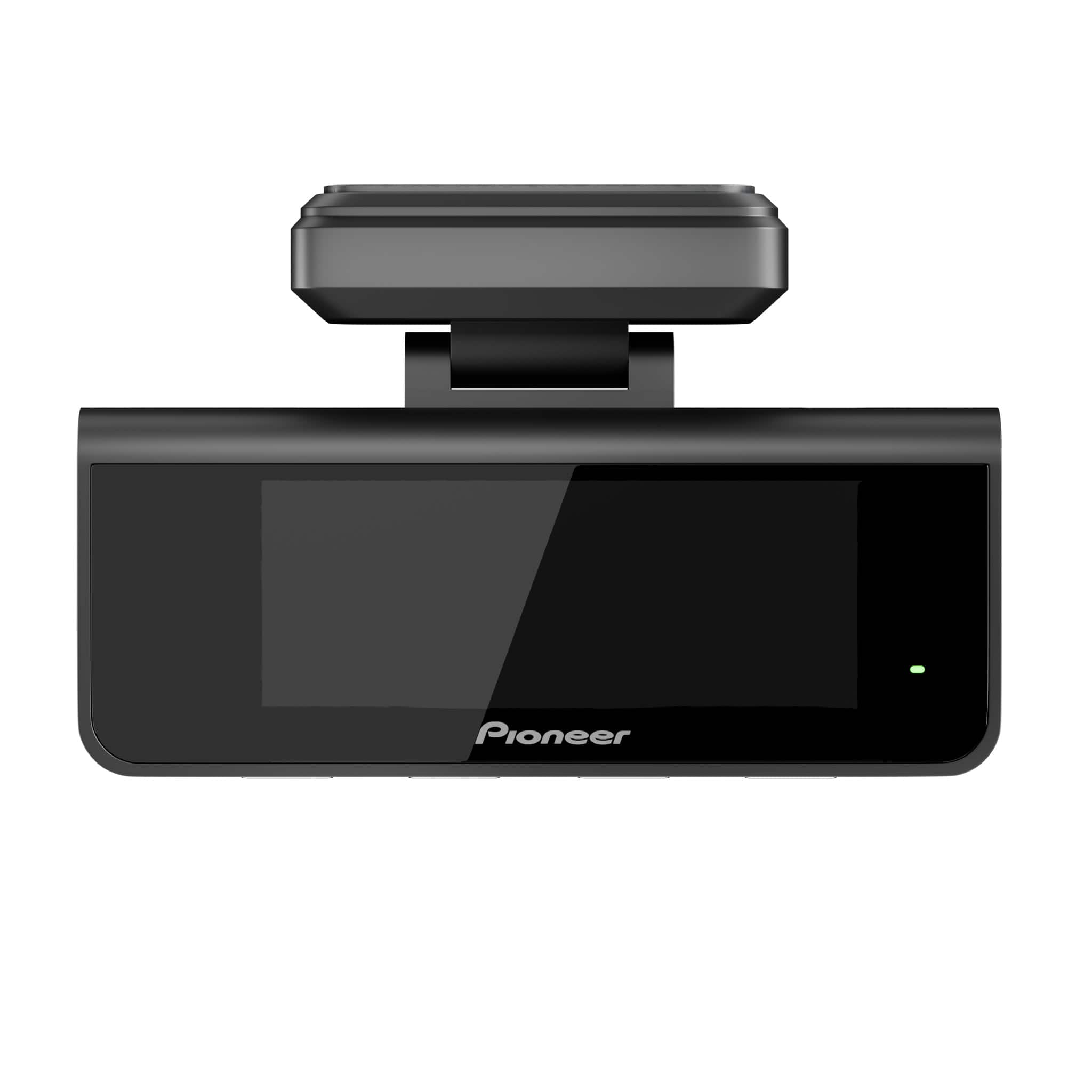
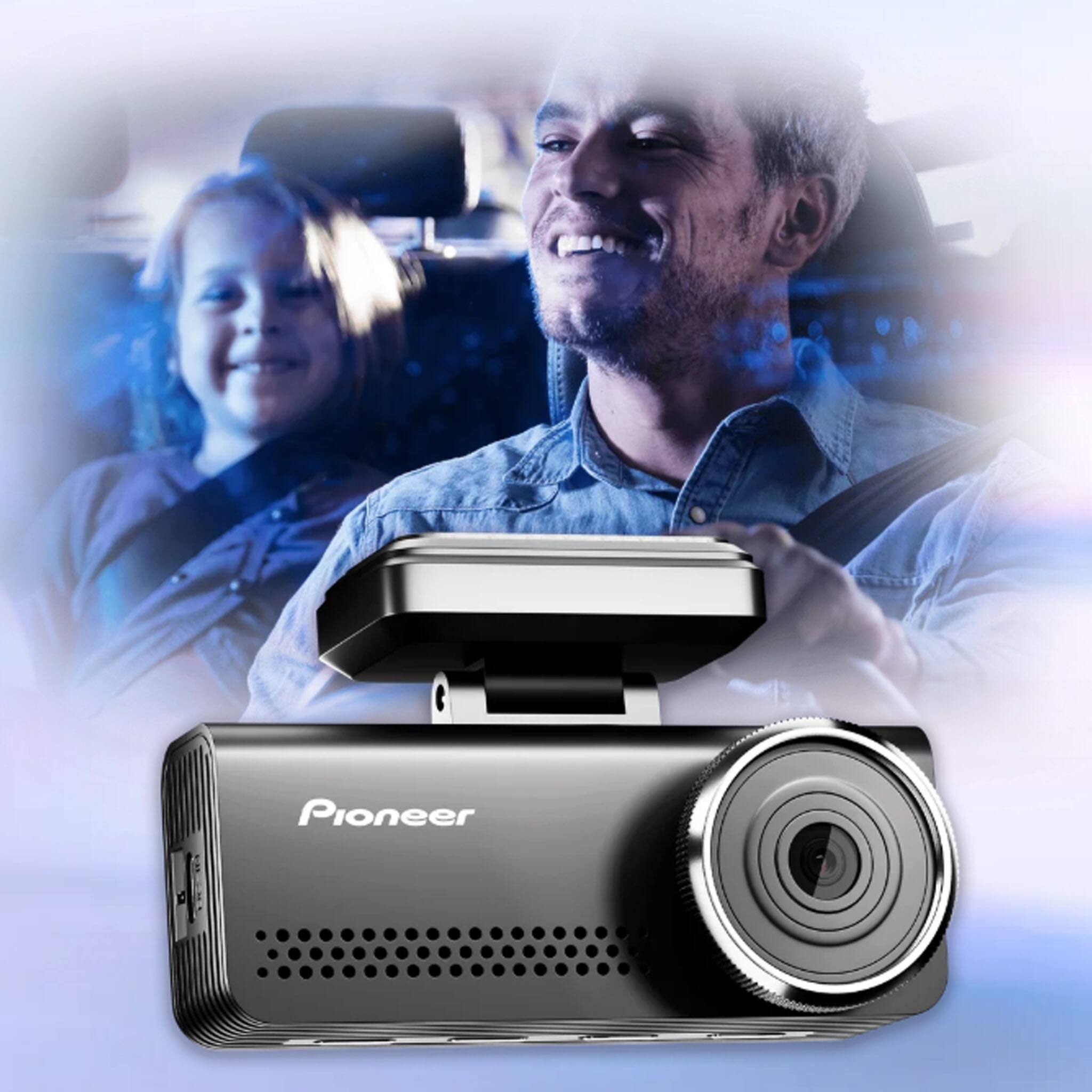
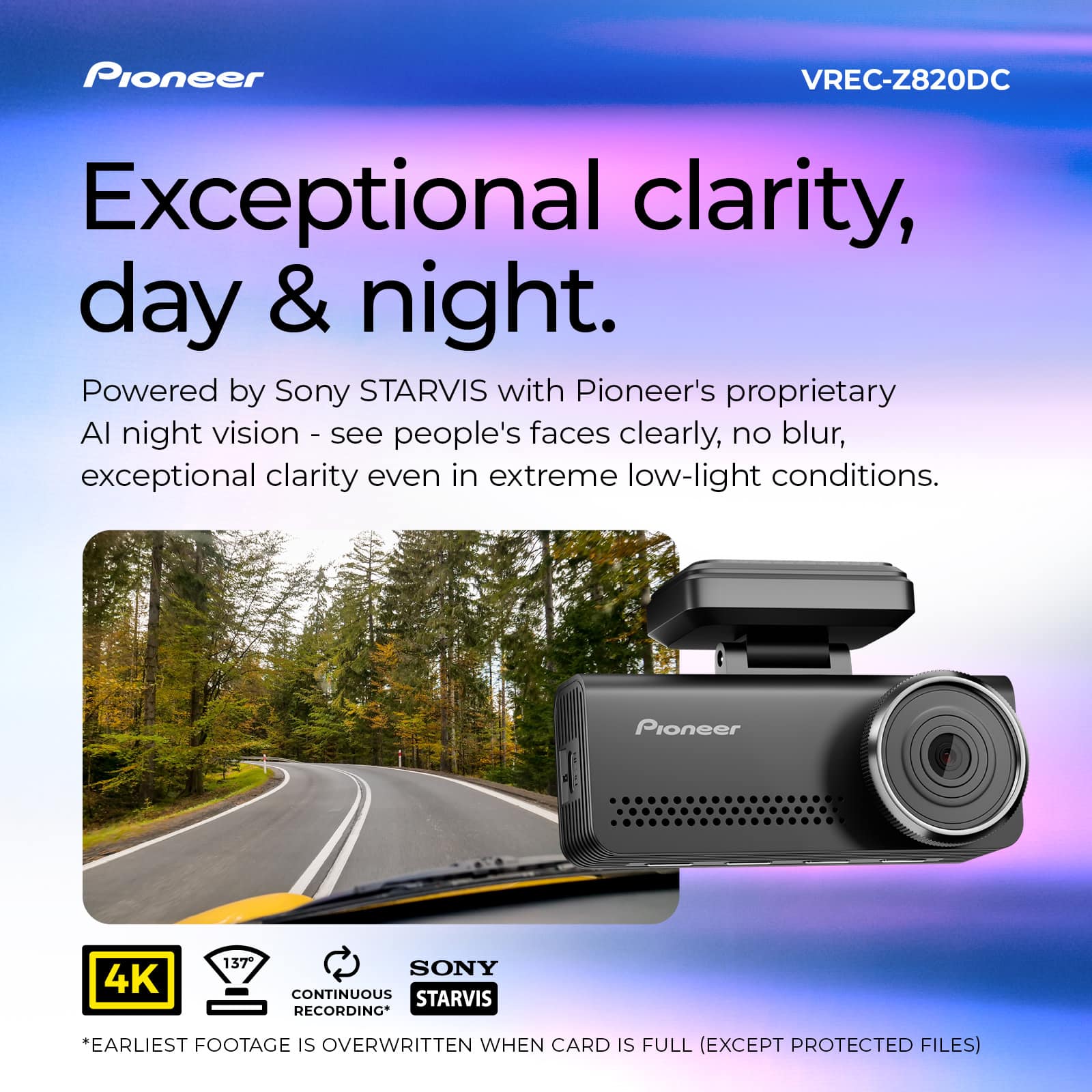
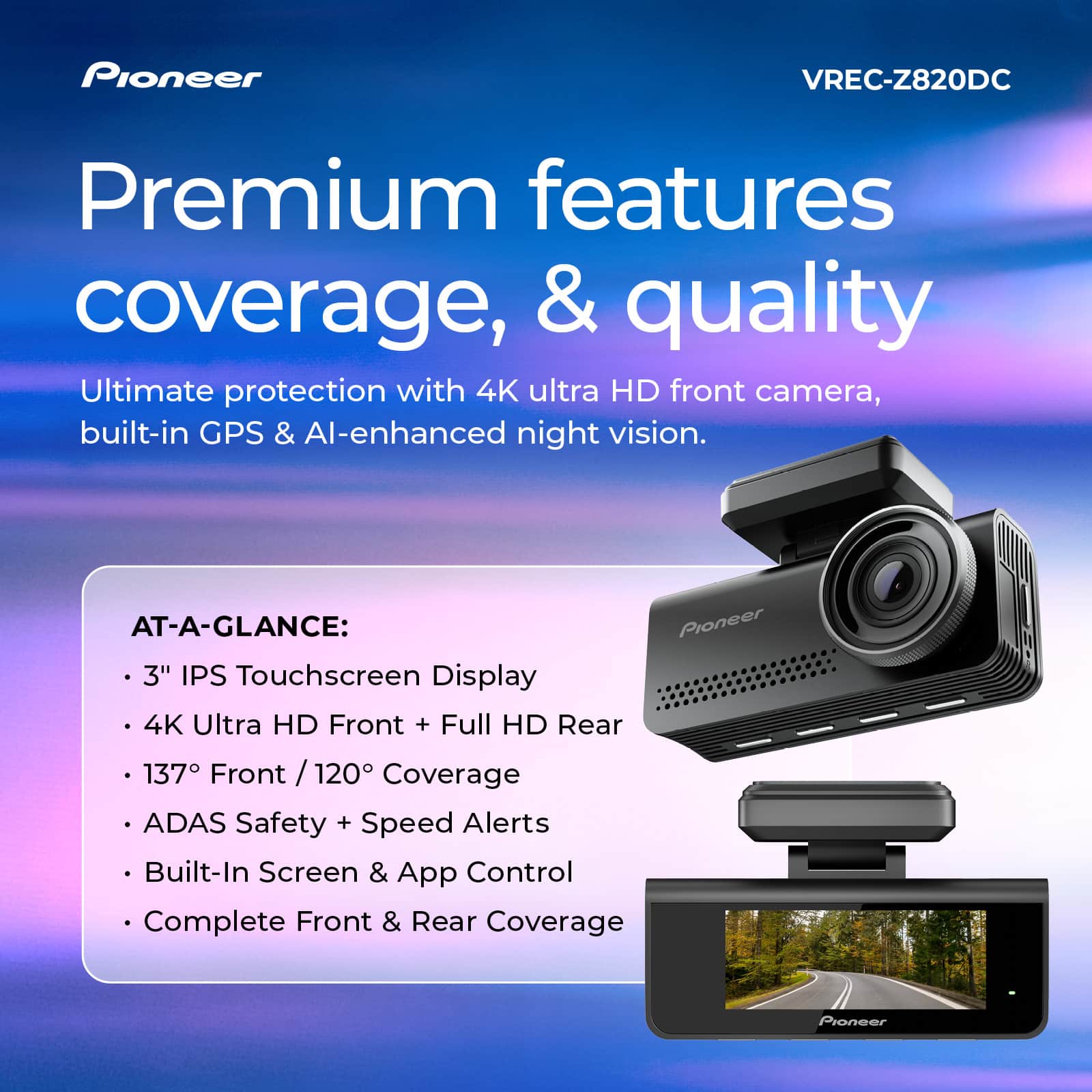

- Model:
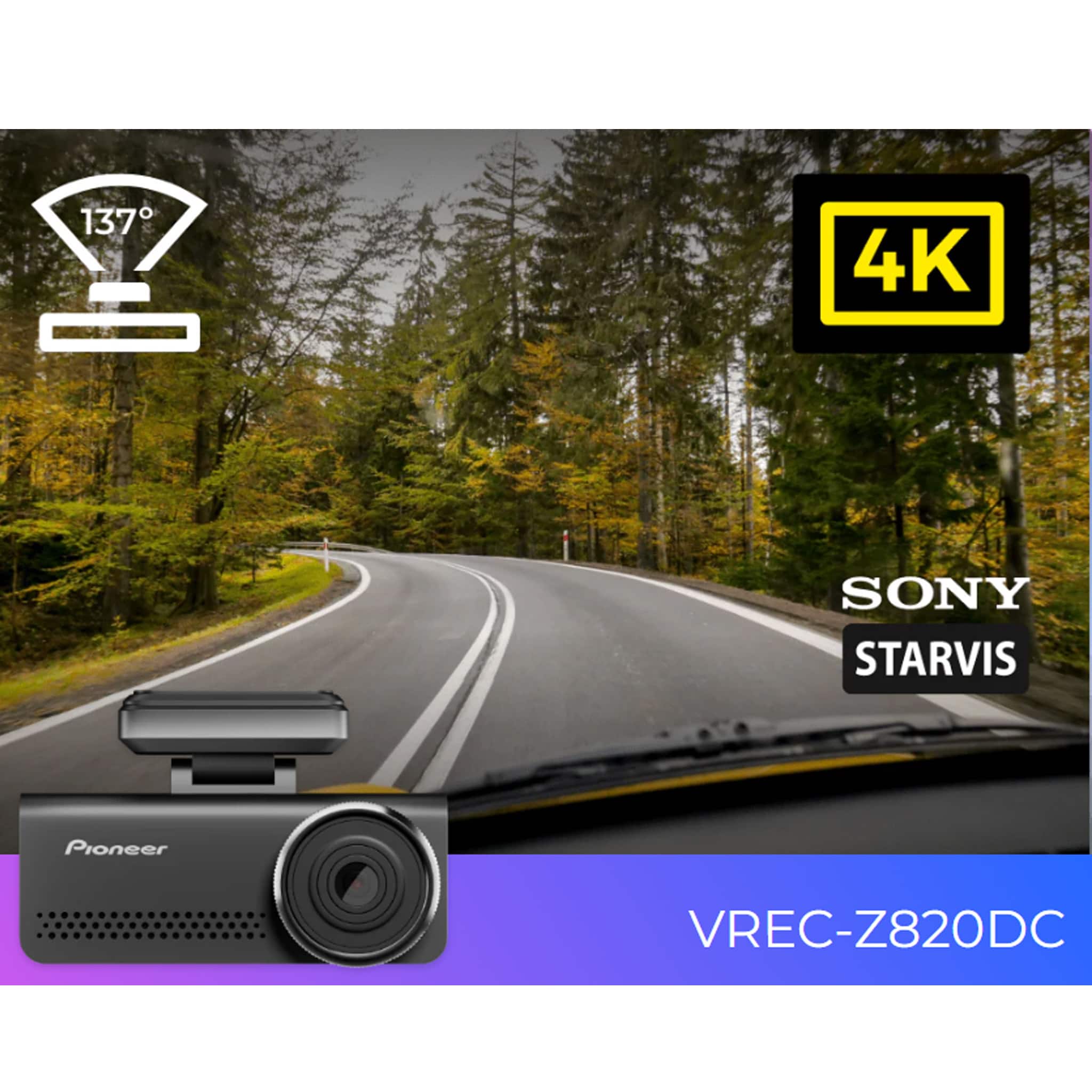
- VREC-Z820DC
- SKU:
- 6644075
to a friend
Customers are saying
Customers have good things to say about the Universal Compatibility Car Dash Camera, particularly praising its excellent video quality and relatively easy installation. The camera's wide field of view is also appreciated. However, some customers have reported issues with Wi-Fi connectivity.
This summary was generated by AI based on customer reviews.
- Pros mentioned:Installation difficulty
Good price and it works!
||Posted .This reviewer received promo considerations or sweepstakes entry for writing a review.Easy to install, and so far no issues. App works well as well.
I would recommend this to a friendBrand response from Pioneer Electronics Team
Posted .Thank you for providing the feedback on the product, we appreciate your time.

Good for my wife, good for my son
||Posted .This reviewer received promo considerations or sweepstakes entry for writing a review.I had already had this dashcam installed in my wife's car and I liked how it works, so I gave this dashcam to my son for Christmas for his car as well. He loves it. Easy to use and no issues using the app either.
I would recommend this to a friendBrand response from Pioneer Electronics Team
Posted .Thank you for providing the feedback on the product, we appreciate your time.
- Pros mentioned:Field of view, Installation difficulty, Video quality

Excellent Dash Cam with Great Video Quality
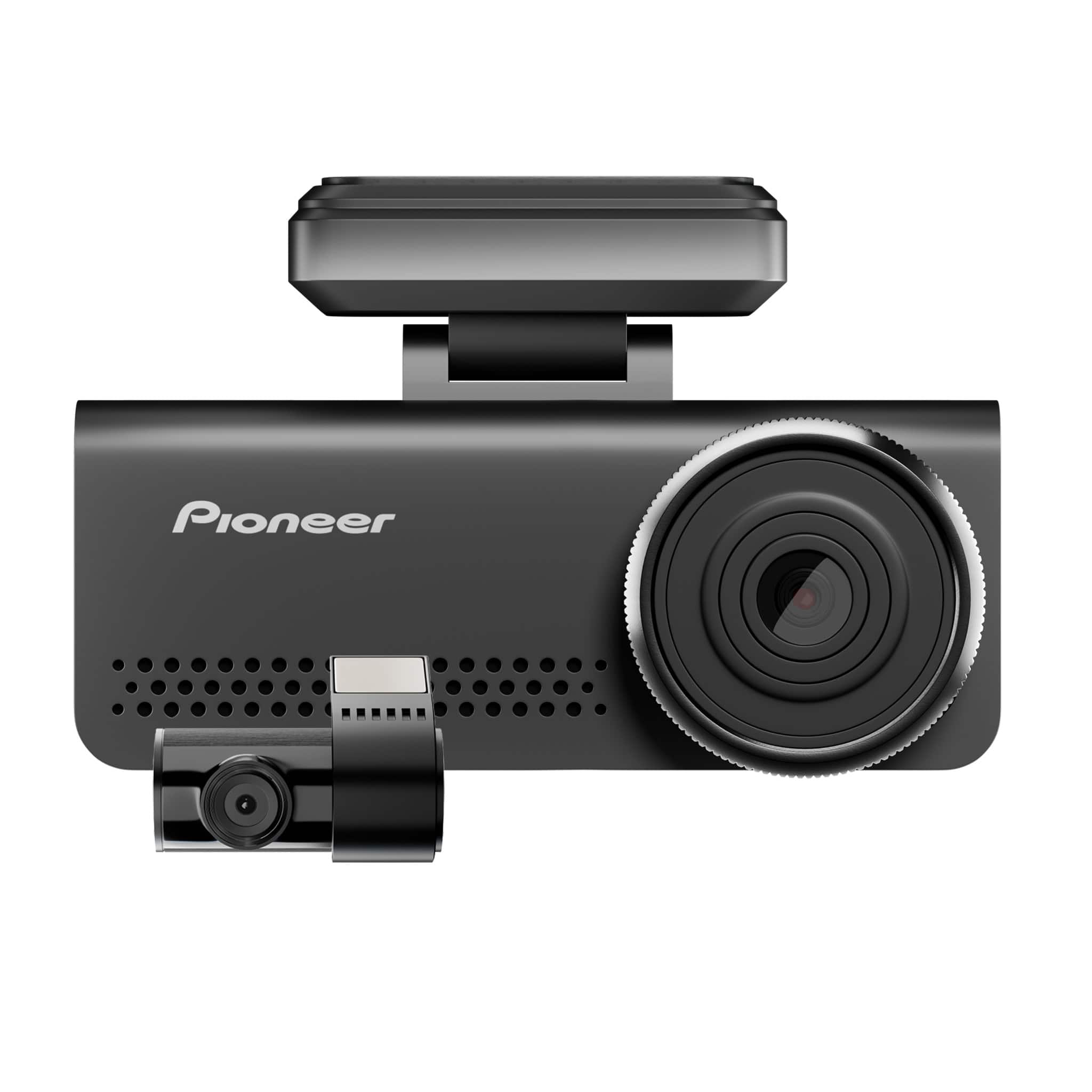
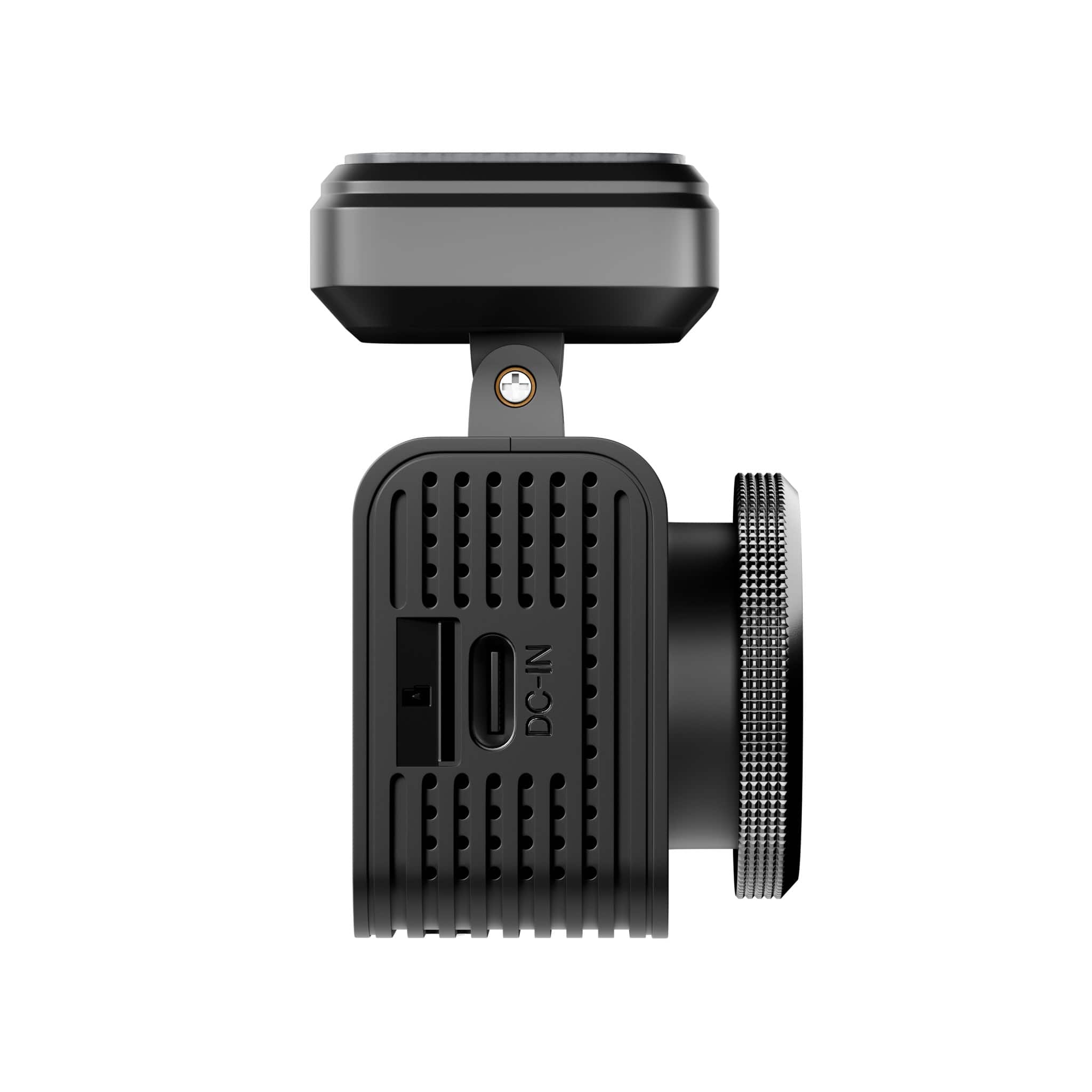
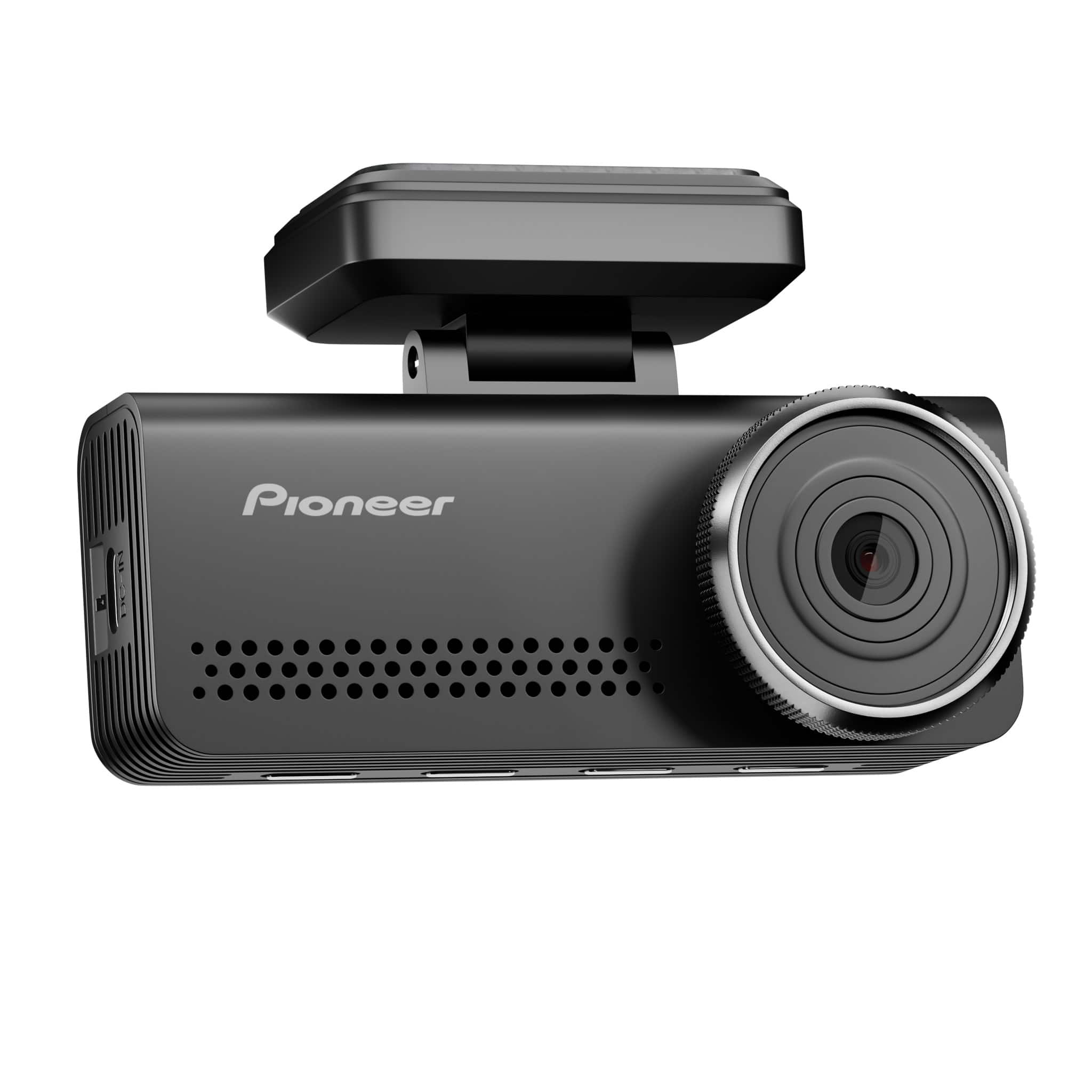
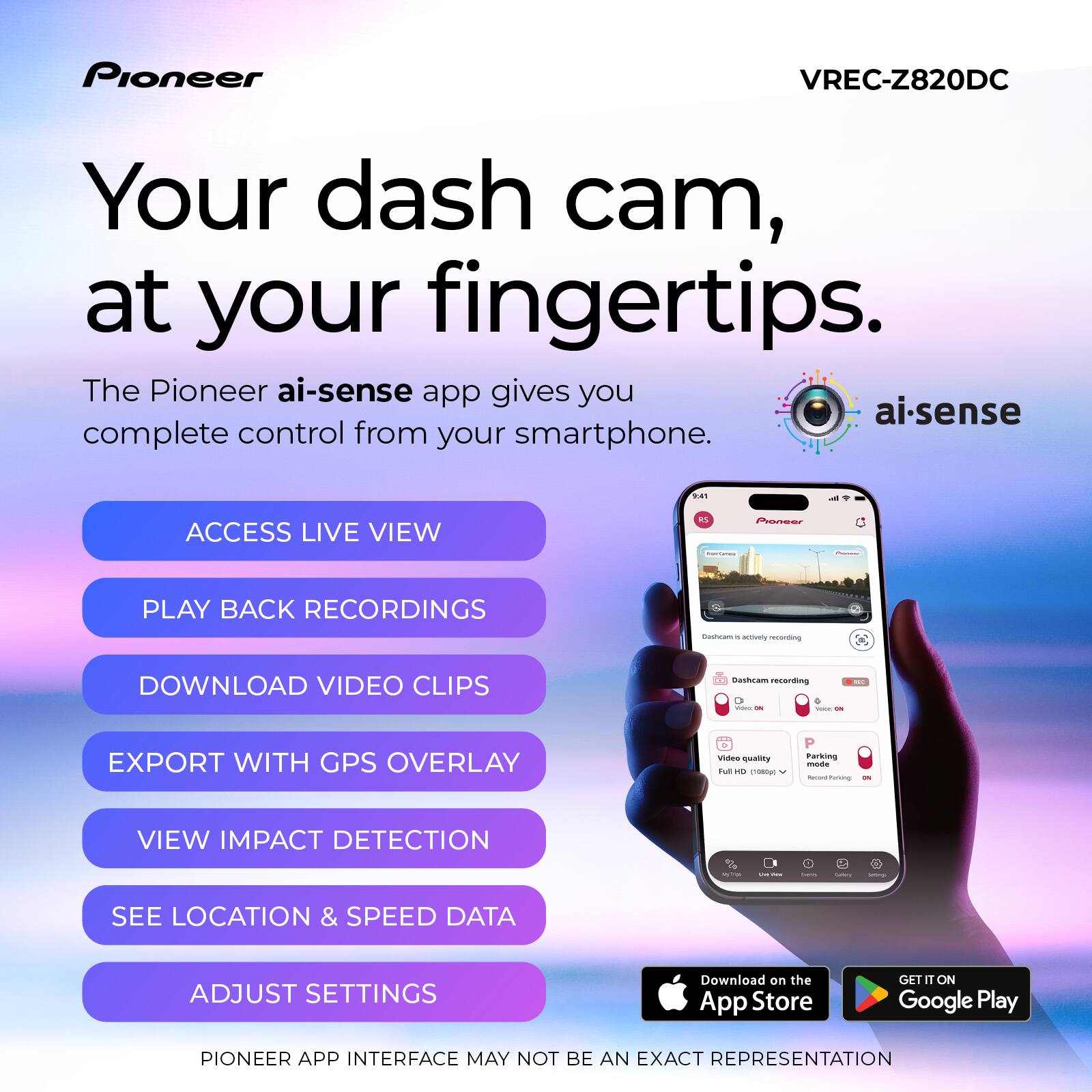
|Posted .This reviewer received promo considerations or sweepstakes entry for writing a review.The Pioneer VREC-Z820DC is a compact, discrete dash cam that mounts easily behind the rearview mirror. The front camera records in 4K ultra-HD resolution and has a 3.2-inch IPS display screen. It also comes with a rear camera that records in full HD resolution. The package also includes USB cables for the front and rear cameras, a cigarette charger, and a 128GB Micro SD card. I installed the camera system in my Tundra pickup truck. Installation was fairly straightforward. The instructions were okay, but the writing was small and having older eyes, it was hard for me to read. I would recommend downloading the instruction sheet or following a YouTube video for installation instructions. There is a QR code on the box to download the dash cam app. Once the app was downloaded, it was easy to connect to and set up the camera. You connect to the dash cam via the app through a Wi-Fi connection on your phone. You can use the app to view/download videos, update the dash cam firmware, and enable/disable dash cam features. The 4K video footage from the front camera is excellent and has a large 139-degree field of view. Night vision video is also good, and I had no issues making out details during nighttime driving. The HD video from the rear camera is also adequate. The rear camera has a 120-degree field of view. When video footage is downloaded via the mobile app, it includes a GPS logging feature that records your driving route with the video footage. It is nice having this feature included to show exactly where events occur. The dash cam also has an Advanced Drive Assistance System (ADAS) that alerts you for lane departure, forward collision warnings, and alerts for stop and go traffic. During initial installation, I enabled all the ADAS features, but after a few days of driving, I turned them off. I found that the lane departure warning did not work. Stop and go alerts did work properly, but the audible stop and go traffic warnings became annoying. I never tested the forward collision warning, and it never sounded while I was driving. Overall, the Pioneer VREC-Z820DC is an excellent, compact dash camera. Video footage quality is very good and easy to access through the app. There is room for improvement with the Advanced Drive Assistance System, but hopefully, it can be improved with a future firmware update. The ADAS shortcomings do not detract from the quality of the device, the image quality is great, which is the main thing you want from a camera. Highly recommended.
I would recommend this to a friendBrand response from Pioneer Electronics Team
Posted .Thank you for providing the detailed feedback on the VREC-Z820DC, we appreciate your time.
- Pros mentioned:Installation difficulty, Video qualityCons mentioned:Connectivity
Not as sharp as my other 4k dash camera.
|Posted .This reviewer received promo considerations or sweepstakes entry for writing a review.Setup was pretty easy. Well almost. Getting the old dash cam off was a pain due to the adhesive backing which this one has as well. It's a catch-22 though. The suction cup ones fall down by themselves all the time. But other than than running the cable for the rear dash cam, memory card install was a piece of cake. APP install had a problem however. It asked to setup the wifi name with a new password and install a firmware update. Wi-Fi ceased working completely after that causing the app not being able to connect to the camera. No amount of fiddling with rebooting the camera and or wifi helped. This required a factory reset with the new firmware. And a square one setup of the camera once again. But everything worked after that as normal. The camera itself is simple to use and understand. It records audio but not by default curiously. It is 4k which I will say is a must for dash cams. Never buy a standard resolution dash cam. You simply can't read ANY license plate virtually ever on standard resolution. This camera's 4k does look ok but compared to my other 4k dash cam by another brand.. it's oddly nowhere near as crystal clear for the main camera. The rear cameras seem about the same. Another thing that's not as good is that GPS is not recorded into the mp4 file as meta data. It's simply printed on the video itself. On my other camera, you can open the file and have it tracked on the map with the rear dash cam at the same time. There's simply NO desktop app available at all for this camera. That's a shame. It's app only.
No, I would not recommend this to a friendBrand response from Pioneer Electronics Team
Posted .Thank you for providing the detailed feedback on the VREC-Z820DC, we appreciate your time.
After you change the password in the application, you need to tell your phone to forget the wifi connection for the camera and make a new connection. Close the ai-sense application. Clear the Pioneer from the phone wifi menu. Launch the ai-sense application. Go to the wifi settings of your smartphone and have it search for networks. It should find the Pioneer and connect to it. You will need to enter your new password. No go back to the ai-sense application and it should connect.
You are correct, there is not a desktop application.
You can take the Micro-SD card from the camera and connect it to your computer, to access the files.
- Pros mentioned:Installation difficulty, Video quality
Excellent quality and low maintenance camera.
|Posted .This reviewer received promo considerations or sweepstakes entry for writing a review.This is an excellent camera and great package (front and rear with app) for a great price point. The setup was much easier than I anticipated. I picked my spot to mount, used the included adhesive tape, and then it was all about running the wires. The camera does not come with a tool to help you fit the cords into your molding, but I would suggest grabbing a small flathead screwdriver to do the trick. Next is connecting the rear camera and picking a spot to mount while looking at the picture on the camera to make sure you have a good view. Again, it’s time to fit the cords into your molding. Now that I had it installed, I began going through the settings with the push buttons on the camera to navigate the menus and make selections. However, I discovered that the QR code to download the app was in the installation instructions. Once I got that downloaded and connected, I could also navigate and change the settings of the camera from the app. So now that it’s set up, I would have to say my favorite part about this camera is the lack of user intervention needed on a daily basis. I get into my vehicle and once I start it up, the camera powers up, tells me the rear camera is connected, shows the current display and then shuts off the display after 30 seconds (I picked that amount of time and have it turned off rather than always showing to avoid it being a distraction). Now that it’s powered up, it starts recording and that’s it. I touch nothing. So now that I’m recording, I also don’t touch the camera to view the videos. With the app that connects over wifi, I scroll through the time stamped 1-minute clips and pick the one I want to watch or download. If I pick download, it’s about a 200mb file that downloads to the phone in about 60 seconds’ time. So that does take some time if you want multiple, but understandable with the high-quality video. Now that you have downloaded the video you can view on your phone at any time without the camera. The only thing I think is missing from here is the ability for you to email or upload the video from the app to the web to share. I apologize if that feature is available and I just haven’t found it. The video quality is great from this camera. I did see in other reviews and agree that there is some glare at night, but to me that’s minor as the camera is still capturing high quality video. Overall, I love this camera for all the features listed above and then add in the fact that it’s a very reasonable price point and I’m sold. I'm about to buy a second to put in my wife’s vehicle.
I would recommend this to a friendBrand response from Pioneer Electronics Team
Posted .Thank you for providing the detailed feedback on the VREC-Z820DC, we appreciate your time.
- Pros mentioned:Video quality
Nice Dashcam but with some Fine Print
|Posted .This reviewer received promo considerations or sweepstakes entry for writing a review.I recently installed the Pioneer VREC-Z820DC dash camera system in my 2019 Honda Pilot EX-L, and after several trips of real-world driving, I’m pretty impressed. This is my first dash cam that I’ve installed in my Pilot, and it’s nice to see that Pioneer isn’t just offering a “point-it-and-forget-it” dash cam. There’s a lot of extra bells and whistles above and beyond a simple dash cam. It’s important to note that there’s 2 cameras in the box. The front / main camera that can record in 4K, 2K, or FHD resolutions, as well as a rear cam that records in 108p FHD. The front / main camera uses a Sony STARVIS IMX415 8MP sensor, which records crisp images, even while driving at night. When braking, accelerating, or cornering hard, the built-in G-sensor can lock the video recording, so you don’t need to worry about missing any recordings of risky events. You can access saved video on the spot through the control screen, or you can sync over WiFi through Pioneer’s “ai-sense” mobile app. Installing the 2 cameras in the Pilot was a bit of a chore however, especially if you’ve never ran wires internally in your car before. Mounting the Front Camera: I followed Pioneer’s manual closely: cleaned the windshield behind the rear-view mirror, peeled the backing off the strong double-sided tape, and stuck the mount there. Pioneer recommends placing it high but not in the driver’s sightline and outside of airbag deployment zones. After sticking it on, I let it sit for a few hours so the adhesive could settle. I also recommend checking your state’s laws or guidelines. Here in Illinois, the cameras must be installed near the rear-view mirror so they’re not obstructing the driver’s view. It’s important to note that there’s 2 options for running power to the camera. You can use the provided USB-C to USB-A cable and the provided 12v cigarette lighter adapter. Or, for an extra purchase, you can pick up a hardwiring kit and connect it through your car’s battery system. Since the hardwire kit is an optional purchase, I used the provided cable and 12v adapter for my install. Also, in order to save recordings, you have to use a MicroSD card. The unit ships with a rather anemic 128GB, which won’t save much if you have it set to record in 4K. I dropped mine down to 2K to try and save space. We’re planning a longer road trip this December to see family, so I’m going to have to either pony up for a bigger SD card, or drop the front recording down to 1080p FHD to maximize space. Mounting the Rear Camera: For the rear, I ran the cable through the headliner and down the passenger-side trim. The Pioneer manual warns to avoid plating the wire so it overlaps heating wires on rear defrost lines, so I was careful about my placement. I cleaned the glass, stuck the little camera on, and let it settle as recommended. Getting this one installed right was a bit of a chore. The rear camera can rotate 360 degrees, however you cannot flip the image. So if you install the camera and find it’s recording upside down like I did, then you have to start the installation all over again. This was something I was less than pleased with, and I’d recommend not installing the camera until you have the main camera installed so you can check the video on the rear one. App Connection & Setup: Once installed and powered, I used the Pioneer “ai-sense” app to pair with the dash cam via WiFi. Right out of the gate, there was a software update, that I still have not been able to successfully install. I’m not sure if that’s because of the WiFi requirement. It would’ve been nice to have the option to connect the dash cam with my home WiFi to improve syncing speeds. It’s a bit of a hassle having to toggle WiFi back and forth to control / view stuff using their app. Pros: • I was impressed by the excellent video quality, field of view, 4K front, FHD rear, sharp nighttime images. Since this is my first dash cam, I wasn’t really sure what to expect, and I was pleased to see that the video quality was really nice. • ADAS warnings add some safety awareness points, which will be nice when my teenager begins to drive in a few months. • GPS + Wi-Fi connectivity makes it easy to review driving routes or recordings. • 3.2” screen for local control, config, and playback. • Main camera slot supports up to 512 GB microSD. Cons: • In order to unlock some of the cooler features the unit advertises, like parking mode, you must buy a hardwire kit separately. • The provided cable only works with a 12v port, so don’t expect to use any spare USB-A ports your car has. • Adhesive mount is very strong, so pick your location carefully before sticking, because removing and reapplying is not easy. • The Wi-Fi transfer speed between the unit and the app is decent but not lightning fast. Large 4K clips take some time to pull down via the phone. • The 3.2″ display is useful, but not super sharp for reviewing very high-res footage. Exporting to a phone or PC is the best way to view recordings. Final Thoughts: If you’re looking for a dash cam with front and back dual recording, plus additional features like an awesome front camera, and are comfortable with some wiring, the Pioneer VREC-Z820DC is a great option. It offers excellent video quality, reliable performance, and thoughtful features like ADAS alerts, GPS, and app connectivity. In my Pilot, the unit looks polished and gives me a very solid piece of mind on every trip. I wish it would’ve come with a larger MicroSD card to really maximize the whole “recording in 4K” feature, and the fact that Pioneer charges $20 for the hardwire kit makes me wish they’d just include it with the unit, and give people the option of how to wire it.
I would recommend this to a friendBrand response from Pioneer Electronics Team
Posted .Thank you for providing the detailed feedback on the VREC-Z820DC, we appreciate your time.
- Pros mentioned:Video quality
Great video quality and features
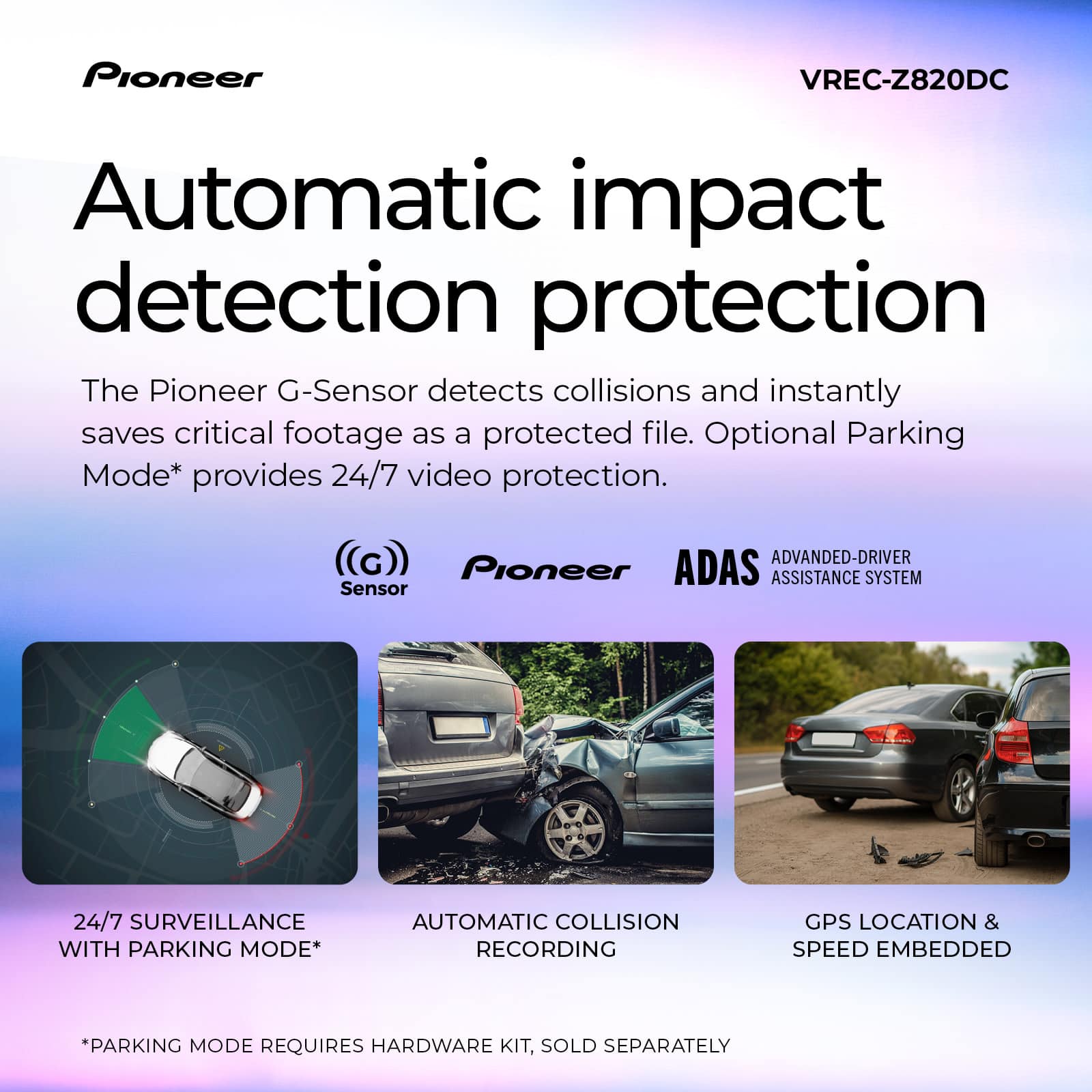
|Posted .This reviewer received promo considerations or sweepstakes entry for writing a review.We’ve had several varieties of dashcams for various vehicles we have owned and would really recommend their use to be prepared should a collision happen. This Pioneer dashcam with GPS and WiFi does a great job producing quality video with 4k resolution from the front camera and full HD video from the rear camera. Installation is fairly straight forward from the instructions, and you will need to download and install the Pioneer AI Sense app, but there are also built-in screen controls. We did run into problems updating the camera’s firmware on the day we installed it but tried it again a few days later and the firmware update completed just fine. Pioneer facilitates easier installation with cables that are sufficiently long and with the use of an electrostatic film to ensure camera alignment. The front camera was installed a bit to the left of the center of the windshield to not obstruct the driver’s view, but we were a tad disappointed that the front camera didn’t really have the ability to swivel left to right. This isn’t a huge deal as one can adjust the camera up and down, and the 137 degree wide viewing angle really does capture an impressive width of the road. Our plan is to proceed with purchasing the external hardware kit since the cost is minimal and we’d like the ability to use optional parking mode to capture photos and video of any parking lot mishaps that may occur. It’s great that a 128GB Micro SD card is included and that one does have the option for up to 512GB of storage. In trying out the performance of the camera in daily driving we only came up with one result that mystified us. The miles per hour that was shown on the recorded video was way off as compared to the speed we were actually driving. And not just a little bit, but like twice as high as actual mph driven. It makes one wonder if this would cause any issues should you want to provide recorded footage if an accident occurred. Hopefully, this is something Pioneer can correct via firmware updates as the variance was quite significant. Otherwise, we’re quite happy that the dashcam does a great job of providing very nice video quality and Night Vision AI enables clear video quality even in low light conditions. The front camera has one of the largest display screens we have utilized on a dashcam and the app provides nice side by side video of the front and rear cameras. One has some peace of mind knowing this Pioneer dashcam will automatically detect any sudden impacts or abrupt movements to instantly lock and save critical footage. Advanced Driver Assistance Systems provide additional safety assistance to drivers via real-time collision warnings and lane departure alerts via a beep sound. We'd recommend purchasing this dashcam for the many features it provides and stellar video quality, and I'd imagine Pioneer will resolve the hiccups with the firmware updates and recorded mph.
I would recommend this to a friendBrand response from Pioneer Electronics Team
Posted .Thank you for providing the feedback on the VREC-Z820DC, we appreciate your time.
The firmware update will correct the issue with the speed not displaying correctly. You can update the firmware through the application or download it from our support page. Copy/paste this link to access our support page. https://usa.pioneer/pages/support
- Pros mentioned:Video quality
A Good Deal
|Posted .This reviewer received promo considerations or sweepstakes entry for writing a review.This Pioneer dash cam (model: VREC-Z820DC) kit has mostly everything you need to give you peace of mind while on the road. A front dash and rear cam, cables, and a 128GB microSD card. I’m not quite sure what brand the microSD card is, but I hope it can support all the constant writing that dash cameras do. In the past, I’ve had to replace my dash cam’s SD cards every couple of years. I hope this is the case with this one. The only items missing that could’ve been included is a cable management tool (typically included with dash cameras for cable management) and an SD card adapter. The SD card adapter is helpful when you want to view and quickly manage dash cam footage on a computer. Luckily, I have both from my older dash cameras. But there are likely people out there where this is their first dash camera and do not have these items on hand. Setup took me about 45 minutes. I obsess over cable management, so I spent a good amount of time just tidying up the setup. The app is optional, but I went ahead and downloaded the app to give it a try. It is called “ai-sense: Pioneer Dash Cameras” on Android devices. The app is simple and easy to navigate. There is a live view, a gallery, dash camera settings, and more. In terms of dash cam quality, my video footage was all in 4k quality, and it looks great! Traffic signs and license plates are clear during the day. At nighttime, quality does dimmish slightly, but license plates are still legible depending on the angle. A cool feature that this dash cam has that my older ones lacked is the ADAS (Advanced Driver Assistance System). While it sounds cool, I found that it was both a hit and a miss. The lane departure warning would work half the time, and the stop-and-go alerts did work well. I’m not sure if this is the reason for the average results, but I may adjust my dash cam to be slightly higher because my truck has a tall hood that may have interfered with the system. But I am probably going to get this dash camera installed in my sister's SUV and see how it performs there. If you are looking for a touchscreen display, the IPS display on this dash cam is not touchscreen, but I don’t mind the buttons for navigation. They are responsive, and my old dash cam had buttons too that I didn’t mind either. Overall, this camera is a good deal! For the price, you will get a front and rear dash camera that records in 4K. The video footage is clear during the day, and while the quality does drop during the night, things like license plates are still legible depending on the angle. A feature that I didn’t get to try is the optional parking mode. A hardwire kit is required to use this feature, but I may invest in this for the peace of mind. If you are looking for a front dash and rear camera combo, this has worked great so far. Some of the more advanced features, like ADAS, are a hit or miss, but if all you care about is the basics like great high-quality footage and automatic event recording(locks and saves incident footage), this kit should do the trick.
I would recommend this to a friendBrand response from Pioneer Electronics Team
Posted .Thank you for providing the detailed feedback on the VREC-Z820DC, we appreciate your time.
- Pros mentioned:Installation difficulty, Video quality
An amazing 4K dash cam from Pioneer
|Posted .This reviewer received promo considerations or sweepstakes entry for writing a review.This is a fantastic dash cam. It feels and looks well built. I've had a few cheap dash cams over the years and this is not a cheap looking or feeling unit. The main unit was easy to install. The rear camera does take a little bit of more work as you have to run a cable from the main camera to the rear of the vehicle where the rear camera will be mounted. This is typical of all dash cams of this style. I installed this in a 2011 Volkswagen Golf and was able to run the cable under the carpet on the drivers side and tuck it in places for a clean install. Once completed and powered on, this is where you see the quality in this unit. The video image in both day and night is amazing. The low light image is the best that I've seen yet. The external storage is huge as it accepts up to 512gb. It does come with a 128gb card which works, but you'll probably want a bigger card for longer video retention. The app works well and I didn't have any issues with it. The app connected to the camera and was able to view footage. The only downside is that if you want to hardwire this dash cam, you have to purchase it separately. However, that's a small gripe for such an awesome dash cam.
I would recommend this to a friendBrand response from Pioneer Electronics Team
Posted .Thank you for providing the feedback on the VREC-Z820DC, we appreciate your time.
- Pros mentioned:Video quality
So many wires to hide but a great camera!
|Posted .This reviewer received promo considerations or sweepstakes entry for writing a review.I'll be honest, it loses a full star because of the installation process and garbage instructions. Getting this thing set up was quite the pain. Trying to find a clean way to hide all the wires for both the front AND the rear camera was a total pain. It just takes a lot of time and patience to get it looking nice and not have cables everywhere. I'm a neat freak and want everything to look perfect so part of this is on me but still… What made it worse were the instructions. They were quite bad. I was really hoping for some help, but they were pretty much useless. It was very much a "figure it out on your own" situation, which is really frustrating when you're juggling all these wires. BUT... now that the setup nightmare is over and everything is finally tucked away, I have to say, this camera is fantastic. The features are wonderful, the quality is top-notch, and it works exactly like you'd want a premium dash cam to work. The video it records is fantastic in 4k and you can see everything very clearly. If something were to happen, as long as the camera is plugged in and running, everything would be very easy to see. The other features such as emergency recording, GPS, and the Advanced Driver Assistance (ADAS), among others are great. Also, the night vision is great too! Which is fantastic because it's hard to find a good dash camera with great night vision. After the camera is installed and set up, it's fantastic. It's all you could want in a dash camera and the fact that includes a rear camera as well is great. I docked a star due to the install and poor instructions but done let this take away from the ease of use and fantastic quality of the camera itself.
I would recommend this to a friendBrand response from Pioneer Electronics Team
Posted .Thank you for providing the feedback on the VREC-Z820DC, we appreciate your time.
Routing cables is a challenging task and is different for every vehicle. I am glad you were able to get them tucked away.
- Pros mentioned:Video quality
Good dash cam with a missing key item
|Posted .This reviewer received promo considerations or sweepstakes entry for writing a review.The Pioneer VREC-Z820DC dash cam with rear camera is a fantastic camera kit. It boasts an 8 megapixel UHD 4K resolution. It has Wi-Fi built in, which makes communication with your phone easier and saves clips to it more easily. It also uses GPS for location, which makes it easier to tag saved incidents. The screen resolution is impressive, but it also comes with a starter kit that helps improve low-light images by using back-illuminated CMOS sensor technology. Also comes with AI-ISP, which uses AI to process images for better image quality. I was able to get crystal-clear images at night while driving, which is impressive compared to other dash cams I've owned. The ADAS system also assists you in driving with alerts to help you avoid collisions, which was really amazing. My car already has it, but it was cool to see it integrated into a dash cam. The Pioneer app is also very nice; it has a very smooth UI. There were so many other functions I could not achieve, such as the parking collision monitor, which was only available with a hardwired setup. It needs constant power when the vehicle is not running. That is an additional purchase that was not available at the time of my installation. You will need the Pioneer dash cam hardwire kit, part number Rd-hk300. But I'm still all in. All in all, I'm pleased with it; I wish it had come with the cable. The rear-mounted camera also has a fantastic resolution. But if you're looking for a next-level dash cam, check this one out.
I would recommend this to a friendBrand response from Pioneer Electronics Team
Posted .Thank you for providing the detailed feedback on the VREC-Z820DC, we appreciate your time.
Quality Camera held back by Minor Flaws
|Posted .This reviewer received promo considerations or sweepstakes entry for writing a review.I am having some pretty mixed feelings on this Pioneer Dash Cam unit. There's a lot to like, but there's quite a few minor things that could have been a lot better. First, my negatives. I'm going to give a disclaimer here that I drive a Jeep Wrangler, so some of the issues I have had may be part of the vehicle I drive. One of the biggest ones is that if I attach the camera to the glass as intended, it is impossible to get a good angle of what's ahead of the vehicle. The hinge on the camera does not have the necessary range of motion. I have had to attach it to the plastic part of the roof instead of glass which is a fairly insecure connection relative to the glass due to the bumpy nature of the plastic. Additionally, the plug for the USB that goes to the rear camera points straight up, and the hinge is not quite tall enough to give the plug enough space when the camera is mounted vertically as I have it. Another installation problem, this kit does not include anything for cable management. I've installed similar, cheaper kits onto both a Camaro and a Rav4 so this seems like something I would have expected. Some cord holding clips or a small plastic tool to help guide the cords into your vehicle's trim would make sense and was included in other units I've installed. Getting the cords into the trim was a pain without the help and some small clips would do wonders here. Now on to operation. This unit does not use bluetooth for anything. You can't change settings via bluetooth, give commands via bluetooth, nothing. As a part of setup you will have to set the camera's wifi network. This is how you access and control the camera. On many phones, connecting to the camera's wifi will sever your connection to the mobile network (no 5G, no iMessage or other RCS messaging, etc) in order to access the camera. This isn't a huge deal, but for an app that seems designed to be used as the screen for the camera while in motion, seems like an oversight. Even if you couldn't see what the camera sees over bluetooth, being able to change settings would do wonders. Furthermore, my unit does not turn on when I start my vehicle like I would expect. I have to manually press the power button to turn it on whenever I start the vehicle. I would expect it to detect when it has power and turn on, but this is not the case at least not for me. Again, a little thing that would make a huge difference in the ease of use. The speed detection on the camera is very inaccurate which could be a problem if you use this as evidence in the event of an accident. It showed me going 75 MPH while I was going 45 MPH. I had to double check I had it set for MPH and not KPH. It seemed to always be at least a little bit off. Now on to positives. The camera quality on both the forward and rear facing cameras is excellent. Audio recording is also crisp and clear. The detection warnings of lane departure, the vehicle in front of you moving in stop and go traffic, and the front collision warning (which I thankfully have yet to trigger) all seem very useful and good. Recording something specific in an emergency is simple, there is a quick button to press underneath and it will record a roughly 30 second clip out of what it's otherwise recording and save it separately. Once you connect to the camera's wifi, downloading any clips or videos that you need is quite easy. The unit does come with a removable internal memory card which you could upgrade if necessary. (It overwrites unsaved video as necessary when out of space, so unless you just like having hours of video it's not necessary.) So yeah, that about covers it. Some whiffs on some little things that stand out and seem like pretty easy fixes, but overall solid quality and easy to use after a frustrating install experience. (that I admit may have been easier in a different vehicle.)
I would recommend this to a friendBrand response from Pioneer Electronics Team
Posted .Thank you for providing the detailed feedback on the VREC-Z820DC, we appreciate your time.
The firmware update will correct the issue with the speed not displaying correctly. You can update the firmware through the application or download it from our support page. Copy/paste this link to access our support page. https://usa.pioneer/pages/support
Great video quality but shy of being premium
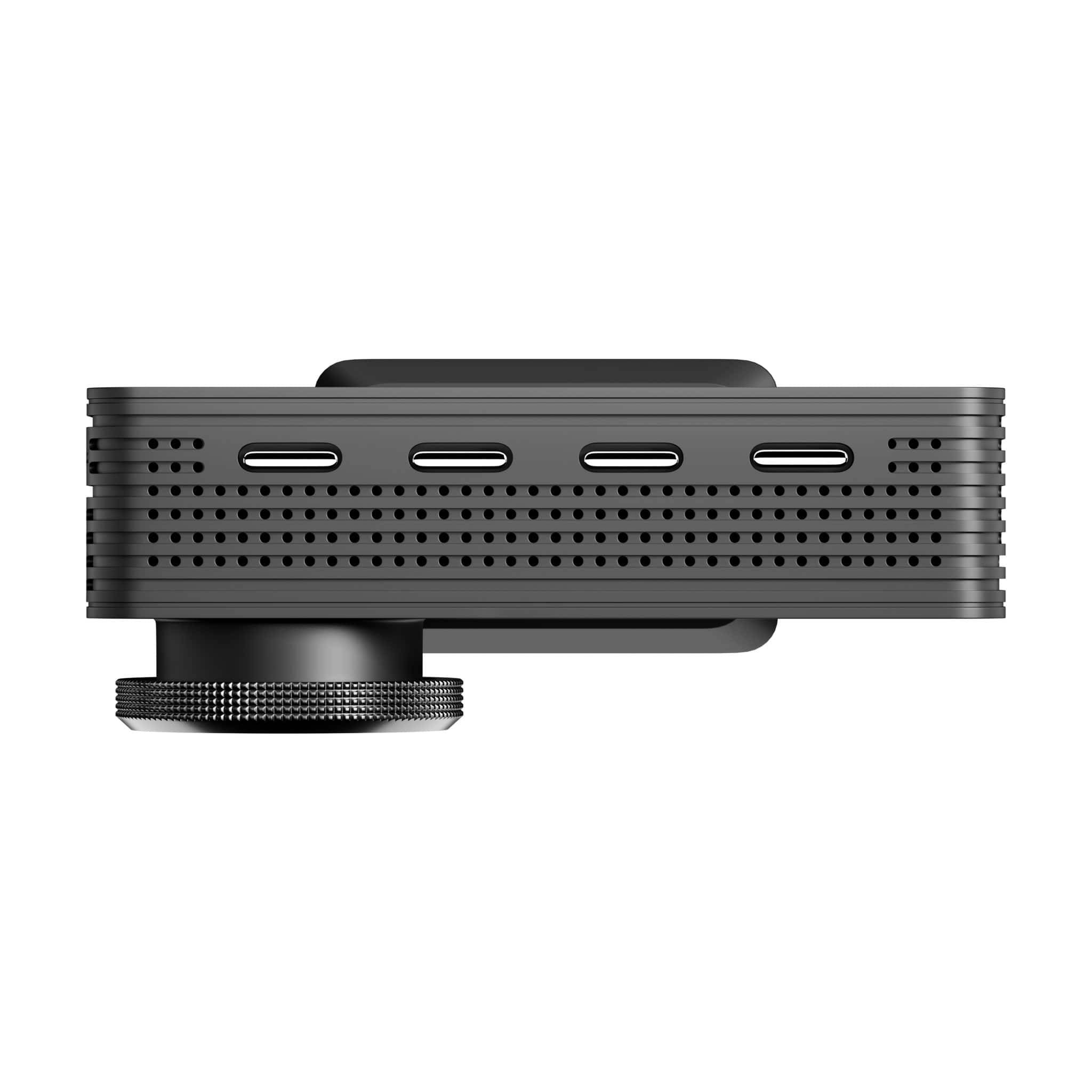
|Posted .This reviewer received promo considerations or sweepstakes entry for writing a review.The Pioneer VREC-Z2820DC offers excellent 4K image during daylight, and above average nighttime as well. Though Pioneer touts this as their premium dash cam, it falls short of being premium, mostly due to the app. Nonetheless, it gets the job done nicely for documenting important driving events. PROs √ Quality of daytime video is excellent. Very easy to read license plates of parked cars on local streets. √ At night, road signs and street names are still very clear. However, the license plates of parked cars could not be read for most of the time. And cars in front me while driving were also illegible except once in a while when plates were not directly lit up by headlights. This is not unique to this dash cam as every dash cam I’ve owned had night viewing issues. √ The box comes with a 128 GB microSD card. √ The Pioneer mobile app is not necessary to operate the dash cam. But it does give you a live view on your phone of both front and rear cameras. The app is necessary for firmware updates, however. √ 3” IPS screen lets you review footage without needing the app. √ AI is built in for advanced features like lane departure warning, collision alert and stop and go alerts (warns you the car in front has moved). √ Accident detection automatically locks the video with the crash from being overwritten. √ An optional hardwire kit can be purchased to enable parking mode. CONs - No tool is included for inserting the cords into the car’s panels. Thankfully I kept mine from other dash cams. - No polarizing filter to remove reflections. It’s very noticeable at night though fortunately the reflection is in the night sky portion of the frames. There’s no way to place the dash cam closer to the windshield to reduce these reflections either. - Runs hot - not sure what summer will bring and if it will keep running in hot weather. I had a different brand 4k dash cam that kept overheating so hope this one doesn’t do that. - Every time I try to connect my phone to it and the app takes me to the wifi setting, it takes me to the list of apps under iOS settings instead of the list of wifi networks. - Somehow the name of the SSID changed from Pioneer xxx to something else. - The mobile phone app on iOS is named “ai-sense” instead of using the word “Pioneer” in it. This is very confusing because the when the app is launched, it keeps asking for ai-sense to connect to some wifi network that has been renamed. - Transfer to phone by wifi is slow but stable. - Recording intervals are 1-minute without the ability to change them. - The cord for plugging in power is a bit shorter than other dash cams I’ve installed. That means there’s one unsightly area where cord can still be seen as I could not tuck it away. The rear camera cord though has plenty of length. - The display is not touchscreen. There are four buttons along the bottom to make screen menu selections - feels a bit cumbersome in today’s world. It’s better to use the app to make changes. - The mount allows left/right and up/down adjustment of the camera angle, but you cannot rotate to straighten the horizon. This could be an issue depending on the angle of your windshield. - Though GPS is captured, during playback, the app does not show a map of the route. Instead, the video displays the GPS coordinates superimposed on the bottom right during playback. This, by the way, contradicts the description on the Best Buy website. Though it seems like my list of cons is long, they are generally outweighed by the picture quality which should be the number one factor for a dash cam. The rest of it are bells and whistles.
I would recommend this to a friendBrand response from Pioneer Electronics Team
Posted .Thank you for providing the detailed feedback on the VREC-Z820DC, we appreciate your time.
- Pros mentioned:Video quality
Great camera that's worth the price
|Posted .This reviewer received promo considerations or sweepstakes entry for writing a review.Pioneer is a known and trusted brand so I expect it to perform well with their dashcam as well and I am not disappointed. On a quick overview, this dashcam will provide the best quality dashcam for this price point. The image quality which is the most important part of a dashcam is amazing. It's crystal clear and I can see everything recorded with the 4k front and the 1080p rear. It includes an AI image cleaning for night vision. It basically cleans up glares and what not that you normally would record. I can see license plates and everything going on very clearly with this dashcam. The free app that it comes with is a very nice addition to be able to see and check recorded videos directly from your phone. The app is very easily navigable and you can download and watch footage directly on your phone. The form factor of the dashcam is very small and looks OEM. Some dashcams look too bulky and stands out too much, but this dashcam is sleeks. The screen at the back provides easy quick viewing and set up as well, but I recommend doing most of the viewing through your phone. It has parking mode as well but you'll have to do an extra installation for that. It basically records footage the moment the camera feels a jolt or any large sudden movements.
I would recommend this to a friendBrand response from Pioneer Electronics Team
Posted .Thank you for providing the feedback on the VREC-Z820DC, we appreciate your time.
Lack of proper directions is frustrating
|Posted .This reviewer received promo considerations or sweepstakes entry for writing a review.I recently had an issue with my current dash cam that has a cloud based storage system deleting files I needed to report a vehicle break in. Since the person who went through the car didn’t steal the camera, I thought it was a good time to consider different options. This Pioneer unit does some things pretty well so I won’t fault it. For one, installation was super easy. I’m lucky to have a USB port behind my rear view mirror so the front camera was very quick to install. Setup of the camera itself is easy, and the 4K resolution makes for excellent image quality. Where things go downhill quickly is the lack of information about the product functionality. There’s an app you install but it requires a WiFi connection between the camera and your phone. If your car has wireless car play, you have to go in and turn off that functionality or else it interferes with the connection. Once you get into the app, there is a quick start guide but that only contains the same into in the tiny pamphlet that folds into a dozen panels already in the box. Why the frustration? The camera has ADAS functions that are actually useful but not explained at all. Also, unlike my current camera, it doesn’t stay on beyond an hour - so if something did happen while the car is parked in the garage, I’m out of luck. There is some reference to a protection mode but when you activate it, it says no cable is detected. I’m thinking that means a fuse box or OBD constant power cable needs to be there, but it’s not in the box. The lack of an interior facing camera is another detractor, as most people these days want the inside of their car monitored for theft deterrence. It may be that Pioneer’s audience is the type of customer that would get this product installed by a professional who would cover all of these features. If that’s the case, it would be nice to have a “professional installation recommended” label or card in the box.
No, I would not recommend this to a friendBrand response from Pioneer Electronics Team
Posted .Thank you for providing the detailed feedback on the VREC-Z820DC, we appreciate your time.
The camera can perform "parking Mode", where it will record when there is impact detected. This requires the optional external hardwire kit be installed, RD-HWK300.
Great Dash Cam with Useful Features
|Posted .This reviewer received promo considerations or sweepstakes entry for writing a review.I’ve never had a dash cam so I was interested to see how this one would work. Installation: installation was pretty straightforward. You affix the front camera where you want it to be. You then run the included cable for the back camera. The cable should be long enough for most vehicles and should allow you to run the cable so you can hide it. I would say overall it took me about 30 minutes. Use: the camera comes with a 128GB card so you don’t need to get one. The screen on the front cam is large enough for car use. The app also works welll and allows you to view video quickly. It allows for sending of footage from the app as well as gps monitoring. Features: this camera is loaded with features. However, since several have to do with crashes or crash avoidance I didn’t test those. However the lane assist, 24/7 surveillance, and GPS are a great addition. I also appreciated the stop and go notifications worked in heavy traffic. Overall this is an excellent camera. I would recommend this camera.
I would recommend this to a friendBrand response from Pioneer Electronics Team
Posted .Thank you for providing the feedback on the product, we appreciate your time.
- Pros mentioned:Video quality
Quality
Posted .This reviewer received promo considerations or sweepstakes entry for writing a review.Got it fixed on my car and works well. I am yet to retrieve the video but quality look good
I would recommend this to a friendBrand response from Pioneer Electronics Team
Posted .Thank you for providing the feedback on the product, we appreciate your time.
If you need assistance downloading the video file, contact our Product Support at 1-800-421-1404, select option 1.
They will provide operational assistance.