Customer Ratings & Reviews




- Model:
- SK-1000203-01
- SKU:
- 10493853
Rating by feature
- Value
Rating 4.7 out of 5 stars
- Quality
Rating 4.7 out of 5 stars
- Ease of Use
Rating 4.7 out of 5 stars
to a friend
More broken items from bestbuy
||Posted . Owned for 1 month when reviewed.This reviewer received promo considerations or sweepstakes entry for writing a review.Garbage. Stopped working after one week just like the sound bar I boight. Bestbuys return policy is a joke. I will never buy from these people again.
No, I would not recommend this to a friendBrand response from Meta Store Support
Posted .Hello AdamH!
We are sorry to hear that you didn't have a good experience with the Quest 3S. We would love to look into this issue. Therefore, please contact Meta Store Support. We will be happy to help you.
Ok
||Posted .This reviewer received promo considerations or sweepstakes entry for writing a review.It has bad tracking issues and overall worse then the previous generation
No, I would not recommend this to a friendBrand response from Meta Store Support
Posted .Hi user679672
We are sorry you had a bad experience.
Feel free to contact us.
Broken
||Posted . Owned for 1 week when reviewed.This reviewer received promo considerations or sweepstakes entry for writing a review.It would probably work if i got it anywhere else. Since I got it at best buy, it doesn't and can't return it according to the store manager at my local store.....
No, I would not recommend this to a friendBrand response from Meta Store Support
Posted .Hi there,
If you have been having problems with your new headset, please contact our friendly Meta Quest support team.
We can look at troubleshooting the issue for you, and hopefully get you back up and running in VR!
You can reach out to us either at Meta Quest Support, or via our Quest Community Forums.
Thanks!
Not for multiple players
||Posted . Owned for 1 month when reviewed.This reviewer received promo considerations or sweepstakes entry for writing a review.I purchased three systems so that we could play together as a family. The way that these are designed, that is not possible.
No, I would not recommend this to a friendBrand response from Meta Store Support
Posted .Hi there,
Thank you for bringing this to our attention, we understand your frustration, we love when families want to use Meta Quest to connect and play together and we'd love to help!
So that we can get some more information and look further into this for you, can you please contact us through our Meta Quest Help Centre?
Its fine
||Posted . Owned for 3 weeks when reviewed.This reviewer received promo considerations or sweepstakes entry for writing a review.Need to return it because we want the better version. It is the same as the quest 2 and not worth the purchase if you have a quest 2
No, I would not recommend this to a friendBrand response from Meta Store Support
Posted .Hello Coop,
Thank you for your review and feedback, we really appreciate it. If you ever experience any problems or have any questions after purchasing a new unit, you can always contact our Support Team via our website.
Very boring
||Posted . Owned for 2 weeks when reviewed.This reviewer received promo considerations or sweepstakes entry for writing a review.Everything was good quality but was not worth the money very boring
No, I would not recommend this to a friend
Huge improvement over the Quest 2
|Posted .This reviewer received promo considerations or sweepstakes entry for writing a review.Wow. Can I say that again? Wow. I've used the Meta Quest 2 for a number of years and thought the games were great. Fairly immersive. Responsive, snappy, not a complaint.. But this Meta Quest 3S. Yeah, I'm not going back to the 2! The displays are the same. In the metrics that matter, they are the same. But the processing power really amps up the visuals. The same old games are much more immersive and detailed. Batman: Arkham Shadow is a fun game. I'm BATMAN! I get to run around and punch bad guys. Plus the moves are pretty intuitive. The story ine is fun and it isn't just another run and gun against people who have far better reflexes than I do. Where the Meta Quest 3S really shines is in the camera. Coming from the MQ2, being able to see in color was nice. Being able to see like you are looking through a slightly fuzzy cell phone camera is amazing! I can read my phone while wearing the headset! And I can simply switch from virtual world to real world by just pressing a button on the underside! Even at 5 stars, there is room for improvement. The stock head strap is junk. But I knew that. Having the USB-C port as part of the swivel stops me from using my comfortable one from my MQ2. The eye pieces are just slightly different so my blue light filter (used as a lens protector) won't fit. All in all, I'm very happy with this and plan on using it way more than I will let my kids use it.
I would recommend this to a friendBrand response from Meta Store Support
Posted .Hi there, Jim! Thanks for the excellent 5 star review. We greatly appreciate it and we're so thrilled to hear that you and your kids are enjoying the new upgrade!
Meta 3
||Posted . Owned for 2 months when reviewed.This reviewer received promo considerations or sweepstakes entry for writing a review.The game makes my kids dissey and they will not play it a waste of 400$
No, I would not recommend this to a friendLove it but there is no option for Batman
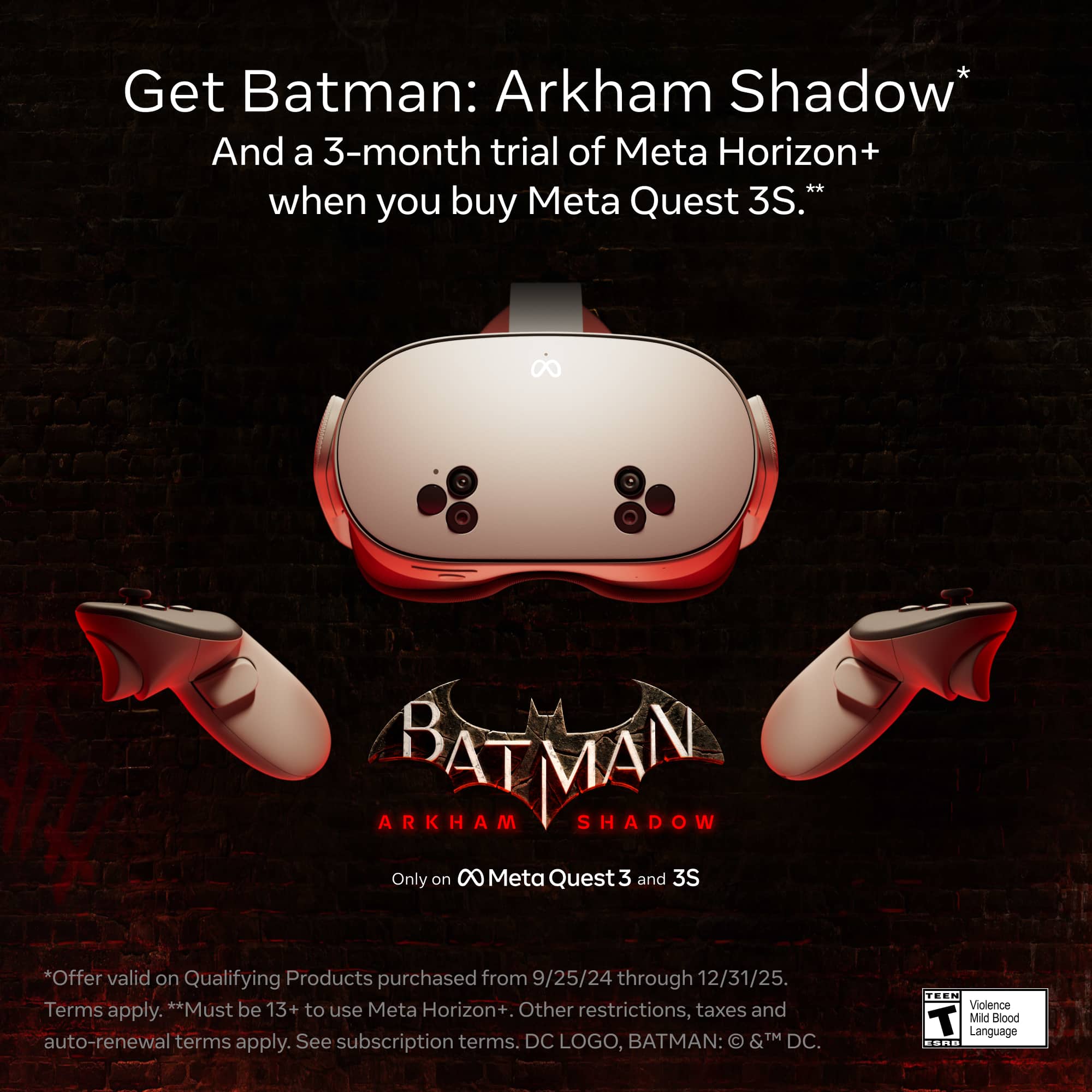
||Posted . Owned for less than 1 week when reviewed.This reviewer received promo considerations or sweepstakes entry for writing a review.There is no option to download Batman for free. It has a price tag of $49 but i thought it comes with thr purchase if Meta Quest 3?
No, I would not recommend this to a friendBrand response from Meta Store Support
Posted .Hey there,
Please get in touch with our support team and we would love to help you get into Gotham City, grappling buildings and throwing batarangs at the bad guys.
Best Buy sucks
||Posted . Owned for 1 month when reviewed.This reviewer received promo considerations or sweepstakes entry for writing a review.I did not receive my item and the company giving me a hard time for a replacement or refund
No, I would not recommend this to a friendSave your money
||Posted . Owned for 1 month when reviewed.This reviewer received promo considerations or sweepstakes entry for writing a review.Terrible, cant be used for 2 long, factory straps feels like very cheap
No, I would not recommend this to a friendHorrible
||Posted . Owned for 2 weeks when reviewed.This reviewer received promo considerations or sweepstakes entry for writing a review.Best buy wont replace my Christmas order of almost 1000$ i will never shop here again
No, I would not recommend this to a friendMissing instruction booklet
||Posted . Owned for 1 month when reviewed.This reviewer received promo considerations or sweepstakes entry for writing a review.It didn't come with a instruction booklet of how to work it
No, I would not recommend this to a friendBrand response from Meta Store Support
Posted .Hi there Valander,
Thank you for your feedback; we understand how it would be frustrating to have no instructions when setting up your new Meta Quest 3S.
We would like to confirm that there is a quick-start guide (with a QR code for the getting started hub) in the box. You can see what should come in the Meta Quest 3S box by searching "Meta Quest 3S inside the box."
Overpriced
||Posted . Owned for 1 week when reviewed.This reviewer received promo considerations or sweepstakes entry for writing a review.The packaged was overpriced for Black Friday so I bought it at Target for 225.
I would recommend this to a friendGarbage
||Posted . Owned for 1 month when reviewed.This reviewer received promo considerations or sweepstakes entry for writing a review.I would give zero stars if I could. Do Not Purchase!!
No, I would not recommend this to a friendA way to enter in a new experience
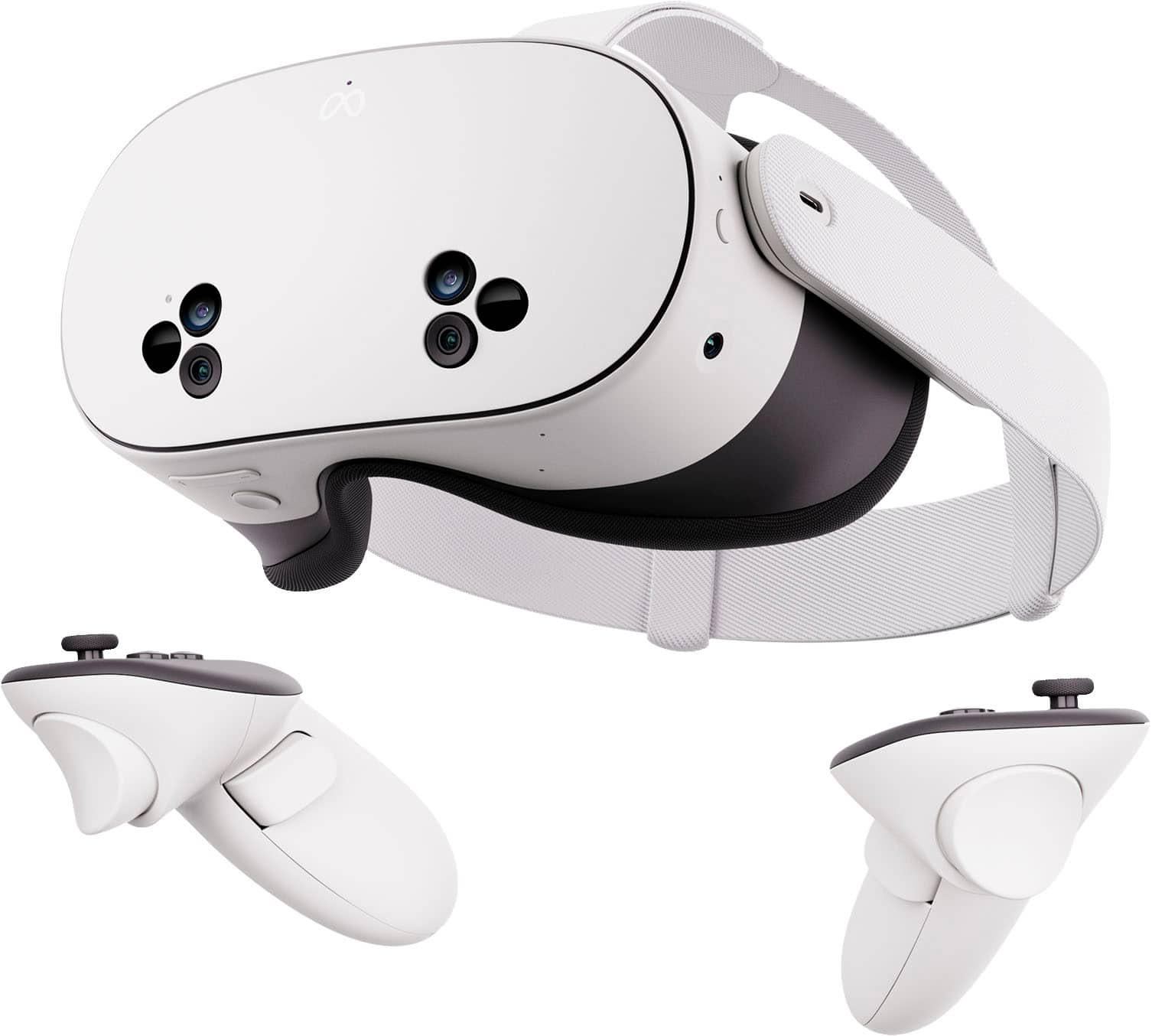
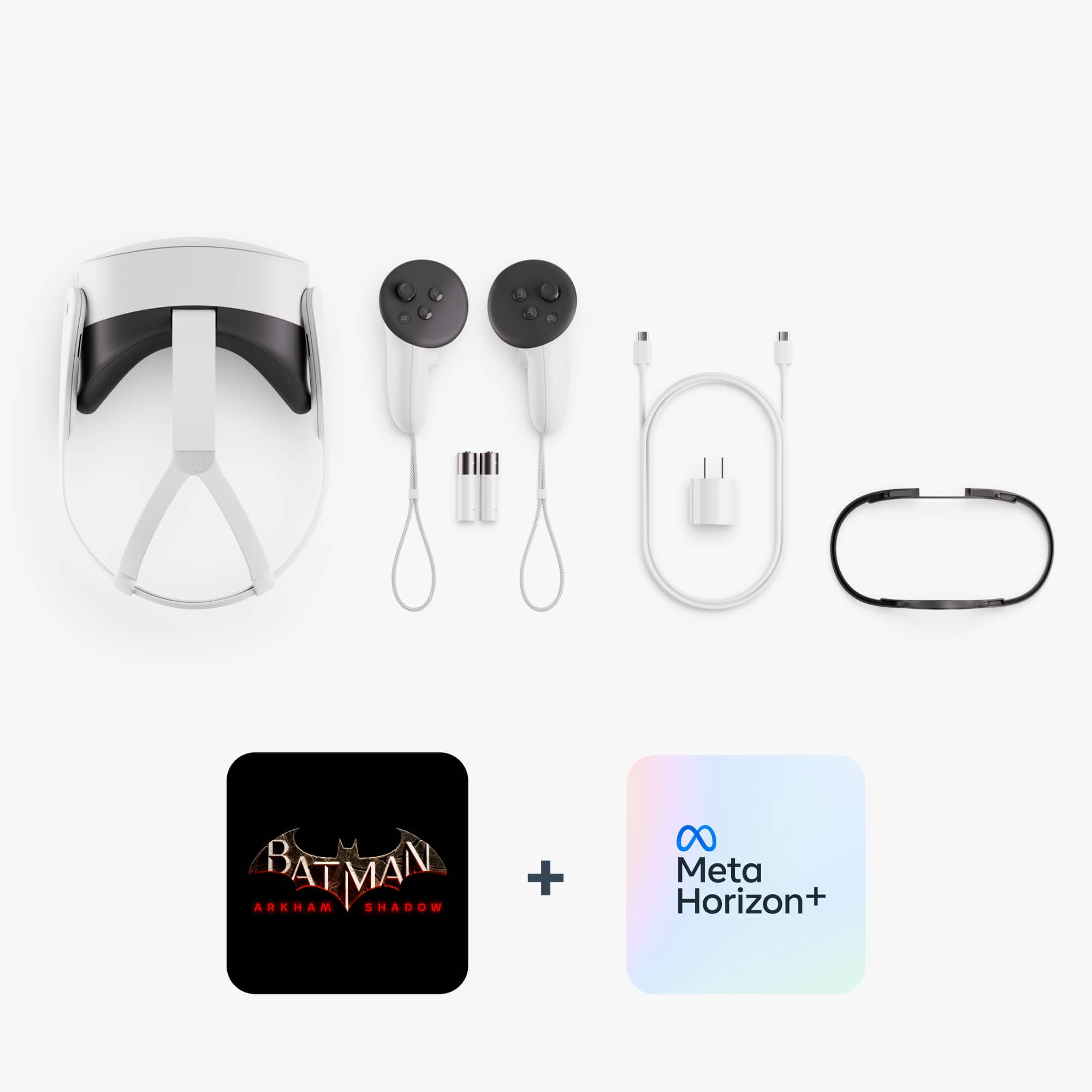
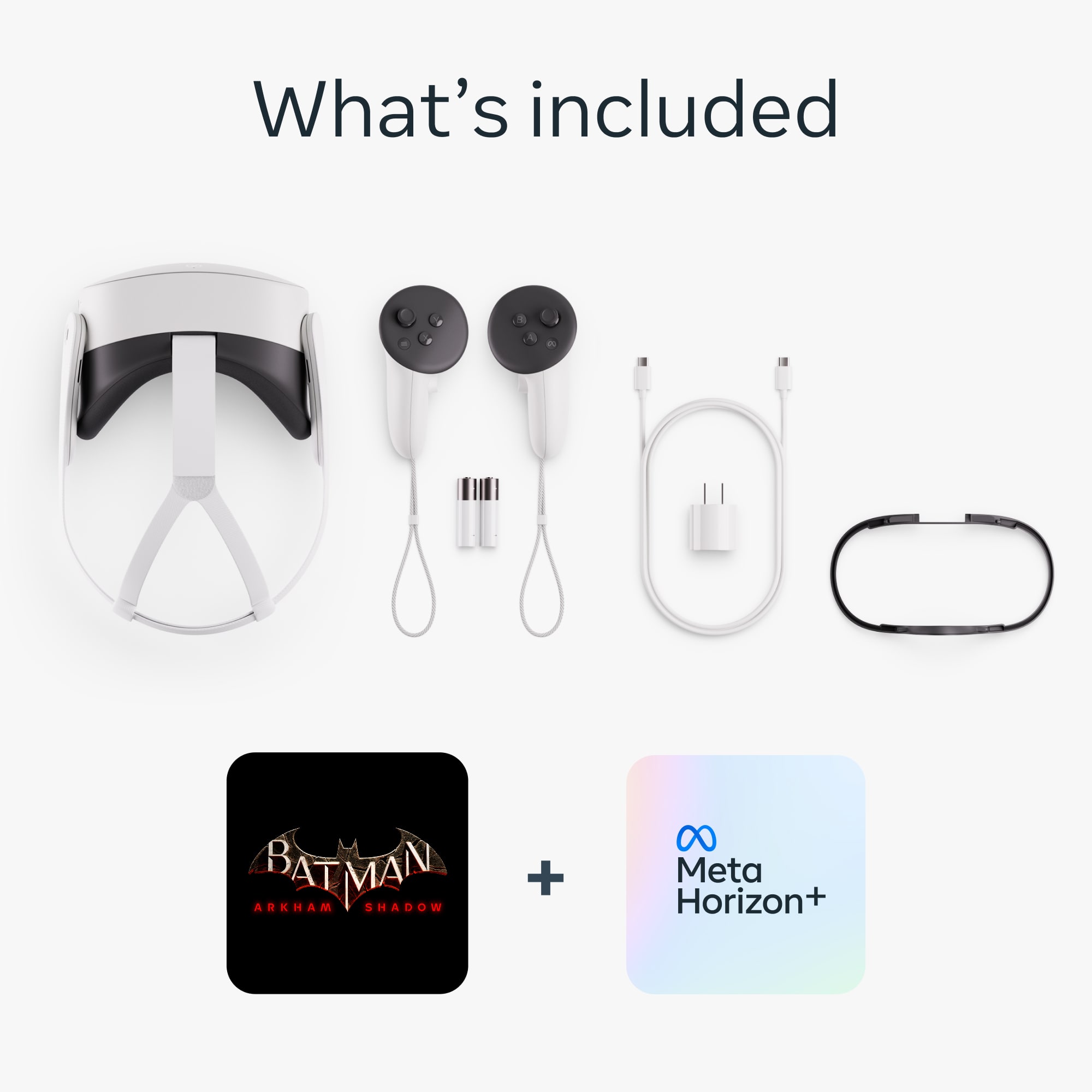
|Posted .This reviewer received promo considerations or sweepstakes entry for writing a review.It seems that a lot of people purchased this device after testing the MQ3 and this is not my case, I would like to start this review by saying that this was the first VR Headset I have ever had the opportunity to use. I don’t know how other headsets compare to the Meta Quest 3s, so I will be rating this device from the perspective of someone who is brand new to VR and evaluates the specifications available. After the disclaimer, for a first-time virtual reality user, the Meta Quest 3s “is really wacky and cool and zany”. Perhaps, the sense of VR blowing my mind and exceeding expectations is also a clear definition. The quality details, start from the off-boxing. When you first open the box, you clearly see how much effort was taken to use as little waste as possible as you have a paper covering outside of a cardboard box with a little tab that you can pull to get to the device. That little pull of the tab makes it open up like you are uncovering a secret weapon that my 14 y-o son described as something “a spy would use, it just feels awesome”. In that box, there is the Meta Quest 3s headset and the two “Meta Quest Touch Plus controllers” sitting in a little carrying area that you could later use to put the stuff back in when you're done using it. There is also a glasses spacer included that you can add if you have glasses (like me) which makes the experience that much better. In fact, the spacer makes the experience also nice for those that don’t have glasses (like my 14 y-o), and makes unnecessary the readjustment each time we change the user. In the box, there is a USB-C power adapter and charger. You are able to use the headset while it is plugged in which is great. However, you will need your own 5ft cable because the one in the box is so short that you are only really able to use it if you are sitting down. One none, probably expected, please do not search for a carrying case that is not included. But as I said above the bottom part of the box could keep your equipment organized. Power it on, the headset itself has a USB-C port for charging, and power button on the left, and a button to turn on “pass-through mode” and “immersive” mode, as well as a volume button right next to it. The eye areas are adjustable to fit the distance between your eyes, and the strap meant to hold the headset in place can be adjusted in many different ways, as well as taken off entirely. The Strap can also be twisted up and down in comparison to the headset, and it seems like Meta put a lot of effort into making it accessible for everyone. An important detail is that the battery after a full charge, can keep you gaming and exploring for 2.5 hours, and that soon you will consider expanding with other available devices in the market. You are entering a Meta, product so be aware that the first time you put it on, a little tutorial plays to get you accustomed to using the device and it makes you set up with “Meta Horizons”. This brings me to my second complaint with Meta Quest; the overwhelming reliance on “Meta Horizons”, Meta’s new form of competition with VR Chat! It feels like they were trying to make a VR version of Roblox, all the way to the literal UI. Honestly, I could care less about Horizon Worlds, why did you force me to sign up with it, Meta? They make you build an avatar that you need to use in the immersive mode, which is just your own personal island in Horizon Worlds. Anyways, the Meta Quest 3s has two different ways you can control your environment, with the “Touch Plus controllers” or by gesturing with your hands. The controllers are very nice and comfortable, with wrist straps to make sure you don’t throw them at your TV. Each controller has a trigger, a grip button, two action buttons (X and Y on the left and A and B on the right), a joystick, and a button that brings you to the menus (the “Meta” button on the right which brings you to the out of app menu which will be the hub for the entire device, and a general menu button on the left which will usually allow you to bring up the in-app menu for whatever you are in). When it comes to the “gesturing with your hands part”, I find the whole thing to be incredibly finicky. For starters, only a few apps will be able to understand it, so let's say you are using your hands to control the menus, and suddenly you now want to go to Meta Horizon Worlds. Please get ready to go find the controllers you left somewhere around you because despite coming with the headset, Meta Horizon Worlds requires you to use the controllers. Honestly, though, I kind of am fine with that, because the hand controls are so difficult to control. First of all, you can control things with your hands by pinching at stuff from a distance, or physically reaching out and touching the menu. When you keep spending time in the product, options I start to hate because one when you pinch at a distance, the pointer will be a little bit above where you think are pinching, two, you need to show the cameras that you are pinching by turning your hands towards your face, and three, if you try to reach out physically, you will be either just barely missing the button you were trying to press, or right there touching it, but the headset isn’t registering the button pushes. And remember the controllers? Meta understood that of course, it isn’t going to be possible to incorporate every single button push, so it only requires special button pushes for the two menu buttons. Would you guess that those gestures are also pinching with your hands, making it barely indistinguishable between trying to pull up the menu and trying to push a button in front of you. Anyways, back to what I’ll be calling, “The Meta Menu”. The Meta Menu is how you control everything about your headset; from the browser to the app store, and from the settings to whatever games you want to play, everything you need to find will be on that little line of apps somewhere in front of you. You can move it around, make it bigger or smaller, get rid of it entirely, leave it in another room, whatever you can think of, you can do it with that menu. In the menu, there is also something called the “Library”, where you can find all the apps on the device. The Meta Quest 3s comes with 12 apps pre-installed that range from something needing to do with device management, Meta news about different events, and just other random things like a fitness app that tracks the physical activity you have done and a TV app where you connect your streaming service accounts and you can watch TV shows and Movies. I find the Library to be very helpful. Alright, I’ve been trying to put this off for a while now, but here it goes. In a lot of the advertising for this device, I’ve been hearing the term “Mixed Reality”. When I hear mixed reality, I get ready to think that I’m just walking around my house, thinking nothing is wrong, but then suddenly I can bring up a web browser and look something up. When I hear “Mixed Reality” I also think about being immersed in my reality, but now there is a large screen in front of me that I can use to watch Netflix. But in reality, the camera quality on the front of this thing is not so good, like I could barely read the words of this review while wearing this, and I don’t feel like I’m in my home, but now with screens around me, I feel like I’m looking at a screen that has more high-quality screens around it. I don’t feel like my reality is mixed, I feel like I’m watching a heavily edited video from 2017. In that regard, I believe it hasn't been able to achieve its goal of having a “Mixed Reality Headset” in a very strict sense, it was just able to make a headset that has a virtual world that looks like your room. Please note that I am a geek, active video gamer with a 14 y-o son who helps consistently in the testing of the product. All above doesn’t make this a bad or limited device. ALL the opposite, besides everything that I have mentioned, I have loved using this thing. For me, and for my fourteen-year-old, this is my generation’s Wii, a device that has been able to break the idea of what is possible, bring something brand new that nobody has been able to think of, and will truly break the gaming world as we know it. We are witnessing history in the making and the continuum evolution of the devices, bringing more and more people and the development of the technology is glorious. Two final elements, that are to highlight for the new users like me. The kit comes with the Batman Arkham Shadow game, which progressively introduces you and your body in a game in a very immersive way. Please check your boundaries properly to have a safe gaming experience, notably during the fights and action parts. Add to that, the 3-Month Trial of Meta Quest+ is the best way to test games for free during the first periods of your new ownership. Highly recommended for the entire family with hours and hours of games and experiences.
I would recommend this to a friendBestbuy blows
||Posted . Owned for 3 weeks when reviewed.This reviewer received promo considerations or sweepstakes entry for writing a review.Never recieved and wasnt given any help from bestbuy
No, I would not recommend this to a friendNow is the Time to Try VR
|Posted .This reviewer received promo considerations or sweepstakes entry for writing a review.As a first-time VR headset user, I’ve been genuinely amazed by the Meta Quest 3S. The level of immersion it provides is astonishing—it truly feels like stepping into another world. Whether playing games or exploring virtual spaces, the experience is incredibly fun and engaging. Especially play games that were made for VR. Here are the pros and cons The headset fits well, but I’ve noticed a few downsides. First, I can only wear it comfortably for about 30 minutes before it starts to feel a bit uncomfortable. Additionally, since I don’t have a large bridge on my nose, there’s a slight gap that allows light to seep in. Another important consideration is that the headset needs to align perfectly if its off it leads to blurriness, requiring frequent adjustments. Also, ive noticed that after using the Meta Quest ive been getting slight head aches after using it. While the experience is fantastic, I think the device could benefit from a wider variety of games and content. It sometimes feels like the library of available options isn’t as expansive as it could be, which limits its potential. It’s a new way to view videos and play games. Despite these minor issues, the Meta Quest 3S delivers an incredible introduction to VR. It’s user-friendly, deeply immersive, and a solid choice for anyone looking to dive into virtual reality for the first time.
I would recommend this to a friendBrand response from Meta Store Support
Posted .Hi Techuser!
Thank you so much for your review and feedback regarding the Meta Quest 3S. If you ever run into any problems or if you have any question, you can always reach out to our Support team via our website.
Very cool item
|Posted .This reviewer received promo considerations or sweepstakes entry for writing a review.I have been looking at getting a set of these for about 2 years. My kids have used then a few times at our local library and really like them. I finally tried a set myself and was hooked. I ended up getting a second set so bothy my kids and use them without fighting over them, because they are fun. The technology has made leaps and bounds of progress since I initially tried the sets. First setup was pretty easy, about as difficult as setting up a new phone or computer. I had a Meta account already so setting up the Meta Horizon account was easy enough. When you open the box, scan qr code and follow through. They walked me through everything and it was very neat to use the augmented reality setting. I was typing on my phone while in the goggles. The fit on these us very customizable and easy to adjust with sliding and velcro. The pads are comfortable. There is a glasses spacer with this unit, but I wear contacts. They do have an option to order prescription lenses for the goggles. The color and definition is quite good. The tutorials on the controls to help you grip and pick things up with the controllers are good. What I did nit get to work wad the hand gestures. The tutorial worked but the first step to pinch your hand to open the menu I could not get past. I flipped lights on in room change orientation and it never recognized my hands. I will have to try and get that set up later, but i’m not sure i’ll use it much, and why it won't recognize me. Either way, this came with Batman:Arkham Shadow and let me say, that is really cool. So before you want to use this, I had a cleared area about 10x10 open and setting up the virtual boundary was easy, and this thing was accurate on the mapping. Several times I tested the boundary and it did not fail me. Secondarily in augmented reality (pass-through mode) it showed the exact circle I drew where I left it in the room. So when engrossed into this game. I felt very comfortable I was not going to punch a wall. Secondarily the sound was quite good, much like a conductive set of headphones hybrid which does convey a 3d immersive sound. I could hear things behind me when I turned. I also purchased job simulator and vacation simulator as well as downloaded YouTube and roblox, two of my kids most used apps. I Did not log into roblox to try it myself, I'm going to let my kids use their accounts first. The simulator programs are fun, I've watched videos for years with my boys, now I can finally do it. The price point on these is good, about where the quest 2 used to be, but a significant upgrade from the 2's in processing and resolution. I do wish they had an SD card for more expansion. Either way, I really can't find fault in these, so much more to explore. I must give these 5 stars. They are probably so much more capable of more functions than I will ever know how to do, much like my phone.
I would recommend this to a friendBrand response from Meta Store Support
Posted .Hey there, averagetechguy
We're happy to hear that you're enjoying the immersive world of VR. Thanks for such a detailed review!
Great Introduction to the VR Headset Experience!
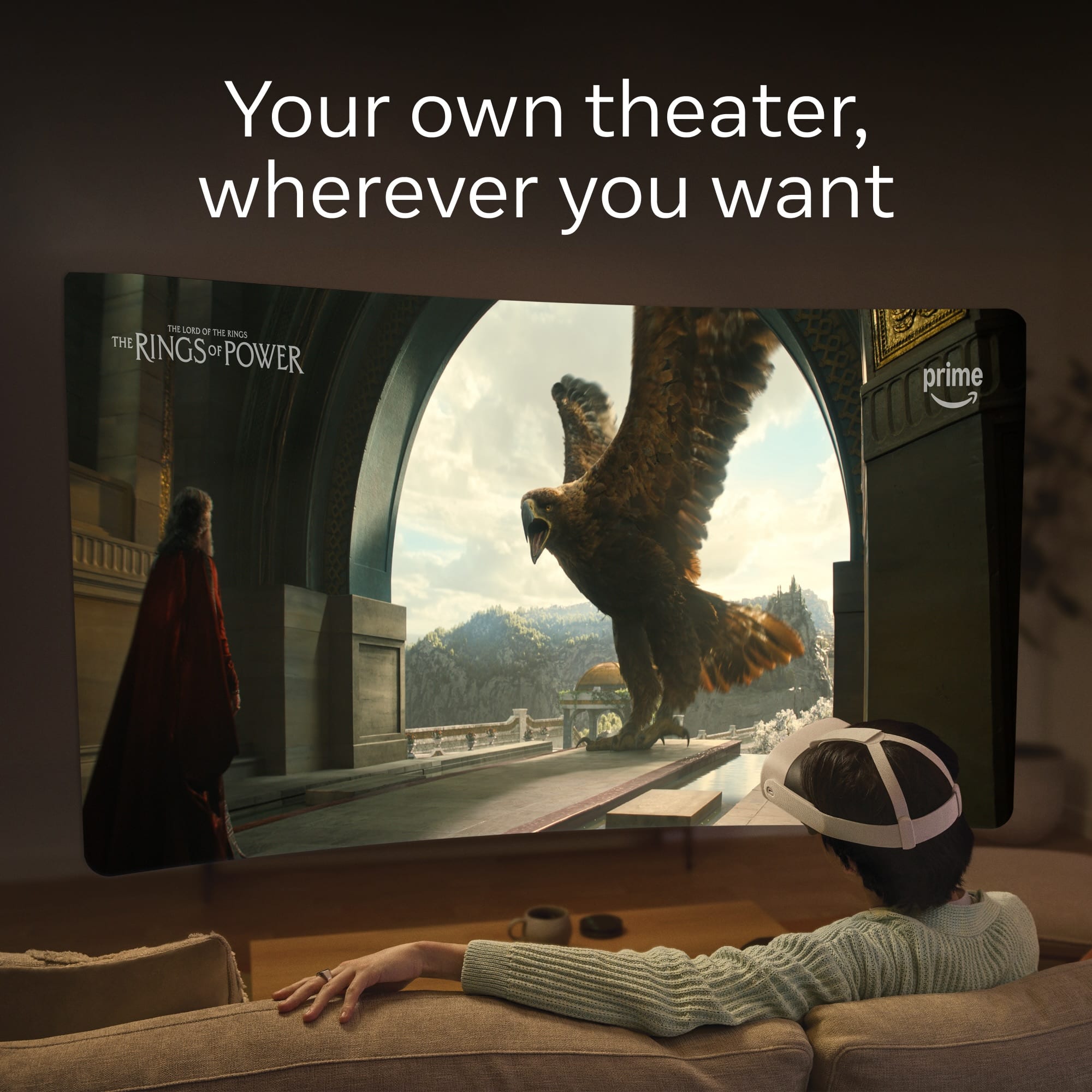
|Posted .This reviewer received promo considerations or sweepstakes entry for writing a review.Setup: First of all, you do not need a Facebook account in order to set up the Meta Quest. You do need to download the Meta Horizon app and register with Meta (provide an email, generate a login username and password). As a whole, the setup is quite simple and straightforward. It comes with a free 3-month trial of Meta Quest+ (after the 3 months it’s $7.99/mo); you’ll need to provide a credit card number to be put “on file” for future purchases (regardless of whether you plan to or not). I also purchased a $25 gift card for other games and apps I may want to try in the future, which I placed on file as well. You can also download free apps such as the YouTube app. The Meta Quest+ subscription gives you access to a catalog of games, and gives you two free games to download per month. You can also access a web browser, which is what I used to go on streaming websites that have no apps available for the Meta Quest, such as Spectrum—I watched some TV shows that way. There’s also the free download of the Batman: Arkham Shadow game which comes with the Meta Quest 3S. The setup walkthrough also provides you with a very helpful tutorial which showed me how to use the controllers, how to use my hands instead of the controllers, navigate between various activities (such as going back and forth between apps, open windows, etc.), how to use the virtual interface, how virtual boundaries are created, and how to switch from total transparency mode to immersive mode. I had been worried that it would take forever to set up the Meta Quest 3S, much less learn the aspects of the hardware and software, but really it was not too bad or overly complicated. Fit: The fit of the headset quite surprisingly was pretty good for both adults and kids—my husband and I both have used it, as well as our grade school aged and middle school aged kids. The strap that goes around the back of the head adjusts similar to…I would say it’s very similar to the way some bicycle helmets can be adjusted to different sized heads, where you can tighten or loosen the fit via two sliders. There’s also a top strap that goes over the top of your head that can be tightened or loosened via a velcro closure. Once you do it a couple of times, it’s pretty easy to remember how to adjust everything quickly when different people want to use the Meta Quest headset. The straps are made of a nice fabric-type elastic material that has a good stretchy give, yet feels stable and sturdy enough to keep the headset from moving or shifting around while it’s on your head. The lenses can also be adjusted—there are three different widths to choose from, for example for my grade-school aged kid, he uses the most narrow width, while my husband and I need to use the middle-sized width between the lenses. When you try to see anything on the screen in the headset and it looks blurry, you know you need to adjust the lens spacing. And here’s a huge plus to anyone who wears glasses—there’s an included “glasses spacer” which you can quickly and easily click onto the headset, that creates added space for your eyeglasses. My kids and I all wear glasses daily, so we make use of the glasses spacer and we can vouch that it definitely works. Overall, the fit of the headset is comfortable—but not for extended periods of time. It does get top-heavy after a while, and this depends on the comfort level of the individual. My grade schooler needs to take a break (well, I make him take a break!), every 15-20 minutes or so, and even then he gets a bit sweaty underneath and around the headset parameters. I can go a bit longer, maybe about an hour or so. Everyone’s mileage will vary. As for the hand controllers, again, you can use your hands and go physical-controller-free, but it is by no means an easy task. It’s very hard to get used to, and most of the time I just give up and pick up the controllers because then it’s a sure thing that I can precisely pick and click and navigate around the experiences. The controllers are very ergonomically good and intuitive to use. They are battery operated but you can buy separate accessories that provide a rechargeable station with rechargeable batteries, similar to the ones that can be bought for game consoles’ controllers. There is a way to see the batteries’ levels, as well as the headset’s battery level. The headset has a rechargeable battery that you charge using the included 18w charger with USB-C adapter, but you can use any USB-C adapter you already have at home too as long as the power brick is 18w or above. I will have to say that the headset battery runs out pretty quick, especially when you’re doing more intensive activities (such as my son playing the Batman game). I do recommend purchasing one accessory for sure—a case for storage and transport. The Meta Quest is not like a gaming console that is continuously sitting in one place; it’s wireless and meant to be moving around, and it’s good to have all the pieces (headset, two controllers, power adapter, charging cable) all in one place, especially when traveling. Overall, I give the Meta Quest 3S 4/5 stars. It is obviously exceptionally good for the price—I have tried another virtual headset that is quite a lot more expensive, and it is predictably a lot better quality-wise (both hardware and software), but you just cannot beat this headset for the price! On the other more expensive headset, I am fully immersed in the experiences and it is overwhelmingly breathtaking and just…out of this world. But with the Meta Quest, there is what I call a “nose gap” in the headset where I constantly see the ground below my nose and where the light from my surroundings is very noticeable because it unerringly enters the interior of the headset. And this is no matter how snug and tight I put the Meta Quest on my head. Also, during most of the various experiences I do on the Meta Quest, there are always blurry edges, kind of like smudges that also constantly take me out of the immersive experience. In addition, when I go into some of the 360-degree experiences, even when I carefully set boundaries all around me and stay within those boundaries, sometimes I see these virtual “squares” that pop up here and there (kind of like I’m in a Star Trek holodeck and the glowing squares are where the computer didn’t create the virtual scenes yet? Or there’s a “glitch” in the holodeck program?). That also never happened with the other very expensive virtual reality headset that I tried. But again, to reiterate—for the price, this Meta Quest 3S is very much worth it! For my family’s first foray into the virtual reality world, it has been great and continues to entertain us daily. Playing games, going to different places around the world, watching television and movies—all on a virtual huge screen that looks even bigger than a movie theater screen!—I definitely recommend this for any individual or family, young and old and in-between.
I would recommend this to a friend