Customer Ratings & Reviews
- Model:
- V1P-PRO-PLUS-BBY
- SKU:
- 6430229
Rating by feature
- Value
Rating 4.3 out of 5 stars
- Quality
Rating 4.3 out of 5 stars
- Ease of Use
Rating 4.1 out of 5 stars
Customers are saying
Customers find value in the V1P Pro Plus dash cam's excellent video quality and ease of use, along with its integrated GPS and Wi-Fi capabilities for convenient viewing and sharing of recordings. The included rear camera and relatively easy installation are also frequently praised. However, some users have noted that the device is larger than expected and that the accompanying app could be improved for better user experience.
This summary was generated by AI based on customer reviews.
- Cons mentioned:Instructions
Not optimal power source options
||Posted . Owned for 1 week when reviewed.This reviewer received promo considerations or sweepstakes entry for writing a review.Power source option from front only could be a deal breaker. My front lighter charger is in my center console. I should be able to power from the back since the cameras are connected! Otherwise, so far, seems to be a great product and reputable company. Will provide updated review once more recording time achieved. Instructions aren’t good. Not sequential and a bit contradictory.
I would recommend this to a friend - Pros mentioned:Video quality
Can't be more happier.
||Posted . Owned for less than 1 week when reviewed.This reviewer received promo considerations or sweepstakes entry for writing a review.Finally a dashcam that satisfied me. Excellent video quality. Great performance and very reliable. I had to return other 2 dashcams and got this one on my third try. Finally a must have dashcam :)
I would recommend this to a friend - Pros mentioned:Gps, Installation, Video quality

Great hardware, but software is problematic
|Posted .This reviewer received promo considerations or sweepstakes entry for writing a review.I love my new dashcam; the resolution is fantastic, great views from front and rear and the installation was easy. But I wish the software was better. More on that in a moment, though. I've had two cams before this, but they were front view only and I never really "installed" them so much as just plugged them in and left the wire dangling. Given that this had a separate rear camera unit, I knew I wasn't going to get away with that and while waiting for the camera to ship I dreaded the installation and routing wires. But I didn't need to worry; the unit came with a really useful tool and plenty of cable. Rexing really stepped up by providing this tool with the cam and it worked wonders. I was able to hide every bit of my cable behind the trim and liner without having to unscrew or remove anything and the results look almost professionally done! The unit itself is pretty straightforward in its operation and the keys/menus are logically designed. Although it took a few drives with the manual in the car to get used to everything, the learning curve was pretty shallow and there are lots of nice features and a good allowance for customization. The way I mounted mine, next to the rearview, the main camera is still within reach to control or save a clip but completely out of my peripheral vision so as not to be a distraction. Same for the rear; it's small and unobtrusive and there's a thoughtfully small LED indicator that let's you know the camera is up but doesn't distract when you're looking out the rear view mirror. A lot of thought went into the design of the hardware and Rexing is certainly deserving of praise for this. I wish that BB would allow me to upload a video because the quality of both cams is fantastic! Day, night, direct sun, overcast and cloudy... it just shines and is better than any other dashcam I have owned previously. So why four stars instead of five? Well, it's the software. Firstly, there's confusion over which software to use - the manual mentions one, their website another. The problem is that neither one of them would connect with my phones! It's important to note that the Wifi AP when activated connected with my phone just fine - according to the Wifi screen on my phones. But neither piece of software seems to recognize that the OS says it's connected. I tried an Nexus 6p, which is about as plain vanilla an Android phone as you can get as well as an older Samsung S7 but while both instantly connected to the WiFi on the cam in the Wifi screens, the Rexing software and the TimaCam software never completed the connection. I was finally able to connect with an old Lenovo A10 tablet and at that point was able to view and download videos. But I don't take the tablet in the car with me so the only time I can use it is when I am home. This renders one of their best features - Wifi access - almost useless for me. That's a bit of an issue because if I want to show a clip to the police, my choices are limited to either handing over SD card (and who knows what else might be on there!) or having to go home and bring the tablet to the station. It's also an issue because the software is also your only way to update the firmware. Hopefully they will get these connection issues fixed soon. But otherwise, this is an exemplary dashcam with all the features and coverage you could ask for. And the imagery is incredible. Also loved the GPS feature; there is a special player you can download to view clips on your PC and it plays back with the GPS mapping in real time. Just wish I didn't have to jump through so many hoops to download the clips in the first place! I'd still recommend it highly, but with the warning that there may be issues with particular phones connecting properly.
I would recommend this to a friend - Pros mentioned:Video quality
Wasn't compatible with XM
||Posted .This reviewer received promo considerations or sweepstakes entry for writing a review.Buyer Beware: This review is based on the camera itself. The installation crew were awesome. Installation was on a 2020 Nissan Maxima. Camera worked great front and rear. The problem is it interferes with XM radio signal. Disconnect the camera XM works normal. Ended up switching to Thinkware brand no issues with XM signal now.
I would recommend this to a friendBrand response from RexingUSA
Posted .Hey Mike, we're very sorry about your recent experience. Sometimes the camera can cause interference with the car radio, if it's too close to the radio. So sorry to hear you go with a different brand. Thank you for your feedback, we greatly appreciate it.

- Pros mentioned:Ease of use, Gps, Video quality
Easy to use HD dashcam combo
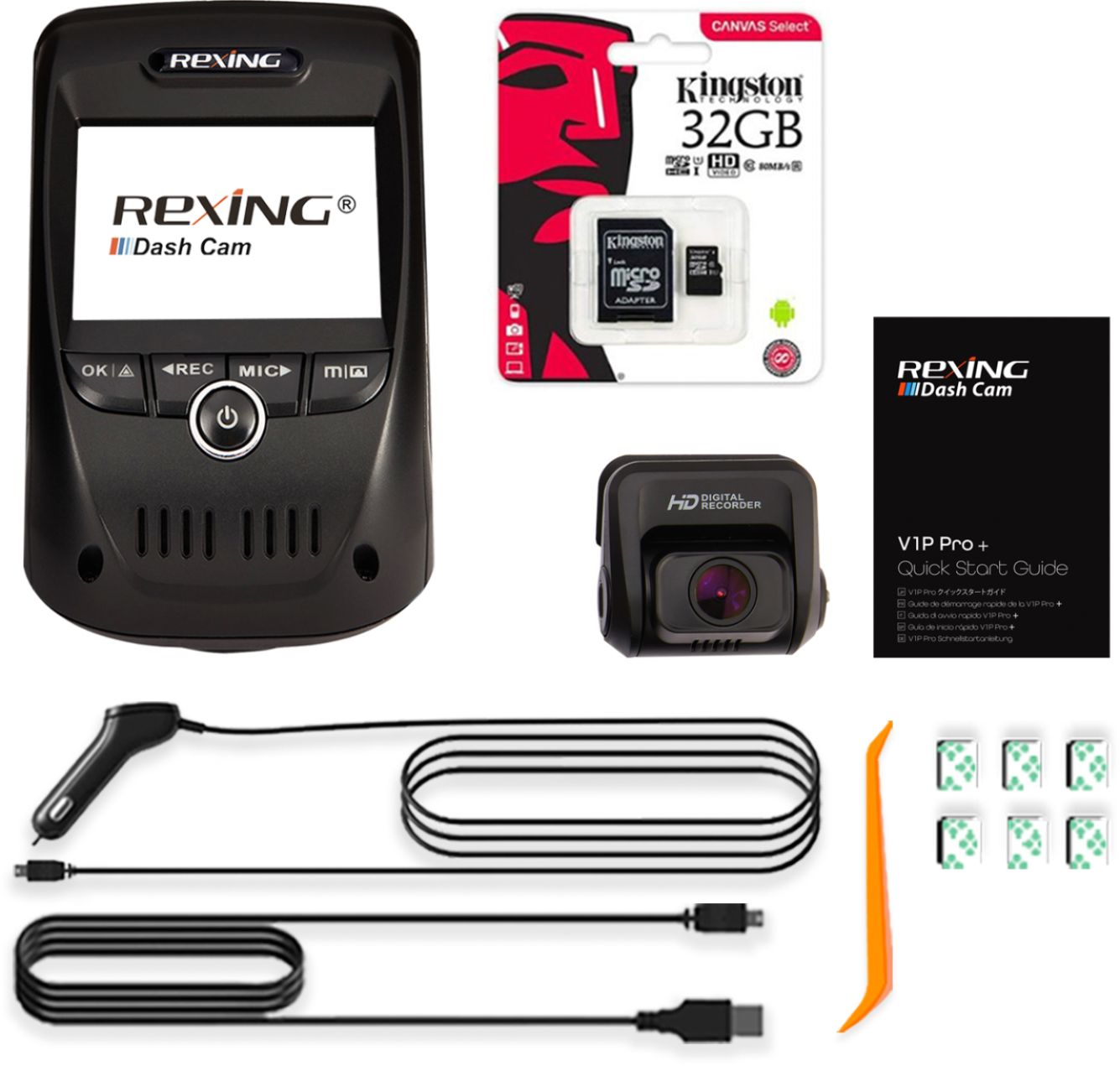
|Posted .This reviewer received promo considerations or sweepstakes entry for writing a review.Pros: Front and Rear HD cameras; Easy to use; Easy to setup - Literally: 1) Put in a memory card (Note - not included) 2) Plug into 12 volt outlet in car 3) Mount front and back cameras via sticky tape mounts and you are in business. Depending on how clean of an installation you'd like to have you can use the included plastic trim tool that lets you quickly and easily tuck the cables from the cameras under the edge of your car's dash/window/floor trim. There's also an available optional (separate purchase) hard wire kit to wire the cameras directly into your fuse box to keep your cars 12volt plug free. Video quality is great and quick and easy to lock and save a video. Comes preset to loop recording video - Now if someone cuts you off - just tap the "OK" button and the last recording is locked for later viewing and won't be overwritten by the loop. Files are easy to remove and view via PC. There's a bunch of additional features like gps location reporting of the video; changing resolution, loop recording, accessing the camera via wifi on your smartphone, etc. But 99% of the time your use it to record your front and back - which is what you want. Only cons were 1)I have a Toyota 4Runner and the window goes completely down and the tailgate/hatch completely lifts up, so not ideal to mount the rear on the window. 2) No Micro SD memory card included. All in all - excellent dash camera setup.
I would recommend this to a friend - Pros mentioned:Video quality
Great device love it!!
||Posted .This reviewer received promo considerations or sweepstakes entry for writing a review.Finally got one and it works great... everything I expected and more... yes it doesn’t come with memory card but so what there I had planty of them at home!!
I would recommend this to a friend - Pros mentioned:Gps, Video quality
Very nice Dual Camera HD Dash Cam
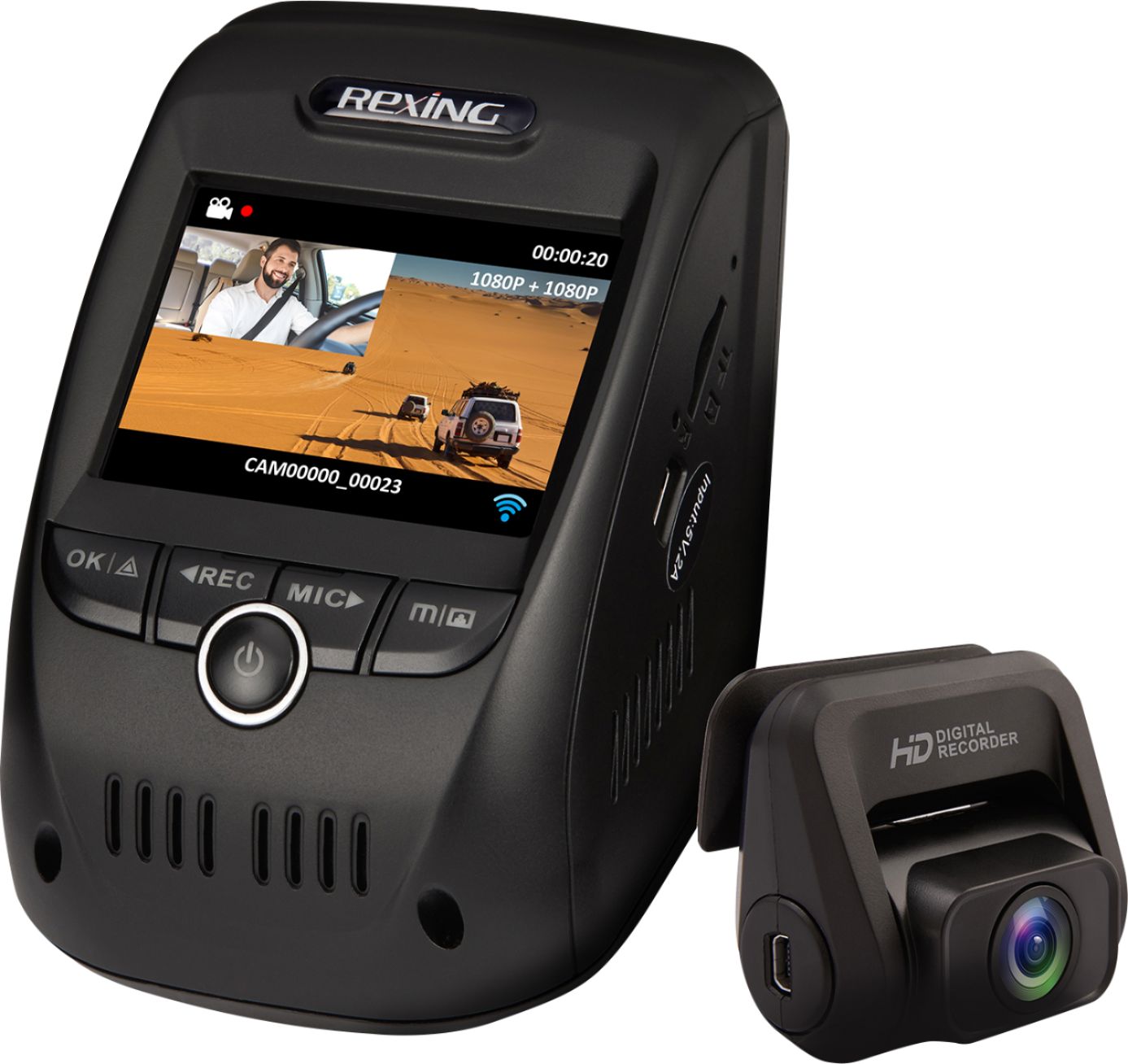
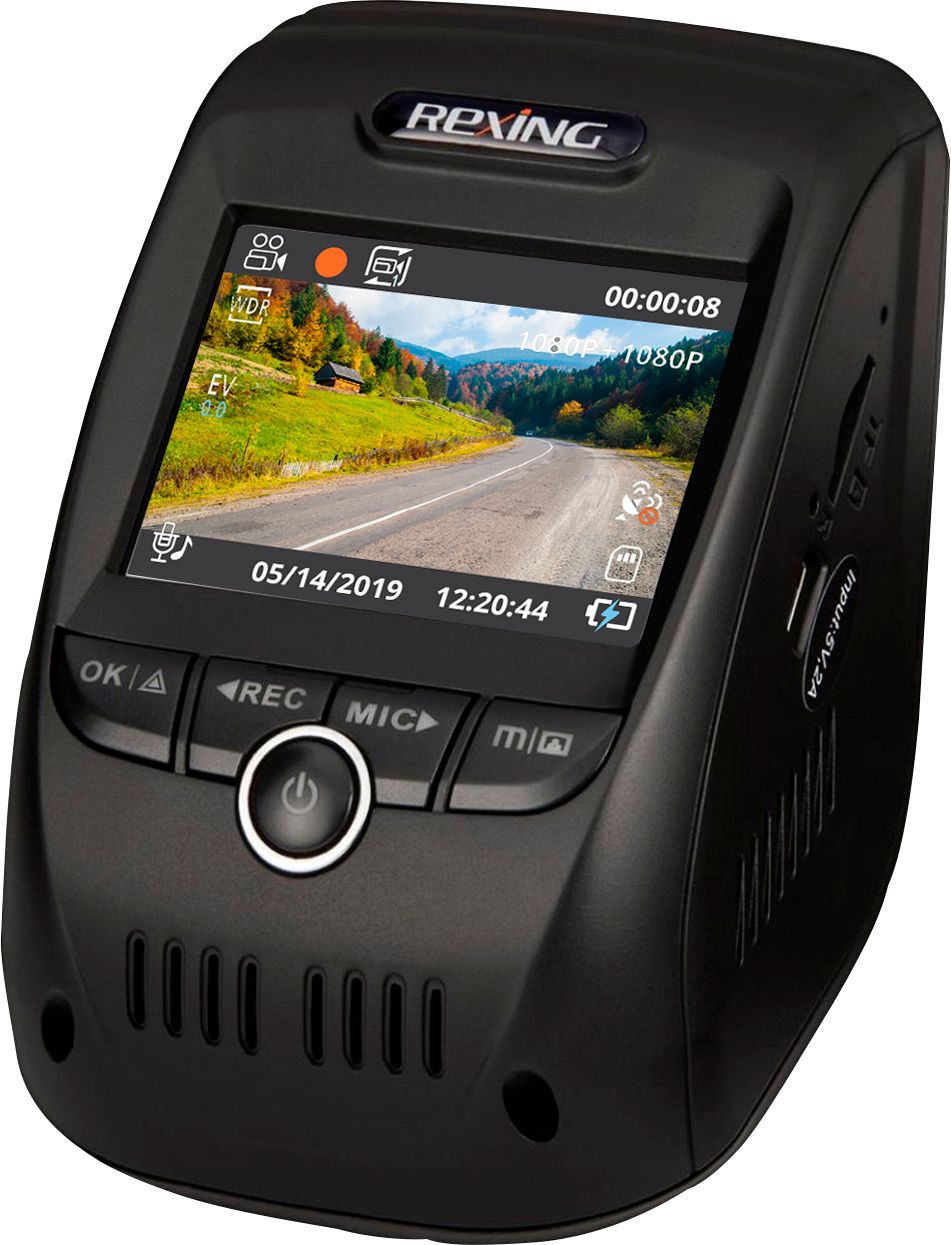
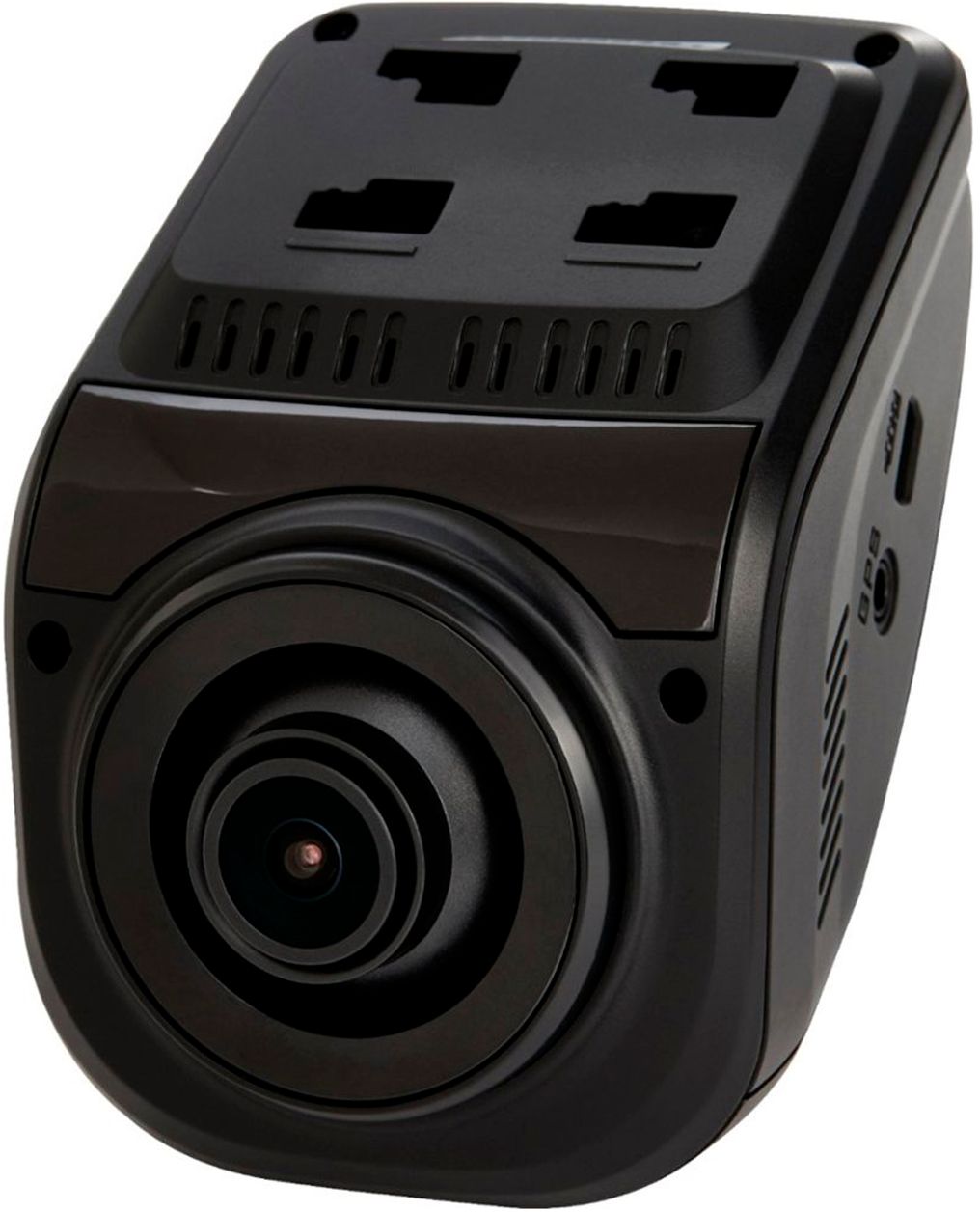
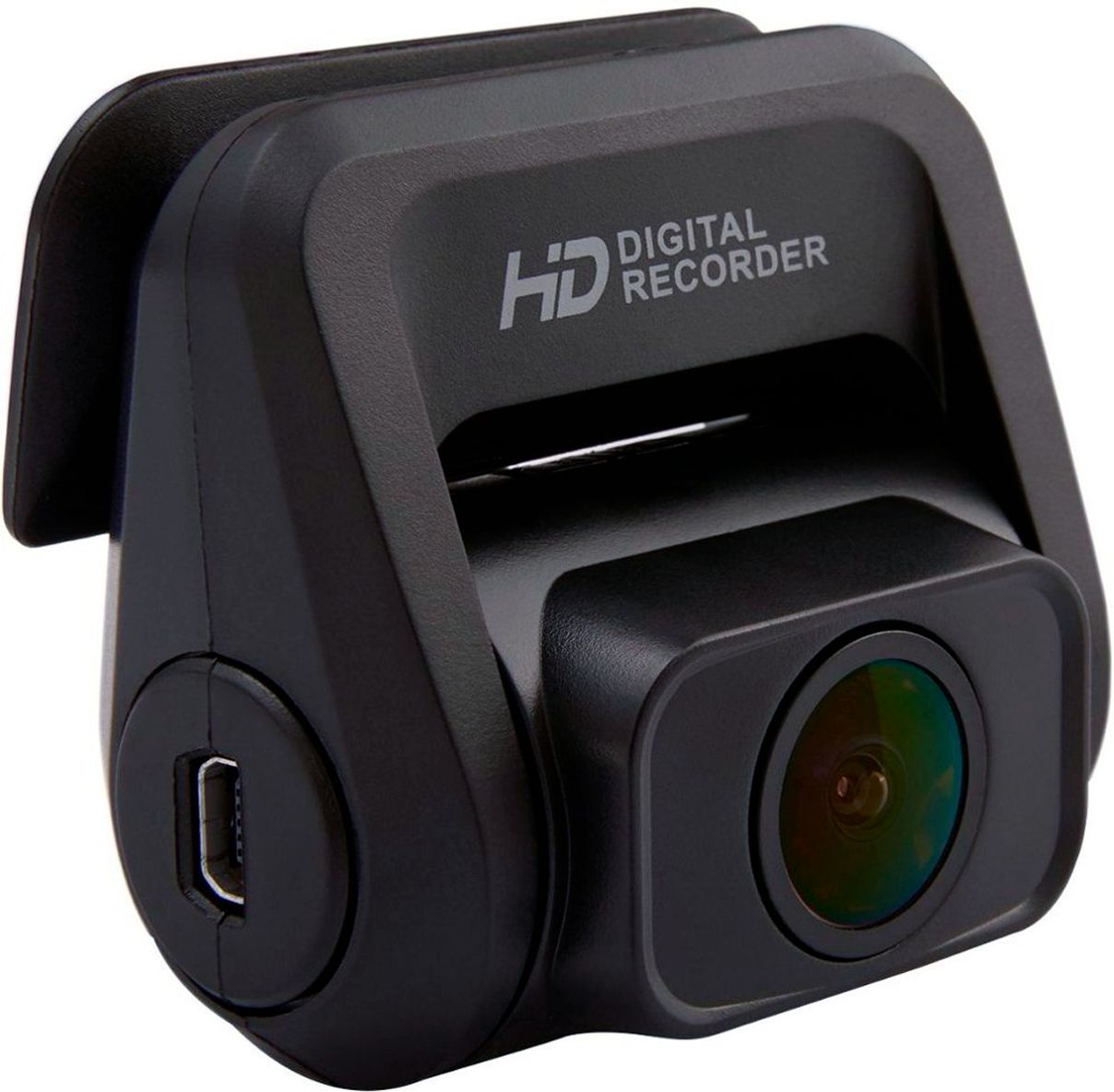
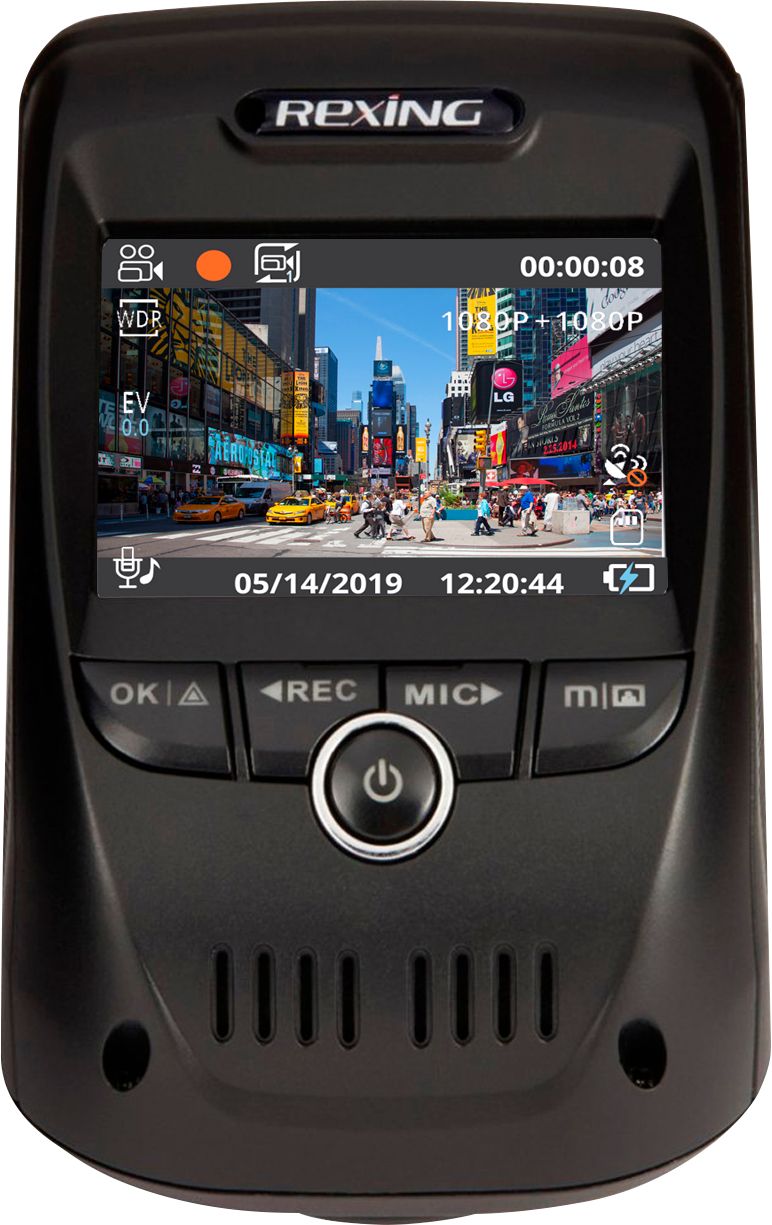
|Posted .This reviewer received promo considerations or sweepstakes entry for writing a review.This is my first ever Dash Cam. This V1P Pro offers a lot of nice features, such as front and back camera’s with nice HD 170° ultra-wide-angle lenses. It offers loop recording, Wi-Fi interface for viewing on you smart phone, built in GPS logger and even collision detection. Reviews: INSTALL - Install went pretty smoothly. I have a 2017 Honda Accord. I simply used the furnished plastic tool to help me snake the cables behind the rubber seal that goes around all the interior panels. I mounted on the top left corner of the windshield to keep it out of my center view. (This is a fairly large unit even in the top left, but I am getting used to it over time.) Cable are plenty long. Before sticking the mounts to the windshield I powered up the unit to make sure my orientation and line of sight was all correct. (I highly recommend this as it would be difficult to remove the adhesive once it is in place). The Back cam has a nice up and down swivel adjustment and the front camera lens is on a ball and socket type of swivel to get the best angle. I was a little worried about getting a good picture since my windshield curves in where I mounted it, but the lens moved enough to get a good angle. I only used 2 of the windshield clips on the cords where they exit the roof liner, otherwise I found by disconnecting cables to remove the unit I would pull the cables back out of the roof liner. I did install a 64 MB mini SD card for storage (not included). 64MB will get you 7-10 hours of recording depending on the camera resolution – 128MB - 14-20 hours Overall a pretty smooth install. I would say maybe 30 Minutes. OPERATION – I’m the kind of guy that does not want to pull out a Manual, but I did find and needed to for this unit. The menus and button control have a small learning curve. I would say that the user interface could use a cleanup, or add a couple more hardware buttons. I found myself leaving the manual in the car in case I needed it for reference. Once you have this system installed, all you do is forget about it. You start your car and it starts recording automatically. You can select from a couple of different resolution setting for the front and back camera, and you also have the choice of turning the microphone off so it will record no audio. Another option you have is turning the screen saver on. I set mine to turn the screen off after 1 minute. I did not have this ON at first and it got awfully annoying at night to have a bright screen lit up in your field of view. Speaking of field of view…There is a red light that flashes behind the center two buttons while powered ON (indicates RECORD mode). I do wish you could disable this as this bright red LED behind these button shows up in the gap between these buttons and shine in your eye, (mostly noticeable at night). Not a huge deal, but I do find annoying. I did have a little trouble connecting to the Wi-Fi of my phone, my phone’s said I was not connected, but when I looked at the head unit it stated I actually was though and connection was made. PLAYBACK – You can view videos on your smart phone using the Wi-Fi connection and the ‘Rexing Connect’ APP, or you can view on your PC. To playback your video’s on your PC you can remove your SD card to transfer the files, or plug your front camera unit into your computer via the USB cord. Either way, playback will be faster and more stable if you transfer your videos to your hard drive before viewing. Now you simply download the GPS Logger Software from Rexings website and install. (Side note – When I first started the software, all the menus were in Chinese, but once I closed and reopened the software it then changed to English). Once you install the software, you simply open the video file(s) you would like to view. The playback shows, the video (front OR back Cam) along with speed, date, time, longitude and latitude and even a speed curve. There are also areas for G- Sensor data and Acceleration. (These were blank on my viewing, perhaps this is only populated after a crash). I would like the ability to view the video from the front and back cameras at the same time. I could only find a way to view one camera at a time. OVERVIEW / FINAL THOUGHTS – PROS: Once set up, easy to use (Fairly easy set up in my case) Nice picture quality from both cameras – Day and night Decent Software showing all basic info GPS Video Looping Wide angle lens CONS: Flashing red light under buttons (maybe being a little picky here) Pretty large front camera unit User interface could be cleaner Unable to playback both camera views through software No Battery (must be plugged in for power) Overall, I am pretty happy with this unit. The cons stated above do not affect the basic function of what this unit is meant to do..Capture video. If you are in the market for a dash cam, I would not hesitate to recommend this one. I personally don’t NEED one, but it sure give you a sense of security knowing if something happens, you have record of the facts
I would recommend this to a friend - Pros mentioned:Gps, Video quality, Wi-fi
Rexing makes the best dash cams. Longtime user.
||Posted .This reviewer received promo considerations or sweepstakes entry for writing a review.I am replacing my 3 year old Rexing dash cam with the new V1P Pro because I want a GPS enabled unit and also the rear facing camera. I have long been satisfied with Rexing dash cams and before purchasing this one, used due diligence in looking up various reviews and as happy to find Rexing still getting the best reviews. I love this new V1P Pro. Its a little bigger than my older Rexing cam and I assume that is due to the GPS unit being built in. The installation was a breeze and I was able to quickly set up the camera with my personal preferences. I love that the vehicle speed and tag number along with the time and date appear right on each video. The videos both front and rear are exceptional and very clear both day and night. I really like the app that allows me to pull and share videos taken with the cam right form my Galaxy phone via the built in WIFI connection. This is a very cool feature. My camera came with a 32 Gig SD card for storage, and when plugging right into my computer, the videos play with any native video software. I am so happy with this cam that I plan to update the rest of my vehicles with this model as well. Most impressive work Rexing, thank you for this amazing product.
I would recommend this to a friend - Pros mentioned:Ease of use, Gps, Video qualityCons mentioned:Size
Amazing dash cam!
||Posted . Owned for less than 1 week when reviewed.This reviewer received promo considerations or sweepstakes entry for writing a review.Extremely easy to set up. All necessary tools an wires are included, as well as an plastic tool to remove your car' side panels, it also comes with a 32GB micro SD card. (I would recommend installing a larger capacity SD card). Camera is a bit bulky, but for the amount of things it does its bit bad. Also, if installed properly, in the right spot, you won't even notice it's there Picture is great, records 1080 at 60fps. Parking mode records if your car was hit even after you parked and left you car (video is locked so it doesn't get erased if you memory is full). GPS logger keeps track of you location in case of an accident. Dash cams are always a great tool to have for your own protection, and this Rexing V1P Pro is amazing. Really satisfied.
I would recommend this to a friend - Pros mentioned:Ease of use, Video quality, Wi-fiCons mentioned:Size
Decent Dash-cam
||Posted . Owned for 11 months when reviewed.This reviewer received promo considerations or sweepstakes entry for writing a review.The video quality is pretty good. The colors look really good but very slightly pixelated out in certain contrast and exposure scenarios. However, quality is more than acceptable for a camera in this class. The sound is good and clear enough. Not as clear as a phone, Go Pro or the audio on a typical consumer grade camcorder, but at least it’s totally understandable A great feature is the the ability to connect the dash cam to your phone. It uses the phone Wi-Fi like a Bluetooth connection. The cord is long enough for larger vehicles. Easy set-up once you determined placement of the dash cam I do have to admit the dash cam is a bit on the bulky side. I positioned it behind my review mirror as possible to prevent it from obstructing my view. Before driving, I verified that it’s on because placing the dash cam behind my mirror does not allow me to see the screen while driving.
I would recommend this to a friend - Pros mentioned:Gps, Video quality
Really expected better
|Posted .This reviewer received promo considerations or sweepstakes entry for writing a review.I hate to start a review on a bad note, but please read beyond the first paragraph, so let me give a few nice points about the Rexing V1P Pro first. It has a front and rear camera that records individual time stamped HD (1080p) video with audio and includes GPS data in the file. WIth the very generic JMS DVR GPS Player on the PC, downloaded from their site, you can actually see the video beside a map of either Google Map, Baidu map or openstreetmap. As the video plays, it tracks it on the map with speed, Lat/Lon, date/time and a speed curve. Since this data is stored in the MP4 file, it can easily be shared with anyone that may want all of that information. The wide angle lense is decent enough to catch everything in front of it, claims it is 170 degrees. However, it seems to be a bit less than that as I feel it is more than 10 degrees to see full left/right of it’s view. It also has WiFi built in, but more on that for the rest of the review. For most products, I can pick them up and run with them without giving much thought to the user manual. However, when I opened this one and noticed the 3M sticky pads, I figured I better learn this product before I screw it up and can’t move it. With a few grammatical errors and typos in the manual, it made me check the origin and as expected, made in China. No problem, as so many items are made there, just makes a little more sense for the errors. Anyways, I follow the directions for installing the cameras, which are very basic and has all of 2 lines about the rear camera. The rear camera has no real instructions, but rotates on its mount 180 degrees, one would assume that it can install in any direction at that point. The issue is that my truck has a sliding glass window and to install it I need the USB cable to run away from the window, see picture. What I then find out is it does not flip. What I managed to miss was the one line under Display Control “On the rear camera, you can toggle the built-in switch to horizontally flip the rear camera image.” Which talks about the LCD Display, not under the “Mount the rear camera” section. This is a mirror flip, lef/t right, not any other direction. So, now all of my rear videos are upside down and it doesn’t come with any replacement pads. So, take this as a heads up, if you get this, install the rear camera with the logo right side up. The power cable is a standard 12v cigarette lighter adapter with a 12ft cord and a 20ft USB cable for the rear camera. More than enough cable to reach around most vehicles. They also include some wire clips, but the majority of it will require tucking in the headboard or somewhere if you want a clean looking install. With install out of the way, inserting the SD card and formatting is fairly simple. However, the menu system is super clunky. The Rec/Mic buttons have left right arrows, but for the menu it is up down. For some menus, the screen shows “OK” on the right side, above the M button, but the OK button is on the left side. Another thing is that you can set the date/time, but that means nothing to it as it will take a GPS time, not from your time zone by default, unless you go further into the menu and set your timezone. Why not put that right next to or above date/time because I have lots of video that is now way out of time before I realized that. The OK really got me when i hooked it via USB to a PC and you have to hit OK, on the other side, to make it a Mass Storage device, or else it will boot up into the regular recording mode in a few seconds. Mentioned a couple times in the manual and on the box is the Rexing Connect app. With WiFi enabled on the dash cam, you can directly connect to it from your device. I was able to get mine to connect and I could start/stop recording and watch live video. However, the main reason I wanted the app is to access the videos from the device from anywhere and that is the one function that would not work for me. I contacted support through their site with no reply over a week, I contacted them again and the reply I received was literally the line from the manual on how to connect to WiFI, which isn’t the problem. I replied to that email and still no reply. Reviews on the app show that I’m not the only one with an issue. As for quality, it claims that with the main camera it can record up to 2160p (2880x2160) when the rear camera is not connected. However, I didn’t notice much a difference between that and the 1080p (1920x1080) settings, even on a 4K monitor. Both resolution settings were grainy and a bit blurry, however, the file size was more than double for the same loop length. It’s not bad for just needing to see a scene, but your not going to catch plate numbers if moving. Being that the cameras are attached to a fixed mounting bracket, some windshields may be at a bad angle for catching reflections. The camera is adjustable in the main device, but since the housing angle is fixed, much of my daytime video was even more muddled by the reflection of my dashboard in the windshield. Now, I want to say this will capture those moments that you most need it, that even with the bad user interface and expected higher quality that it could save those moments. However, today I discovered that it wasn’t recording during part of my trip, no idea why. Also, the user manual says the locked videos will be in \CARDV\MOVIE\RO, but my manually locked videos weren’t, but amongst the many other files, which will be found by date once the non-locked files are overwritten.
No, I would not recommend this to a friend - Pros mentioned:Video quality
Nice camera to have for my safety and documenting
|Posted .This reviewer received promo considerations or sweepstakes entry for writing a review.This unit comes with a front camera to install on the front windshield, a rear camera to install on the rear windshield, wiring to the power outlet, wiring to the rear camera, and a tool and adhesives. Setting up this camera takes a little bit of work to make it look clean and proper. Once installation is complete, it's a nice little system to have to document your daily drives. The system takes a little bit of time to learn and get used to the buttons and interface. Once installed, it records on a loop so that it can keep documentation of things you may want to have on file. I'm hoping that I can capture something on video if I need to if something was to ever happen. The wires are probably the hardest part of this install for a novice like me. Fortunately Rexing provides a tool that can help you wedge the wires into spaces in your cars moldings. I was able to do this easily and make it look like a clean install without hanging wires everywhere. The camera takes a nice clear picture and it can record in 1080p and higher formats. I purchased a separate 64 gb micro SD card to go with this in order to utilize the cameras recording ability so I can play this back on to my computer in case I need to record something for upload to YouTube or such. There is an app for Rexing that you can download as well. I tried it for ios on my iPhone XR, but the app was pretty useless and didn't function properly at all. Overall this is my first ever vehicle camera and I'm happy with it. It's given me some peace of mind for having a big brother eye on my car while I do my best to drive safe on the roads. I wanted a camera like this to document the crazy and unsafe drivers all around me on my daily commute and car pools. Hopefully having this will benefit me in an insurance issue if something arises in the future.
I would recommend this to a friend BIG unit provides HQ dual-cam video w/few issues
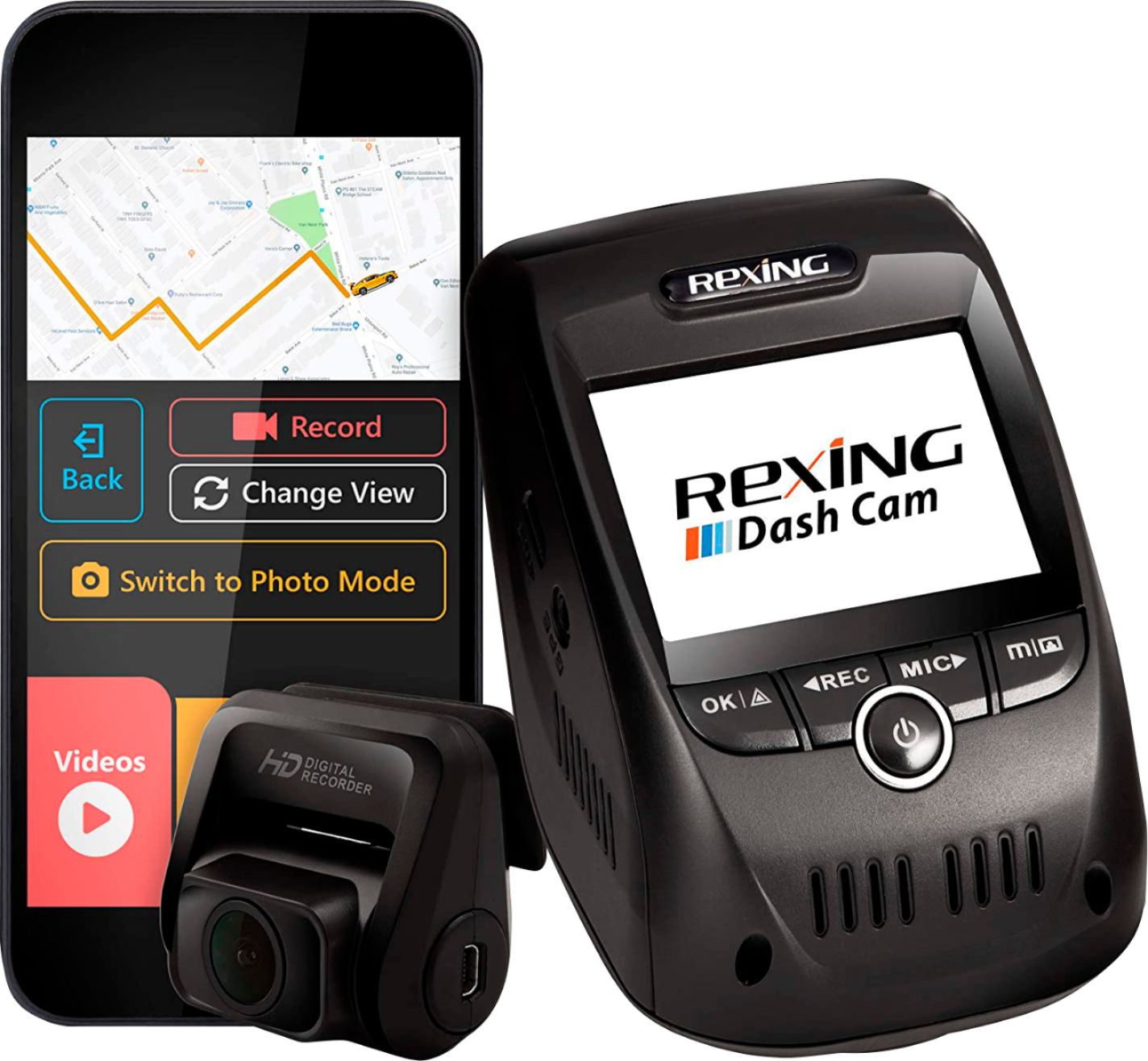
|Posted .This reviewer received promo considerations or sweepstakes entry for writing a review.PROs: - Sharp (though admittedly tiny) LCD display provides real-time picture-in-picture view of front and rear cams with the ability to switch between views on the fly - Rexing Connect app and built-in WiFi allows a smartphone to be used as a live monitor, control device settings, and even serve as a simple viewer/editor for videos and pictures without having to remove the SD card from the unit - Onboard GPS sensor (no external puck needed!) provides time, location/speed data for tagging videos and images; you can further customize the display overlay to include your license plate if you wish - JMS video player (download from Rexing's website) allows simplistic video playback/snipping along with display of sync'd GPS time, map, and speed sensor data for each clip or image - Very clear/clean video regardless of operational mode--dual 1080p/30fps recording with rear camera in operation and up to 2160p/24fps with front cam alone; audio pickup was sensitive enough to make out conversations in back seat over the radio - Included manual claims max microSD card capacity is 128GB though the website and my experience indicate that a 256GB microSD will also work just fine - Box includes a VERY secure mounting system for the main unit (slide-click tabs), a pry tool for headliner/body panels, and a connecting cable long enough to reach most installation locations for the rear camera - The loop recording mode is greatly appreciated as I don't have to manually sift through useless video files--the camera will record over the oldest unlocked video file if my SD card runs out of room--and the adjustable gravity/impact setting will lock a video against being overwritten if a collision is detected CONs: - There are no two ways around it--the front camera unit is BIG. Yeah, it's got the camera, screen, controls, and GPS hardware built-in, but you have to mount it near the headliner in order to use the downward sloping/facing screen and still have convenient access to the controls...it doesn’t take up a huge amount of real estate in my field of view relatively speaking, but it’s definitely noticeable. What’s more, it’s deep enough that it may impact how far forward you can angle your sun visor - You've got to be 100% certain you're all in for a dash-cam--a neat/secure installation will require 3M adhesive patches on the windshield and some deft cable routing underneath the headliner (or around the floorboards, or both) to get the dual cameras powered without long wires dangling in your field of view. At the very least, you can't set this camera up on a suction mount near your dash to see if you like it first given the orientation of the controls/screen...it has to be installed HIGH on the windshield - Unless you opt for the $10 hard wire kit, you will eat a cigarette lighter/12V socket with the power adapter for this unit--there is no onboard battery (Rexing claims it's for the supercapacitor to provide stable power in extreme temps) or pass-through 12V power adapter. If you normally run a GPS or other 12V item in your vehicle (USB charger, perhaps?), you'll need to figure out another way to power one unit or the other (or get a splitter) - The rear camera swivels almost fully around forward to back so there shouldn't be many situations where it can't be mounted on a rear windshield. But do be aware that the switch on the back unit only changes horizontal orientation; it doesn't flip it vertically as some have complained (note that the manual never claimed the switch was for vertical picture flip in the first place--see page 28). Bottom line—you need to audition the setup on the dash-cam's display BEFORE pulling the plastic off the cam's adhesive backing and sticking it to your rear window because you won’t be able to correct a flipped image in software/via settings - You can get used to it relatively quickly, but the user interface could use a little TLC. The two center buttons (Rec and Mic) have horizontal arrows on them to make it easy to scroll left to right through recorded videos/images. However, LCD screen navigation uses those buttons as up/down arrows, but also mixes the hard button icons with the navigation directionals on the screen in such close proximity that you eventually have all the arrows sitting right on top of each other—but all menu navigation on screen are vertically oriented. It's a little thing, but why not make the menu navigation match the printing that's already on the illuminated buttons so you don't have to put any prompts on the screen at all? -- What's worse is that a large 'OK' image on the screen is placed right above the physical Menu button, and what looks like a menu icon is located to the far left over the physical 'OK' button. Here's the rub--if you press the physical button under the screen image of the OK function, you actually exit out of the menu entirely rather than just selecting the highlighted option on the screen (the “OK”), but if you press the button that the LCD display indicates is the Menu//back button, you actually change your selection on the menu rather than go back one level or exit the menu system entirely - Sigh…another app that requires an account creation/log-in to reach full functionality. Fortunately, this seems to only effect you can still browse videos/images and adjust unit settings without having to create an account if you wish…that, at least, is a welcome relief from so many other apps that require you to surrender all your personal details before you can even start activating "standard" features that are supposed to be available right out of the box Summary review: This is a full-featured dual-cam setup that provides excellent quality video and enough hardware in the box to get you going in both forward and rear-facing setups. Yeah, video quality takes a bit of a hit up front if you run in dual-cam mode, but I'm not sure who really needs 4K video in a dash-cam setup anyway (maybe I'm not really the target demographic for this device). Installation takes a bit of time and [probably] know-how, or even a professional, if you want it to look good/neat...this isn't a dash-cam that actually sits on your dash so you need to be patient and deliberate about camera placement on the windshield and routing the power and connecting cables above and below your line of sight. I'm not sure how hard a pass-thru 12V power adapter would be but it would have been nice not to sacrifice my only 12V plug to keep this unit running--I went low-rent with a splitter but I've seen the hard wire kit here on Best Buy that I'll probably pick up at some point down the road. Maybe it's just me, but I've seen WiFI radios fit into smaller enclosures than the one used for the rear camera so the thick mini USB to mini USB coupler cable that runs from the front camera to the back feels a little clunky and was certainly a bit of trouble to snake around to the back of the vehicle. What about a hard wire running power from the rear camera to a running/tail light, then just stream the rear image to the front regardless of how far back it is--especially as the onboard WiFi already allows me to stream from the main unit to a cell phone or tablet. Installation notes/observations aside, be aware that this unit comes with no onboard storage of any kind, so unless you plan to stream to your cell phone exclusively, you need to plan on a separate micro SD card purchase at a minimum (Rexing actually has very specific recommendations about which cards are suitable for dash cam use so do a little research ahead of time if you plan to maximize your experience). Other than the usability niggles noted in the interface, the size of this unit is a bit of a turn-off (for me)...maybe it's not THAT much bigger than competing models, but it definitely doesn't hide away behind the rear-view mirror, and in fact really needs to be right up front at the top of your windshield so you can use the controls and navigate the menus. Normally, that might not be a problem, but I'm a tall driver in a fairly small car; for me, the V1P Pro does intrude a bit on my field of view even though it's not all that big in the hand. But otherwise, there's not much to complain about. If you've got the itch to get a dash cam mounted in your vehicle, this one provides a lot of capability, crash/accident-sensitive features that preserve your recordings, the ability to monitor and playback recordings via WiFi without having to touch the card inside, and it offers high quality video to boot--definitely a safe bet if you're in the market!
I would recommend this to a friend- Pros mentioned:Gps, Video quality, Wi-fiCons mentioned:Parking mode
1080p Front and Back
||Posted .This reviewer received promo considerations or sweepstakes entry for writing a review.Great Dashcam Package. It has a good video quality. I like the integrated GPS and the Wi-Fi feature. Hardwire install was easy but the warning message for the parking mode does not make it clear if it is on or off. Good buy for driving in Louisiana. Be safe!
I would recommend this to a friend - Pros mentioned:Ease of use, Gps, Video quality
I am telling everyone to get this dash cam!!
||Posted . Owned for 2 weeks when reviewed.This reviewer received promo considerations or sweepstakes entry for writing a review.This was extremely easy to set up. You stick one camera to each window, plug the cords in and tuck them, plug into your cigarette lighter and you're done. Put the micro SD/adapter in it and it will auto format. Three days after I installed this I had two near incidents. I nearly instinctively pressed the button to keep the current 3 min clip instead of being overwritten. The quality is absolutely PHENOMENAL! I do not have it at the highest setting so I could not read license plates but I will play with those settings. Otherwise, crystal clear during the day/sunny and also night recording is excellent as well. When I got home, I pulled the SD card and put it into my computer. All the files are saved in (I chose 3 mins over 1 min) increments. The files I hit the button on saved in those 3 min clips in a protected folder. I was able to upload my videos to iMovie and create a video in 5 minutes to upload to YouTube. I am telling my whole family and my friends about this dash cam!
I would recommend this to a friend - Pros mentioned:Ease of use, Installation, Video quality
Great dash cam!
||Posted . Owned for 1 week when reviewed.This reviewer received promo considerations or sweepstakes entry for writing a review.My husband and I were fortunate enough to be able to get new vehicles at the start of the year. With the area I live in, dash cams are almost a must, and I knew I wanted to protect us incase something happened. I purchased a dash cam by the same brand earlier this year as a test run. The last brand of dash cams we had were held on by a suction cup, and they would constantly fall. I wanted to make sure whatever we purchased this time would stick, and stick it does! My dash cam has been installed for over 7 months, and it hasn’t fallen once. I was so impressed, I bought my husband this dash cam to put into his truck. Installation was a breeze, and setting up the dash cam itself was super simple. The instructions are very clear on how to get everything set up. I loved how it came with an SD card! The picture quality is crystal clear, and the app is user friendly. Overall, great purchase of a great dash cam!
I would recommend this to a friend - Pros mentioned:Ease of use, Gps, Video quality
Dash Cam
||Posted . Owned for 1 month when reviewed.This reviewer received promo considerations or sweepstakes entry for writing a review.I've had the dash cam installed for almost two months. I had it installed professionally by Best Buy Technician. It was pretty easy to set up and connect to my phone. The camera comes on as soon as I start up the car. Very happy with my purchase. I feel safe knowing that I have video proof if I were to have any incident in my vehicle.
I would recommend this to a friend - Pros mentioned:Ease of use, GpsCons mentioned:Parking mode
Good dash cam!!
||Posted . Owned for less than 1 week when reviewed.This reviewer received promo considerations or sweepstakes entry for writing a review.It's easy to install and fits very well in my car. The only concern is when I set it up to park monitoring it always pop up a message saying that for this feature is necessary use the smart wire, but these wires came with the camera already, so I didn't understand why it shows this message. Another concern is in park mode it is recording only about 20 seconds after gravity sensing start the camera, may be not enough time if somebody hits your car in a parking lot. But in general I liked the features and this camera has internal gps this is another point that must be considered.
I would recommend this to a friend - Pros mentioned:Ease of use, Gps, Video quality
A lot of research, this was the one!
||Posted . Owned for 1 month when reviewed.This reviewer received promo considerations or sweepstakes entry for writing a review.Did a lot of research and this was one of the few cameras that had positive reviews across the board. Very easy to set up. Hardwiring it was easy in my Tacoma and running the wires underneath the plastic panels was a breeze. I wired mine into the powered review mirror. App is decent, it is easy to watch footage and download it right away. The video quality is amazing, very easy to read plates. Also have the vantrue which was $199 but this one beats that one. More features and overall seamless experience. The front dash cam is kinda bulky but it’s worth it. I’d recommend this.
I would recommend this to a friend - Pros mentioned:Gps, Wi-fi
travel with confidence
||Posted . Owned for 6 months when reviewed.This reviewer received promo considerations or sweepstakes entry for writing a review.bought this for my car so I could have peace of mind while traveling and not have to worry about "He said, She said" testimony in case of an accident or other traveling incidents. works great, records onto a Micro SD memory card for both still pics and video has a time stamp and you can put your plate number as well so they know who took the video, newer versions have the ability to connect to your phone as well
I would recommend this to a friend