Customer Ratings & Reviews

- Model:
- V3-PLUS-BBY
- SKU:
- 6430225
Rating by feature
- Value
Rating 4.0 out of 5 stars
- Quality
Rating 4.1 out of 5 stars
- Ease of Use
Rating 3.9 out of 5 stars
Customers are saying
Customers appreciate the V3 Plus dash cam's clear video quality and ease of use, finding it easy to install and navigate. The GPS functionality and night vision are also frequently praised. However, some users have reported issues with the device's reliability, SD card compatibility, and the performance of the app and Wi-Fi connectivity.
This summary was generated by AI based on customer reviews.
- Pros mentioned:Gps, Video qualityCons mentioned:Mount

Great dash cam, easy setup and works well
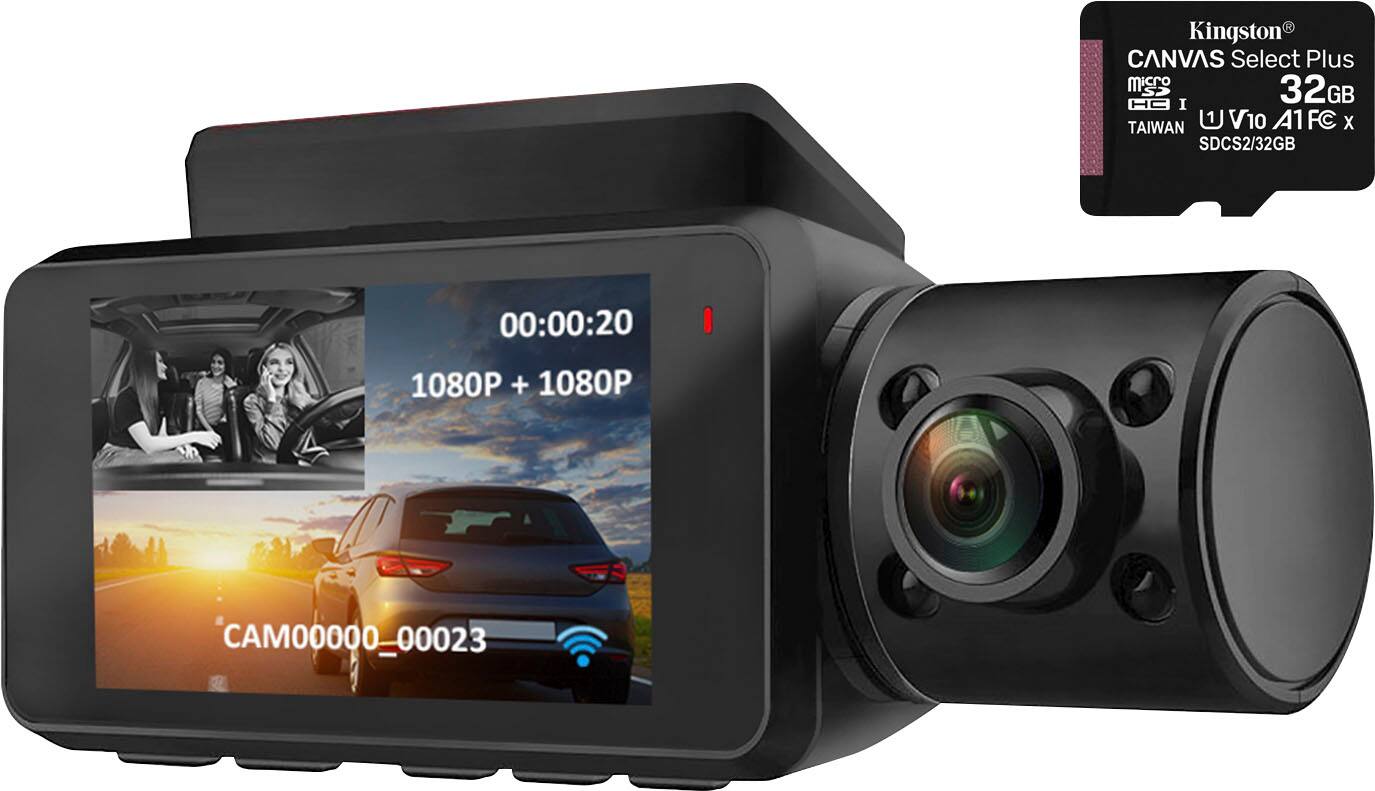
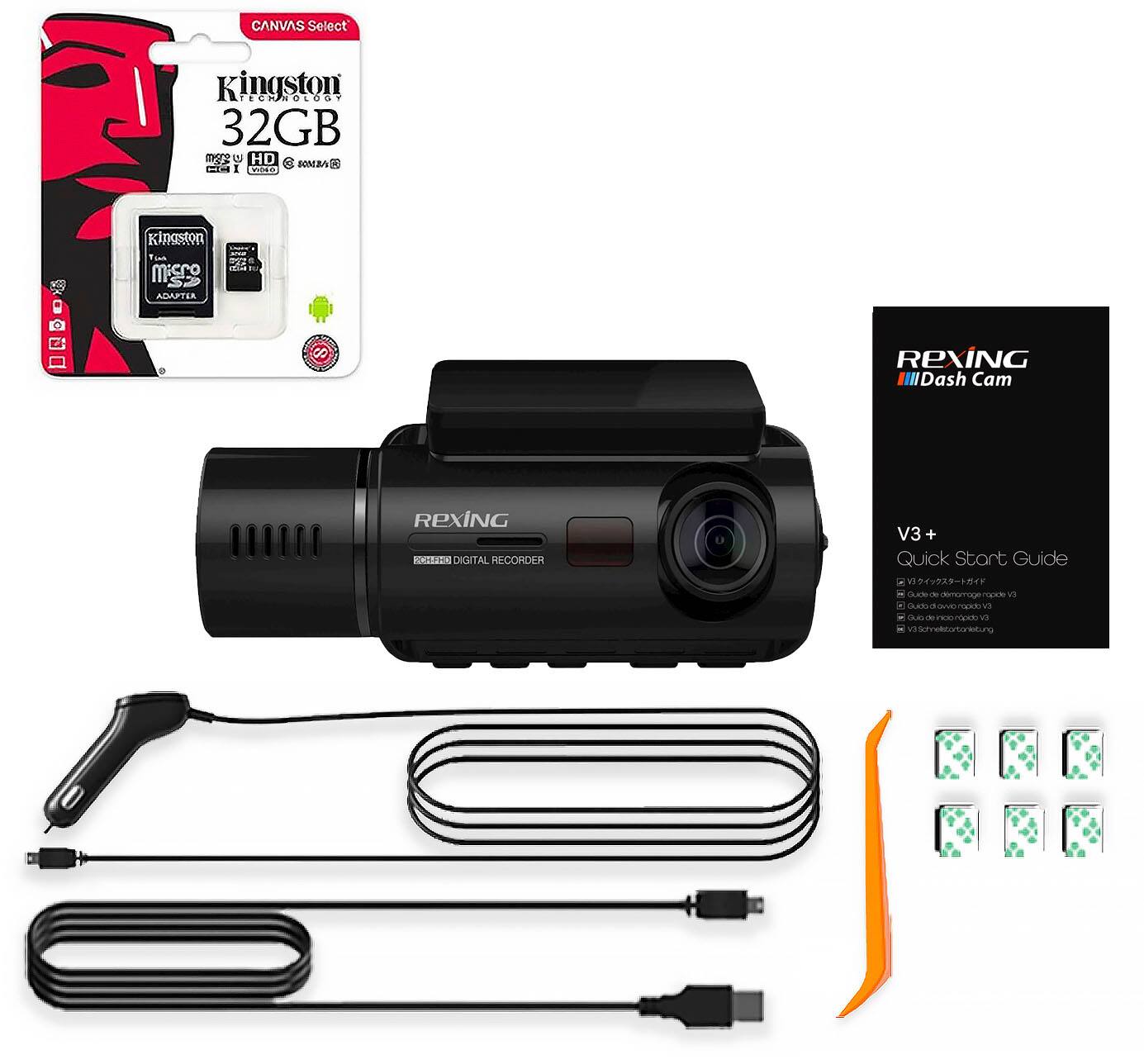
|Posted .This reviewer received promo considerations or sweepstakes entry for writing a review.Verdict: The Rexing V3 Dash cam is a great device that was easy to install and works as advertised. Initial impressions. The camera looks well-designed, with adjustable angles on both the front and rear cameras. The package includes the dash cam, a 32GB Micro SD card (thank you for that!), a very long power cord, a “cable management” tool (essentially a tool to wedge the power cord under the trim of the car), two mounts, two 3M stickers for the mounts, a transfer cable, some sticky clips, and a useful quick-start guide. There is an app available that helps manage the camera; when I downloaded it, it was rated terribly (1 star). I expected to have trouble setting up the camera, formatting the SD card, and using the app, based what I had read on the app reviews. Setup. The quick-start guide does a good job guiding each step of the setup. I plugged-in the dash cam and it started up right away. I inserted the included SD card and it started working right away, not need to format… nice! Then, I assessed the best location to mount the camera, ensuring that the view of the front camera was unobstructed; doing this is much easier if the camera is on so that you can see what is on the screen. I peeled the 3M sticker and placed it on the mount, then stuck it to the windshield. So far, so good! I used the cable management tool to tuck the cable away under the trim all the way around the windshield, down the side of the door, under the glove box, and then to the power source. I thought this would be harder, but the trim of the car will easily accommodate a cable. Lastly, I downloaded the app, installed it, and connected it to the dash cam through wifi. My dash cam looks professionally installed, and it works great! App. The app works perfectly! I am not sure why it is rated so low; perhaps it wasn’t good before and Rexing fixed it. My experience is that it works well, and it is actually pretty useful to quickly update settings, view your recordings, and download videos. I recommend downloading it. Usage. The dash cam works well. As soon as the ignition turns on, the dash cam lights up and starts recording. Nothing else to do! I have it set on 2 min loops (options are 1 min, 2 min, and 3 min). The camera stores several loops until the memory card is full, then it begins to overwrite the older files. It also has a g-force sensor that will lock a video file when an accident is detected. However, I am confused about the g-force setting… Does “low” mean low sensitivity (it takes a lot of force to trigger it), or does it mean low threshold (it will trigger with little force)? The camera also has a GPS tracker; the GPS status is displayed on the screen. Things I like: - It just works! No need to turn it on, and no need to think about it. - The buttons are easy to use - The cameras have adjustable angles - Setup up was easier than expected, including hiding the power cord under the trim - The app works well and it is useful to control the dash cam - Dual camera, with a nice implementation when viewing recorded videos Things I don’t like: - The 3M sticker is grey… why? The mount and camera are black, so the grey sticker sticks out when looking from the outside of the car (see picture). A black sticker would have blended better with the package, and would not be as visible from outside the car - A manual that explains the settings of the camera would be useful. The g-force setting is not clear, for example - Including two mounts is a nice touch, but if the power cord is installed in the trim, then the dash cam can’t easily be used in another car. Perhaps the package should include a second power cord? Overall, this dash cam is great. It was easy to setup. It comes with everything you need, including an SD card that is already formatted. And it has a useful app. I don’t know about the longevity of this camera… time will tell. However, based on my experience thus far, this dash cam appears to be a great option.
I would recommend this to a friend Very pleased with the Rexing V3
||Posted .This reviewer received promo considerations or sweepstakes entry for writing a review.Very compact design with Infrared lights for the cabin camera at night. Images and camera definition 5 stars, The wifi downloading and app are easier to use, good quality materials and film quality is outstanding.
I would recommend this to a friend- Cons mentioned:Sd card
Rexing V3 SD card virus out of the box!
||Posted . Owned for less than 1 week when reviewed.This reviewer received promo considerations or sweepstakes entry for writing a review.Dash cam works well. I made a mistake by plugging it in to my computer to charge before formatting it. The SD card it came with had a virus which infected my computer. I am very disappointed in this and most likely will take it back not because it’s a bad dash cam but a virus on a new device isn’t acceptable to me regardless of who’s to blame.
No, I would not recommend this to a friendBrand response from RexingUSA
Posted .We're very sorry your computer got a virus.
Please contact us at care@rexingusa.com for assistance.
Thank you.
- Pros mentioned:Gps, Video quality
5stars for quality
|Posted .This reviewer received promo considerations or sweepstakes entry for writing a review.The unit tested worked as advertised in all functions except where noted with acceptable work arounds. Unit has a quality feel that the cheap ones do not have. Recommendations for dash cam: 1. Manual needs to include detailed settings for all capture modes as the fast still shot mode is the preferred security camera setting (sound track over lay would be nice in still mode). Noticed 2S was the fastest you can set still shots. 2. Update FW for cam to operate in stand alone mode and as a computer cam. Heat mitigation in extremely hot climates: Park in a garage, shade tree, remove cam from windshield and cover on center console, place a thin sheet of aluminum foil over the front with the back uncovered, or crack a window with a rain cover over the crack. All of these methods work and will prolong the life of all your camera parts for a very long time. This unit runs very warm in high definition. Features: Rexing - V3 Plus Front and Cabin Dash Cam – Black (features) Capture sweeping views of your surroundings when driving with this Rexing V3 dashcam. The Full HD front and rear cameras feature Wide Dynamic Range technology for optimal performance in low-light situations, while a built-in GPS logger tracks important metrics in case of a driving incident. This Rexing V3 dashcam uses a temperature-resistant supercapacitor ( capacitor keeps time) for added reliability. Links to full manuals and warranty: https://www.rexingusa.com/wp-content/uploads/2020/03/Final_V3-QSG_Superside_FinalFile-proofread.pdf https://www.rexingusa.com/support/product-support/v3-product-support/ In box: 1. V3 Quick Start Guide 2. Safety Guide 3. USB Cable 4. 3M Adhesive Mount 5. Cable Adhesive Spacer 6. Cable Management Tool 7. Rexing V3 Dashboard Camera 8. Car Power Connector (12ft) 9. Hard wire full time power supply Additional test items needed: 12 micro SD cards of various brands and speeds Suction mount for windshield USB house power supply did not work! TEST: All SD cards long formatted in either FAT 32 or EXFAT and then reformatted in camera. Unit would not stay on when connected to a home USB power supply (car power supply and computer USB works fine). Would have been nice for testing long videos if it had worked. Computer USB connection worked in mass storage mode but not as a PC camera (would have been nice for testing). Camera formats all size SD cards as FAT32. FW updated on this site: https://www.rexingusa.com/support/firmware/rexing-v3-firmware/ https://www.rexingusa.com/support/how-to-update-firmware/ Unit was set up in the car then transferred to the car windshield via suction cup. GPS tested for connectivity, accuracy, time stamp. Unit connected direct to GPS signals without a WIFI connect. However, you must have a clear path to the satellite. You must download the GPS tool at this link to view GPS data on your computer (worked as advertised). https://www.rexingusa.com/support/mobile-downloads/gps-player-type-b/ Multiple warnings not to install this software from WIN 10. First import the SD card files into the Viewer and you will see a GPS column. Quality of recording was excellent for both the front and rear. Unit tested for retention of accurate time stamp with power off for 2 days. Unit was shipped with the correct time (nice). WIFI connect to iPhone (worked as advertised): Wi-Fi Connect Download “Rexing Connect” app from the App Store/Google Play Store. 1. To access or exit the WiFi feature, hold down the UP navigation button. 2. Open Wi-Fi settings on your phone, find “SSID” from the list, tap to connect. (Default password: 12345678) 3. Open the Rexing Connect app, tap “Connect” to enter the realtime video streaming page. Pictures were sharp and clear and tag identification was excellent. Photo was a night in the dark in the garage with infrared turned off. MOVs are perfect.
I would recommend this to a friend It no longer works
||Posted . Owned for 1 month when reviewed.This reviewer received promo considerations or sweepstakes entry for writing a review.When I got home it was working and when I turned it back on it didn't work anymore
No, I would not recommend this to a friendBrand response from RexingUSA
Posted .Good morning Armando, we're very sorry you're having issues with your V3. Please try connecting your device to a different power source and see if it turns on. Also, you may want to try removing the micro SD card as well. If you're still having issues, or require further assistance, please submit a request to our Care Team using this link: https://www.rexingusa.com/support/contact-us/
They will be more than glad to help you in any way possible.
Thank you.
EXCELLENT 2 CHANNEL DASHCAM
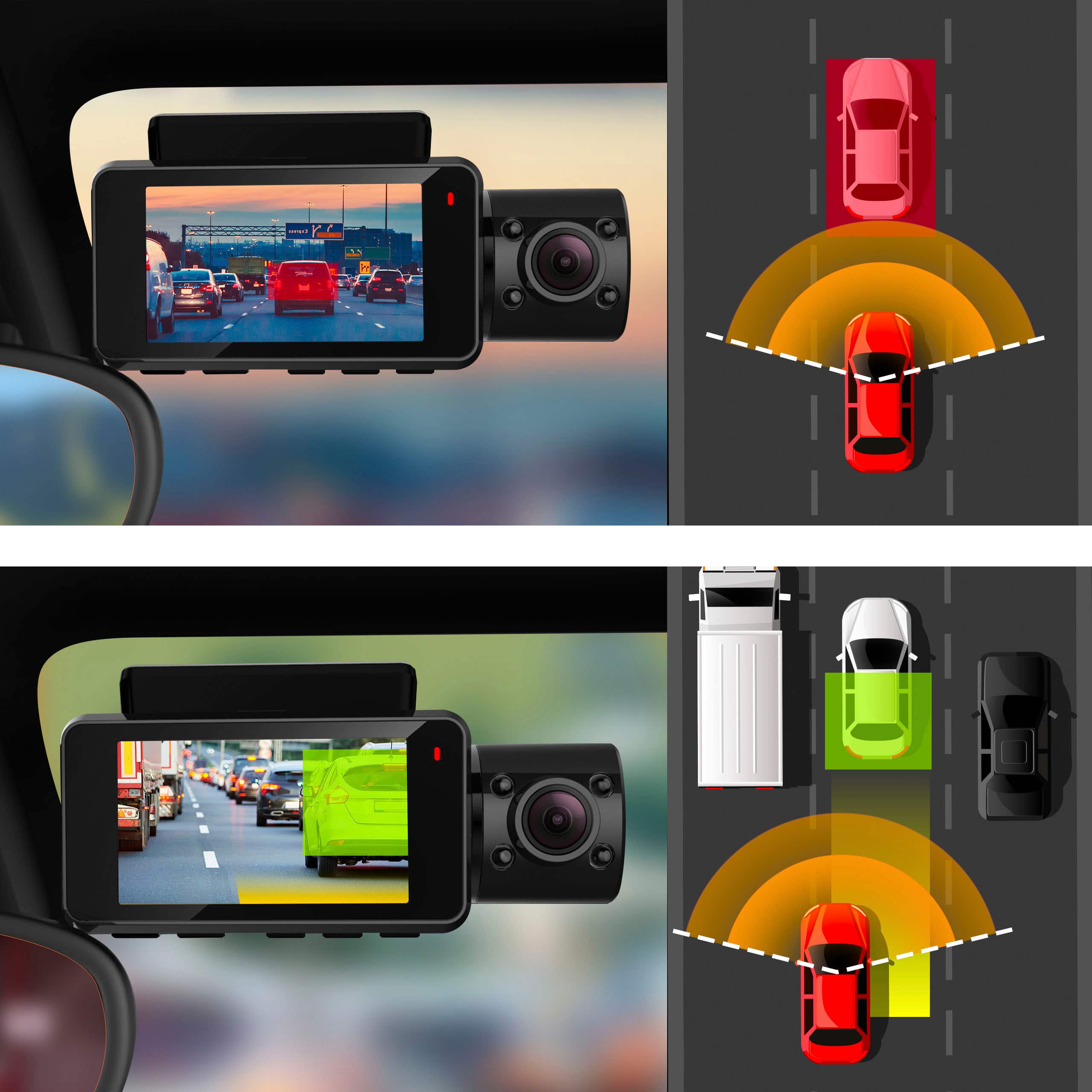
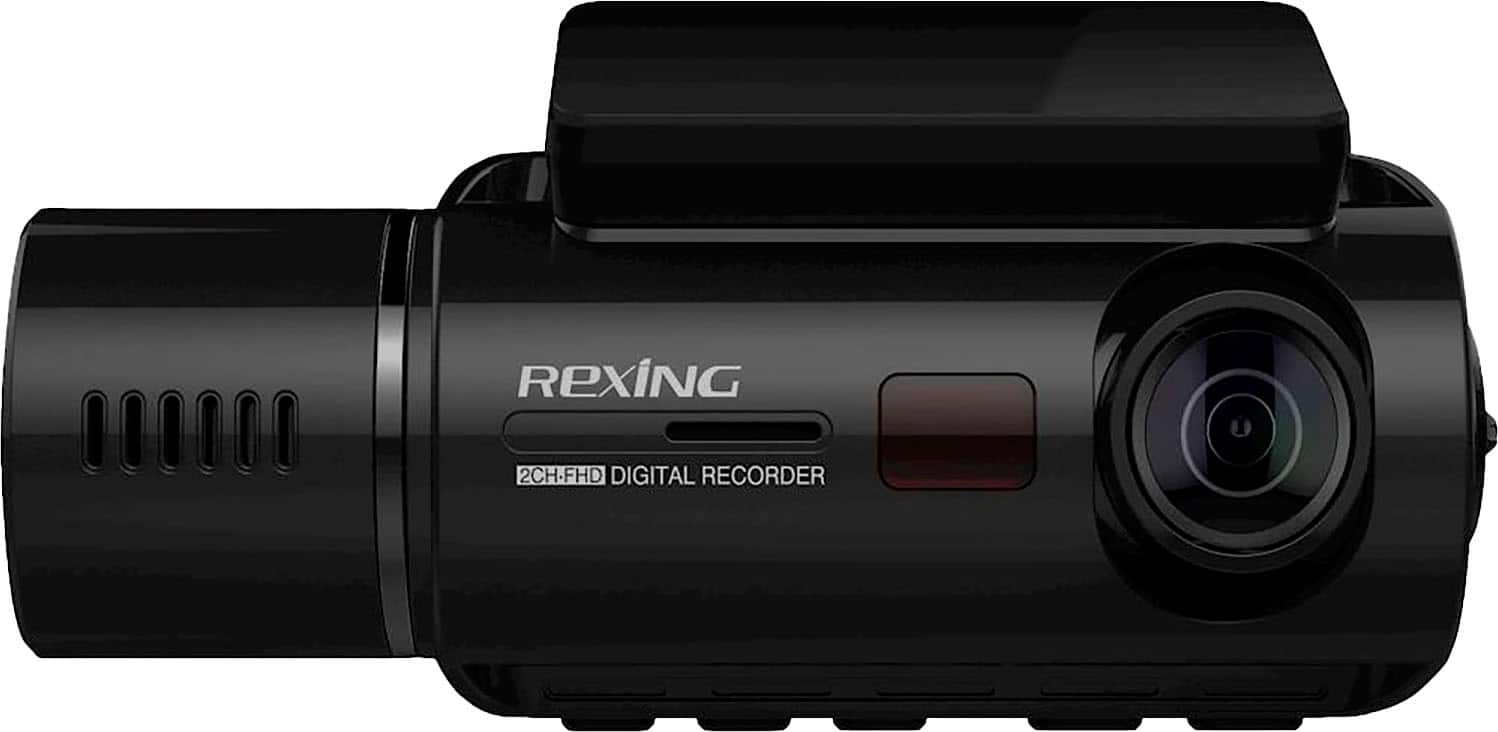
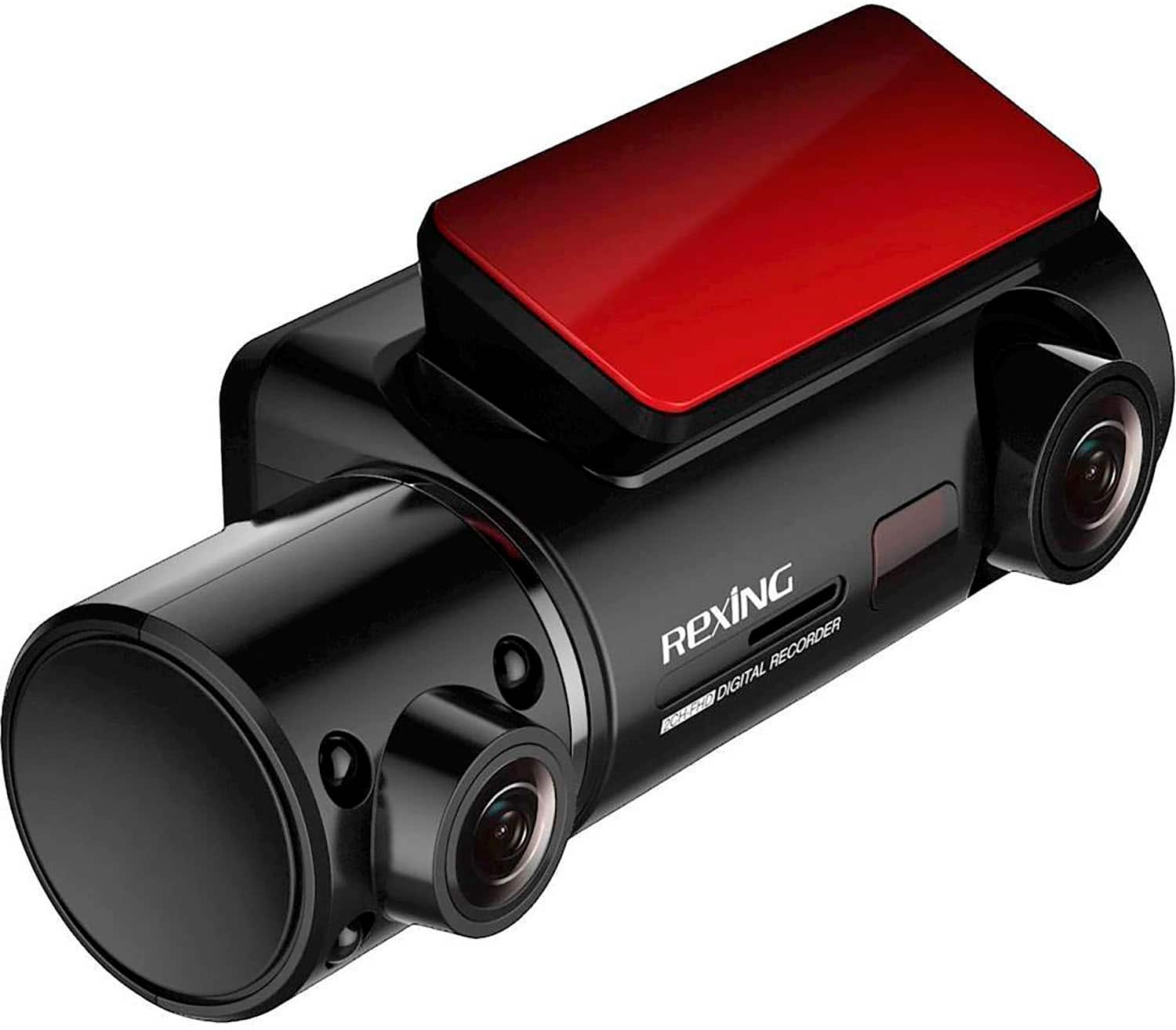
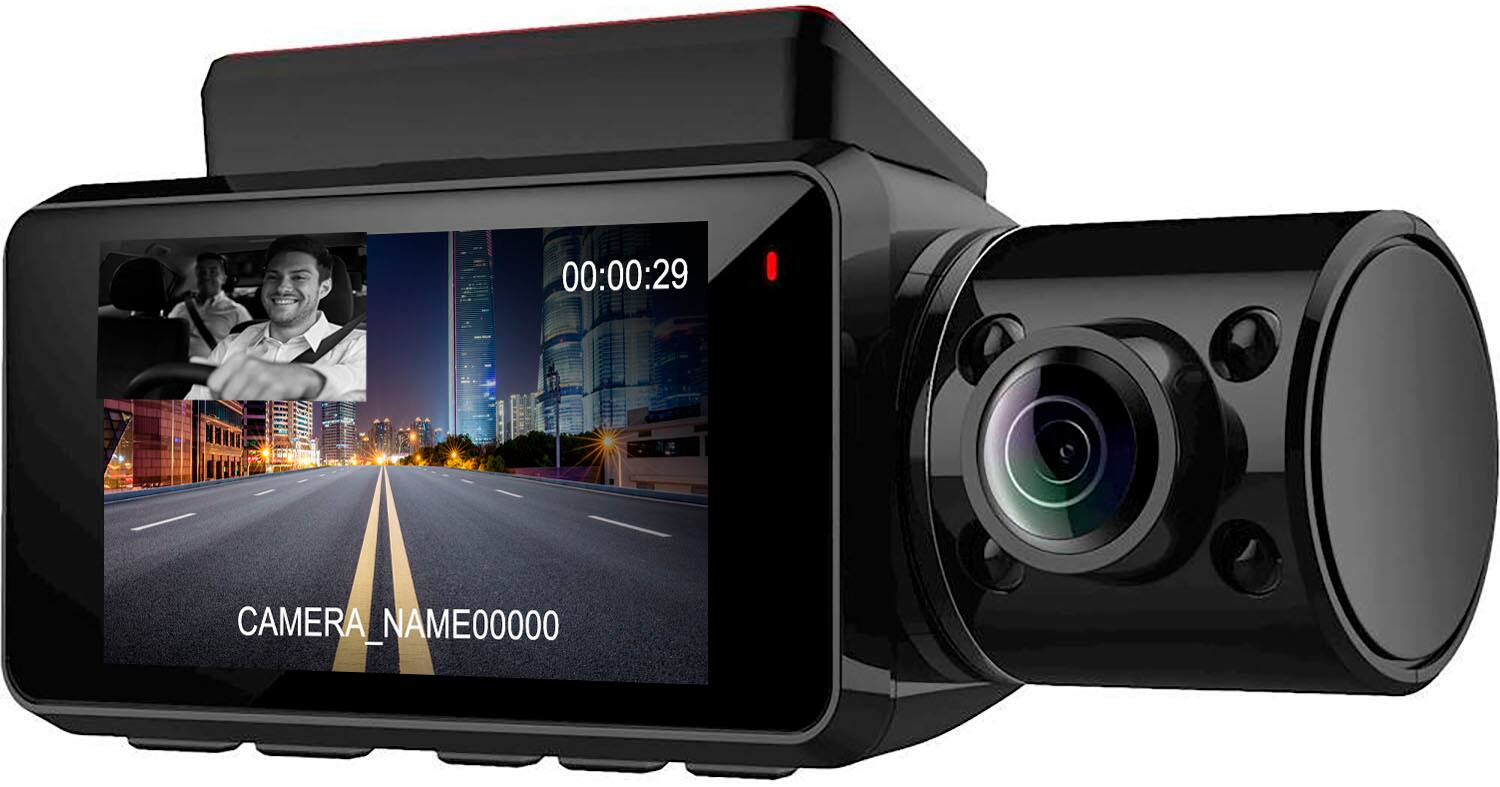
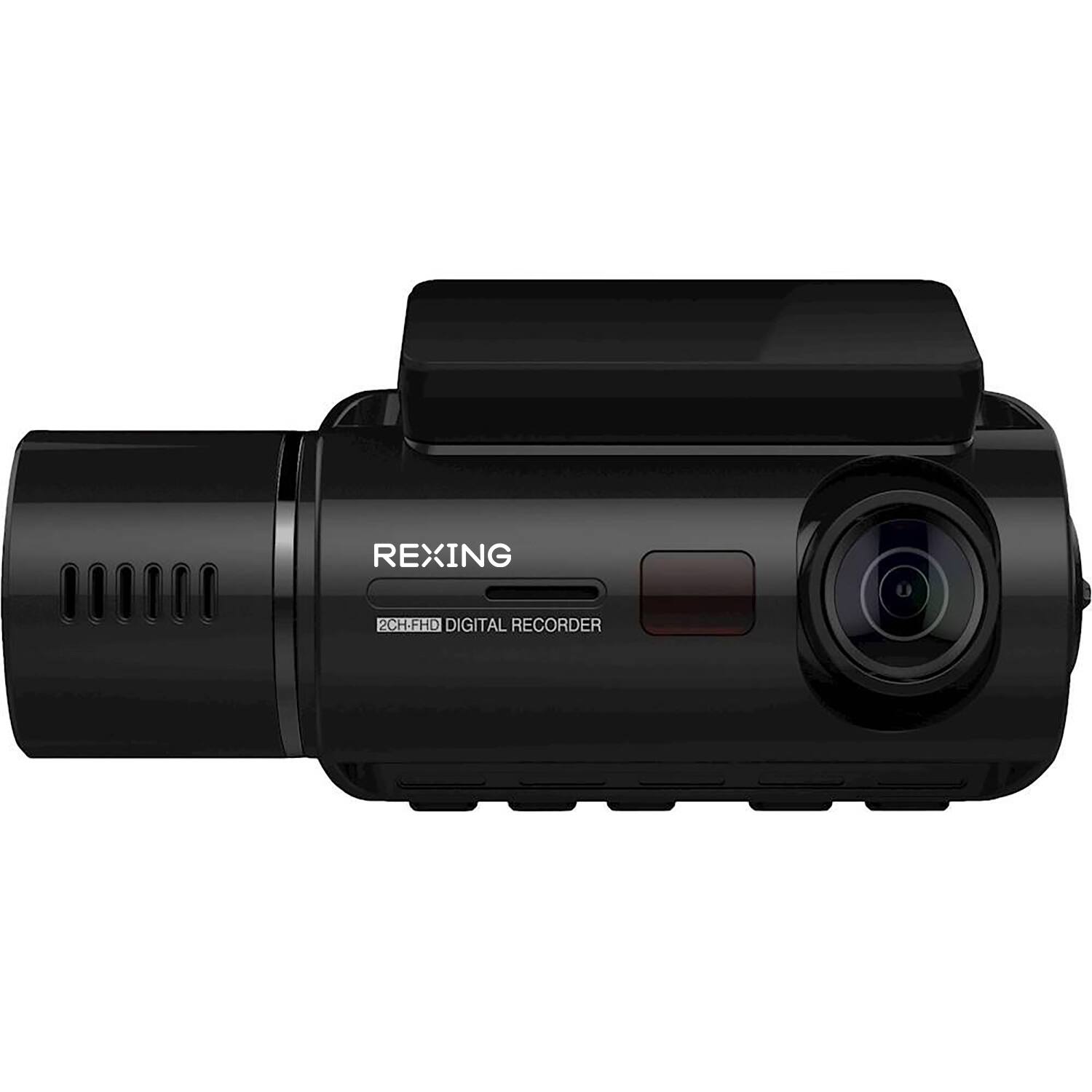
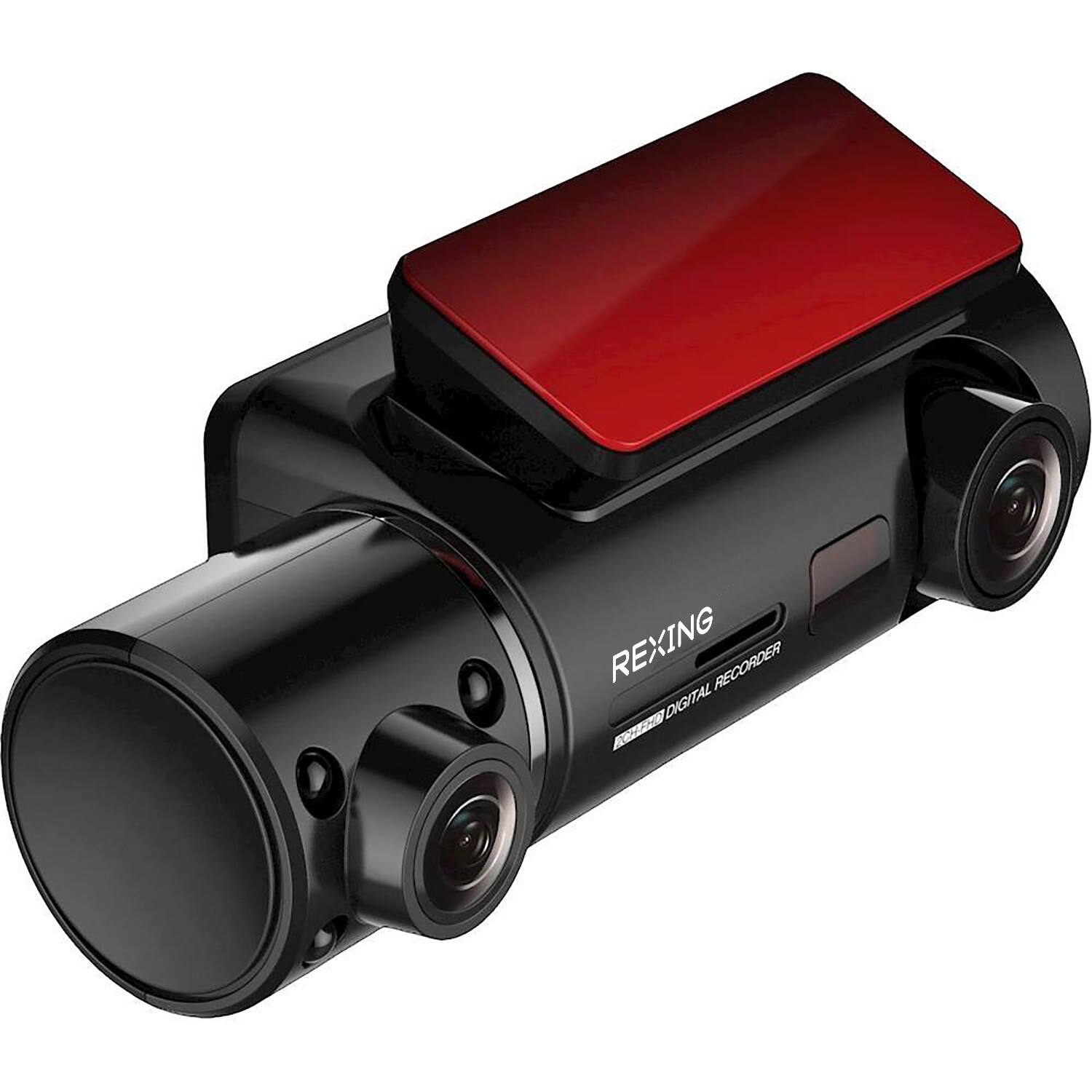
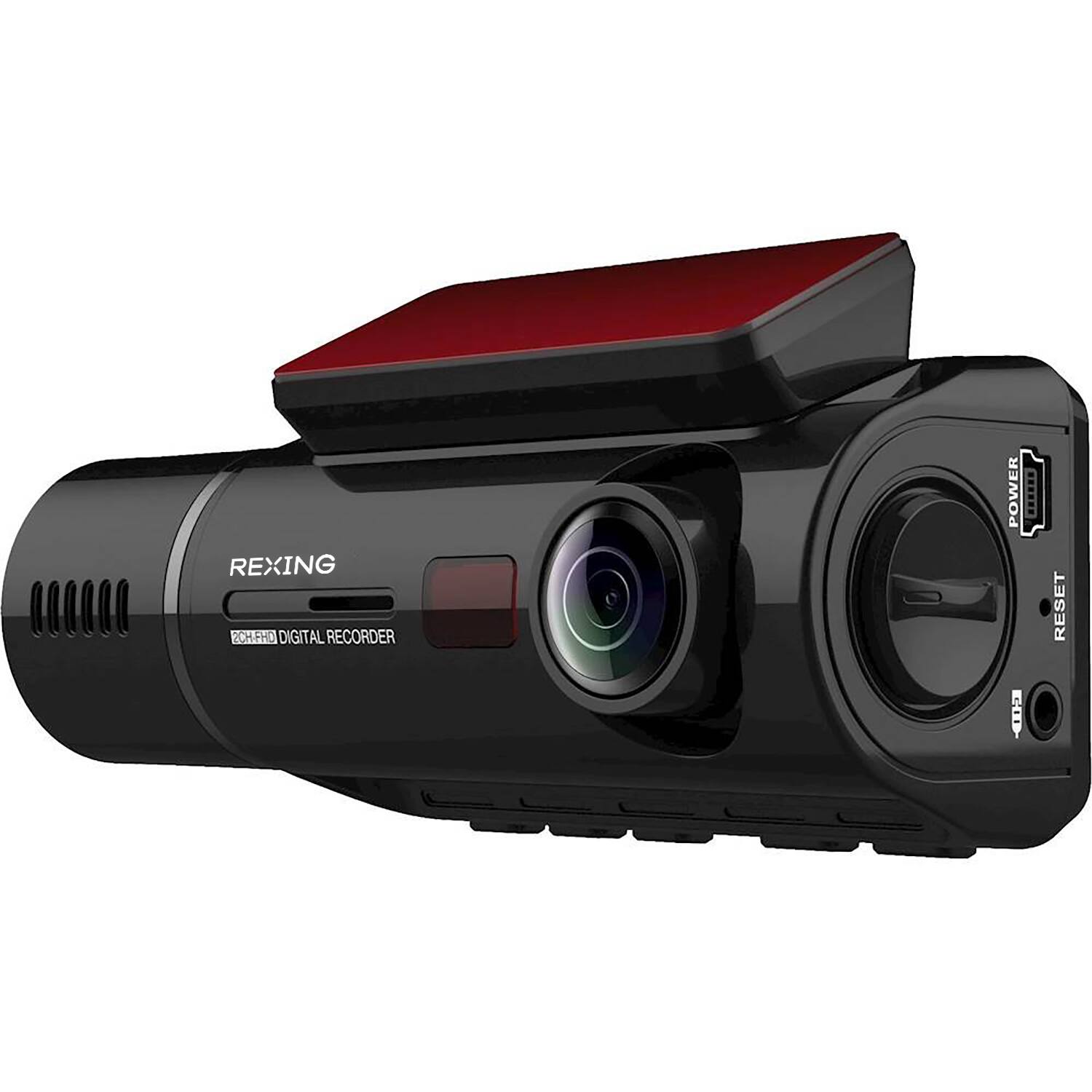
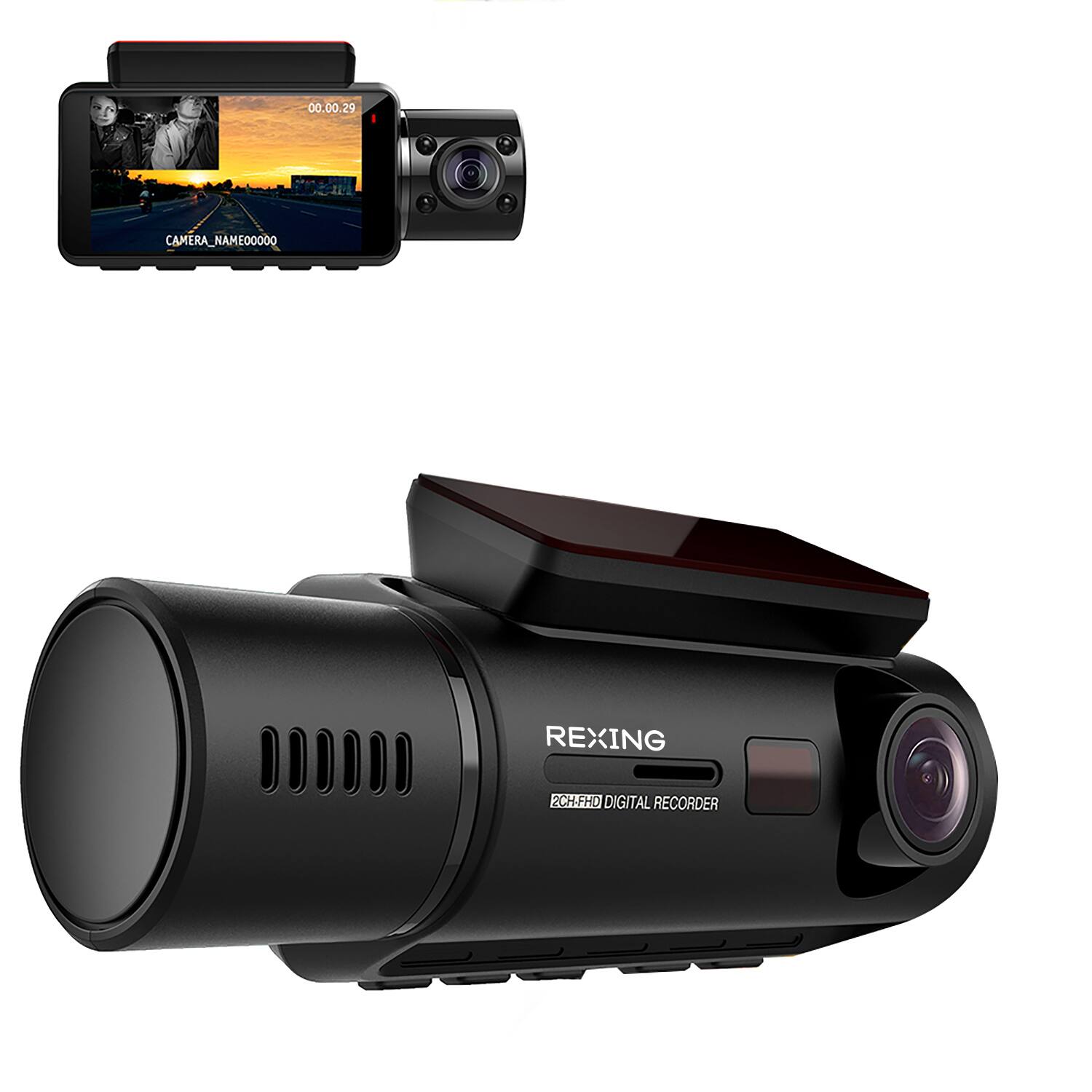
|Posted .This reviewer received promo considerations or sweepstakes entry for writing a review.The Rexing V3 Plus dashcam demonstrates good quality and performance. High quality dashcam video can be of extraordinary importance by documenting precisely what occurred in a traffic accident or incident, and the video quality of the Rexing V3 is excellent. The Rexing V3 Plus comes with a 12’ power cord with cigarette lighter plug, two adhesive windshield mounting brackets, six adhesive cable clips for the power cord, a USB cable for downloading videos to a computer and a plastic trim prying tool to facilitate concealing the power cable. The V3 Plus does not contain a rechargeable battery. Instead, it has a super-capacitor which is touted as being less sensitive to extreme temperatures. The Rexing V3 does not come with the required Micro SD card, nor does it come with a suction cup windshield mount or the hardwired installation kit which is required in order to use the Parked Vehicle functions of the dashcam. It would have been very nice for those essential components to be included with the dashcam in order for it to be immediately usable and capable of supporting all of the important functionality. The V3 requires a UHS1 Class 10 Micro SD card up to 256 GB capacity. Rexing warns not to use a San Disk ULTRA SD card. The Rexing V3 has two cameras and is capable of two channel, dual camera recording at a maximum resolution of 1080p at 30 FPS. If only the front camera is recorded, higher resolutions are available including 2160p/24 FPS, 1440p/30 FPS or 1080p/ 60 FPS. Generally, a higher frame rate will produce smoother videos. The video recording format is H 264 (.mp4 files). The front facing camera is adjustable for elevation with a knob on the left side of the housing, and the rear facing, cabin camera is also adjustable. The front camera sensor is a Sony Starvis and the cabin camera sensor is either a Sony IMX323 Exmor according to the Rexing website, or a Sony OV2053 according to the PDF Manual, or a second Starvis according to a Rexing marketing video. Both are f 1.8 aperture and have a 170° field of view, or the rear facing camera might have a 150° field of view according to Rexing web marketing material. The CPU is a Novatek 96660. The cabin camera has four IR emitters for night recording. The Rexing V3 also has a switchable cabin microphone . The Rexing V3 is not a three channel recorder, and does not include or support a rear window camera. There is a rear-camera input jack on the dashcam, which the Manual states is “currently not supported”. Hopefully, Rexing intends to update the firmware and support connection of a rear window camera in the future. The Rexing V3 cabin camera is ideally suited to taxi and ride-share drivers who want to document for-hire transportation. For the rest of us, the cabin camera might be valuable in documenting that the driver was awake and alert and not distracted or using a cell phone, etc., at the time of a traffic mishap. The Rexing V3 has an integral 2.7” LCD display with 16:9 aspect ratio. The display may be switched off (to prevent driver distraction), or it may be configured to display either camera full-screen, or one camera in full-screen with the other camera as a small, Picture In Picture display. All setup and operational functions are controlled with an array of five, small push-buttons on the bottom of the dashcam housing, most of which serve multiple functions depending on dashcam mode and interval for which the button is depressed. The left-most button is Power On/Off, which has the dual function of toggling the display screen. Next is the Menu button and the third and fourth buttons are the Scroll buttons for menu items, video playback functions, toggling audio on/off during recording mode (arrow down) and changing display views (arrow up). The right-most button is the “OK” button, for selecting menu items. Holding the OK button during recording locks the active video clip (1, 2 or 3 minute clip). Locked videos are preserved and protected from being overwritten (until manually deleted) during the continuous loop recording, with new videos overwriting the oldest files once the memory card capacity has been reached. Holding the Menu button switches between Recording and Playback Modes. Holding the Menu button for three seconds switches between Video and Photo (Still) Modes. There are numerous quality settings available for still photos. The Wi-Fi Connect functionality of the Rexing V3 allows connecting with the dashcam via the Rexing Connect smartphone app (Android and iOS versions). The app provides another means of downloading video files from the dashcam. Wi-Fi defaults to “Off” whenever the dashcam is power cycled, and requires being manually turned on when needed. Video files are large, so direct file transfer from the micro SD card to the computer worked best for me. Unfortunately, when attempting to connect the dashcam to Windows 10 computers via USB for Mass Storage (file transfer) or PC Camera functions, the computers refused to recognize the dashcam. GPS functionality is integral to the Rexing V3 Plus. When active, it embeds GPS data with the video files. Videos with embedded GPS data include route graphics on the map display and vehicle speed throughout the drive. Viewing videos with embedded GPS data requires downloading and installing the “GPS Logger” software (Windows and Mac versions). There are multiple, product specific versions of GPS Logger. The correct file for this model is: JMS DVR GPS Player V3_2.20 Release.zip. The firmware in the Rexing V3 Plus includes user selectable Advanced Driver Assistance System (ADAS) which provides some lane-departure and following-distance voice warnings. The Rexing V3 has an accelerometer (G-Sensor) with three sensitivity level settings. In Driving Mode, a collision impact should result in locking the current video file for preservation. Parking Monitor Mode is only supported when the Rexing V3 Plus dashcam is installed with the optional Smart Hardwire kit. That accessory power cable connects to both an always hot fuse as well as to an ignition switched fuse in the fuse block. This allows the dashcam to differentiate between ignition On – Driving Mode, and ignition Off – Parking Mode. I believe that it would be very useful to have the ability to manually switch the unit between Driving Mode and Parking Mode via the switches on the dashcam body when using the cigarette lighter power cord. Parking Monitor Mode has the choice of either G-Sensor activation for a 20 second recording (during sleep), or Time-Lapse recording. Parking Mode is extremely valuable for protecting the parked vehicle against collision, hit and run or vandalism. The Smart Hardwire kit and Suction Cup Mount really should be included with the dashcam, and the ability to manually switch the unit to Parking Monitor Mode when using the cigarette lighter cord should be supported by the firmware, as well. Anyone intending to move the Rexing V3 Plus among multiple vehicles will find the Suction Cup Mount to be valuable. Firmware updates require downloading a zip file to a computer, and copying the extracted .bin file to a Micro SD card which is then installed in the camera. Powering on the camera will install the update. The SD Card must be reformatted both before and after being used for a firmware update. Thus if using the SD Card that contains videos, they need to be transferred off the SD Card first, lest they be erased during the reformat. Rexing recommends updating firmware only if there are operational problems with the current version. Physical installation of the Rexing V3 Plus dashcam was quick and easy when using the Suction Cup Mount that was purchased as an accessory. The Suction Cup Mount facilitates easily moving the dashcam among multiple vehicles, and also facilitates easily moving the camera’s position to choose the best mounting location on the windshield. Using the adhesive mountings would not readily facilitate repositioning the dashcam for the optimal mounting location. Configuration of the Rexing V3 Plus dashcam is simple and straightforward. The menus are clear and logical, and afford great flexibility in the setup configuration. Operation of the Rexing V3 Plus dashcam in the vehicle is generally simple, as well. The dashcam boots up when vehicle power is supplied, and using any of the buttons for shortcut operations is fine once you become familiar with those functions and so long as the dashcam is mounted within easy and safe reach of the driver. The video quality produced by the Rexing V3 Plus is excellent. I experimented with various recording settings and compared the videos. When operating in dual-camera mode, the highest quality available is 1080p at 30 FPS, which I found to be very good. However, when operating in front (single) camera mode, the higher quality 1080p at 60 FPS video was smoother. Even better was the video at 2160p and 24 FPS. The legibility of license plates of vehicles in front of your vehicle is a helpful determinant. Rexing Support is via email contact only during the current Covid-19 pandemic (phone support is suspended). I had occasion to contact support twice regarding unrelated matters. The first inquiry received a response with misinformation. The second inquiry never received any response or acknowledgement at all. These two disappointing experiences with Rexing Support were surprising and do not inspire confidence. Overall, I find the Rexing V3 Plus to be an excellent dashcam, with a good set of features and solid performance. The most important attributes for any dashcam are good, clear, high-quality video coupled with reliable performance and ease of use. The Rexing V3 Plus certainly meets all expectations, and the critically important video quality was impressive. I’m certainly pleased to have the Rexing V3 Plus mounted on my windshield!
I would recommend this to a friendDont buy it
||Posted . Owned for 1 month when reviewed.This reviewer received promo considerations or sweepstakes entry for writing a review.app sucks, doesn't work If you need to connect to the camera on the road, you cannot connect. Also it doesn't work on iphone
No, I would not recommend this to a friendBrand response from RexingUSA
Posted .HI! I am very sorry you experiencing this with the app! We have since updated the app for a smoother and faster WIFI connection to the REXING CONNECT APP!
- Pros mentioned:Video quality
Good Dash Cam for its quality of image & function
|Posted .This reviewer received promo considerations or sweepstakes entry for writing a review.The dashboard camera Rexing full of feature in the compact hardware form and help to monitor surrounding of the car while driving or parked. The camera comes with number of accessories to install nicely in the car, like cable management tool, cable adhesive spacer, 12ft of car power connector, and mini usb cable, and the camera itself has option to adjust angle which is quite handy. Its installation takes bit of work to adapt into the car, and avoid hassle with its long cable for charging. But once installed. the camera quality and stabilization while driving is quite good. Recorded video shows doesn’t show blurring or unstable image from driving. The captured recording and photos has same quality for cabin view and front view. The camera I believe has fish lens and able to capture almost the same level of view rage by our eyes. Its size is almost alike one of mini camcorder out there with screen similar to the same. It has buttons to control functionalities alike in the camcorders. Buttons are placed underneedth to turn On/Off, change view point (frong.cabin/combined), navigate, view menu, confirm or ok. Functions controlled by the software side, it allow to set definition of images for recording, timer, among the basic standard function that exist in the camcorders. Its WiFi function is for device to device connection for mobile phone connect to the camera, from which allow to have same view from the camera and control view and save photo on the phone. Other functionality that has remarkable is recording of speed, and alert on switch of lane although need to get used to recognize in the beginning. Full functionality at quick help from Rexing USA https://www.rexingusa.com/wp-content/uploads/2020/03/Final_V3-QSG_Superside_FinalFile-proofread.pdf What is most impressive: quality of recording and stable images What experienced downside: 1. Use with mobile phone be better experience, I was not able to view form the phone as meant, and had to go through troubleshoot without success based on usage with iPhone. 2. Usage of buttons bit counter productive as is on the downside and small and takes bit of time to get used to. Wishfull list 1. Have firmware update mode via direct connection to internet from what I could tell. 2. Screen were touchscreen 3. Support Voice command for usage during driving for function like take photo as one of applicability. 4. Mini USB were USB C due to the direction of form the cable for power need to go around more than needed. With USB C would allow either direction depending on the installation and car. 5. Second camera for cabin that is be rotated work as 360 view upon rotating toward to front. 6. Capture sound and voice, and from software allow to separate with it or not based on the need
I would recommend this to a friend - Pros mentioned:Video quality
Excellent Setup
|Posted .This reviewer received promo considerations or sweepstakes entry for writing a review.I really like the video quality of this camera, the outside viewing camera is solid and the inside one's quality seems to vary dramatically based on the interior lighting quality. This camera is small enough to fit and not be terribly noticeable. The cable to power the camera is long (I'd guess 10 feet). power up is quick (less than 5 seconds). and is it easy to use. only reason for 4 stars is for the variety of quality of images in the cabin due to the lighting and image sensor.
I would recommend this to a friend Great Dashcam!
|Posted .This reviewer received promo considerations or sweepstakes entry for writing a review.Lets start by saying this is my first experience with owning a dashcam. Setup was easy as can be, Routing the 12' charging cable was pretty simple It comes with small wire mounts with double sided tape that are used for mounting the charging cable.(I personally chose to tuck the wire under the headliner and plastics around the windshield.)It comes with a small pry tool that makes this much easier The camera comes with 2 mounting bases so you can use it in multiple vehicles that are easily mounted with 3M double sided tape.Following the quick start guide makes setup quick and easy, from installing it in the vehicle to formatting the SD card. All in all the resolution on both the forward and rear facing cameras is very impressive. The rear facing camera has 4 IR emitters for Nighttime video, so you can capture clear in cab video even in dark conditions. In the box are: • V3 Plus Dashcam • Trim prying tool (for cable management) • 3M adhesives strips (2X) and camera mounts (2X) • Adhesive spacers (6X) • Car power connector • USB cable • Quick start and safety guides • 32GB micro SD card
I would recommend this to a friend- Pros mentioned:Ease of use, Video quality
Nice little dashcam.
||Posted . Owned for 2 months when reviewed.This reviewer received promo considerations or sweepstakes entry for writing a review.Mounting and setup is fairly easy. Dashcam comes with stickers to mount the camera. I chose to buy the suction cup mount because easier to move it around if needed. You also need to purchase a micoSD card for the dashcam. I got the largest memory the dashcam could handle (Kingston 246G MicroSDXC Canvas React). I also bought the hardwire kit and had it professionally installed. The dashcam shuts off when turn off the car. You have to press the power button to turn the dashcam on again for parking mode. (doesn't mention that in the manual). Video is high quality. I also downloaded "rexing connect" so can view clips on my phone. Instructions for "rexing connect" are lacking. Had to consult YouTube to figure out how to export videos from the dashcam memory card to my phone (so I could put it in an email (or text message) if needed. You could also insert the MicroSD into your PC (if you have a SD card slot and an adapter for the MicroSD card) to download video files to your PC. Dashcam works great so far EXCEPT the time/date needs to be constantly reset. When power-up, the date and/or time is sometimes wrong. The date jumps to the next day and/or the time advances 6/12 or more hours. I have to check the dashcam to see if the date/time is correct each time I start my car. The date/time also sometimes goes "off" while I'm driving. The instructions could be better also. It seems like they need a "focus group" to do quality control. Could an average person setup and operate the dashcam just by using the included manual (without consulting YouTube)? Pros: Easy to mount and setup, high quality image, lots of features Cons: Instructions/Manual needs improvement/more detail (how to take photos, playback video, lock videos, using GPS, using WiFi, using Rexing Connect, using Parking Mode, how to export videos to your phone, etc). Date/Time should be synced from the internet/GPS.
I would recommend this to a friend - Pros mentioned:Gps
Could be one of the best!
||Posted . Owned for 1.5 years when reviewed.This reviewer received promo considerations or sweepstakes entry for writing a review.This is a really good product! It records both out the windshield and also in the vehicle cabin, with sound and all! This would be absolutely perfect if I could change just two things! First, it will only record high def video in one direction at a time. If the cabin view is set for high def, then the video for the road while driving is low quality, and visa-versa. It would be nice if I didn't have to switch depending on what I'm doing. Second problem, it will not accept an SD card any larger than 256gb. I drive for Uber sometimes, and that means that if I have the cabin camera on high def, the SD card is full in less than 8 hours of me driving. I am constantly having to switch memory cards and delete old ones, which isn't great because if there is ever an issue, it is typically brought up a few days later. By then, I very well may have deleted the data on the particular SD card so I can have one that is usable when I'm working again! Of course being able to use a 1T SD card would be ideal, but I really wish I could at least use one of my 512gb SD cards. That would at least be an inprovement! Unfortunately it will not accept any cards larger than 256gb. I have absolutely no other issues with this product! As I said earlier, if they could fix the two things I mentioned, this would be almost unbeatable for sure! If you are not needing to record for several hours at a time, then you will be more than happy with this product! I would definitely recommend it to anybody! I would gladly give it 5 stars if the two things I mentioned were fixed or werent a problem!
I would recommend this to a friend - Pros mentioned:Gps, Video qualityCons mentioned:Sd card
Great camera, lots of options, medium price.
||Posted . Owned for less than 1 week when reviewed.This reviewer received promo considerations or sweepstakes entry for writing a review.So far it’s great. Set up was not bad. Installation was easy. Two parts to this review: Camera And SD Card CAMERA: the camera is great. I set to 1080 P 60 FPS only front camera and it works very well. Audio is also great. Inside camera was nice but I just don’t need it now. Not yet isn’t the Assisted Driving options. Gps works great, buttons work great. Built quality is great. Wifi works well but transferring files is excruciatingly slow. OKC I have to do this I will just take care to computer. App is nice. Pretty easy to use. SD Card: Hardest part was I had bought an SD card - SanDisk Ultra Plus (As Best Buy suggested in purchasing app) and Then afterward I see that Rexing says DONT get the SanDisk Ultra. Since mine was Plus I figured I would try. The camera was fine until I inserted the card. Once the card was in the camera kept saying to format card and I did about 20 times. And the camera was turning off and in constantly. Then I took the card to my laptop and quick formatted it. Then the camera said the card had bag segments and the camera kept shutting down. Then as a last resort I took the card back to my laptop and did a FULL format and click option to return card to default settings. VOILA! That did it. Now camera and card work flawlessly. OVERALL: I am very happy with the camera and app (wifi transfer can be improved), price was good. I would make sure people know what SD card to buy or that a PC full format is a way to get the SanDisk Ultra plus to work, maybe the SanDisk ultra as well.
I would recommend this to a friend - Pros mentioned:Gps, Video quality
Great dashcam for inside and out
||Posted . Owned for 10 months when reviewed.This reviewer received promo considerations or sweepstakes entry for writing a review.This dashcam does exactly what I needed it to do. It does a great job not only recording the outside of the vehicle but inside as well. I really wanted a cam that would record my speed while driving since I drive a challenger, and this one delivers!! I already purchased one for my wife’s vehicle as well.
I would recommend this to a friend - Pros mentioned:Gps
Review after 1 week of usage
Posted .This reviewer received promo considerations or sweepstakes entry for writing a review.I love this dashcam because of its various functions. It has the broad front camera viewing angles of 170 degrees and also the in-dash camera. It captures most of what the human eye can see while driving as long as you set up the camera in the right place on the windshield. During the night time the infrared helps the in-dash camera to capture what's happening in the passenger seats and the flank and the rear side of the vehicle. Since it records at what speed your car is moving since it has the built-in GPS. Having the all-round dashcam like this one make you feel safer on the road. I think that's one of the biggest reasons why I would recommend this particular product to anyone.
I would recommend this to a friend - Pros mentioned:Video quality
Great camera
||Posted . Owned for 1.5 years when reviewed.This reviewer received promo considerations or sweepstakes entry for writing a review.Product is great. Camera quality is clear. The 3m sticker was cheap and wouldn’t stay attached to my window so I had to buy my own in order to use the camera. The Best Buy employee who installed my camera stole my sd card and manual so I had to learn everything by playing with it
I would recommend this to a friend - Pros mentioned:Ease of use
Dashboard Camera
||Posted . Owned for 1.5 years when reviewed.This reviewer received promo considerations or sweepstakes entry for writing a review.So far so good, we bought this after getting into an accident and the other driver lied to the insurance and cops about what happened and it cost us a lot of money. Haven't had to use it so far but good to have in case there are questions about liability in an accident. Was easy to mount and so far works well.
I would recommend this to a friend - Pros mentioned:Ease of use, Video quality
Quality video
Posted .This reviewer received promo considerations or sweepstakes entry for writing a review.I bought this dashcam because it also has a view of the cabin. I've used it twice to provide video clips to the police which they say were quality. I have peace of mind knowing that the video will capture important details. It's easy to get the card out and view on my PC. The support team has always been super fast getting back to me. NOTE: It's important to collect needed data before it's overwritten in the loop.
I would recommend this to a friend - Pros mentioned:Ease of use, Video qualityCons mentioned:Wi-fi
Great camera
||Posted . Owned for less than 1 week when reviewed.This reviewer received promo considerations or sweepstakes entry for writing a review.Device function is easy to operate and app works great. Picture is clear and has multiple resolution levels to choose from. Only change I would make is that the wifi has to be manually turned on every time and won’t reconnect if the car is turned back on.
I would recommend this to a friend - Pros mentioned:Ease of use, Video quality
Very small and discreet.
||Posted . Owned for 1 week when reviewed.This reviewer received promo considerations or sweepstakes entry for writing a review.Only have had it installed for a few days but I was able to link it to my phone for easier to view videos. Controls are small but I was able to play with it a few minutes and get used to what all the buttons do, I had previously downloaded and read the Manual but I prefer hands on learning and utilizing manual to get info as needed down the line. So far every drive has found me in rain or darkness and the views have been good. I have yet to run anything on my laptop to view and I hope I never have to utilize this dashcam for what I bought it for, protection in an accident. I do know it has worked since I had it installed since i was able to wifi the video from my phone. I have it facing the rear of the vehicle along with the cabin view so I should have decent video if I am hit from the rear...better then nothing I guess. I hope I have many good years from this dashcam.
I would recommend this to a friend