Customer Ratings & Reviews
- Model:
- 8AC1SZ-0EN0
- SKU:
- 6396018
Rating by feature
- Video Quality
Rating 4.8 out of 5 stars
- Mobile App
Rating 4.8 out of 5 stars
- Sound Quality
Rating 4.8 out of 5 stars
Customers are saying
Customers value the Chime's ease of use, excellent sound quality, and convenient volume control. Many appreciate its simple installation and the ability to expand the range of their doorbell system. While some users experienced connectivity issues, the positive feedback on the Chime's functionality and design outweighs these concerns. The price point also receives favorable comments.
This summary was generated by AI based on customer reviews.
not loud
||Posted . Owned for 1 week when reviewed.This reviewer received promo considerations or sweepstakes entry for writing a review.a couple of sound to select, hard to hear the sound at another store.
No, I would not recommend this to a friendBrand response from Ring
Posted .Hello Bright,
We understand how important it is to hear your Ring alerts throughout your home. The Ring Chime is intended to amplify Ring alerts so that you can hear them when you are away from your phone. Rest assured, we hear your concern and are here to help.
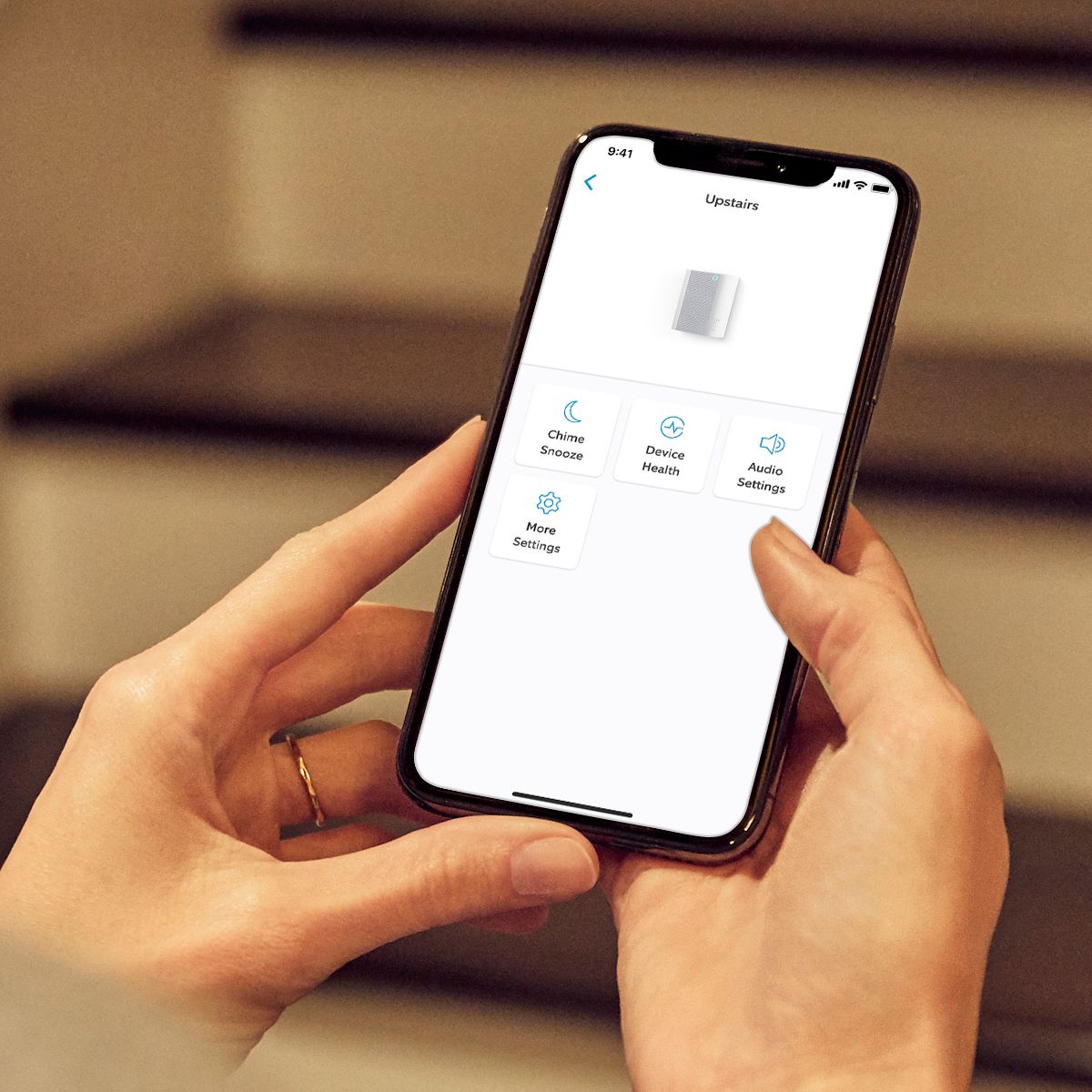
If you haven't already, please use the Ring app to increase the volume on your device. As a reference, here is how:
- Launch the Ring app and tap the main menu.
- Select the word Devices.
- Tap your Chime.
- Select Audio Settings.
- Tap Chime Tones.
From here, you can choose the sounds your device makes and increase the volume. If you happen to run into issues or need further assistance, please reach us directly. For any additional questions or concerns, please feel free to reach out on our community forum at https://community.ring.com/.
Thank you,
Antonio from Ring
Works 50% of the time
||Posted . Owned for 1 month when reviewed.This reviewer received promo considerations or sweepstakes entry for writing a review.Sometimes it works, sometimes it doesn’t. Love it when it works.
No, I would not recommend this to a friendBrand response from Ring
Posted .Hello Melissa,
Thank you for bringing this to our attention. The Chime was intended to be set up using a 2.4GHz Wi-Fi signal only. We recommend that you attempt the initial setup in the same room as the router in order to establish a good connection.
If you haven't already, you can also try rebooting your router. Oftentimes, these devices will benefit from a routine power cycle as they handle a lot of data. You should only have to power down the router for about a minute. Conversely, performing a hard reset on our Chime may be necessary to complete the setup. Please follow the instructions below to complete the hard reset:
* Start with your Chime plugged into an outlet. Begin holding down the setup button for 5 consecutive seconds, then release.
* Wait until the light on the front of the device stabilizes. (The light will return to a solid blue)
* Attempt a fresh setup through the Ring app. Since some of the troubleshooting steps are time sensitive, please ensure you have your Wi-Fi password handy.
Can you please reach out to our online forum, so we can work towards a resolution? For any additional questions or concerns, please feel free to reach out on our community forum at https://community.ring.com/.
Thank you,
Alexis with Ring
- Cons mentioned:Battery life
Does not work
||Posted . Owned for 1 year when reviewed.This reviewer received promo considerations or sweepstakes entry for writing a review.Tried to set up when purchased--would not hold charge. Checked for help online. No one to speak too. Tried several more times thoughout year. No change. No support.
No, I would not recommend this to a friend - Cons mentioned:Connectivity
Doesn’t stay connected to wifi
||Posted . Owned for 2 weeks when reviewed.This reviewer received promo considerations or sweepstakes entry for writing a review.Not happy. Doesn’t stay connected to WiFi. Have to constantly reconnect although it is located in the same room as the router. NONE of my other electronics or Ring devices drop connection. I do not recommend.
No, I would not recommend this to a friendBrand response from Ring
Posted .Hello CurvyDivaLady,
Thank you for bringing this to our attention. This isn't the experience we want our customers to have and are happy to help resolve this together. The Chime was intended to be set up using a 2.4GHz Wi-Fi signal only. We recommend that you attempt the initial setup in the same room as the router in order to establish a good connection.
If you haven't already, you can also try rebooting your router. Oftentimes, these devices will benefit from a routine power cycle as they handle a lot of data. You should only have to power down the router for about a minute. Conversely, performing a hard reset on our Chime may be necessary to complete the setup. Please follow the instructions below to complete the hard reset,
* Start with your Chime plugged into an outlet. Begin holding down the setup button for 5 consecutive seconds, then release.
* Wait until the light on the front of the device stabilizes. (The light will return to a solid blue)
* Attempt a fresh setup through the Ring app. Since some of the troubleshooting steps are time sensitive, please ensure you have your Wi-Fi password handy.
Can you please reach out to our online forum, so we can work towards a resolution? For any additional questions or concerns, please feel free to reach out on our community forum at https://community.ring.com/.
Thanks,
Alexis with Ring
Be careful before you buy
||Posted . Owned for 6 months when reviewed.This reviewer received promo considerations or sweepstakes entry for writing a review.While Ring managed to build a very good reputation for its quality products, looks like this particular product was "out of line"!!! It worked fine at the beginning but for some odd reason it suddenly became "offline" almost all the time. I called Ring's customer service for assistance/advice and after performing a full factory reset and setup from scratch is still went offline!!! this is when customer service advised that this gadget should be located less that 20 feet from the wireless router which is not feasible in my house. So, if you are planning to buy this "limited capabilities" product, make sure you can locate it that close to your router!!!
No, I would not recommend this to a friendBrand response from Ring
Posted .Hello Ahmed,
It is important to us that you are able to enjoy the benefits that the Ring Chime brings. This device should help amplify Ring alerts throughout your home. We’d love to ensure that is the case!
For the device to function as intended, you’ll need to ensure your Ring Chime is properly set up through the Ring app. Please follow the steps in this article to complete the in-app set up: https://support.ring.com/hc/en-us/articles/115001773546-Setting-Up-Your-Ring-Chime-in-the-Ring-App.
Also, Ring Community was launched to help deliver the most current news and educational information to our neighbors. This online forum is divided into four categories: Product Boards, Ring Updates, Tips + Tricks, and a Moderators’ Corner. The Product Boards are where you can begin new topics with your questions or feedback; there is also a search option which helps you find topics that were already posted by other neighbors. We invite you to visit our site at https://community.ring.com/ today!
All the best,
Antonio from Ring
Could be helpful if I had gotten it to work
||Posted . Owned for 3 weeks when reviewed.This reviewer received promo considerations or sweepstakes entry for writing a review.Could not get it to connect. So returned product ,not useful
No, I would not recommend this to a friendNot fair to Review
||Posted . Owned for 3 weeks when reviewed.This reviewer received promo considerations or sweepstakes entry for writing a review.Eay to set up, but I returned this item - I did not need it.
I would recommend this to a friendSo so accessory
||Posted . Owned for 3 weeks when reviewed.This reviewer received promo considerations or sweepstakes entry for writing a review.I like it but honestly having Alexa throughout my house I really don’t need it. I think a person who doesn’t have Alexa, google or Siri would benefit more from it
I would recommend this to a friendBrand response from Ring
Posted .Hi SoulToucha,
Thank you for taking the time to share your feedback on the Ring Chime.
We understand the importance of being notified throughout your home so that you don't miss a visitor. The Ring Chime is designed so you can hear notifications anywhere in your home when someone presses your doorbell or motion is detected. We would love to provide some tips and tricks to optimize notifications in your home.
While Ring integrates with existing smart home devices and allows Alexa to announce when someone presses your Ring doorbell or when motion is detected, a Ring Chime is still a great addition. It can easily plug into a standard wall outlet and connect to notify you in rooms where you may not have an Alexa device, such as a garage. For more information on the Ring Chime, visit our support center: https://support.ring.com/hc/en-us/articles/204647994-Ring-Chime-1st-Generation-Information.
You can also reach out on the Ring Community. It launched in March 2019 to help deliver the most current news and educational information to our customers. You can find tips and tricks from other Ring users at https://community.ring.com/. This peer-to-peer forum allows our neighbors to share their feedback and experiences to assist each other.
All the Best,
Nicole with Ring
- Cons mentioned:Connectivity
Doesn't work
||Posted . Owned for 3 weeks when reviewed.This reviewer received promo considerations or sweepstakes entry for writing a review.I linked the device to the ring doorbell. several times they have disconnected from each other and there is no doorbell inside. It defeats the purpose.
No, I would not recommend this to a friendBrand response from Ring
Posted .Hello Tiffdadiff,
Here at Ring, we understand how critical it is for your Ring Chime to work as intended. It's a key component to ensure all connected Ring devices have a strong signal, along with providing an internal audio effect through your home. We are here to lend some assistance.
Based on your review, it seems that you are having trouble with your Ring Chime staying online. When this happens, we recommend unplugging the Chime for 30 seconds and then plugging it back in. For more information on troubleshooting your Ring Chime, please see our help center
article:https://support.ring.com/hc/en-us/articles/360048673232-Troubleshooting-Your-Ring-Chime-Pro-and-Understanding-Light-Patterns.
For any additional questions or concerns regarding your Ring Chime , please feel free to reach out on our community forum at https://community.ring.com/. We look forward to hearing from you soon.
Thank you, Jamila with Ring.
Awful. Plain awful.
||Posted .This reviewer received promo considerations or sweepstakes entry for writing a review.It’s been 6 hours since I purchased. Firmware update won’t allow me to do anything. Reset 3 times. Doorbell rings but no sound. I could go on but I don’t have the patience to deal with such an incompetent product. Returning immediately. I can go get a $15 wireless doorbell and it’ll work perfectly. But spend $30 on the chime and you’ll be surely dissatisfied.
No, I would not recommend this to a friendBrand response from Ring
Posted .Hello Jhein1992,
We appreciate you leaving a review on the Ring Chime. The Ring Chime (2nd Generation) is an updated version of the classic Ring Chime. In addition to a stylish new design, Ring Chime's 2.4 GHz wifi connectivity will help you get notification for any and all of your Ring devices. We completely understand the relevance of having your home security up and running. Having peace of mind that your device’s connectivity is solid is also very important. Rest assured, we are here to assist you in resolving your dual-band connectivity concern. Based on your review it seems that you are having trouble connecting your Ring Chime to your wifi. If this is the case we recommend unplugging the Ring Chime for 30 seconds and then plugging it back in. Once done you may continue setting up your Ring Chime.
For more information on troubleshooting your Ring Chime, please see our help center article: https://support.ring.com/hc/en-us/articles/360048673232-Troubleshooting-Your-Ring-Chime-Pro-and-Understanding-Light-Patterns. For any additional questions or concerns regarding your Ring Chime, please feel free to reach out on our community forum at https://community.ring.com/. We look forward to hearing from you soon. Thank you, Jamila with Ring.
Annoying.
||Posted . Owned for 1 month when reviewed.This reviewer received promo considerations or sweepstakes entry for writing a review.Honestly, I wish I'd never gotten this stupid thing. It's more of a bother than its worth, really. And I'm pretty sure that my poor neighbors are gonna murder me pretty soon, so..
No, I would not recommend this to a friendBrand response from Ring
Posted .Hello Catherine,
Thank you for taking a moment to leave your review on the Ring Chime. At Ring, we believe that stronger communities are the key to safer neighborhoods. That is why we are driven to create products that help you protect what matters most at home, and empower you to connect with your visitors from wherever you are. We are saddened to read that this device did not meet your expectations, but are still here to assist you, if needed.
If you still have the Ring device in your possession, we invite you to reach out to us at https://community.ring.com/. Ring Community is our first peer-to-peer community forum, giving our customers the ability to help one another and share their personal feedback/experiences with Ring. We look forward to hearing from you, if we can be of any further assistance!
Thank you,
Jamila with Ring
Yea wait
||Posted . Owned for 1 week when reviewed.This reviewer received promo considerations or sweepstakes entry for writing a review.Look i bought this, opened box, read the instructions. Easy setup they wrote. Small number of steps they said. Wait on this item till ring fixes its interface to actually do what the instructions say. Its 27 dollars worth of head aches 2 dollars quality. I did get mine to work after about 90 minutes of trying, reading tips from others with the same problem, and finally one of the tips worked by the time I stopped paying attention. Good job ring, messed up a wet dream.
No, I would not recommend this to a friendBrand response from Ring
Posted .Hello BestBuy,
We appreciate you leaving a review on the Ring Chime. The Ring Chime (2nd Generation) is an updated version of the classic Ring Chime. In addition to a stylish new design, Ring Chime's 2.4 GHz wifi connectivity will help you get notification for any and all of your Ring devices. We completely understand the relevance of having your home security up and running. Having peace of mind that your device’s connectivity is solid is also very important. Rest assured, we are here to assist you in resolving your dual-band connectivity concern. Based on your review it seems that you are having trouble connecting your Ring Chime to your wifi. If this is the case we recommend unplugging the Ring Chime for 30 seconds and then plugging it back in. Once done you may continue setting up your Ring Chime.
For more information on troubleshooting your Ring Chime, please see our help center article: https://support.ring.com/hc/en-us/articles/360048673232-Troubleshooting-Your-Ring-Chime-Pro-and-Understanding-Light-Patterns. For any additional questions or concerns regarding your Ring Chime, please feel free to reach out on our community forum at https://community.ring.com/. We look forward to hearing from you soon. Thank you, Jamila with Ring.
- Cons mentioned:Connectivity
Worthless Doorbell
||Posted . Owned for 7 months when reviewed.This reviewer received promo considerations or sweepstakes entry for writing a review.Worthless! Its nothing more than a doorbell. It is sold confusing consumer with the other product that is suppose to extend and help
No, I would not recommend this to a friendBrand response from Ring
Posted .Hello RC4u,
Thank you for taking a moment to leave your review on the Ring Chime. We sincerely appreciate it! At Ring, we believe that stronger communities are the key to safer neighborhoods. That is why we are driven to create products that help you protect what matters most at home, and empower you to connect with your visitors from wherever you are.
While we are saddened to read that this device did not meet your expectations, if you still have the Ring device in your possession, we invite you to reach out to us at https://community.ring.com/ so that we may assist with finding a resolution to your concerns.
We look forward to hearing from you, if you have any further feedback regarding your overall experience.
Thank you,
Jamila with Ring
- Cons mentioned:Connectivity
Does not work well with Xfinity
||Posted . Owned for 3 weeks when reviewed.This reviewer received promo considerations or sweepstakes entry for writing a review.Does not work well with Xfinity internet. Either Ring or Xfinity has been able to solve the issue. Continues to go offline. Very Frustrating.
No, I would not recommend this to a friendBrand response from Ring
Posted .Hello SWGinLongmont,
We understand where you are coming from, as this isn't the experience we want our customers to have. You should be able to use your Ring Chime on your Xfinity service without a problem. Please know we are here to help find a solution.
If your Ring Chime keeps falling offline, please read our help article dedicated to solving this:
https://support.ring.com/hc/en-us/articles/360023559372-Fixing-Your-Devices-Falling-Offline-Repeatedly-by-Adjusting-Your-Router
You can always find further tips, tricks and support at our Ring Community. Please visit us here:
https://community.ring.com/
Best,
Marlom at Ring
- Cons mentioned:Connectivity
bad product
||Posted . Owned for 3 weeks when reviewed.This reviewer received promo considerations or sweepstakes entry for writing a review.It did not work. Itvwas an open box but paid full price. It was probably returned because it didn't work.
No, I would not recommend this to a friendBrand response from Ring
Posted .Hello phoggy1,
Thank you for taking the time to share your Bestbuy experience with us. We understand the importance of a seamless pickup at your local Bestbuy! Rest assured we hear you and are here to offer you some help.
In this particular case, it may be best for you to reach out to Bestbuy's customer service team and see what solutions they have for you:1 (888) 237-8289 or https://corporate.bestbuy.com/contact-corporate-responsibility/.We are confident that they will be able to provide you a resolution to the concern you’ve expressed.
Also, Ring Community is our first peer-to-peer community forum, giving our customers the ability to help one another and share their feedback/experiences with Ring. We invite you to reach out at https://community.ring.com/ if any additional information or assistance is needed regarding your Ring device.
Thank you, Jamila with Ring
Ring Chime
||Posted . Owned for 1 month when reviewed.This reviewer received promo considerations or sweepstakes entry for writing a review.The ring chime is required when you have a wireless Ring Video Doorbell in order to hear a door bell ring. The item sometimes works and at other times is does not work. I believe it does not work when it cannot communicate with the Ring Video Doorbell. It could be the Ring Video Doorbell that is having the problem but will not know for sure until a Geek Squad technical expert comes out to check the system. I am not sure if it is a problem with my Wi-Fi or the Ring product. I have many other items attached to my Wi-Fi without issues
No, I would not recommend this to a friendBrand response from Ring
Posted .Hello Eddie,
Our top priority at Ring is to ensure that our customers have the best possible experience with our products. It is important to us that you have all the necessary information to ensure that your setup experience is seamless. We truly value your feedback, simply because it helps us improve the product from a consumer standpoint.
The Ring Video Doorbell Wired is our only doorbell that requires the Ring Chime or compatible Alexa device for in home alerts. The Ring Doorbell Wired must be hardwired to a transformer with 10-24 VAC, 20-40VA max, and 50/60Hz.
We would love to investigate this concern further with you. Please visit our community forum at https://community.ring.com/ for some additional tips and support!
Thank you,
Antonio from Ring
- Cons mentioned:Connectivity
Not worth it
||Posted . Owned for 1 month when reviewed.This reviewer received promo considerations or sweepstakes entry for writing a review.So pointless. Will not stay connected for longer than 5 minutes. Biggest waste of money I shouldve believed the other reviews.
No, I would not recommend this to a friendBrand response from Ring
Posted .Hello Jules,
We here at Ring see your concern and would like to lend some assistance. You’re an important member of our Ring community, and we always want you to feel safe and secure. Based on your review it seems that you are having trouble with your Ring Chime staying connected to WIFI. If this is the case, we recommend resetting the Chime by pressing and holding the setup button for 10-30 seconds. Once done attempt to set up the device again. If you have tried the above steps and still need assistance, please reach out to us directly at 18006561918. -Jamila at ring
- Cons mentioned:Connectivity
Would not connect
||Posted . Owned for less than 1 week when reviewed.This reviewer received promo considerations or sweepstakes entry for writing a review.Followed all the directions, watched the how to videos, and the Chime would not connect to my network and other Ring devices
No, I would not recommend this to a friendBrand response from Ring
Posted .Hello LivingInVirginia,
We appreciate you leaving a review on the Ring Chime. The Ring Chime (2nd Generation) is an updated version of the classic Ring Chime. In addition to a stylish new design, Ring Chime's 2.4 GHz wifi connectivity will help you get notification for any and all of your Ring devices. We completely understand the relevance of having your home security up and running. Having peace of mind that your device’s connectivity is solid is also very important. Rest assured, we are here to assist you in resolving your dual-band connectivity concern. Based on your review it seems that you are having trouble connecting your Ring Chime to your wifi. If this is the case we recommend unplugging the Ring Chime for 30 seconds and then plugging it back in. Once done you may continue setting up your Ring Chime.
For more information on troubleshooting your Ring Chime, please see our help center article: https://support.ring.com/hc/en-us/articles/360048673232-Troubleshooting-Your-Ring-Chime-Pro-and-Understanding-Light-Patterns. For any additional questions or concerns regarding your Ring Chime, please feel free to reach out on our community forum at https://community.ring.com/. We look forward to hearing from you soon. Thank you, Jamila with Ring.
Ring Chime
||Posted . Owned for 2 weeks when reviewed.This reviewer received promo considerations or sweepstakes entry for writing a review.Chime keeps saying it’s updating since the day I bought it. Can’t even change the door bell tone and it’s been over 2weeks since I got it
No, I would not recommend this to a friendBrand response from Ring
Posted .Hello Cleosim,
We completely understand the relevance of having your home security up and running. Having peace of mind that your device’s connectivity is solid is also very important. Please know that we are here to take a deep look into everything and ensure that it gets resolved quickly.
After reading your review, it seems that you are having trouble using your Ring Chime after it downloaded new firmware. When you first set up a Ring device, it automatically applies any available updates. After that, it updates itself as needed, during off-peak hours. When your Ring device is updating, we recommend not using the device until after the update is done. For more information, please see our help center article: https://support.ring.com/hc/en-us/articles/115004599926-Updating-the-Firmware-For-Your-Ring-Devices. Sometimes, it helps to bring the device closer to the router until the update completes, too. Have you tried this?
Our top priority at Ring is to ensure that you have the best possible experience with your products and services. Home security is a 24-hour a day, seven day-a-week business, and Ring knows the importance of having access to your devices at the times you need them most. Please check out our community forum at https://community.ring.com/ for additional tips and support!
Thank you, Jamila with Ring.
Work don’t woek
||Posted . Owned for 2 months when reviewed.This reviewer received promo considerations or sweepstakes entry for writing a review.Doesn’t work all over the house unless the Wi-Fi is there but in some cases the Wi-Fi there and it still won’t work so I put up with it but I don’t recommend it
No, I would not recommend this to a friendBrand response from Ring
Posted .Hello marshellwilliams70,
Thank you for leaving a review. Here at Ring, we understand how critical it is for your Ring Chime Pro to work as intended. It's a key component to ensure all connected Ring devices have a strong signal, along with providing an internal audio effect through your home. We are here to lend some assistance.
Based on your review, it seems that you are having trouble with your Ring Chime Pro extending your wifi signal. When this happens, we recommend moving your Chime Pro. The ideal placement for your Chime Pro is about halfway between your wifi router and the device it’s connected to.
Wifi extenders work best with devices that won’t be moved, and ideally, the maximum distance between the router and the device should be under 30 feet. If the distance is greater than 30 feet, you might need a different solution to a weak wifi signal, like a mesh network instead of a wifi extender. A wifi router creates a single access point that broadcasts a signal. The further the signal has to go, the weaker the signal gets.
For more information on troubleshooting your Ring Chime Pro, please see our help center
article: https://support.ring.com/hc/en-us/articles/360048673232-Troubleshooting-Your-Ring-Chime-Pro-and-Understanding-Light-Patterns.
For any additional questions or concerns regarding your Ring Chime Pro, please feel free to reach out on our community forum at https://community.ring.com/. We look forward to hearing from you soon.
Thank you, Jamila with Ring